Working with Lightweight AI models – TinyML,
TensorFlow Lite, MobileNet
Dinesh Yuvaraj
CTO,CubeAISolutions Tech Pvt Ltd.
Bangalore.
CONTENTS 01 TinyML Landscape
02 Model Design
03 Compression Toolkit
04 TensorFlow Lite Path
05 MobileNet in Practice
06 Next Steps
01
TinyML Landscape
What is Lightweight AI Models
Definition
Lightweight AI models are efficient and compact machine learning models designed to deliver intelligent results while
using less memory, computation, and power.
Why Lightweight Models?
Traditional AI models are powerful but often require:
• High computational resources
• Large memory and storage
• Expensive infrastructure
Lightweight models address these challenges by being
faster, smaller, and more practical for real-world use.

Key Characteristics
• Low memory footprint
• Faster inference time
• Reduced power consumption
• Optimized for edge and limited-resource environments
• Cost-effective deployment
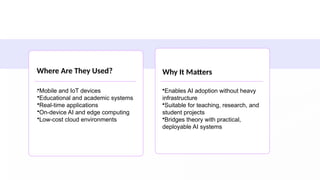
Where Are They Used?
.
Why It Matters
•Mobile and IoT devices
•Educational and academic systems
•Real-time applications
•On-device AI and edge computing
•Low-cost cloud environments
•Enables AI adoption without heavy
infrastructure
•Suitable for teaching, research, and
student projects
•Bridges theory with practical,
deployable AI systems
TinyML
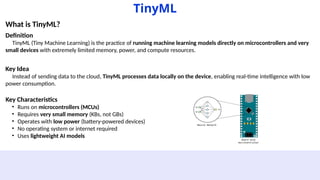
What is TinyML?
Definition
TinyML (Tiny Machine Learning) is the practice of running machine learning models directly on microcontrollers and very
small devices with extremely limited memory, power, and compute resources.
Key Idea
Instead of sending data to the cloud, TinyML processes data locally on the device, enabling real-time intelligence with low
power consumption.
Key Characteristics
• Runs on microcontrollers (MCUs)
• Requires very small memory (KBs, not GBs)
• Operates with low power (battery-powered devices)
• No operating system or internet required
• Uses lightweight AI models
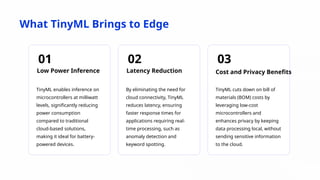
What TinyML Brings to Edge
01
Low Power Inference
TinyML enables inference on
microcontrollers at milliwatt
levels, significantly reducing
power consumption
compared to traditional
cloud-based solutions,
making it ideal for battery-
powered devices.
02
Latency Reduction
By eliminating the need for
cloud connectivity, TinyML
reduces latency, ensuring
faster response times for
applications requiring real-
time processing, such as
anomaly detection and
keyword spotting.
03
Cost and Privacy Benefits
TinyML cuts down on bill of
materials (BOM) costs by
leveraging low-cost
microcontrollers and
enhances privacy by keeping
data processing local, without
sending sensitive information
to the cloud.
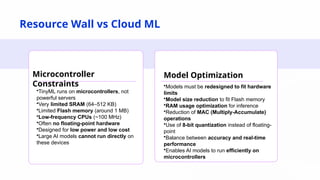
Resource Wall vs Cloud ML
Microcontroller
Constraints
Model Optimization
•TinyML runs on microcontrollers, not
powerful servers
•Very limited SRAM (64–512 KB)
•Limited Flash memory (around 1 MB)
•Low-frequency CPUs (~100 MHz)
•Often no floating-point hardware
•Designed for low power and low cost
•Large AI models cannot run directly on
these devices
•Models must be redesigned to fit hardware
limits
•Model size reduction to fit Flash memory
•RAM usage optimization for inference
•Reduction of MAC (Multiply-Accumulate)
operations
•Use of 8-bit quantization instead of floating-
point
•Balance between accuracy and real-time
performance
•Enables AI models to run efficiently on
microcontrollers
02
Model Design
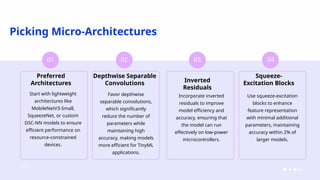
Picking Micro-Architectures
01
Preferred
Architectures
Start with lightweight
architectures like
MobileNetV3-Small,
SqueezeNet, or custom
DSC-NN models to ensure
efficient performance on
resource-constrained
devices.
02
Depthwise Separable
Convolutions
Favor depthwise
separable convolutions,
which significantly
reduce the number of
parameters while
maintaining high
accuracy, making models
more efficient for TinyML
applications.
03
Inverted
Residuals
Incorporate inverted
residuals to improve
model efficiency and
accuracy, ensuring that
the model can run
effectively on low-power
microcontrollers.
04
Squeeze-
Excitation Blocks
Use squeeze-excitation
blocks to enhance
feature representation
with minimal additional
parameters, maintaining
accuracy within 2% of
larger models.
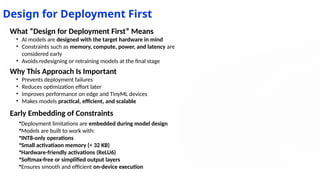
Design for Deployment First
Early Embedding of Constraints
•Deployment limitations are embedded during model design
•Models are built to work with:
•INT8-only operations
•Small activatiaon memory (< 32 KB)
•Hardware-friendly activations (ReLU6)
•Softmax-free or simplified output layers
•Ensures smooth and efficient on-device execution
What “Design for Deployment First” Means
• AI models are designed with the target hardware in mind
• Constraints such as memory, compute, power, and latency are
considered early
• Avoids redesigning or retraining models at the final stage
Why This Approach Is Important
• Prevents deployment failures
• Reduces optimization effort later
• Improves performance on edge and TinyML devices
• Makes models practical, efficient, and scalable
03
Compression Toolkit
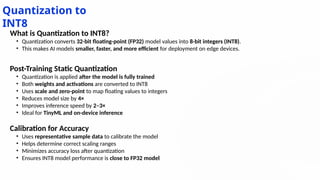
Quantization to
INT8
What is Quantization to INT8?
• Quantization converts 32-bit floating-point (FP32) model values into 8-bit integers (INT8).
• This makes AI models smaller, faster, and more efficient for deployment on edge devices.
Post-Training Static Quantization
• Quantization is applied after the model is fully trained
• Both weights and activations are converted to INT8
• Uses scale and zero-point to map floating values to integers
• Reduces model size by 4×
• Improves inference speed by 2–3×
• Ideal for TinyML and on-device inference
Calibration for Accuracy
• Uses representative sample data to calibrate the model
• Helps determine correct scaling ranges
• Minimizes accuracy loss after quantization
• Ensures INT8 model performance is close to FP32 model
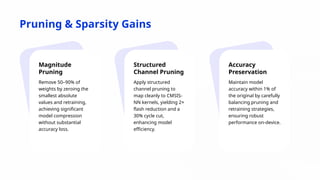
Pruning & Sparsity Gains
Magnitude
Pruning
Remove 50–90% of
weights by zeroing the
smallest absolute
values and retraining,
achieving significant
model compression
without substantial
accuracy loss.
Structured
Channel Pruning
Apply structured
channel pruning to
map cleanly to CMSIS-
NN kernels, yielding 2×
flash reduction and a
30% cycle cut,
enhancing model
efficiency.
Accuracy
Preservation
Maintain model
accuracy within 1% of
the original by carefully
balancing pruning and
retraining strategies,
ensuring robust
performance on-device.
04
TensorFlow Lite Path
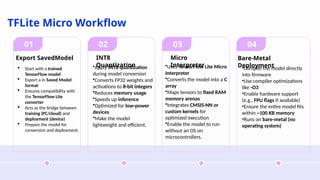
TFLite Micro Workflow
01
Export SavedModel
02
INT8
Quantization
03
Micro
Interpreter
04
Bare-Metal
Deployment
 Start with a trained
TensorFlow model
 Export a in Saved Model
format
 Ensures compatibility with
the TensorFlow Lite
converter
 Acts as the bridge between
training (PC/cloud) and
deployment (device)
 Prepare the model for
conversion and deployment.
•Apply INT8 quantization
during model conversion
•Converts FP32 weights and
activations to 8-bit integers
•Reduces memory usage
•Speeds up inference
•Optimized for low-power
devices
•Make the model
lightweight and efficient.
•Uses TensorFlow Lite Micro
Interpreter
•Converts the model into a C
array
•Maps tensors to fixed RAM
memory arenas
•Integrates CMSIS-NN or
custom kernels for
optimized execution
•Enable the model to run
without an OS on
microcontrollers.
•Compile the model directly
into firmware
•Use compiler optimizations
like -O3
•Enable hardware support
(e.g., FPU flags if available)
•Ensure the entire model fits
within ~100 KB memory
•Runs on bare-metal (no
operating system)
What is the TensorFlow Lite Path?
Definition
The TensorFlow Lite Path describes the end-to-end journey of an AI model from training to deployment on resource-
constrained devices such as mobile phones, embedded systems, and microcontrollers.
TensorFlow Lite
Why TensorFlow Lite?
• Full TensorFlow models are too heavy for edge devices
• TensorFlow Lite provides a lightweight runtime
• Optimized for low latency, low memory, and low power usage
Typical TensorFlow Lite Path
1. Model Training
1. Train the model using TensorFlow (FP32)
2. Model Optimization
1. Apply quantization, pruning, or other optimizations
3. TFLite Conversion
1. Convert the model to .tflite format
4. Deployment
1. Run on mobile, edge, or embedded devices
2. Use TFLite Interpreter or TFLite Micro for microcontrollers
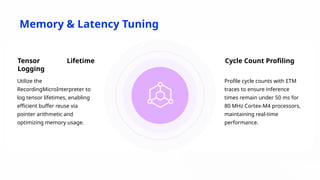
Memory & Latency Tuning
Tensor Lifetime
Logging
Utilize the
RecordingMicroInterpreter to
log tensor lifetimes, enabling
efficient buffer reuse via
pointer arithmetic and
optimizing memory usage.
Cycle Count Profiling
Profile cycle counts with ETM
traces to ensure inference
times remain under 50 ms for
80 MHz Cortex-M4 processors,
maintaining real-time
performance.
05
MobileNet in Practice
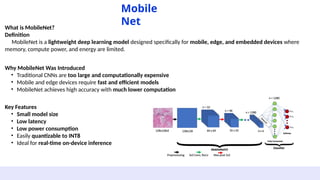
What is MobileNet?
Definition
MobileNet is a lightweight deep learning model designed specifically for mobile, edge, and embedded devices where
memory, compute power, and energy are limited.
Mobile
Net
Why MobileNet Was Introduced
• Traditional CNNs are too large and computationally expensive
• Mobile and edge devices require fast and efficient models
• MobileNet achieves high accuracy with much lower computation
Key Features
• Small model size
• Low latency
• Low power consumption
• Easily quantizable to INT8
• Ideal for real-time on-device inference
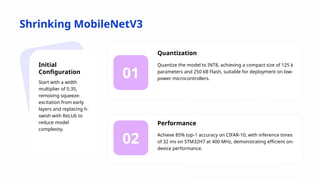
Shrinking MobileNetV3
01
02
Initial
Configuration
Start with a width
multiplier of 0.35,
removing squeeze-
excitation from early
layers and replacing h-
swish with ReLU6 to
reduce model
complexity.
Quantization
Quantize the model to INT8, achieving a compact size of 125 k
parameters and 250 kB Flash, suitable for deployment on low-
power microcontrollers.
Performance
Achieve 85% top-1 accuracy on CIFAR-10, with inference times
of 32 ms on STM32H7 at 400 MHz, demonstrating efficient on-
device performance.
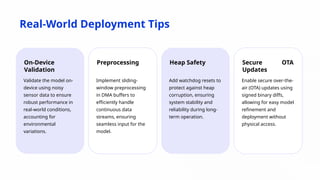
Real-World Deployment Tips
On-Device
Validation
Validate the model on-
device using noisy
sensor data to ensure
robust performance in
real-world conditions,
accounting for
environmental
variations.
Preprocessing
Implement sliding-
window preprocessing
in DMA buffers to
efficiently handle
continuous data
streams, ensuring
seamless input for the
model.
Heap Safety
Add watchdog resets to
protect against heap
corruption, ensuring
system stability and
reliability during long-
term operation.
Secure OTA
Updates
Enable secure over-the-
air (OTA) updates using
signed binary diffs,
allowing for easy model
refinement and
deployment without
physical access.
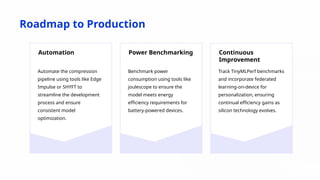
Roadmap to Production
Automation
Automate the compression
pipeline using tools like Edge
Impulse or SHYFT to
streamline the development
process and ensure
consistent model
optimization.
Power Benchmarking
Benchmark power
consumption using tools like
joulescope to ensure the
model meets energy
efficiency requirements for
battery-powered devices.
Continuous
Improvement
Track TinyMLPerf benchmarks
and incorporate federated
learning-on-device for
personalization, ensuring
continual efficiency gains as
silicon technology evolves.
YOUR LOGO
THANK YOU

Working with Lightweight AI models – TinyML, TensorFlow Lite, MobileNet

  • 1.
    Working with LightweightAI models – TinyML, TensorFlow Lite, MobileNet Dinesh Yuvaraj CTO,CubeAISolutions Tech Pvt Ltd. Bangalore.
  • 2.
    CONTENTS 01 TinyMLLandscape 02 Model Design 03 Compression Toolkit 04 TensorFlow Lite Path 05 MobileNet in Practice 06 Next Steps
  • 3.
  • 4.
    What is LightweightAI Models Definition Lightweight AI models are efficient and compact machine learning models designed to deliver intelligent results while using less memory, computation, and power. Why Lightweight Models? Traditional AI models are powerful but often require: • High computational resources • Large memory and storage • Expensive infrastructure Lightweight models address these challenges by being faster, smaller, and more practical for real-world use. Key Characteristics • Low memory footprint • Faster inference time • Reduced power consumption • Optimized for edge and limited-resource environments • Cost-effective deployment
  • 5.
    Where Are TheyUsed? . Why It Matters •Mobile and IoT devices •Educational and academic systems •Real-time applications •On-device AI and edge computing •Low-cost cloud environments •Enables AI adoption without heavy infrastructure •Suitable for teaching, research, and student projects •Bridges theory with practical, deployable AI systems
  • 6.
    TinyML What is TinyML? Definition TinyML(Tiny Machine Learning) is the practice of running machine learning models directly on microcontrollers and very small devices with extremely limited memory, power, and compute resources. Key Idea Instead of sending data to the cloud, TinyML processes data locally on the device, enabling real-time intelligence with low power consumption. Key Characteristics • Runs on microcontrollers (MCUs) • Requires very small memory (KBs, not GBs) • Operates with low power (battery-powered devices) • No operating system or internet required • Uses lightweight AI models
  • 7.
    What TinyML Bringsto Edge 01 Low Power Inference TinyML enables inference on microcontrollers at milliwatt levels, significantly reducing power consumption compared to traditional cloud-based solutions, making it ideal for battery- powered devices. 02 Latency Reduction By eliminating the need for cloud connectivity, TinyML reduces latency, ensuring faster response times for applications requiring real- time processing, such as anomaly detection and keyword spotting. 03 Cost and Privacy Benefits TinyML cuts down on bill of materials (BOM) costs by leveraging low-cost microcontrollers and enhances privacy by keeping data processing local, without sending sensitive information to the cloud.
  • 8.
    Resource Wall vsCloud ML Microcontroller Constraints Model Optimization •TinyML runs on microcontrollers, not powerful servers •Very limited SRAM (64–512 KB) •Limited Flash memory (around 1 MB) •Low-frequency CPUs (~100 MHz) •Often no floating-point hardware •Designed for low power and low cost •Large AI models cannot run directly on these devices •Models must be redesigned to fit hardware limits •Model size reduction to fit Flash memory •RAM usage optimization for inference •Reduction of MAC (Multiply-Accumulate) operations •Use of 8-bit quantization instead of floating- point •Balance between accuracy and real-time performance •Enables AI models to run efficiently on microcontrollers
  • 9.
  • 10.
    Picking Micro-Architectures 01 Preferred Architectures Start withlightweight architectures like MobileNetV3-Small, SqueezeNet, or custom DSC-NN models to ensure efficient performance on resource-constrained devices. 02 Depthwise Separable Convolutions Favor depthwise separable convolutions, which significantly reduce the number of parameters while maintaining high accuracy, making models more efficient for TinyML applications. 03 Inverted Residuals Incorporate inverted residuals to improve model efficiency and accuracy, ensuring that the model can run effectively on low-power microcontrollers. 04 Squeeze- Excitation Blocks Use squeeze-excitation blocks to enhance feature representation with minimal additional parameters, maintaining accuracy within 2% of larger models.
  • 11.
    Design for DeploymentFirst Early Embedding of Constraints •Deployment limitations are embedded during model design •Models are built to work with: •INT8-only operations •Small activatiaon memory (< 32 KB) •Hardware-friendly activations (ReLU6) •Softmax-free or simplified output layers •Ensures smooth and efficient on-device execution What “Design for Deployment First” Means • AI models are designed with the target hardware in mind • Constraints such as memory, compute, power, and latency are considered early • Avoids redesigning or retraining models at the final stage Why This Approach Is Important • Prevents deployment failures • Reduces optimization effort later • Improves performance on edge and TinyML devices • Makes models practical, efficient, and scalable
  • 12.
  • 13.
    Quantization to INT8 What isQuantization to INT8? • Quantization converts 32-bit floating-point (FP32) model values into 8-bit integers (INT8). • This makes AI models smaller, faster, and more efficient for deployment on edge devices. Post-Training Static Quantization • Quantization is applied after the model is fully trained • Both weights and activations are converted to INT8 • Uses scale and zero-point to map floating values to integers • Reduces model size by 4× • Improves inference speed by 2–3× • Ideal for TinyML and on-device inference Calibration for Accuracy • Uses representative sample data to calibrate the model • Helps determine correct scaling ranges • Minimizes accuracy loss after quantization • Ensures INT8 model performance is close to FP32 model
  • 14.
    Pruning & SparsityGains Magnitude Pruning Remove 50–90% of weights by zeroing the smallest absolute values and retraining, achieving significant model compression without substantial accuracy loss. Structured Channel Pruning Apply structured channel pruning to map cleanly to CMSIS- NN kernels, yielding 2× flash reduction and a 30% cycle cut, enhancing model efficiency. Accuracy Preservation Maintain model accuracy within 1% of the original by carefully balancing pruning and retraining strategies, ensuring robust performance on-device.
  • 15.
  • 16.
    TFLite Micro Workflow 01 ExportSavedModel 02 INT8 Quantization 03 Micro Interpreter 04 Bare-Metal Deployment  Start with a trained TensorFlow model  Export a in Saved Model format  Ensures compatibility with the TensorFlow Lite converter  Acts as the bridge between training (PC/cloud) and deployment (device)  Prepare the model for conversion and deployment. •Apply INT8 quantization during model conversion •Converts FP32 weights and activations to 8-bit integers •Reduces memory usage •Speeds up inference •Optimized for low-power devices •Make the model lightweight and efficient. •Uses TensorFlow Lite Micro Interpreter •Converts the model into a C array •Maps tensors to fixed RAM memory arenas •Integrates CMSIS-NN or custom kernels for optimized execution •Enable the model to run without an OS on microcontrollers. •Compile the model directly into firmware •Use compiler optimizations like -O3 •Enable hardware support (e.g., FPU flags if available) •Ensure the entire model fits within ~100 KB memory •Runs on bare-metal (no operating system)
  • 17.
    What is theTensorFlow Lite Path? Definition The TensorFlow Lite Path describes the end-to-end journey of an AI model from training to deployment on resource- constrained devices such as mobile phones, embedded systems, and microcontrollers. TensorFlow Lite Why TensorFlow Lite? • Full TensorFlow models are too heavy for edge devices • TensorFlow Lite provides a lightweight runtime • Optimized for low latency, low memory, and low power usage Typical TensorFlow Lite Path 1. Model Training 1. Train the model using TensorFlow (FP32) 2. Model Optimization 1. Apply quantization, pruning, or other optimizations 3. TFLite Conversion 1. Convert the model to .tflite format 4. Deployment 1. Run on mobile, edge, or embedded devices 2. Use TFLite Interpreter or TFLite Micro for microcontrollers
  • 18.
    Memory & LatencyTuning Tensor Lifetime Logging Utilize the RecordingMicroInterpreter to log tensor lifetimes, enabling efficient buffer reuse via pointer arithmetic and optimizing memory usage. Cycle Count Profiling Profile cycle counts with ETM traces to ensure inference times remain under 50 ms for 80 MHz Cortex-M4 processors, maintaining real-time performance.
  • 19.
  • 20.
    What is MobileNet? Definition MobileNetis a lightweight deep learning model designed specifically for mobile, edge, and embedded devices where memory, compute power, and energy are limited. Mobile Net Why MobileNet Was Introduced • Traditional CNNs are too large and computationally expensive • Mobile and edge devices require fast and efficient models • MobileNet achieves high accuracy with much lower computation Key Features • Small model size • Low latency • Low power consumption • Easily quantizable to INT8 • Ideal for real-time on-device inference
  • 21.
    Shrinking MobileNetV3 01 02 Initial Configuration Start witha width multiplier of 0.35, removing squeeze- excitation from early layers and replacing h- swish with ReLU6 to reduce model complexity. Quantization Quantize the model to INT8, achieving a compact size of 125 k parameters and 250 kB Flash, suitable for deployment on low- power microcontrollers. Performance Achieve 85% top-1 accuracy on CIFAR-10, with inference times of 32 ms on STM32H7 at 400 MHz, demonstrating efficient on- device performance.
  • 22.
    Real-World Deployment Tips On-Device Validation Validatethe model on- device using noisy sensor data to ensure robust performance in real-world conditions, accounting for environmental variations. Preprocessing Implement sliding- window preprocessing in DMA buffers to efficiently handle continuous data streams, ensuring seamless input for the model. Heap Safety Add watchdog resets to protect against heap corruption, ensuring system stability and reliability during long- term operation. Secure OTA Updates Enable secure over-the- air (OTA) updates using signed binary diffs, allowing for easy model refinement and deployment without physical access.
  • 23.
    Roadmap to Production Automation Automatethe compression pipeline using tools like Edge Impulse or SHYFT to streamline the development process and ensure consistent model optimization. Power Benchmarking Benchmark power consumption using tools like joulescope to ensure the model meets energy efficiency requirements for battery-powered devices. Continuous Improvement Track TinyMLPerf benchmarks and incorporate federated learning-on-device for personalization, ensuring continual efficiency gains as silicon technology evolves.
  • 24.