WORKING WITH IN COOKIES
Presented By,
Nandhini .K
I-M.Sc.CS
ADVANCED JAVA PROGRAMMING
Working with in
Cookies
Cookies are small text files stored on the client-side
that allow web applications to maintain state and
personalize the user experience. In Java, developers
can easily create, manage, and secure cookies to
enhance the functionality of their web applications.
Persistent Data Storage
Cookies store small pieces of
data on the user's device,
allowing the web application
to remember user preferences
and activities.
Session Management
Cookies are often used to track
user sessions, keeping track of
when a user logs in and out of
a web application.
Personalization
Cookies can be used to
personalize the user
experience, such as displaying
relevant content or
advertisements based on the
user's browsing history.
Security
Cookies can be used to store
authentication tokens or other
sensitive information, but they
must be secured to prevent
unauthorized access.
What are Cookies?
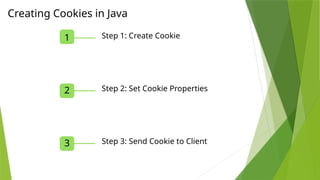
1 Step 1: Create Cookie
2 Step 2: Set Cookie Properties
3 Step 3: Send Cookie to Client
Creating Cookies in Java
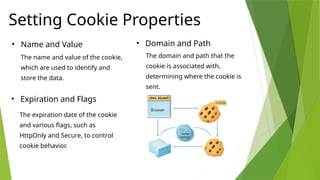
Setting Cookie Properties
• Name and Value
The name and value of the cookie,
which are used to identify and
store the data.
• Domain and Path
The domain and path that the
cookie is associated with,
determining where the cookie is
sent.
• Expiration and Flags
The expiration date of the cookie
and various flags, such as
HttpOnly and Secure, to control
cookie behavior.
Retrieving Cookies from the Client
1 Step 1: Get Cookie Header
Retrieve the Cookie header from the HTTP request to access the client's
cookies.
2 Step 2: Parse Cookie Data
Use the Cookie class to parse the cookie header and extract the
individual cookie values.
3 Step 3: Access Cookie Data
Use the cookie values to personalize the user experience or maintain
session information.
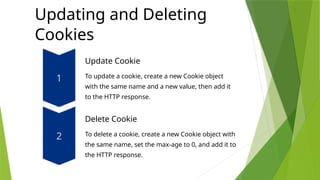
Updating and Deleting
Cookies
Update Cookie
To update a cookie, create a new Cookie object
with the same name and a new value, then add it
to the HTTP response.
Delete Cookie
To delete a cookie, create a new Cookie object with
the same name, set the max-age to 0, and add it to
the HTTP response.
Securing Cookies with HTTPS
1 Encrypted Connection
Using HTTPS ensures that the
cookie data is transmitted securely
between the client and server,
preventing eavesdropping.
2 Secure Flag
The Secure flag can be set on a
cookie to instruct the browser to
only send the cookie over a secure
HTTPS connection.
3 HttpOnly Flag
The HttpOnly flag prevents the cookie from being accessed by client-side scripts,
reducing the risk of cross-site scripting (XSS) attacks.
THANK YOU

WORKING WITH IN COOKIES JAVA SEMINAR.pptx

  • 1.
    WORKING WITH INCOOKIES Presented By, Nandhini .K I-M.Sc.CS ADVANCED JAVA PROGRAMMING
  • 2.
    Working with in Cookies Cookiesare small text files stored on the client-side that allow web applications to maintain state and personalize the user experience. In Java, developers can easily create, manage, and secure cookies to enhance the functionality of their web applications.
  • 3.
    Persistent Data Storage Cookiesstore small pieces of data on the user's device, allowing the web application to remember user preferences and activities. Session Management Cookies are often used to track user sessions, keeping track of when a user logs in and out of a web application. Personalization Cookies can be used to personalize the user experience, such as displaying relevant content or advertisements based on the user's browsing history. Security Cookies can be used to store authentication tokens or other sensitive information, but they must be secured to prevent unauthorized access. What are Cookies?
  • 4.
    1 Step 1:Create Cookie 2 Step 2: Set Cookie Properties 3 Step 3: Send Cookie to Client Creating Cookies in Java
  • 5.
    Setting Cookie Properties •Name and Value The name and value of the cookie, which are used to identify and store the data. • Domain and Path The domain and path that the cookie is associated with, determining where the cookie is sent. • Expiration and Flags The expiration date of the cookie and various flags, such as HttpOnly and Secure, to control cookie behavior.
  • 6.
    Retrieving Cookies fromthe Client 1 Step 1: Get Cookie Header Retrieve the Cookie header from the HTTP request to access the client's cookies. 2 Step 2: Parse Cookie Data Use the Cookie class to parse the cookie header and extract the individual cookie values. 3 Step 3: Access Cookie Data Use the cookie values to personalize the user experience or maintain session information.
  • 7.
    Updating and Deleting Cookies UpdateCookie To update a cookie, create a new Cookie object with the same name and a new value, then add it to the HTTP response. Delete Cookie To delete a cookie, create a new Cookie object with the same name, set the max-age to 0, and add it to the HTTP response.
  • 8.
    Securing Cookies withHTTPS 1 Encrypted Connection Using HTTPS ensures that the cookie data is transmitted securely between the client and server, preventing eavesdropping. 2 Secure Flag The Secure flag can be set on a cookie to instruct the browser to only send the cookie over a secure HTTPS connection. 3 HttpOnly Flag The HttpOnly flag prevents the cookie from being accessed by client-side scripts, reducing the risk of cross-site scripting (XSS) attacks.
  • 9.