






WordPress for Newbies
with Shannon Smith & Kathryn Presner


                              March 27, 2010
Welcome
Kathryn Presner
of Zoonini Web Services 
www.zoonini.com
@zoonini
Shannon Smith
of Café Noir Design Inc. 
www.cafenoirdesign.com
@cafenoirdesign
What We’ll Cover

Welcome
Intro to WordPress
Intro to the Admin Panel
Resources
Closing
Questions
Intro to WordPress
Diving into WordPress


   What is WordPress?
   WordPress.com vs.
   WordPress.org
   What is it used for?


http://en.support.wordpress.com/com-vs-org/
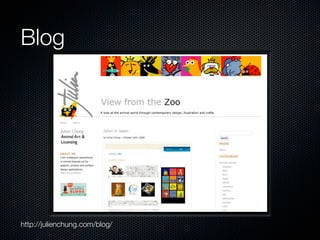
Blog


http://julienchung.com/blog/
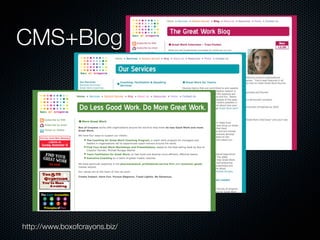
CMS+Blog


http://www.boxofcrayons.biz/
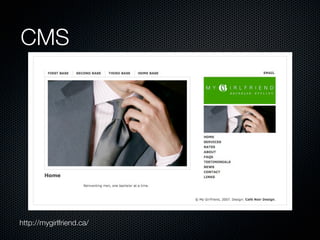
CMS


http://mygirlfriend.ca/
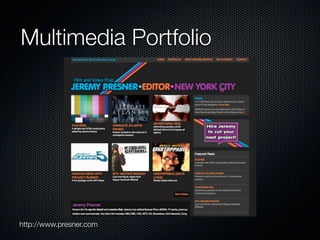
Multimedia Portfolio


http://www.presner.com
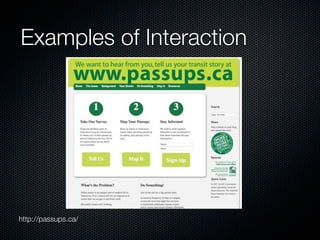
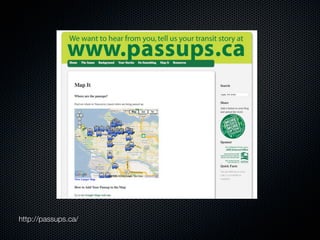
Examples of Interaction


http://passups.ca/
http://passups.ca/
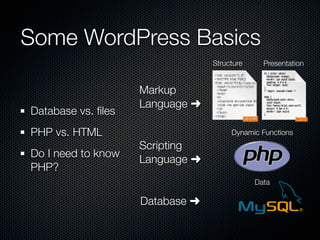
Some WordPress Basics
                                 Structure     Presentation


                    Markup
                    Language ➜
Database vs. files
PHP vs. HTML                          Dynamic Functions
                    Scripting
Do I need to know
                    Language ➜
PHP?
                                             Data

                    Database ➜
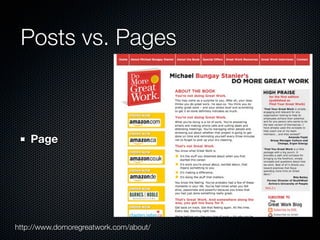
Posts vs. Pages


    Page


http://www.domoregreatwork.com/about/
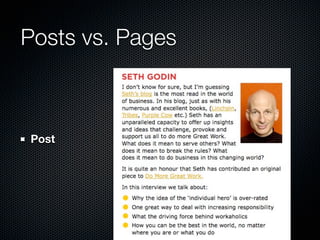
Posts vs. Pages


Post
Introduction to Themes
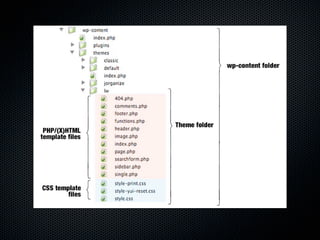
      A WP Theme is a collection of Template files -
      (X)HTML + PHP + CSS
      The CSS (aka stylesheet) usually controls the
      layout and design
      Only two template files are required: index.php,
      style.css
      Some are optional: sidebar.php, comments.php,
      etc.


http://codex.wordpress.org/Stepping_Into_Templates
http://codex.wordpress.org/Template_Hierarchy
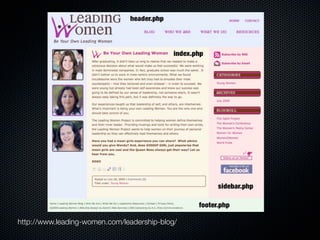
http://www.leading-women.com/leadership-blog/
Get Started With
Blank Themes
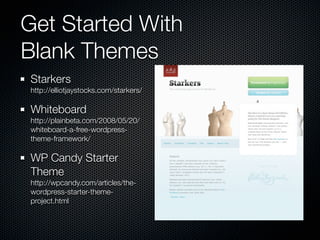
Starkers
http://elliotjaystocks.com/starkers/

Whiteboard
http://plainbeta.com/2008/05/20/
whiteboard-a-free-wordpress-
theme-framework/

WP Candy Starter
Theme
http://wpcandy.com/articles/the-
wordpress-starter-theme-
project.html
Get Started With
A Pre-made Theme
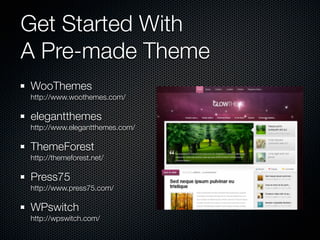
WooThemes
http://www.woothemes.com/

elegantthemes
http://www.elegantthemes.com/

ThemeForest
http://themeforest.net/

Press75
http://www.press75.com/

WPswitch
http://wpswitch.com/
Introduction to Plugins
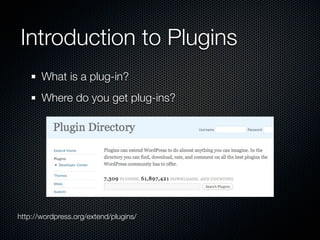
       What is a plug-in?
       Where do you get plug-ins?


http://wordpress.org/extend/plugins/
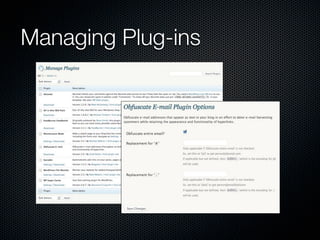
Managing Plug-ins
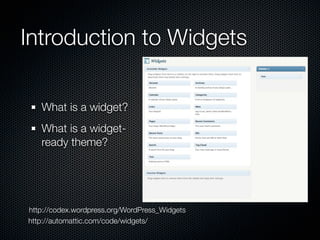
Introduction to Widgets

   What is a widget?
   What is a widget-
   ready theme?


http://codex.wordpress.org/WordPress_Widgets
http://automattic.com/code/widgets/
Intro to the Admin Panel
The Admin Panel


 Let’s go spelunking!
WordPress Resources
Links

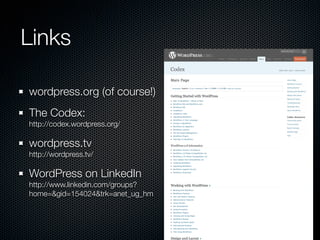
wordpress.org (of course!)
The Codex:
http://codex.wordpress.org/

wordpress.tv
http://wordpress.tv/

WordPress on LinkedIn
http://www.linkedin.com/groups?
home=&gid=154024&trk=anet_ug_hm
Cheat Sheets
WP Candy Cheat Sheet - Basic and Advanced
http://wpcandy.com/articles/tutorials/the-wordpress-help-sheet.html
http://wpcandy.com/articles/tutorials/the-advanced-wordpress-help-sheet.html

WordPress Functions Cheat Sheet
http://net.tutsplus.com/freebies/cheat-sheets/wordpress-cheat-sheat/

WordPress SEO Cheat Sheet
http://www.tekka.de/seo-for-wordpress/cheat-sheet-seo-for-wordpress.pdf

WordPress Template Tags Reference Guide
http://www.dbswebsite.com/design/wordpress-reference/

Optimization Cheat Sheet for WordPress
http://codex.wordpress.org/WordPress_Optimization/Cheat_Sheet

WordPress Visual Cheat Sheet
http://woorkup.com/2009/11/01/wordpress-visual-cheat-sheet/
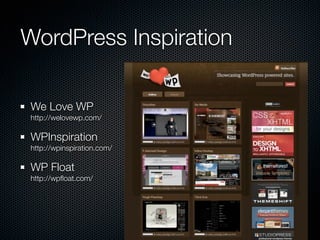
WordPress Inspiration

We Love WP
http://welovewp.com/

WPInspiration
http://wpinspiration.com/

WP Float
http://wpfloat.com/
Kathryn's Must-Have
Plugins
All in One SEO Pack     Extremely helpful if
                        needed: Widget Logic
WP Backup
                        3 security plugins:
Sociable
                          WordPress File
Feedsmith
                          Monitor
Obfuscate Email
                          WP Security Scan
Subscribe to Comments
                          WordPress Exploit
                          Scanner
Shannon's Must-Have
Plugins
BackUpWordPress        Search Excerpt
All in One SEO Pack    ShareThis
Contact Form 7         Google Analyticator
Dean's FCKEditor For   Google XML Sitemaps
WordPress
                       Google Maps for
Home Page Link         WordPress
Flickr Photo Album     (feedburner, google
                       analytics, wufoo forms,
Audio player
                       microformats)
Closing
What Next?


Get the presentation at Slideshare
More Questions?
Company links
  http://www.zoonini.com
  http://www.cafenoirdesign.com
Twitter links
  @zoonini
  @cafenoirdesign
Thank You / Q&A

Wordpress for Newbies 2010-03-27

Editor's Notes

  • #3 Shannon
  • #4 Kathryn I’m Kathryn Presner. Been building Web sites for over a decade through Zoonini Web Services. My background in communications leads me to look at web design holistically, taking into account design/technical aspects/content/optimization. Started using WordPress about two years ago, still have a lot to learn but happy to share what I know.
  • #5 Shannon Shannon Smith is the founder of Café Noir Design Inc., a small boutique web design company in the Montreal area specializing in bilingual web design. She supports web standards, semantic markup, microformats, open source products, and sustainable business practices. Shannon works with a number of PHP/MySQL content management systems to create clean, minimalist designs, that adhere to W3C standards. She also holds graduate degrees in journalism and psychology. Also a foodie and mother of two
  • #6 Shannon
  • #8 Kathryn What is WordPress? - popular open-source blogging platform that started in 2003 - two distinct flavours: WordPress.com & WordPress.org - .org - need your own Web host server but the basic software is Open Source, meaning that the source code is made available to anyone, free of charge and free of copyright restrictions - .com - WordPress hosts site for you, there are commercial limitations (advertising, affiliate links), limited choice of themes or plug-ins, can’t install your own plug-ins or custom themes, to access certain features & customization you need to buy credits, URL like janesblog.wordpress.com (you can upgrade to use your own domain). WordPress.com may display ads on your site unless you upgrade - our focus today is on WordPress.org
  • #9 Shannon This blog for an illustrator allows the designer to share news easily -Typical blog format, few plugins
  • #10 Kathryn WordPress doesn't have to be used like a traditional written blog - example: presner.com (video blog), can also be used solely as a CMS (content management system) This site for a business coach incorporates a blog as well as informational pages (CMS part). Each section has a different colour scheme.
  • #11 Shannon -plugins here are mostly for navigation, audio
  • #12 Kathryn This portfolio site for a film & TV editor features dozens of video clips. “Premium theme” purchased & customized.
  • #13 Shannon http://sixrevisions.com/wordpress/16-wordpress-sites-to-help-you-build-a-better-blog/ -Doesn’t look like a blog -Uses few plugins -Uses web tools instead (Google interactive maps, Wuforms, Email Signup, etc.
  • #14 Shannon
  • #15 Shannon Some technical things that are helpful to understand at least the basics of: - WordPress runs on PHP (scripting language) PHP: Hypertext Preprocessor& MySQL (type of database) -Php allows for a dynamic site - Difference between database vs. files - what’s a good analogy? - file - document - database - bits of information that can be interconnected in different ways - WordPress - and most other CMS’s - use both files and a database to allow quick updating and access of information - What is PHP and how does it differ from HTML. Do you need to know HTML or PHP or CSS to use WordPress? No - BUT a little bit can go a long way. - We will assume most of you know at least a little HTML but little-to-no PHP -On top of these can be added javascript, flash, etc. -Javascript is a programming language designed for performing dynamic tasks. -Flash is a multimedia platform that is popular for adding animation and interactivity to web pages. It contains a scripting language called ActionScript. -Ajax uses a combination of HTML and CSS to mark up and style information. The DOM is accessed with JavaScript to dynamically display, and to allow the user to interact with, the information presented. JavaScript and the XMLHttpRequest object provide a method for exchanging data asynchronously between browser and server to avoid full page reloads.
  • #16 Shannon - Posts vs. Pages - Pages are just what they sound like - whole pages on a site -meant to be used for static content - content that rarely changes -example : the about page
  • #17 Shannon - posts are individual entries within a blog, they can include things like: - the title of the entry, the date, tags, categories, comments -typical blog entries, but can also be any dynamic content (events list, etc.)
  • #18 Shannon Intro to themes - a theme is a collection of template files that tells WordPress what your site should look like and how it should work - (X)HTML files & CSS stylesheet - Where to get a blank theme How does a theme file work - i.e. usually pulls in header, footer, sidebar Theme file structure (Good intro for beginners here: http://www.wpdesigner.com/2007/02/21/wp-theme-lesson-1-intro/) http://css-tricks.com/the-book-digging-into-wordpress/
  • #19 Shannon -List of typical theme files
  • #20 Shannon -Typical layout -Atypical layouts can include multiple sidebars, special files for repeating sections, like contact info, etc.
  • #21 Shannon Free, easy to use -Can also make your own
  • #22 Shannon Can be paid or free Smashing magazine often has roundups of attractive pre-made themes
  • #23 Kathryn Plug-ins add extra functionality to the basic WordPress setup, so you only have to install what you need. This keeps your base installation as lean & mean as possible. The WP plug-in directory lets you choose from thousands of plug-ins contributed by the WP community. You can often get added functionality without a plugin - see passups.ca
  • #24 Kathryn Plug-ins do everything from encrypt email addresses to make them harder for spammers to harvest to... to generating a complete database backup of your site and emailing it to you. Those things are “behind-the-scenes” - often plug-ins are more up-front, too - like rotating testimonials or social-bookmarking tools.
  • #25 Kathryn Widgets allow you to drag-and-drop ready-made bits of functionality to a pre-designated spot on your site. It could be a search box, a text bock, a calendar, or list of archives in your bog... just for starters. -You can widgetize many areas of your blog, not just the sidebar. (info here: http://lifehacker.com/5365600/the-beginners-guide-to-tricking-out-your-wordpress-blog)
  • #27 Kathryn Intro to the admin panel: see http://www.geekniche.com/you/tutorials/intro-to-wordpress/
  • #28 Kathryn
  • #29 Kathryn
  • #30 Kathryn
  • #31 Kathryn
  • #32 Kathryn
  • #33 Shannon
  • #34 Shannon
  • #35 Shannon
  • #36 Shannon
  • #37 Shannon