WordPress- Introduction, Installation
and Customization
Ms.Rachana Pathak
(rachanarpathak@gmail.com)
Assistant Professor, Dept of Computer Science and Engineering
Walchand Institute of Technology, Solapur
(www.witsolapur.org)
Learning Outcome
2Walchand Institute of Technology, Solapur
At the end of this session,
Students will be able to Install, and customize WordPress (Open Source
Content Management System).
Overview
• Introduction of wordpress
• How to install
• How to develop site in wordpress
Walchand Institute of Technology, Solapur 3
Requirements
• Laptop(computer) and Internet connection.
• Wamp or xampp server(local server).
• Word press package.
• PHP
Walchand Institute of Technology, Solapur 4
Introduction
• Wordpress is, open source website creation tool which is written in PHP.
• WordPress is highly customizable with thousands of plugins.
• Famous blogs, news outlets, music sites, Fortune 500 companies and
celebrities are using WordPress.
Walchand Institute of Technology, Solapur 5
Wordpress Setup – Initial Steps
Step 1
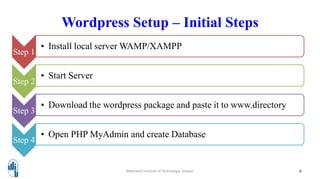
• Install local server WAMP/XAMPP
Step 2
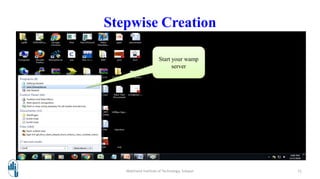
• Start Server
Step 3
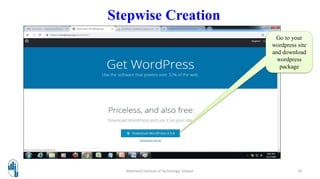
• Download the wordpress package and paste it to www.directory
Step 4
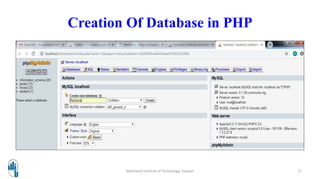
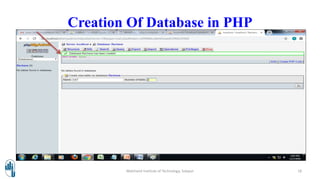
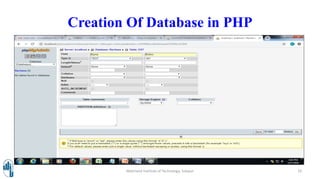
• Open PHP MyAdmin and create Database
Walchand Institute of Technology, Solapur 6
Step 5
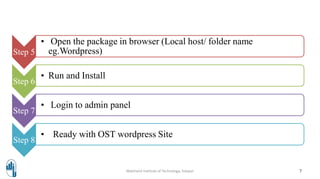
• Open the package in browser (Local host/ folder name
eg.Wordpress)
Step 6
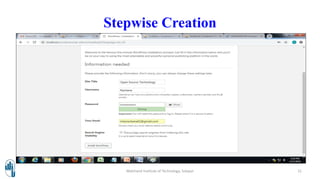
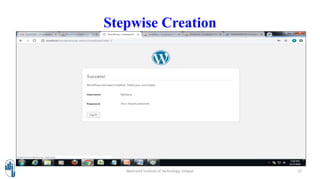
• Run and Install
Step 7
• Login to admin panel
Step 8
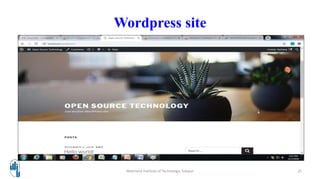
• Ready with OST wordpress Site
Walchand Institute of Technology, Solapur 7
Think and Write
Question :
Where will you paste your downloaded wordpress package?
Walchand Institute of Technology, Solapur 8
Answer
The web root of xampp server.
Walchand Institute of Technology, Solapur 9
Walchand Institute of Technology, Solapur 10
Go to your
wordpress site
and download
wordpress
package
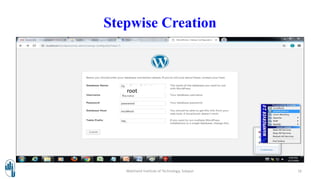
Stepwise Creation
Stepwise Creation
Walchand Institute of Technology, Solapur 11
Start your wamp
server
Stepwise Creation
Walchand Institute of Technology, Solapur 12
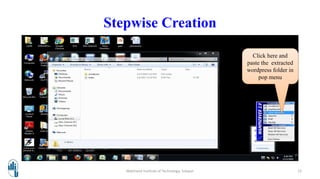
Click here and
paste the extracted
wordpress folder in
pop menu
Stepwise Creation
Walchand Institute of Technology, Solapur 13
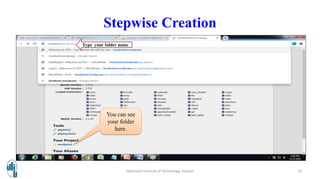
You can see
your folder
here.
Type your folder name
Stepwise Creation
Walchand Institute of Technology, Solapur 14
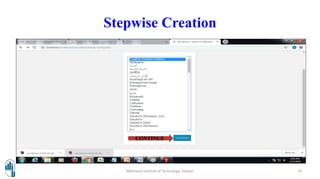
CONTINUE
Stepwise Creation
Walchand Institute of Technology, Solapur 15
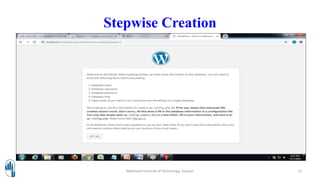
Stepwise Creation
Walchand Institute of Technology, Solapur 16
root
Creation Of Database in PHP
Walchand Institute of Technology, Solapur 17
Creation Of Database in PHP
Walchand Institute of Technology, Solapur 18
Creation Of Database in PHP
Walchand Institute of Technology, Solapur 19
Stepwise Creation
Walchand Institute of Technology, Solapur 20
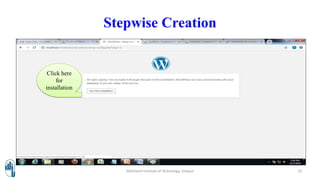
Click here
for
installation
Stepwise Creation
Walchand Institute of Technology, Solapur 21
Stepwise Creation
Walchand Institute of Technology, Solapur 22
Stepwise Creation
Walchand Institute of Technology, Solapur 23
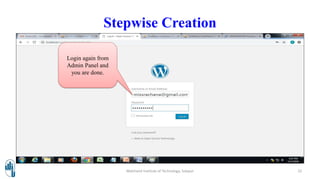
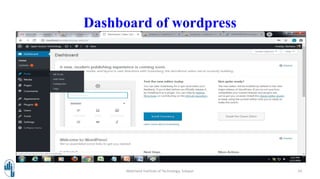
Login again from
Admin Panel and
you are done.
Dashboard of wordpress
Walchand Institute of Technology, Solapur 24
Wordpress site
Walchand Institute of Technology, Solapur 25
References
• Understanding Open Source and Free Software Licensing - By Andrew M. St.
Laurent, Oreily Media. e-Resource available at:
https://www.oreilly.com/openbook/osfreesoft/book/index.html
• Apache HTTP Server Documentation Version 2.2 by by Apache Software
Foundation
• Official Documentation of Wordpress (e-resource)
26Walchand Institute of Technology, Solapur
Thank You !!!
27Walchand Institute of Technology, Solapur

Wordpress