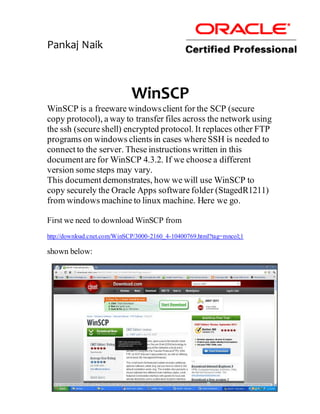
WinSCP is a free Windows client that allows users to securely transfer files between a Windows machine and a Linux server using SCP and SSH. The document provides step-by-step instructions for using WinSCP to copy an Oracle Apps software folder from a Windows machine to a Linux server. It describes how to download and install WinSCP, configure a session by inputting host, port, username, and directory information, save the session, login, and drag and drop files between the local and remote directories. Basic navigation and file transfer functions like copying, selecting multiple files, and navigating folders are also overviewed.


![[오픈소스컨설팅]systemd on RHEL7](https://cdn.slidesharecdn.com/ss_thumbnails/systemdrhel7-160405035049-thumbnail.jpg?width=640&height=640&fit=bounds)

![[Webinar Slides] Programming the Network Dataplane in P4](https://cdn.slidesharecdn.com/ss_thumbnails/p4-webinar-intro-demo-oct2015-chang-151106220822-lva1-app6891-thumbnail.jpg?width=640&height=640&fit=bounds)


![[오픈소스컨설팅]레드햇계열리눅스7 운영자가이드 - 기초편](https://cdn.slidesharecdn.com/ss_thumbnails/rhel7-160406045643-thumbnail.jpg?width=640&height=640&fit=bounds)


![[ko] Kernel Networking Stack 진입 장벽 허물기](https://cdn.slidesharecdn.com/ss_thumbnails/linuxkernelnetworkingstack-221122053715-72222df1-thumbnail.jpg?width=640&height=640&fit=bounds)


