Professional Services & Support for Scilab, 
Free Open Source Software for Numerical Computation
19/05/14 2 
SCILAB 5.5.0 
Tools for your applications
Minute 
 Scilab Enterprises & Scilab Software 
 Scilab 5.5.0 after Scilab 5.4.1 
 Scilab 5.5.0 answer user needs 
 Demo 
 What's next ?
Scilab Enterprises & Scilab Software
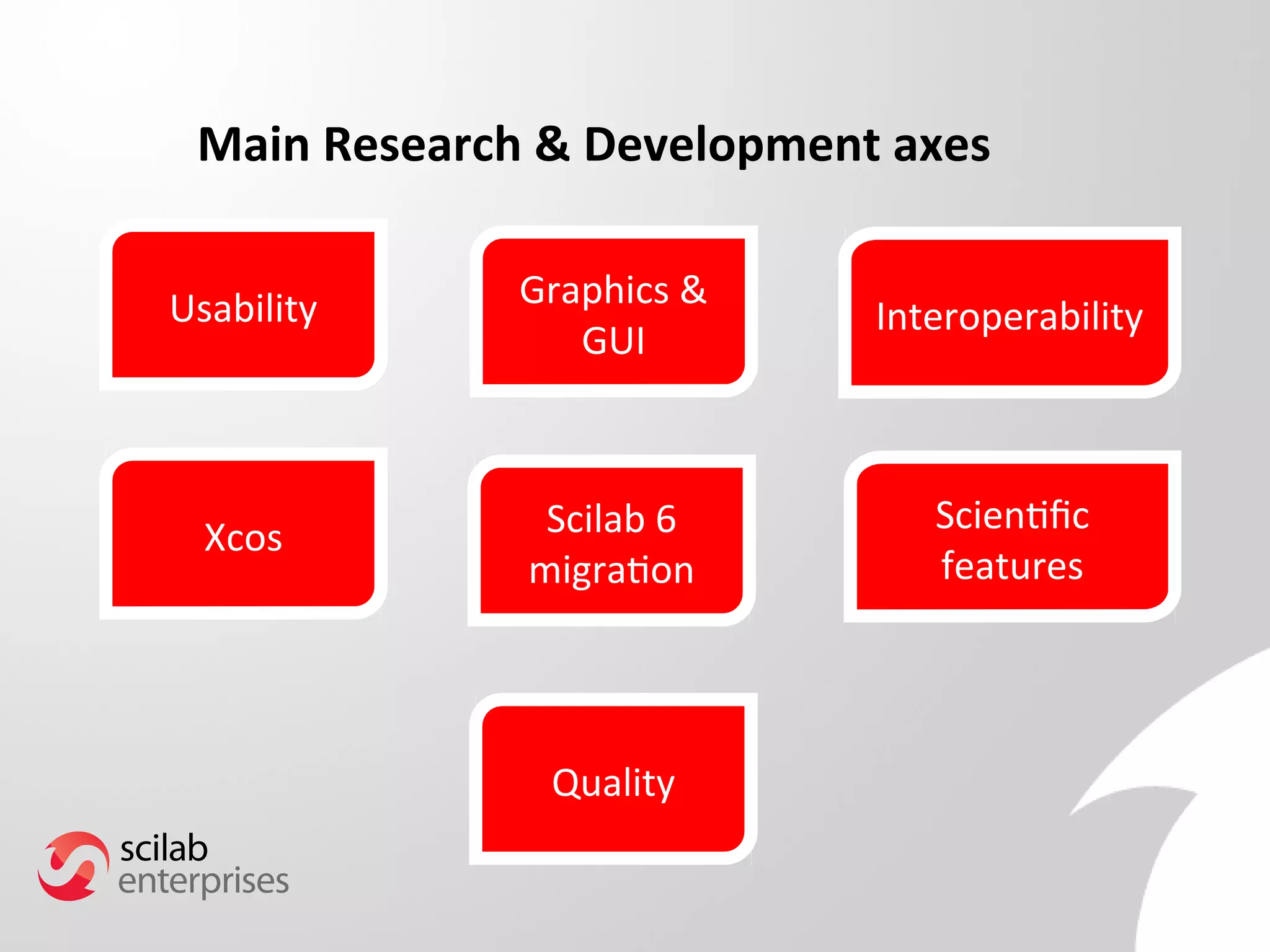
Main Research & Development axes 
Usability 
Scilab 6 
migration 
Interoperability 
Scientifc 
features 
Graphics & 
GUI 
Xcos 
Quality
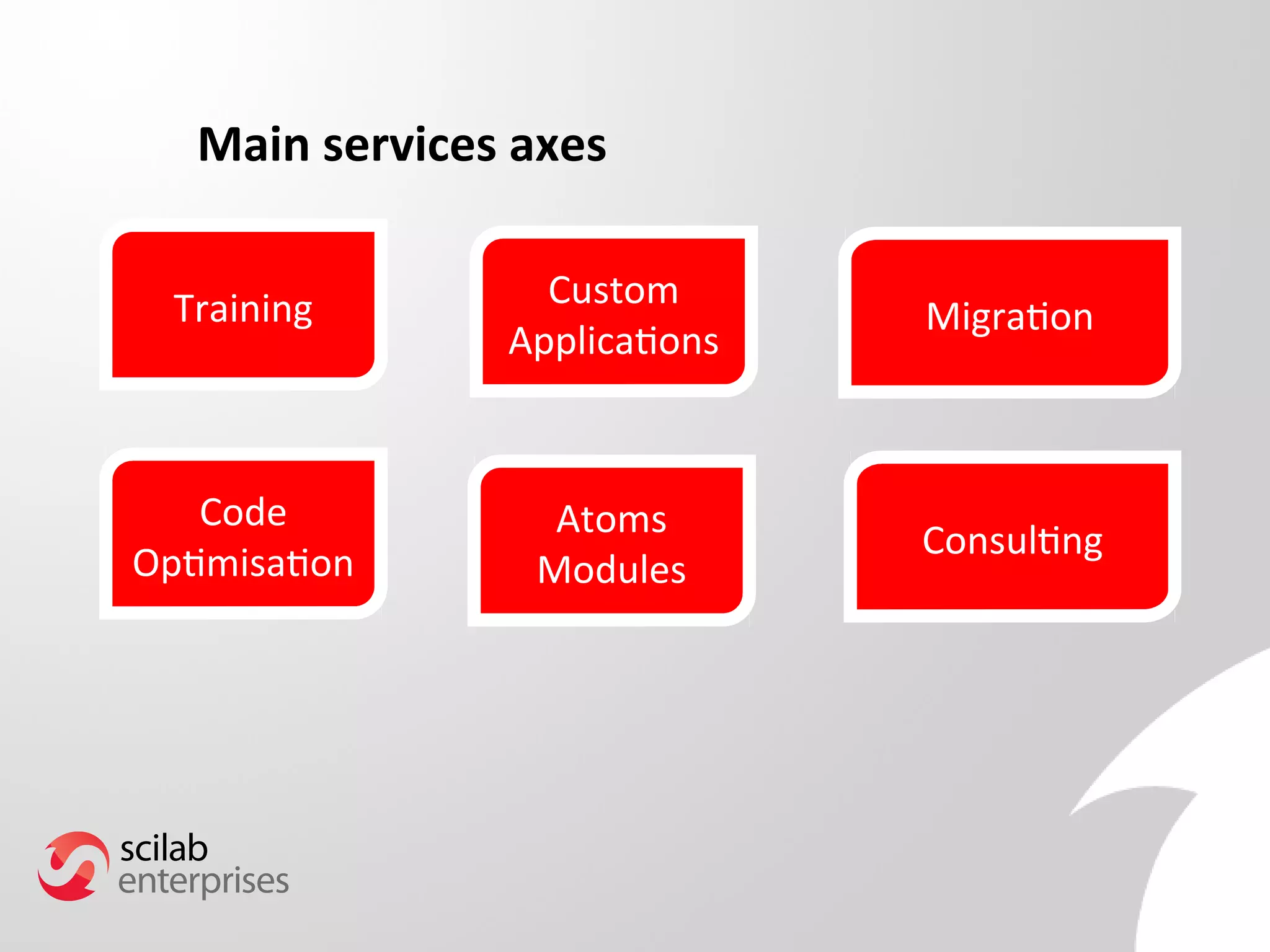
Main services axes 
Training 
Atoms 
Modules 
Migration 
Consulting 
Custom 
Applications 
Code 
Optimisation
Scilab 5.5.0 after Scilab 5.4.1
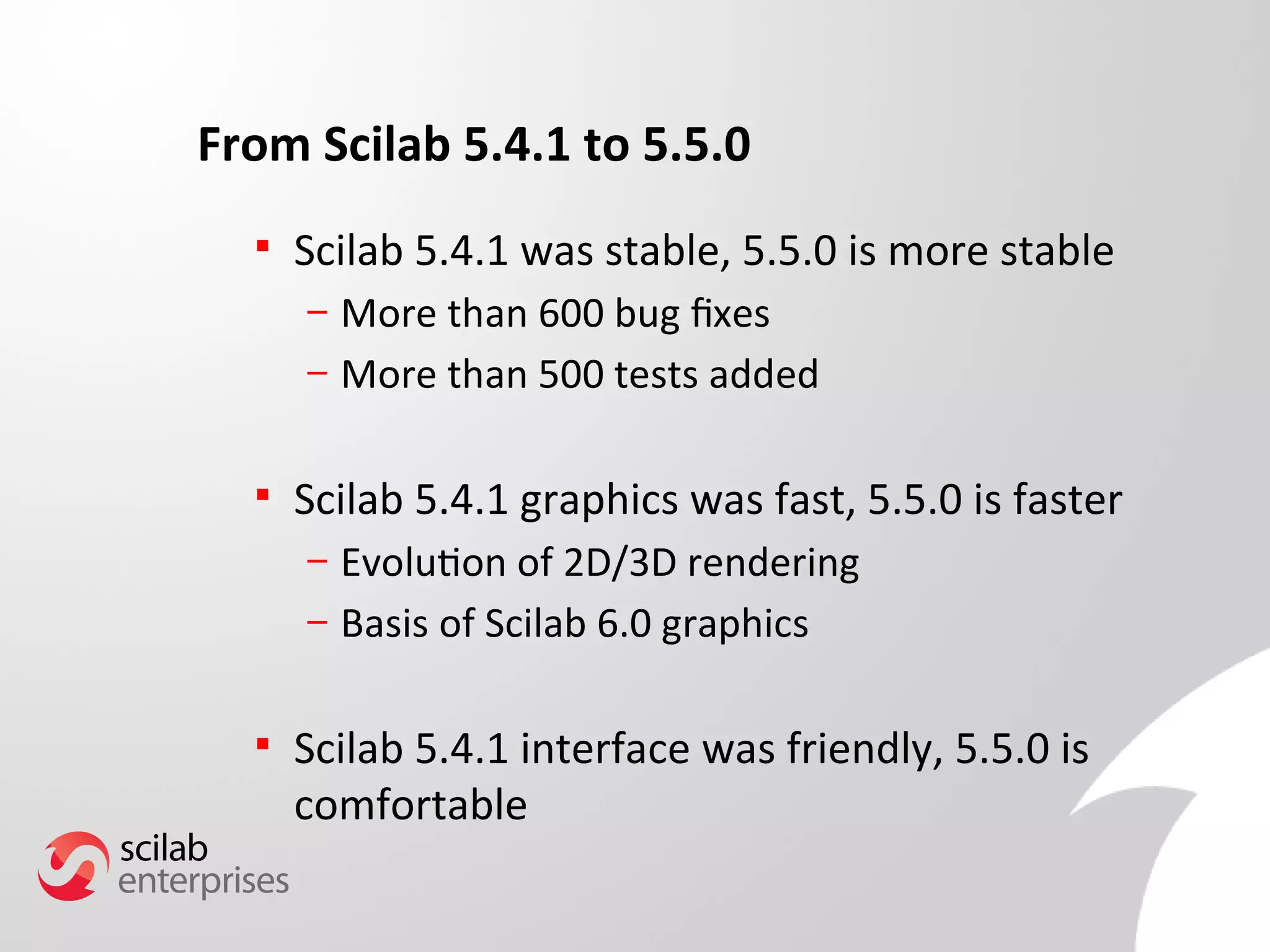
From Scilab 5.4.1 to 5.5.0 
 Scilab 5.4.1 was stable, 5.5.0 is more stable 
– More than 600 bug fxes 
– More than 500 tests added 
 Scilab 5.4.1 graphics was fast, 5.5.0 is faster 
– Evolution of 2D/3D rendering 
– Basis of Scilab 6.0 graphics 
 Scilab 5.4.1 interface was friendly, 5.5.0 is 
comfortable
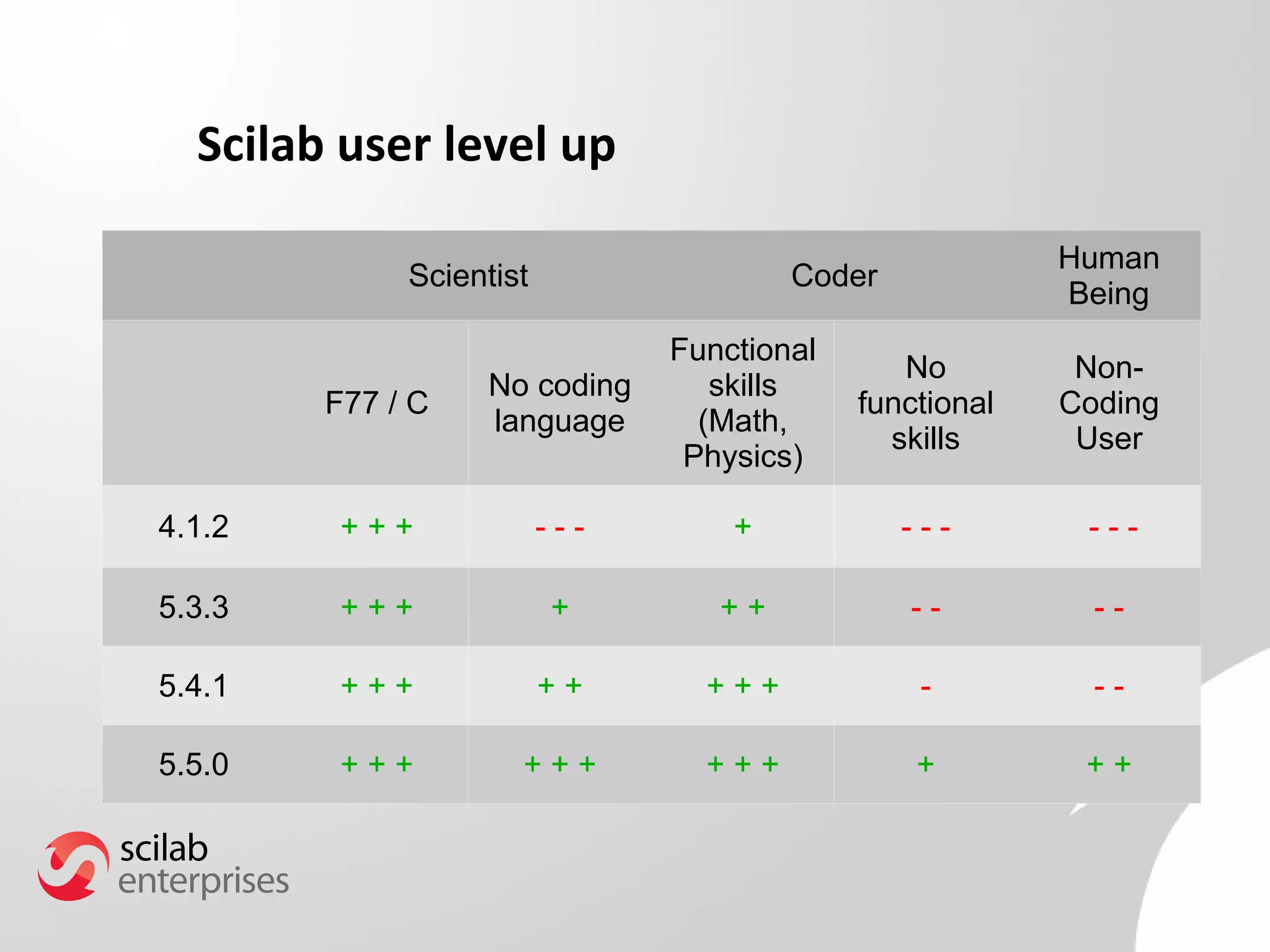
Scilab user level up 
Scientist Coder Human 
Being 
F77 / C No coding 
language 
Functional 
skills 
(Math, 
Physics) 
No 
functional 
skills 
Non- 
Coding 
User 
4.1.2 + + + - - - + - - - - - - 
5.3.3 + + + + + + - - - - 
5.4.1 + + + + + + + + - - - 
5.5.0 + + + + + + + + + + + +
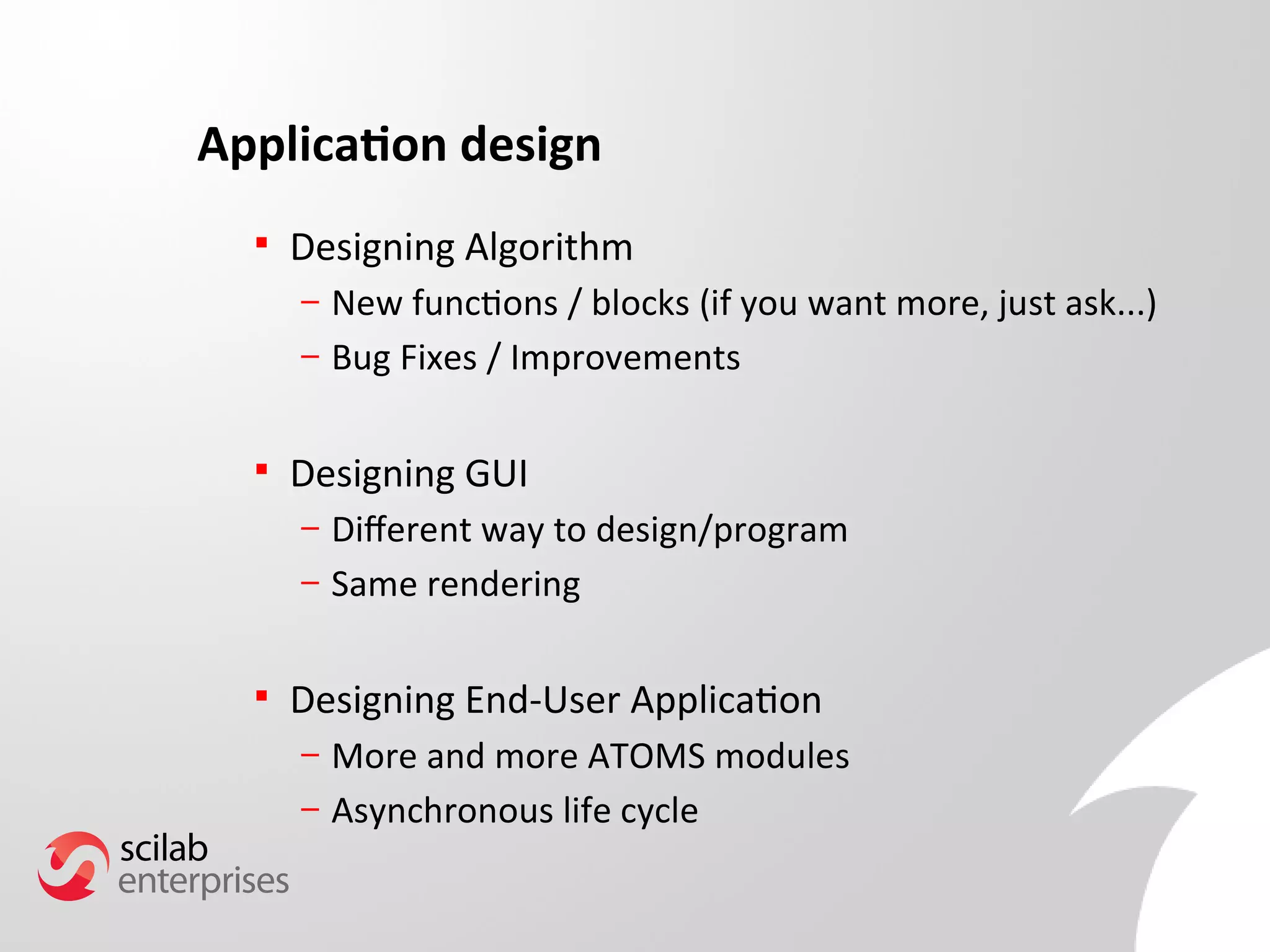
Application design 
 Designing Algorithm 
– New functions / blocks (if you want more, just ask...) 
– Bug Fixes / Improvements 
 Designing GUI 
– Diferent way to design/program 
– Same rendering 
 Designing End-User Application 
– More and more ATOMS modules 
– Asynchronous life cycle
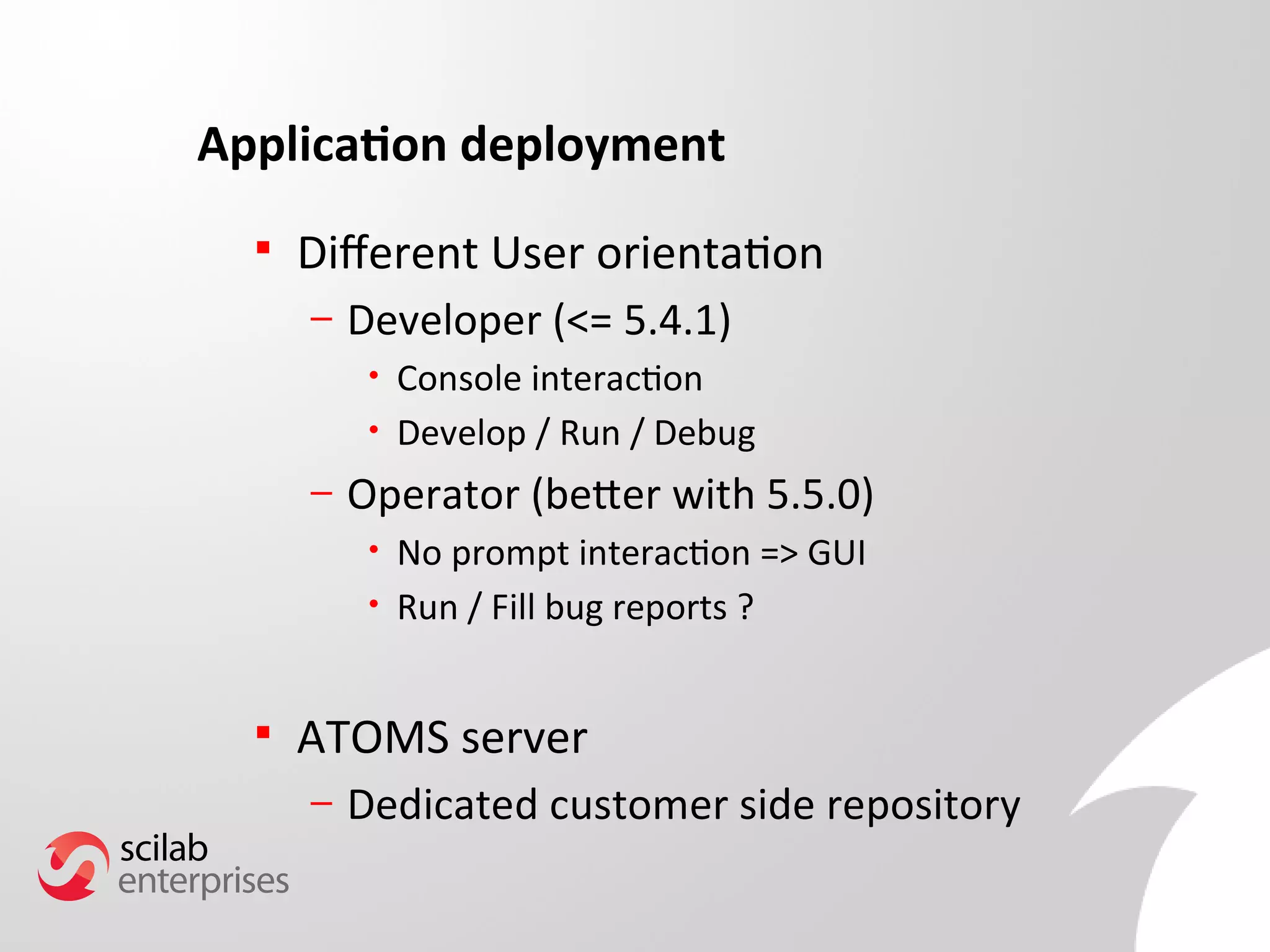
Application deployment 
 Diferent User orientation 
– Developer (<= 5.4.1) 
• Console interaction 
• Develop / Run / Debug 
– Operator (beter with 5.5.0) 
• No prompt interaction => GUI 
• Run / Fill bug reports ? 
 ATOMS server 
– Dedicated customer side repository
Scilab 5.5.0 answer to users needs
Interaction with other software/language 
 JIMS: How to write Java code within Scilab 
– Link to existing code / WebServices 
 HDF5: Import/Export data from other scientifc 
software 
– Atmospheric Modeling System / Salome 
 Remote File Access: 
– Retrieve network data 
 HTML: Interact with web pages 
– Reporting 
– Data feeds
Scilab based application design (GUI) 
 Advanced uicontrol capabilities 
– New fgure properties 
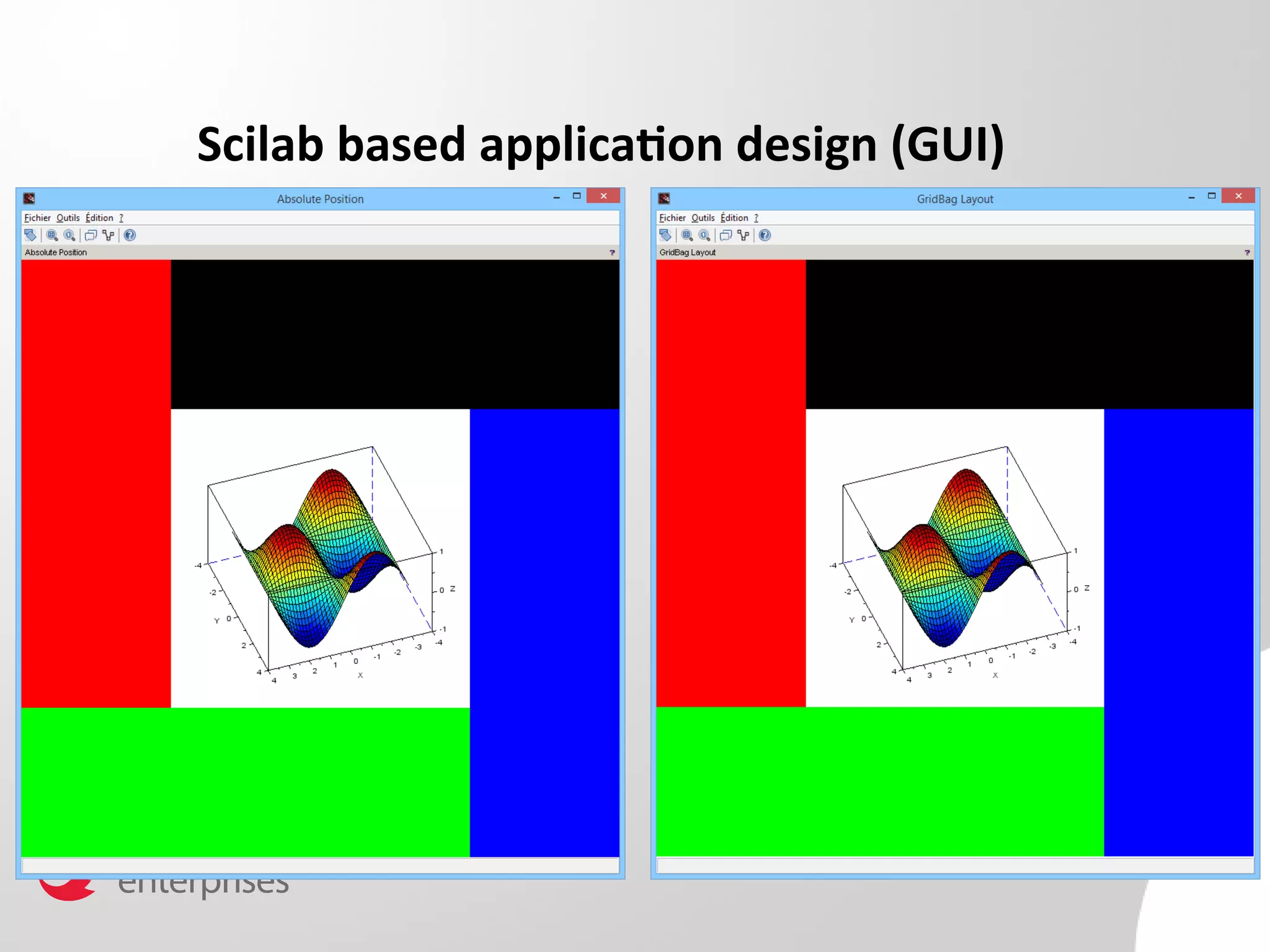
– New design capabilities: 
• Absolute positioning (<= 5.4.1) 
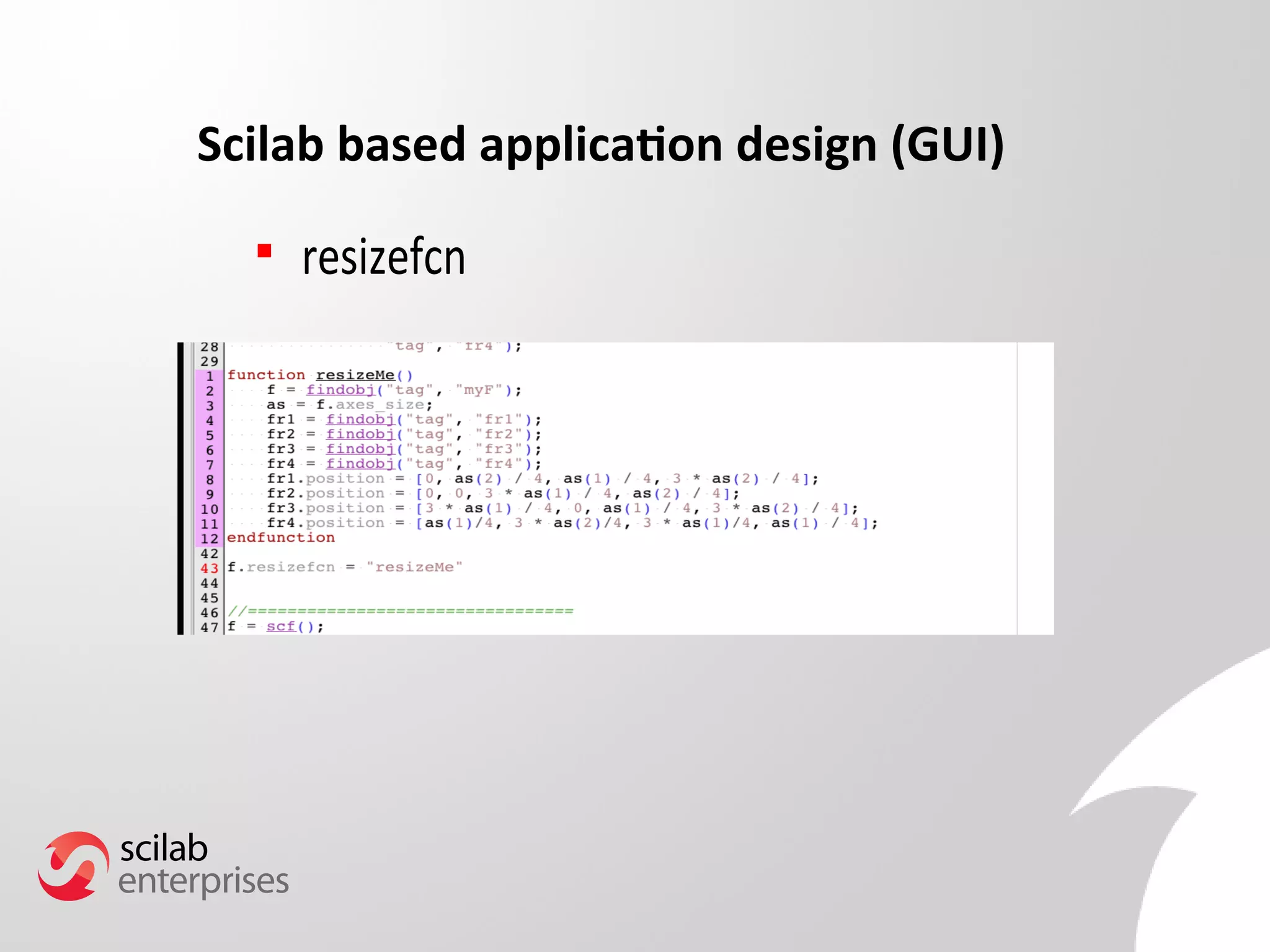
• Proportional design (normalized) 
• Automatic placement (layout) 
– Faster component research using path 
 New uicontrol components 
– Tabs 
– Frame (Borders/Scroll/Axes) 
– Group
Scilab based application design (GUI)
Scilab based application design (GUI) 
 resizefcn
Scilab based application design (GUI) 
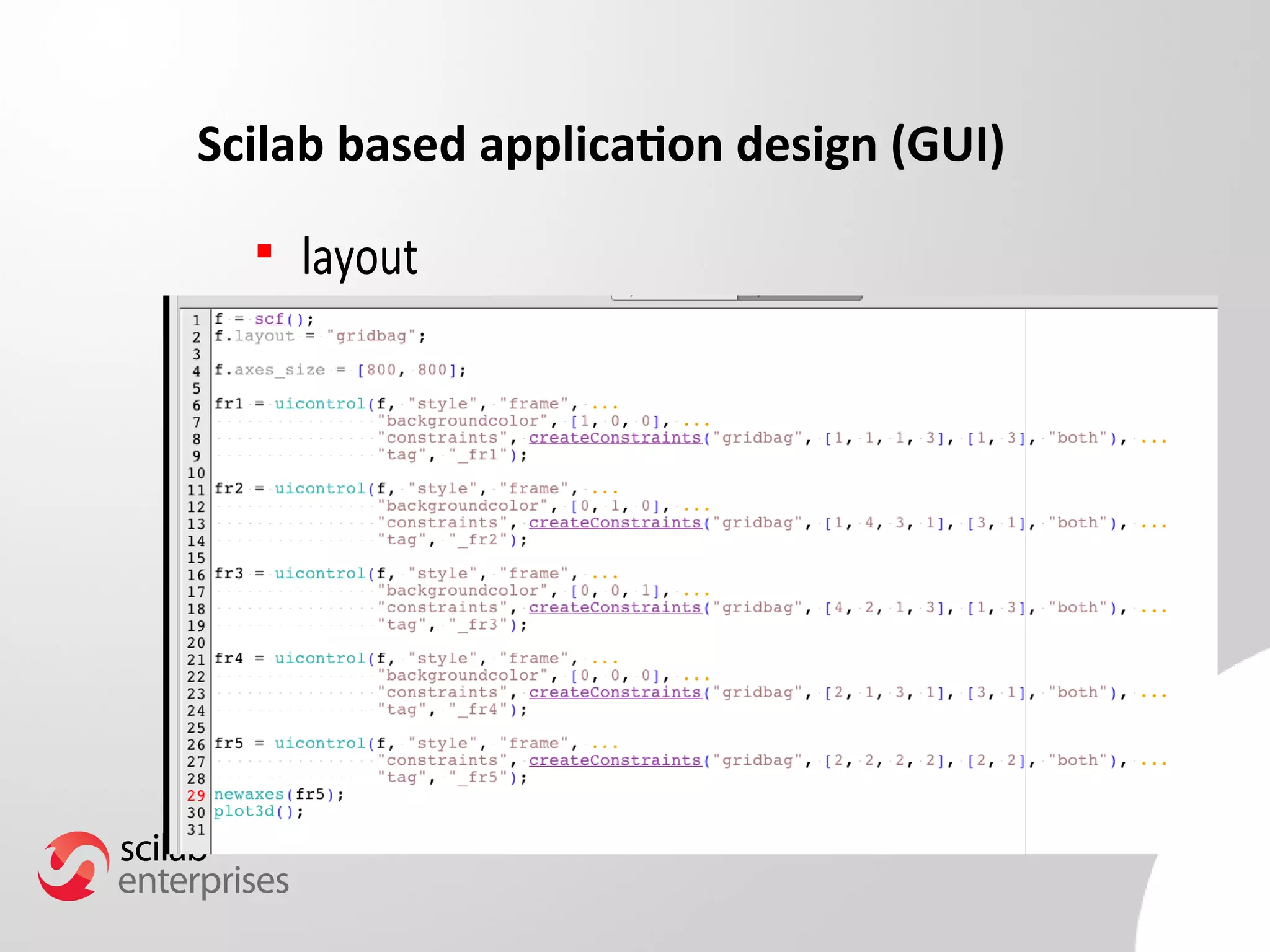
 layout
Scilab based application design (GUI) 
 What about my old hand crafted GUI ? 
– Still working in Scilab 5.5.0 
– Creation/Interaction Speed Up 
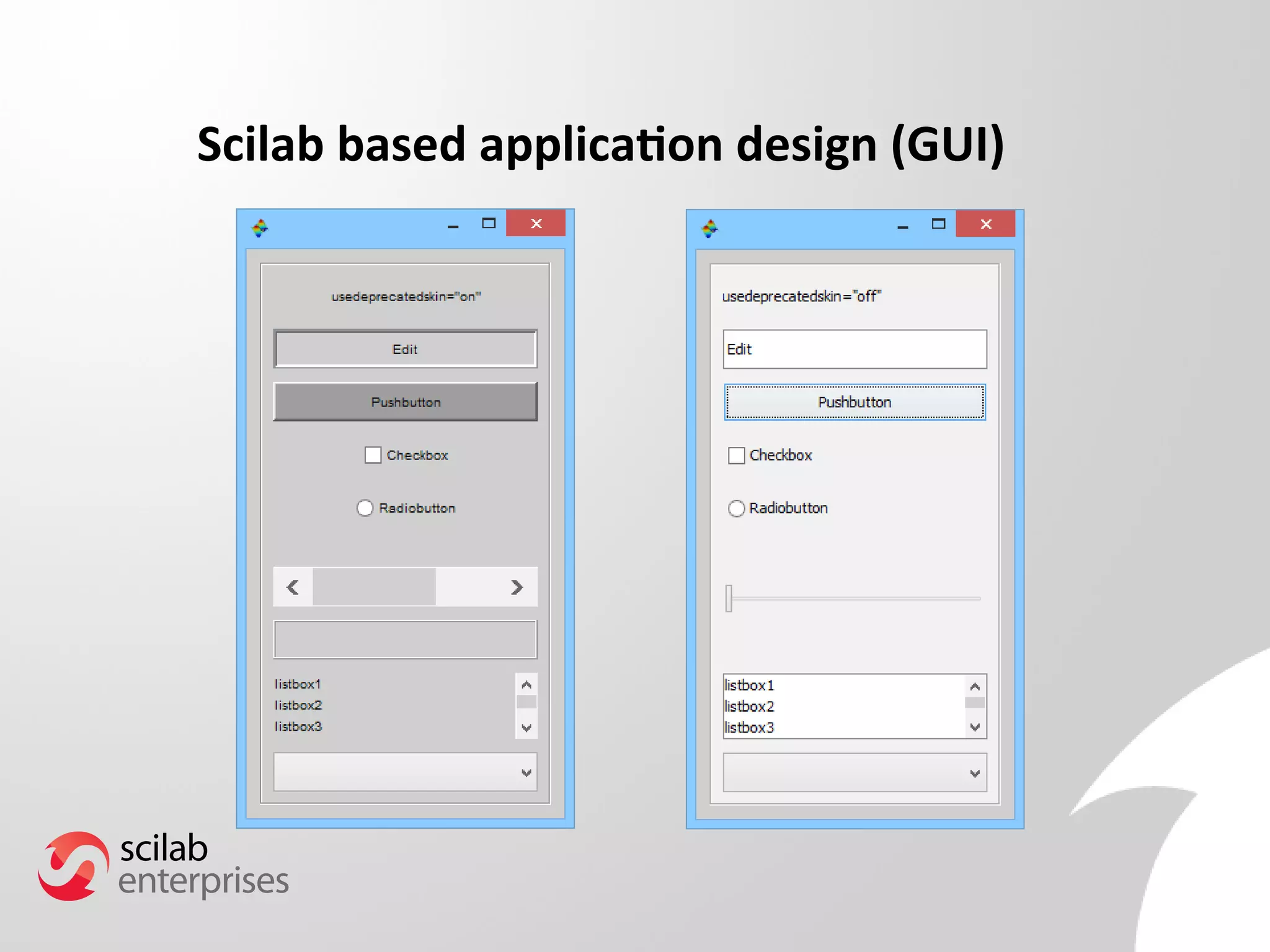
 But if I loved my old application look and feel ? 
– UseDeprecatedSkin 
 My application does not work anymore 
– f.visible = “of” ??
Scilab based application design (GUI)
Scilab based application design (Atoms) 
 ATOMS module creation 
– Toolbox Skeleton 
– Xcos Toolbox Skeleton 
 Java code compilation within modules 
 Localization of Atoms modules 
 Preferences management 
 Unit test capabilities (32/64 bits)
Scilab-based application usability 
 Advanced uicontrol capabilities 
– Dedicated window for GUI design 
– OS-like good looking application 
 Liquid GUI 
– Auto resizing / speed up 
 New uicontrol style/component 
– Frame with axes 
– Tabs 
– Colored ListBox / PopupMenu 
– Icons
Scilab new scientific features 
 daskr 
– Diferential-algebraic system solver with root 
fnding from ODEPACK 
– Used by Xcos simulation 
 Error computation functions 
– erf, erfc, erfcx now manage complex arguments 
– erf, dawson scaled imaginary error
Scilab new graphic features 
 Matplot 
– Can manage RGB/ARGB images 
– Colors are independent of fgure color map 
 Plot automatic margins computation 
– Titles 
– Axes Labels 
– Ticks 
 Datatips 
 Graphic interaction
Xcos new features 
 User palete management 
 Tool Menu 
– User can add dedicated menus 
 Block update 
– Display formula using LaTeX 
– Shape update 
– CLR/DLR 
– Debug GUI: Explore diagram during simulation 
– SuperBlock
Demo
What's next ?
What's next? 
 Scilab 5.5.X versions: 
– Important number of bug fxes 
– Blocker bug fx 
– Based on nightly-builds 
 Scilab 5.6.0 version not planned yet: 
– Used as a bridge between 5 and 6 families ? 
 Scilab 6.0.0: 
– Most of resources working on it!
What's new in Scilab 5.5.0

What's new in Scilab 5.5.0

  • 1.
    Professional Services &Support for Scilab, Free Open Source Software for Numerical Computation
  • 2.
    19/05/14 2 SCILAB5.5.0 Tools for your applications
  • 3.
    Minute  ScilabEnterprises & Scilab Software  Scilab 5.5.0 after Scilab 5.4.1  Scilab 5.5.0 answer user needs  Demo  What's next ?
  • 4.
    Scilab Enterprises &Scilab Software
  • 5.
    Main Research &Development axes Usability Scilab 6 migration Interoperability Scientifc features Graphics & GUI Xcos Quality
  • 6.
    Main services axes Training Atoms Modules Migration Consulting Custom Applications Code Optimisation
  • 7.
    Scilab 5.5.0 afterScilab 5.4.1
  • 8.
    From Scilab 5.4.1to 5.5.0  Scilab 5.4.1 was stable, 5.5.0 is more stable – More than 600 bug fxes – More than 500 tests added  Scilab 5.4.1 graphics was fast, 5.5.0 is faster – Evolution of 2D/3D rendering – Basis of Scilab 6.0 graphics  Scilab 5.4.1 interface was friendly, 5.5.0 is comfortable
  • 9.
    Scilab user levelup Scientist Coder Human Being F77 / C No coding language Functional skills (Math, Physics) No functional skills Non- Coding User 4.1.2 + + + - - - + - - - - - - 5.3.3 + + + + + + - - - - 5.4.1 + + + + + + + + - - - 5.5.0 + + + + + + + + + + + +
  • 10.
    Application design Designing Algorithm – New functions / blocks (if you want more, just ask...) – Bug Fixes / Improvements  Designing GUI – Diferent way to design/program – Same rendering  Designing End-User Application – More and more ATOMS modules – Asynchronous life cycle
  • 11.
    Application deployment Diferent User orientation – Developer (<= 5.4.1) • Console interaction • Develop / Run / Debug – Operator (beter with 5.5.0) • No prompt interaction => GUI • Run / Fill bug reports ?  ATOMS server – Dedicated customer side repository
  • 12.
    Scilab 5.5.0 answerto users needs
  • 13.
    Interaction with othersoftware/language  JIMS: How to write Java code within Scilab – Link to existing code / WebServices  HDF5: Import/Export data from other scientifc software – Atmospheric Modeling System / Salome  Remote File Access: – Retrieve network data  HTML: Interact with web pages – Reporting – Data feeds
  • 14.
    Scilab based applicationdesign (GUI)  Advanced uicontrol capabilities – New fgure properties – New design capabilities: • Absolute positioning (<= 5.4.1) • Proportional design (normalized) • Automatic placement (layout) – Faster component research using path  New uicontrol components – Tabs – Frame (Borders/Scroll/Axes) – Group
  • 15.
  • 16.
    Scilab based applicationdesign (GUI)  resizefcn
  • 17.
    Scilab based applicationdesign (GUI)  layout
  • 18.
    Scilab based applicationdesign (GUI)  What about my old hand crafted GUI ? – Still working in Scilab 5.5.0 – Creation/Interaction Speed Up  But if I loved my old application look and feel ? – UseDeprecatedSkin  My application does not work anymore – f.visible = “of” ??
  • 19.
  • 20.
    Scilab based applicationdesign (Atoms)  ATOMS module creation – Toolbox Skeleton – Xcos Toolbox Skeleton  Java code compilation within modules  Localization of Atoms modules  Preferences management  Unit test capabilities (32/64 bits)
  • 21.
    Scilab-based application usability  Advanced uicontrol capabilities – Dedicated window for GUI design – OS-like good looking application  Liquid GUI – Auto resizing / speed up  New uicontrol style/component – Frame with axes – Tabs – Colored ListBox / PopupMenu – Icons
  • 22.
    Scilab new scientificfeatures  daskr – Diferential-algebraic system solver with root fnding from ODEPACK – Used by Xcos simulation  Error computation functions – erf, erfc, erfcx now manage complex arguments – erf, dawson scaled imaginary error
  • 23.
    Scilab new graphicfeatures  Matplot – Can manage RGB/ARGB images – Colors are independent of fgure color map  Plot automatic margins computation – Titles – Axes Labels – Ticks  Datatips  Graphic interaction
  • 24.
    Xcos new features  User palete management  Tool Menu – User can add dedicated menus  Block update – Display formula using LaTeX – Shape update – CLR/DLR – Debug GUI: Explore diagram during simulation – SuperBlock
  • 25.
  • 26.
  • 27.
    What's next? Scilab 5.5.X versions: – Important number of bug fxes – Blocker bug fx – Based on nightly-builds  Scilab 5.6.0 version not planned yet: – Used as a bridge between 5 and 6 families ?  Scilab 6.0.0: – Most of resources working on it!