CE 20.4
What’s new in OpenText eDOCS
December 2020
OpenText Confidential. ©2020 All Rights Reserved. 2
OpenText eDOCS
Enterprise content management (ECM) for law firms, corporate
legal departments and other professional services organizations
producing high-touch, high-value content.
OpenText Confidential. ©2020 All Rights Reserved. 3
Customize
with compliant
and secure
solutions
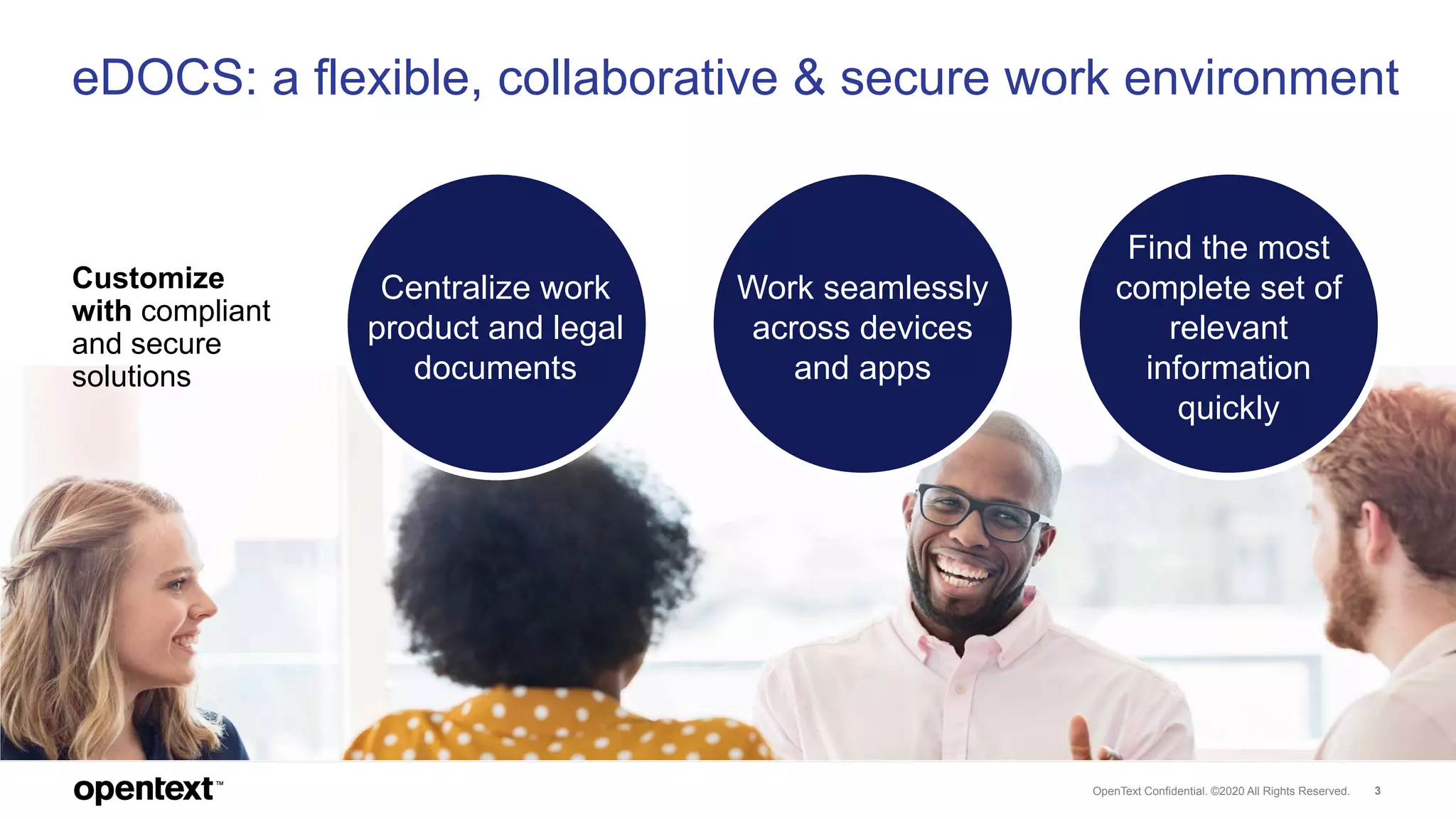
eDOCS: a flexible, collaborative & secure work environment
Find the most
complete set of
relevant
information
quickly
Work seamlessly
across devices
and apps
Centralize work
product and legal
documents
OpenText Confidential. ©2019 All Rights Reserved. 4
What’s new
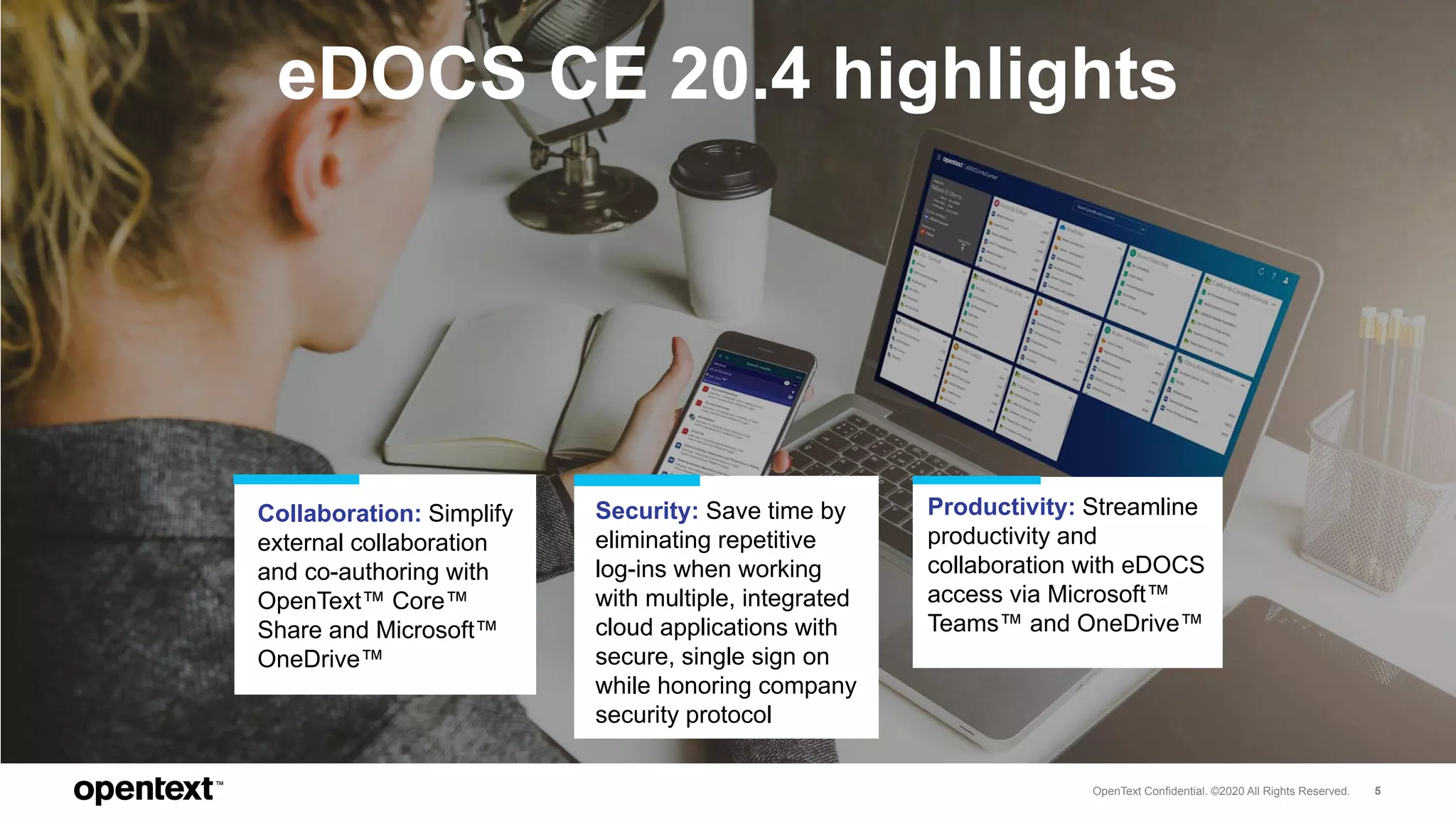
eDOCS CE 20.4 delivers a secure, work-anywhere,
information center
OpenText Confidential. ©2020 All Rights Reserved. 5
eDOCS CE 20.4 highlights
Collaboration: Simplify
external collaboration
and co-authoring with
OpenText™ Core™
Share and Microsoft™
OneDrive™
Security: Save time by
eliminating repetitive
log-ins when working
with multiple, integrated
cloud applications with
secure, single sign on
while honoring company
security protocol
Productivity: Streamline
productivity and
collaboration with eDOCS
access via Microsoft™
Teams™ and OneDrive™
OpenText Confidential. ©2020 All Rights Reserved. 6
Collaboration
Simplify external collaboration
OpenText Confidential. ©2020 All Rights Reserved. 7
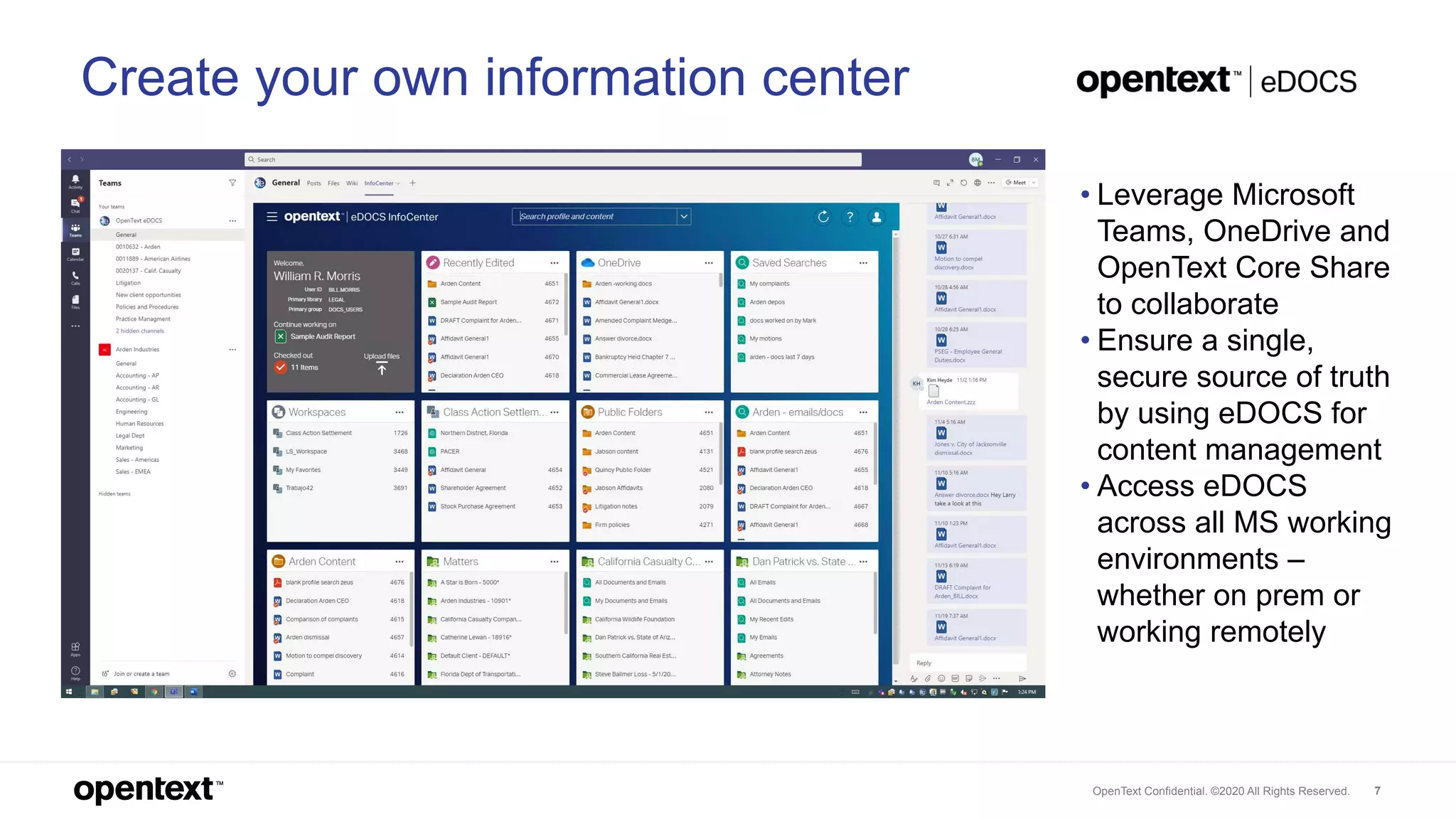
Create your own information center
• Leverage Microsoft
Teams, OneDrive and
OpenText Core Share
to collaborate
• Ensure a single,
secure source of truth
by using eDOCS for
content management
• Access eDOCS
across all MS working
environments –
whether on prem or
working remotely
OpenText Confidential. ©2020 All Rights Reserved. 8
Security
Save time with secure, single sign
OpenText Confidential. ©2020 All Rights Reserved. 9
eDOCS Modern Authentication
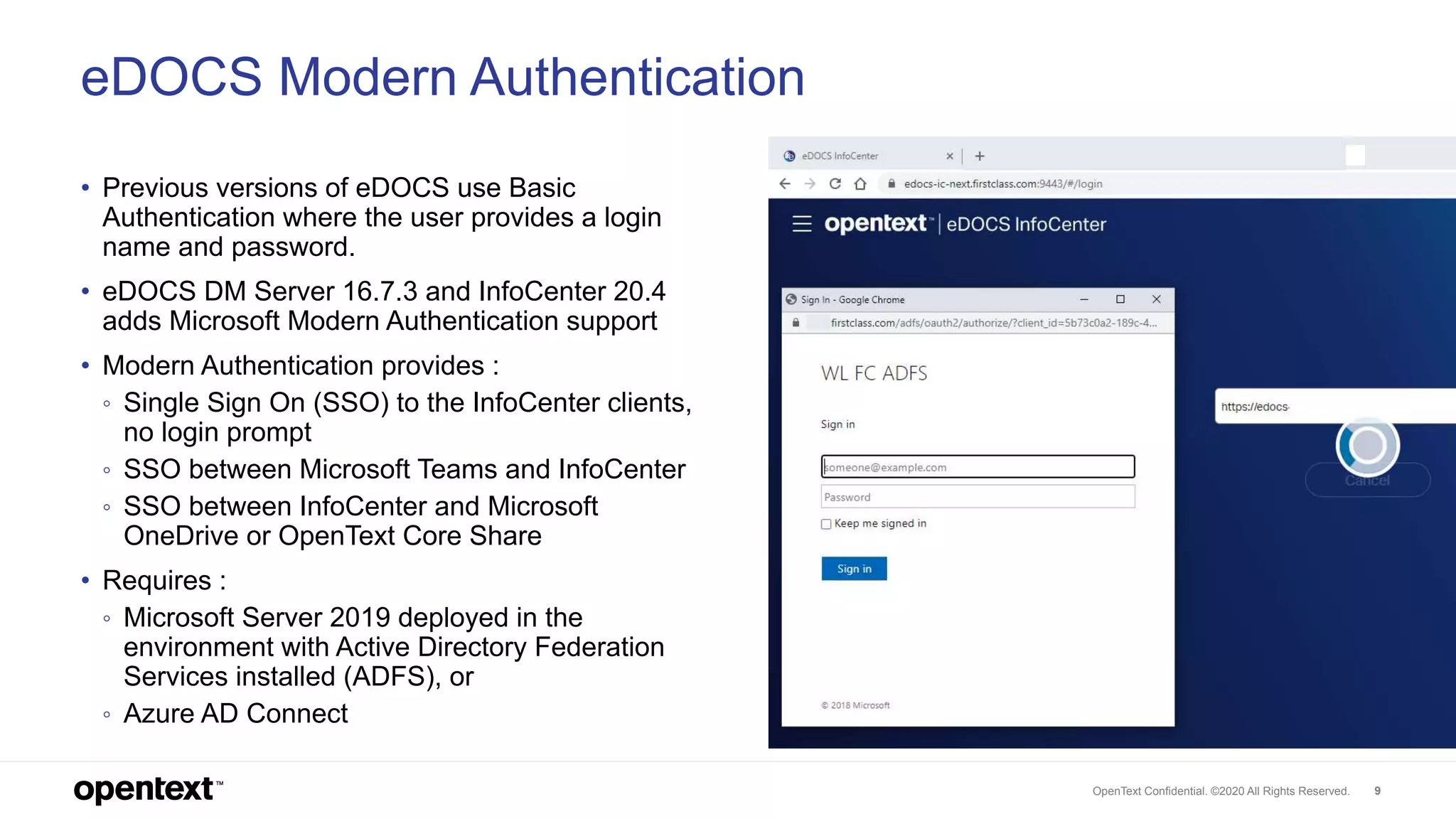
• Previous versions of eDOCS use Basic
Authentication where the user provides a login
name and password.
• eDOCS DM Server 16.7.3 and InfoCenter 20.4
adds Microsoft Modern Authentication support
• Modern Authentication provides :
◦ Single Sign On (SSO) to the InfoCenter clients,
no login prompt
◦ SSO between Microsoft Teams and InfoCenter
◦ SSO between InfoCenter and Microsoft
OneDrive or OpenText Core Share
• Requires :
◦ Microsoft Server 2019 deployed in the
environment with Active Directory Federation
Services installed (ADFS), or
◦ Azure AD Connect
OpenText Confidential. ©2020 All Rights Reserved. 10
Productivity
Streamline productivity and collaboration with
new integrations to Microsoft cloud applications
OpenText Confidential. ©2020 All Rights Reserved. 11
Be more productive!
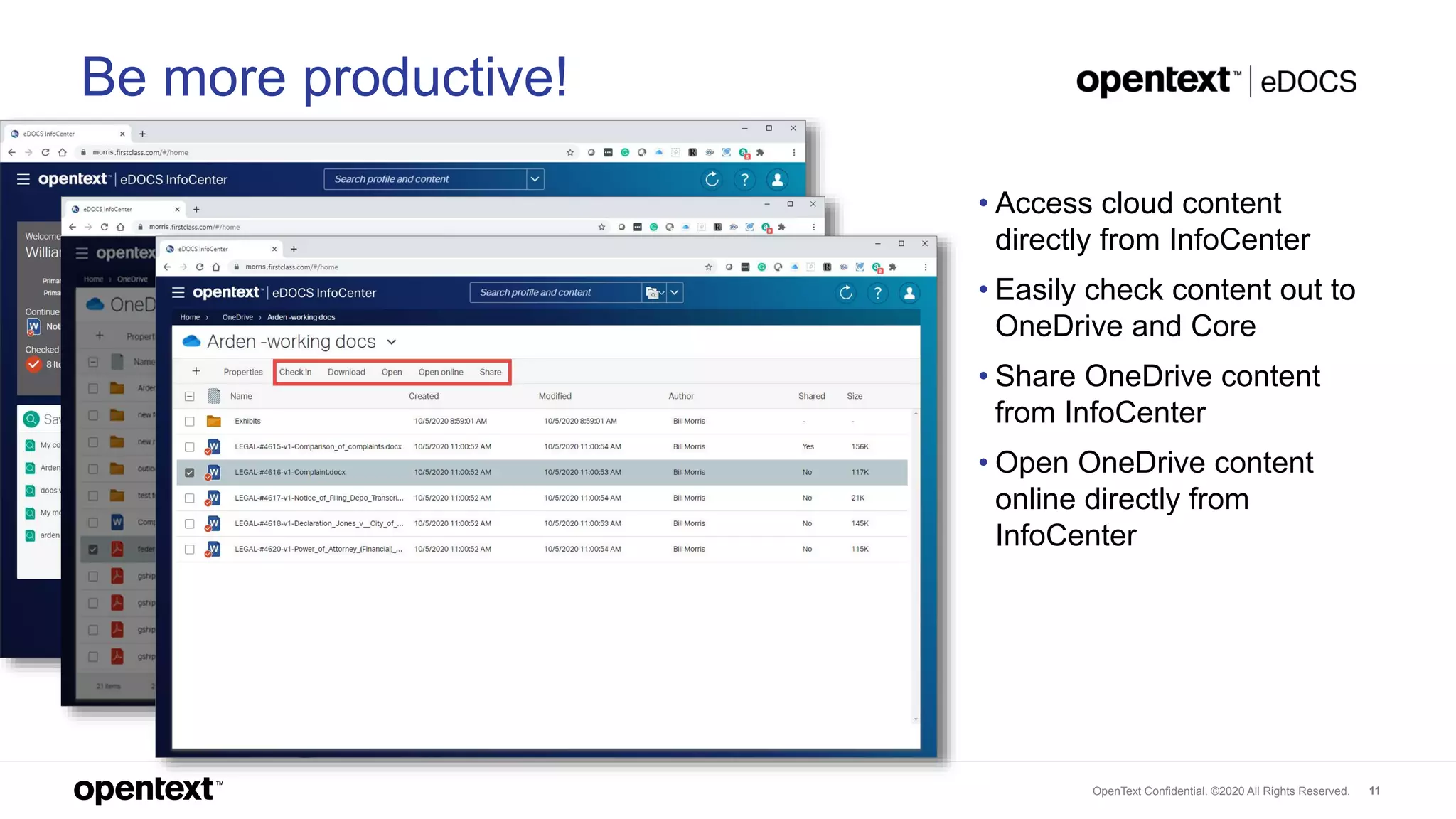
• Access cloud content
directly from InfoCenter
• Easily check content out to
OneDrive and Core
• Share OneDrive content
from InfoCenter
• Open OneDrive content
online directly from
InfoCenter
OpenText Confidential. ©2020 All Rights Reserved. 12
Want to learn more?
o Tips & tricks for Upgrading to
eDOCS DM 16.7.3
o Pitfalls, Challenges & Practical Tips
for Upgrading/Installing eDOCS
InfoCenter
o How to succeed with OpenText
Email, eDOCS Edition
Watch these OpenText
World 2020 Turbo Talks
Discover more
information about
eDOCS
Sign-up for eDOCS
Wednesdays monthly
User Group webinars
o eDOCS CE 20.4 delivers
seamless access with Microsoft™
cloud applications
o Make your eDOCS CE 20.4
upgrade successful: Practical tips
for upgrading
Discover OpenText
World 2020 on-demand
sessions:
e D O C S C E 2 0 . 4
R e s o u r c e s
Thank you
twitter.com/opentext
linkedin.com/company/opentext
opentext.com

What's New in eDOCS CE 20.4

  • 1.
    CE 20.4 What’s newin OpenText eDOCS December 2020
  • 2.
    OpenText Confidential. ©2020All Rights Reserved. 2 OpenText eDOCS Enterprise content management (ECM) for law firms, corporate legal departments and other professional services organizations producing high-touch, high-value content.
  • 3.
    OpenText Confidential. ©2020All Rights Reserved. 3 Customize with compliant and secure solutions eDOCS: a flexible, collaborative & secure work environment Find the most complete set of relevant information quickly Work seamlessly across devices and apps Centralize work product and legal documents
  • 4.
    OpenText Confidential. ©2019All Rights Reserved. 4 What’s new eDOCS CE 20.4 delivers a secure, work-anywhere, information center
  • 5.
    OpenText Confidential. ©2020All Rights Reserved. 5 eDOCS CE 20.4 highlights Collaboration: Simplify external collaboration and co-authoring with OpenText™ Core™ Share and Microsoft™ OneDrive™ Security: Save time by eliminating repetitive log-ins when working with multiple, integrated cloud applications with secure, single sign on while honoring company security protocol Productivity: Streamline productivity and collaboration with eDOCS access via Microsoft™ Teams™ and OneDrive™
  • 6.
    OpenText Confidential. ©2020All Rights Reserved. 6 Collaboration Simplify external collaboration
  • 7.
    OpenText Confidential. ©2020All Rights Reserved. 7 Create your own information center • Leverage Microsoft Teams, OneDrive and OpenText Core Share to collaborate • Ensure a single, secure source of truth by using eDOCS for content management • Access eDOCS across all MS working environments – whether on prem or working remotely
  • 8.
    OpenText Confidential. ©2020All Rights Reserved. 8 Security Save time with secure, single sign
  • 9.
    OpenText Confidential. ©2020All Rights Reserved. 9 eDOCS Modern Authentication • Previous versions of eDOCS use Basic Authentication where the user provides a login name and password. • eDOCS DM Server 16.7.3 and InfoCenter 20.4 adds Microsoft Modern Authentication support • Modern Authentication provides : ◦ Single Sign On (SSO) to the InfoCenter clients, no login prompt ◦ SSO between Microsoft Teams and InfoCenter ◦ SSO between InfoCenter and Microsoft OneDrive or OpenText Core Share • Requires : ◦ Microsoft Server 2019 deployed in the environment with Active Directory Federation Services installed (ADFS), or ◦ Azure AD Connect
  • 10.
    OpenText Confidential. ©2020All Rights Reserved. 10 Productivity Streamline productivity and collaboration with new integrations to Microsoft cloud applications
  • 11.
    OpenText Confidential. ©2020All Rights Reserved. 11 Be more productive! • Access cloud content directly from InfoCenter • Easily check content out to OneDrive and Core • Share OneDrive content from InfoCenter • Open OneDrive content online directly from InfoCenter
  • 12.
    OpenText Confidential. ©2020All Rights Reserved. 12 Want to learn more? o Tips & tricks for Upgrading to eDOCS DM 16.7.3 o Pitfalls, Challenges & Practical Tips for Upgrading/Installing eDOCS InfoCenter o How to succeed with OpenText Email, eDOCS Edition Watch these OpenText World 2020 Turbo Talks Discover more information about eDOCS Sign-up for eDOCS Wednesdays monthly User Group webinars o eDOCS CE 20.4 delivers seamless access with Microsoft™ cloud applications o Make your eDOCS CE 20.4 upgrade successful: Practical tips for upgrading Discover OpenText World 2020 on-demand sessions: e D O C S C E 2 0 . 4 R e s o u r c e s
  • 13.

Editor's Notes

  • #4 Centralize work product and legal documents Light-footprint, cost-effective and highly flexible Designed to support the content lifecycle of matter-related work product authored in Microsoft® Office applications Quickly find, share and collaborate on relevant content, including documents, email, graphics, forms, engineering drawings, scanned paper and electronic-based records Work seamlessly across devices and apps Leverage InfoCenter, eDOCS modern UI to surface priority information in one click, from any device Access intuitively and consistently from desktop, web browser, mobile, Outlook and Microsoft Office 365 Tailor personalized working environments Streamline productivity - Knowledge workers can use eDOCS without leaving their familiar applications Find the most complete set of relevant information quickly Easily search and retrieve information with advanced search technology while working inside favorite Microsoft Office applications Leverage conceptual search models to surface relevant information without knowing precise keywords Save and share searches for fast access to the most current and priority projects, eliminating search set-up duplications Access across devices from inside the InfoCenter UI for a consistently powerful experience Customize with compliant and secure solutions Take your business performance to the next level; tailor eDOCS to suit with customizable applications Support the specific needs of knowledge workers collaborating across organizations Choose from add-on applications ranging from providing security against data breaches, analytics, augmented intelligence to matter management process enablers such as scan/capture, image management, enterprise search, collaboration and more.
  • #6  eDOCS differentiators delivering competitive advantage Personalized productivity Satisfy real-time demands of clients and urgent matters with efficient, secure team collaboration Support "work-anywhere" culture with cloud ready, web based, and mobile applications Leading security Eliminate risk, secure data and prevent internal breaches while adhering to compliance regulations with leading encryption at rest solution. Pre-empt an internal breach with monitored activity alerts Only with eDOCS Defense can customers: Close the security gap left by encryption at the device level Encrypt sensitive information at the document level Authorize users from the OpenText™ eDOCS interface Minimize the risk and cost of an internal data breach Leverage AI-powered technology Turn search into competitive advantage by finding relevant information faster than the competition with “Google-like” search with OpenText MindServer™ Innovative discovery analytics trusted by law firms