What’s new in eDOCS CE 21.2
April | 2021
OpenText Confidential. ©2019 All Rights Reserved. 2
Modern UI designed to
streamline work product content
management lifecycle
• CE 21.2 makes document profiling
processes more efficient with new,
time-saving, AI-functionality, and
enhancements to the modern UI,
InfoCenter
Streamline efficiency
• Save time by auto-classifying large
volumes of documents with new AI
functionality, while ensuring
classification accuracy
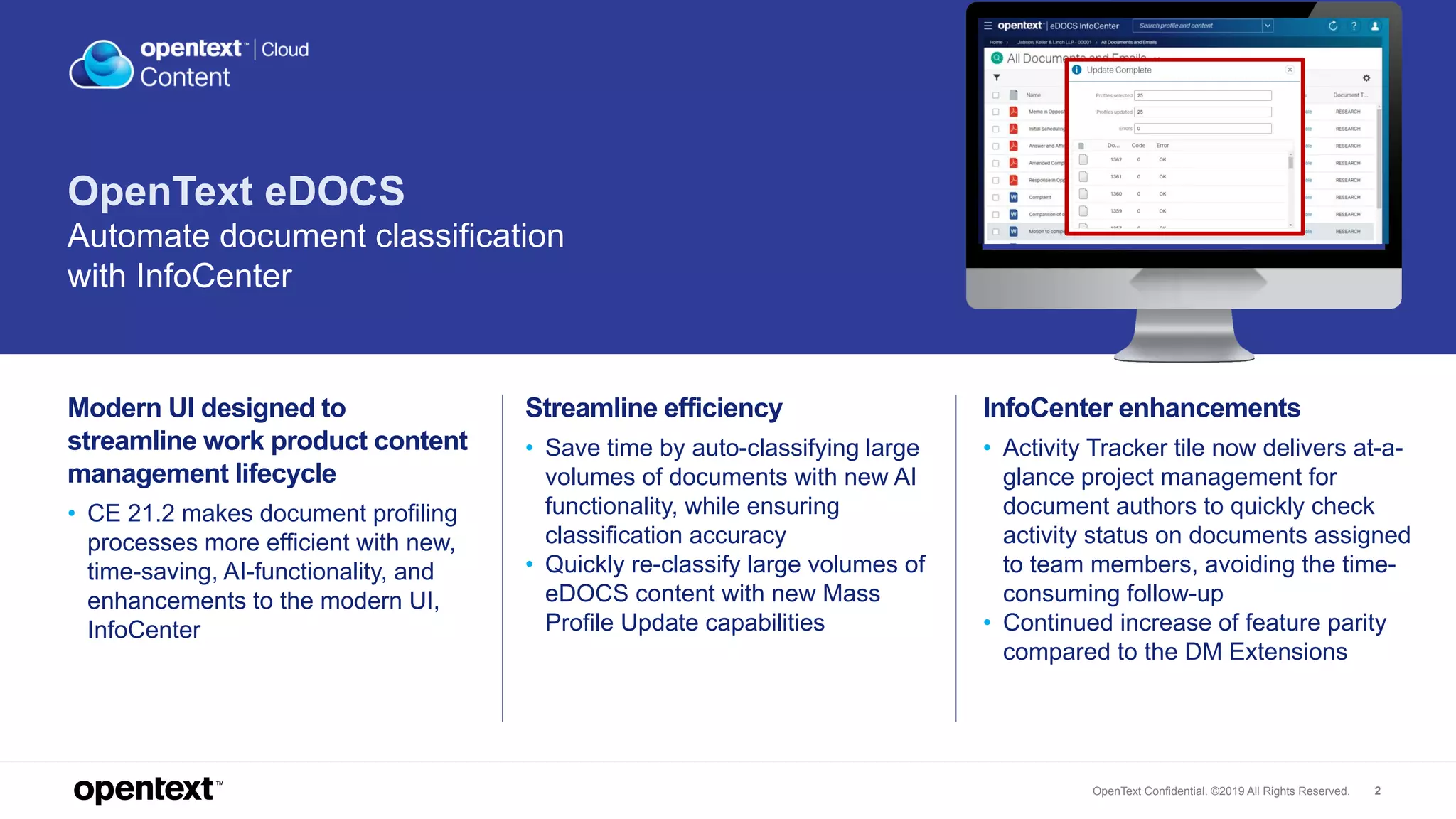
• Quickly re-classify large volumes of
eDOCS content with new Mass
Profile Update capabilities
InfoCenter enhancements
• Activity Tracker tile now delivers at-a-
glance project management for
document authors to quickly check
activity status on documents assigned
to team members, avoiding the time-
consuming follow-up
• Continued increase of feature parity
compared to the DM Extensions
OpenText eDOCS
Automate document classification
with InfoCenter
OpenText Confidential. ©2019 All Rights Reserved. 3
Streamline productivity
with ‘Smart Profiling’
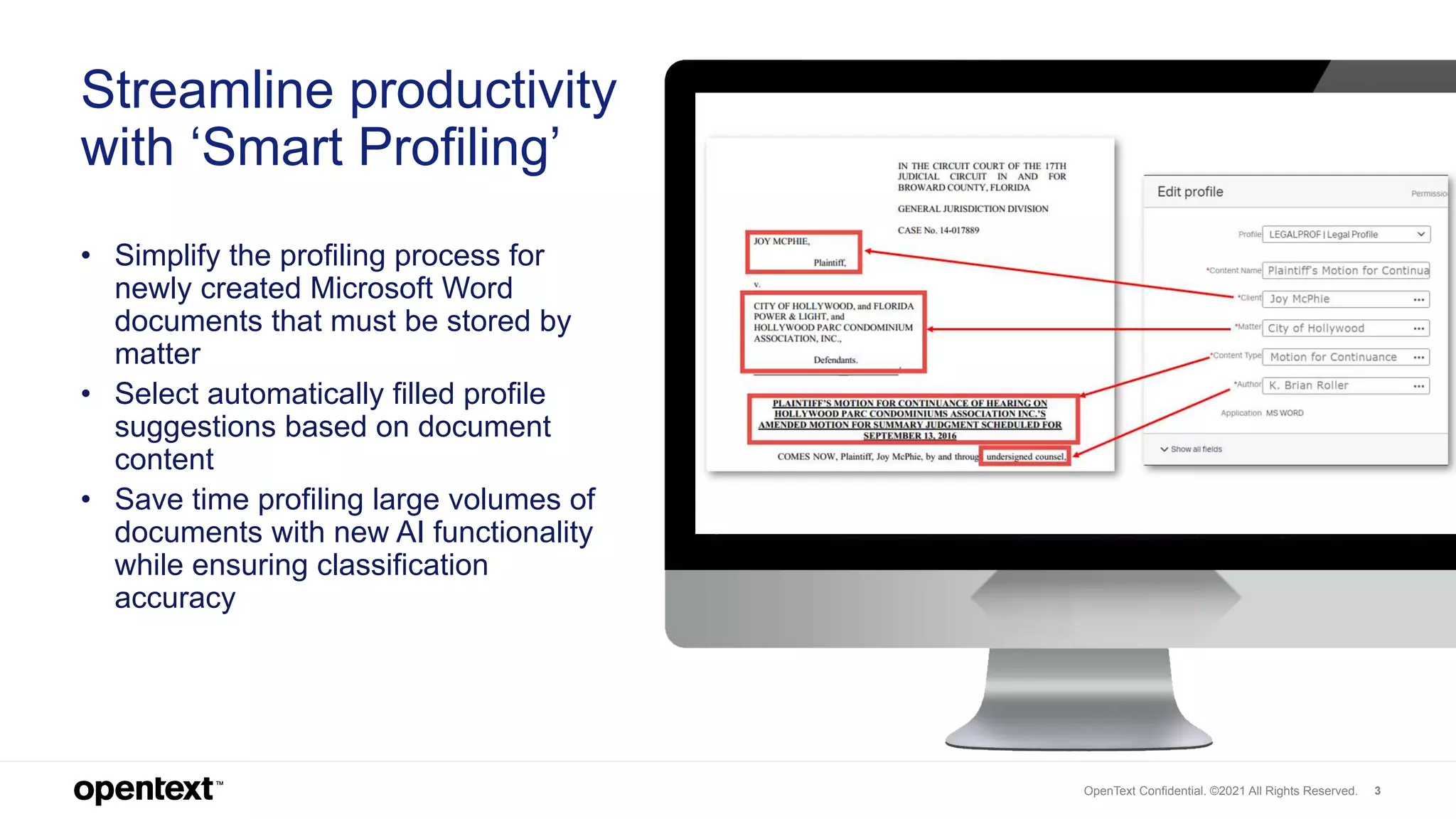
• Simplify the profiling process for
newly created Microsoft Word
documents that must be stored by
matter
• Select automatically filled profile
suggestions based on document
content
• Save time profiling large volumes of
documents with new AI functionality
while ensuring classification
accuracy
OpenText Confidential. ©2021 All Rights Reserved.
OpenText Confidential. ©2019 All Rights Reserved. 4
Easily perform mass
profile updates on
eDOCS content via
InfoCenter
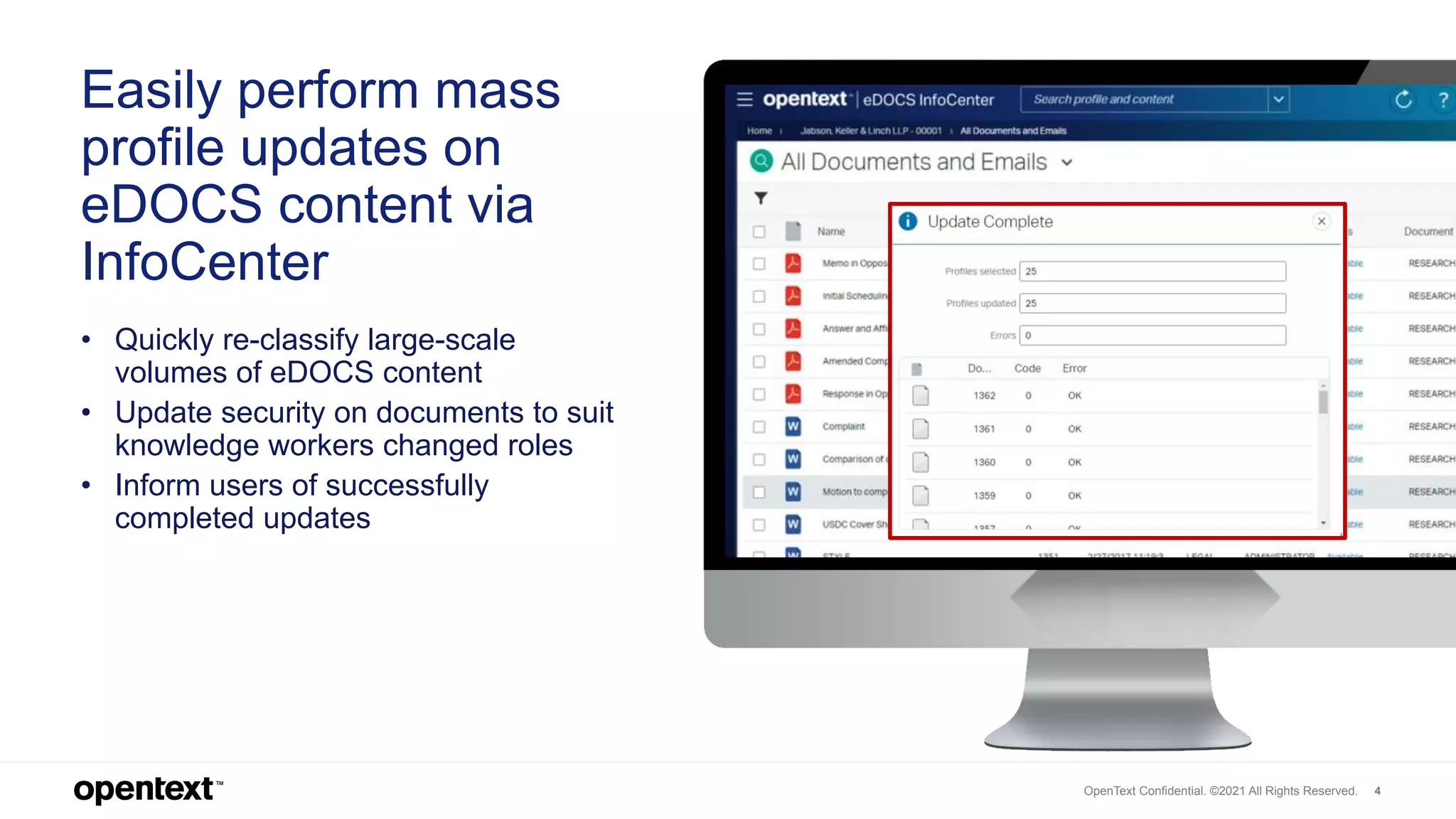
• Quickly re-classify large-scale
volumes of eDOCS content
• Update security on documents to suit
knowledge workers changed roles
• Inform users of successfully
completed updates
OpenText Confidential. ©2021 All Rights Reserved.
OpenText Confidential. ©2019 All Rights Reserved. 5
eDOCS InfoCenter –
Enhancements
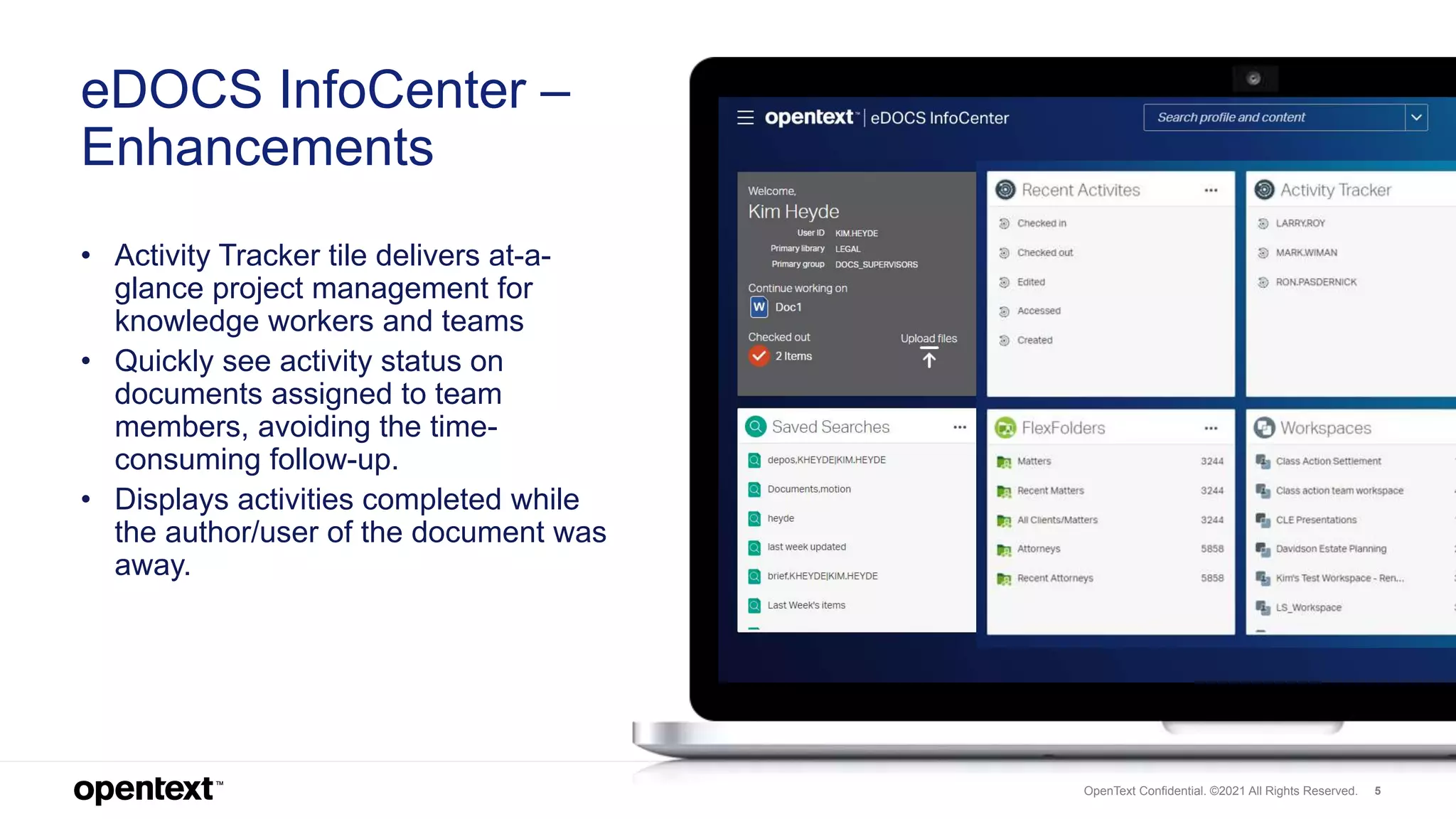
• Activity Tracker tile delivers at-a-
glance project management for
knowledge workers and teams
• Quickly see activity status on
documents assigned to team
members, avoiding the time-
consuming follow-up.
• Displays activities completed while
the author/user of the document was
away.
OpenText Confidential. ©2021 All Rights Reserved.
OpenText Confidential. ©2019 All Rights Reserved. 6
Thank you
twitter.com/opentext
linkedin.com/company/opentext
opentext.com

OpenText eDOCS – What’s new in CE 21.2

  • 1.
    What’s new ineDOCS CE 21.2 April | 2021
  • 2.
    OpenText Confidential. ©2019All Rights Reserved. 2 Modern UI designed to streamline work product content management lifecycle • CE 21.2 makes document profiling processes more efficient with new, time-saving, AI-functionality, and enhancements to the modern UI, InfoCenter Streamline efficiency • Save time by auto-classifying large volumes of documents with new AI functionality, while ensuring classification accuracy • Quickly re-classify large volumes of eDOCS content with new Mass Profile Update capabilities InfoCenter enhancements • Activity Tracker tile now delivers at-a- glance project management for document authors to quickly check activity status on documents assigned to team members, avoiding the time- consuming follow-up • Continued increase of feature parity compared to the DM Extensions OpenText eDOCS Automate document classification with InfoCenter
  • 3.
    OpenText Confidential. ©2019All Rights Reserved. 3 Streamline productivity with ‘Smart Profiling’ • Simplify the profiling process for newly created Microsoft Word documents that must be stored by matter • Select automatically filled profile suggestions based on document content • Save time profiling large volumes of documents with new AI functionality while ensuring classification accuracy OpenText Confidential. ©2021 All Rights Reserved.
  • 4.
    OpenText Confidential. ©2019All Rights Reserved. 4 Easily perform mass profile updates on eDOCS content via InfoCenter • Quickly re-classify large-scale volumes of eDOCS content • Update security on documents to suit knowledge workers changed roles • Inform users of successfully completed updates OpenText Confidential. ©2021 All Rights Reserved.
  • 5.
    OpenText Confidential. ©2019All Rights Reserved. 5 eDOCS InfoCenter – Enhancements • Activity Tracker tile delivers at-a- glance project management for knowledge workers and teams • Quickly see activity status on documents assigned to team members, avoiding the time- consuming follow-up. • Displays activities completed while the author/user of the document was away. OpenText Confidential. ©2021 All Rights Reserved.
  • 6.
    OpenText Confidential. ©2019All Rights Reserved. 6 Thank you twitter.com/opentext linkedin.com/company/opentext opentext.com