
Release 16 EP7
What’s new in OpenText eDOCS
December 2019
OpenText Confidential. ©2019 All Rights Reserved. 2
OpenText eDOCS
Secure and centralized legal enterprise content (document)
management solution that helps capture, govern, find and
securely collaborate on sensitive work product
OpenText Confidential. ©2019 All Rights Reserved. 3
Key highlights
● Accessiblity: Improved productivity
across devices and applications with
InfoCenter’s seamless Microsoft Office
and browser integration
● Findability: With the introduction of
OpenText™ MindServer™, an AI-
powered search engine, users save time
with conceptual search models to quickly
surface relevant information without
knowing precise keywords
● Enhanced usability: With the addition of
Brava! Viewer for InfoCenter,
collaboration with Core, and more
OpenText Confidential. ©2019 All Rights Reserved. 4
eDOCS InfoCenter for Office
Manage documents inside any Microsoft application
OpenText Confidential. ©2019 All Rights Reserved. 5
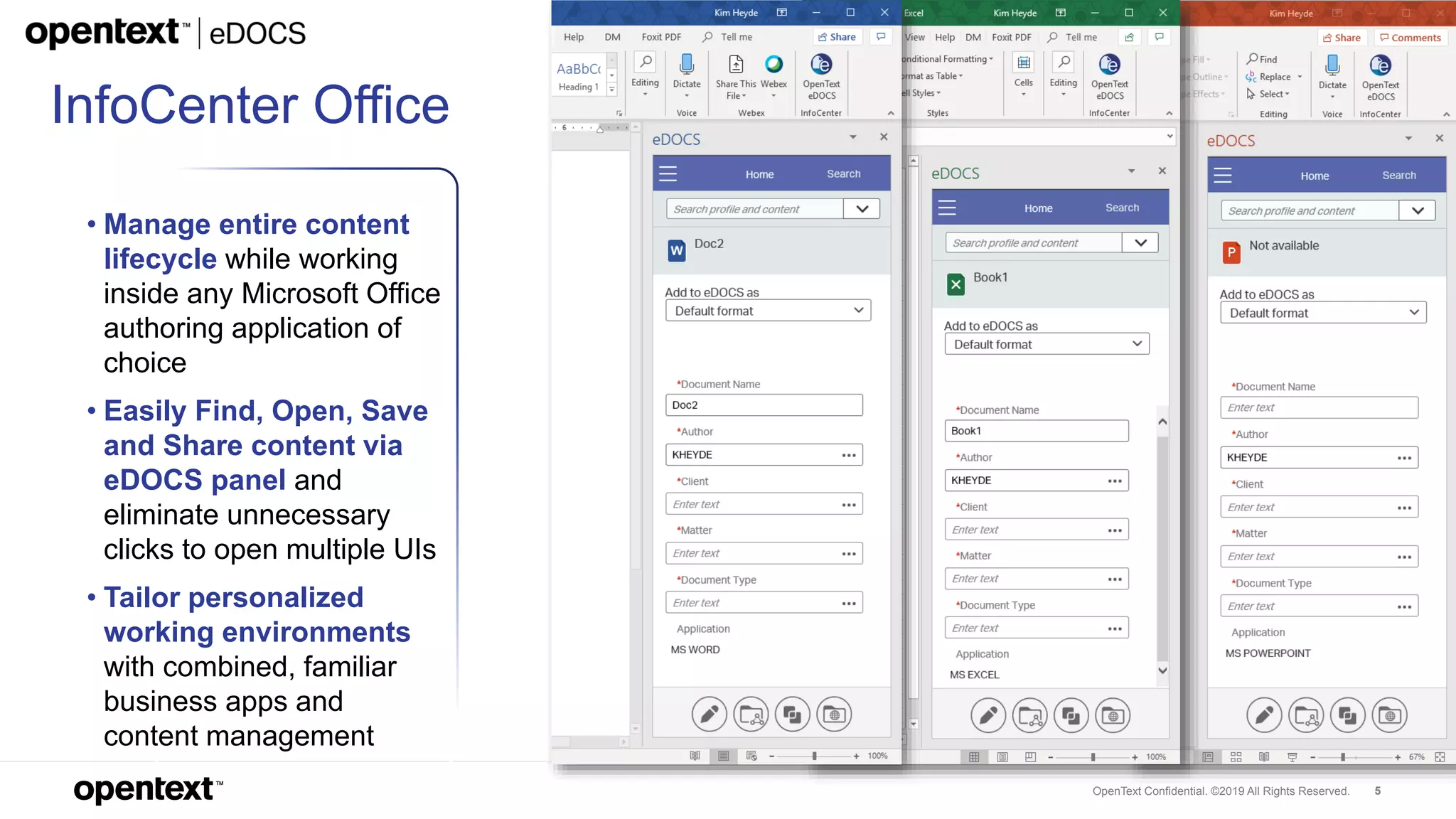
InfoCenter Office
• Manage entire content
lifecycle while working
inside any Microsoft Office
authoring application of
choice
• Easily Find, Open, Save
and Share content via
eDOCS panel and
eliminate unnecessary
clicks to open multiple UIs
• Tailor personalized
working environments
with combined, familiar
business apps and
content management
OpenText Confidential. ©2019 All Rights Reserved. 6
eDOCS InfoCenter for Web
Access documents from any browser and device
OpenText Confidential. ©2019 All Rights Reserved. 7
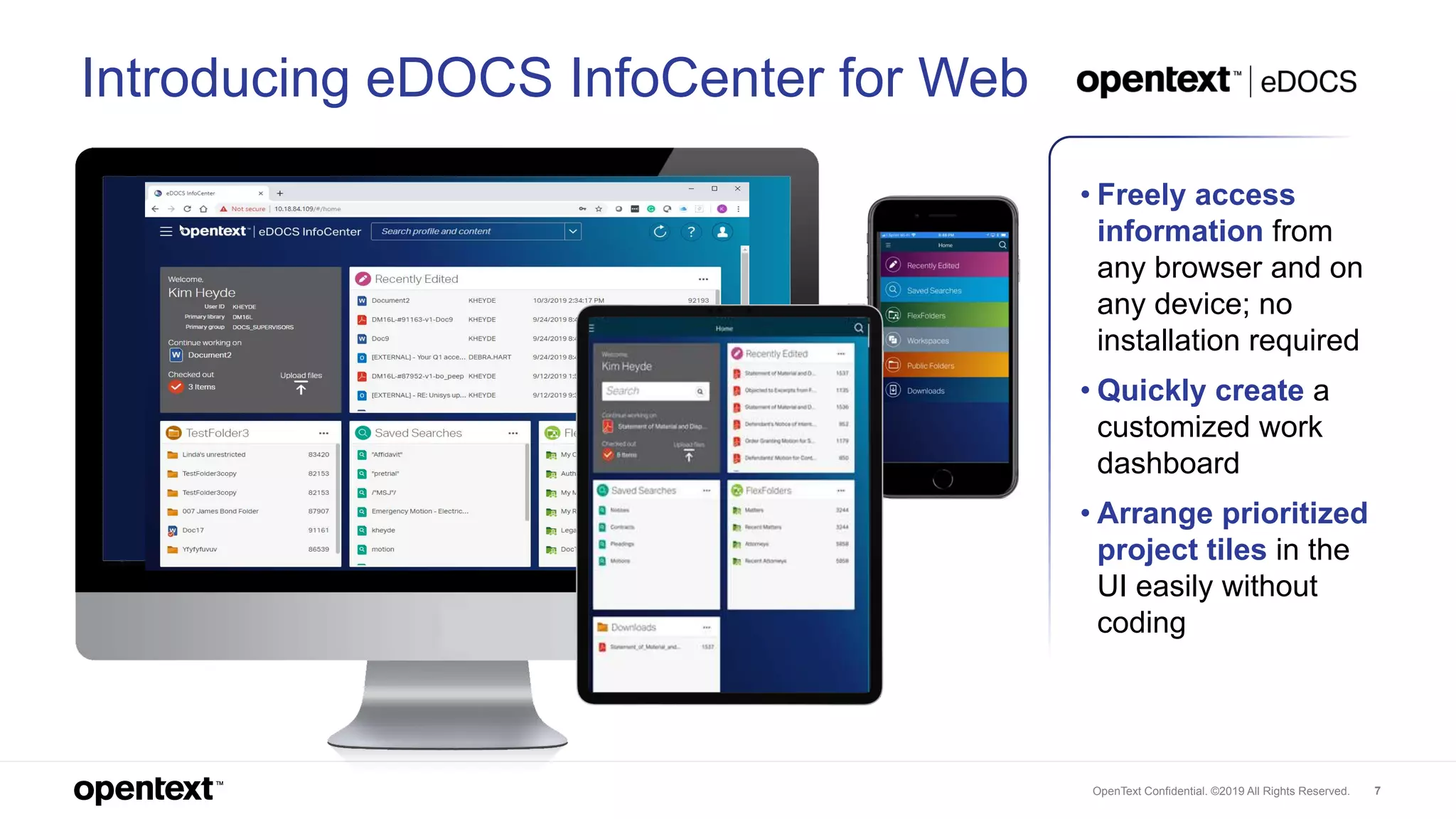
Introducing eDOCS InfoCenter for Web
• Freely access
information from
any browser and on
any device; no
installation required
• Quickly create a
customized work
dashboard
• Arrange prioritized
project tiles in the
UI easily without
coding
OpenText Confidential. ©2019 All Rights Reserved. 8
OpenText™ MindServer™
Find relevant information quickly with AI-powered search
OpenText Confidential. ©2019 All Rights Reserved. 9
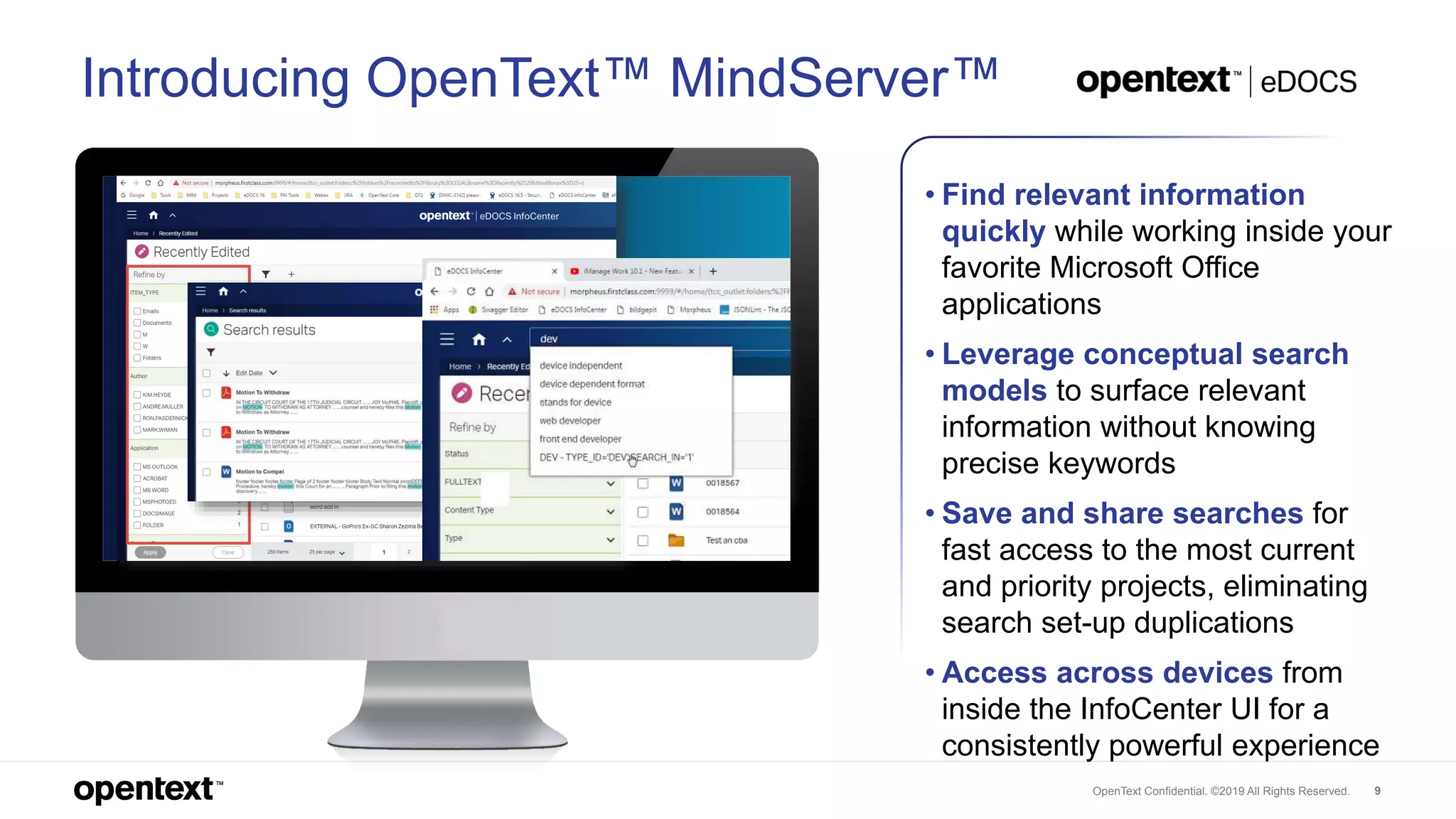
Introducing OpenText™ MindServer™
• Find relevant information
quickly while working inside your
favorite Microsoft Office
applications
• Leverage conceptual search
models to surface relevant
information without knowing
precise keywords
• Save and share searches for
fast access to the most current
and priority projects, eliminating
search set-up duplications
• Access across devices from
inside the InfoCenter UI for a
consistently powerful experience
OpenText Confidential. ©2019 All Rights Reserved. 10
Enhanced usability
OpenText Confidential. ©2019 All Rights Reserved. 11
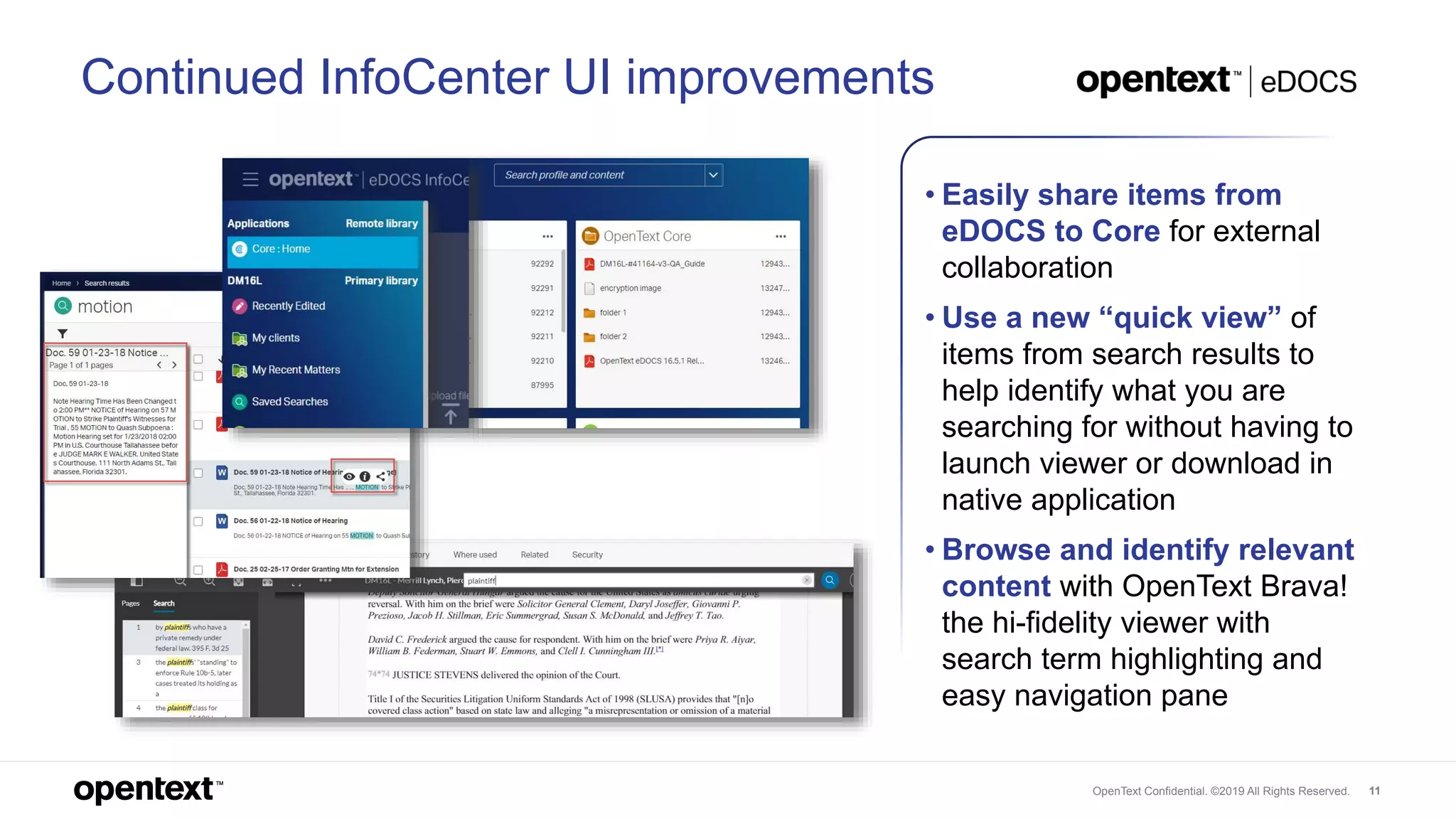
Continued InfoCenter UI improvements
• Easily share items from
eDOCS to Core for external
collaboration
• Use a new “quick view” of
items from search results to
help identify what you are
searching for without having to
launch viewer or download in
native application
• Browse and identify relevant
content with OpenText Brava!
the hi-fidelity viewer with
search term highlighting and
easy navigation pane
OpenText Confidential. ©2019 All Rights Reserved. 12
Want to learn more?
● Watch these OpenText Live webinar
recordings:
✦ Leverage speed and personalization with
OpenText eDOCS Release 16 EP7
✦ eDOCS Release 16.7 - Improve productivity
with next generation search
● Discover more information about
eDOCS.
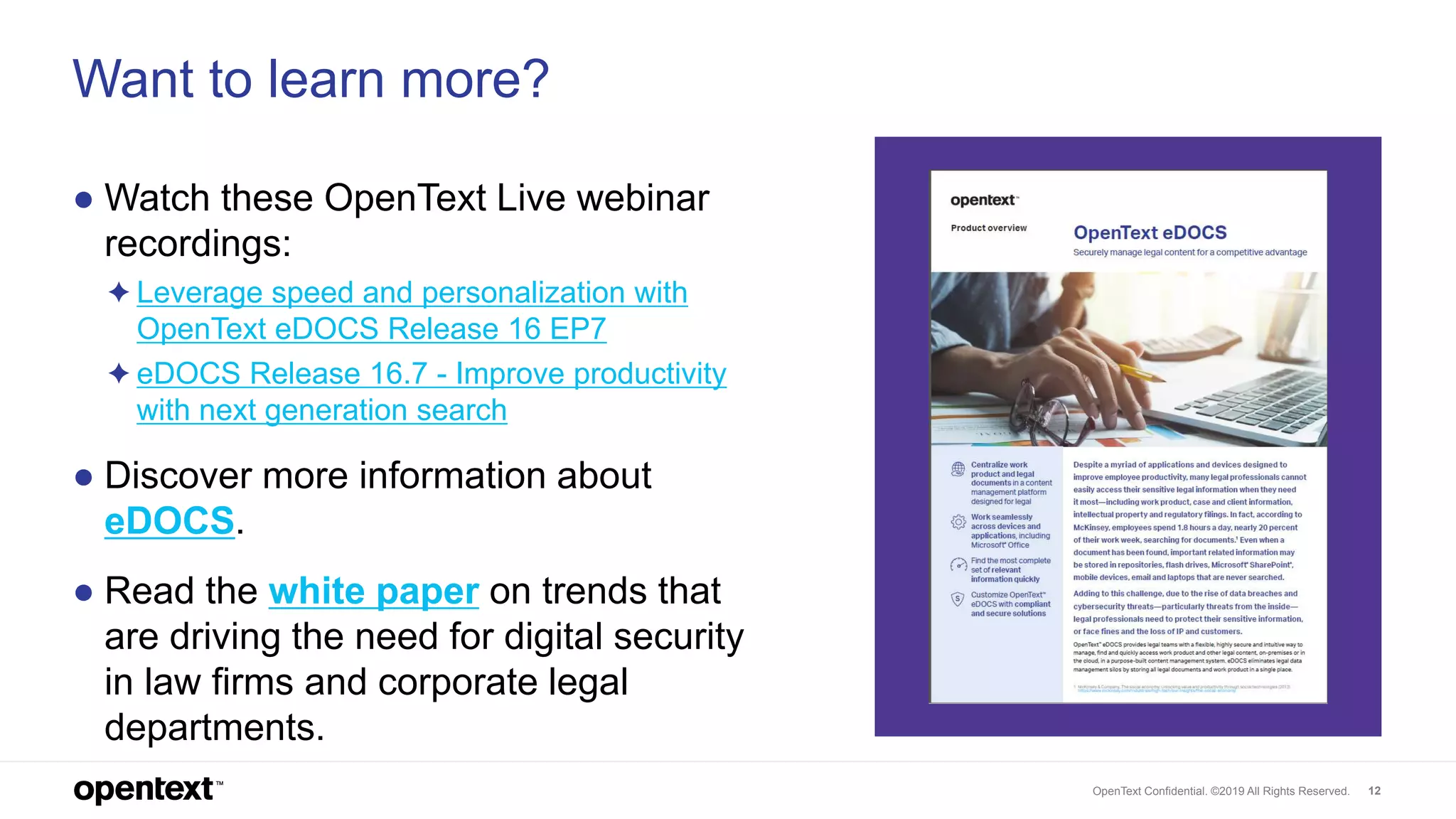
● Read the white paper on trends that
are driving the need for digital security
in law firms and corporate legal
departments.
OpenText Confidential. ©2019 All Rights Reserved. 13
Thank you
twitter.com/opentext
linkedin.com/company/opentext
opentext.com

What’s New in OpenText eDOCS Release 16 EP7

  • 1.
    Release 16 EP7 What’snew in OpenText eDOCS December 2019
  • 2.
    OpenText Confidential. ©2019All Rights Reserved. 2 OpenText eDOCS Secure and centralized legal enterprise content (document) management solution that helps capture, govern, find and securely collaborate on sensitive work product
  • 3.
    OpenText Confidential. ©2019All Rights Reserved. 3 Key highlights ● Accessiblity: Improved productivity across devices and applications with InfoCenter’s seamless Microsoft Office and browser integration ● Findability: With the introduction of OpenText™ MindServer™, an AI- powered search engine, users save time with conceptual search models to quickly surface relevant information without knowing precise keywords ● Enhanced usability: With the addition of Brava! Viewer for InfoCenter, collaboration with Core, and more
  • 4.
    OpenText Confidential. ©2019All Rights Reserved. 4 eDOCS InfoCenter for Office Manage documents inside any Microsoft application
  • 5.
    OpenText Confidential. ©2019All Rights Reserved. 5 InfoCenter Office • Manage entire content lifecycle while working inside any Microsoft Office authoring application of choice • Easily Find, Open, Save and Share content via eDOCS panel and eliminate unnecessary clicks to open multiple UIs • Tailor personalized working environments with combined, familiar business apps and content management
  • 6.
    OpenText Confidential. ©2019All Rights Reserved. 6 eDOCS InfoCenter for Web Access documents from any browser and device
  • 7.
    OpenText Confidential. ©2019All Rights Reserved. 7 Introducing eDOCS InfoCenter for Web • Freely access information from any browser and on any device; no installation required • Quickly create a customized work dashboard • Arrange prioritized project tiles in the UI easily without coding
  • 8.
    OpenText Confidential. ©2019All Rights Reserved. 8 OpenText™ MindServer™ Find relevant information quickly with AI-powered search
  • 9.
    OpenText Confidential. ©2019All Rights Reserved. 9 Introducing OpenText™ MindServer™ • Find relevant information quickly while working inside your favorite Microsoft Office applications • Leverage conceptual search models to surface relevant information without knowing precise keywords • Save and share searches for fast access to the most current and priority projects, eliminating search set-up duplications • Access across devices from inside the InfoCenter UI for a consistently powerful experience
  • 10.
    OpenText Confidential. ©2019All Rights Reserved. 10 Enhanced usability
  • 11.
    OpenText Confidential. ©2019All Rights Reserved. 11 Continued InfoCenter UI improvements • Easily share items from eDOCS to Core for external collaboration • Use a new “quick view” of items from search results to help identify what you are searching for without having to launch viewer or download in native application • Browse and identify relevant content with OpenText Brava! the hi-fidelity viewer with search term highlighting and easy navigation pane
  • 12.
    OpenText Confidential. ©2019All Rights Reserved. 12 Want to learn more? ● Watch these OpenText Live webinar recordings: ✦ Leverage speed and personalization with OpenText eDOCS Release 16 EP7 ✦ eDOCS Release 16.7 - Improve productivity with next generation search ● Discover more information about eDOCS. ● Read the white paper on trends that are driving the need for digital security in law firms and corporate legal departments.
  • 13.
    OpenText Confidential. ©2019All Rights Reserved. 13 Thank you twitter.com/opentext linkedin.com/company/opentext opentext.com