What More Can the Web Do for
           You?
     with Kristi Hargis, President
         Kinected Marketing
    www.KinectedMarketing.com

                                     1
Social Media

What is it, and why do you need it?


                                      2
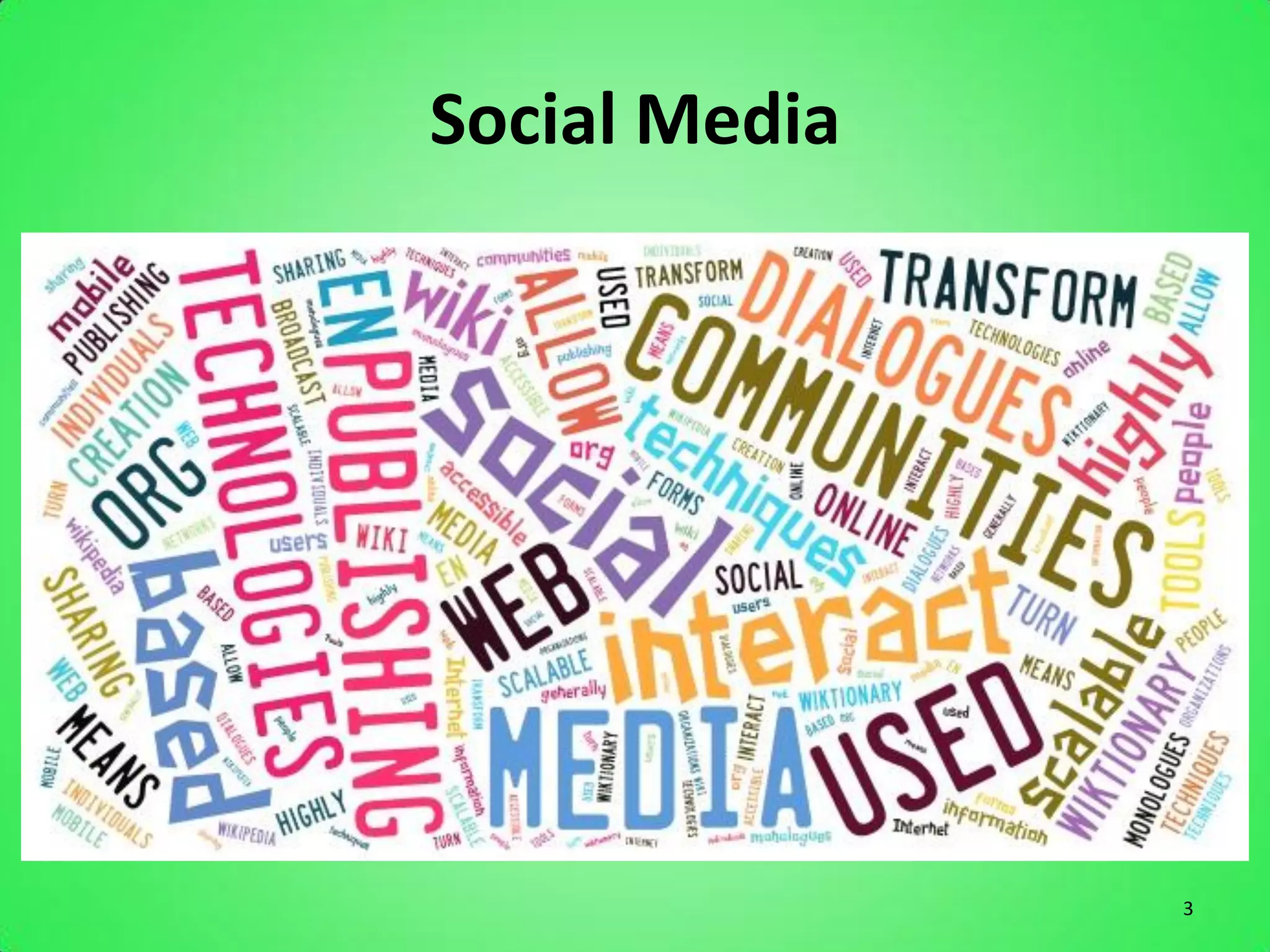
Social Media


               3
Social Media
• Definition:
   – “Social media uses web-based technologies to
     transform and broadcast media monologues into
     social media dialogues.”

   – “Interactive forms of media that allow users to
     interact with and publish to each other, generally by
     means of the Internet”

   – “Tools that allow the sharing of information and
     creation of communities through online networks of
     people.”

                                                             4
Facebook

The Personal Network


                       5
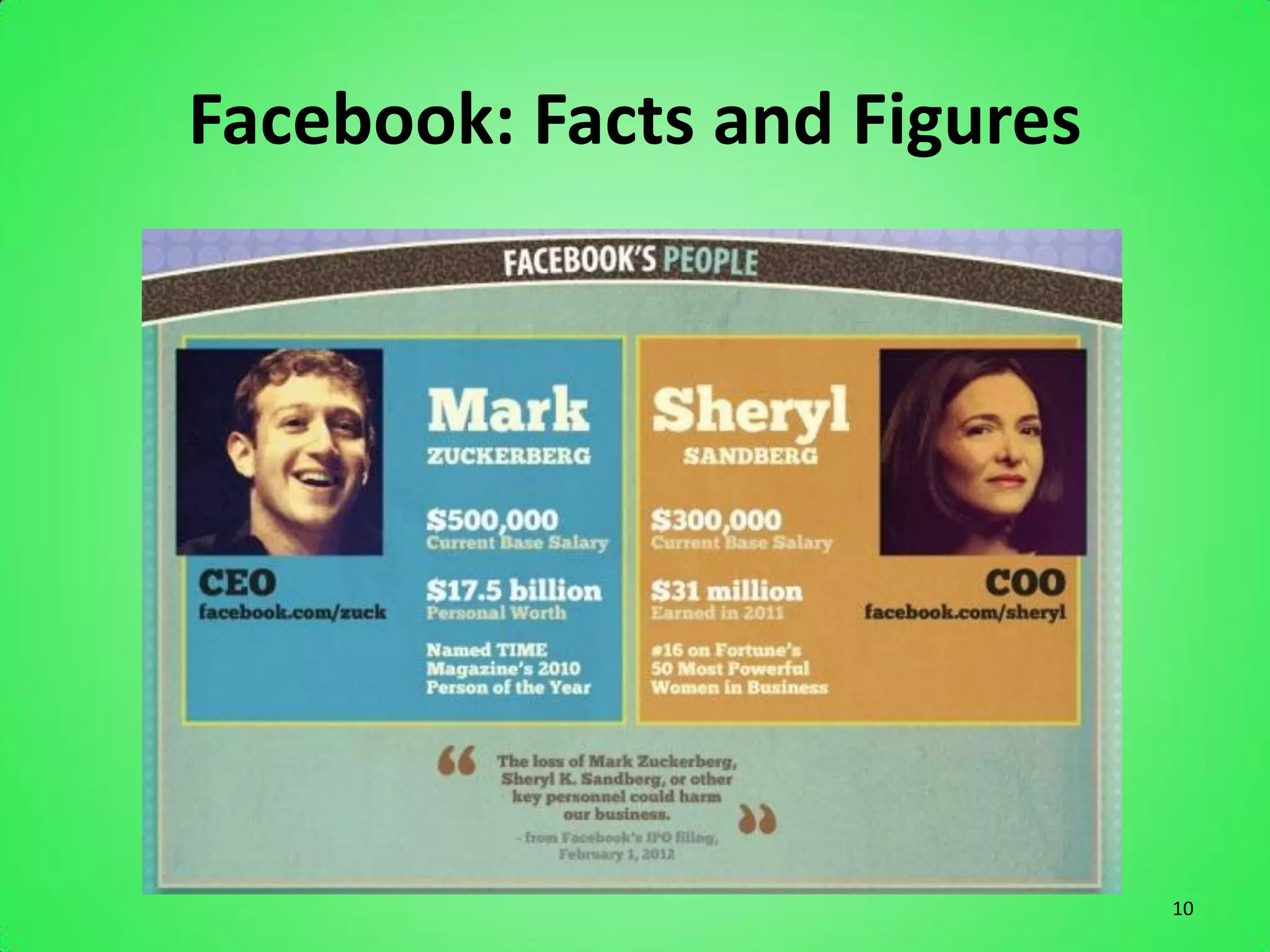
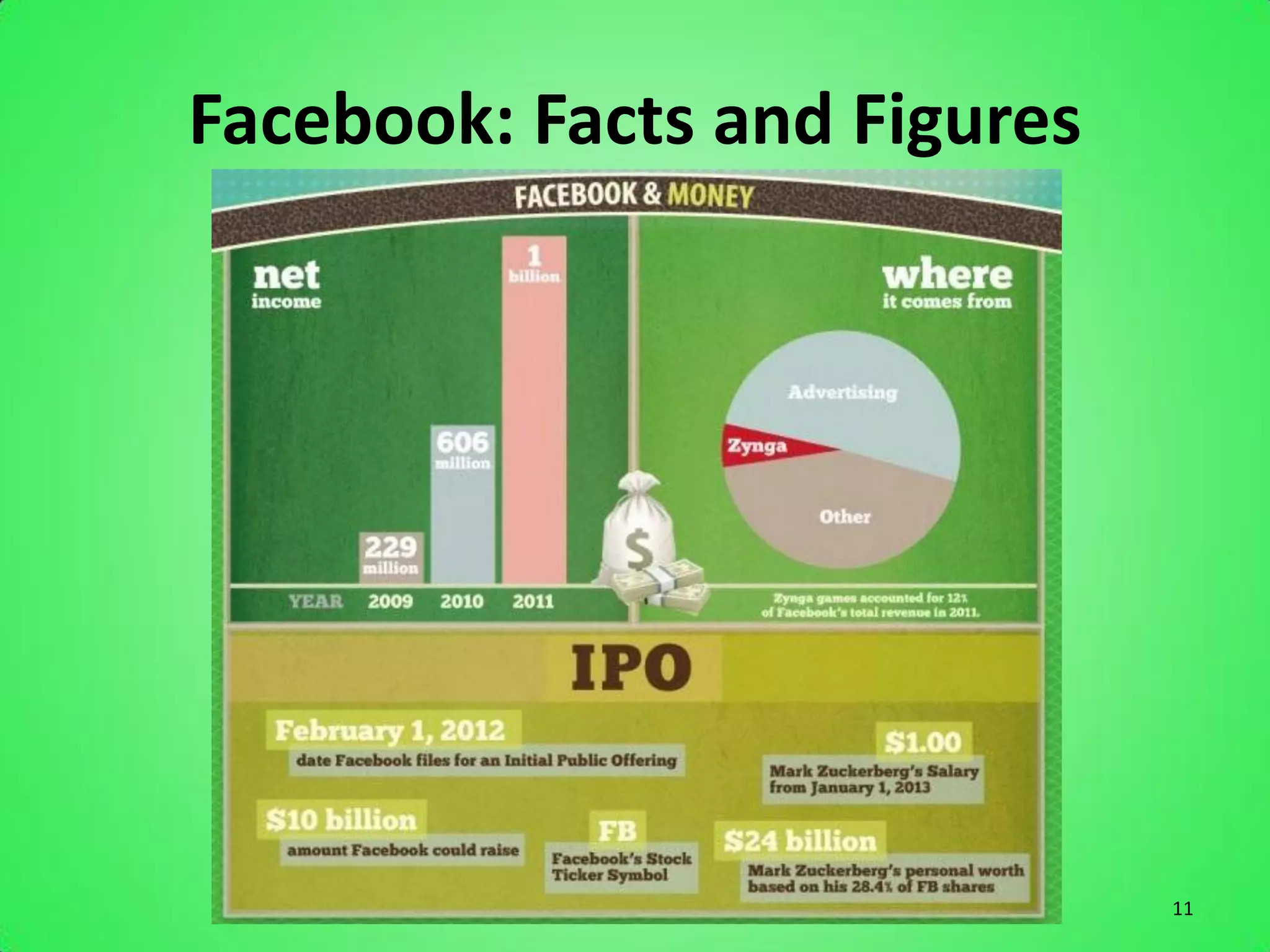
Facebook: Facts and Figures
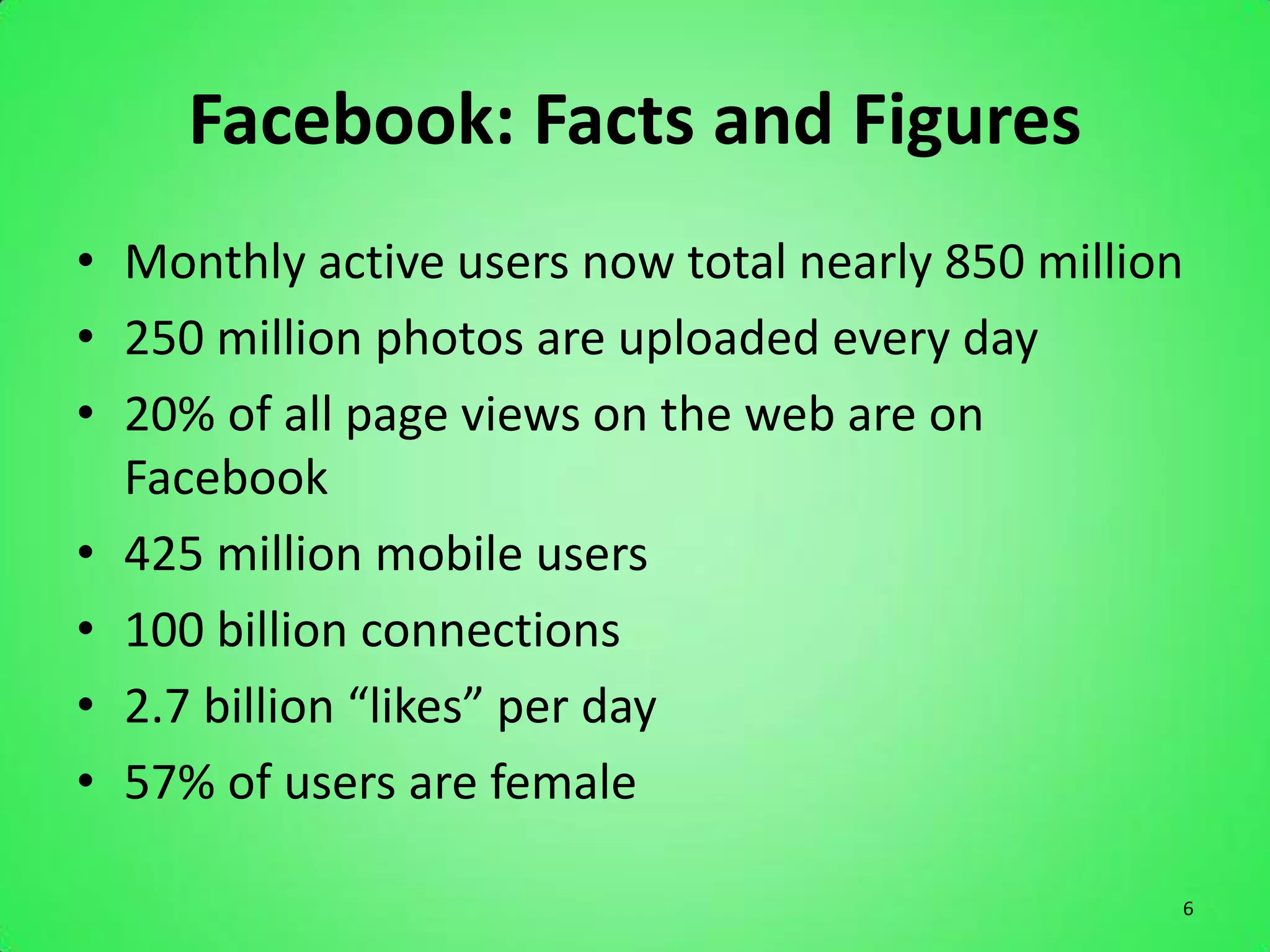
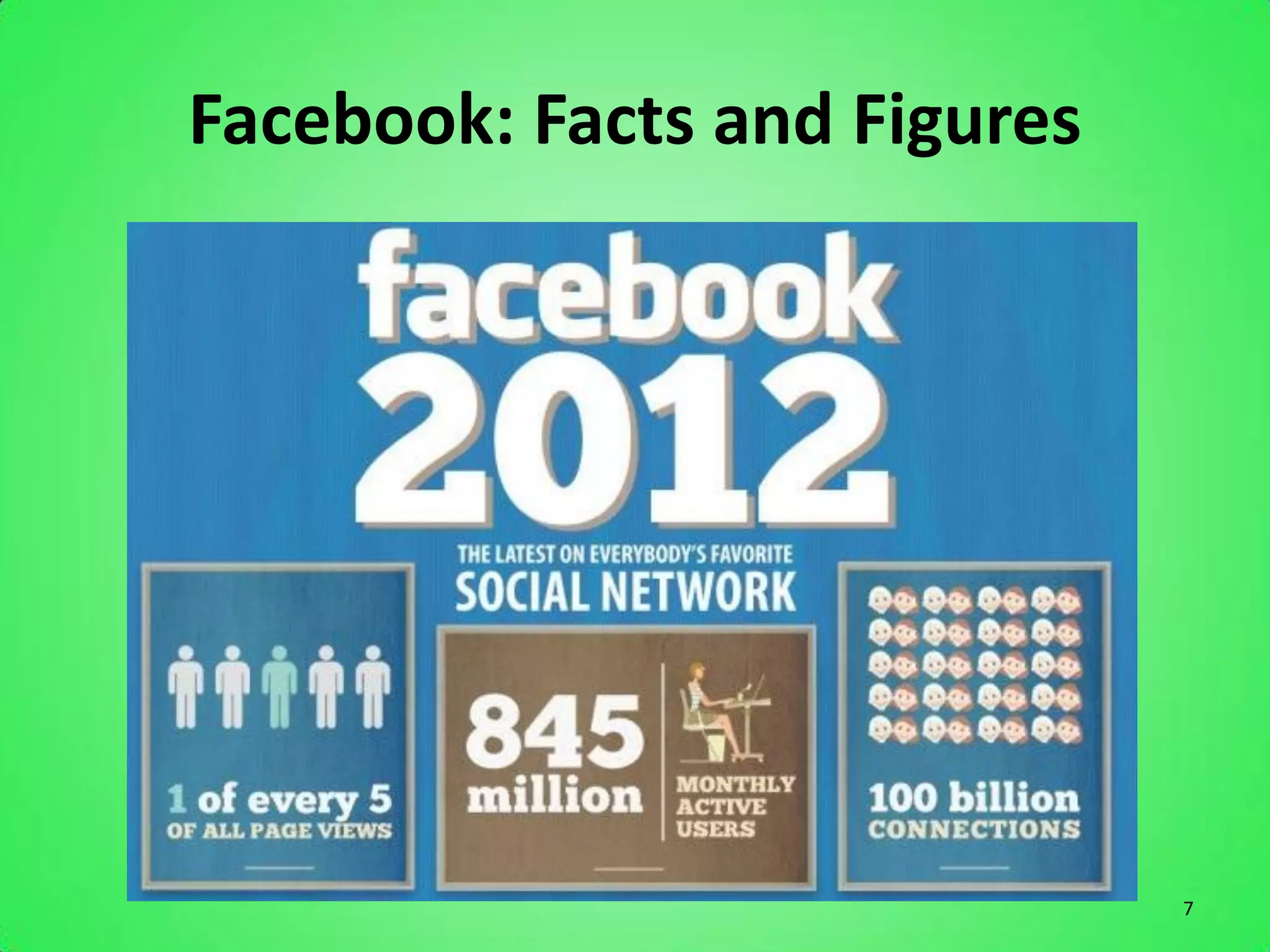
• Monthly active users now total nearly 850 million
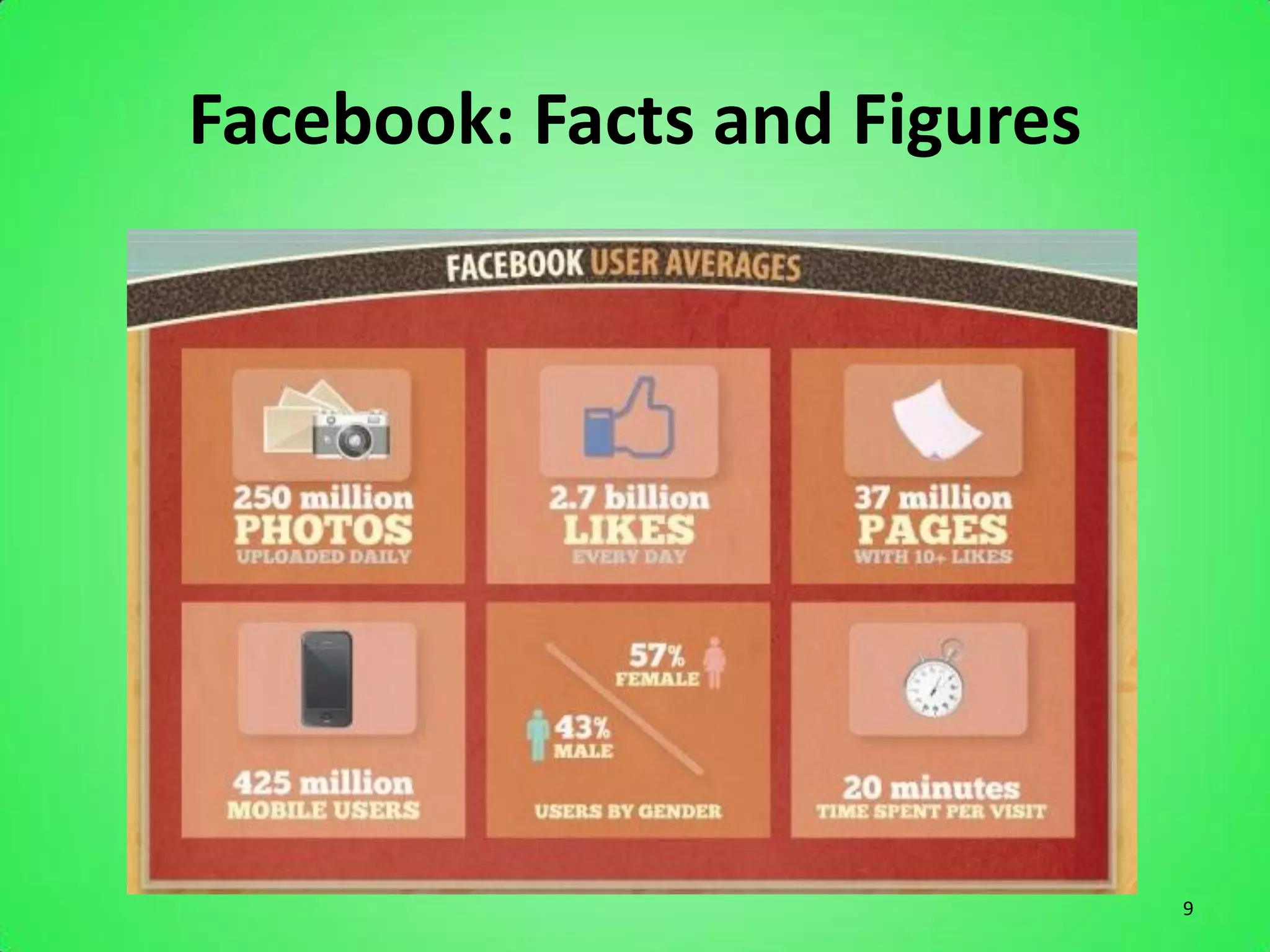
• 250 million photos are uploaded every day
• 20% of all page views on the web are on
  Facebook
• 425 million mobile users
• 100 billion connections
• 2.7 billion “likes” per day
• 57% of users are female

                                                  6
Facebook: Facts and Figures


                              7
Facebook: Facts and Figures


                              8
Facebook: Facts and Figures


                              9
Facebook: Facts and Figures


                              10
Facebook: Facts and Figures


                              11
Reasons Your Business Should Be On
                       Facebook
       1.          It’s Easy
       2.          Customers
       3.          Immediate Feedback
       4.          Competition
       5.          Search Engine Optimization
       6.          Cross-Promotion
       7.          Facebook Ads

Source: Cross Creative Marketing
                                                12
Custom URL on FB
• Choose a Username
• Connect it to your Page
• http://www.facebook.com/username/


                                      13
Custom URL on FB
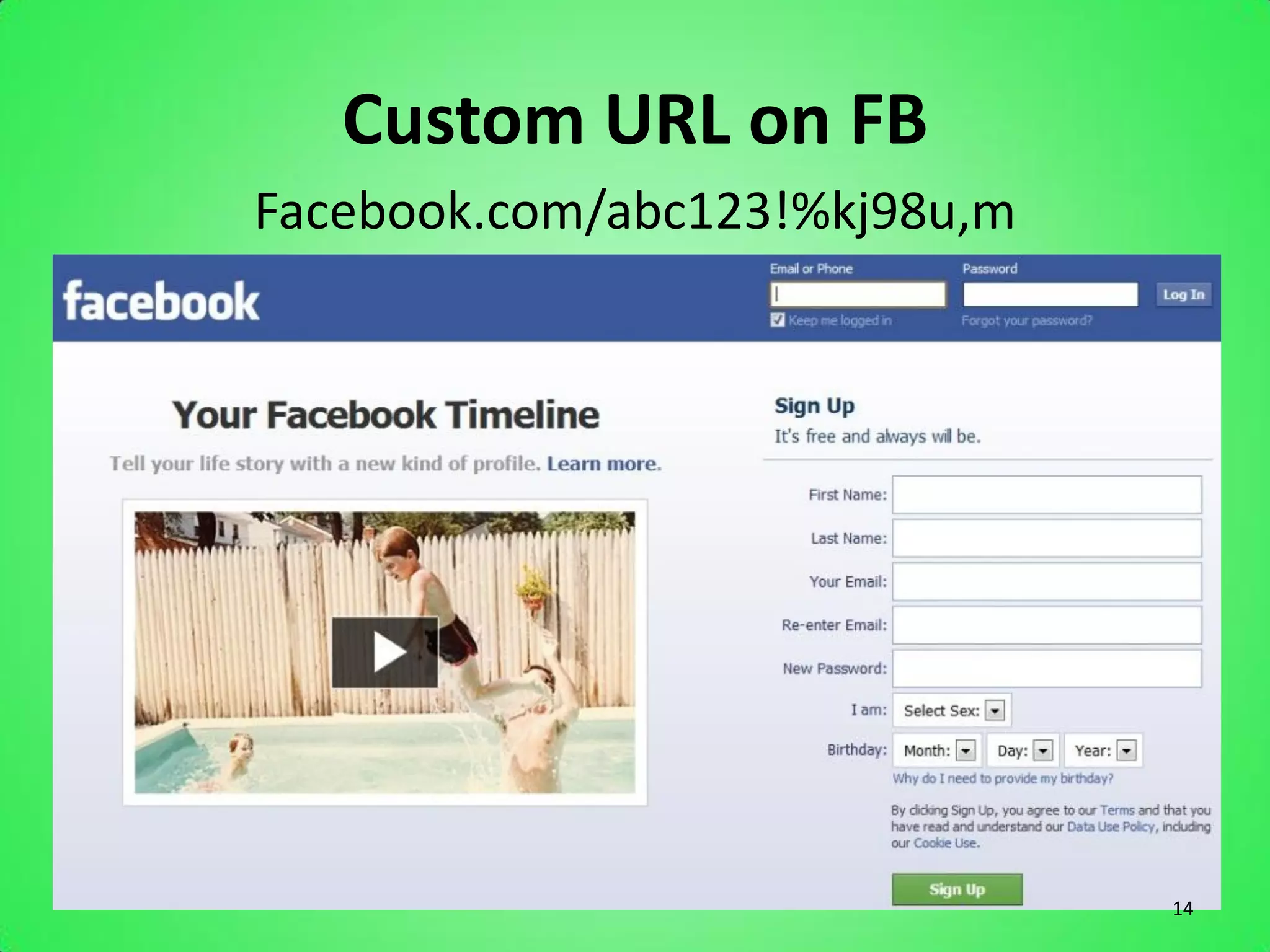
Facebook.com/abc123!%kj98u,m


                               14
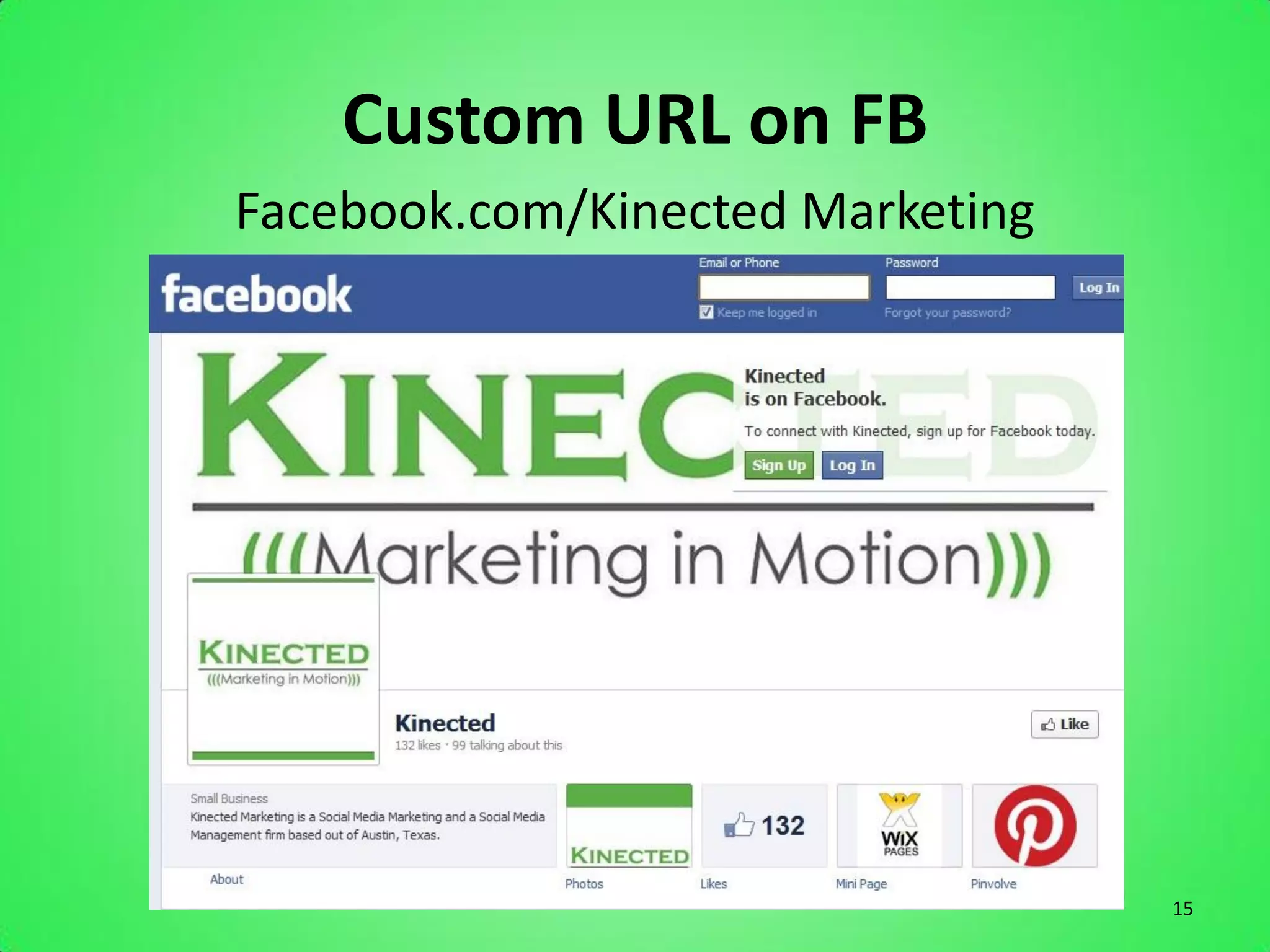
Custom URL on FB
Facebook.com/Kinected Marketing


                                  15
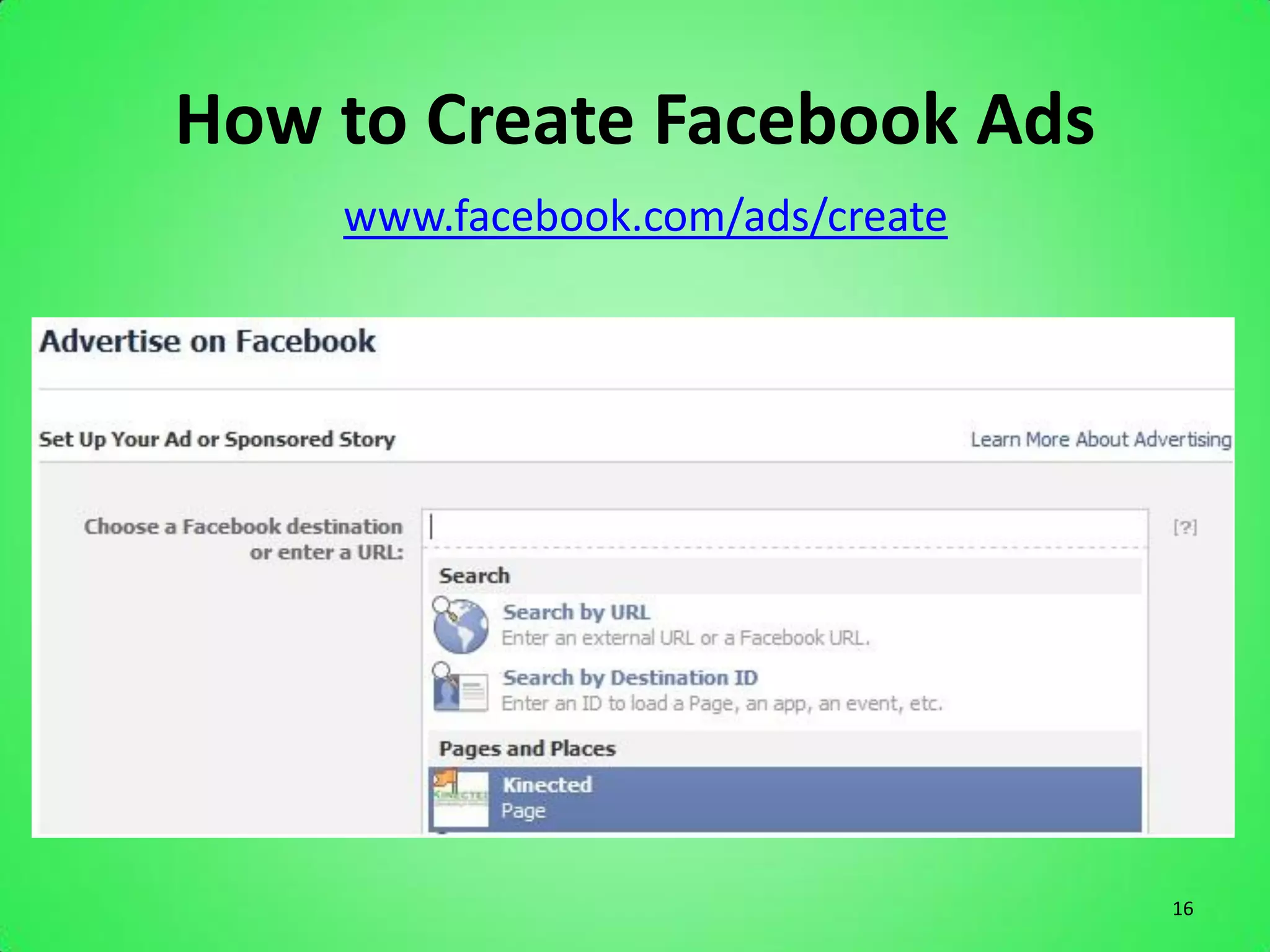
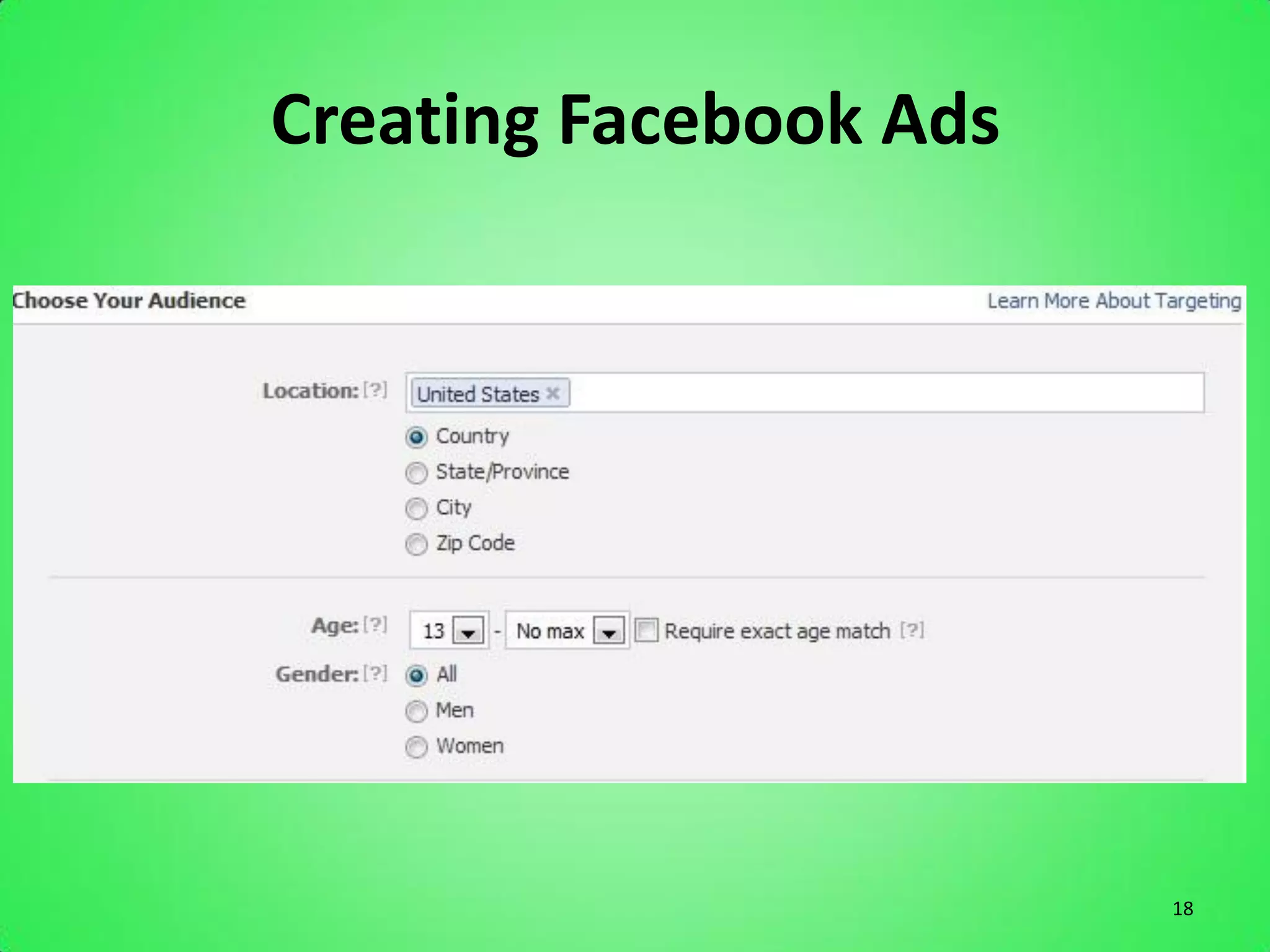
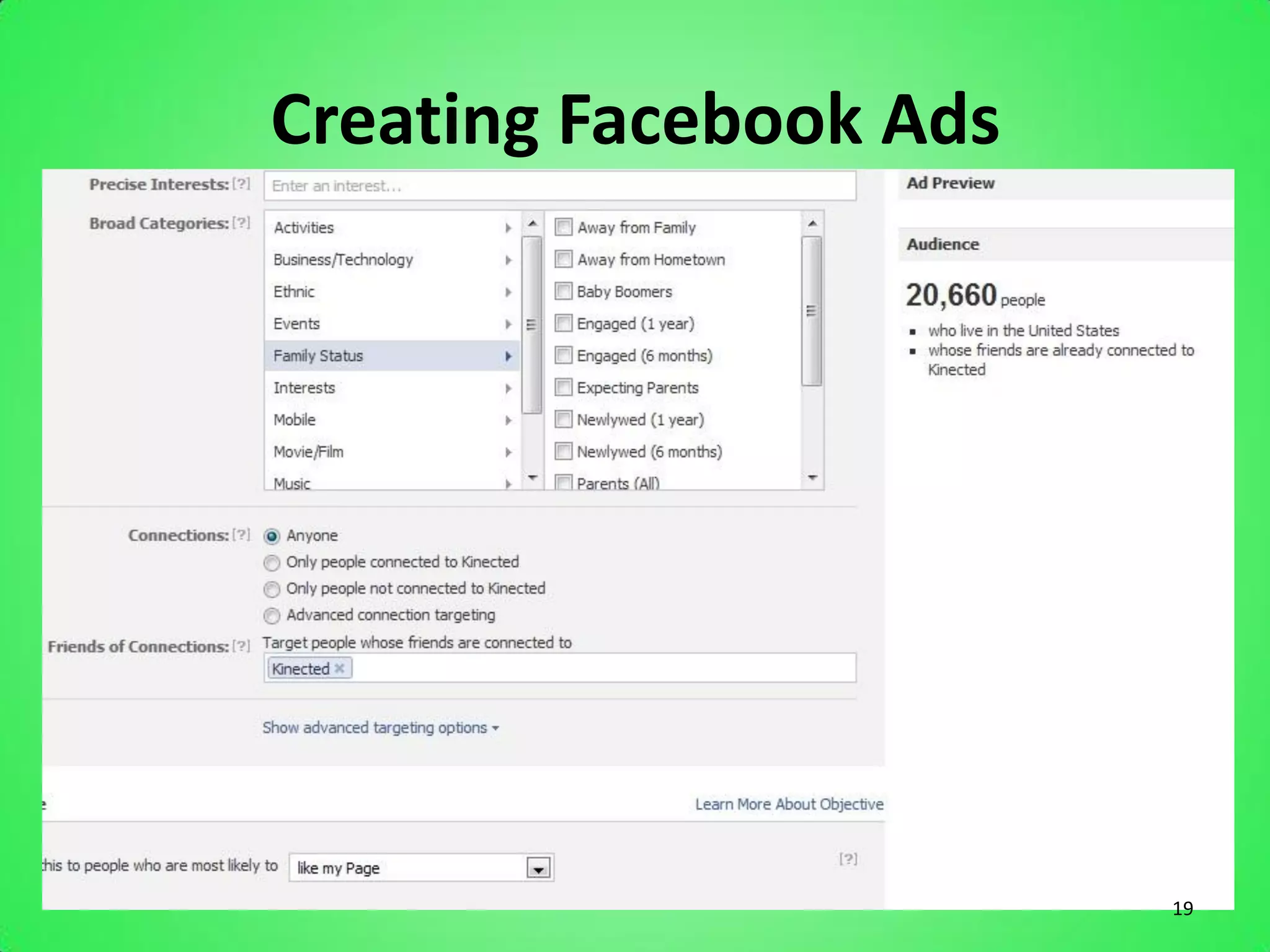
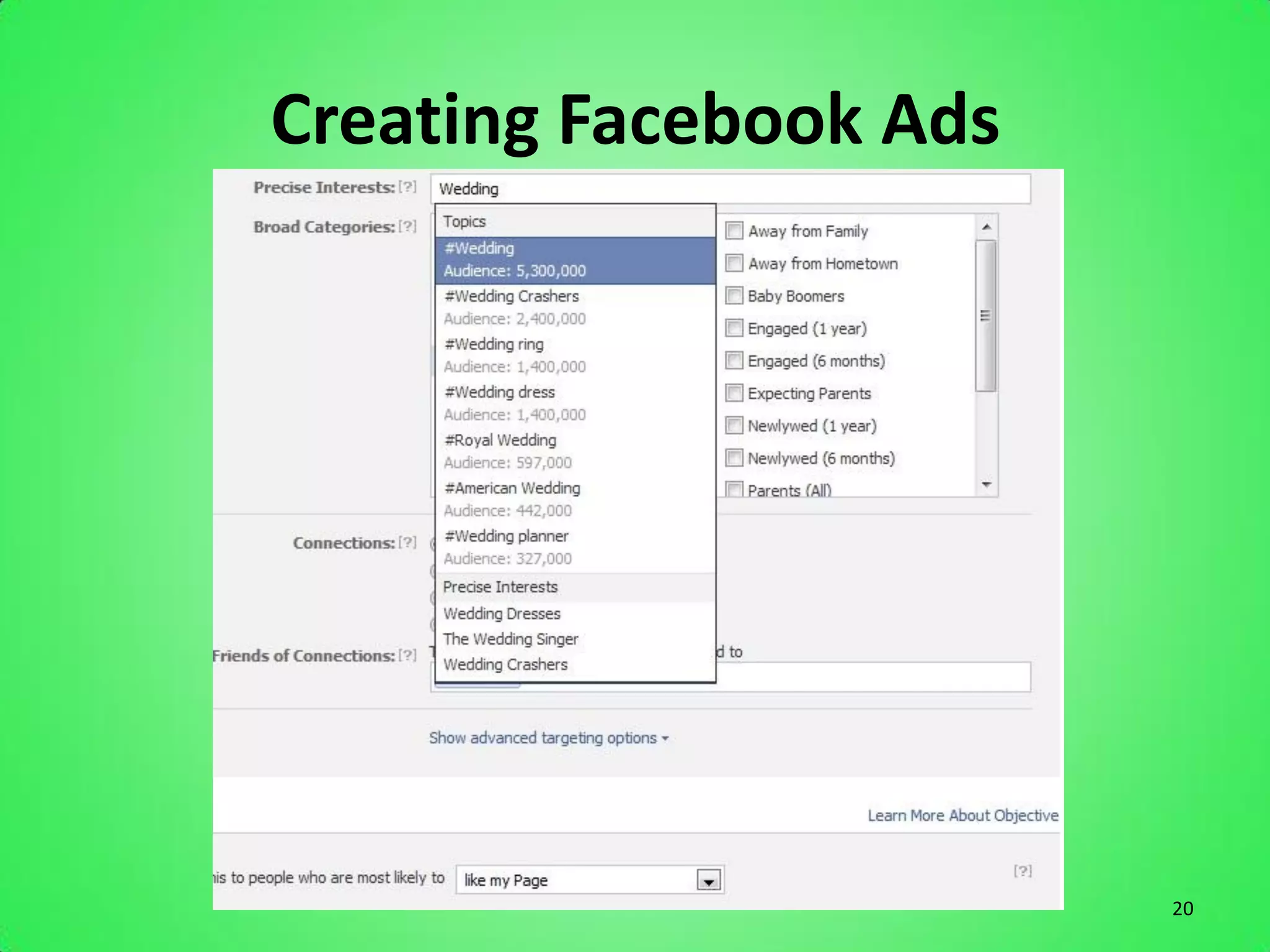
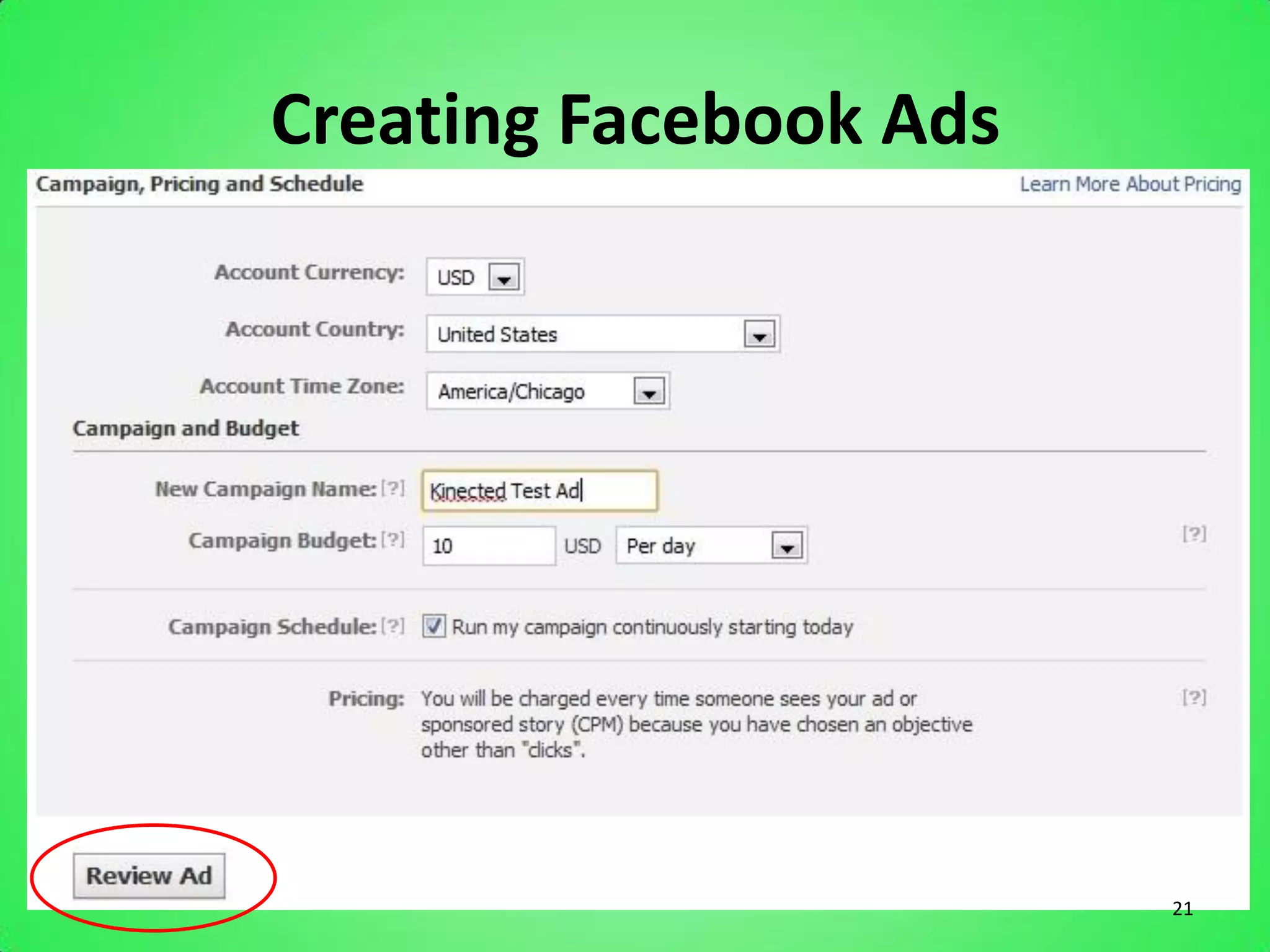
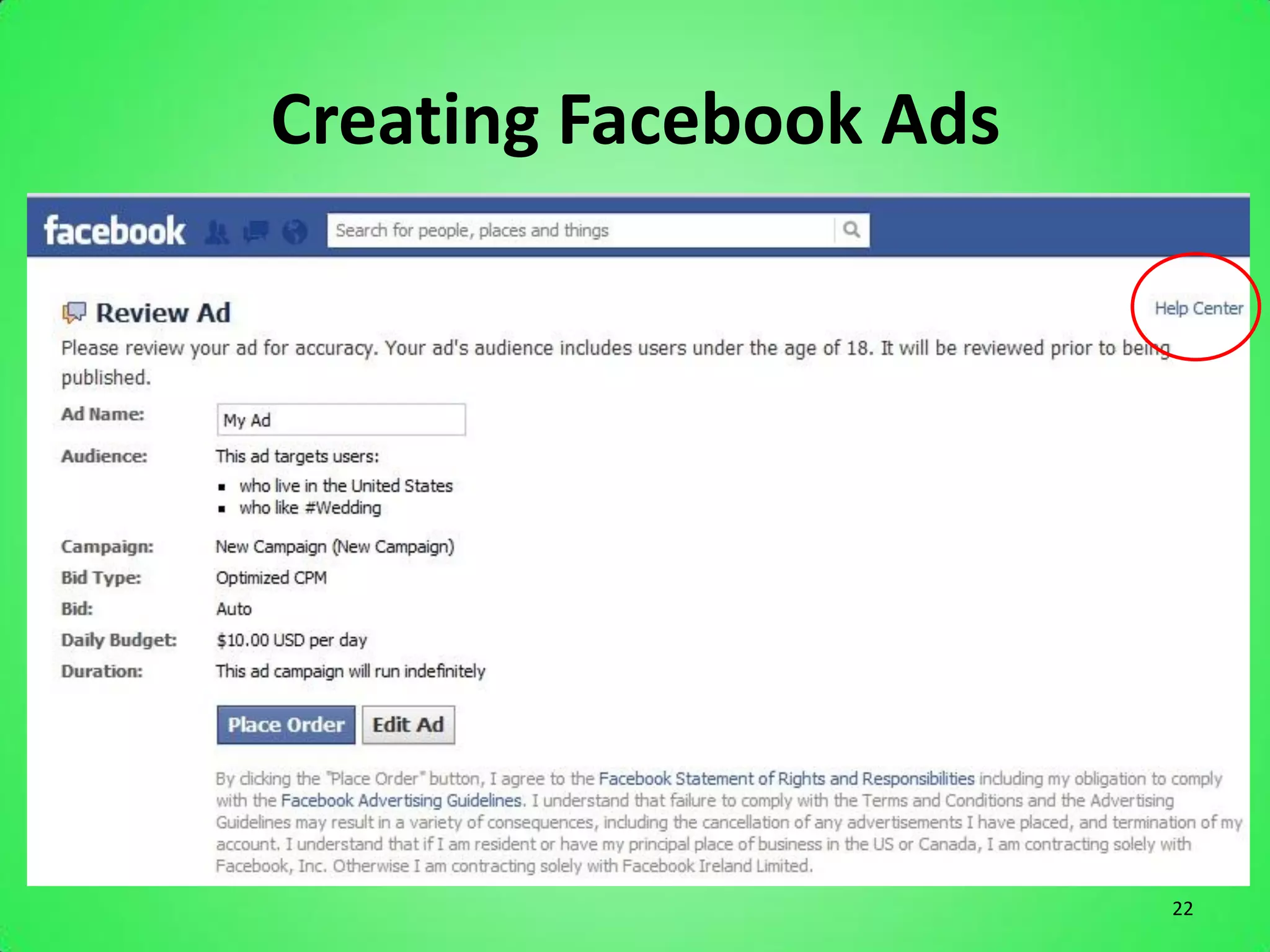
How to Create Facebook Ads
    www.facebook.com/ads/create


                                  16
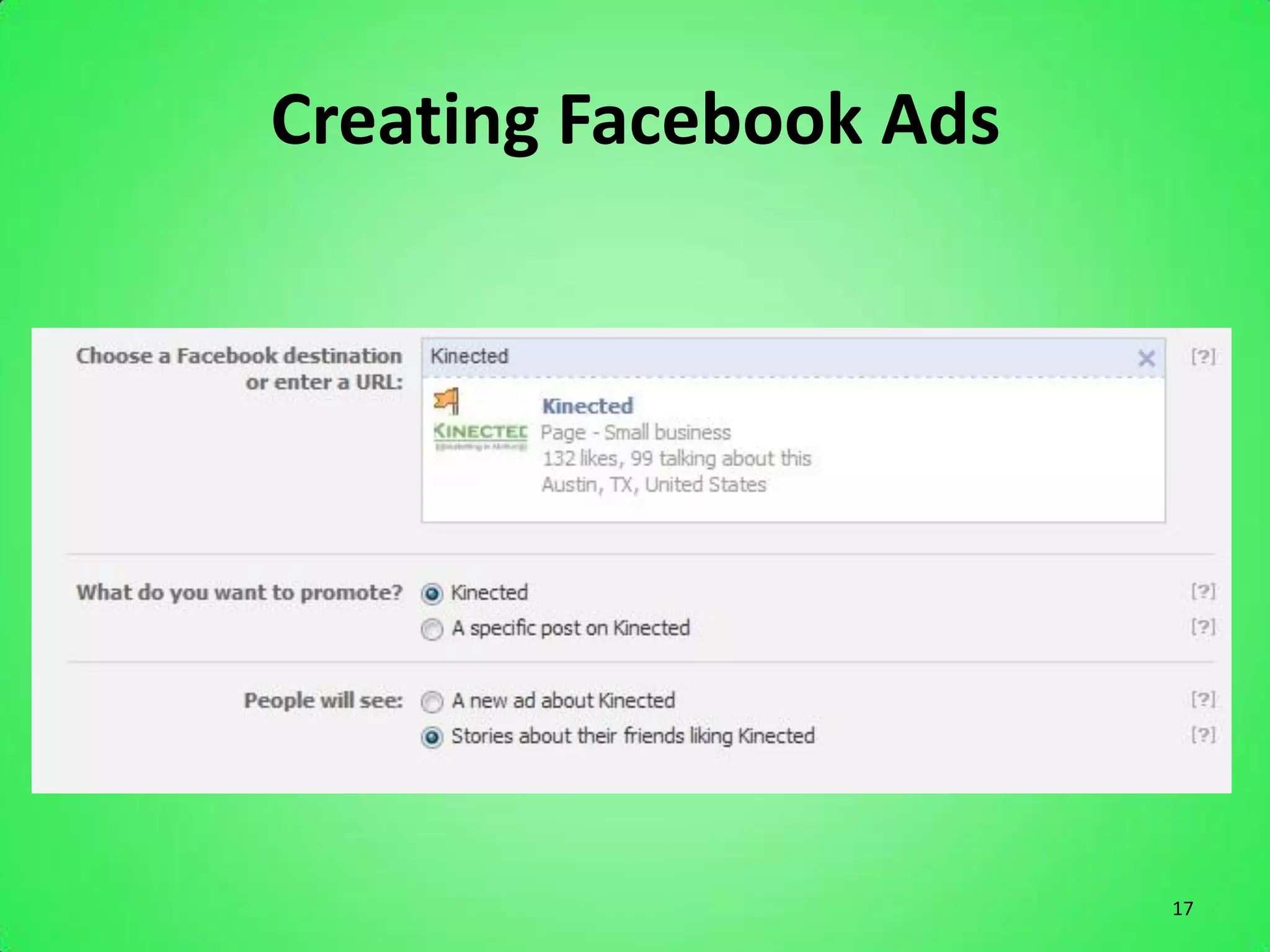
Creating Facebook Ads


                        17
Creating Facebook Ads


                        18
Creating Facebook Ads


                        19
Creating Facebook Ads


                        20
Creating Facebook Ads


                        21
Creating Facebook Ads


                        22
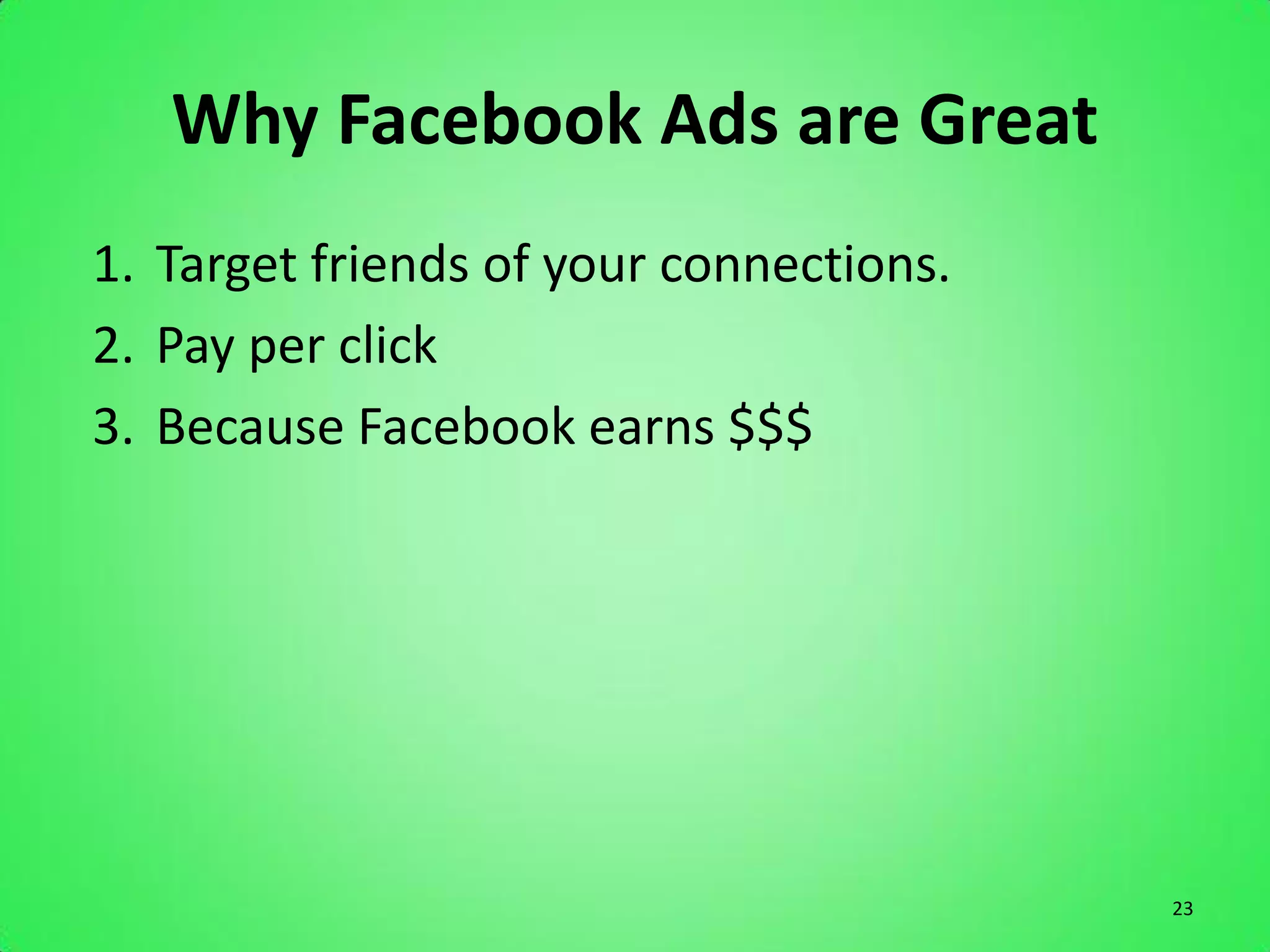
Why Facebook Ads are Great
1. Target friends of your connections.
2. Pay per click
3. Because Facebook earns $$$


                                         23
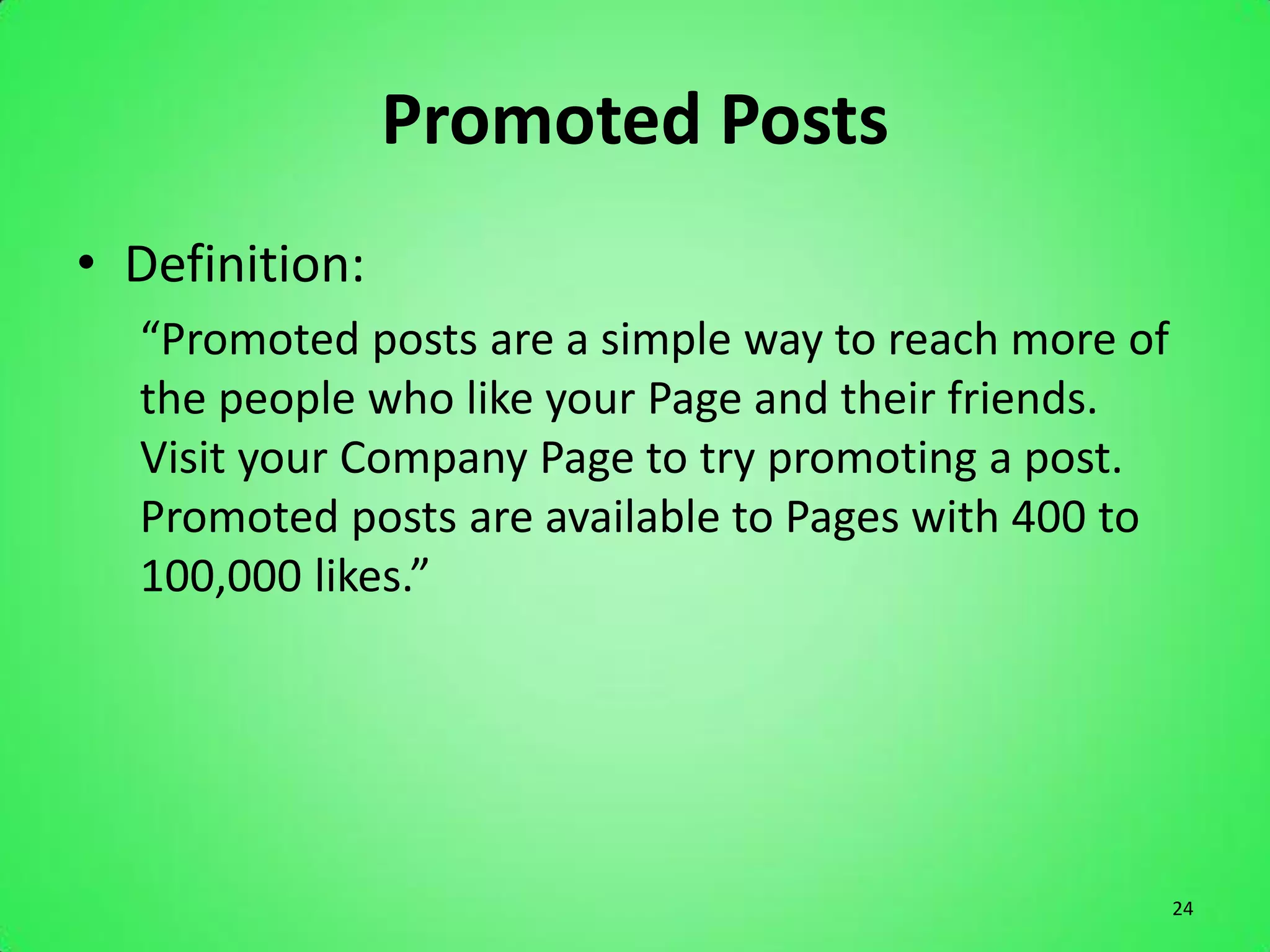
Promoted Posts
• Definition:
  “Promoted posts are a simple way to reach more of
  the people who like your Page and their friends.
  Visit your Company Page to try promoting a post.
  Promoted posts are available to Pages with 400 to
  100,000 likes.”


                                                      24
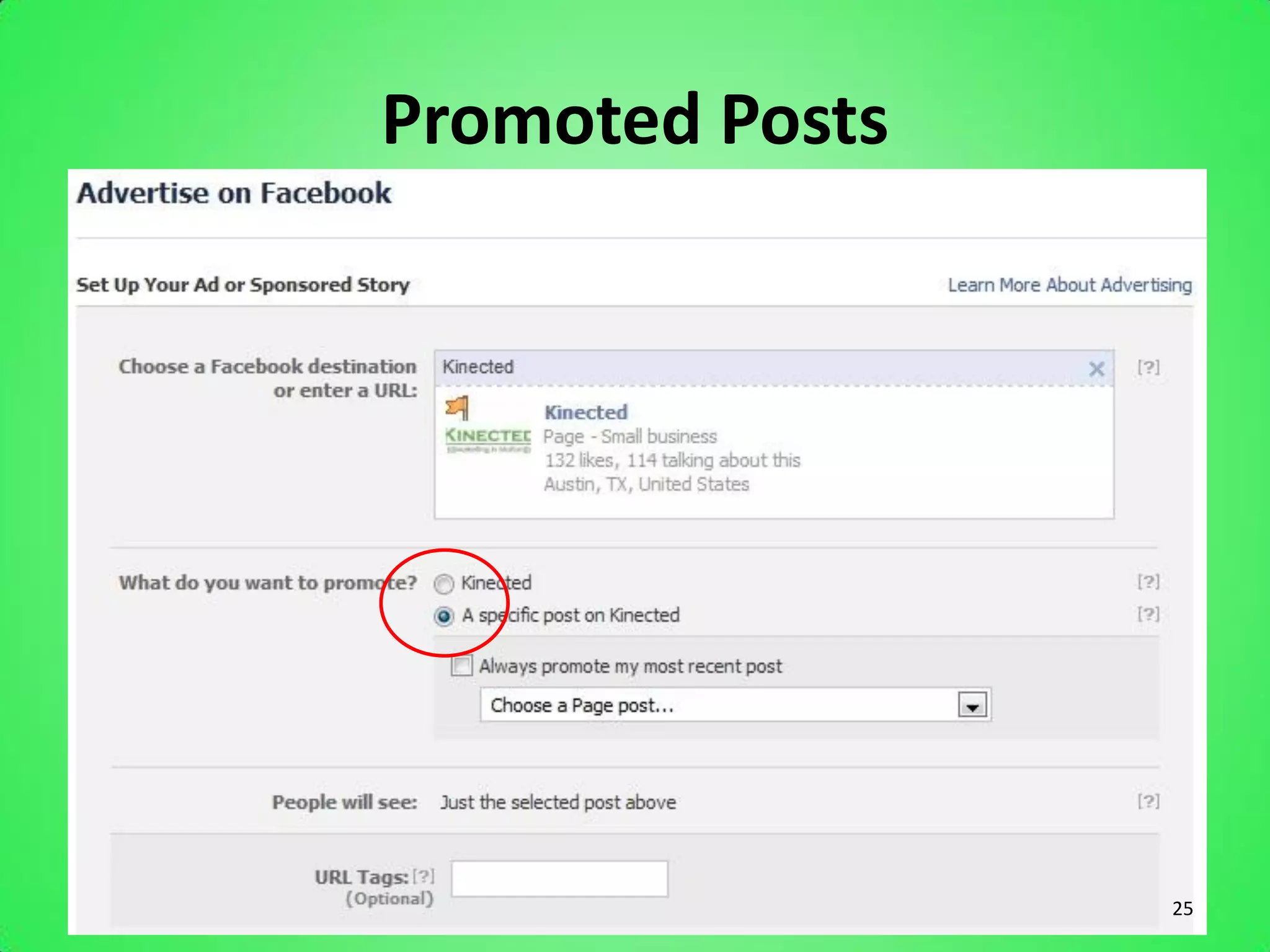
Promoted Posts


                 25
Promoted Posts
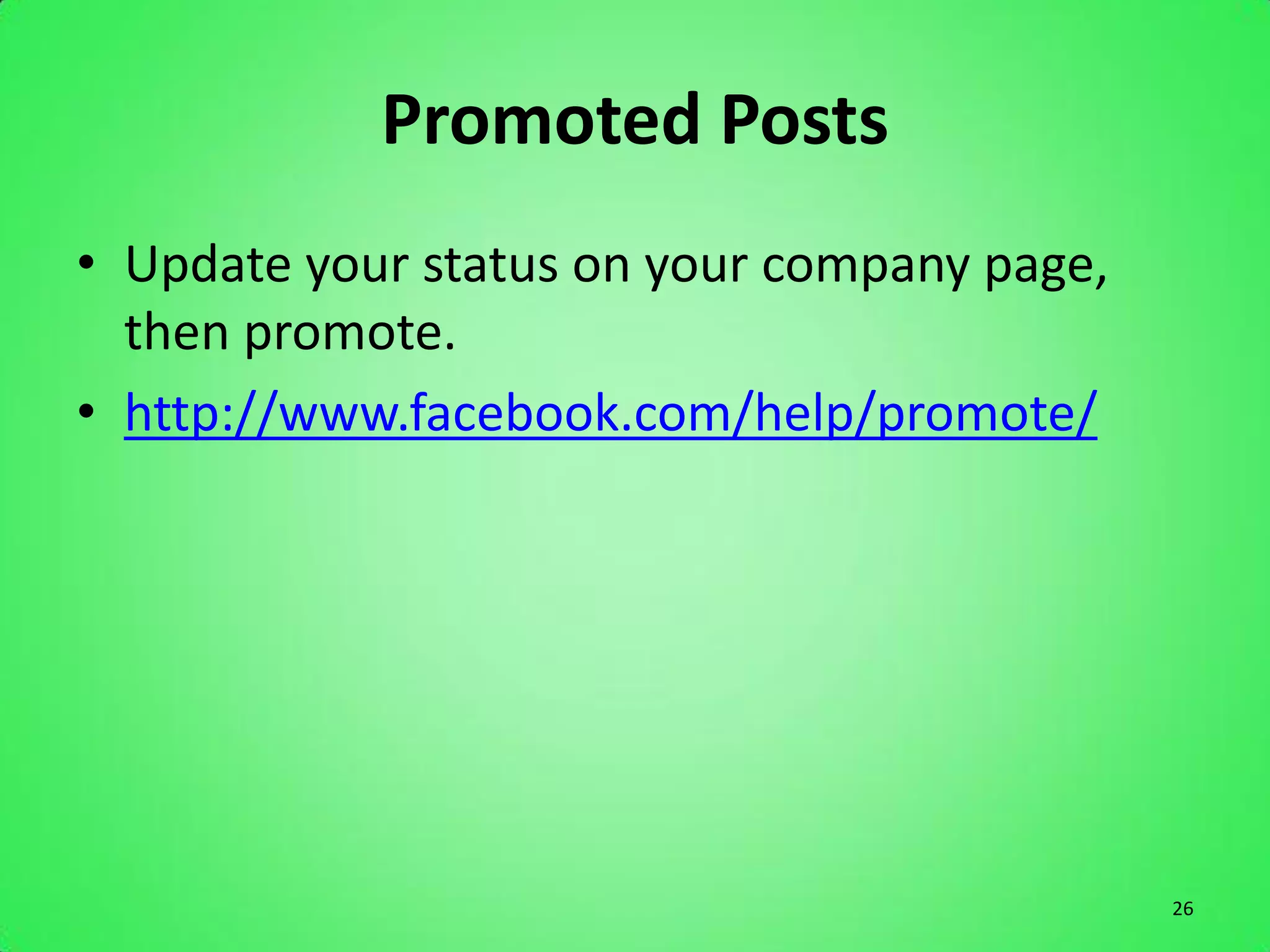
• Update your status on your company page,
  then promote.
• http://www.facebook.com/help/promote/


                                             26
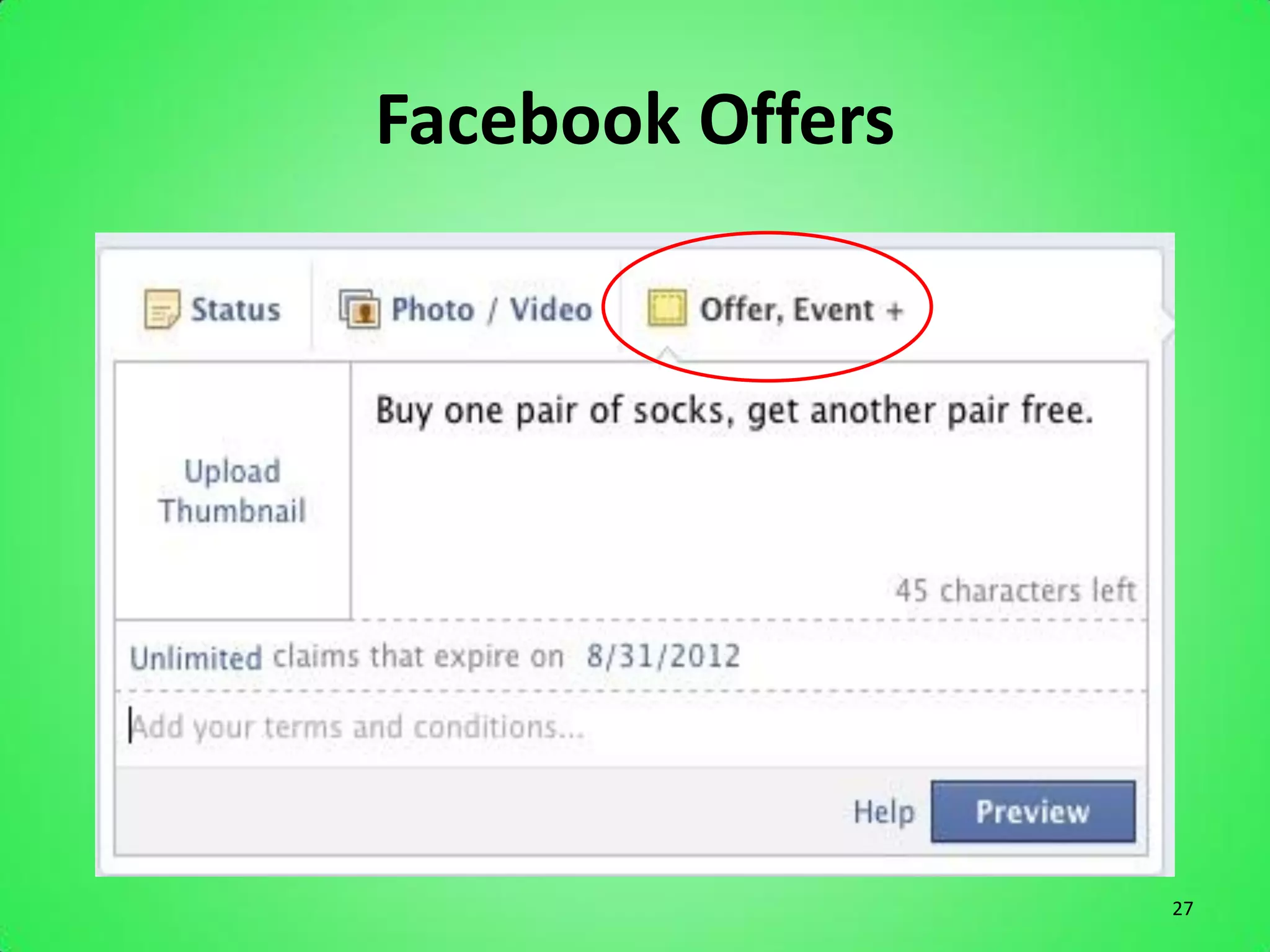
Facebook Offers


                  27
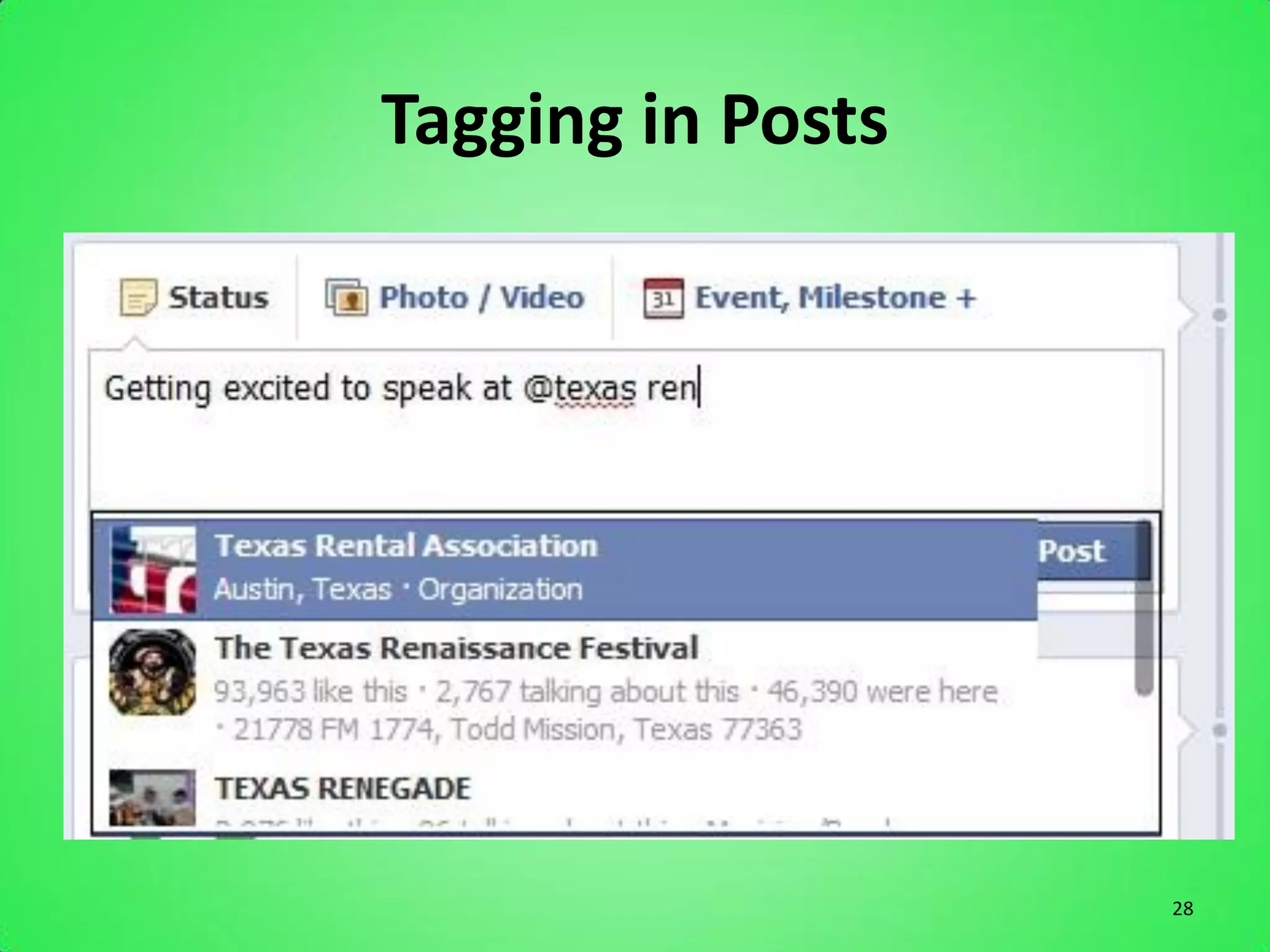
Tagging in Posts


                   28
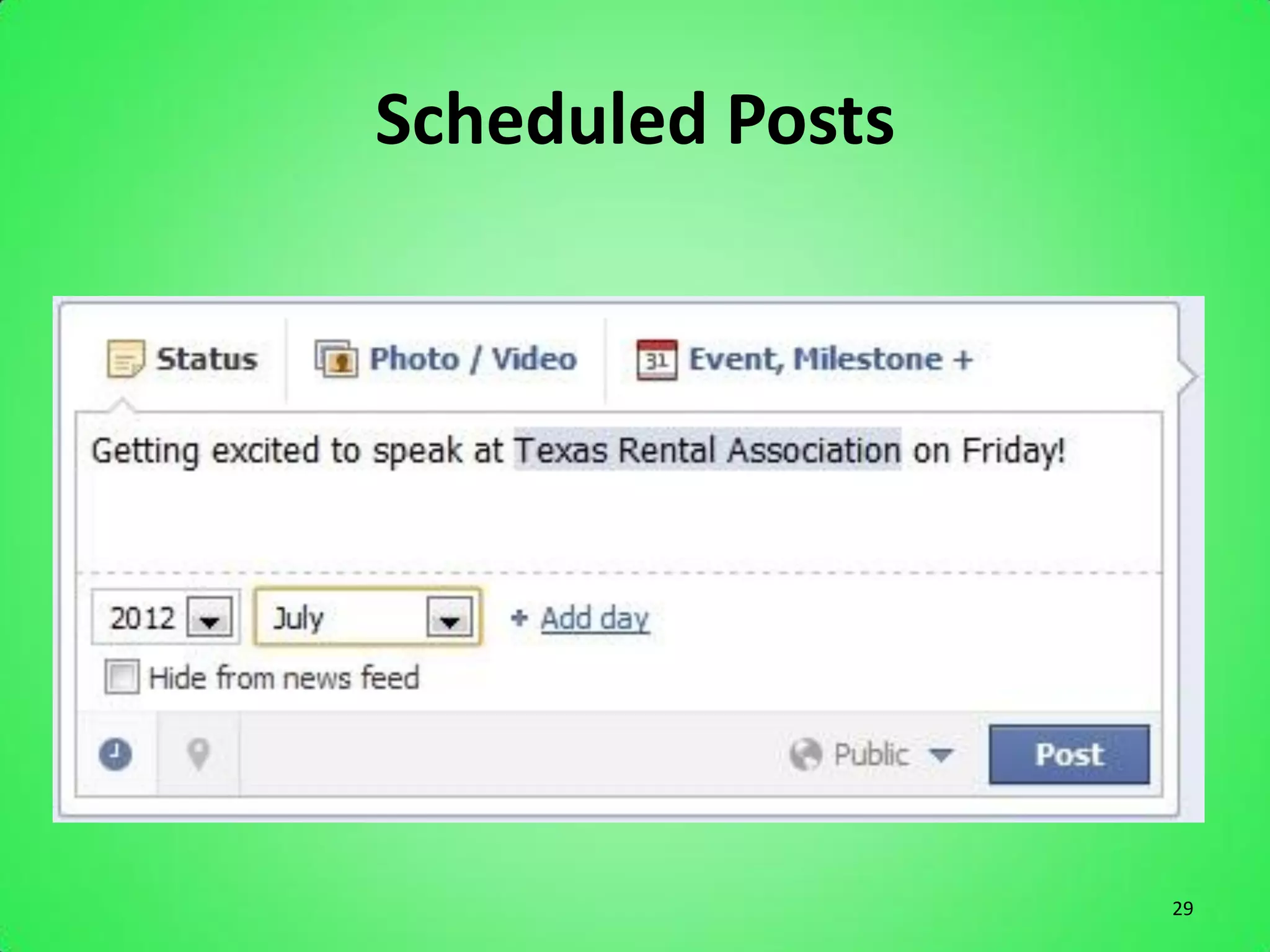
Scheduled Posts


                  29
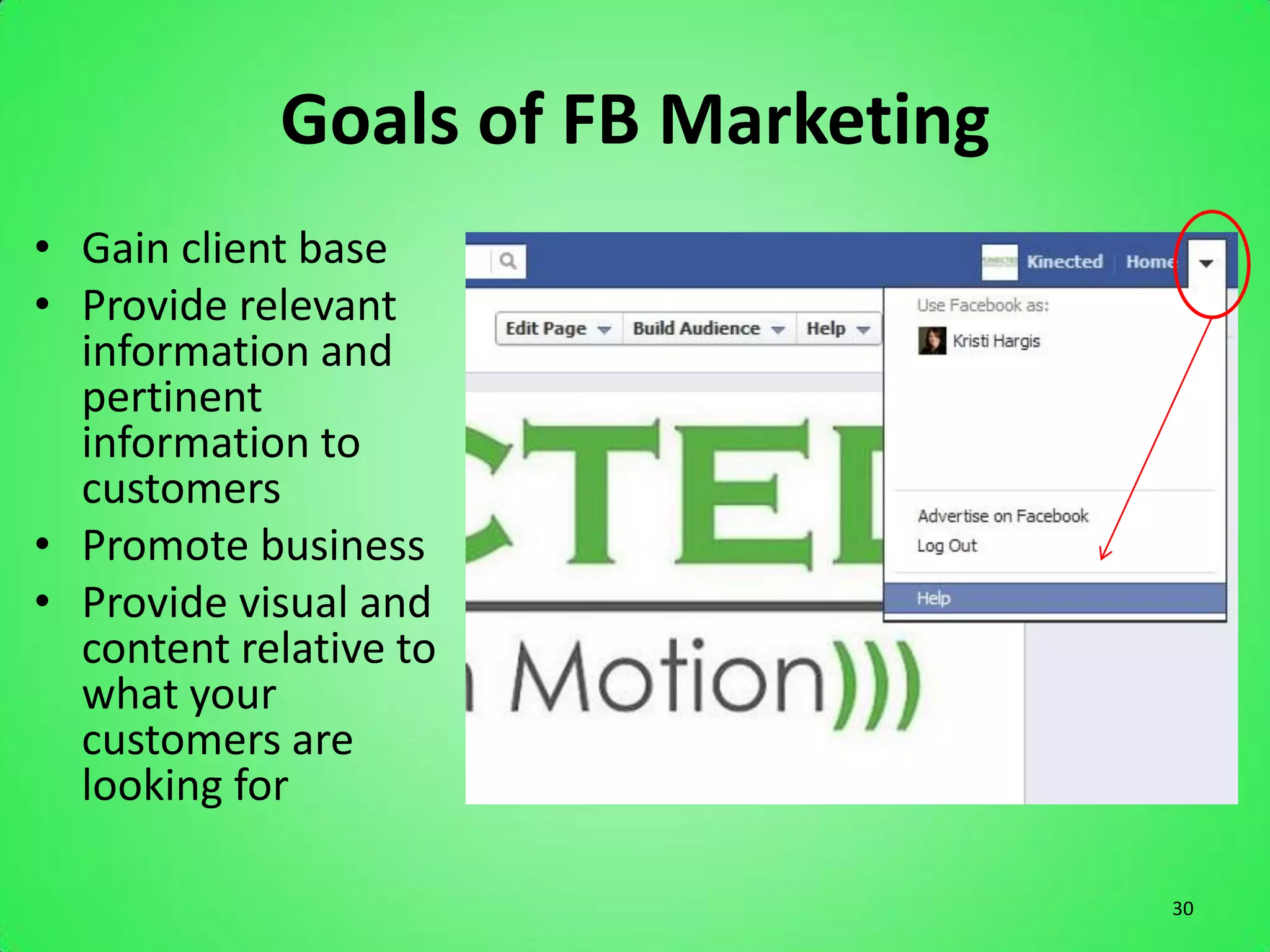
Goals of FB Marketing
• Gain client base
• Provide relevant
  information and
  pertinent
  information to
  customers
• Promote business
• Provide visual and
  content relative to
  what your
  customers are
  looking for

                                    30
Twitter

The Fast Network


                   31
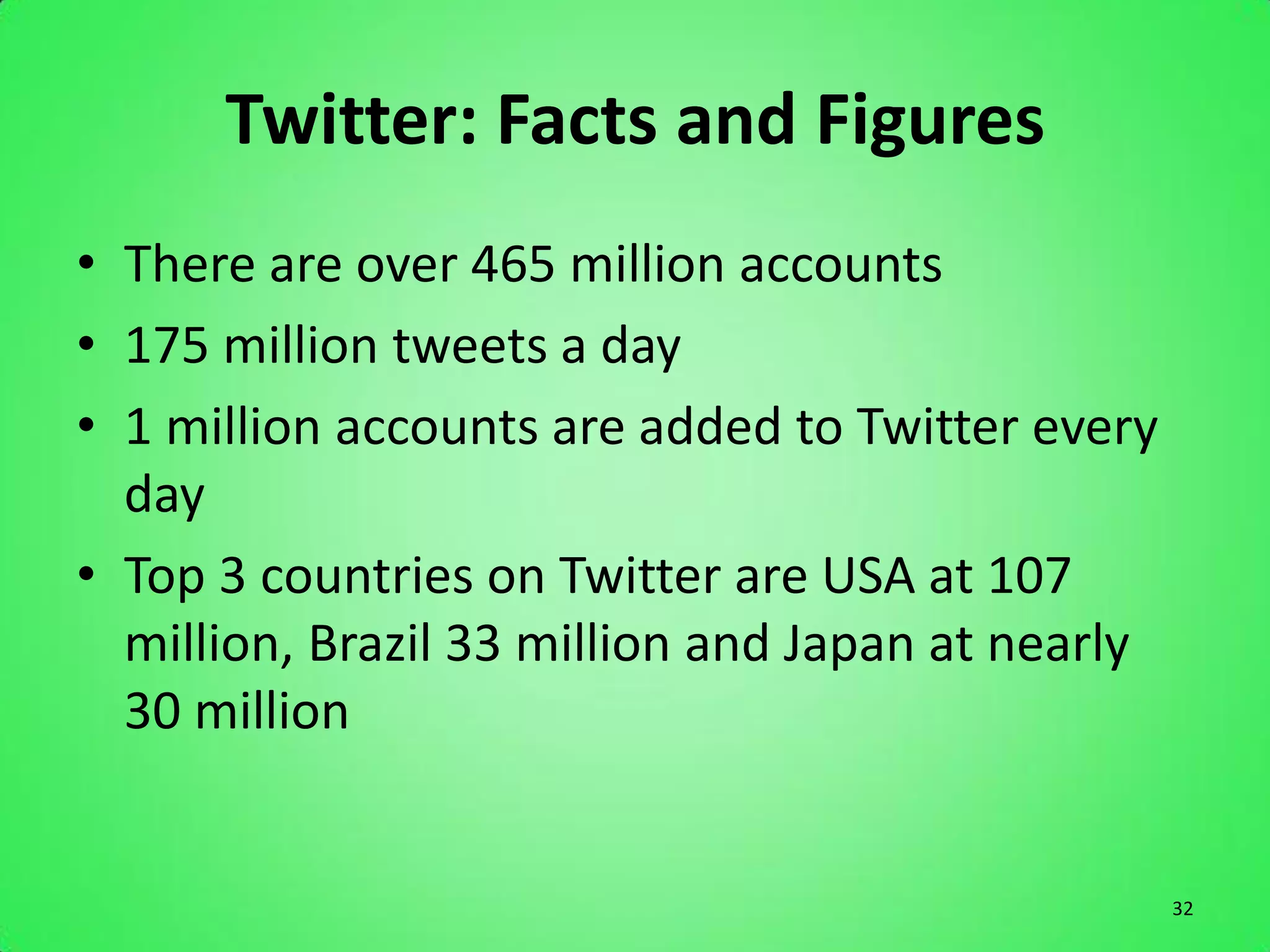
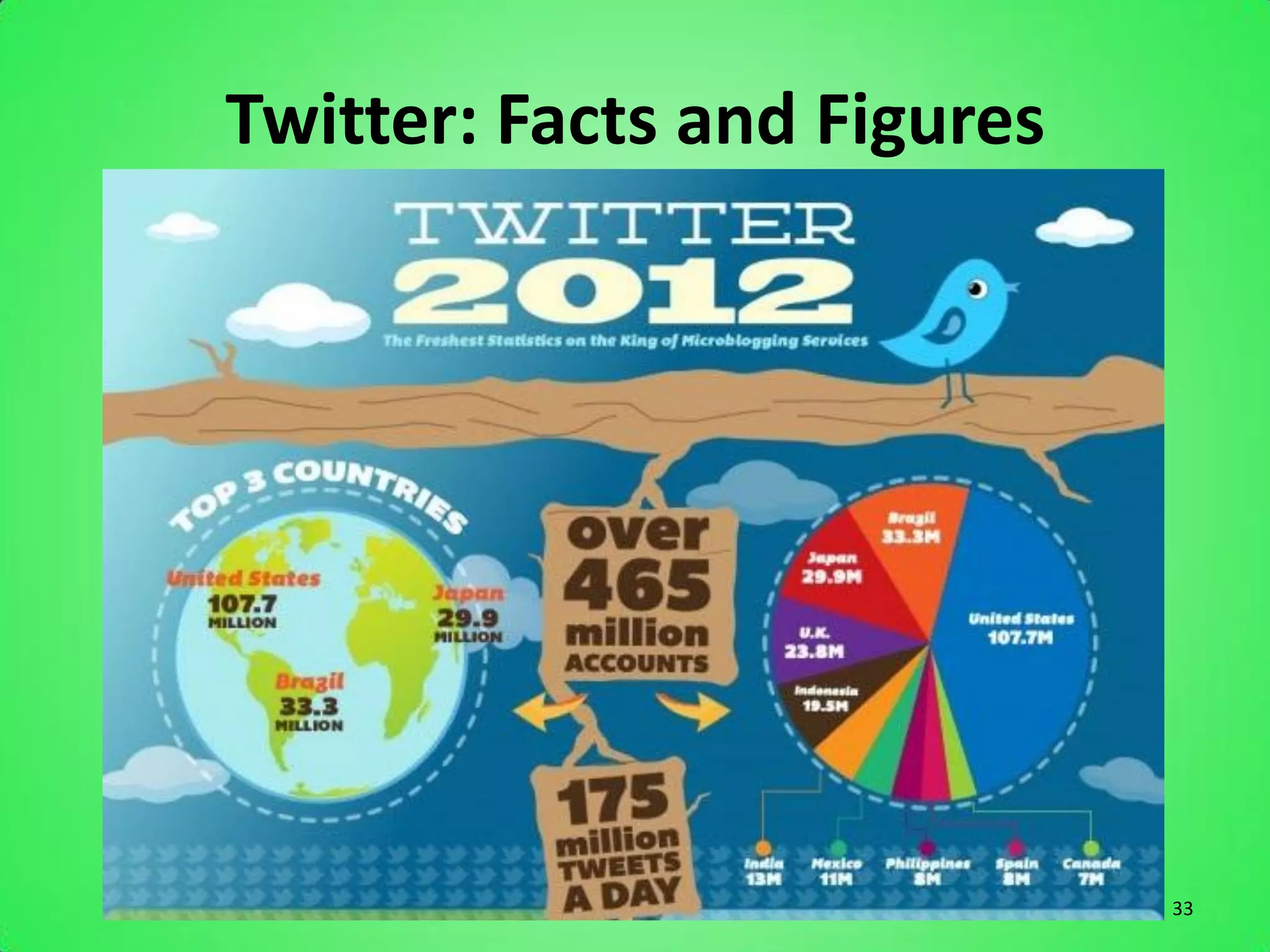
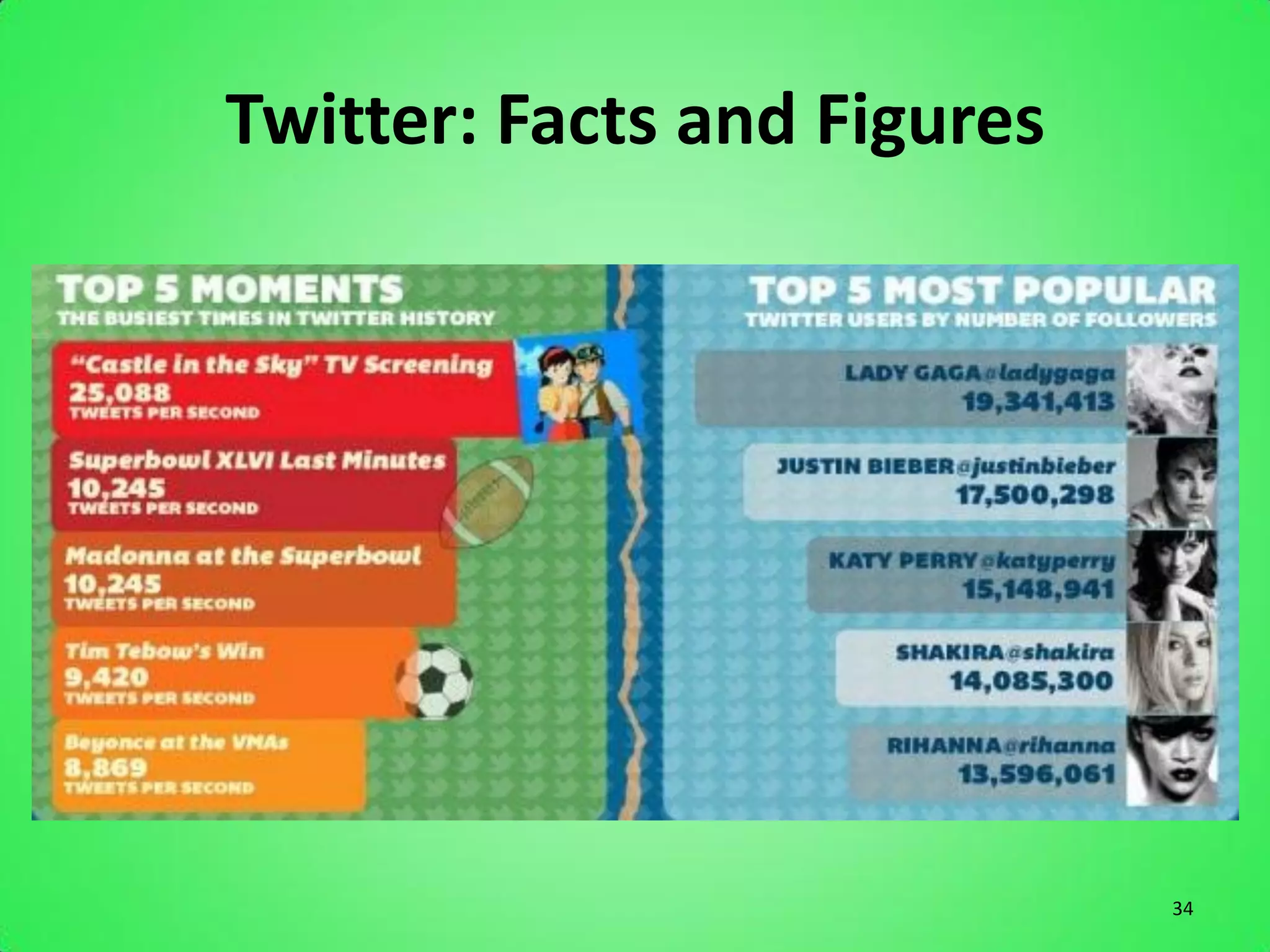
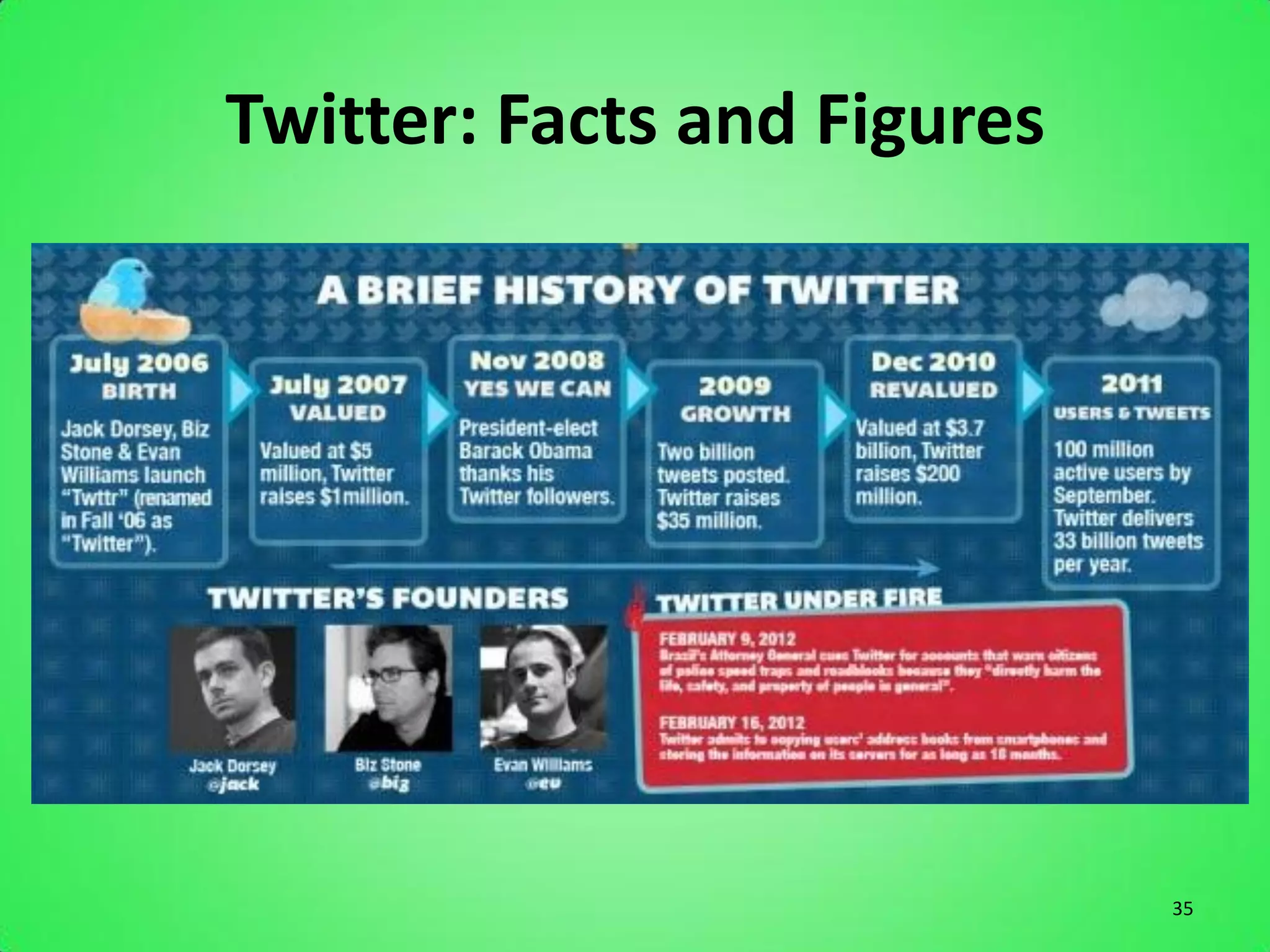
Twitter: Facts and Figures
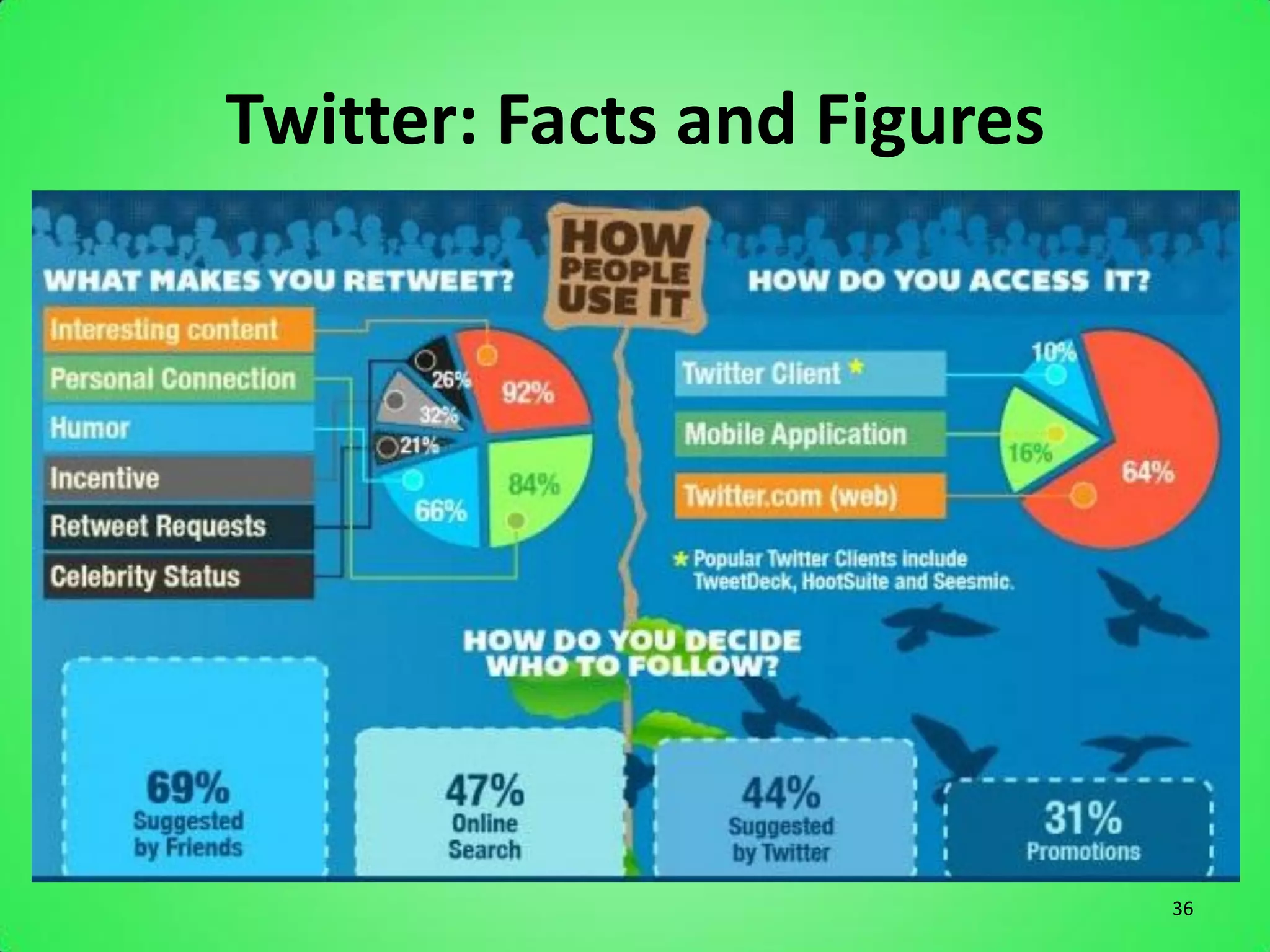
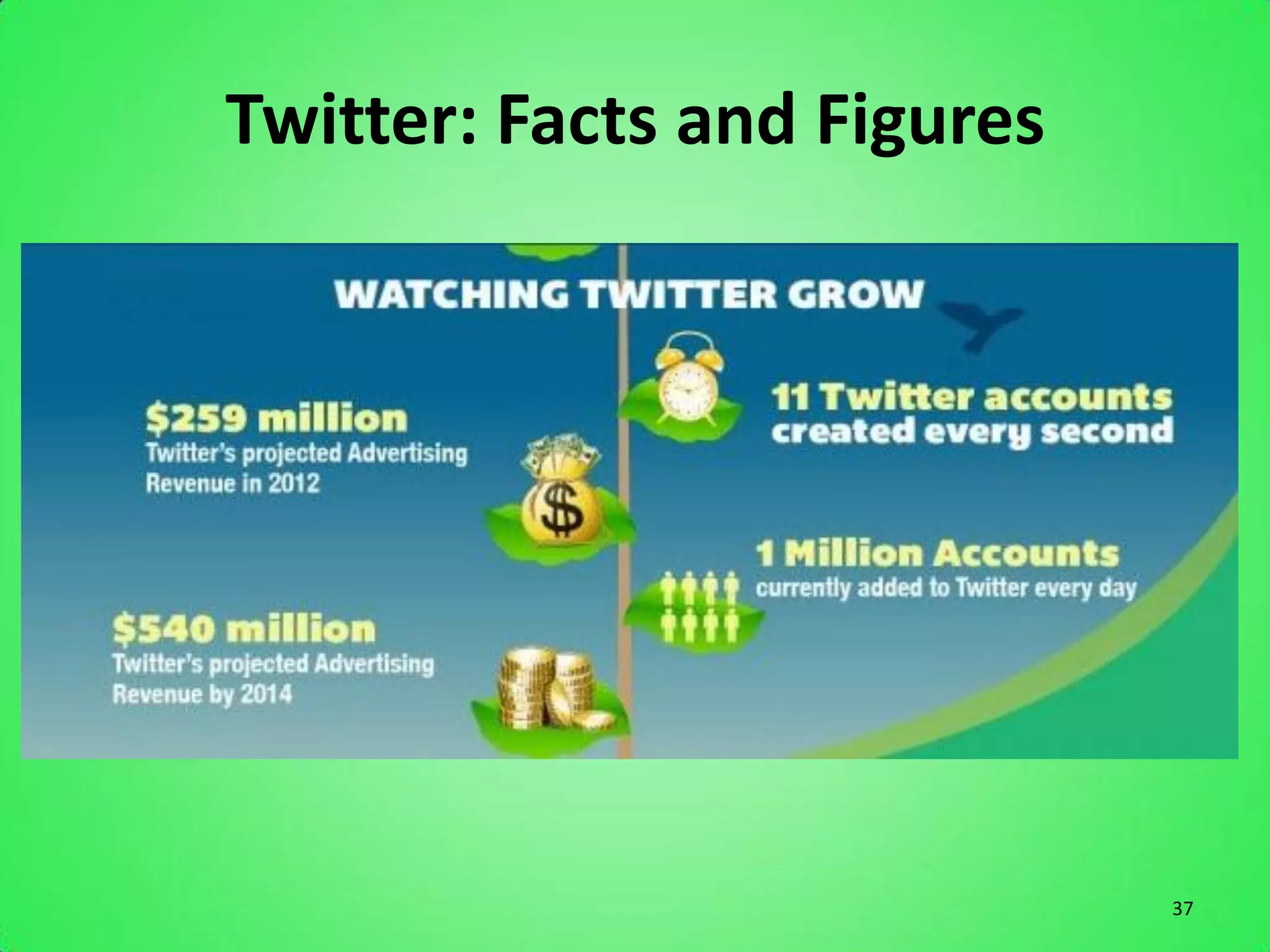
• There are over 465 million accounts
• 175 million tweets a day
• 1 million accounts are added to Twitter every
  day
• Top 3 countries on Twitter are USA at 107
  million, Brazil 33 million and Japan at nearly
  30 million


                                                   32
Twitter: Facts and Figures


                             33
Twitter: Facts and Figures


                             34
Twitter: Facts and Figures


                             35
Twitter: Facts and Figures


                             36
Twitter: Facts and Figures


                             37
Reasons Your Business Should Be On
                       Twitter
     1. Connecting with customers
     2. Branding
     3. Customers feedback
     4. Marketing
     5. News
     6. Give away coupon codes and promotions
     7. Twitter is Viral
     8. Spying on competition
     9. Increase Sales
     10. Brand loyalty

Source: Ask Aaron Lee                           38
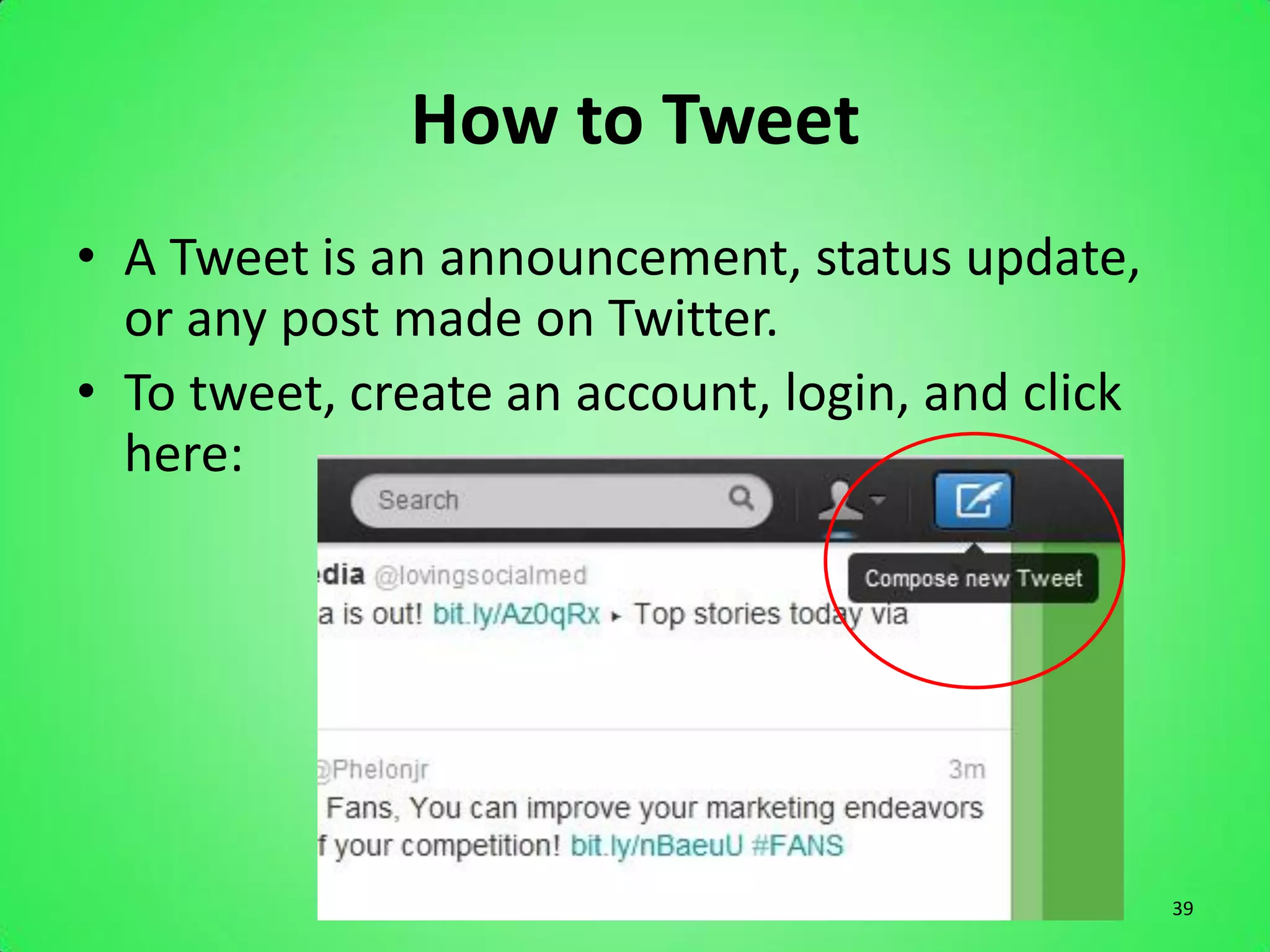
How to Tweet
• A Tweet is an announcement, status update,
  or any post made on Twitter.
• To tweet, create an account, login, and click
  here:


                                                  39
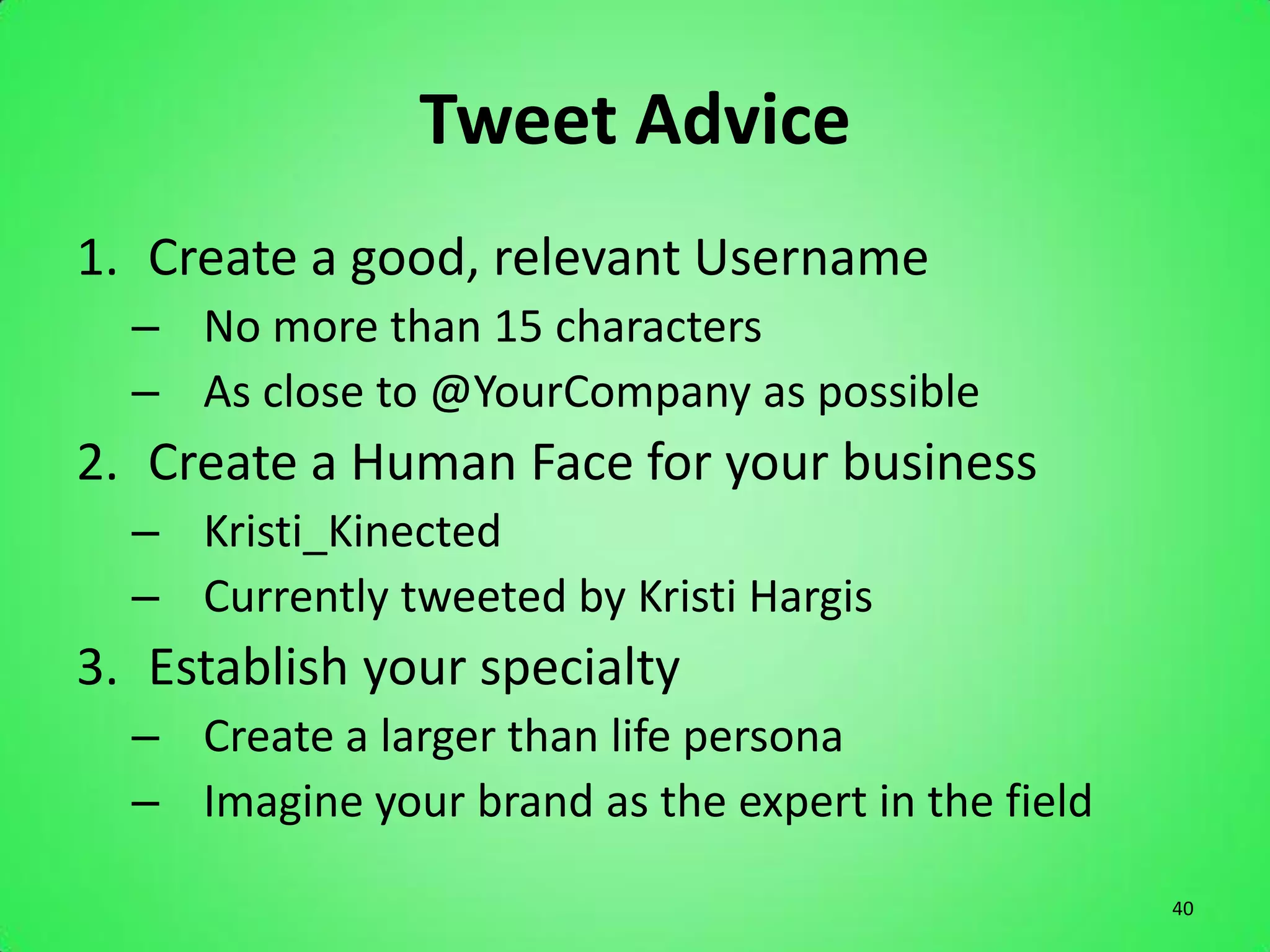
Tweet Advice
1. Create a good, relevant Username
  – No more than 15 characters
  – As close to @YourCompany as possible
2. Create a Human Face for your business
  – Kristi_Kinected
  – Currently tweeted by Kristi Hargis
3. Establish your specialty
  – Create a larger than life persona
  – Imagine your brand as the expert in the field
                                                    40
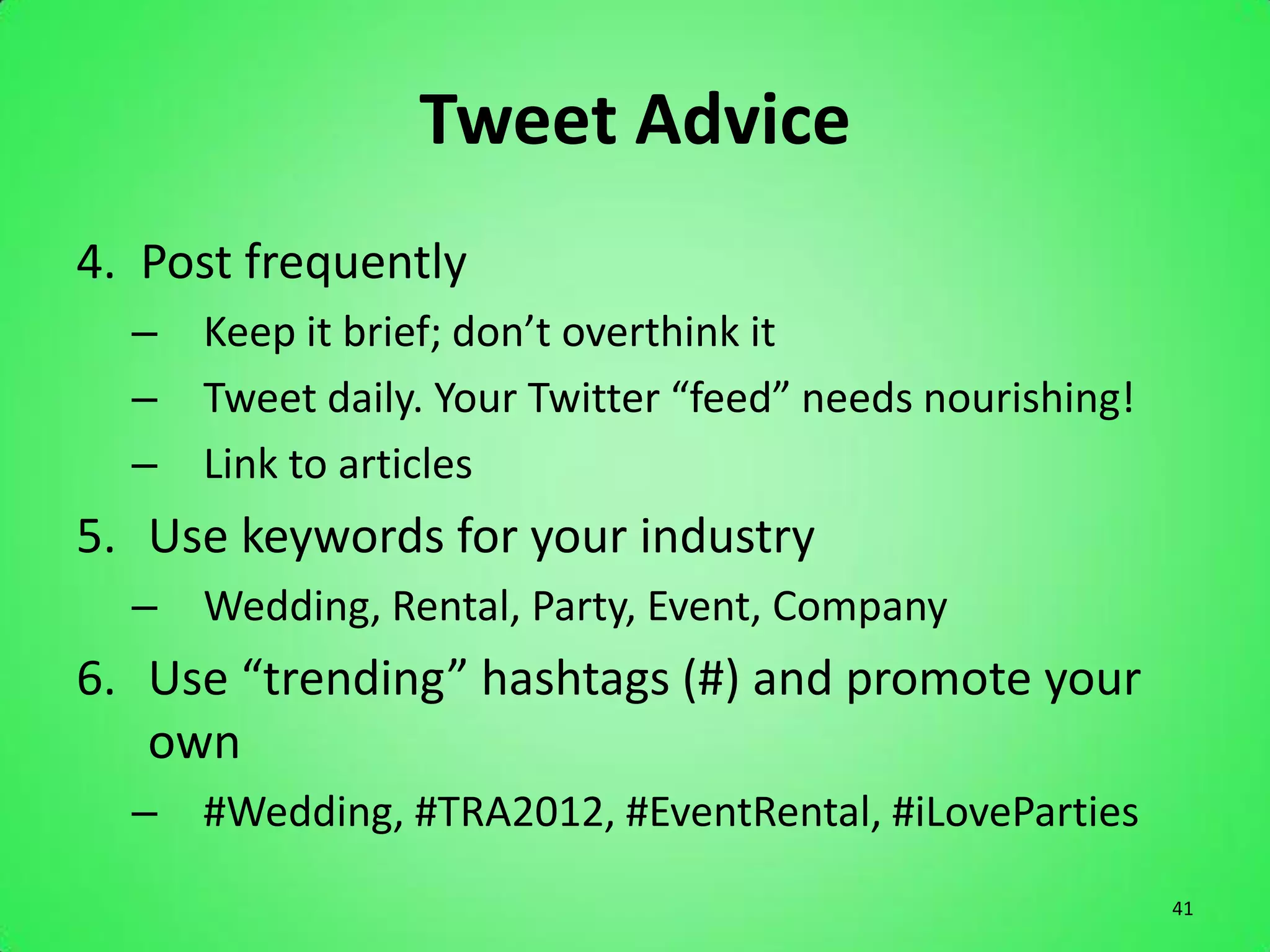
Tweet Advice
4. Post frequently
  – Keep it brief; don’t overthink it
  – Tweet daily. Your Twitter “feed” needs nourishing!
  – Link to articles
5. Use keywords for your industry
  – Wedding, Rental, Party, Event, Company
6. Use “trending” hashtags (#) and promote your
   own
  – #Wedding, #TRA2012, #EventRental, #iLoveParties
                                                         41
Tweet Advice
7. Follow and Follow Back
  – Don’t just post, you have to engage!
  – Search for people in your industry and follow them
  – Comment, reply, message, interact!
8. Recognize your followers
  – Look into people who follow you, even for 1 second
  – Promote them, thanking them for the follow
9. Promote
  – Put the Twitter icon prominently on your website
  – Use in your email signature

                                                         42
Tweet Advice
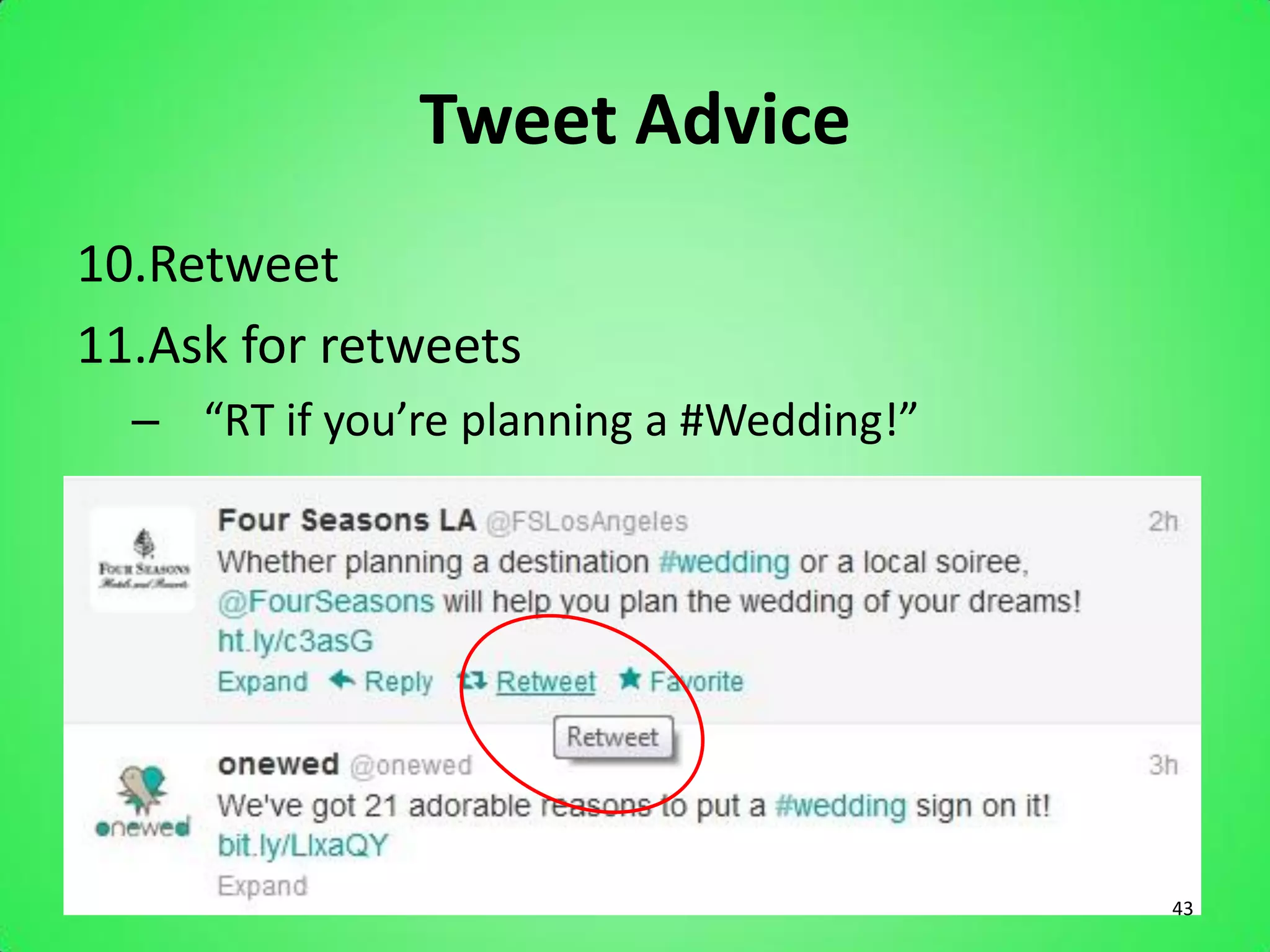
10.Retweet
11.Ask for retweets
  – “RT if you’re planning a #Wedding!”


                                          43
Goals of Twitter Marketing
•   Share Real Time Updates
•   Create Brand Awareness
•   Monitor Brand (what people are saying)
•   Photo Sharing
•   Get info fast (no reading past 140 characters)


                                                     44
Tips to Tweeting Effectively
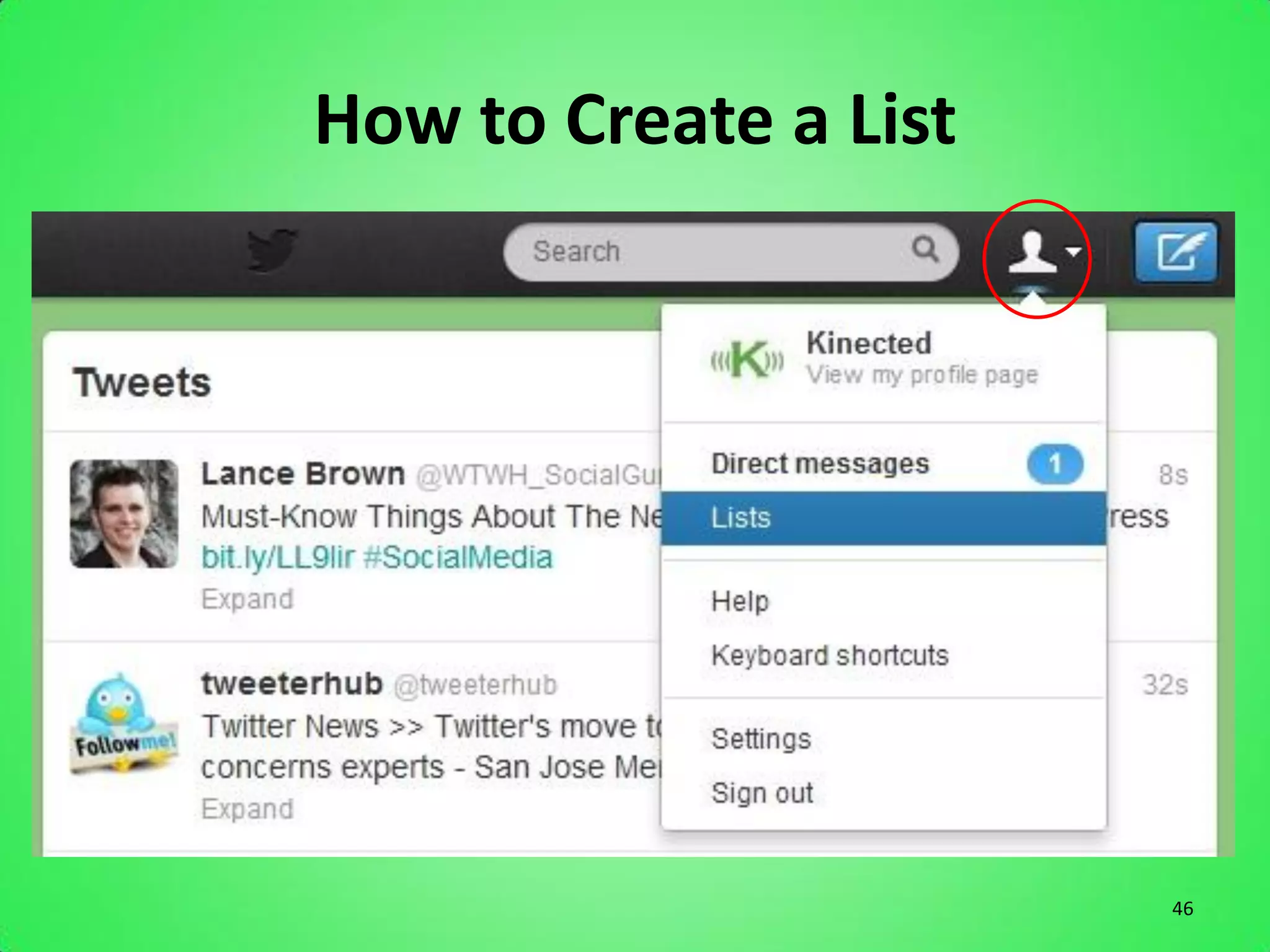
Create Lists
• Increases your chances of being followed by
  TARGETED followers…not only quantity, but
  quality
• Name of lists can bump up SEO
• Organizes Twitter followers
• Easy to find new people with similar interests


                                                   45
How to Create a List


                       46
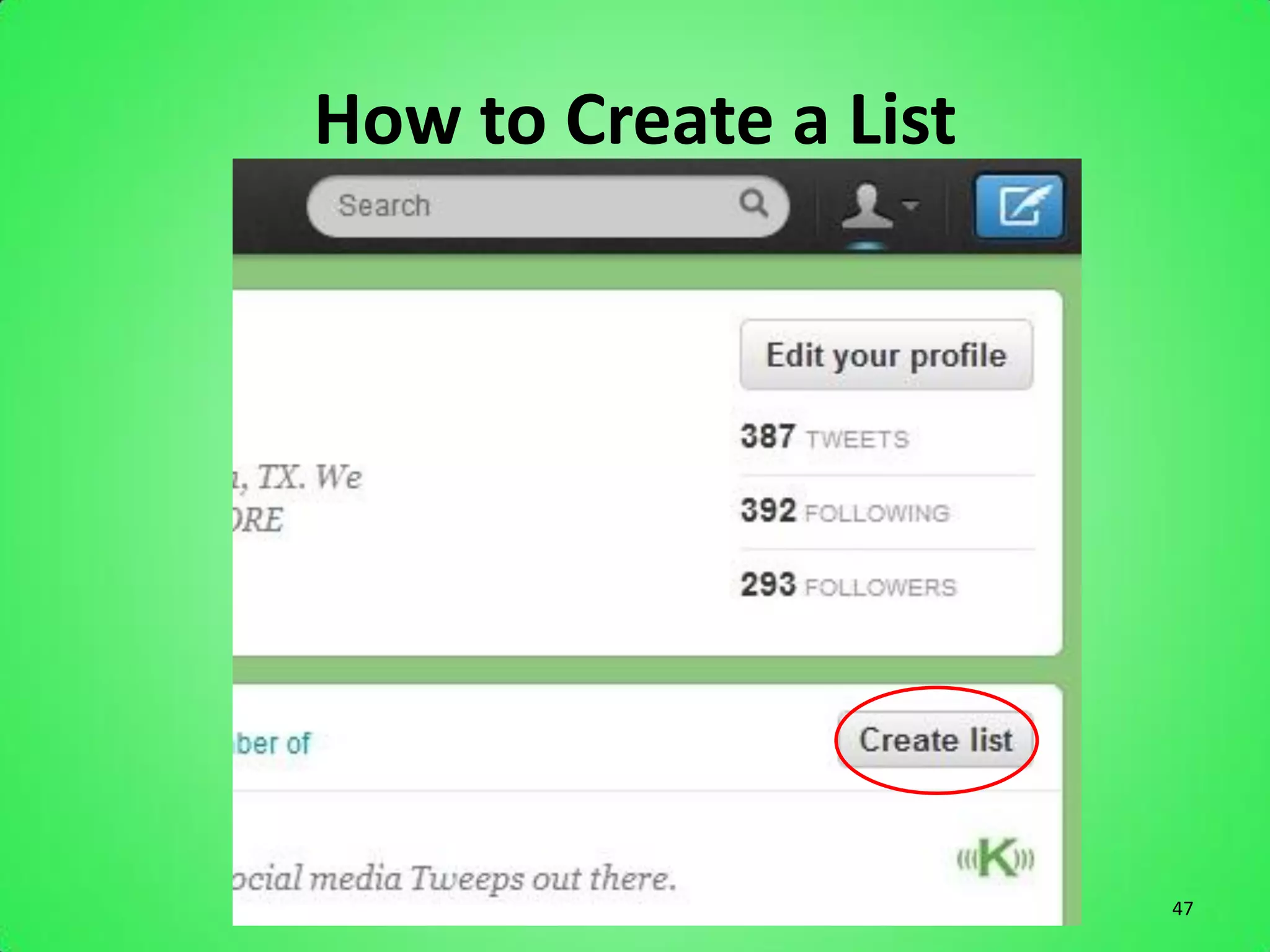
How to Create a List


                       47
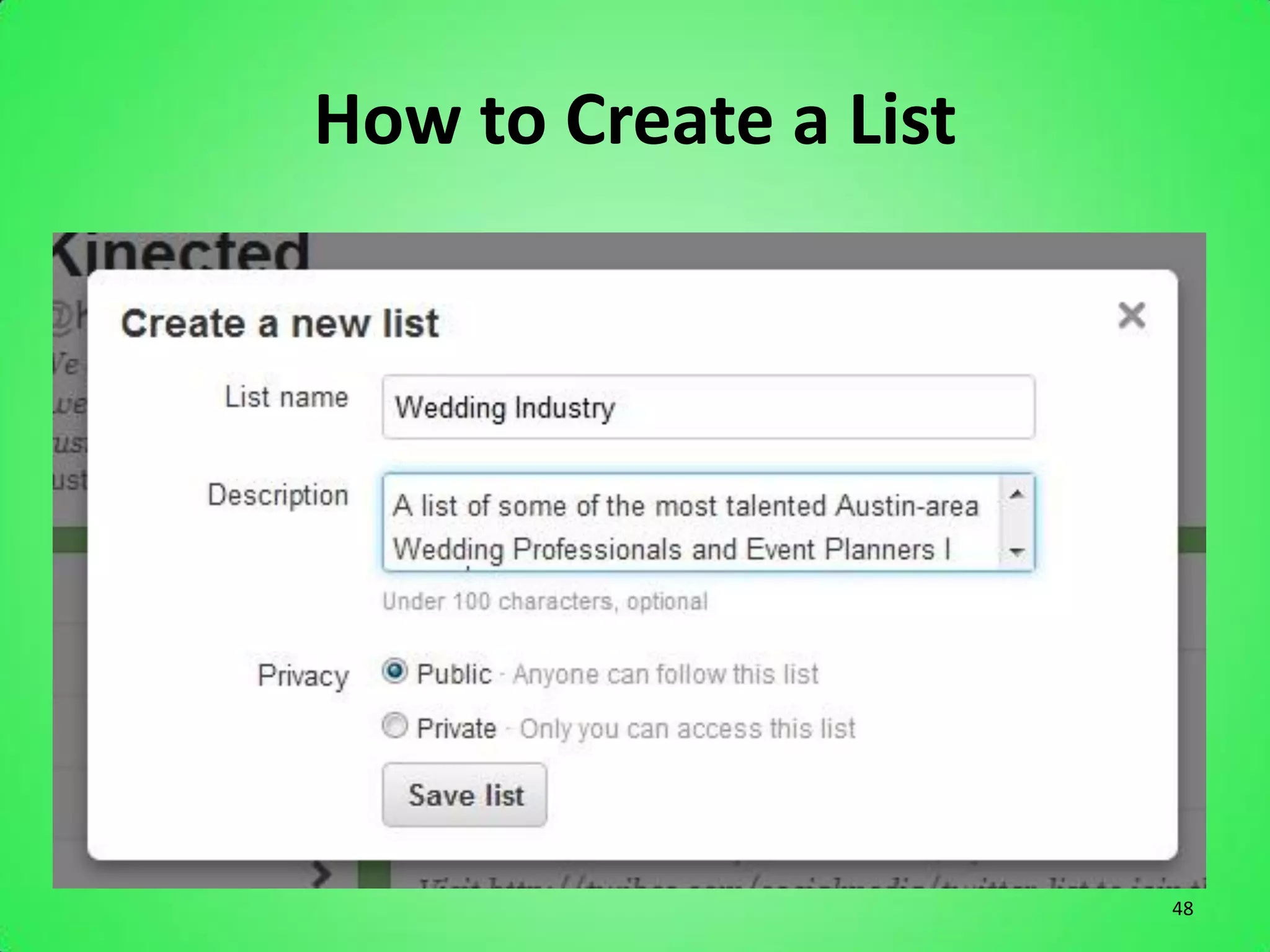
How to Create a List


                       48
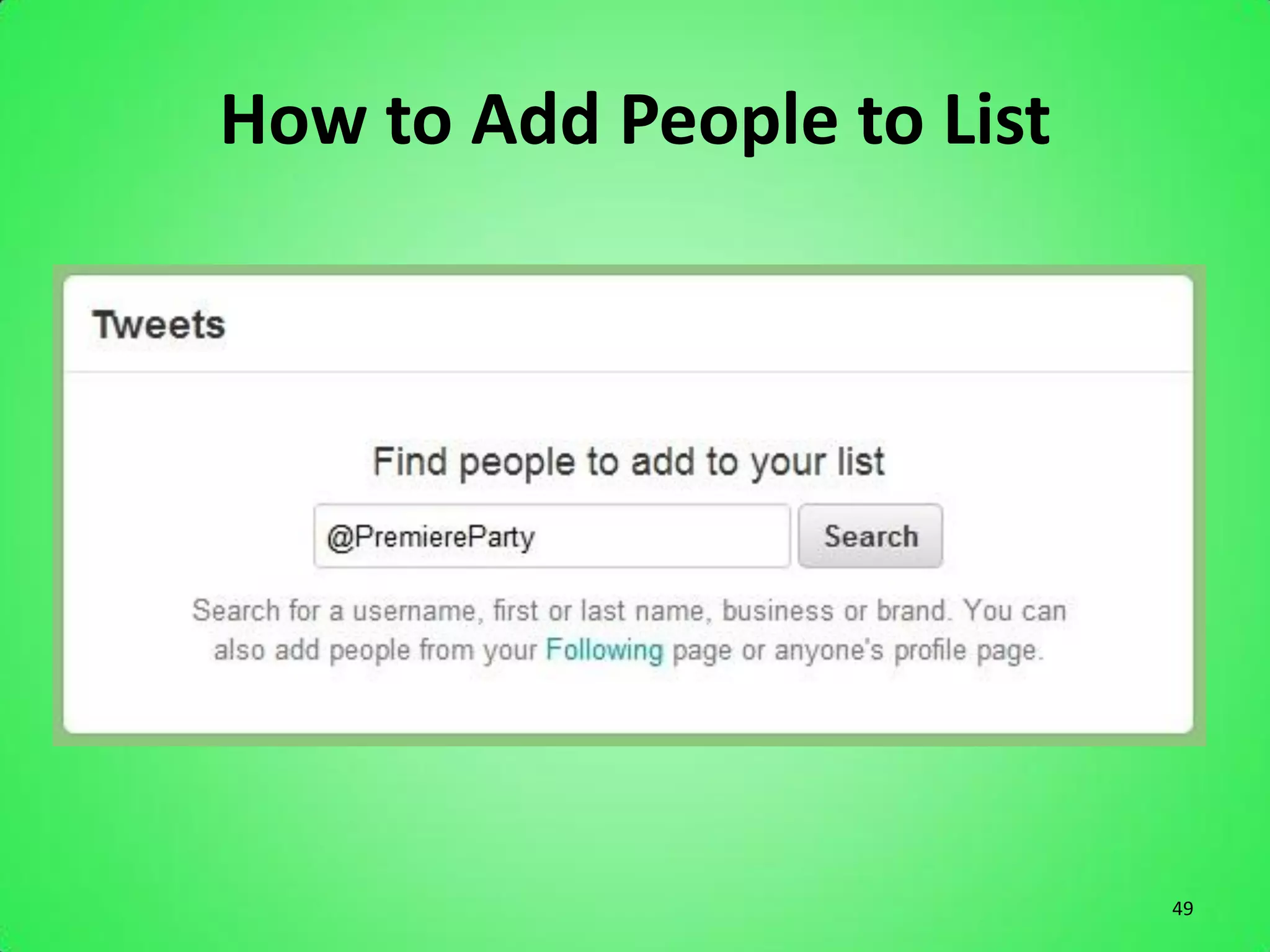
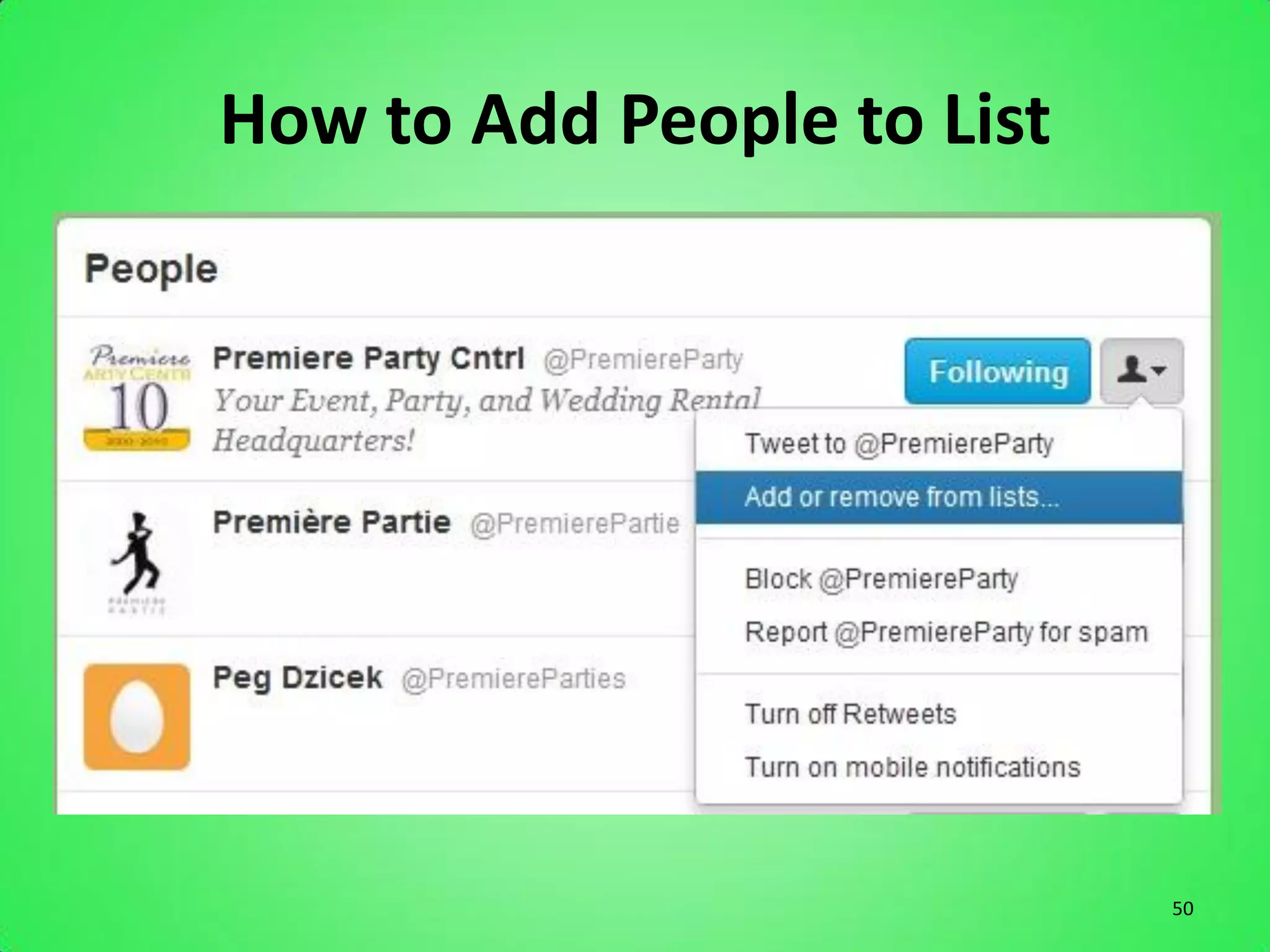
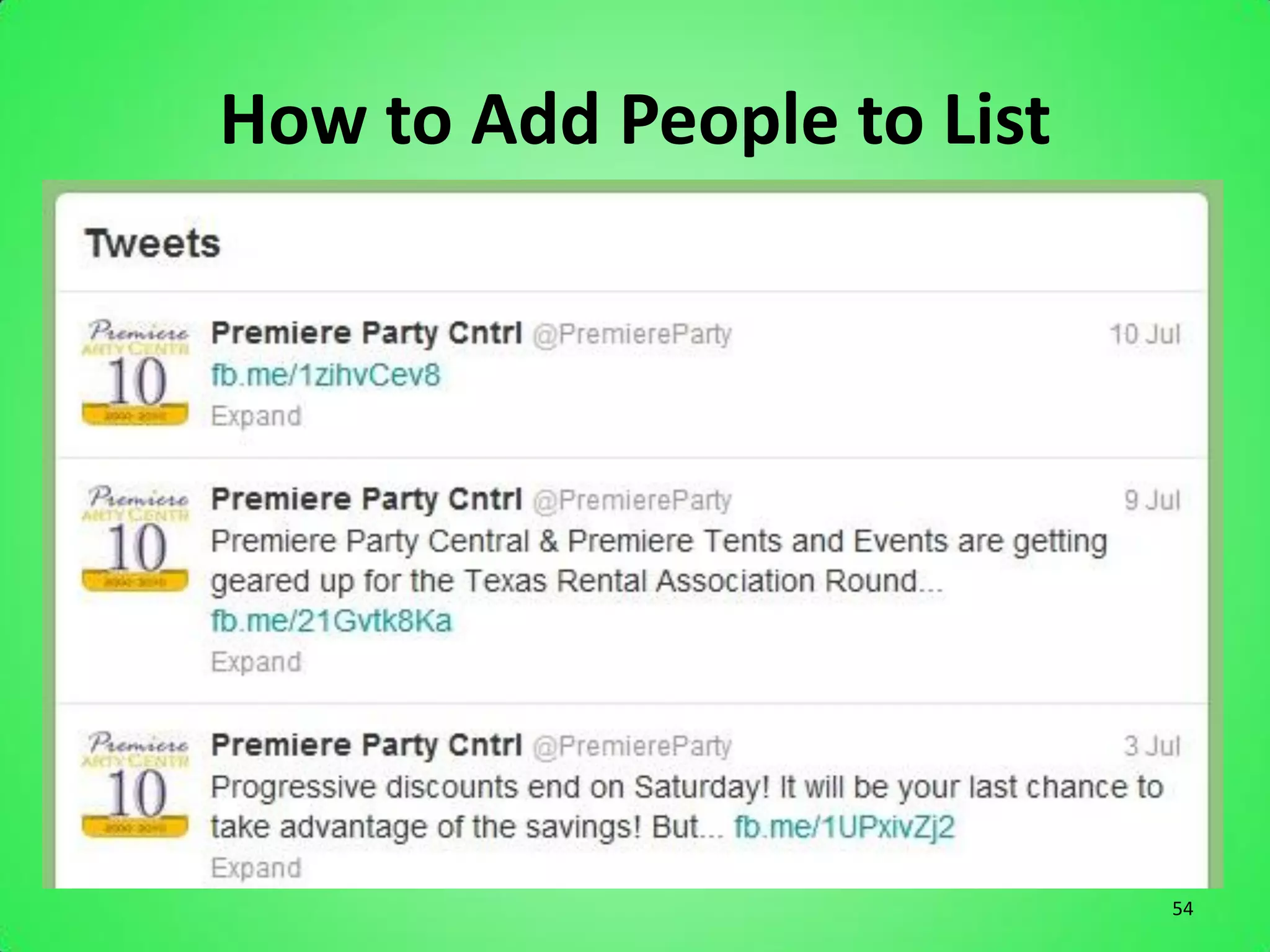
How to Add People to List


                            49
How to Add People to List


                            50
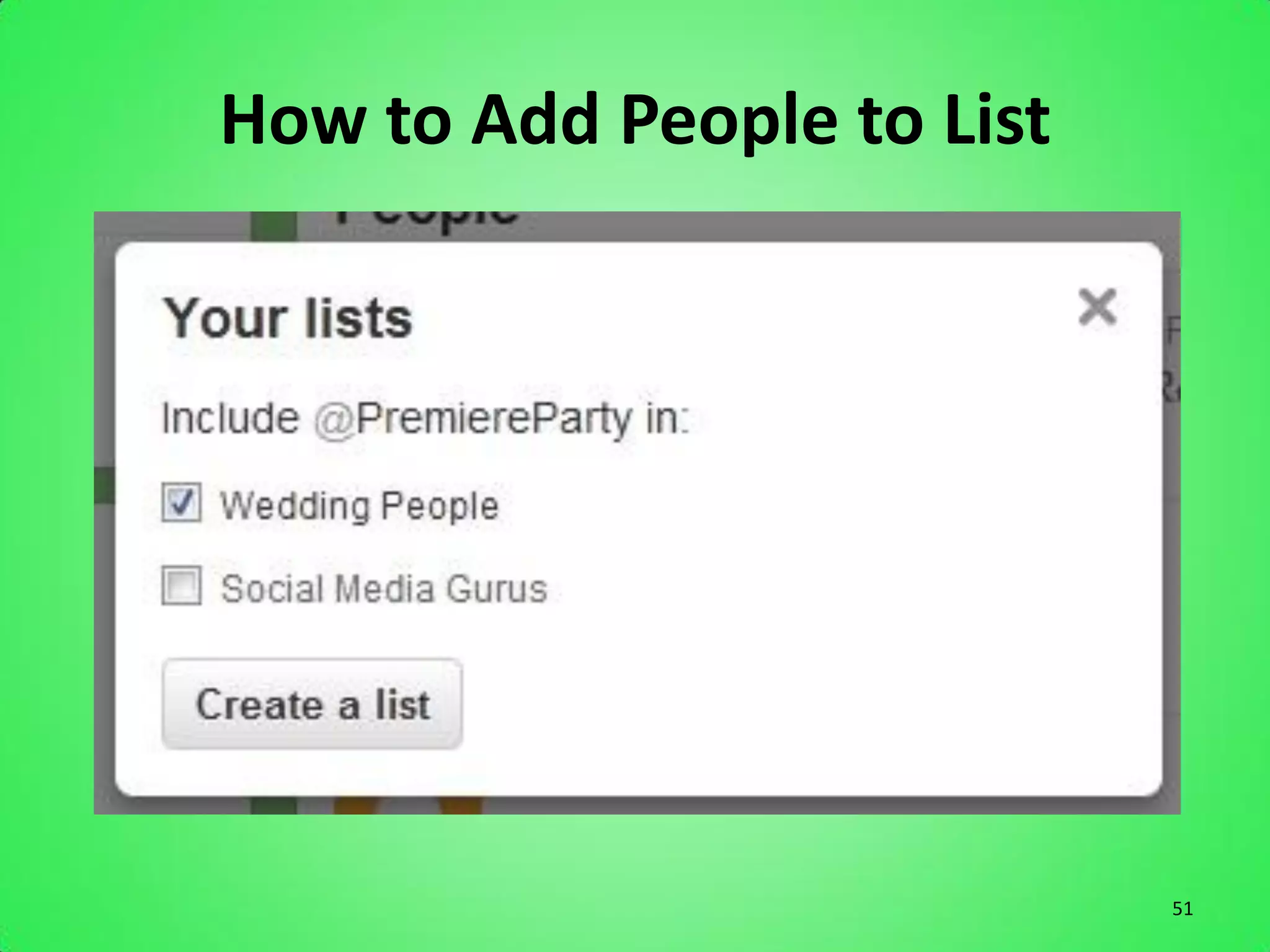
How to Add People to List


                            51
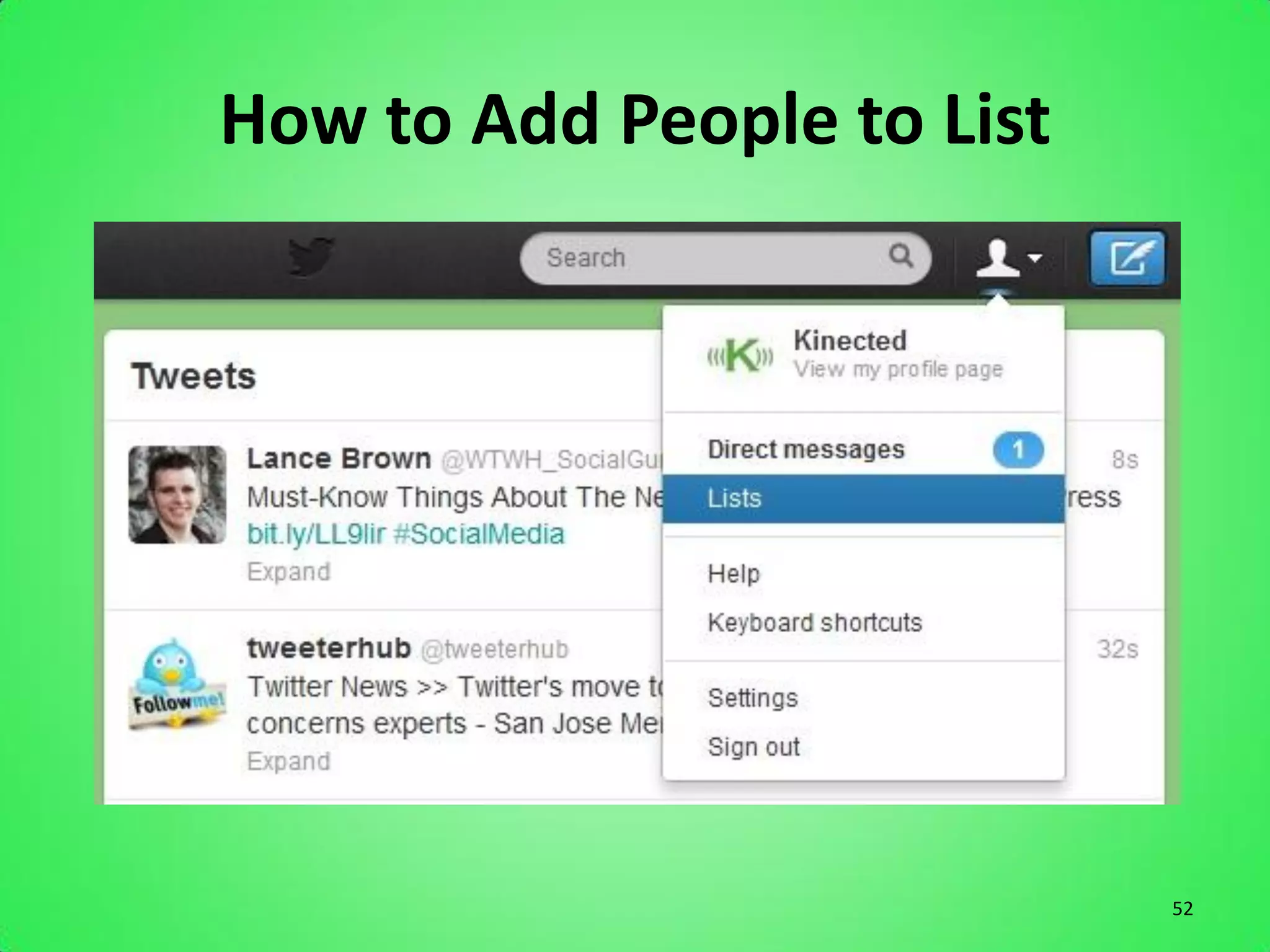
How to Add People to List


                            52
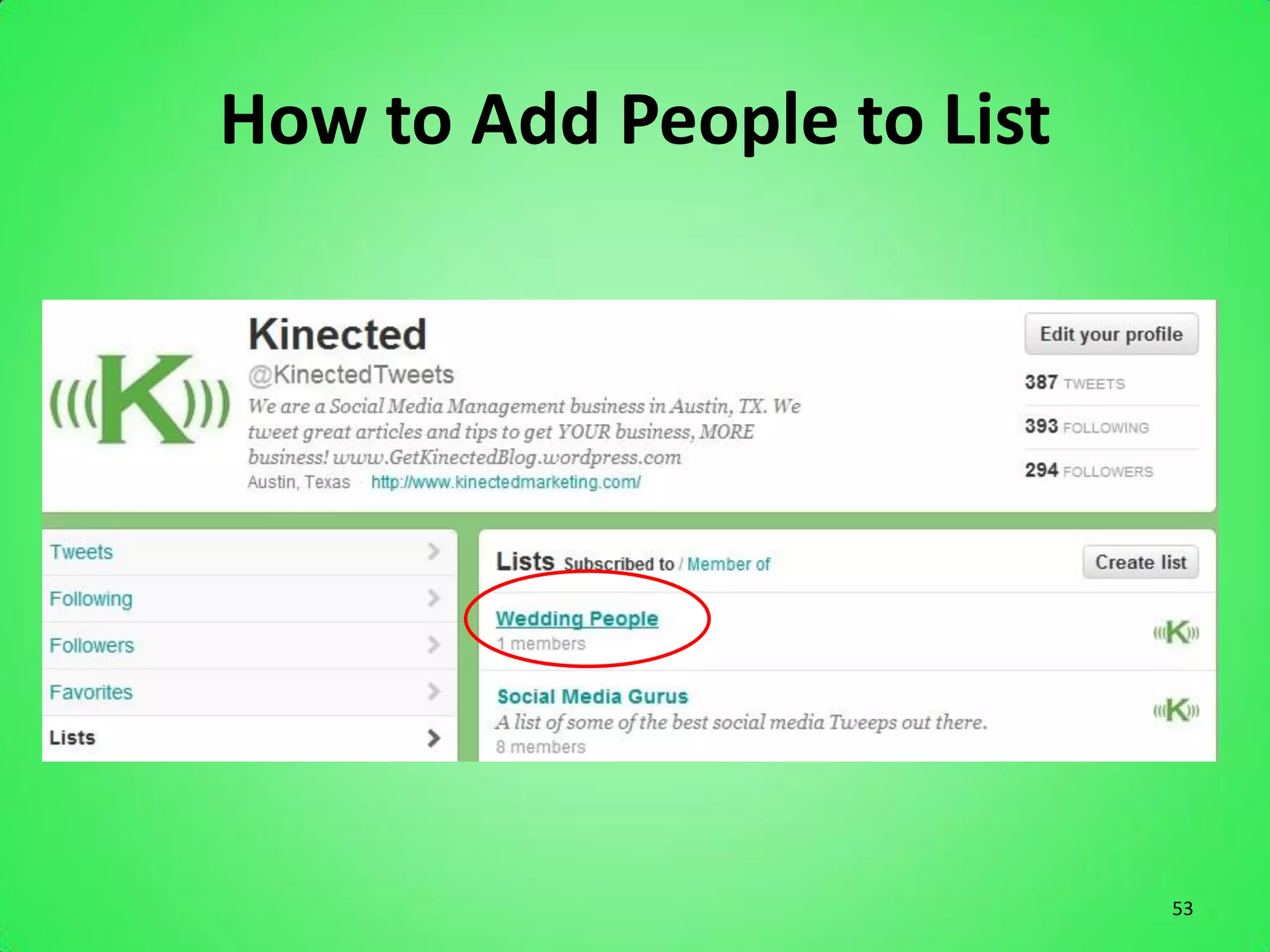
How to Add People to List


                            53
How to Add People to List


                            54
Tips to Tweeting Effectively
Use Hashtags
• Organize your tweets
• Help target your audience
• Get you more retweets
• Hashtags can get you more followers


                                        55
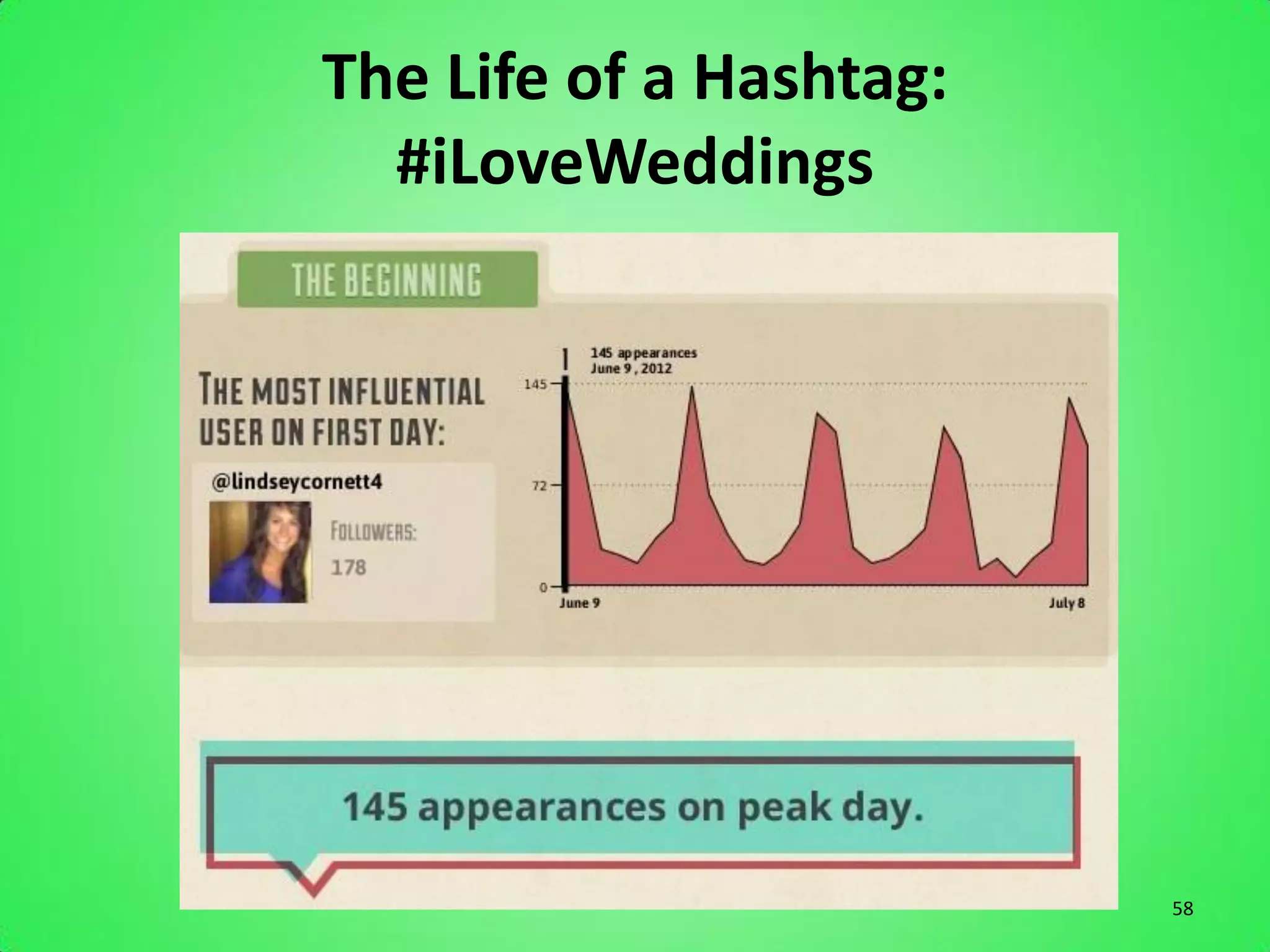
The Life of a Hashtag:
  #iLoveWeddings


                         56
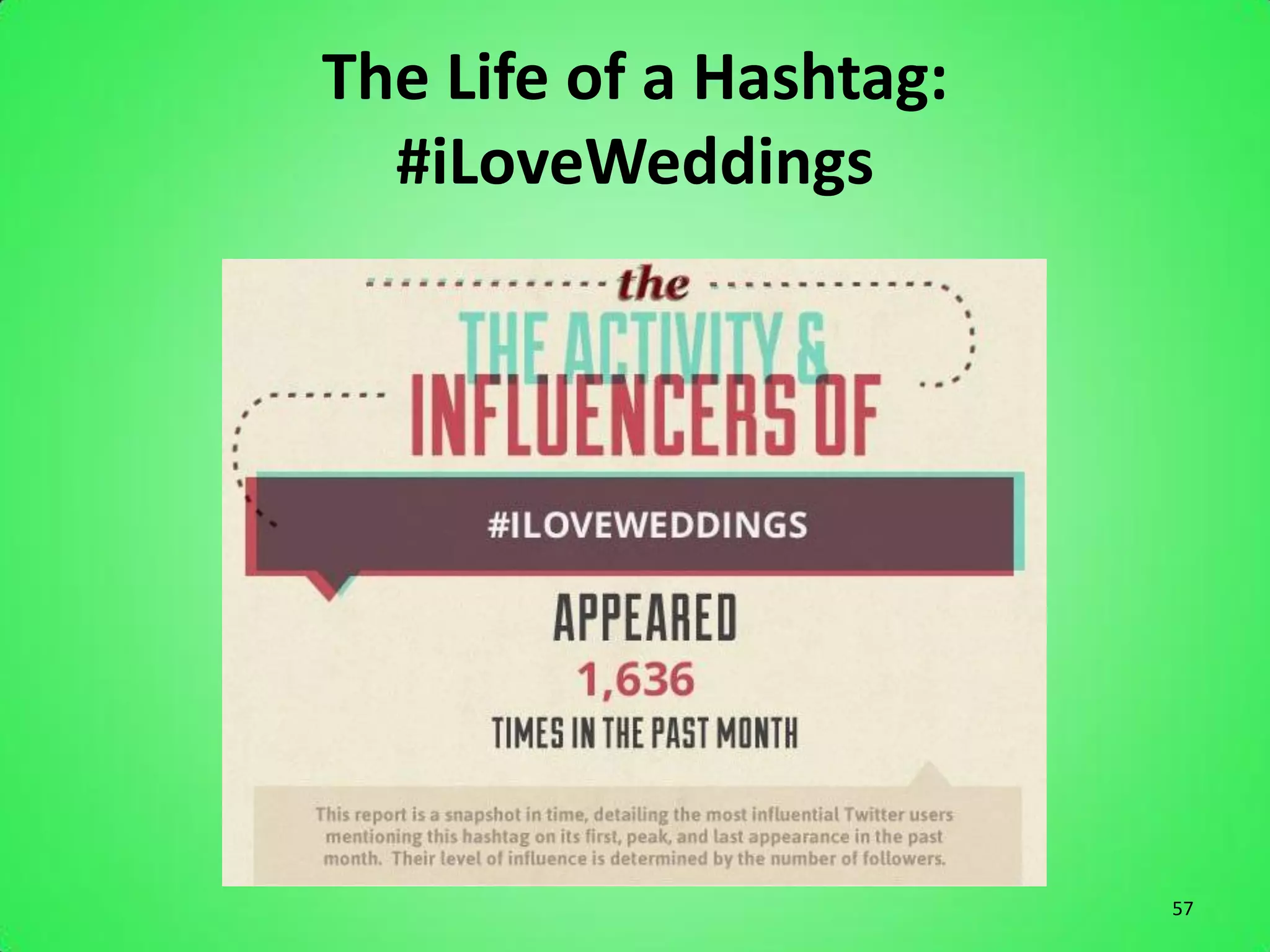
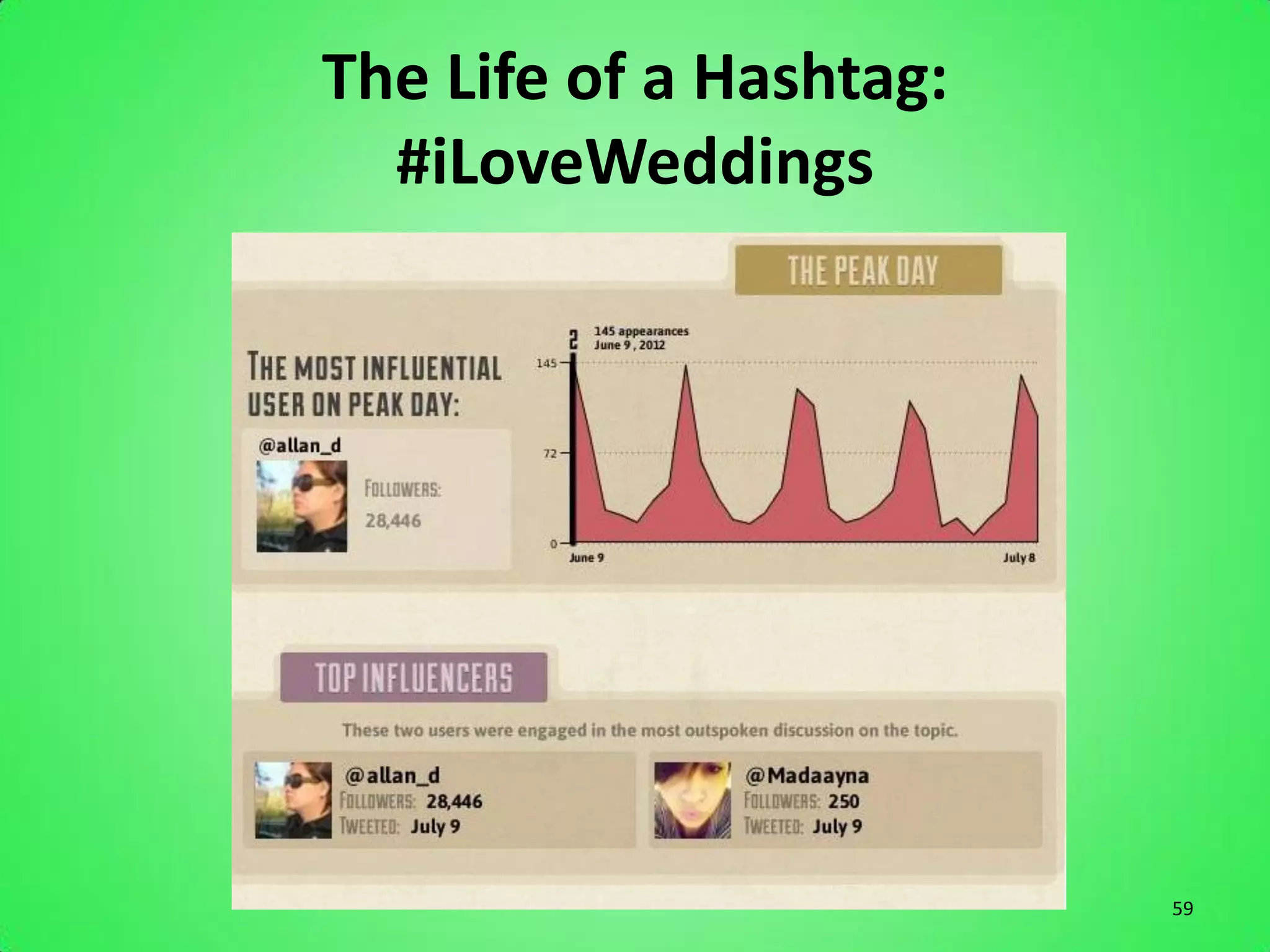
The Life of a Hashtag:
  #iLoveWeddings


                         57
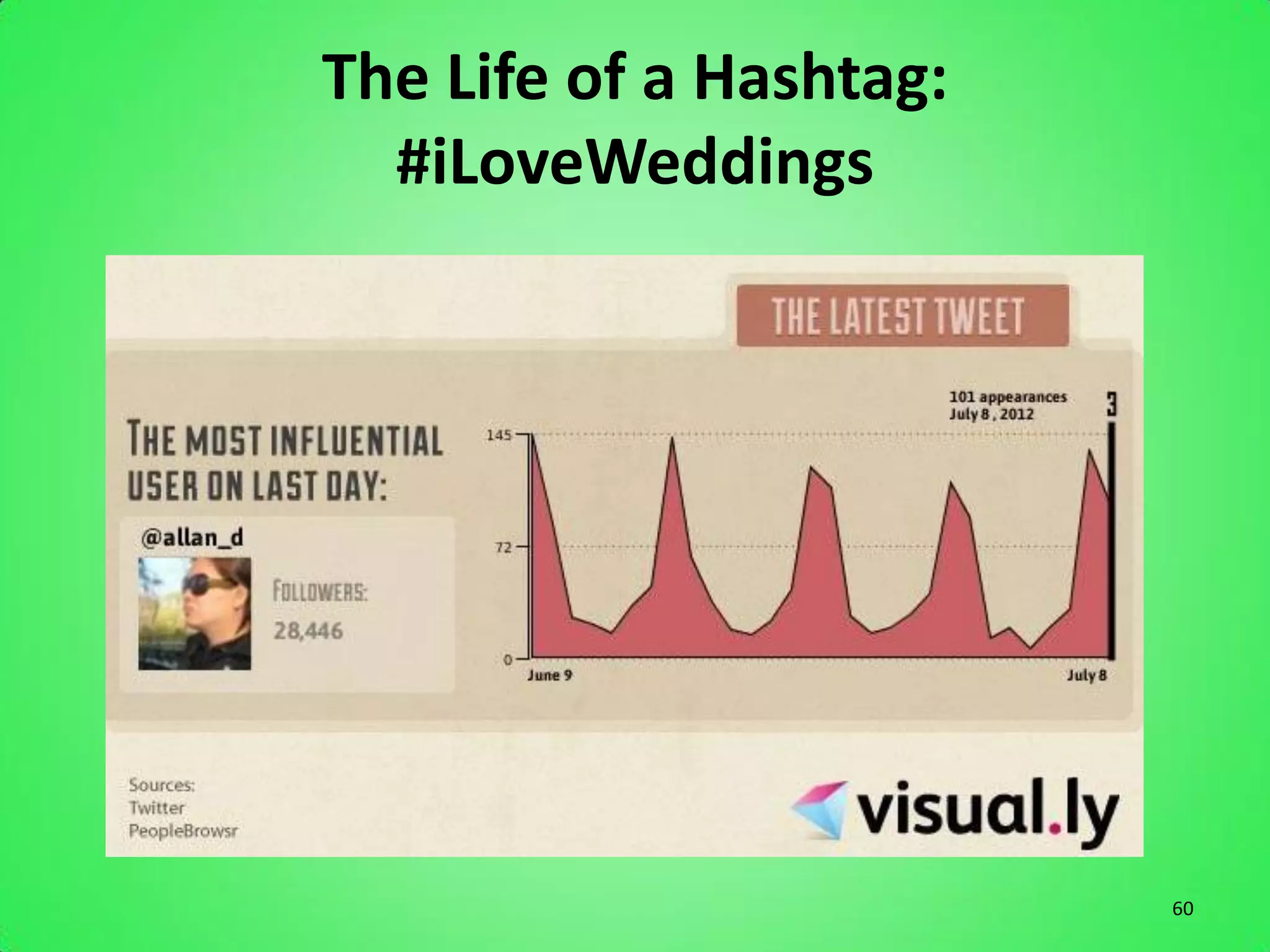
The Life of a Hashtag:
  #iLoveWeddings


                         58
The Life of a Hashtag:
  #iLoveWeddings


                         59
The Life of a Hashtag:
  #iLoveWeddings


                         60
YES!
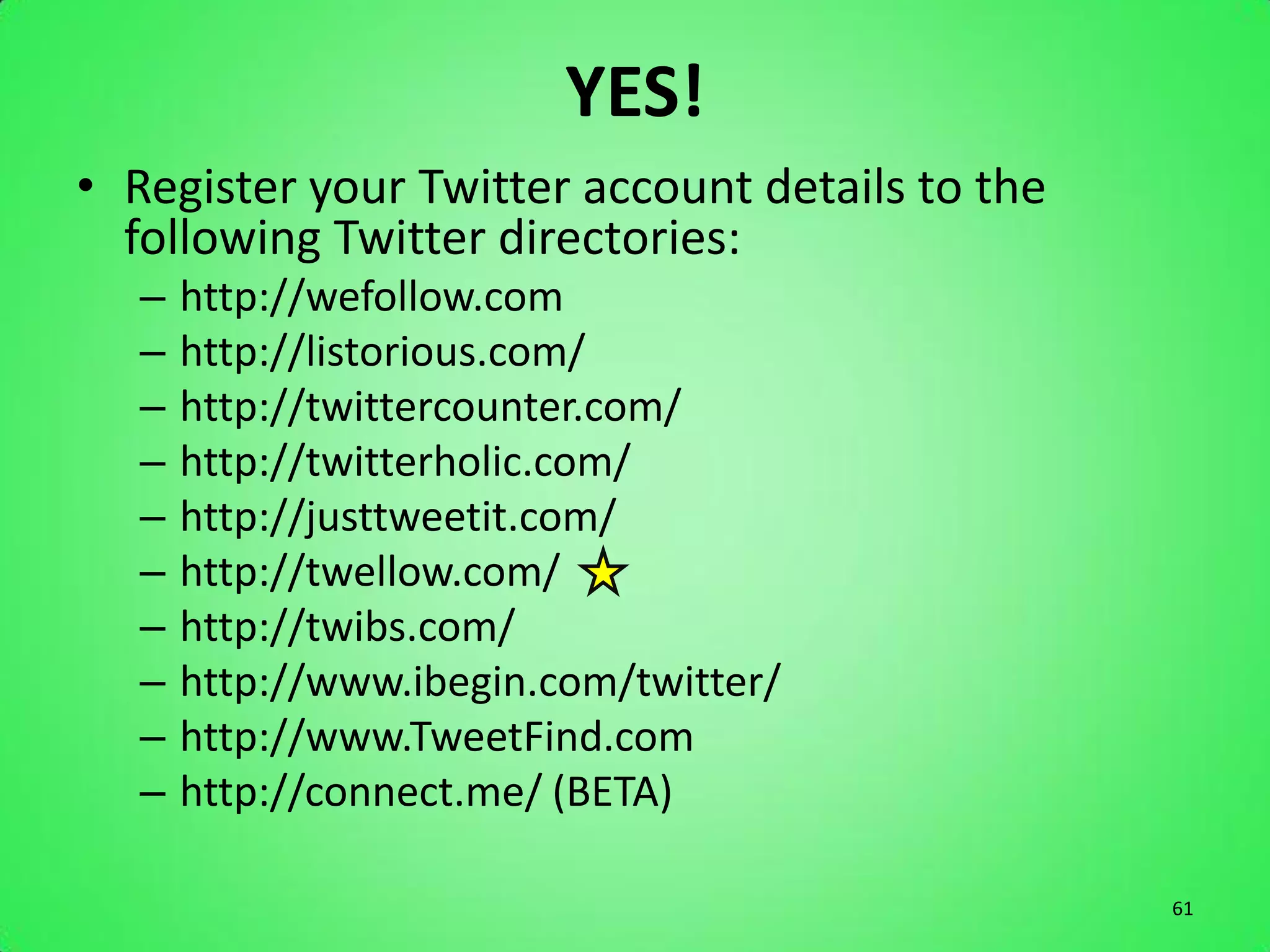
• Register your Twitter account details to the
  following Twitter directories:
   –   http://wefollow.com
   –   http://listorious.com/
   –   http://twittercounter.com/
   –   http://twitterholic.com/
   –   http://justtweetit.com/
   –   http://twellow.com/
   –   http://twibs.com/
   –   http://www.ibegin.com/twitter/
   –   http://www.TweetFind.com
   –   http://connect.me/ (BETA)

                                                 61
Twitter Sites
• www.ManageFlitter.com
  – Manage Twitter Followers


• www.SocialOomph.com
  – Schedule Tweets, and set recurring tweets for if
    and when you and/or Marketing person is on
    vacation. No interruption in content.


                                                       62
Follow Me:

      @KinectedTweets
              or
www.Twitter.com/KinectedTweets

                                 63
LinkedIn

The Business Network


                       64
LinkedIn: Facts and Figures
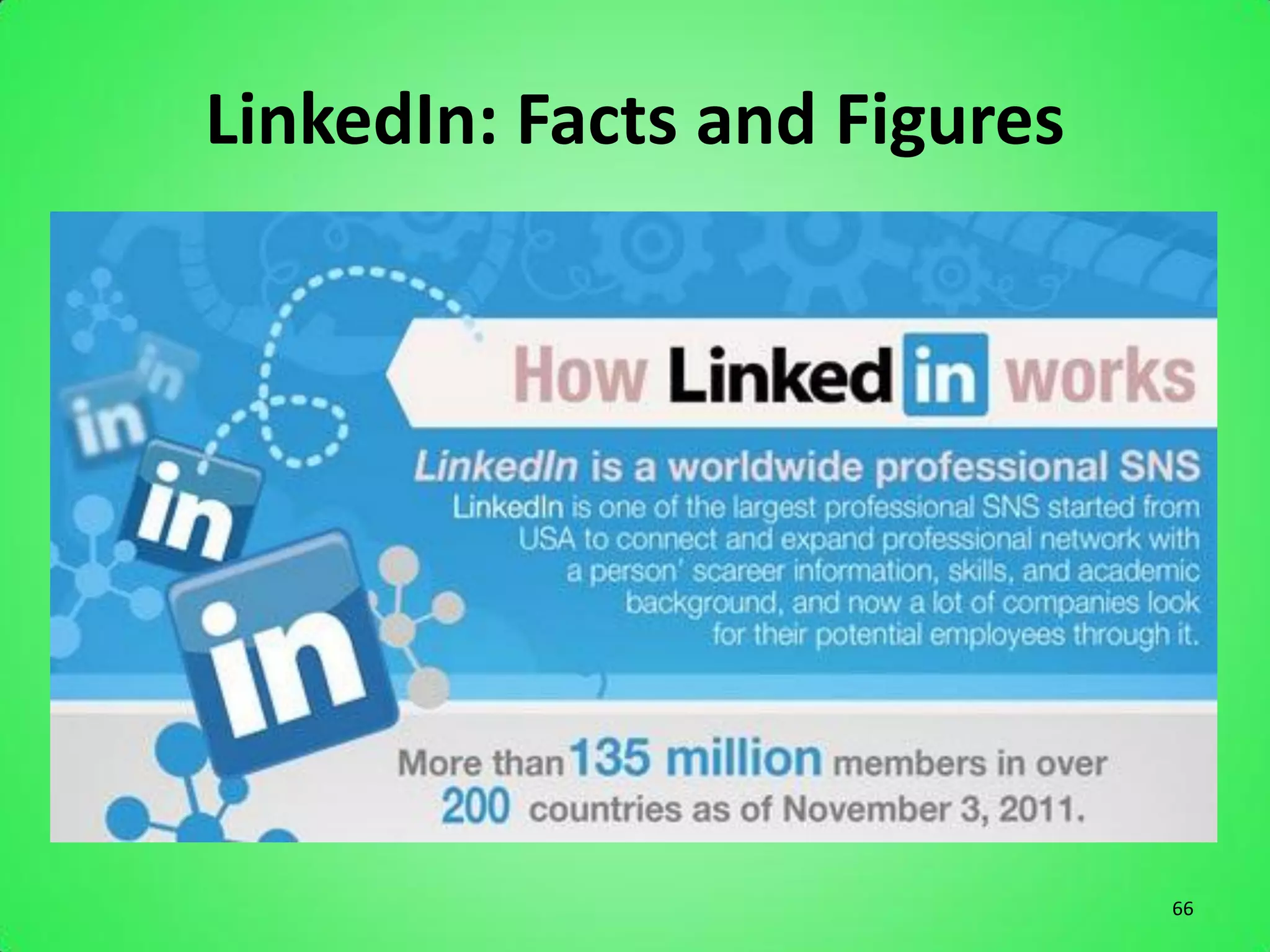
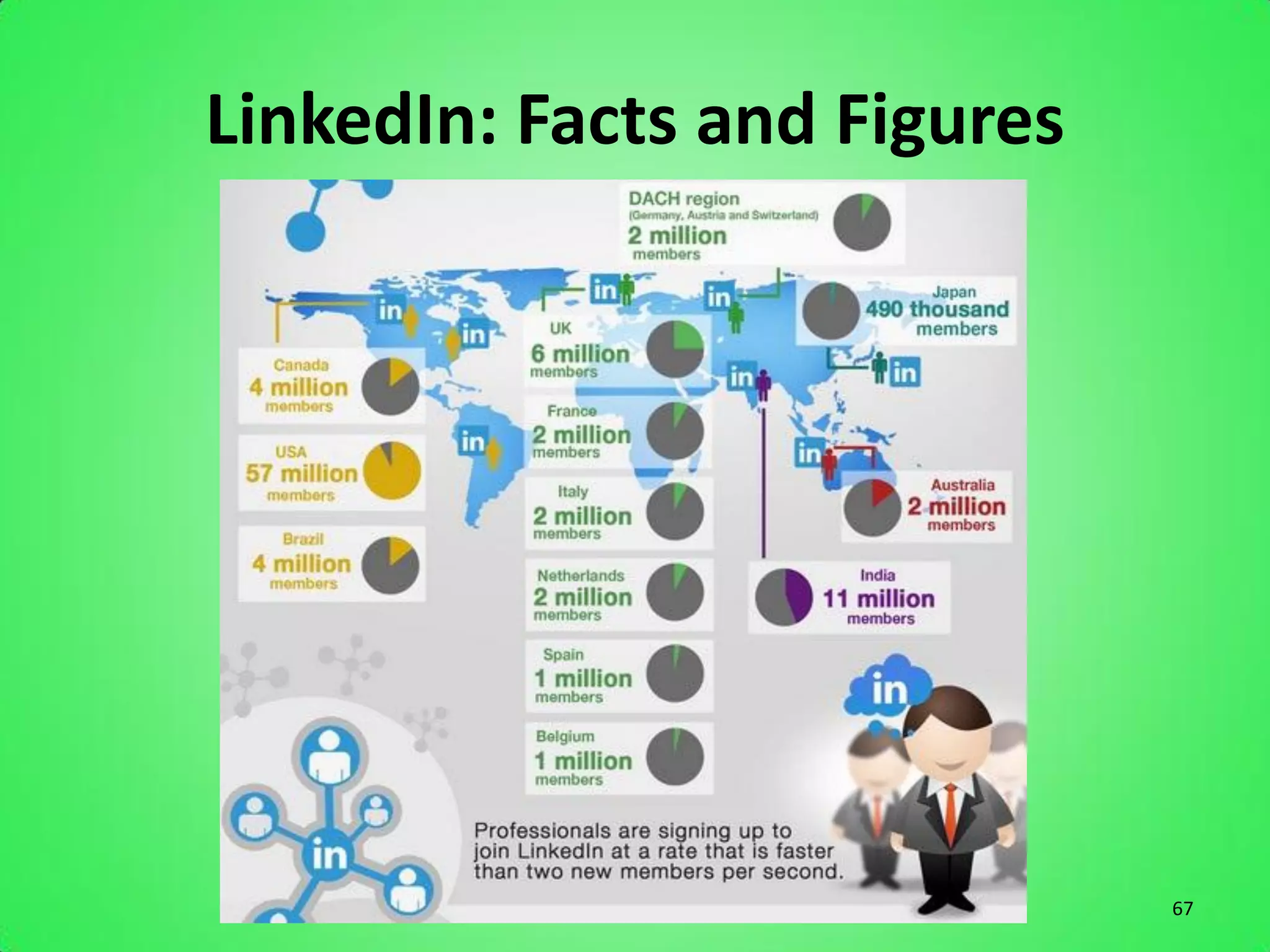
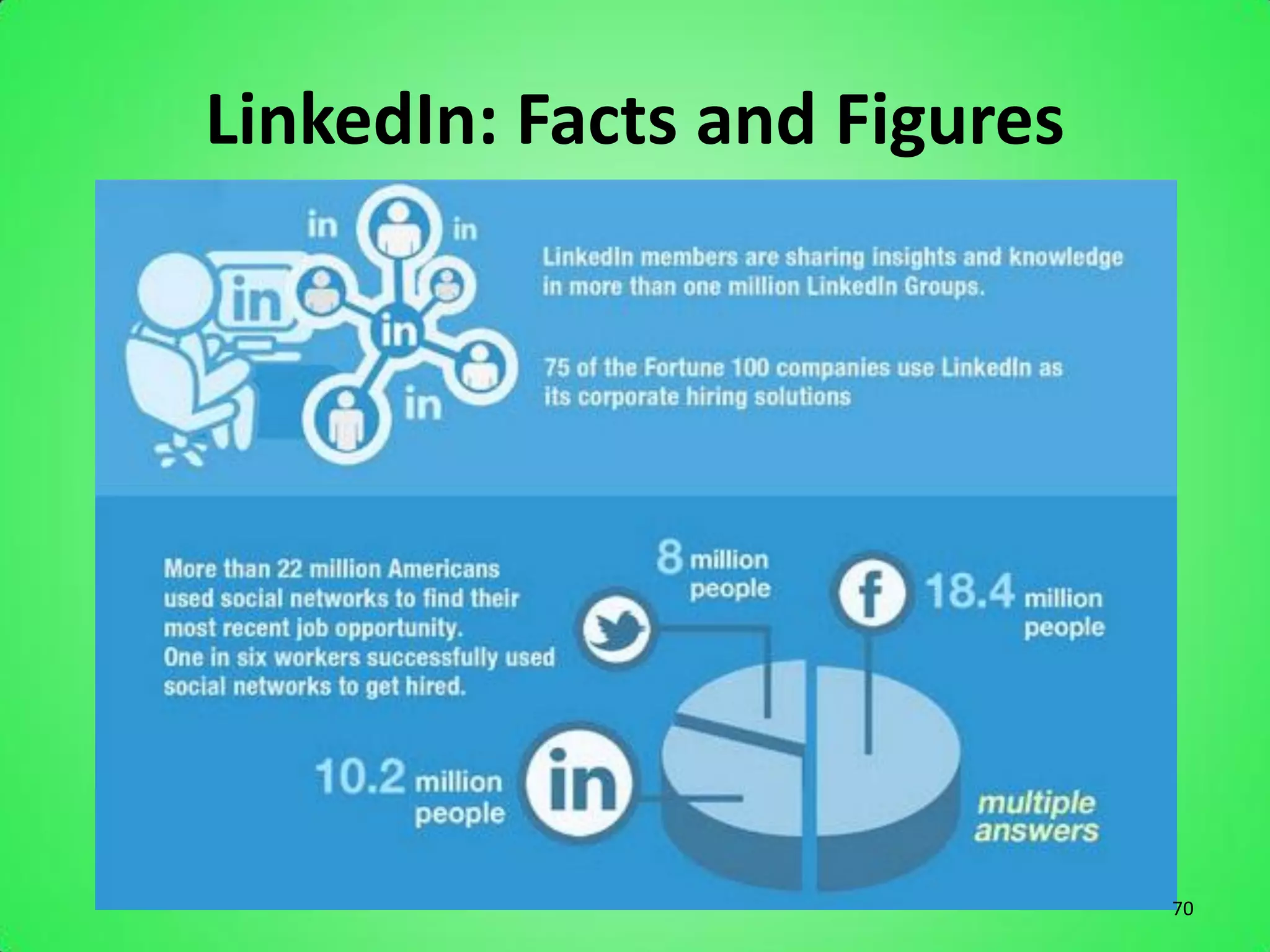
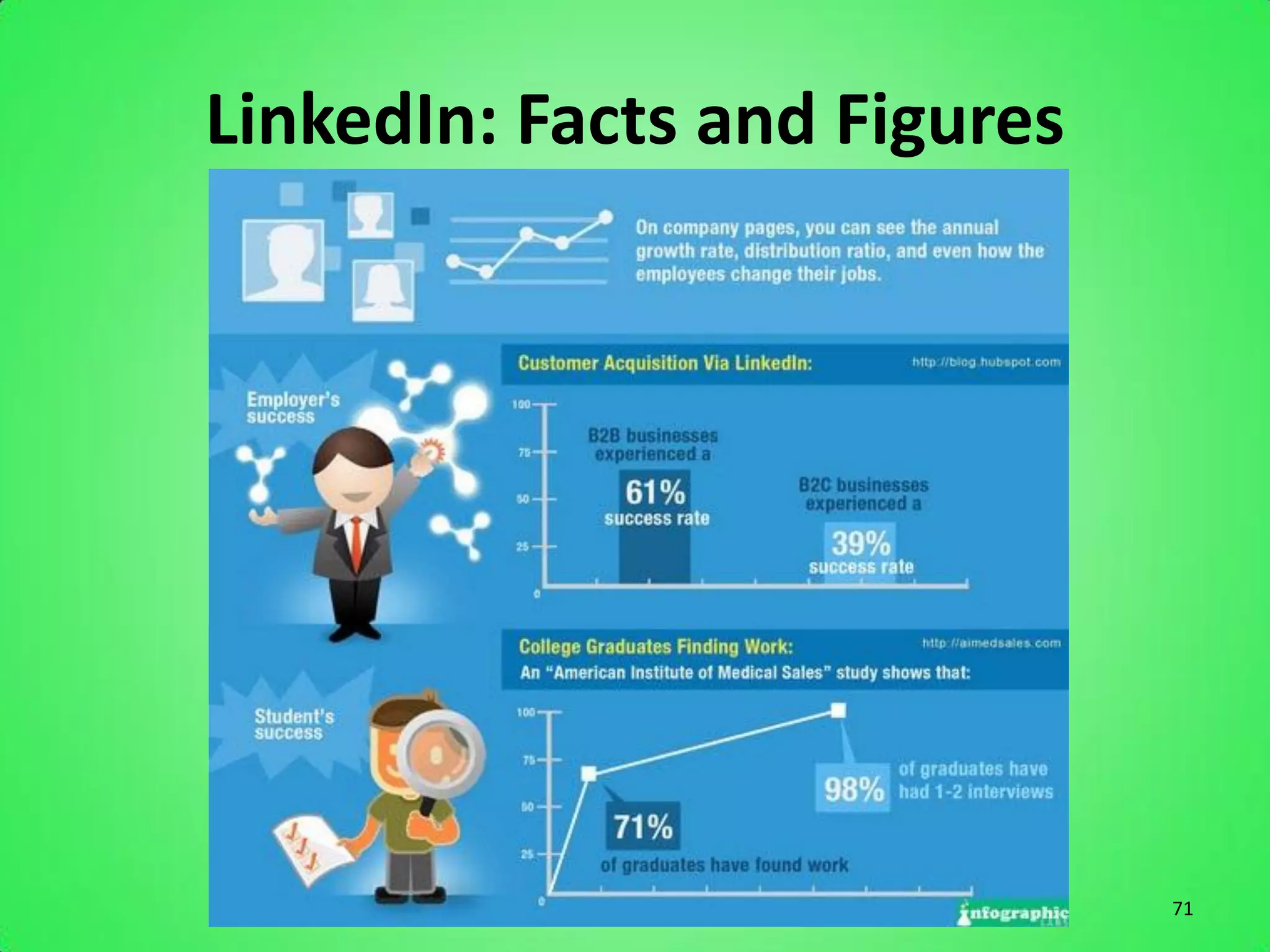
• 2 new members join every second
• USA leads at 57 million, Europe: 34 million members
• In 2011 there were 4.2 billion professionally oriented
  searches on the LinkedIn platform
• LinkedIn now has over 2,116 employees (at the
  beginning of 2010 it had only 500)
• The fastest growing demographics are students and
  recent college graduates
• Revenues for 2011 reached $522 million
• LinkedIn is the 36th most visited website in the world

                                                           65
LinkedIn: Facts and Figures


                              66
LinkedIn: Facts and Figures


                              67
LinkedIn: Facts and Figures


                              68
LinkedIn: Facts and Figures


                              69
LinkedIn: Facts and Figures


                              70
LinkedIn: Facts and Figures


                              71
Reasons Your Business Should Be On
              LinkedIn
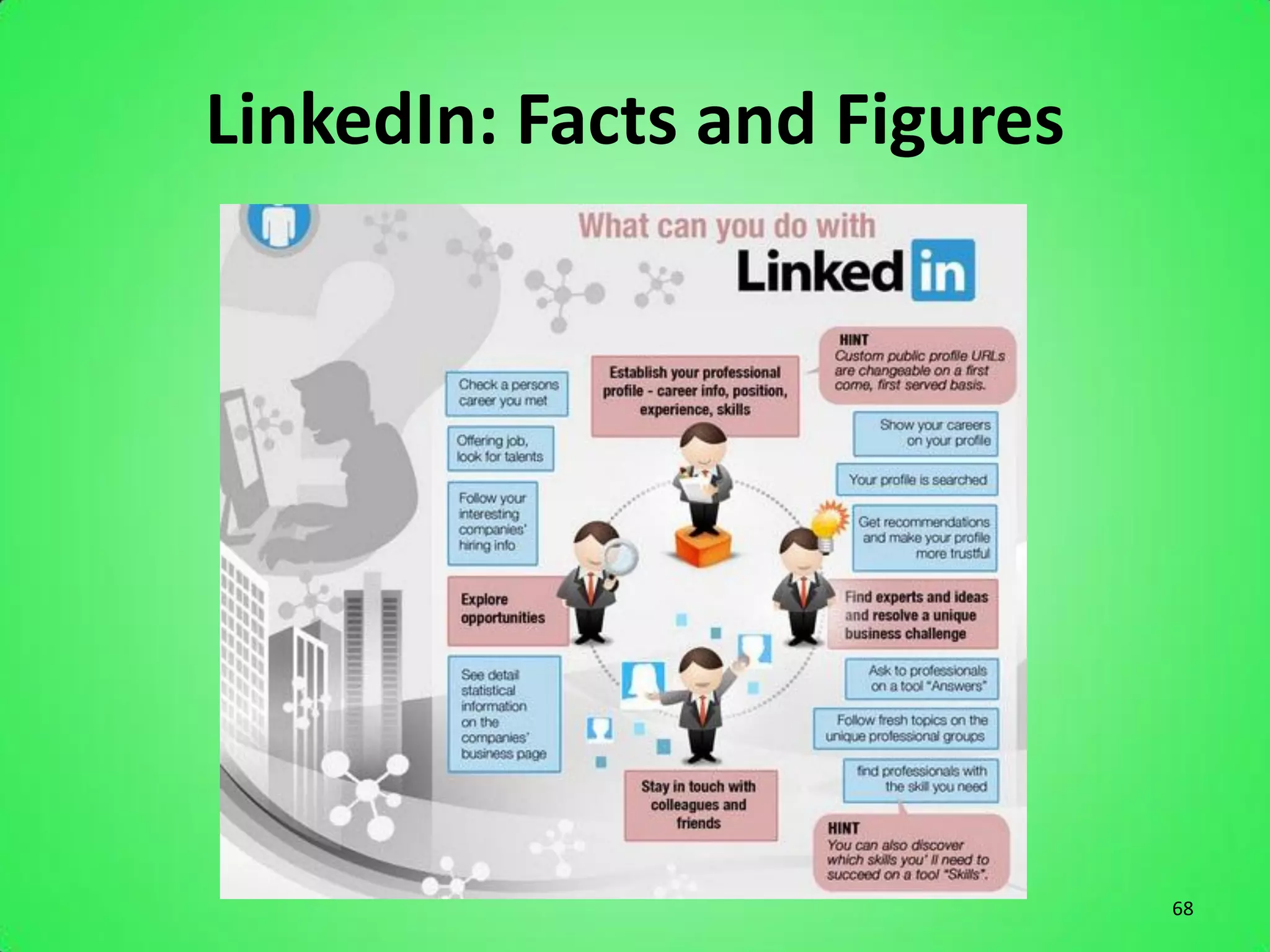
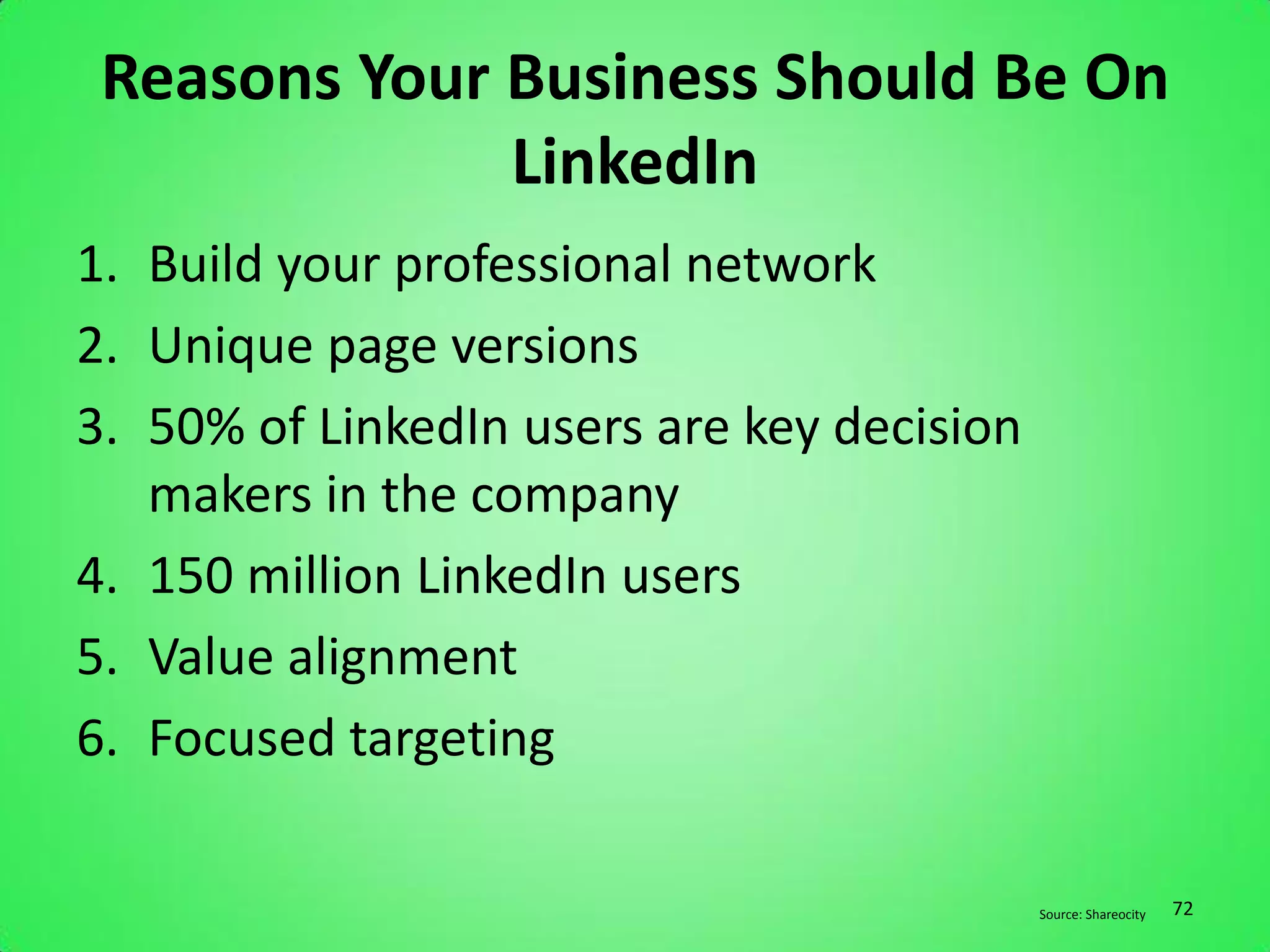
1. Build your professional network
2. Unique page versions
3. 50% of LinkedIn users are key decision
   makers in the company
4. 150 million LinkedIn users
5. Value alignment
6. Focused targeting

                                            Source: Shareocity   72
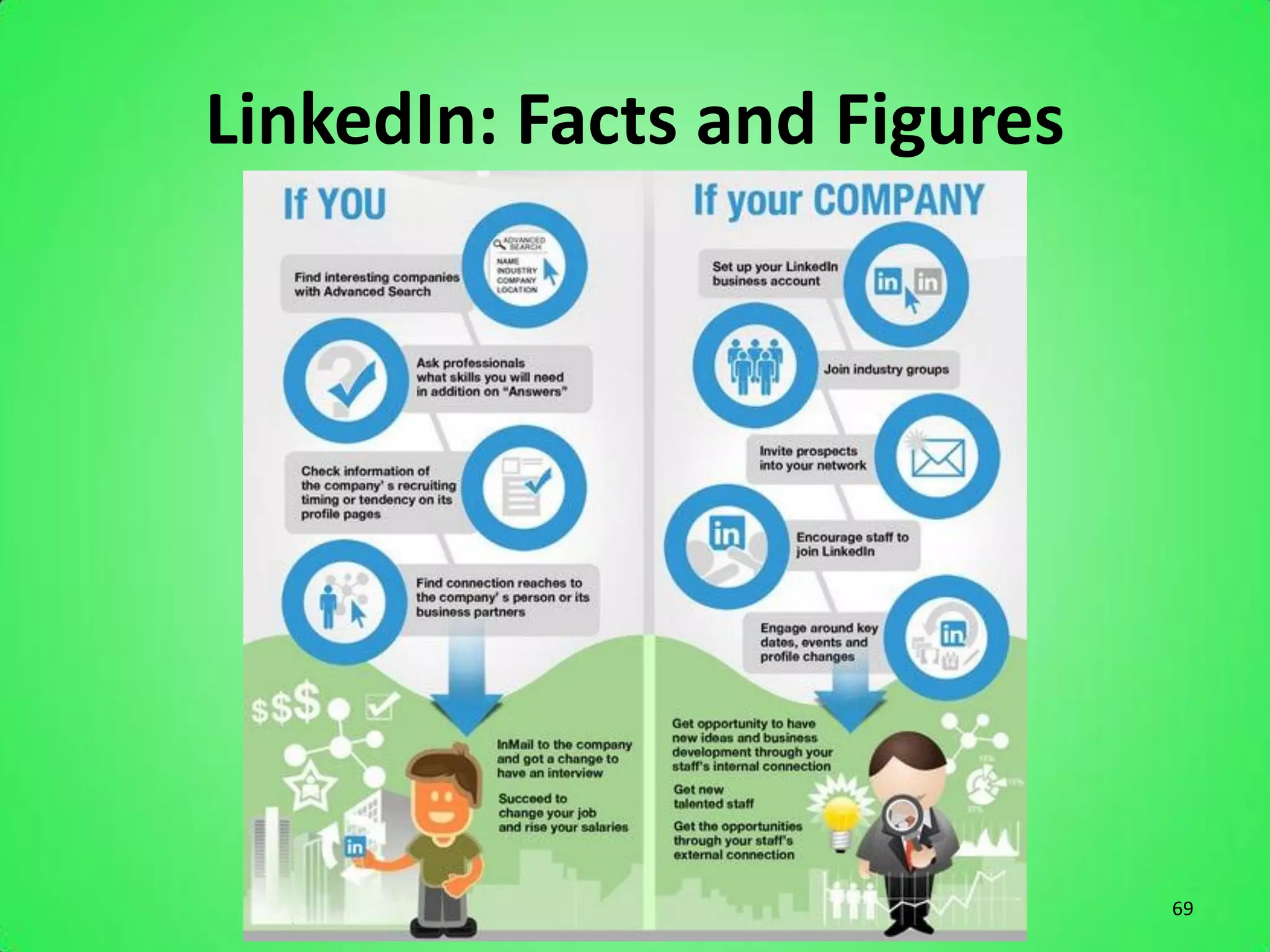
Tips to a great LinkedIn page
• Join relevant groups in your niche
• Use SEO keywords relevant to your niche in
  your summary.
• While you should be professional, also be
  friendly, fun, personable, and social.
• Participate in discussion boards. Invite others
  to one you’ve created.
• Don’t forget to make your profile public.
                                                    73
Pinterest

The Visual Network


                     74
Pinterest Facts and Figures
• December of 2011 Pinterest became one of the top 10
  largest social networks with 11 million visits per week
• In January it was driving more referral traffic to
  retailers than LinkedIn, YouTube and Google+.
   – COMBINED
• Over 10.4 million registered users
• Nearly 12 million monthly unique visitors
• Most of the sites users are female
• It is the fastest site in history to break through the 10
  million unique visitor mark

                                                          75
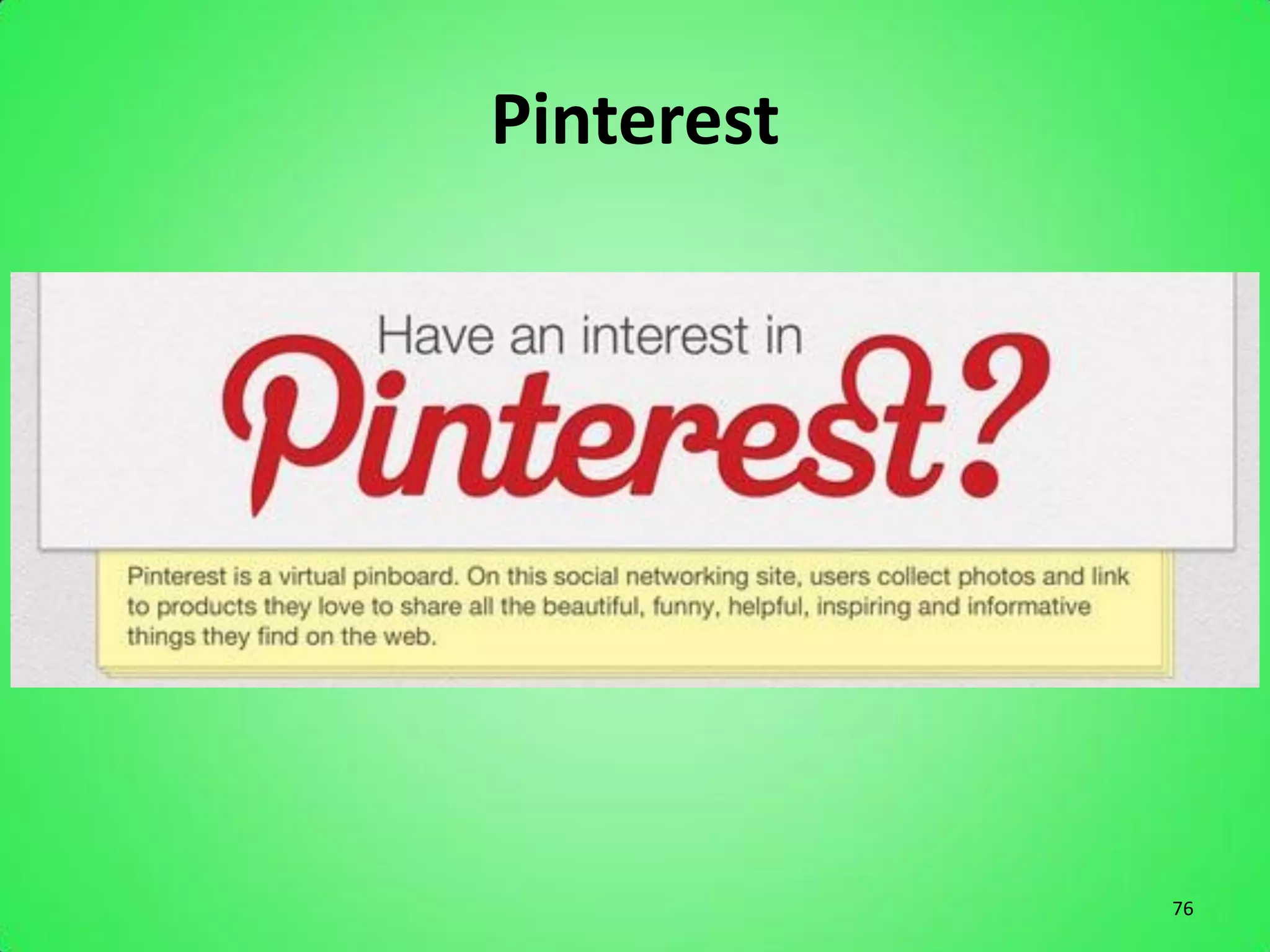
Pinterest


            76
Pinterest


            77
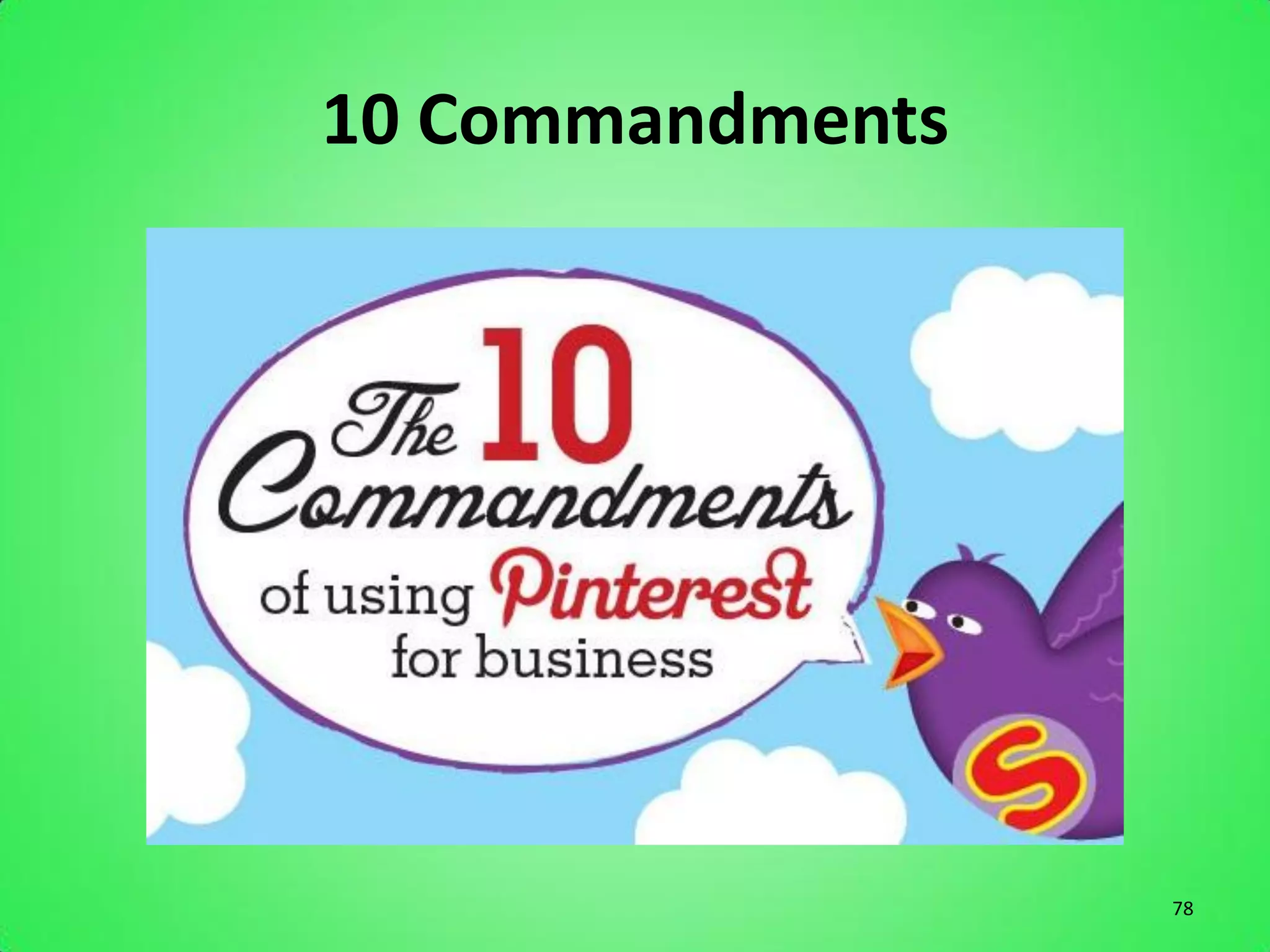
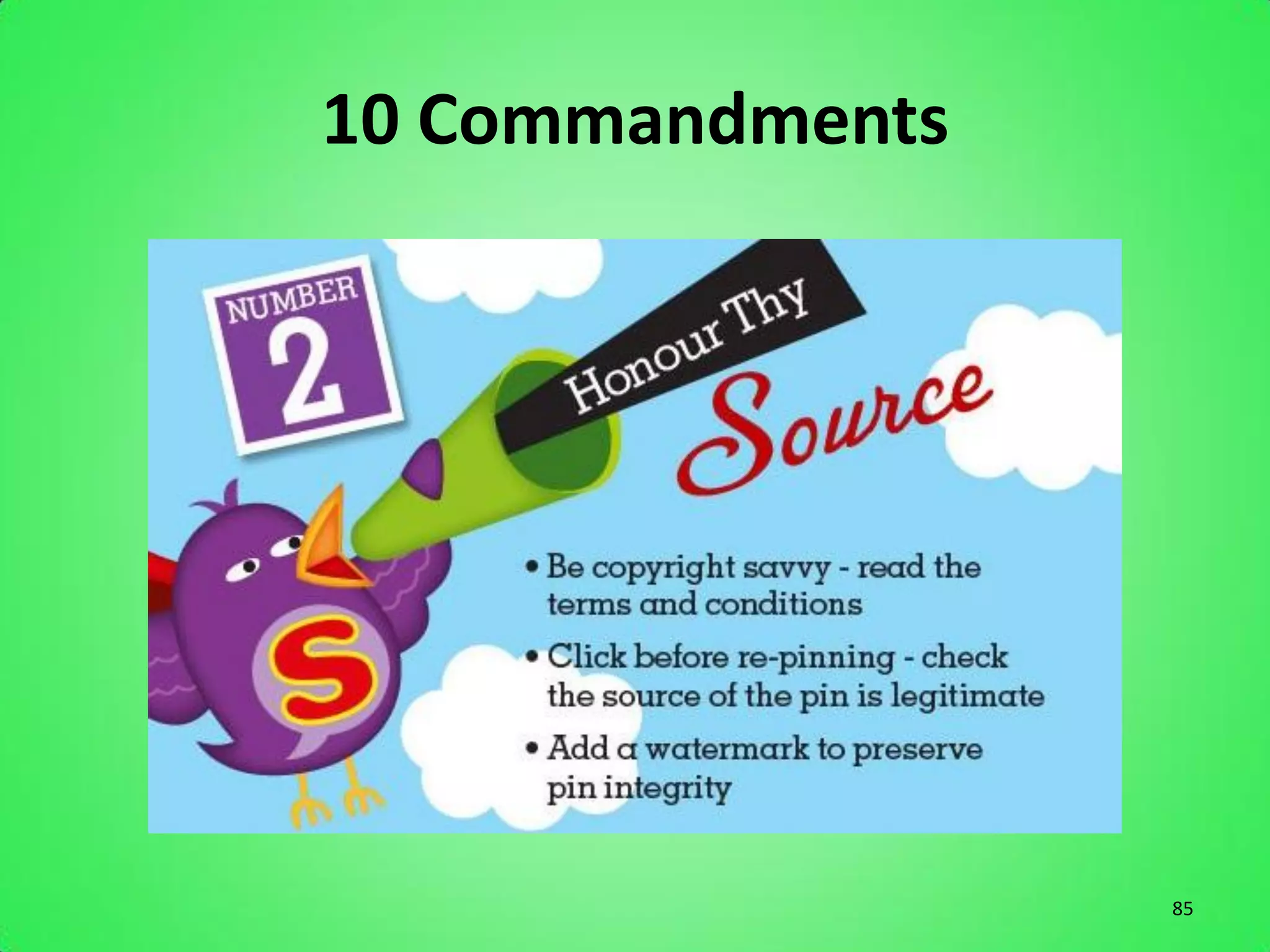
10 Commandments


                  78
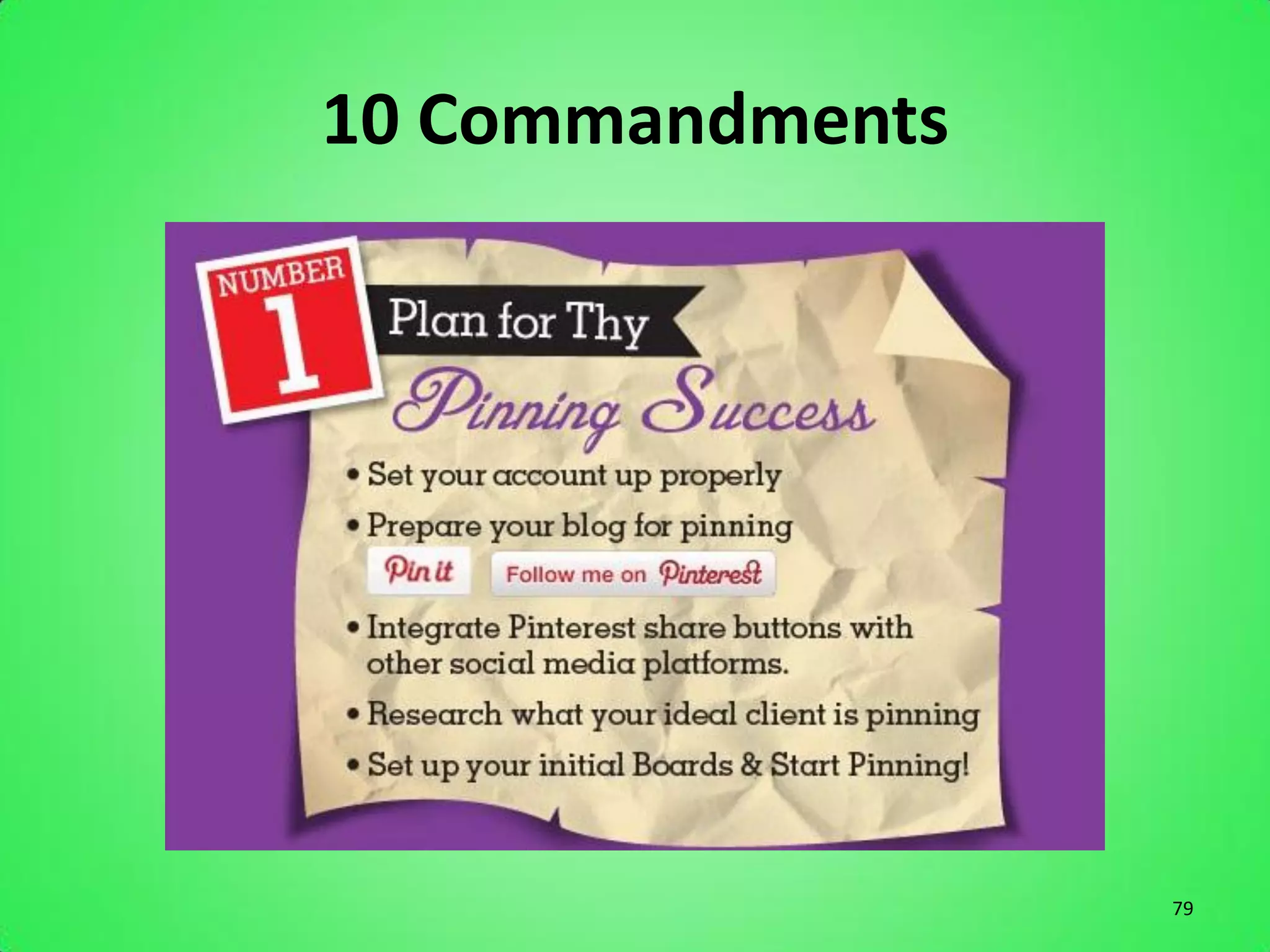
10 Commandments


                  79
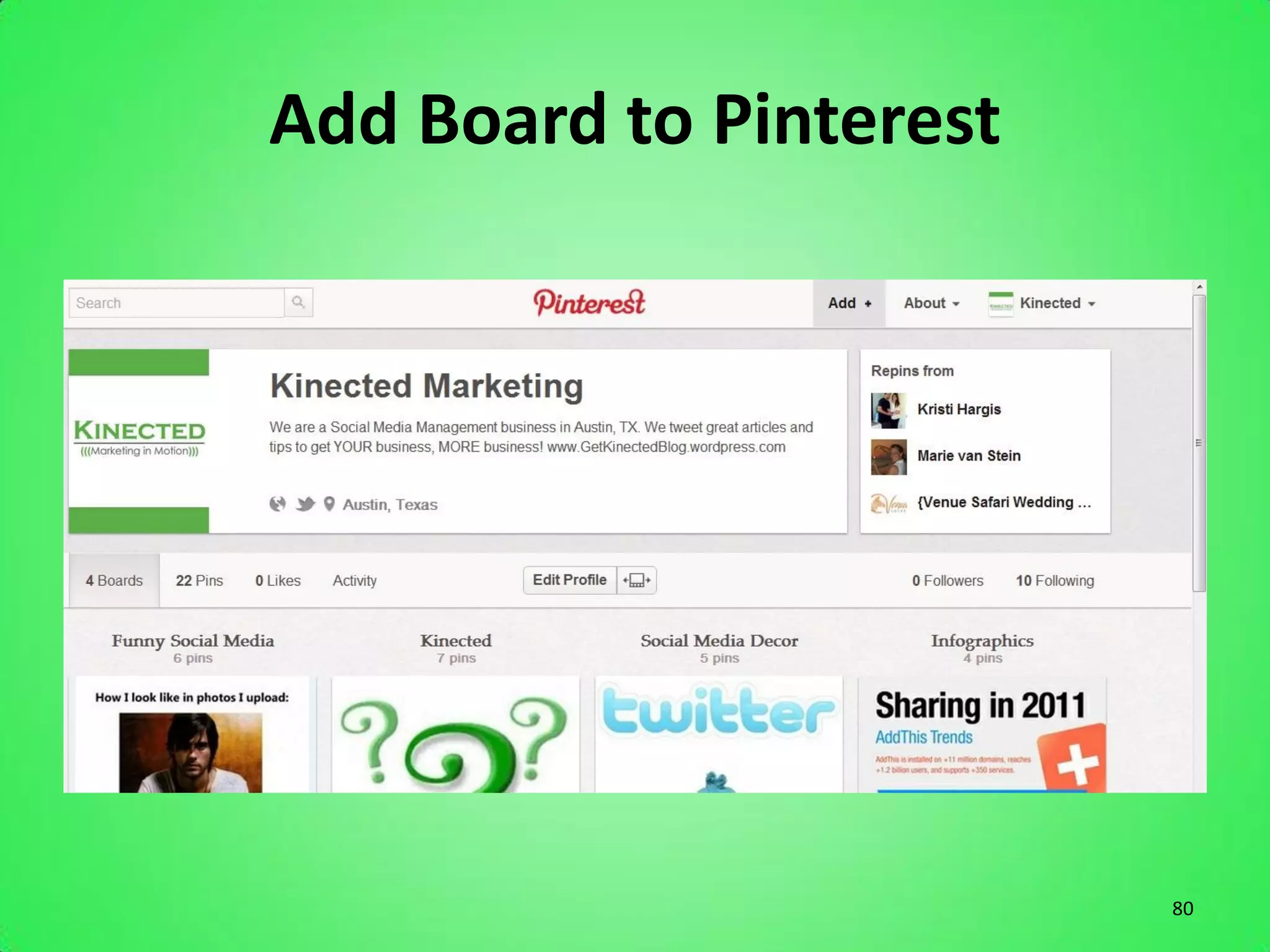
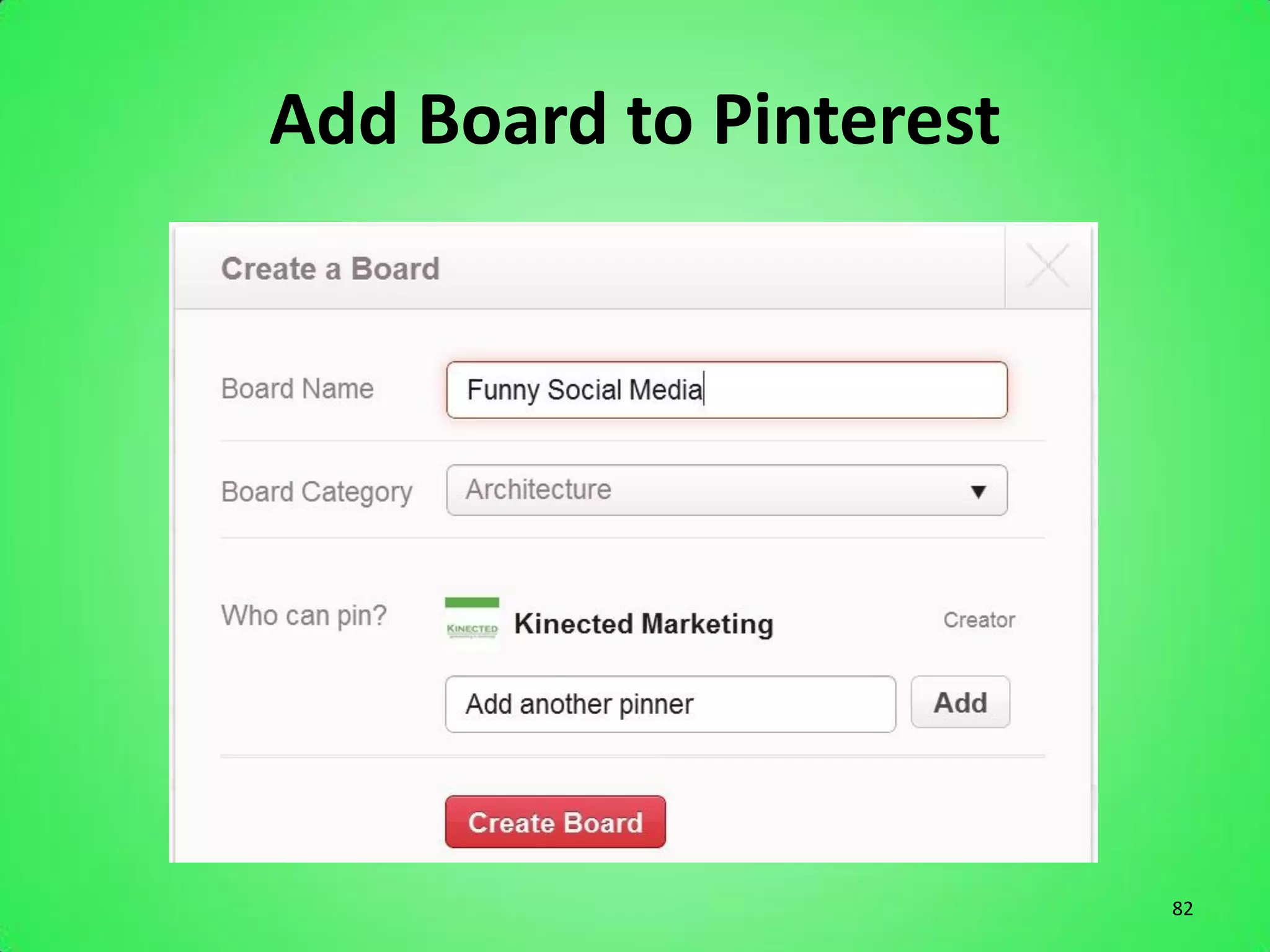
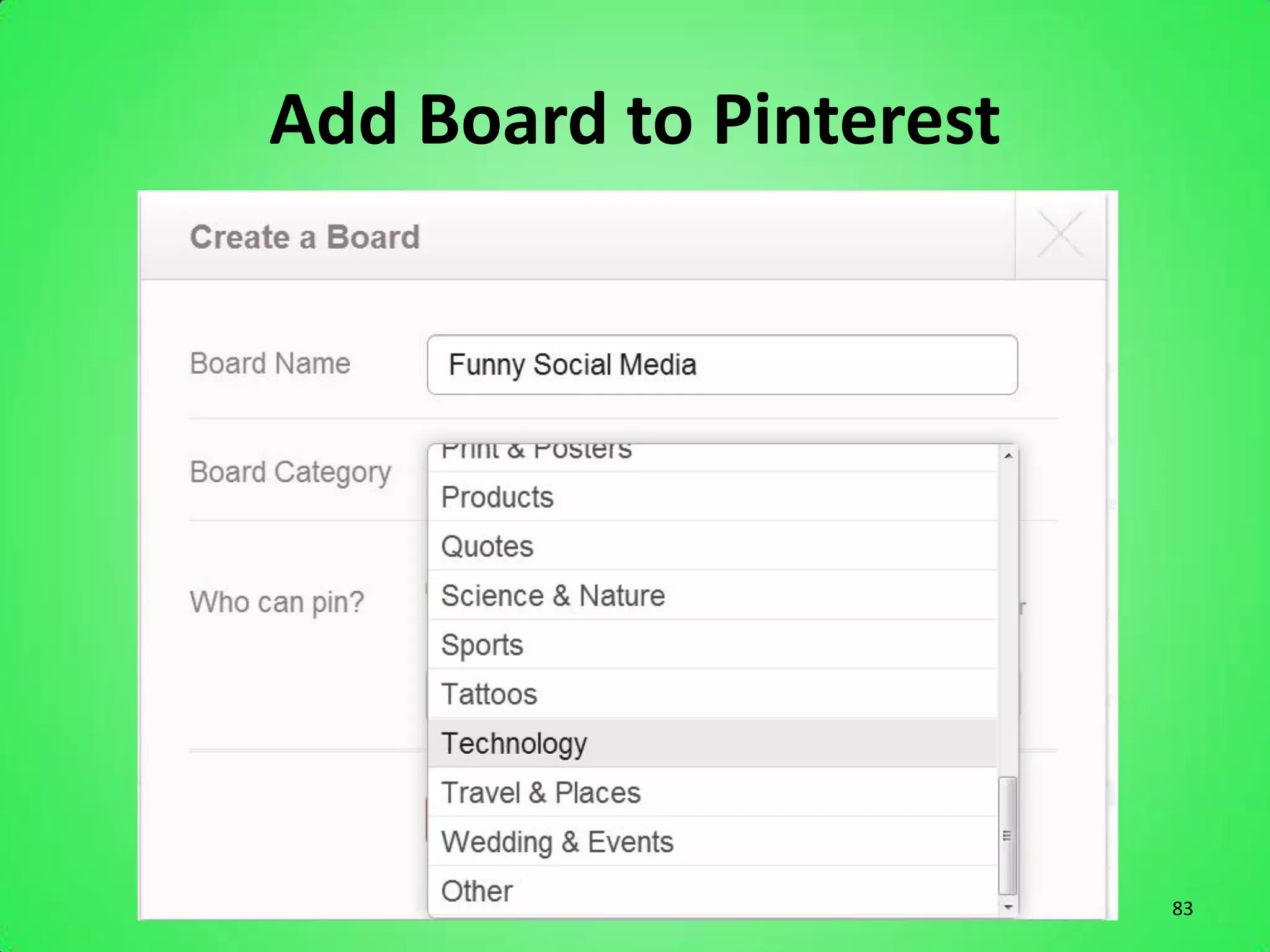
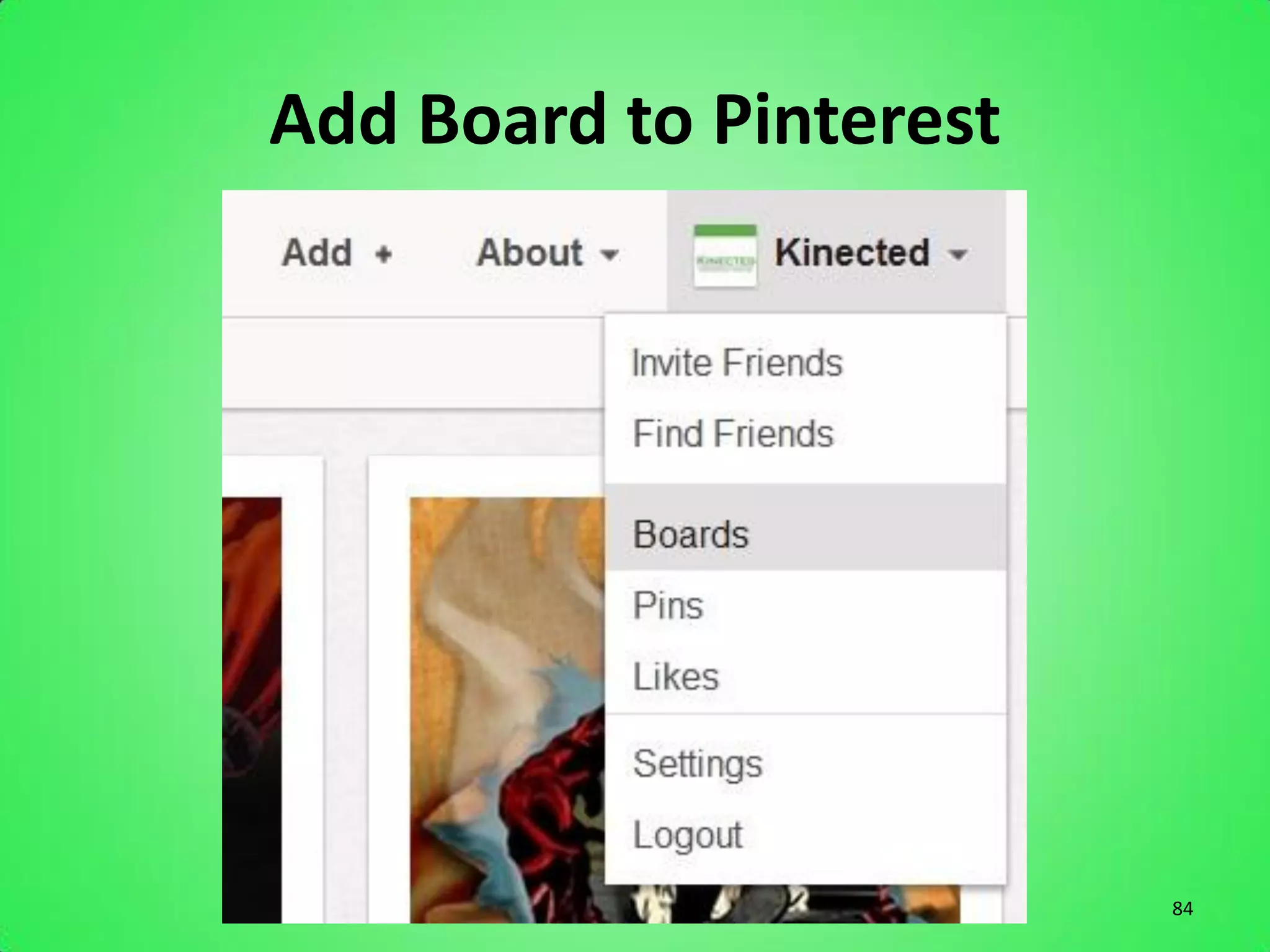
Add Board to Pinterest


                         80
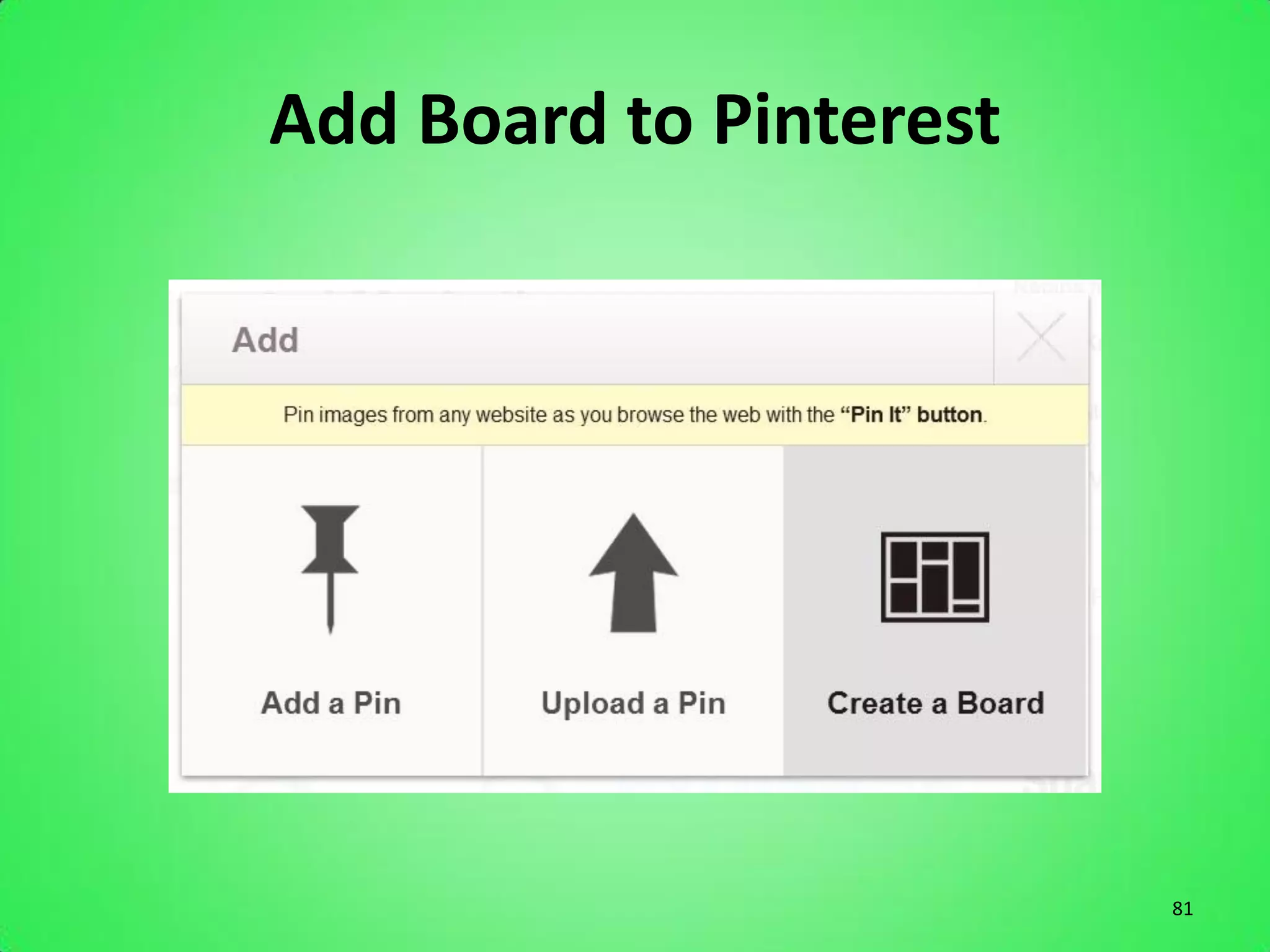
Add Board to Pinterest


                         81
Add Board to Pinterest


                         82
Add Board to Pinterest


                         83
Add Board to Pinterest


                         84
10 Commandments


                  85
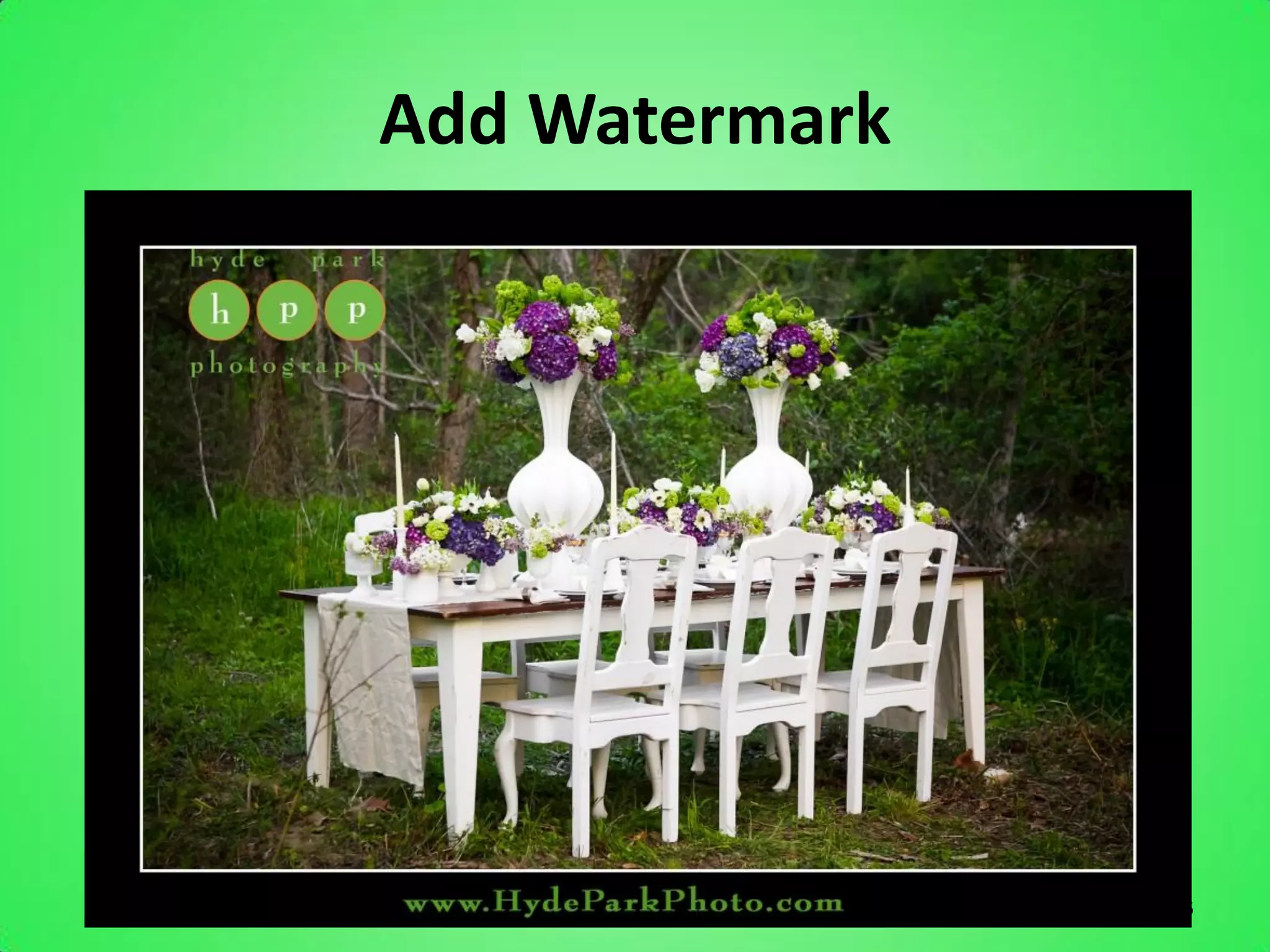
Add Watermark


                86
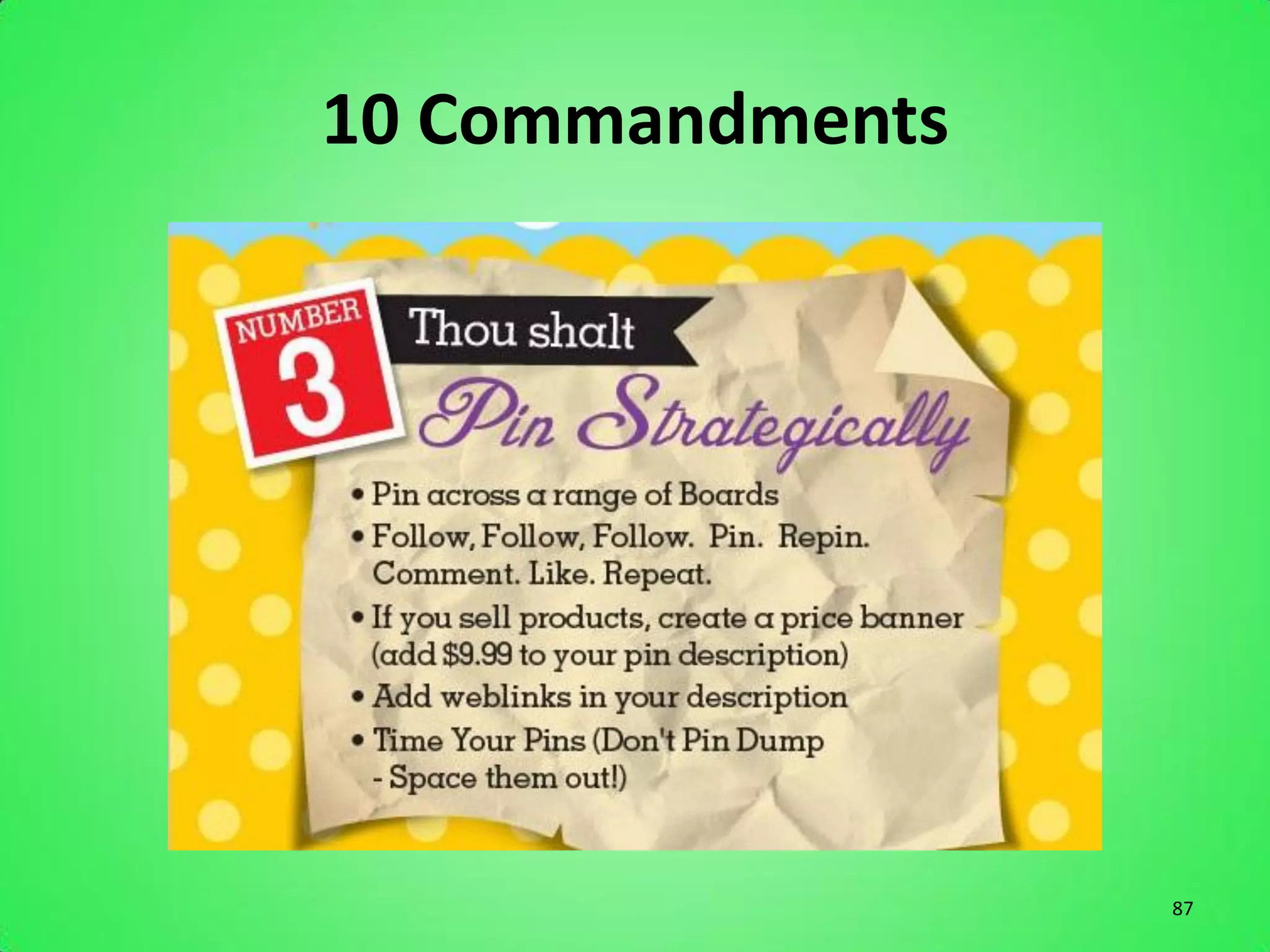
10 Commandments


                  87
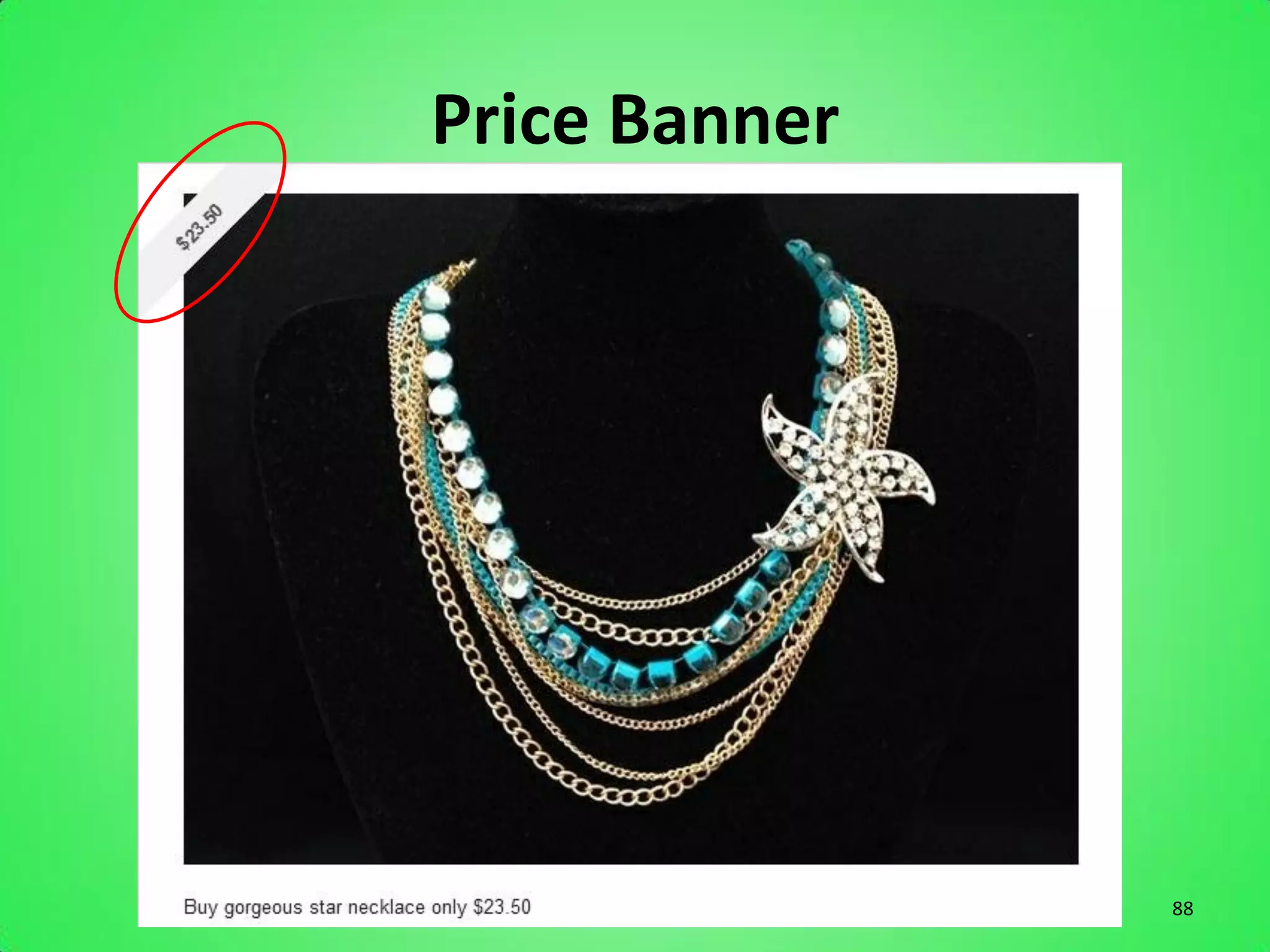
Price Banner


               88
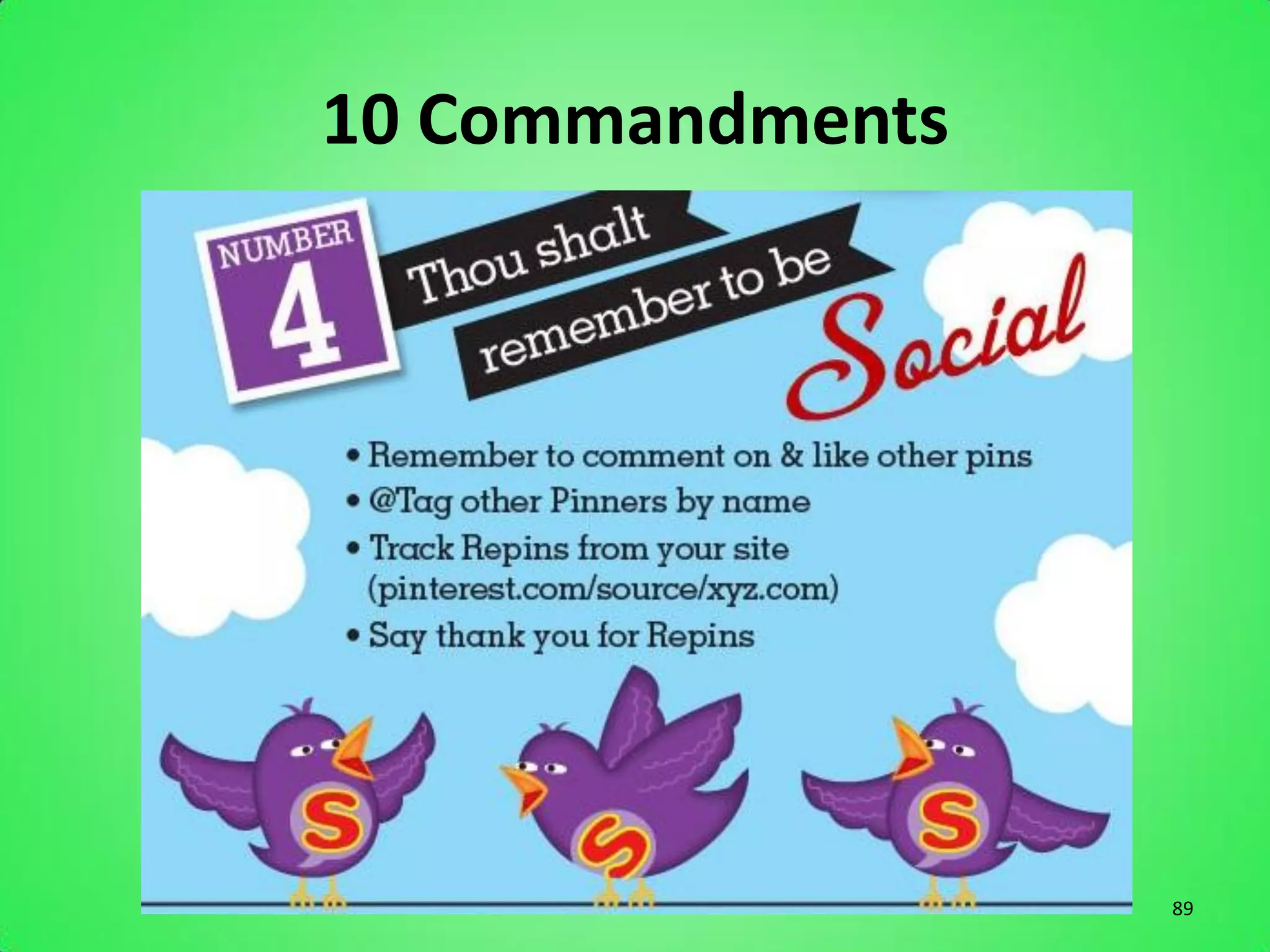
10 Commandments


                  89
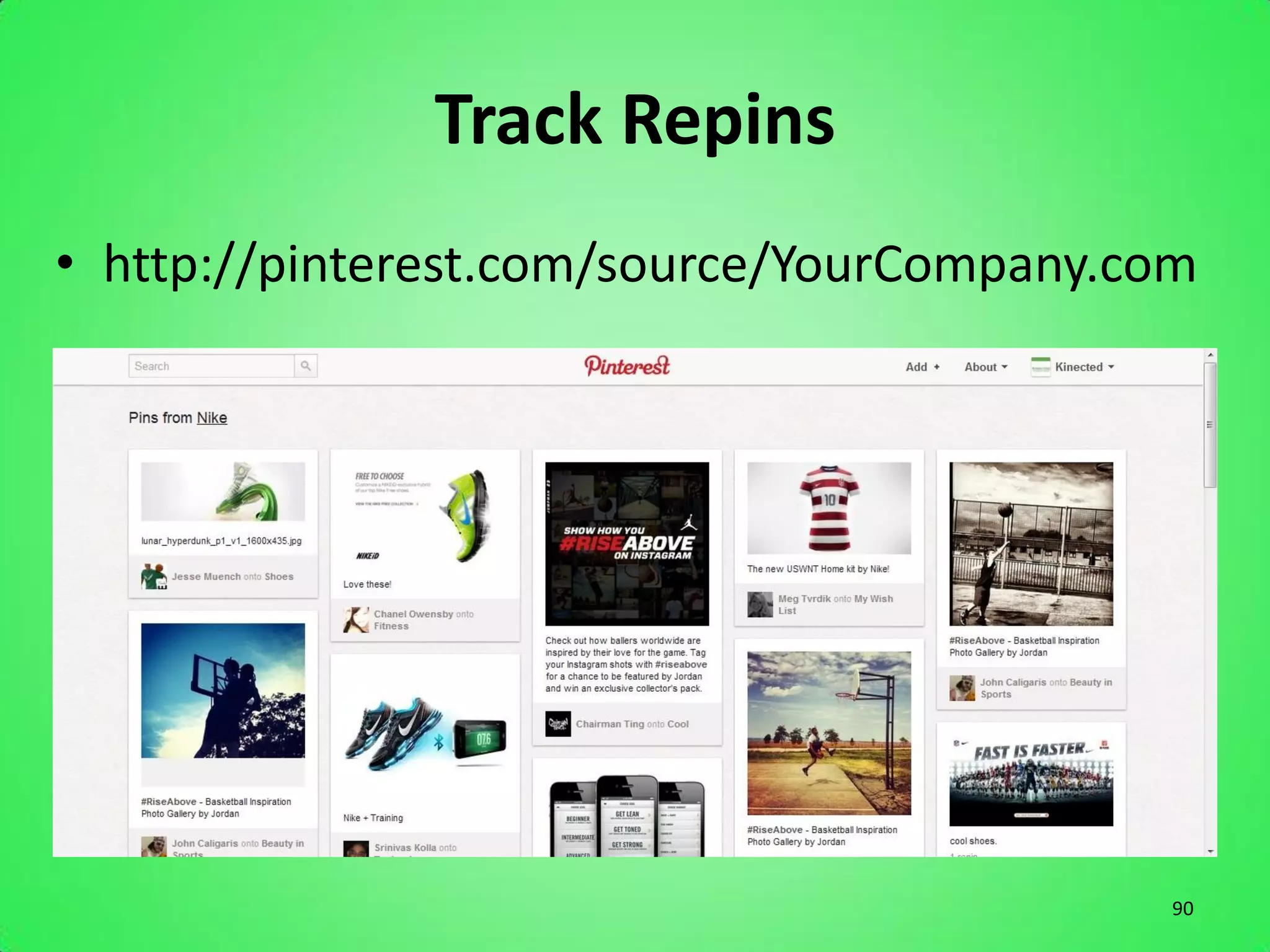
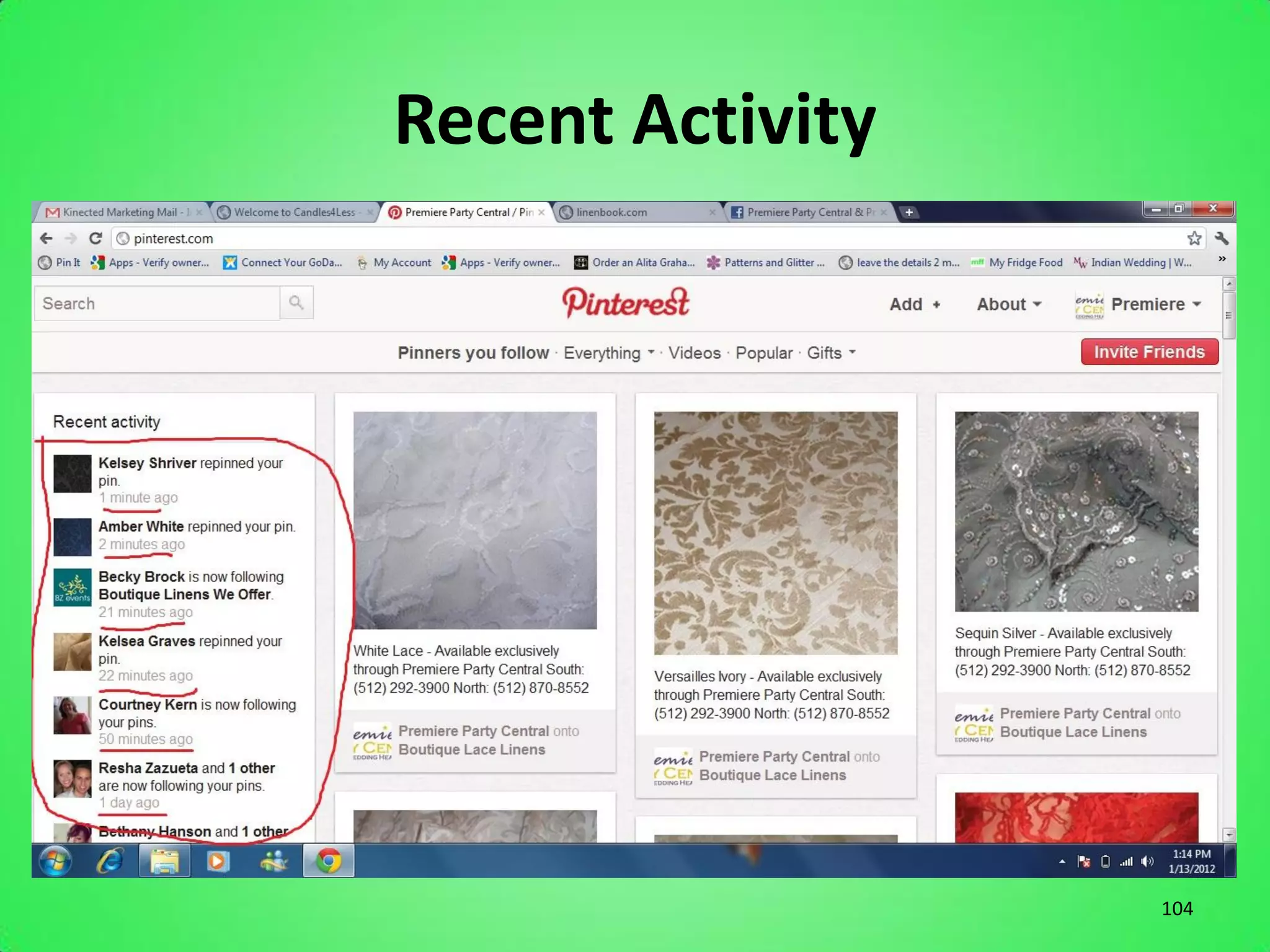
Track Repins
• http://pinterest.com/source/YourCompany.com


                                           90
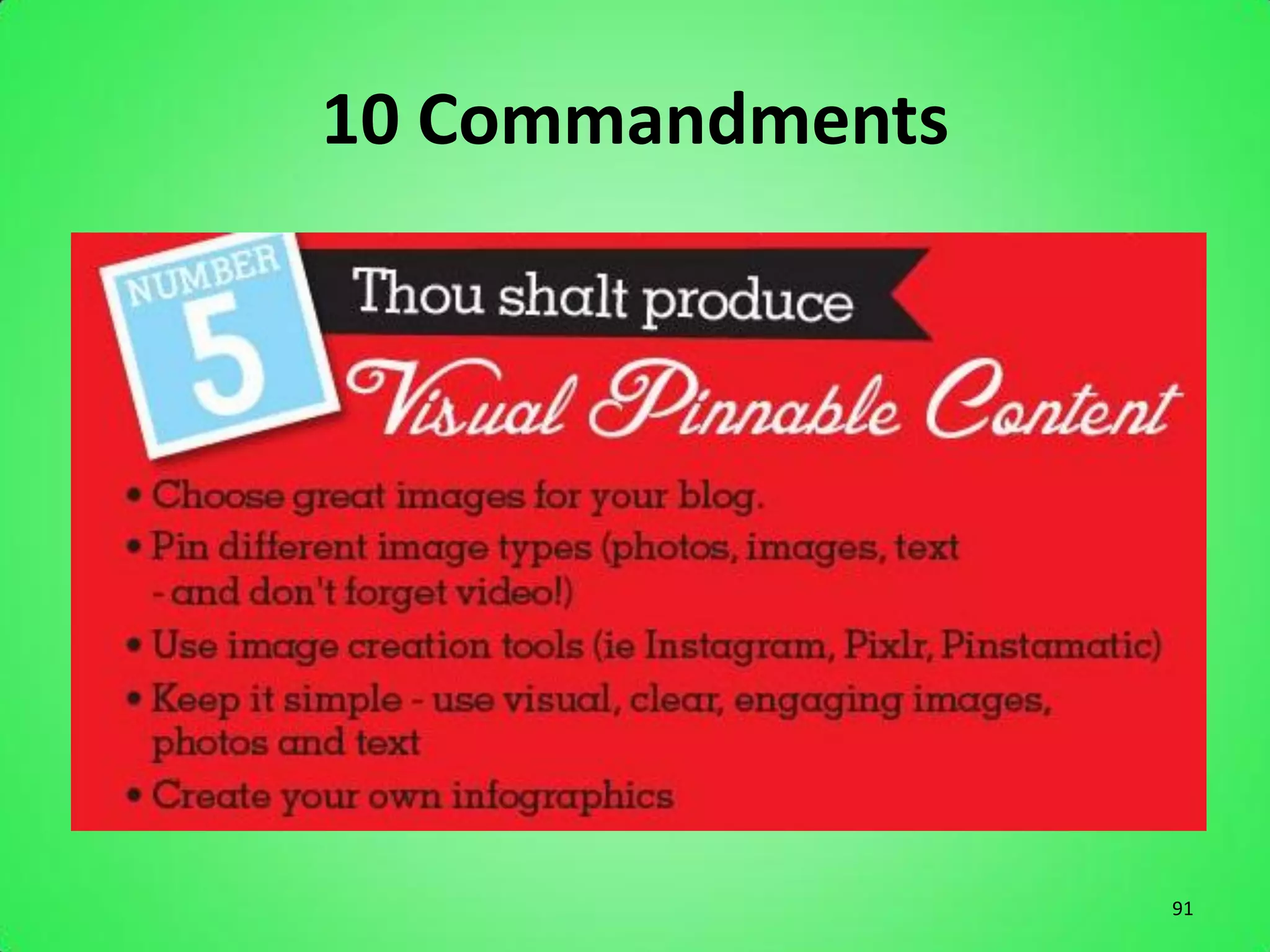
10 Commandments


                  91
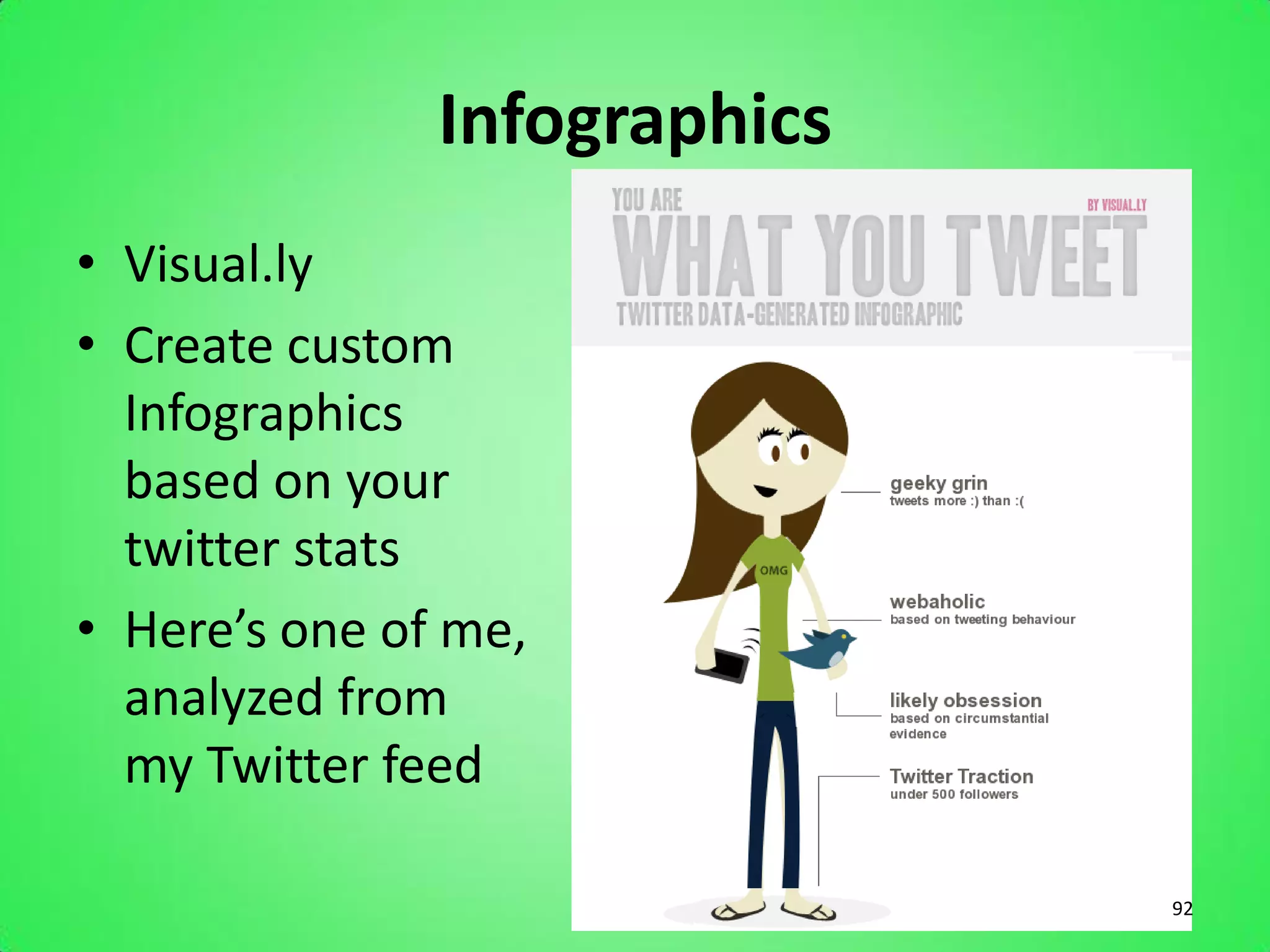
Infographics
• Visual.ly
• Create custom
  Infographics
  based on your
  twitter stats
• Here’s one of me,
  analyzed from
  my Twitter feed

                              92
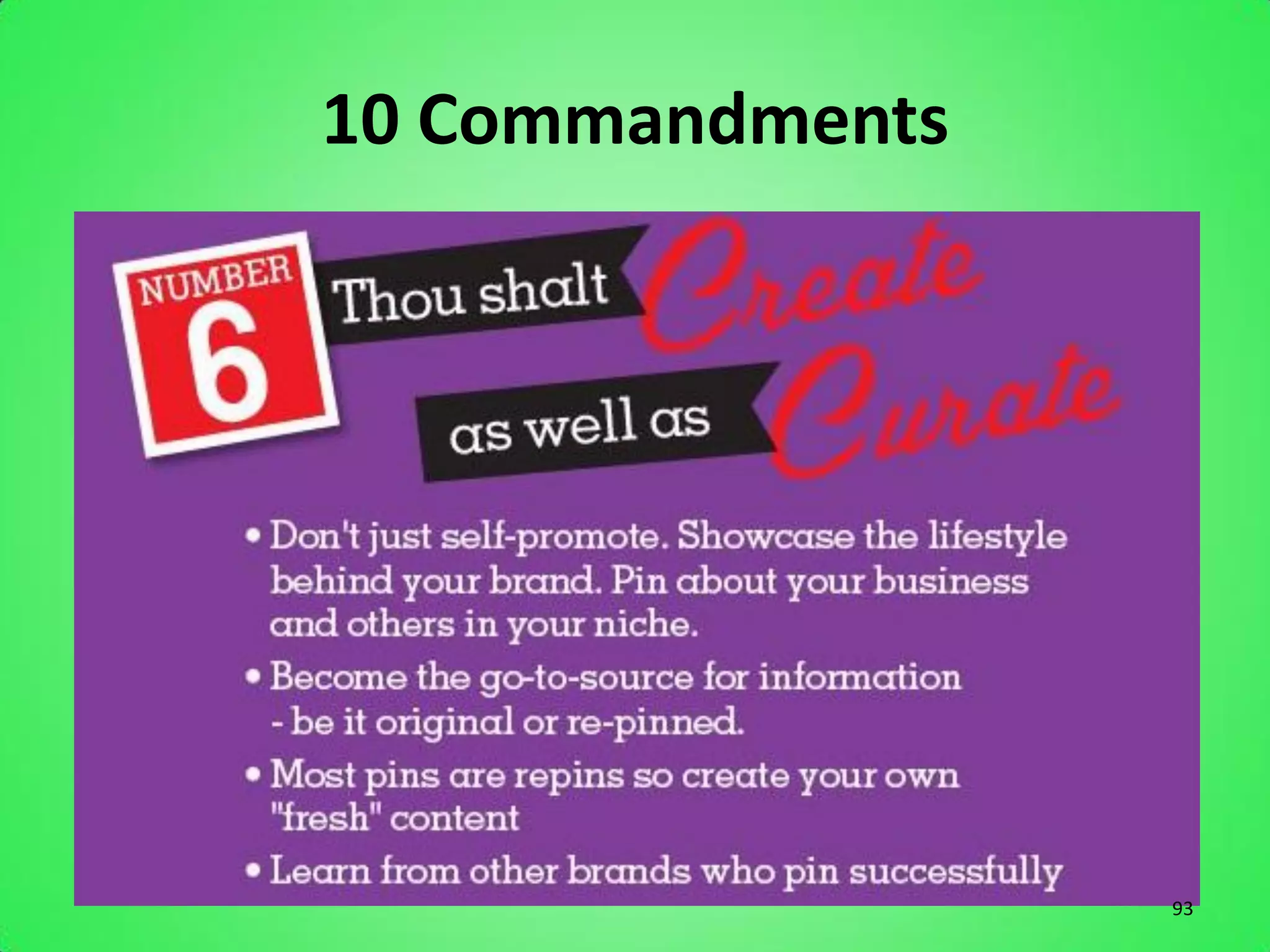
10 Commandments


                  93
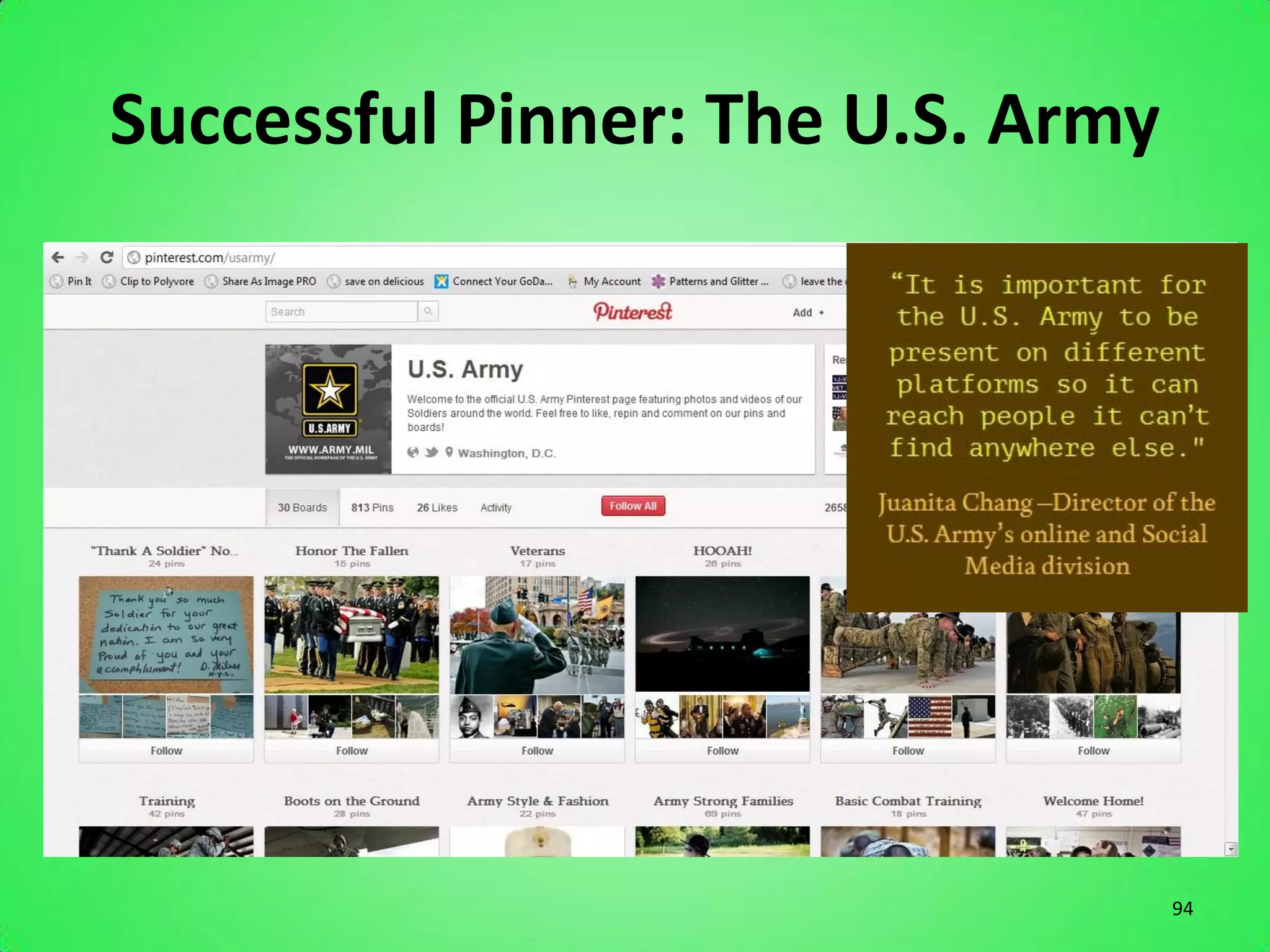
Successful Pinner: The U.S. Army


                                   94
10 Commandments


                  95
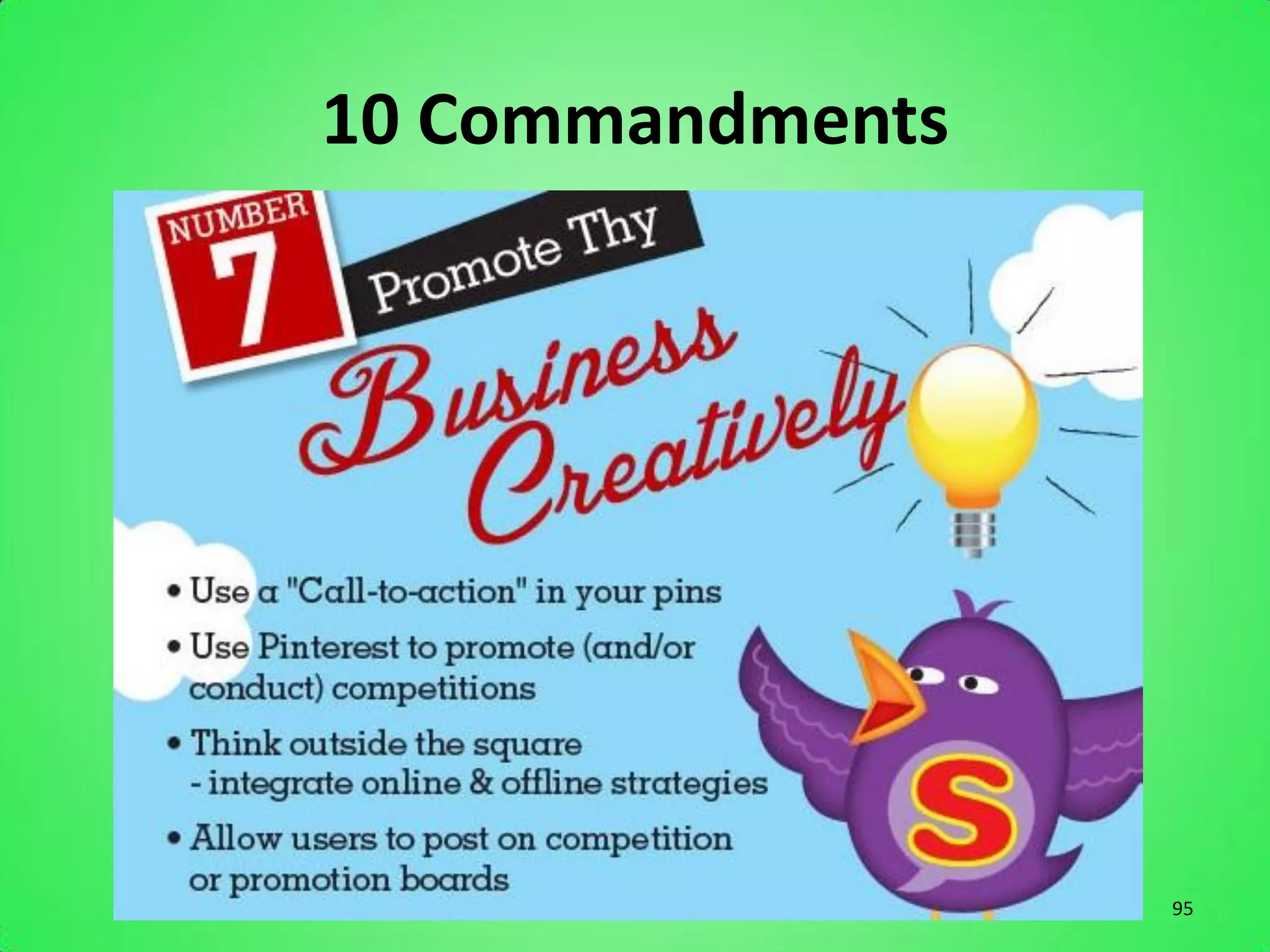
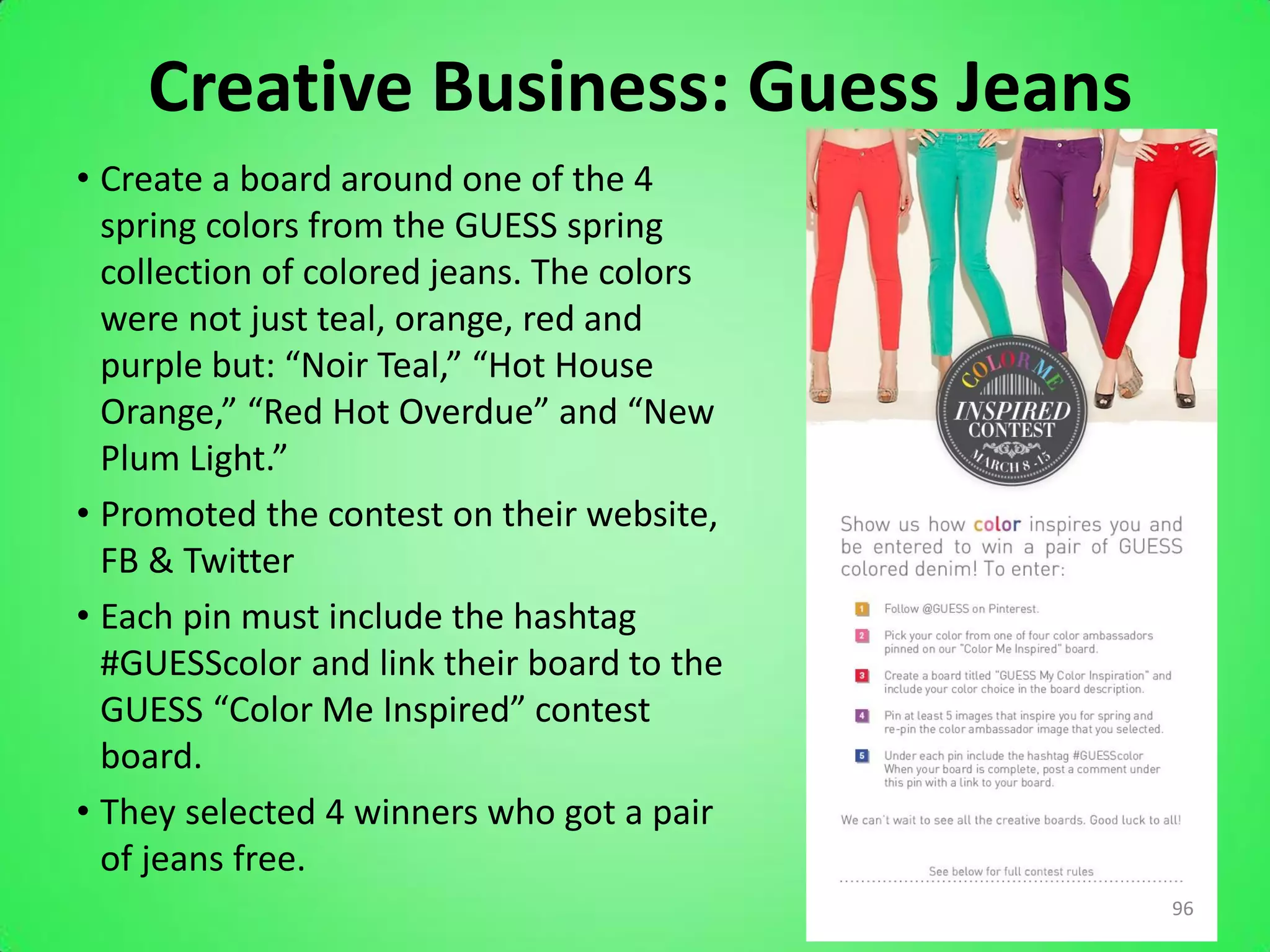
Creative Business: Guess Jeans
• Create a board around one of the 4
  spring colors from the GUESS spring
  collection of colored jeans. The colors
  were not just teal, orange, red and
  purple but: “Noir Teal,” “Hot House
  Orange,” “Red Hot Overdue” and “New
  Plum Light.”
• Promoted the contest on their website,
  FB & Twitter
• Each pin must include the hashtag
  #GUESScolor and link their board to the
  GUESS “Color Me Inspired” contest
  board.
• They selected 4 winners who got a pair
  of jeans free.
                                            96
Create A Contest
• Create a contest by asking pinners to create a
  board on their own account of photos of your
  rentals in action, and have them share the
  board with you. Consider offering a promotion
  to the “best user photo of an event we
  provided rentals for” and choose a winner in 1
  month or so.
• Promote on all sites: FB, Twitter, Blog, Website

                                                 97
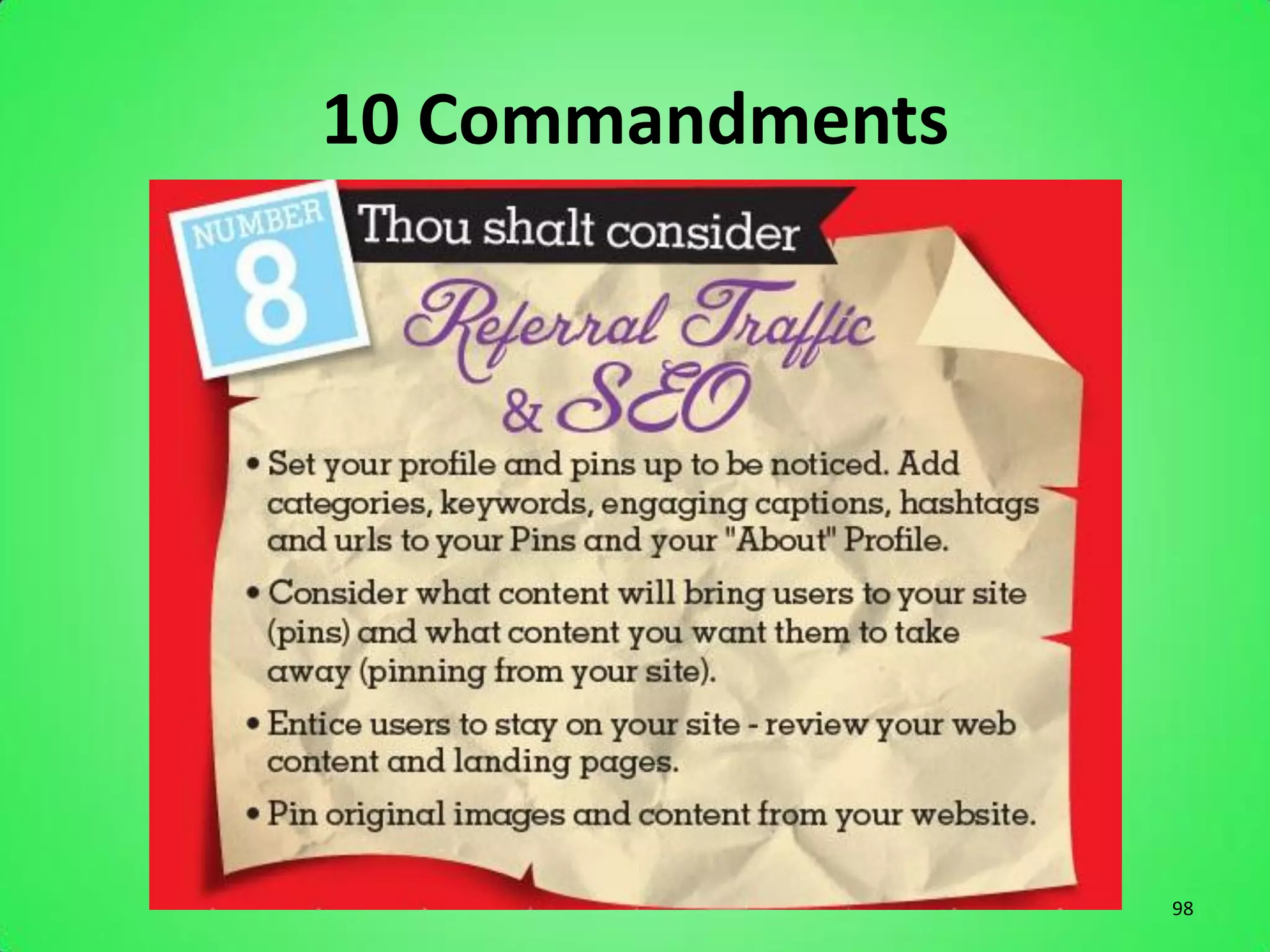
10 Commandments


                  98
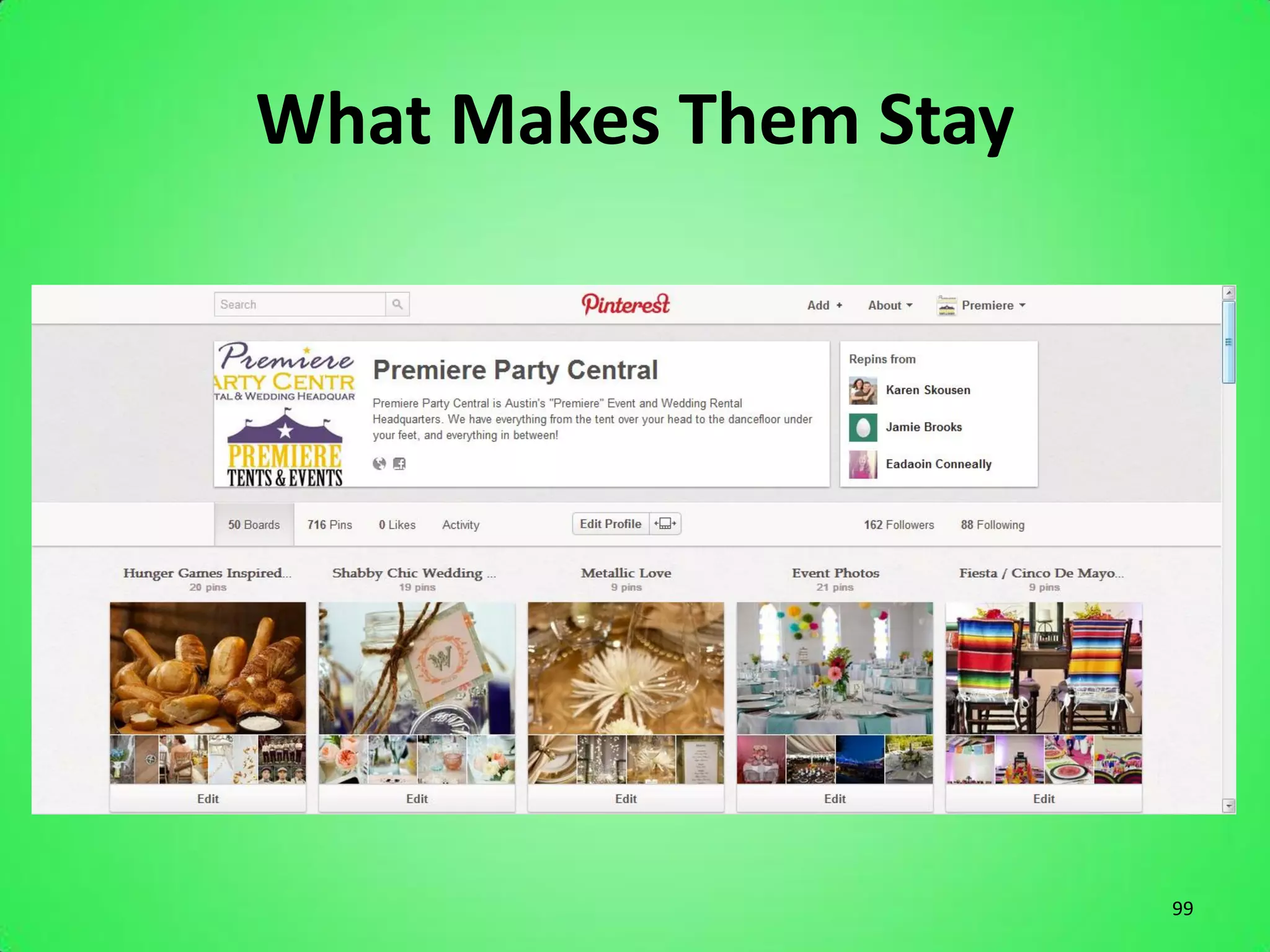
What Makes Them Stay


                       99
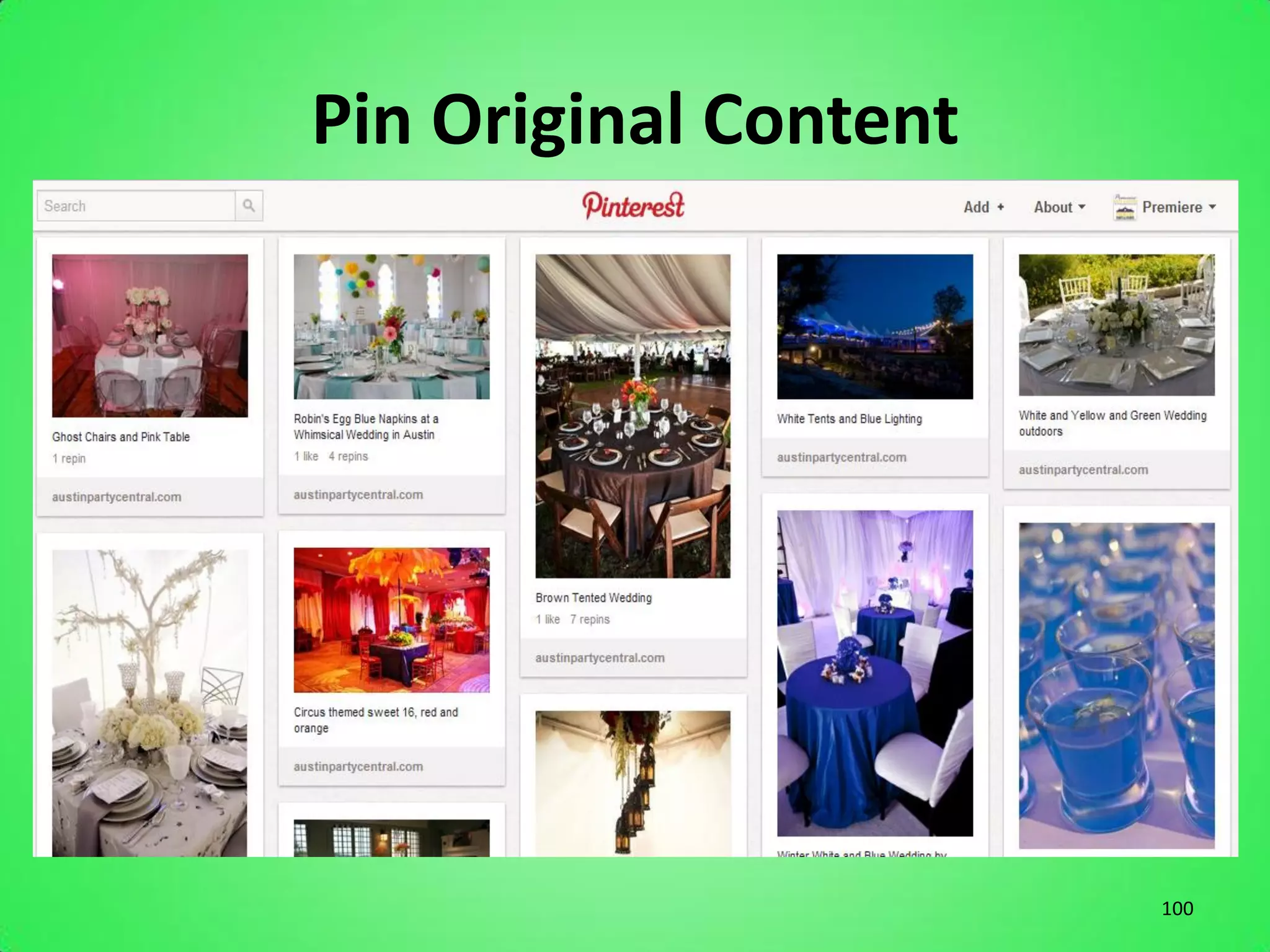
Pin Original Content


                       100
10 Commandments


                  101
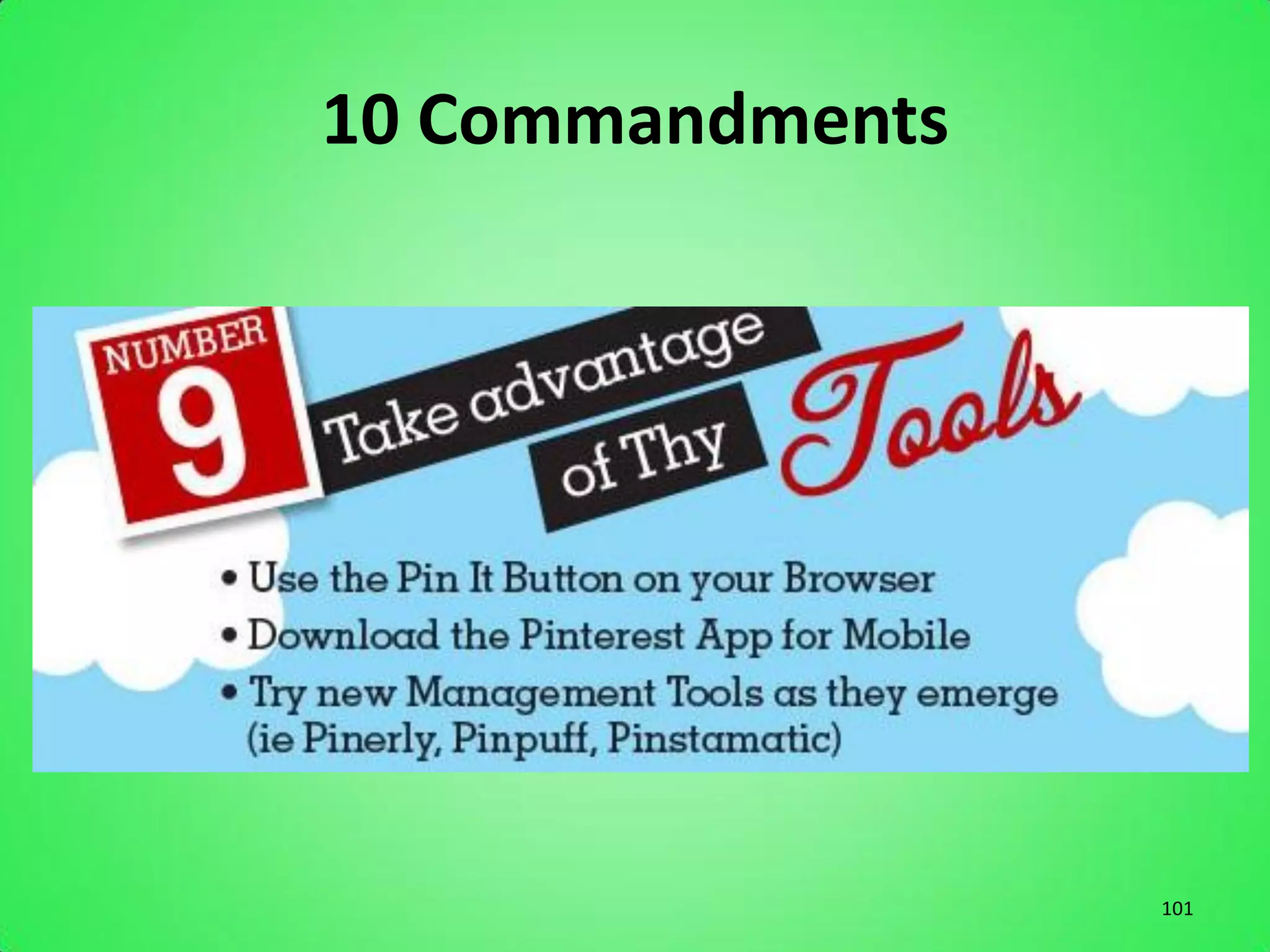
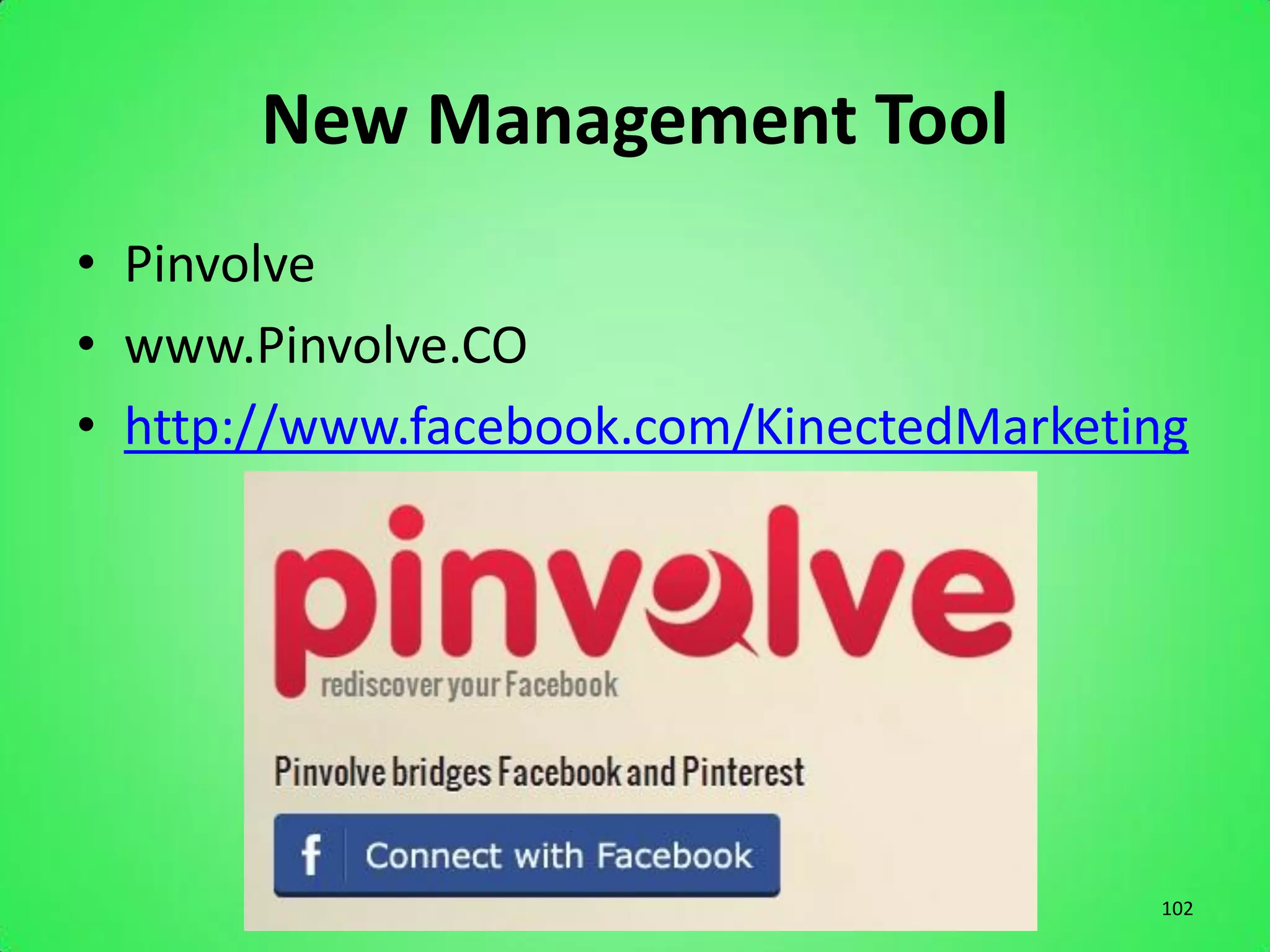
New Management Tool
• Pinvolve
• www.Pinvolve.CO
• http://www.facebook.com/KinectedMarketing


                                         102
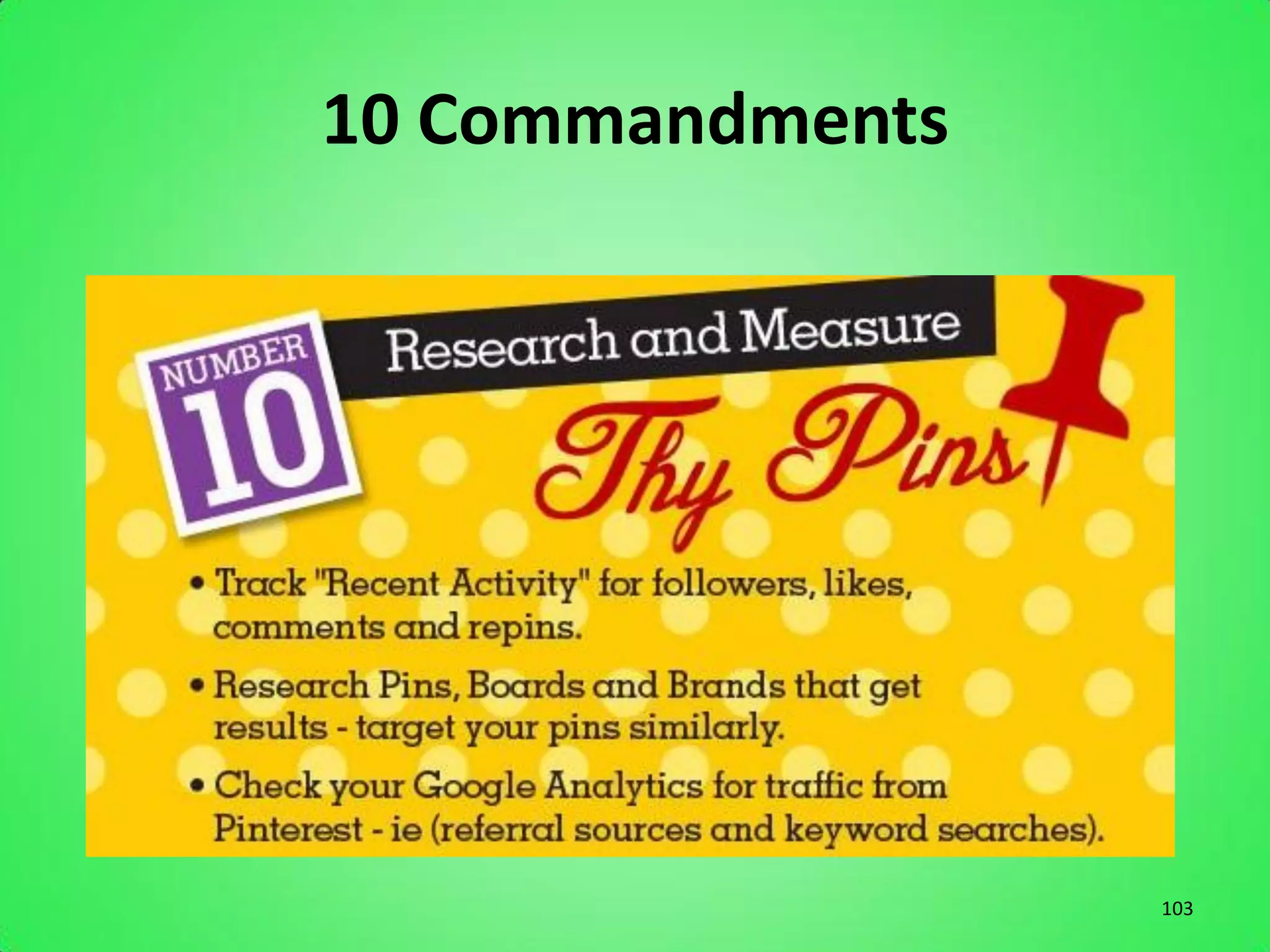
10 Commandments


                  103
Recent Activity


                  104
Additional Pinterest Tips
• Add the “Pin It” button to your blog
• Add the “Pin It” button to specific products
• Descriptions on Pins should be about 200
  characters long and contain keywords and a
  weblink
• Believe it or not, photos of FOOD top the list of
  repinned items
• Size Matters. Both pixels and height.
• Pin a screenshot of your website to a board and
  link it to your homepage (preview)

                                                      105
Additional Pinterest Tips
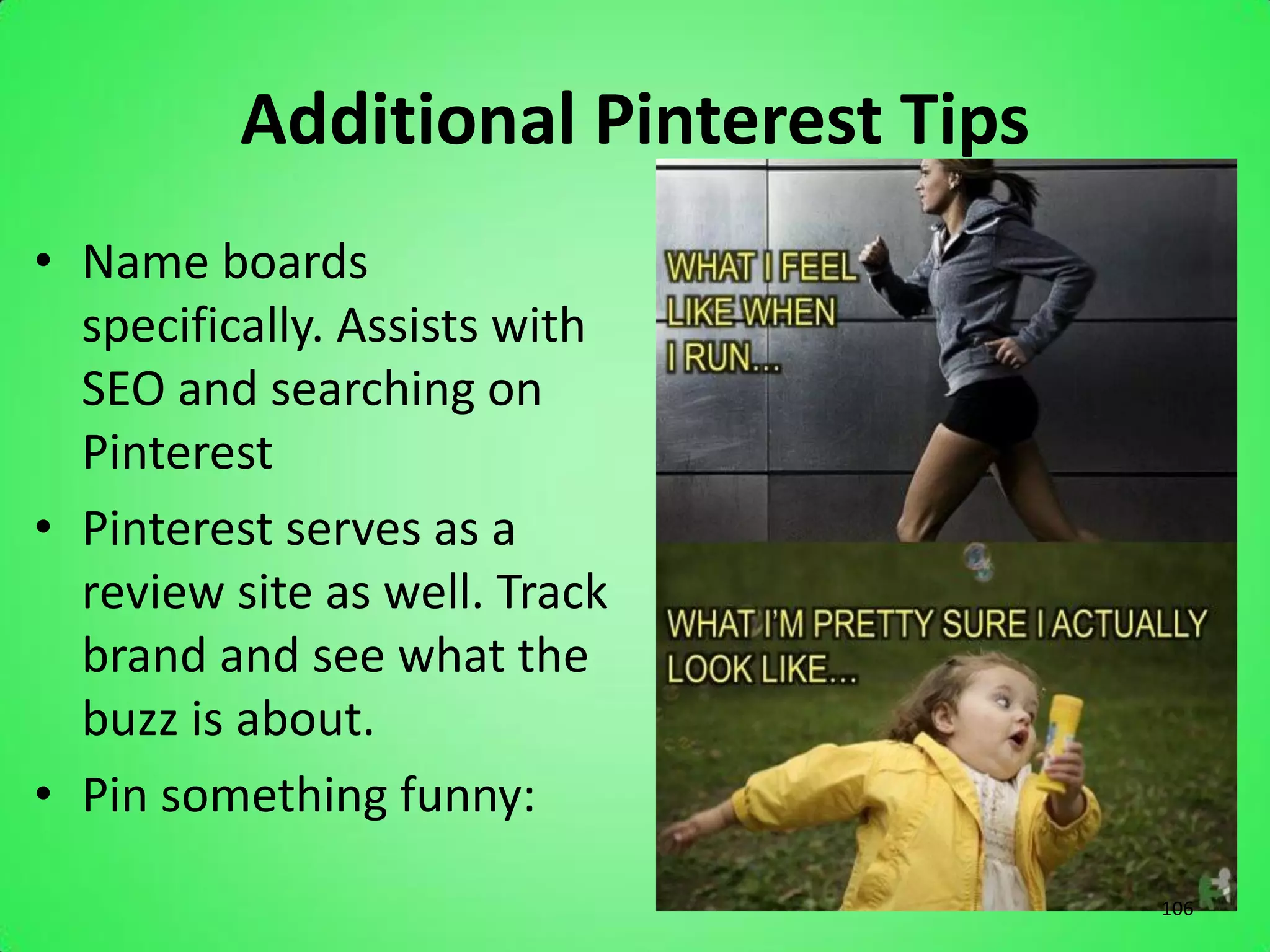
• Name boards
  specifically. Assists with
  SEO and searching on
  Pinterest
• Pinterest serves as a
  review site as well. Track
  brand and see what the
  buzz is about.
• Pin something funny:
                                      106
Pinterest Tips for Events
• Pin YouTube videos on board called “Tutorials” or
  “Instructions” and type the step-by-step instructions
  under to make it taller (Chair Ties, Napkin Folding, Set
  a Table properly, etc…)
• Show people how they can use rentals in a new way.
  Show them in a new light
• Pin photos of employees doing daily tasks that would
  be considered “behind the scenes”. Not only does it
  give a personal touch and faces to your company, but it
  may give them that extra little insight into what goes
  into the rental process.

                                                        107
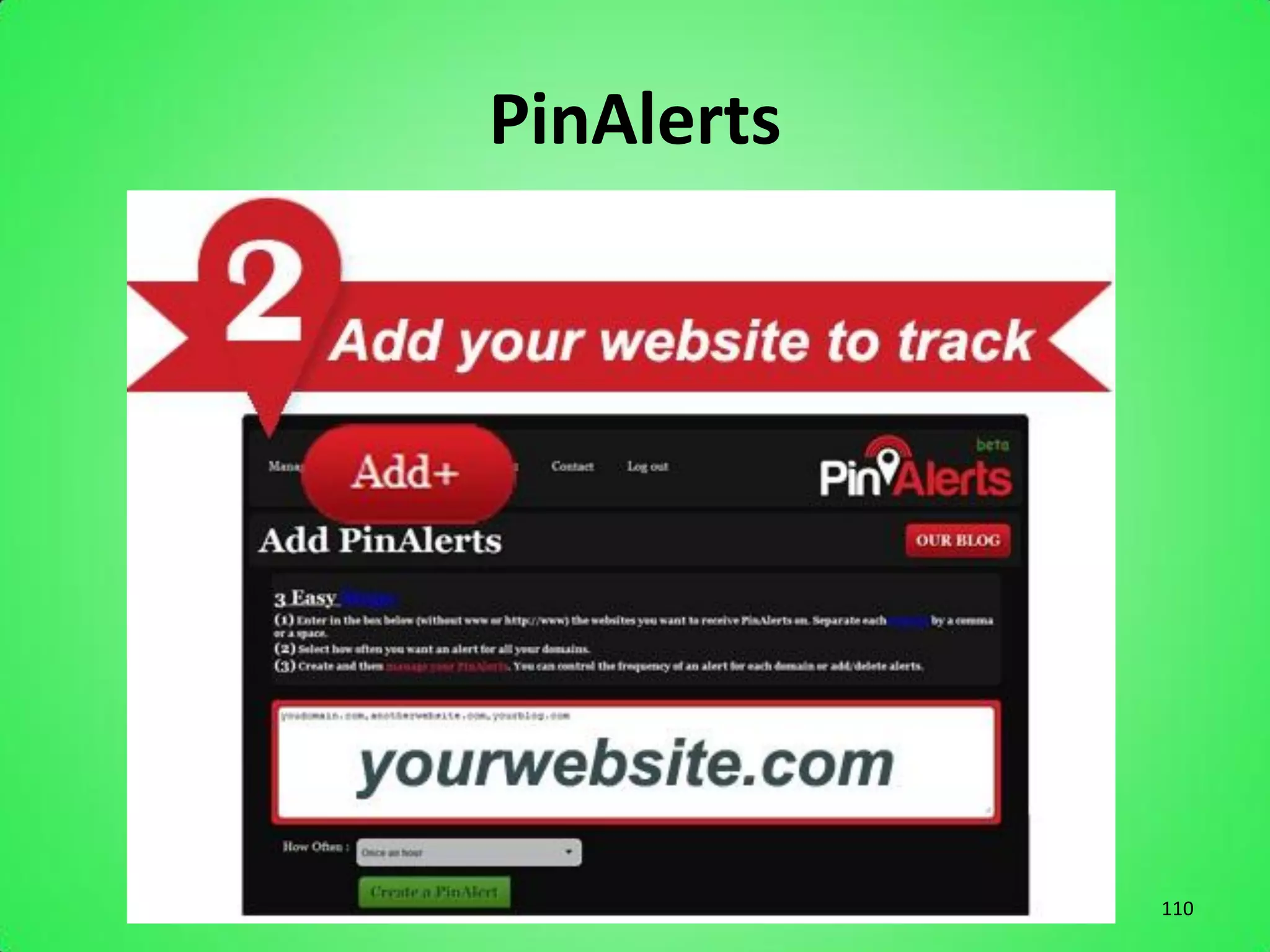
PinAlerts


            108
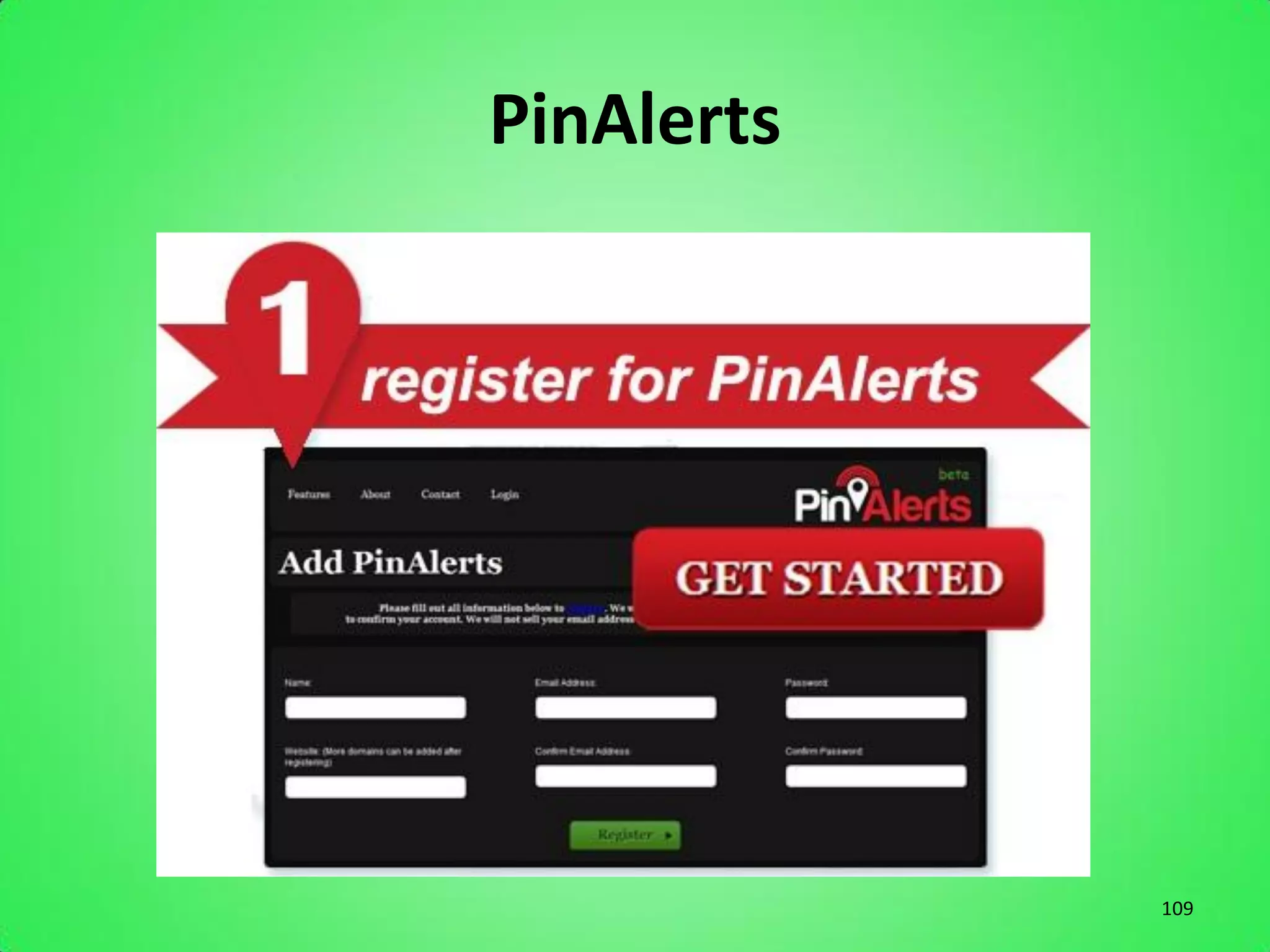
PinAlerts


            109
PinAlerts


            110
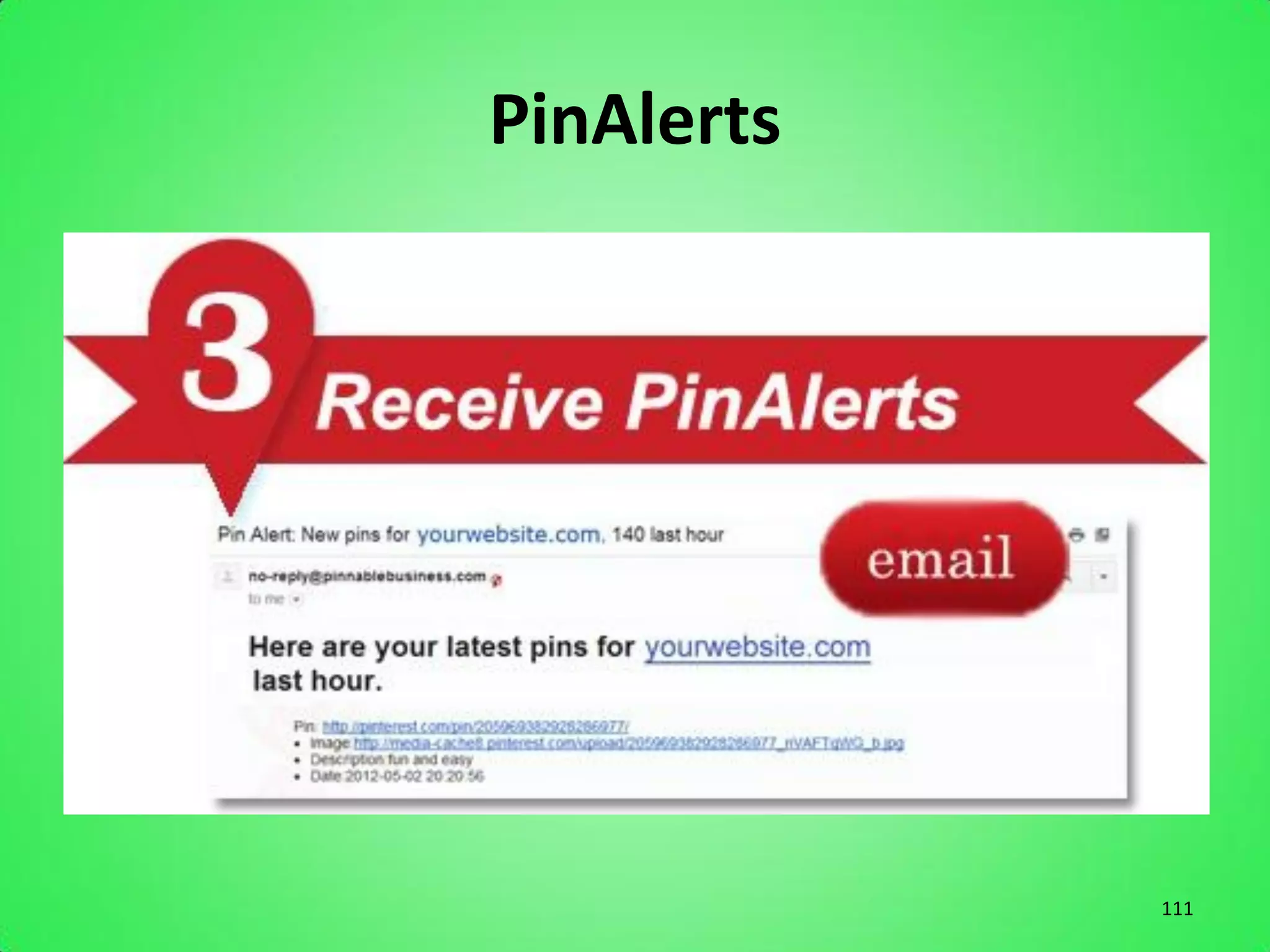
PinAlerts


            111
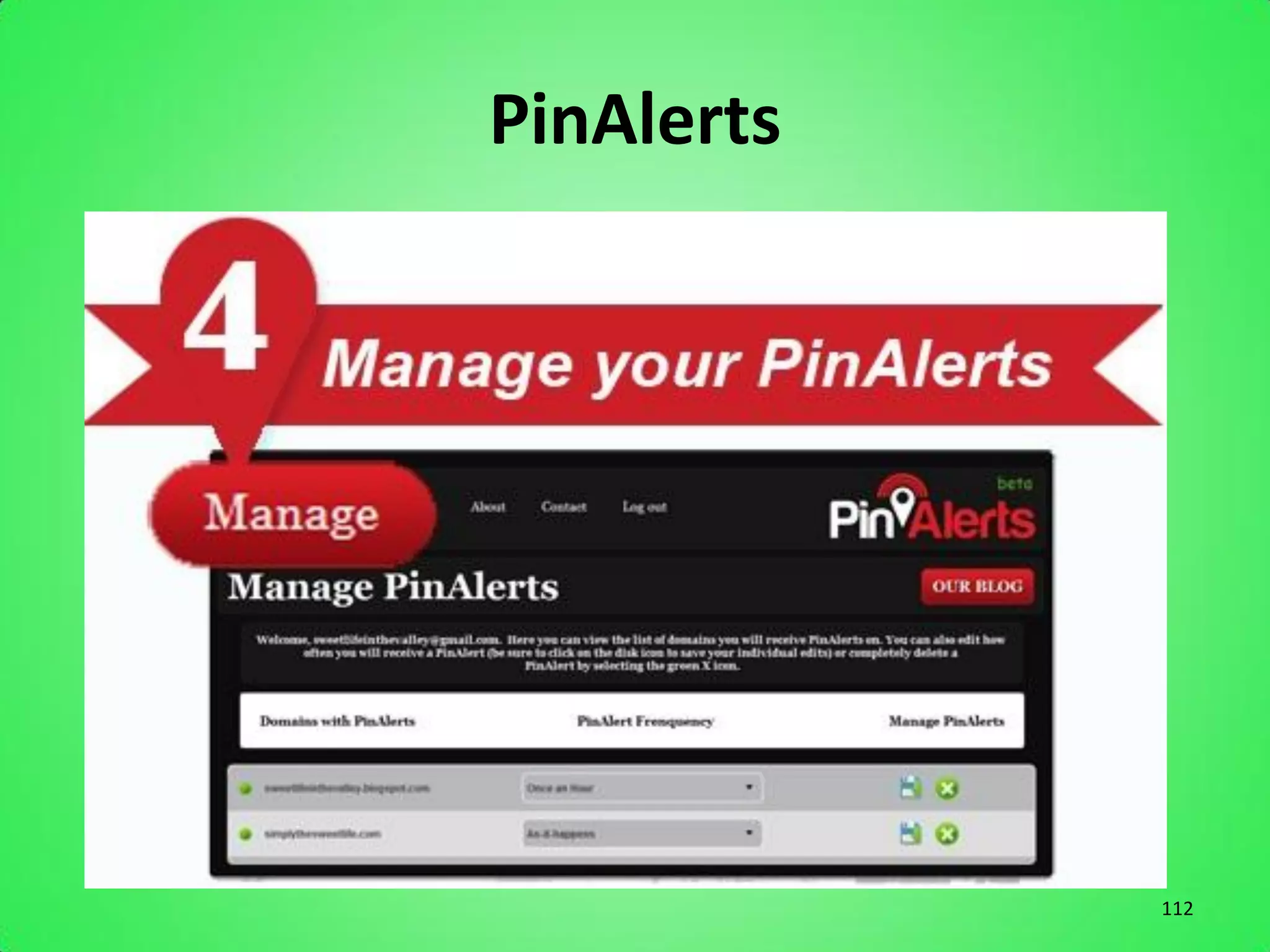
PinAlerts


            112
PinAlerts


            113
Pinterest Monitoring

Website that can help you monitor
  your presence on Pinterest


                                    114
Pin A Quote
• Turns a text quote into something you can pin.
  Great quotes are very share-worthy, so think
  of how your business might use this tool to
  engage other Pinners.


                                              115
SpinPicks
• Finds content across the web that you may
  want to pin. If you’re just getting started on
  Pinterest, you may want to use this tool until
  you get a feel for your own curating style.


                                                   116
Pinterest Pro
• Has a hover and zoom feature, as well as a
  function that lets you “right click to pin” for
  quick pinning. You can even view trending pins
  with a drop-down view from the toolbar.


                                               117
ShotPin
• A screen capture tool that lets you crop
  images, too. So you can put even more of your
  personal flair on each image you grab with a
  little editing.


                                             118
Snapito!
• Another screen capture tool, but this one adds
  the ability to automatically include the full-
  source URL into the description of every pin.
  Responsible pinning is easier with tools that
  help you attribute as you pin.


                                              119
Curalate
• Provides a monitoring, analytics, and brand
  intelligence platform so companies can curate
  community along with great content. This
  company realizes the marketing potential of
  visual curating and can help you get a grip on
  your overall Pinterest strategy.


                                               120
Percolate
• Another curation tool that serves up new
  content in an organized way. Then, its
  dashboard shows you what types of content
  resonate the most with your audience.


                                              121
PinReach
• Can help you monitor trends and measure
  your success with Pinterest. It includes a
  “trending pins” section to keep you abreast of
  the newest and best pins.


                                               122
PinPuff
• Analytics service that lets you know how
  much your Pinterest account is worth and
  gives you scores for reach, activity and virility.
  The platform includes the PinPerks program,
  which lets you earn free stuff for your
  activities on Pinterest.


                                                   123
Resources
• Great eBook on How to use Pinterest for
  Business (from HubSpot):
  http://bit.ly/HS-Pinterest

• www.Pinterest.com/Kinected
  – Apps for TRA


                                            124
Blogging


           125
What is a Blog?
• Comes from the phrase “Web Log”
• A Web site on which an individual or group of
  users record opinions, information, etc. on a
  regular basis.
• For business, blogs are used more commonly
  to show recent work


                                              126
Perks to Blogging
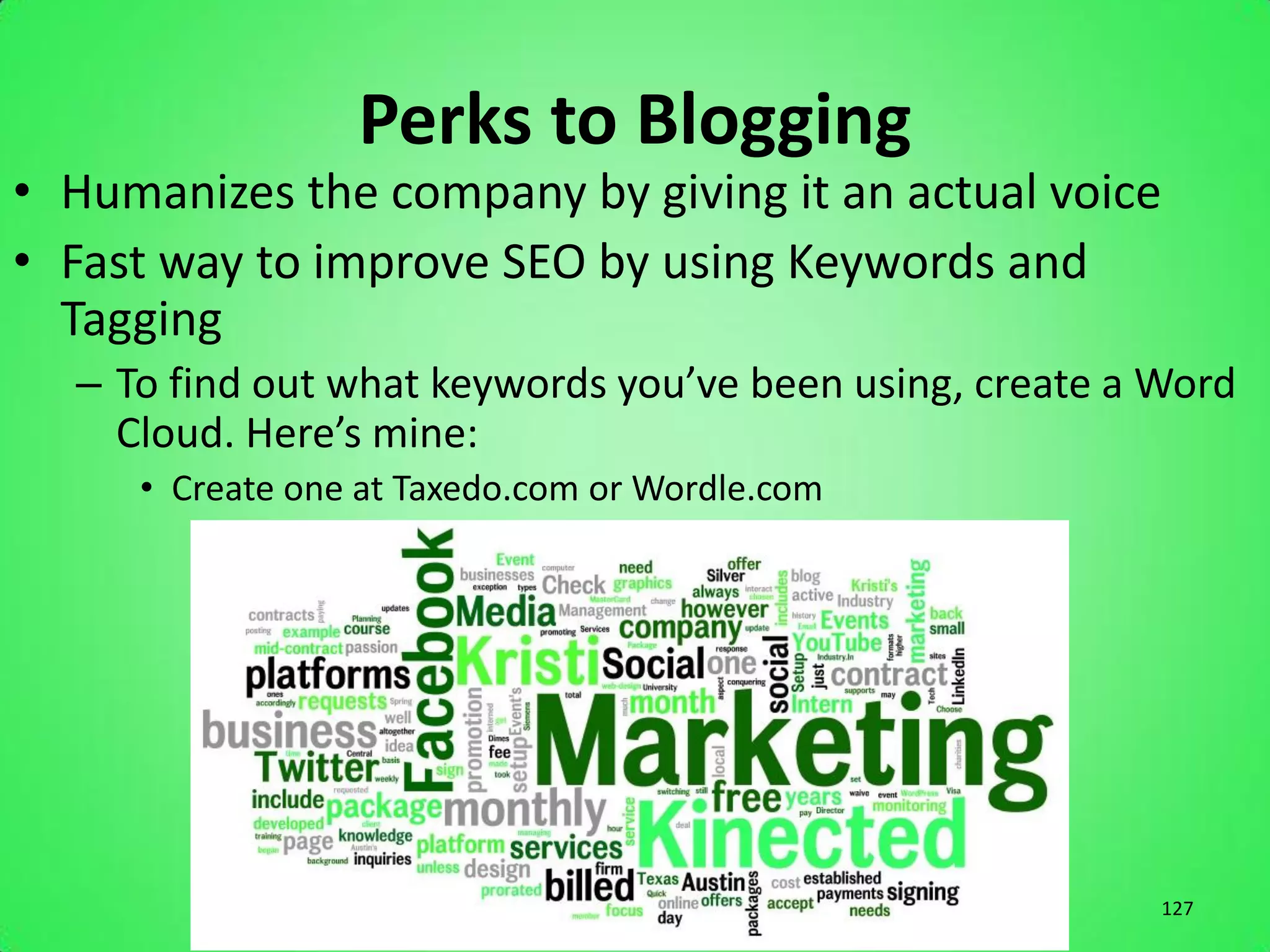
• Humanizes the company by giving it an actual voice
• Fast way to improve SEO by using Keywords and
  Tagging
  – To find out what keywords you’ve been using, create a Word
    Cloud. Here’s mine:
     • Create one at Taxedo.com or Wordle.com


                                                          127
FAQ on Blogging
• How often should you blog?
  – However often you can come up with interesting,
    RELEVANT content for your followers.
• Do I do social media, or put my time into
  developing a good blog? Which is better?
  – It’s not blog OR social media, it’s blog AND social
    media. Work together with cross-promotion.
• How do I know what to Blog about? C
  – Create Value with the following 10 fool proof blogging
    topics:

                                                          128
Blog Topics
1. Create a list (because everyone likes a good list)
2. Tell a personal story that relates to what you do
3. Write about a common question that comes up often in your
    field
4. Reevaluate an earlier blog post and remark on what has
    changed
5. Create a how-to guide, explaining something step-by-step
6. Take a complex issue and break it down into simple terms
7. Review something, like a book, video or another blog post
8. Ask a question through social media and then respond to it
9. Relate a current event or a recent news article to something
    in your field
10. See what competitors are writing about and give your own
    opinion
                                                           129
Email Signatures


                   130
What to Include
•   Name
•   Title
•   Phone Number & Address
•   Company logo/slogan
•   Company Website
•   Links to social pages
    – FB, Twitter, Pinterest, Blog


                                     131
QR Codes

         or
Quick Response Codes


                       132
QR Codes
• http://su.pr/2zkKcS - My Blog
• 2D bar code that is created to be scanned by a
  Smart Phone to take the user to a specific
  page containing information
• Webpage, Phone Call, Text Message, Photo


                                               133
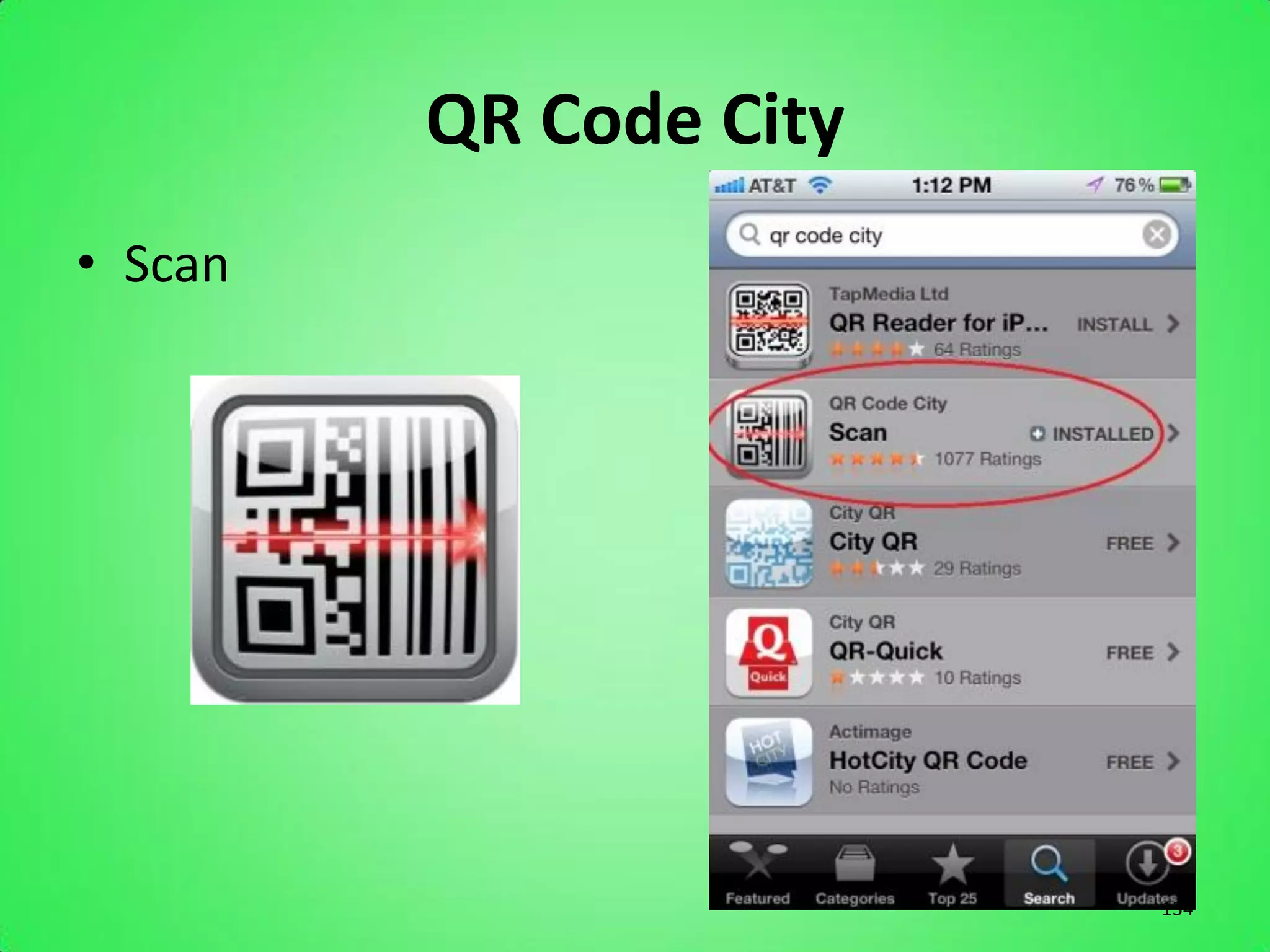
QR Code City
• Scan


                        134
135
Create a FREE QR Code
• http://qrcode.kaywa.com/
• Takes the user to a URL, Website, Phone Call,
  or SMS Text Message


                                                  136
In Conclusion…


                 137

What more can the web do for you?

  • 1.
    What More Canthe Web Do for You? with Kristi Hargis, President Kinected Marketing www.KinectedMarketing.com 1
  • 2.
    Social Media What isit, and why do you need it? 2
  • 3.
  • 4.
    Social Media • Definition: – “Social media uses web-based technologies to transform and broadcast media monologues into social media dialogues.” – “Interactive forms of media that allow users to interact with and publish to each other, generally by means of the Internet” – “Tools that allow the sharing of information and creation of communities through online networks of people.” 4
  • 5.
  • 6.
    Facebook: Facts andFigures • Monthly active users now total nearly 850 million • 250 million photos are uploaded every day • 20% of all page views on the web are on Facebook • 425 million mobile users • 100 billion connections • 2.7 billion “likes” per day • 57% of users are female 6
  • 7.
  • 8.
  • 9.
  • 10.
  • 11.
  • 12.
    Reasons Your BusinessShould Be On Facebook 1. It’s Easy 2. Customers 3. Immediate Feedback 4. Competition 5. Search Engine Optimization 6. Cross-Promotion 7. Facebook Ads Source: Cross Creative Marketing 12
  • 13.
    Custom URL onFB • Choose a Username • Connect it to your Page • http://www.facebook.com/username/ 13
  • 14.
    Custom URL onFB Facebook.com/abc123!%kj98u,m 14
  • 15.
    Custom URL onFB Facebook.com/Kinected Marketing 15
  • 16.
    How to CreateFacebook Ads www.facebook.com/ads/create 16
  • 17.
  • 18.
  • 19.
  • 20.
  • 21.
  • 22.
  • 23.
    Why Facebook Adsare Great 1. Target friends of your connections. 2. Pay per click 3. Because Facebook earns $$$ 23
  • 24.
    Promoted Posts • Definition: “Promoted posts are a simple way to reach more of the people who like your Page and their friends. Visit your Company Page to try promoting a post. Promoted posts are available to Pages with 400 to 100,000 likes.” 24
  • 25.
  • 26.
    Promoted Posts • Updateyour status on your company page, then promote. • http://www.facebook.com/help/promote/ 26
  • 27.
  • 28.
  • 29.
  • 30.
    Goals of FBMarketing • Gain client base • Provide relevant information and pertinent information to customers • Promote business • Provide visual and content relative to what your customers are looking for 30
  • 31.
  • 32.
    Twitter: Facts andFigures • There are over 465 million accounts • 175 million tweets a day • 1 million accounts are added to Twitter every day • Top 3 countries on Twitter are USA at 107 million, Brazil 33 million and Japan at nearly 30 million 32
  • 33.
  • 34.
  • 35.
  • 36.
  • 37.
  • 38.
    Reasons Your BusinessShould Be On Twitter 1. Connecting with customers 2. Branding 3. Customers feedback 4. Marketing 5. News 6. Give away coupon codes and promotions 7. Twitter is Viral 8. Spying on competition 9. Increase Sales 10. Brand loyalty Source: Ask Aaron Lee 38
  • 39.
    How to Tweet •A Tweet is an announcement, status update, or any post made on Twitter. • To tweet, create an account, login, and click here: 39
  • 40.
    Tweet Advice 1. Createa good, relevant Username – No more than 15 characters – As close to @YourCompany as possible 2. Create a Human Face for your business – Kristi_Kinected – Currently tweeted by Kristi Hargis 3. Establish your specialty – Create a larger than life persona – Imagine your brand as the expert in the field 40
  • 41.
    Tweet Advice 4. Postfrequently – Keep it brief; don’t overthink it – Tweet daily. Your Twitter “feed” needs nourishing! – Link to articles 5. Use keywords for your industry – Wedding, Rental, Party, Event, Company 6. Use “trending” hashtags (#) and promote your own – #Wedding, #TRA2012, #EventRental, #iLoveParties 41
  • 42.
    Tweet Advice 7. Followand Follow Back – Don’t just post, you have to engage! – Search for people in your industry and follow them – Comment, reply, message, interact! 8. Recognize your followers – Look into people who follow you, even for 1 second – Promote them, thanking them for the follow 9. Promote – Put the Twitter icon prominently on your website – Use in your email signature 42
  • 43.
    Tweet Advice 10.Retweet 11.Ask forretweets – “RT if you’re planning a #Wedding!” 43
  • 44.
    Goals of TwitterMarketing • Share Real Time Updates • Create Brand Awareness • Monitor Brand (what people are saying) • Photo Sharing • Get info fast (no reading past 140 characters) 44
  • 45.
    Tips to TweetingEffectively Create Lists • Increases your chances of being followed by TARGETED followers…not only quantity, but quality • Name of lists can bump up SEO • Organizes Twitter followers • Easy to find new people with similar interests 45
  • 46.
    How to Createa List 46
  • 47.
    How to Createa List 47
  • 48.
    How to Createa List 48
  • 49.
    How to AddPeople to List 49
  • 50.
    How to AddPeople to List 50
  • 51.
    How to AddPeople to List 51
  • 52.
    How to AddPeople to List 52
  • 53.
    How to AddPeople to List 53
  • 54.
    How to AddPeople to List 54
  • 55.
    Tips to TweetingEffectively Use Hashtags • Organize your tweets • Help target your audience • Get you more retweets • Hashtags can get you more followers 55
  • 56.
    The Life ofa Hashtag: #iLoveWeddings 56
  • 57.
    The Life ofa Hashtag: #iLoveWeddings 57
  • 58.
    The Life ofa Hashtag: #iLoveWeddings 58
  • 59.
    The Life ofa Hashtag: #iLoveWeddings 59
  • 60.
    The Life ofa Hashtag: #iLoveWeddings 60
  • 61.
    YES! • Register yourTwitter account details to the following Twitter directories: – http://wefollow.com – http://listorious.com/ – http://twittercounter.com/ – http://twitterholic.com/ – http://justtweetit.com/ – http://twellow.com/ – http://twibs.com/ – http://www.ibegin.com/twitter/ – http://www.TweetFind.com – http://connect.me/ (BETA) 61
  • 62.
    Twitter Sites • www.ManageFlitter.com – Manage Twitter Followers • www.SocialOomph.com – Schedule Tweets, and set recurring tweets for if and when you and/or Marketing person is on vacation. No interruption in content. 62
  • 63.
    Follow Me: @KinectedTweets or www.Twitter.com/KinectedTweets 63
  • 64.
  • 65.
    LinkedIn: Facts andFigures • 2 new members join every second • USA leads at 57 million, Europe: 34 million members • In 2011 there were 4.2 billion professionally oriented searches on the LinkedIn platform • LinkedIn now has over 2,116 employees (at the beginning of 2010 it had only 500) • The fastest growing demographics are students and recent college graduates • Revenues for 2011 reached $522 million • LinkedIn is the 36th most visited website in the world 65
  • 66.
  • 67.
  • 68.
  • 69.
  • 70.
  • 71.
  • 72.
    Reasons Your BusinessShould Be On LinkedIn 1. Build your professional network 2. Unique page versions 3. 50% of LinkedIn users are key decision makers in the company 4. 150 million LinkedIn users 5. Value alignment 6. Focused targeting Source: Shareocity 72
  • 73.
    Tips to agreat LinkedIn page • Join relevant groups in your niche • Use SEO keywords relevant to your niche in your summary. • While you should be professional, also be friendly, fun, personable, and social. • Participate in discussion boards. Invite others to one you’ve created. • Don’t forget to make your profile public. 73
  • 74.
  • 75.
    Pinterest Facts andFigures • December of 2011 Pinterest became one of the top 10 largest social networks with 11 million visits per week • In January it was driving more referral traffic to retailers than LinkedIn, YouTube and Google+. – COMBINED • Over 10.4 million registered users • Nearly 12 million monthly unique visitors • Most of the sites users are female • It is the fastest site in history to break through the 10 million unique visitor mark 75
  • 76.
  • 77.
  • 78.
  • 79.
  • 80.
    Add Board toPinterest 80
  • 81.
    Add Board toPinterest 81
  • 82.
    Add Board toPinterest 82
  • 83.
    Add Board toPinterest 83
  • 84.
    Add Board toPinterest 84
  • 85.
  • 86.
  • 87.
  • 88.
  • 89.
  • 90.
  • 91.
  • 92.
    Infographics • Visual.ly • Createcustom Infographics based on your twitter stats • Here’s one of me, analyzed from my Twitter feed 92
  • 93.
  • 94.
  • 95.
  • 96.
    Creative Business: GuessJeans • Create a board around one of the 4 spring colors from the GUESS spring collection of colored jeans. The colors were not just teal, orange, red and purple but: “Noir Teal,” “Hot House Orange,” “Red Hot Overdue” and “New Plum Light.” • Promoted the contest on their website, FB & Twitter • Each pin must include the hashtag #GUESScolor and link their board to the GUESS “Color Me Inspired” contest board. • They selected 4 winners who got a pair of jeans free. 96
  • 97.
    Create A Contest •Create a contest by asking pinners to create a board on their own account of photos of your rentals in action, and have them share the board with you. Consider offering a promotion to the “best user photo of an event we provided rentals for” and choose a winner in 1 month or so. • Promote on all sites: FB, Twitter, Blog, Website 97
  • 98.
  • 99.
  • 100.
  • 101.
  • 102.
    New Management Tool •Pinvolve • www.Pinvolve.CO • http://www.facebook.com/KinectedMarketing 102
  • 103.
  • 104.
  • 105.
    Additional Pinterest Tips •Add the “Pin It” button to your blog • Add the “Pin It” button to specific products • Descriptions on Pins should be about 200 characters long and contain keywords and a weblink • Believe it or not, photos of FOOD top the list of repinned items • Size Matters. Both pixels and height. • Pin a screenshot of your website to a board and link it to your homepage (preview) 105
  • 106.
    Additional Pinterest Tips •Name boards specifically. Assists with SEO and searching on Pinterest • Pinterest serves as a review site as well. Track brand and see what the buzz is about. • Pin something funny: 106
  • 107.
    Pinterest Tips forEvents • Pin YouTube videos on board called “Tutorials” or “Instructions” and type the step-by-step instructions under to make it taller (Chair Ties, Napkin Folding, Set a Table properly, etc…) • Show people how they can use rentals in a new way. Show them in a new light • Pin photos of employees doing daily tasks that would be considered “behind the scenes”. Not only does it give a personal touch and faces to your company, but it may give them that extra little insight into what goes into the rental process. 107
  • 108.
  • 109.
  • 110.
  • 111.
  • 112.
  • 113.
  • 114.
    Pinterest Monitoring Website thatcan help you monitor your presence on Pinterest 114
  • 115.
    Pin A Quote •Turns a text quote into something you can pin. Great quotes are very share-worthy, so think of how your business might use this tool to engage other Pinners. 115
  • 116.
    SpinPicks • Finds contentacross the web that you may want to pin. If you’re just getting started on Pinterest, you may want to use this tool until you get a feel for your own curating style. 116
  • 117.
    Pinterest Pro • Hasa hover and zoom feature, as well as a function that lets you “right click to pin” for quick pinning. You can even view trending pins with a drop-down view from the toolbar. 117
  • 118.
    ShotPin • A screencapture tool that lets you crop images, too. So you can put even more of your personal flair on each image you grab with a little editing. 118
  • 119.
    Snapito! • Another screencapture tool, but this one adds the ability to automatically include the full- source URL into the description of every pin. Responsible pinning is easier with tools that help you attribute as you pin. 119
  • 120.
    Curalate • Provides amonitoring, analytics, and brand intelligence platform so companies can curate community along with great content. This company realizes the marketing potential of visual curating and can help you get a grip on your overall Pinterest strategy. 120
  • 121.
    Percolate • Another curationtool that serves up new content in an organized way. Then, its dashboard shows you what types of content resonate the most with your audience. 121
  • 122.
    PinReach • Can helpyou monitor trends and measure your success with Pinterest. It includes a “trending pins” section to keep you abreast of the newest and best pins. 122
  • 123.
    PinPuff • Analytics servicethat lets you know how much your Pinterest account is worth and gives you scores for reach, activity and virility. The platform includes the PinPerks program, which lets you earn free stuff for your activities on Pinterest. 123
  • 124.
    Resources • Great eBookon How to use Pinterest for Business (from HubSpot): http://bit.ly/HS-Pinterest • www.Pinterest.com/Kinected – Apps for TRA 124
  • 125.
  • 126.
    What is aBlog? • Comes from the phrase “Web Log” • A Web site on which an individual or group of users record opinions, information, etc. on a regular basis. • For business, blogs are used more commonly to show recent work 126
  • 127.
    Perks to Blogging •Humanizes the company by giving it an actual voice • Fast way to improve SEO by using Keywords and Tagging – To find out what keywords you’ve been using, create a Word Cloud. Here’s mine: • Create one at Taxedo.com or Wordle.com 127
  • 128.
    FAQ on Blogging •How often should you blog? – However often you can come up with interesting, RELEVANT content for your followers. • Do I do social media, or put my time into developing a good blog? Which is better? – It’s not blog OR social media, it’s blog AND social media. Work together with cross-promotion. • How do I know what to Blog about? C – Create Value with the following 10 fool proof blogging topics: 128
  • 129.
    Blog Topics 1. Createa list (because everyone likes a good list) 2. Tell a personal story that relates to what you do 3. Write about a common question that comes up often in your field 4. Reevaluate an earlier blog post and remark on what has changed 5. Create a how-to guide, explaining something step-by-step 6. Take a complex issue and break it down into simple terms 7. Review something, like a book, video or another blog post 8. Ask a question through social media and then respond to it 9. Relate a current event or a recent news article to something in your field 10. See what competitors are writing about and give your own opinion 129
  • 130.
  • 131.
    What to Include • Name • Title • Phone Number & Address • Company logo/slogan • Company Website • Links to social pages – FB, Twitter, Pinterest, Blog 131
  • 132.
    QR Codes or Quick Response Codes 132
  • 133.
    QR Codes • http://su.pr/2zkKcS- My Blog • 2D bar code that is created to be scanned by a Smart Phone to take the user to a specific page containing information • Webpage, Phone Call, Text Message, Photo 133
  • 134.
  • 135.
  • 136.
    Create a FREEQR Code • http://qrcode.kaywa.com/ • Takes the user to a URL, Website, Phone Call, or SMS Text Message 136
  • 137.