



Virtual beacons
@Lime_CompanyLime
at Lime Connect for Places
Contents
• Virtual vs. physical beacons
• How do virtual beacons work?
• Virtual beacons at Lime Connect
• Use-cases for virtual beacons
Virtual vs. physical
beacons
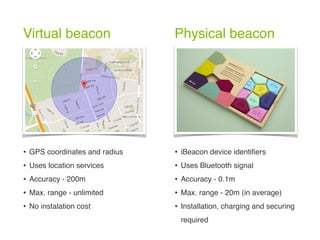
Virtual beacon Physical beacon
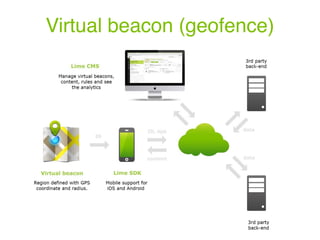
• GPS coordinates and radius
• Uses location services
• Accuracy - 200m
• Max. range - unlimited
• No instalation cost
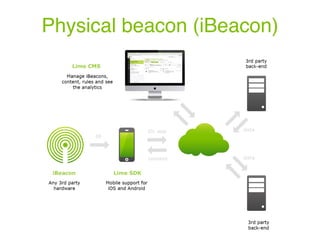
• iBeacon device identifiers
• Uses Bluetooth signal
• Accuracy - 0.1m
• Max. range - 20m (in average)
• Installation, charging and securing
required
How do virtual

beacons work?
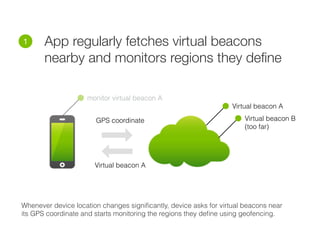
• App regularly fetches virtual beacons
nearby and monitors regions they define
1
Virtual beacon A
Virtual beacon B
(too far)
Whenever device location changes significantly, device asks for virtual beacons near
its GPS coordinate and starts monitoring the regions they define using geofencing.
GPS coordinate
Virtual beacon A
monitor virtual beacon A
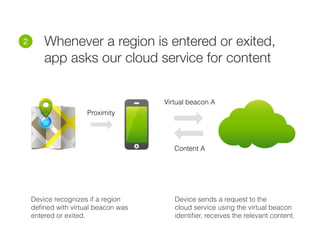
• Whenever a region is entered or exited,
app asks our cloud service for content
2
Device recognizes if a region
defined with virtual beacon was
entered or exited.
Device sends a request to the
cloud service using the virtual beacon
identifier, receives the relevant content.
Proximity
Virtual beacon A
Content A
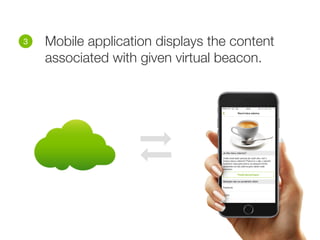
• Mobile application displays the content
associated with given virtual beacon.
3
Virtual beacons

at Lime Connect
Virtual beacon support
• Definition and overview of virtual beacons
• Create content rules and campaigns
• Detailed analytics for virtual beacons
Physical beacon (iBeacon)
Virtual beacon (geofence)
Use-cases for

virtual beacons
Use virtual beacons …
• When covering large regions (>200m)
• Where physical beacons can’t be installed
• To extend coverage of physical beacons
• As a budget friendly place tagging
Examples …
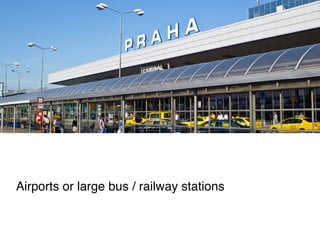
Airports or large bus / railway stations
Covering country borders, regions or whole cities
Shopping malls and shopping galleries
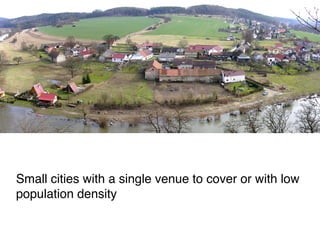
Small cities with a single venue to cover or with low
population density
Contact us

hello@lime-company.eu
Do you have questions?

What are "virtual beacons"?