Library Homepage
Updates
Shanae Ullman
UX Strategist
University Library
Agenda
 UX Principles for project
 Review References
 Share ideas about Library Navigation Styles
 Q&A
UX Principles for Project
What?
Increase Discoverability for Students + Faculty + Staff
 Navigation for Library specific pages in header and footer.
 Increase catalog search opportunities.
 Multiple paths to access links.
 Bring visibility to important links with visual interest. (Ex. hours,
location, schedule reference appointment)
 Contextual help for the new student, faculty, staff member.
Discoverability
What?
Increase Self-Service for Students + Faculty + Staff
 Intuitive ways to request reference support.
 Intuitive ways to request course materials for purchase.
(Faculty/Staff)
 Intuitive search of the library catalogs.
 Contextual help.
 Good defaults.
 Do no harm. Do not remove any functionality.
Self-Service
What?
IndustryWeb Standards
• ConsultApple Guidelines.
• Consult Google Material Design.
• Full width layout.
• Responsive, mobile friendly.
• Familiar and consistent interaction design patterns to reduce
cognitive load.
• Taxonomy - Familiar, colloquial language.
Industry Web Standards
Ease of Use
• Consolidate actions.
• Reveal details on demand.
• Good defaults.
• Navigation with <8 items.
• Search field default text.
• Contextual help.
• Collect feedback about the website.
Ease of Use
References
Why?
Competitor Analysis
 Private colleges/universities
 Library website
 Total Enrollment 10,000 – 20,000
References
Why?
Summary of Findings
• Unique navigation specific to Library
• Cross-reference links in multiple locations in header navigation
• Icon or text link to main university website.
• Give to Library button in footer.
• Information architecture focuses on students, faculty, staff who
need to find resources and help.
• Use of familiar and colloquial terms in navigation.
• Mega footer used in addition to primary header navigation.
• Quick links in body of page
• Common navigation terms for library websites.
• Common placement of UI elements in library websites.
• Full report: Click here
References
Saint LouisUniversity
http://lib.slu.edu/
Private Institution
2017Total Enrollment 12,280
St. Louis, MO
Saint Louis
University
Features
 Library navigation in header and footer.
 Hover on main-navigation to reveal sub-navigation.
 Uses an icon indicator for sub-menu.
 Services – specifies by student type (high school!), faculty, staff
 Does not use main SLU navigation.
 Text link to SLU Home.
 Uses LibGuides.
http://lib.slu.edu/
WebsterUniversity
http://library.webster.edu/
Private Institution
2017Total Enrollment 14,053
Webster Groves, MO
Webster
University
Features
• Mega menu.
• Hover on main-navigation to reveal sub-navigation.
• Does not use an icon indicator for sub-menu.
• Services – separates information for faculty, alumni, international
• Does not use mainWU navigation.
• Text link toWU Home.
• Bootstrap website.
• Uses LibGuides.
http://library.webster.edu/
LoyolaUniversity
Chicago
http://libraries.luc.edu/
Private Institution
2017Total Enrollment 16,422
Chicago, IL
Loyola
University
Chicago
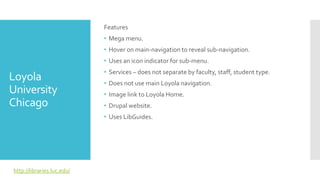
Features
• Mega menu.
• Hover on main-navigation to reveal sub-navigation.
• Uses an icon indicator for sub-menu.
• Services – does not separate by faculty, staff, student type.
• Does not use main Loyola navigation.
• Image link to Loyola Home.
• Drupal website.
• Uses LibGuides.
http://libraries.luc.edu/
BostonCollege
https://library.bc.edu/
Private Institution
2017Total Enrollment 13,851
Chestnut Hill, MA
BostonCollege
Features
• Mega menu.
• Click on main-navigation to reveal sub-navigation.
• Does not use icon indicator for sub-menu.
• Services – separates by faculty, staff, student type.
• Does not use main BC navigation.
• Text link to BU Home.
• Continuous scroll.
• Bootstrap website.
• Uses LibGuides.
https://library.bc.edu/
Proposal:
Library Navigation Styles
Proposal
Proposal for LibraryWebsite
 Unique and specific Library Navigation in header.
 Sticky header follows with scroll.
 Give to Library button in footer.
 Mega footer used in addition to primary header navigation.
 Layout for body of page that includes updated images and text.
 Update content on library pages.
Library navigation
within hero image
Footer - Library
navigation, contact,
social media, giving
Library navigation
below hero image
Footer - Library
navigation, contact,
social media, giving
Footer - Library
navigation, contact,
social media, giving
Library navigation
vertical, to the left, of
hero image
Questions?
Appendix
Proposal:
Library Site Map
Full screen: http://127.0.0.1:32767/start.html#p=site_map&g=1&c=1
Timeline
• Phase 1 – Homepage update
• Phase 2 – Update subpages
Resources
• UX Research and Requirements – Shanae (Library UX)
• UX DesignWireframes and Iterations – Shanae (Library UX)
• Feedback – Library and MarketingTeams
• UXTesting – Shanae (Library UX)
• Update content – MarketingTeam
• Front End Development – MarketingTeam
• Back End Development and QualityTesting – MarketingTeam
• LibraryWebsiteText/Image Maintenance – Shanae (Library UX)
Links
Competitor Analysis
 Navigation Benchmarks
 Enrollment numbers from US News Education Report

Website Redesign Proposal

Editor's Notes

  • #38 -horizontal nav -vertical nav -with MU header/footer -w/o MU header/footer