
Copyright 2016 Severalnines AB
1
Your host & some logistics
I'm Jean-Jérôme from the Severalnines Team
and I'm your host for today's webinar!
Feel free to ask any questions in the Questions
section of this application or via the Chat box.
You can also contact me directly via the chat
box or via email: jj@severalnines.com during
or after the webinar.
Copyright 2016 Severalnines AB
2
About Severalnines and ClusterControl
Copyright 2016 Severalnines AB
3
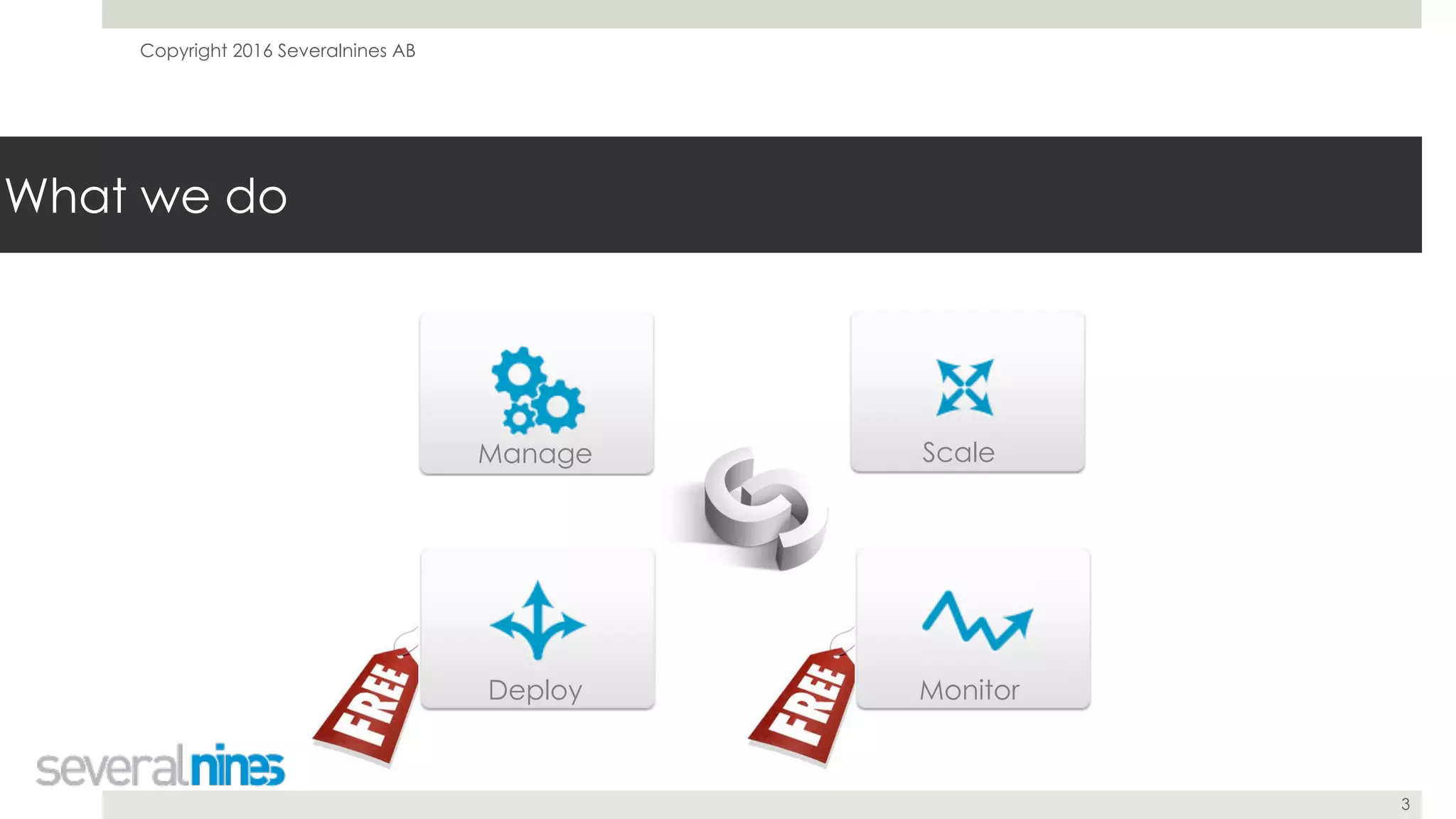
What we do
Manage Scale
MonitorDeploy
Copyright 2016 Severalnines AB
4
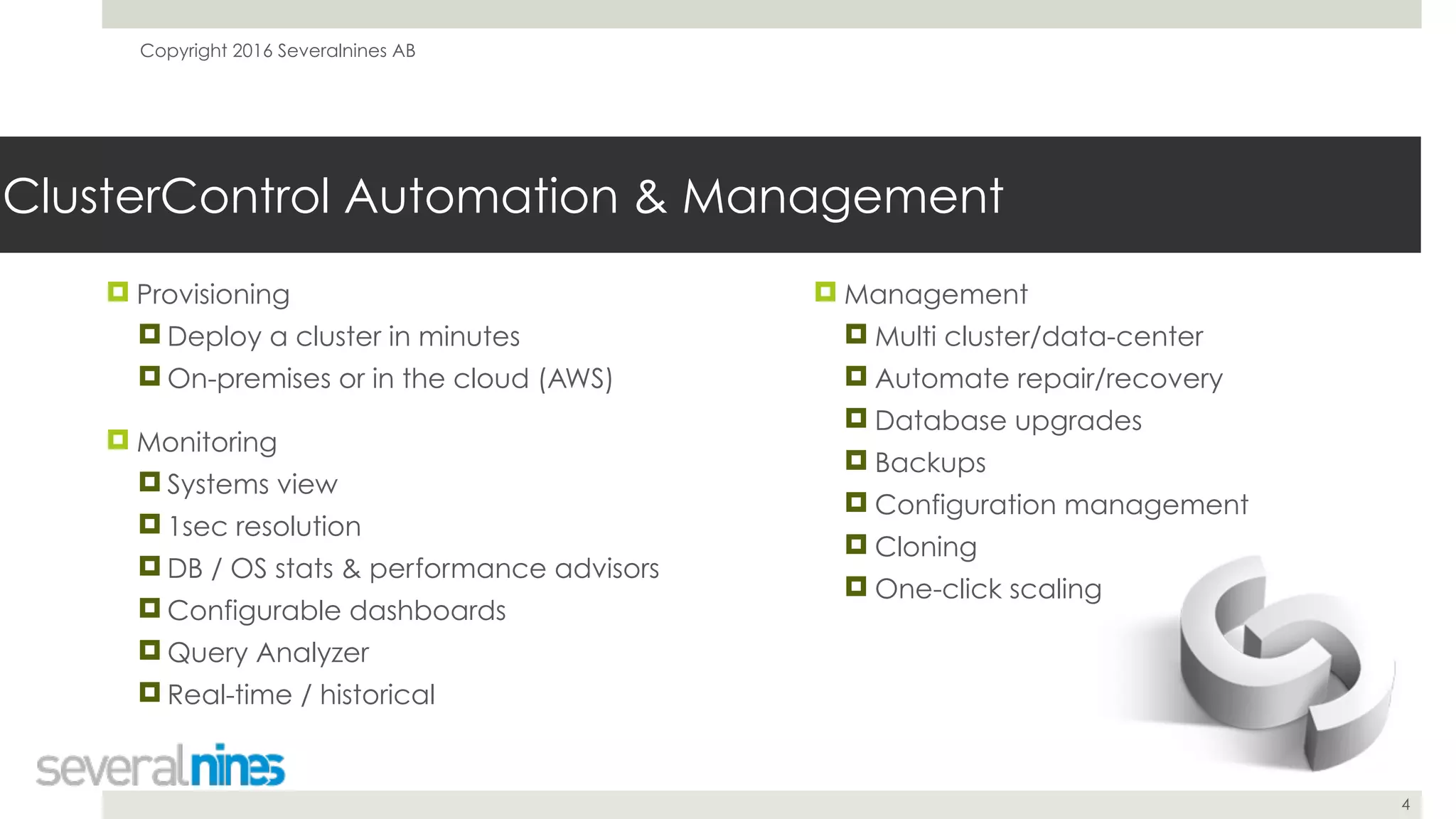
ClusterControl Automation & Management
! Provisioning
! Deploy a cluster in minutes
! On-premises or in the cloud (AWS)
! Monitoring
! Systems view
! 1sec resolution
! DB / OS stats & performance advisors
! Configurable dashboards
! Query Analyzer
! Real-time / historical
! Management
! Multi cluster/data-center
! Automate repair/recovery
! Database upgrades
! Backups
! Configuration management
! Cloning
! One-click scaling
Copyright 2016 Severalnines AB
5
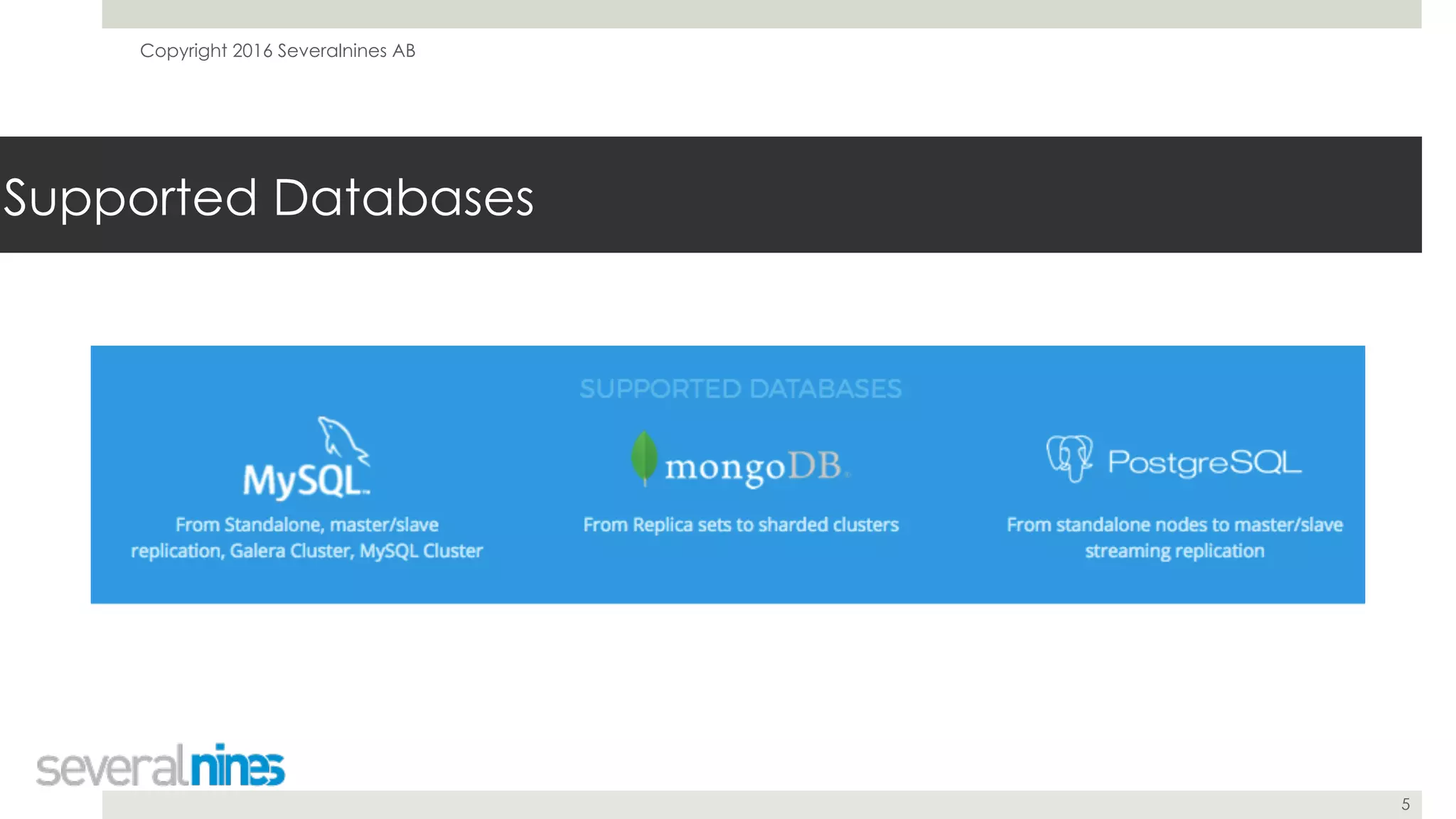
Supported Databases
Copyright 2016 Severalnines AB
6
Customers
Copyright 2016 Severalnines AB
9 DevOps Tips for Going in Production with MySQL Replication
December 6, 2016
Krzysztof Książek
Severalnines
krzysztof@severalnines.com
7
Copyright 2016 Severalnines AB
8
Agenda
! 1. Sanity checks before migrating into
MySQL replication setup
! 2. Operating system configuration
! 3. Replication
! 4. Backup
! 5. Provisioning
! 6. Performance
! 7. Schema changes
! 8. Reporting
! 9. Disaster recovery
Copyright 2016 Severalnines AB
9
1. Sanity checks before migrating into MySQL replication
setup
Copyright 2016 Severalnines AB
10
! Use InnoDB - MyISAM will break data consistency
when query gets killed on the master
! Killed query won’t be replicated but some changes
have been already implemented on the master -
no rollback support
! Primary keys - define them on every table
! Not only speeds up operations on InnoDB table, but
it is also requirement for pt-online-schema-change
! When in doubt - use auto incremented, unsigned
integer
1. Sanity checks before migrating into MySQL replication setup
! Embrace lag as an inevitable element of
working with MySQL replication
! Be aware of your app requirements - what
is an acceptable replication lag for you?
! Understand your write patterns to know when
lag will strike - Batch loads?
! Understand your read patterns - heavy, OLAP
reads may remove data from buffer pool
causing slowdown and lag
Copyright 2016 Severalnines AB
11
1. Sanity checks before migrating into MySQL replication setup
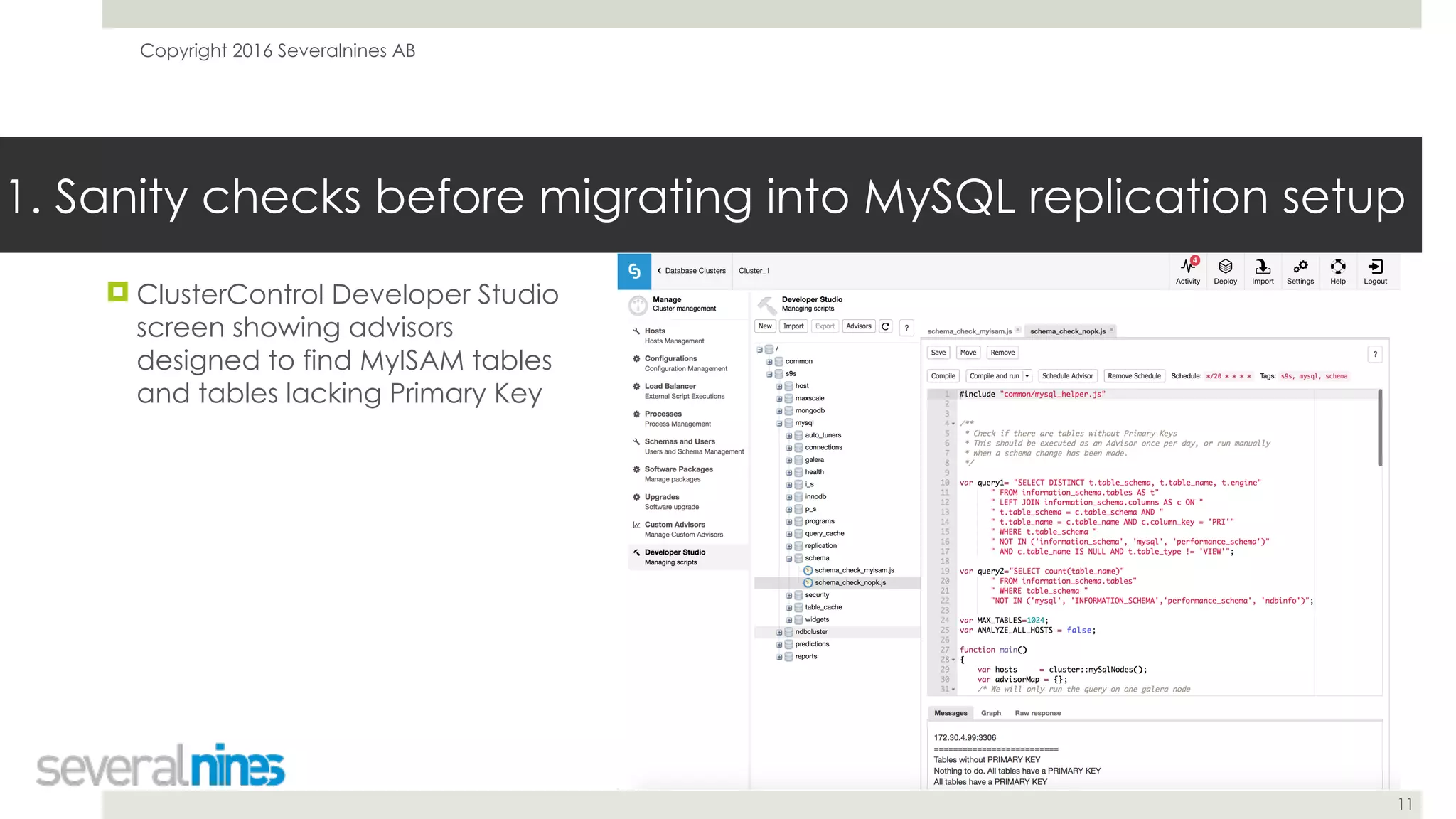
! ClusterControl Developer Studio
screen showing advisors
designed to find MyISAM tables
and tables lacking Primary Key
Copyright 2016 Severalnines AB
12
2. Operating system configuration
Copyright 2016 Severalnines AB
13
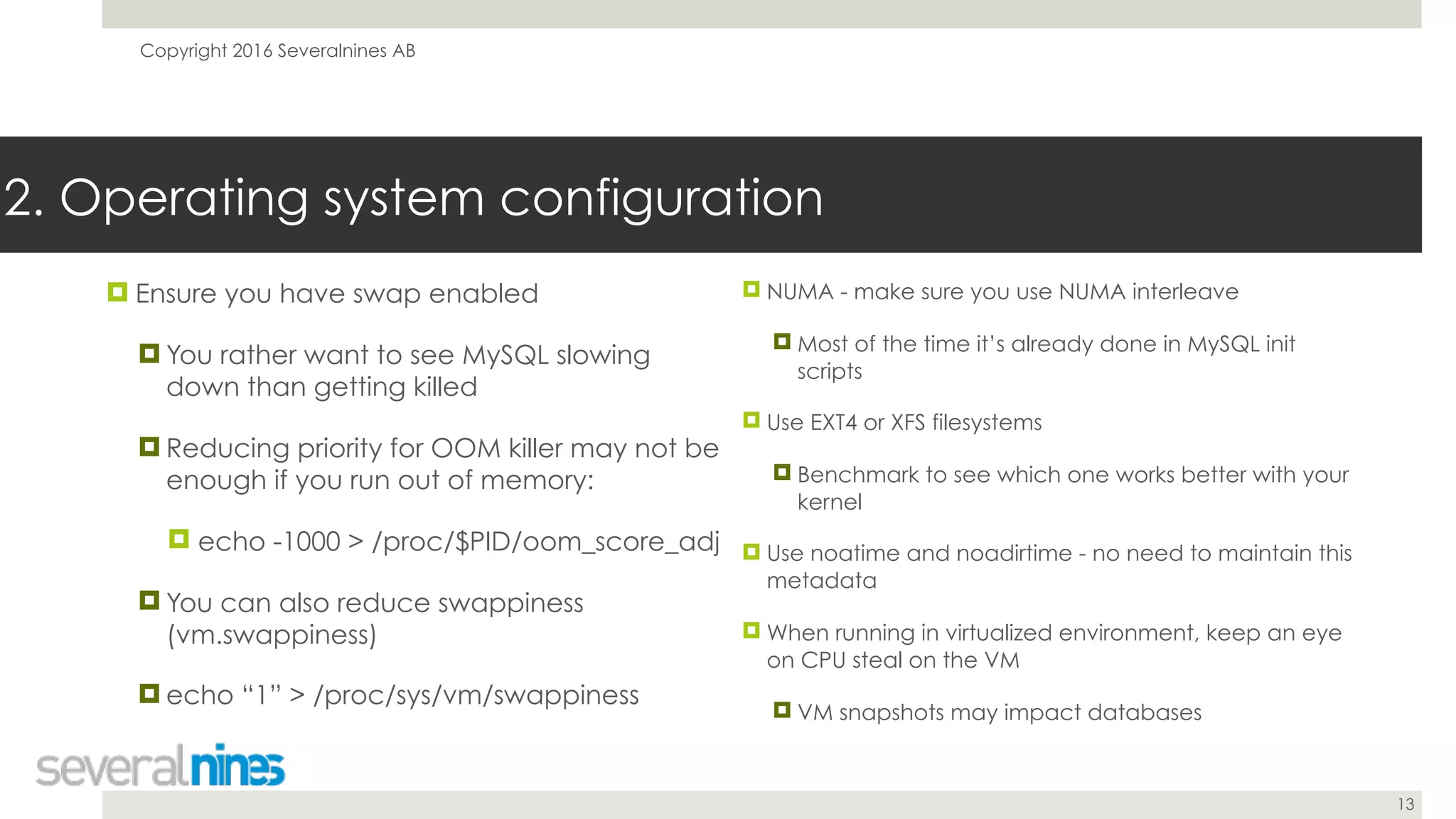
2. Operating system configuration
! Ensure you have swap enabled
! You rather want to see MySQL slowing
down than getting killed
! Reducing priority for OOM killer may not be
enough if you run out of memory:
! echo -1000 > /proc/$PID/oom_score_adj
! You can also reduce swappiness
(vm.swappiness)
! echo “1” > /proc/sys/vm/swappiness
! NUMA - make sure you use NUMA interleave
! Most of the time it’s already done in MySQL init
scripts
! Use EXT4 or XFS filesystems
! Benchmark to see which one works better with your
kernel
! Use noatime and noadirtime - no need to maintain this
metadata
! When running in virtualized environment, keep an eye
on CPU steal on the VM
! VM snapshots may impact databases
Copyright 2016 Severalnines AB
14
3. Replication
Copyright 2016 Severalnines AB
15
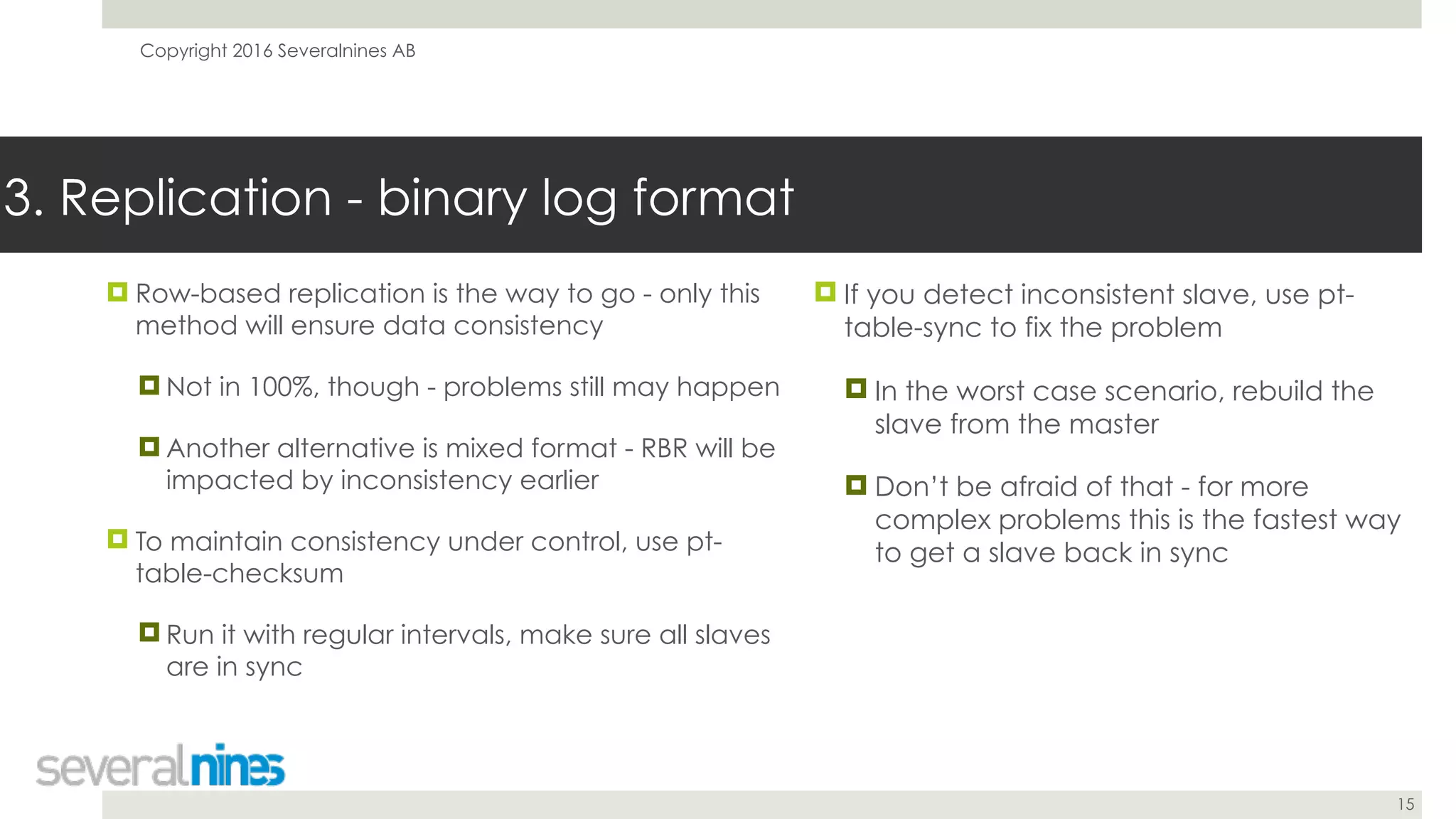
! Row-based replication is the way to go - only this
method will ensure data consistency
! Not in 100%, though - problems still may happen
! Another alternative is mixed format - RBR will be
impacted by inconsistency earlier
! To maintain consistency under control, use pt-
table-checksum
! Run it with regular intervals, make sure all slaves
are in sync
3. Replication - binary log format
! If you detect inconsistent slave, use pt-
table-sync to fix the problem
! In the worst case scenario, rebuild the
slave from the master
! Don’t be afraid of that - for more
complex problems this is the fastest way
to get a slave back in sync
Copyright 2016 Severalnines AB
16
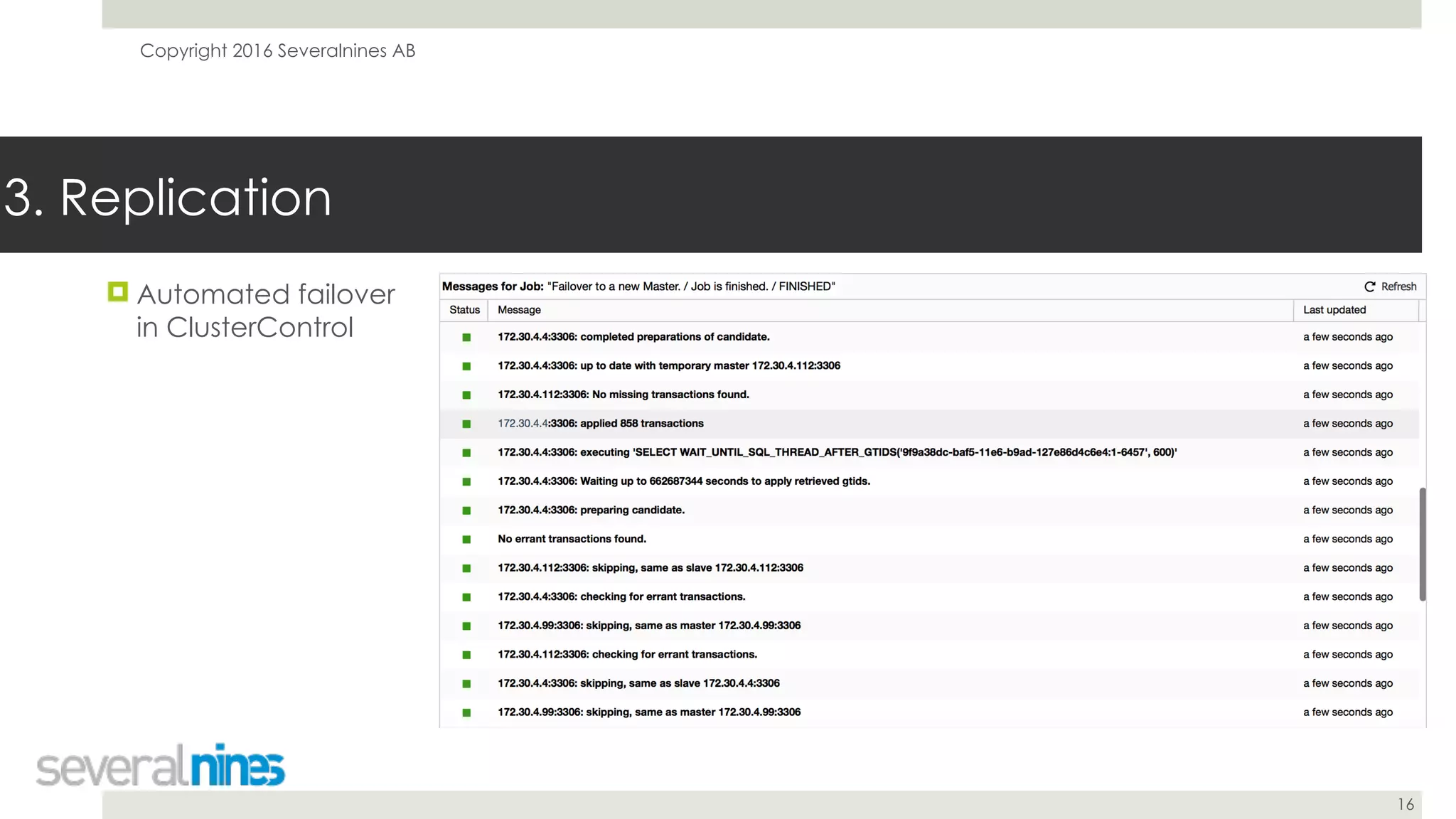
! Automated failover
in ClusterControl
3. Replication
Copyright 2016 Severalnines AB
17
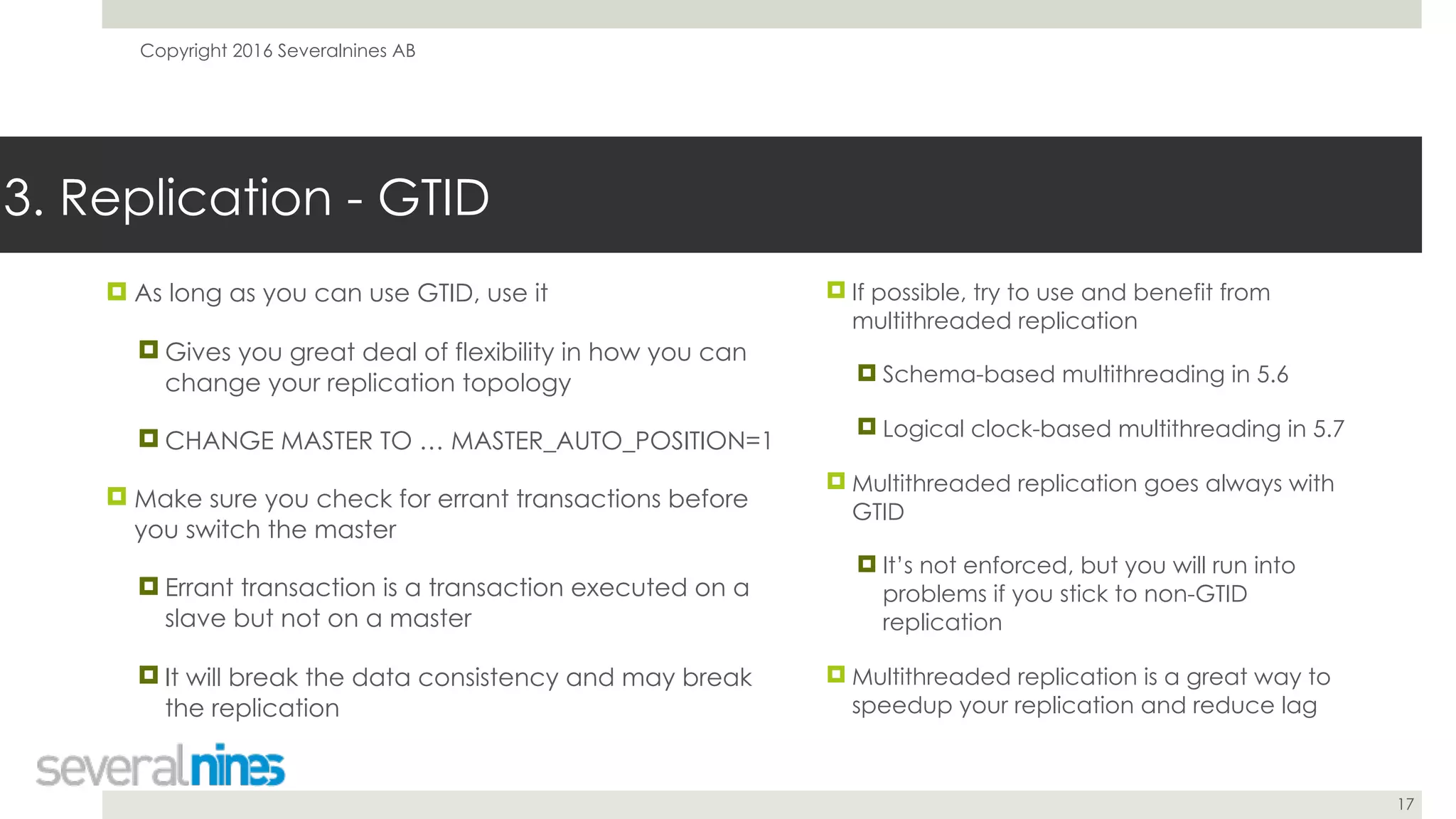
! As long as you can use GTID, use it
! Gives you great deal of flexibility in how you can
change your replication topology
! CHANGE MASTER TO … MASTER_AUTO_POSITION=1
! Make sure you check for errant transactions before
you switch the master
! Errant transaction is a transaction executed on a
slave but not on a master
! It will break the data consistency and may break
the replication
3. Replication - GTID
! If possible, try to use and benefit from
multithreaded replication
! Schema-based multithreading in 5.6
! Logical clock-based multithreading in 5.7
! Multithreaded replication goes always with
GTID
! It’s not enforced, but you will run into
problems if you stick to non-GTID
replication
! Multithreaded replication is a great way to
speedup your replication and reduce lag
Copyright 2016 Severalnines AB
18
4. Backup
Copyright 2016 Severalnines AB
19
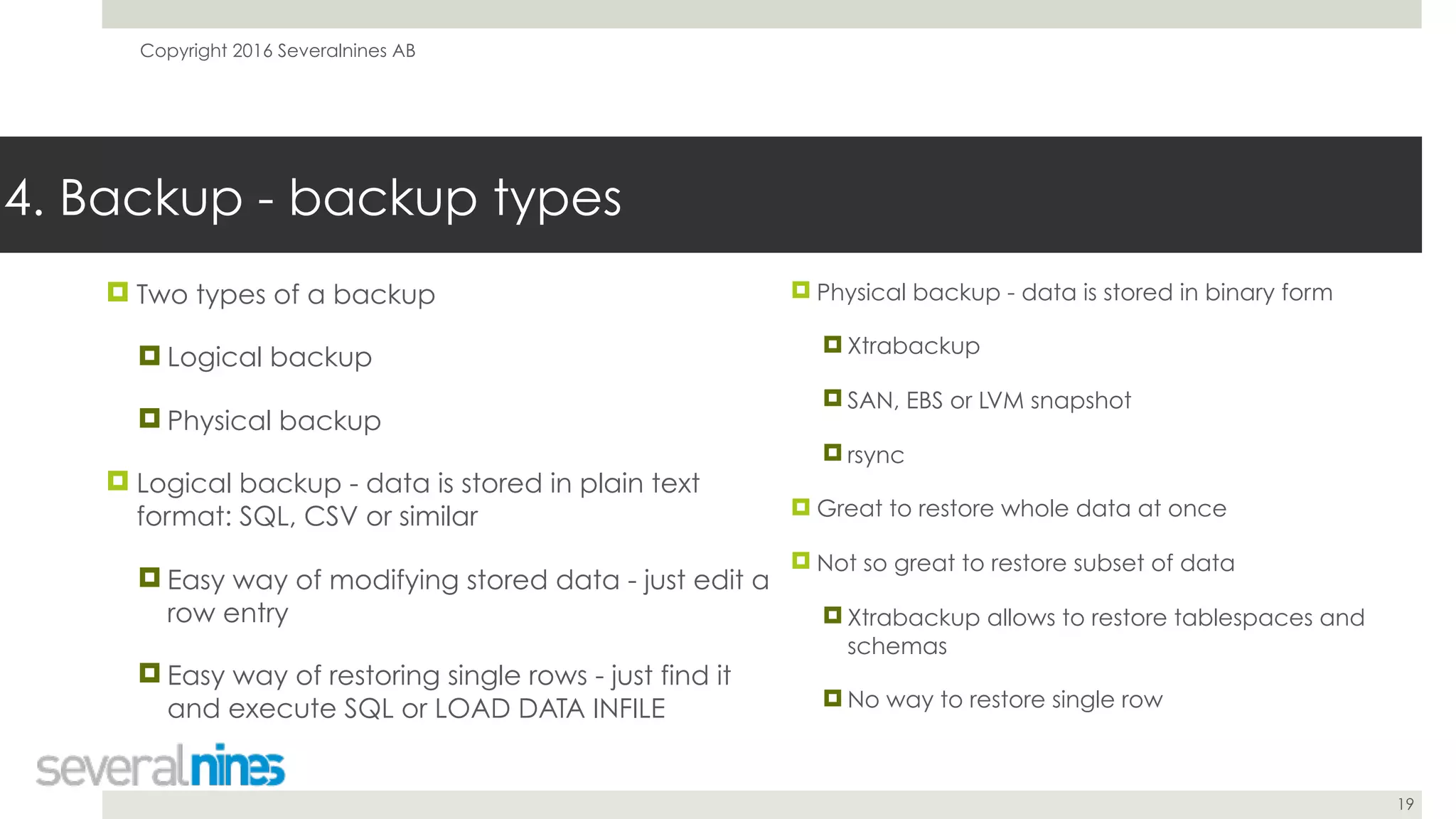
! Two types of a backup
! Logical backup
! Physical backup
! Logical backup - data is stored in plain text
format: SQL, CSV or similar
! Easy way of modifying stored data - just edit a
row entry
! Easy way of restoring single rows - just find it
and execute SQL or LOAD DATA INFILE
4. Backup - backup types
! Physical backup - data is stored in binary form
! Xtrabackup
! SAN, EBS or LVM snapshot
! rsync
! Great to restore whole data at once
! Not so great to restore subset of data
! Xtrabackup allows to restore tablespaces and
schemas
! No way to restore single row
Copyright 2016 Severalnines AB
20
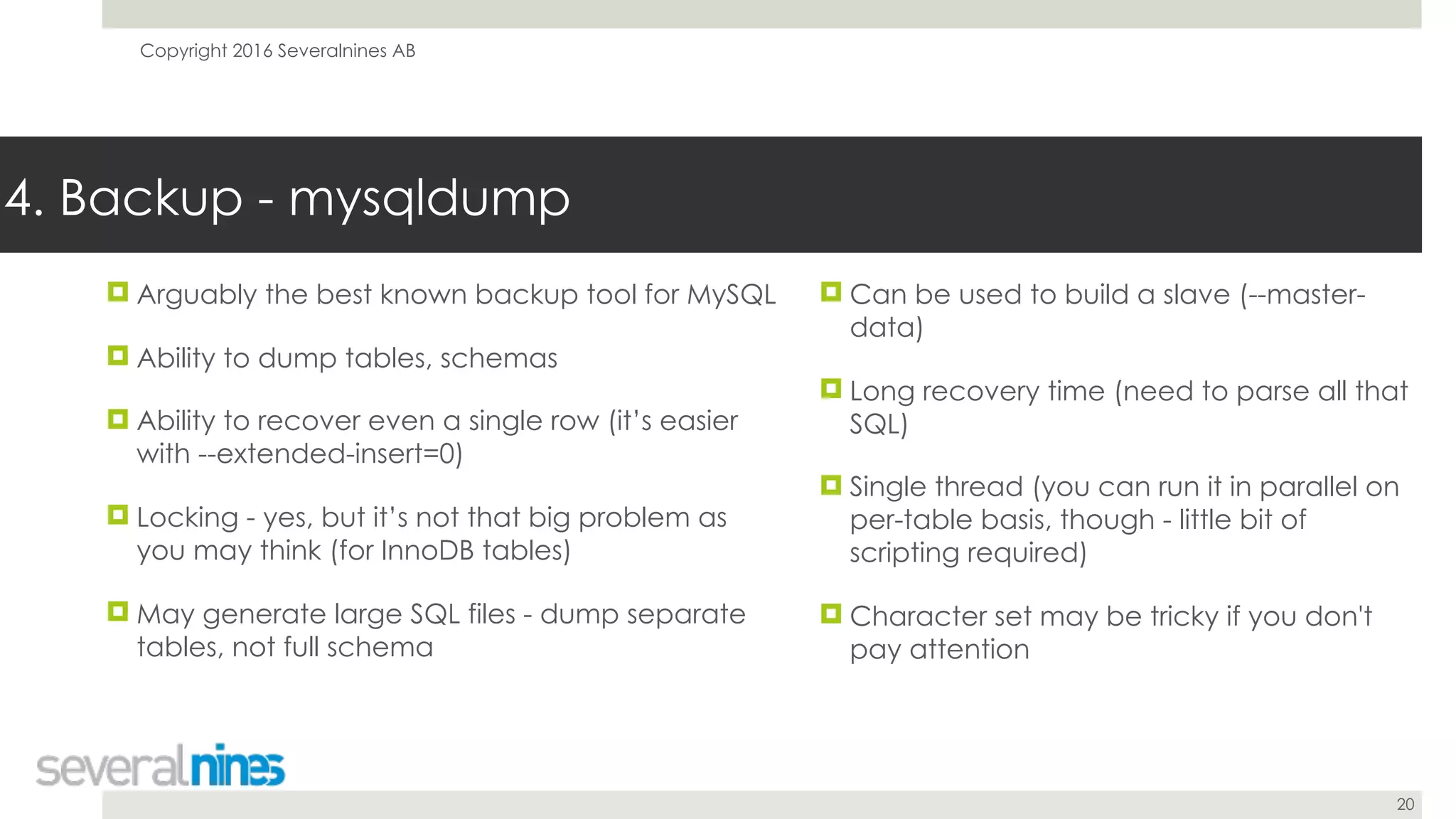
! Arguably the best known backup tool for MySQL
! Ability to dump tables, schemas
! Ability to recover even a single row (it’s easier
with --extended-insert=0)
! Locking - yes, but it’s not that big problem as
you may think (for InnoDB tables)
! May generate large SQL files - dump separate
tables, not full schema
4. Backup - mysqldump
! Can be used to build a slave (--master-
data)
! Long recovery time (need to parse all that
SQL)
! Single thread (you can run it in parallel on
per-table basis, though - little bit of
scripting required)
! Character set may be tricky if you don't
pay attention
Copyright 2016 Severalnines AB
21
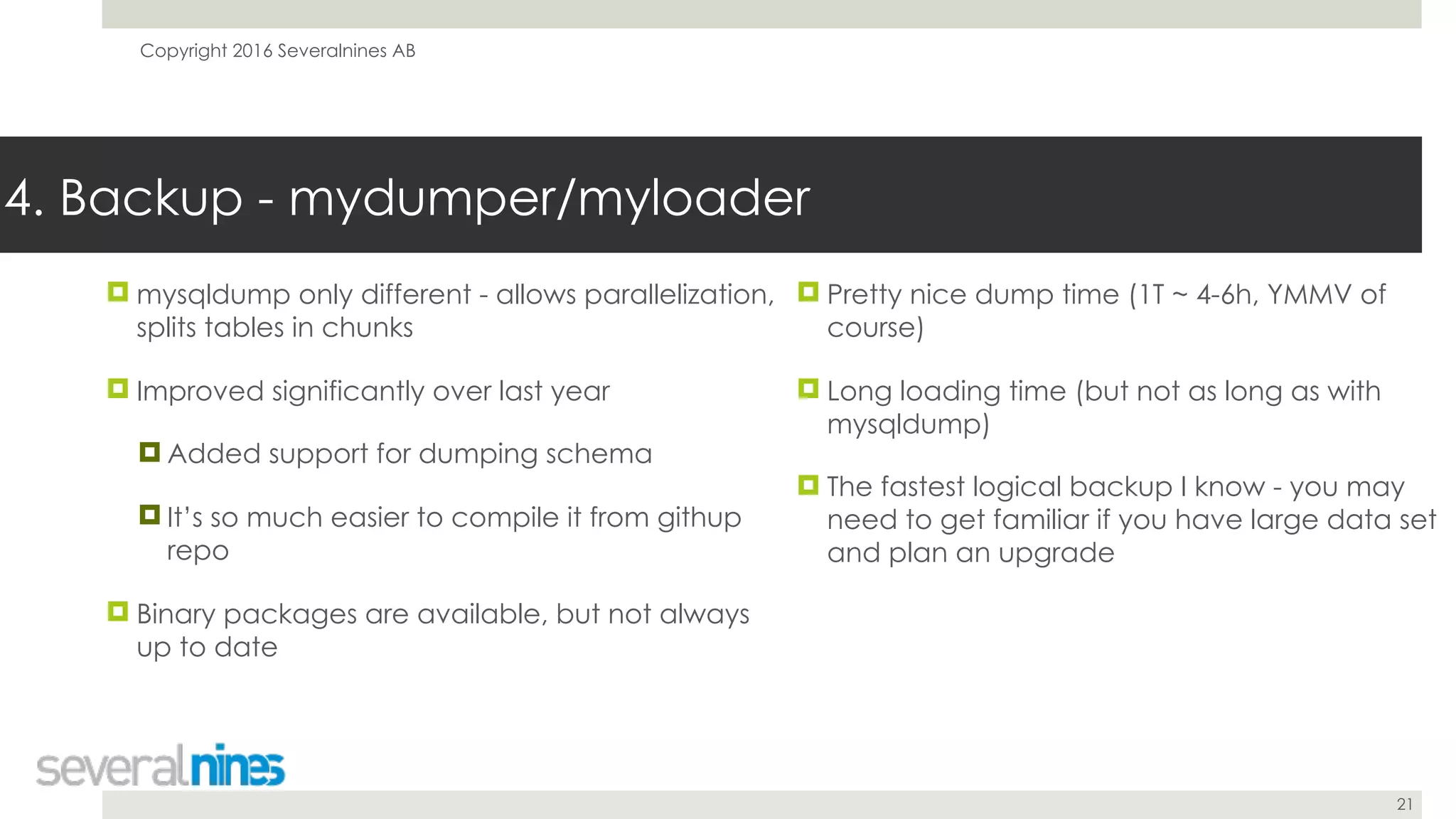
! mysqldump only different - allows parallelization,
splits tables in chunks
! Improved significantly over last year
! Added support for dumping schema
! It’s so much easier to compile it from githup
repo
! Binary packages are available, but not always
up to date
4. Backup - mydumper/myloader
! Pretty nice dump time (1T ~ 4-6h, YMMV of
course)
! Long loading time (but not as long as with
mysqldump)
! The fastest logical backup I know - you may
need to get familiar if you have large data set
and plan an upgrade
Copyright 2016 Severalnines AB
22
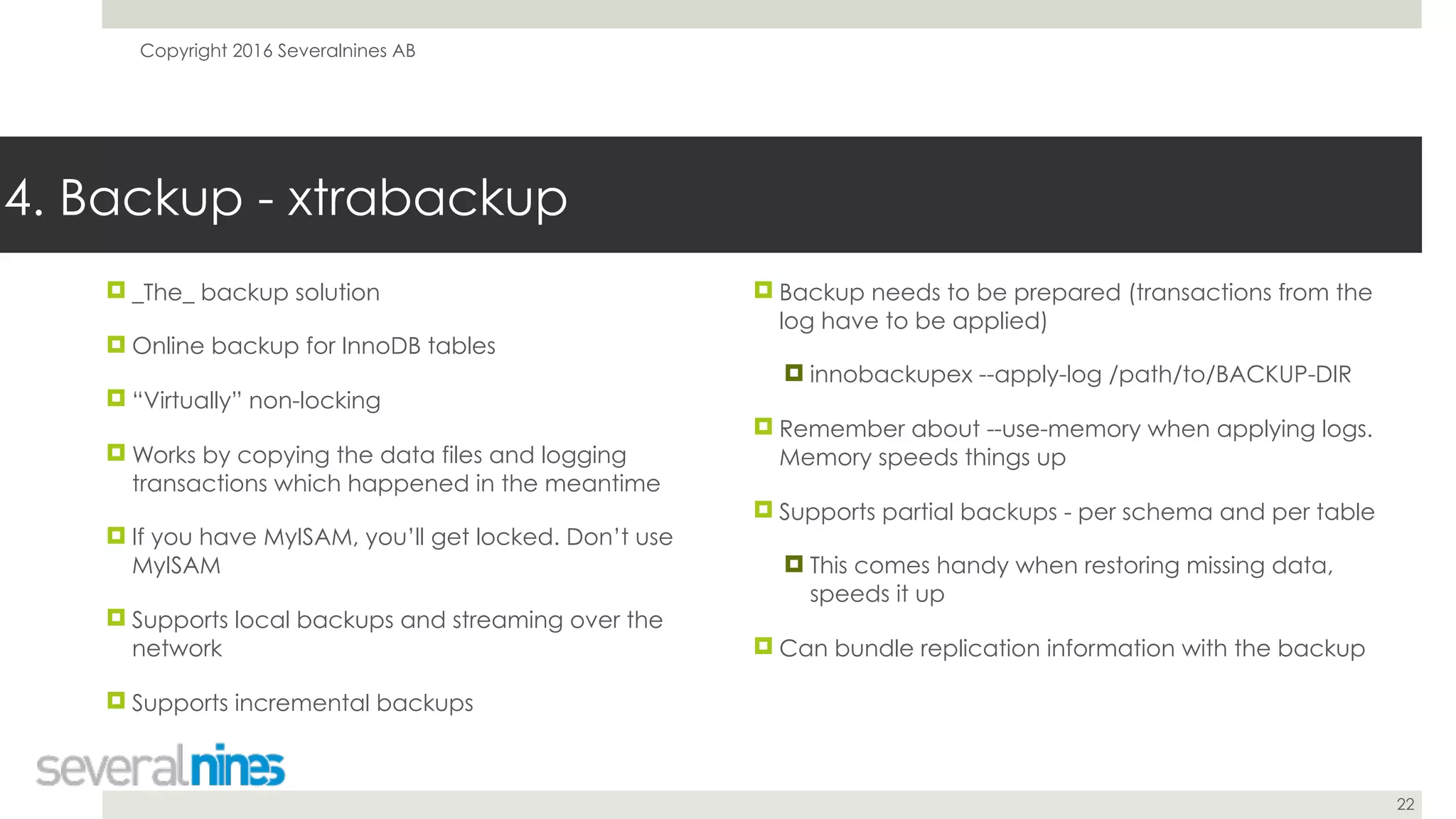
! _The_ backup solution
! Online backup for InnoDB tables
! “Virtually” non-locking
! Works by copying the data files and logging
transactions which happened in the meantime
! If you have MyISAM, you’ll get locked. Don’t use
MyISAM
! Supports local backups and streaming over the
network
! Supports incremental backups
4. Backup - xtrabackup
! Backup needs to be prepared (transactions from the
log have to be applied)
! innobackupex --apply-log /path/to/BACKUP-DIR
! Remember about --use-memory when applying logs.
Memory speeds things up
! Supports partial backups - per schema and per table
! This comes handy when restoring missing data,
speeds it up
! Can bundle replication information with the backup
Copyright 2016 Severalnines AB
23
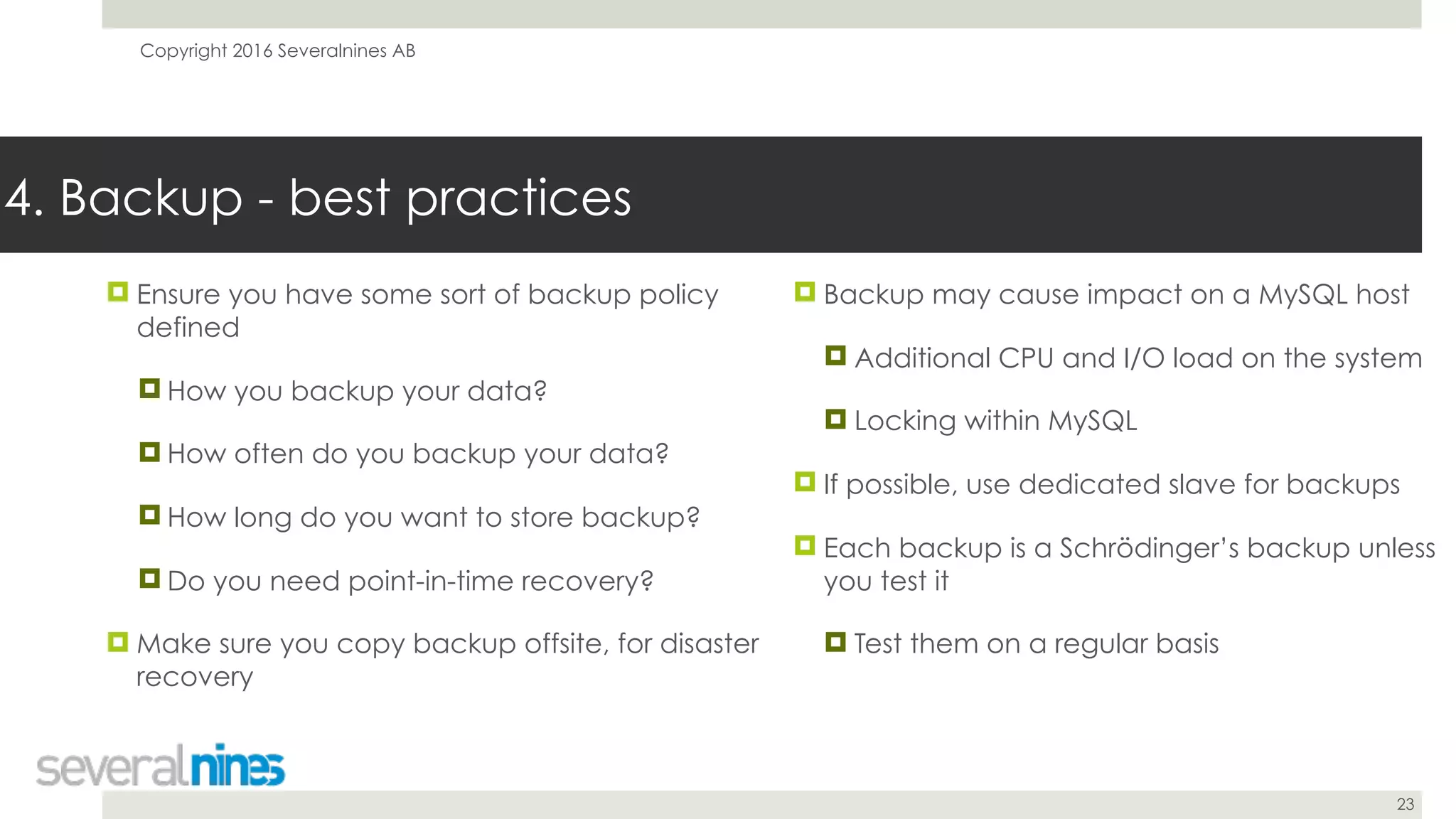
! Ensure you have some sort of backup policy
defined
! How you backup your data?
! How often do you backup your data?
! How long do you want to store backup?
! Do you need point-in-time recovery?
! Make sure you copy backup offsite, for disaster
recovery
4. Backup - best practices
! Backup may cause impact on a MySQL host
! Additional CPU and I/O load on the system
! Locking within MySQL
! If possible, use dedicated slave for backups
! Each backup is a Schrödinger’s backup unless
you test it
! Test them on a regular basis
Copyright 2016 Severalnines AB
24
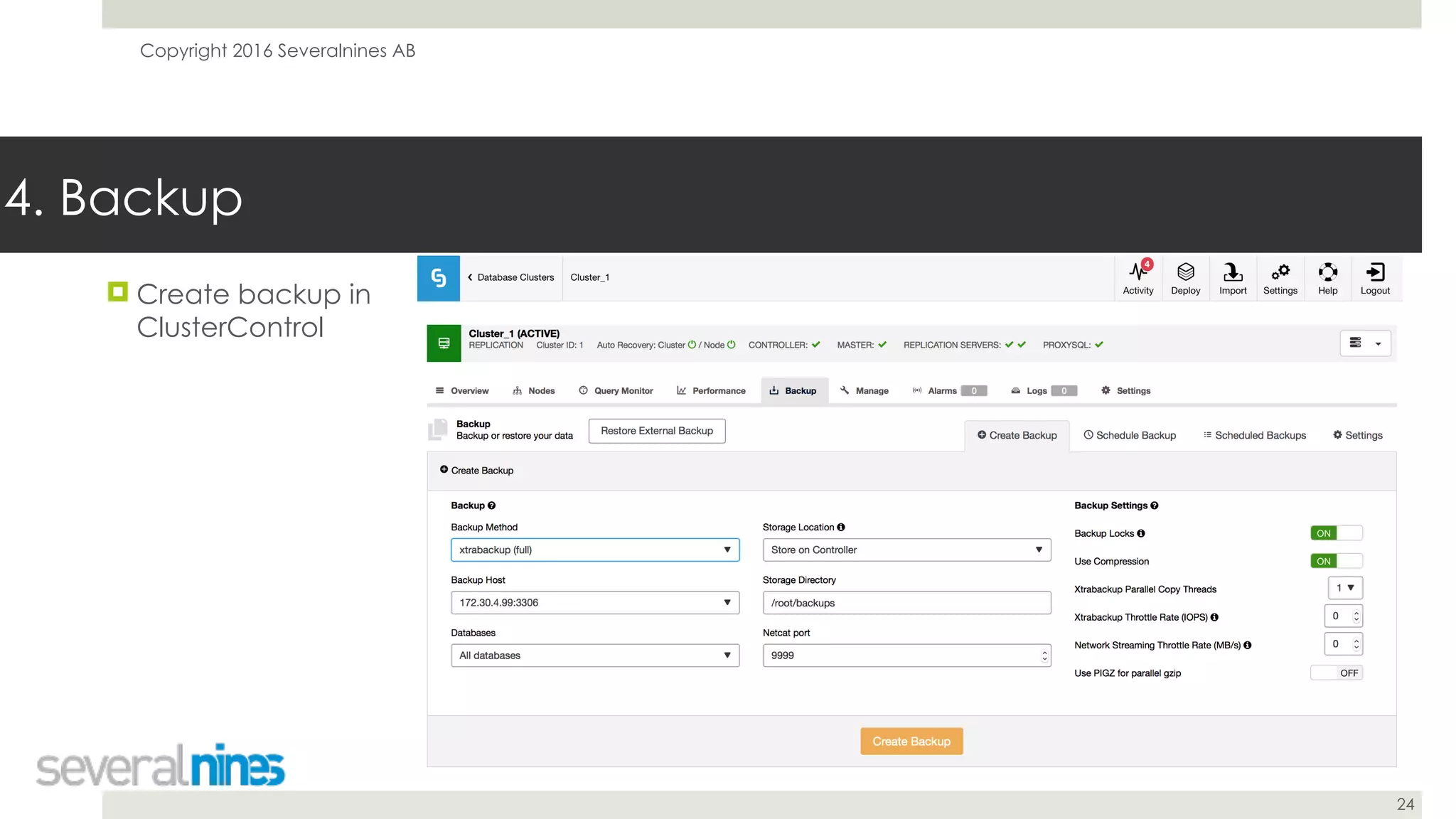
4. Backup
! Create backup in
ClusterControl
Copyright 2016 Severalnines AB
25
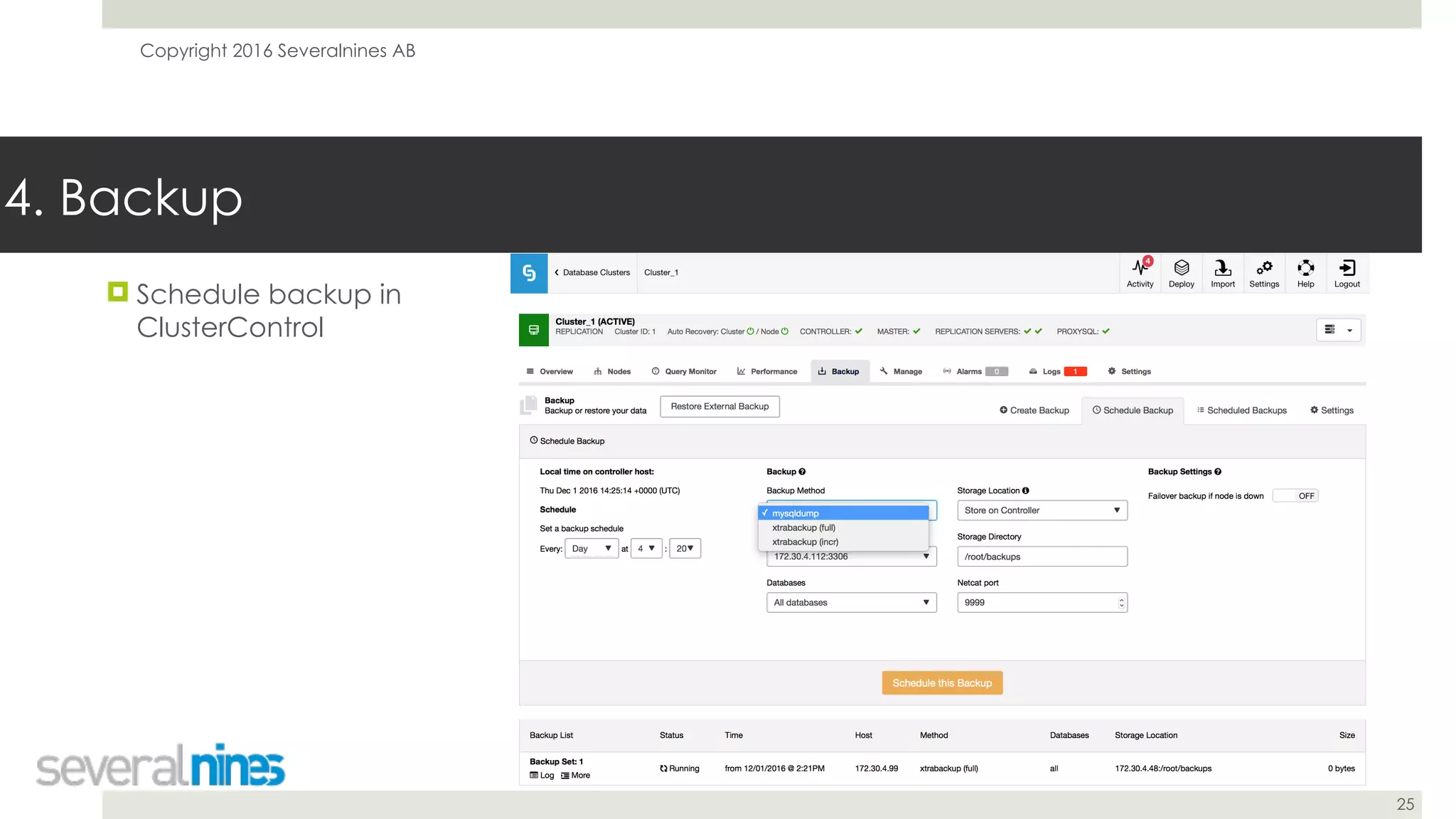
! Schedule backup in
ClusterControl
4. Backup
Copyright 2016 Severalnines AB
26
5. Provisioning
Copyright 2016 Severalnines AB
27
! You will be provisioning slaves - often, for various
reasons
! New host has to be added to the cluster
! Data inconsistency detected on a slave
! Hardware upgrade
! Various testing purposes
5. Provisioning
! Build, test and maintain provisioning system
! Make sure it’s easy to rebuild/create new
slave
! Leverage one of existing backup solutions
! Physical backups work best for that
Copyright 2016 Severalnines AB
28
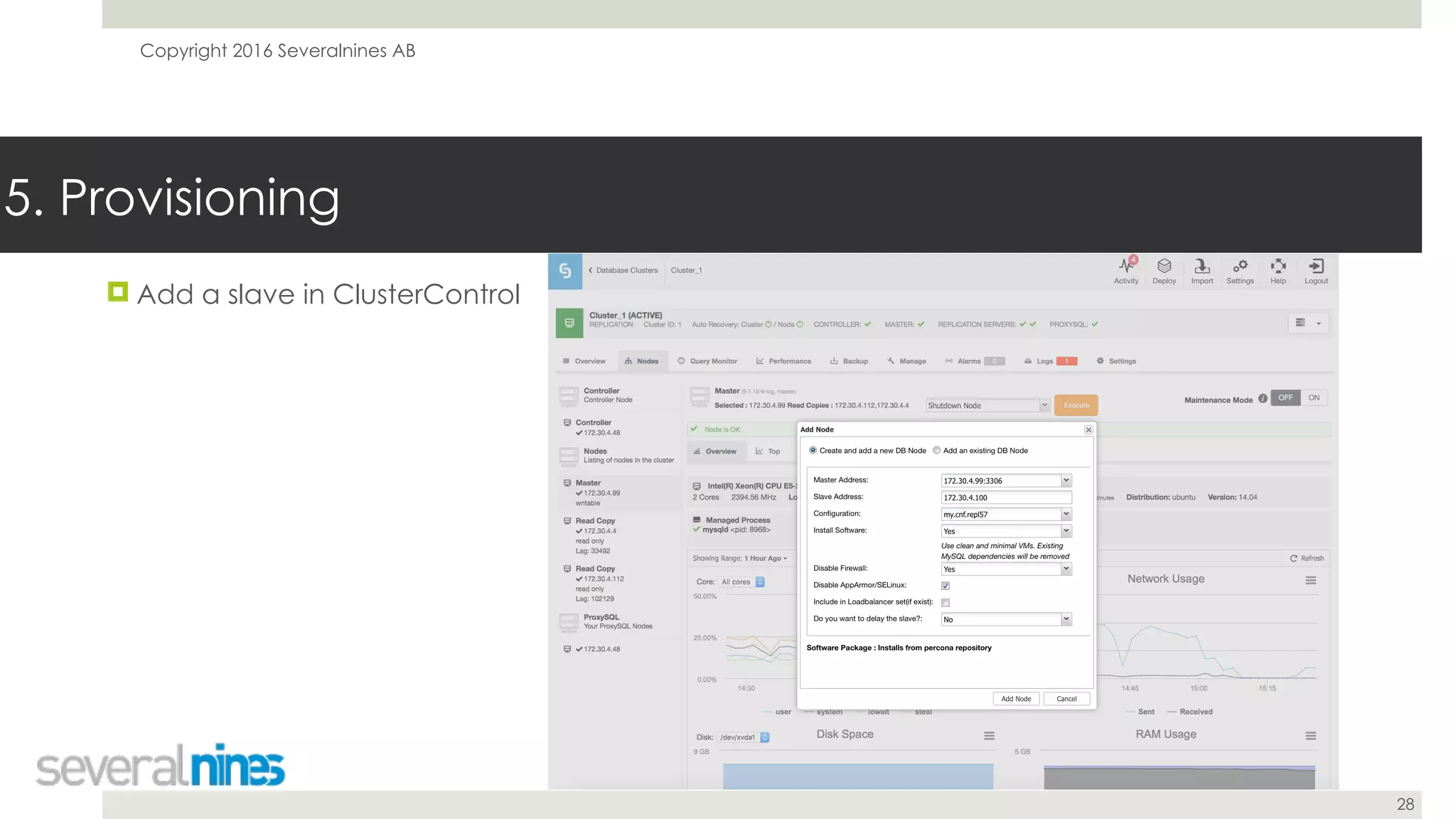
! Add a slave in ClusterControl
5. Provisioning
Copyright 2016 Severalnines AB
29
6. Performance
Copyright 2016 Severalnines AB
30
! While working with MySQL replication, keep in
mind that performance of a slave may impact
replication lag
! Heavy writes will cause a lag
! Split them if needed
! Try to distribute them in time
! Parallelize writes - leverage multithreaded
replication
6. Performance
! Monitor your system’s performance
! Use monitoring and trending tools
! Cacti
! Grafana
! PMM
! VividCortex
! ClusterControl
Copyright 2016 Severalnines AB
31
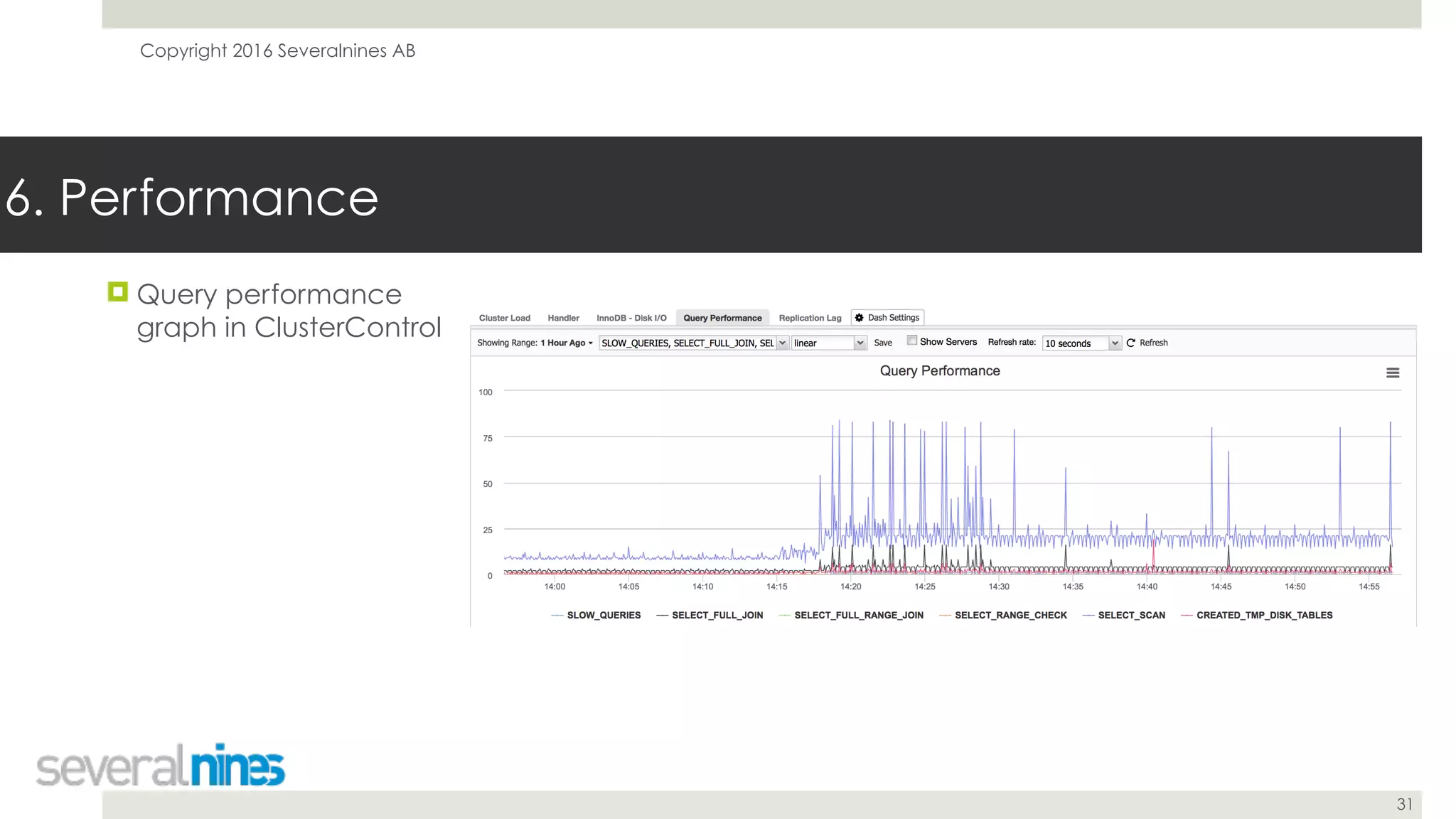
! Query performance
graph in ClusterControl
6. Performance
Copyright 2016 Severalnines AB
32
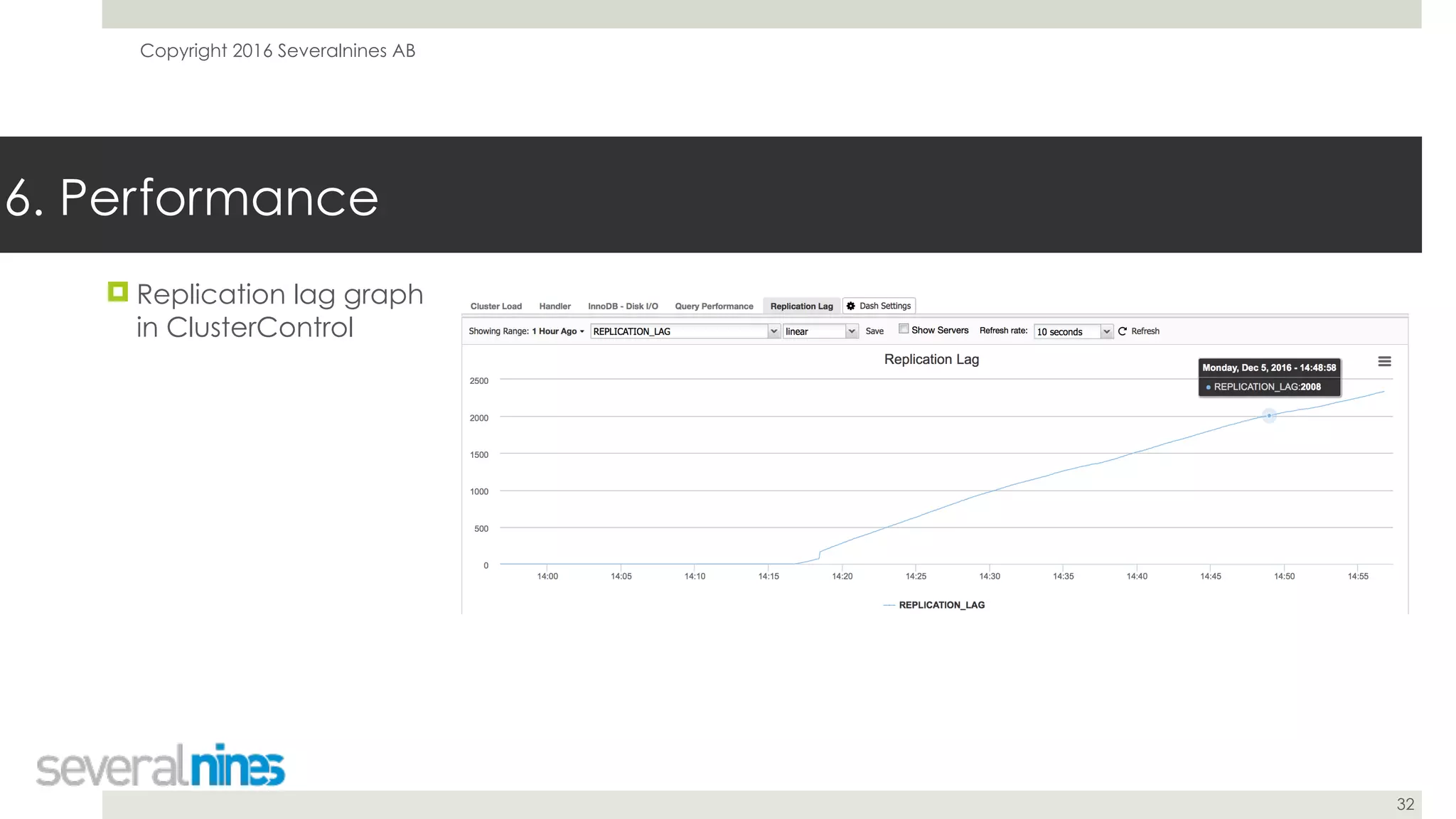
! Replication lag graph
in ClusterControl
6. Performance
Copyright 2016 Severalnines AB
33
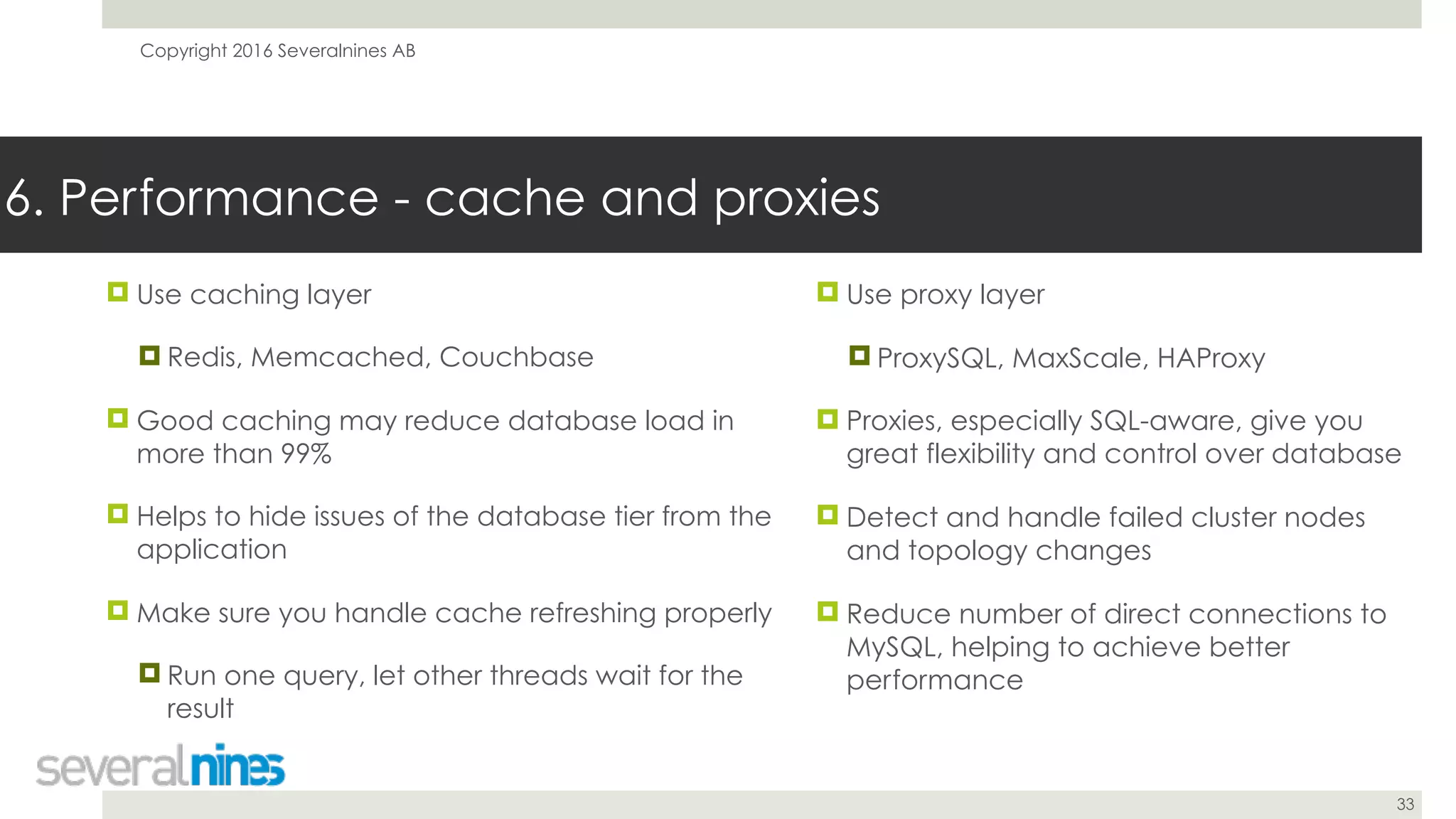
! Use caching layer
! Redis, Memcached, Couchbase
! Good caching may reduce database load in
more than 99%
! Helps to hide issues of the database tier from the
application
! Make sure you handle cache refreshing properly
! Run one query, let other threads wait for the
result
6. Performance - cache and proxies
! Use proxy layer
! ProxySQL, MaxScale, HAProxy
! Proxies, especially SQL-aware, give you
great flexibility and control over database
! Detect and handle failed cluster nodes
and topology changes
! Reduce number of direct connections to
MySQL, helping to achieve better
performance
Copyright 2016 Severalnines AB
34
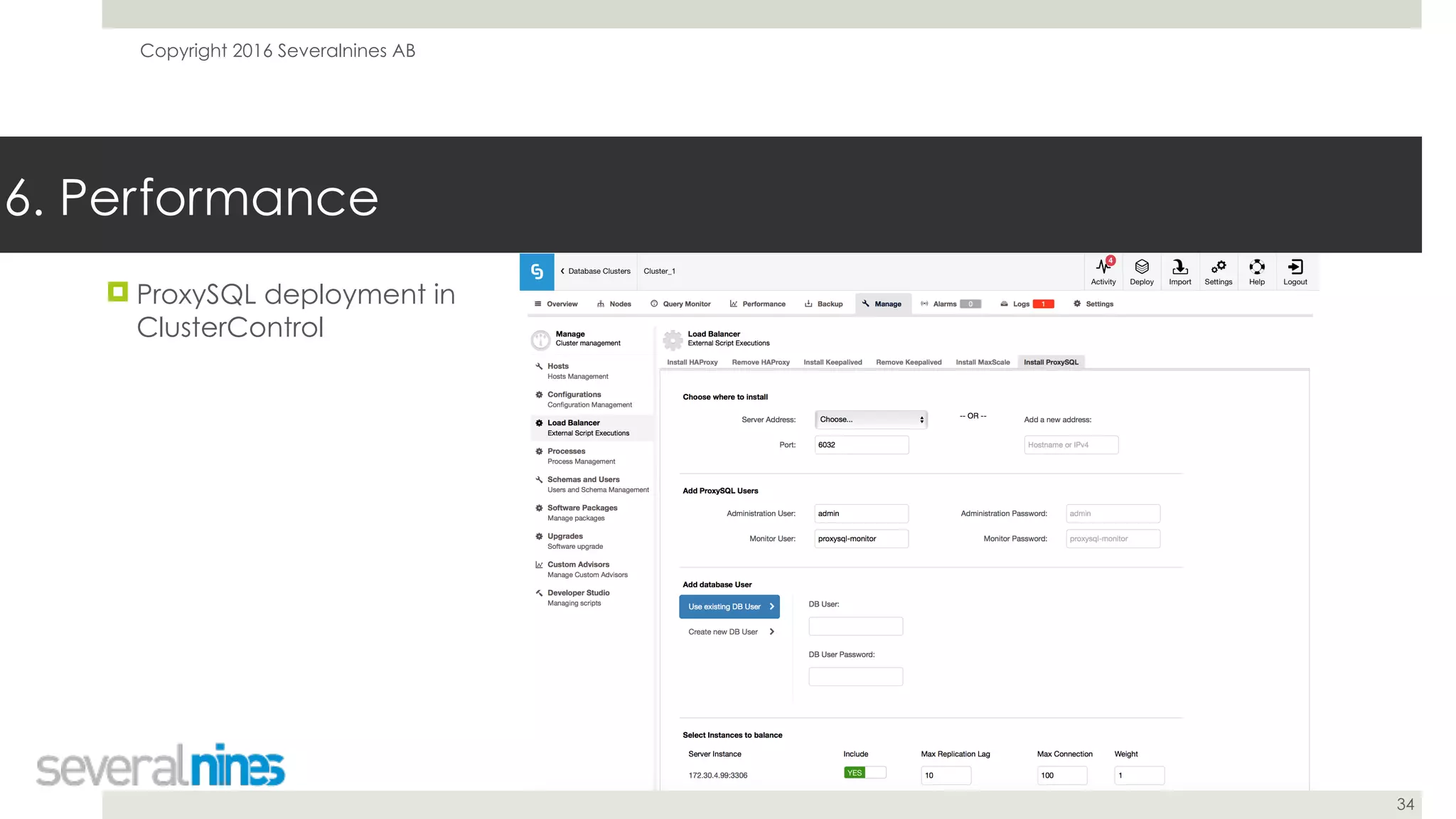
6. Performance
! ProxySQL deployment in
ClusterControl
Copyright 2016 Severalnines AB
35
7. Schema changes
Copyright 2016 Severalnines AB
36
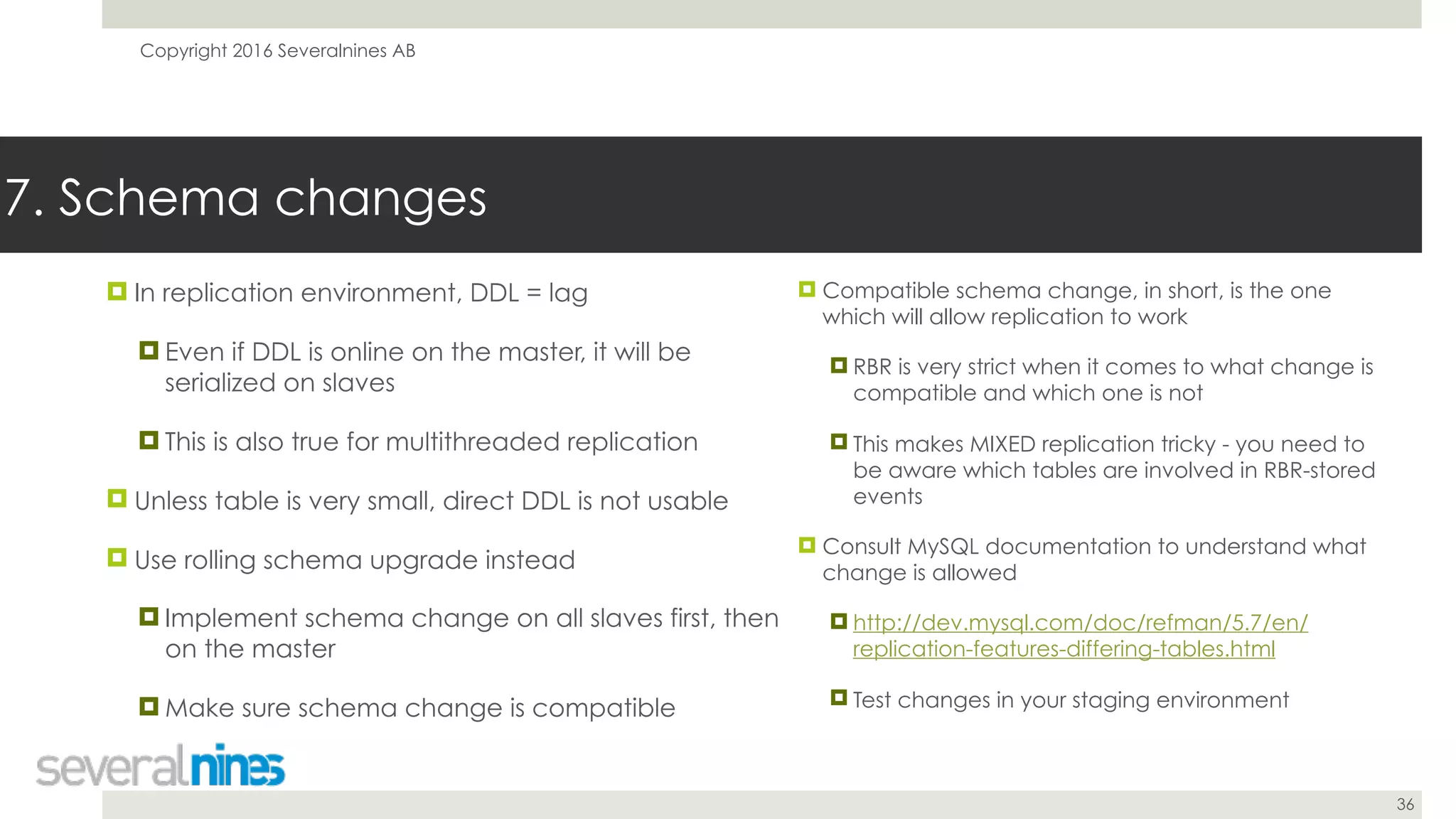
! In replication environment, DDL = lag
! Even if DDL is online on the master, it will be
serialized on slaves
! This is also true for multithreaded replication
! Unless table is very small, direct DDL is not usable
! Use rolling schema upgrade instead
! Implement schema change on all slaves first, then
on the master
! Make sure schema change is compatible
7. Schema changes
! Compatible schema change, in short, is the one
which will allow replication to work
! RBR is very strict when it comes to what change is
compatible and which one is not
! This makes MIXED replication tricky - you need to
be aware which tables are involved in RBR-stored
events
! Consult MySQL documentation to understand what
change is allowed
! http://dev.mysql.com/doc/refman/5.7/en/
replication-features-differing-tables.html
! Test changes in your staging environment
Copyright 2016 Severalnines AB
37
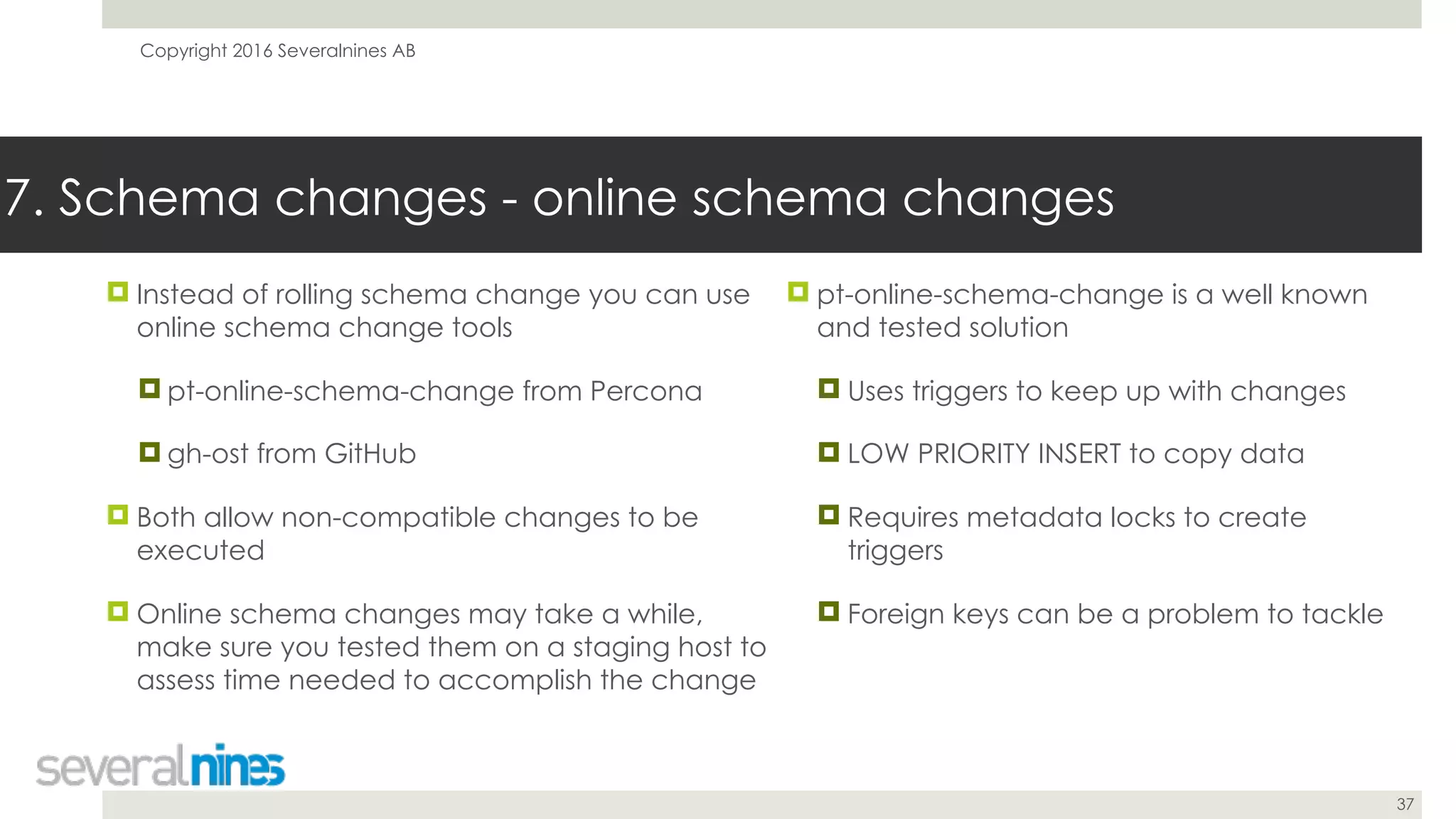
! Instead of rolling schema change you can use
online schema change tools
! pt-online-schema-change from Percona
! gh-ost from GitHub
! Both allow non-compatible changes to be
executed
! Online schema changes may take a while,
make sure you tested them on a staging host to
assess time needed to accomplish the change
7. Schema changes - online schema changes
! pt-online-schema-change is a well known
and tested solution
! Uses triggers to keep up with changes
! LOW PRIORITY INSERT to copy data
! Requires metadata locks to create
triggers
! Foreign keys can be a problem to tackle
Copyright 2016 Severalnines AB
38
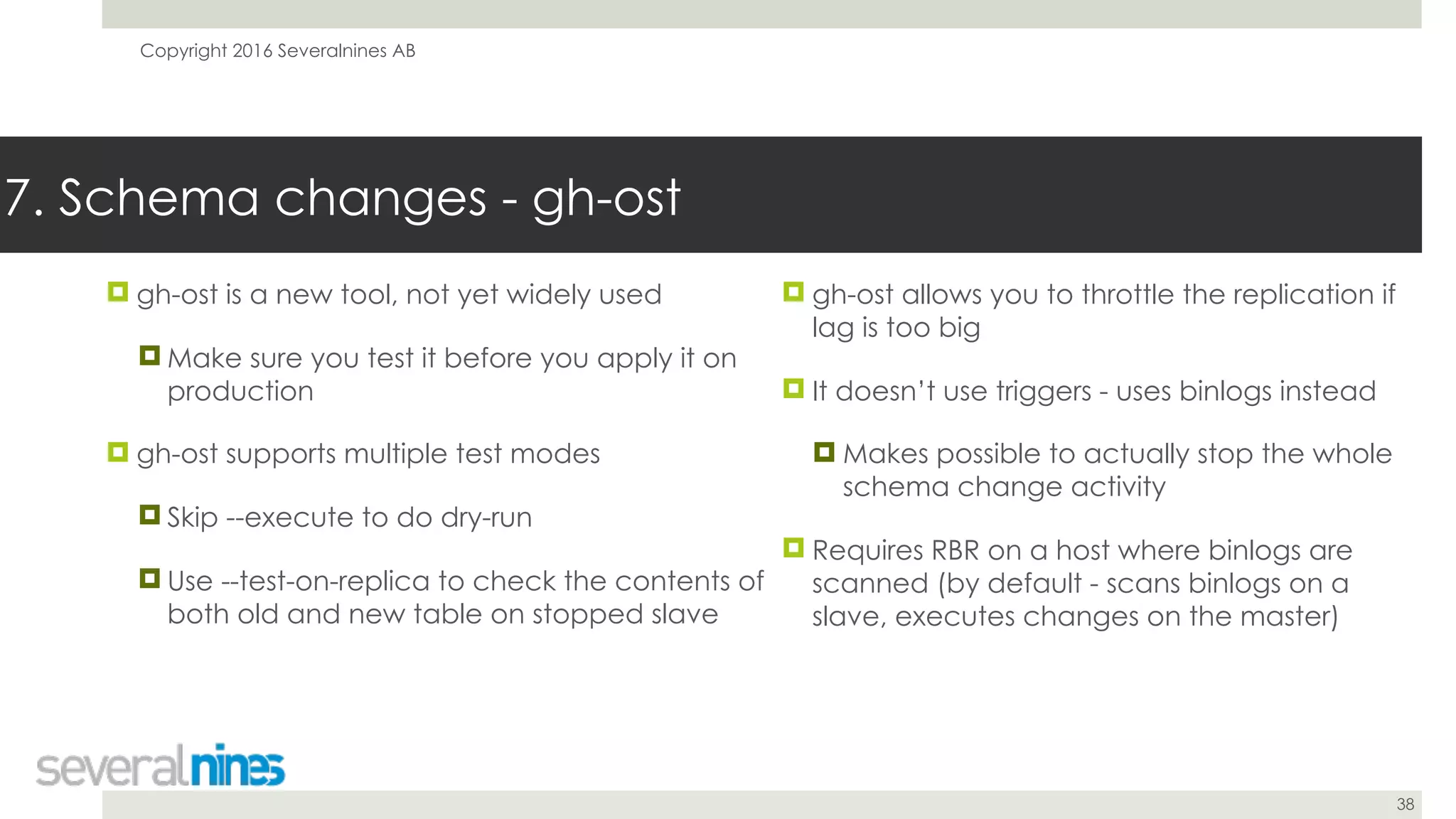
! gh-ost is a new tool, not yet widely used
! Make sure you test it before you apply it on
production
! gh-ost supports multiple test modes
! Skip --execute to do dry-run
! Use --test-on-replica to check the contents of
both old and new table on stopped slave
7. Schema changes - gh-ost
! gh-ost allows you to throttle the replication if
lag is too big
! It doesn’t use triggers - uses binlogs instead
! Makes possible to actually stop the whole
schema change activity
! Requires RBR on a host where binlogs are
scanned (by default - scans binlogs on a
slave, executes changes on the master)
Copyright 2016 Severalnines AB
39
8. Reporting
Copyright 2016 Severalnines AB
40
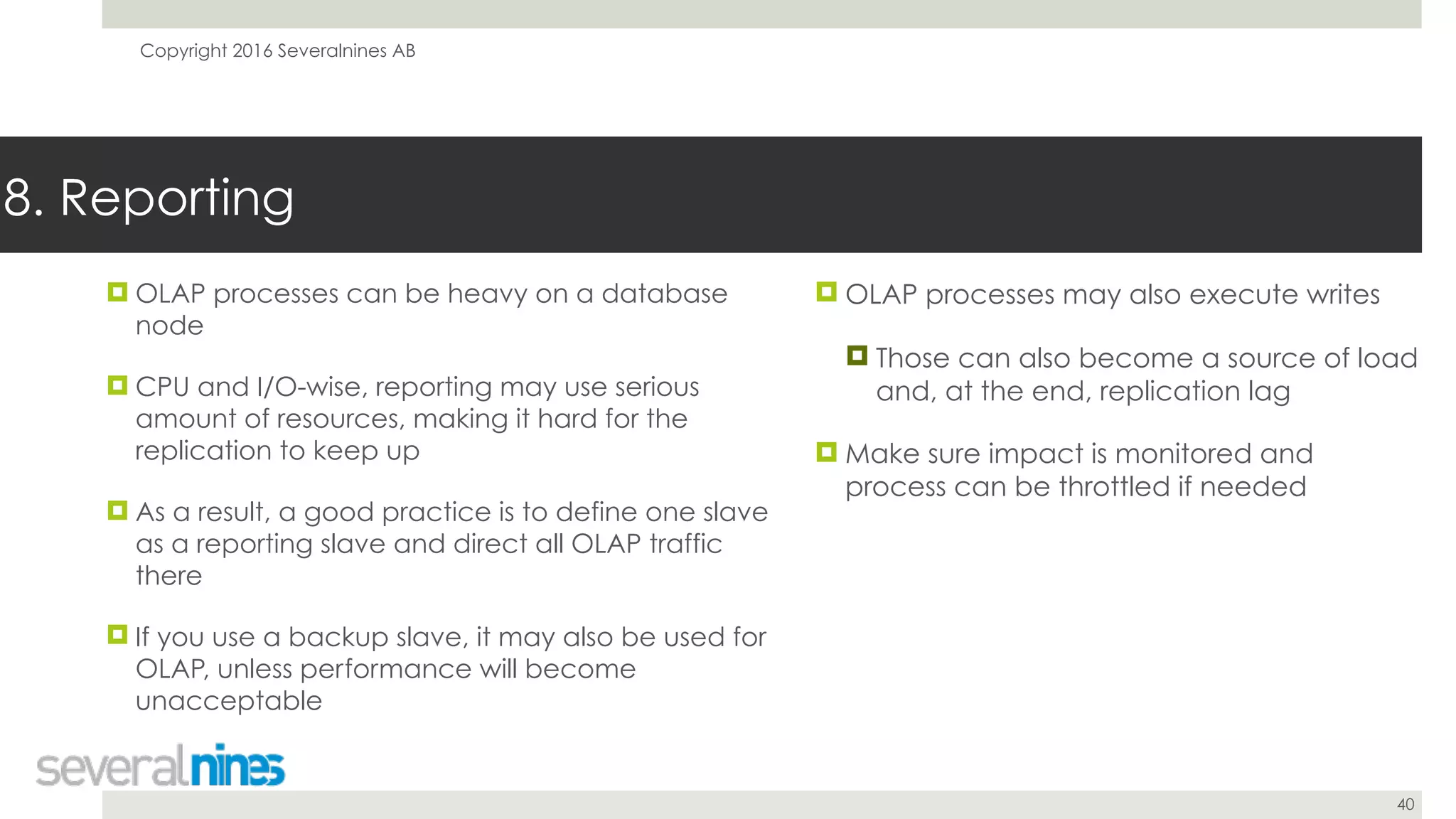
! OLAP processes can be heavy on a database
node
! CPU and I/O-wise, reporting may use serious
amount of resources, making it hard for the
replication to keep up
! As a result, a good practice is to define one slave
as a reporting slave and direct all OLAP traffic
there
! If you use a backup slave, it may also be used for
OLAP, unless performance will become
unacceptable
8. Reporting
! OLAP processes may also execute writes
! Those can also become a source of load
and, at the end, replication lag
! Make sure impact is monitored and
process can be throttled if needed
Copyright 2016 Severalnines AB
41
9. Disaster Recovery
Copyright 2016 Severalnines AB
42
! Disaster will happen - this is inevitable
! Plan for disaster, learn to live with it
! There are different ways you can minimize
impact - choose whatever suits best for your
environment
! You need to have a backup - make sure you
have them tested
! Store a copy of your backup outside of your
datacenter
9. Disaster Recovery - backups
! Backups are great safety measures but tend
to be slow to restore
! If you need to have your systems up
quickly, verify how long it takes to restore
from backup
! Not that you’ll have a choice in every
situation
Copyright 2016 Severalnines AB
43
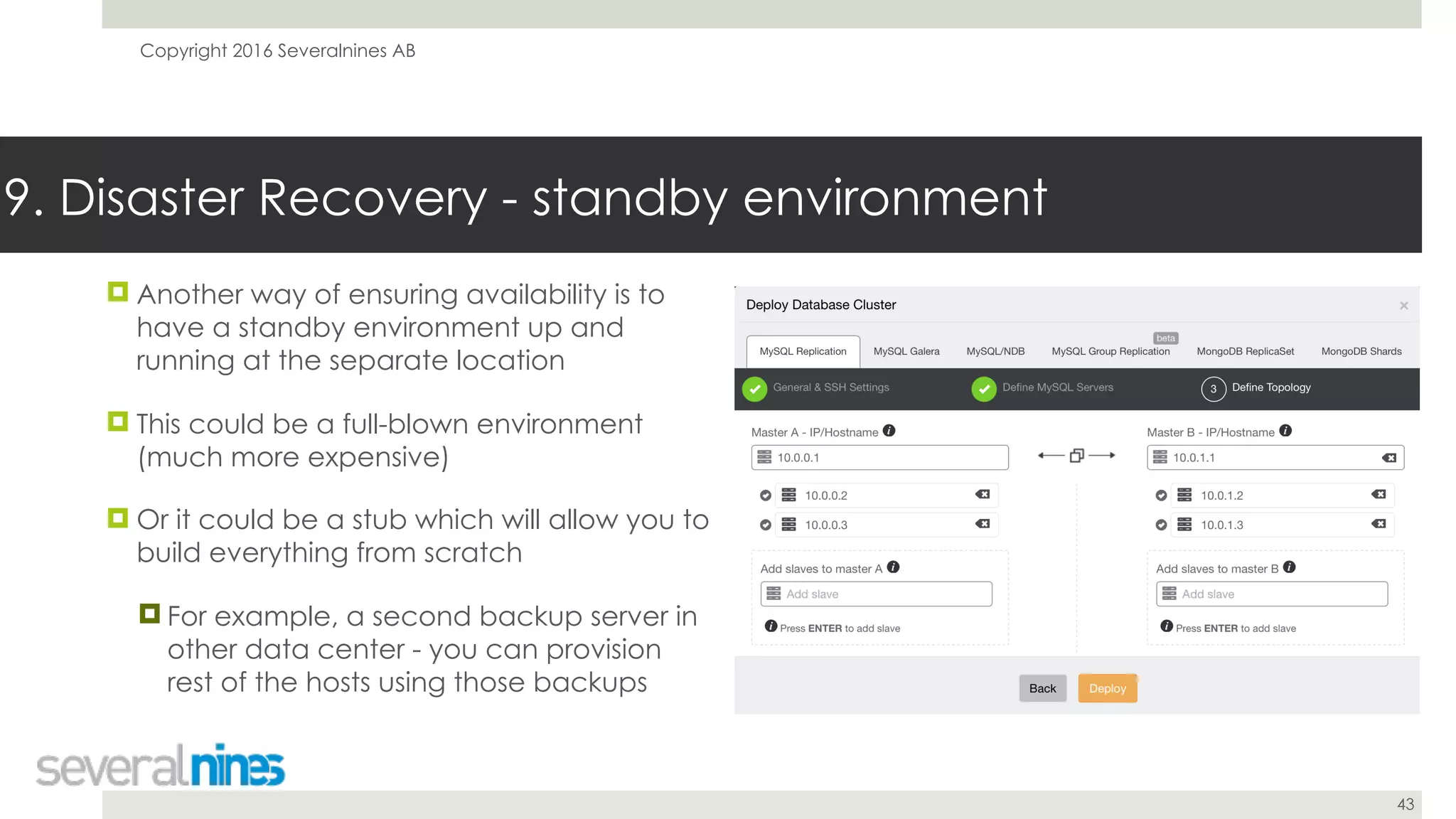
! Another way of ensuring availability is to
have a standby environment up and
running at the separate location
! This could be a full-blown environment
(much more expensive)
! Or it could be a stub which will allow you to
build everything from scratch
! For example, a second backup server in
other data center - you can provision
rest of the hosts using those backups
9. Disaster Recovery - standby environment
Copyright 2016 Severalnines AB
44
9. Disaster Recovery
! In any case, this may not be enough to save you from “DROP SCHEMA production;”
! Backups will still be essential
! Make sure you have a runbook covering recovery process
! People can make mistakes under pressure - runbook will help them to execute a process
! Test your recovery process on a regular basis - you want to be 100% it works
Copyright 2016 Severalnines AB
45
Thank You!
! Related content:
! http://severalnines.com/blog/new-whitepaper-mysql-replication-high-availability
! http://severalnines.com/blog/become-mysql-dba-blog-series-common-operations-schema-
changes
! http://severalnines.com/blog-tags/performance
! Install ClusterControl:
! http://severalnines.com/getting-started
! Contact: jj@severalnines.com

Webinar slides: Top 9 Tips for building a stable MySQL Replication environment

  • 1.
    Copyright 2016 SeveralninesAB 1 Your host & some logistics I'm Jean-Jérôme from the Severalnines Team and I'm your host for today's webinar! Feel free to ask any questions in the Questions section of this application or via the Chat box. You can also contact me directly via the chat box or via email: jj@severalnines.com during or after the webinar.
  • 2.
    Copyright 2016 SeveralninesAB 2 About Severalnines and ClusterControl
  • 3.
    Copyright 2016 SeveralninesAB 3 What we do Manage Scale MonitorDeploy
  • 4.
    Copyright 2016 SeveralninesAB 4 ClusterControl Automation & Management ! Provisioning ! Deploy a cluster in minutes ! On-premises or in the cloud (AWS) ! Monitoring ! Systems view ! 1sec resolution ! DB / OS stats & performance advisors ! Configurable dashboards ! Query Analyzer ! Real-time / historical ! Management ! Multi cluster/data-center ! Automate repair/recovery ! Database upgrades ! Backups ! Configuration management ! Cloning ! One-click scaling
  • 5.
    Copyright 2016 SeveralninesAB 5 Supported Databases
  • 6.
  • 7.
    Copyright 2016 SeveralninesAB 9 DevOps Tips for Going in Production with MySQL Replication December 6, 2016 Krzysztof Książek Severalnines krzysztof@severalnines.com 7
  • 8.
    Copyright 2016 SeveralninesAB 8 Agenda ! 1. Sanity checks before migrating into MySQL replication setup ! 2. Operating system configuration ! 3. Replication ! 4. Backup ! 5. Provisioning ! 6. Performance ! 7. Schema changes ! 8. Reporting ! 9. Disaster recovery
  • 9.
    Copyright 2016 SeveralninesAB 9 1. Sanity checks before migrating into MySQL replication setup
  • 10.
    Copyright 2016 SeveralninesAB 10 ! Use InnoDB - MyISAM will break data consistency when query gets killed on the master ! Killed query won’t be replicated but some changes have been already implemented on the master - no rollback support ! Primary keys - define them on every table ! Not only speeds up operations on InnoDB table, but it is also requirement for pt-online-schema-change ! When in doubt - use auto incremented, unsigned integer 1. Sanity checks before migrating into MySQL replication setup ! Embrace lag as an inevitable element of working with MySQL replication ! Be aware of your app requirements - what is an acceptable replication lag for you? ! Understand your write patterns to know when lag will strike - Batch loads? ! Understand your read patterns - heavy, OLAP reads may remove data from buffer pool causing slowdown and lag
  • 11.
    Copyright 2016 SeveralninesAB 11 1. Sanity checks before migrating into MySQL replication setup ! ClusterControl Developer Studio screen showing advisors designed to find MyISAM tables and tables lacking Primary Key
  • 12.
    Copyright 2016 SeveralninesAB 12 2. Operating system configuration
  • 13.
    Copyright 2016 SeveralninesAB 13 2. Operating system configuration ! Ensure you have swap enabled ! You rather want to see MySQL slowing down than getting killed ! Reducing priority for OOM killer may not be enough if you run out of memory: ! echo -1000 > /proc/$PID/oom_score_adj ! You can also reduce swappiness (vm.swappiness) ! echo “1” > /proc/sys/vm/swappiness ! NUMA - make sure you use NUMA interleave ! Most of the time it’s already done in MySQL init scripts ! Use EXT4 or XFS filesystems ! Benchmark to see which one works better with your kernel ! Use noatime and noadirtime - no need to maintain this metadata ! When running in virtualized environment, keep an eye on CPU steal on the VM ! VM snapshots may impact databases
  • 14.
    Copyright 2016 SeveralninesAB 14 3. Replication
  • 15.
    Copyright 2016 SeveralninesAB 15 ! Row-based replication is the way to go - only this method will ensure data consistency ! Not in 100%, though - problems still may happen ! Another alternative is mixed format - RBR will be impacted by inconsistency earlier ! To maintain consistency under control, use pt- table-checksum ! Run it with regular intervals, make sure all slaves are in sync 3. Replication - binary log format ! If you detect inconsistent slave, use pt- table-sync to fix the problem ! In the worst case scenario, rebuild the slave from the master ! Don’t be afraid of that - for more complex problems this is the fastest way to get a slave back in sync
  • 16.
    Copyright 2016 SeveralninesAB 16 ! Automated failover in ClusterControl 3. Replication
  • 17.
    Copyright 2016 SeveralninesAB 17 ! As long as you can use GTID, use it ! Gives you great deal of flexibility in how you can change your replication topology ! CHANGE MASTER TO … MASTER_AUTO_POSITION=1 ! Make sure you check for errant transactions before you switch the master ! Errant transaction is a transaction executed on a slave but not on a master ! It will break the data consistency and may break the replication 3. Replication - GTID ! If possible, try to use and benefit from multithreaded replication ! Schema-based multithreading in 5.6 ! Logical clock-based multithreading in 5.7 ! Multithreaded replication goes always with GTID ! It’s not enforced, but you will run into problems if you stick to non-GTID replication ! Multithreaded replication is a great way to speedup your replication and reduce lag
  • 18.
  • 19.
    Copyright 2016 SeveralninesAB 19 ! Two types of a backup ! Logical backup ! Physical backup ! Logical backup - data is stored in plain text format: SQL, CSV or similar ! Easy way of modifying stored data - just edit a row entry ! Easy way of restoring single rows - just find it and execute SQL or LOAD DATA INFILE 4. Backup - backup types ! Physical backup - data is stored in binary form ! Xtrabackup ! SAN, EBS or LVM snapshot ! rsync ! Great to restore whole data at once ! Not so great to restore subset of data ! Xtrabackup allows to restore tablespaces and schemas ! No way to restore single row
  • 20.
    Copyright 2016 SeveralninesAB 20 ! Arguably the best known backup tool for MySQL ! Ability to dump tables, schemas ! Ability to recover even a single row (it’s easier with --extended-insert=0) ! Locking - yes, but it’s not that big problem as you may think (for InnoDB tables) ! May generate large SQL files - dump separate tables, not full schema 4. Backup - mysqldump ! Can be used to build a slave (--master- data) ! Long recovery time (need to parse all that SQL) ! Single thread (you can run it in parallel on per-table basis, though - little bit of scripting required) ! Character set may be tricky if you don't pay attention
  • 21.
    Copyright 2016 SeveralninesAB 21 ! mysqldump only different - allows parallelization, splits tables in chunks ! Improved significantly over last year ! Added support for dumping schema ! It’s so much easier to compile it from githup repo ! Binary packages are available, but not always up to date 4. Backup - mydumper/myloader ! Pretty nice dump time (1T ~ 4-6h, YMMV of course) ! Long loading time (but not as long as with mysqldump) ! The fastest logical backup I know - you may need to get familiar if you have large data set and plan an upgrade
  • 22.
    Copyright 2016 SeveralninesAB 22 ! _The_ backup solution ! Online backup for InnoDB tables ! “Virtually” non-locking ! Works by copying the data files and logging transactions which happened in the meantime ! If you have MyISAM, you’ll get locked. Don’t use MyISAM ! Supports local backups and streaming over the network ! Supports incremental backups 4. Backup - xtrabackup ! Backup needs to be prepared (transactions from the log have to be applied) ! innobackupex --apply-log /path/to/BACKUP-DIR ! Remember about --use-memory when applying logs. Memory speeds things up ! Supports partial backups - per schema and per table ! This comes handy when restoring missing data, speeds it up ! Can bundle replication information with the backup
  • 23.
    Copyright 2016 SeveralninesAB 23 ! Ensure you have some sort of backup policy defined ! How you backup your data? ! How often do you backup your data? ! How long do you want to store backup? ! Do you need point-in-time recovery? ! Make sure you copy backup offsite, for disaster recovery 4. Backup - best practices ! Backup may cause impact on a MySQL host ! Additional CPU and I/O load on the system ! Locking within MySQL ! If possible, use dedicated slave for backups ! Each backup is a Schrödinger’s backup unless you test it ! Test them on a regular basis
  • 24.
    Copyright 2016 SeveralninesAB 24 4. Backup ! Create backup in ClusterControl
  • 25.
    Copyright 2016 SeveralninesAB 25 ! Schedule backup in ClusterControl 4. Backup
  • 26.
    Copyright 2016 SeveralninesAB 26 5. Provisioning
  • 27.
    Copyright 2016 SeveralninesAB 27 ! You will be provisioning slaves - often, for various reasons ! New host has to be added to the cluster ! Data inconsistency detected on a slave ! Hardware upgrade ! Various testing purposes 5. Provisioning ! Build, test and maintain provisioning system ! Make sure it’s easy to rebuild/create new slave ! Leverage one of existing backup solutions ! Physical backups work best for that
  • 28.
    Copyright 2016 SeveralninesAB 28 ! Add a slave in ClusterControl 5. Provisioning
  • 29.
    Copyright 2016 SeveralninesAB 29 6. Performance
  • 30.
    Copyright 2016 SeveralninesAB 30 ! While working with MySQL replication, keep in mind that performance of a slave may impact replication lag ! Heavy writes will cause a lag ! Split them if needed ! Try to distribute them in time ! Parallelize writes - leverage multithreaded replication 6. Performance ! Monitor your system’s performance ! Use monitoring and trending tools ! Cacti ! Grafana ! PMM ! VividCortex ! ClusterControl
  • 31.
    Copyright 2016 SeveralninesAB 31 ! Query performance graph in ClusterControl 6. Performance
  • 32.
    Copyright 2016 SeveralninesAB 32 ! Replication lag graph in ClusterControl 6. Performance
  • 33.
    Copyright 2016 SeveralninesAB 33 ! Use caching layer ! Redis, Memcached, Couchbase ! Good caching may reduce database load in more than 99% ! Helps to hide issues of the database tier from the application ! Make sure you handle cache refreshing properly ! Run one query, let other threads wait for the result 6. Performance - cache and proxies ! Use proxy layer ! ProxySQL, MaxScale, HAProxy ! Proxies, especially SQL-aware, give you great flexibility and control over database ! Detect and handle failed cluster nodes and topology changes ! Reduce number of direct connections to MySQL, helping to achieve better performance
  • 34.
    Copyright 2016 SeveralninesAB 34 6. Performance ! ProxySQL deployment in ClusterControl
  • 35.
    Copyright 2016 SeveralninesAB 35 7. Schema changes
  • 36.
    Copyright 2016 SeveralninesAB 36 ! In replication environment, DDL = lag ! Even if DDL is online on the master, it will be serialized on slaves ! This is also true for multithreaded replication ! Unless table is very small, direct DDL is not usable ! Use rolling schema upgrade instead ! Implement schema change on all slaves first, then on the master ! Make sure schema change is compatible 7. Schema changes ! Compatible schema change, in short, is the one which will allow replication to work ! RBR is very strict when it comes to what change is compatible and which one is not ! This makes MIXED replication tricky - you need to be aware which tables are involved in RBR-stored events ! Consult MySQL documentation to understand what change is allowed ! http://dev.mysql.com/doc/refman/5.7/en/ replication-features-differing-tables.html ! Test changes in your staging environment
  • 37.
    Copyright 2016 SeveralninesAB 37 ! Instead of rolling schema change you can use online schema change tools ! pt-online-schema-change from Percona ! gh-ost from GitHub ! Both allow non-compatible changes to be executed ! Online schema changes may take a while, make sure you tested them on a staging host to assess time needed to accomplish the change 7. Schema changes - online schema changes ! pt-online-schema-change is a well known and tested solution ! Uses triggers to keep up with changes ! LOW PRIORITY INSERT to copy data ! Requires metadata locks to create triggers ! Foreign keys can be a problem to tackle
  • 38.
    Copyright 2016 SeveralninesAB 38 ! gh-ost is a new tool, not yet widely used ! Make sure you test it before you apply it on production ! gh-ost supports multiple test modes ! Skip --execute to do dry-run ! Use --test-on-replica to check the contents of both old and new table on stopped slave 7. Schema changes - gh-ost ! gh-ost allows you to throttle the replication if lag is too big ! It doesn’t use triggers - uses binlogs instead ! Makes possible to actually stop the whole schema change activity ! Requires RBR on a host where binlogs are scanned (by default - scans binlogs on a slave, executes changes on the master)
  • 39.
    Copyright 2016 SeveralninesAB 39 8. Reporting
  • 40.
    Copyright 2016 SeveralninesAB 40 ! OLAP processes can be heavy on a database node ! CPU and I/O-wise, reporting may use serious amount of resources, making it hard for the replication to keep up ! As a result, a good practice is to define one slave as a reporting slave and direct all OLAP traffic there ! If you use a backup slave, it may also be used for OLAP, unless performance will become unacceptable 8. Reporting ! OLAP processes may also execute writes ! Those can also become a source of load and, at the end, replication lag ! Make sure impact is monitored and process can be throttled if needed
  • 41.
    Copyright 2016 SeveralninesAB 41 9. Disaster Recovery
  • 42.
    Copyright 2016 SeveralninesAB 42 ! Disaster will happen - this is inevitable ! Plan for disaster, learn to live with it ! There are different ways you can minimize impact - choose whatever suits best for your environment ! You need to have a backup - make sure you have them tested ! Store a copy of your backup outside of your datacenter 9. Disaster Recovery - backups ! Backups are great safety measures but tend to be slow to restore ! If you need to have your systems up quickly, verify how long it takes to restore from backup ! Not that you’ll have a choice in every situation
  • 43.
    Copyright 2016 SeveralninesAB 43 ! Another way of ensuring availability is to have a standby environment up and running at the separate location ! This could be a full-blown environment (much more expensive) ! Or it could be a stub which will allow you to build everything from scratch ! For example, a second backup server in other data center - you can provision rest of the hosts using those backups 9. Disaster Recovery - standby environment
  • 44.
    Copyright 2016 SeveralninesAB 44 9. Disaster Recovery ! In any case, this may not be enough to save you from “DROP SCHEMA production;” ! Backups will still be essential ! Make sure you have a runbook covering recovery process ! People can make mistakes under pressure - runbook will help them to execute a process ! Test your recovery process on a regular basis - you want to be 100% it works
  • 45.
    Copyright 2016 SeveralninesAB 45 Thank You! ! Related content: ! http://severalnines.com/blog/new-whitepaper-mysql-replication-high-availability ! http://severalnines.com/blog/become-mysql-dba-blog-series-common-operations-schema- changes ! http://severalnines.com/blog-tags/performance ! Install ClusterControl: ! http://severalnines.com/getting-started ! Contact: jj@severalnines.com