<Insert Picture Here>
MySQL Enterprise Backup
Fast, Consistent, Online Backups
The preceding is intended to outline our general
product direction. It is intended for information
purposes only, and may not be incorporated into any
contract. It is not a commitment to deliver any
material, code, or functionality, and should not be
relied upon in making purchasing decisions.
The development, release, and timing of any
features or functionality described for Oracle’s
products remains at the sole discretion of Oracle.
Agenda
• Database Backup Overview
• MySQL Enterprise Backup: Features & Benefits
• Database Backup Types: Comparison
• MySQL Enterprise Backup: How it Works
Database Backup Overview
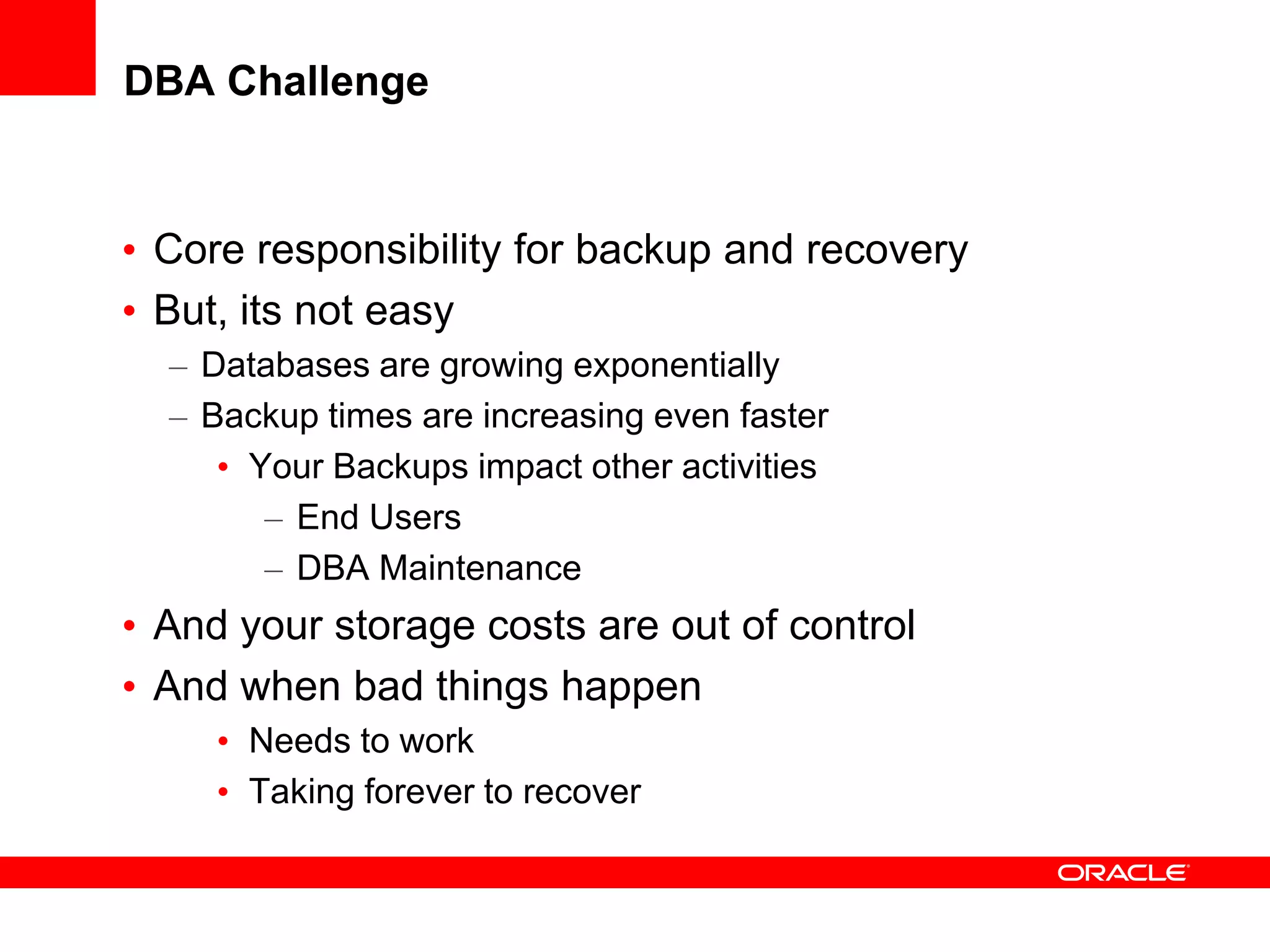
DBA Challenge
• Core responsibility for backup and recovery
• But, its not easy
– Databases are growing exponentially
– Backup times are increasing even faster
• Your Backups impact other activities
– End Users
– DBA Maintenance
• And your storage costs are out of control
• And when bad things happen
• Needs to work
• Taking forever to recover
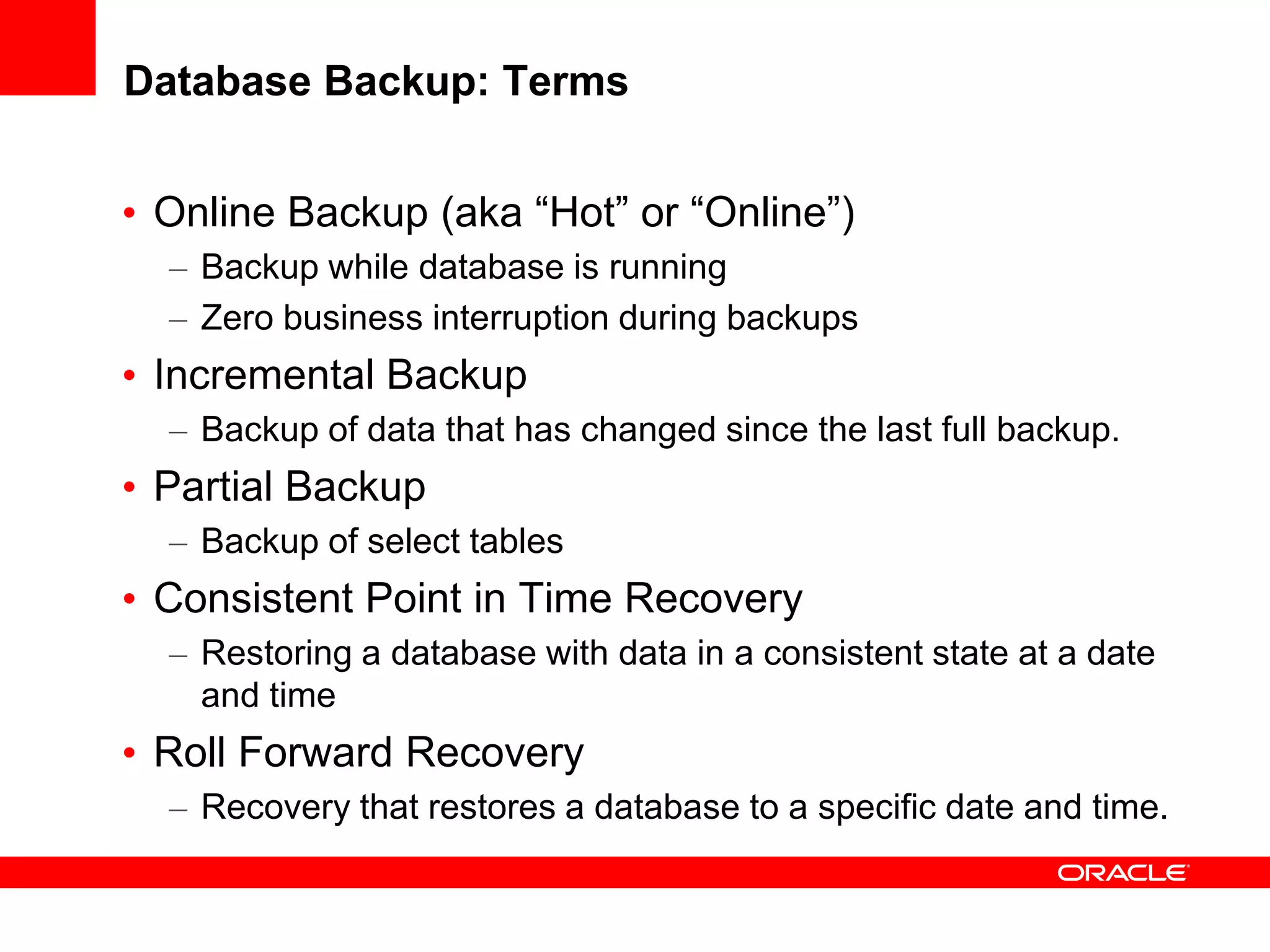
Database Backup: Terms
• Online Backup (aka “Hot” or “Online”)
– Backup while database is running
– Zero business interruption during backups
• Incremental Backup
– Backup of data that has changed since the last full backup.
• Partial Backup
– Backup of select tables
• Consistent Point in Time Recovery
– Restoring a database with data in a consistent state at a date
and time
• Roll Forward Recovery
– Recovery that restores a database to a specific date and time.
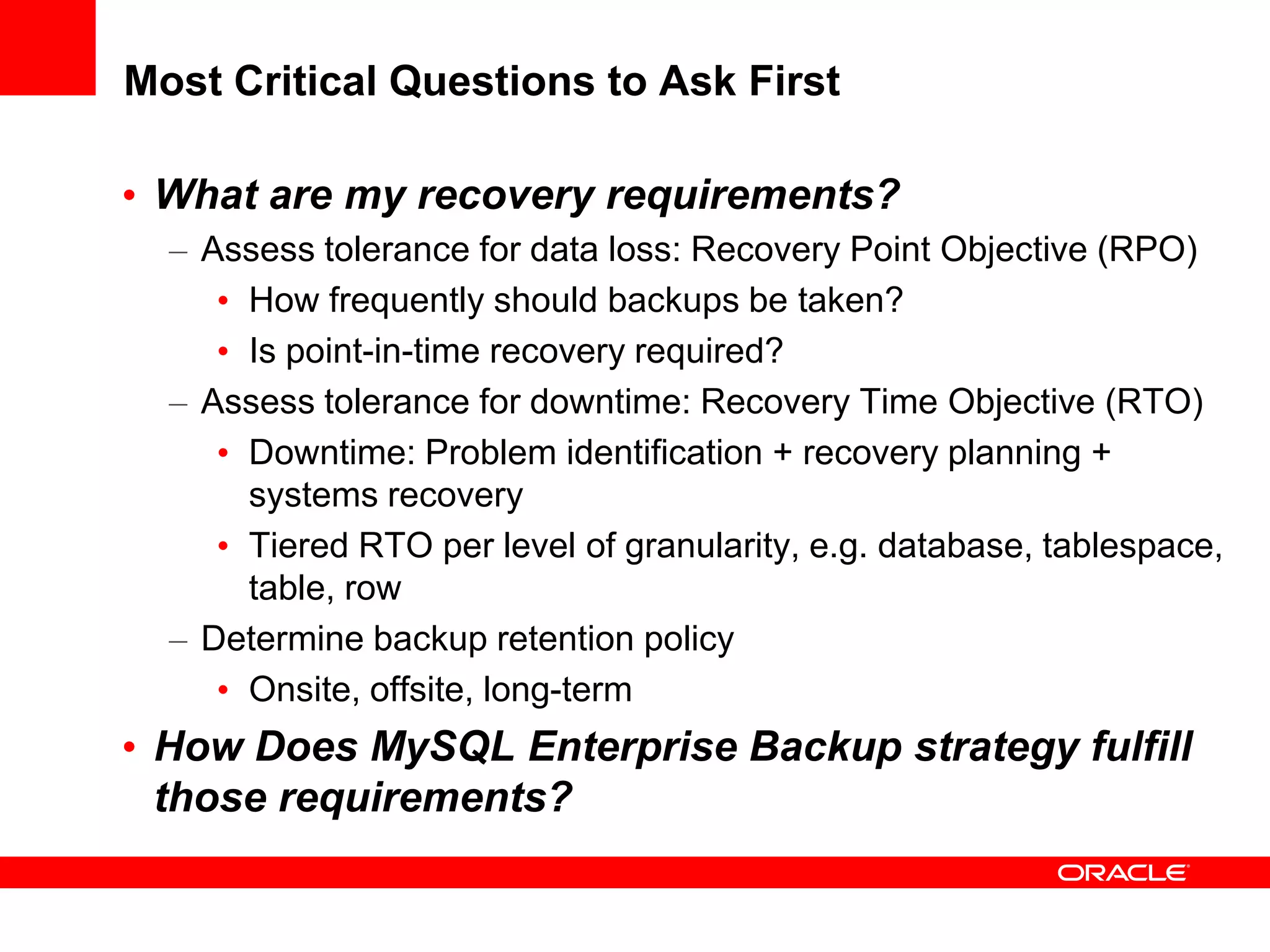
Most Critical Questions to Ask First
• What are my recovery requirements?
– Assess tolerance for data loss: Recovery Point Objective (RPO)
• How frequently should backups be taken?
• Is point-in-time recovery required?
– Assess tolerance for downtime: Recovery Time Objective (RTO)
• Downtime: Problem identification + recovery planning +
systems recovery
• Tiered RTO per level of granularity, e.g. database, tablespace,
table, row
– Determine backup retention policy
• Onsite, offsite, long-term
• How Does MySQL Enterprise Backup strategy fulfill
those requirements?
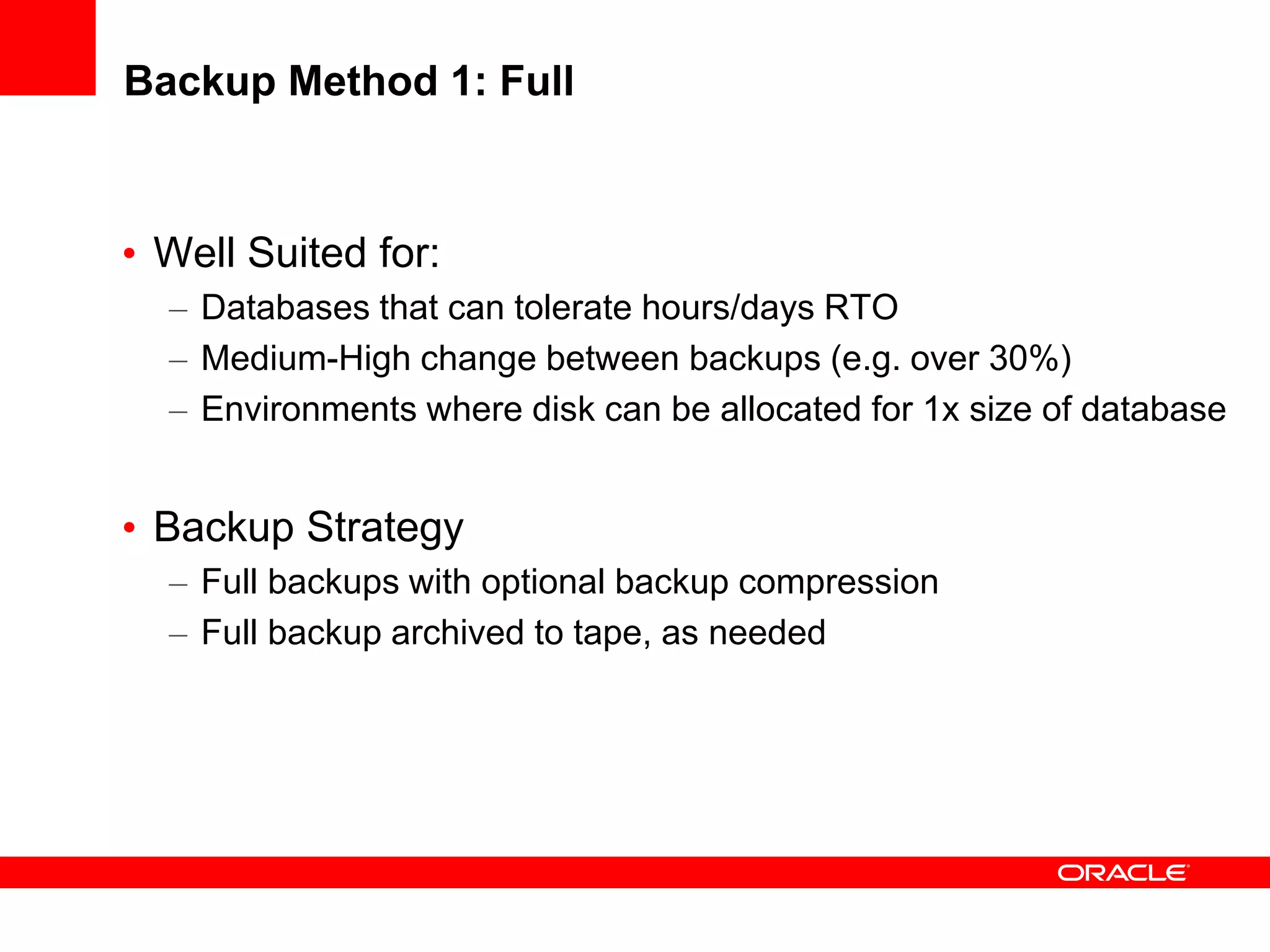
Backup Method 1: Full
• Well Suited for:
– Databases that can tolerate hours/days RTO
– Medium-High change between backups (e.g. over 30%)
– Environments where disk can be allocated for 1x size of database
• Backup Strategy
– Full backups with optional backup compression
– Full backup archived to tape, as needed
Backup Method 2: Full + Incremental
• Well suited for
– Databases that can tolerate no more than a few hours RTO
– Environments where disk can be allocated for 1x size of database
• Backup strategy
– Occasional Full backup, followed by more frequent incremental
– To recover - apply Full and then applying 1 or more Incremental
– Full backups archived to tape, as needed
– Incremental Backups retained on-disk, as needed
Backup Method 3: Full + Incremental + Log
• Well suited for
– Databases that can tolerate no more than a few minutes RTO
– Environments where disk can be allocated for more than1x size of
database
• Backup strategy
– Initial full backup, followed by incremental backups
– Backup Transaction Logs
– To recover - apply Full and then applying 1 or more Incremental
– Finally Roll Forward with Transaction Log to “minute” desired.
– Full backups and incrementals archived to tape, as needed
– Logs are backup up and retained on-disk, as needed
Backup Method 4: Offload Backups to Slave
(Replication)
• Well Suited for:
– Databases that require no more than several minutes of
recovery time, in event of failure
– Environments that can preferably allocate symmetric
hardware and storage for physical standby database
– Environments whose backup storage infrastructure can be
shared between master and slave database sites
• Backup Strategy
– Setup Master / Slave replication
– Slave acts as physical standby database
– Run full and incremental backup on slave
– Backup can be restored to master or slave database
– Backups can be taken at each database for optimal protection
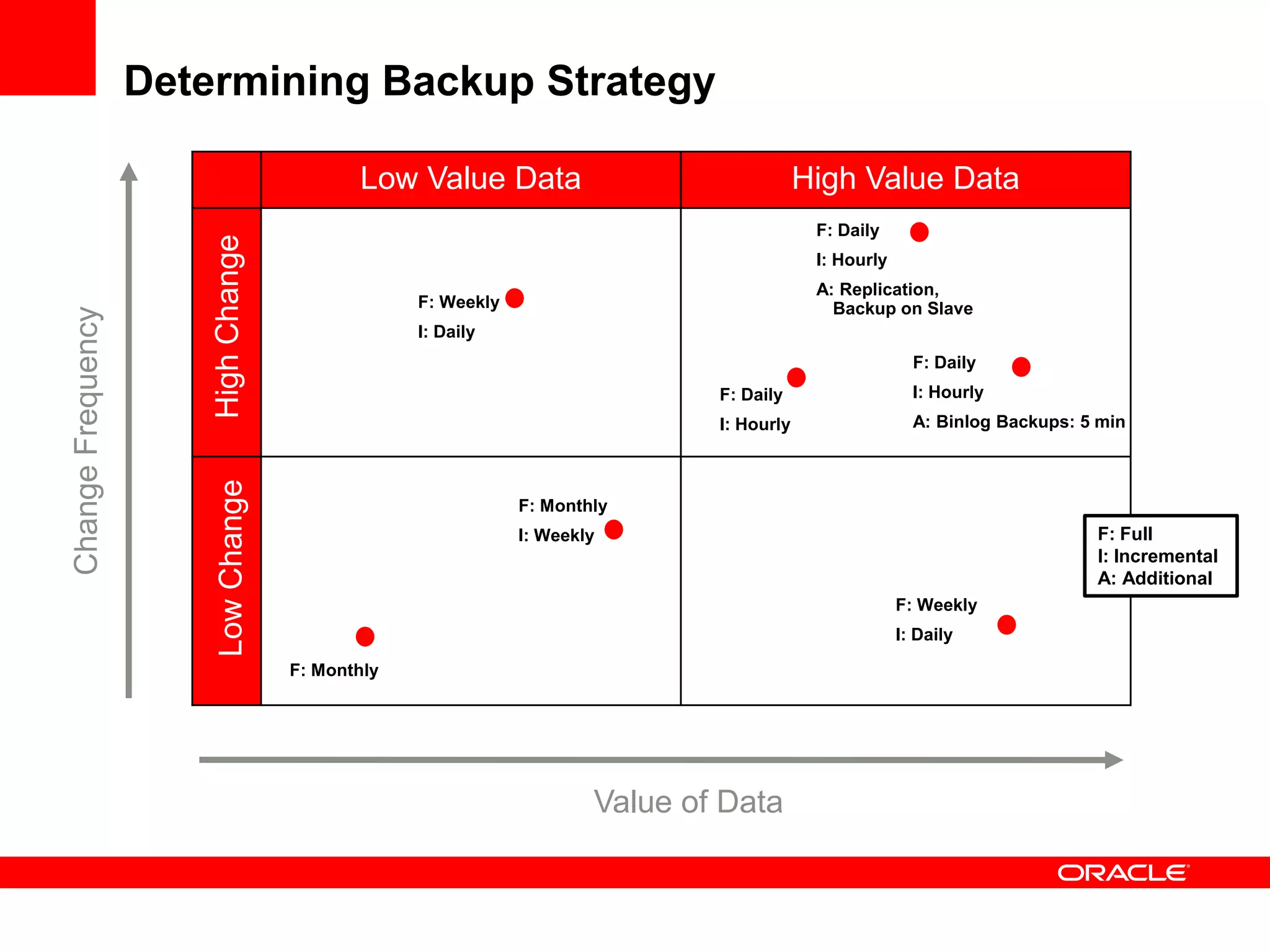
Determining Backup Strategy
Low Value Data High Value Data
LowChangeHighChange
ChangeFrequency
Value of Data
F: Daily
I: Hourly
F: Weekly
I: Daily
F: Weekly
I: Daily
F: Monthly
I: Weekly
F: Monthly
F: Daily
I: Hourly
A: Replication,
Backup on Slave
F: Daily
I: Hourly
A: Binlog Backups: 5 min
F: Full
I: Incremental
A: Additional
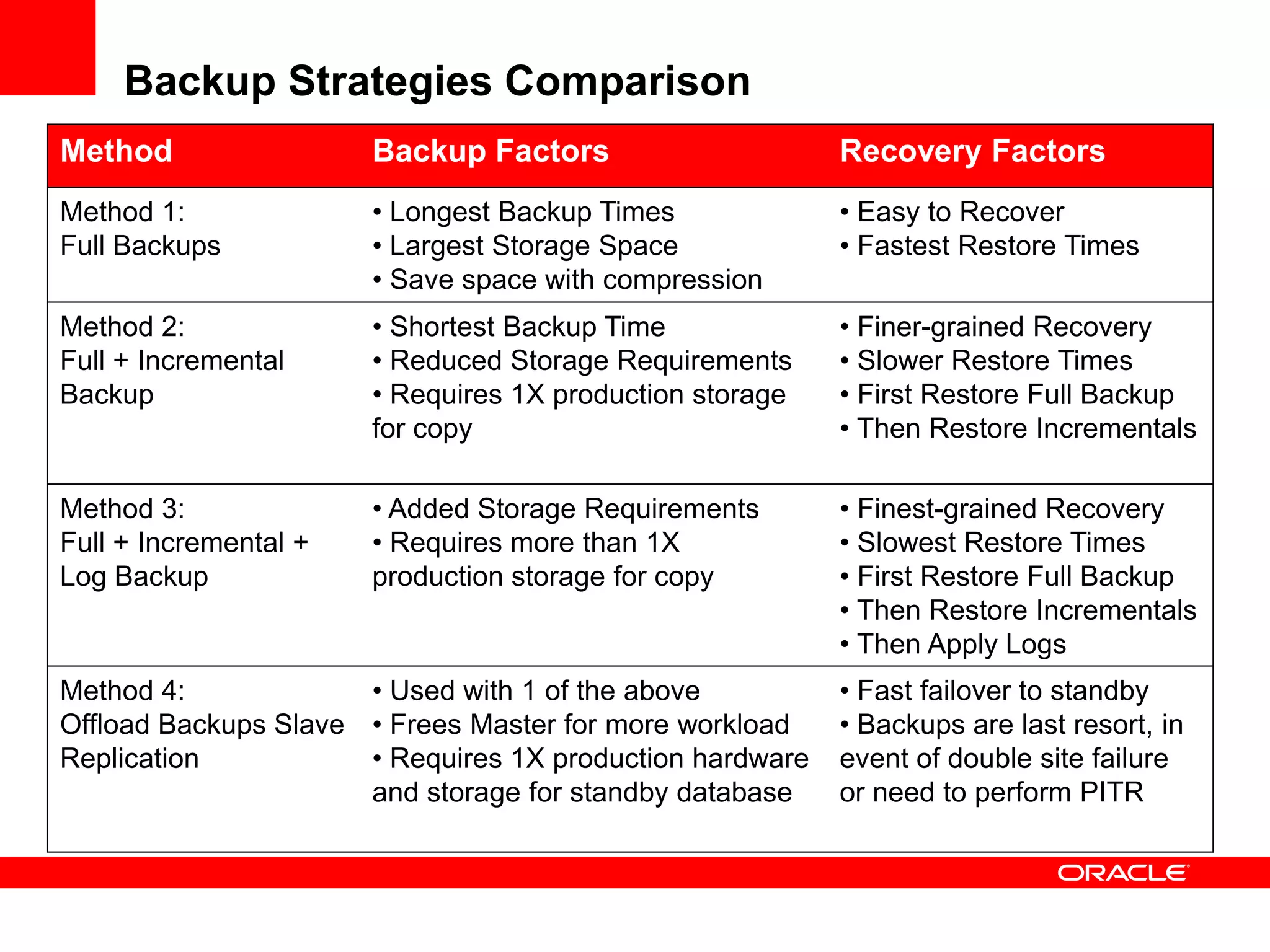
Backup Strategies Comparison
Method Backup Factors Recovery Factors
Method 1:
Full Backups
• Longest Backup Times
• Largest Storage Space
• Save space with compression
• Easy to Recover
• Fastest Restore Times
Method 2:
Full + Incremental
Backup
• Shortest Backup Time
• Reduced Storage Requirements
• Requires 1X production storage
for copy
• Finer-grained Recovery
• Slower Restore Times
• First Restore Full Backup
• Then Restore Incrementals
Method 3:
Full + Incremental +
Log Backup
• Added Storage Requirements
• Requires more than 1X
production storage for copy
• Finest-grained Recovery
• Slowest Restore Times
• First Restore Full Backup
• Then Restore Incrementals
• Then Apply Logs
Method 4:
Offload Backups Slave
Replication
• Used with 1 of the above
• Frees Master for more workload
• Requires 1X production hardware
and storage for standby database
• Fast failover to standby
• Backups are last resort, in
event of double site failure
or need to perform PITR
MySQL Enterprise Backup
Features & Benefits
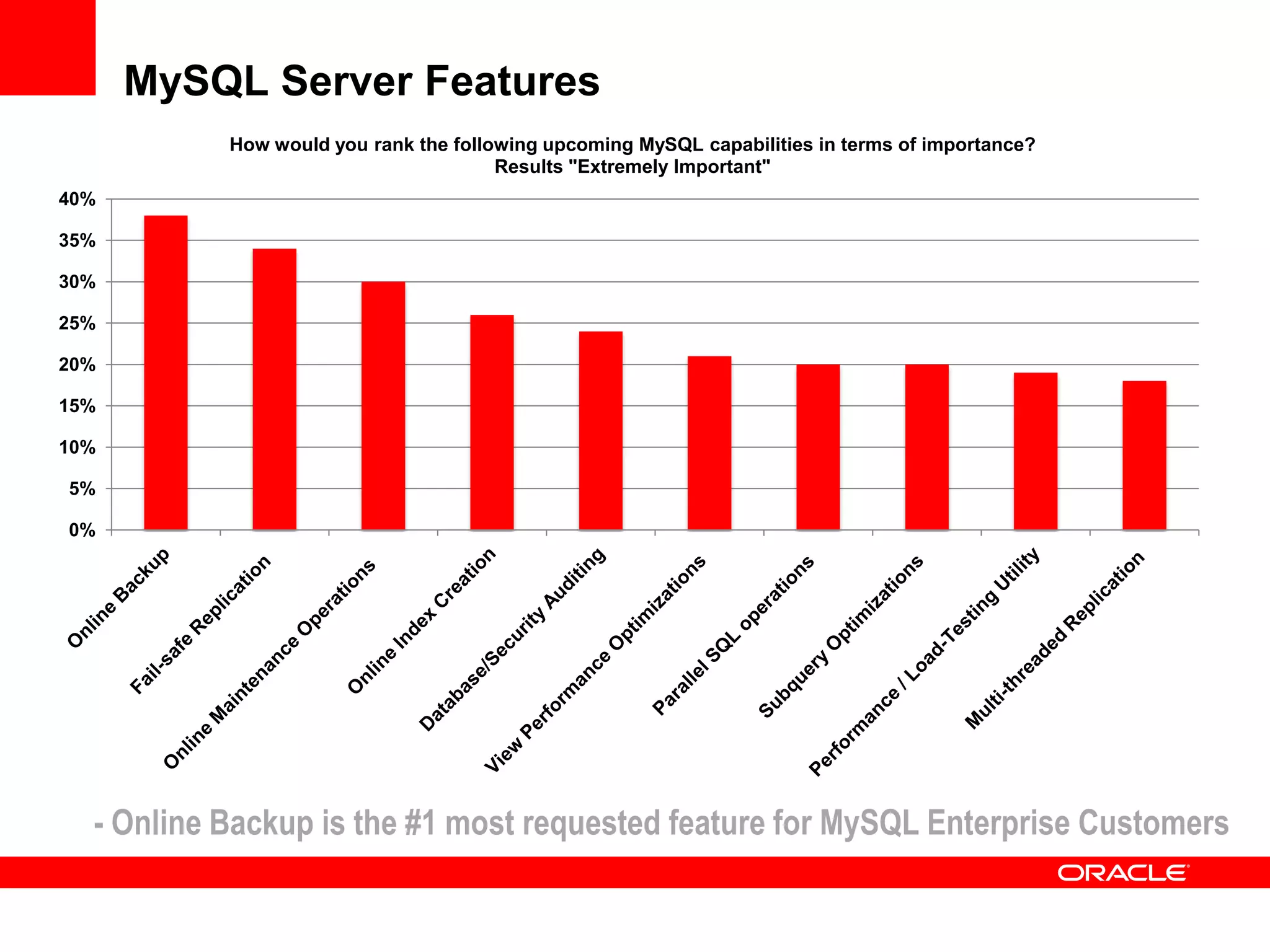
MySQL Server Features
0%
5%
10%
15%
20%
25%
30%
35%
40%
How would you rank the following upcoming MySQL capabilities in terms of importance?
Results "Extremely Important"
- Online Backup is the #1 most requested feature for MySQL Enterprise Customers
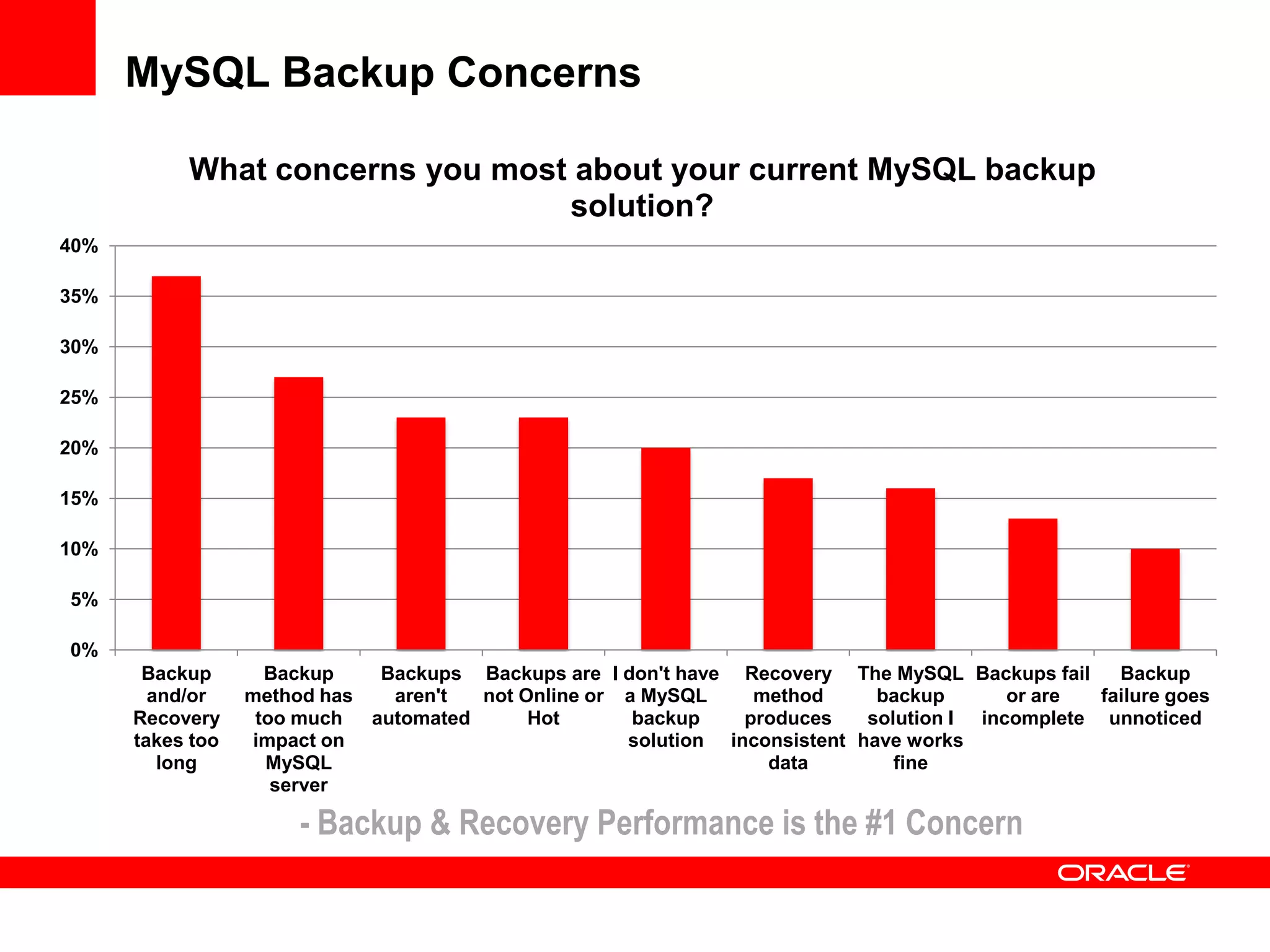
MySQL Backup Concerns
0%
5%
10%
15%
20%
25%
30%
35%
40%
Backup
and/or
Recovery
takes too
long
Backup
method has
too much
impact on
MySQL
server
Backups
aren't
automated
Backups are
not Online or
Hot
I don't have
a MySQL
backup
solution
Recovery
method
produces
inconsistent
data
The MySQL
backup
solution I
have works
fine
Backups fail
or are
incomplete
Backup
failure goes
unnoticed
What concerns you most about your current MySQL backup
solution?
- Backup & Recovery Performance is the #1 Concern
MySQL Enterprise Backup
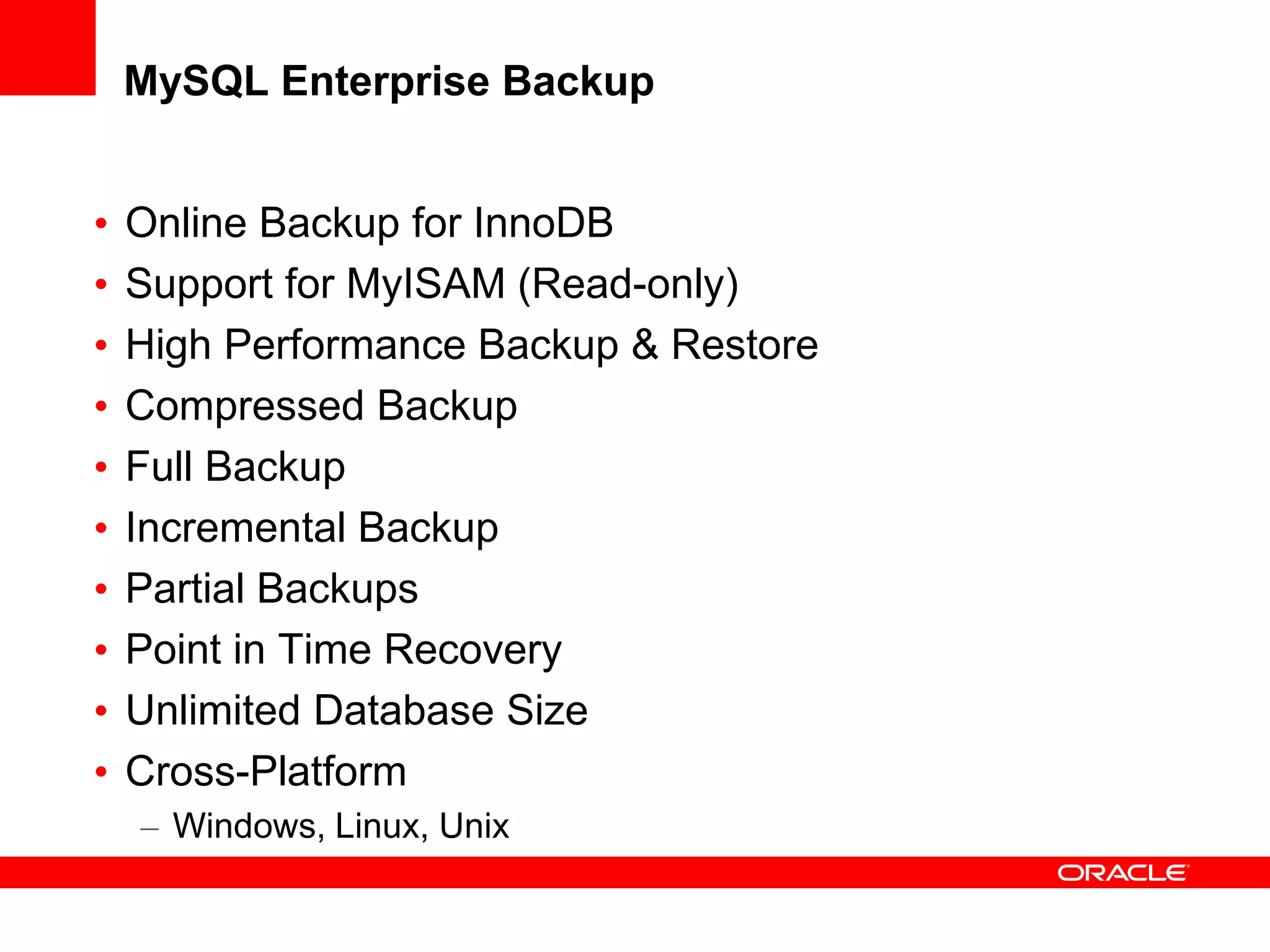
• Online Backup for InnoDB
• Support for MyISAM (Read-only)
• High Performance Backup & Restore
• Compressed Backup
• Full Backup
• Incremental Backup
• Partial Backups
• Point in Time Recovery
• Unlimited Database Size
• Cross-Platform
– Windows, Linux, Unix
Benefits
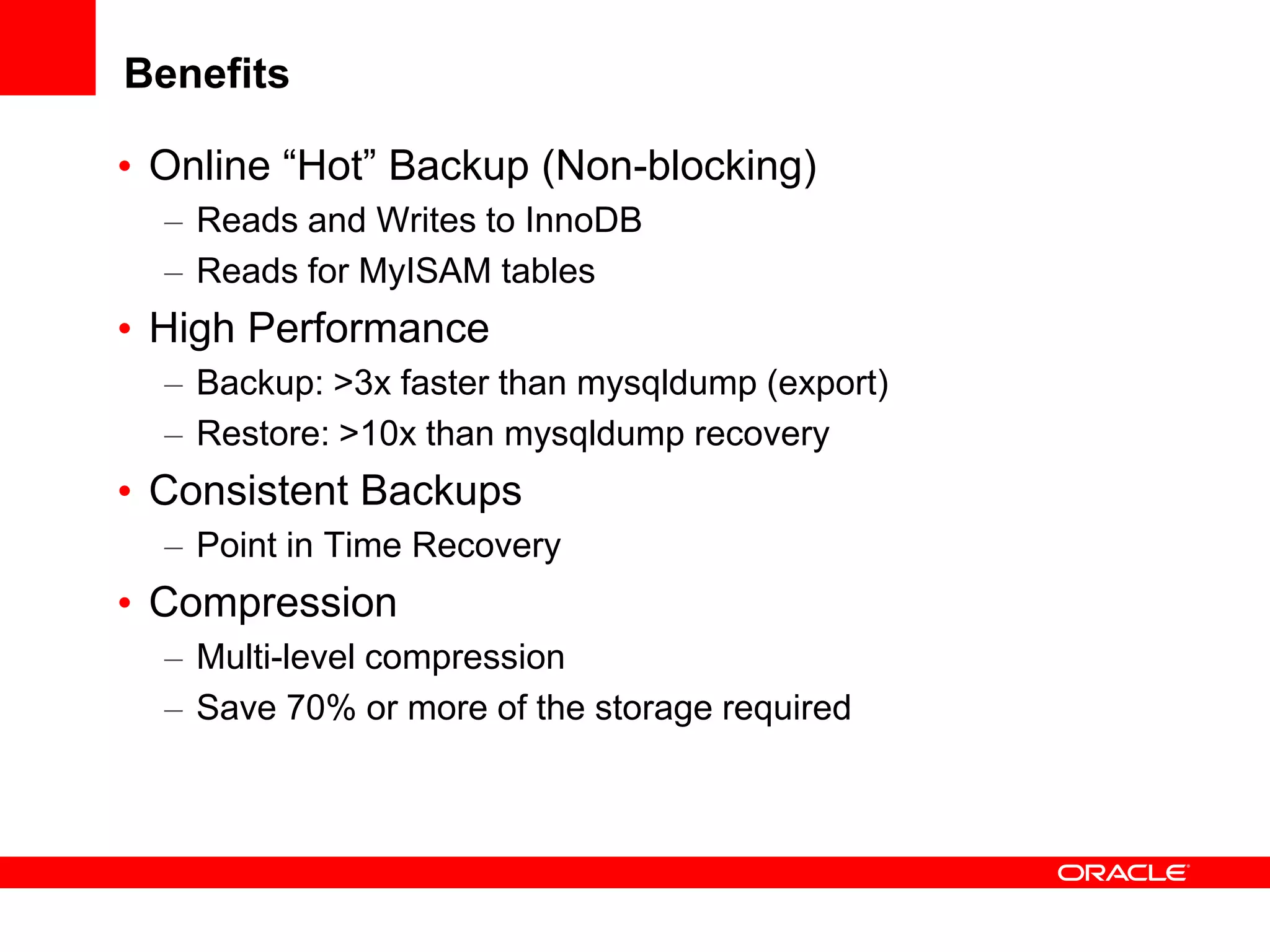
• Online “Hot” Backup (Non-blocking)
– Reads and Writes to InnoDB
– Reads for MyISAM tables
• High Performance
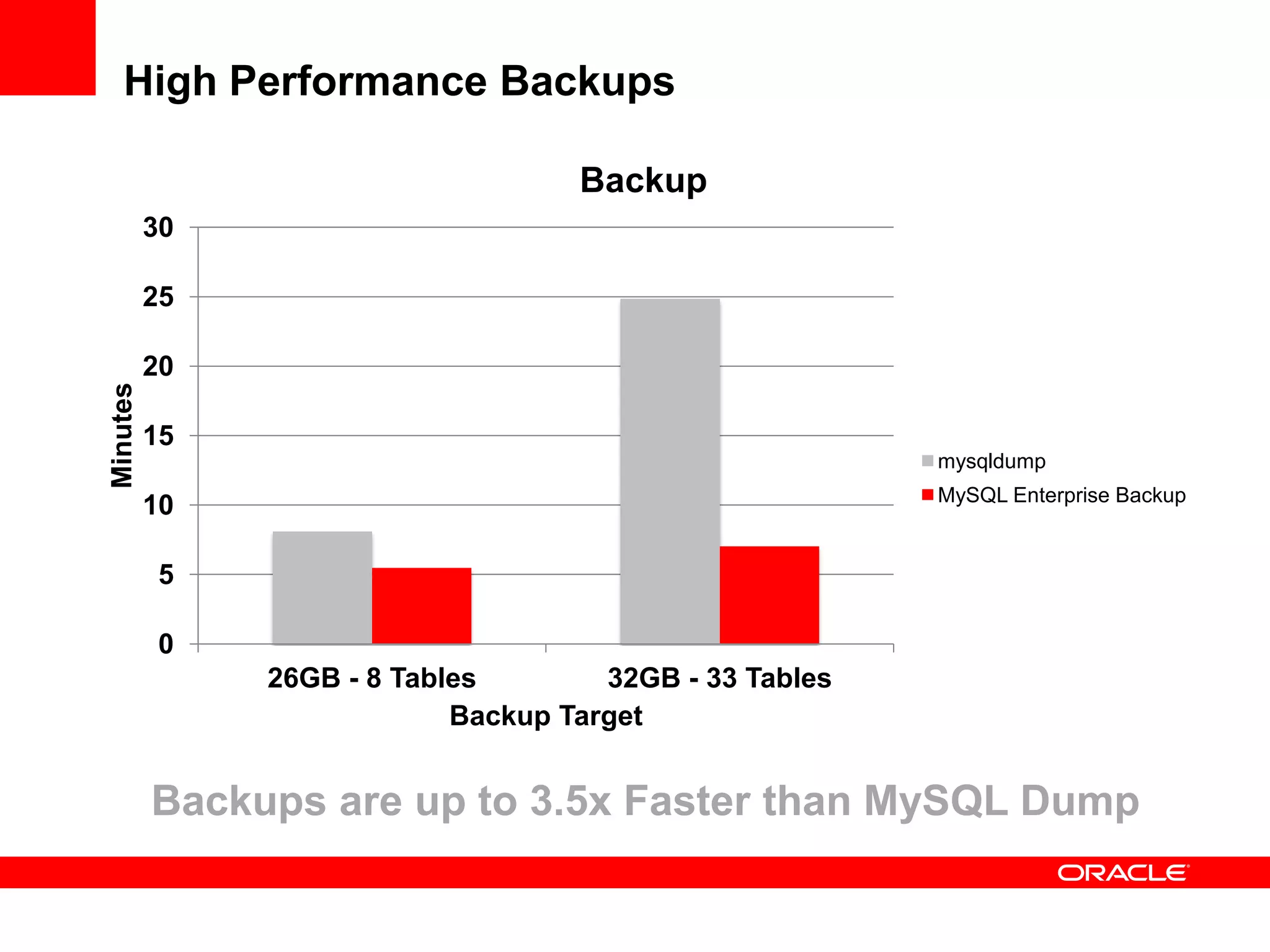
– Backup: >3x faster than mysqldump (export)
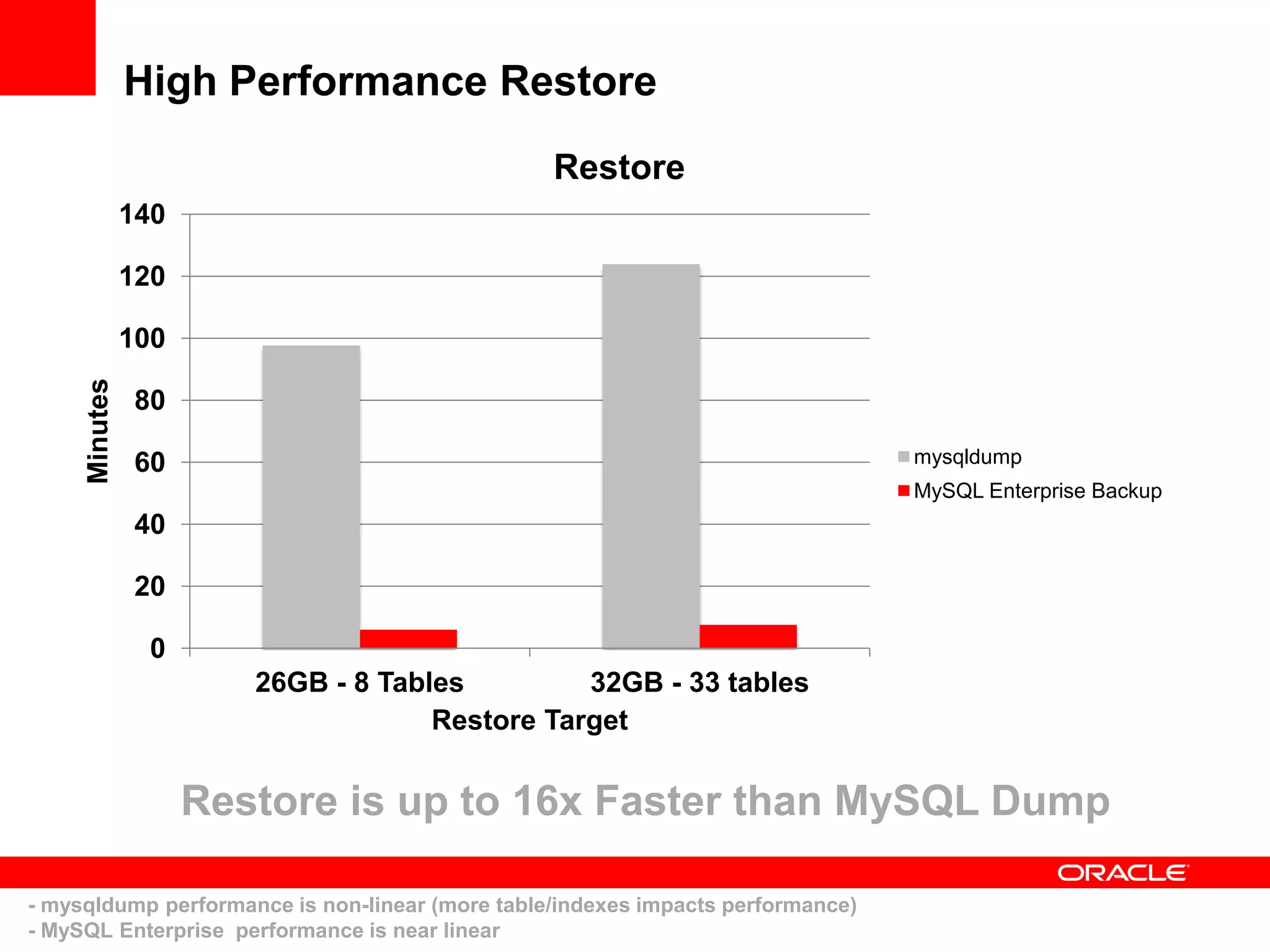
– Restore: >10x than mysqldump recovery
• Consistent Backups
– Point in Time Recovery
• Compression
– Multi-level compression
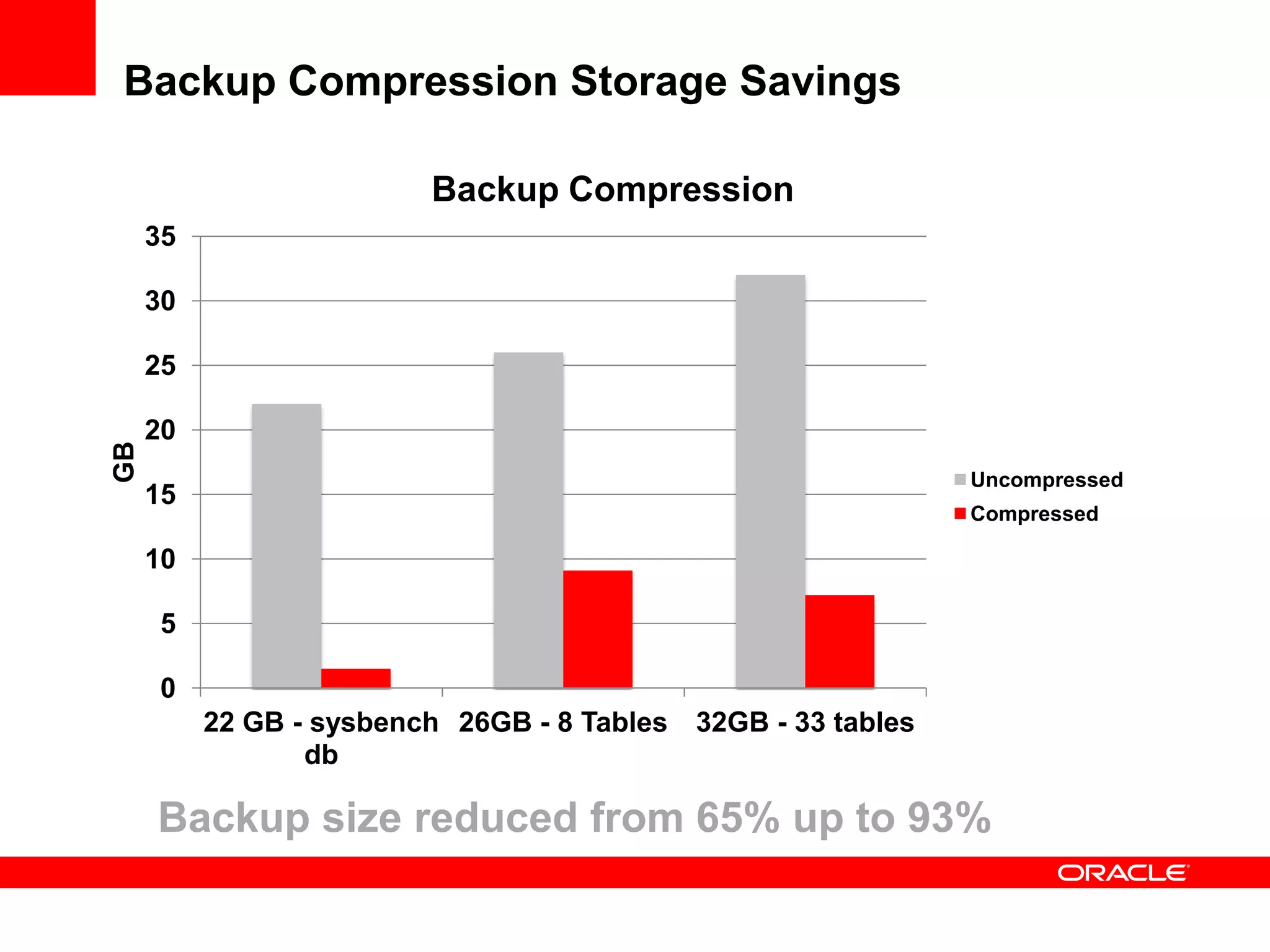
– Save 70% or more of the storage required
Benefits
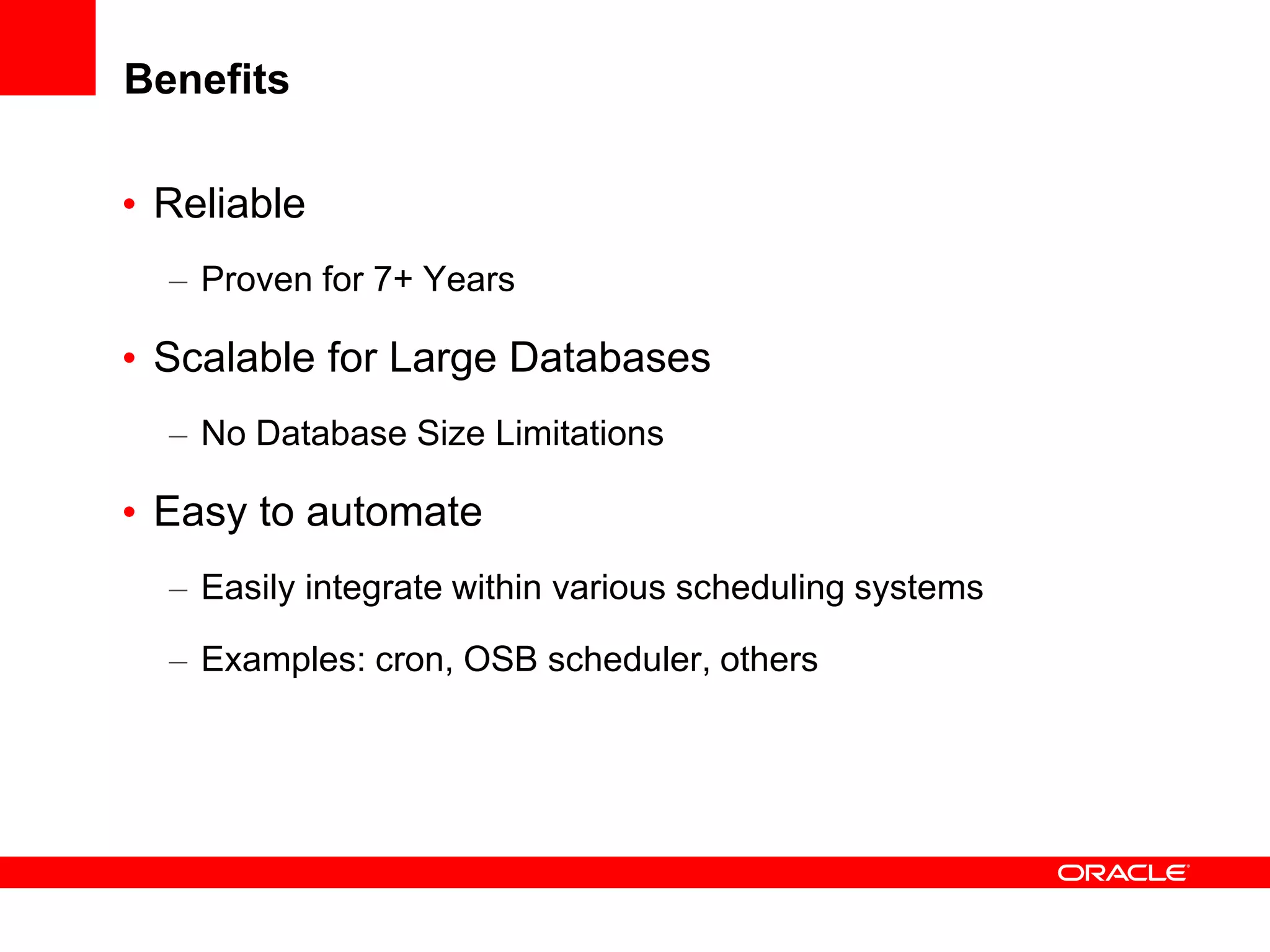
• Reliable
– Proven for 7+ Years
• Scalable for Large Databases
– No Database Size Limitations
• Easy to automate
– Easily integrate within various scheduling systems
– Examples: cron, OSB scheduler, others
MySQL Enterprise Backup 3.5: New Features
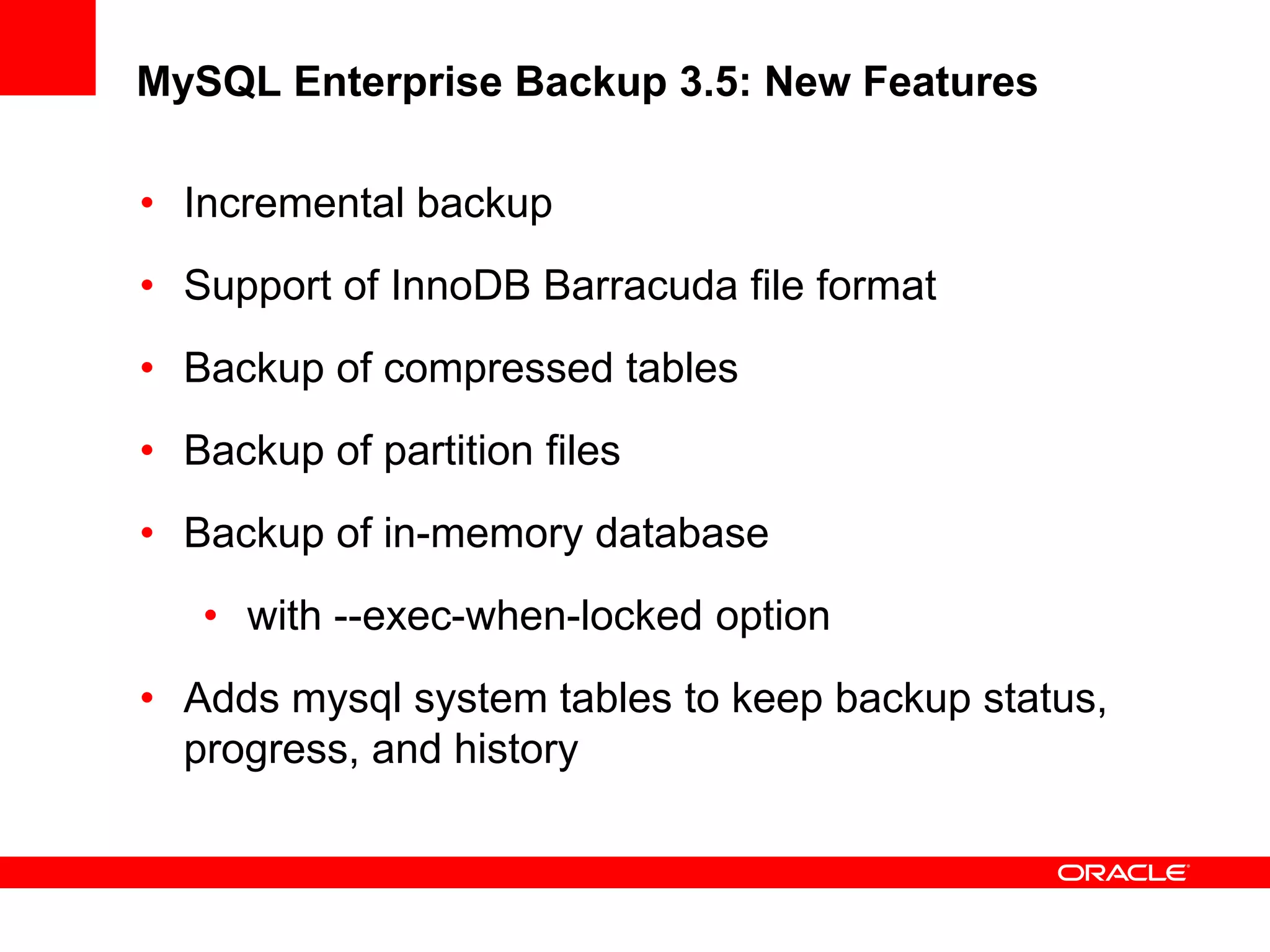
• Incremental backup
• Support of InnoDB Barracuda file format
• Backup of compressed tables
• Backup of partition files
• Backup of in-memory database
• with --exec-when-locked option
• Adds mysql system tables to keep backup status,
progress, and history
High Performance Backups
0
5
10
15
20
25
30
26GB - 8 Tables 32GB - 33 Tables
Minutes
Backup Target
Backup
mysqldump
MySQL Enterprise Backup
Backups are up to 3.5x Faster than MySQL Dump
High Performance Restore
0
20
40
60
80
100
120
140
26GB - 8 Tables 32GB - 33 tables
Minutes
Restore Target
Restore
mysqldump
MySQL Enterprise Backup
Restore is up to 16x Faster than MySQL Dump
- mysqldump performance is non-linear (more table/indexes impacts performance)
- MySQL Enterprise performance is near linear
Backup Compression Storage Savings
0
5
10
15
20
25
30
35
22 GB - sysbench
db
26GB - 8 Tables 32GB - 33 tables
GB
Backup Compression
Uncompressed
Compressed
Backup size reduced from 65% up to 93%
Database Backup Types
Advantages & Disadvantages
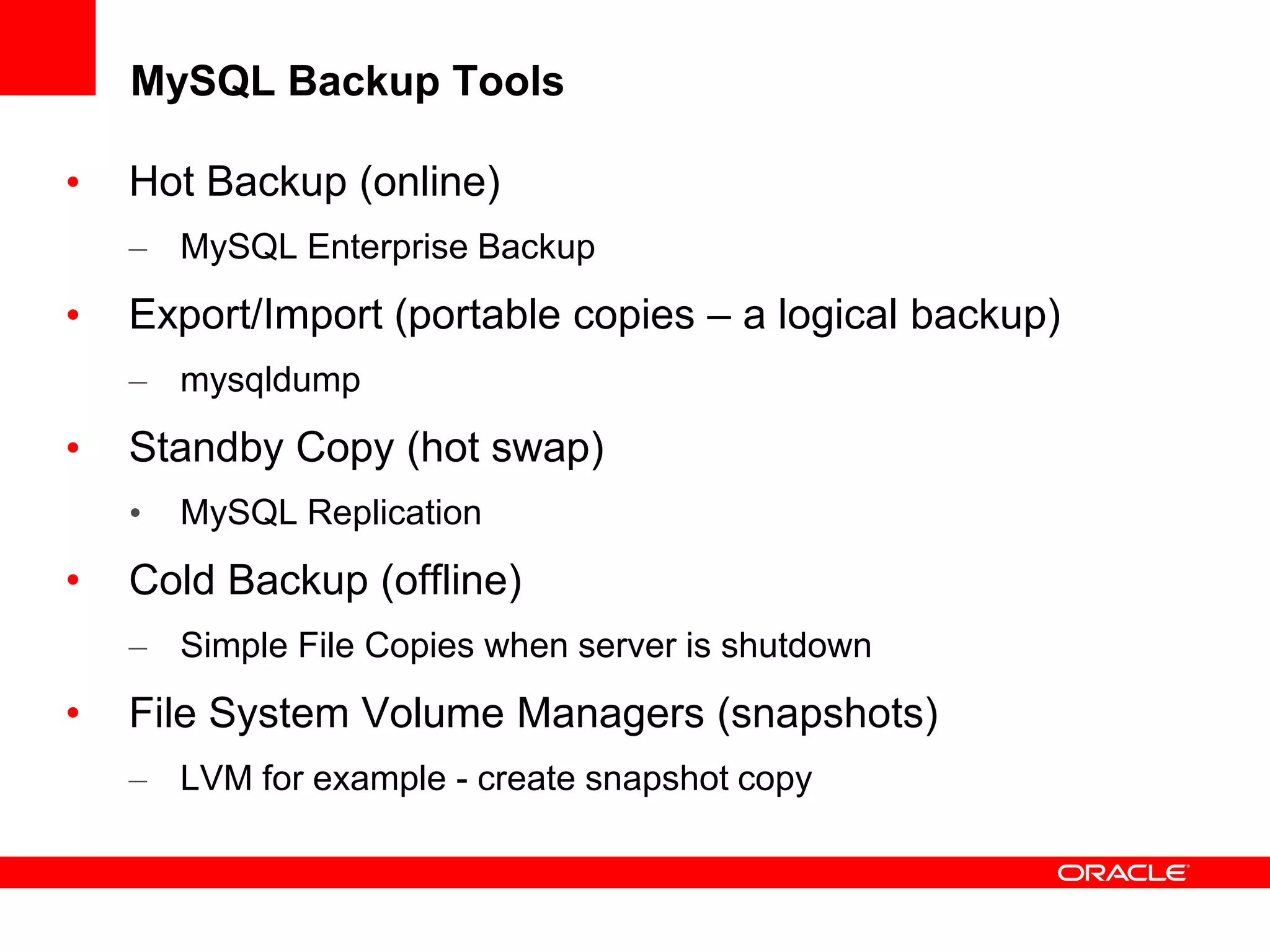
MySQL Backup Tools
• Hot Backup (online)
– MySQL Enterprise Backup
• Export/Import (portable copies – a logical backup)
– mysqldump
• Standby Copy (hot swap)
• MySQL Replication
• Cold Backup (offline)
– Simple File Copies when server is shutdown
• File System Volume Managers (snapshots)
– LVM for example - create snapshot copy
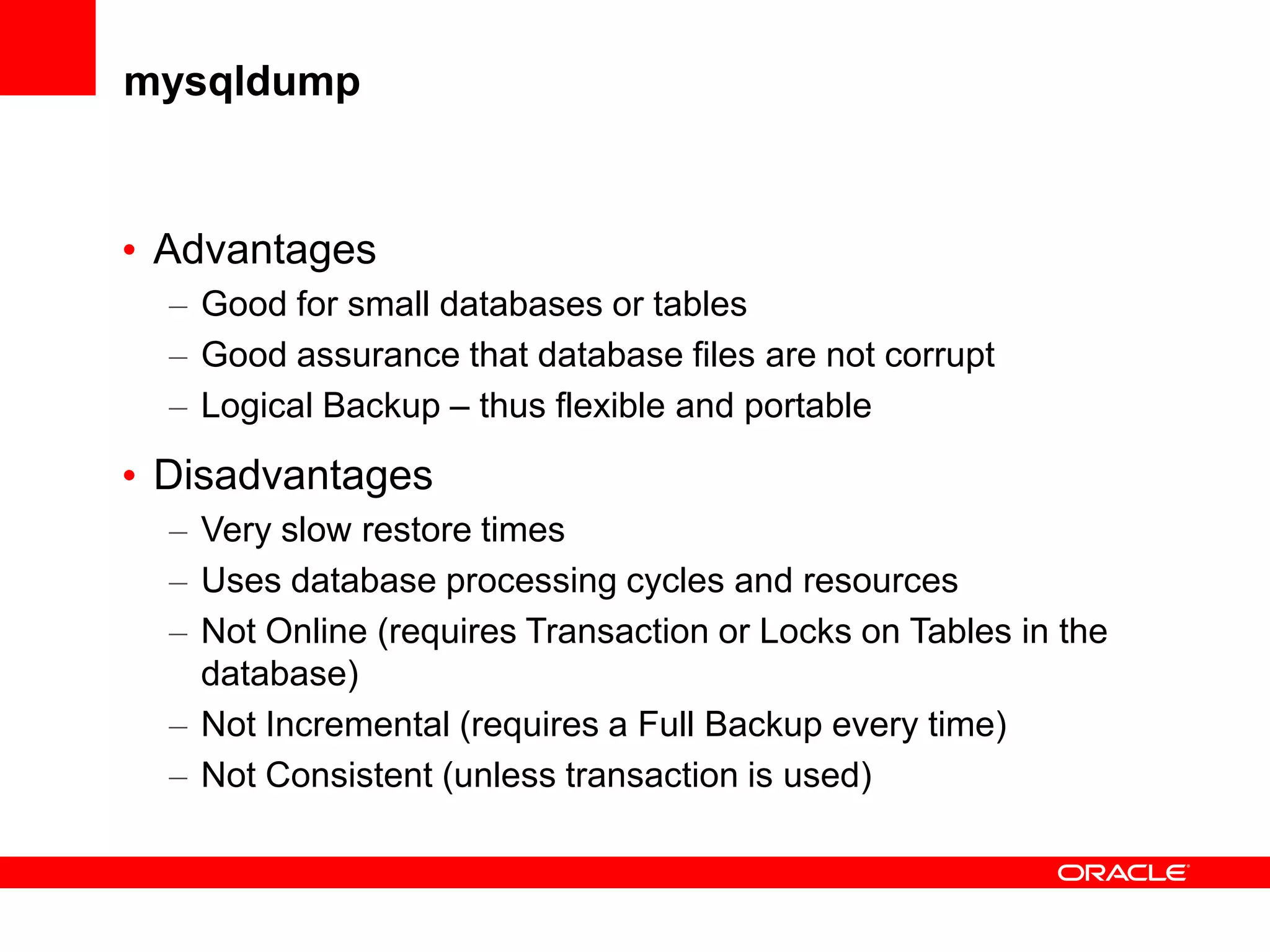
mysqldump
• Advantages
– Good for small databases or tables
– Good assurance that database files are not corrupt
– Logical Backup – thus flexible and portable
• Disadvantages
– Very slow restore times
– Uses database processing cycles and resources
– Not Online (requires Transaction or Locks on Tables in the
database)
– Not Incremental (requires a Full Backup every time)
– Not Consistent (unless transaction is used)
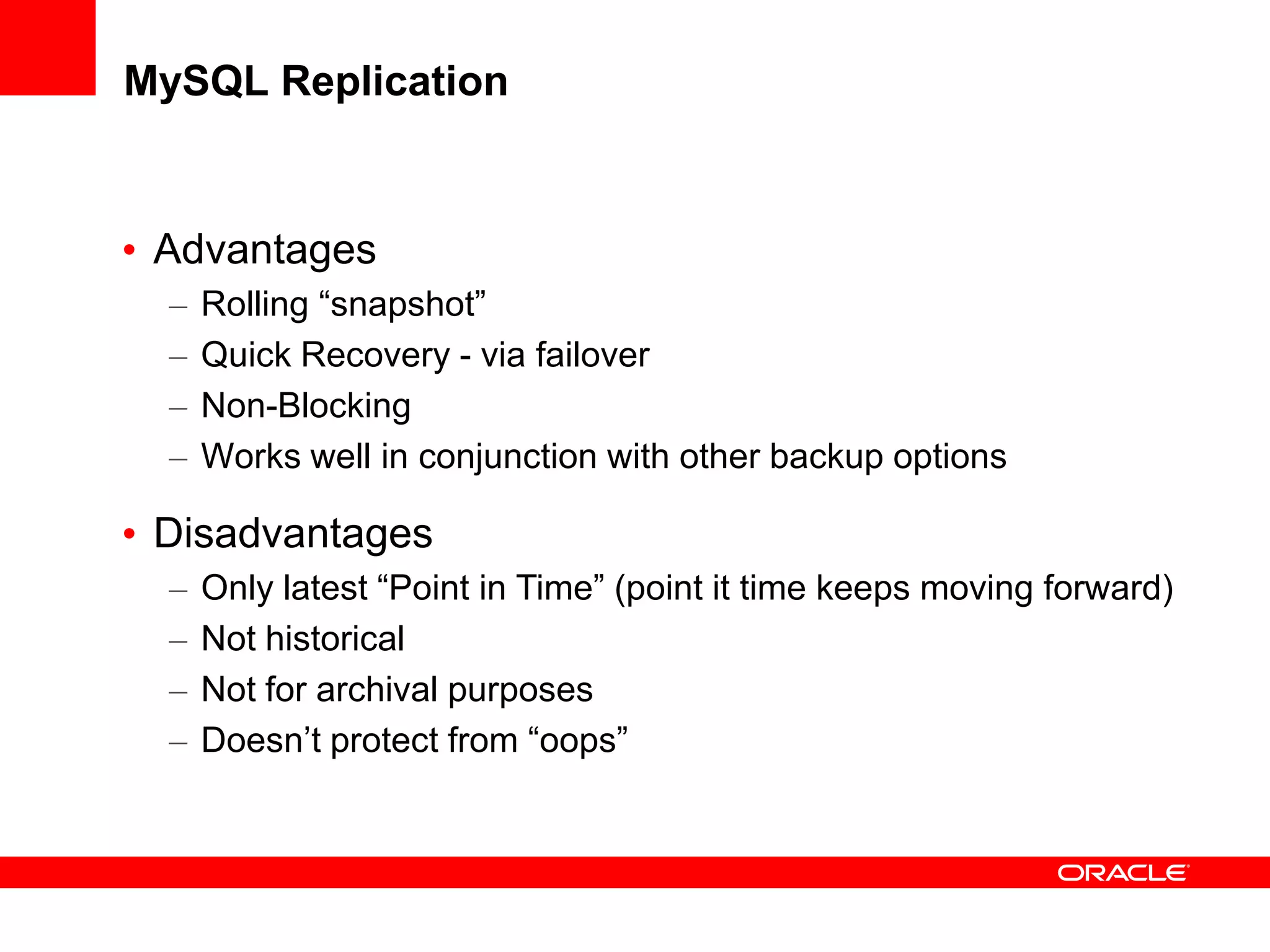
MySQL Replication
• Advantages
– Rolling “snapshot”
– Quick Recovery - via failover
– Non-Blocking
– Works well in conjunction with other backup options
• Disadvantages
– Only latest “Point in Time” (point it time keeps moving forward)
– Not historical
– Not for archival purposes
– Doesn’t protect from “oops”
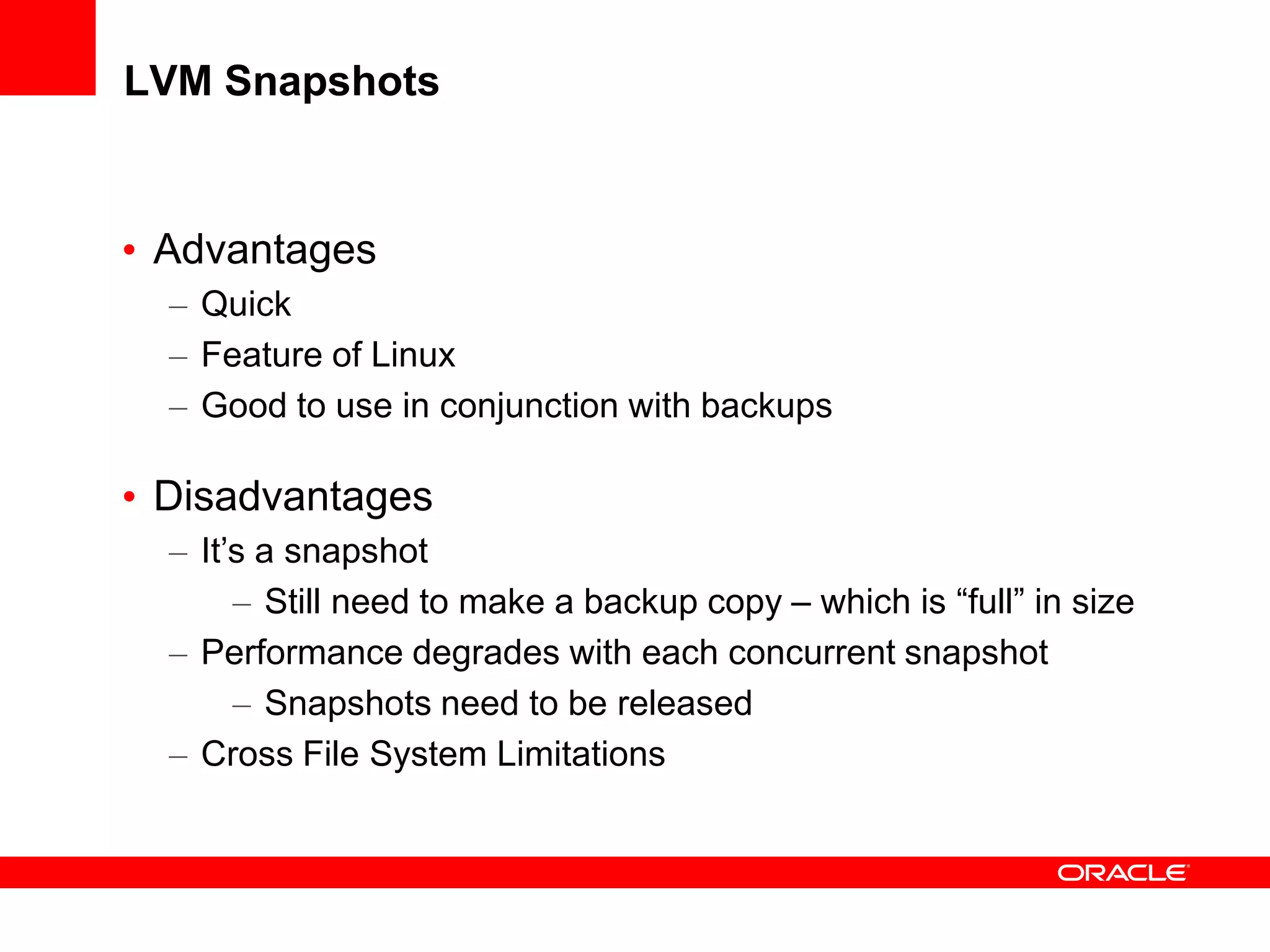
LVM Snapshots
• Advantages
– Quick
– Feature of Linux
– Good to use in conjunction with backups
• Disadvantages
– It’s a snapshot
– Still need to make a backup copy – which is “full” in size
– Performance degrades with each concurrent snapshot
– Snapshots need to be released
– Cross File System Limitations
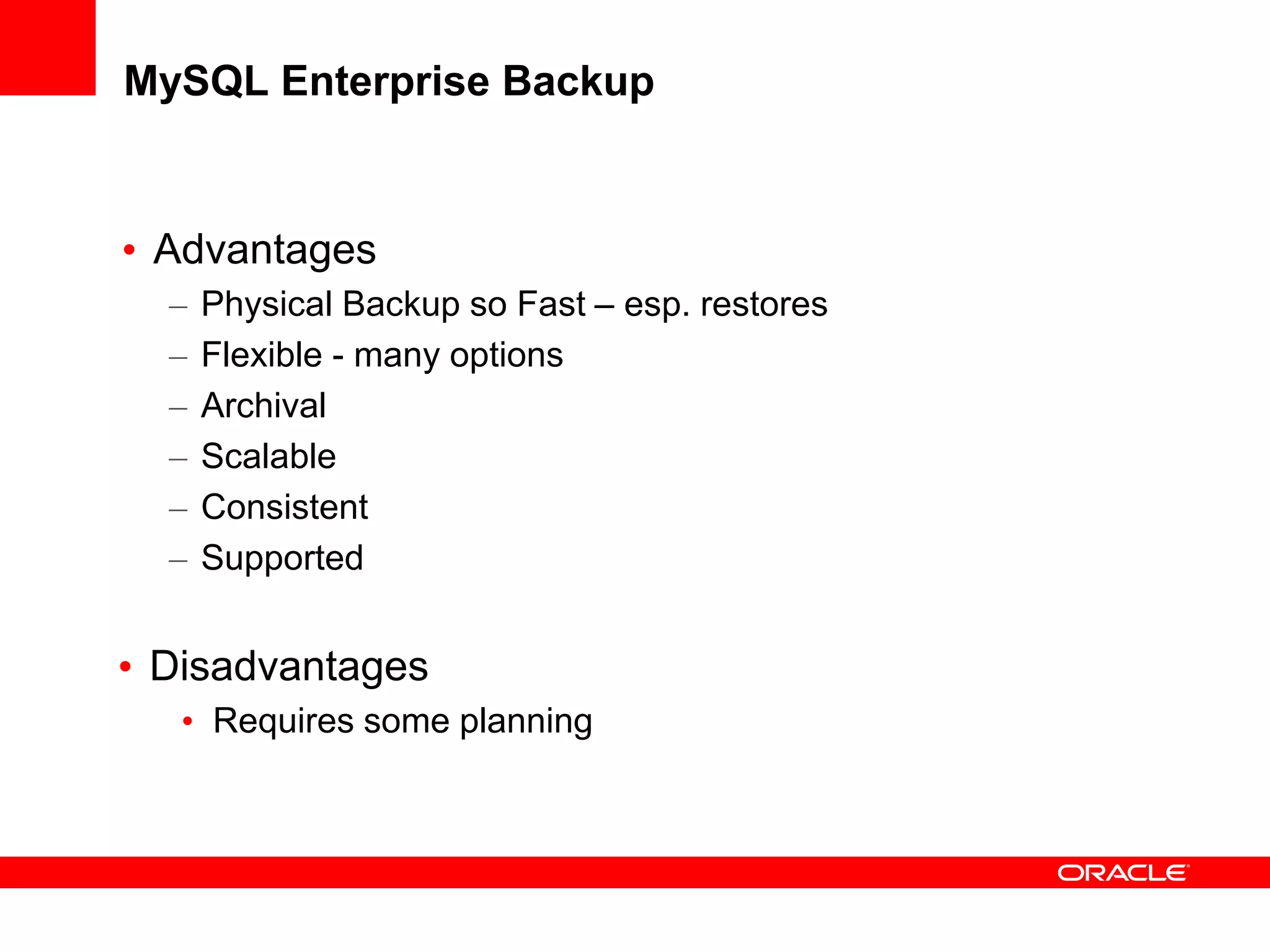
MySQL Enterprise Backup
• Advantages
– Physical Backup so Fast – esp. restores
– Flexible - many options
– Archival
– Scalable
– Consistent
– Supported
• Disadvantages
• Requires some planning
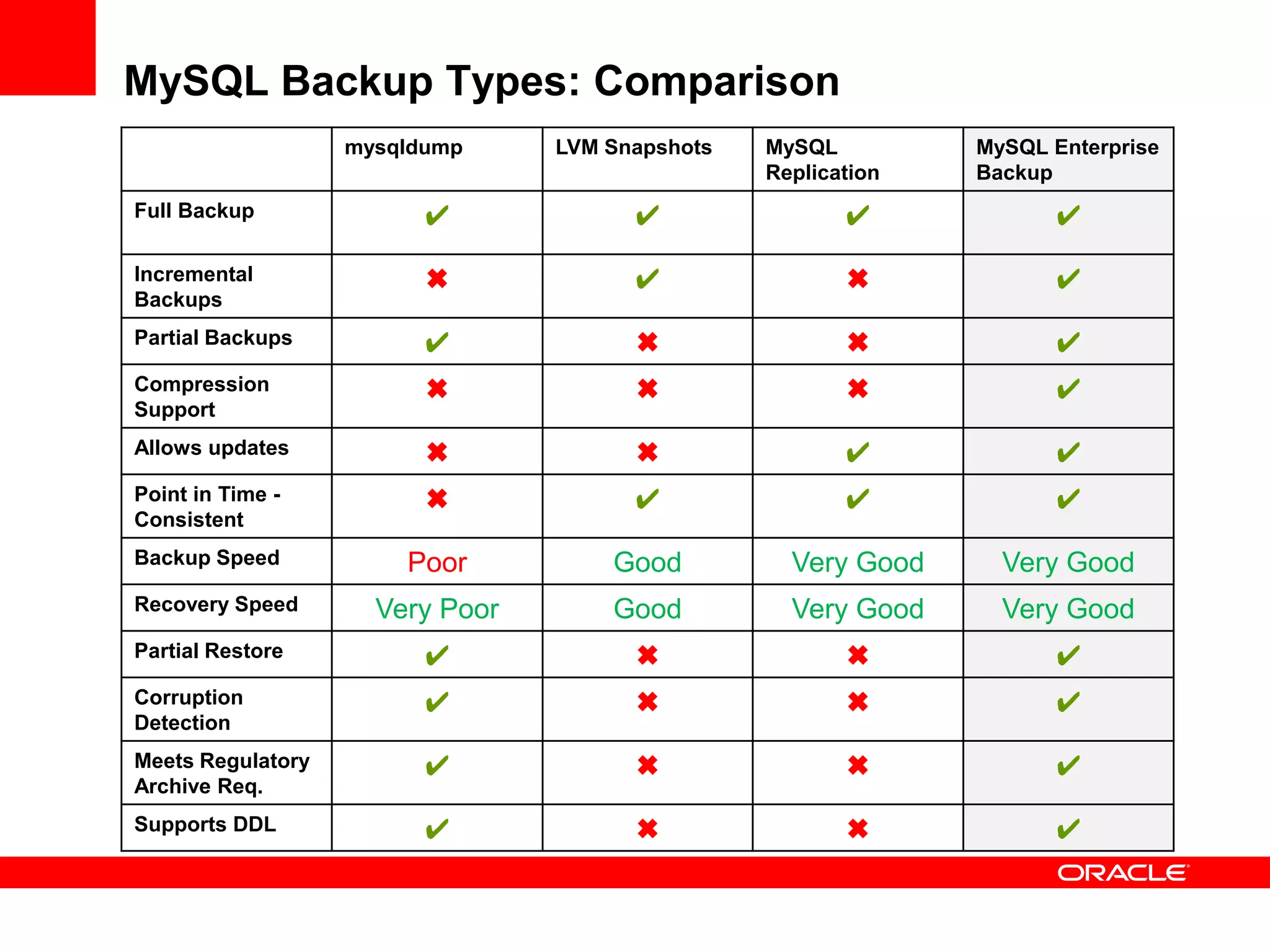
MySQL Backup Types: Comparison
mysqldump LVM Snapshots MySQL
Replication
MySQL Enterprise
Backup
Full Backup ✔ ✔ ✔ ✔
Incremental
Backups
✖ ✔ ✖ ✔
Partial Backups ✔ ✖ ✖ ✔
Compression
Support
✖ ✖ ✖ ✔
Allows updates ✖ ✖ ✔ ✔
Point in Time -
Consistent
✖ ✔ ✔ ✔
Backup Speed Poor Good Very Good Very Good
Recovery Speed Very Poor Good Very Good Very Good
Partial Restore ✔ ✖ ✖ ✔
Corruption
Detection
✔ ✖ ✖ ✔
Meets Regulatory
Archive Req.
✔ ✖ ✖ ✔
Supports DDL ✔ ✖ ✖ ✔
MySQL Enterprise Backup
How it Works
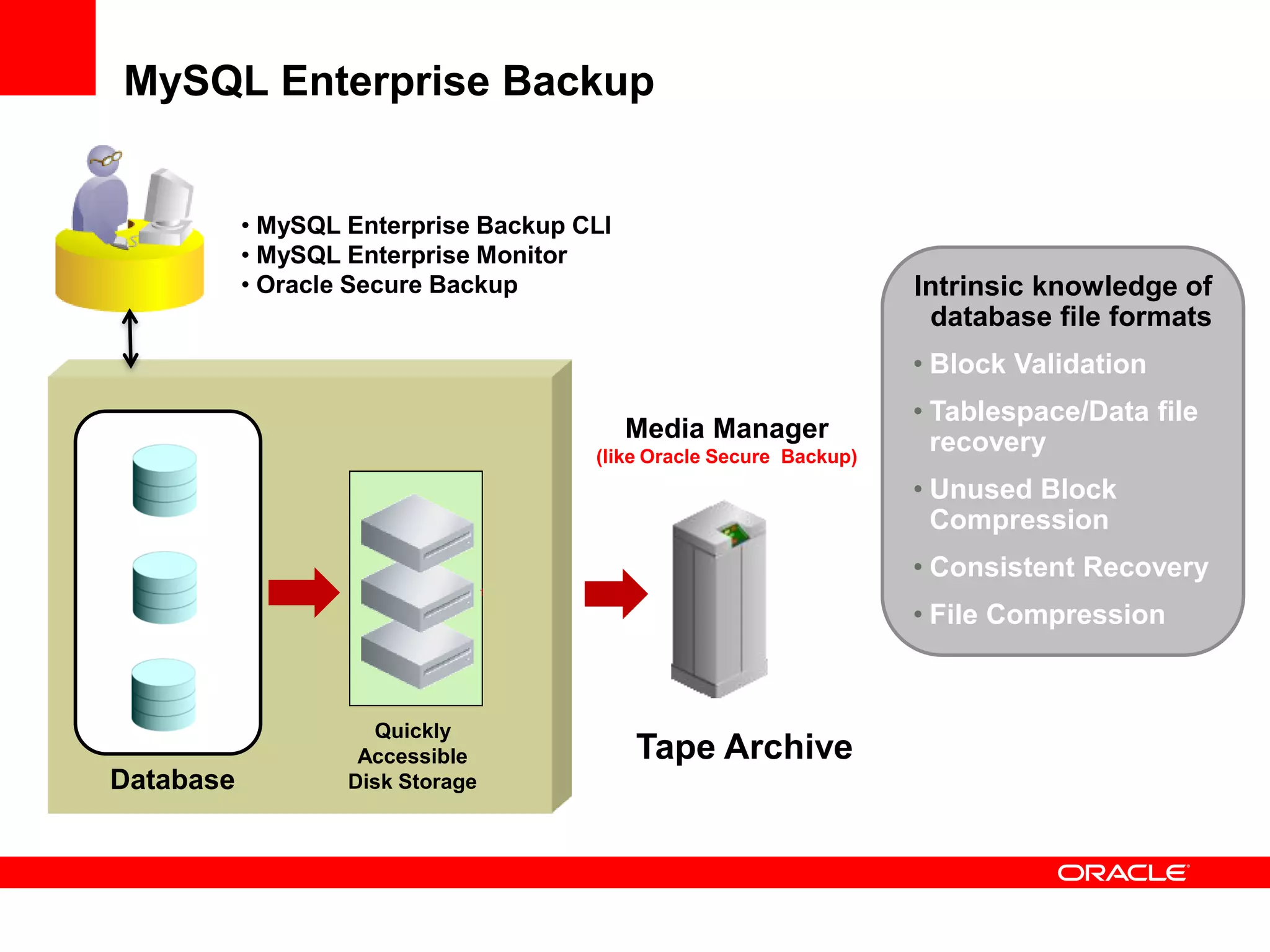
MySQL Enterprise Backup
Media Manager
(like Oracle Secure Backup)
Database
Quickly
Accessible
Disk Storage
Tape Archive
Intrinsic knowledge of
database file formats
• Block Validation
• Tablespace/Data file
recovery
• Unused Block
Compression
• Consistent Recovery
• File Compression
• MySQL Enterprise Backup CLI
• MySQL Enterprise Monitor
• Oracle Secure Backup
MySQL Enterprise Backup: Terms
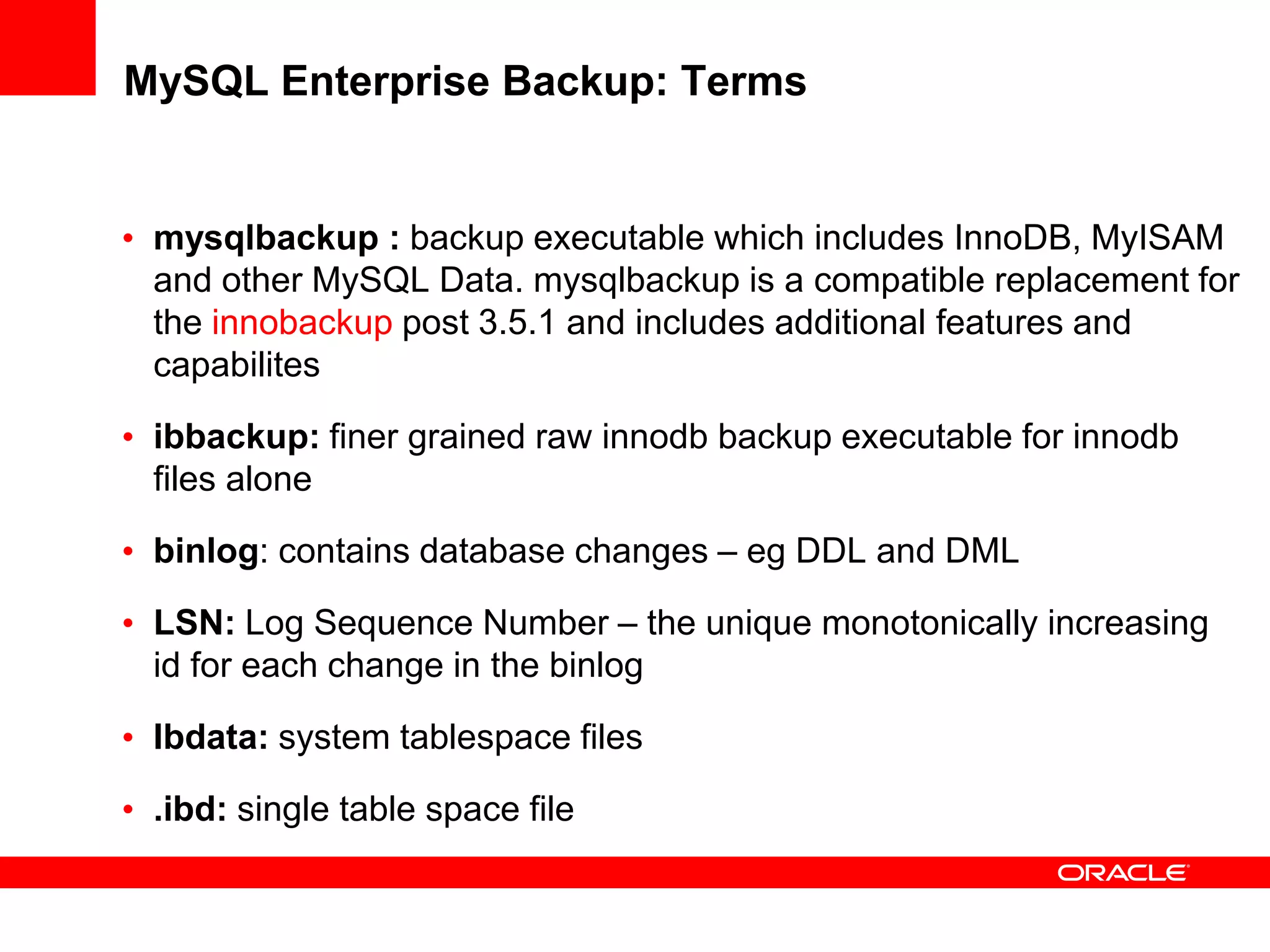
• mysqlbackup : backup executable which includes InnoDB, MyISAM
and other MySQL Data. mysqlbackup is a compatible replacement for
the innobackup post 3.5.1 and includes additional features and
capabilites
• ibbackup: finer grained raw innodb backup executable for innodb
files alone
• binlog: contains database changes – eg DDL and DML
• LSN: Log Sequence Number – the unique monotonically increasing
id for each change in the binlog
• Ibdata: system tablespace files
• .ibd: single table space file
How it Works: Backup for InnoDB
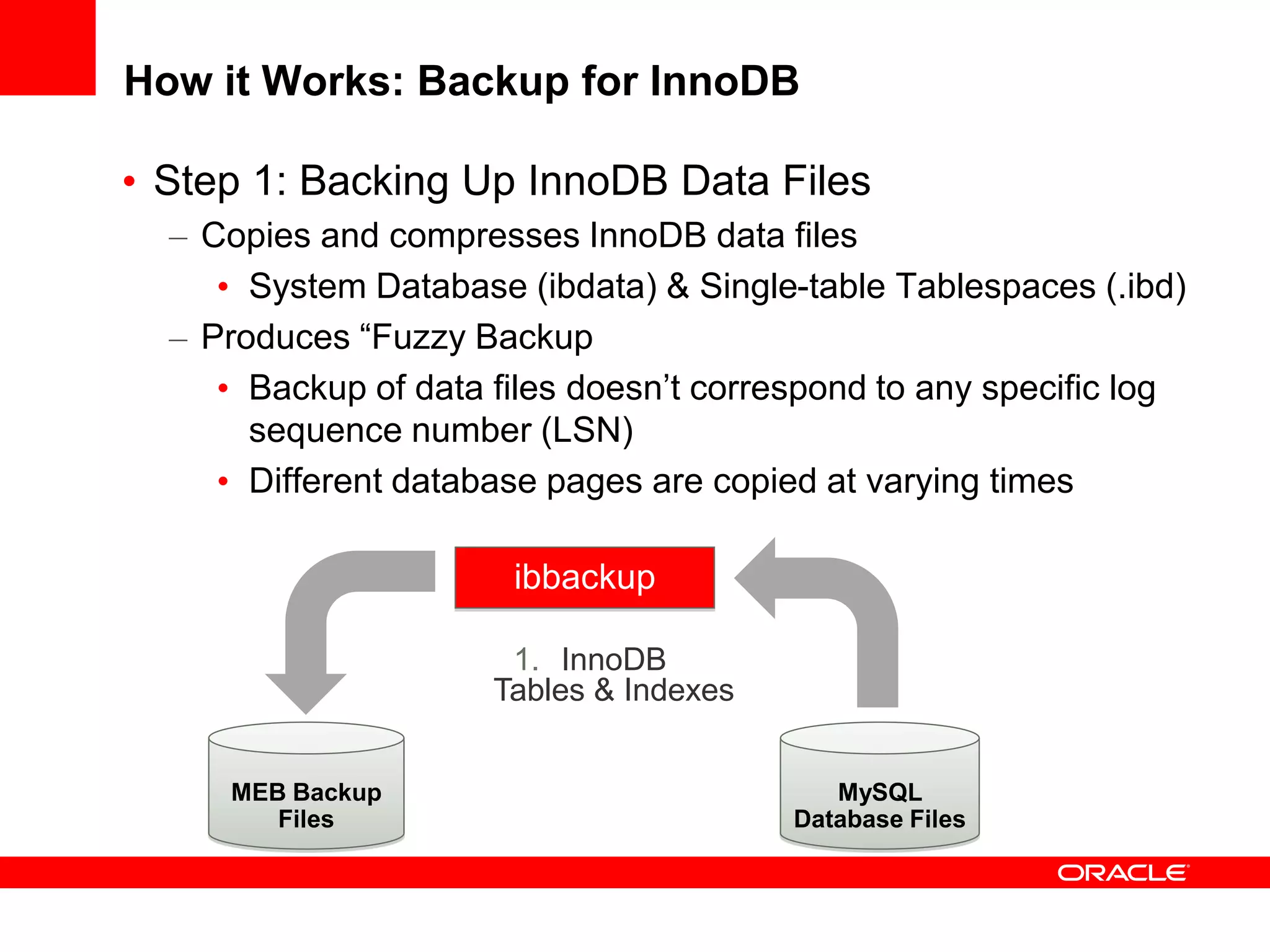
• Step 1: Backing Up InnoDB Data Files
– Copies and compresses InnoDB data files
• System Database (ibdata) & Single-table Tablespaces (.ibd)
– Produces “Fuzzy Backup
• Backup of data files doesn’t correspond to any specific log
sequence number (LSN)
• Different database pages are copied at varying times
MEB Backup
Files
MySQL
Database Files
1. InnoDB
Tables & Indexes
ibbackup
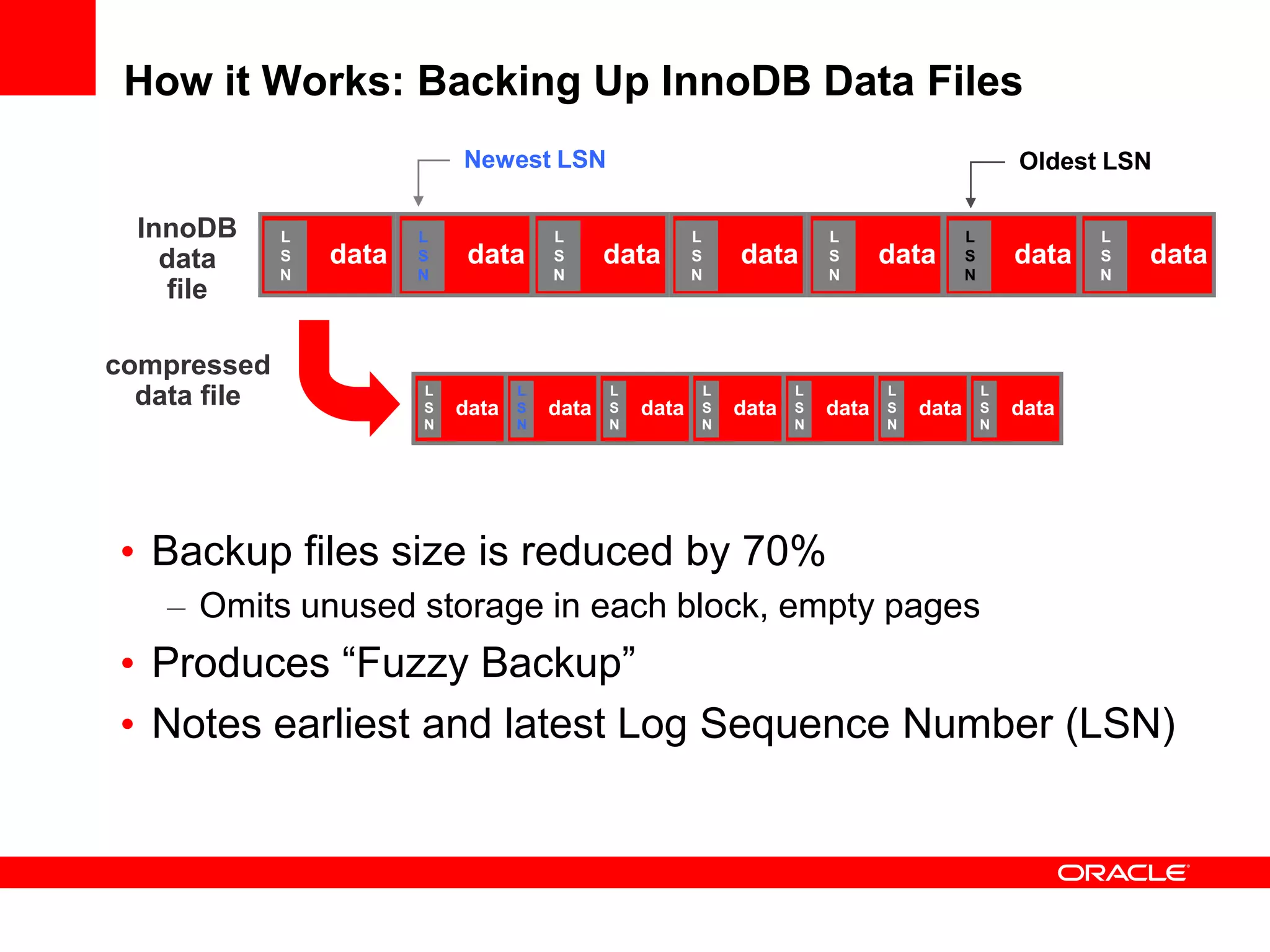
How it Works: Backing Up InnoDB Data Files
InnoDB
data
file
compressed
data file
data
L
S
N
data
L
S
N
data
L
S
N
data
L
S
N
data
L
S
N
data
L
S
N
data
L
S
N
Newest LSN Oldest LSN
data
L
S
N
data
L
S
N
data
L
S
N
data
L
S
N
data
L
S
N
data
L
S
N
data
L
S
N
• Backup files size is reduced by 70%
– Omits unused storage in each block, empty pages
• Produces “Fuzzy Backup”
• Notes earliest and latest Log Sequence Number (LSN)
How it Works: Backup for InnoDB
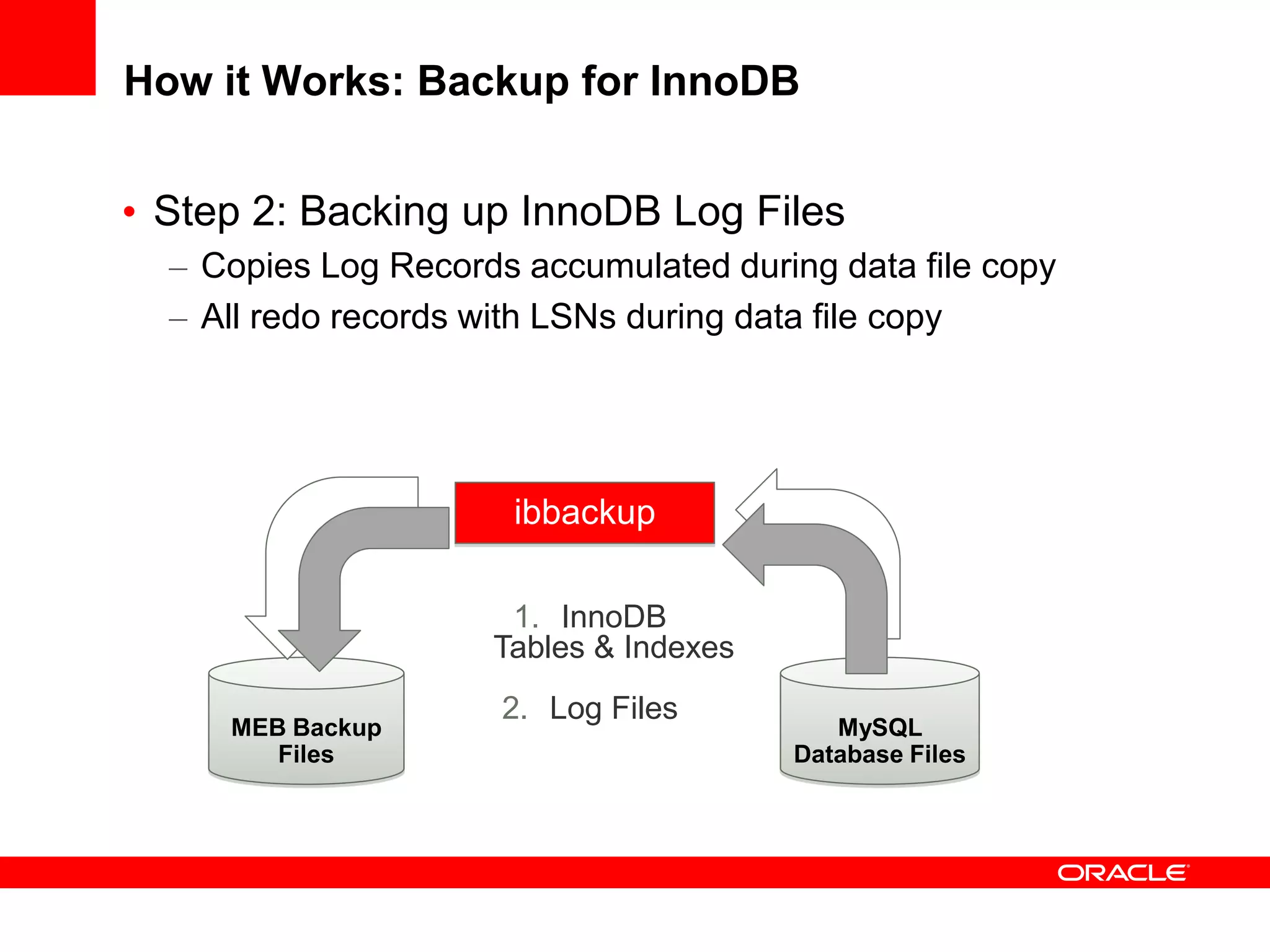
• Step 2: Backing up InnoDB Log Files
– Copies Log Records accumulated during data file copy
– All redo records with LSNs during data file copy
MEB Backup
Files
MySQL
Database Files
ibbackup
1. InnoDB
Tables & Indexes
2. Log Files
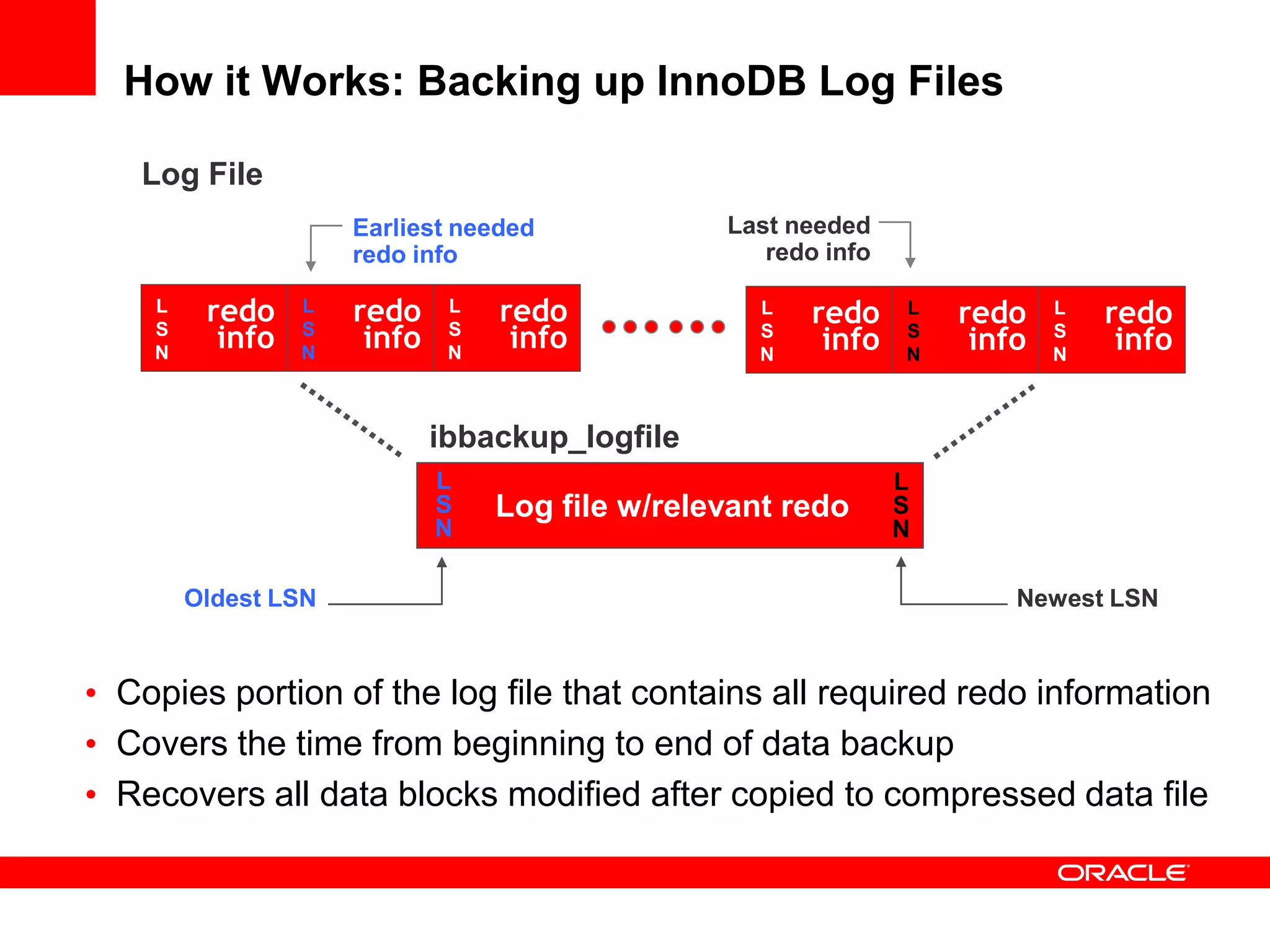
How it Works: Backing up InnoDB Log Files
• Copies portion of the log file that contains all required redo information
• Covers the time from beginning to end of data backup
• Recovers all data blocks modified after copied to compressed data file
Log File
ibbackup_logfile
Log file w/relevant redo
L
S
N
L
S
N
Newest LSNOldest LSN
Last needed
redo info
Earliest needed
redo info
redo
info
L
S
N
redo
info
L
S
N
redo
info
L
S
N
redo
info
L
S
N
redo
info
L
S
N
redo
info
L
S
N
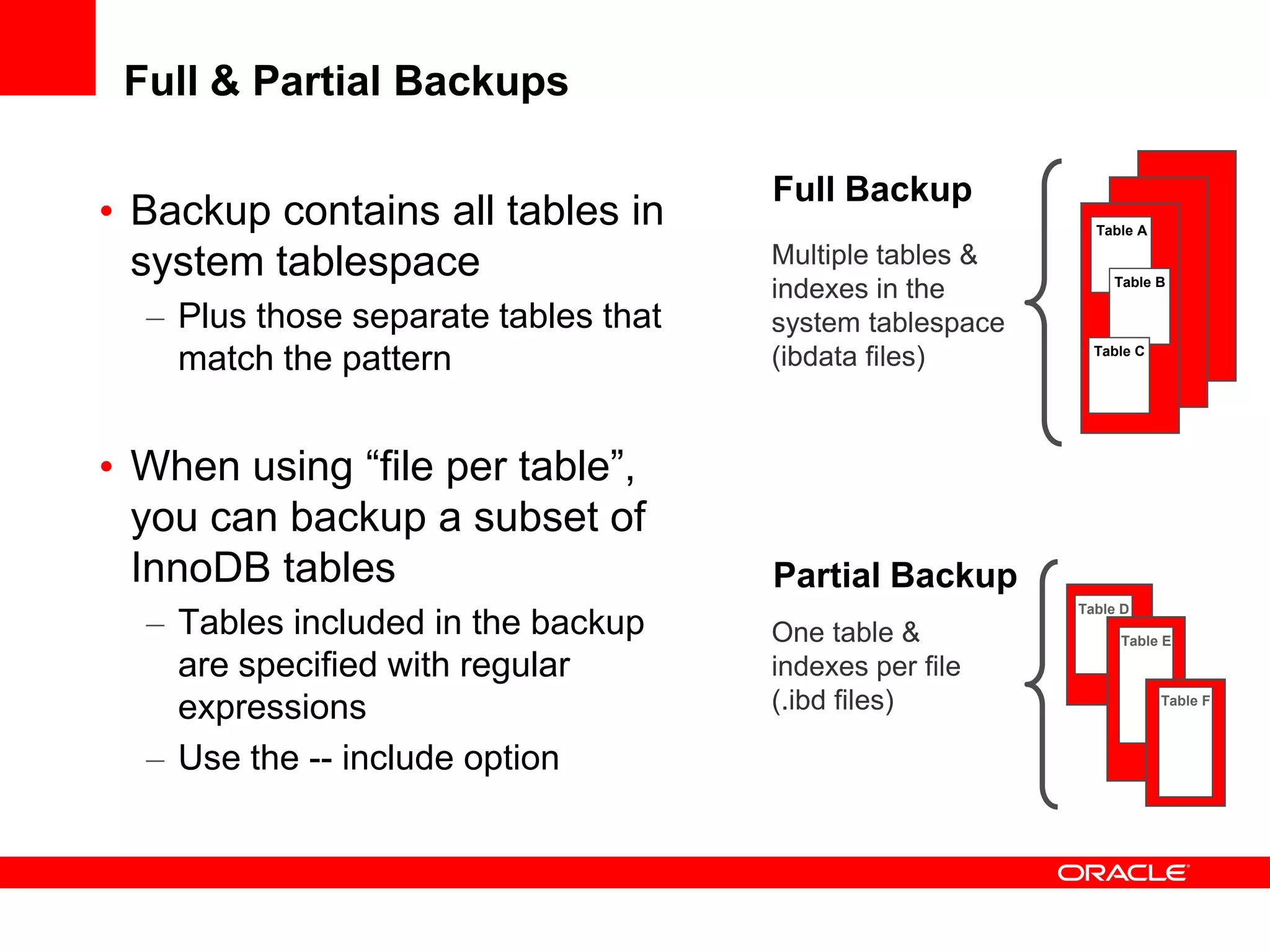
Full & Partial Backups
• Backup contains all tables in
system tablespace
– Plus those separate tables that
match the pattern
• When using “file per table”,
you can backup a subset of
InnoDB tables
– Tables included in the backup
are specified with regular
expressions
– Use the -- include option
Multiple tables &
indexes in the
system tablespace
(ibdata files)
Table A
Table B
Table C
One table &
indexes per file
(.ibd files)
Table D
Table E
Table F
Full Backup
Partial Backup
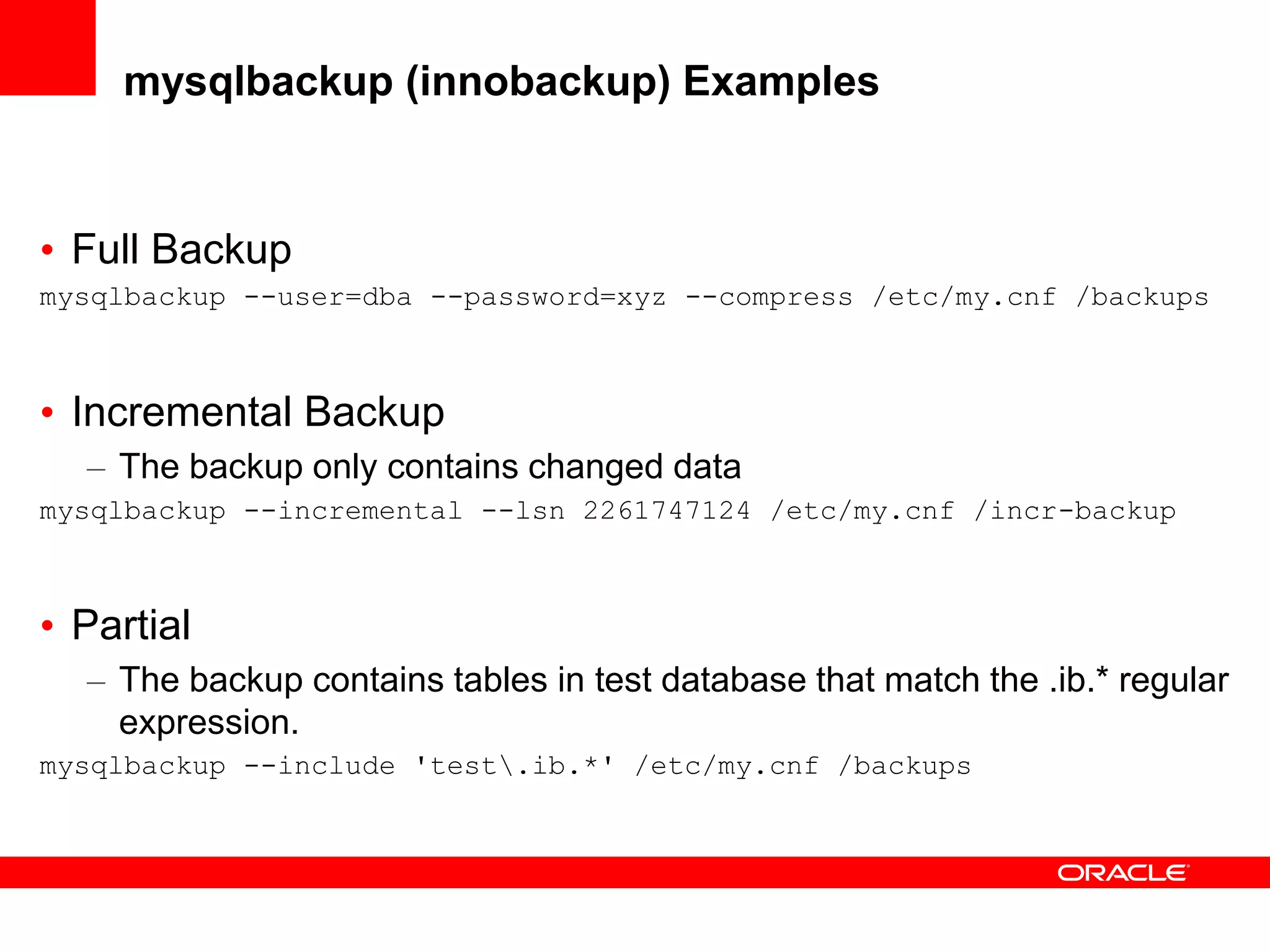
mysqlbackup (innobackup) Examples
• Full Backup
mysqlbackup --user=dba --password=xyz --compress /etc/my.cnf /backups
• Incremental Backup
– The backup only contains changed data
mysqlbackup --incremental --lsn 2261747124 /etc/my.cnf /incr-backup
• Partial
– The backup contains tables in test database that match the .ib.* regular
expression.
mysqlbackup --include 'test.ib.*' /etc/my.cnf /backups
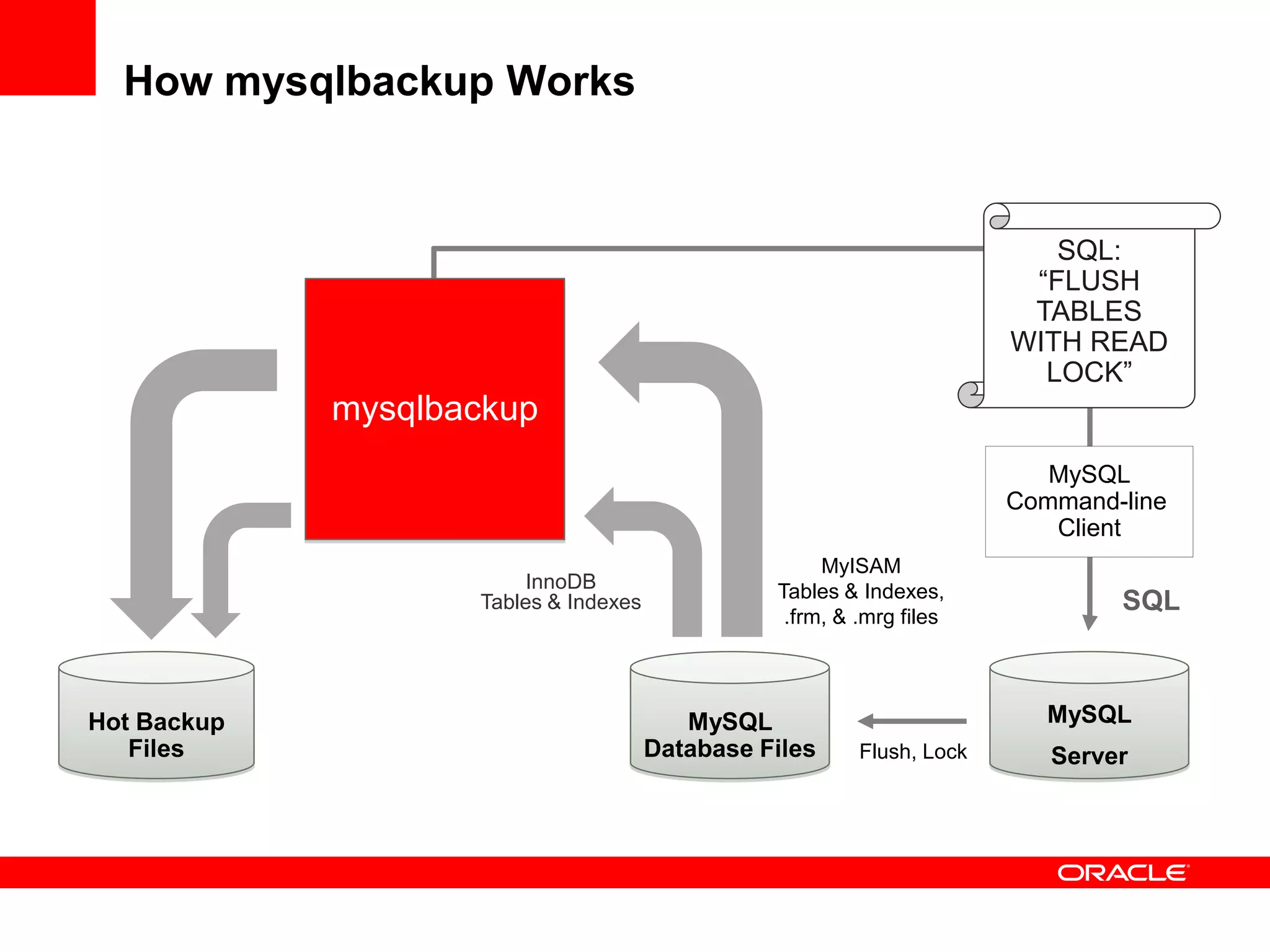
How mysqlbackup Works
Hot Backup
Files
MySQL
Database Files
InnoDB
Tables & Indexes
mysqlbackup
MyISAM
Tables & Indexes,
.frm, & .mrg files
SQL
MySQL
Command-line
Client
SQL:
“FLUSH
TABLES
WITH READ
LOCK”
MySQL
ServerFlush, Lock
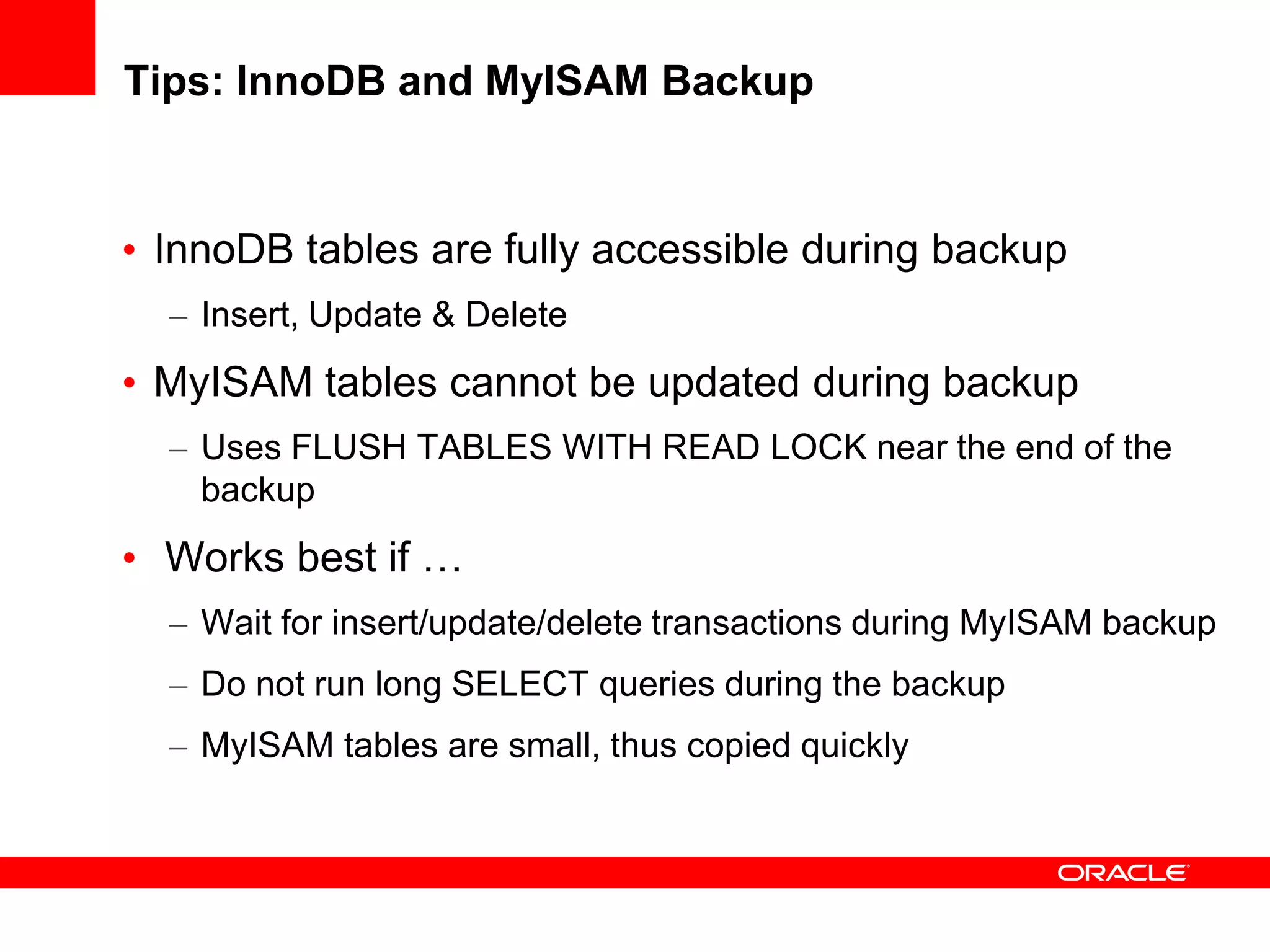
Tips: InnoDB and MyISAM Backup
• InnoDB tables are fully accessible during backup
– Insert, Update & Delete
• MyISAM tables cannot be updated during backup
– Uses FLUSH TABLES WITH READ LOCK near the end of the
backup
• Works best if …
– Wait for insert/update/delete transactions during MyISAM backup
– Do not run long SELECT queries during the backup
– MyISAM tables are small, thus copied quickly
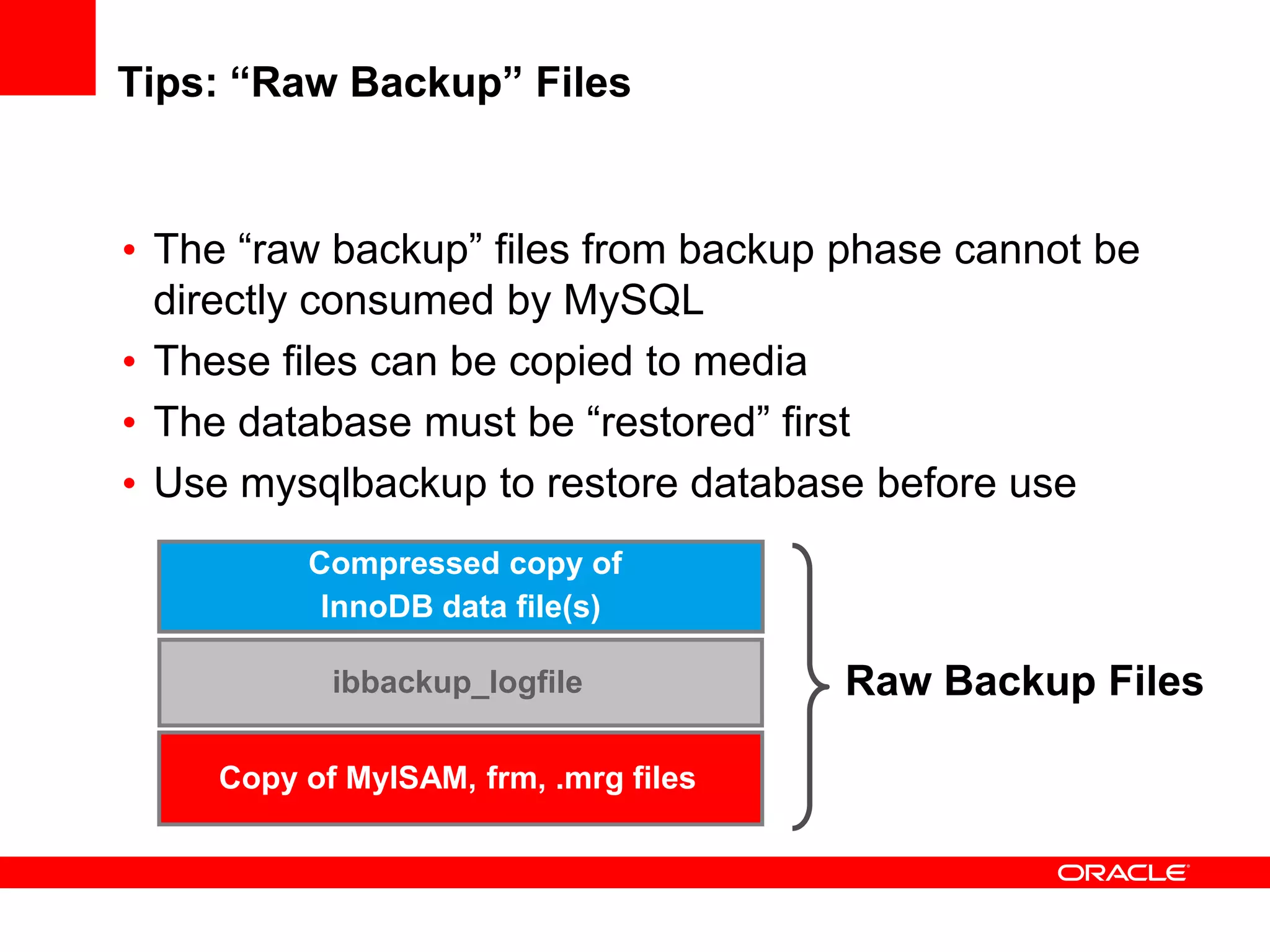
Tips: “Raw Backup” Files
Compressed copy of
InnoDB data file(s)
ibbackup_logfile
Copy of MyISAM, frm, .mrg files
Raw Backup Files
• The “raw backup” files from backup phase cannot be
directly consumed by MySQL
• These files can be copied to media
• The database must be “restored” first
• Use mysqlbackup to restore database before use
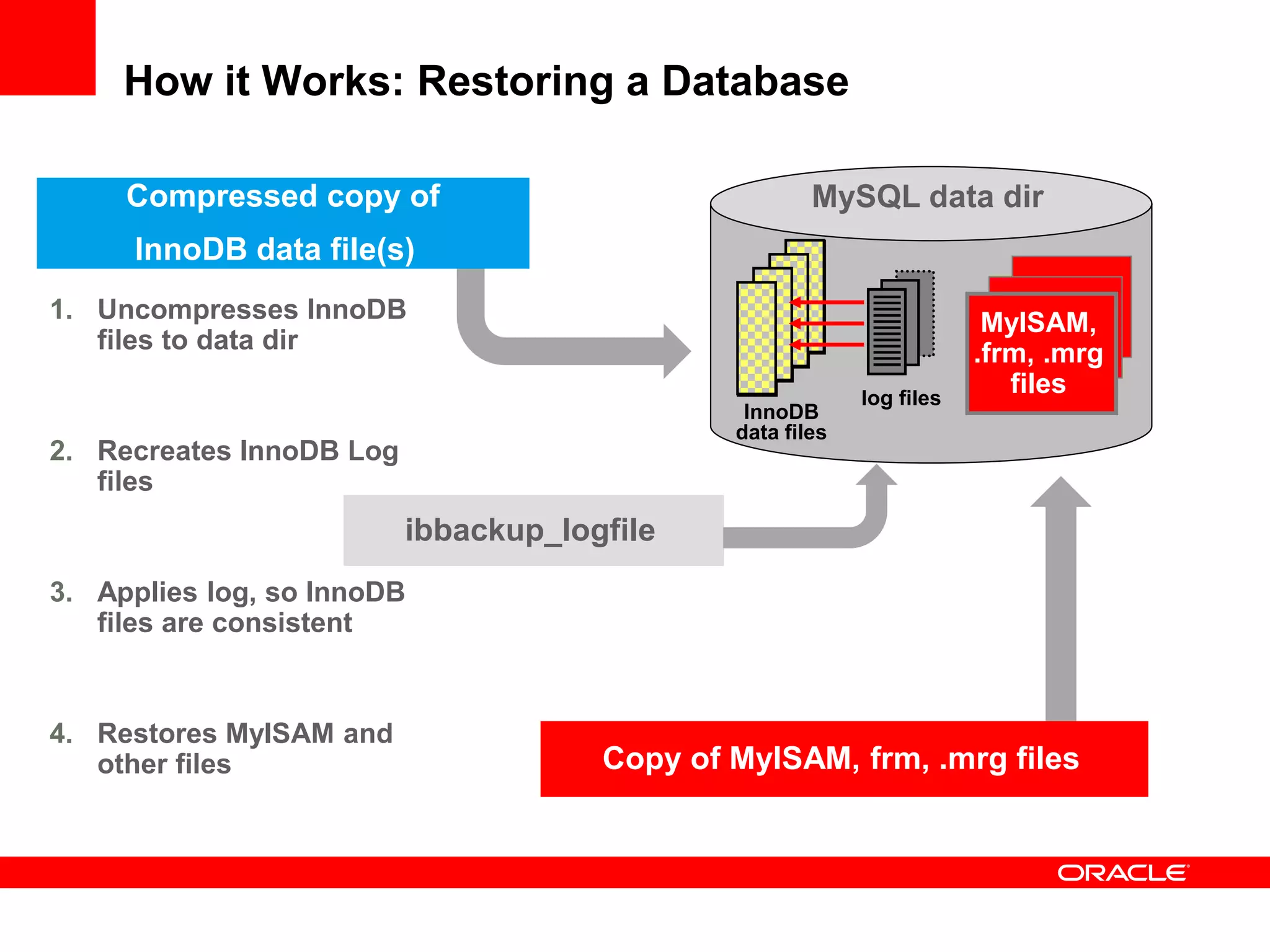
How it Works: Restoring a Database
InnoDB
data files
1. Uncompresses InnoDB
files to data dir
2. Recreates InnoDB Log
files
3. Applies log, so InnoDB
files are consistent
4. Restores MyISAM and
other files
MySQL data dir
ibbackup_logfile
log files
Compressed copy of
InnoDB data file(s)
Copy of MyISAM, frm, .mrg files
MyISAM,
.frm, .mrg
files
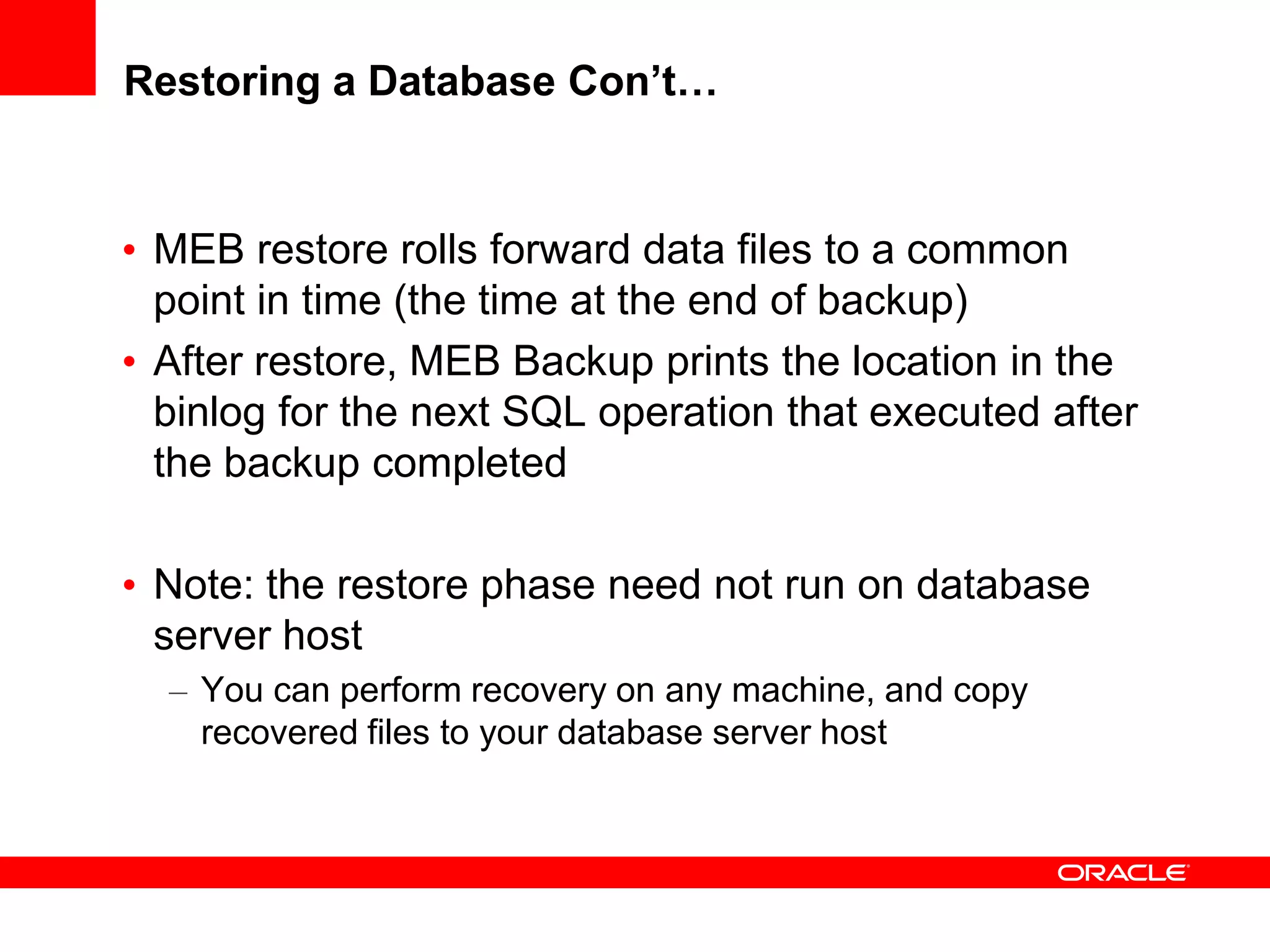
Restoring a Database Con’t…
• MEB restore rolls forward data files to a common
point in time (the time at the end of backup)
• After restore, MEB Backup prints the location in the
binlog for the next SQL operation that executed after
the backup completed
• Note: the restore phase need not run on database
server host
– You can perform recovery on any machine, and copy
recovered files to your database server host
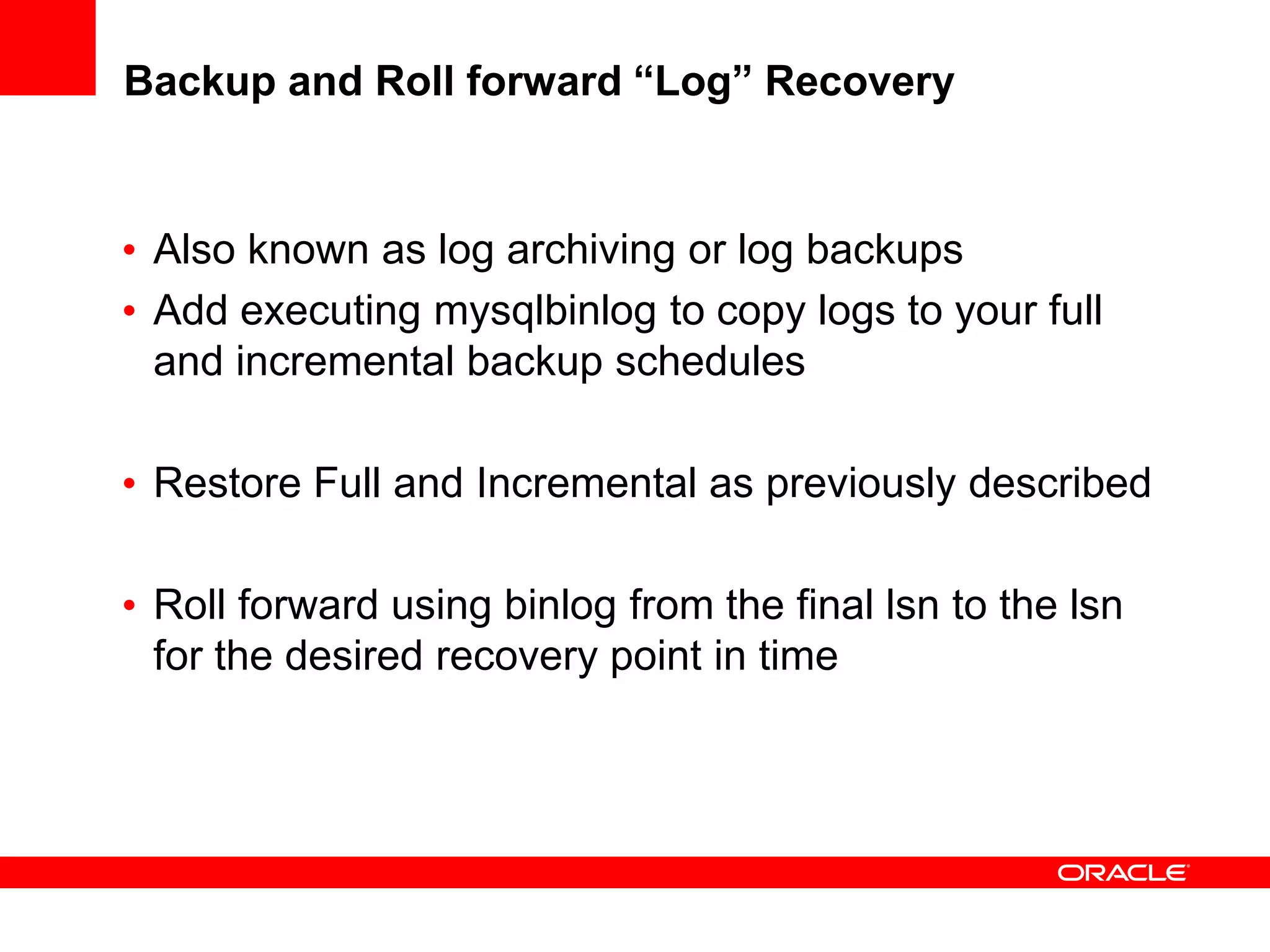
Backup and Roll forward “Log” Recovery
• Also known as log archiving or log backups
• Add executing mysqlbinlog to copy logs to your full
and incremental backup schedules
• Restore Full and Incremental as previously described
• Roll forward using binlog from the final lsn to the lsn
for the desired recovery point in time
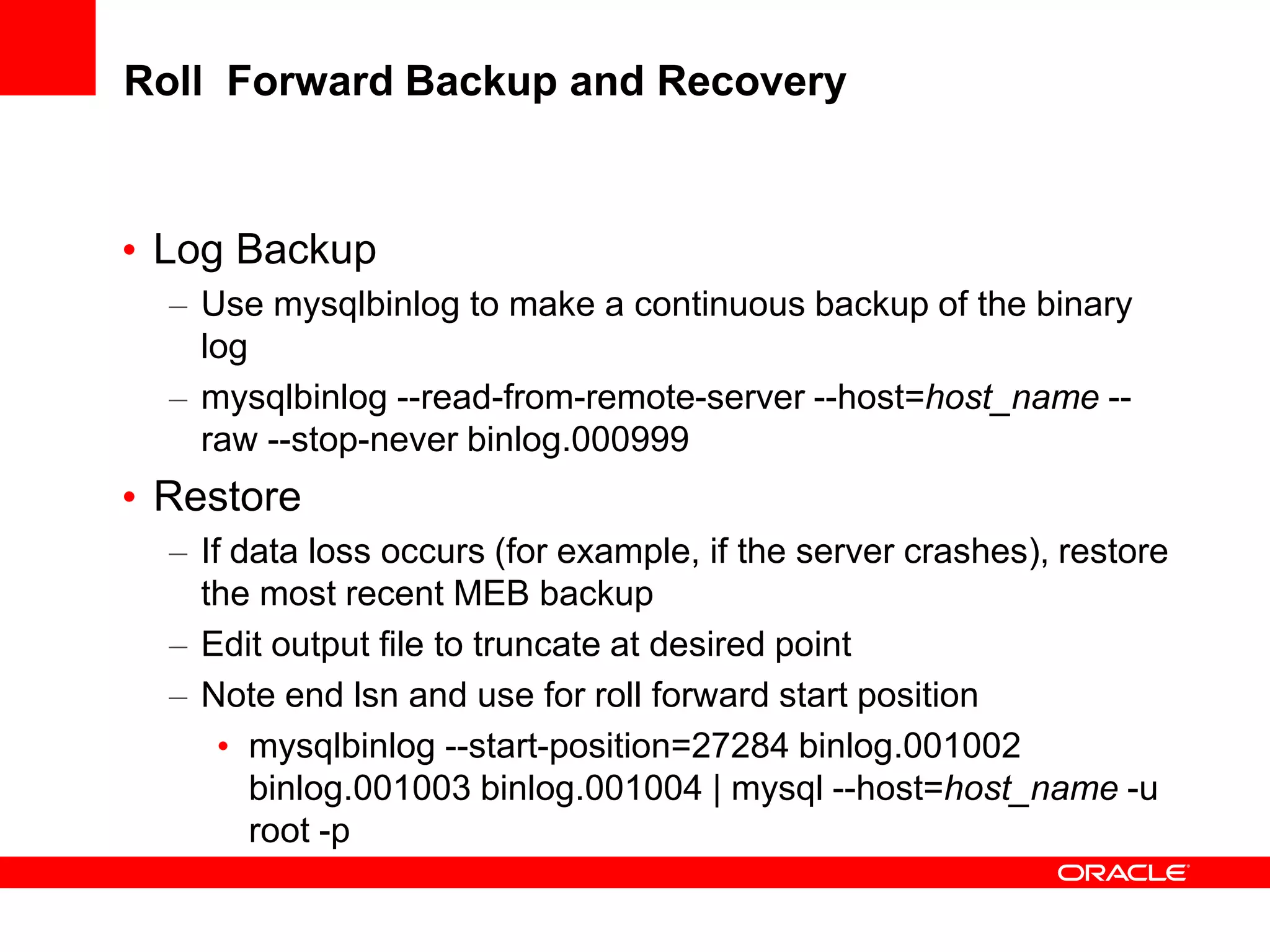
Roll Forward Backup and Recovery
• Log Backup
– Use mysqlbinlog to make a continuous backup of the binary
log
– mysqlbinlog --read-from-remote-server --host=host_name --
raw --stop-never binlog.000999
• Restore
– If data loss occurs (for example, if the server crashes), restore
the most recent MEB backup
– Edit output file to truncate at desired point
– Note end lsn and use for roll forward start position
• mysqlbinlog --start-position=27284 binlog.001002
binlog.001003 binlog.001004 | mysql --host=host_name -u
root -p
Summary MySQL Enterprise Backup
•Offers best performance for backup
•Offers best performance for restore
•Adds minimal load to MySQL server
•No impact on application (online backup)
•Easily integratable into you environment
Additional Resources
• Product Information
http://www.mysql.com/products/enterprise/backup.html
• Documentation
http://dev.mysql.com/doc/mysql-enterprise-backup/3.5/en/index.html
• Backup Forum
http://forums.mysql.com/list.php?28
• Download (30 Day Trial)
http://edelivery.oracle.com/
Q U E S T I O N S
A N S W E R S

MySQL Enterprise Backup

  • 1.
    <Insert Picture Here> MySQLEnterprise Backup MySQL Enterprise Backup Fast, Consistent, Online Backups
  • 2.
    The preceding isintended to outline our general product direction. It is intended for information purposes only, and may not be incorporated into any contract. It is not a commitment to deliver any material, code, or functionality, and should not be relied upon in making purchasing decisions. The development, release, and timing of any features or functionality described for Oracle’s products remains at the sole discretion of Oracle.
  • 3.
    Agenda • Database BackupOverview • MySQL Enterprise Backup: Features & Benefits • Database Backup Types: Comparison • MySQL Enterprise Backup: How it Works
  • 4.
  • 5.
    DBA Challenge • Coreresponsibility for backup and recovery • But, its not easy – Databases are growing exponentially – Backup times are increasing even faster • Your Backups impact other activities – End Users – DBA Maintenance • And your storage costs are out of control • And when bad things happen • Needs to work • Taking forever to recover
  • 6.
    Database Backup: Terms •Online Backup (aka “Hot” or “Online”) – Backup while database is running – Zero business interruption during backups • Incremental Backup – Backup of data that has changed since the last full backup. • Partial Backup – Backup of select tables • Consistent Point in Time Recovery – Restoring a database with data in a consistent state at a date and time • Roll Forward Recovery – Recovery that restores a database to a specific date and time.
  • 7.
    Most Critical Questionsto Ask First • What are my recovery requirements? – Assess tolerance for data loss: Recovery Point Objective (RPO) • How frequently should backups be taken? • Is point-in-time recovery required? – Assess tolerance for downtime: Recovery Time Objective (RTO) • Downtime: Problem identification + recovery planning + systems recovery • Tiered RTO per level of granularity, e.g. database, tablespace, table, row – Determine backup retention policy • Onsite, offsite, long-term • How Does MySQL Enterprise Backup strategy fulfill those requirements?
  • 8.
    Backup Method 1:Full • Well Suited for: – Databases that can tolerate hours/days RTO – Medium-High change between backups (e.g. over 30%) – Environments where disk can be allocated for 1x size of database • Backup Strategy – Full backups with optional backup compression – Full backup archived to tape, as needed
  • 9.
    Backup Method 2:Full + Incremental • Well suited for – Databases that can tolerate no more than a few hours RTO – Environments where disk can be allocated for 1x size of database • Backup strategy – Occasional Full backup, followed by more frequent incremental – To recover - apply Full and then applying 1 or more Incremental – Full backups archived to tape, as needed – Incremental Backups retained on-disk, as needed
  • 10.
    Backup Method 3:Full + Incremental + Log • Well suited for – Databases that can tolerate no more than a few minutes RTO – Environments where disk can be allocated for more than1x size of database • Backup strategy – Initial full backup, followed by incremental backups – Backup Transaction Logs – To recover - apply Full and then applying 1 or more Incremental – Finally Roll Forward with Transaction Log to “minute” desired. – Full backups and incrementals archived to tape, as needed – Logs are backup up and retained on-disk, as needed
  • 11.
    Backup Method 4:Offload Backups to Slave (Replication) • Well Suited for: – Databases that require no more than several minutes of recovery time, in event of failure – Environments that can preferably allocate symmetric hardware and storage for physical standby database – Environments whose backup storage infrastructure can be shared between master and slave database sites • Backup Strategy – Setup Master / Slave replication – Slave acts as physical standby database – Run full and incremental backup on slave – Backup can be restored to master or slave database – Backups can be taken at each database for optimal protection
  • 12.
    Determining Backup Strategy LowValue Data High Value Data LowChangeHighChange ChangeFrequency Value of Data F: Daily I: Hourly F: Weekly I: Daily F: Weekly I: Daily F: Monthly I: Weekly F: Monthly F: Daily I: Hourly A: Replication, Backup on Slave F: Daily I: Hourly A: Binlog Backups: 5 min F: Full I: Incremental A: Additional
  • 13.
    Backup Strategies Comparison MethodBackup Factors Recovery Factors Method 1: Full Backups • Longest Backup Times • Largest Storage Space • Save space with compression • Easy to Recover • Fastest Restore Times Method 2: Full + Incremental Backup • Shortest Backup Time • Reduced Storage Requirements • Requires 1X production storage for copy • Finer-grained Recovery • Slower Restore Times • First Restore Full Backup • Then Restore Incrementals Method 3: Full + Incremental + Log Backup • Added Storage Requirements • Requires more than 1X production storage for copy • Finest-grained Recovery • Slowest Restore Times • First Restore Full Backup • Then Restore Incrementals • Then Apply Logs Method 4: Offload Backups Slave Replication • Used with 1 of the above • Frees Master for more workload • Requires 1X production hardware and storage for standby database • Fast failover to standby • Backups are last resort, in event of double site failure or need to perform PITR
  • 14.
  • 15.
    MySQL Server Features 0% 5% 10% 15% 20% 25% 30% 35% 40% Howwould you rank the following upcoming MySQL capabilities in terms of importance? Results "Extremely Important" - Online Backup is the #1 most requested feature for MySQL Enterprise Customers
  • 16.
    MySQL Backup Concerns 0% 5% 10% 15% 20% 25% 30% 35% 40% Backup and/or Recovery takestoo long Backup method has too much impact on MySQL server Backups aren't automated Backups are not Online or Hot I don't have a MySQL backup solution Recovery method produces inconsistent data The MySQL backup solution I have works fine Backups fail or are incomplete Backup failure goes unnoticed What concerns you most about your current MySQL backup solution? - Backup & Recovery Performance is the #1 Concern
  • 17.
    MySQL Enterprise Backup •Online Backup for InnoDB • Support for MyISAM (Read-only) • High Performance Backup & Restore • Compressed Backup • Full Backup • Incremental Backup • Partial Backups • Point in Time Recovery • Unlimited Database Size • Cross-Platform – Windows, Linux, Unix
  • 18.
    Benefits • Online “Hot”Backup (Non-blocking) – Reads and Writes to InnoDB – Reads for MyISAM tables • High Performance – Backup: >3x faster than mysqldump (export) – Restore: >10x than mysqldump recovery • Consistent Backups – Point in Time Recovery • Compression – Multi-level compression – Save 70% or more of the storage required
  • 19.
    Benefits • Reliable – Provenfor 7+ Years • Scalable for Large Databases – No Database Size Limitations • Easy to automate – Easily integrate within various scheduling systems – Examples: cron, OSB scheduler, others
  • 20.
    MySQL Enterprise Backup3.5: New Features • Incremental backup • Support of InnoDB Barracuda file format • Backup of compressed tables • Backup of partition files • Backup of in-memory database • with --exec-when-locked option • Adds mysql system tables to keep backup status, progress, and history
  • 21.
    High Performance Backups 0 5 10 15 20 25 30 26GB- 8 Tables 32GB - 33 Tables Minutes Backup Target Backup mysqldump MySQL Enterprise Backup Backups are up to 3.5x Faster than MySQL Dump
  • 22.
    High Performance Restore 0 20 40 60 80 100 120 140 26GB- 8 Tables 32GB - 33 tables Minutes Restore Target Restore mysqldump MySQL Enterprise Backup Restore is up to 16x Faster than MySQL Dump - mysqldump performance is non-linear (more table/indexes impacts performance) - MySQL Enterprise performance is near linear
  • 23.
    Backup Compression StorageSavings 0 5 10 15 20 25 30 35 22 GB - sysbench db 26GB - 8 Tables 32GB - 33 tables GB Backup Compression Uncompressed Compressed Backup size reduced from 65% up to 93%
  • 24.
  • 25.
    MySQL Backup Tools •Hot Backup (online) – MySQL Enterprise Backup • Export/Import (portable copies – a logical backup) – mysqldump • Standby Copy (hot swap) • MySQL Replication • Cold Backup (offline) – Simple File Copies when server is shutdown • File System Volume Managers (snapshots) – LVM for example - create snapshot copy
  • 26.
    mysqldump • Advantages – Goodfor small databases or tables – Good assurance that database files are not corrupt – Logical Backup – thus flexible and portable • Disadvantages – Very slow restore times – Uses database processing cycles and resources – Not Online (requires Transaction or Locks on Tables in the database) – Not Incremental (requires a Full Backup every time) – Not Consistent (unless transaction is used)
  • 27.
    MySQL Replication • Advantages –Rolling “snapshot” – Quick Recovery - via failover – Non-Blocking – Works well in conjunction with other backup options • Disadvantages – Only latest “Point in Time” (point it time keeps moving forward) – Not historical – Not for archival purposes – Doesn’t protect from “oops”
  • 28.
    LVM Snapshots • Advantages –Quick – Feature of Linux – Good to use in conjunction with backups • Disadvantages – It’s a snapshot – Still need to make a backup copy – which is “full” in size – Performance degrades with each concurrent snapshot – Snapshots need to be released – Cross File System Limitations
  • 29.
    MySQL Enterprise Backup •Advantages – Physical Backup so Fast – esp. restores – Flexible - many options – Archival – Scalable – Consistent – Supported • Disadvantages • Requires some planning
  • 30.
    MySQL Backup Types:Comparison mysqldump LVM Snapshots MySQL Replication MySQL Enterprise Backup Full Backup ✔ ✔ ✔ ✔ Incremental Backups ✖ ✔ ✖ ✔ Partial Backups ✔ ✖ ✖ ✔ Compression Support ✖ ✖ ✖ ✔ Allows updates ✖ ✖ ✔ ✔ Point in Time - Consistent ✖ ✔ ✔ ✔ Backup Speed Poor Good Very Good Very Good Recovery Speed Very Poor Good Very Good Very Good Partial Restore ✔ ✖ ✖ ✔ Corruption Detection ✔ ✖ ✖ ✔ Meets Regulatory Archive Req. ✔ ✖ ✖ ✔ Supports DDL ✔ ✖ ✖ ✔
  • 31.
  • 32.
    MySQL Enterprise Backup MediaManager (like Oracle Secure Backup) Database Quickly Accessible Disk Storage Tape Archive Intrinsic knowledge of database file formats • Block Validation • Tablespace/Data file recovery • Unused Block Compression • Consistent Recovery • File Compression • MySQL Enterprise Backup CLI • MySQL Enterprise Monitor • Oracle Secure Backup
  • 33.
    MySQL Enterprise Backup:Terms • mysqlbackup : backup executable which includes InnoDB, MyISAM and other MySQL Data. mysqlbackup is a compatible replacement for the innobackup post 3.5.1 and includes additional features and capabilites • ibbackup: finer grained raw innodb backup executable for innodb files alone • binlog: contains database changes – eg DDL and DML • LSN: Log Sequence Number – the unique monotonically increasing id for each change in the binlog • Ibdata: system tablespace files • .ibd: single table space file
  • 34.
    How it Works:Backup for InnoDB • Step 1: Backing Up InnoDB Data Files – Copies and compresses InnoDB data files • System Database (ibdata) & Single-table Tablespaces (.ibd) – Produces “Fuzzy Backup • Backup of data files doesn’t correspond to any specific log sequence number (LSN) • Different database pages are copied at varying times MEB Backup Files MySQL Database Files 1. InnoDB Tables & Indexes ibbackup
  • 35.
    How it Works:Backing Up InnoDB Data Files InnoDB data file compressed data file data L S N data L S N data L S N data L S N data L S N data L S N data L S N Newest LSN Oldest LSN data L S N data L S N data L S N data L S N data L S N data L S N data L S N • Backup files size is reduced by 70% – Omits unused storage in each block, empty pages • Produces “Fuzzy Backup” • Notes earliest and latest Log Sequence Number (LSN)
  • 36.
    How it Works:Backup for InnoDB • Step 2: Backing up InnoDB Log Files – Copies Log Records accumulated during data file copy – All redo records with LSNs during data file copy MEB Backup Files MySQL Database Files ibbackup 1. InnoDB Tables & Indexes 2. Log Files
  • 37.
    How it Works:Backing up InnoDB Log Files • Copies portion of the log file that contains all required redo information • Covers the time from beginning to end of data backup • Recovers all data blocks modified after copied to compressed data file Log File ibbackup_logfile Log file w/relevant redo L S N L S N Newest LSNOldest LSN Last needed redo info Earliest needed redo info redo info L S N redo info L S N redo info L S N redo info L S N redo info L S N redo info L S N
  • 38.
    Full & PartialBackups • Backup contains all tables in system tablespace – Plus those separate tables that match the pattern • When using “file per table”, you can backup a subset of InnoDB tables – Tables included in the backup are specified with regular expressions – Use the -- include option Multiple tables & indexes in the system tablespace (ibdata files) Table A Table B Table C One table & indexes per file (.ibd files) Table D Table E Table F Full Backup Partial Backup
  • 39.
    mysqlbackup (innobackup) Examples •Full Backup mysqlbackup --user=dba --password=xyz --compress /etc/my.cnf /backups • Incremental Backup – The backup only contains changed data mysqlbackup --incremental --lsn 2261747124 /etc/my.cnf /incr-backup • Partial – The backup contains tables in test database that match the .ib.* regular expression. mysqlbackup --include 'test.ib.*' /etc/my.cnf /backups
  • 40.
    How mysqlbackup Works HotBackup Files MySQL Database Files InnoDB Tables & Indexes mysqlbackup MyISAM Tables & Indexes, .frm, & .mrg files SQL MySQL Command-line Client SQL: “FLUSH TABLES WITH READ LOCK” MySQL ServerFlush, Lock
  • 41.
    Tips: InnoDB andMyISAM Backup • InnoDB tables are fully accessible during backup – Insert, Update & Delete • MyISAM tables cannot be updated during backup – Uses FLUSH TABLES WITH READ LOCK near the end of the backup • Works best if … – Wait for insert/update/delete transactions during MyISAM backup – Do not run long SELECT queries during the backup – MyISAM tables are small, thus copied quickly
  • 42.
    Tips: “Raw Backup”Files Compressed copy of InnoDB data file(s) ibbackup_logfile Copy of MyISAM, frm, .mrg files Raw Backup Files • The “raw backup” files from backup phase cannot be directly consumed by MySQL • These files can be copied to media • The database must be “restored” first • Use mysqlbackup to restore database before use
  • 43.
    How it Works:Restoring a Database InnoDB data files 1. Uncompresses InnoDB files to data dir 2. Recreates InnoDB Log files 3. Applies log, so InnoDB files are consistent 4. Restores MyISAM and other files MySQL data dir ibbackup_logfile log files Compressed copy of InnoDB data file(s) Copy of MyISAM, frm, .mrg files MyISAM, .frm, .mrg files
  • 44.
    Restoring a DatabaseCon’t… • MEB restore rolls forward data files to a common point in time (the time at the end of backup) • After restore, MEB Backup prints the location in the binlog for the next SQL operation that executed after the backup completed • Note: the restore phase need not run on database server host – You can perform recovery on any machine, and copy recovered files to your database server host
  • 45.
    Backup and Rollforward “Log” Recovery • Also known as log archiving or log backups • Add executing mysqlbinlog to copy logs to your full and incremental backup schedules • Restore Full and Incremental as previously described • Roll forward using binlog from the final lsn to the lsn for the desired recovery point in time
  • 46.
    Roll Forward Backupand Recovery • Log Backup – Use mysqlbinlog to make a continuous backup of the binary log – mysqlbinlog --read-from-remote-server --host=host_name -- raw --stop-never binlog.000999 • Restore – If data loss occurs (for example, if the server crashes), restore the most recent MEB backup – Edit output file to truncate at desired point – Note end lsn and use for roll forward start position • mysqlbinlog --start-position=27284 binlog.001002 binlog.001003 binlog.001004 | mysql --host=host_name -u root -p
  • 47.
    Summary MySQL EnterpriseBackup •Offers best performance for backup •Offers best performance for restore •Adds minimal load to MySQL server •No impact on application (online backup) •Easily integratable into you environment
  • 48.
    Additional Resources • ProductInformation http://www.mysql.com/products/enterprise/backup.html • Documentation http://dev.mysql.com/doc/mysql-enterprise-backup/3.5/en/index.html • Backup Forum http://forums.mysql.com/list.php?28 • Download (30 Day Trial) http://edelivery.oracle.com/
  • 49.
    Q U ES T I O N S A N S W E R S