AngularJS
Basic Building Blocks
Prepared by
Manaday Mavani
April, 2016
It is
● Frontend JavaScript MVC framework
● 100% JavaScript
● 100% client-side
It is not
● JS Library
● DOM Manipulation Library like jQuery
● Just another templating system
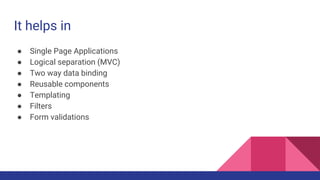
It helps in
● Single Page Applications
● Logical separation (MVC)
● Two way data binding
● Reusable components
● Templating
● Filters
● Form validations
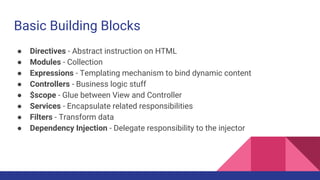
Basic Building Blocks
● Directives - Abstract instruction on HTML
● Modules - Collection
● Expressions - Templating mechanism to bind dynamic content
● Controllers - Business logic stuff
● $scope - Glue between View and Controller
● Services - Encapsulate related responsibilities
● Filters - Transform data
● Dependency Injection - Delegate responsibility to the injector
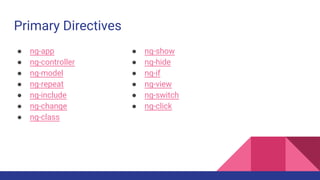
Primary Directives
● ng-app
● ng-controller
● ng-model
● ng-repeat
● ng-include
● ng-change
● ng-class
● ng-show
● ng-hide
● ng-if
● ng-view
● ng-switch
● ng-click
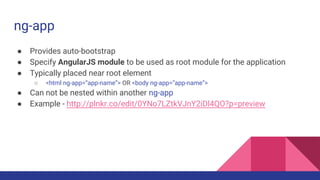
ng-app
● Provides auto-bootstrap
● Specify AngularJS module to be used as root module for the application
● Typically placed near root element
○ <html ng-app=”app-name”> OR <body ng-app=”app-name”>
● Can not be nested within another ng-app
● Example - http://plnkr.co/edit/0YNo7LZtkVJnY2iDl4QO?p=preview
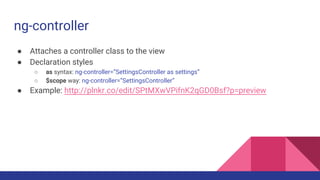
ng-controller
● Attaches a controller class to the view
● Declaration styles
○ as syntax: ng-controller=”SettingsController as settings”
○ $scope way: ng-controller=”SettingsController”
● Example: http://plnkr.co/edit/SPtMXwVPifnK2qGD0Bsf?p=preview
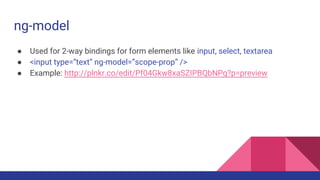
ng-model
● Used for 2-way bindings for form elements like input, select, textarea
● <input type=”text” ng-model=”scope-prop” />
● Example: http://plnkr.co/edit/Pf04Gkw8xaSZIPBQbNPg?p=preview
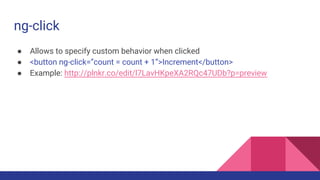
ng-click
● Allows to specify custom behavior when clicked
● <button ng-click=”count = count + 1”>Increment</button>
● Example: http://plnkr.co/edit/l7LavHKpeXA2RQc47UDb?p=preview
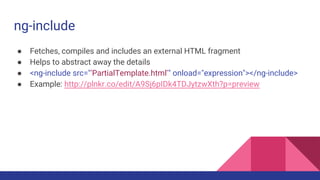
ng-include
● Fetches, compiles and includes an external HTML fragment
● Helps to abstract away the details
● <ng-include src="'PartialTemplate.html'" onload="expression"></ng-include>
● Example: http://plnkr.co/edit/A9Sj6pIDk4TDJytzwXth?p=preview
ng-class
● To dynamically set CSS classes on HTML element by data binding expression
● ng-class operates in 3 different ways
○ If expression is string, it should be one or more space-delimited class names
○ If expression is object, it should like key-value pair where key represents class name
○ If expression is array, each element should either be a string or an object
● Examples:
○ Basic: http://plnkr.co/edit/A9Sj6pIDk4TDJytzwXth?p=preview
○ Advanced: http://plnkr.co/edit/67YGWFFN7h7SBTPXUREC?p=info
Let’s Build: Github Viewer App
● Pages: Search, Repositories, Contributors
● You will learn
○ Basic app structure
○ Controllers implementation
○ Services to fetch data from API Endpoints
○ Routing
○ Sorting
● Source code on Github - https://github.com/ManadayM/ngGithubViewer
Resources
● Shaping up with AngularJS by Codeschool
● AngularJS Fundamentals By Egghead.io
● A Better Way to Learn AngularJS by Thinkster
● AngularJS Blog Series by LosTechies
● AngularJS Masterclass on Udemy (Paid)
● Controller As Syntax
● $scope vs this
● Custom Directives
● AngularJS Styleguide by Johnpapa
● Promises by HTML5Rocks, Promises explained by Toptal
Thanks!

AngularJS Basics

  • 1.
    AngularJS Basic Building Blocks Preparedby Manaday Mavani April, 2016
  • 2.
    It is ● FrontendJavaScript MVC framework ● 100% JavaScript ● 100% client-side
  • 3.
    It is not ●JS Library ● DOM Manipulation Library like jQuery ● Just another templating system
  • 4.
    It helps in ●Single Page Applications ● Logical separation (MVC) ● Two way data binding ● Reusable components ● Templating ● Filters ● Form validations
  • 5.
    Basic Building Blocks ●Directives - Abstract instruction on HTML ● Modules - Collection ● Expressions - Templating mechanism to bind dynamic content ● Controllers - Business logic stuff ● $scope - Glue between View and Controller ● Services - Encapsulate related responsibilities ● Filters - Transform data ● Dependency Injection - Delegate responsibility to the injector
  • 6.
    Primary Directives ● ng-app ●ng-controller ● ng-model ● ng-repeat ● ng-include ● ng-change ● ng-class ● ng-show ● ng-hide ● ng-if ● ng-view ● ng-switch ● ng-click
  • 7.
    ng-app ● Provides auto-bootstrap ●Specify AngularJS module to be used as root module for the application ● Typically placed near root element ○ <html ng-app=”app-name”> OR <body ng-app=”app-name”> ● Can not be nested within another ng-app ● Example - http://plnkr.co/edit/0YNo7LZtkVJnY2iDl4QO?p=preview
  • 8.
    ng-controller ● Attaches acontroller class to the view ● Declaration styles ○ as syntax: ng-controller=”SettingsController as settings” ○ $scope way: ng-controller=”SettingsController” ● Example: http://plnkr.co/edit/SPtMXwVPifnK2qGD0Bsf?p=preview
  • 9.
    ng-model ● Used for2-way bindings for form elements like input, select, textarea ● <input type=”text” ng-model=”scope-prop” /> ● Example: http://plnkr.co/edit/Pf04Gkw8xaSZIPBQbNPg?p=preview
  • 10.
    ng-click ● Allows tospecify custom behavior when clicked ● <button ng-click=”count = count + 1”>Increment</button> ● Example: http://plnkr.co/edit/l7LavHKpeXA2RQc47UDb?p=preview
  • 11.
    ng-include ● Fetches, compilesand includes an external HTML fragment ● Helps to abstract away the details ● <ng-include src="'PartialTemplate.html'" onload="expression"></ng-include> ● Example: http://plnkr.co/edit/A9Sj6pIDk4TDJytzwXth?p=preview
  • 12.
    ng-class ● To dynamicallyset CSS classes on HTML element by data binding expression ● ng-class operates in 3 different ways ○ If expression is string, it should be one or more space-delimited class names ○ If expression is object, it should like key-value pair where key represents class name ○ If expression is array, each element should either be a string or an object ● Examples: ○ Basic: http://plnkr.co/edit/A9Sj6pIDk4TDJytzwXth?p=preview ○ Advanced: http://plnkr.co/edit/67YGWFFN7h7SBTPXUREC?p=info
  • 13.
    Let’s Build: GithubViewer App ● Pages: Search, Repositories, Contributors ● You will learn ○ Basic app structure ○ Controllers implementation ○ Services to fetch data from API Endpoints ○ Routing ○ Sorting ● Source code on Github - https://github.com/ManadayM/ngGithubViewer
  • 14.
    Resources ● Shaping upwith AngularJS by Codeschool ● AngularJS Fundamentals By Egghead.io ● A Better Way to Learn AngularJS by Thinkster ● AngularJS Blog Series by LosTechies ● AngularJS Masterclass on Udemy (Paid) ● Controller As Syntax ● $scope vs this ● Custom Directives ● AngularJS Styleguide by Johnpapa ● Promises by HTML5Rocks, Promises explained by Toptal
  • 16.