Cisco WebEx Connect
                                                                                                            Product Sheet


                                                                                Cisco WebEx Connect integrates key
                                                                                collaboration capabilities—presence,
                                                                                enterprise-grade instant messaging,
                                                                                audio and video conferencing, VoIP,
                                                                                Cisco IP telephony, and more—on a
                                                                                single, secure platform.


                                         Collaborate securely with remote colleagues—
                                         inside or outside your organization.
Highlights:                              Find, connect, and collaborate with           Take advantage of investments in Cisco
•	 Instantly connect and collaborate     colleagues—inside or outside your             Unified Communications by adding
   with remote colleagues across         organization—while minimizing                 telephony capabilities to WebEx Connect.
   locations and time zones.
                                         overhead support and maintenance              Place, receive, and manage phone calls
•	 Improve productivity with             costs with Cisco WebEx Connect.               through your computer or Cisco IP phone.
   unified collaboration and web
   conferencing—available from           Locate business contacts instantly
   a single console.                                                                   Manage teams across geographies.
                                         using online presence. Communicate
•	 See who’s online and available with                                                 Create team spaces to manage virtual
                                         in real-time through the best channel—
   instant presence notification.                                                      teams and projects even with project
                                         including IM, audio, VoIP, video, or
•	 Quickly share ideas and make                                                        participants in multiple locations. Keep
                                         integrated web conferencing.
   informed decisions on the spot.                                                     teams coordinated with file sharing and
•	 Minimize IT investment with an        WebEx Connect brings together the             ongoing discussions.
   affordable hosted solution that       most effective communication and
   works with your internal systems.     collaboration solutions .                     Collaborate securely.
                                                                                       Ensure communication privacy with user
                                         Facilitate faster decision making.            authentication and 128-bit SSL encryption.
                                         See instantly which colleagues, partners      Control usage for individuals, groups, or
                                         or customers are in a meeting, on the         your entire enterprise using robust policy
                                         phone, or available.                          management tools. Keep conversations
                                                                                       and intellectual property confidential.
                                         Choose from a variety of secure
                                         meeting solutions.                            Avoid added Infrastructure with
                                         Collaborate securely—even with                a hosted solution.
                                         colleagues outside your organization.         All WebEx applications are delivered on
                                         WebEx Connect IM uses the widely              demand through the Cisco WebEx
                                         accepted XMPP Internet and presence           Collaboration Cloud. There’s no up-front
                                         IM standard that supports communica-          investment, and no maintenance or
                                         tion with networks outside your organiza-     upgrade costs. Just a predictable monthly
                                         tion. Use VoIP, or a video chat session, or   subscription. So it’s easy to implement and
                                         escalate to an audio conference or WebEx      easy to scale as your needs change.
                                         meeting to include multiple participants.
Cisco WebEx Connect


Features:
Presence
See which colleagues are online and available—or whether they’re in
a meeting, on an audio conference, on their Cisco IP Phone*, or using a
custom notification. Choose which colleagues can see your presence
information. You can also create custom presence notifications your
contacts can see or set up a “Do Not Disturb” presence.
Enterprise Instant Messaging
Chat securely with encrypted one-to-one or group IM. Add contacts
directly from your corporate address book and extend your network of
contacts to anyone using an XMPP-based client or AOL Instant Messenger
(AIM). Manage contact lists with groups, and give individual users the
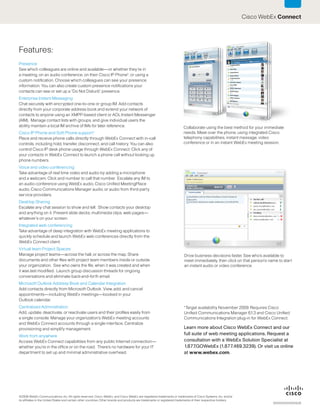
ability maintain a local IM archive of IMs for later reference.                                                           Collaborate using the best method for your immediate
Cisco IP Phone and Soft Phone support*                                                                                    needs. Meet over the phone, using integrated Cisco
Place and receive phone calls directly through WebEx Connect with in-call                                                 telephony capabilities, instant message, video
controls, including hold, transfer, disconnect, and call history. You can also                                            conference or in an instant WebEx meeting session.
control Cisco IP desk phone usage through WebEx Connect. Click any of
your contacts in WebEx Connect to launch a phone call without looking up
phone numbers.
Voice and video conferencing
Take advantage of real time video and audio by adding a microphone
and a webcam. Click and number to call that number. Escalate any IM to
an audio conference using WebEx audio, Cisco Unified MeetingPlace
audio, Cisco Communications Manager audio, or audio from third-party
service providers.
Desktop Sharing
Escalate any chat session to show and tell. Show contacts your desktop
and anything on it. Present slide decks, multimedia clips, web pages—
whatever’s on your screen.
Integrated web conferencing
Take advantage of deep integration with WebEx meeting applications to
quickly schedule and launch WebEx web conferences directly from the
WebEx Connect client.
Virtual team Project Spaces
Manage project teams—across the hall, or across the map. Share                                                            Drive business decisions faster. See who’s available to
documents and other files with project team members inside or outside                                                     meet immediately, then click on that person’s name to start
your organization. See who owns the file, when it was created and when                                                    an instant audio or video conference.
it was last modified. Launch group discussion threads for ongoing
conversations and eliminate back-and-forth email.
Microsoft Outlook Address Book and Calendar Integration
Add contacts directly from Microsoft Outlook. View, add, and cancel
appointments—including WebEx meetings—booked in your
Outlook calendar.
Centralized Administration                                                                                                *Target availability November 2009. Requires Cisco
Add, update, deactivate, or reactivate users and their profiles easily from                                               Unified Communications Manager 6.1.3 and Cisco Unified
a single console. Manage your organization’s WebEx meeting accounts                                                       Communications Integration plug-in for WebEx Connect.
and WebEx Connect accounts through a single interface. Centralize
provisioning and simplify management.                                                                                     Learn more about Cisco WebEx Connect and our
Work from anywhere
                                                                                                                          full suite of web meeting applications. Request a
Access WebEx Connect capabilities from any public Internet connection—                                                    consultation with a WebEx Solution Specialist at
whether you’re in the office or on the road. There’s no hardware for your IT                                              1.877.GOWebEx (1.877.469.3239). Or visit us online
department to set up and minimal administrative overhead.                                                                 at www.webex.com.


©2009 WebEx Communications, Inc. All rights reserved. Cisco, WebEx, and Cisco WebEx are registered trademarks or trademarks of Cisco Systems, Inc. and/or
its affiliates in the United States and certain other countries. Other brands and products are trademarks or registered trademarks of their respective holders.
                                                                                                                                                                            XXXXXXXXXXXXUS

Web Ex Connect Product Sheet 2009

  • 1.
    Cisco WebEx Connect Product Sheet Cisco WebEx Connect integrates key collaboration capabilities—presence, enterprise-grade instant messaging, audio and video conferencing, VoIP, Cisco IP telephony, and more—on a single, secure platform. Collaborate securely with remote colleagues— inside or outside your organization. Highlights: Find, connect, and collaborate with Take advantage of investments in Cisco • Instantly connect and collaborate colleagues—inside or outside your Unified Communications by adding with remote colleagues across organization—while minimizing telephony capabilities to WebEx Connect. locations and time zones. overhead support and maintenance Place, receive, and manage phone calls • Improve productivity with costs with Cisco WebEx Connect. through your computer or Cisco IP phone. unified collaboration and web conferencing—available from Locate business contacts instantly a single console. Manage teams across geographies. using online presence. Communicate • See who’s online and available with Create team spaces to manage virtual in real-time through the best channel— instant presence notification. teams and projects even with project including IM, audio, VoIP, video, or • Quickly share ideas and make participants in multiple locations. Keep integrated web conferencing. informed decisions on the spot. teams coordinated with file sharing and • Minimize IT investment with an WebEx Connect brings together the ongoing discussions. affordable hosted solution that most effective communication and works with your internal systems. collaboration solutions . Collaborate securely. Ensure communication privacy with user Facilitate faster decision making. authentication and 128-bit SSL encryption. See instantly which colleagues, partners Control usage for individuals, groups, or or customers are in a meeting, on the your entire enterprise using robust policy phone, or available. management tools. Keep conversations and intellectual property confidential. Choose from a variety of secure meeting solutions. Avoid added Infrastructure with Collaborate securely—even with a hosted solution. colleagues outside your organization. All WebEx applications are delivered on WebEx Connect IM uses the widely demand through the Cisco WebEx accepted XMPP Internet and presence Collaboration Cloud. There’s no up-front IM standard that supports communica- investment, and no maintenance or tion with networks outside your organiza- upgrade costs. Just a predictable monthly tion. Use VoIP, or a video chat session, or subscription. So it’s easy to implement and escalate to an audio conference or WebEx easy to scale as your needs change. meeting to include multiple participants.
  • 2.
    Cisco WebEx Connect Features: Presence Seewhich colleagues are online and available—or whether they’re in a meeting, on an audio conference, on their Cisco IP Phone*, or using a custom notification. Choose which colleagues can see your presence information. You can also create custom presence notifications your contacts can see or set up a “Do Not Disturb” presence. Enterprise Instant Messaging Chat securely with encrypted one-to-one or group IM. Add contacts directly from your corporate address book and extend your network of contacts to anyone using an XMPP-based client or AOL Instant Messenger (AIM). Manage contact lists with groups, and give individual users the ability maintain a local IM archive of IMs for later reference. Collaborate using the best method for your immediate Cisco IP Phone and Soft Phone support* needs. Meet over the phone, using integrated Cisco Place and receive phone calls directly through WebEx Connect with in-call telephony capabilities, instant message, video controls, including hold, transfer, disconnect, and call history. You can also conference or in an instant WebEx meeting session. control Cisco IP desk phone usage through WebEx Connect. Click any of your contacts in WebEx Connect to launch a phone call without looking up phone numbers. Voice and video conferencing Take advantage of real time video and audio by adding a microphone and a webcam. Click and number to call that number. Escalate any IM to an audio conference using WebEx audio, Cisco Unified MeetingPlace audio, Cisco Communications Manager audio, or audio from third-party service providers. Desktop Sharing Escalate any chat session to show and tell. Show contacts your desktop and anything on it. Present slide decks, multimedia clips, web pages— whatever’s on your screen. Integrated web conferencing Take advantage of deep integration with WebEx meeting applications to quickly schedule and launch WebEx web conferences directly from the WebEx Connect client. Virtual team Project Spaces Manage project teams—across the hall, or across the map. Share Drive business decisions faster. See who’s available to documents and other files with project team members inside or outside meet immediately, then click on that person’s name to start your organization. See who owns the file, when it was created and when an instant audio or video conference. it was last modified. Launch group discussion threads for ongoing conversations and eliminate back-and-forth email. Microsoft Outlook Address Book and Calendar Integration Add contacts directly from Microsoft Outlook. View, add, and cancel appointments—including WebEx meetings—booked in your Outlook calendar. Centralized Administration *Target availability November 2009. Requires Cisco Add, update, deactivate, or reactivate users and their profiles easily from Unified Communications Manager 6.1.3 and Cisco Unified a single console. Manage your organization’s WebEx meeting accounts Communications Integration plug-in for WebEx Connect. and WebEx Connect accounts through a single interface. Centralize provisioning and simplify management. Learn more about Cisco WebEx Connect and our Work from anywhere full suite of web meeting applications. Request a Access WebEx Connect capabilities from any public Internet connection— consultation with a WebEx Solution Specialist at whether you’re in the office or on the road. There’s no hardware for your IT 1.877.GOWebEx (1.877.469.3239). Or visit us online department to set up and minimal administrative overhead. at www.webex.com. ©2009 WebEx Communications, Inc. All rights reserved. Cisco, WebEx, and Cisco WebEx are registered trademarks or trademarks of Cisco Systems, Inc. and/or its affiliates in the United States and certain other countries. Other brands and products are trademarks or registered trademarks of their respective holders. XXXXXXXXXXXXUS