
Web Design
and
Development
By: Shahrzad Peyman
Session 6
November-2017
shahrzad.peymaan@gmail.com
1
2
Today’s Presentation
• Why JQuery
• Including JQuery
• 21 Helpful JQuery Methods
Why JQuery?
3
With jQuery, not only do you get a very high level of cross-
browser compatibility (yes, even including Internet
Explorer), you also have quick and easy access to HTML
and DOM manipulation, special functions to interact directly
with CSS, the ability to control events, powerful tools to
create professional effects and animations, and functions
for conducting Ajax communications with the web server.
jQuery is also the base for a wide range of plugins and
other utilities too.
One important thing to know is that jQuery is just
a JavaScript library.
Including JQuery
4
There are two ways you can include jQuery in your web
pages.
You can go to the jQuery website, choose the version
you need, download it to your website, and serve it up
from there.
Or, you can take advantage of a free content delivery
network (CDN) and simply link to the version you
require.
5
.addClass()
.addClass()
6
Description: Adds the specified class(es) to each
element in the set of matched elements.
It's important to note that this method does not
replace a class.
It simply adds the class, appending it to any
which may already be assigned to the elements.
.addClass()
7
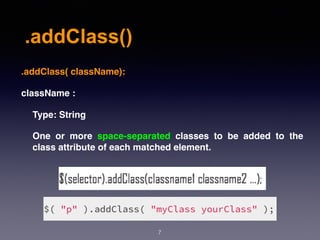
.addClass( className):
className :
Type: String
One or more space-separated classes to be added to the
class attribute of each matched element.
.addClass()
8
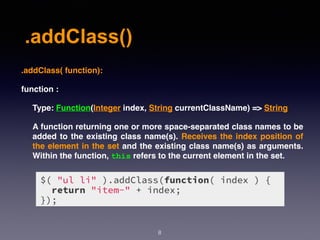
.addClass( function):
function :
Type: Function(Integer index, String currentClassName) => String
A function returning one or more space-separated class names to be
added to the existing class name(s). Receives the index position of
the element in the set and the existing class name(s) as arguments.
Within the function, this refers to the current element in the set.
9
.removeClass()
.removeClass()
10
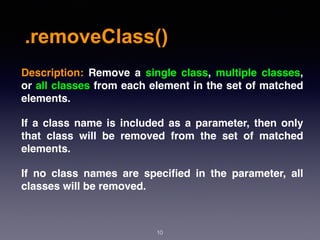
Description:  Remove a single class, multiple classes,
or all classes from each element in the set of matched
elements.
If a class name is included as a parameter, then only
that class will be removed from the set of matched
elements.
If no class names are specified in the parameter, all
classes will be removed.
.removeClass()
11
.removeClass( [className]):
className :
Type: String
One or more space-separated classes to be removed from
the class attribute of each matched element.
.removeClass()
12
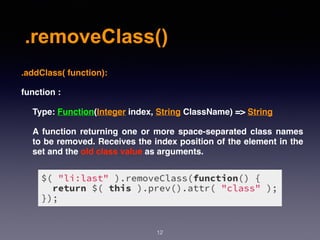
.addClass( function):
function :
Type: Function(Integer index, String ClassName) => String
A function returning one or more space-separated class names
to be removed. Receives the index position of the element in the
set and the old class value as arguments.
13
.attr()
.attr()
14
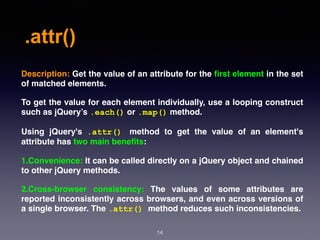
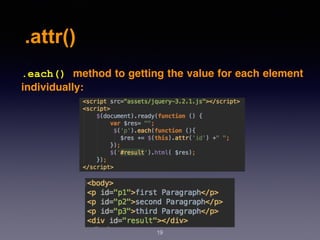
Description: Get the value of an attribute for the first element in the set
of matched elements.
To get the value for each element individually, use a looping construct
such as jQuery’s .each() or .map() method.
Using jQuery's  .attr() method to get the value of an element's
attribute has two main benefits:
1.Convenience: It can be called directly on a jQuery object and chained
to other jQuery methods.
2.Cross-browser consistency: The values of some attributes are
reported inconsistently across browsers, and even across versions of
a single browser. The .attr() method reduces such inconsistencies.
.attr()
15
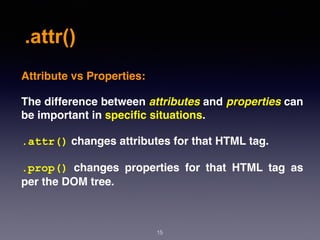
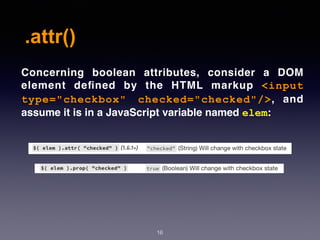
Attribute vs Properties:
The difference between attributes and properties can
be important in specific situations.
.attr() changes attributes for that HTML tag.
.prop()  changes properties for that HTML tag as
per the DOM tree.
.attr()
16
Concerning boolean attributes, consider a DOM
element defined by the HTML markup  <input
type="checkbox" checked="checked"/>, and
assume it is in a JavaScript variable named elem:
.attr()
17
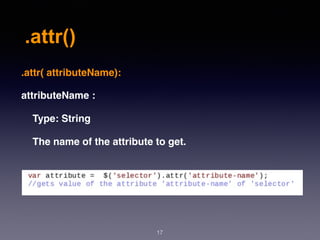
.attr( attributeName):
attributeName :
Type: String
The name of the attribute to get.
.attr()
18
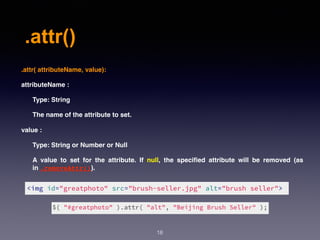
.attr( attributeName, value):
attributeName :
Type: String
The name of the attribute to set.
value :
Type: String or Number or Null
A value to set for the attribute. If null, the specified attribute will be removed (as
in .removeAttr()).
.attr()
19
.each() method to getting the value for each element
individually:
20
.removeAttr()
.removeAttr()
21
Description:  Remove an attribute from each element in the set of
matched elements.
To get the value for each element individually, use a looping construct
such as jQuery’s .each() or .map() method.
Using jQuery's  .attr() method to get the value of an element's
attribute has two main benefits:
1.Convenience: It can be called directly on a jQuery object and chained
to other jQuery methods.
2.Cross-browser consistency: The values of some attributes are
reported inconsistently across browsers, and even across versions of
a single browser. The .attr() method reduces such inconsistencies.
.removeAttr()
22
.removeAttr( attributeName):
attributeName :
Type: String
An attribute to remove; as of version 1.7, it can be a space-
separated list of attributes.
23
.val()
.val()
24
Description: Get the current value of the first element in the set
of matched elements or set the value of every matched element.
The .val() method is primarily used to get the values of form
elements such as input, select and textarea. When called
on an empty collection, it returns undefined.
When the first element in the collection is a select-multiple
(i.e., a  select   element with the  multiple   attribute
set),  .val()   returns an array containing the value of each
selected option.
This method does not accept any arguments.
.val()
25
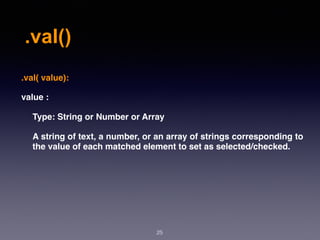
.val( value):
value :
Type: String or Number or Array
A string of text, a number, or an array of strings corresponding to
the value of each matched element to set as selected/checked.
.val()
26
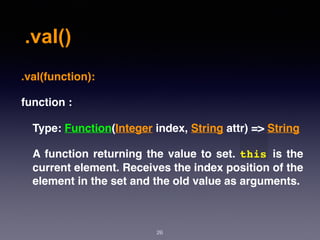
.val(function):
function :
Type: Function(Integer index, String attr) => String
A function returning the value to set. this is the
current element. Receives the index position of the
element in the set and the old value as arguments.
.val()
27
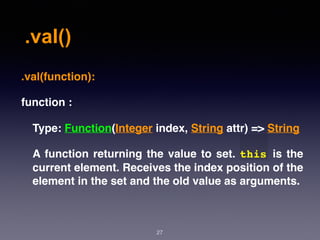
.val(function):
function :
Type: Function(Integer index, String attr) => String
A function returning the value to set. this is the
current element. Receives the index position of the
element in the set and the old value as arguments.
28
.html()
.html()
29
Description:  Get the HTML contents of the first
element in the set of matched elements or set the
HTML contents of every matched element.
This method does not accept any arguments.
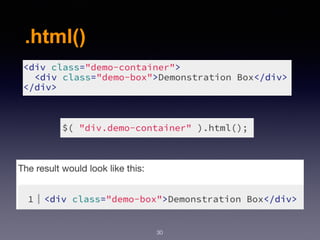
.html()
30
31
.change()
.change()
32
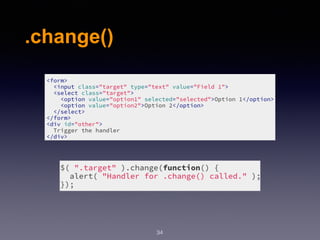
Description:  Bind an event handler to the "change" JavaScript
event, or trigger that event on an element.
This method is a shortcut for .on("change", handler) in the
first two variations.
The change event is sent to an element when its value changes.
This event is limited to <input> elements, <textarea> boxes
and  <select>   elements. For select boxes, checkboxes, and
radio buttons, the event is fired immediately when the user
makes a selection with the mouse, but for the other element
types the event is deferred until the element loses focus.
.change()
33
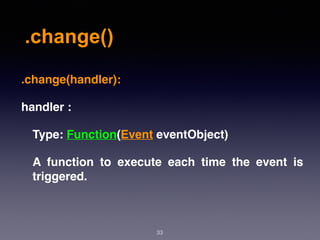
.change(handler):
handler :
Type: Function(Event eventObject)
A function to execute each time the event is
triggered.
.change()
34
35
.select()
.select()
36
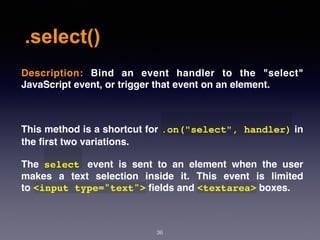
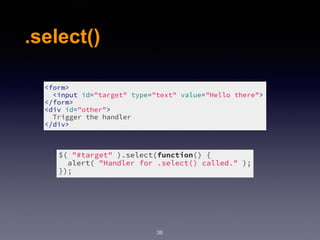
Description:  Bind an event handler to the "select"
JavaScript event, or trigger that event on an element.
This method is a shortcut for .on("select", handler) in
the first two variations.
The  select   event is sent to an element when the user
makes a text selection inside it. This event is limited
to <input type="text"> fields and <textarea> boxes.
.select()
37
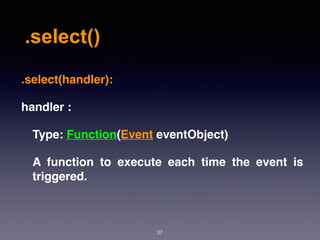
.select(handler):
handler :
Type: Function(Event eventObject)
A function to execute each time the event is
triggered.
.select()
38
39
.submit()
.submit()
40
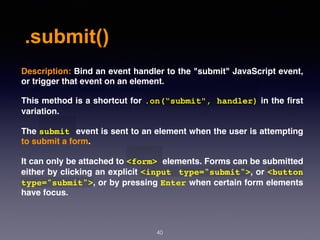
Description: Bind an event handler to the "submit" JavaScript event,
or trigger that event on an element.
This method is a shortcut for .on(“submit", handler) in the first
variation.
The submit event is sent to an element when the user is attempting
to submit a form.
It can only be attached to <form> elements. Forms can be submitted
either by clicking an explicit <input type="submit">, or <button
type="submit">, or by pressing Enter when certain form elements
have focus.
.submit()
41
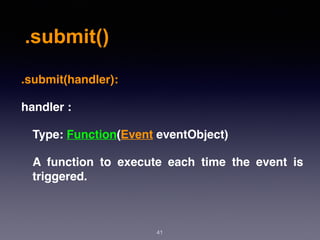
.submit(handler):
handler :
Type: Function(Event eventObject)
A function to execute each time the event is
triggered.
.submit()
42
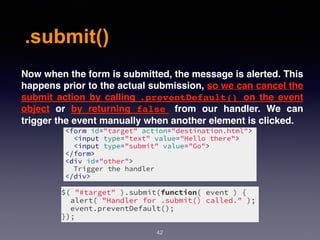
Now when the form is submitted, the message is alerted. This
happens prior to the actual submission, so we can cancel the
submit action by calling  .preventDefault()   on the event
object or by returning  false   from our handler. We can
trigger the event manually when another element is clicked.
43
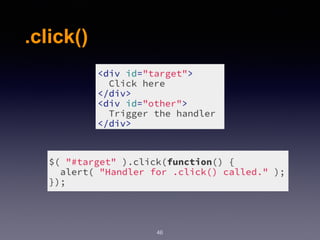
.click()
.click()
44
Description:  Bind an event handler to the "submit"
JavaScript event, or trigger that event on an element.
This method is a shortcut for  .on(“click",
handler) in in the first two variations.
The click event is sent to an element when the mouse
pointer is over the element, and the mouse button is
pressed and released. Any HTML element can receive
this event.
.click()
45
.click(handler):
handler :
Type: Function(Event eventObject)
A function to execute each time the event is
triggered.
.click()
46
47
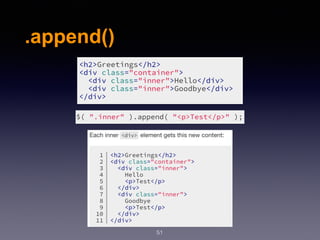
.append()
.append()
48
Description:  Insert content, specified by the
parameter, to the end of each element in the set
of matched elements.
The  .append()   method inserts the specified
content as the last child of each element in the
jQuery collection (To insert it as the  first  child,
use .prepend()).
.append()
49
.append(content, [content]):
content :
Type: htmlString or Element or Text or Array or jQuery.
content :
Type: htmlString or Element or Text or Array or jQuery.
.append()
50
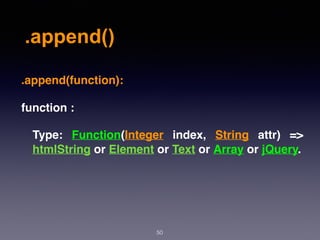
.append(function):
function :
Type: Function(Integer  index,  String  attr) =>
htmlString or Element or Text or Array or jQuery.
.append()
51
52
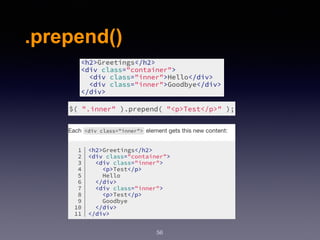
.prepend()
.prepend()
53
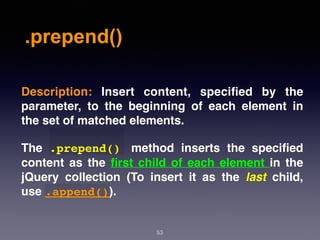
Description:  Insert content, specified by the
parameter, to the beginning of each element in
the set of matched elements.
The  .prepend()   method inserts the specified
content as the first child of each element in the
jQuery collection (To insert it as the  last  child,
use .append()).
.prepend()
54
.prepend(content, [content]):
content :
Type: htmlString or Element or Text or Array or jQuery.
content :
Type: htmlString or Element or Text or Array or jQuery.
.prepend()
55
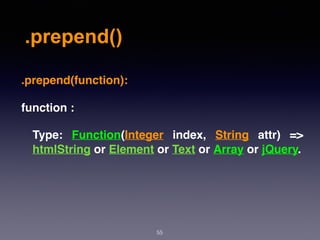
.prepend(function):
function :
Type: Function(Integer  index,  String  attr) =>
htmlString or Element or Text or Array or jQuery.
.prepend()
56
57
.after()
.after()
58
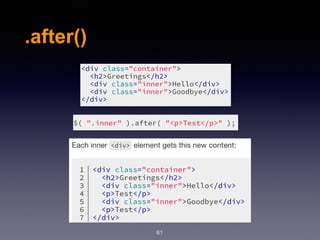
Description:  Insert content, specified by the
parameter, after each element in the set of
matched elements.
.after()
59
.after(content, [content]):
content :
Type: htmlString or Element or Text or Array or jQuery.
content :
Type: htmlString or Element or Text or Array or jQuery.
.after()
60
.after(function):
function :
Ty p e : F u n c t i o n ( I n t e g e r  i n d e x ) = >
htmlString or Element or Text or jQuery.
.after()
61
62
.before()
.before()
63
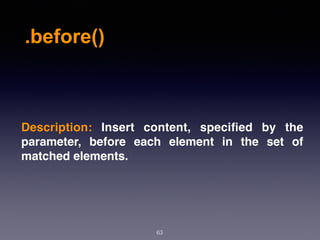
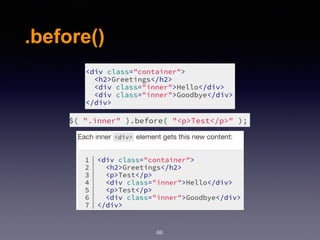
Description:  Insert content, specified by the
parameter, before each element in the set of
matched elements.
.before()
64
.before(content, [content]):
content :
Type: htmlString or Element or Text or Array or jQuery.
content :
Type: htmlString or Element or Text or Array or jQuery.
.before()
65
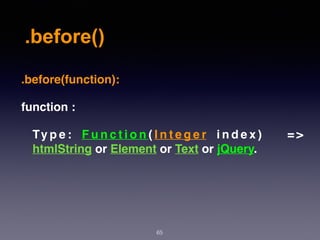
.before(function):
function :
Ty p e : F u n c t i o n ( I n t e g e r  i n d e x ) = >
htmlString or Element or Text or jQuery.
.before()
66
67
.remove()
.remove()
68
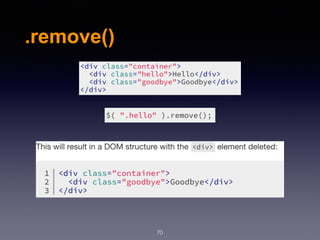
Description: Remove the set of matched elements
from the DOM.
Use  .remove()   when you want to remove the
element itself, as well as everything inside it. In
addition to the elements themselves, all bound
events and jQuery data associated with the
elements are removed.
.remove()
69
.remove([selector]):
selector :
Type: String
A selector expression that filters the set of
matched elements to be removed.
.remove()
70
71
.height()
.height()
72
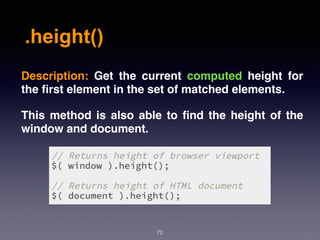
Description:  Get the current computed height for
the first element in the set of matched elements.
This method is also able to find the height of the
window and document.
.height()
73
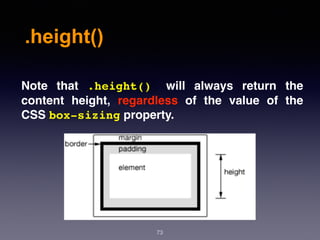
Note that  .height()   will always return the
content height, regardless of the value of the
CSS box-sizing property.
.height()
74
.height():
This method does not accept any arguments.
.height()
75
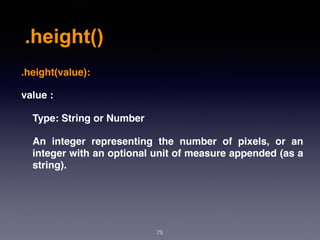
.height(value):
value :
Type: String or Number
An integer representing the number of pixels, or an
integer with an optional unit of measure appended (as a
string).
76
.width()
.width()
77
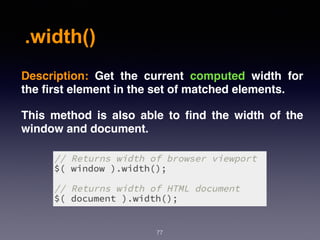
Description:  Get the current computed width for
the first element in the set of matched elements.
This method is also able to find the width of the
window and document.
.width()
78
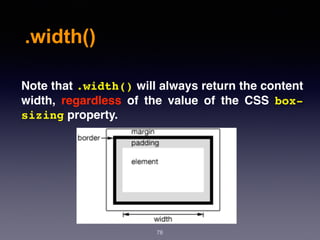
Note that .width() will always return the content
width, regardless of the value of the CSS  box-
sizing property.
.width()
79
.width():
This method does not accept any arguments.
.width()
80
.width(value):
value :
Type: String or Number
An integer representing the number of pixels, or an
integer with an optional unit of measure appended (as a
string).
81
.eq()
.eq()
82
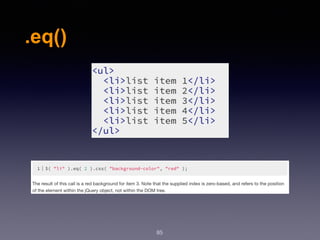
Description: Reduce the set of matched elements
to the one at the specified index.
.eq()
83
.eq(index):
index :
Type: Integer
An integer indicating the 0-based position of
the element.
.eq()
84
.val(index):
index :
Type: Integer
An integer indicating the 0-based position of
the element.
.eq()
85
86
.filter()
.filter()
87
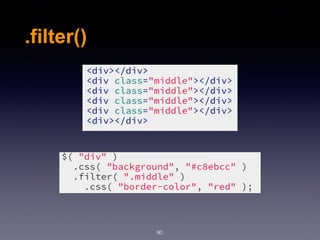
Description: Reduce the set of matched elements
to those that match the selector or pass the
function's test.
.filter()
88
.filter(selector):
seletor :
Type: selector
A string containing a selector expression to
match the current set of elements against.
.filter()
89
.filter(function):
function :
Type: Function(Integer  index,  Element  element)
=> Boolean
A function used as a test for each element in the
set. this is the current DOM element.
.filter()
90
91
.has()
.has()
92
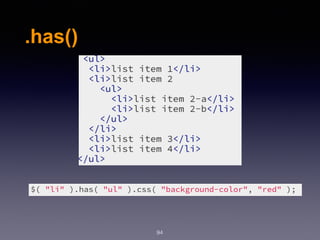
Description: Reduce the set of matched elements
to those that have a descendant that matches the
selector or DOM element.
.has()
93
.has(selector):
seletor :
Type: string
A string containing a selector expression to
match elements against.
.has()
94
95
.parent()
.parent()
96
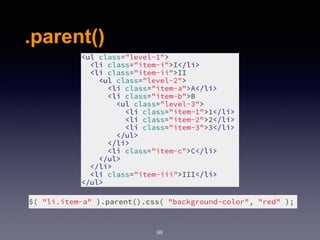
Description: Get the parent of each element in the
current set of matched elements, optionally
filtered by a selector.
.parent()
97
.parent([selector]):
seletor :
Type: Selector
A string containing a selector expression to
match elements against.
.parent()
98
References:
99
1- http://api.jquery.com/addClass/
2- http://api.jquery.com/removeClass/
3- http://api.jquery.com/attr/
4- http://api.jquery.com/removeAttr/
5- http://api.jquery.com/val/
6- http://api.jquery.com/html/
7- http://api.jquery.com/change/
8- http://api.jquery.com/select/
9- http://api.jquery.com/submit/
10- http://api.jquery.com/click/
References:
100
11- http://api.jquery.com/append/
12- http://api.jquery.com/prepend/
13- http://api.jquery.com/after/
14- http://api.jquery.com/before/
15- http://api.jquery.com/remove/
16- http://api.jquery.com/height/
17- http://api.jquery.com/width/
18- http://api.jquery.com/eq/
19- http://api.jquery.com/filter/
20- http://api.jquery.com/has/
21- http://api.jquery.com/parent/

Web Design & Development - Session 6