Information
architecture
    LESSON 3
Site Content

•   Try to get a mental image of what your site will look
    like with content on it

•   Use this image to your advantage

•   Gather the pieces for creating
    the structure and organization
    of the site.
Site Content

•   What content does the site need?

•   What sort of functionality will be required?

•   Pieces of content determine functionality
Site Content

•   Create a list of content and functional requirements to
    get a better picture of how your site will work

•   Determine how you want your content grouped and
    labeled
Content Requirement

•   Identify Content and Functional Requirements
•   Group and Label Content
•   Design Document – Content and Functions
Identify Content and
  Functional Requirements

START 2 NEW LISTS:
• Content elements
• Functional requirements

CONTENT LIST – CONTENT INVENTORY
• Gather information from everyone
• Determine the importance of each piece of content
Identify Content and
  Functional Requirements

TYPE OF CONTENTS
• Static
• Dynamic
• Functional
• Transactional
Identify Content and
  Functional Requirements

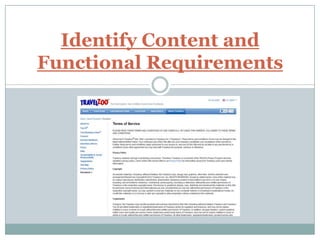
STATIC CONTENT
• Copyrights notice
• Privacy statements
• Membership rules
Identify Content and
Functional Requirements
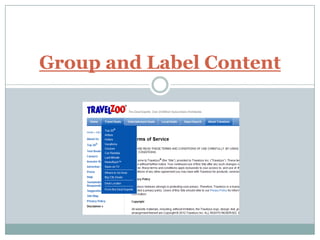
Group and Label Content
Identify Content and
  Functional Requirements

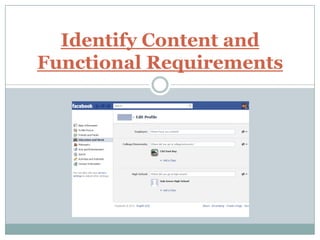
FUNCTIONAL REQUIREMENTS
• Member logon pages
• Sign up pages (for email newsletter etc.)
• Pages that involve forms
Identify Content and
Functional Requirements
Identify Content and
  Functional Requirements

CONTENT INVENTORY
• Revise your list of functional requirements
• Think about the technology and skills needed to meet
  each requirements
• Rank the importance of each requirement, eliminate
  some if necessary
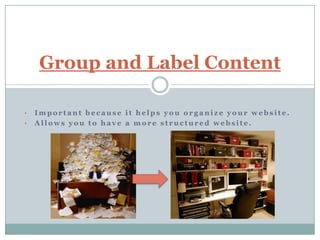
Group and Label Content

•   Important because it helps you organize your website.
•   Allows you to have a more structured website.
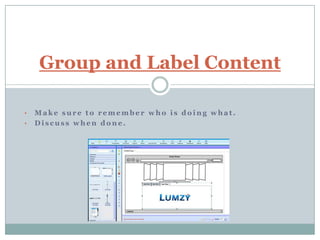
Group and Label Content

•   Make sure to remember who is doing what.
•   Discuss when done.
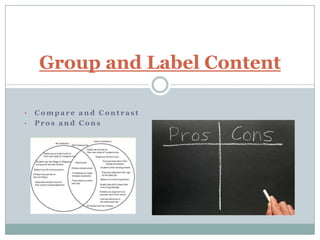
Group and Label Content

•   Compare and Contrast
•   Pros and Cons
Group and Label Content

•   Once finished everyone
    should agree if the website
    is ready or not

•   “Ready” = Go

•   “Not” = Discuss more.
Design Document –
       Content and Functions

•   Create a new chapter in your design document called
    Content and Functional Requirements
•   Include and summary of the content inventory
•   Add the list of functional requirements with a summary
Design Document –
       Content and Functions

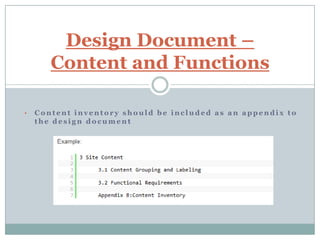
•   Content inventory should be included as an appendix to
    the design document
Fin.

•   HTTP://WWW.WEBMONKEY.COM/2010/02/INFORMATI
    ON_ARCHITECTURE_TUTORIAL_-_LESSON_3

•   Vi Tran 9-12
•   Prince Jackson 5-8
•   Nicholas Tegge 1-4
•   George Baso 14-17
•   Kahi Tai 13, 18-20

WEB AUTHORING - GROUP 4

  • 1.
  • 2.
    Site Content • Try to get a mental image of what your site will look like with content on it • Use this image to your advantage • Gather the pieces for creating the structure and organization of the site.
  • 3.
    Site Content • What content does the site need? • What sort of functionality will be required? • Pieces of content determine functionality
  • 4.
    Site Content • Create a list of content and functional requirements to get a better picture of how your site will work • Determine how you want your content grouped and labeled
  • 5.
    Content Requirement • Identify Content and Functional Requirements • Group and Label Content • Design Document – Content and Functions
  • 6.
    Identify Content and Functional Requirements START 2 NEW LISTS: • Content elements • Functional requirements CONTENT LIST – CONTENT INVENTORY • Gather information from everyone • Determine the importance of each piece of content
  • 7.
    Identify Content and Functional Requirements TYPE OF CONTENTS • Static • Dynamic • Functional • Transactional
  • 8.
    Identify Content and Functional Requirements STATIC CONTENT • Copyrights notice • Privacy statements • Membership rules
  • 9.
  • 10.
  • 11.
    Identify Content and Functional Requirements FUNCTIONAL REQUIREMENTS • Member logon pages • Sign up pages (for email newsletter etc.) • Pages that involve forms
  • 12.
  • 13.
    Identify Content and Functional Requirements CONTENT INVENTORY • Revise your list of functional requirements • Think about the technology and skills needed to meet each requirements • Rank the importance of each requirement, eliminate some if necessary
  • 14.
    Group and LabelContent • Important because it helps you organize your website. • Allows you to have a more structured website.
  • 15.
    Group and LabelContent • Make sure to remember who is doing what. • Discuss when done.
  • 16.
    Group and LabelContent • Compare and Contrast • Pros and Cons
  • 17.
    Group and LabelContent • Once finished everyone should agree if the website is ready or not • “Ready” = Go • “Not” = Discuss more.
  • 18.
    Design Document – Content and Functions • Create a new chapter in your design document called Content and Functional Requirements • Include and summary of the content inventory • Add the list of functional requirements with a summary
  • 19.
    Design Document – Content and Functions • Content inventory should be included as an appendix to the design document
  • 20.
    Fin. • HTTP://WWW.WEBMONKEY.COM/2010/02/INFORMATI ON_ARCHITECTURE_TUTORIAL_-_LESSON_3 • Vi Tran 9-12 • Prince Jackson 5-8 • Nicholas Tegge 1-4 • George Baso 14-17 • Kahi Tai 13, 18-20