WEB ACCESSIBILITY
Răzvan Roșu
/razvan-rosu
/razvan-rosu
@rzvn_rosu
What is Web Accessibility?
Myth
Accessibility is often viewed as
making your site work on screen readers.
What Accessibility really is
Accessibility is a subset of UX
focused on making your websites usable
by the widest range of people possible,
including those who have disabilities.
Why should we care about Accessibility?
The main reason is the concept’s definition itself:
we want our application to be usable by as many people as possible.
We should also care due to good ethics and laws and regulations.
Statistics:
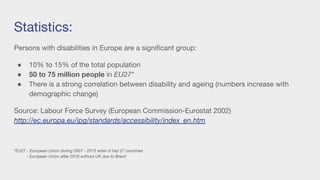
Persons with disabilities in Europe are a significant group:
● 10% to 15% of the total population
● 50 to 75 million people in EU27*
● There is a strong correlation between disability and ageing (numbers increase with
demographic change)
Source: Labour Force Survey (European Commission-Eurostat 2002)
http://ec.europa.eu/ipg/standards/accessibility/index_en.htm
*EU27 - European Union during 2007 - 2013 when it had 27 countries
- European Union after 2016 without UK due to Brexit
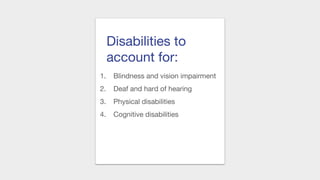
Disabilities to
account for:
1. Blindness and vision impairment
2. Deaf and hard of hearing
3. Physical disabilities
4. Cognitive disabilities
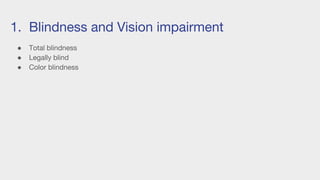
1. Blindness and Vision impairment
● Total blindness
● Legally blind
● Color blindness
1. Blindness and Vision impairment
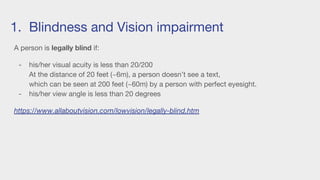
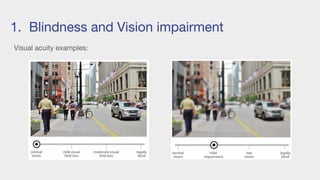
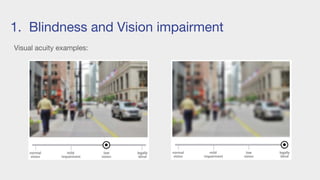
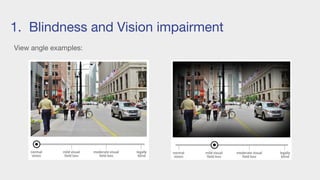
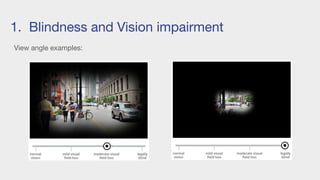
A person is legally blind if:
- his/her visual acuity is less than 20/200
At the distance of 20 feet (~6m), a person doesn’t see a text,
which can be seen at 200 feet (~60m) by a person with perfect eyesight.
- his/her view angle is less than 20 degrees
https://www.allaboutvision.com/lowvision/legally-blind.htm
1. Blindness and Vision impairment
Visual acuity examples:
1. Blindness and Vision impairment
Visual acuity examples:
1. Blindness and Vision impairment
View angle examples:
1. Blindness and Vision impairment
View angle examples:
1. Blindness and Vision impairment
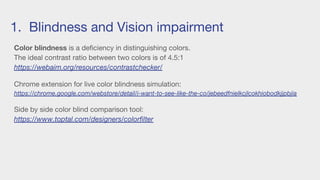
Color blindness is a deficiency in distinguishing colors.
The ideal contrast ratio between two colors is of 4.5:1
https://webaim.org/resources/contrastchecker/
Chrome extension for live color blindness simulation:
https://chrome.google.com/webstore/detail/i-want-to-see-like-the-co/jebeedfnielkcjlcokhiobodkjjpbjia
Side by side color blind comparison tool:
https://www.toptal.com/designers/colorfilter
1. Blindness and Vision impairment
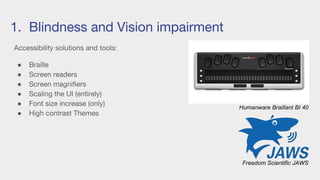
Accessibility solutions and tools:
● Braille
● Screen readers
● Screen magnifiers
● Scaling the UI (entirely)
● Font size increase (only)
● High contrast Themes
Humanware Braillant BI 40
Freedom Scientific JAWS
Disabilities to
account for:
1. Blindness and vision impairment
2. Deaf and hard of hearing
3. Physical disabilities
4. Cognitive disabilities
2. Deaf and hard of hearing
People with a hearing disability rely heavily on visual information.
We should provide audio and video content
with a description and subtitles (closed captions).
Do not autoplay media content.
An interview with a Deaf academic librarian on web experience:
https://developer.paciellogroup.com/blog/2017/02/sounding-out-the-web-accessibility-for-deaf-and-hard-of-hearing-people-part-1/
https://developer.paciellogroup.com/blog/2017/03/sounding-out-the-web-accessibility-for-deaf-and-hard-of-hearing-people-part-2/
Disabilities to
account for:
1. Blindness and vision impairment
2. Deaf and hard of hearing
3. Physical disabilities
4. Cognitive disabilities
3. Physical disabilities
For physical disabilities, we need to take into account
users that don’t navigate web pages with
the traditional mouse (along a keyboard).
Ensuring the possibility to navigate by keyboard exclusively
should be good enough for the time being, but have in mind
other means such as Eye Controlling.
https://www.tobii.com/tech/
https://arstechnica.com/gadgets/2017/08/windows-adding-eye-control-to-boost-accessibility/
Disabilities to
account for:
1. Blindness and vision impairment
2. Deaf and hard of hearing
3. Physical disabilities
4. Cognitive disabilities
Examples:
- Autism
- Attention deficit disorder (ADD)
- Anxiety disorder
- Dyslexia: difficulty in reading
- Dyscalculia: difficulty in understanding number-related concepts
- etc
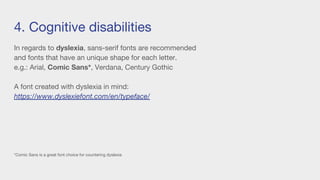
4. Cognitive disabilities
In regards to dyslexia, sans-serif fonts are recommended
and fonts that have an unique shape for each letter.
e.g.: Arial, Comic Sans*, Verdana, Century Gothic
A font created with dyslexia in mind:
https://www.dyslexiefont.com/en/typeface/
*Comic Sans is a great font choice for countering dyslexia
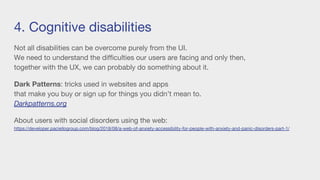
4. Cognitive disabilities
Not all disabilities can be overcome purely from the UI.
We need to understand the difficulties our users are facing and only then,
together with the UX, we can probably do something about it.
Dark Patterns: tricks used in websites and apps
that make you buy or sign up for things you didn’t mean to.
Darkpatterns.org
About users with social disorders using the web:
https://developer.paciellogroup.com/blog/2018/08/a-web-of-anxiety-accessibility-for-people-with-anxiety-and-panic-disorders-part-1/
Disabilities to
account for:
1. Blindness and vision impairment
2. Deaf and hard of hearing
3. Physical disabilities
4. Cognitive disabilities
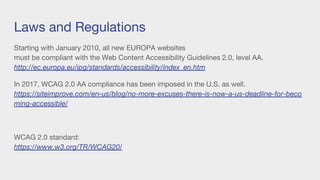
Laws and Regulations
Starting with January 2010, all new EUROPA websites
must be compliant with the Web Content Accessibility Guidelines 2.0, level AA.
http://ec.europa.eu/ipg/standards/accessibility/index_en.htm
In 2017, WCAG 2.0 AA compliance has been imposed in the U.S. as well.
https://siteimprove.com/en-us/blog/no-more-excuses-there-is-now-a-us-deadline-for-beco
ming-accessible/
WCAG 2.0 standard:
https://www.w3.org/TR/WCAG20/
Laws and Regulations
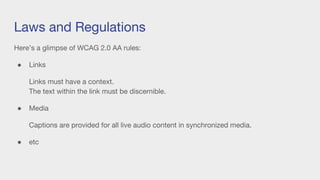
Here’s a glimpse of WCAG 2.0 AA rules:
● Links
Links must have a context.
The text within the link must be discernible.
● Media
Captions are provided for all live audio content in synchronized media.
● etc
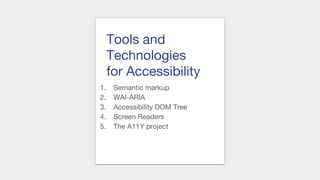
Tools and
Technologies
for Accessibility
1. Semantic markup
2. WAI-ARIA
3. Accessibility DOM Tree
4. Screen Readers
5. The A11Y project
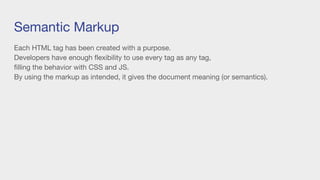
Semantic Markup
Each HTML tag has been created with a purpose.
Developers have enough flexibility to use every tag as any tag,
filling the behavior with CSS and JS.
By using the markup as intended, it gives the document meaning (or semantics).
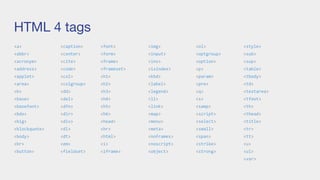
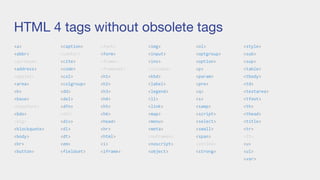
HTML 4 tags
<a>
<abbr>
<acronym>
<address>
<applet>
<area>
<b>
<base>
<basefont>
<bdo>
<big>
<blockquote>
<body>
<br>
<button>
<caption>
<center>
<cite>
<code>
<col>
<colgroup>
<dd>
<del>
<dfn>
<dir>
<div>
<dl>
<dt>
<em>
<fieldset>
<font>
<form>
<frame>
<frameset>
<h1>
<h2>
<h3>
<h4>
<h5>
<h6>
<head>
<hr>
<html>
<i>
<iframe>
<img>
<input>
<ins>
<isindex>
<kbd>
<label>
<legend>
<li>
<link>
<map>
<menu>
<meta>
<noframes>
<noscript>
<object>
<ol>
<optgroup>
<option>
<p>
<param>
<pre>
<q>
<s>
<samp>
<script>
<select>
<small>
<span>
<strike>
<strong>
<style>
<sub>
<sup>
<table>
<tbody>
<td>
<textarea>
<tfoot>
<th>
<thead>
<title>
<tr>
<tt>
<u>
<ul>
<var>
HTML 4 tags without obsolete tags
<a>
<abbr>
<acronym>
<address>
<applet>
<area>
<b>
<base>
<basefont>
<bdo>
<big>
<blockquote>
<body>
<br>
<button>
<caption>
<center>
<cite>
<code>
<col>
<colgroup>
<dd>
<del>
<dfn>
<dir>
<div>
<dl>
<dt>
<em>
<fieldset>
<font>
<form>
<frame>
<frameset>
<h1>
<h2>
<h3>
<h4>
<h5>
<h6>
<head>
<hr>
<html>
<i>
<iframe>
<img>
<input>
<ins>
<isindex>
<kbd>
<label>
<legend>
<li>
<link>
<map>
<menu>
<meta>
<noframes>
<noscript>
<object>
<ol>
<optgroup>
<option>
<p>
<param>
<pre>
<q>
<s>
<samp>
<script>
<select>
<small>
<span>
<strike>
<strong>
<style>
<sub>
<sup>
<table>
<tbody>
<td>
<textarea>
<tfoot>
<th>
<thead>
<title>
<tr>
<tt>
<u>
<ul>
<var>
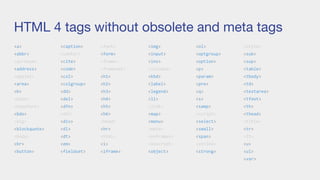
HTML 4 tags without obsolete and meta tags
<a>
<abbr>
<acronym>
<address>
<applet>
<area>
<b>
<base>
<basefont>
<bdo>
<big>
<blockquote>
<body>
<br>
<button>
<caption>
<center>
<cite>
<code>
<col>
<colgroup>
<dd>
<del>
<dfn>
<dir>
<div>
<dl>
<dt>
<em>
<fieldset>
<font>
<form>
<frame>
<frameset>
<h1>
<h2>
<h3>
<h4>
<h5>
<h6>
<head>
<hr>
<html>
<i>
<iframe>
<img>
<input>
<ins>
<isindex>
<kbd>
<label>
<legend>
<li>
<link>
<map>
<menu>
<meta>
<noframes>
<noscript>
<object>
<ol>
<optgroup>
<option>
<p>
<param>
<pre>
<q>
<s>
<samp>
<script>
<select>
<small>
<span>
<strike>
<strong>
<style>
<sub>
<sup>
<table>
<tbody>
<td>
<textarea>
<tfoot>
<th>
<thead>
<title>
<tr>
<tt>
<u>
<ul>
<var>
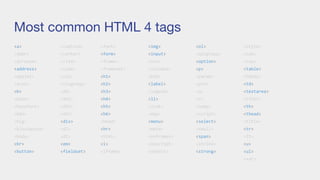
Most common HTML 4 tags
<a>
<abbr>
<acronym>
<address>
<applet>
<area>
<b>
<base>
<basefont>
<bdo>
<big>
<blockquote>
<body>
<br>
<button>
<caption>
<center>
<cite>
<code>
<col>
<colgroup>
<dd>
<del>
<dfn>
<dir>
<div>
<dl>
<dt>
<em>
<fieldset>
<font>
<form>
<frame>
<frameset>
<h1>
<h2>
<h3>
<h4>
<h5>
<h6>
<head>
<hr>
<html>
<i>
<iframe>
<img>
<input>
<ins>
<isindex>
<kbd>
<label>
<legend>
<li>
<link>
<map>
<menu>
<meta>
<noframes>
<noscript>
<object>
<ol>
<optgroup>
<option>
<p>
<param>
<pre>
<q>
<s>
<samp>
<script>
<select>
<small>
<span>
<strike>
<strong>
<style>
<sub>
<sup>
<table>
<tbody>
<td>
<textarea>
<tfoot>
<th>
<thead>
<title>
<tr>
<tt>
<u>
<ul>
<var>
Demo CV HTML 4
http://127.0.0.1:5500/pages/demo1.html
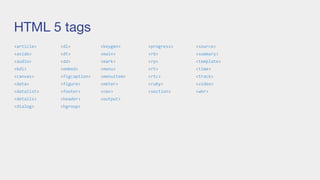
HTML 5 tags
<article>
<aside>
<audio>
<bdi>
<canvas>
<data>
<datalist>
<details>
<dialog>
<dl>
<dt>
<dd>
<embed>
<figcaption>
<figure>
<footer>
<header>
<hgroup>
<keygen>
<main>
<mark>
<menu>
<menuitem>
<meter>
<nav>
<output>
<progress>
<rb>
<rp>
<rt>
<rtc>
<ruby>
<section>
<source>
<summary>
<template>
<time>
<track>
<video>
<wbr>
Demo CV HTML 5
http://127.0.0.1:5500/pages/demo2.html
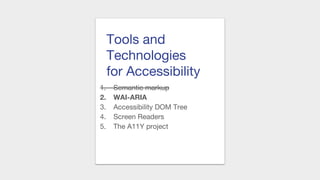
Tools and
Technologies
for Accessibility
1. Semantic markup
2. WAI-ARIA
3. Accessibility DOM Tree
4. Screen Readers
5. The A11Y project
WAI-ARIA
Web Accessibility Initiative - Accessible Rich Internet Applications
It is a technical specification created by the World Web Consortium (W3C)
on increasing accessibility of the web.
https://w3c.github.io/aria/
With HTML, CSS and JS we can recreate the behaviour of any existing tag.
With WAI-ARIA, we can fill the accessibility gaps.
WAI-ARIA
Roles: defines what an element is or does
e.g.: role=”navigation”
The HTML5 tag <nav> is a Landmark with the ARIA role of navigation built-in.
We can manually add the ARIA landmark role=”navigation” to any html tag.
Properties: used for adding extra meaning or semantics to elements
e.g.: aria-required=”true”
States: special properties that define the current condition of elements
e.g.: aria-disabled=”true”
WAI-ARIA
Start building an UI with native HTML elements
(they have built in semantics and behavior).
Continue with adding ARIA roles, states and properties
to the elements lacking the desired accessibility.
List of all ARIA landmark roles:
https://www.w3.org/TR/wai-aria-practices/examples/landmarks/HTML5.html
WAI-ARIA
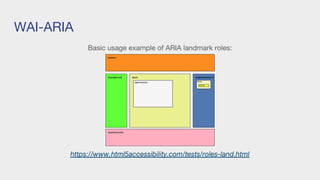
Basic usage example of ARIA landmark roles:
https://www.html5accessibility.com/tests/roles-land.html
Demo Buttons
http://127.0.0.1:5500/pages/demo3.html
Tools and
Technologies
for Accessibility
1. Semantic markup
2. WAI-ARIA
3. Accessibility DOM Tree
4. Screen Readers
5. The A11Y project
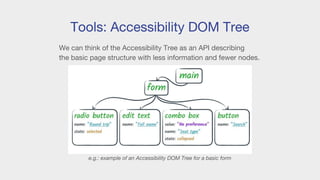
Tools: Accessibility DOM Tree
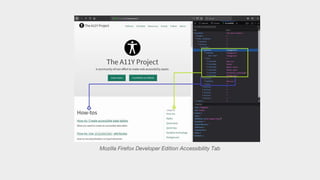
We can think of the Accessibility Tree as an API describing
the basic page structure with less information and fewer nodes.
e.g.: example of an Accessibility DOM Tree for a basic form
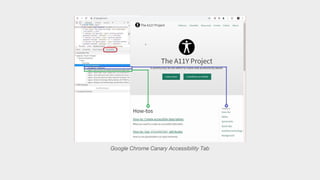
Google Chrome Canary Accessibility Tab
Mozilla Firefox Developer Edition Accessibility Tab
Tools and
Technologies
for Accessibility
1. Semantic markup
2. WAI-ARIA
3. Accessibility DOM Tree
4. Screen Readers
5. The A11Y project
Screen Readers
A screen reader is a form of assistive technology.
It facilitates user interaction with content.
It relies on a user agent to retrieve and render content.
Screen Readers
Available solutions:
○ VoX (browser extension)
○ Voice Over (MacOS, iOS)
○ NVDA (Windows)
○ ORCA (Linux)
○ Dragon (3rd party)
○ JAWS (3rd party)
○ TalkBack Android
Screen Readers
Screen Readers react to ALL CAPS and CSS text-transform: uppercase.
There are two specs that we can use to customize the way the screen reader reads:
1. CSS Speech Module (limited browser support)
https://www.w3.org/TR/2018/NOTE-css3-speech-20180605/
The Speech Module is the successor of Aural Style Sheets (deprecated).
https://developer.mozilla.org/en-US/docs/Web/CSS/Aural
2. Web Speech API
This specification defined a JavaScript API that enables integrating speech recognition
and synthesis into web pages.
https://w3c.github.io/speech-api/speechapi.html
Screen Readers
Both CSS Speech Module and Web Speech API use Text To Speech (TTS).
A Text To Speech system converts normal language text into speech.
TTS engines are built in most platforms.
Voice assistants like Alexa or Google Assistant use the platform’s TTS most of the times.
But they can also use a bundled TTS alternative (for better language support or a wider
choice of voices).
https://tink.uk/using-the-web-speech-api-to-simulate-css-speech-support/
Tools and
Technologies
for Accessibility
1. Semantic markup
2. WAI-ARIA
3. Accessibility DOM Tree
4. Screen Readers
5. The A11Y project
The A11Y Project
The A11Y project’s main goal is to facilitate accessibility implementation on the web.
It is an open-source initiative, with the objective of promoting accessibility.
It provides an up-to-date collection of resources and how-to examples and it also tracks
events on the topic.
The term ‘A11Y’ stands for AccessibilitY as a numeronym.
11
https://a11yproject.com/
Tools and
Technologies
for Accessibility
1. Semantic markup
2. WAI-ARIA
3. Accessibility DOM Tree
4. Screen Readers
5. The A11Y project
Accessible Web Components
http://127.0.0.1:5500/pages/demo4.html
Thank you!
Questions
?
References
● Demo:
https://github.com/razvan-rosu/demo-we
b-accessibility
● WCAG 2.0:
https://www.w3.org/TR/WCAG20/
● Semantic markup:
https://html.com/semantic-markup/
● WAI-ARIA:
https://w3c.github.io/aria/
● The A11Y Project:
https://a11yproject.com/

Web Accessibility - Razvan Rosu

  • 1.
  • 2.
    What is WebAccessibility? Myth Accessibility is often viewed as making your site work on screen readers. What Accessibility really is Accessibility is a subset of UX focused on making your websites usable by the widest range of people possible, including those who have disabilities.
  • 3.
    Why should wecare about Accessibility? The main reason is the concept’s definition itself: we want our application to be usable by as many people as possible. We should also care due to good ethics and laws and regulations.
  • 4.
    Statistics: Persons with disabilitiesin Europe are a significant group: ● 10% to 15% of the total population ● 50 to 75 million people in EU27* ● There is a strong correlation between disability and ageing (numbers increase with demographic change) Source: Labour Force Survey (European Commission-Eurostat 2002) http://ec.europa.eu/ipg/standards/accessibility/index_en.htm *EU27 - European Union during 2007 - 2013 when it had 27 countries - European Union after 2016 without UK due to Brexit
  • 5.
    Disabilities to account for: 1.Blindness and vision impairment 2. Deaf and hard of hearing 3. Physical disabilities 4. Cognitive disabilities
  • 6.
    1. Blindness andVision impairment ● Total blindness ● Legally blind ● Color blindness
  • 7.
    1. Blindness andVision impairment A person is legally blind if: - his/her visual acuity is less than 20/200 At the distance of 20 feet (~6m), a person doesn’t see a text, which can be seen at 200 feet (~60m) by a person with perfect eyesight. - his/her view angle is less than 20 degrees https://www.allaboutvision.com/lowvision/legally-blind.htm
  • 8.
    1. Blindness andVision impairment Visual acuity examples:
  • 9.
    1. Blindness andVision impairment Visual acuity examples:
  • 10.
    1. Blindness andVision impairment View angle examples:
  • 11.
    1. Blindness andVision impairment View angle examples:
  • 12.
    1. Blindness andVision impairment Color blindness is a deficiency in distinguishing colors. The ideal contrast ratio between two colors is of 4.5:1 https://webaim.org/resources/contrastchecker/ Chrome extension for live color blindness simulation: https://chrome.google.com/webstore/detail/i-want-to-see-like-the-co/jebeedfnielkcjlcokhiobodkjjpbjia Side by side color blind comparison tool: https://www.toptal.com/designers/colorfilter
  • 13.
    1. Blindness andVision impairment Accessibility solutions and tools: ● Braille ● Screen readers ● Screen magnifiers ● Scaling the UI (entirely) ● Font size increase (only) ● High contrast Themes Humanware Braillant BI 40 Freedom Scientific JAWS
  • 14.
    Disabilities to account for: 1.Blindness and vision impairment 2. Deaf and hard of hearing 3. Physical disabilities 4. Cognitive disabilities
  • 15.
    2. Deaf andhard of hearing People with a hearing disability rely heavily on visual information. We should provide audio and video content with a description and subtitles (closed captions). Do not autoplay media content. An interview with a Deaf academic librarian on web experience: https://developer.paciellogroup.com/blog/2017/02/sounding-out-the-web-accessibility-for-deaf-and-hard-of-hearing-people-part-1/ https://developer.paciellogroup.com/blog/2017/03/sounding-out-the-web-accessibility-for-deaf-and-hard-of-hearing-people-part-2/
  • 16.
    Disabilities to account for: 1.Blindness and vision impairment 2. Deaf and hard of hearing 3. Physical disabilities 4. Cognitive disabilities
  • 17.
    3. Physical disabilities Forphysical disabilities, we need to take into account users that don’t navigate web pages with the traditional mouse (along a keyboard). Ensuring the possibility to navigate by keyboard exclusively should be good enough for the time being, but have in mind other means such as Eye Controlling. https://www.tobii.com/tech/ https://arstechnica.com/gadgets/2017/08/windows-adding-eye-control-to-boost-accessibility/
  • 18.
    Disabilities to account for: 1.Blindness and vision impairment 2. Deaf and hard of hearing 3. Physical disabilities 4. Cognitive disabilities
  • 19.
    4. Cognitive disabilities Examples: -Autism - Attention deficit disorder (ADD) - Anxiety disorder - Dyslexia: difficulty in reading - Dyscalculia: difficulty in understanding number-related concepts - etc
  • 20.
    4. Cognitive disabilities Inregards to dyslexia, sans-serif fonts are recommended and fonts that have an unique shape for each letter. e.g.: Arial, Comic Sans*, Verdana, Century Gothic A font created with dyslexia in mind: https://www.dyslexiefont.com/en/typeface/ *Comic Sans is a great font choice for countering dyslexia
  • 21.
    4. Cognitive disabilities Notall disabilities can be overcome purely from the UI. We need to understand the difficulties our users are facing and only then, together with the UX, we can probably do something about it. Dark Patterns: tricks used in websites and apps that make you buy or sign up for things you didn’t mean to. Darkpatterns.org About users with social disorders using the web: https://developer.paciellogroup.com/blog/2018/08/a-web-of-anxiety-accessibility-for-people-with-anxiety-and-panic-disorders-part-1/
  • 22.
    Disabilities to account for: 1.Blindness and vision impairment 2. Deaf and hard of hearing 3. Physical disabilities 4. Cognitive disabilities
  • 23.
    Laws and Regulations Startingwith January 2010, all new EUROPA websites must be compliant with the Web Content Accessibility Guidelines 2.0, level AA. http://ec.europa.eu/ipg/standards/accessibility/index_en.htm In 2017, WCAG 2.0 AA compliance has been imposed in the U.S. as well. https://siteimprove.com/en-us/blog/no-more-excuses-there-is-now-a-us-deadline-for-beco ming-accessible/ WCAG 2.0 standard: https://www.w3.org/TR/WCAG20/
  • 24.
    Laws and Regulations Here’sa glimpse of WCAG 2.0 AA rules: ● Links Links must have a context. The text within the link must be discernible. ● Media Captions are provided for all live audio content in synchronized media. ● etc
  • 25.
    Tools and Technologies for Accessibility 1.Semantic markup 2. WAI-ARIA 3. Accessibility DOM Tree 4. Screen Readers 5. The A11Y project
  • 26.
    Semantic Markup Each HTMLtag has been created with a purpose. Developers have enough flexibility to use every tag as any tag, filling the behavior with CSS and JS. By using the markup as intended, it gives the document meaning (or semantics).
  • 27.
  • 28.
    HTML 4 tagswithout obsolete tags <a> <abbr> <acronym> <address> <applet> <area> <b> <base> <basefont> <bdo> <big> <blockquote> <body> <br> <button> <caption> <center> <cite> <code> <col> <colgroup> <dd> <del> <dfn> <dir> <div> <dl> <dt> <em> <fieldset> <font> <form> <frame> <frameset> <h1> <h2> <h3> <h4> <h5> <h6> <head> <hr> <html> <i> <iframe> <img> <input> <ins> <isindex> <kbd> <label> <legend> <li> <link> <map> <menu> <meta> <noframes> <noscript> <object> <ol> <optgroup> <option> <p> <param> <pre> <q> <s> <samp> <script> <select> <small> <span> <strike> <strong> <style> <sub> <sup> <table> <tbody> <td> <textarea> <tfoot> <th> <thead> <title> <tr> <tt> <u> <ul> <var>
  • 29.
    HTML 4 tagswithout obsolete and meta tags <a> <abbr> <acronym> <address> <applet> <area> <b> <base> <basefont> <bdo> <big> <blockquote> <body> <br> <button> <caption> <center> <cite> <code> <col> <colgroup> <dd> <del> <dfn> <dir> <div> <dl> <dt> <em> <fieldset> <font> <form> <frame> <frameset> <h1> <h2> <h3> <h4> <h5> <h6> <head> <hr> <html> <i> <iframe> <img> <input> <ins> <isindex> <kbd> <label> <legend> <li> <link> <map> <menu> <meta> <noframes> <noscript> <object> <ol> <optgroup> <option> <p> <param> <pre> <q> <s> <samp> <script> <select> <small> <span> <strike> <strong> <style> <sub> <sup> <table> <tbody> <td> <textarea> <tfoot> <th> <thead> <title> <tr> <tt> <u> <ul> <var>
  • 30.
    Most common HTML4 tags <a> <abbr> <acronym> <address> <applet> <area> <b> <base> <basefont> <bdo> <big> <blockquote> <body> <br> <button> <caption> <center> <cite> <code> <col> <colgroup> <dd> <del> <dfn> <dir> <div> <dl> <dt> <em> <fieldset> <font> <form> <frame> <frameset> <h1> <h2> <h3> <h4> <h5> <h6> <head> <hr> <html> <i> <iframe> <img> <input> <ins> <isindex> <kbd> <label> <legend> <li> <link> <map> <menu> <meta> <noframes> <noscript> <object> <ol> <optgroup> <option> <p> <param> <pre> <q> <s> <samp> <script> <select> <small> <span> <strike> <strong> <style> <sub> <sup> <table> <tbody> <td> <textarea> <tfoot> <th> <thead> <title> <tr> <tt> <u> <ul> <var>
  • 31.
    Demo CV HTML4 http://127.0.0.1:5500/pages/demo1.html
  • 32.
  • 33.
    Demo CV HTML5 http://127.0.0.1:5500/pages/demo2.html
  • 34.
    Tools and Technologies for Accessibility 1.Semantic markup 2. WAI-ARIA 3. Accessibility DOM Tree 4. Screen Readers 5. The A11Y project
  • 35.
    WAI-ARIA Web Accessibility Initiative- Accessible Rich Internet Applications It is a technical specification created by the World Web Consortium (W3C) on increasing accessibility of the web. https://w3c.github.io/aria/ With HTML, CSS and JS we can recreate the behaviour of any existing tag. With WAI-ARIA, we can fill the accessibility gaps.
  • 36.
    WAI-ARIA Roles: defines whatan element is or does e.g.: role=”navigation” The HTML5 tag <nav> is a Landmark with the ARIA role of navigation built-in. We can manually add the ARIA landmark role=”navigation” to any html tag. Properties: used for adding extra meaning or semantics to elements e.g.: aria-required=”true” States: special properties that define the current condition of elements e.g.: aria-disabled=”true”
  • 37.
    WAI-ARIA Start building anUI with native HTML elements (they have built in semantics and behavior). Continue with adding ARIA roles, states and properties to the elements lacking the desired accessibility. List of all ARIA landmark roles: https://www.w3.org/TR/wai-aria-practices/examples/landmarks/HTML5.html
  • 38.
    WAI-ARIA Basic usage exampleof ARIA landmark roles: https://www.html5accessibility.com/tests/roles-land.html
  • 39.
  • 40.
    Tools and Technologies for Accessibility 1.Semantic markup 2. WAI-ARIA 3. Accessibility DOM Tree 4. Screen Readers 5. The A11Y project
  • 41.
    Tools: Accessibility DOMTree We can think of the Accessibility Tree as an API describing the basic page structure with less information and fewer nodes. e.g.: example of an Accessibility DOM Tree for a basic form
  • 42.
    Google Chrome CanaryAccessibility Tab
  • 43.
    Mozilla Firefox DeveloperEdition Accessibility Tab
  • 44.
    Tools and Technologies for Accessibility 1.Semantic markup 2. WAI-ARIA 3. Accessibility DOM Tree 4. Screen Readers 5. The A11Y project
  • 45.
    Screen Readers A screenreader is a form of assistive technology. It facilitates user interaction with content. It relies on a user agent to retrieve and render content.
  • 46.
    Screen Readers Available solutions: ○VoX (browser extension) ○ Voice Over (MacOS, iOS) ○ NVDA (Windows) ○ ORCA (Linux) ○ Dragon (3rd party) ○ JAWS (3rd party) ○ TalkBack Android
  • 47.
    Screen Readers Screen Readersreact to ALL CAPS and CSS text-transform: uppercase. There are two specs that we can use to customize the way the screen reader reads: 1. CSS Speech Module (limited browser support) https://www.w3.org/TR/2018/NOTE-css3-speech-20180605/ The Speech Module is the successor of Aural Style Sheets (deprecated). https://developer.mozilla.org/en-US/docs/Web/CSS/Aural 2. Web Speech API This specification defined a JavaScript API that enables integrating speech recognition and synthesis into web pages. https://w3c.github.io/speech-api/speechapi.html
  • 48.
    Screen Readers Both CSSSpeech Module and Web Speech API use Text To Speech (TTS). A Text To Speech system converts normal language text into speech. TTS engines are built in most platforms. Voice assistants like Alexa or Google Assistant use the platform’s TTS most of the times. But they can also use a bundled TTS alternative (for better language support or a wider choice of voices). https://tink.uk/using-the-web-speech-api-to-simulate-css-speech-support/
  • 49.
    Tools and Technologies for Accessibility 1.Semantic markup 2. WAI-ARIA 3. Accessibility DOM Tree 4. Screen Readers 5. The A11Y project
  • 50.
    The A11Y Project TheA11Y project’s main goal is to facilitate accessibility implementation on the web. It is an open-source initiative, with the objective of promoting accessibility. It provides an up-to-date collection of resources and how-to examples and it also tracks events on the topic. The term ‘A11Y’ stands for AccessibilitY as a numeronym. 11 https://a11yproject.com/
  • 51.
    Tools and Technologies for Accessibility 1.Semantic markup 2. WAI-ARIA 3. Accessibility DOM Tree 4. Screen Readers 5. The A11Y project
  • 52.
  • 53.
  • 54.
    References ● Demo: https://github.com/razvan-rosu/demo-we b-accessibility ● WCAG2.0: https://www.w3.org/TR/WCAG20/ ● Semantic markup: https://html.com/semantic-markup/ ● WAI-ARIA: https://w3c.github.io/aria/ ● The A11Y Project: https://a11yproject.com/