Using:
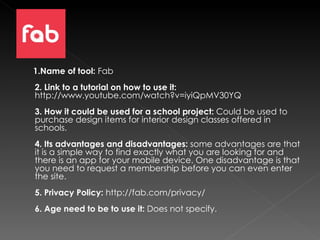
1.Name of tool :  Fab  2. Link to a tutorial on how to use it:  http://www.youtube.com/watch?v=iyiQpMV30YQ 3. How it could be used for a school project:  Could be used to purchase design items for interior design classes offered in schools.  4. Its advantages and disadvantages:  some advantages are that it is a simple way to find exactly what you are looking for and there is an app for your mobile device. One disadvantage is that you need to request a membership before you can even enter the site. 5. Privacy Policy:  http://fab.com/privacy/ 6. Age need to be to use it:  Does not specify.
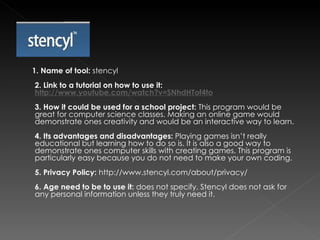
1. Name of tool:  stencyl 2. Link to a tutorial on how to use it:  http://www.youtube.com/watch?v=SNhdHTof4to   3. How it could be used for a school project:  This program would be great for computer science classes. Making an online game would demonstrate ones creativity and would be an interactive way to learn. 4. Its advantages and disadvantages:  Playing games isn’t really educational but learning how to do so is. It is also a good way to demonstrate ones computer skills with creating games. This program is particularly easy because you do not need to make your own coding. 5. Privacy Policy:  http://www.stencyl.com/about/privacy/ 6. Age need to be to use it:  does not specify. Stencyl does not ask for any personal information unless they truly need it.
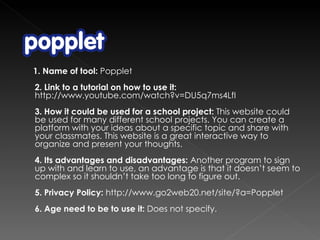
1. Name of tool:  Popplet 2. Link to a tutorial on how to use it:  http://www.youtube.com/watch?v=DU5q7ms4LfI 3. How it could be used for a school project:  This website could be used for many different school projects. You can create a platform with your ideas about a specific topic and share with your classmates. This website is a great interactive way to organize and present your thoughts.  4. Its advantages and disadvantages:  Another program to sign up with and learn to use, an advantage is that it doesn’t seem to complex so it shouldn’t take too long to figure out. 5. Privacy Policy:  http://www.go2web20.net/site/?a=Popplet   6. Age need to be to use it:  Does not specify.
1. Name of tool:  Prezi 2. Link to a tutorial on how to use it:  http://www.youtube.com/watch?v=MAloWJiCQ-o 3. How it could be used for a school project:  This web 2.0 tool could be used for creating a presentation in almost anyone of your classes. Prezi is a great way to create an interactive presentation that will keep your audience interested.  4. Its advantages and disadvantages:  Looks a little bit complex but not too much to handle once you get used to it. An advantage is that it looks fun and interactive. You could make almost any presentation topic interesting.  5. Privacy Policy:  http://prezi.com/privacy-policy/ 6. Age need to be to use it:  Does not specify.
1. Name of tool:  Slideshare 2. Link to a tutorial on how to use it:   http://www.youtube.com/watch?v=E620cboT5CI   3. How it could be used for a school project:  presenting topics to classmates. More interactive than power point since you can share and comment on presentations through the website.  4. Its advantages and disadvantages:  an advantage is that it looks simple to use, a disadvantage could be privacy issues since it seems that you can go and search through peoples presentations. 5. Privacy Policy:  http://www.slideshare.net/privacy 6. Age need to be to use it:  Does not specify

Web 2.0 tools

  • 1.
  • 2.
    1.Name of tool: Fab 2. Link to a tutorial on how to use it: http://www.youtube.com/watch?v=iyiQpMV30YQ 3. How it could be used for a school project: Could be used to purchase design items for interior design classes offered in schools. 4. Its advantages and disadvantages: some advantages are that it is a simple way to find exactly what you are looking for and there is an app for your mobile device. One disadvantage is that you need to request a membership before you can even enter the site. 5. Privacy Policy: http://fab.com/privacy/ 6. Age need to be to use it: Does not specify.
  • 3.
    1. Name oftool: stencyl 2. Link to a tutorial on how to use it: http://www.youtube.com/watch?v=SNhdHTof4to 3. How it could be used for a school project: This program would be great for computer science classes. Making an online game would demonstrate ones creativity and would be an interactive way to learn. 4. Its advantages and disadvantages: Playing games isn’t really educational but learning how to do so is. It is also a good way to demonstrate ones computer skills with creating games. This program is particularly easy because you do not need to make your own coding. 5. Privacy Policy: http://www.stencyl.com/about/privacy/ 6. Age need to be to use it: does not specify. Stencyl does not ask for any personal information unless they truly need it.
  • 4.
    1. Name oftool: Popplet 2. Link to a tutorial on how to use it: http://www.youtube.com/watch?v=DU5q7ms4LfI 3. How it could be used for a school project: This website could be used for many different school projects. You can create a platform with your ideas about a specific topic and share with your classmates. This website is a great interactive way to organize and present your thoughts. 4. Its advantages and disadvantages: Another program to sign up with and learn to use, an advantage is that it doesn’t seem to complex so it shouldn’t take too long to figure out. 5. Privacy Policy: http://www.go2web20.net/site/?a=Popplet 6. Age need to be to use it: Does not specify.
  • 5.
    1. Name oftool: Prezi 2. Link to a tutorial on how to use it: http://www.youtube.com/watch?v=MAloWJiCQ-o 3. How it could be used for a school project: This web 2.0 tool could be used for creating a presentation in almost anyone of your classes. Prezi is a great way to create an interactive presentation that will keep your audience interested. 4. Its advantages and disadvantages: Looks a little bit complex but not too much to handle once you get used to it. An advantage is that it looks fun and interactive. You could make almost any presentation topic interesting. 5. Privacy Policy: http://prezi.com/privacy-policy/ 6. Age need to be to use it: Does not specify.
  • 6.
    1. Name oftool: Slideshare 2. Link to a tutorial on how to use it: http://www.youtube.com/watch?v=E620cboT5CI 3. How it could be used for a school project: presenting topics to classmates. More interactive than power point since you can share and comment on presentations through the website. 4. Its advantages and disadvantages: an advantage is that it looks simple to use, a disadvantage could be privacy issues since it seems that you can go and search through peoples presentations. 5. Privacy Policy: http://www.slideshare.net/privacy 6. Age need to be to use it: Does not specify