Web 2.0 for Learning
e-Learning Workshops for Students


Mike Chui
mikechui@ied.edu.hk
Centre for Learning, Teaching and Technology (LTTC)
http://www.ied.edu.hk/lttc
Today’s Agenda
 What is Web 2.0?
 How to catch the opportunities of Web 2.0?
 What are the impacts on education?
 Sharing of Web 2.0 technologies (hands-on)
 Q & A + Survey
What is Web 2.0?
 Not a new Internet
 Interactive information sharing
 Interoperability
 User-centered design and collaboration on the
  World Wide Web
 24/7 ability to produce, communicate, collaborate,
  share, store, network and learn
Prosumer + Folksonomy
 Prosumer
  Producer + Consumer
  Professional Consumer


 Folksonomy
  Using user-defined labels or tags to organize and
   share information
  Folk classification
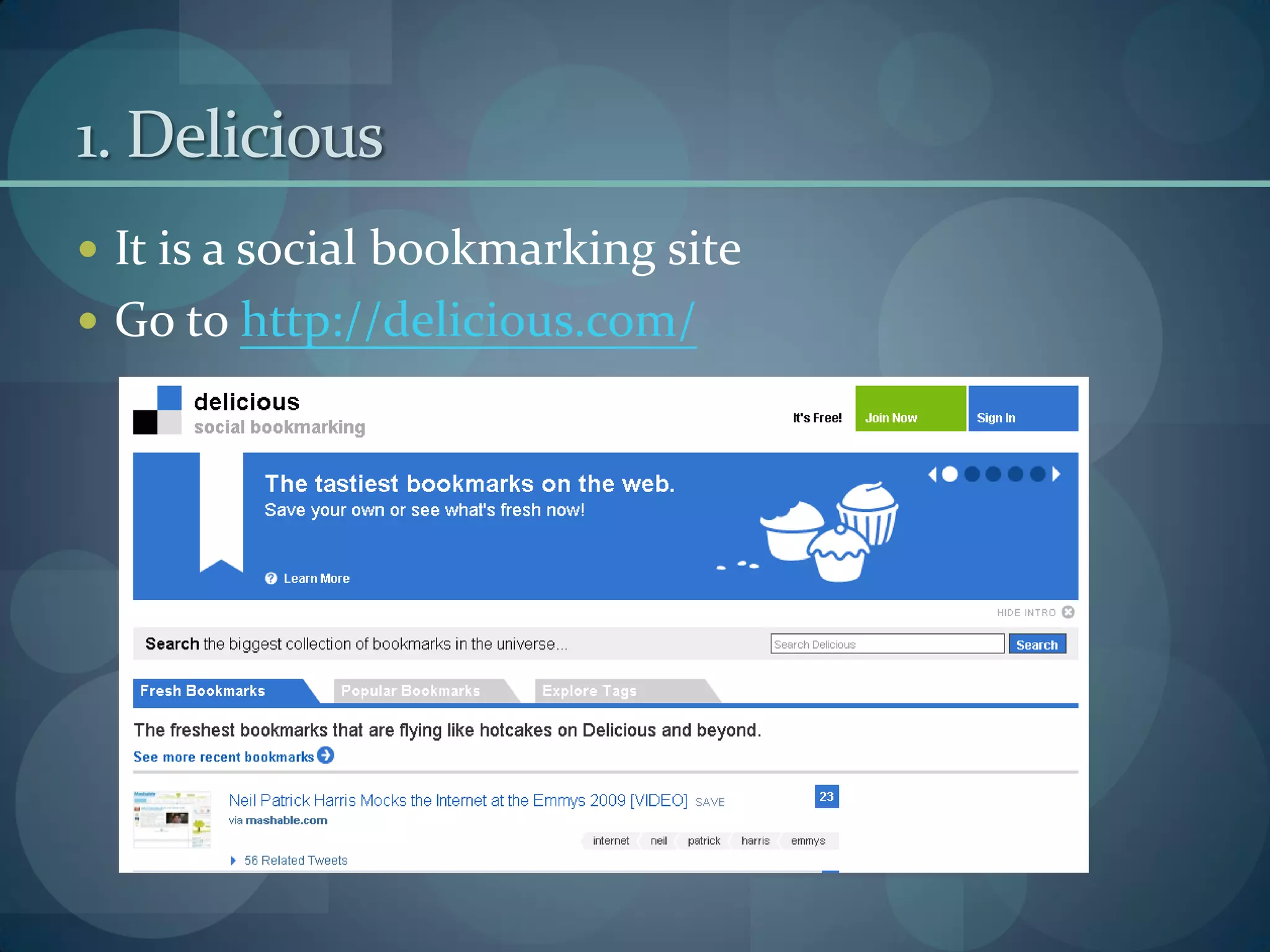
1. Delicious
 It is a social bookmarking site
 Go to http://delicious.com/
1. Delicious (con’t)
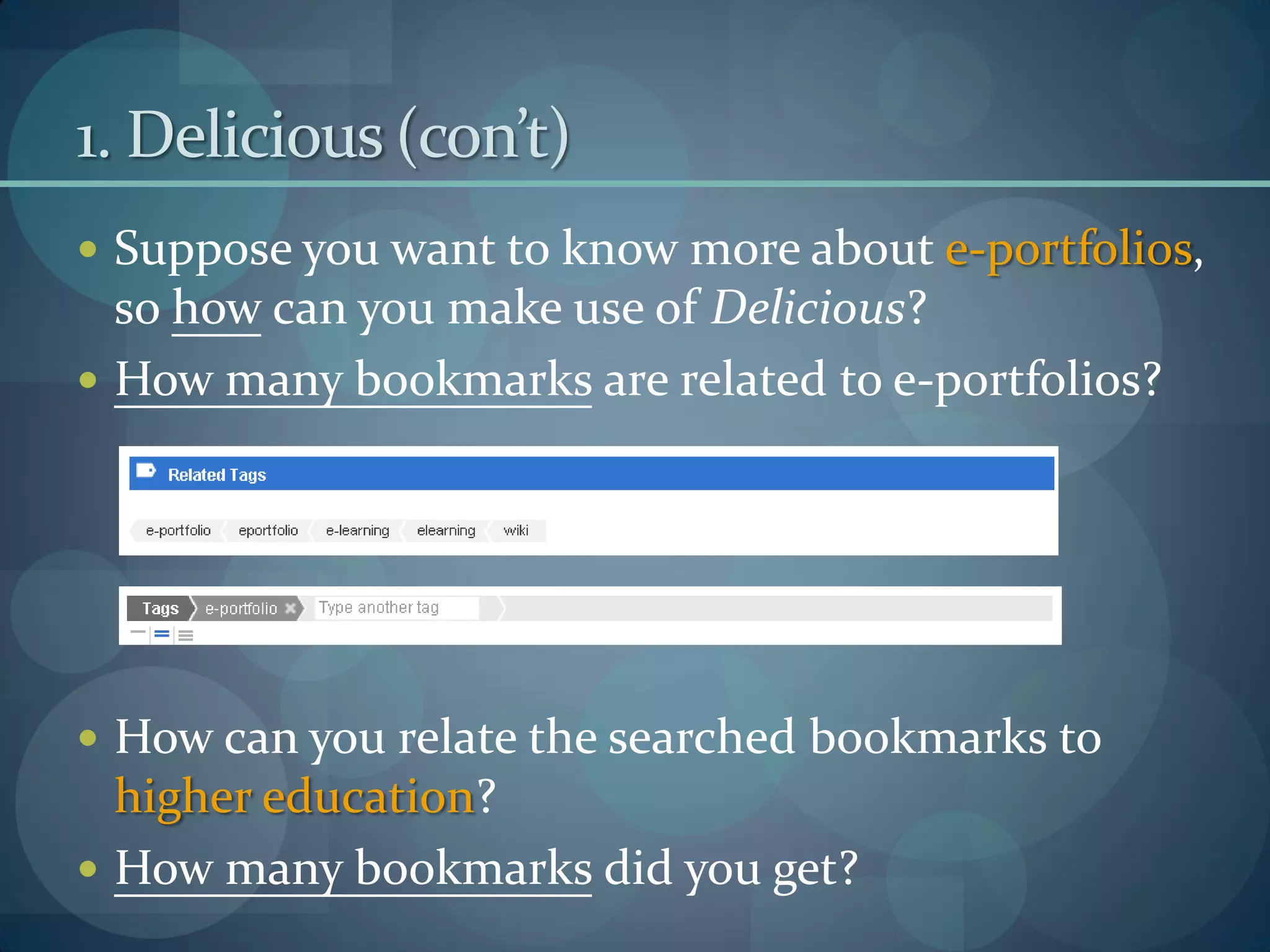
 Suppose you want to know more about e-portfolios,
  so how can you make use of Delicious?
 How many bookmarks are related to e-portfolios?


 How can you relate the searched bookmarks to
  higher education?
 How many bookmarks did you get?
1. Delicious (con’t)


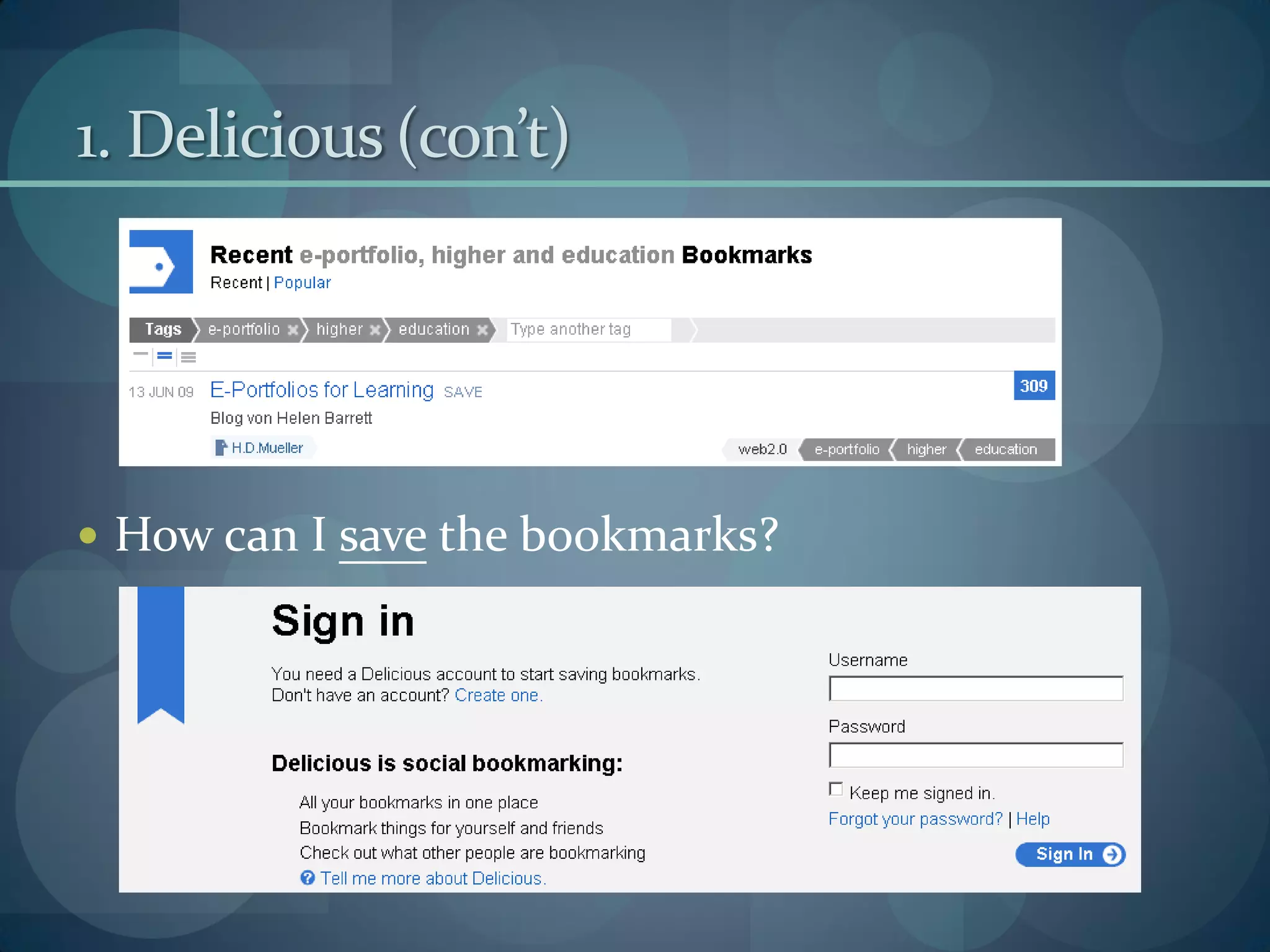
 How can I save the bookmarks?
1. Delicious (con’t)
 What are the differences between using Delicious
 and adding as My Favourite?
2. SlideShare
 It is an online presentation sharing space
 Go to http://www.slideshare.net/
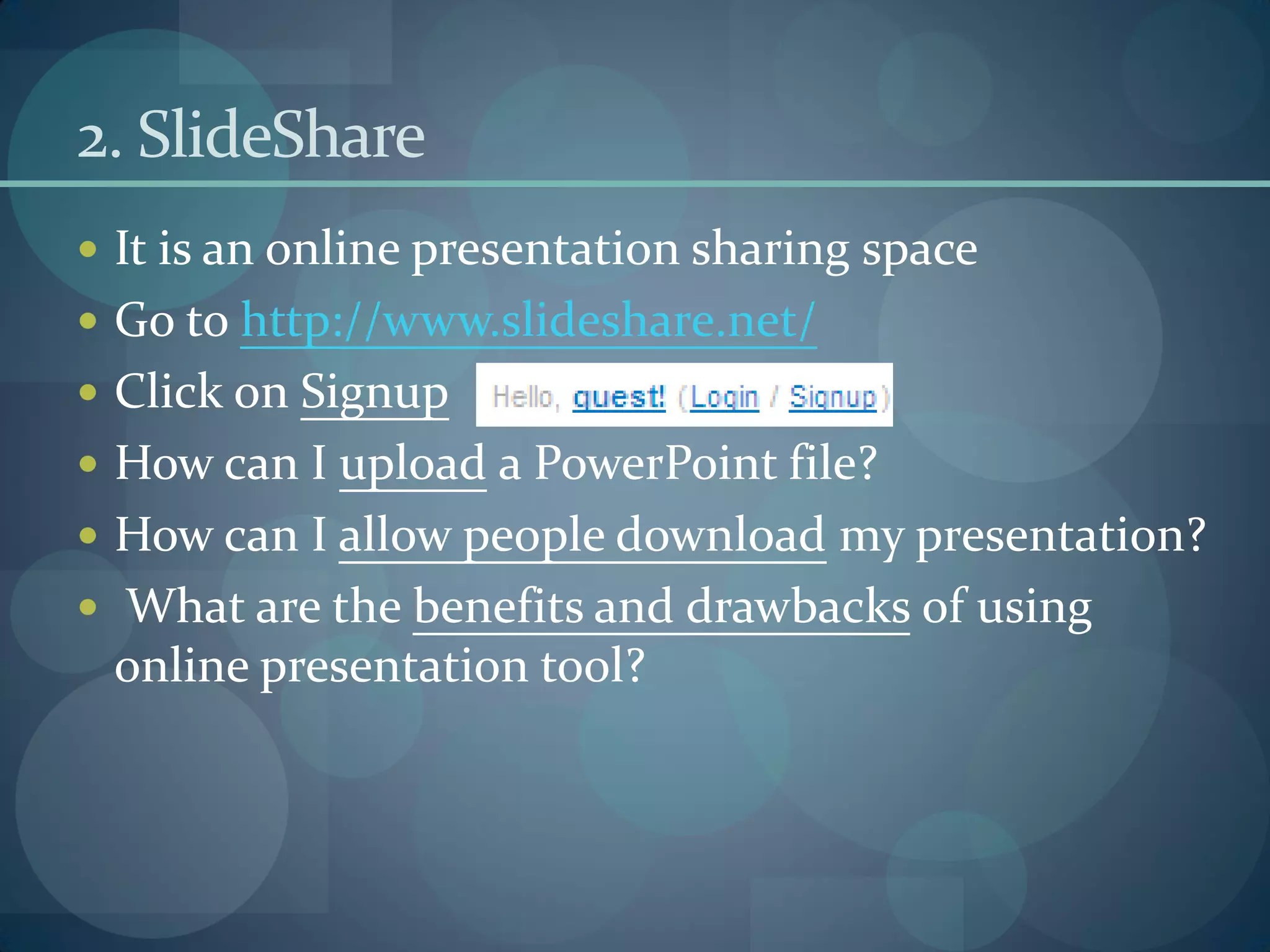
 Click on Signup
 How can I upload a PowerPoint file?
 How can I allow people download my presentation?
 What are the benefits and drawbacks of using
 online presentation tool?
3. Really Simple Syndication (RSS)
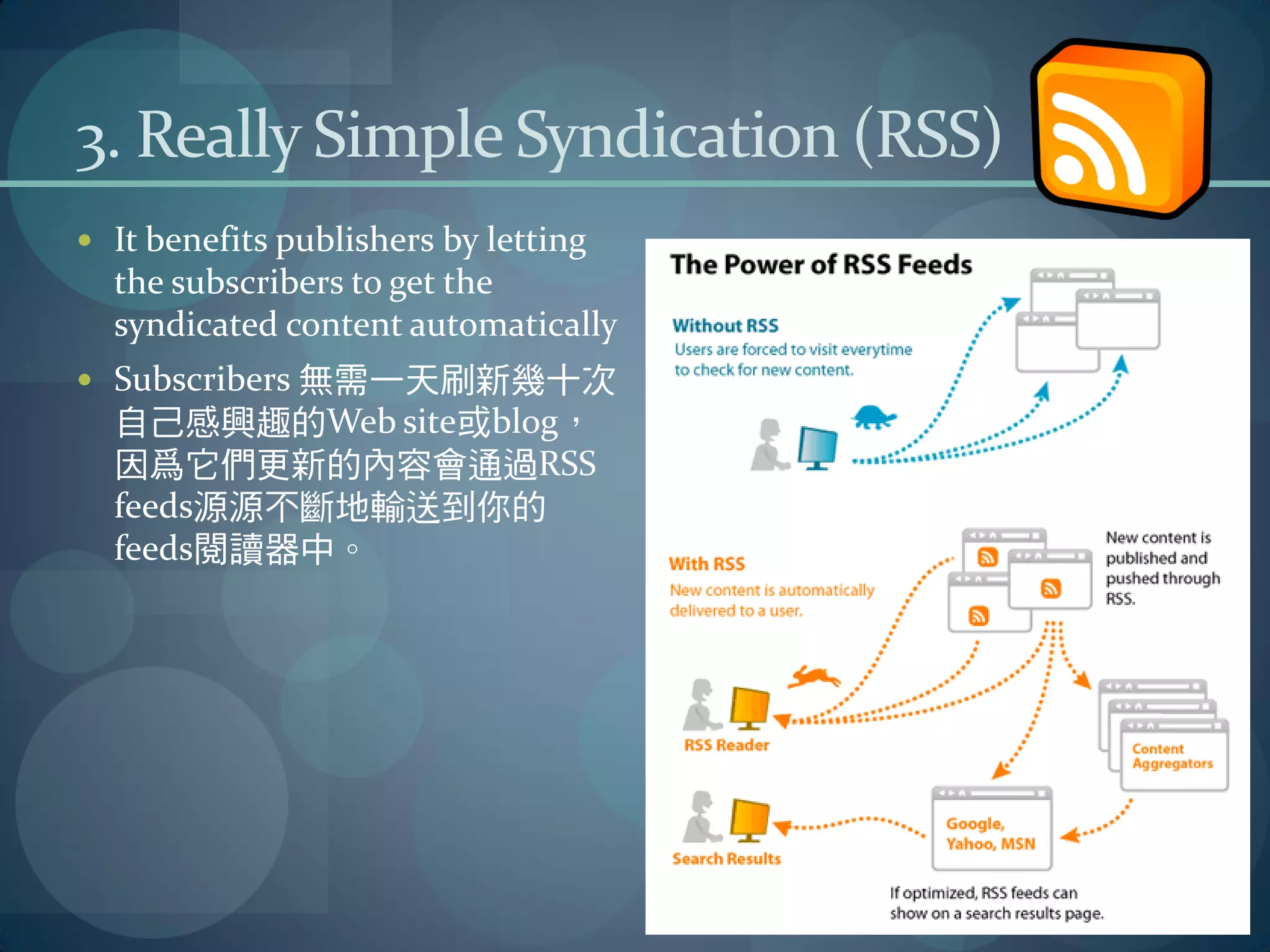
 It benefits publishers by letting
  the subscribers to get the
  syndicated content automatically
 Subscribers 無需一天刷新幾十次
  自己感興趣的Web site或blog,
  因爲它們更新的內容會通過RSS
  feeds源源不斷地輸送到你的
  feeds閱讀器中。
3.1 How to subscribe a RSS feed (with iGoogle)
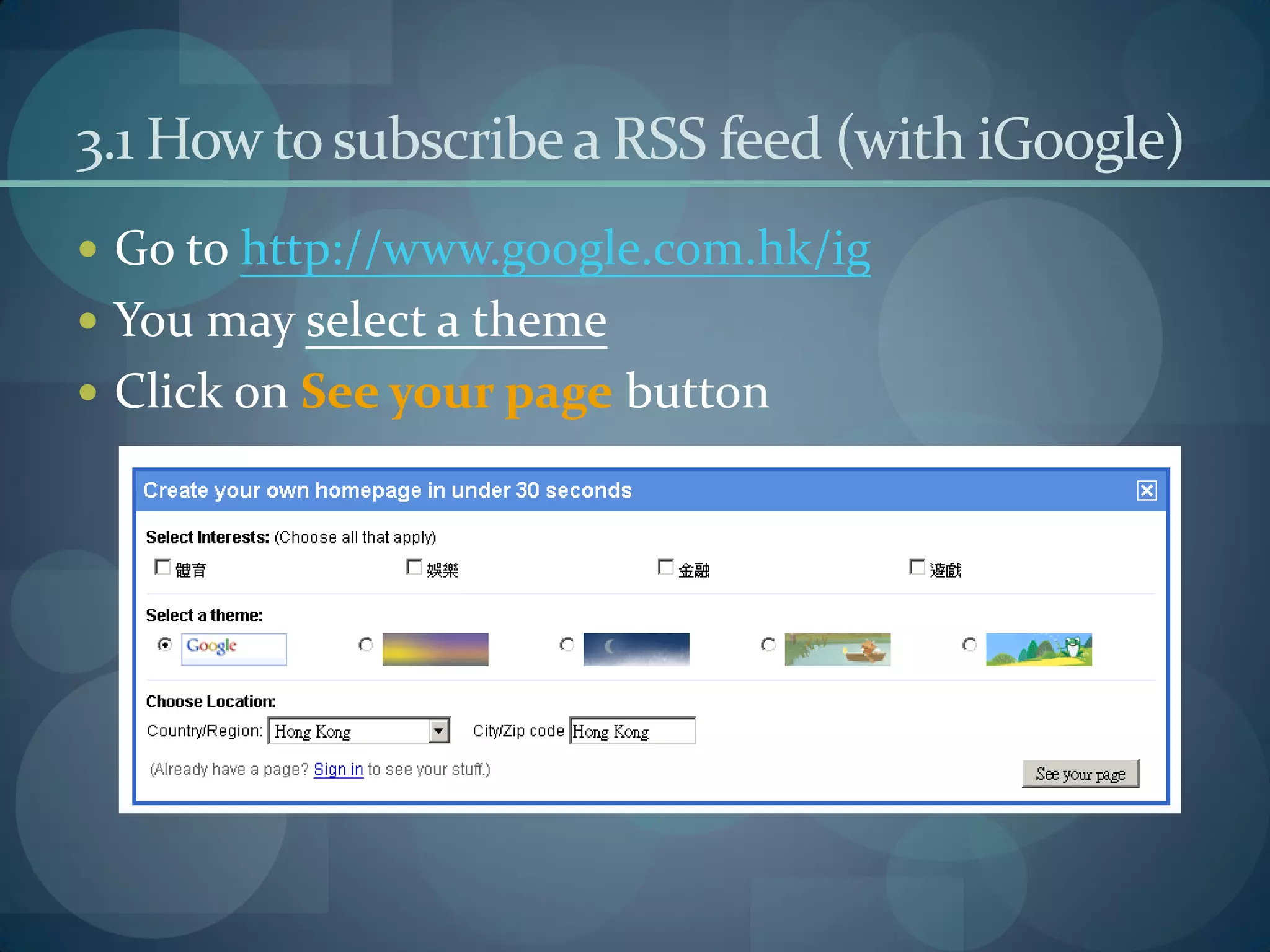
 Go to http://www.google.com.hk/ig
 You may select a theme
 Click on See your page button
3.1 How to subscribe a RSS feed (with iGoogle)
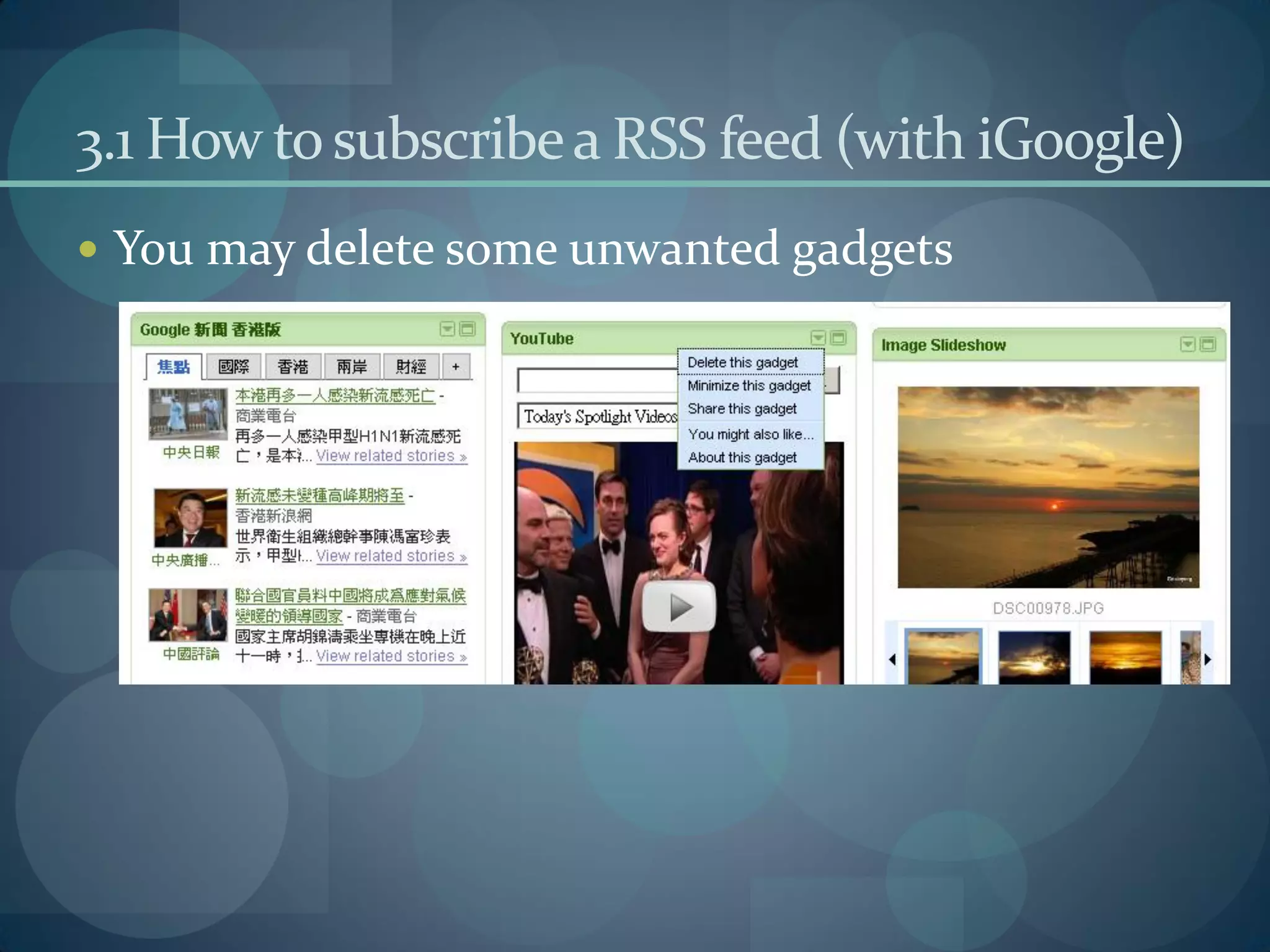
 You may delete some unwanted gadgets
3.1 How to subscribe a RSS feed (with iGoogle)
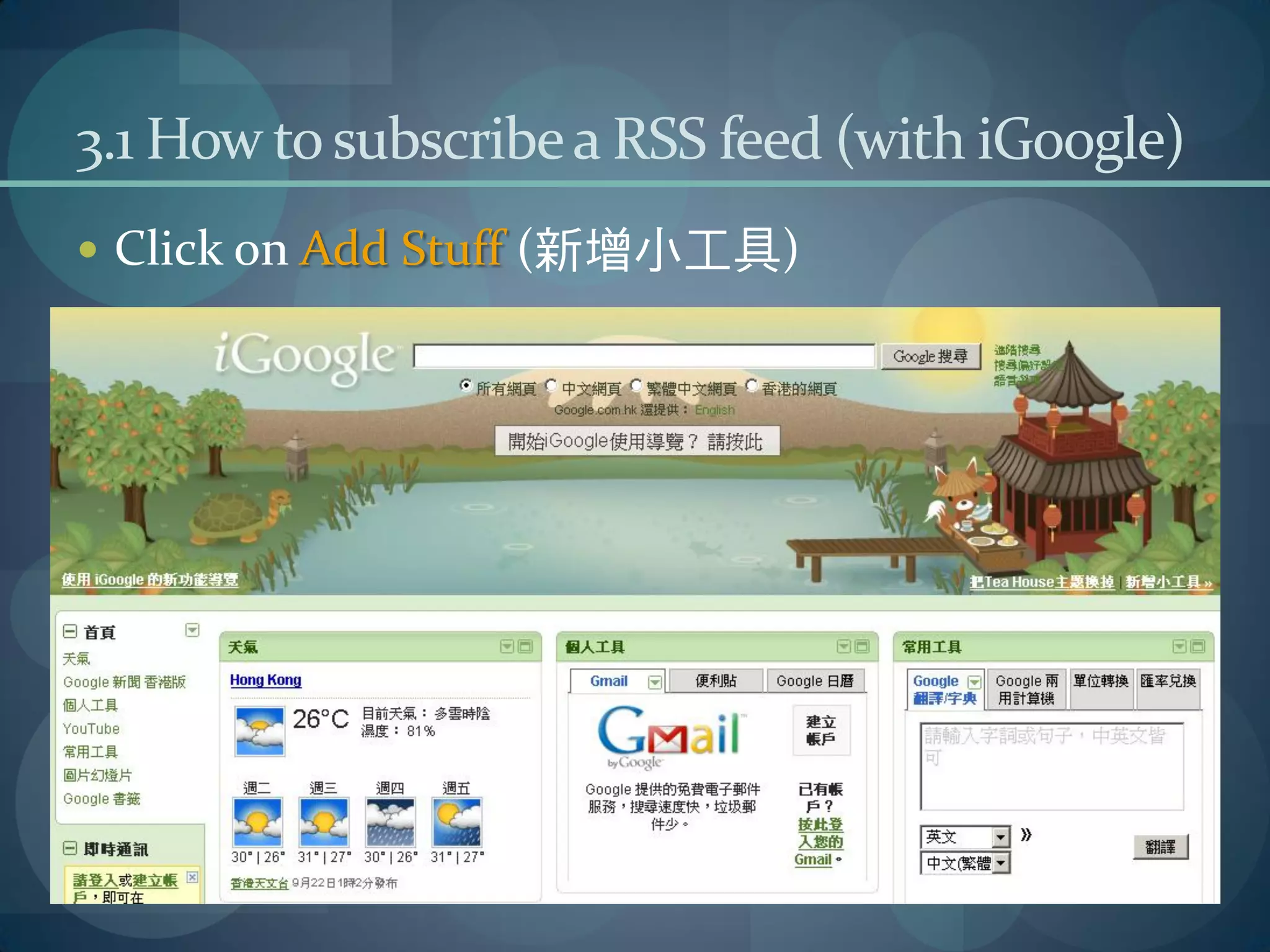
 Click on Add Stuff (新增小工具)
3.1 How to subscribe a RSS feed (with iGoogle)
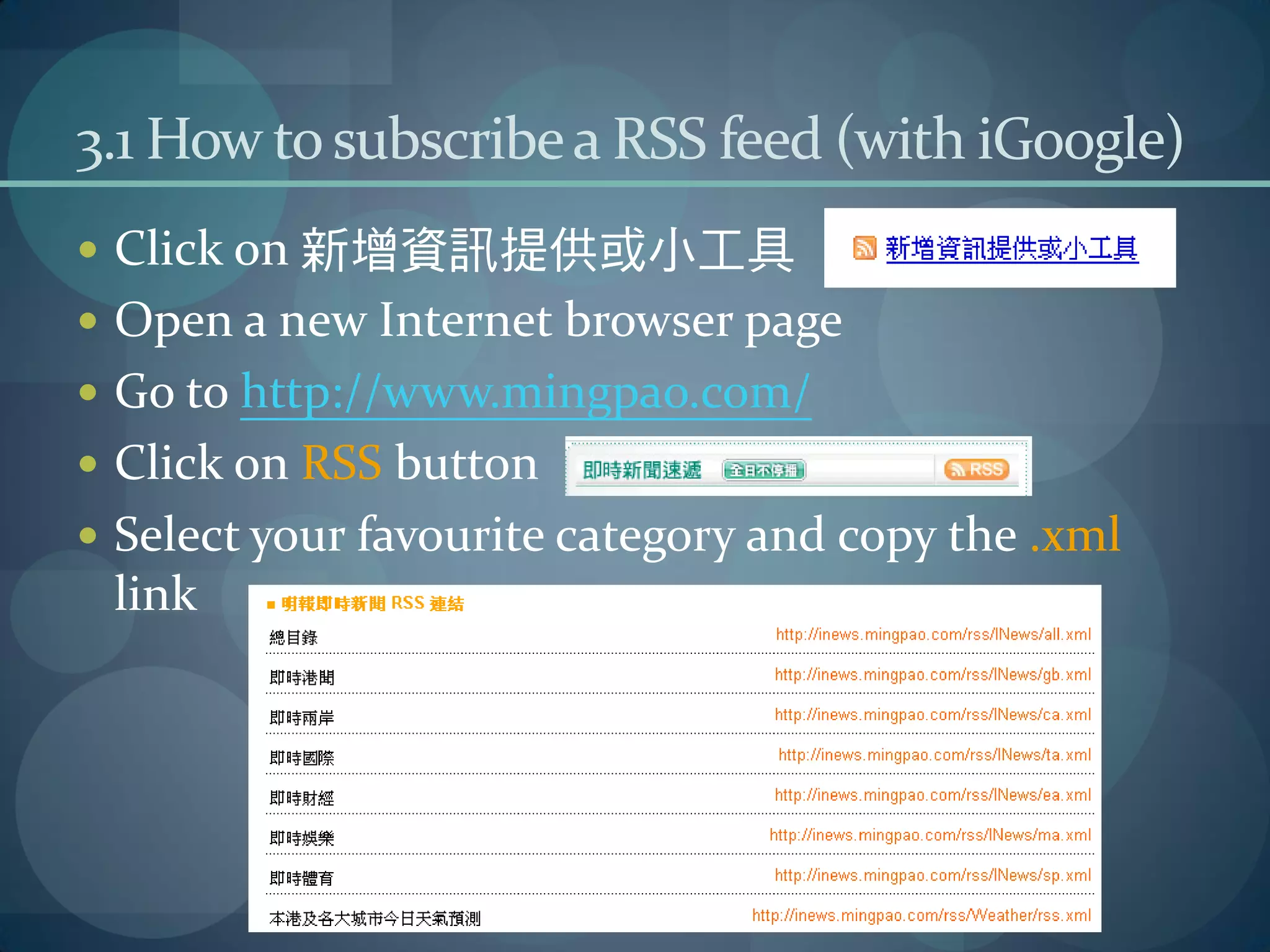
 Click on 新增資訊提供或小工具
 Open a new Internet browser page
 Go to http://www.mingpao.com/
 Click on RSS button
 Select your favourite category and copy the .xml
 link
3.1 How to subscribe a RSS feed (with iGoogle)
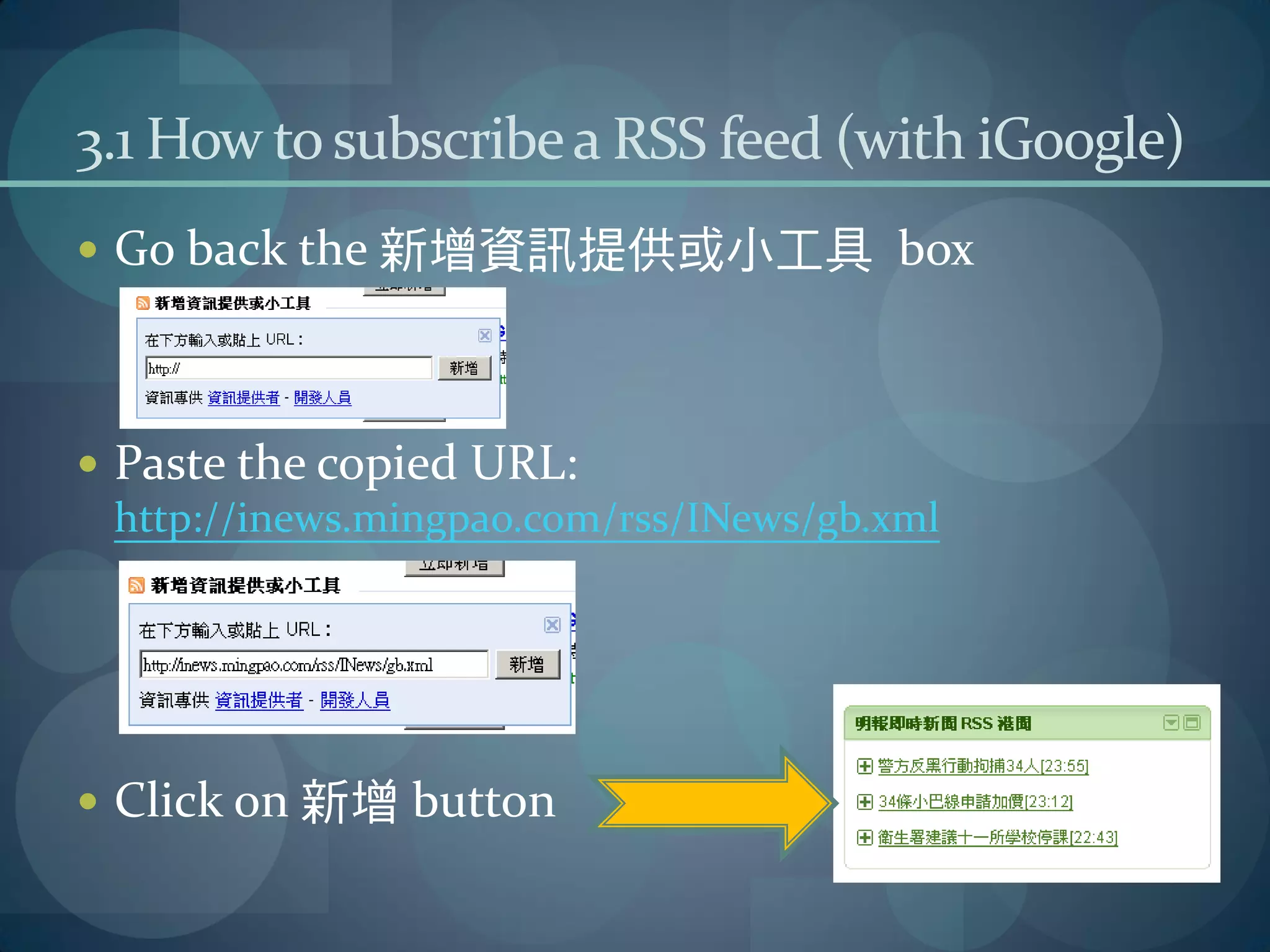
 Go back the 新增資訊提供或小工具 box


 Paste the copied URL:
  http://inews.mingpao.com/rss/INews/gb.xml


 Click on 新增 button
4. Subscribe a blog (Using iGoogle)
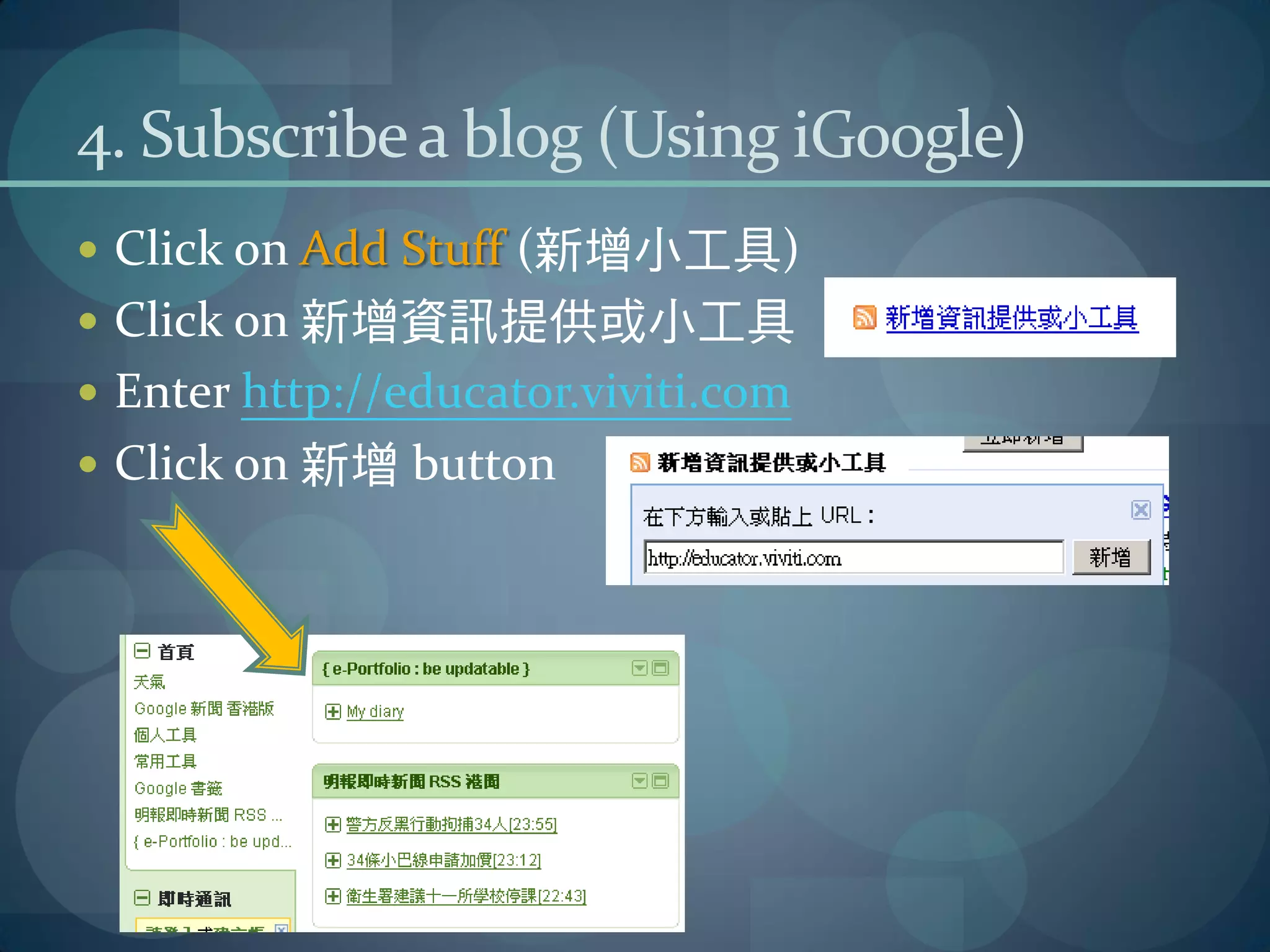
 Click on Add Stuff (新增小工具)
 Click on 新增資訊提供或小工具
 Enter http://educator.viviti.com
 Click on 新增 button
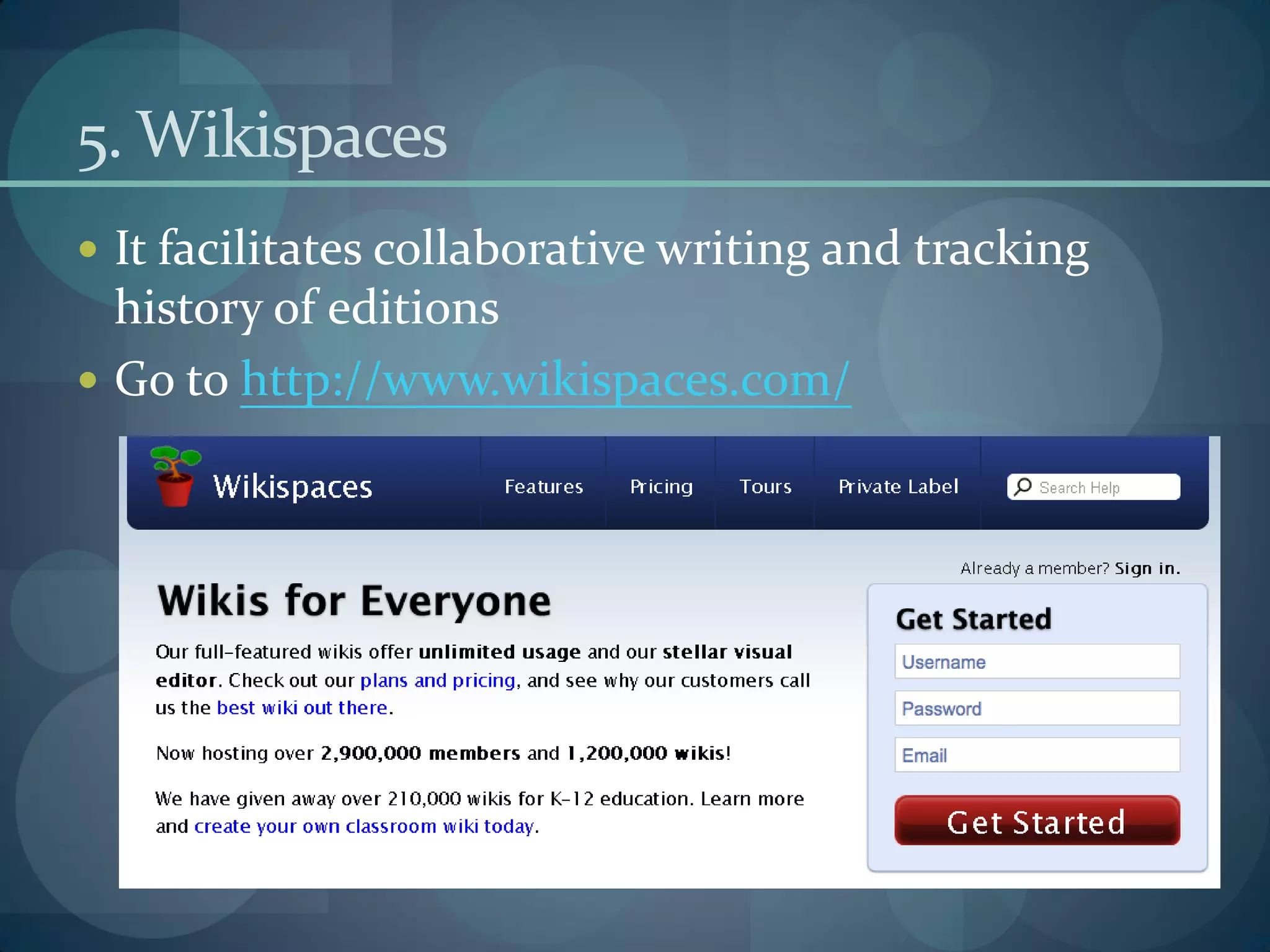
5. Wikispaces
 It facilitates collaborative writing and tracking
  history of editions
 Go to http://www.wikispaces.com/
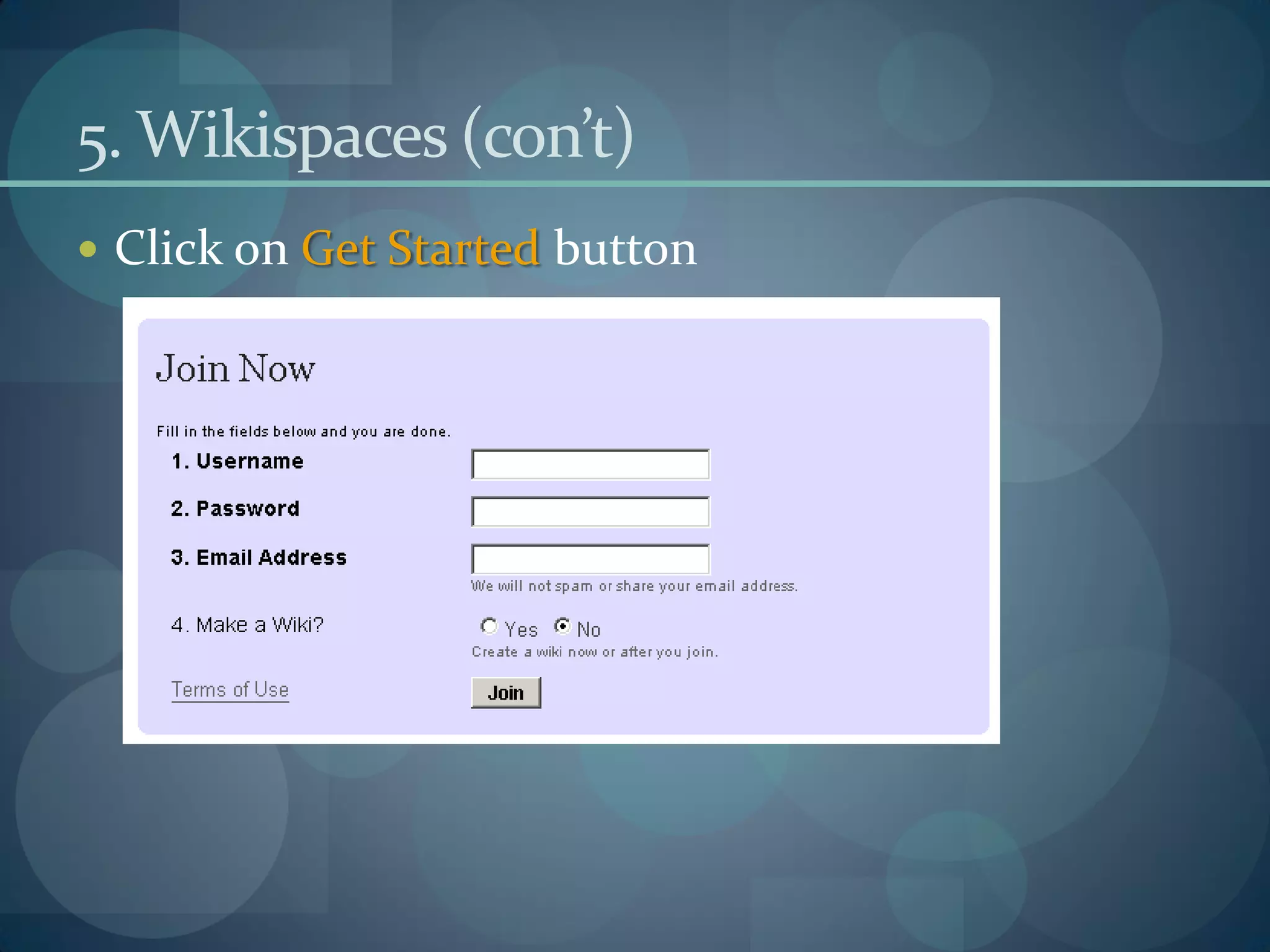
5. Wikispaces (con’t)
 Click on Get Started button
5. Wikispaces (con’t)
 Fill in the required fields
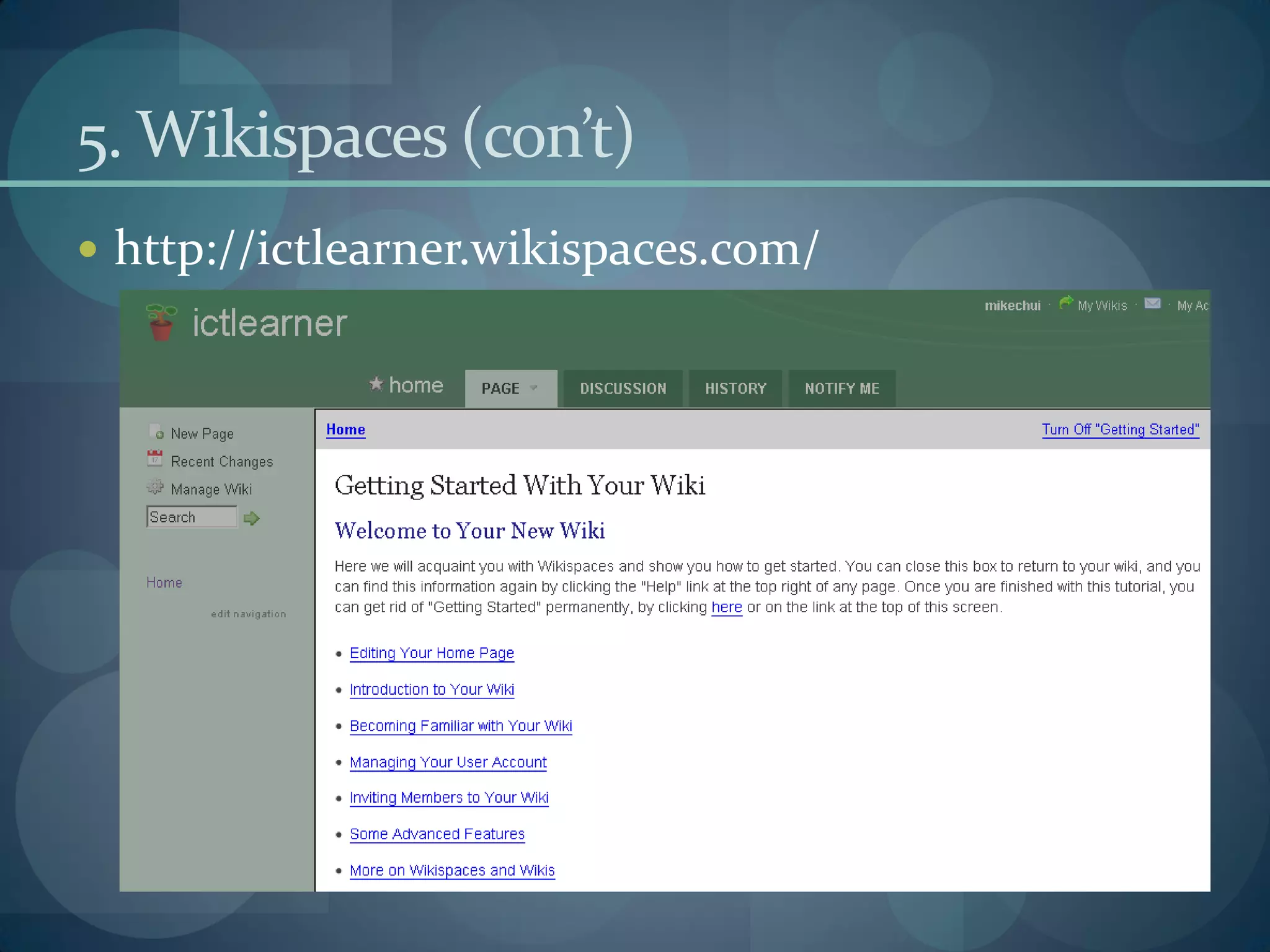
5. Wikispaces (con’t)
 http://ictlearner.wikispaces.com/
5. Wikispaces (con’t)
 Click on Edit button to start editing the home
 page
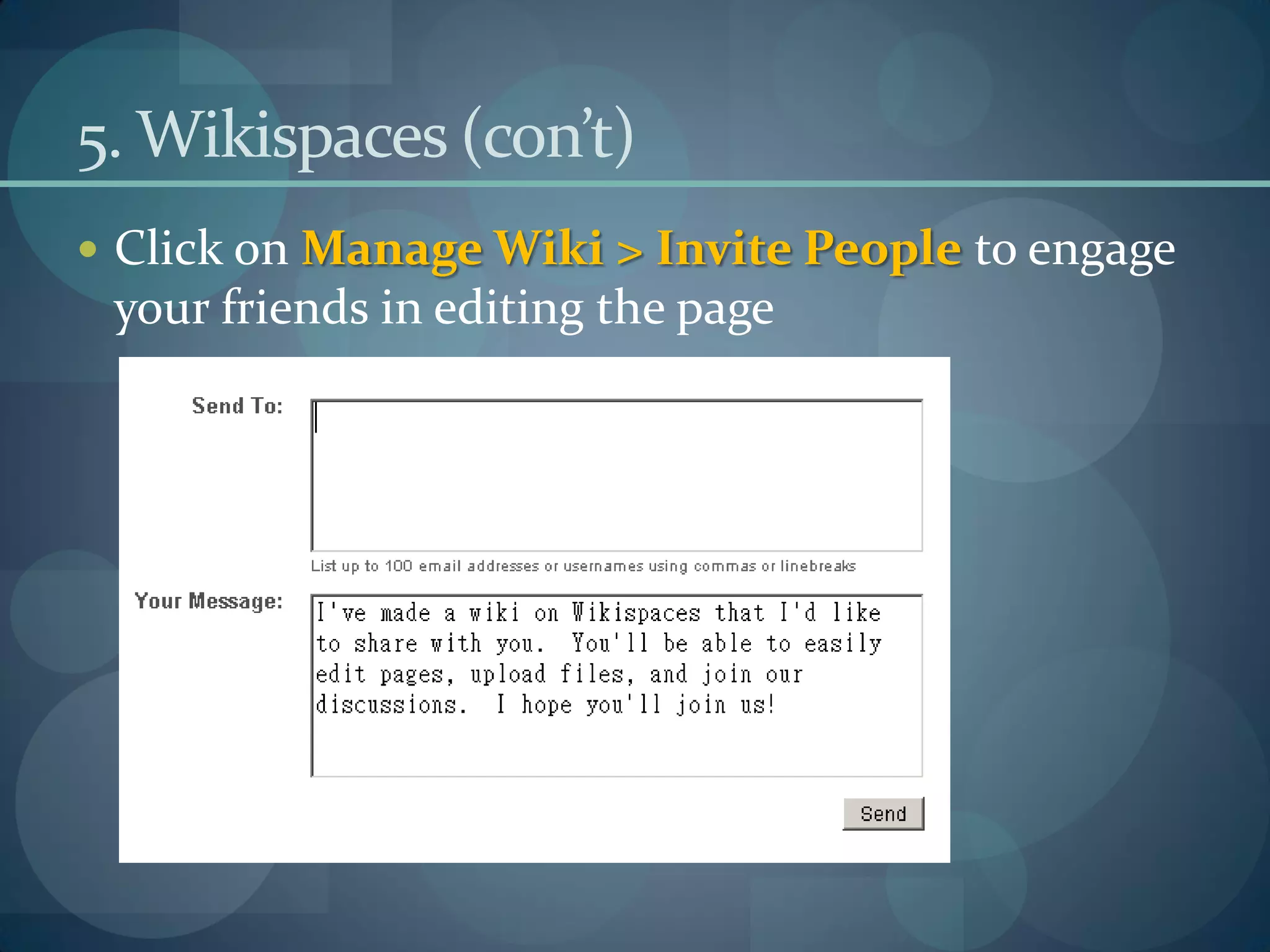
5. Wikispaces (con’t)
 Click on Manage Wiki > Invite People to engage
 your friends in editing the page
More Webapps to try

 http://creately.com/ (an online diagramming
  application)
 http://photofunia.com/ (an online photo editing
  tool)
 http://bubbl.us/ (for brainstorming)
 http://text-to-speech.imtranslator.net/speech.asp
  (for learning pronunciation of different languages)
References
 http://en.wikipedia.org/wiki/Web_2.0
 http://www.vanderwal.net/folksonomy.html
 http://www.eryi.org/SearchEngines/rss-feeds-power.html
 http://rss.softwaregarden.com/aboutrss.html

Web 2.0 for Learning

  • 1.
    Web 2.0 forLearning e-Learning Workshops for Students Mike Chui mikechui@ied.edu.hk Centre for Learning, Teaching and Technology (LTTC) http://www.ied.edu.hk/lttc
  • 2.
    Today’s Agenda  Whatis Web 2.0?  How to catch the opportunities of Web 2.0?  What are the impacts on education?  Sharing of Web 2.0 technologies (hands-on)  Q & A + Survey
  • 3.
    What is Web2.0?  Not a new Internet  Interactive information sharing  Interoperability  User-centered design and collaboration on the World Wide Web  24/7 ability to produce, communicate, collaborate, share, store, network and learn
  • 4.
    Prosumer + Folksonomy Prosumer  Producer + Consumer  Professional Consumer  Folksonomy  Using user-defined labels or tags to organize and share information  Folk classification
  • 5.
    1. Delicious  Itis a social bookmarking site  Go to http://delicious.com/
  • 6.
    1. Delicious (con’t) Suppose you want to know more about e-portfolios, so how can you make use of Delicious?  How many bookmarks are related to e-portfolios?  How can you relate the searched bookmarks to higher education?  How many bookmarks did you get?
  • 7.
    1. Delicious (con’t) How can I save the bookmarks?
  • 8.
    1. Delicious (con’t) What are the differences between using Delicious and adding as My Favourite?
  • 9.
    2. SlideShare  Itis an online presentation sharing space  Go to http://www.slideshare.net/  Click on Signup  How can I upload a PowerPoint file?  How can I allow people download my presentation?  What are the benefits and drawbacks of using online presentation tool?
  • 10.
    3. Really SimpleSyndication (RSS)  It benefits publishers by letting the subscribers to get the syndicated content automatically  Subscribers 無需一天刷新幾十次 自己感興趣的Web site或blog, 因爲它們更新的內容會通過RSS feeds源源不斷地輸送到你的 feeds閱讀器中。
  • 11.
    3.1 How tosubscribe a RSS feed (with iGoogle)  Go to http://www.google.com.hk/ig  You may select a theme  Click on See your page button
  • 12.
    3.1 How tosubscribe a RSS feed (with iGoogle)  You may delete some unwanted gadgets
  • 13.
    3.1 How tosubscribe a RSS feed (with iGoogle)  Click on Add Stuff (新增小工具)
  • 14.
    3.1 How tosubscribe a RSS feed (with iGoogle)  Click on 新增資訊提供或小工具  Open a new Internet browser page  Go to http://www.mingpao.com/  Click on RSS button  Select your favourite category and copy the .xml link
  • 15.
    3.1 How tosubscribe a RSS feed (with iGoogle)  Go back the 新增資訊提供或小工具 box  Paste the copied URL: http://inews.mingpao.com/rss/INews/gb.xml  Click on 新增 button
  • 16.
    4. Subscribe ablog (Using iGoogle)  Click on Add Stuff (新增小工具)  Click on 新增資訊提供或小工具  Enter http://educator.viviti.com  Click on 新增 button
  • 17.
    5. Wikispaces  Itfacilitates collaborative writing and tracking history of editions  Go to http://www.wikispaces.com/
  • 18.
    5. Wikispaces (con’t) Click on Get Started button
  • 19.
    5. Wikispaces (con’t) Fill in the required fields
  • 20.
    5. Wikispaces (con’t) http://ictlearner.wikispaces.com/
  • 21.
    5. Wikispaces (con’t) Click on Edit button to start editing the home page
  • 22.
    5. Wikispaces (con’t) Click on Manage Wiki > Invite People to engage your friends in editing the page
  • 23.
    More Webapps totry  http://creately.com/ (an online diagramming application)  http://photofunia.com/ (an online photo editing tool)  http://bubbl.us/ (for brainstorming)  http://text-to-speech.imtranslator.net/speech.asp (for learning pronunciation of different languages)
  • 24.
    References  http://en.wikipedia.org/wiki/Web_2.0  http://www.vanderwal.net/folksonomy.html http://www.eryi.org/SearchEngines/rss-feeds-power.html  http://rss.softwaregarden.com/aboutrss.html