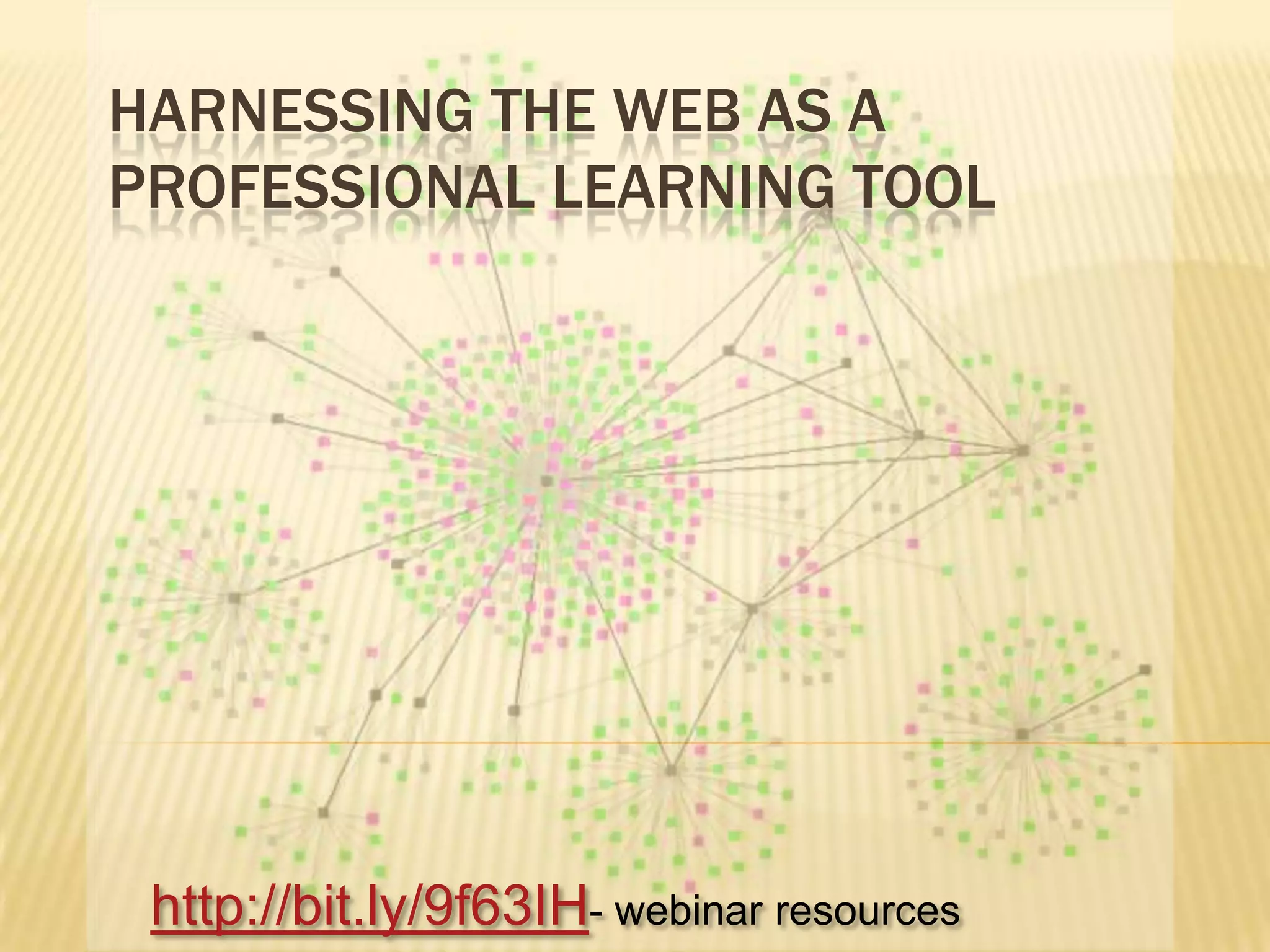
Harnessing the web as a professional learning toolhttp://bit.ly/9f63IH- webinar resources
GoalExplore a range of tools to expand our professional learning network and harness the potential of the web.Walk through how they can be used      RSS	http://bit.ly/9f63IH- webinar resources
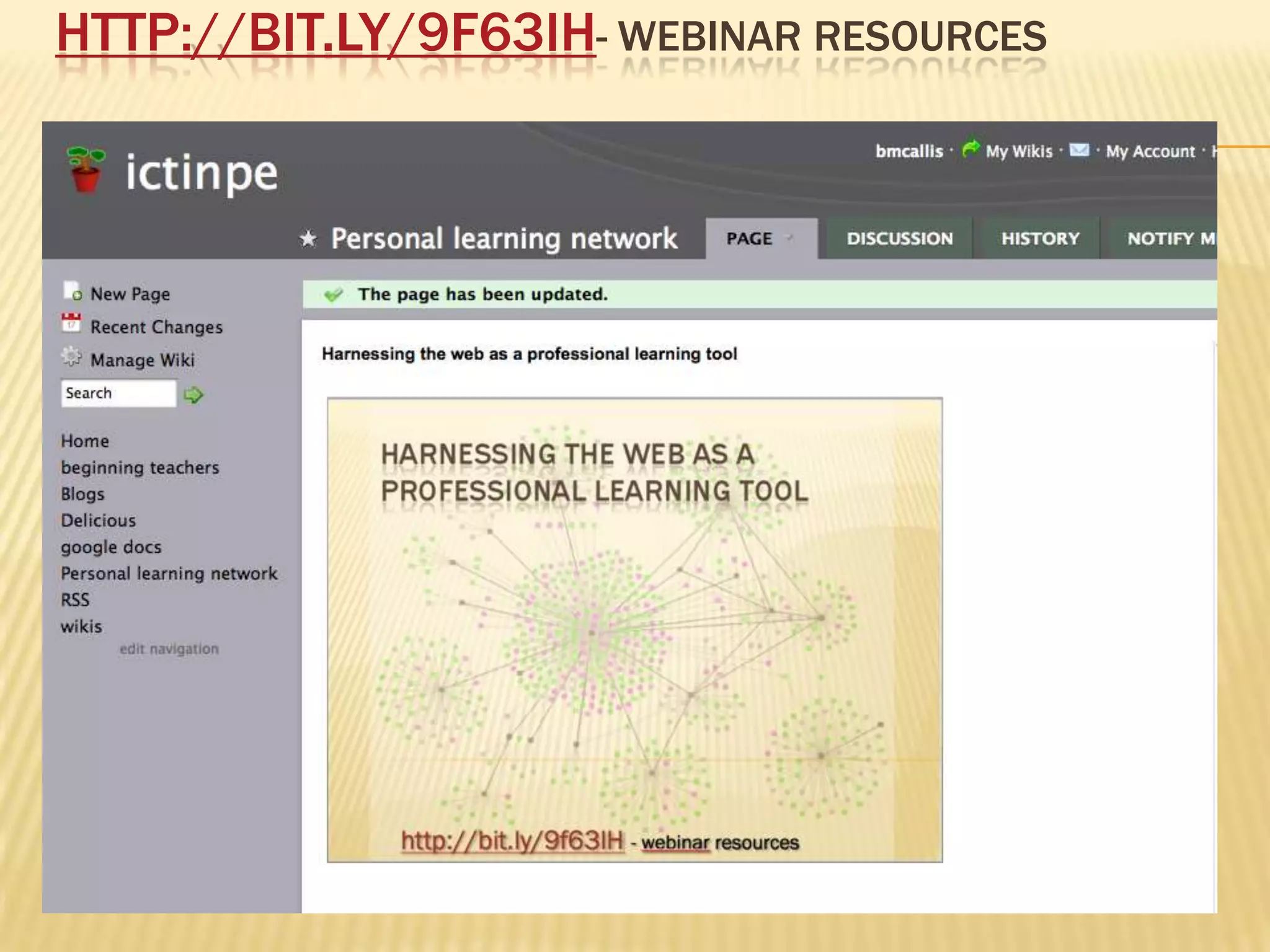
http://bit.ly/9f63IH- webinar resources
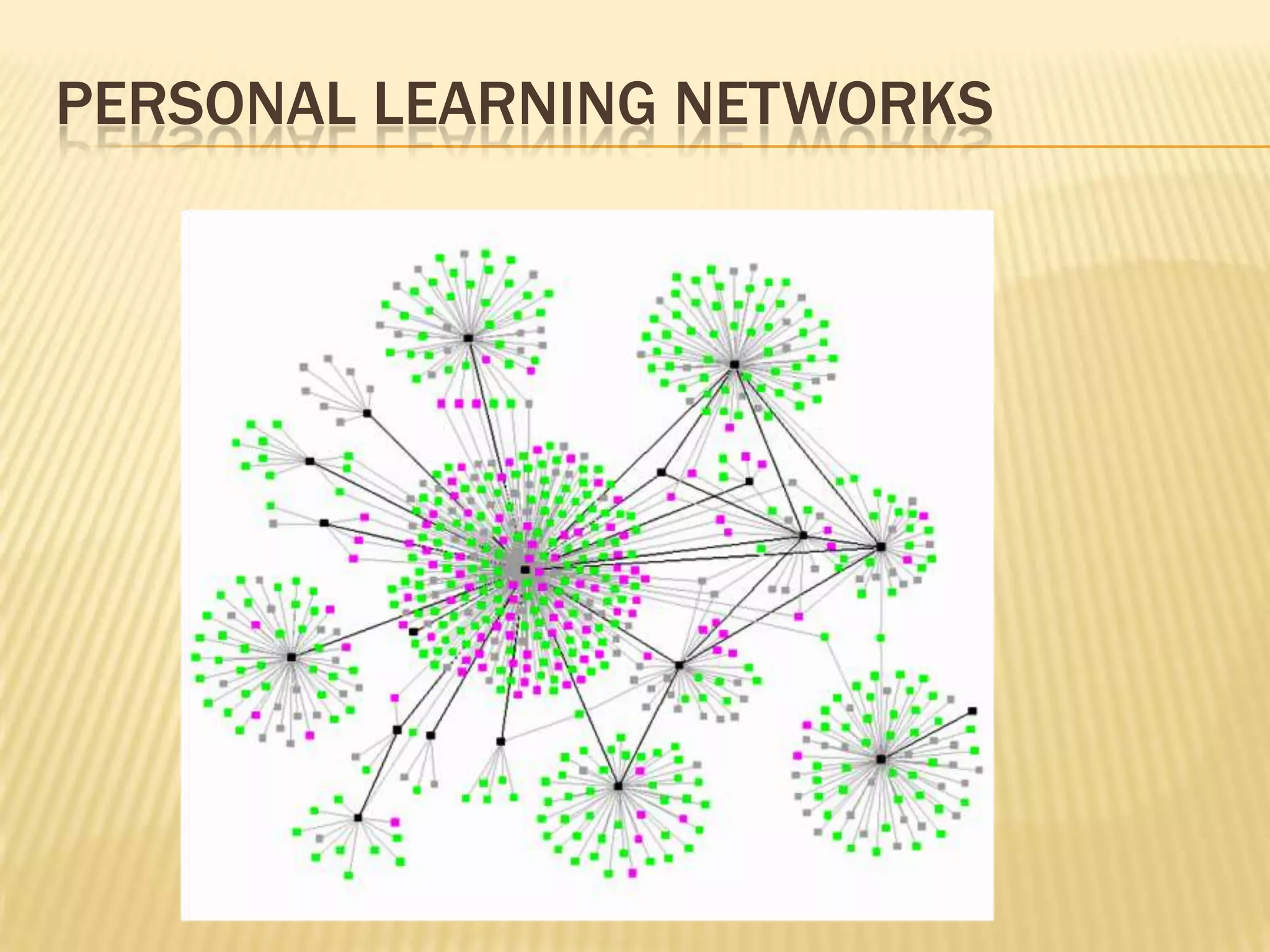
Personal learning networks
RSS – get the web to come to you
ReadersGoogle readerPageflakesNetvibesFeedreader100’s of others
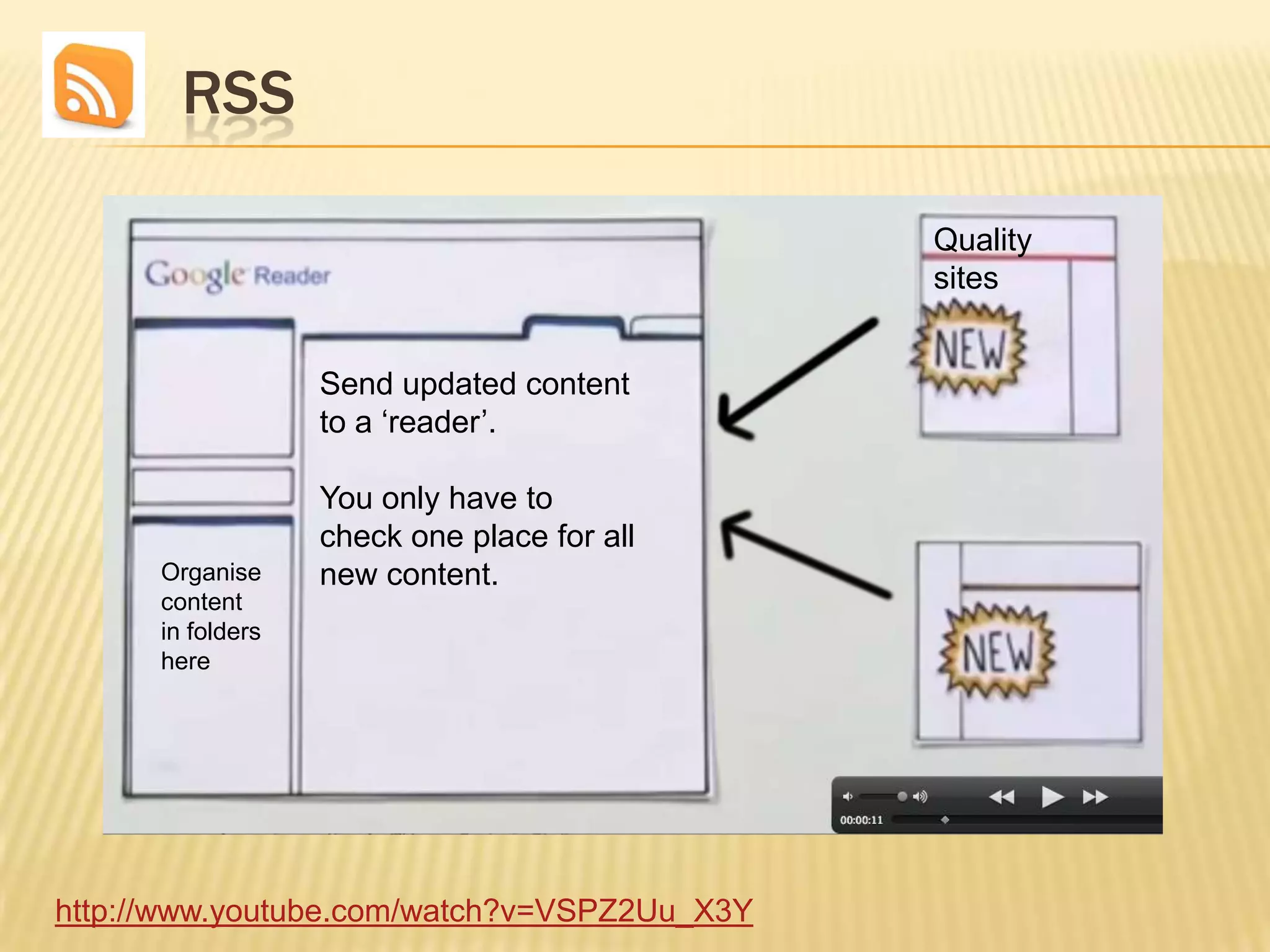
        RSSQuality sitesSend updated content to a ‘reader’.You only have to check one place for all new content.Organise content in folders herehttp://www.youtube.com/watch?v=VSPZ2Uu_X3Y
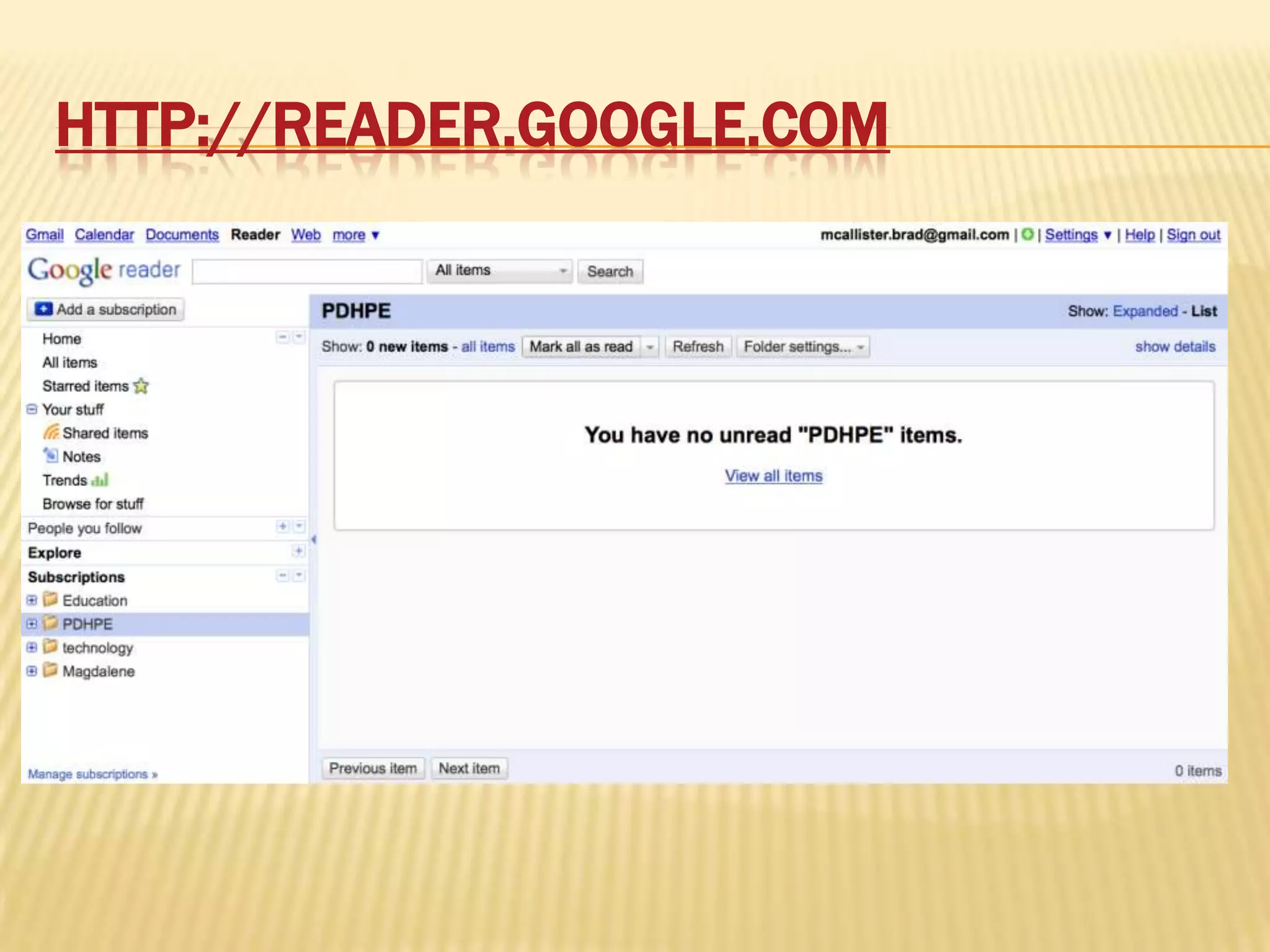
http://reader.google.com
http://reader.google.comGetting started – go to wiki or type in address aboveSign up –optional – can just watch and decide later.Adding ‘feeds’Organising feeds
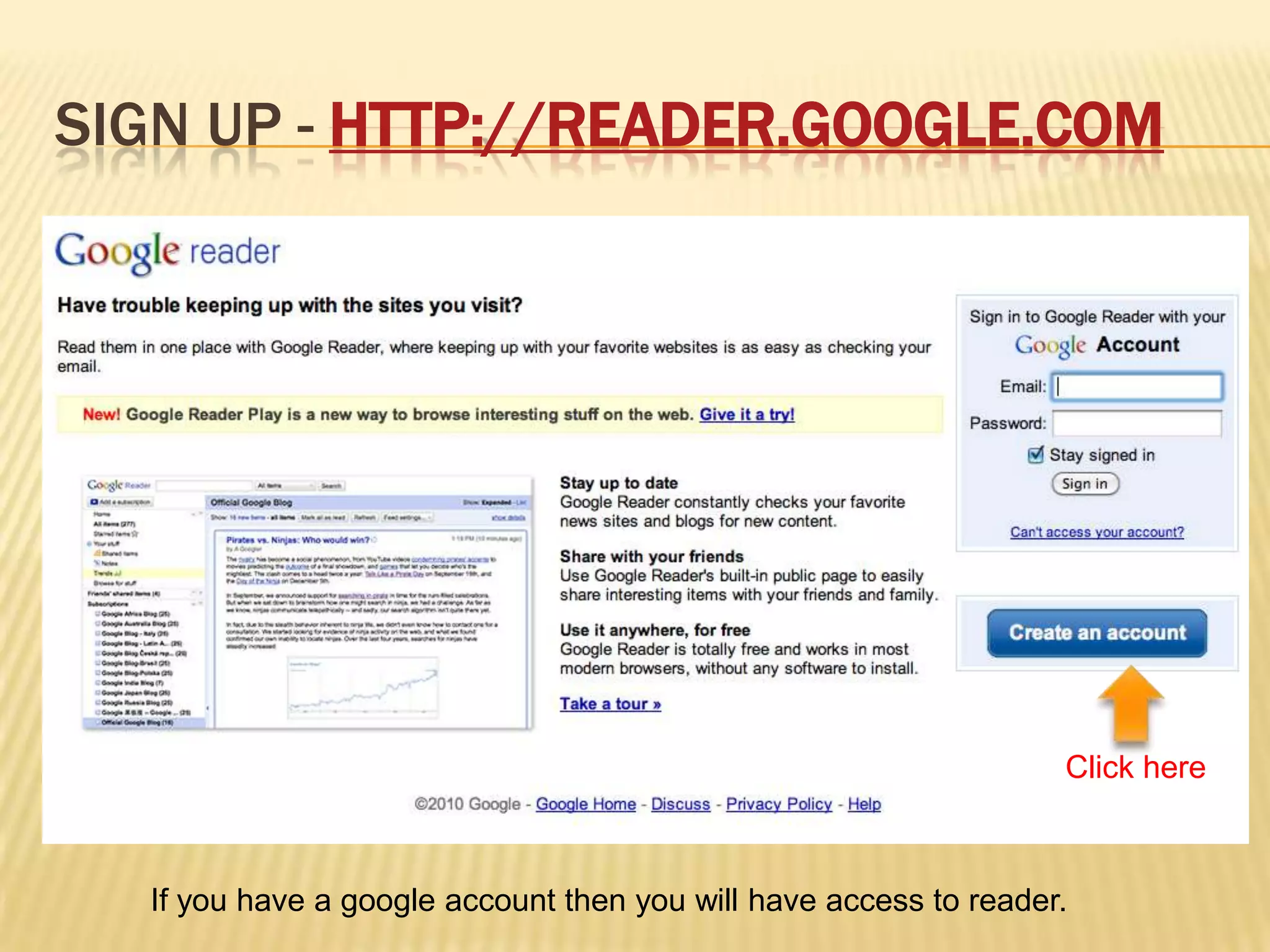
Sign up - http://reader.google.comClick hereIf you have a google account then you will have access to reader.
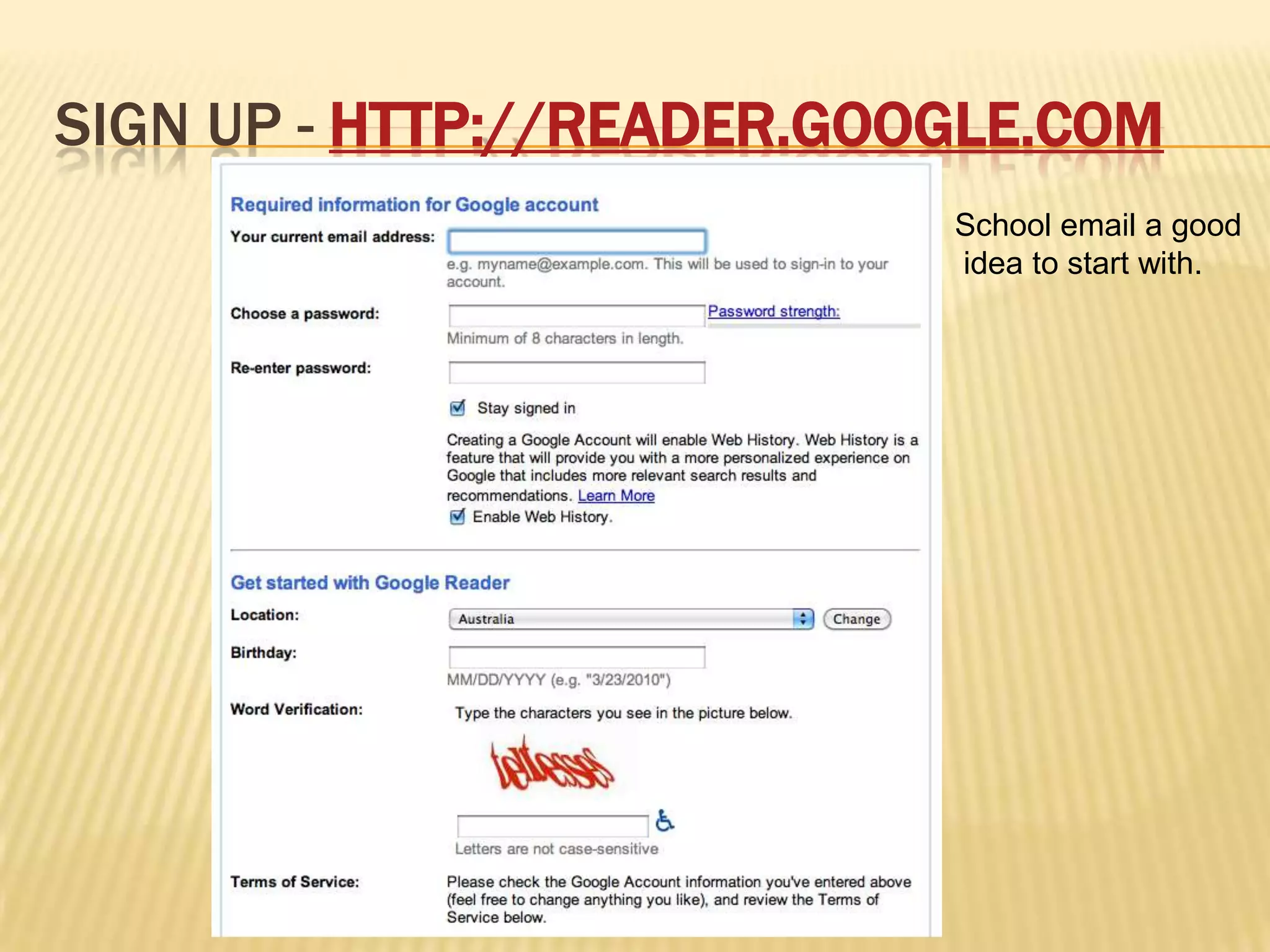
Sign up - http://reader.google.comSchool email a good idea to start with.
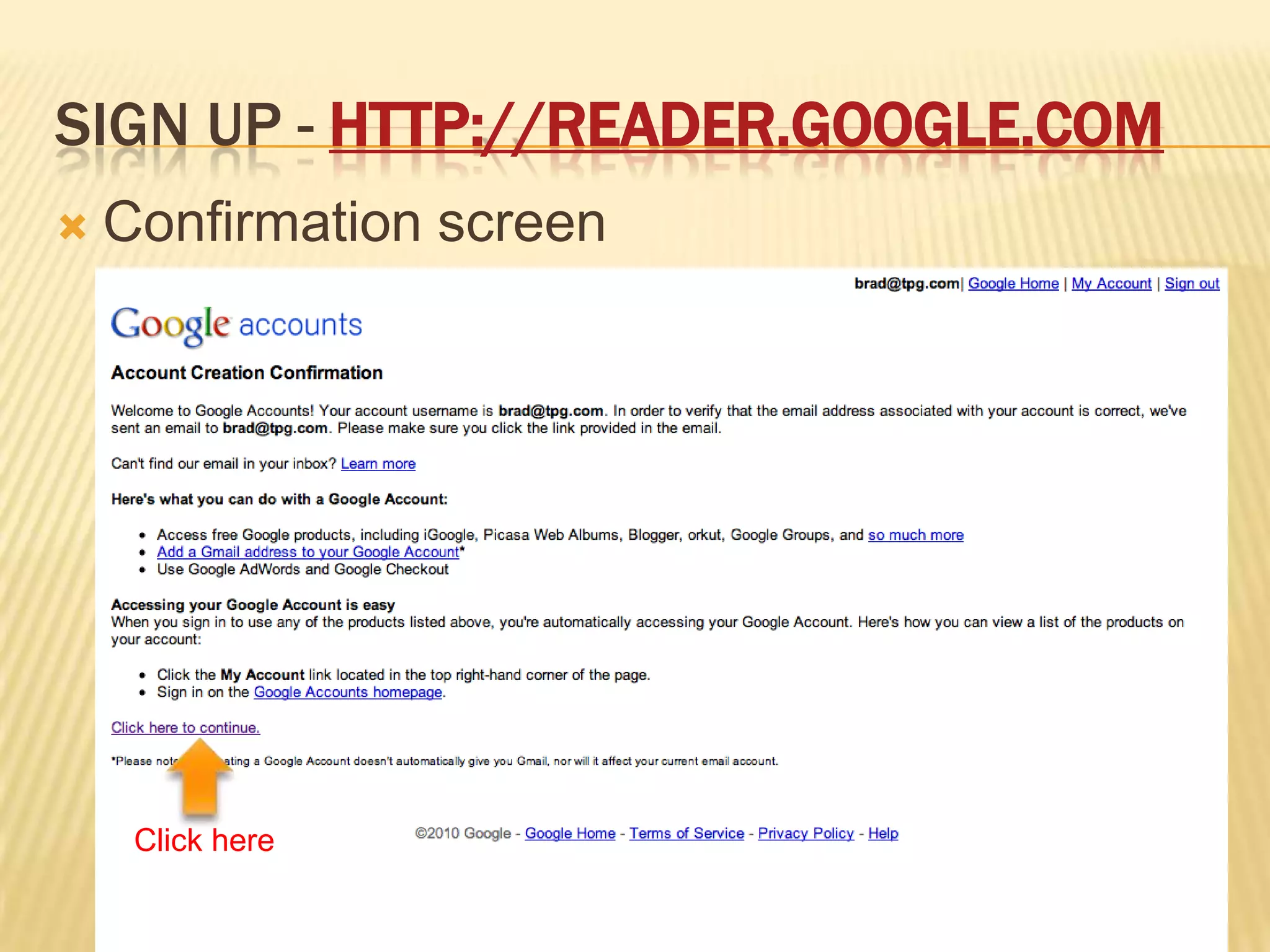
Sign up - http://reader.google.comConfirmation screenClick here
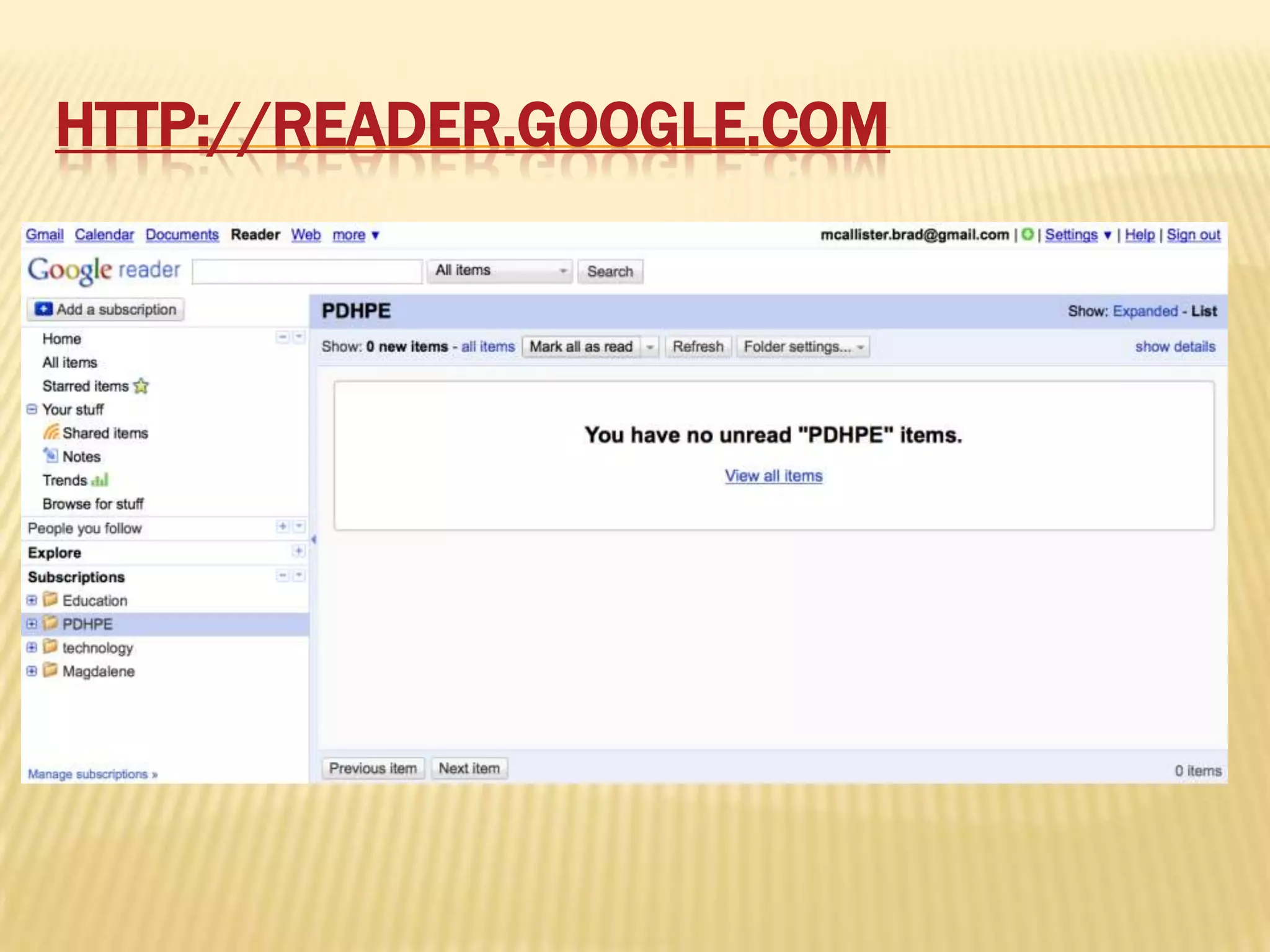
http://reader.google.com
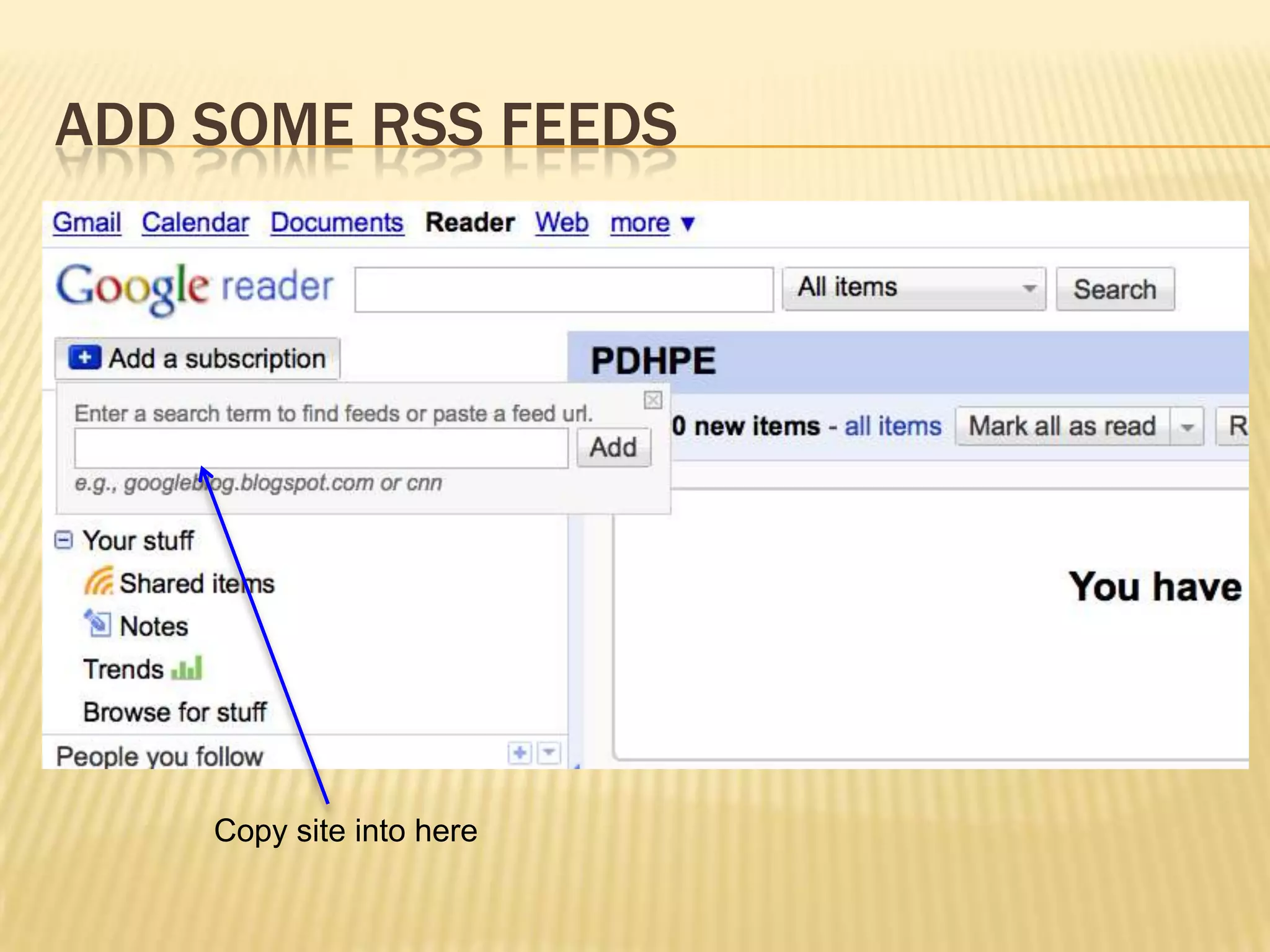
Add some RSS feedsCopy site into here
Some feed to add to begin withSee the wiki for some links to get started with.(Add the wiki as well)http://bit.ly/9f63IHhttp://delicious.com/tag/pdhpepln
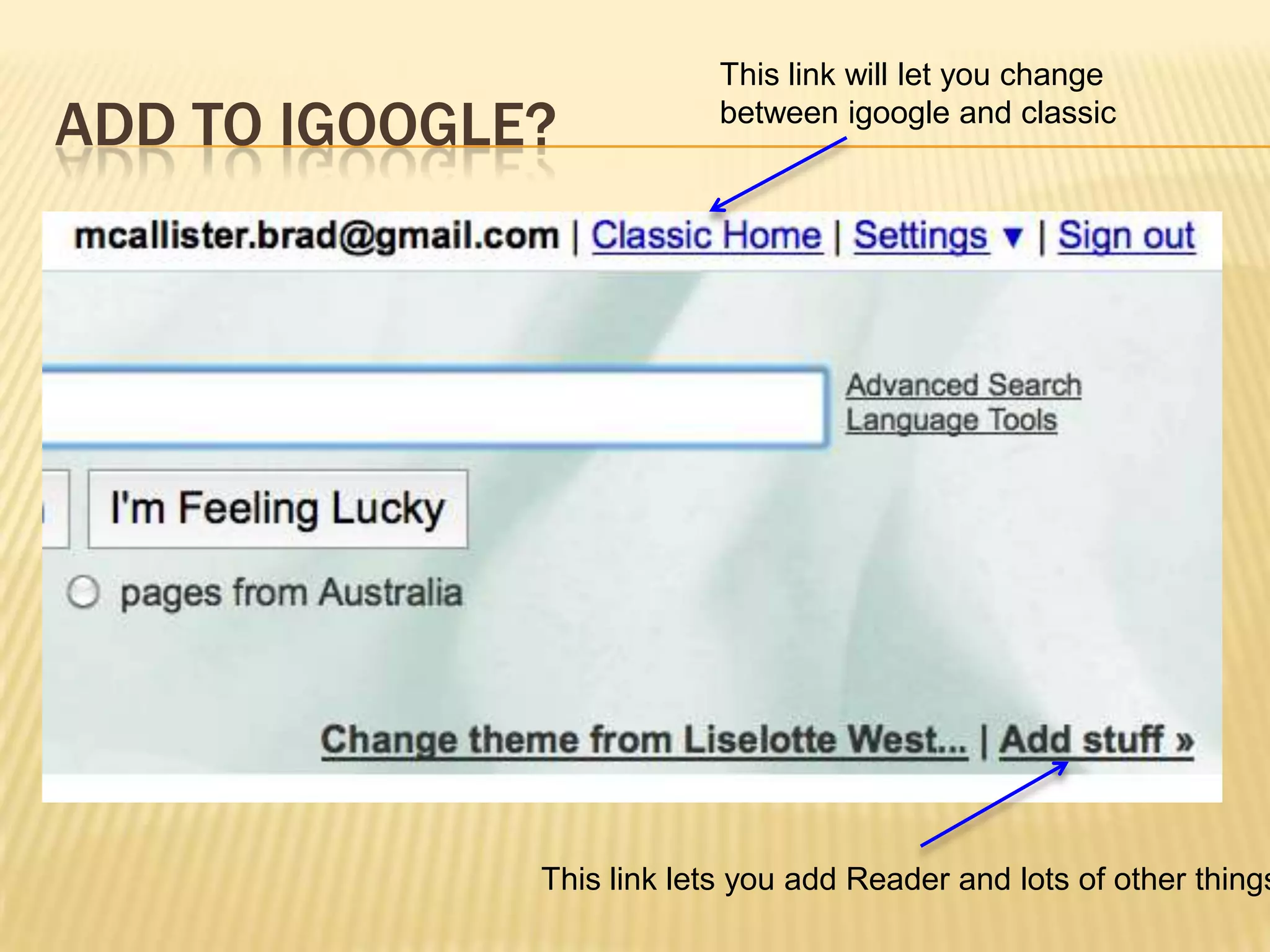
Add to igoogle? This link will let you change between igoogle and classic This link lets you add Reader and lots of other things!
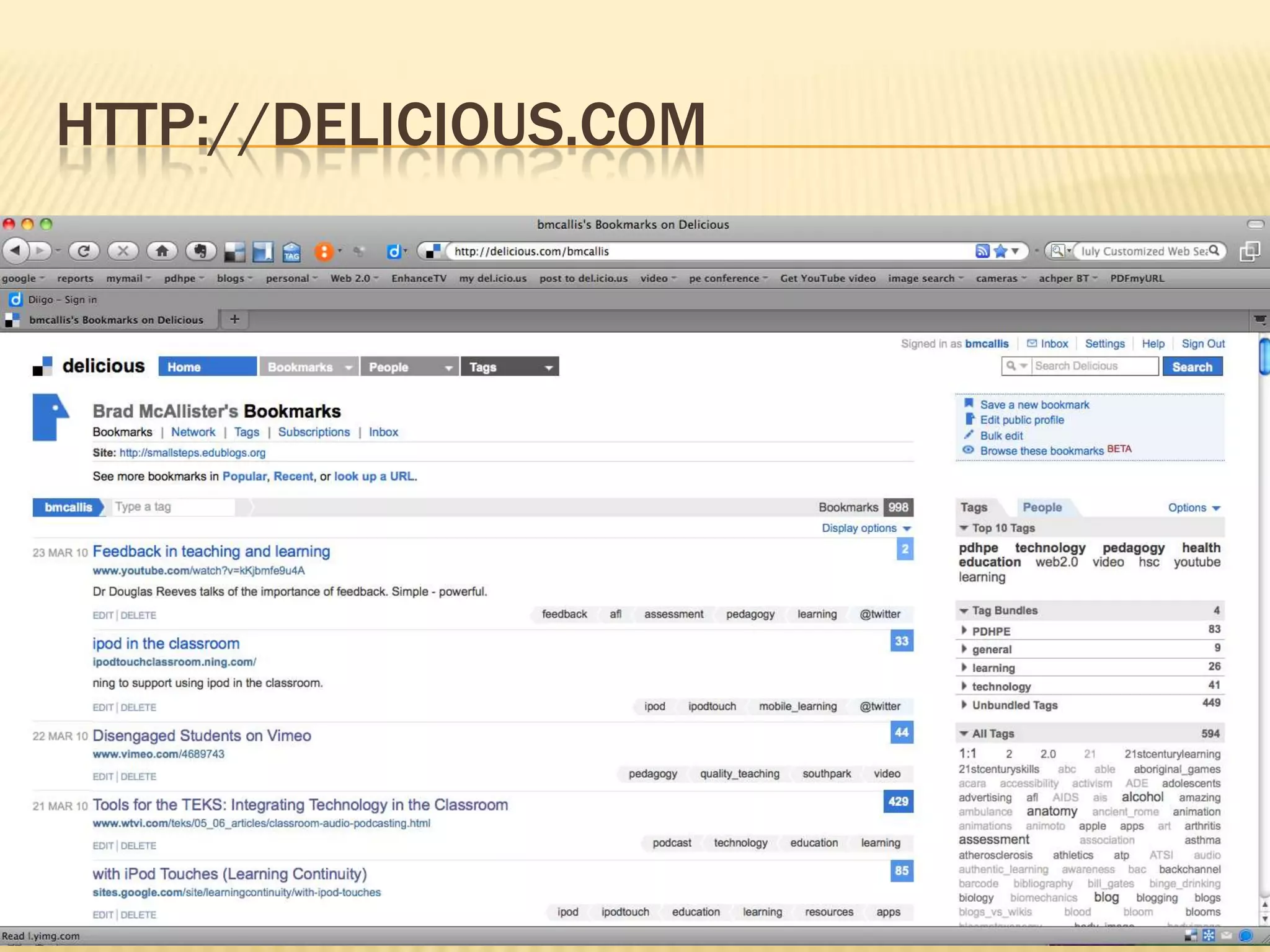
HTTP://Delicious.comSocial bookmarking
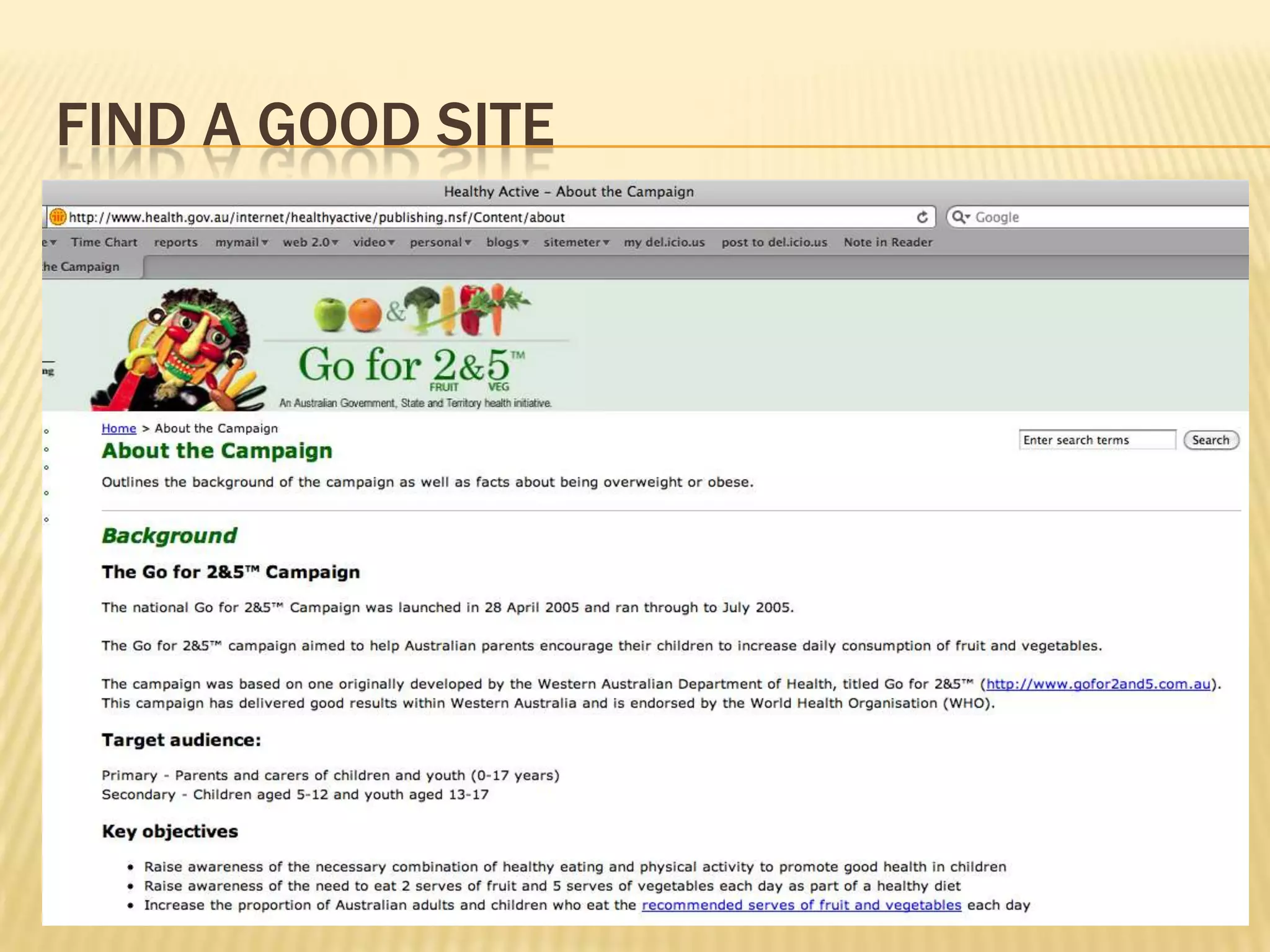
Find a good site
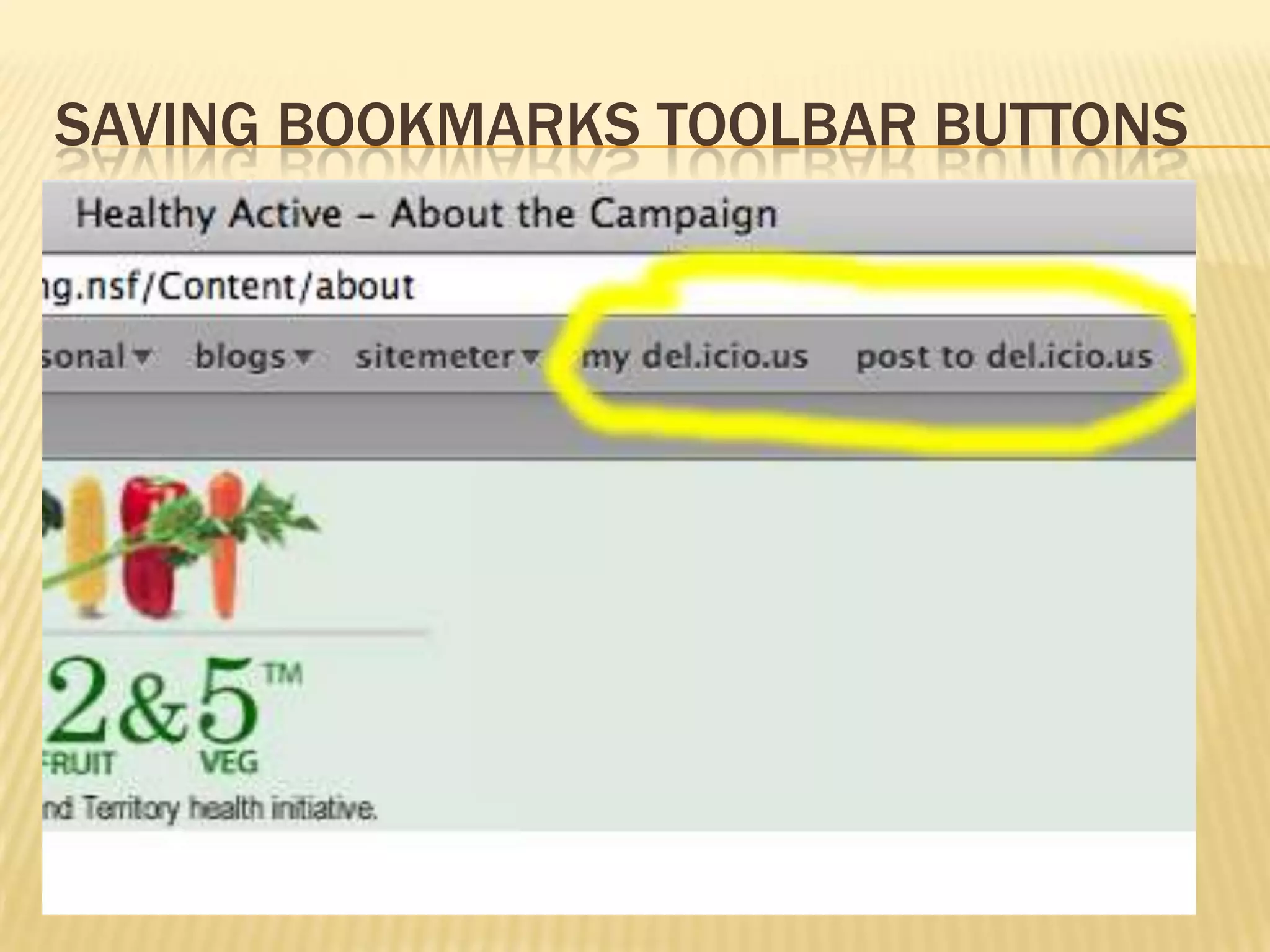
Saving bookmarks Toolbar buttons
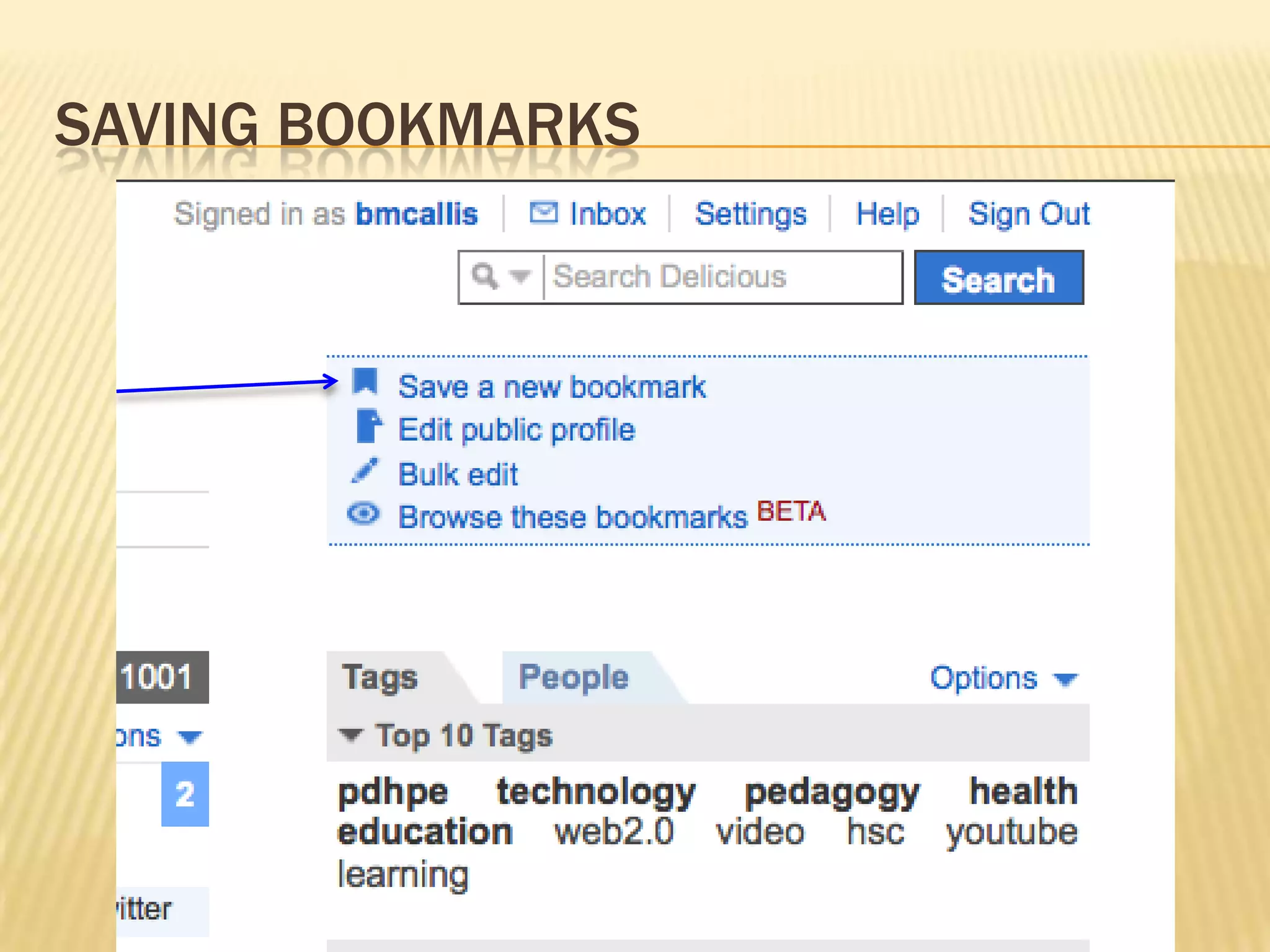
Saving bookmarks
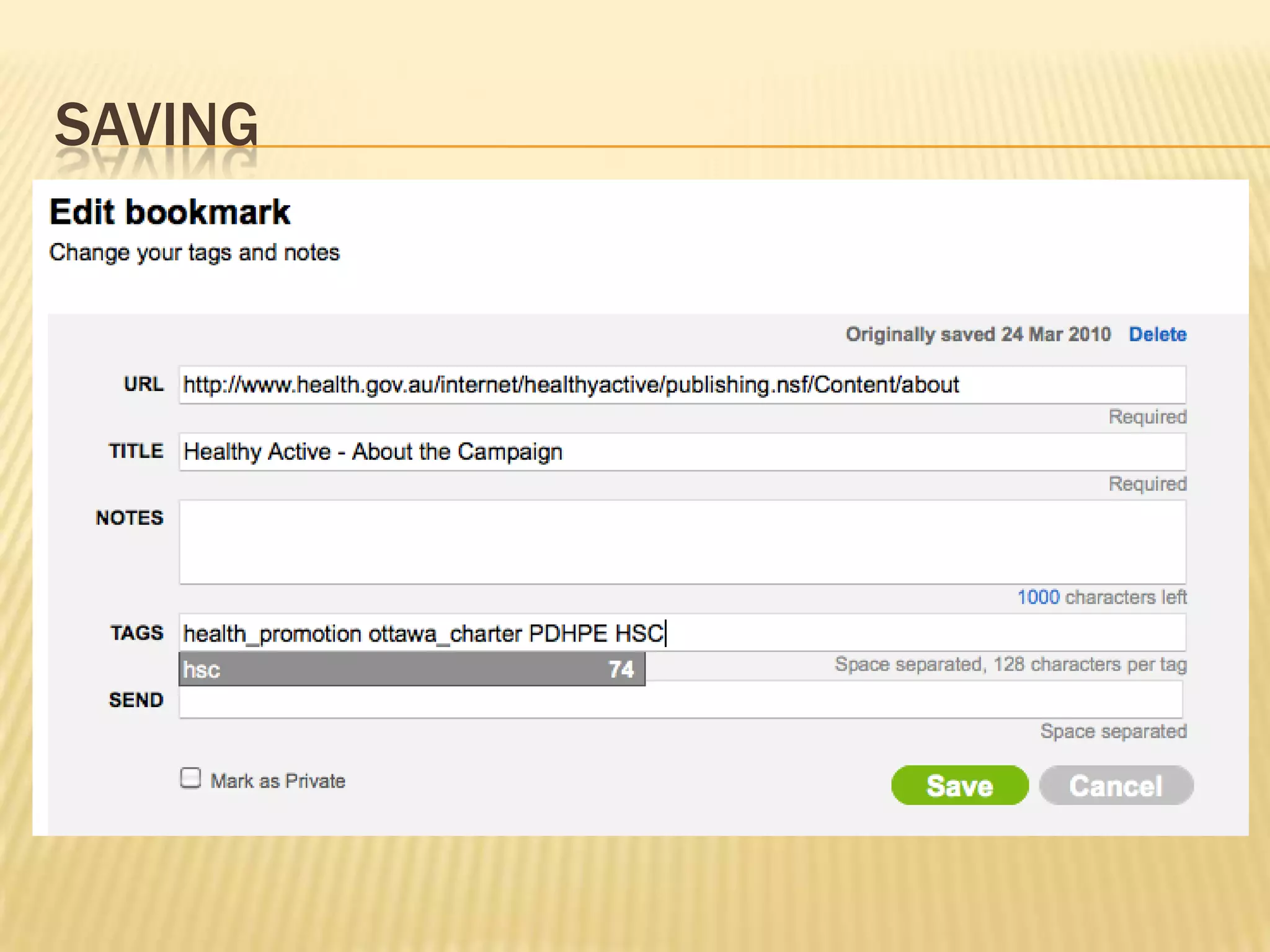
Saving
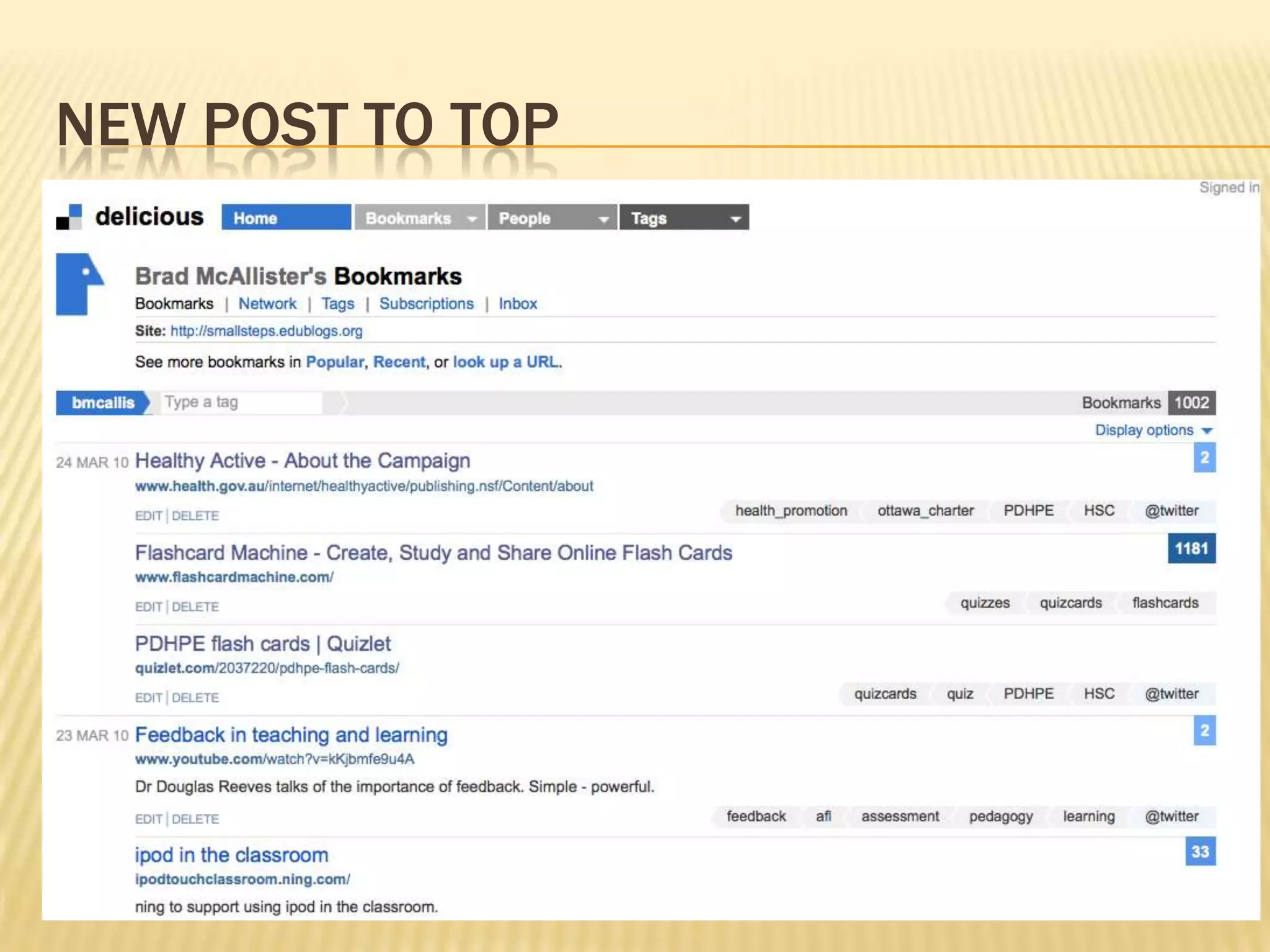
New post to top
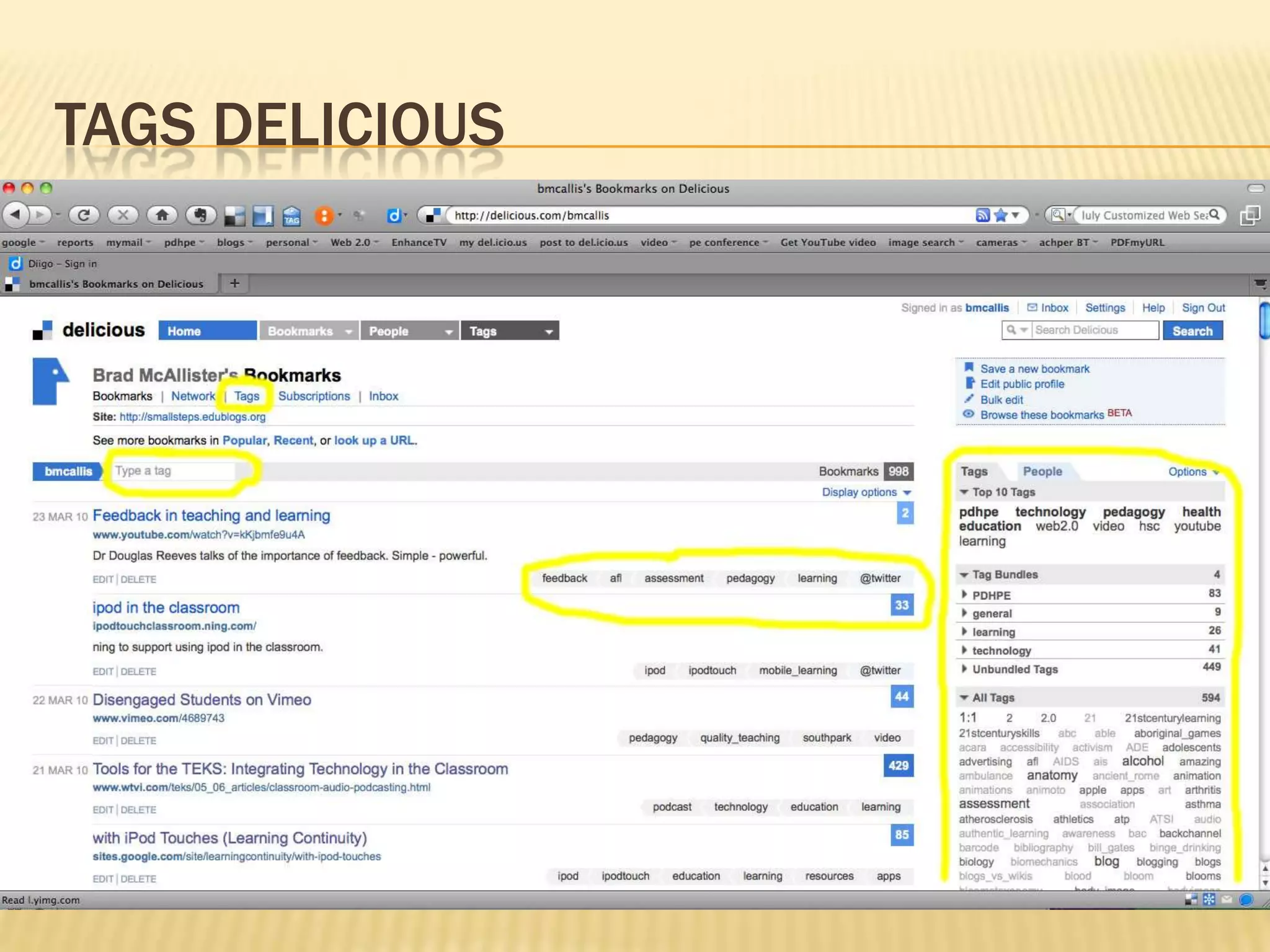
TAGS Delicious
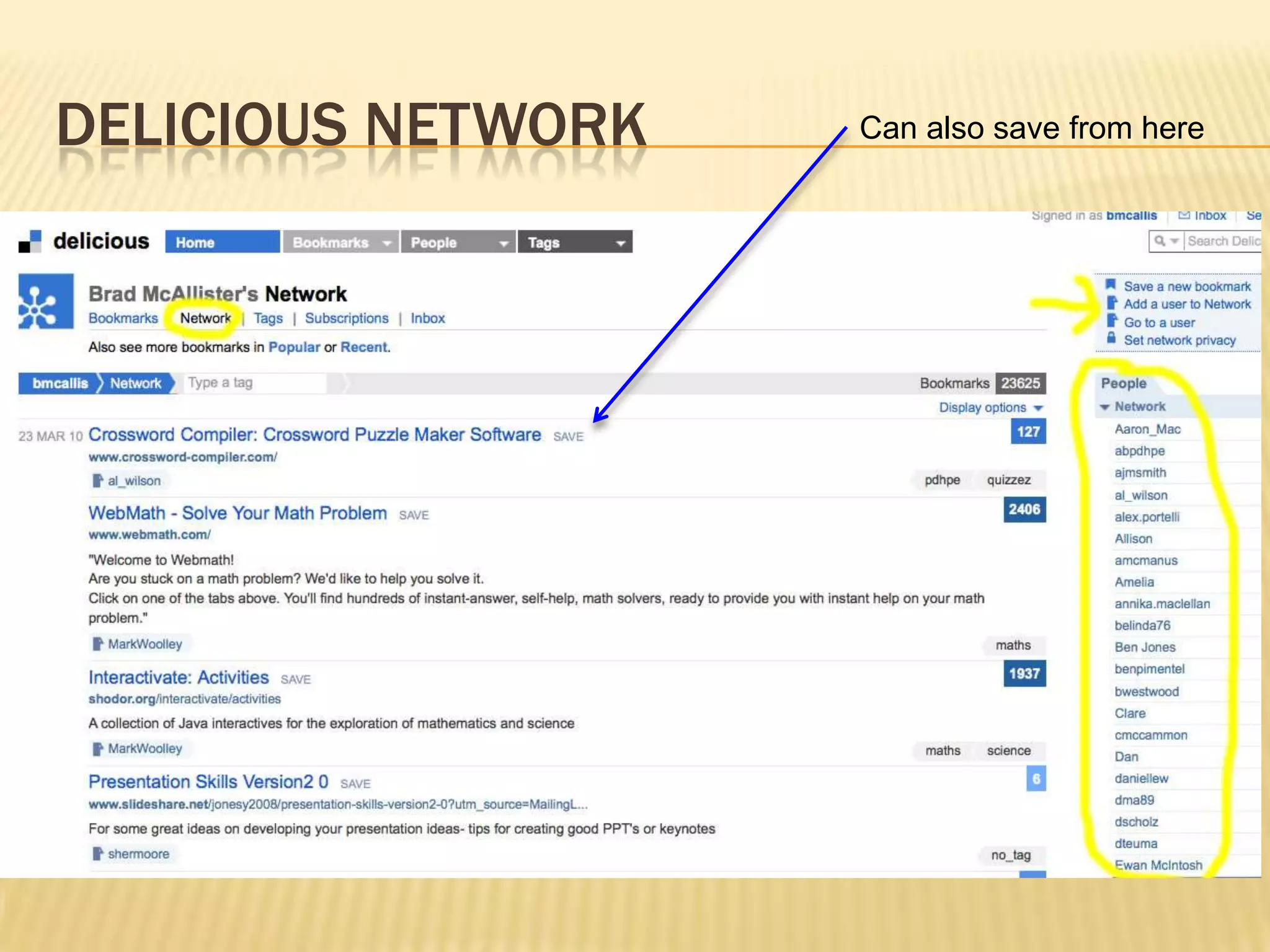
Delicious networkCan also save from here
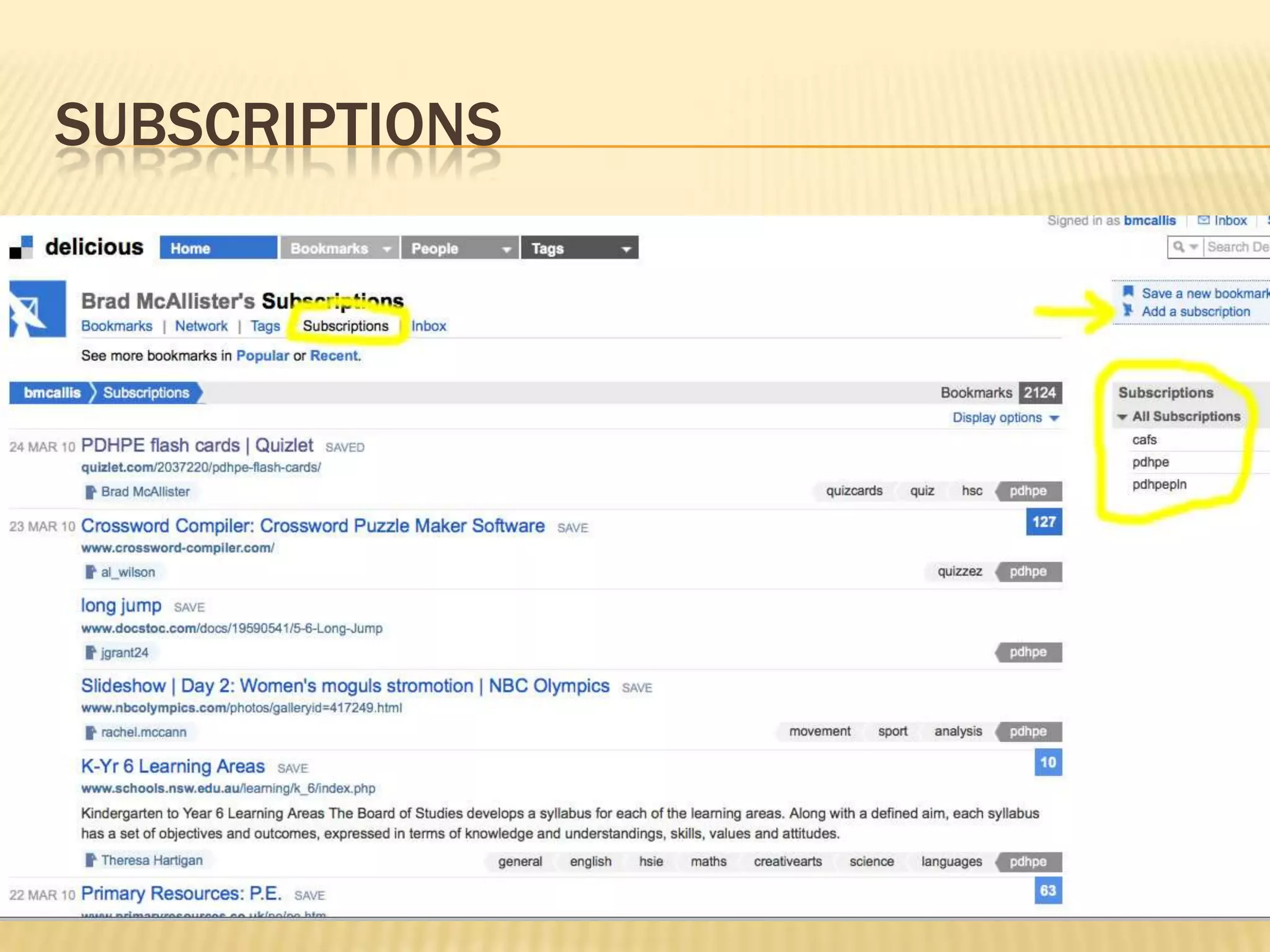
Subscriptions
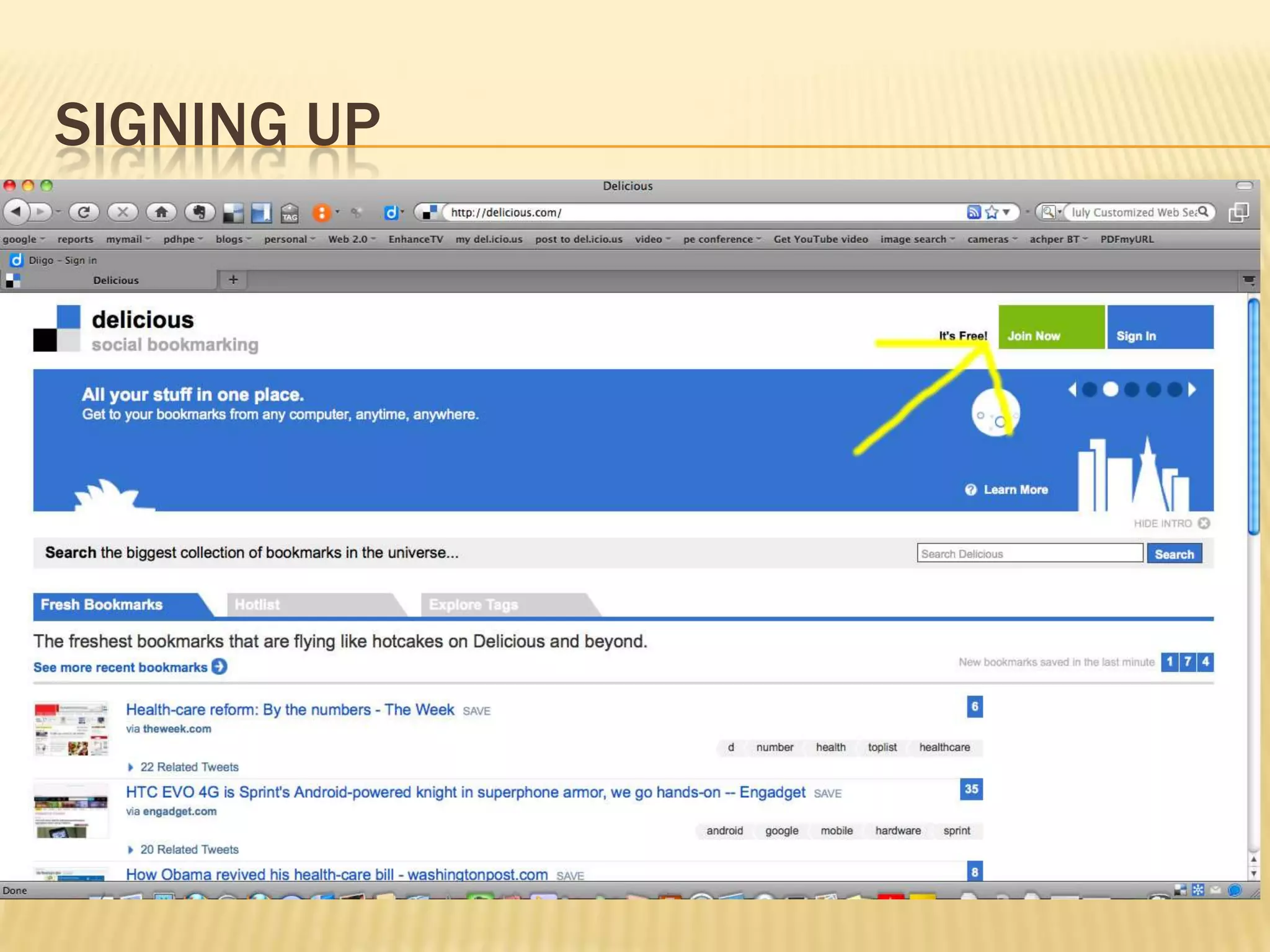
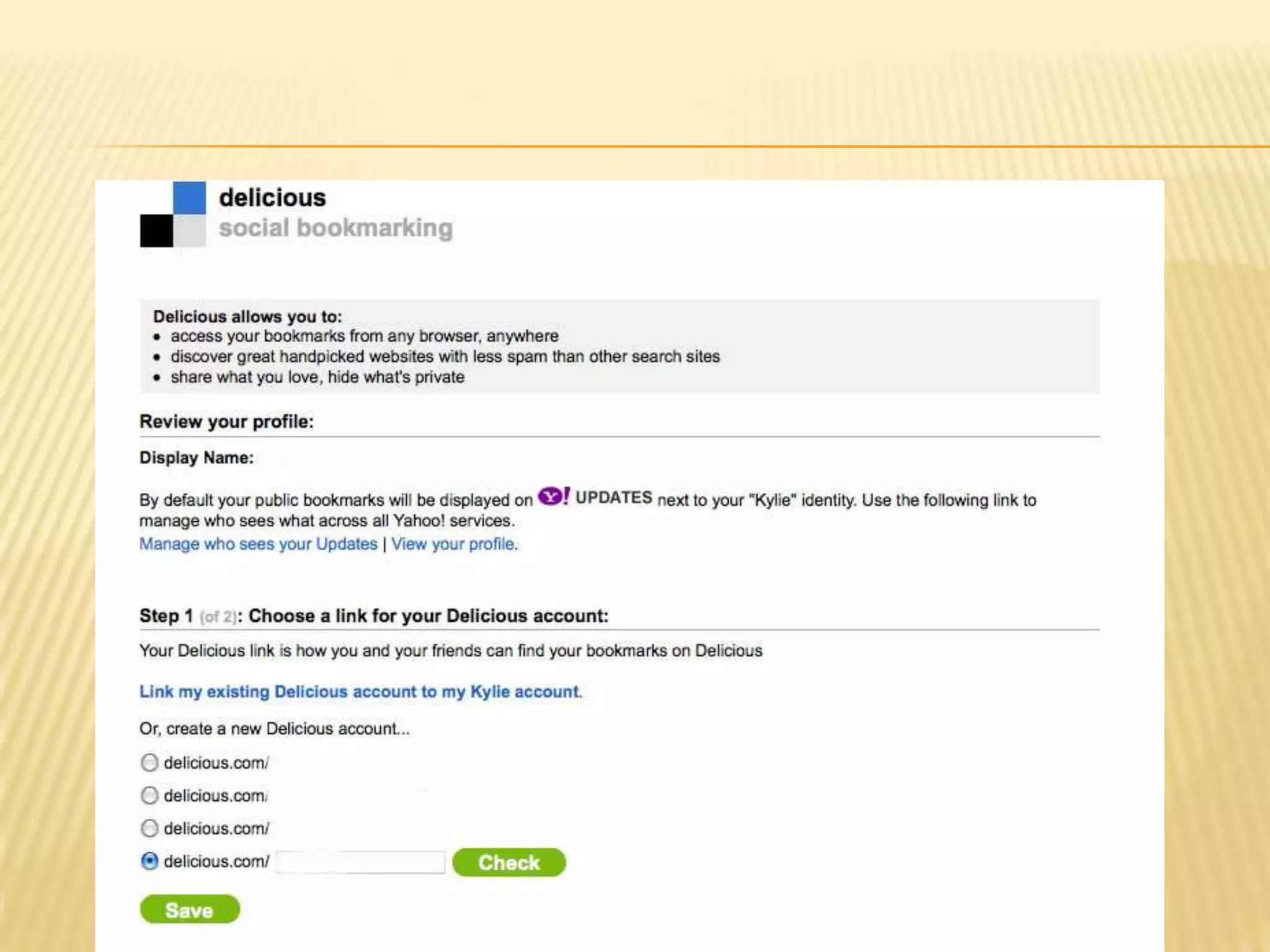
Signing up
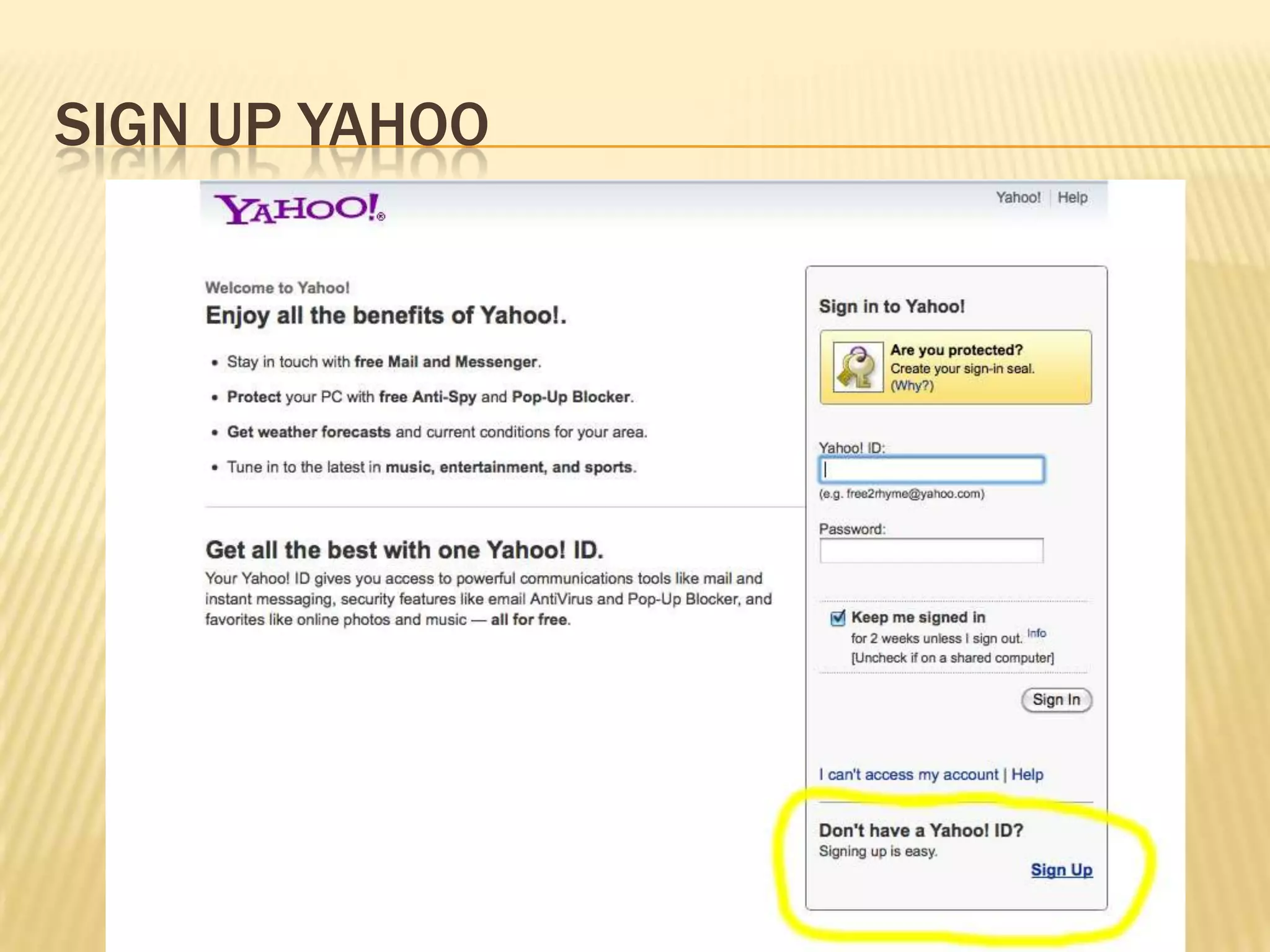
Sign up yahoo
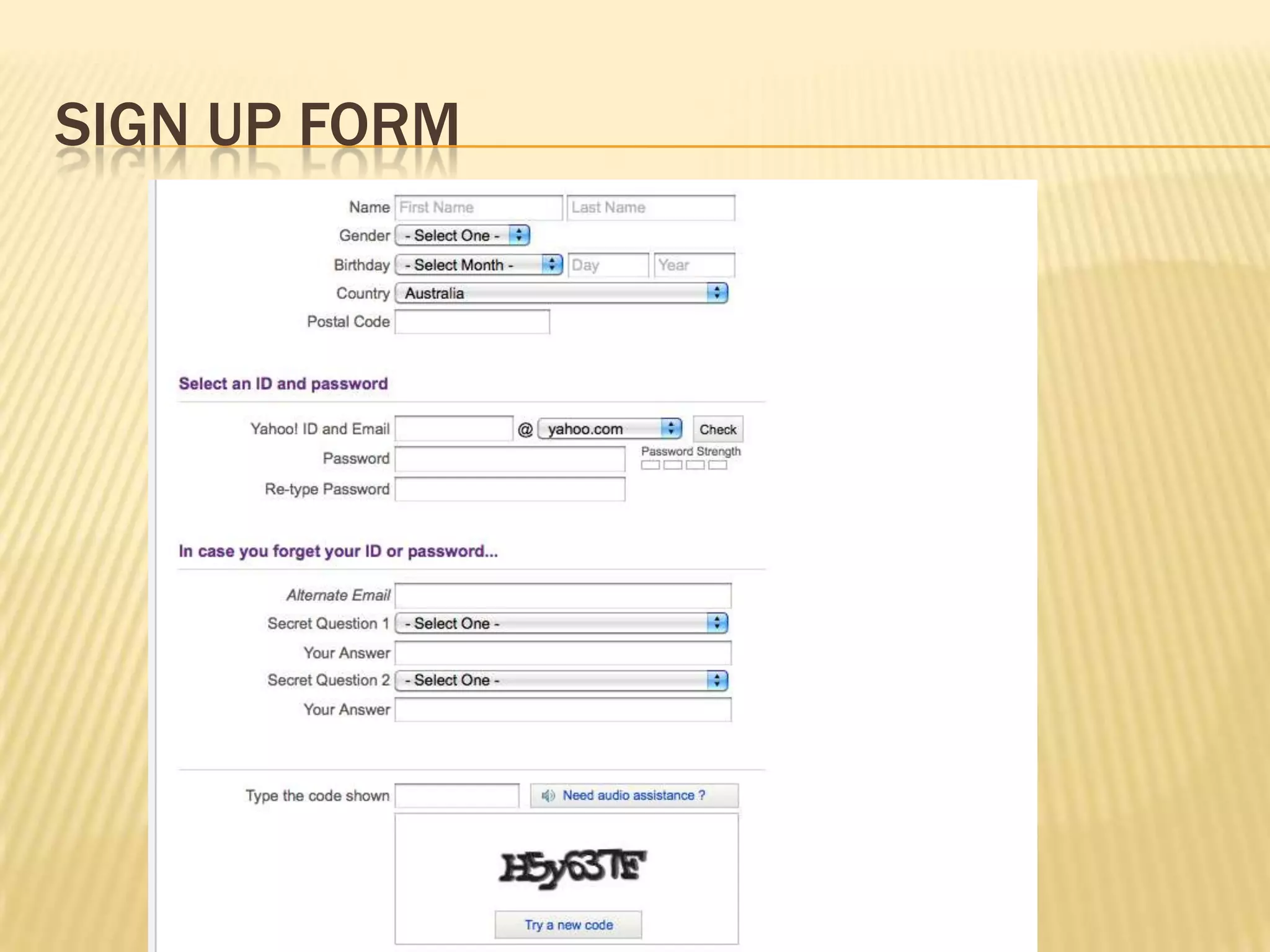
Sign up form
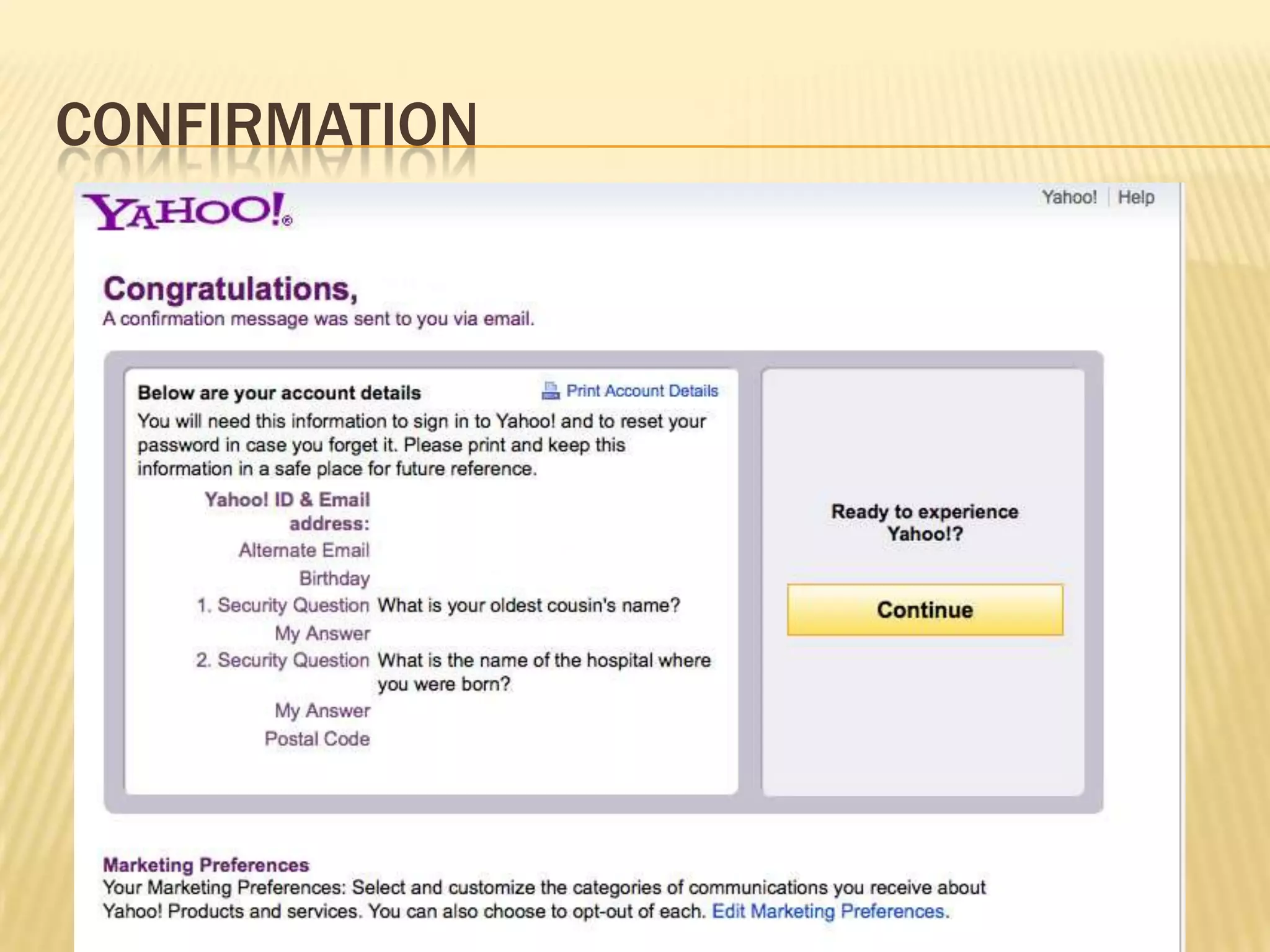
Confirmation
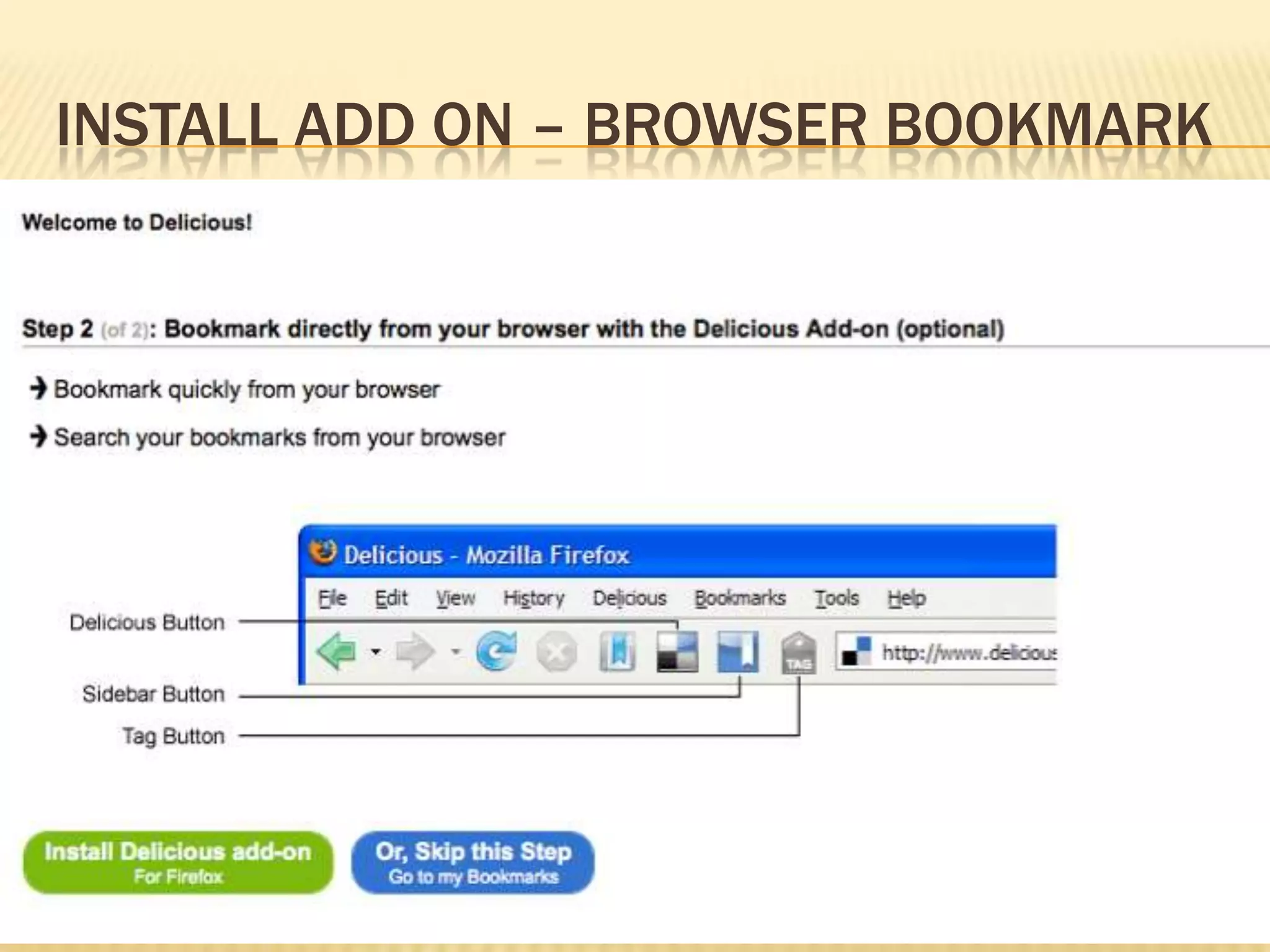
Install add on – browser bookmark
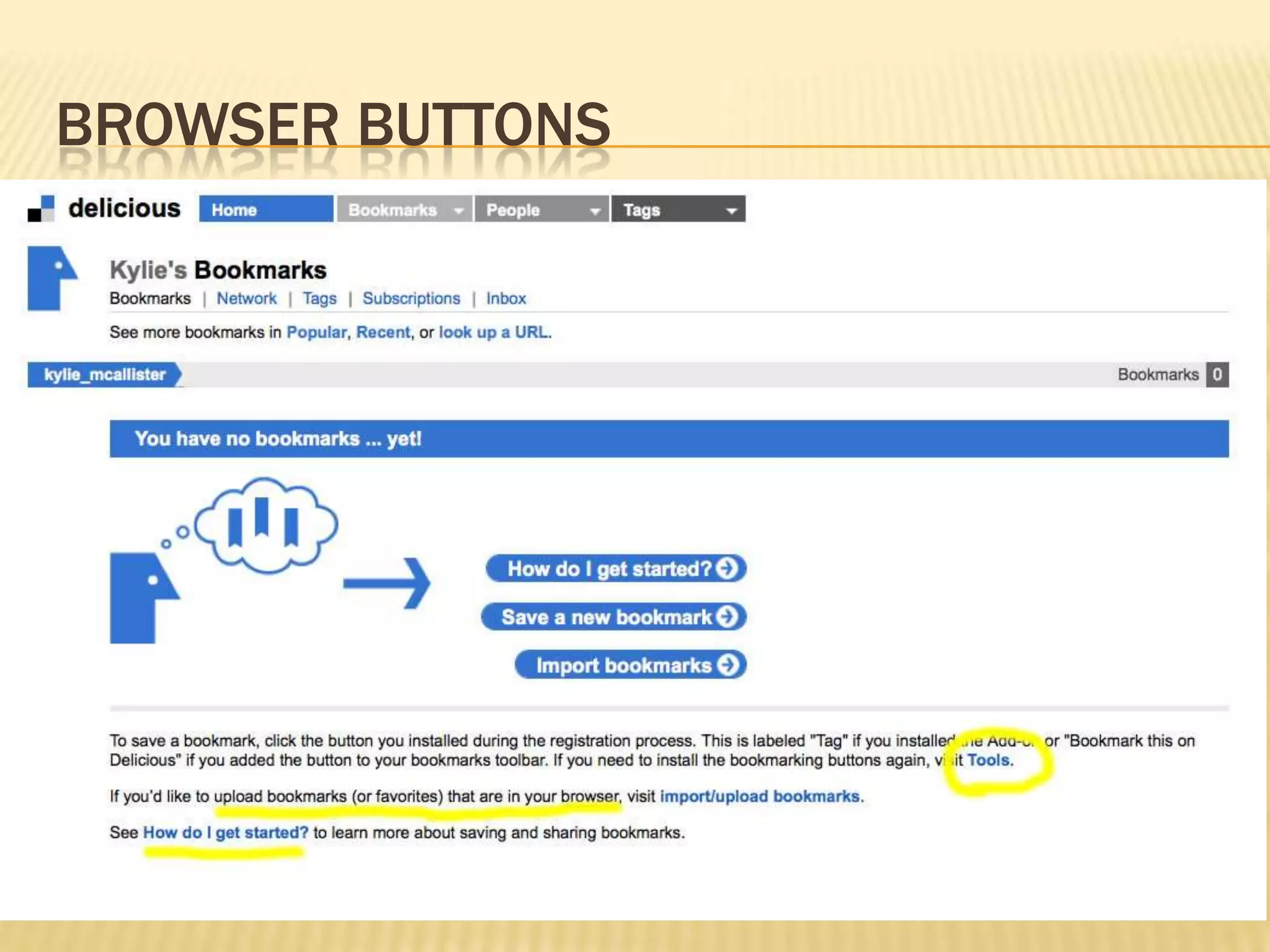
Browser buttons
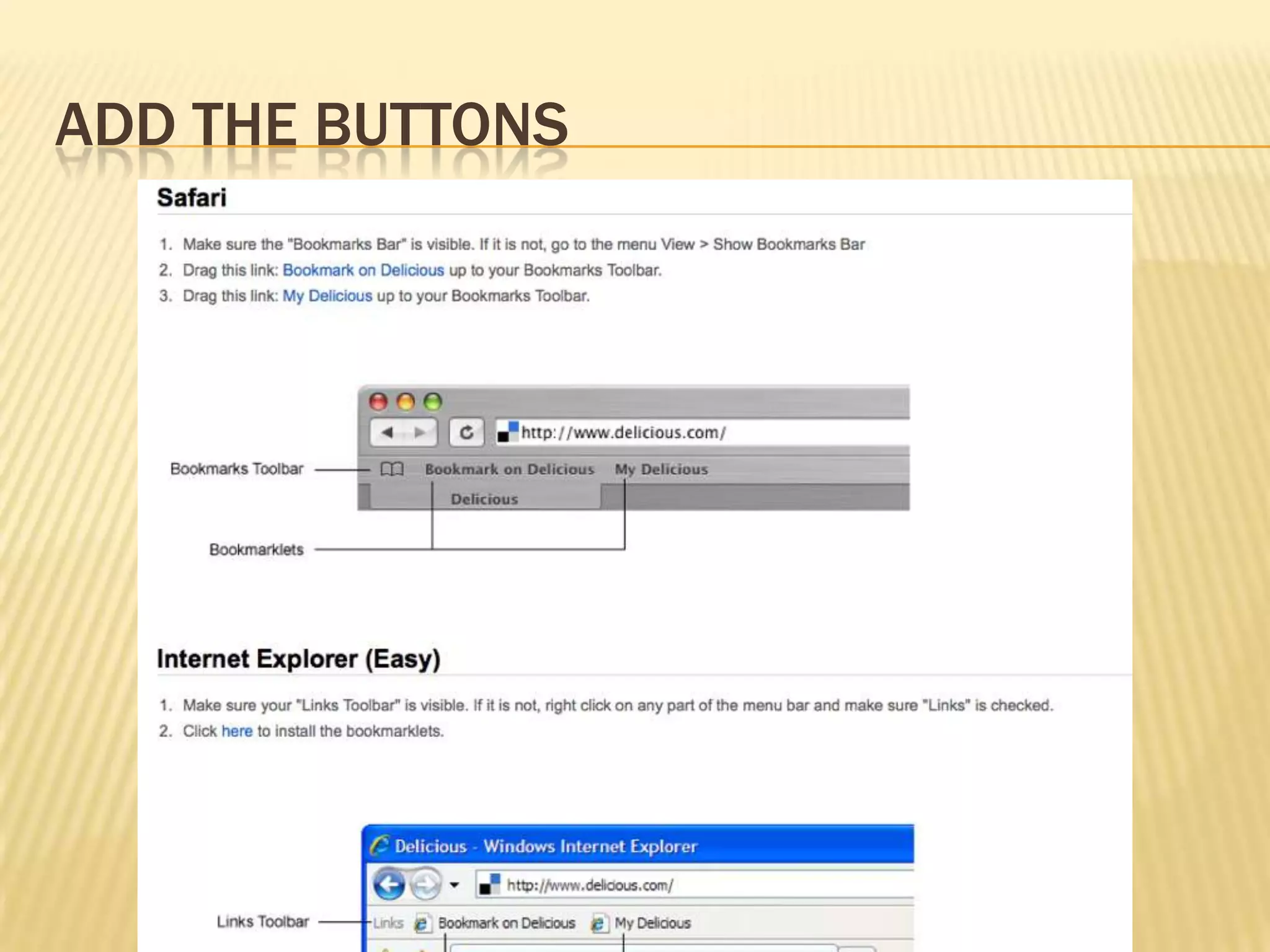
Add the buttons
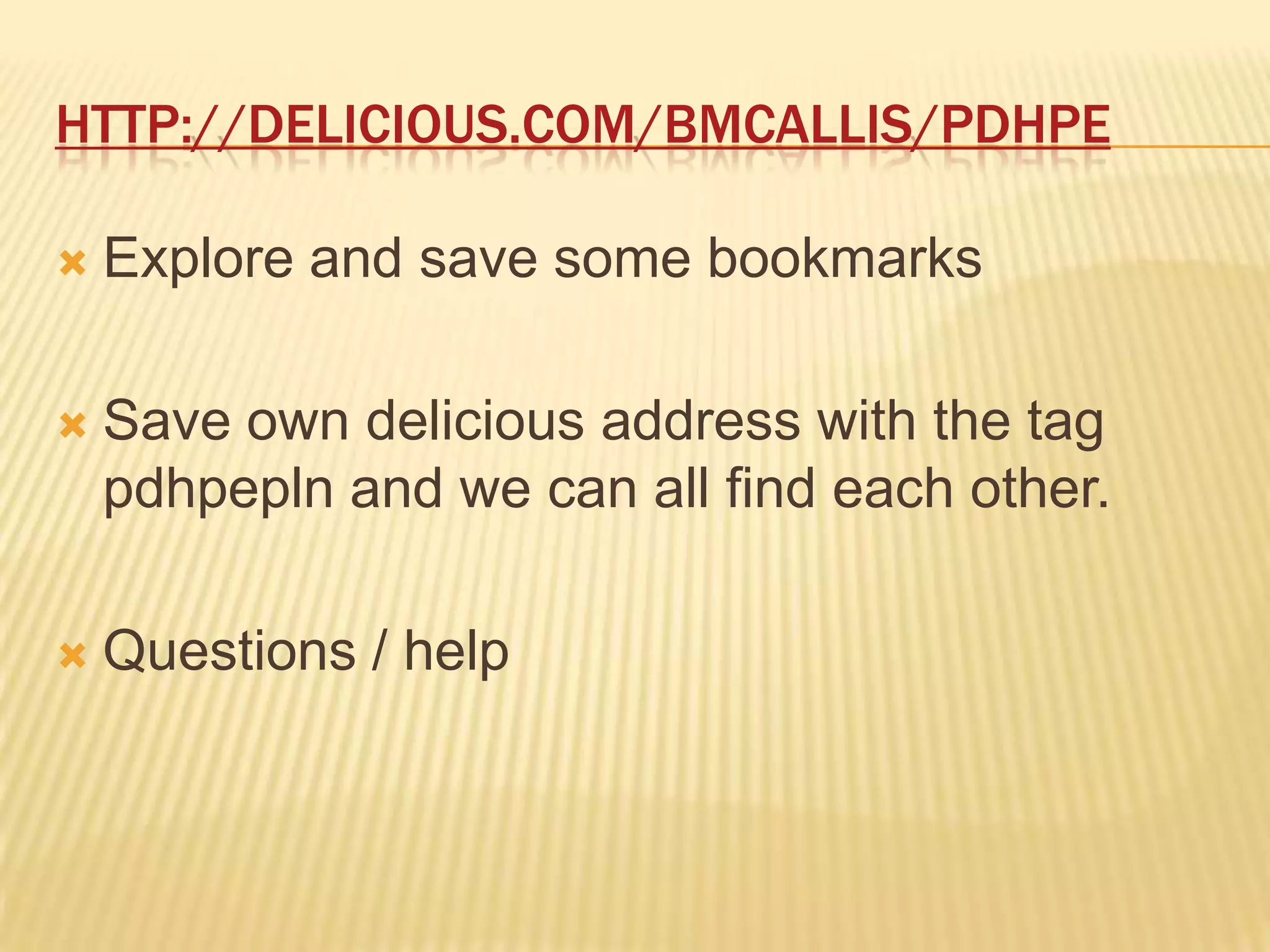
http://delicious.com/bmcallis/pdhpeExplore and save some bookmarksSave own delicious address with the tag pdhpepln and we can all find each other.Questions / help
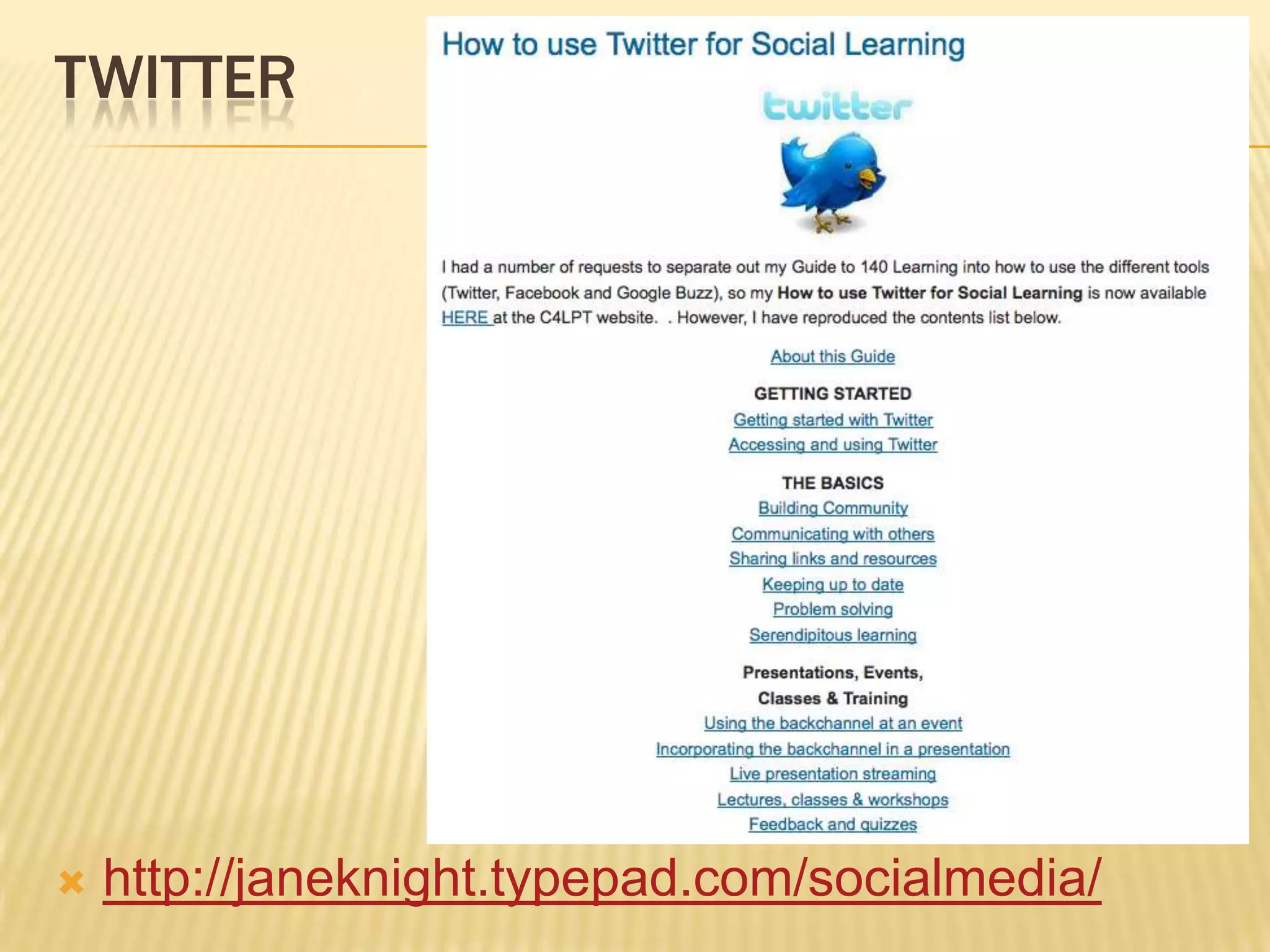
twitterhttp://janeknight.typepad.com/socialmedia/
twitterSign up for an accountFollow people who share interesting and relevant things for youShare things yourself
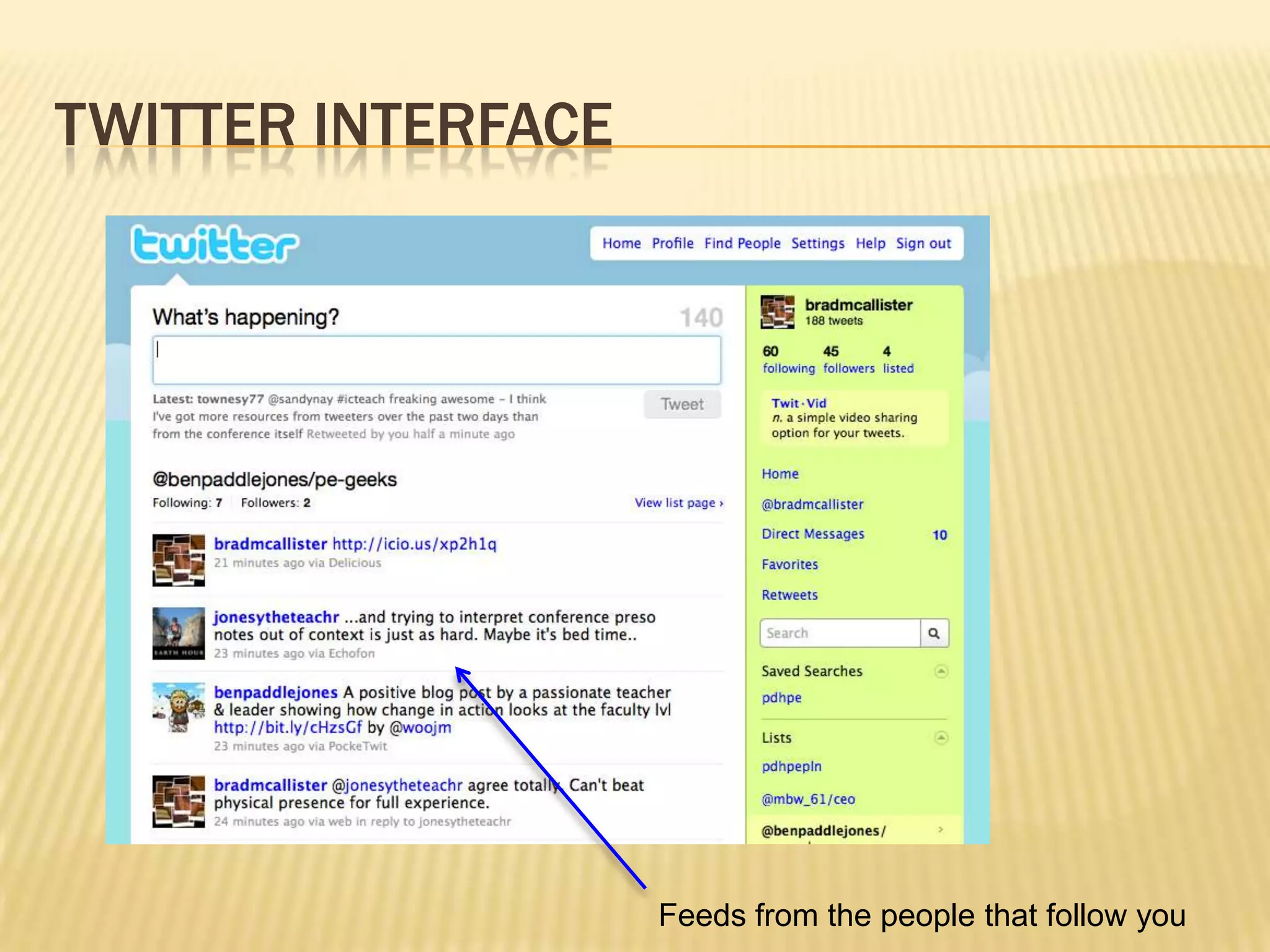
Twitter interfaceFeeds from the people that follow you
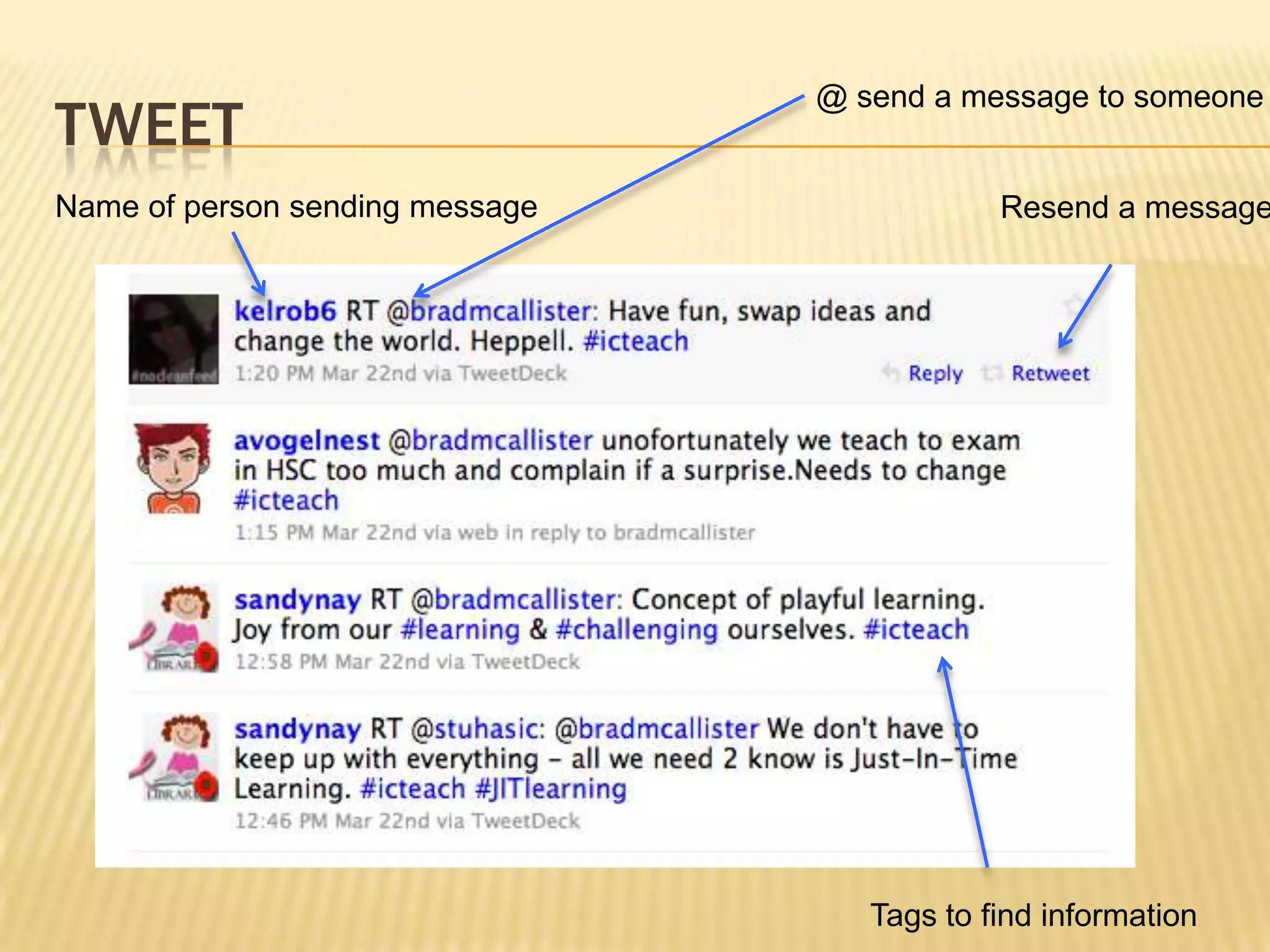
tweet@ send a message to someoneName of person sending messageResend a messageTags to find information
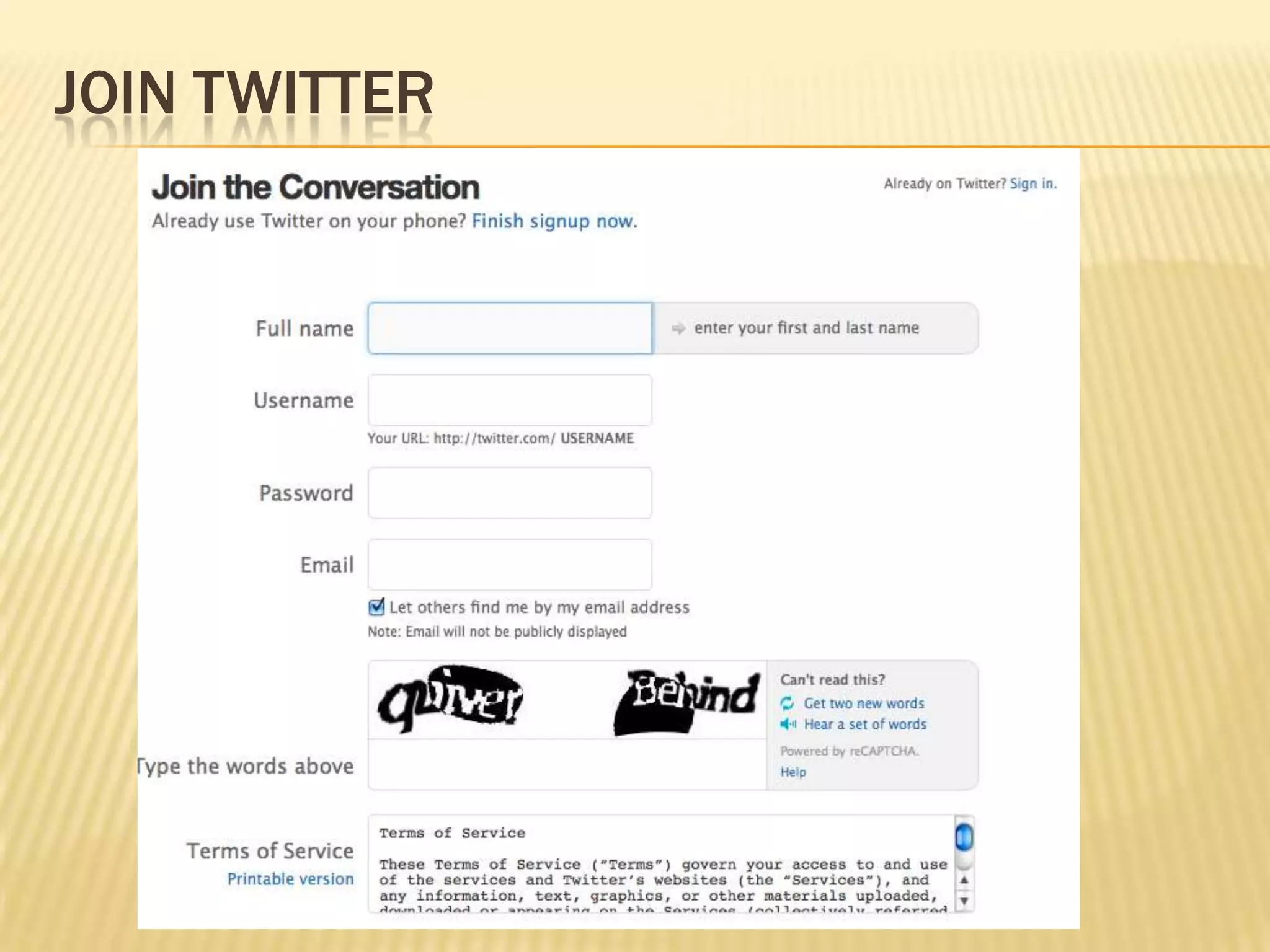
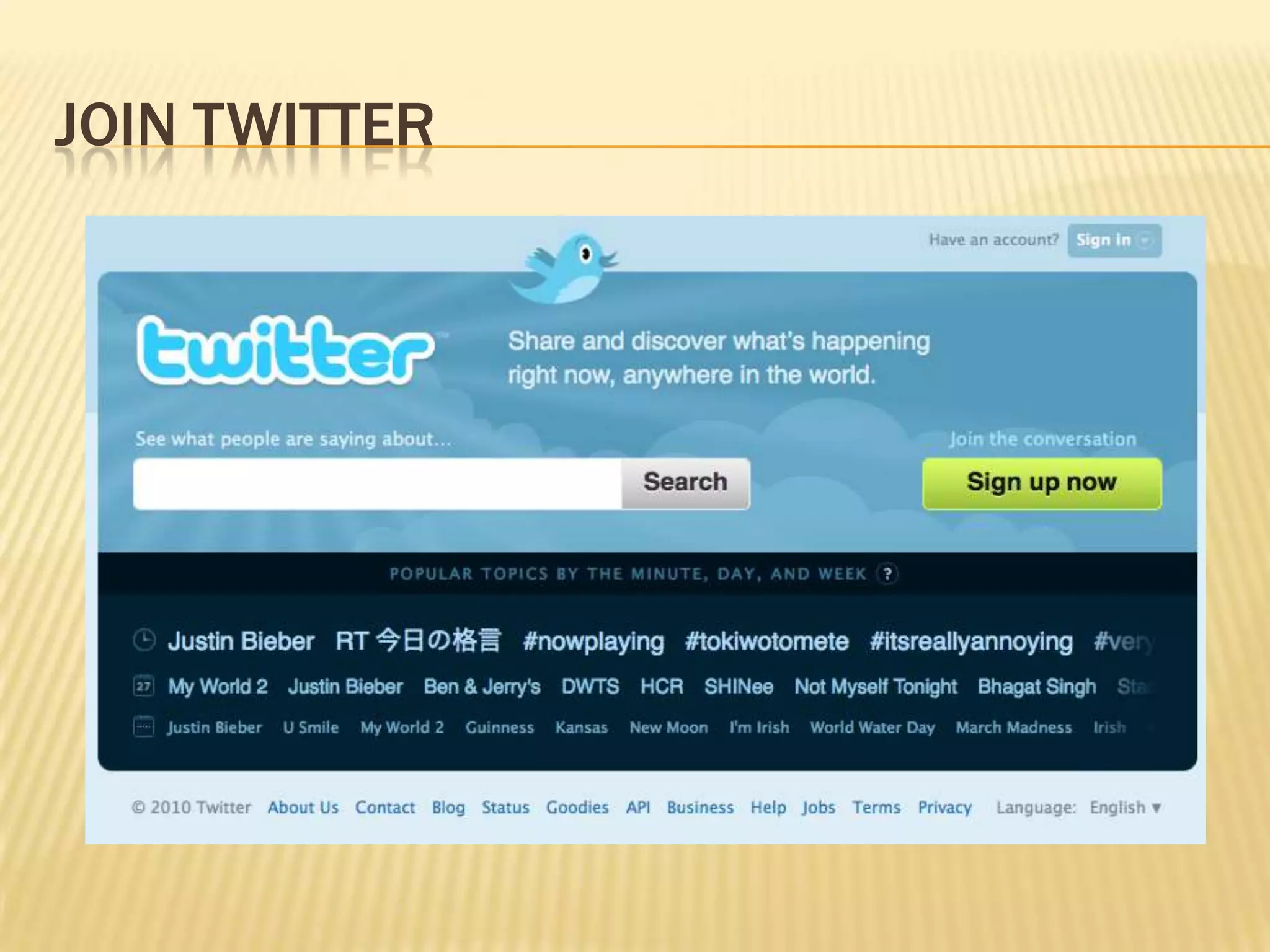
Join twitter
Join Twitter
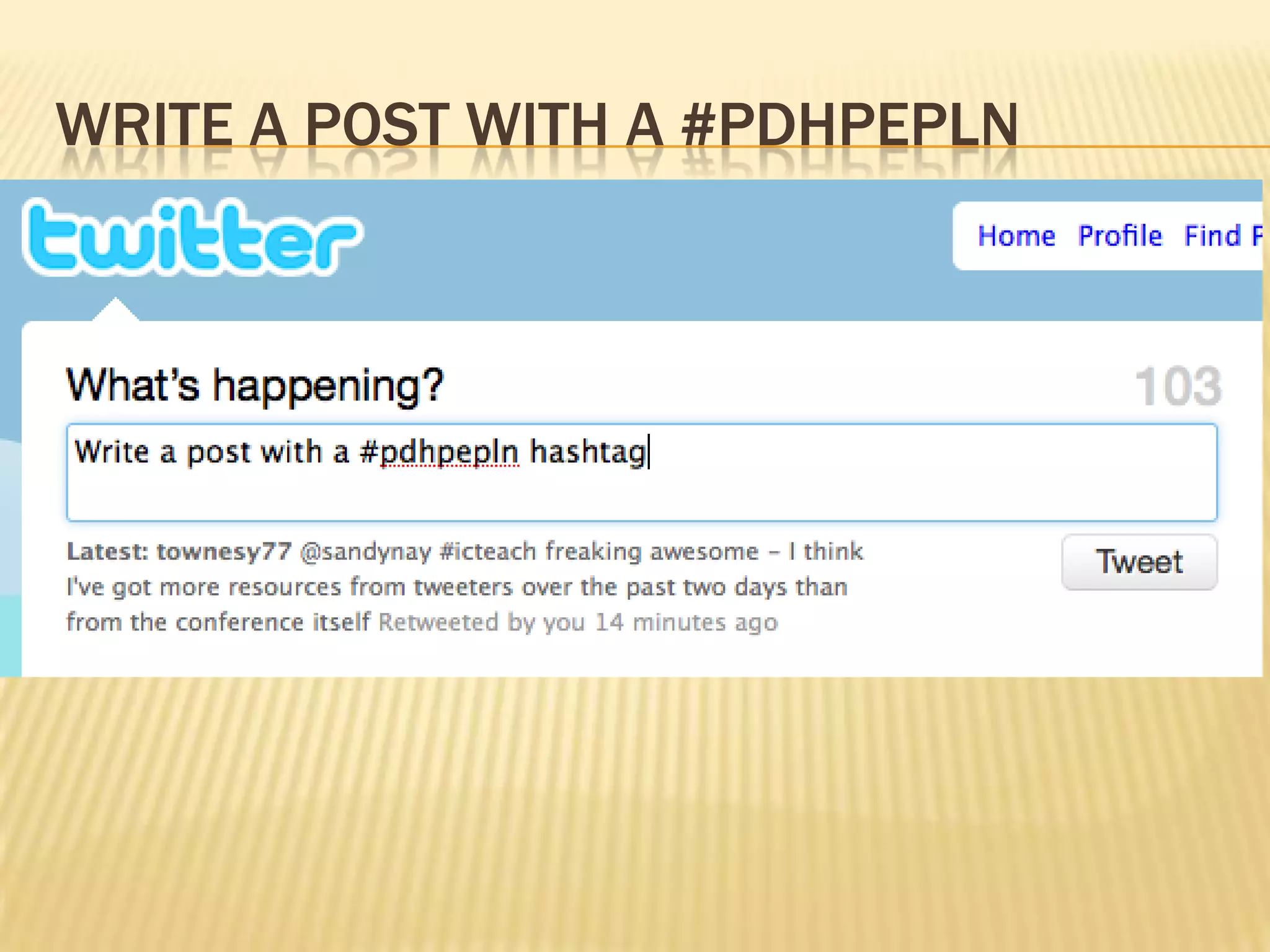
Write a post with a #pdhpepln
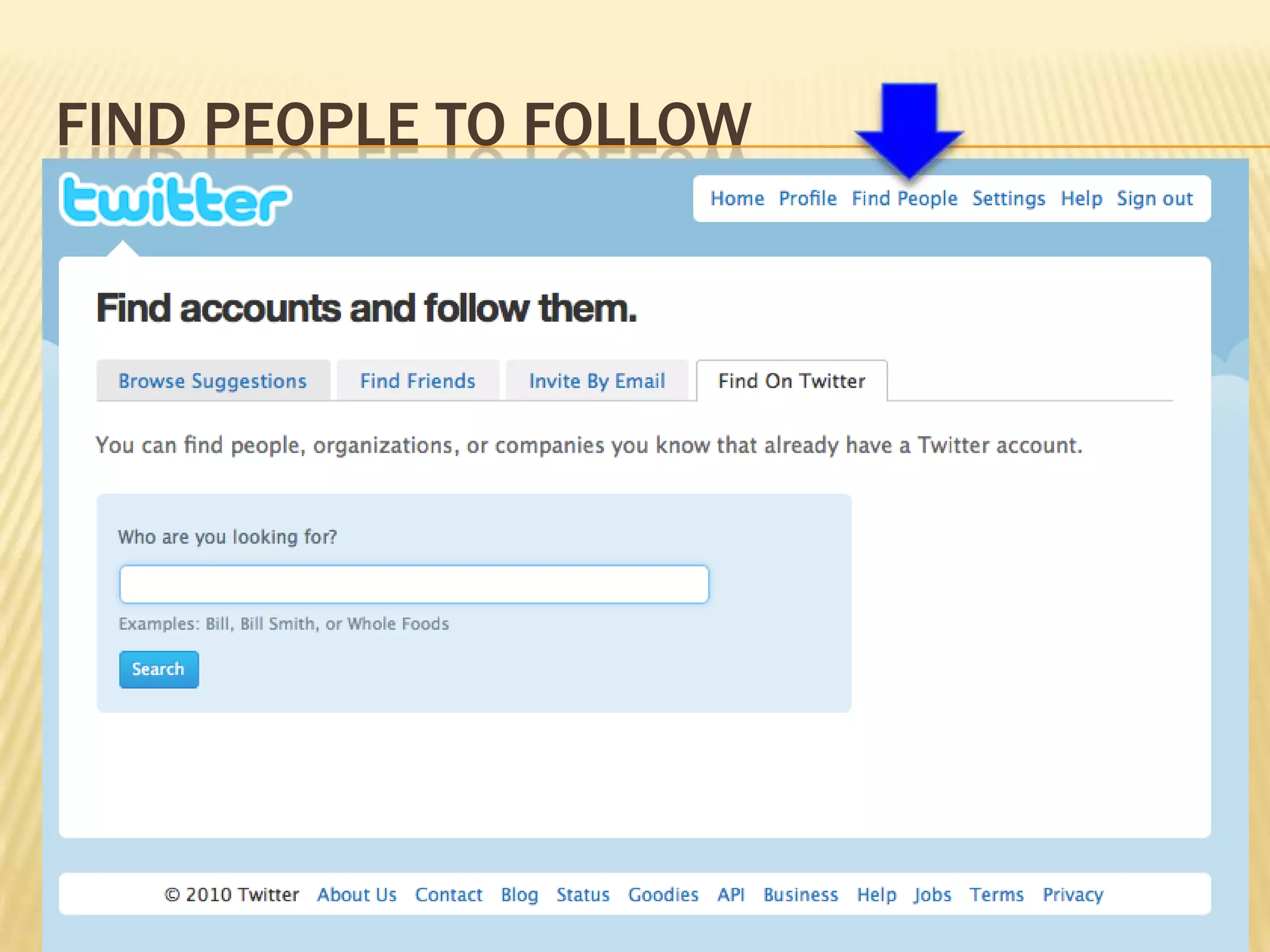
Find people to follow
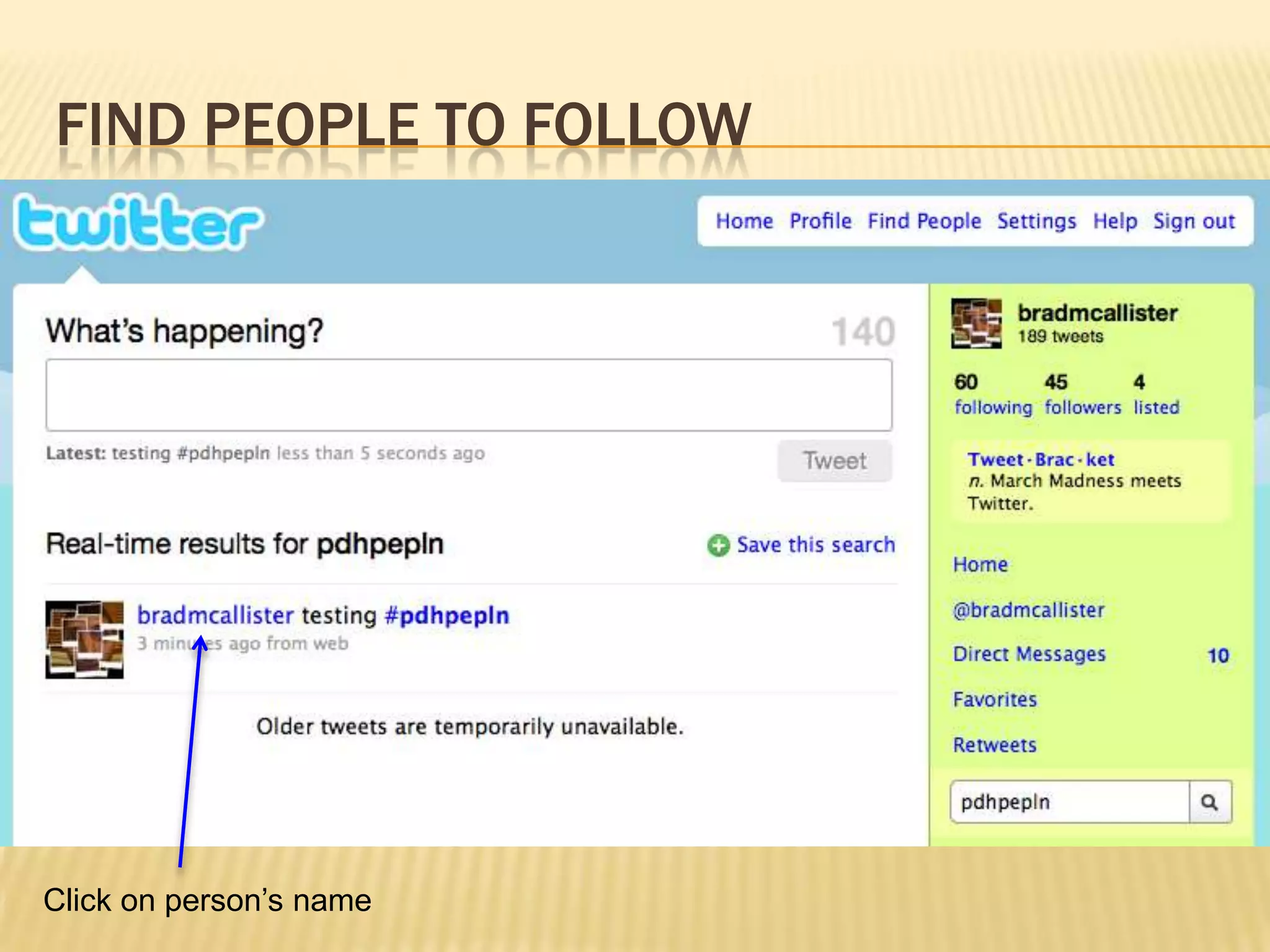
Find people to followClick on person’s name
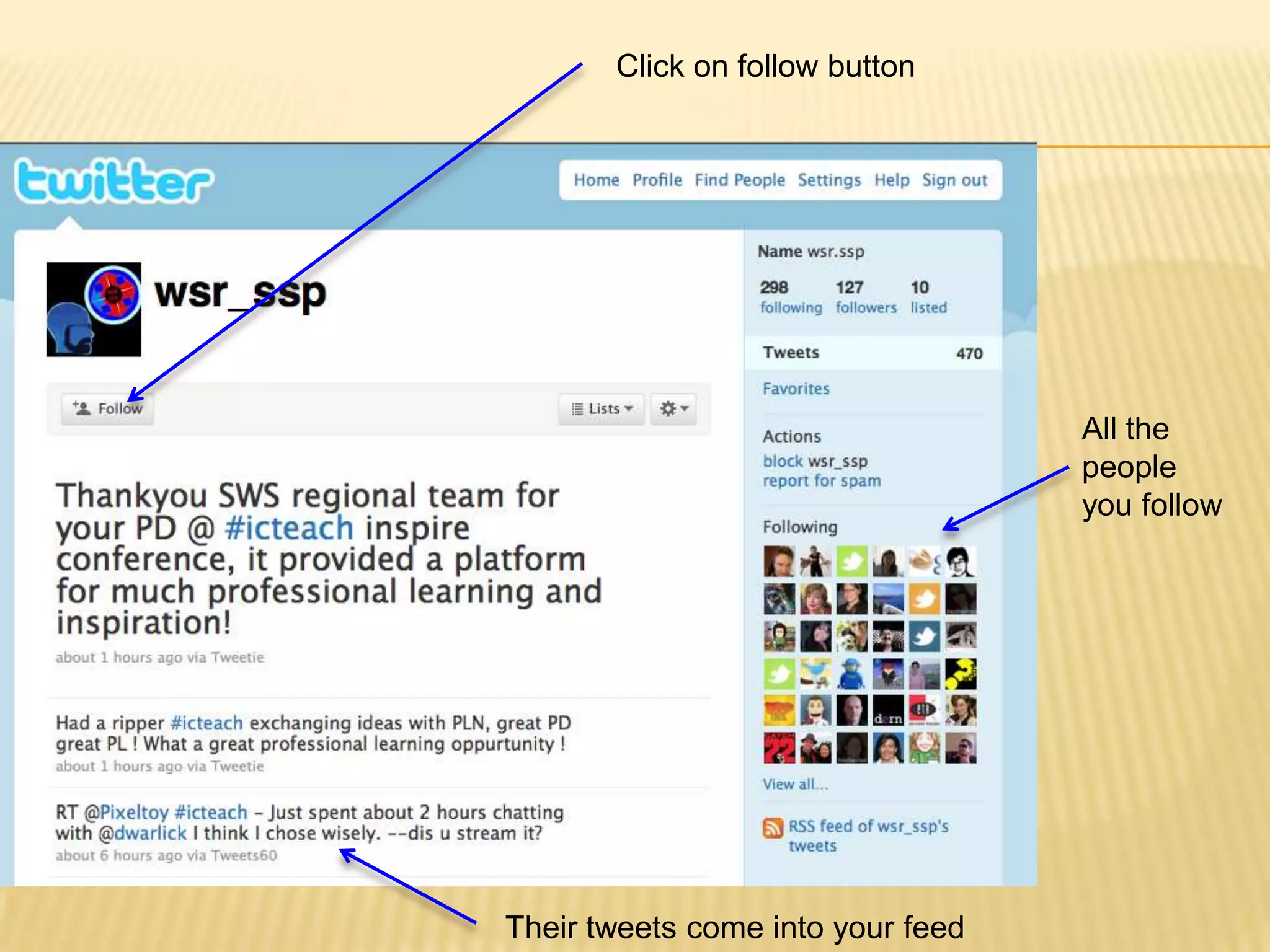
Click on follow buttonAll the people you followTheir tweets come into your feed
End noteWill take discipline to establish these systems but once up and running will be invaluable.
Harnessing the potential of the internet as a professional learning tool

Editor's Notes

  • #3 If they don’t work at school –o.k lots of other tools to use and these
  • #5 Looking at tapping into people who can support our needs that don’t exist in our schools or immediate environment. There may be PDHPE teachers around the state who can support and share resources with me that are relevant to me and align with my teaching style, philosophy and student needs. How many people do we currently share resources with? Have deep conversations with around teaching and learning? There are likely to be teachers sitting with us today who may be a great future resource for you. Different for everyone.We will look at 3 tools today but it is important to understand the concept also. More about what the tools allow us to do than the tools themselves and there are lots of tools similar to these.
  • #6 Hundreds of great sites out there but can’t keep checking for new content. RSS lets you subscribe to them so any new content comes to you. Thousands of great sites. Can’t keep checking – get them to bring new content to you.
  • #8 When teachers ask – how do you have time to find all these things – I don’t they come to me. Key is finding the sites that have the good stuff – refine over time –don’t need them all now. Will grow and change over time.
  • #18 Find great sites and share them with others. When you save bookmarks on your computer they are available to you on that computer only. Save on the web and available to everyone, anytime with internet access.
  • #28 Feel free to wait if unsure – easy to set up later.
  • #35 Start here and explore tags at the side to find a few things to save.
  • #36 Hard to explain – facebook status update but no facebook to go with it. Bare bones sharing. Educators sharing lots of great resources. People who used to share with blogs 0 a lot are using twitter now. Resources from site above.