PRESENTATION OF
SOFTWARE ENGINEERING
ON
Waterfall, Spiral and Iteration Model
- Abhash Dc
- Sandesh Jonchhe
- Sanjay Bhandari
1
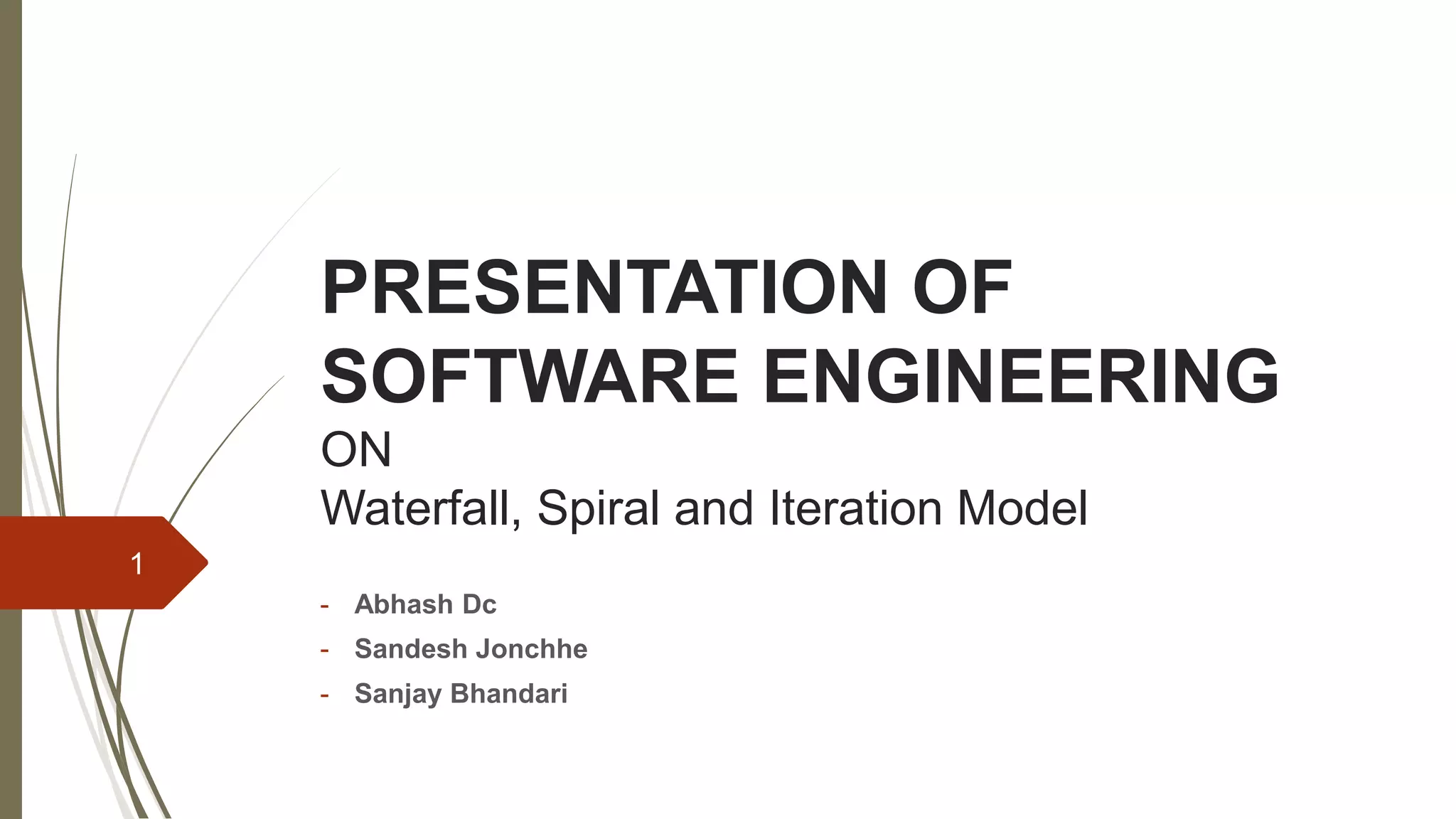
WATERFALL MODEL
-Sandesh Jonchhe
2
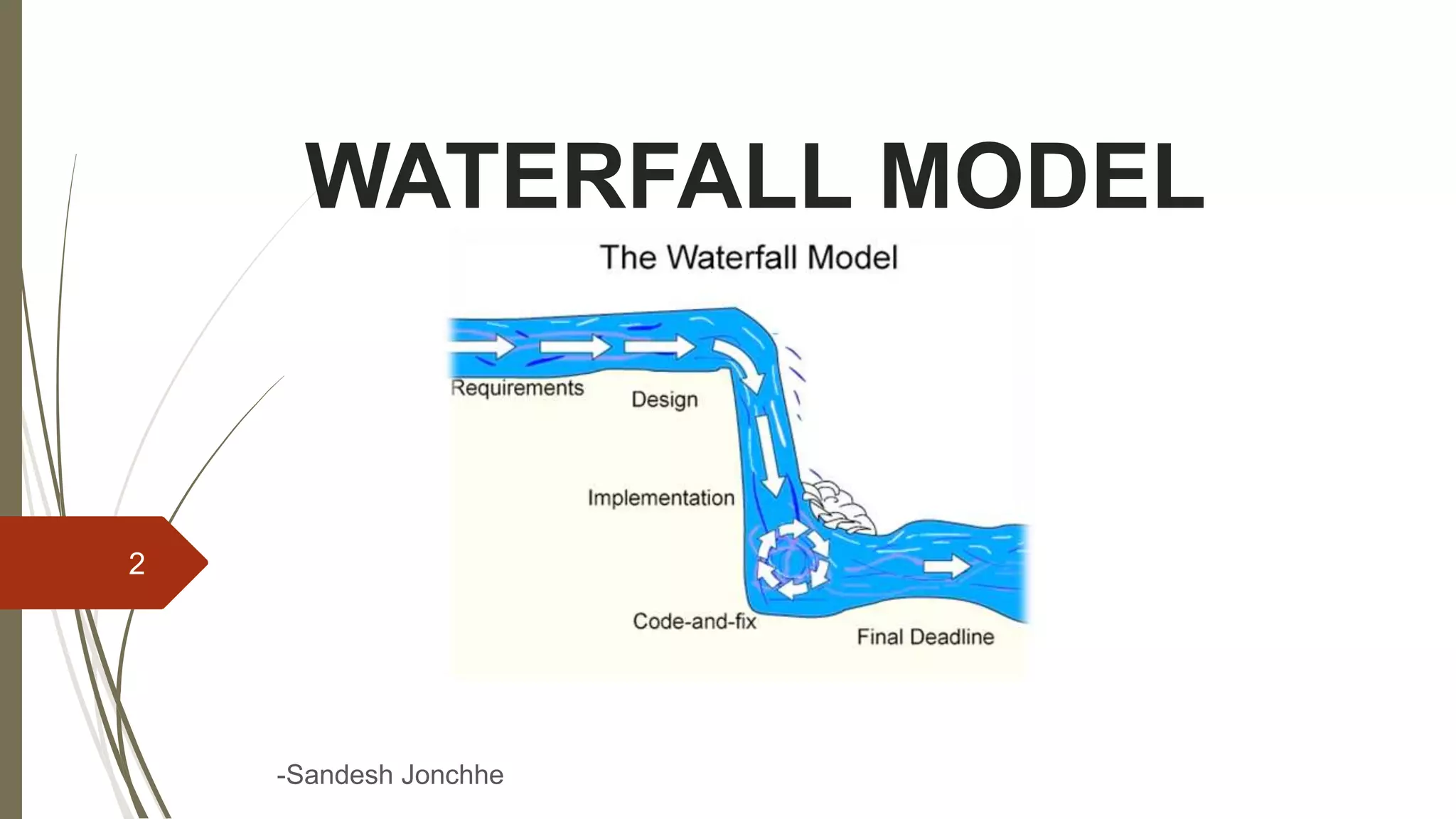
WATERFALL MODEL
 Alternative to SDLC
 Most basic lifecycle model
 Is a sequential software development model
 Development is seen as flowing steadily downwards(like waterfall) through
several phases
 In this model whole application is developed in a sequential approach
 Each phase must be completed fully before the next phase begin
3
4
HISTORY
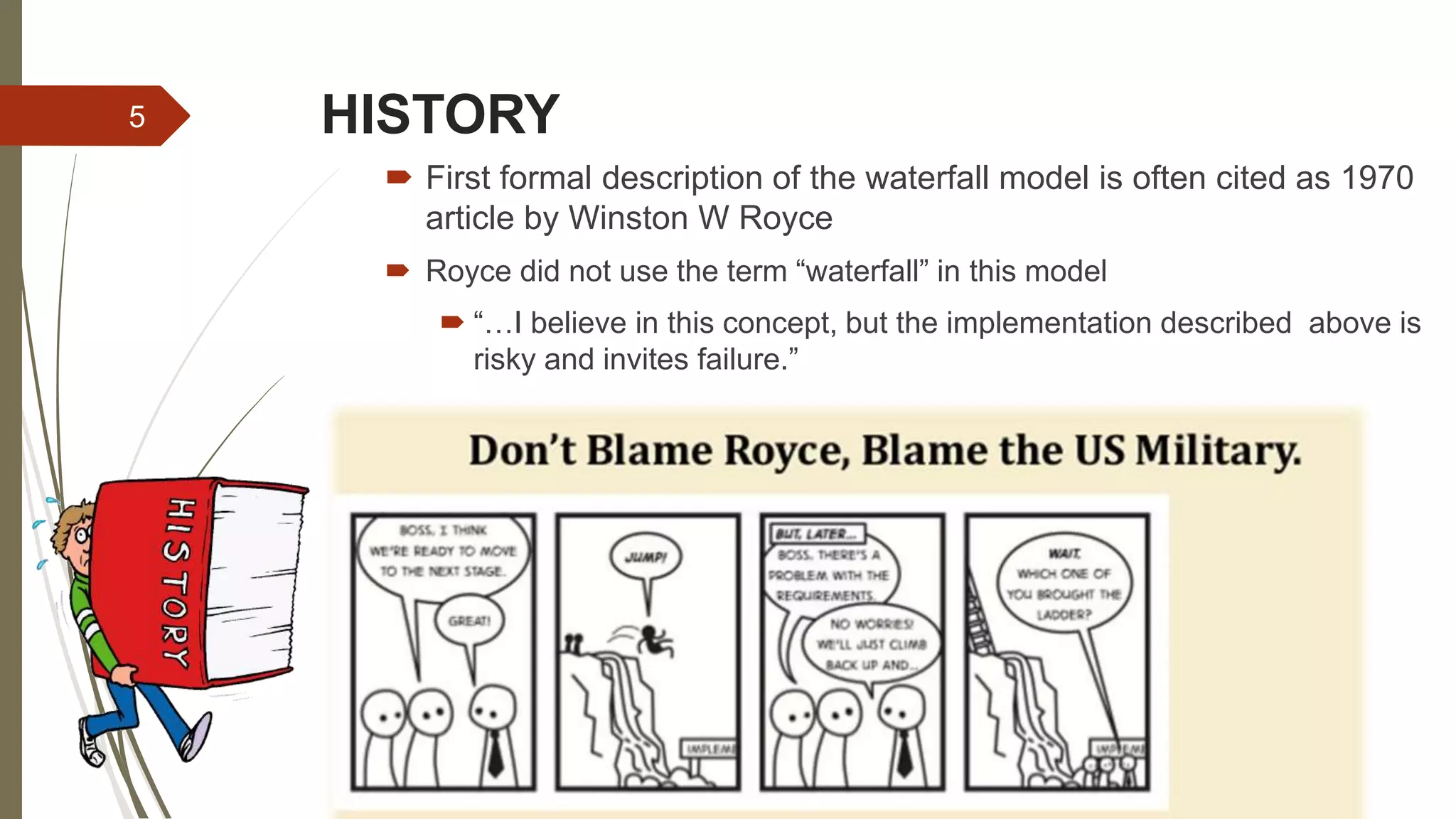
 First formal description of the waterfall model is often cited as 1970
article by Winston W Royce
 Royce did not use the term “waterfall” in this model
 “…I believe in this concept, but the implementation described above is
risky and invites failure.”
5
WHEN TO USE
 Requirements are very well known, clear and fixed
 Product definition is stable
 Technology is understood
 There are no ambiguous requirements
 The project is short
6
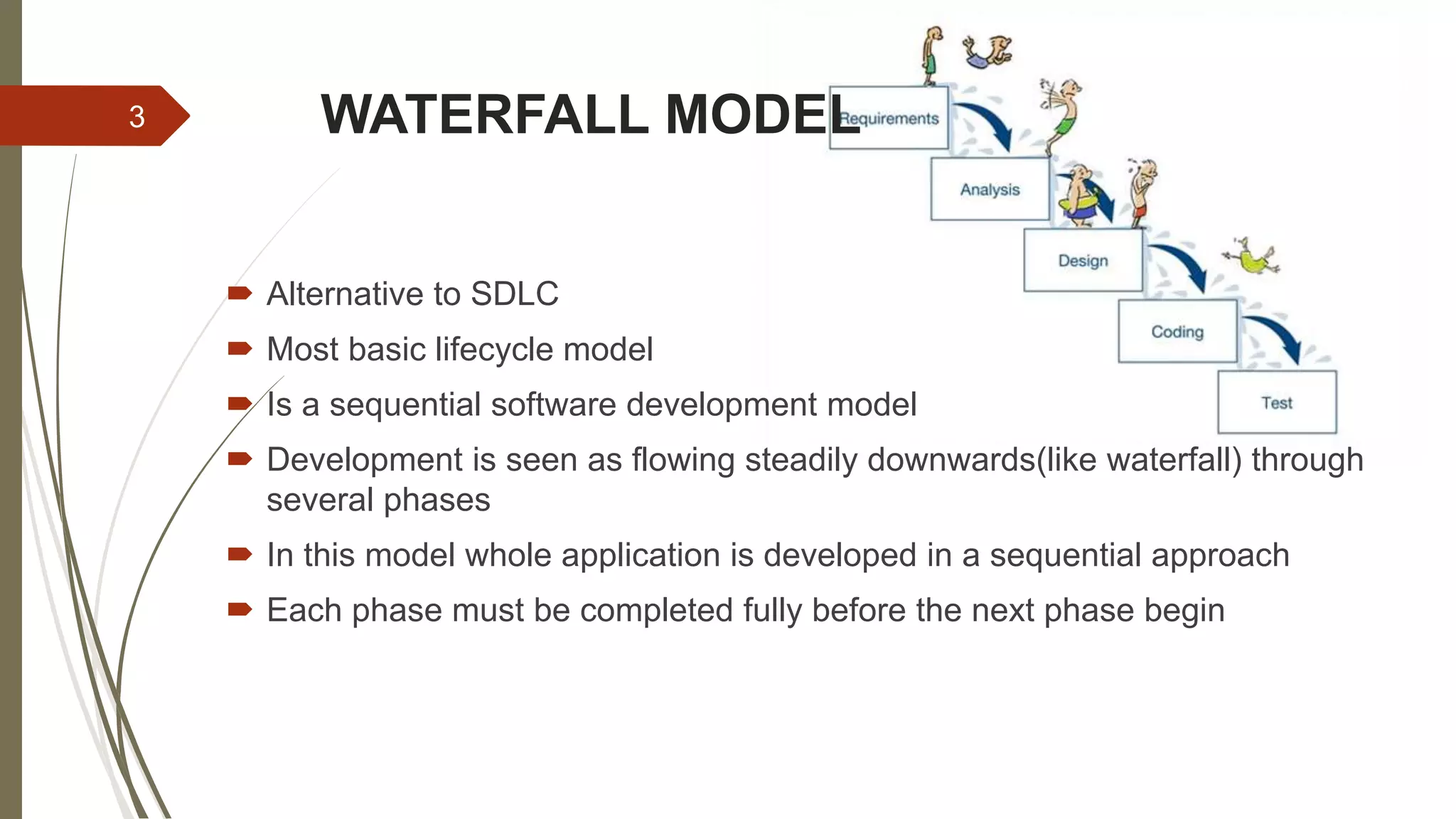
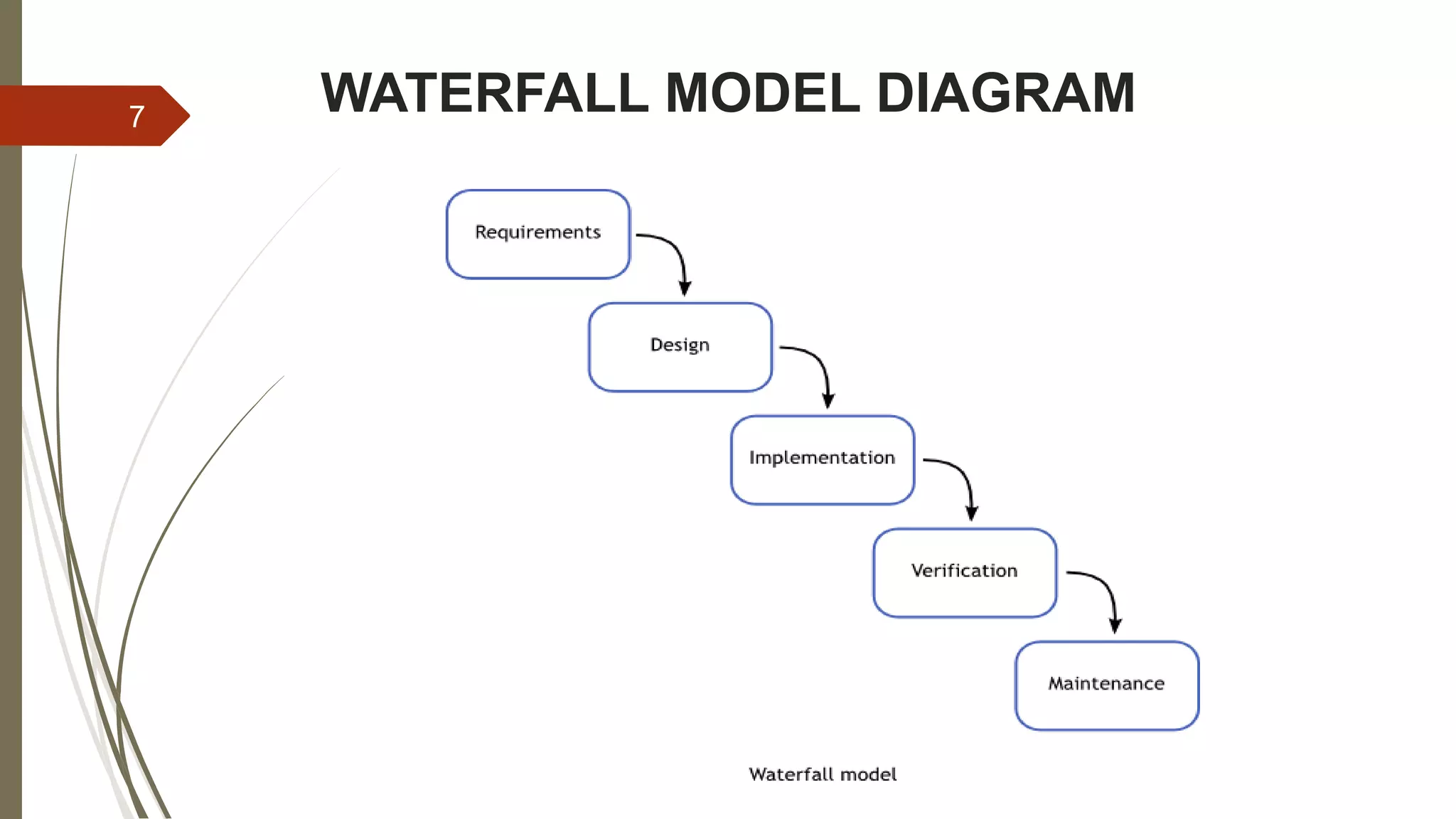
WATERFALL MODEL DIAGRAM7
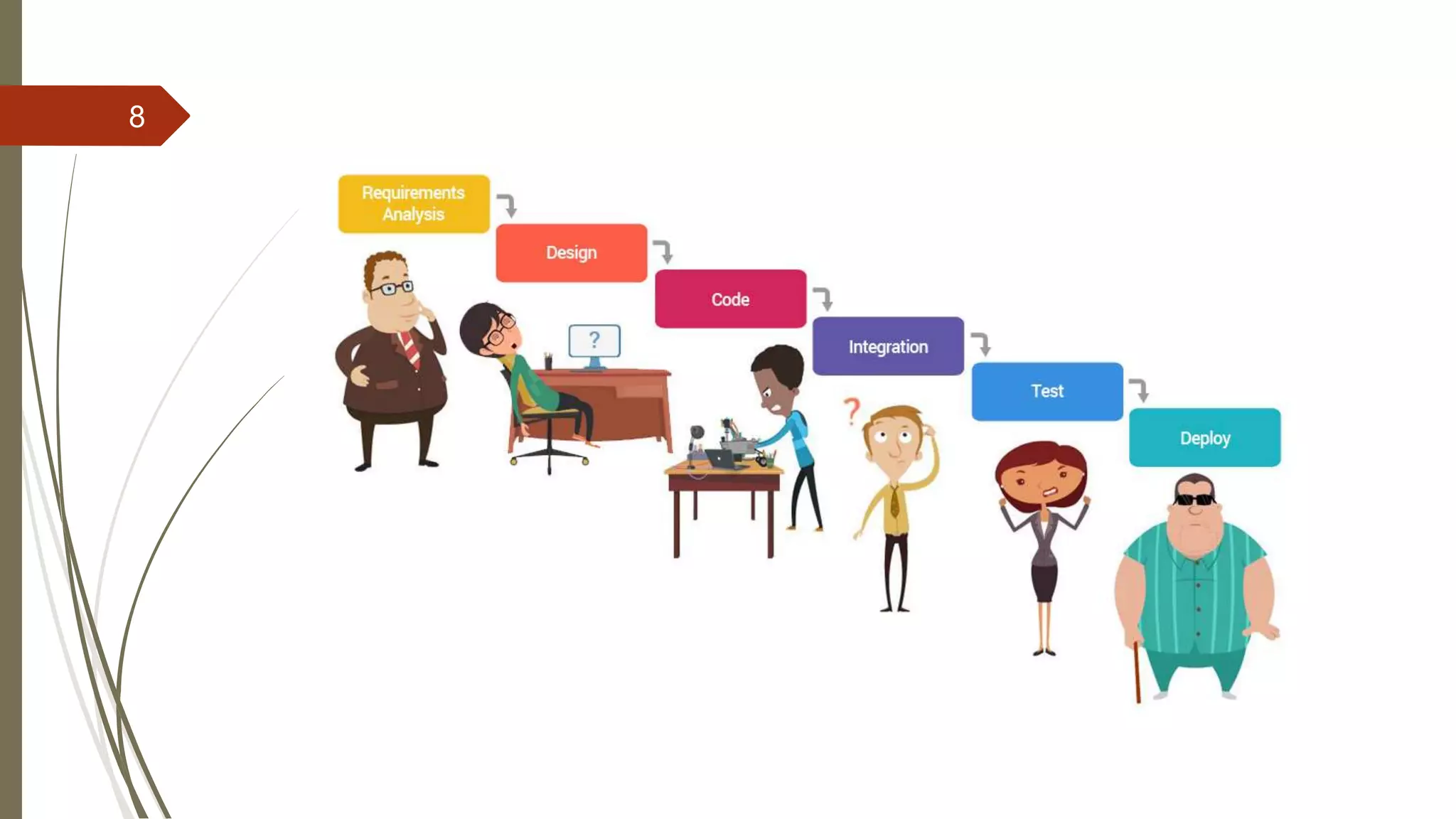
8
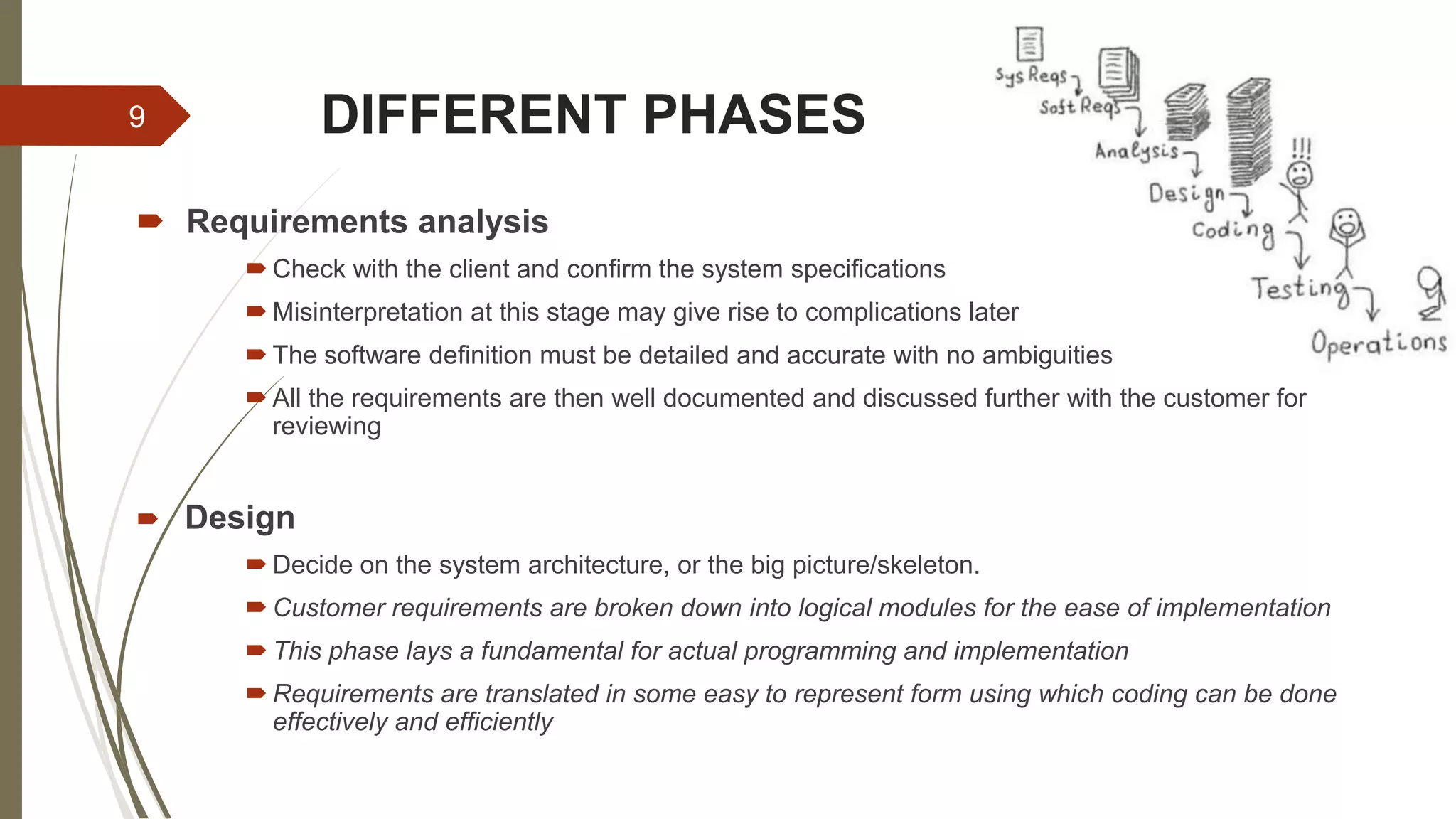
DIFFERENT PHASES
 Requirements analysis
 Check with the client and confirm the system specifications
 Misinterpretation at this stage may give rise to complications later
 The software definition must be detailed and accurate with no ambiguities
 All the requirements are then well documented and discussed further with the customer for
reviewing
 Design
 Decide on the system architecture, or the big picture/skeleton.
 Customer requirements are broken down into logical modules for the ease of implementation
 This phase lays a fundamental for actual programming and implementation
 Requirements are translated in some easy to represent form using which coding can be done
effectively and efficiently
9
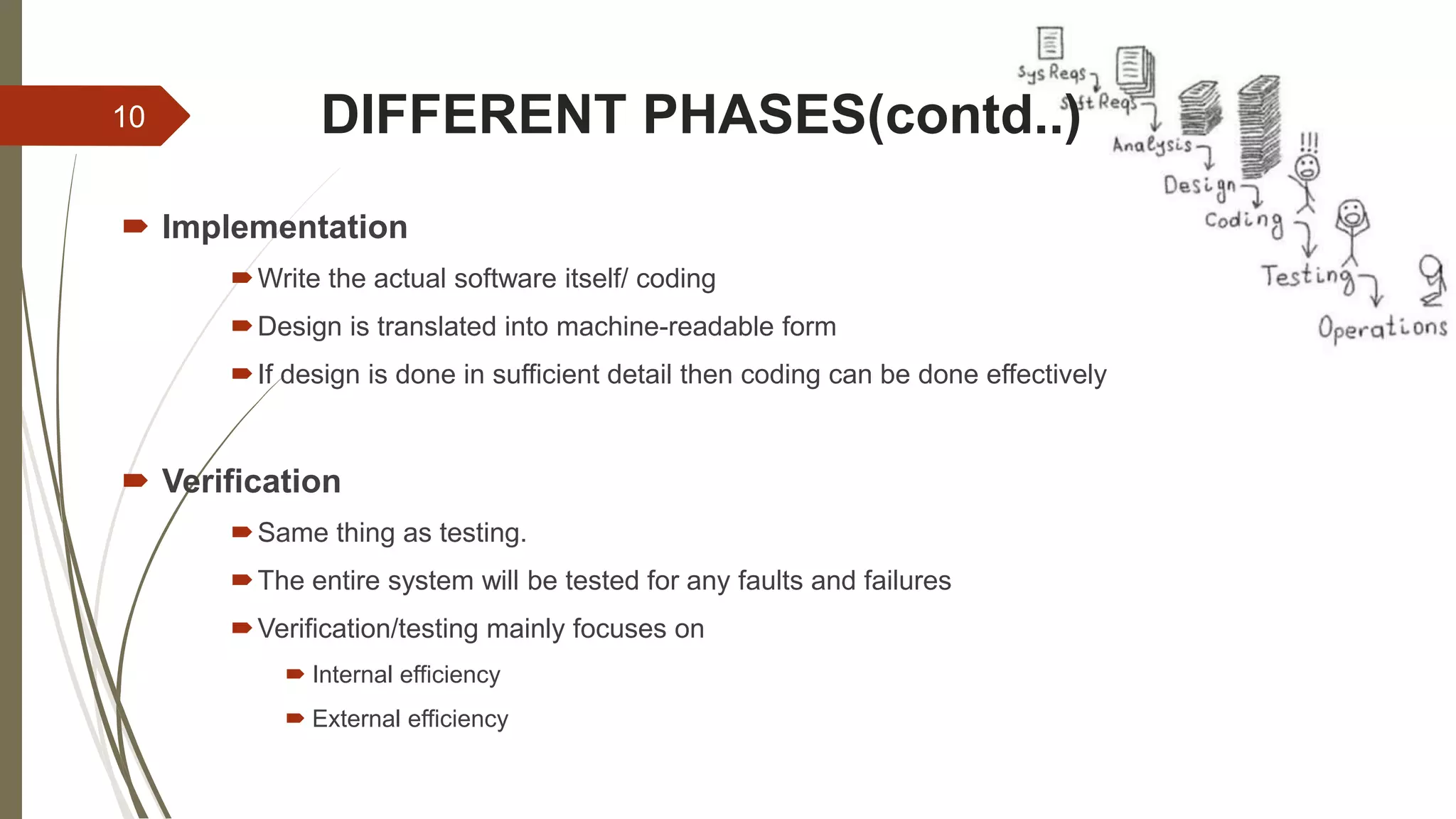
DIFFERENT PHASES(contd..)
 Implementation
Write the actual software itself/ coding
Design is translated into machine-readable form
If design is done in sufficient detail then coding can be done effectively
 Verification
Same thing as testing.
The entire system will be tested for any faults and failures
Verification/testing mainly focuses on
 Internal efficiency
 External efficiency
10
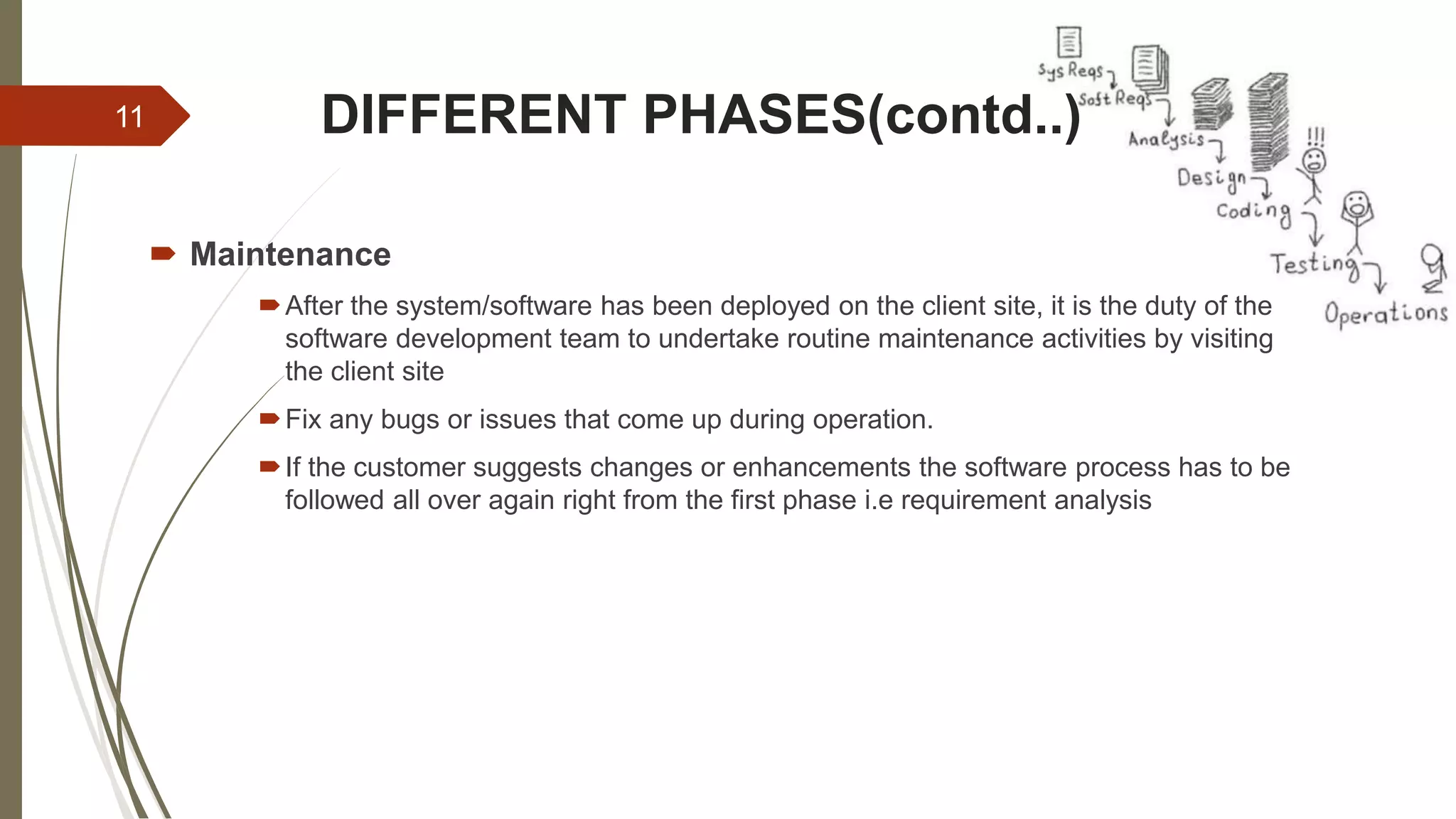
DIFFERENT PHASES(contd..)
 Maintenance
After the system/software has been deployed on the client site, it is the duty of the
software development team to undertake routine maintenance activities by visiting
the client site
Fix any bugs or issues that come up during operation.
If the customer suggests changes or enhancements the software process has to be
followed all over again right from the first phase i.e requirement analysis
11
ADVANTAGES
 Simple and easy to understand and use
 Easy to manage due to the rigidity of the model
 Phases are processed and completed one at a time
 Works well for smaller projects where requirements are very well
understood
 Implementers have to follow the design accurately
 As everything is documented a new team member can easily understand
what is to be done
12
DISADVANTAGES
 You cannot go back a step; if the design phase has gone wrong, things
can get very complicated in the implementation phase
 High amounts of risk and uncertainty
 Not a good model for complex and object oriented projects
 Poor model for long and on-going projects
 Not suitable for the projects where requirements are at a moderate to
high risk of changing
 Customer can see the working model of the project only at the end
13
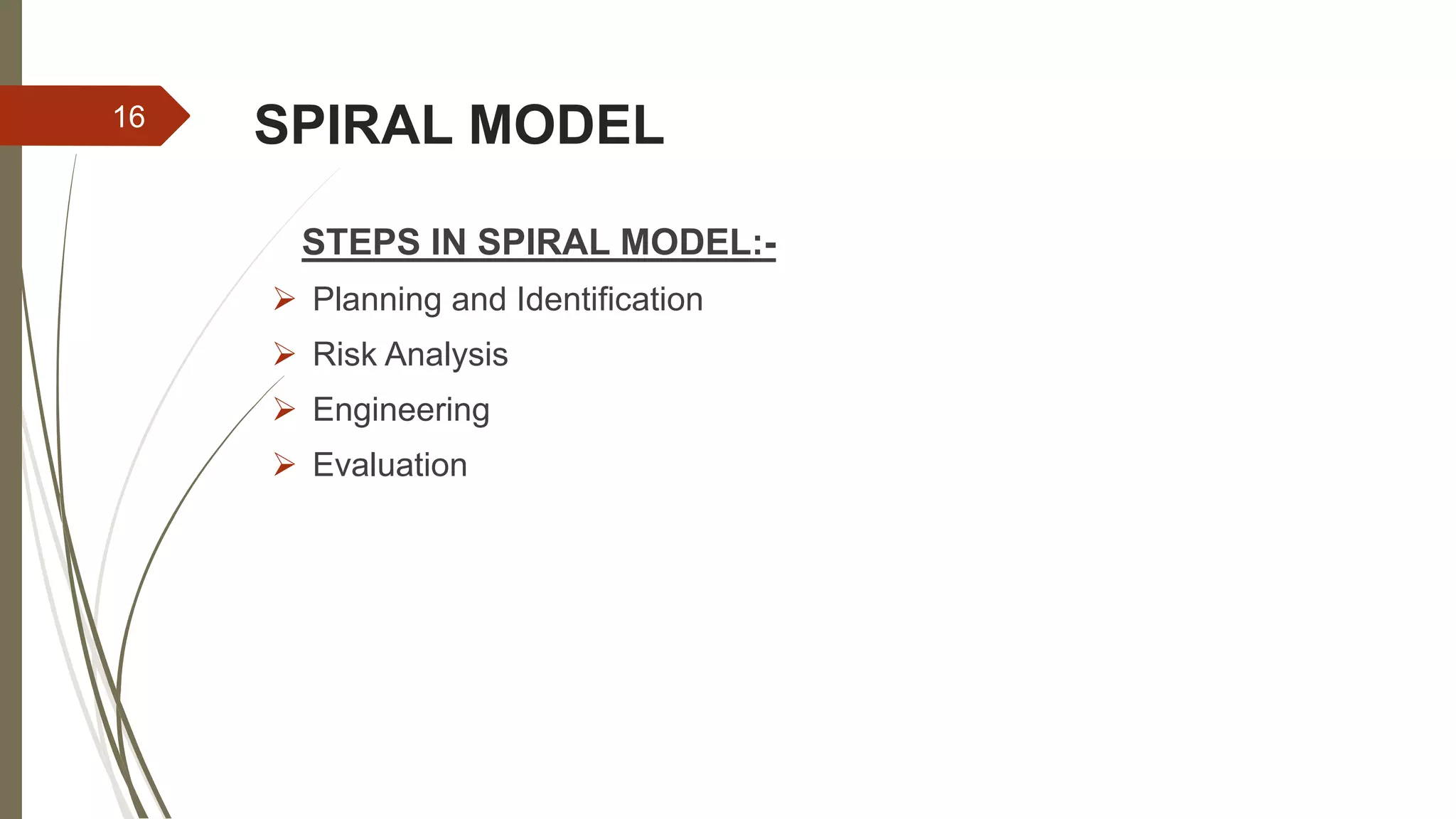
SPIRAL MODEL
-Sanjay Bhandari
14
SPIRAL MODEL
 The spiral model, also known as the spiral lifecycle model, is a systems
development model used in information technology (IT).
 This model of development combines the features of the prototyping model
and the waterfall model.
 The spiral model is favored for large, expensive, and complicated projects.
15
SPIRAL MODEL
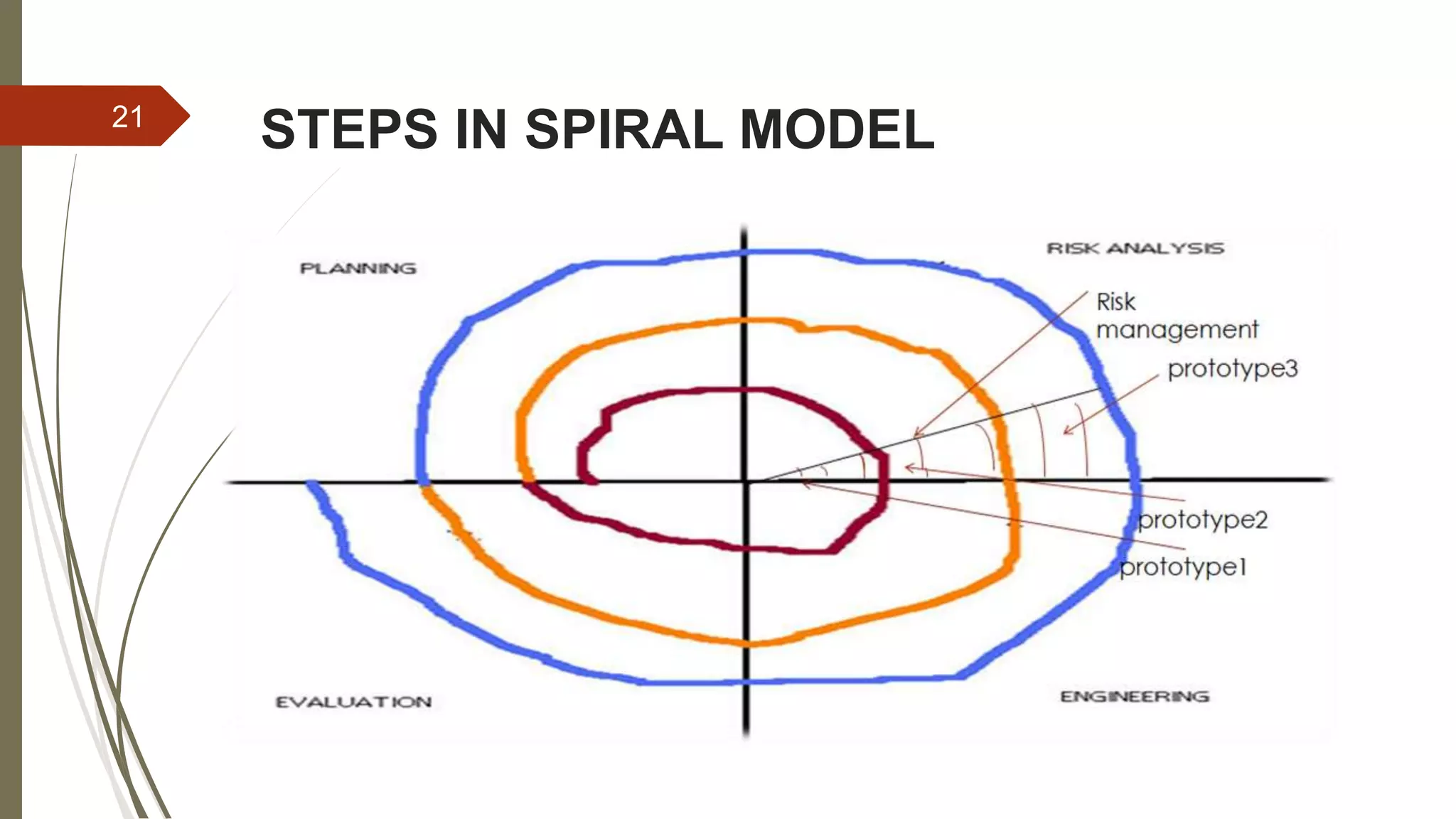
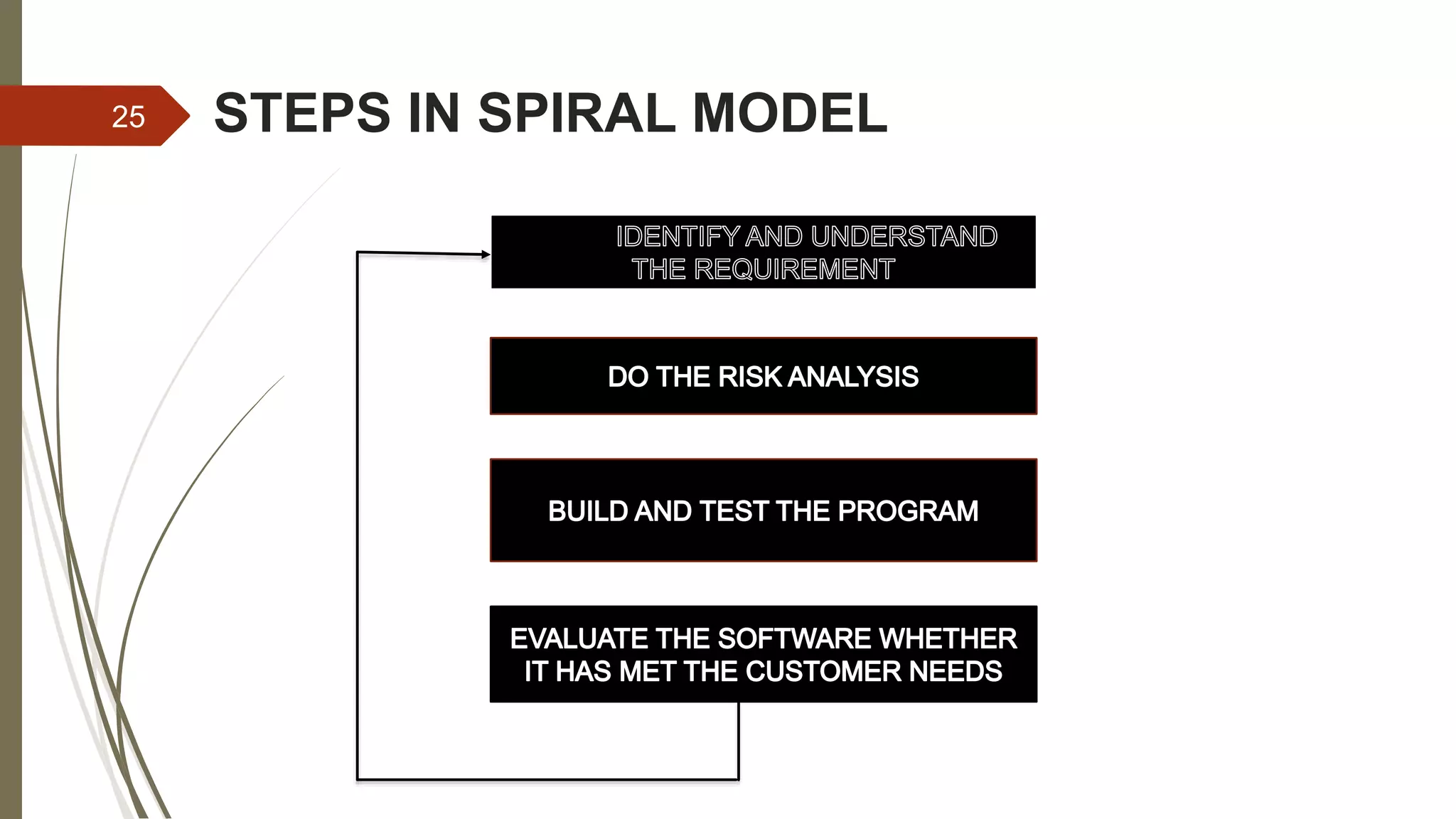
STEPS IN SPIRAL MODEL:-
 Planning and Identification
 Risk Analysis
 Engineering
 Evaluation
16
STEPS IN SPIRAL MODEL
 Planning and Identification
 This phase starts with gathering the business requirements in the baseline spiral.
In the subsequent spirals as the product matures, identification of system
requirements, subsystem requirements and unit requirements are all done in this
phase.
 This phase also includes understanding the system requirements by continuous
communication between the customer and the system analyst. At the end of the
spiral, the product is deployed in the identified market.
 Determining objectives,alternatives,constraints
 Objectives: functionality,performance,hardware/software interface,critical success
factor
 Alternatives: build,reuse,buy,sub-contract etc.
 Constraints:cost,schedule,interface etc.
17
STEPS IN SPIRAL MODEL
 Risk Analysis
 Study alternatives related to objective and constraints.
 Requirements are studied and brain storming sessions are done to
identify the potential risks (lack of experience,new technology,tight
schedules,poor process)
 Once the risks are identified , risk mitigation strategy is planned and
finalized
18
STEPS IN SPIRAL MODEL
 Construct or Engineering
 Next level prototype are developed
 The Construct phase refers to production of the actual software
product at every spiral.
 Typical activities:
o Create a design
o Review design
o Develop code
o Inspect code
o Test product
19
STEPS IN SPIRAL MODEL
 Evaluation (plan for next phase)
 Customers evaluate the software and provide their feedback and approval.
 Develop project plan
 Develop configuration management plan
 Develop test plan
 Develop installation plan.
20
STEPS IN SPIRAL MODEL21
STEPS IN SPIRAL MODEL
 The steps in the spiral model can be generalized as follows:
 The new system requirements are defined in as much detail as possible. This
usually involves interviewing a number of users representing all the external or
internal users and other aspects of the existing system.
 A preliminary design is created for the new system.
 A first prototype of the new system is constructed from the preliminary design.
This is usually a scaled-down system, and represents an approximation of the
characteristics of the final product.
22
STEPS IN SPIRAL MODEL
 A second prototype is evolved by a fourfold procedure: (1) evaluating the first
prototype in terms of its strengths, weaknesses, and risks; (2) defining the
requirements of the second prototype; (3) planning and designing the second
prototype; (4) constructing and testing the second prototype.
 At the customer's option, the entire project can be aborted if the risk is deemed too
great. Risk factors might involve development cost overruns, operating-cost
miscalculation, or any other factor that could, in the customer's judgment, result in a
less-than-satisfactory final product.
23
STEPS IN SPIRAL MODEL
 The existing prototype is evaluated in the same manner as was the previous
prototype, and, if necessary, another prototype is developed from it according to the
fourfold procedure outlined above.
 The preceding steps are iterated until the customer is satisfied that the refined
prototype represents the final product desired.
 The final system is constructed, based on the refined prototype.
 The final system is thoroughly evaluated and tested. Routine maintenance is carried
out on a continuing basis to prevent large-scale failures and to minimize downtime.
24
STEPS IN SPIRAL MODEL
IDISISI
25
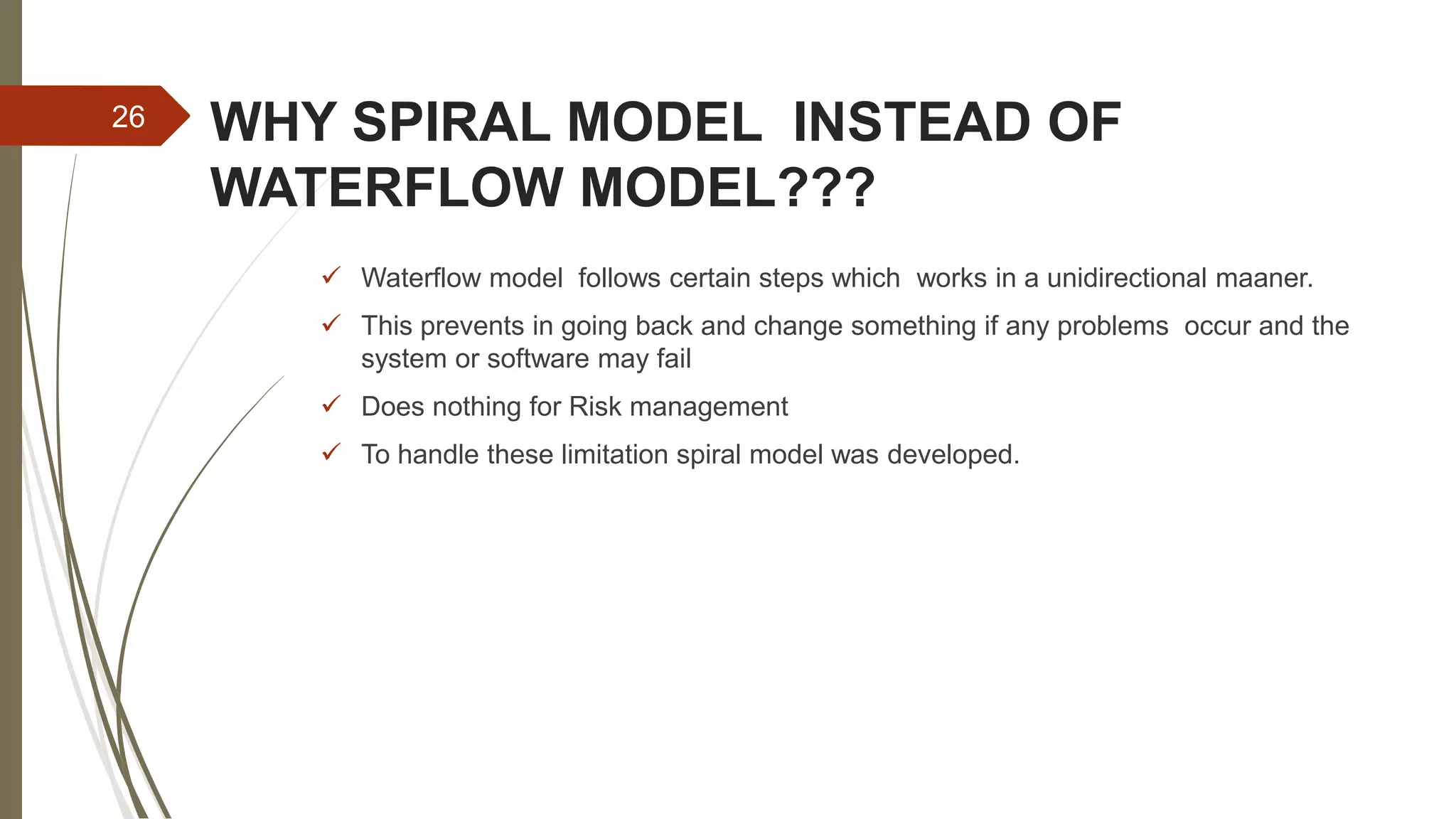
WHY SPIRAL MODEL INSTEAD OF
WATERFLOW MODEL???
 Waterflow model follows certain steps which works in a unidirectional maaner.
 This prevents in going back and change something if any problems occur and the
system or software may fail
 Does nothing for Risk management
 To handle these limitation spiral model was developed.
26
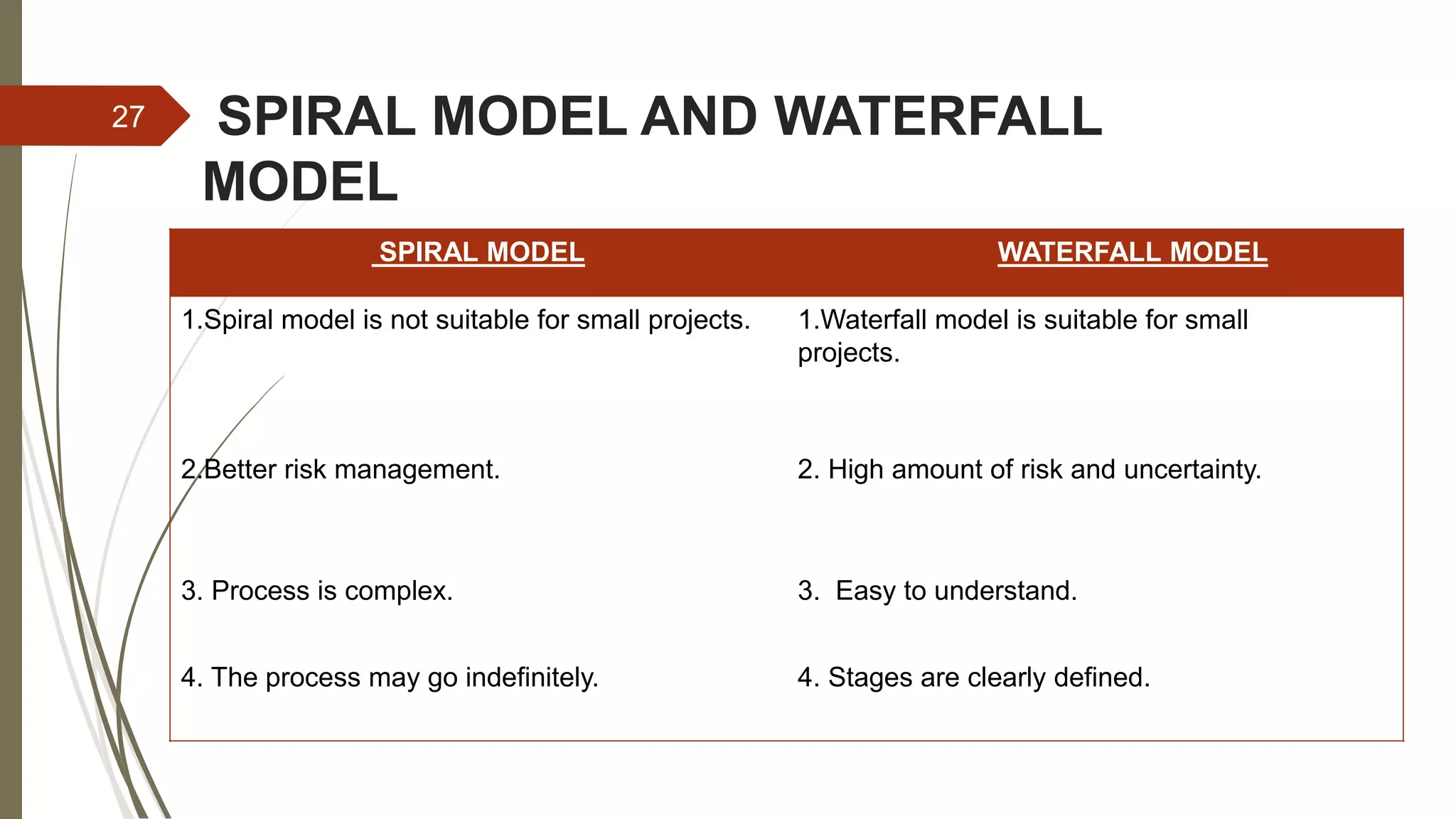
SPIRAL MODEL AND WATERFALL
MODEL
SPIRAL MODEL WATERFALL MODEL
1.Spiral model is not suitable for small projects. 1.Waterfall model is suitable for small
projects.
2.Better risk management. 2. High amount of risk and uncertainty.
3. Process is complex. 3. Easy to understand.
4. The process may go indefinitely. 4. Stages are clearly defined.
27
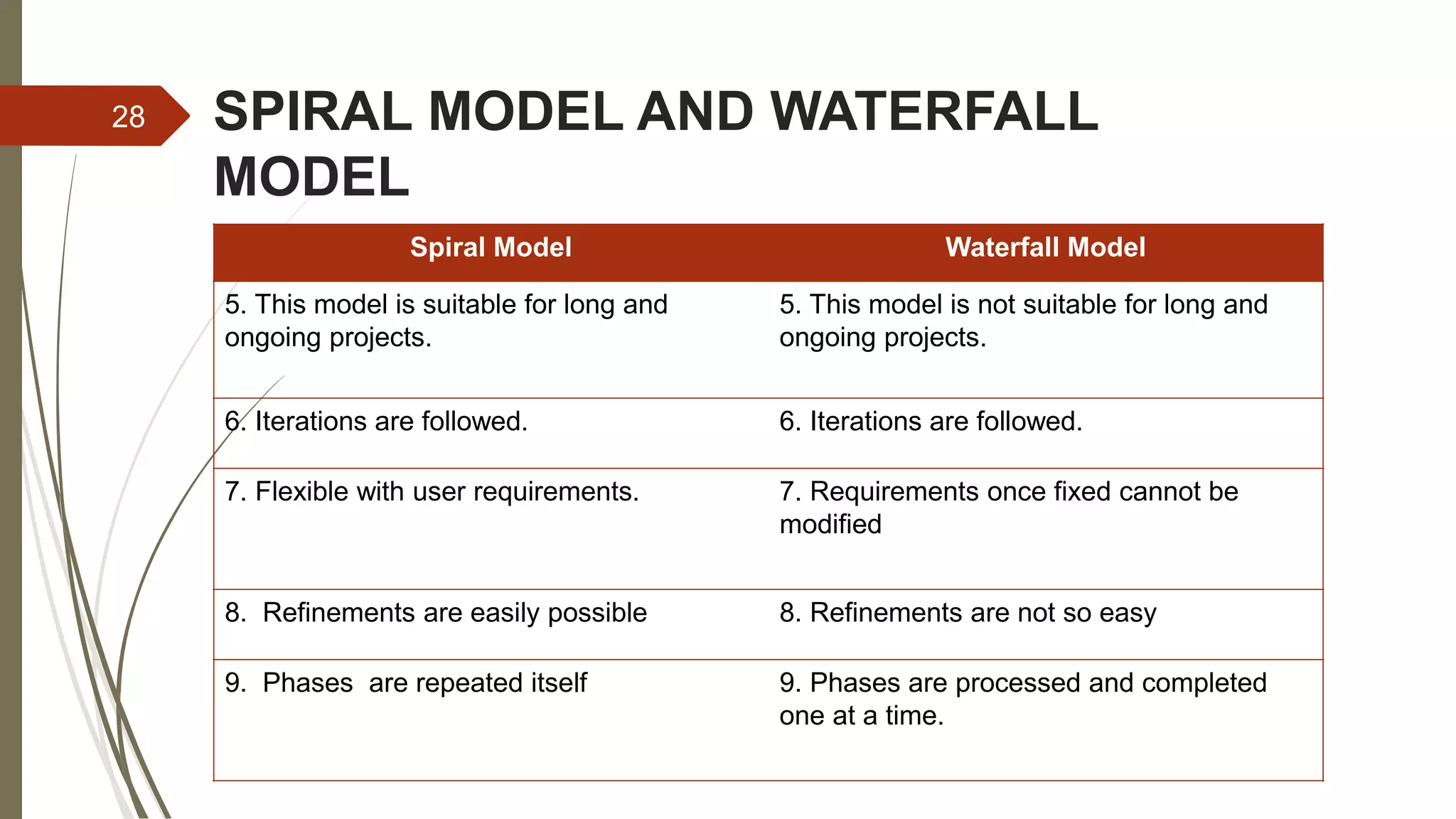
SPIRAL MODEL AND WATERFALL
MODEL
Spiral Model Waterfall Model
5. This model is suitable for long and
ongoing projects.
5. This model is not suitable for long and
ongoing projects.
6. Iterations are followed. 6. Iterations are followed.
7. Flexible with user requirements. 7. Requirements once fixed cannot be
modified
8. Refinements are easily possible 8. Refinements are not so easy
9. Phases are repeated itself 9. Phases are processed and completed
one at a time.
28
ITERATIVE
MODEL
Abhash DC
29
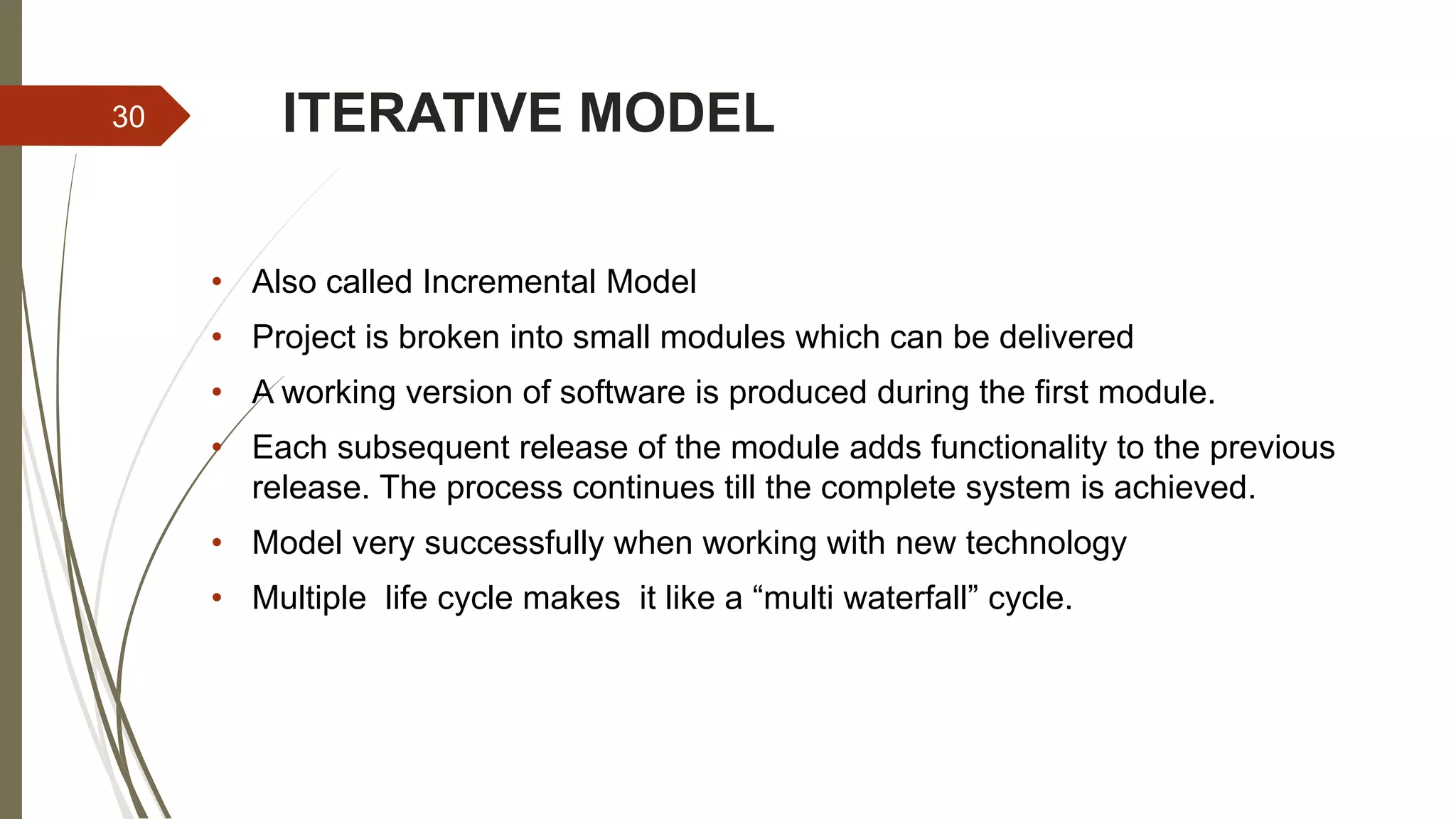
ITERATIVE MODEL
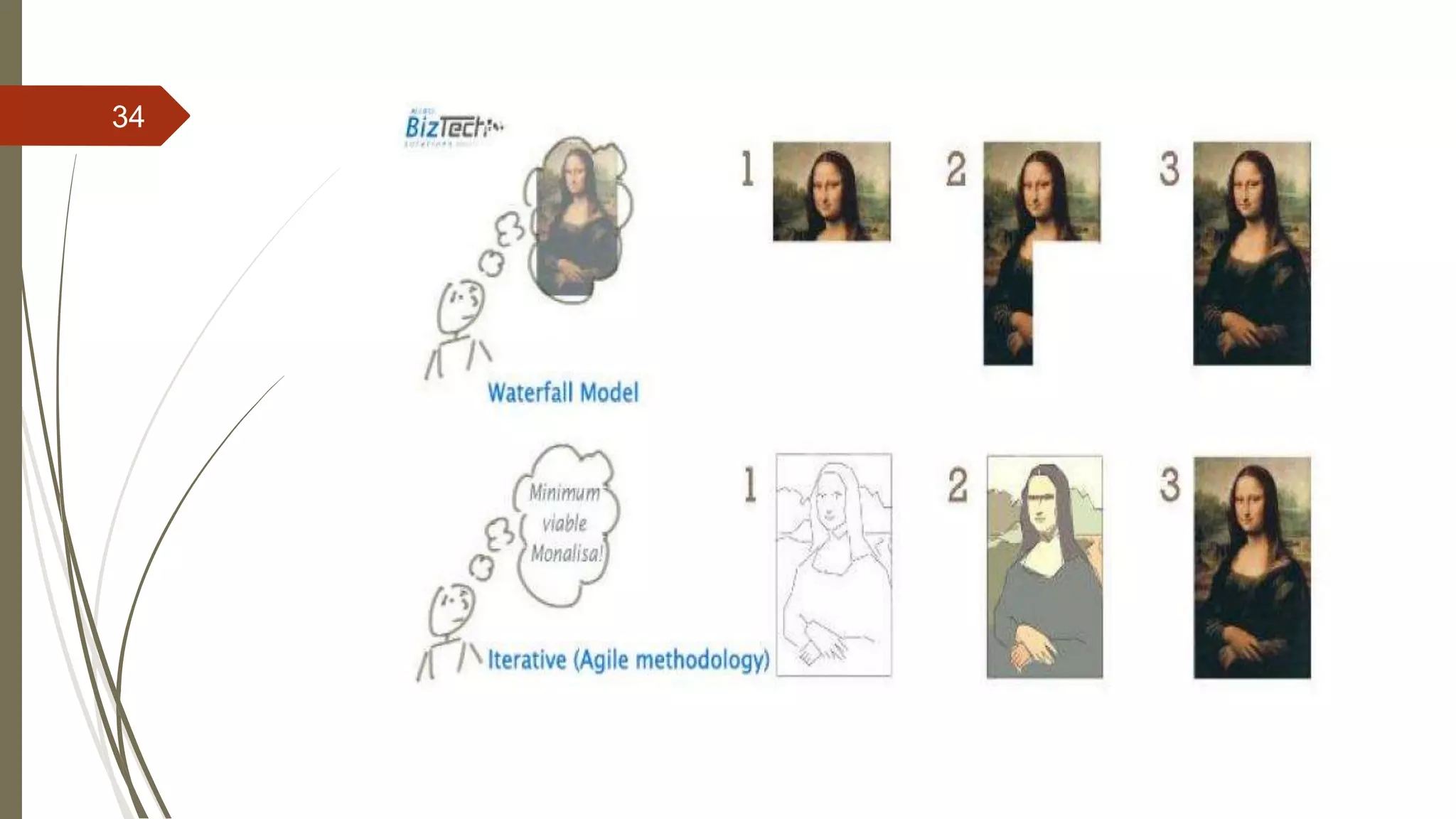
• Also called Incremental Model
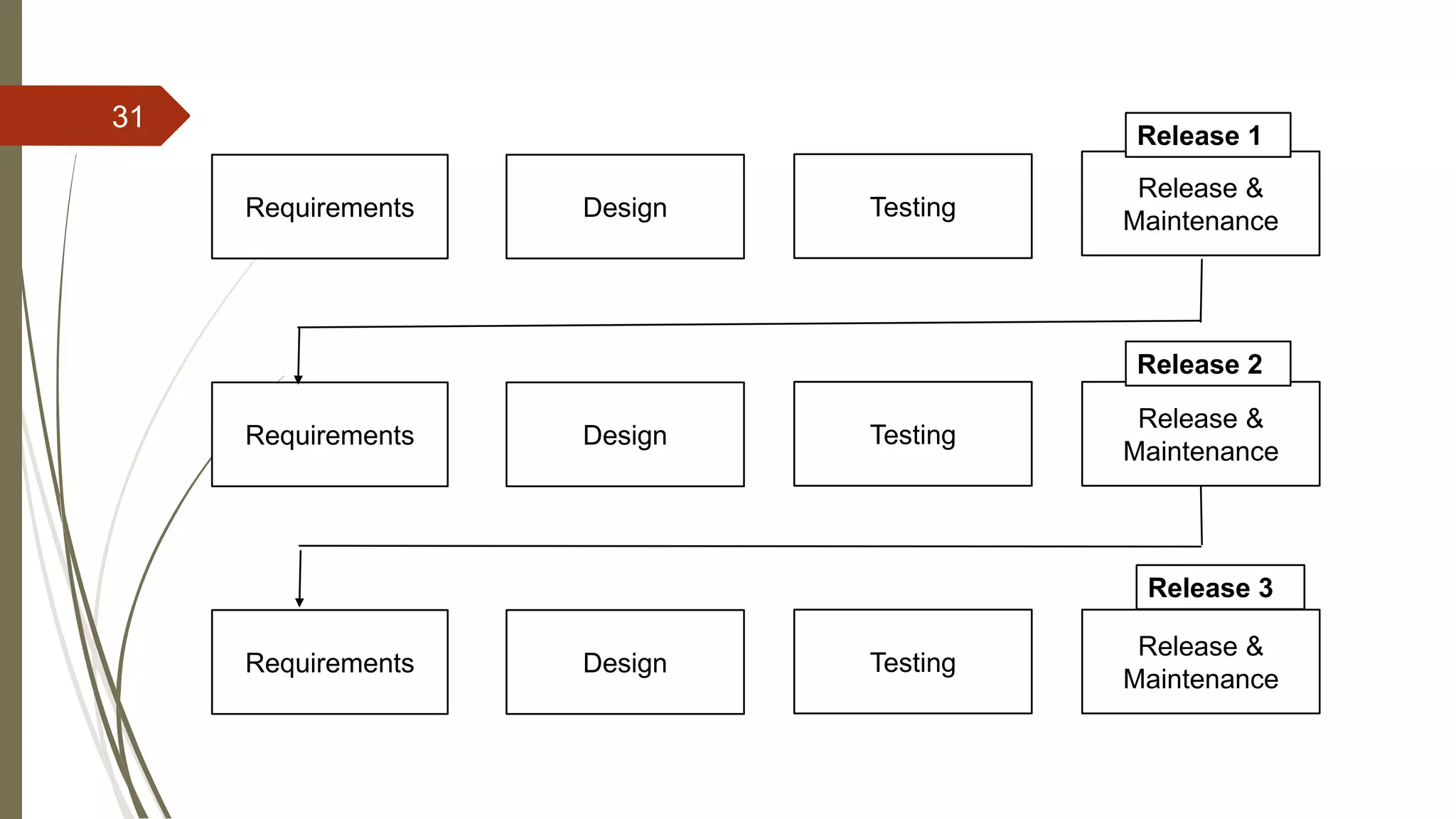
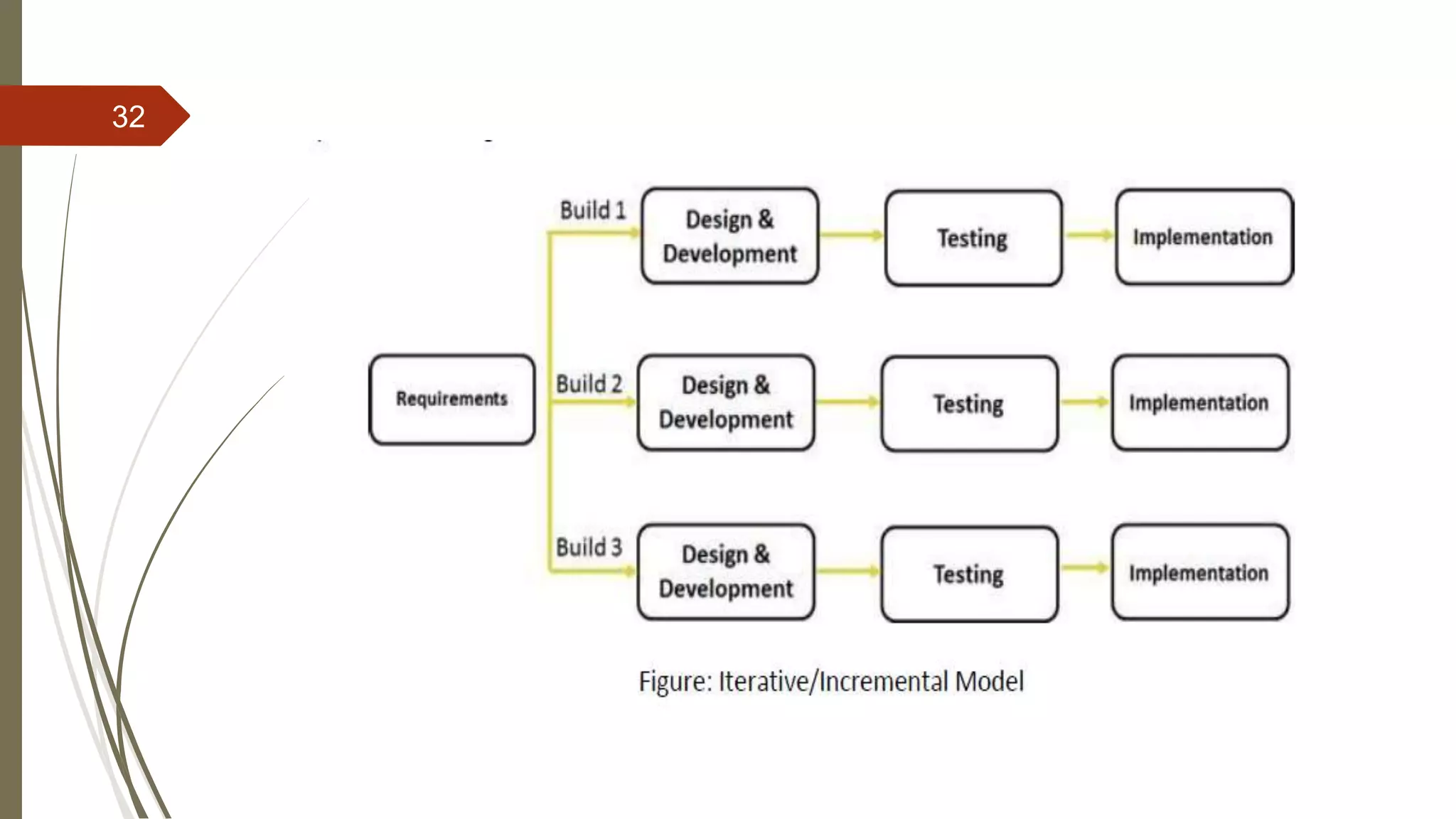
• Project is broken into small modules which can be delivered
• A working version of software is produced during the first module.
• Each subsequent release of the module adds functionality to the previous
release. The process continues till the complete system is achieved.
• Model very successfully when working with new technology
• Multiple life cycle makes it like a “multi waterfall” cycle.
30
31
Requirements Design Testing
Release &
Maintenance
Requirements Design Testing
Release &
Maintenance
Requirements Design Testing
Release &
Maintenance
Release 1
Release 2
Release 3
32
33
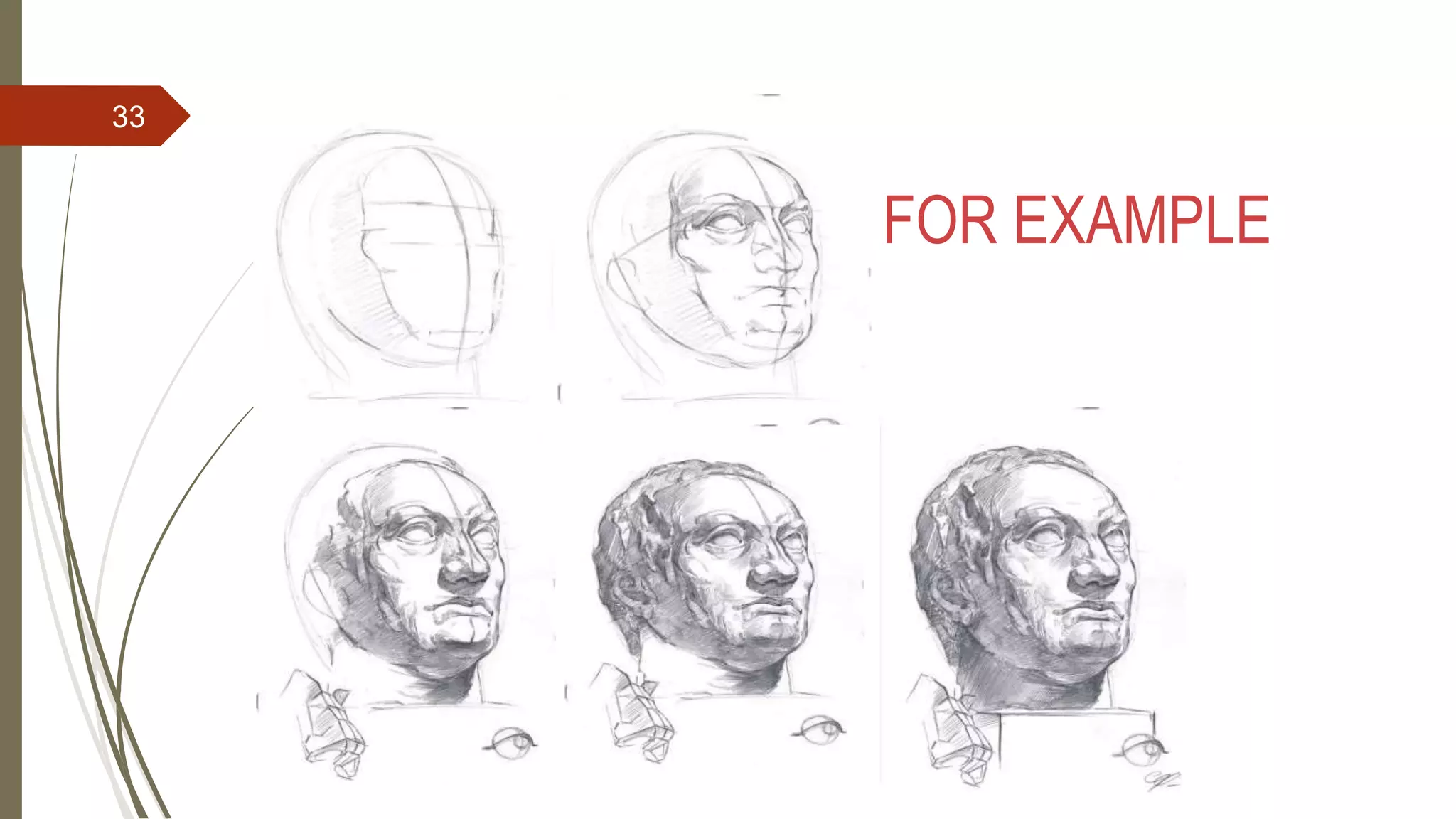
FOR EXAMPLE
34
WHEN TO USE?
 Requirement of the main system are clearly defined and understood
 When the project is big
 Major requirement must be defined ; however, some details can evolve
with time
35
ADVANTAGES36
• Software is produced early which facilitates customer evaluation and feedback
• Less costly to change requirements as compared to other models
• Easier to develop and test when iterations are small
• Customer can give his feedback during developing stage
• With every increment, operational product is delivered.
• Better suited for large and mission critical projects
DISADVANTAGES
• Comparatively more resources are required
• Costly system architecture or design issues may arise because not all
requirements are gathered up front for the entire lifecycle
• Cost is higher than Waterfall model
• Not suitable for smaller project
37
THANK YOU
38

Waterfall, Spiral and iterative model

  • 1.
    PRESENTATION OF SOFTWARE ENGINEERING ON Waterfall,Spiral and Iteration Model - Abhash Dc - Sandesh Jonchhe - Sanjay Bhandari 1
  • 2.
  • 3.
    WATERFALL MODEL  Alternativeto SDLC  Most basic lifecycle model  Is a sequential software development model  Development is seen as flowing steadily downwards(like waterfall) through several phases  In this model whole application is developed in a sequential approach  Each phase must be completed fully before the next phase begin 3
  • 4.
  • 5.
    HISTORY  First formaldescription of the waterfall model is often cited as 1970 article by Winston W Royce  Royce did not use the term “waterfall” in this model  “…I believe in this concept, but the implementation described above is risky and invites failure.” 5
  • 6.
    WHEN TO USE Requirements are very well known, clear and fixed  Product definition is stable  Technology is understood  There are no ambiguous requirements  The project is short 6
  • 7.
  • 8.
  • 9.
    DIFFERENT PHASES  Requirementsanalysis  Check with the client and confirm the system specifications  Misinterpretation at this stage may give rise to complications later  The software definition must be detailed and accurate with no ambiguities  All the requirements are then well documented and discussed further with the customer for reviewing  Design  Decide on the system architecture, or the big picture/skeleton.  Customer requirements are broken down into logical modules for the ease of implementation  This phase lays a fundamental for actual programming and implementation  Requirements are translated in some easy to represent form using which coding can be done effectively and efficiently 9
  • 10.
    DIFFERENT PHASES(contd..)  Implementation Writethe actual software itself/ coding Design is translated into machine-readable form If design is done in sufficient detail then coding can be done effectively  Verification Same thing as testing. The entire system will be tested for any faults and failures Verification/testing mainly focuses on  Internal efficiency  External efficiency 10
  • 11.
    DIFFERENT PHASES(contd..)  Maintenance Afterthe system/software has been deployed on the client site, it is the duty of the software development team to undertake routine maintenance activities by visiting the client site Fix any bugs or issues that come up during operation. If the customer suggests changes or enhancements the software process has to be followed all over again right from the first phase i.e requirement analysis 11
  • 12.
    ADVANTAGES  Simple andeasy to understand and use  Easy to manage due to the rigidity of the model  Phases are processed and completed one at a time  Works well for smaller projects where requirements are very well understood  Implementers have to follow the design accurately  As everything is documented a new team member can easily understand what is to be done 12
  • 13.
    DISADVANTAGES  You cannotgo back a step; if the design phase has gone wrong, things can get very complicated in the implementation phase  High amounts of risk and uncertainty  Not a good model for complex and object oriented projects  Poor model for long and on-going projects  Not suitable for the projects where requirements are at a moderate to high risk of changing  Customer can see the working model of the project only at the end 13
  • 14.
  • 15.
    SPIRAL MODEL  Thespiral model, also known as the spiral lifecycle model, is a systems development model used in information technology (IT).  This model of development combines the features of the prototyping model and the waterfall model.  The spiral model is favored for large, expensive, and complicated projects. 15
  • 16.
    SPIRAL MODEL STEPS INSPIRAL MODEL:-  Planning and Identification  Risk Analysis  Engineering  Evaluation 16
  • 17.
    STEPS IN SPIRALMODEL  Planning and Identification  This phase starts with gathering the business requirements in the baseline spiral. In the subsequent spirals as the product matures, identification of system requirements, subsystem requirements and unit requirements are all done in this phase.  This phase also includes understanding the system requirements by continuous communication between the customer and the system analyst. At the end of the spiral, the product is deployed in the identified market.  Determining objectives,alternatives,constraints  Objectives: functionality,performance,hardware/software interface,critical success factor  Alternatives: build,reuse,buy,sub-contract etc.  Constraints:cost,schedule,interface etc. 17
  • 18.
    STEPS IN SPIRALMODEL  Risk Analysis  Study alternatives related to objective and constraints.  Requirements are studied and brain storming sessions are done to identify the potential risks (lack of experience,new technology,tight schedules,poor process)  Once the risks are identified , risk mitigation strategy is planned and finalized 18
  • 19.
    STEPS IN SPIRALMODEL  Construct or Engineering  Next level prototype are developed  The Construct phase refers to production of the actual software product at every spiral.  Typical activities: o Create a design o Review design o Develop code o Inspect code o Test product 19
  • 20.
    STEPS IN SPIRALMODEL  Evaluation (plan for next phase)  Customers evaluate the software and provide their feedback and approval.  Develop project plan  Develop configuration management plan  Develop test plan  Develop installation plan. 20
  • 21.
  • 22.
    STEPS IN SPIRALMODEL  The steps in the spiral model can be generalized as follows:  The new system requirements are defined in as much detail as possible. This usually involves interviewing a number of users representing all the external or internal users and other aspects of the existing system.  A preliminary design is created for the new system.  A first prototype of the new system is constructed from the preliminary design. This is usually a scaled-down system, and represents an approximation of the characteristics of the final product. 22
  • 23.
    STEPS IN SPIRALMODEL  A second prototype is evolved by a fourfold procedure: (1) evaluating the first prototype in terms of its strengths, weaknesses, and risks; (2) defining the requirements of the second prototype; (3) planning and designing the second prototype; (4) constructing and testing the second prototype.  At the customer's option, the entire project can be aborted if the risk is deemed too great. Risk factors might involve development cost overruns, operating-cost miscalculation, or any other factor that could, in the customer's judgment, result in a less-than-satisfactory final product. 23
  • 24.
    STEPS IN SPIRALMODEL  The existing prototype is evaluated in the same manner as was the previous prototype, and, if necessary, another prototype is developed from it according to the fourfold procedure outlined above.  The preceding steps are iterated until the customer is satisfied that the refined prototype represents the final product desired.  The final system is constructed, based on the refined prototype.  The final system is thoroughly evaluated and tested. Routine maintenance is carried out on a continuing basis to prevent large-scale failures and to minimize downtime. 24
  • 25.
    STEPS IN SPIRALMODEL IDISISI 25
  • 26.
    WHY SPIRAL MODELINSTEAD OF WATERFLOW MODEL???  Waterflow model follows certain steps which works in a unidirectional maaner.  This prevents in going back and change something if any problems occur and the system or software may fail  Does nothing for Risk management  To handle these limitation spiral model was developed. 26
  • 27.
    SPIRAL MODEL ANDWATERFALL MODEL SPIRAL MODEL WATERFALL MODEL 1.Spiral model is not suitable for small projects. 1.Waterfall model is suitable for small projects. 2.Better risk management. 2. High amount of risk and uncertainty. 3. Process is complex. 3. Easy to understand. 4. The process may go indefinitely. 4. Stages are clearly defined. 27
  • 28.
    SPIRAL MODEL ANDWATERFALL MODEL Spiral Model Waterfall Model 5. This model is suitable for long and ongoing projects. 5. This model is not suitable for long and ongoing projects. 6. Iterations are followed. 6. Iterations are followed. 7. Flexible with user requirements. 7. Requirements once fixed cannot be modified 8. Refinements are easily possible 8. Refinements are not so easy 9. Phases are repeated itself 9. Phases are processed and completed one at a time. 28
  • 29.
  • 30.
    ITERATIVE MODEL • Alsocalled Incremental Model • Project is broken into small modules which can be delivered • A working version of software is produced during the first module. • Each subsequent release of the module adds functionality to the previous release. The process continues till the complete system is achieved. • Model very successfully when working with new technology • Multiple life cycle makes it like a “multi waterfall” cycle. 30
  • 31.
    31 Requirements Design Testing Release& Maintenance Requirements Design Testing Release & Maintenance Requirements Design Testing Release & Maintenance Release 1 Release 2 Release 3
  • 32.
  • 33.
  • 34.
  • 35.
    WHEN TO USE? Requirement of the main system are clearly defined and understood  When the project is big  Major requirement must be defined ; however, some details can evolve with time 35
  • 36.
    ADVANTAGES36 • Software isproduced early which facilitates customer evaluation and feedback • Less costly to change requirements as compared to other models • Easier to develop and test when iterations are small • Customer can give his feedback during developing stage • With every increment, operational product is delivered. • Better suited for large and mission critical projects
  • 37.
    DISADVANTAGES • Comparatively moreresources are required • Costly system architecture or design issues may arise because not all requirements are gathered up front for the entire lifecycle • Cost is higher than Waterfall model • Not suitable for smaller project 37
  • 38.