New Teacher Webinars VoiceThread Create, Collaborate, Communicate
New Teacher Webinars   Sponsored by: Calgary Regional Consortium Elizabeth Cressman CRC Brenda Dyck CRC
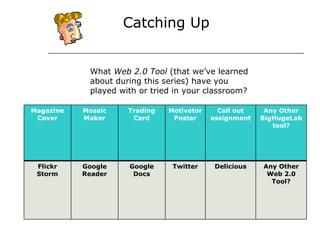
What grade do you teach? Catching Up What  Web 2.0 Tool  (that we’ve learned about during this series) have you played with or tried in your classroom? Magazine Cover Mosaic Maker Trading Card Motivator Poster Call out assignment Any Other BigHugeLab tool? Flickr Storm Google Reader Google Docs Twitter Delicious Any Other Web 2.0 Tool?
What is a  VoiceThread ? “ A VoiceThread is an online media album that can hold any type of media (images, documents and videos) and allows people to make comments in 5 different ways –  + using voice (with a microphone or telephone),  + text,  + audio file, or  + video (with a webcam) – and share them with anyone they wish.  A VoiceThread allows group conversations to be collected and shared in one place, from anywhere in the world."   ~ From  Voice Threads  basics
2.1.4 - Use technology and other information tools to organize and display knowledge and understanding in ways that others can view, use and assess. 3.3.4 - Create products that apply to authentic, real-world context 4.1.8 - Use creative and artistic formats to express personal learning VoiceThread  Covers the following Standards for the 21 st  Century Learner:
http://voicethread.com/#q.b409   2.1.4 - Use technology and other information tools to organize and display knowledge and und understanding in ways that others can view, use and assess. 3.3.4 - Create products that apply to authentic, real-world context 4.1.8 - Use creative and artistic formats to express personal learning
 
Rationale for Using  VoiceThread Tool for differentiation Captures student voice Supports metacognitive thought Develops visual literacy skills Extends the classroom walls Connects the students to experts
VoiceThread  is the New… KWL Tool Debating Tool  Teacher/Student Presentation Tool Digital Storytelling Tool Discussion Tool Literature Circle  Reflection Tool Tutorial Tool Peer Feedback/Assessment  Visual and Oral assessment  Digital Portfolio Tool Foreign and English Language Practice
Visual Lessons http://tinyurl.com/y895uut
Lab Report http://tinyurl.com/me36zs
Book Talk http://tinyurl.com/ljqalq   Great Books project   http://greatbookstories.pbworks.com
Grade 6 Social Studies  http://tinyurl.com/krp748
Grade 11 Social Studies  The Key Issue: To what extent should we embrace nationalism?  http://tinyurl.com/my79kw
Critiquing a Photograph http://tinyurl.com/mbsqaq
Digital Dialogue http://tinyurl.com/mggwen   Political Cartoon
Do you have an idea for how you might use VoiceThreads in your classroom?
VoiceThread  Considerations  Provides a secure environment for students The need to teach digital dialogue skills How do you assess VoiceThreads?  Intellectual Property
Where to Get Images? Create your own (take photos, scan student work) Bring photos from home (scan) Upload documents (Word, PDF, Excel, PowerPoint) Use images from Flickr Storm, Creative Commons, Wikimedia Commons  Flickr Storm  http://www.zoo-m.com/flickr-storm/   Creative Commons  http://search.creativecommons.org/intro.php Wikimedia Commons  http://commons.wikimedia.org/
Follow up Wiki   Go back to map and talk about how we could use VT with the map  http://weekdaywebinars.pbworks.com * See VoiceThread Library http://voicethread.com/library/   * Be sure to check out: Letters from the Internment Camps  http://voicethread.com/library/23/
http://newteach2010.pbworks.com

Voicethread

  • 1.
    New Teacher WebinarsVoiceThread Create, Collaborate, Communicate
  • 2.
    New Teacher Webinars Sponsored by: Calgary Regional Consortium Elizabeth Cressman CRC Brenda Dyck CRC
  • 3.
    What grade doyou teach? Catching Up What Web 2.0 Tool (that we’ve learned about during this series) have you played with or tried in your classroom? Magazine Cover Mosaic Maker Trading Card Motivator Poster Call out assignment Any Other BigHugeLab tool? Flickr Storm Google Reader Google Docs Twitter Delicious Any Other Web 2.0 Tool?
  • 4.
    What is a VoiceThread ? “ A VoiceThread is an online media album that can hold any type of media (images, documents and videos) and allows people to make comments in 5 different ways – + using voice (with a microphone or telephone), + text, + audio file, or + video (with a webcam) – and share them with anyone they wish. A VoiceThread allows group conversations to be collected and shared in one place, from anywhere in the world." ~ From Voice Threads basics
  • 5.
    2.1.4 - Use technologyand other information tools to organize and display knowledge and understanding in ways that others can view, use and assess. 3.3.4 - Create products that apply to authentic, real-world context 4.1.8 - Use creative and artistic formats to express personal learning VoiceThread Covers the following Standards for the 21 st Century Learner:
  • 6.
    http://voicethread.com/#q.b409 2.1.4 - Use technology and other information tools to organize and display knowledge and und understanding in ways that others can view, use and assess. 3.3.4 - Create products that apply to authentic, real-world context 4.1.8 - Use creative and artistic formats to express personal learning
  • 7.
  • 8.
    Rationale for Using VoiceThread Tool for differentiation Captures student voice Supports metacognitive thought Develops visual literacy skills Extends the classroom walls Connects the students to experts
  • 9.
    VoiceThread isthe New… KWL Tool Debating Tool Teacher/Student Presentation Tool Digital Storytelling Tool Discussion Tool Literature Circle Reflection Tool Tutorial Tool Peer Feedback/Assessment Visual and Oral assessment Digital Portfolio Tool Foreign and English Language Practice
  • 10.
  • 11.
  • 12.
    Book Talk http://tinyurl.com/ljqalq Great Books project http://greatbookstories.pbworks.com
  • 13.
    Grade 6 SocialStudies http://tinyurl.com/krp748
  • 14.
    Grade 11 SocialStudies The Key Issue: To what extent should we embrace nationalism? http://tinyurl.com/my79kw
  • 15.
    Critiquing a Photographhttp://tinyurl.com/mbsqaq
  • 16.
  • 17.
    Do you havean idea for how you might use VoiceThreads in your classroom?
  • 18.
    VoiceThread Considerations Provides a secure environment for students The need to teach digital dialogue skills How do you assess VoiceThreads? Intellectual Property
  • 19.
    Where to GetImages? Create your own (take photos, scan student work) Bring photos from home (scan) Upload documents (Word, PDF, Excel, PowerPoint) Use images from Flickr Storm, Creative Commons, Wikimedia Commons Flickr Storm http://www.zoo-m.com/flickr-storm/ Creative Commons http://search.creativecommons.org/intro.php Wikimedia Commons http://commons.wikimedia.org/
  • 20.
    Follow up Wiki Go back to map and talk about how we could use VT with the map http://weekdaywebinars.pbworks.com * See VoiceThread Library http://voicethread.com/library/ * Be sure to check out: Letters from the Internment Camps http://voicethread.com/library/23/
  • 21.