K E N T M C N A L L Y
VOICE THREAD
WHAT IS VOICE THREAD?
• A tool for having conversations around media
• Allows users to upload videos, pictures, documents,
and presentations to a project
• Users can have conversations about the image,
video, document, or presentation
• Voice Thread creates an opportunity for group
discussions
HOW GROUP MEMBERS MAKE
COMMENTS
• Telephone
• Webcam
• Text
• File upload
• microphone
CLASSROOM USES FOR VOICE THREAD
• Group Projects
• Browse library for subject specific Voice Threads
• Math
• Students can discuss different ways to solve math problems
• History
• Discuss historical figures, events, and battles
• Language Arts
• Discuss characters in a story, alternative endings to a story
• Physical Education
• Discuss specific exercises, proper form, and historical figures
in sports
EXAMPLES OF USES
Solving math problems using different methods
https://voicethread.com/?#q+math.b163901.i873469
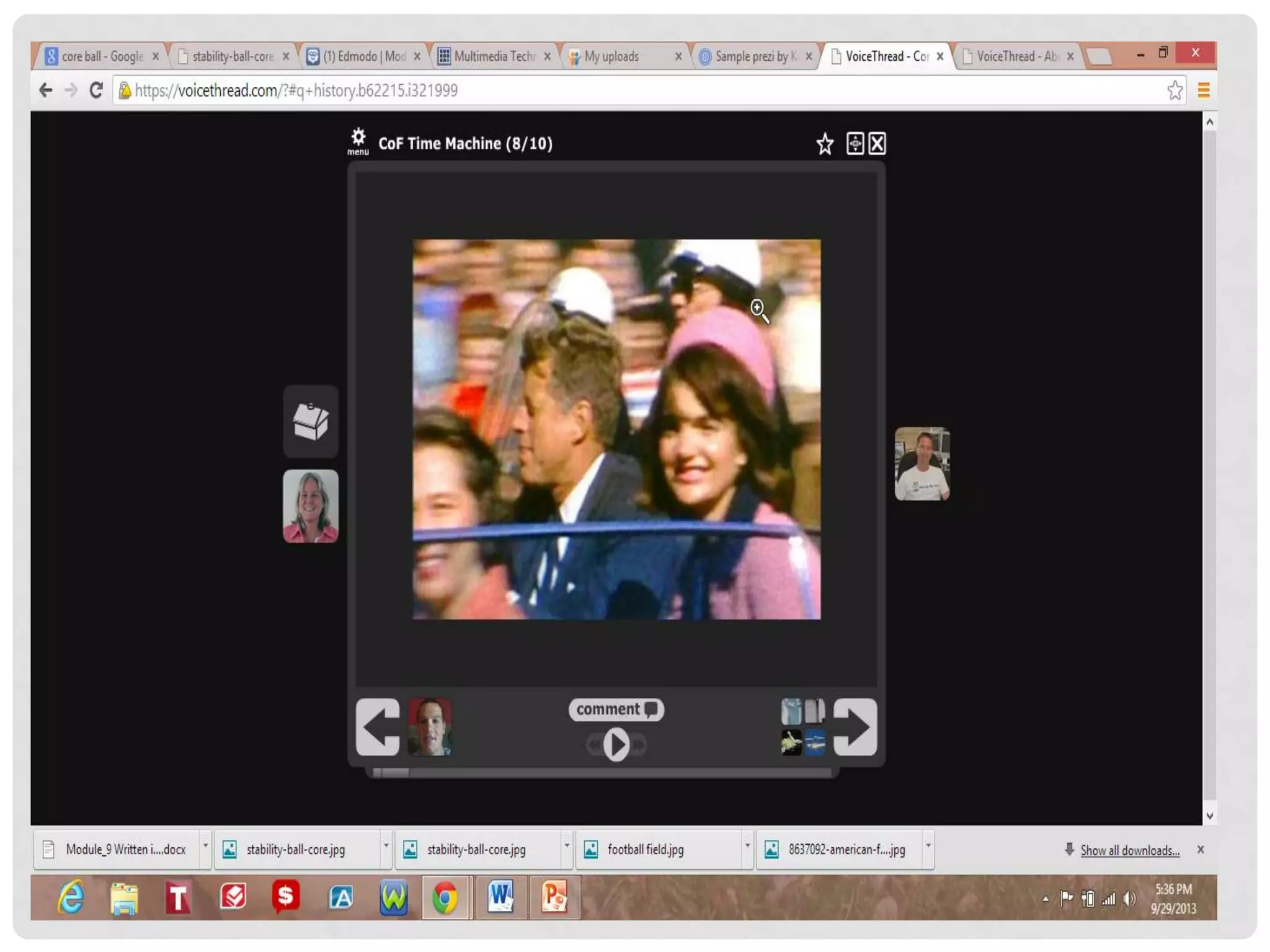
Time Machine discuss historical events
https://voicethread.com/?#q+history.b62215.i321999
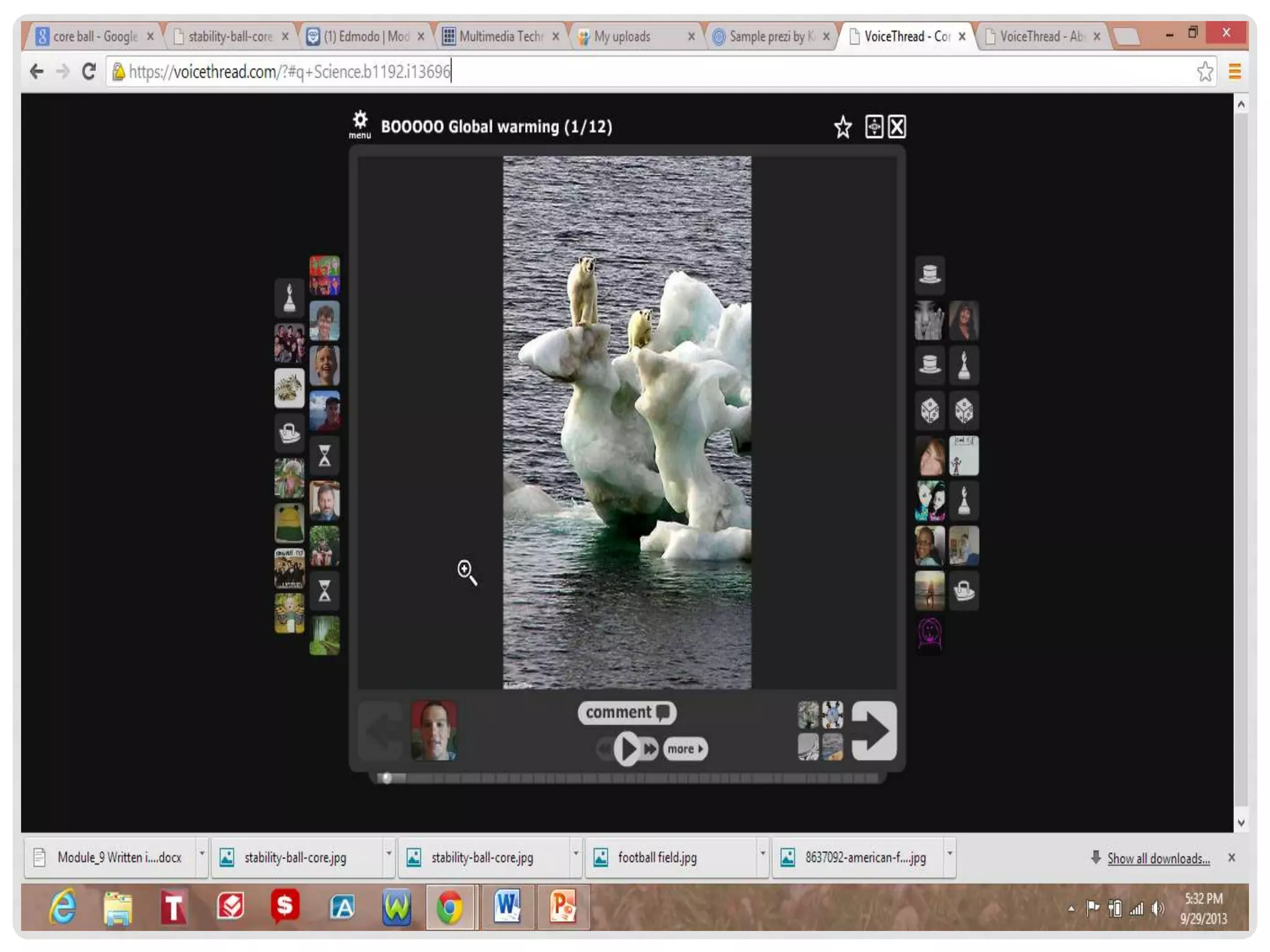
Students discuss global warming for a Science Fair
Project
https://voicethread.com/?#q+Science.b1192.i13696
EXAMPLES OF USES
DIVERSE LEARNERS
• Great for collaborating with peers (group work)
• Visual tool for instruction (visual learners)
• Students can create their own work and allow
others to comment on their project
ADAPTIONS
• History
• Instead of a written
test on a historical
event have a group
discussion
• Language Arts
• Instead of an written
open response
question students
can discuss
characters in a play
or book
• Use Voice thread as
an alternative to a
class presentation
HELPFUL LINKS
• What is Voice Thread
• http://youtu.be/arB74zm6DPs
• How to use Voice Thread
• http://youtu.be/2jVW_aAyGPE
• Introduction to using Voice Thread
• http://youtu.be/-U1wlRrKyyk
MY TUTORIAL
• http://screencast-o-matic.com/watch/cIQvc1VHBj

Voice thread presentation

  • 1.
    K E NT M C N A L L Y VOICE THREAD
  • 2.
    WHAT IS VOICETHREAD? • A tool for having conversations around media • Allows users to upload videos, pictures, documents, and presentations to a project • Users can have conversations about the image, video, document, or presentation • Voice Thread creates an opportunity for group discussions
  • 3.
    HOW GROUP MEMBERSMAKE COMMENTS • Telephone • Webcam • Text • File upload • microphone
  • 4.
    CLASSROOM USES FORVOICE THREAD • Group Projects • Browse library for subject specific Voice Threads • Math • Students can discuss different ways to solve math problems • History • Discuss historical figures, events, and battles • Language Arts • Discuss characters in a story, alternative endings to a story • Physical Education • Discuss specific exercises, proper form, and historical figures in sports
  • 5.
    EXAMPLES OF USES Solvingmath problems using different methods https://voicethread.com/?#q+math.b163901.i873469 Time Machine discuss historical events https://voicethread.com/?#q+history.b62215.i321999 Students discuss global warming for a Science Fair Project https://voicethread.com/?#q+Science.b1192.i13696
  • 6.
  • 8.
    DIVERSE LEARNERS • Greatfor collaborating with peers (group work) • Visual tool for instruction (visual learners) • Students can create their own work and allow others to comment on their project
  • 9.
    ADAPTIONS • History • Insteadof a written test on a historical event have a group discussion • Language Arts • Instead of an written open response question students can discuss characters in a play or book • Use Voice thread as an alternative to a class presentation
  • 10.
    HELPFUL LINKS • Whatis Voice Thread • http://youtu.be/arB74zm6DPs • How to use Voice Thread • http://youtu.be/2jVW_aAyGPE • Introduction to using Voice Thread • http://youtu.be/-U1wlRrKyyk
  • 11.