VoiceThread Colette Cassinelli [email_address] HANDOUTS:  http://edtechvision.wikispaces.com/voicethread
NETS*S NETS #2 - Communication and Collaboration     Students use digital media and environments to communicate and work collaboratively, including at a distance, to support individual learning and contribute to the learning of others.  NETS for Students 2007
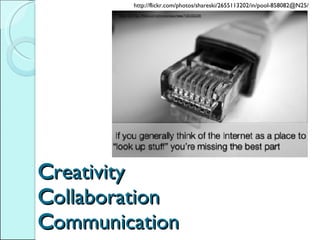
C reativity C ollaboration C ommunication http://flickr.com/photos/shareski/2655113202/in/pool-858082@N25/
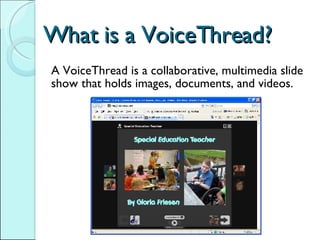
What is a VoiceThread? A VoiceThread is a collaborative, multimedia slide show that holds images, documents, and videos.
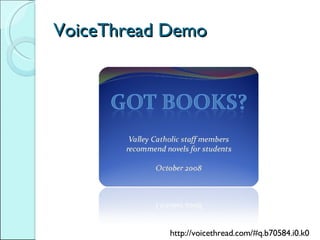
VoiceThread Demo http://voicethread.com/#q.b70584.i0.k0
Handouts edtech VISION wiki http://edtechvision.wikispaces.com/voicethread VoiceThread 4 Education collaborative wiki http://voicethread4education.wikispaces.com
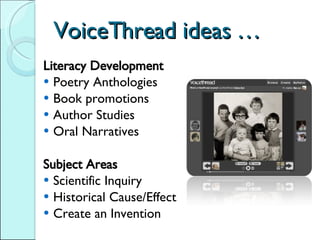
VoiceThread ideas … Literacy Development Poetry Anthologies Book promotions Author Studies Oral Narratives Subject Areas Scientific Inquiry Historical Cause/Effect Create an Invention
Even more ideas … Collaboration Landforms where we live Multi-Generational projects Showcasing Work Art Gallery Speeches Digital Portfolios Can be used with any grade level and any subject area – even professional development Visit:  http://voicethread4education.wikispaces.com
More ideas … ESL / ELL Language Practice Cultural comparisions Thinking Around A Topic Commentary on Social Issues Debate an Issue Explanations Math directions Instructions / How to
Question … What is one area in your environment where you want to encourage more creativity, communication or collaboration?
How to make a VoiceThread Pre-plan Select Docs or Images Prepare for Narration Create Account Upload Content Add Comments
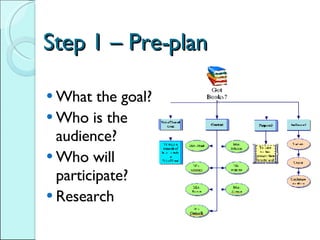
Step 1 – Pre-plan What the goal? Who is the audience? Who will participate? Research
Step 2 –Select Docs/Images Use  digital photos, PDF, Word, Excel, PowerPoint files, images and video Hint:  Use PowerPoint to make slides and then export as *.jpg Use Creative Commons licensing Can imports photos from Flickr, Facebook, or from the web BASIC MORE OPTIONS
Step 3 - Prepare for Narration BASIC Text MORE OPTIONS Record audio using: Audacity  A cell phone (use  Gcast or Gabcast) iPod w/ mic
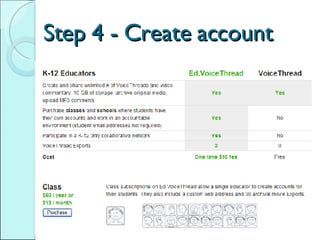
Step 4 - Create account
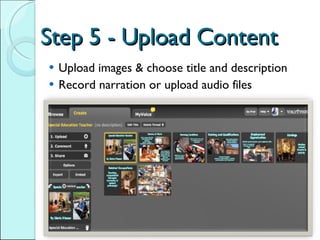
Step 5 - Upload Content Upload images & choose title and description Record narration or upload audio files
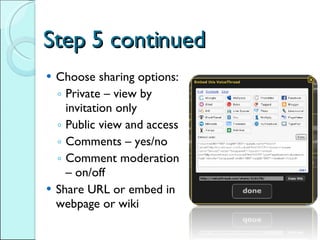
Step 5 continued Choose sharing options:  Private – view by invitation only Public view and access Comments – yes/no Comment moderation – on/off Share URL or embed in webpage or wiki
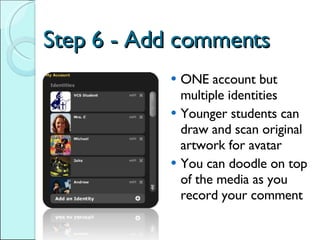
Step 6 - Add comments ONE account but multiple identities Younger students can draw and scan original artwork for avatar You can doodle on top of the media as you record your comment
Additional Suggestions Start simple.  Encourage appropriate and thoughtful comments like:  I noticed …, this reminds me of …, I’m not sure that .. Create extra guest avatars if sharing one account Moderate comments if VoiceThread is public.
A few more … Be aware of privacy issues Pay attention to copyright Use  Ed.VoiceThread  if you need complete control Export archival VoiceThread for offline use
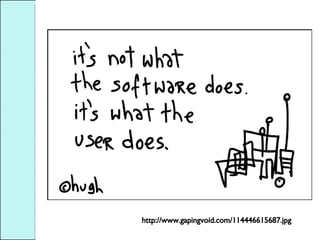
http://www.gapingvoid.com/114446615687.jpg
Questions? Please add your VoiceThread samples to the collaborative wiki at  http://voicethread4education.wikispaces.com   Thank you for coming

Voice Thread For Education

  • 1.
    VoiceThread Colette Cassinelli[email_address] HANDOUTS: http://edtechvision.wikispaces.com/voicethread
  • 2.
    NETS*S NETS #2- Communication and Collaboration   Students use digital media and environments to communicate and work collaboratively, including at a distance, to support individual learning and contribute to the learning of others. NETS for Students 2007
  • 3.
    C reativity Collaboration C ommunication http://flickr.com/photos/shareski/2655113202/in/pool-858082@N25/
  • 4.
    What is aVoiceThread? A VoiceThread is a collaborative, multimedia slide show that holds images, documents, and videos.
  • 5.
  • 6.
    Handouts edtech VISIONwiki http://edtechvision.wikispaces.com/voicethread VoiceThread 4 Education collaborative wiki http://voicethread4education.wikispaces.com
  • 7.
    VoiceThread ideas …Literacy Development Poetry Anthologies Book promotions Author Studies Oral Narratives Subject Areas Scientific Inquiry Historical Cause/Effect Create an Invention
  • 8.
    Even more ideas… Collaboration Landforms where we live Multi-Generational projects Showcasing Work Art Gallery Speeches Digital Portfolios Can be used with any grade level and any subject area – even professional development Visit: http://voicethread4education.wikispaces.com
  • 9.
    More ideas …ESL / ELL Language Practice Cultural comparisions Thinking Around A Topic Commentary on Social Issues Debate an Issue Explanations Math directions Instructions / How to
  • 10.
    Question … Whatis one area in your environment where you want to encourage more creativity, communication or collaboration?
  • 11.
    How to makea VoiceThread Pre-plan Select Docs or Images Prepare for Narration Create Account Upload Content Add Comments
  • 12.
    Step 1 –Pre-plan What the goal? Who is the audience? Who will participate? Research
  • 13.
    Step 2 –SelectDocs/Images Use digital photos, PDF, Word, Excel, PowerPoint files, images and video Hint: Use PowerPoint to make slides and then export as *.jpg Use Creative Commons licensing Can imports photos from Flickr, Facebook, or from the web BASIC MORE OPTIONS
  • 14.
    Step 3 -Prepare for Narration BASIC Text MORE OPTIONS Record audio using: Audacity A cell phone (use Gcast or Gabcast) iPod w/ mic
  • 15.
    Step 4 -Create account
  • 16.
    Step 5 -Upload Content Upload images & choose title and description Record narration or upload audio files
  • 17.
    Step 5 continuedChoose sharing options: Private – view by invitation only Public view and access Comments – yes/no Comment moderation – on/off Share URL or embed in webpage or wiki
  • 18.
    Step 6 -Add comments ONE account but multiple identities Younger students can draw and scan original artwork for avatar You can doodle on top of the media as you record your comment
  • 19.
    Additional Suggestions Startsimple. Encourage appropriate and thoughtful comments like: I noticed …, this reminds me of …, I’m not sure that .. Create extra guest avatars if sharing one account Moderate comments if VoiceThread is public.
  • 20.
    A few more… Be aware of privacy issues Pay attention to copyright Use Ed.VoiceThread if you need complete control Export archival VoiceThread for offline use
  • 21.
  • 22.
    Questions? Please addyour VoiceThread samples to the collaborative wiki at http://voicethread4education.wikispaces.com Thank you for coming

Editor's Notes

  • #2 Cue up: 3x5 cards on every table Edtechvision.wikispaces.com/voicethread Voicethread4education.wikispaces.com Got Books VoiceThead – really sample and screen shots PPT if Internet is not working Movie sample??? Guest avatar on top for Got Books demo Phone – turn on loudspeaker on phone Headset with mic