VMware
What is VMware?
 VMware is virtual machine software
 It runs multiple operating systems on a
  single computer
 It’s an excellent testing and development
  platform
 It’s an enterprise-class server as well
 It’s a paradigm shift
Flavors of VMware
 VMware Workstation
 GSX Server
 ESX Server
VMware Workstation
 Current version is 5.5
 Evaluation license key is valid for 30 days
   This is a full working version
   VMware has extended this for additional
    evaluation time if necessary
 Runs on Windows or Linux
 Retails for ~$189
 Upgrades after a year are ~$95 a
 workstation
GSX Server
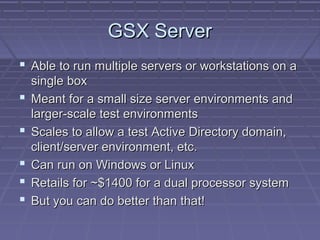
 Able to run multiple servers or workstations on a
    single box
   Meant for a small size server environments and
    larger-scale test environments
   Scales to allow a test Active Directory domain,
    client/server environment, etc.
   Can run on Windows or Linux
   Retails for ~$1400 for a dual processor system
   But you can do better than that!
ESX Server
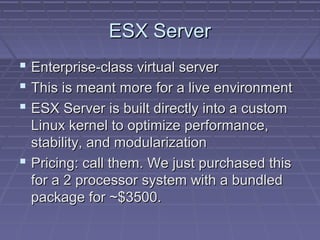
 Enterprise-class virtual server
 This is meant more for a live environment
 ESX Server is built directly into a custom
  Linux kernel to optimize performance,
  stability, and modularization
 Pricing: call them. We just purchased this
  for a 2 processor system with a bundled
  package for ~$3500.
Why VMware Workstation is good
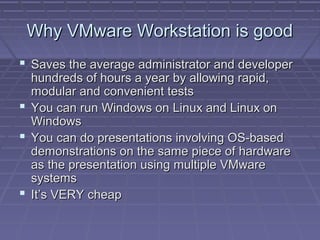
 Saves the average administrator and developer
  hundreds of hours a year by allowing rapid,
  modular and convenient tests
 You can run Windows on Linux and Linux on
  Windows
 You can do presentations involving OS-based
  demonstrations on the same piece of hardware
  as the presentation using multiple VMware
  systems
 It’s VERY cheap
Why GSX Server is good
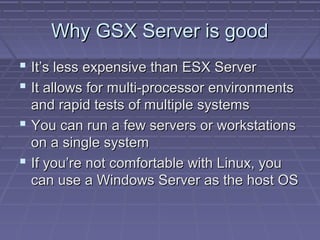
 It’s less expensive than ESX Server
 It allows for multi-processor environments
  and rapid tests of multiple systems
 You can run a few servers or workstations
  on a single system
 If you’re not comfortable with Linux, you
  can use a Windows Server as the host OS
Why ESX Server is good
 Create new systems faster with reduced
  hardware needs allowing for tailored and
  scalable memory and processor utilization
 Decouple application workloads from underlying
  physical hardware for increased flexibility- read
  this is to separate your server applications and
  services onto individual servers (DNS, DHCP,
  SMS, IIS, AD, FTP, Brightmail, Sendmail,
  whatever).
 Dramatically lower the cost of business
  continuity- if your virtual system dies, crank of a
  new box and run a restore in just a few minutes
Things you can do to impress your
              friends
 You can build a base test image, take a snapshot, run
  multiple tests on it, destroy it, and then just revert back
  like nothing happened
 You can clone it for future work or pass it on to someone
 You can set up small server-client/server test
  environments
    I have an parallel Active Directory domain complete with an
     Exchange Server, SQL Server, IIS box, etc.
 You can join your own domain and test concepts from
  permissions to group policy
 You can pause in the middle of working on a project and
  come back to it later
Things you can do to impress yourself
 Run Symantec ghost into or out of your VMware
  system- Dell GX1’s and Pentium III systems
  work, others may not. In other words- put your
  current system into VMware easily. You can use
  the import tool for this as well.
 Test out multi-homing systems by adding
  additional virtual NIC’s
 Really learn how to script/MSI package by doing
  some really potentially destructive ones without
  hurting your live systems
 Virtual Teams- set up a template system,
  distribute tests without damaging the original
Things you can do to impress your
                boss
 Leverage VMware to drastically improve
  your speed of testing, server, and
  workstation deployment
 Do live demonstrations of concepts using
  VMware systems to drive a good point
  home
 Reduce your wasted time by pre-
  configuring images that are in various
  stages of deployment
Things you can do to impress your users

 More thoroughly test upgrades, rollouts, and
  deployments to perfect the concept before going live.
  This means way less downtime for users and of course-
  a more polished look
 Learn how to script if you’ve got more than just a few
  computers. This is a great platform to teach yourself on!
 Learn how to MSI package software with custom builds
  and try deploying these onto test systems using Group
  Policy- computer goes on, and so does the new
  software- without fumbling!
Recommendations
 Minimum of a 1 GHz processor, 512MB
  RAM, 80GB drive
 What I recommend for testing: 3GHz+
  processor, 1GB+ RAM, 15k RPM SCSI
  purely for live VMware systems, 80GB
  drive for image storage
Useful links
 http://www.vmware.com
 Don’t want vmware? Try Virtual Server 2005 R2
  by Microsoft:
  http://www.microsoft.com/windowsserversystem/virtu
 Or Virtual PC 2004:
  http://www.microsoft.com/windows/virtualpc/default.m
 Buy from http://www.programmersparadise.com

Vmwarepresentation1207005

  • 1.
  • 2.
    What is VMware? VMware is virtual machine software  It runs multiple operating systems on a single computer  It’s an excellent testing and development platform  It’s an enterprise-class server as well  It’s a paradigm shift
  • 3.
    Flavors of VMware VMware Workstation  GSX Server  ESX Server
  • 4.
    VMware Workstation  Currentversion is 5.5  Evaluation license key is valid for 30 days  This is a full working version  VMware has extended this for additional evaluation time if necessary  Runs on Windows or Linux  Retails for ~$189  Upgrades after a year are ~$95 a workstation
  • 5.
    GSX Server  Ableto run multiple servers or workstations on a single box  Meant for a small size server environments and larger-scale test environments  Scales to allow a test Active Directory domain, client/server environment, etc.  Can run on Windows or Linux  Retails for ~$1400 for a dual processor system  But you can do better than that!
  • 6.
    ESX Server  Enterprise-classvirtual server  This is meant more for a live environment  ESX Server is built directly into a custom Linux kernel to optimize performance, stability, and modularization  Pricing: call them. We just purchased this for a 2 processor system with a bundled package for ~$3500.
  • 7.
    Why VMware Workstationis good  Saves the average administrator and developer hundreds of hours a year by allowing rapid, modular and convenient tests  You can run Windows on Linux and Linux on Windows  You can do presentations involving OS-based demonstrations on the same piece of hardware as the presentation using multiple VMware systems  It’s VERY cheap
  • 8.
    Why GSX Serveris good  It’s less expensive than ESX Server  It allows for multi-processor environments and rapid tests of multiple systems  You can run a few servers or workstations on a single system  If you’re not comfortable with Linux, you can use a Windows Server as the host OS
  • 9.
    Why ESX Serveris good  Create new systems faster with reduced hardware needs allowing for tailored and scalable memory and processor utilization  Decouple application workloads from underlying physical hardware for increased flexibility- read this is to separate your server applications and services onto individual servers (DNS, DHCP, SMS, IIS, AD, FTP, Brightmail, Sendmail, whatever).  Dramatically lower the cost of business continuity- if your virtual system dies, crank of a new box and run a restore in just a few minutes
  • 10.
    Things you cando to impress your friends  You can build a base test image, take a snapshot, run multiple tests on it, destroy it, and then just revert back like nothing happened  You can clone it for future work or pass it on to someone  You can set up small server-client/server test environments  I have an parallel Active Directory domain complete with an Exchange Server, SQL Server, IIS box, etc.  You can join your own domain and test concepts from permissions to group policy  You can pause in the middle of working on a project and come back to it later
  • 11.
    Things you cando to impress yourself  Run Symantec ghost into or out of your VMware system- Dell GX1’s and Pentium III systems work, others may not. In other words- put your current system into VMware easily. You can use the import tool for this as well.  Test out multi-homing systems by adding additional virtual NIC’s  Really learn how to script/MSI package by doing some really potentially destructive ones without hurting your live systems  Virtual Teams- set up a template system, distribute tests without damaging the original
  • 12.
    Things you cando to impress your boss  Leverage VMware to drastically improve your speed of testing, server, and workstation deployment  Do live demonstrations of concepts using VMware systems to drive a good point home  Reduce your wasted time by pre- configuring images that are in various stages of deployment
  • 13.
    Things you cando to impress your users  More thoroughly test upgrades, rollouts, and deployments to perfect the concept before going live. This means way less downtime for users and of course- a more polished look  Learn how to script if you’ve got more than just a few computers. This is a great platform to teach yourself on!  Learn how to MSI package software with custom builds and try deploying these onto test systems using Group Policy- computer goes on, and so does the new software- without fumbling!
  • 14.
    Recommendations  Minimum ofa 1 GHz processor, 512MB RAM, 80GB drive  What I recommend for testing: 3GHz+ processor, 1GB+ RAM, 15k RPM SCSI purely for live VMware systems, 80GB drive for image storage
  • 15.
    Useful links  http://www.vmware.com Don’t want vmware? Try Virtual Server 2005 R2 by Microsoft: http://www.microsoft.com/windowsserversystem/virtu  Or Virtual PC 2004: http://www.microsoft.com/windows/virtualpc/default.m  Buy from http://www.programmersparadise.com