How I filter data with MS Excel’s
     VLOOKUP() function
        Anneke M. Batenburg
Rationale
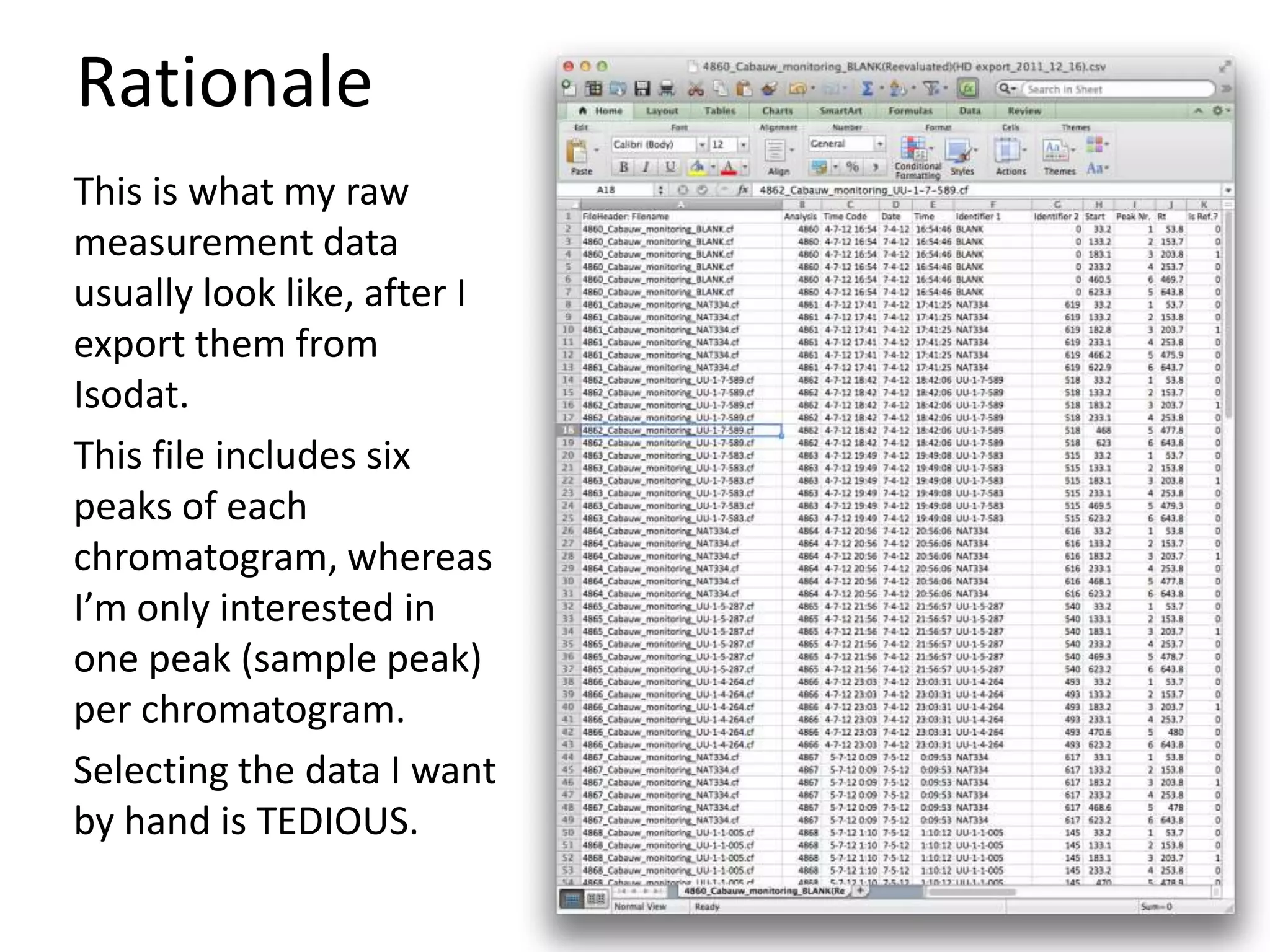
This is what my raw
measurement data
usually look like, after I
export them from
Isodat.
This file includes six
peaks of each
chromatogram, whereas
I’m only interested in
one peak (sample peak)
per chromatogram.
Selecting the data I want
by hand is TEDIOUS.
Enter: VLOOKUP()
VLOOKUP searches for a value in the first column of
a table array and returns a value in the same row
from another column in the table array.

Syntax:
VLOOKUP(value_to_look_for, array_to_look_in,
column_number_to_return_value_from,
boolean_that_should_always_be_FALSE_in_my_ca
ses)

One complication: my data should have a first
column with lookup labels (value_to_look_for)
Create a lookup
     label
I create a first column
with a formula that
detects
• if the peak is a sample
   peak (based on
   retention time),
• and if yes, gives it a
   sequential number.

Ax=IF(AND(260 < Kx , Kx
< 625),
MAX(A$2:Ax)+1,"")
Create a sheet with
   selected data
 Now I create another
 sheet where I use
 VLOOKUP() to look up
 the data I want
 automatically.
 Like the filename of the
 chromatograms that
 yielded a sample peak.

 Ax=VLOOKUP(ROW()-1,
 ’SheetName'!A$2:Z$20
 7, 2, FALSE)
And I can look up
more data, as
desired.


                    Many more variations are
                    possible, like selecting only
                    the measurements that have
                    “NAT334” or “BLANK” in the
                    filename, or selecting only
                    measurements from a
                    particular measurement day...

Vlookup presentation

  • 1.
    How I filterdata with MS Excel’s VLOOKUP() function Anneke M. Batenburg
  • 2.
    Rationale This is whatmy raw measurement data usually look like, after I export them from Isodat. This file includes six peaks of each chromatogram, whereas I’m only interested in one peak (sample peak) per chromatogram. Selecting the data I want by hand is TEDIOUS.
  • 3.
    Enter: VLOOKUP() VLOOKUP searchesfor a value in the first column of a table array and returns a value in the same row from another column in the table array. Syntax: VLOOKUP(value_to_look_for, array_to_look_in, column_number_to_return_value_from, boolean_that_should_always_be_FALSE_in_my_ca ses) One complication: my data should have a first column with lookup labels (value_to_look_for)
  • 4.
    Create a lookup label I create a first column with a formula that detects • if the peak is a sample peak (based on retention time), • and if yes, gives it a sequential number. Ax=IF(AND(260 < Kx , Kx < 625), MAX(A$2:Ax)+1,"")
  • 5.
    Create a sheetwith selected data Now I create another sheet where I use VLOOKUP() to look up the data I want automatically. Like the filename of the chromatograms that yielded a sample peak. Ax=VLOOKUP(ROW()-1, ’SheetName'!A$2:Z$20 7, 2, FALSE)
  • 6.
    And I canlook up more data, as desired. Many more variations are possible, like selecting only the measurements that have “NAT334” or “BLANK” in the filename, or selecting only measurements from a particular measurement day...