www.robertodaguarcino.com
MSc in Engineering in Computer Science
Visual Analytics final assignment: Traffic collisions in Italy
Roberto Falconi
www.robertodaguarcino.com
Summary
Information visualization application design...............................................................................3
Task, subtask and problem..........................................................................................................3
Dataset ............................................................................................................................................3
Standardization and PCA algorithm..........................................................................................3
Representation and presentation................................................................................................7
Overview and interactive objects................................................................................................8
Data filtering..................................................................................................................................8
Significant objects..........................................................................................................................8
Navigational guidance .................................................................................................................9
Analytic solution ...............................................................................................................................9
Data to analyze..............................................................................................................................9
Filters...............................................................................................................................................9
Showing quantitative information ...........................................................................................10
Visual solution.................................................................................................................................10
UI and UX.....................................................................................................................................10
Visualizations ..............................................................................................................................11
Frameworks .................................................................................................................................12
Various characteristic in relation to the Visual Analytics cycle ...............................................12
Conclusion........................................................................................................................................13
References.........................................................................................................................................13
www.robertodaguarcino.com
Information visualization application design
Task, subtask and problem
The project task is to evaluate statistics of traffic collisions in Italy looking for a correlation
between the “actors” of these accidents.
To perform the main task, some, additional, subtasks are needed. We have to gain insights
into a collection and to understand the set of characteristics in order to make decision on a
set.
To find the solution for our problem, we have to select a subset of interesting objects within
a collection, paying attention to lack of precision.
Dataset
The data are provided by ISTAT and contains information about the Italians traffic
collisions, including injured and types of incident, organized by year (from 2003 to 2013)
and by Italian region. The AS (AngeliniSantucci) index is defined as:
𝐴𝑆 = #𝑡𝑢𝑝𝑙𝑒𝑠 ∗ #𝑑𝑖𝑚𝑒𝑛𝑠𝑖𝑜𝑛𝑠
For this project we have an AS = 10850.
Standardization and PCA algorithm
Principal Component Analysis is a method of extracting important variables (in form of
components) from a large set of variables available in a dataset. It extracts low dimensional
set of features from a high dimensional data set with a motive to capture as much
information as possible.i
www.robertodaguarcino.com
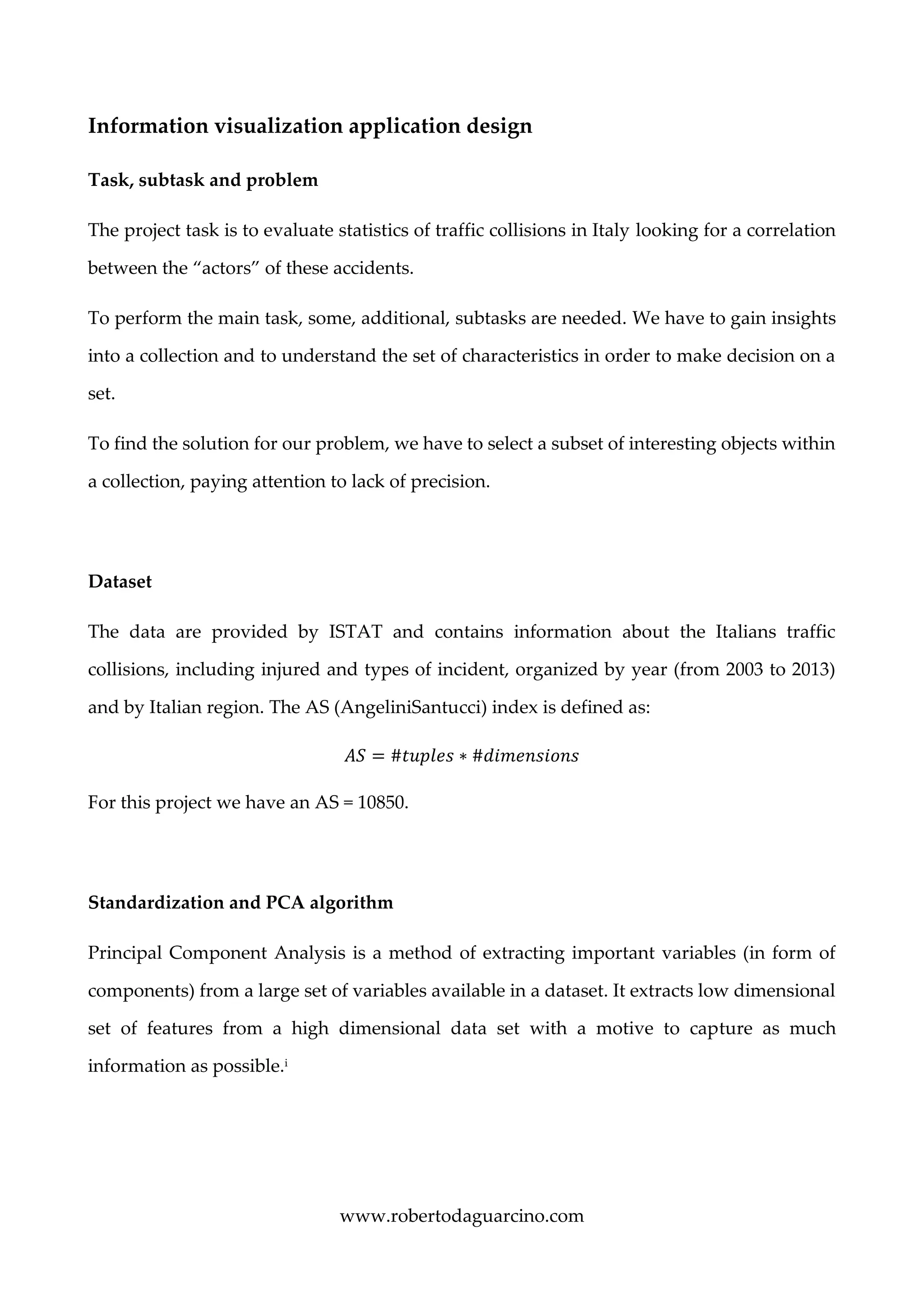
PCA is affected by scale, so we need to scale features in the dataset before applying PCA.
Standardization involves rescaling the features such that they have the properties of a
standard normal distribution with a mean of zero and a standard deviation of one.ii
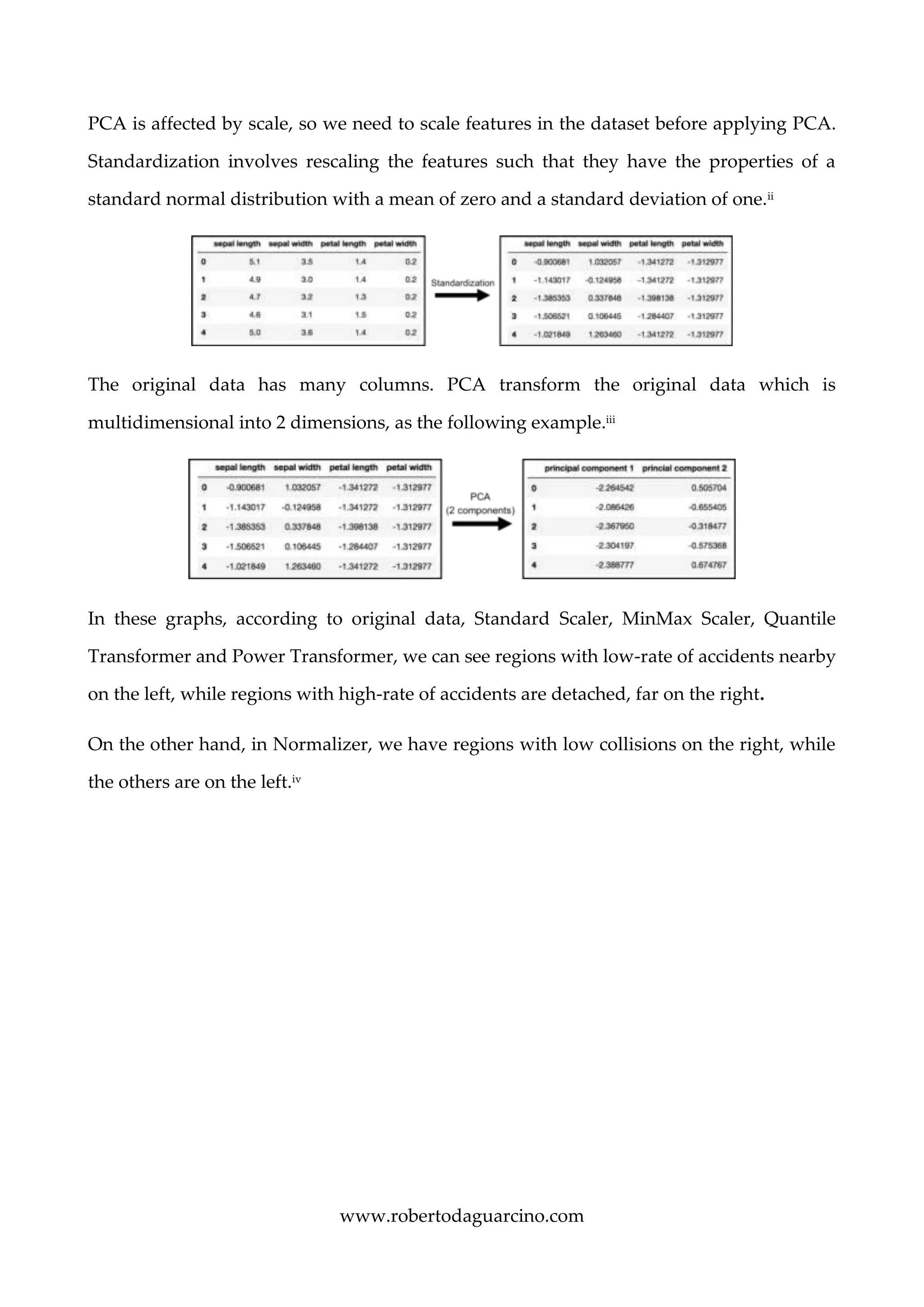
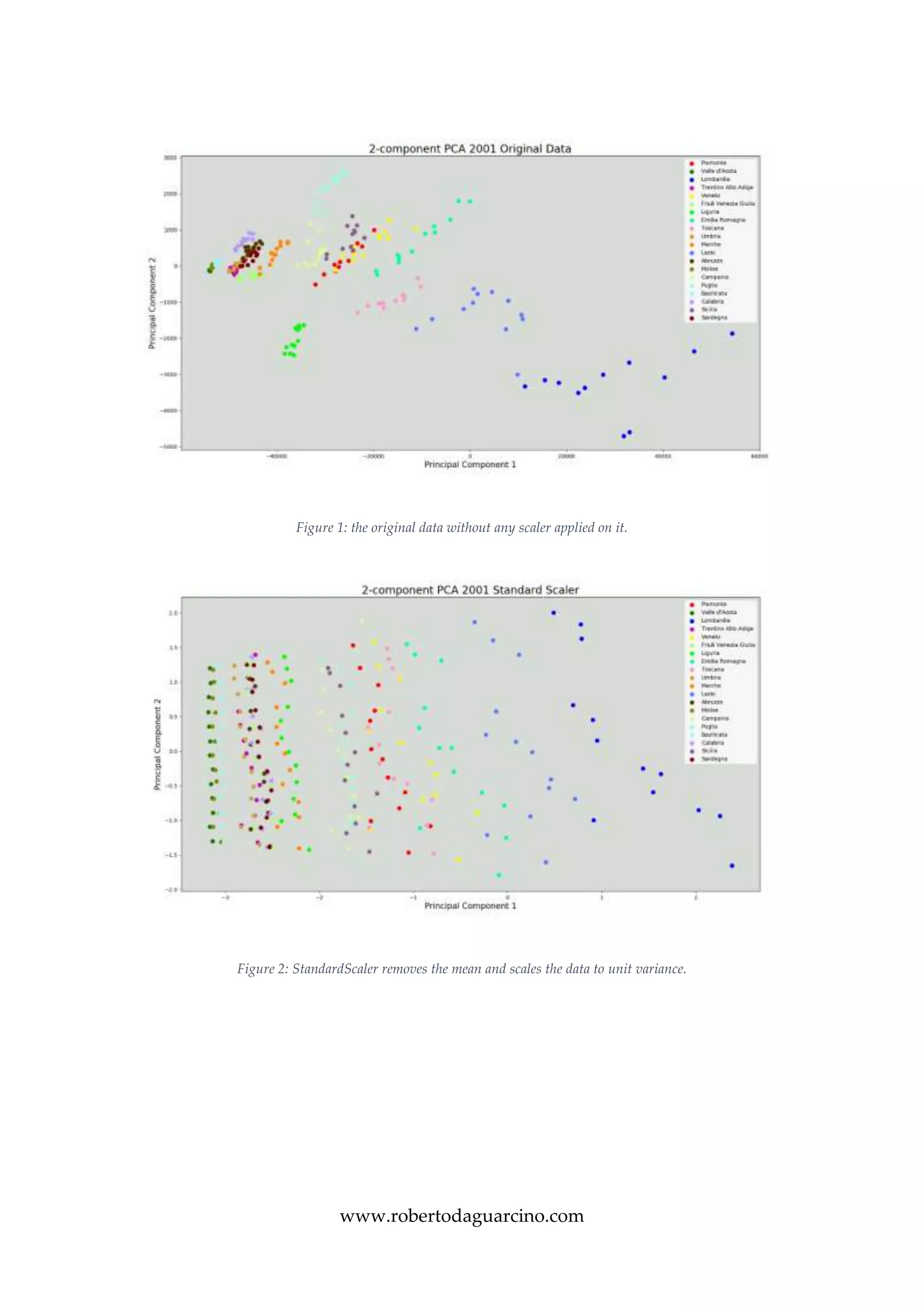
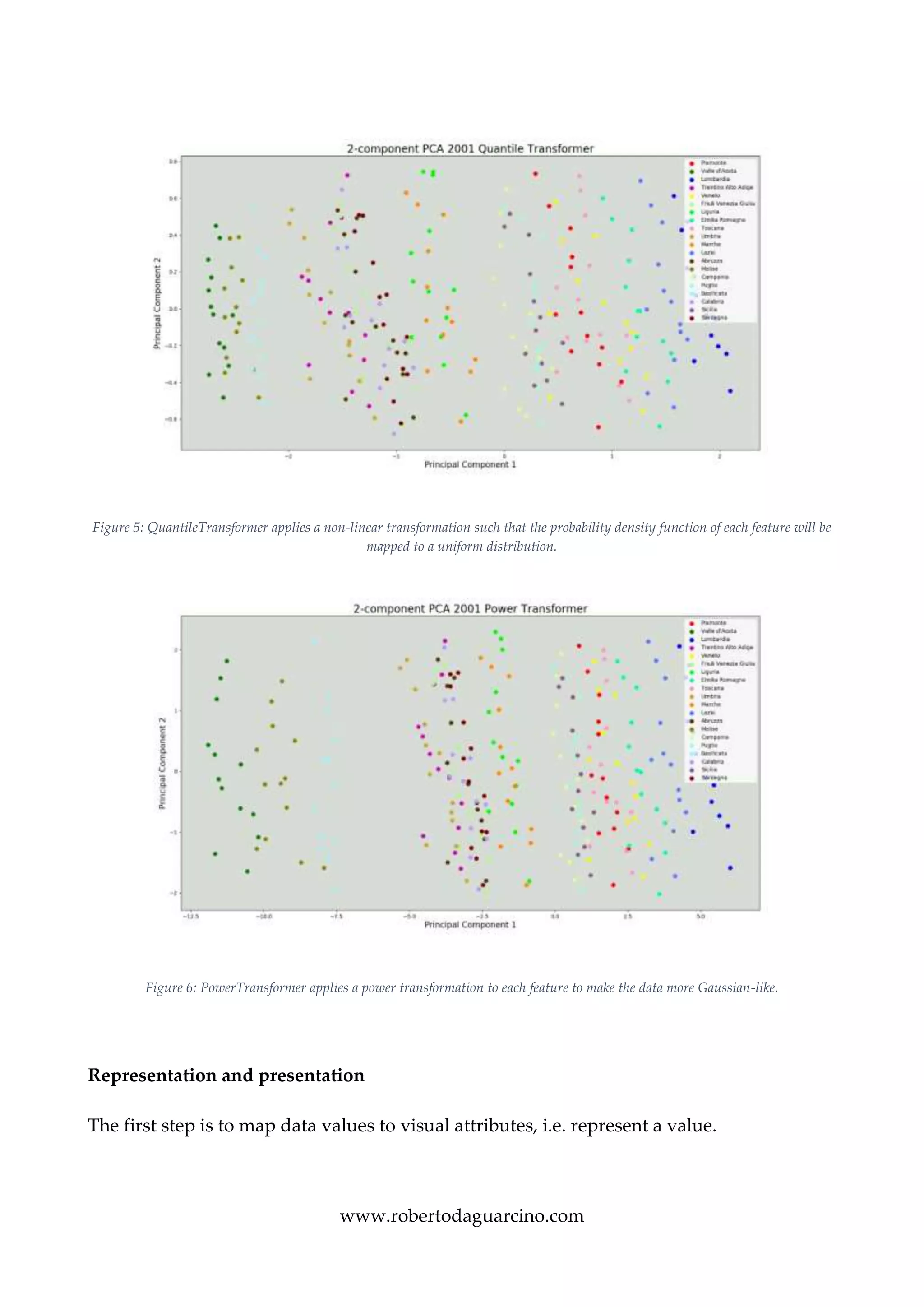
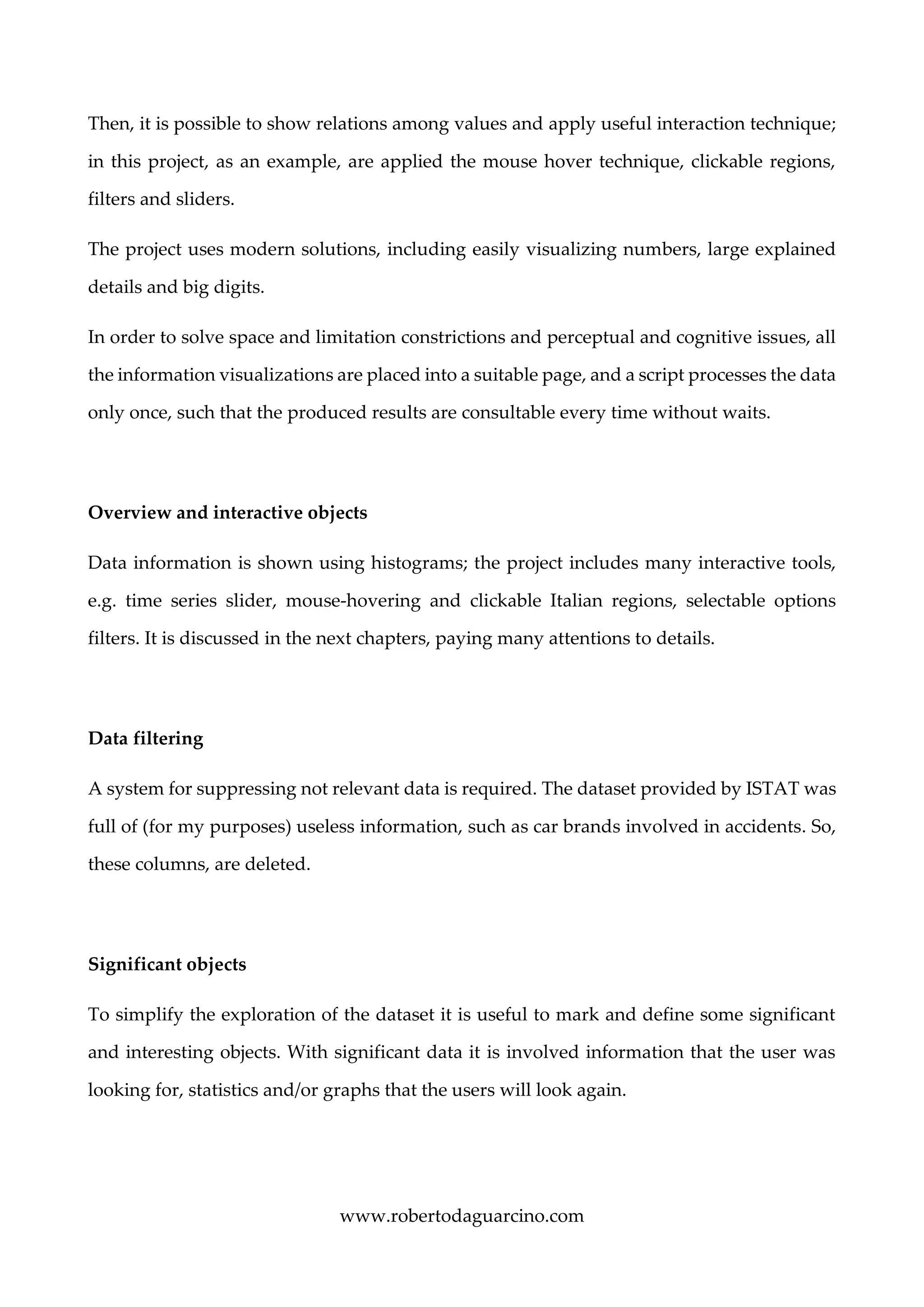
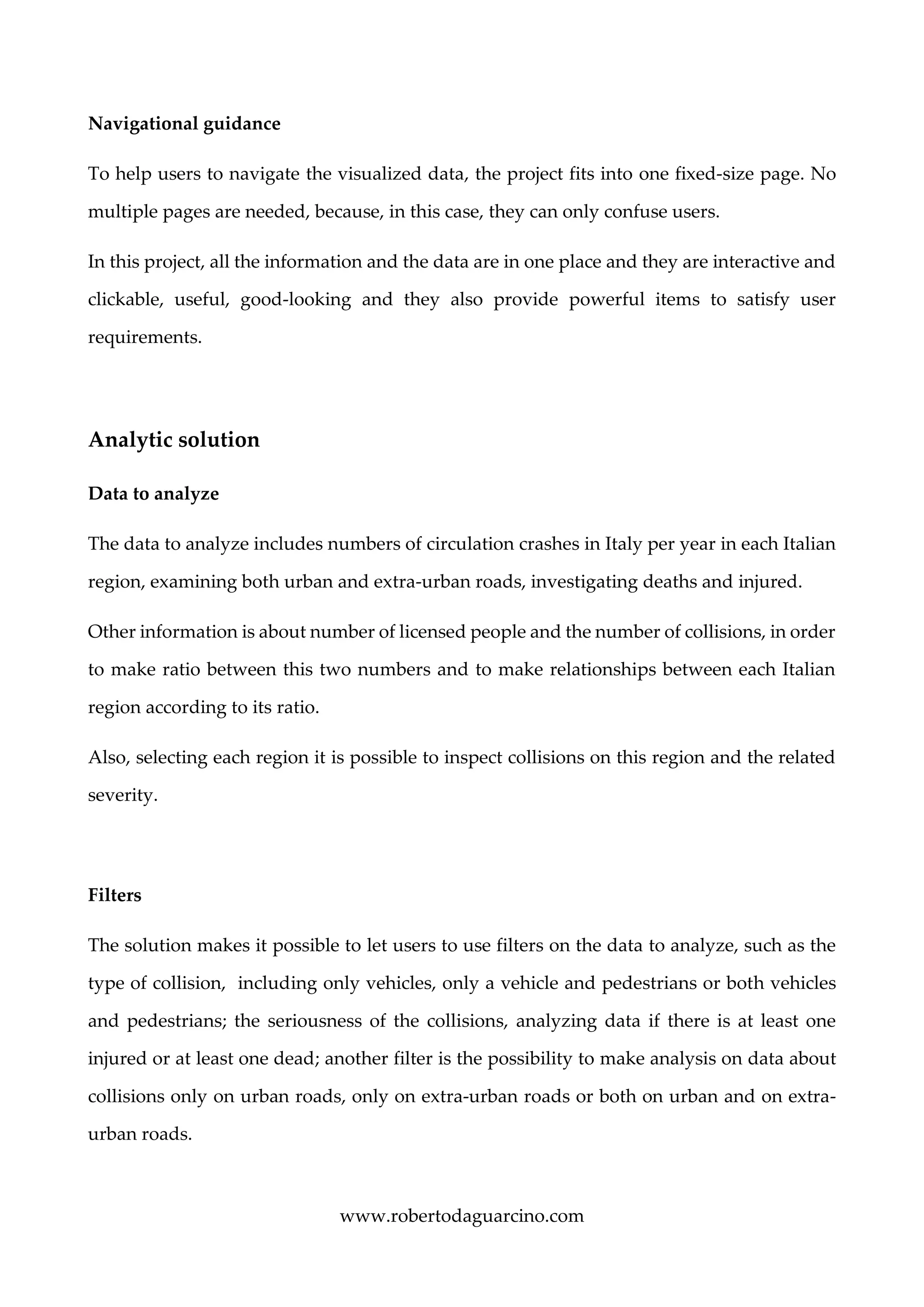
The original data has many columns. PCA transform the original data which is
multidimensional into 2 dimensions, as the following example.iii
In these graphs, according to original data, Standard Scaler, MinMax Scaler, Quantile
Transformer and Power Transformer, we can see regions with low-rate of accidents nearby
on the left, while regions with high-rate of accidents are detached, far on the right.
On the other hand, in Normalizer, we have regions with low collisions on the right, while
the others are on the left.iv
www.robertodaguarcino.com
Figure 1: the original data without any scaler applied on it.
Figure 2: StandardScaler removes the mean and scales the data to unit variance.
www.robertodaguarcino.com
Figure 3: MinMaxScaler rescales the data set such that all feature values are in the range [0, 1].
Figure 4: The Normalizer rescales the vector for each sample to have unit norm, independently of the distribution of the samples.
www.robertodaguarcino.com
Figure 5: QuantileTransformer applies a non-linear transformation such that the probability density function of each feature will be
mapped to a uniform distribution.
Figure 6: PowerTransformer applies a power transformation to each feature to make the data more Gaussian-like.
Representation and presentation
The first step is to map data values to visual attributes, i.e. represent a value.
www.robertodaguarcino.com
Then, it is possible to show relations among values and apply useful interaction technique;
in this project, as an example, are applied the mouse hover technique, clickable regions,
filters and sliders.
The project uses modern solutions, including easily visualizing numbers, large explained
details and big digits.
In order to solve space and limitation constrictions and perceptual and cognitive issues, all
the information visualizations are placed into a suitable page, and a script processes the data
only once, such that the produced results are consultable every time without waits.
Overview and interactive objects
Data information is shown using histograms; the project includes many interactive tools,
e.g. time series slider, mouse-hovering and clickable Italian regions, selectable options
filters. It is discussed in the next chapters, paying many attentions to details.
Data filtering
A system for suppressing not relevant data is required. The dataset provided by ISTAT was
full of (for my purposes) useless information, such as car brands involved in accidents. So,
these columns, are deleted.
Significant objects
To simplify the exploration of the dataset it is useful to mark and define some significant
and interesting objects. With significant data it is involved information that the user was
looking for, statistics and/or graphs that the users will look again.
www.robertodaguarcino.com
Navigational guidance
To help users to navigate the visualized data, the project fits into one fixed-size page. No
multiple pages are needed, because, in this case, they can only confuse users.
In this project, all the information and the data are in one place and they are interactive and
clickable, useful, good-looking and they also provide powerful items to satisfy user
requirements.
Analytic solution
Data to analyze
The data to analyze includes numbers of circulation crashes in Italy per year in each Italian
region, examining both urban and extra-urban roads, investigating deaths and injured.
Other information is about number of licensed people and the number of collisions, in order
to make ratio between this two numbers and to make relationships between each Italian
region according to its ratio.
Also, selecting each region it is possible to inspect collisions on this region and the related
severity.
Filters
The solution makes it possible to let users to use filters on the data to analyze, such as the
type of collision, including only vehicles, only a vehicle and pedestrians or both vehicles
and pedestrians; the seriousness of the collisions, analyzing data if there is at least one
injured or at least one dead; another filter is the possibility to make analysis on data about
collisions only on urban roads, only on extra-urban roads or both on urban and on extra-
urban roads.
www.robertodaguarcino.com
Another available filter is the year: it is possible to choose the year of data to analyze thanks
to a time series slider, this will have repercussion on all the investigated information.
It is also possible to select regions, showing, by year and by all the previously discussed
chosen filters, the results of the analysis and the number of persons with driving license and
how many of them are injured.
Showing quantitative information
After choosing filters, it is possible to show various data both in percentage and in absolute
numbers, using the right length and the right scale, avoiding pie charts or 3D charts,
avoiding also areas, angles and volumes comparisons and using opportune colors scales
only when strictly needed.
A second slider also allows users to switch between the used PCA scalers.
Visual solution
UI and UX
In this project, it is implemented the most user-friendly UI and UX I could design, applying
information visualization representing abstract data to amplify cognition. The actual
understanding of information visualization involves cognitive activity and interactive
activity. The first is about computer-based visualization, the second allows the user to
manipulate the visualization to better reach his goals.
Scrolling is boring, consumes a lot of time and most content is hidden from the view.
Distortion is also disturbing, so I don’t use 3D objects neither perspective walls in the
project. Suppression and zoom are not needed because the interactive map of Italy, the
histograms, the graphs and the sliders perfectly fit in the monitor page.
www.robertodaguarcino.com
Visualizations
The project includes three mature solutions for presentation and representation of a large
variety of data. In this case, the involved data is numerical and there are quantitative
relationships between the variables (e.g., the ratio of accident over licensed, the comparison
between accidents on urban and on extra-urban roads or dead and injured etc.).
The visual part provides to the user a computer software dashboard with an interactive map
of Italy on the left, with big and clickable regions, each one with a color density for
quantitative comparison using as colors shades of green (from dark green to light green –
almost white), according to the key legend on the left of the interactive map of Italy. On the
right of the map, there are a lot of useful user widgets and tools (buttons, range sliders and
switches) as well as other visualizations that help the users to better understand all the data
explaining them in simple ways.
Hovering each region of Italy with the mouse, it pops up a little window showing by the
year and by all the selected filters the number of licensed people, the number of accidents
and the ratio of accidents over licensed.
In addition to the interactive map of Italy, the project provides two other visualizations.
As a second visualization, there are histograms, they show data about traffic collisions on
urban roads and on extra-urban road and they also show the information about the number
of dead and injured. To visualize this data, I decided to use histograms because it is one of
the most clear and accurate visual encoding used to represent quantitative values and
categorical subdivision; this is because humans are very bad in estimating area ratios, angles
and volumes. In these histograms, scale start from zero, allowing full lengths to be
compared, thickness is constant and little because not relevant. Time dependent values (e.g.,
money) are not involved in the project and it is not needed to take care of changing scales
across time.
www.robertodaguarcino.com
As a third visualization there are two sliders. Time series slider allows users to change the
year of analyzed data. This action changes all the other visualizations: the PCA output
changes according to the selected year, each single Italian region change its own color of
shades of green according to the key legend; histograms changes its own rectangles length
maintaining the same lie factor and the rate scale on both x and y axes, in order to avoid
distortion and to not deform the data representation.
PCA scalers slider changes the used scaler to visualize the PCA algorithm output.
In order to fix space limitation, time limitation, perceptual issues and cognitive issues, all
the data visualizations fit into a one fixed-size page, a script processes the data one time and
then the produced results are consultable every time at no time cost from the second run.
Frameworks
Project’s fronted is developed using D3.js JavaScript library. Then, there is a huge range of
visualization functionality available for Python, with a diversity in approach and focus that
is reflected in the large number of libraries used in the backend.
Various characteristic in relation to the Visual Analytics cycle
Available data are elaborated in order to make a functional and useful dataset to be suitable
for the project purposes. Through scripts it is applied a parameter refinement and it makes
a mapping to build a visualizable and interactive dashboard. Through the view, users are
able to interact with filters, with the interactive map of Italy and with the other
visualizations such as histograms and time series slider in order to read in a good way the
www.robertodaguarcino.com
data, to acquire knowledge about Italian traffic collisions, and, hopefully, trying to sensitize
drivers and pedestrian about road hazards.
Conclusion
Road traffic accidents is the leading cause of death by injury and the tenth-leading cause of
all deaths globally.
If present trends continue, road traffic injuries are predicted to be the third-leading
contributor to the global burden of disease and injury by 2020.v
We get two points: most accidented regions are not only the most peopled and the situation
is not getting better over the year.
We absolutely need to set stronger road and safety rules, securing compliance, and
improving transport policy.
Roberto Falconi
References
i https://www.analyticsvidhya.com/blog/2016/03/practical-guide-principal-component-analysis-python/
ii https://scikit-learn.org/stable/auto_examples/preprocessing/plot_scaling_importance.html#sphx-glr-auto-
examples-preprocessing-plot-scaling-importance-py
iii https://towardsdatascience.com/pca-using-python-scikit-learn-e653f8989e60
iv https://scikit-learn.org/stable/auto_examples/preprocessing/plot_all_scaling.html
v https://www.anaconda.com/blog/developer-blog/python-data-visualization-2018-why-so-many-libraries/

Visual Analytics: Traffic Collisions in Italy

  • 1.
    www.robertodaguarcino.com MSc in Engineeringin Computer Science Visual Analytics final assignment: Traffic collisions in Italy Roberto Falconi
  • 2.
    www.robertodaguarcino.com Summary Information visualization applicationdesign...............................................................................3 Task, subtask and problem..........................................................................................................3 Dataset ............................................................................................................................................3 Standardization and PCA algorithm..........................................................................................3 Representation and presentation................................................................................................7 Overview and interactive objects................................................................................................8 Data filtering..................................................................................................................................8 Significant objects..........................................................................................................................8 Navigational guidance .................................................................................................................9 Analytic solution ...............................................................................................................................9 Data to analyze..............................................................................................................................9 Filters...............................................................................................................................................9 Showing quantitative information ...........................................................................................10 Visual solution.................................................................................................................................10 UI and UX.....................................................................................................................................10 Visualizations ..............................................................................................................................11 Frameworks .................................................................................................................................12 Various characteristic in relation to the Visual Analytics cycle ...............................................12 Conclusion........................................................................................................................................13 References.........................................................................................................................................13
  • 3.
    www.robertodaguarcino.com Information visualization applicationdesign Task, subtask and problem The project task is to evaluate statistics of traffic collisions in Italy looking for a correlation between the “actors” of these accidents. To perform the main task, some, additional, subtasks are needed. We have to gain insights into a collection and to understand the set of characteristics in order to make decision on a set. To find the solution for our problem, we have to select a subset of interesting objects within a collection, paying attention to lack of precision. Dataset The data are provided by ISTAT and contains information about the Italians traffic collisions, including injured and types of incident, organized by year (from 2003 to 2013) and by Italian region. The AS (AngeliniSantucci) index is defined as: 𝐴𝑆 = #𝑡𝑢𝑝𝑙𝑒𝑠 ∗ #𝑑𝑖𝑚𝑒𝑛𝑠𝑖𝑜𝑛𝑠 For this project we have an AS = 10850. Standardization and PCA algorithm Principal Component Analysis is a method of extracting important variables (in form of components) from a large set of variables available in a dataset. It extracts low dimensional set of features from a high dimensional data set with a motive to capture as much information as possible.i
  • 4.
    www.robertodaguarcino.com PCA is affectedby scale, so we need to scale features in the dataset before applying PCA. Standardization involves rescaling the features such that they have the properties of a standard normal distribution with a mean of zero and a standard deviation of one.ii The original data has many columns. PCA transform the original data which is multidimensional into 2 dimensions, as the following example.iii In these graphs, according to original data, Standard Scaler, MinMax Scaler, Quantile Transformer and Power Transformer, we can see regions with low-rate of accidents nearby on the left, while regions with high-rate of accidents are detached, far on the right. On the other hand, in Normalizer, we have regions with low collisions on the right, while the others are on the left.iv
  • 5.
    www.robertodaguarcino.com Figure 1: theoriginal data without any scaler applied on it. Figure 2: StandardScaler removes the mean and scales the data to unit variance.
  • 6.
    www.robertodaguarcino.com Figure 3: MinMaxScalerrescales the data set such that all feature values are in the range [0, 1]. Figure 4: The Normalizer rescales the vector for each sample to have unit norm, independently of the distribution of the samples.
  • 7.
    www.robertodaguarcino.com Figure 5: QuantileTransformerapplies a non-linear transformation such that the probability density function of each feature will be mapped to a uniform distribution. Figure 6: PowerTransformer applies a power transformation to each feature to make the data more Gaussian-like. Representation and presentation The first step is to map data values to visual attributes, i.e. represent a value.
  • 8.
    www.robertodaguarcino.com Then, it ispossible to show relations among values and apply useful interaction technique; in this project, as an example, are applied the mouse hover technique, clickable regions, filters and sliders. The project uses modern solutions, including easily visualizing numbers, large explained details and big digits. In order to solve space and limitation constrictions and perceptual and cognitive issues, all the information visualizations are placed into a suitable page, and a script processes the data only once, such that the produced results are consultable every time without waits. Overview and interactive objects Data information is shown using histograms; the project includes many interactive tools, e.g. time series slider, mouse-hovering and clickable Italian regions, selectable options filters. It is discussed in the next chapters, paying many attentions to details. Data filtering A system for suppressing not relevant data is required. The dataset provided by ISTAT was full of (for my purposes) useless information, such as car brands involved in accidents. So, these columns, are deleted. Significant objects To simplify the exploration of the dataset it is useful to mark and define some significant and interesting objects. With significant data it is involved information that the user was looking for, statistics and/or graphs that the users will look again.
  • 9.
    www.robertodaguarcino.com Navigational guidance To helpusers to navigate the visualized data, the project fits into one fixed-size page. No multiple pages are needed, because, in this case, they can only confuse users. In this project, all the information and the data are in one place and they are interactive and clickable, useful, good-looking and they also provide powerful items to satisfy user requirements. Analytic solution Data to analyze The data to analyze includes numbers of circulation crashes in Italy per year in each Italian region, examining both urban and extra-urban roads, investigating deaths and injured. Other information is about number of licensed people and the number of collisions, in order to make ratio between this two numbers and to make relationships between each Italian region according to its ratio. Also, selecting each region it is possible to inspect collisions on this region and the related severity. Filters The solution makes it possible to let users to use filters on the data to analyze, such as the type of collision, including only vehicles, only a vehicle and pedestrians or both vehicles and pedestrians; the seriousness of the collisions, analyzing data if there is at least one injured or at least one dead; another filter is the possibility to make analysis on data about collisions only on urban roads, only on extra-urban roads or both on urban and on extra- urban roads.
  • 10.
    www.robertodaguarcino.com Another available filteris the year: it is possible to choose the year of data to analyze thanks to a time series slider, this will have repercussion on all the investigated information. It is also possible to select regions, showing, by year and by all the previously discussed chosen filters, the results of the analysis and the number of persons with driving license and how many of them are injured. Showing quantitative information After choosing filters, it is possible to show various data both in percentage and in absolute numbers, using the right length and the right scale, avoiding pie charts or 3D charts, avoiding also areas, angles and volumes comparisons and using opportune colors scales only when strictly needed. A second slider also allows users to switch between the used PCA scalers. Visual solution UI and UX In this project, it is implemented the most user-friendly UI and UX I could design, applying information visualization representing abstract data to amplify cognition. The actual understanding of information visualization involves cognitive activity and interactive activity. The first is about computer-based visualization, the second allows the user to manipulate the visualization to better reach his goals. Scrolling is boring, consumes a lot of time and most content is hidden from the view. Distortion is also disturbing, so I don’t use 3D objects neither perspective walls in the project. Suppression and zoom are not needed because the interactive map of Italy, the histograms, the graphs and the sliders perfectly fit in the monitor page.
  • 11.
    www.robertodaguarcino.com Visualizations The project includesthree mature solutions for presentation and representation of a large variety of data. In this case, the involved data is numerical and there are quantitative relationships between the variables (e.g., the ratio of accident over licensed, the comparison between accidents on urban and on extra-urban roads or dead and injured etc.). The visual part provides to the user a computer software dashboard with an interactive map of Italy on the left, with big and clickable regions, each one with a color density for quantitative comparison using as colors shades of green (from dark green to light green – almost white), according to the key legend on the left of the interactive map of Italy. On the right of the map, there are a lot of useful user widgets and tools (buttons, range sliders and switches) as well as other visualizations that help the users to better understand all the data explaining them in simple ways. Hovering each region of Italy with the mouse, it pops up a little window showing by the year and by all the selected filters the number of licensed people, the number of accidents and the ratio of accidents over licensed. In addition to the interactive map of Italy, the project provides two other visualizations. As a second visualization, there are histograms, they show data about traffic collisions on urban roads and on extra-urban road and they also show the information about the number of dead and injured. To visualize this data, I decided to use histograms because it is one of the most clear and accurate visual encoding used to represent quantitative values and categorical subdivision; this is because humans are very bad in estimating area ratios, angles and volumes. In these histograms, scale start from zero, allowing full lengths to be compared, thickness is constant and little because not relevant. Time dependent values (e.g., money) are not involved in the project and it is not needed to take care of changing scales across time.
  • 12.
    www.robertodaguarcino.com As a thirdvisualization there are two sliders. Time series slider allows users to change the year of analyzed data. This action changes all the other visualizations: the PCA output changes according to the selected year, each single Italian region change its own color of shades of green according to the key legend; histograms changes its own rectangles length maintaining the same lie factor and the rate scale on both x and y axes, in order to avoid distortion and to not deform the data representation. PCA scalers slider changes the used scaler to visualize the PCA algorithm output. In order to fix space limitation, time limitation, perceptual issues and cognitive issues, all the data visualizations fit into a one fixed-size page, a script processes the data one time and then the produced results are consultable every time at no time cost from the second run. Frameworks Project’s fronted is developed using D3.js JavaScript library. Then, there is a huge range of visualization functionality available for Python, with a diversity in approach and focus that is reflected in the large number of libraries used in the backend. Various characteristic in relation to the Visual Analytics cycle Available data are elaborated in order to make a functional and useful dataset to be suitable for the project purposes. Through scripts it is applied a parameter refinement and it makes a mapping to build a visualizable and interactive dashboard. Through the view, users are able to interact with filters, with the interactive map of Italy and with the other visualizations such as histograms and time series slider in order to read in a good way the
  • 13.
    www.robertodaguarcino.com data, to acquireknowledge about Italian traffic collisions, and, hopefully, trying to sensitize drivers and pedestrian about road hazards. Conclusion Road traffic accidents is the leading cause of death by injury and the tenth-leading cause of all deaths globally. If present trends continue, road traffic injuries are predicted to be the third-leading contributor to the global burden of disease and injury by 2020.v We get two points: most accidented regions are not only the most peopled and the situation is not getting better over the year. We absolutely need to set stronger road and safety rules, securing compliance, and improving transport policy. Roberto Falconi References i https://www.analyticsvidhya.com/blog/2016/03/practical-guide-principal-component-analysis-python/ ii https://scikit-learn.org/stable/auto_examples/preprocessing/plot_scaling_importance.html#sphx-glr-auto- examples-preprocessing-plot-scaling-importance-py iii https://towardsdatascience.com/pca-using-python-scikit-learn-e653f8989e60 iv https://scikit-learn.org/stable/auto_examples/preprocessing/plot_all_scaling.html v https://www.anaconda.com/blog/developer-blog/python-data-visualization-2018-why-so-many-libraries/