Vision-Based Finger Detection and Its Applications   基於電腦視覺之手指偵測及其應用 Yi-Fan Chuang Advisor: Prof. Yi-Ping Hung Prof. Ming-Sui Lee
Outline Introduction Related Work Fingertip Detection and Tracking Applications i-m- Top Magic Crystal Ball (MaC Ball) Conclusion & Future Work
Introduction Interactive system Bare-handed operations are more intuitive to manipulate digital objects directly Interactions Users: hover/touch gestures Objects: rotation, scaling, selection, special effects…. Use computer vision techniques Fingertip detection Fingertip tracking
Outline Introduction Related Work Fingertip Detection and Tracking Applications i-m- Top Magic Crystal Ball (MaC Ball) Conclusion & Future Work
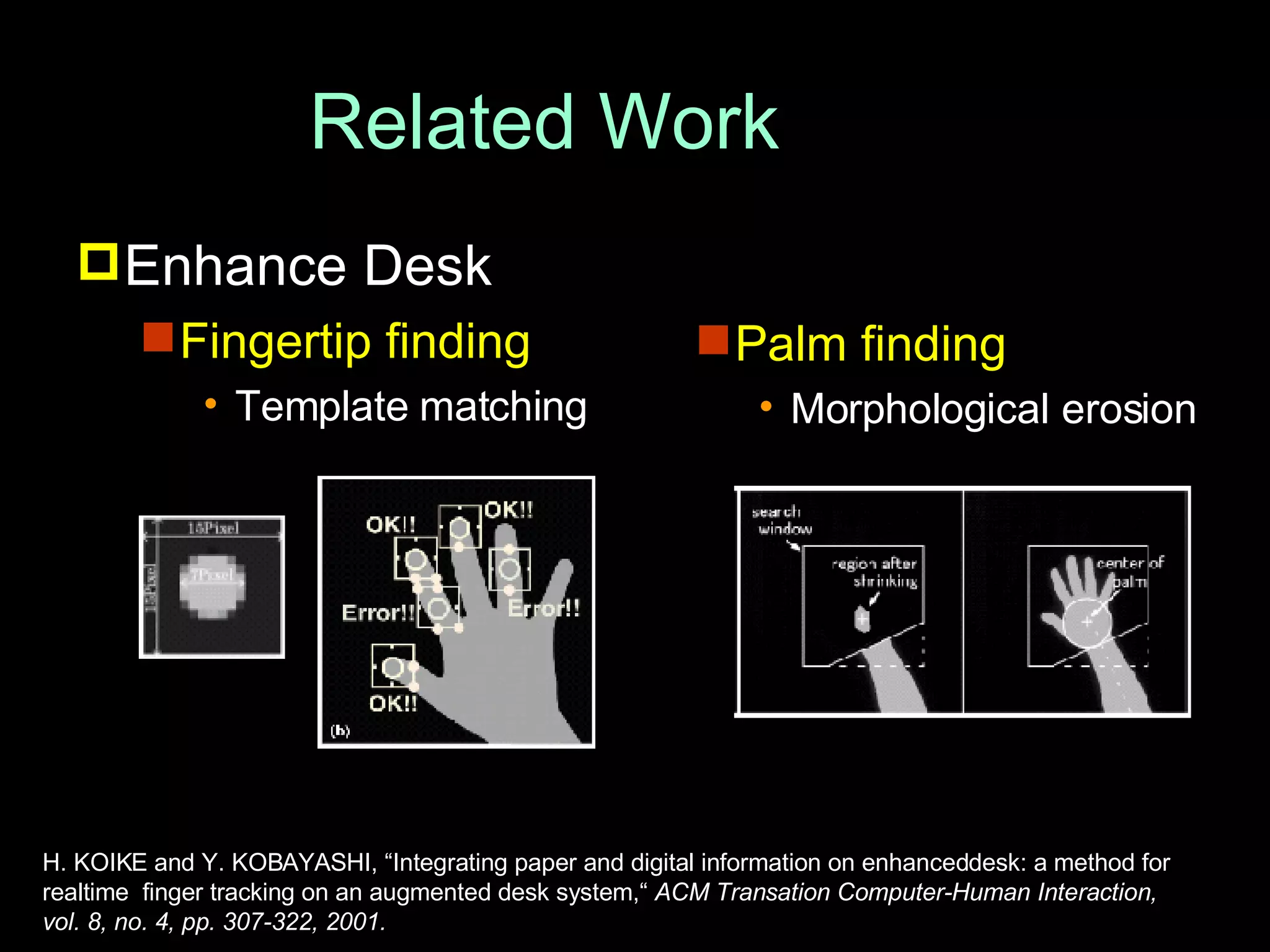
Related Work Enhance Desk Fingertip finding Template matching Palm finding Morphological erosion H. KOIKE and Y. KOBAYASHI, “Integrating paper and digital information on enhanceddesk: a method for  realtime  finger tracking on an augmented desk system,“  ACM Transation Computer-Human Interaction,  vol. 8, no. 4, pp. 307-322, 2001.
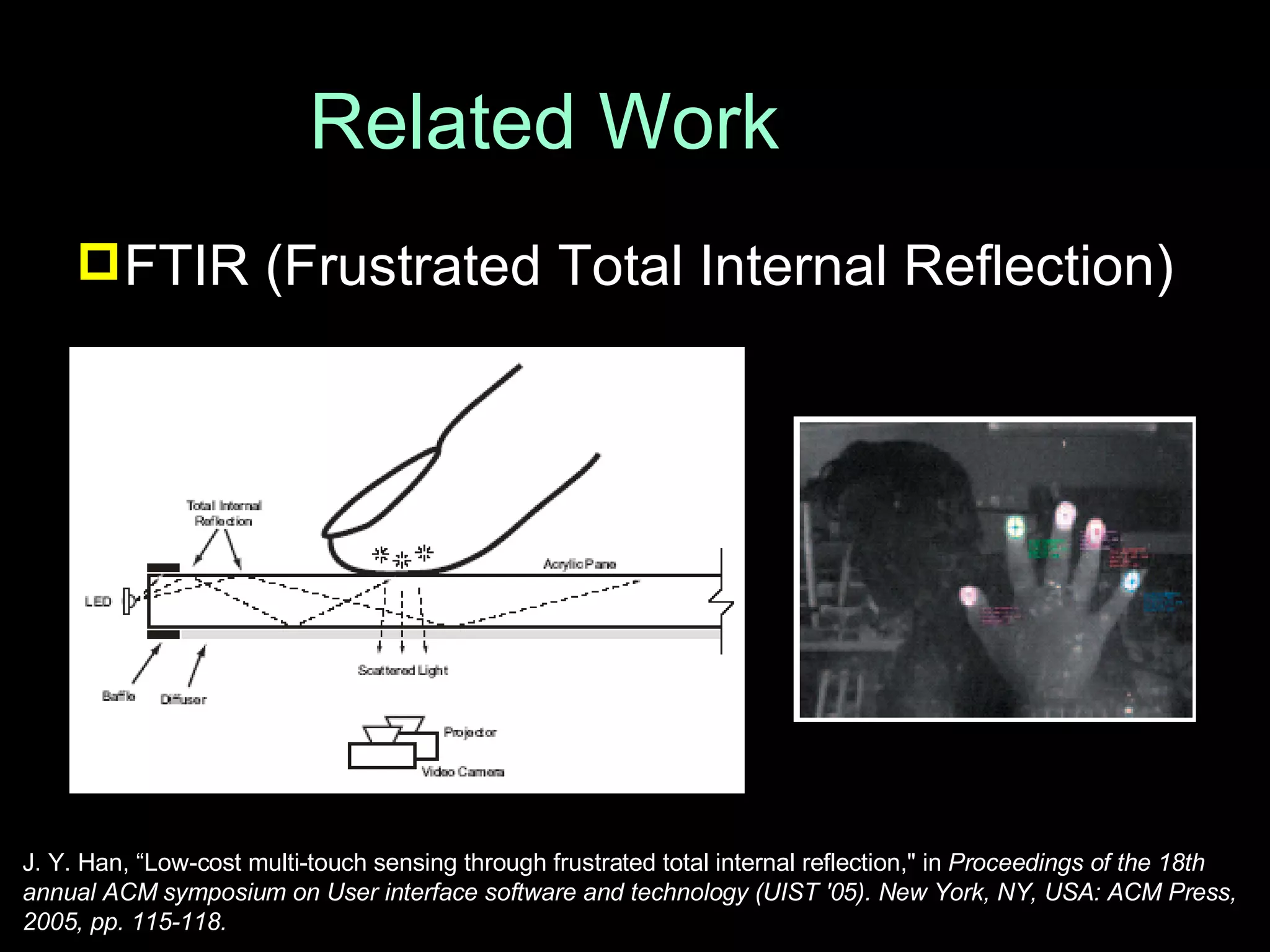
Related Work FTIR (Frustrated Total Internal Reflection) J. Y. Han, “Low-cost multi-touch sensing through frustrated total internal reflection," in  Proceedings of the 18th annual ACM symposium on User interface software and technology (UIST '05). New York, NY, USA: ACM Press, 2005, pp. 115-118.
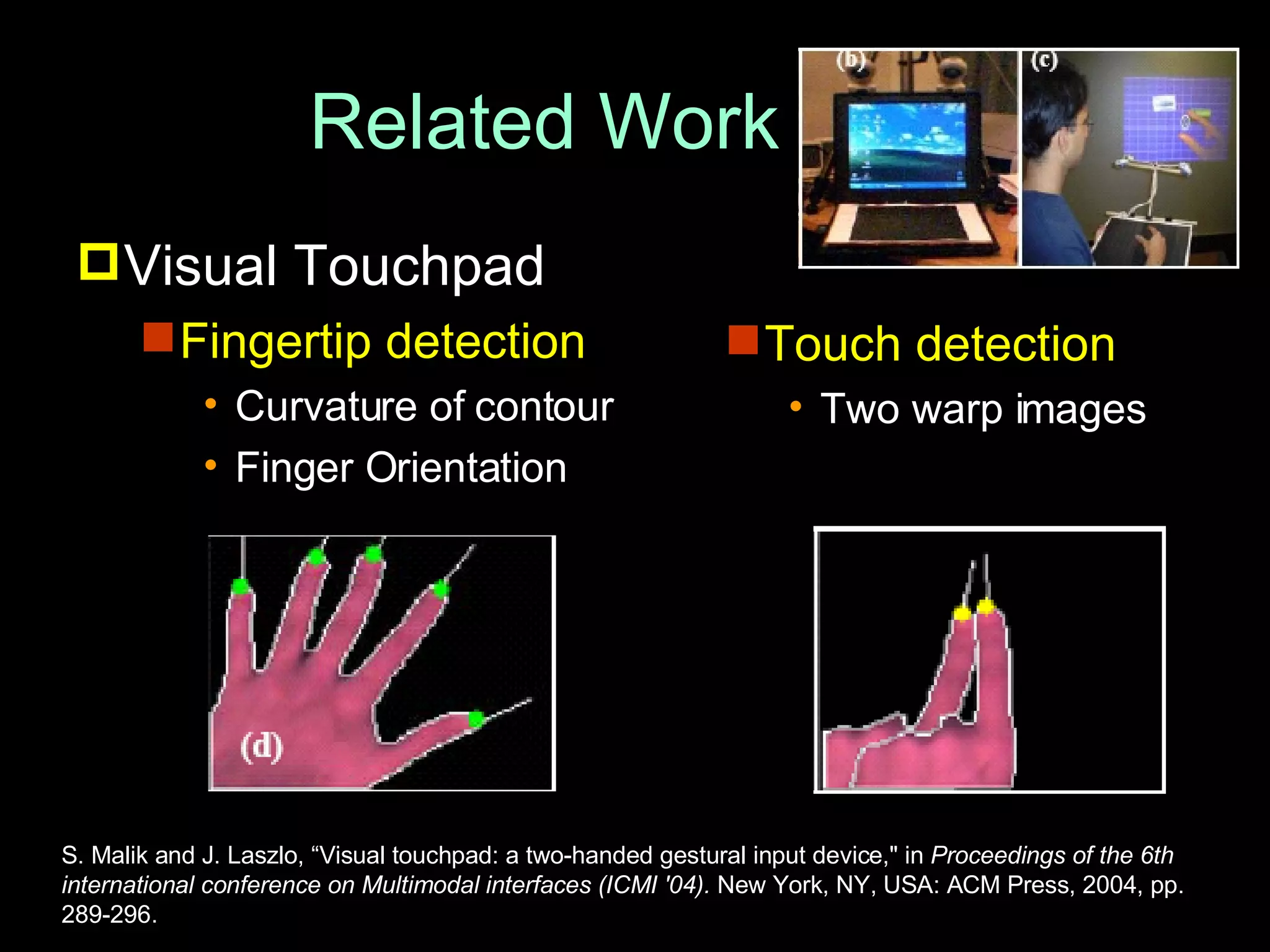
Related Work Visual Touchpad Fingertip detection Curvature of contour Finger Orientation  Touch detection Two warp images  S. Malik and J. Laszlo, “Visual touchpad: a two-handed gestural input device," in  Proceedings of the 6th international conference on Multimodal interfaces (ICMI '04).  New York, NY, USA: ACM Press, 2004, pp. 289-296.
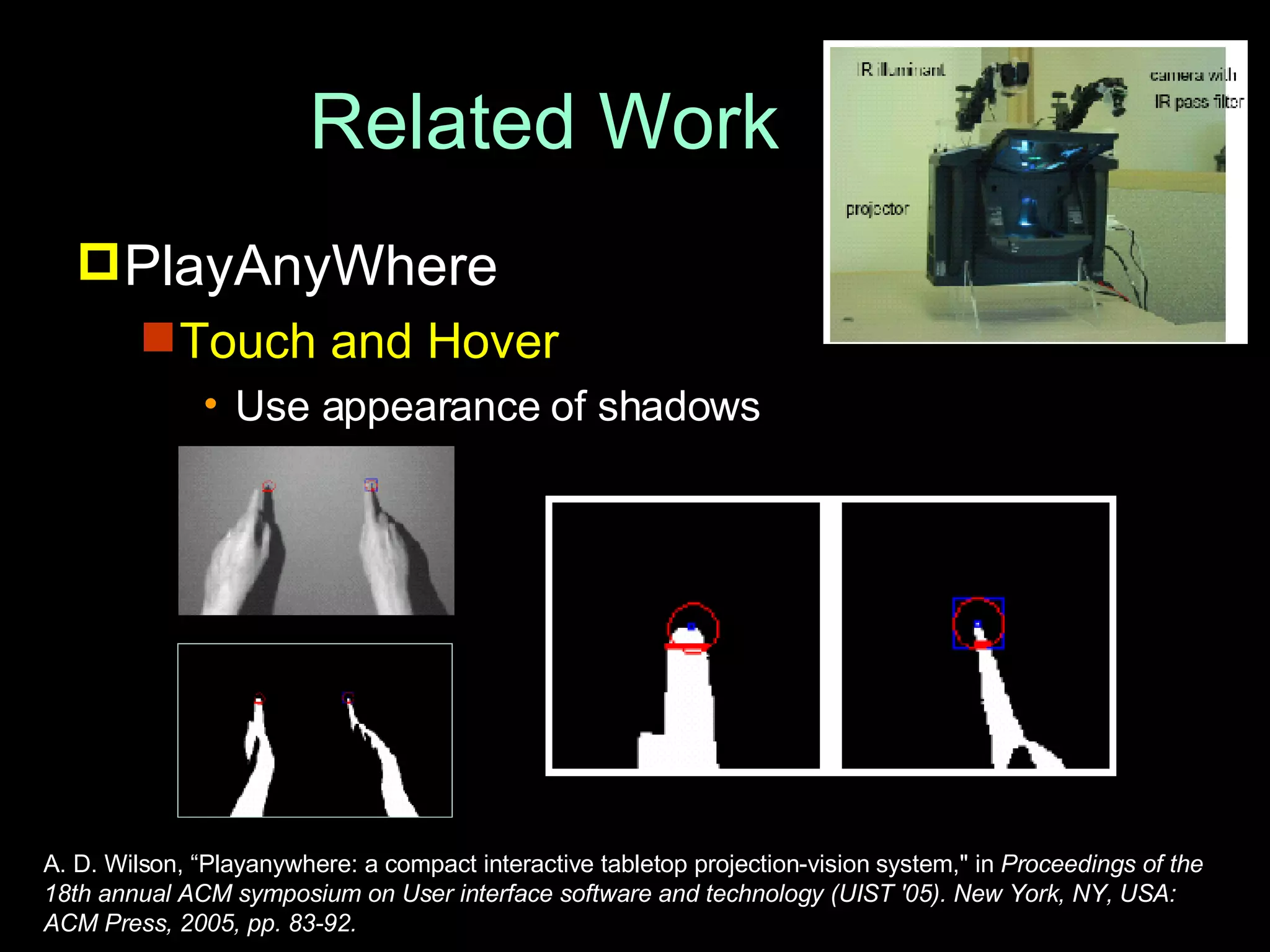
Related Work PlayAnyWhere Touch and Hover Use appearance of shadows  A. D. Wilson, “Playanywhere: a compact interactive tabletop projection-vision system," in  Proceedings of the 18th annual ACM symposium on User interface software and technology (UIST '05). New York, NY, USA: ACM Press, 2005, pp. 83-92.
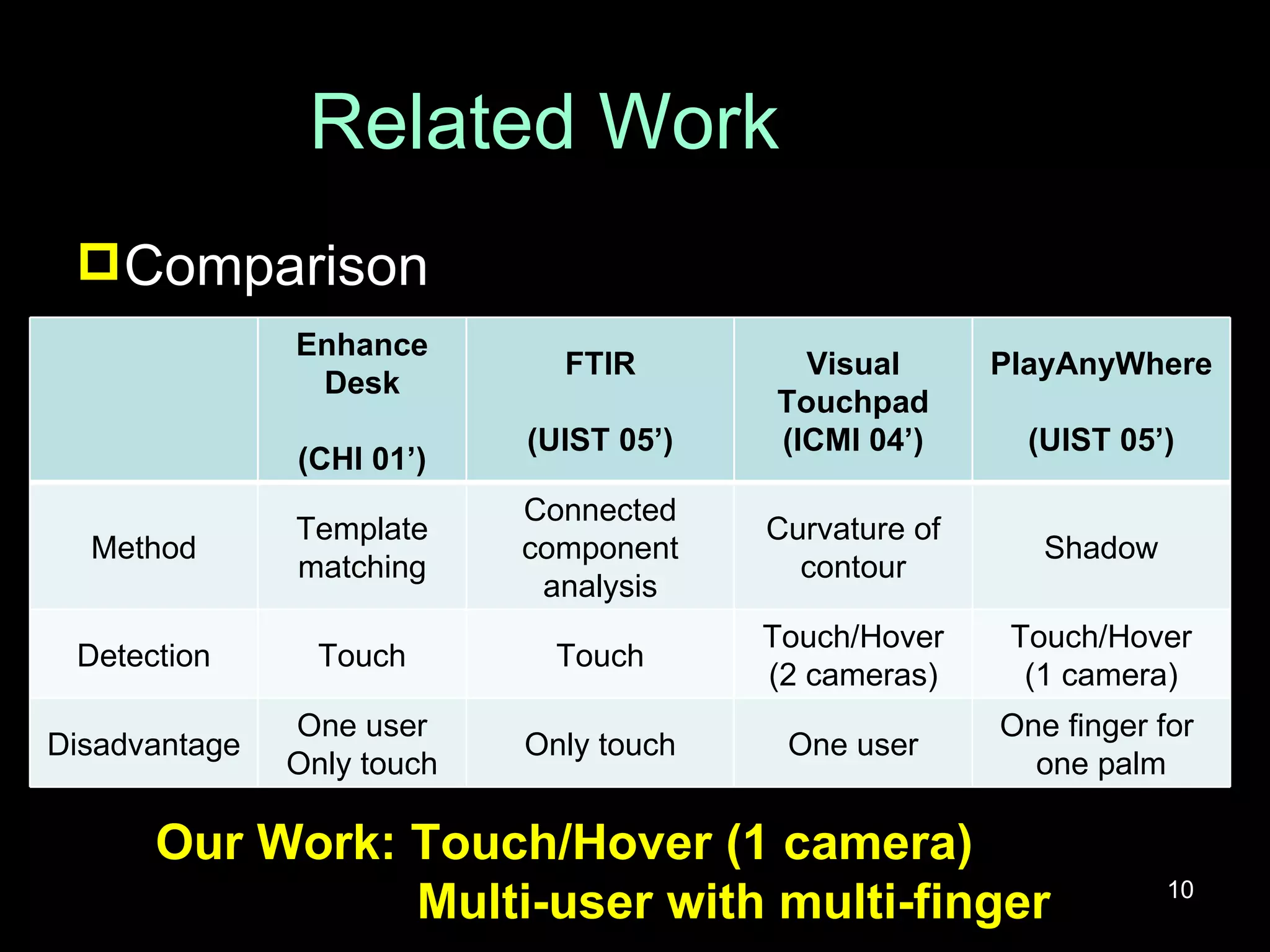
Related Work Comparison Our Work: Touch/Hover (1 camera) Multi-user with multi-finger Enhance Desk (CHI 01’) FTIR (UIST 05’) Visual Touchpad (ICMI 04’) PlayAnyWhere (UIST 05’) Method Template matching Connected component analysis Curvature of contour Shadow Detection Touch Touch Touch/Hover (2 cameras) Touch/Hover (1 camera) Disadvantage One user Only touch Only touch One user One finger for  one palm
Outline Introduction Related Work Fingertip Detection and Tracking Applications i-m- Top Magic Crystal Ball (MaC Ball) Conclusion & Future Work
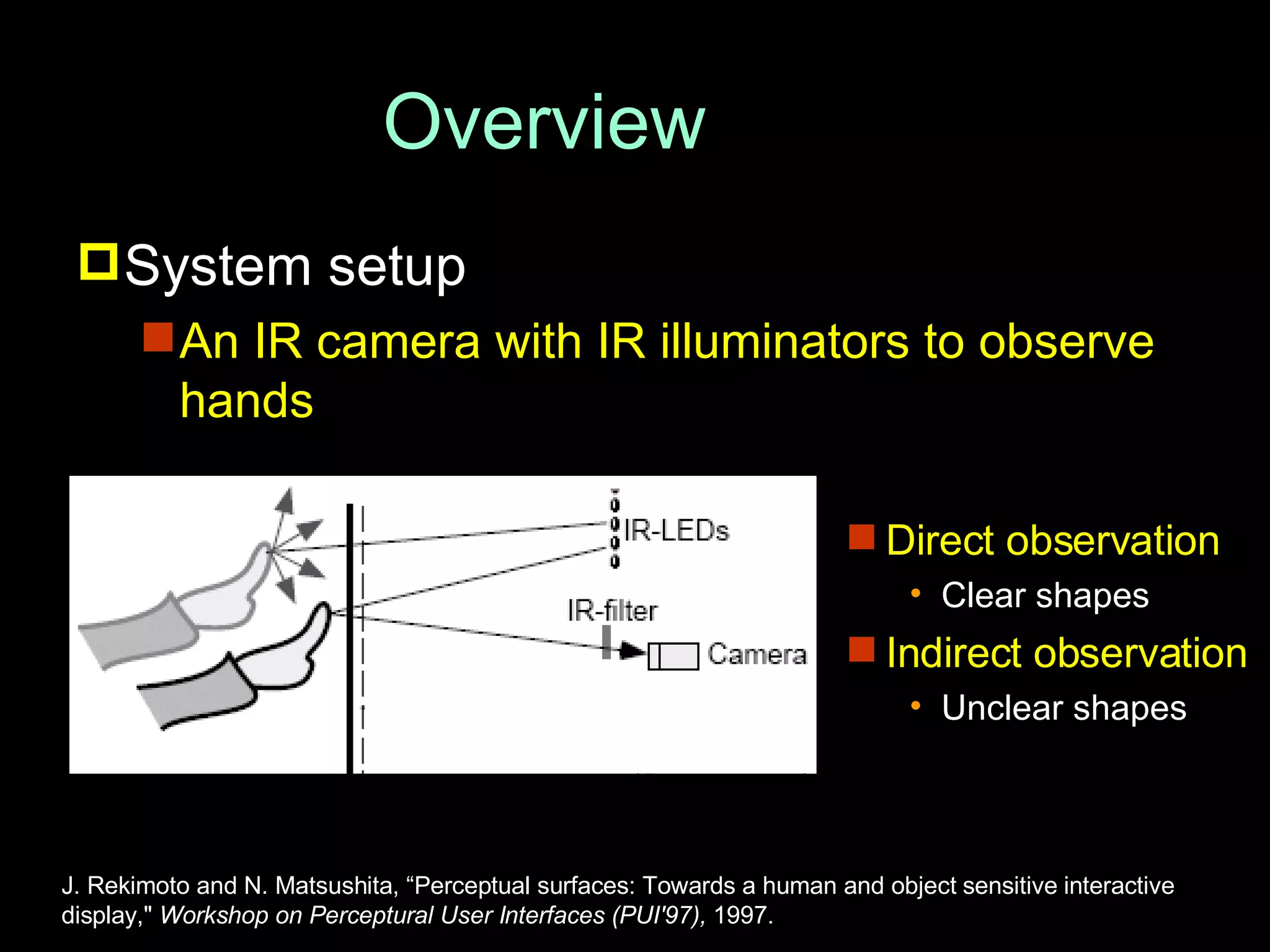
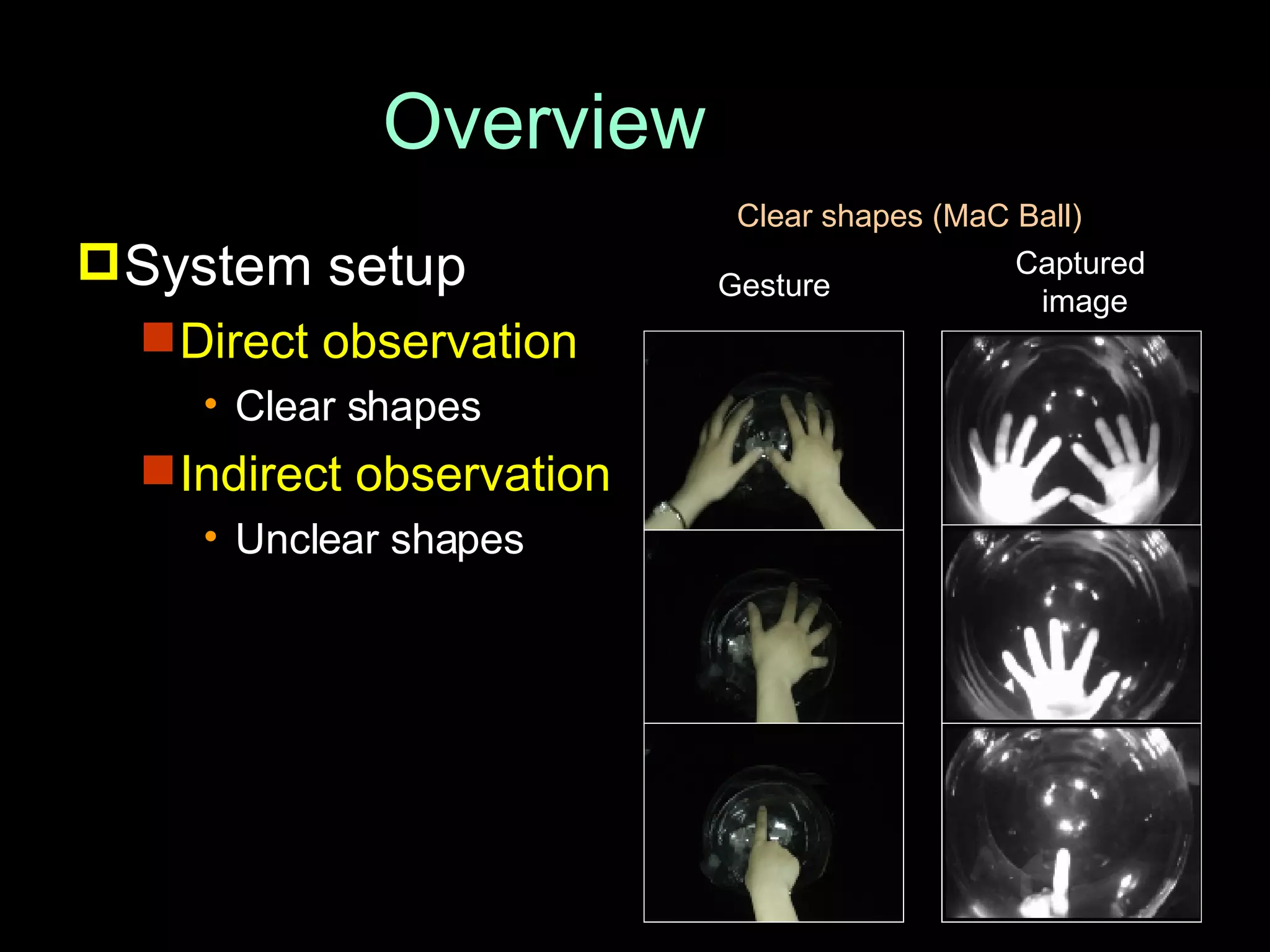
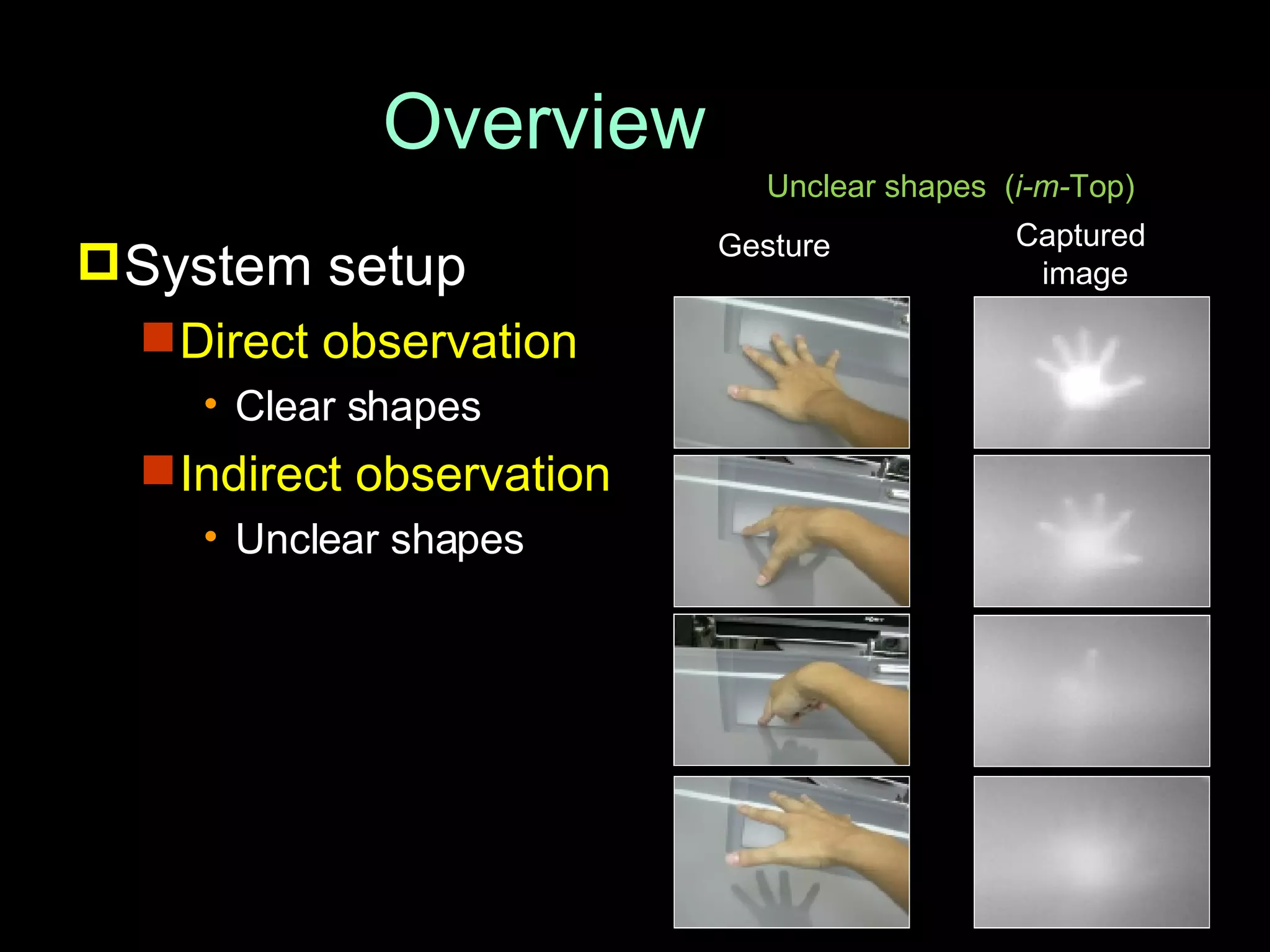
Overview System setup An IR camera with IR illuminators to observe hands J. Rekimoto and N. Matsushita, “Perceptual surfaces: Towards a human and object sensitive interactive display,"  Workshop on Perceptural User Interfaces (PUI'97),  1997. Direct observation Clear shapes Indirect observation Unclear shapes
System setup Direct observation Clear shapes Indirect observation Unclear shapes Overview Clear shapes (MaC Ball) Gesture Captured  image
System setup Direct observation Clear shapes Indirect observation Unclear shapes Overview Unclear shapes  ( i-m- Top) Gesture Captured  image
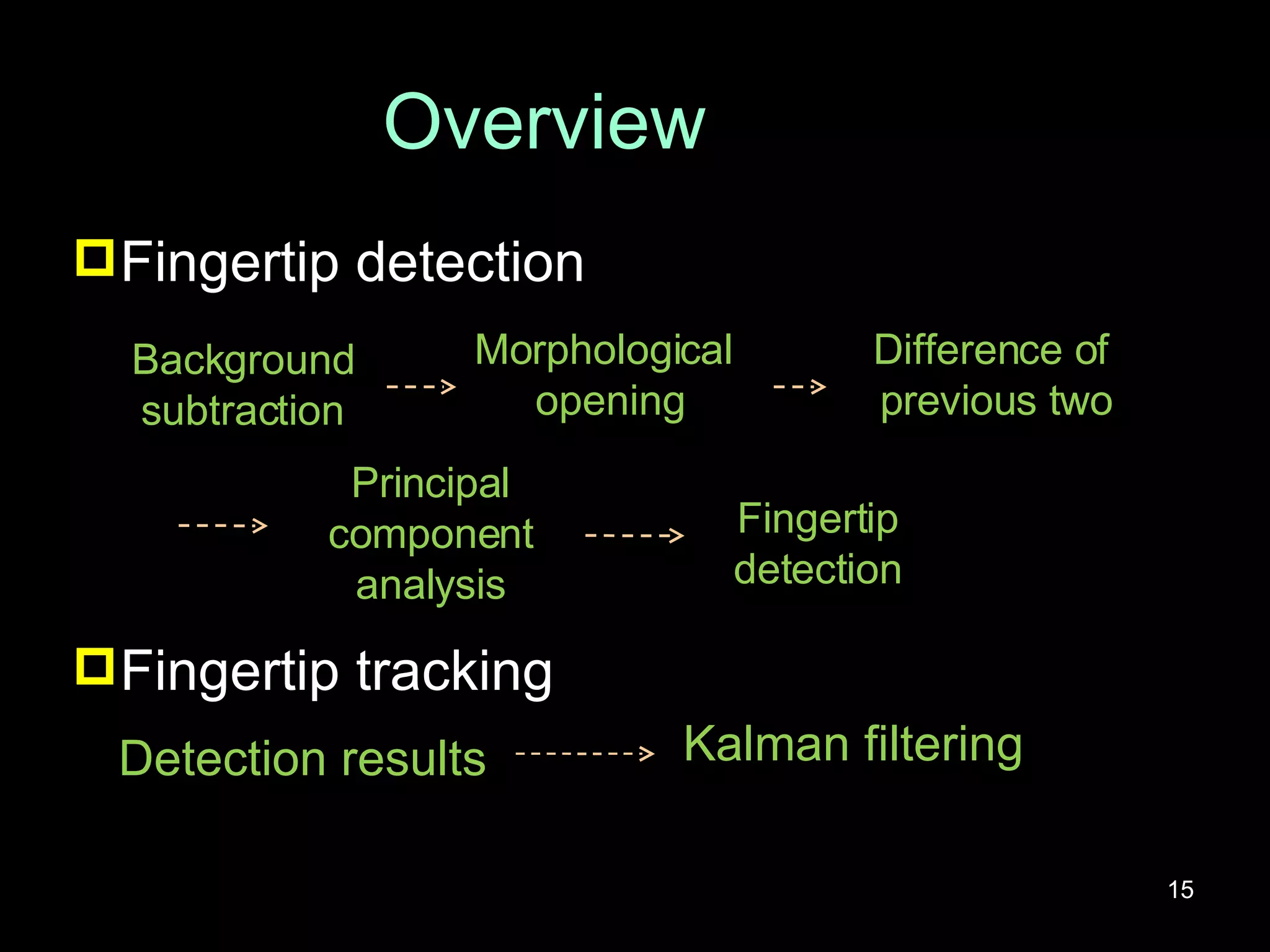
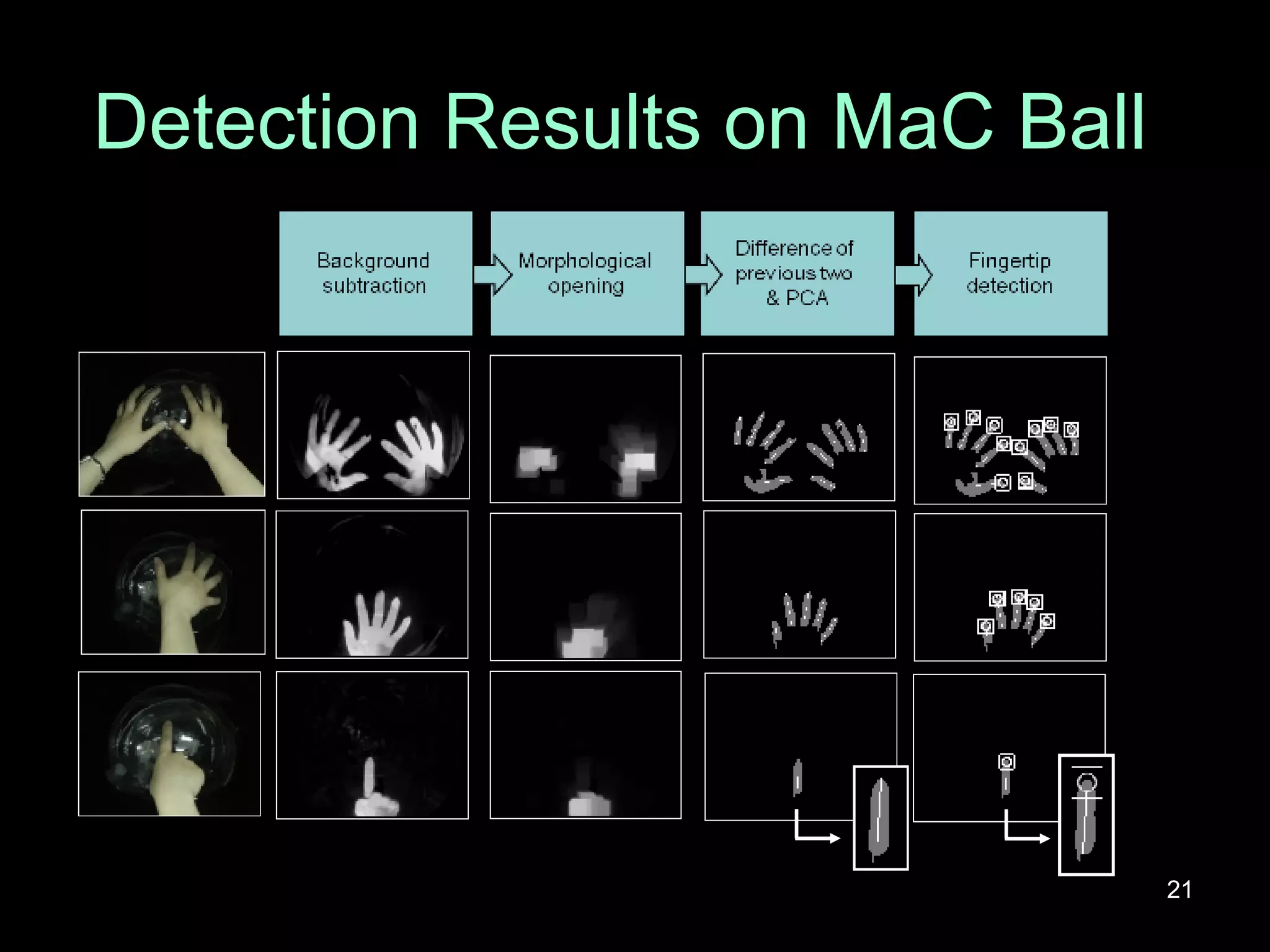
Overview Fingertip detection Fingertip tracking Detection results Kalman filtering Background subtraction Morphological  opening Difference of  previous two Principal component analysis Fingertip detection
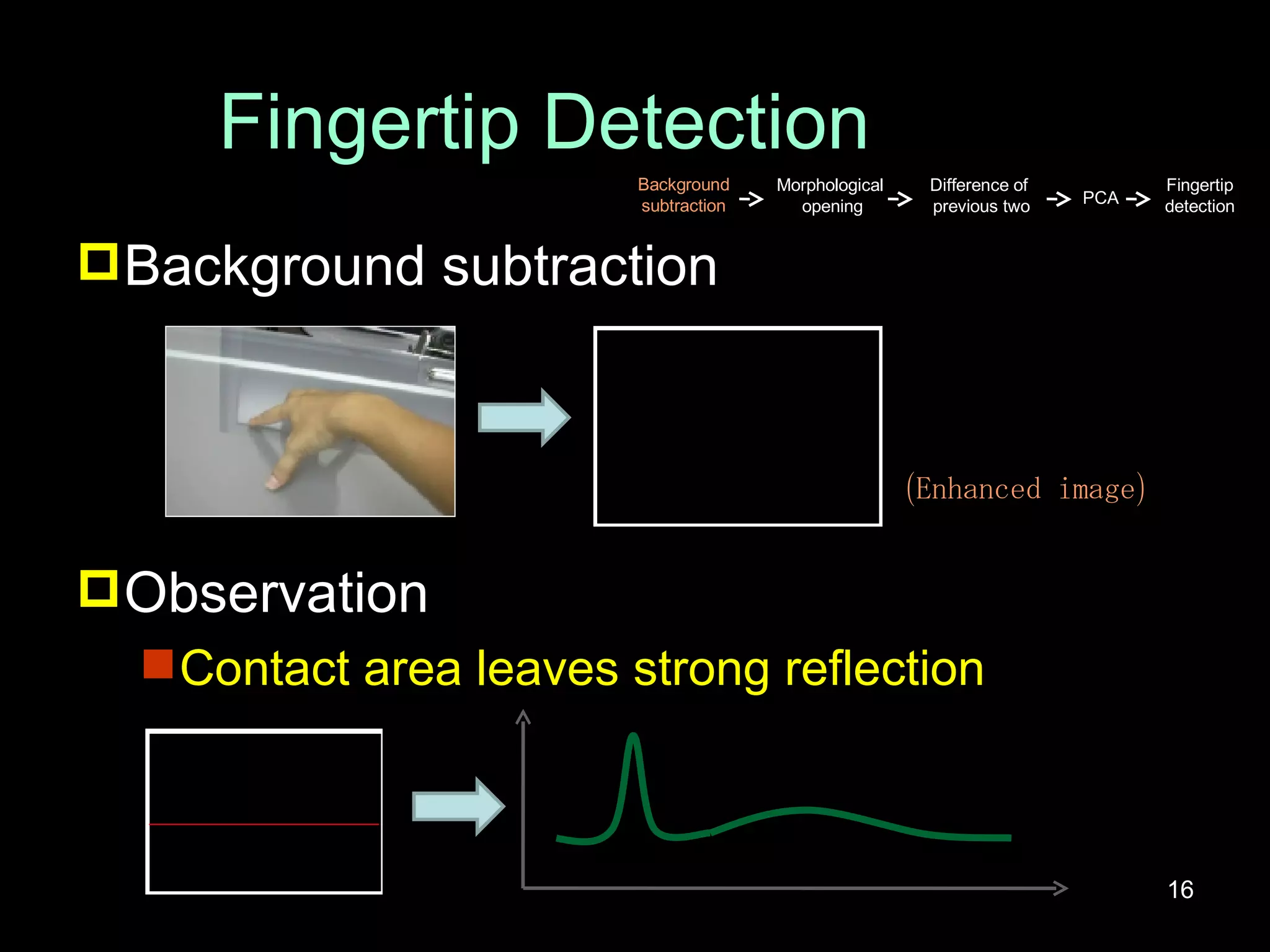
Fingertip Detection Background subtraction Observation Contact area leaves strong reflection (Enhanced image) Background subtraction Morphological  opening Difference of  previous two PCA Fingertip detection
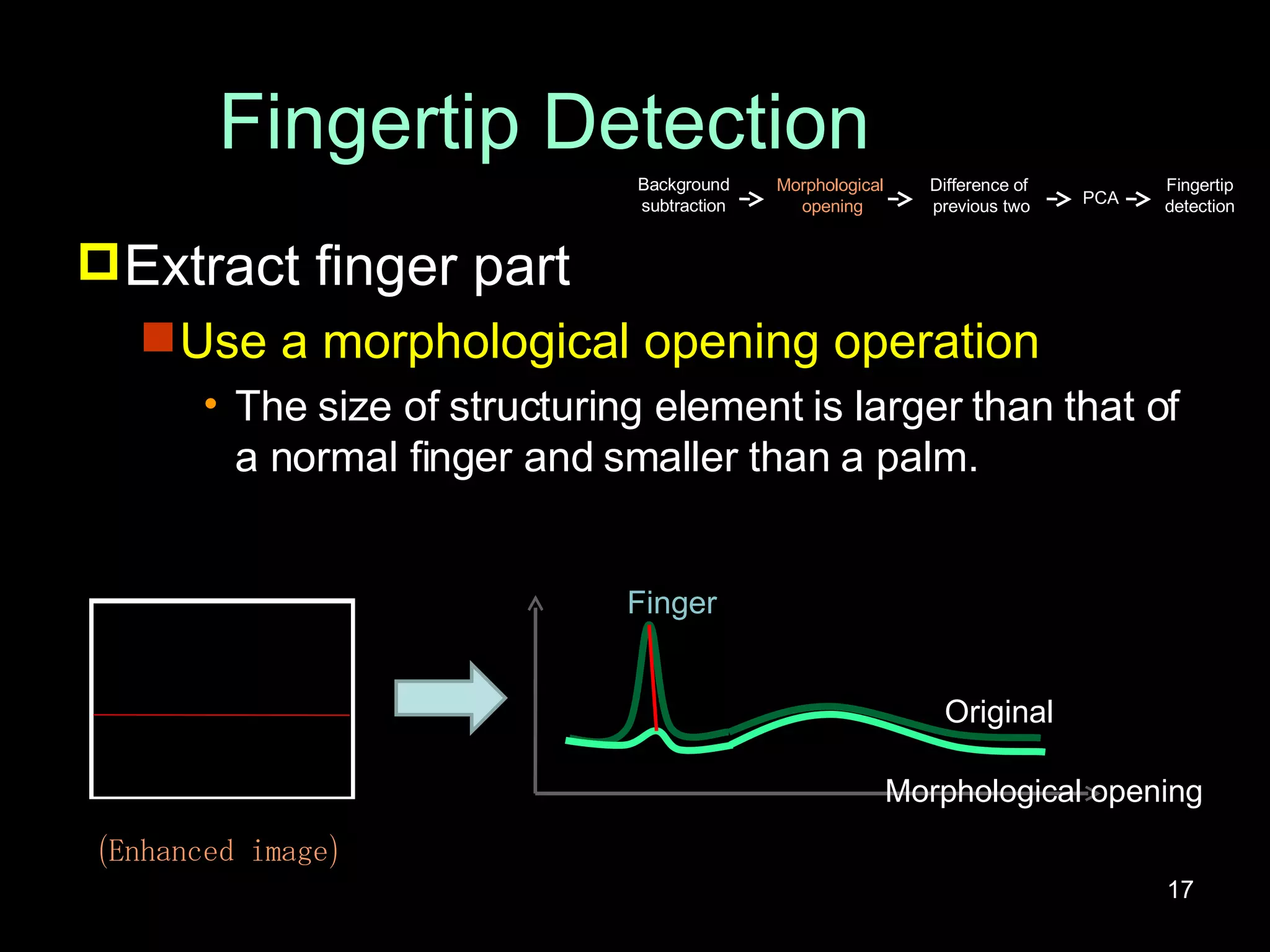
Fingertip Detection Extract finger part Use a morphological opening operation The size of structuring element is larger than that of a normal finger and smaller than a palm. Original Morphological opening Finger (Enhanced image) Background subtraction Morphological  opening Difference of  previous two PCA Fingertip detection
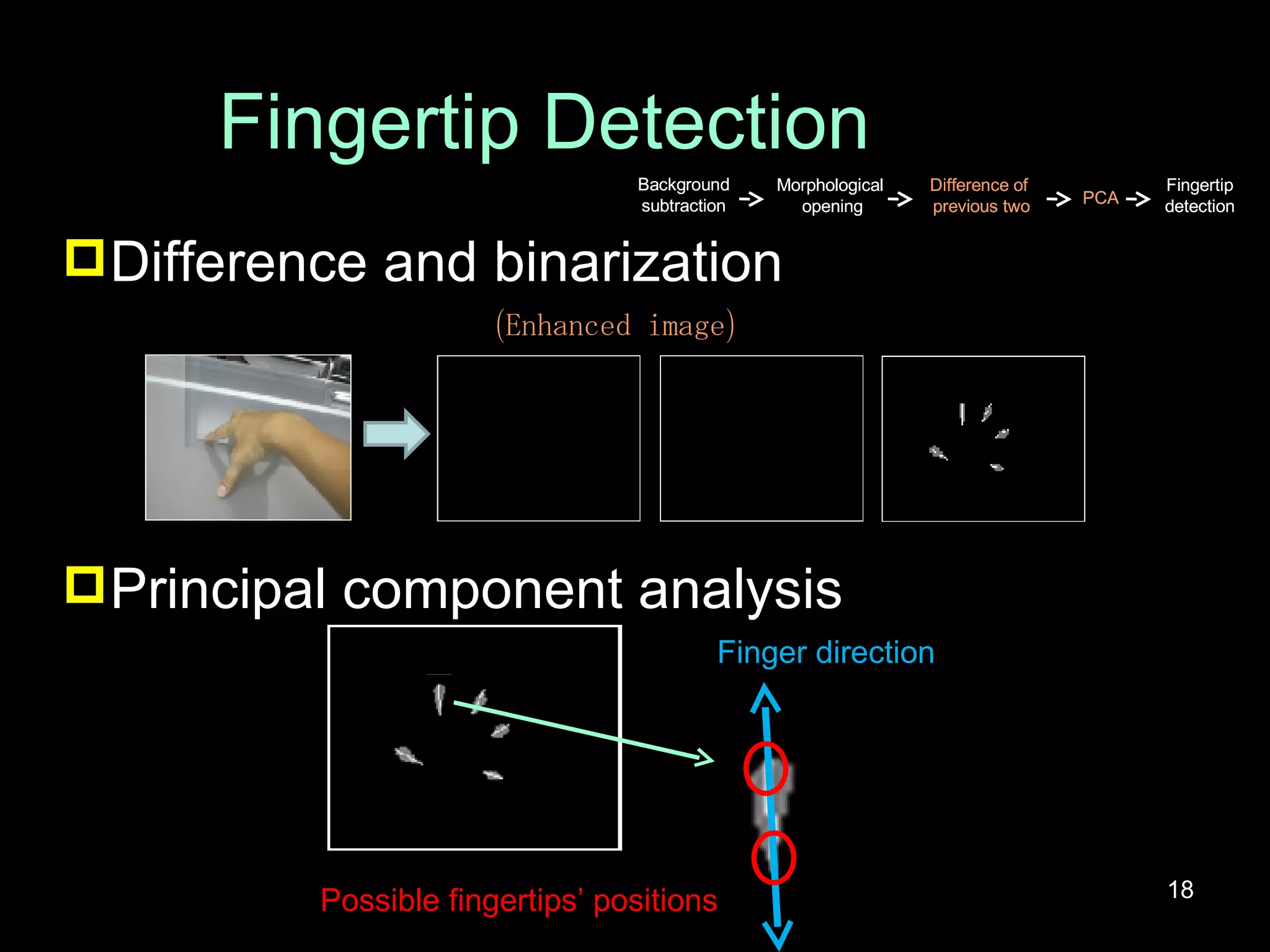
Fingertip Detection Difference and binarization Principal component analysis Finger direction Possible fingertips’ positions (Enhanced image) Background subtraction Morphological  opening Difference of  previous two PCA Fingertip detection Background subtraction Morphological  opening Difference of  previous two PCA Fingertip detection
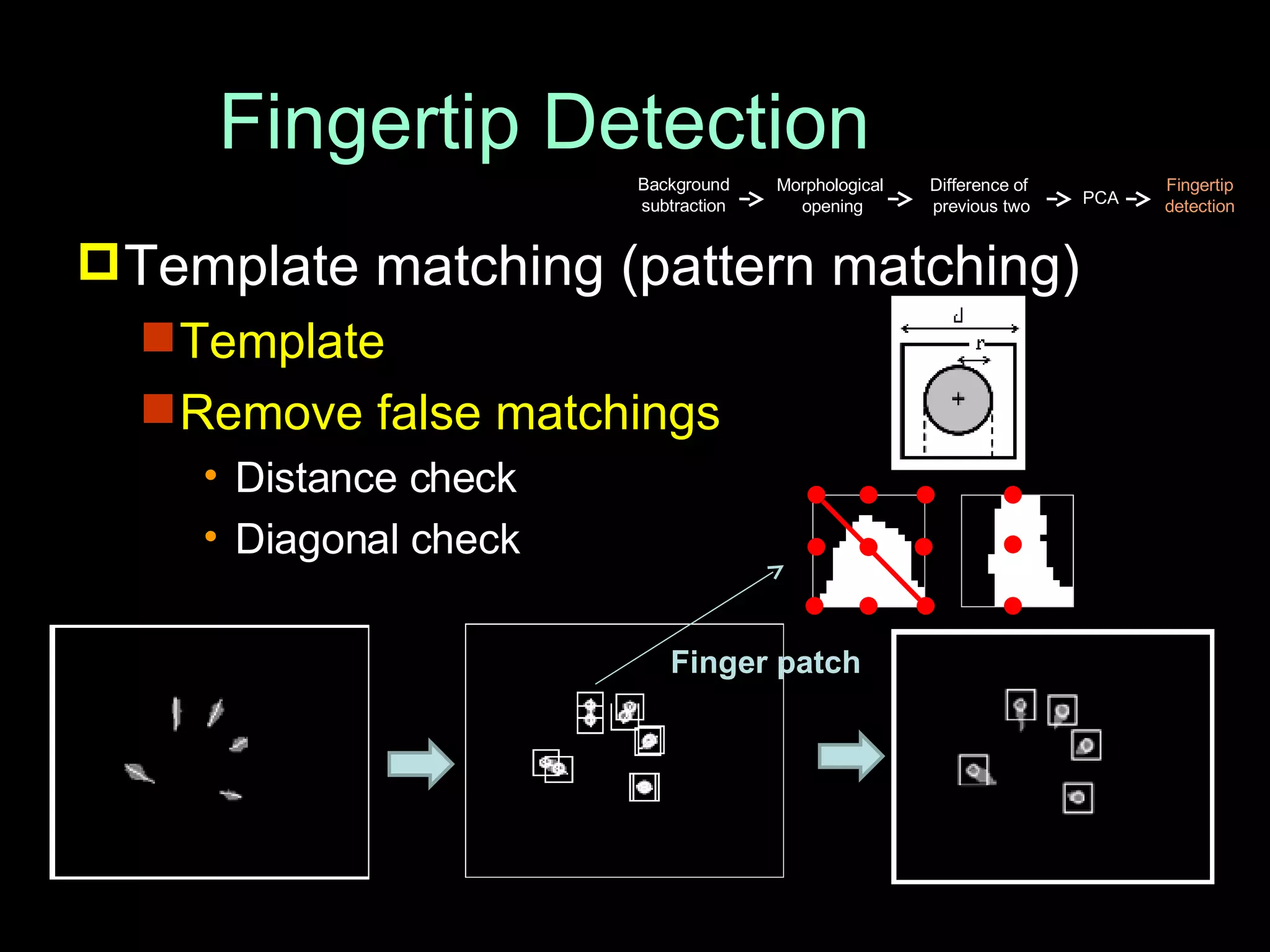
Fingertip Detection Template matching (pattern matching) Template Remove false matchings Distance check Diagonal check Finger patch Background subtraction Morphological  opening Difference of  previous two PCA Fingertip detection
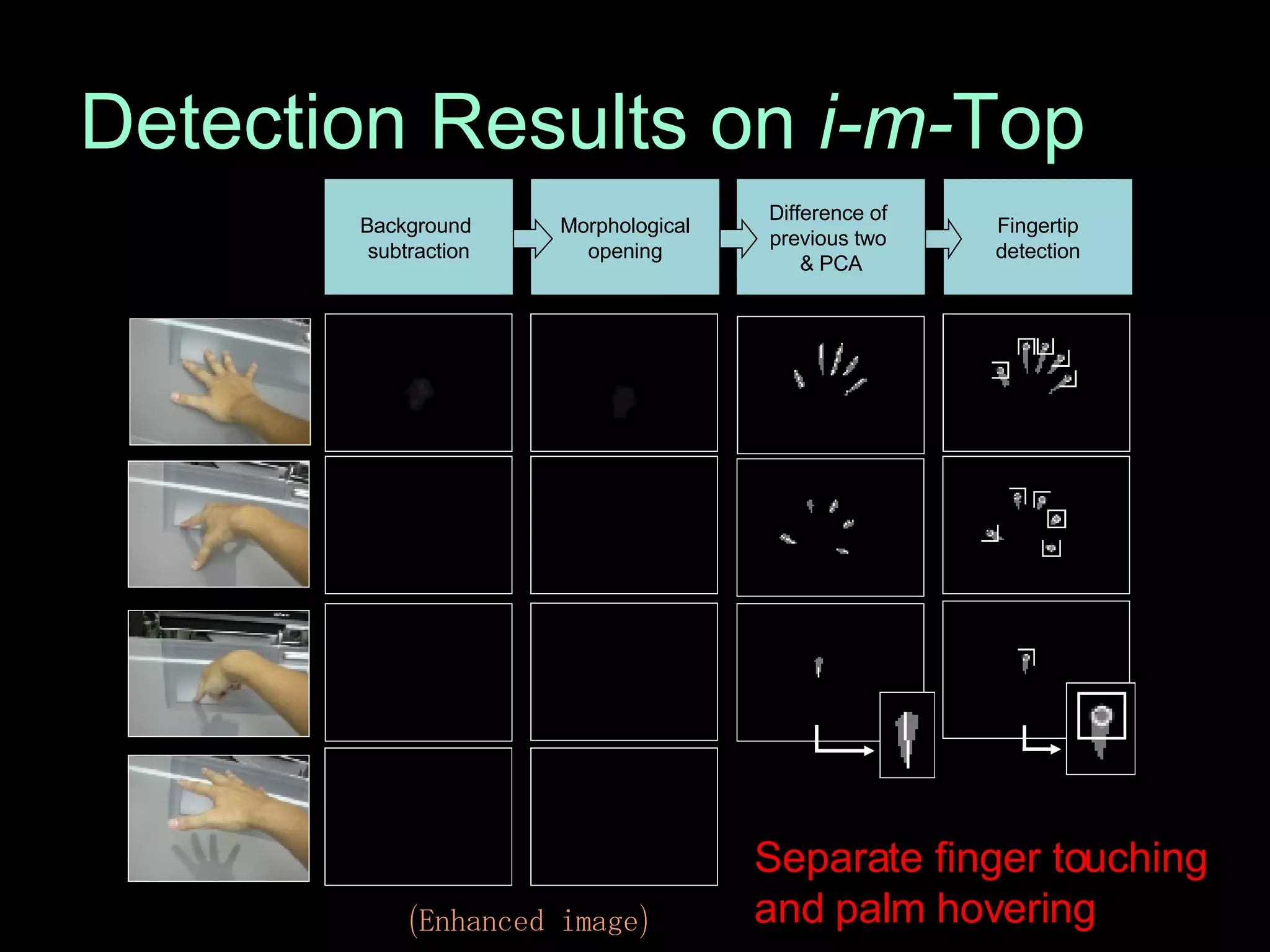
Detection Results on  i-m- Top (Enhanced image) Separate finger touching  and palm hovering Fingertip detection Difference of  previous two  & PCA Morphological opening Background  subtraction
Detection Results on MaC Ball
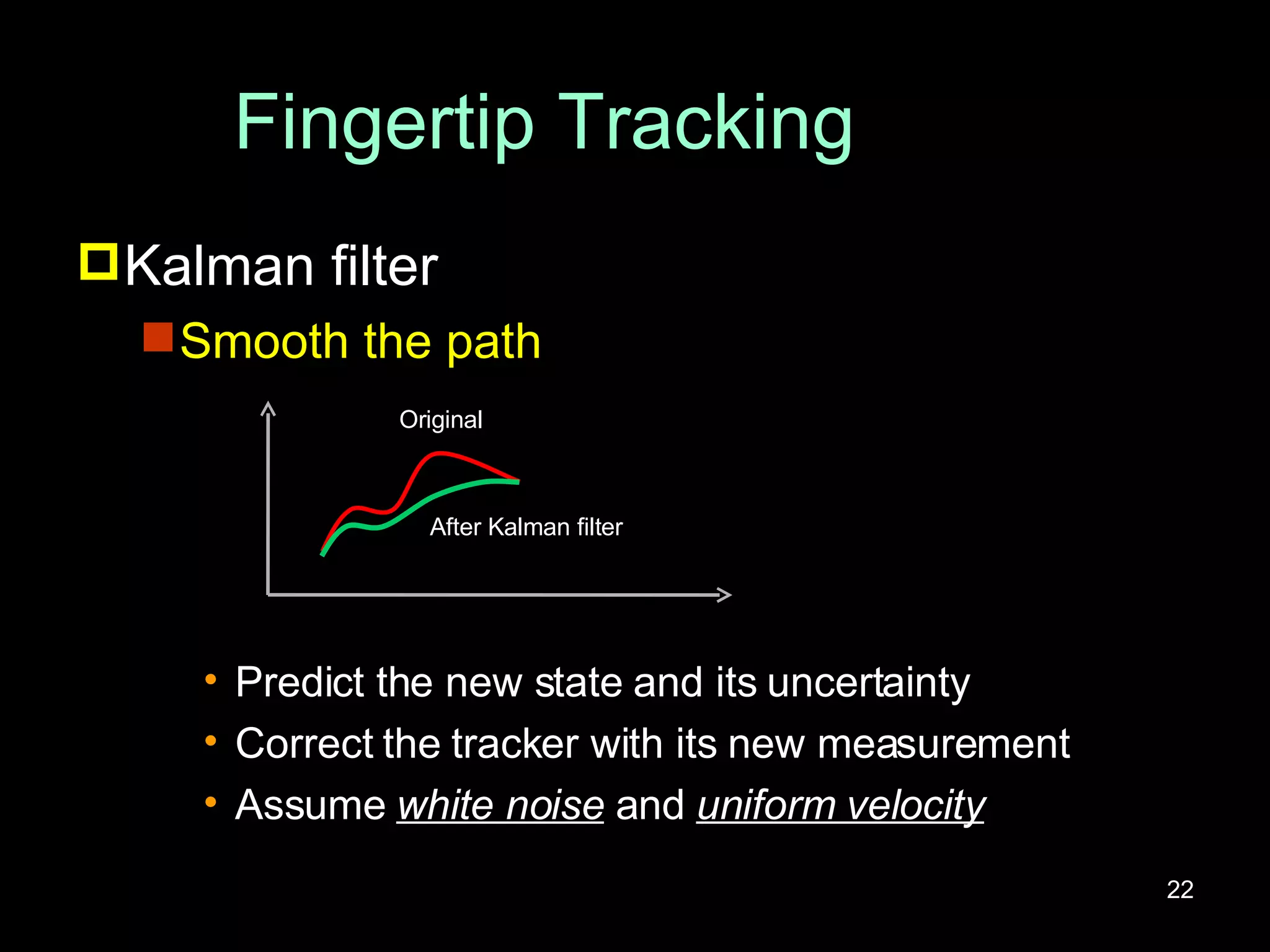
Fingertip Tracking Kalman filter Smooth the path Predict the new state and its uncertainty Correct the tracker with its new measurement Assume  white noise  and  uniform velocity Original After Kalman filter
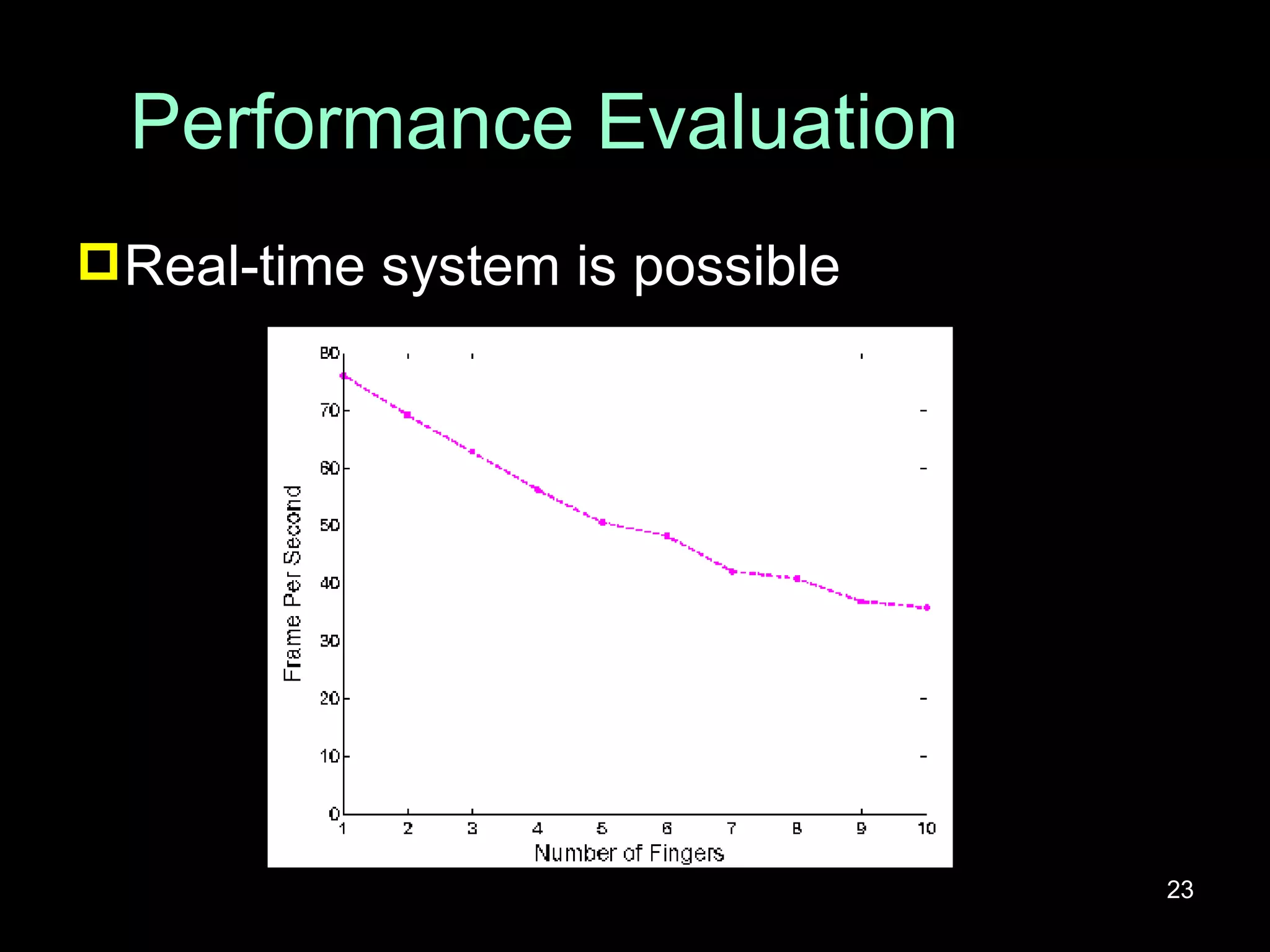
Performance Evaluation Real-time system is possible
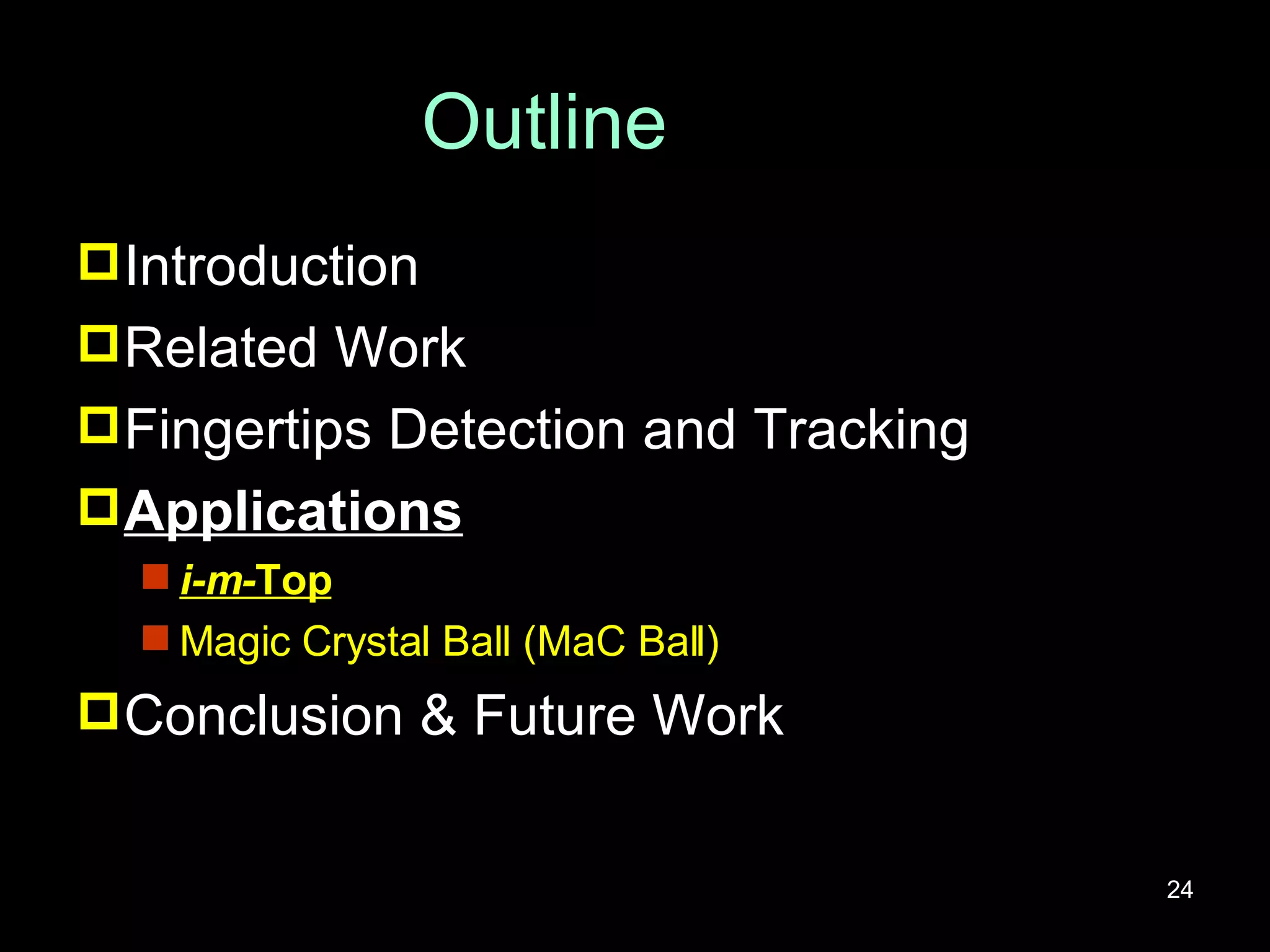
Outline Introduction Related Work Fingertips Detection and Tracking Applications i-m- Top Magic Crystal Ball (MaC Ball) Conclusion & Future Work
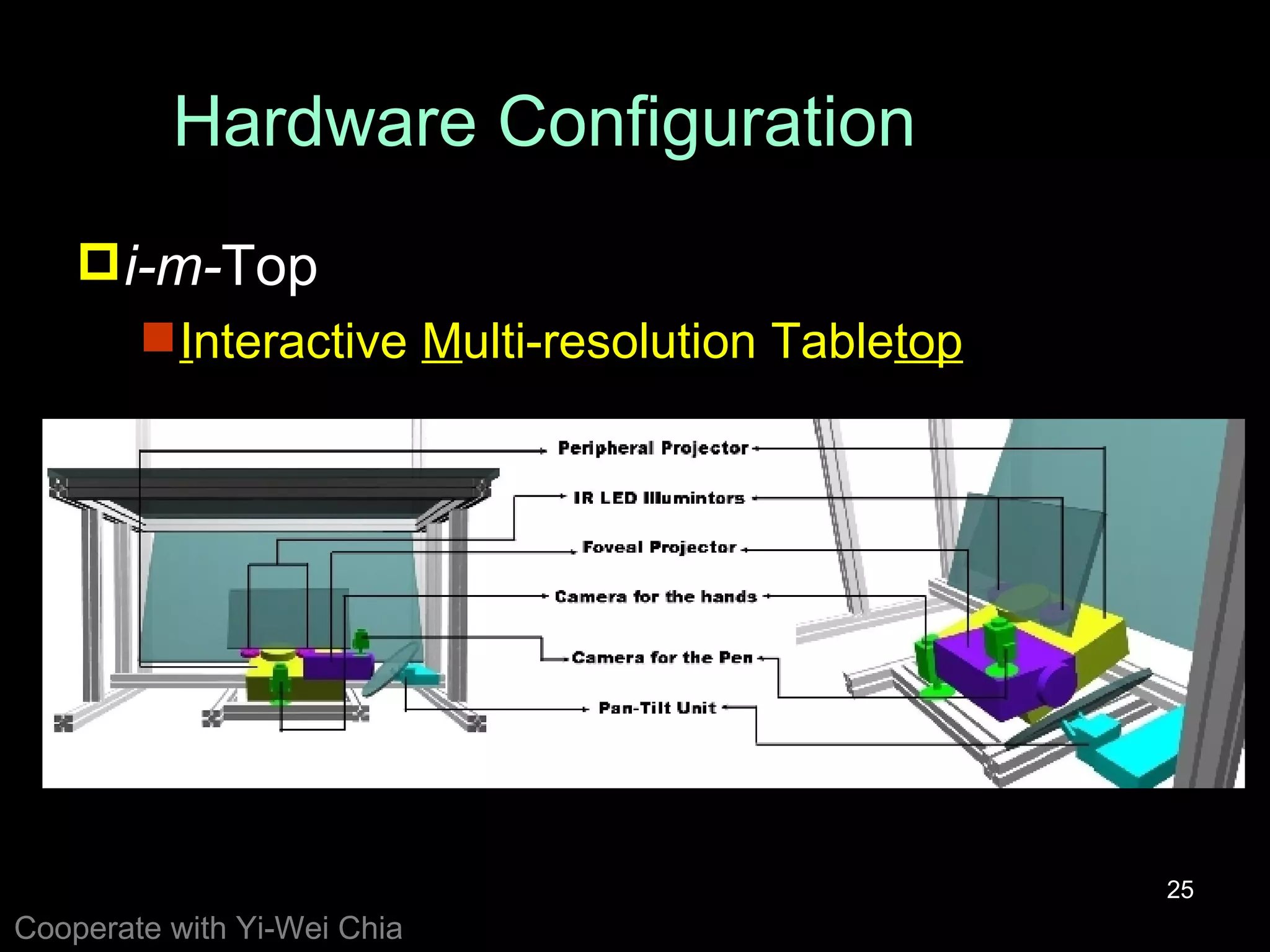
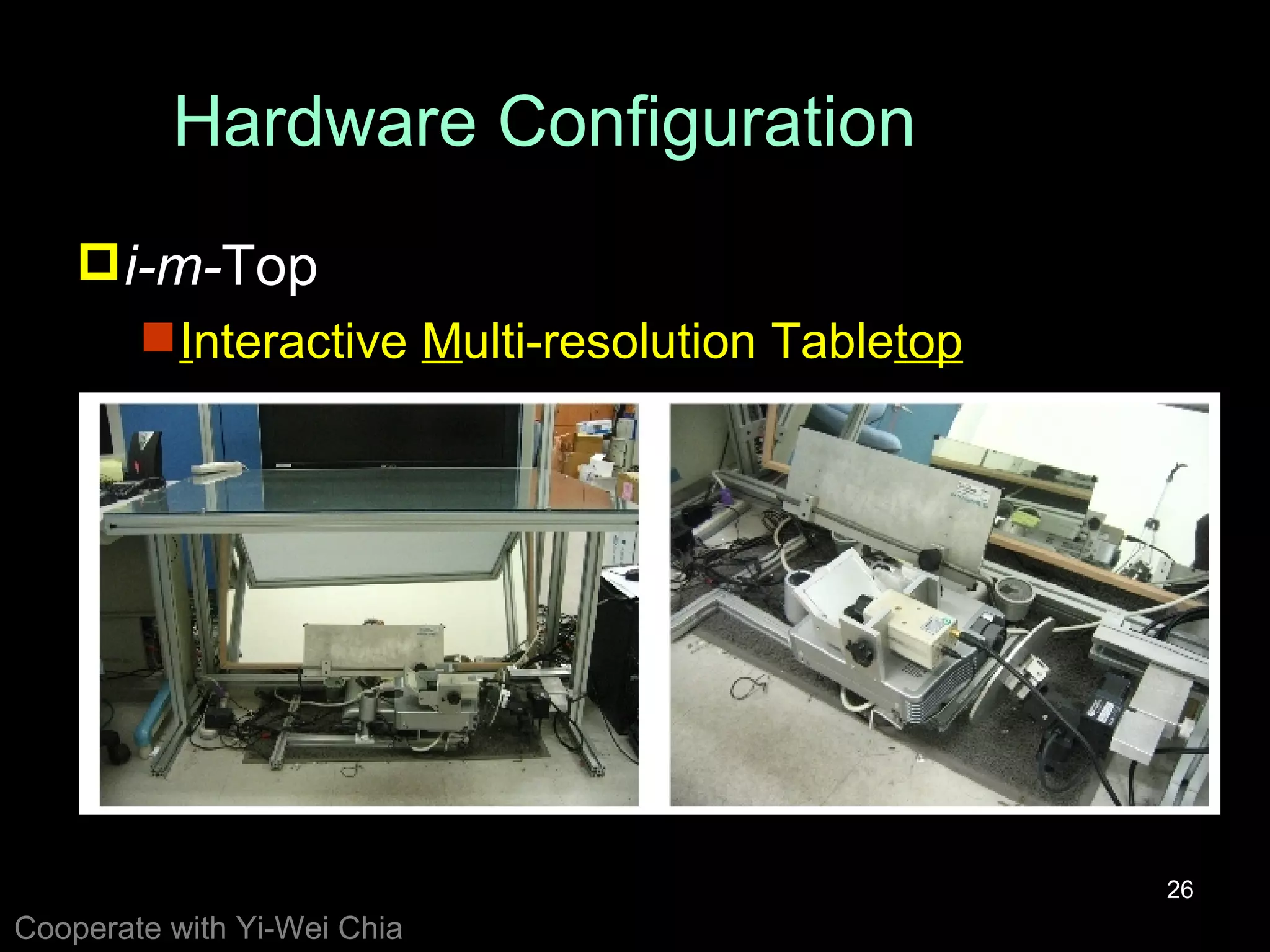
Hardware Configuration i-m- Top I nteractive  M ulti-resolution Table top Cooperate with Yi-Wei Chia
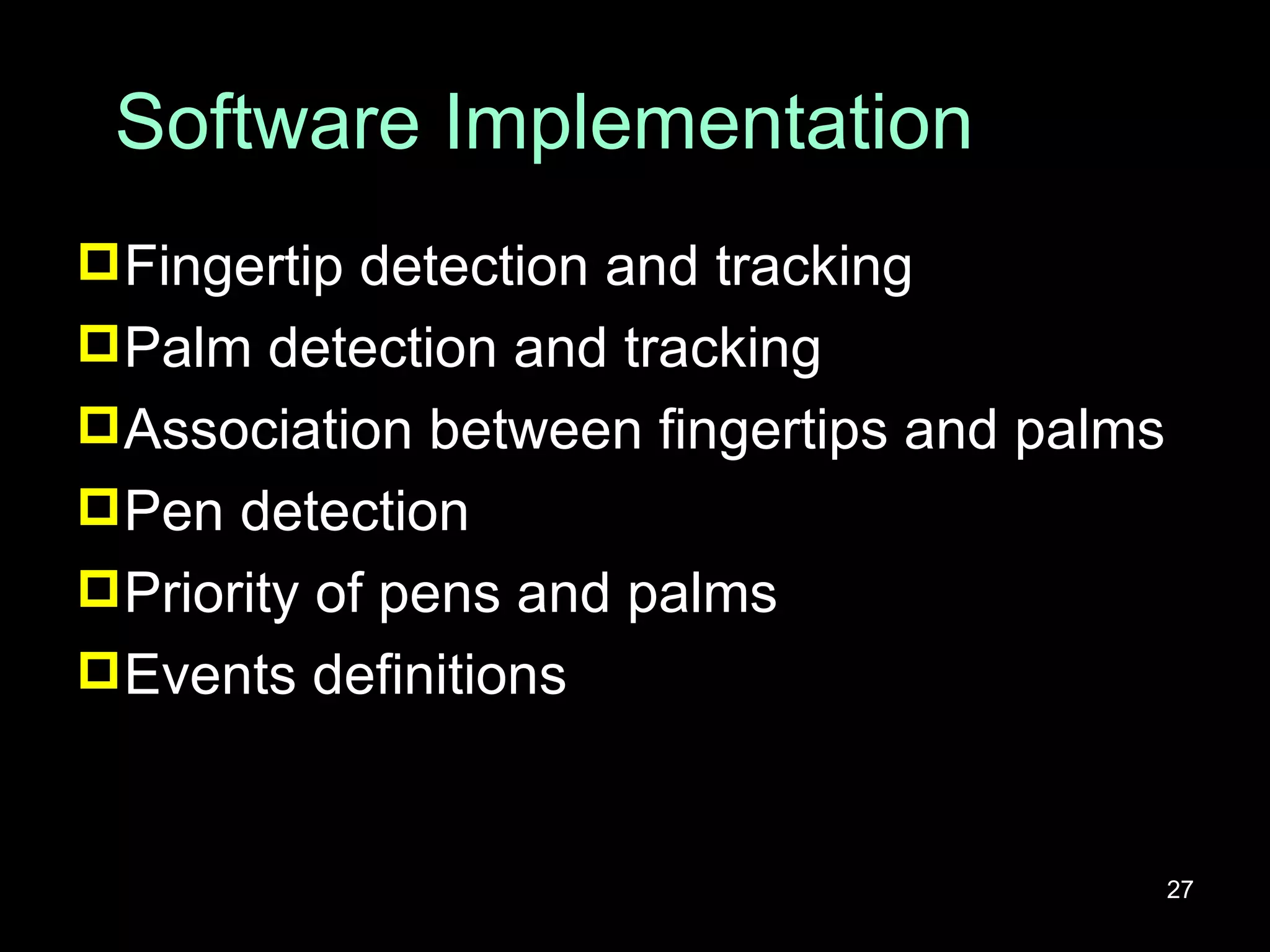
Software Implementation Fingertip detection and tracking Palm detection and tracking Association between fingertips and palms Pen detection Priority of pens and palms Events definitions
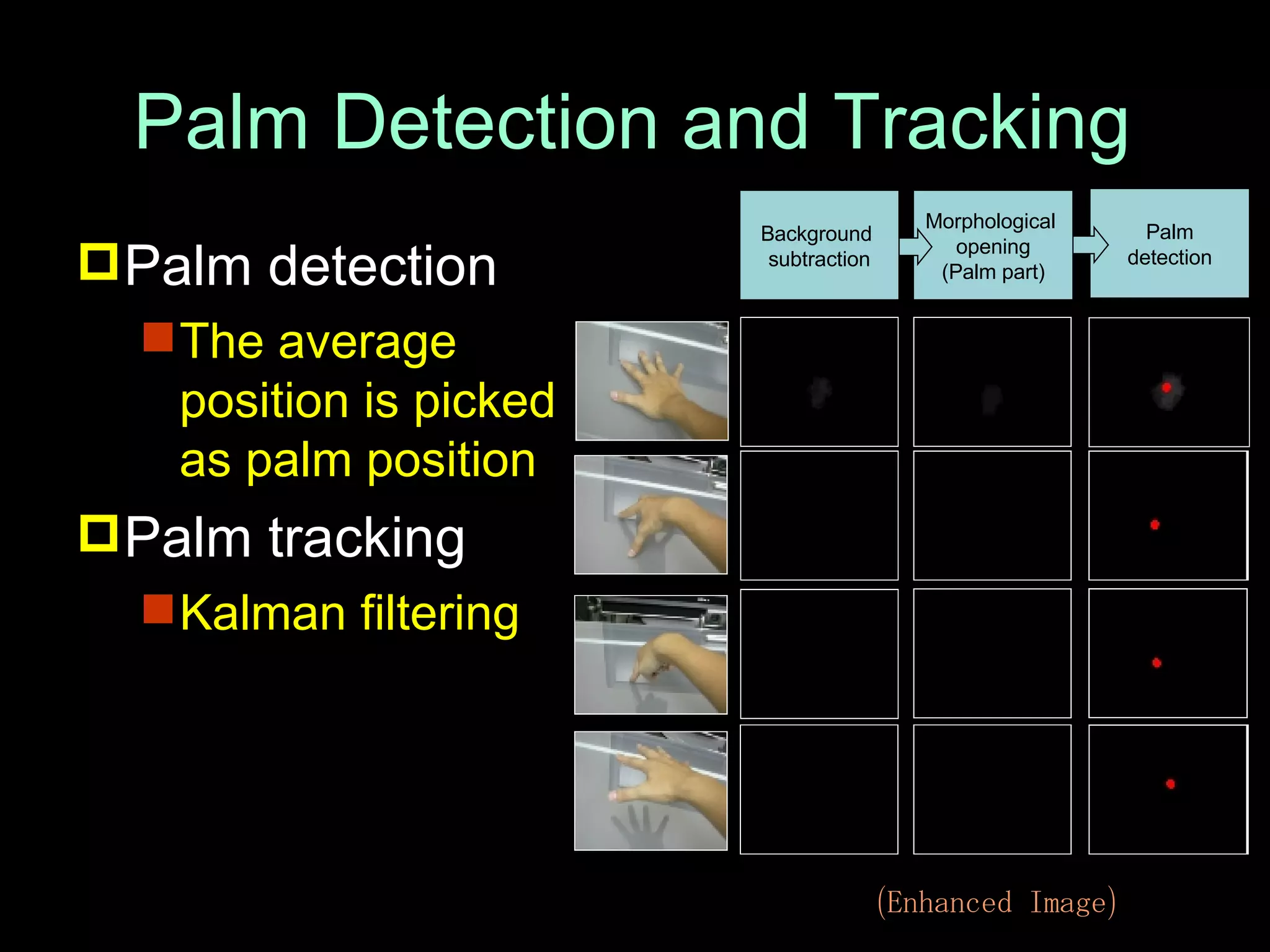
Palm Detection and Tracking Palm detection The average position is picked as palm position Palm tracking Kalman filtering Palm detection Morphological  opening (Palm part) Background  subtraction (Enhanced Image)
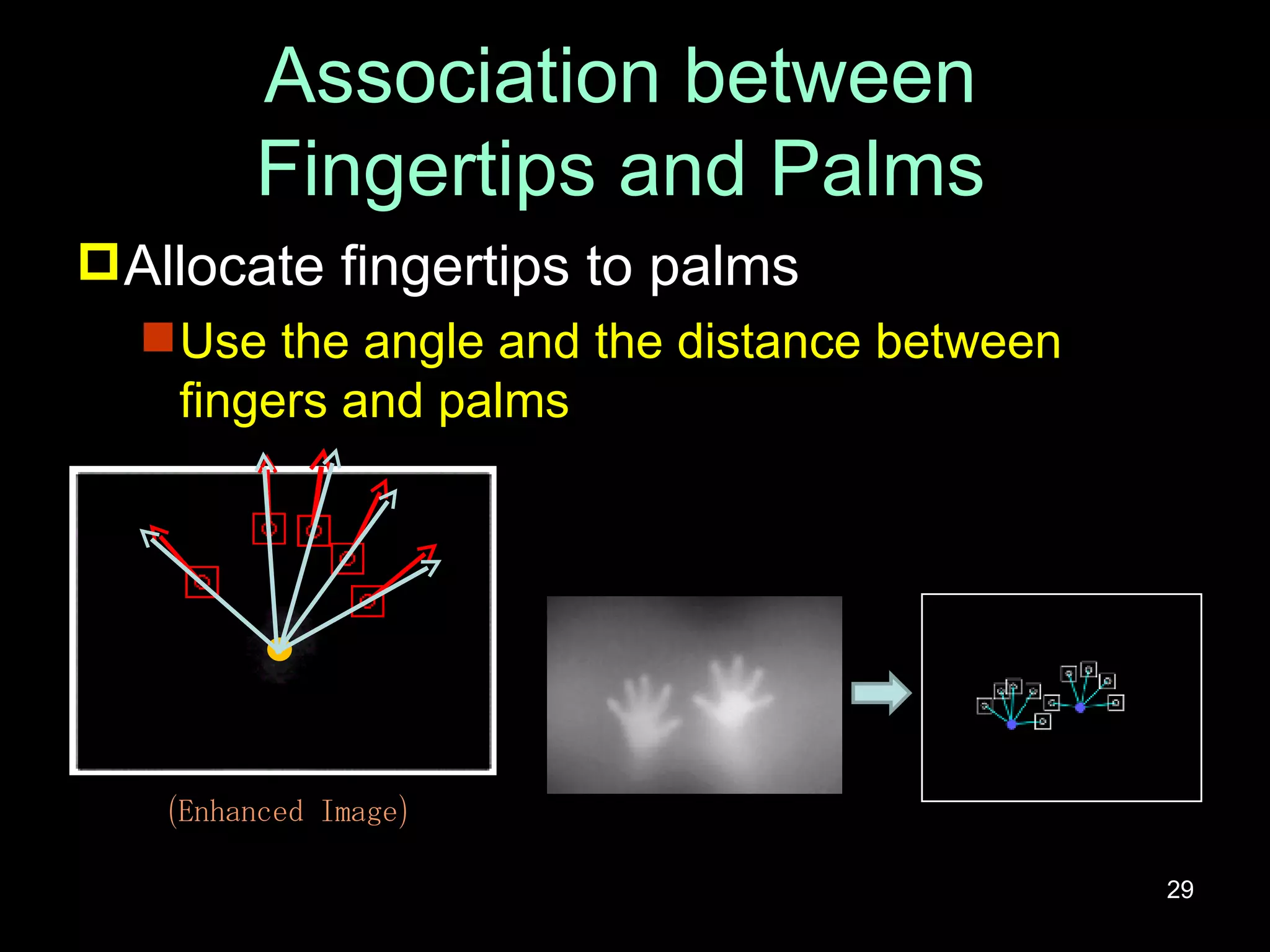
Association between Fingertips and Palms Allocate fingertips to palms Use the angle and the distance between fingers and palms (Enhanced Image)
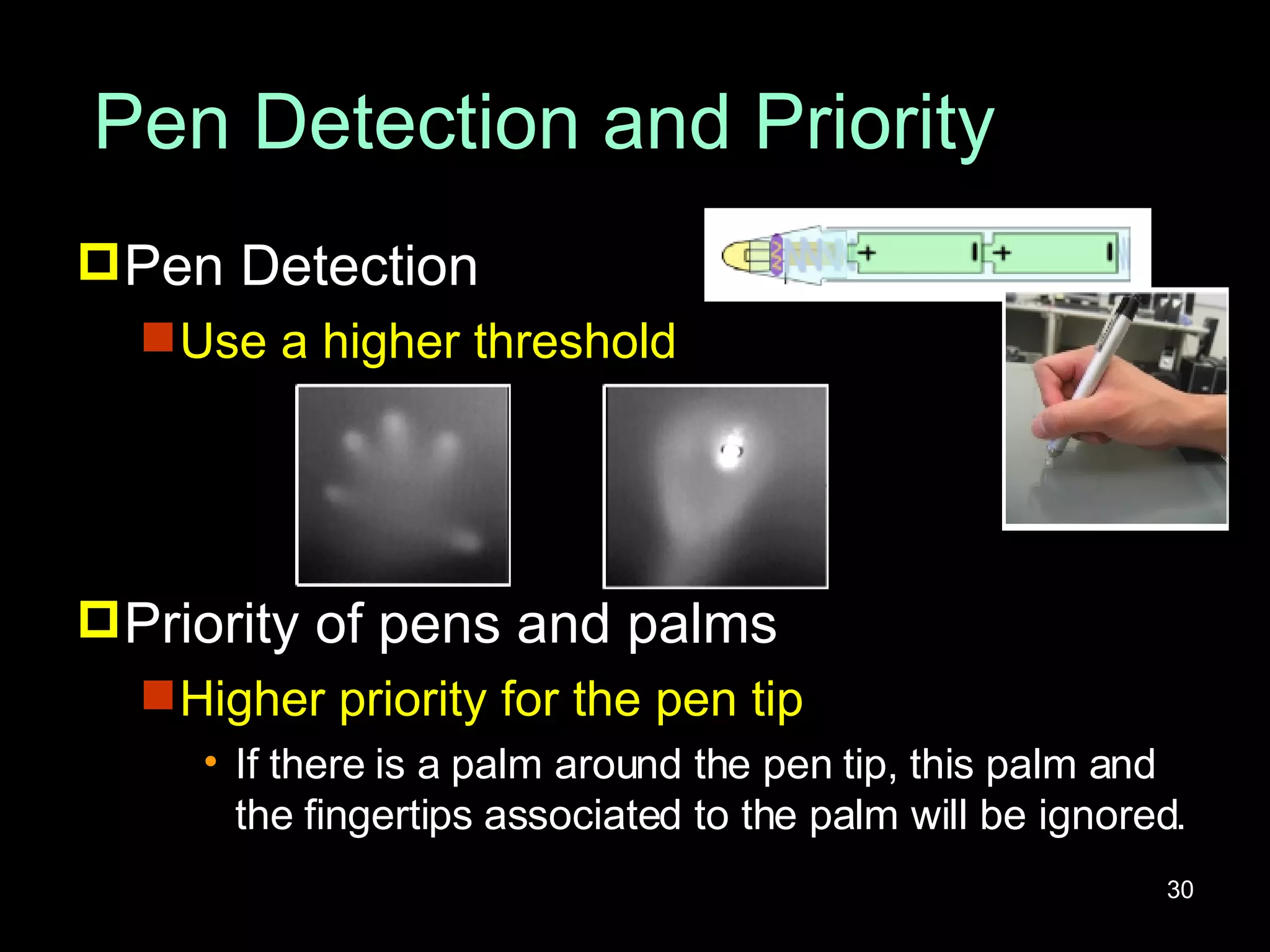
Pen Detection and Priority Pen Detection Use a higher threshold Priority of pens and palms Higher priority for the pen tip If there is a palm around the pen tip, this palm and the fingertips associated to the palm will be ignored.
Events Definitions Hover Palm position Touch Palm position Finger position and its correspondent palm Pen position
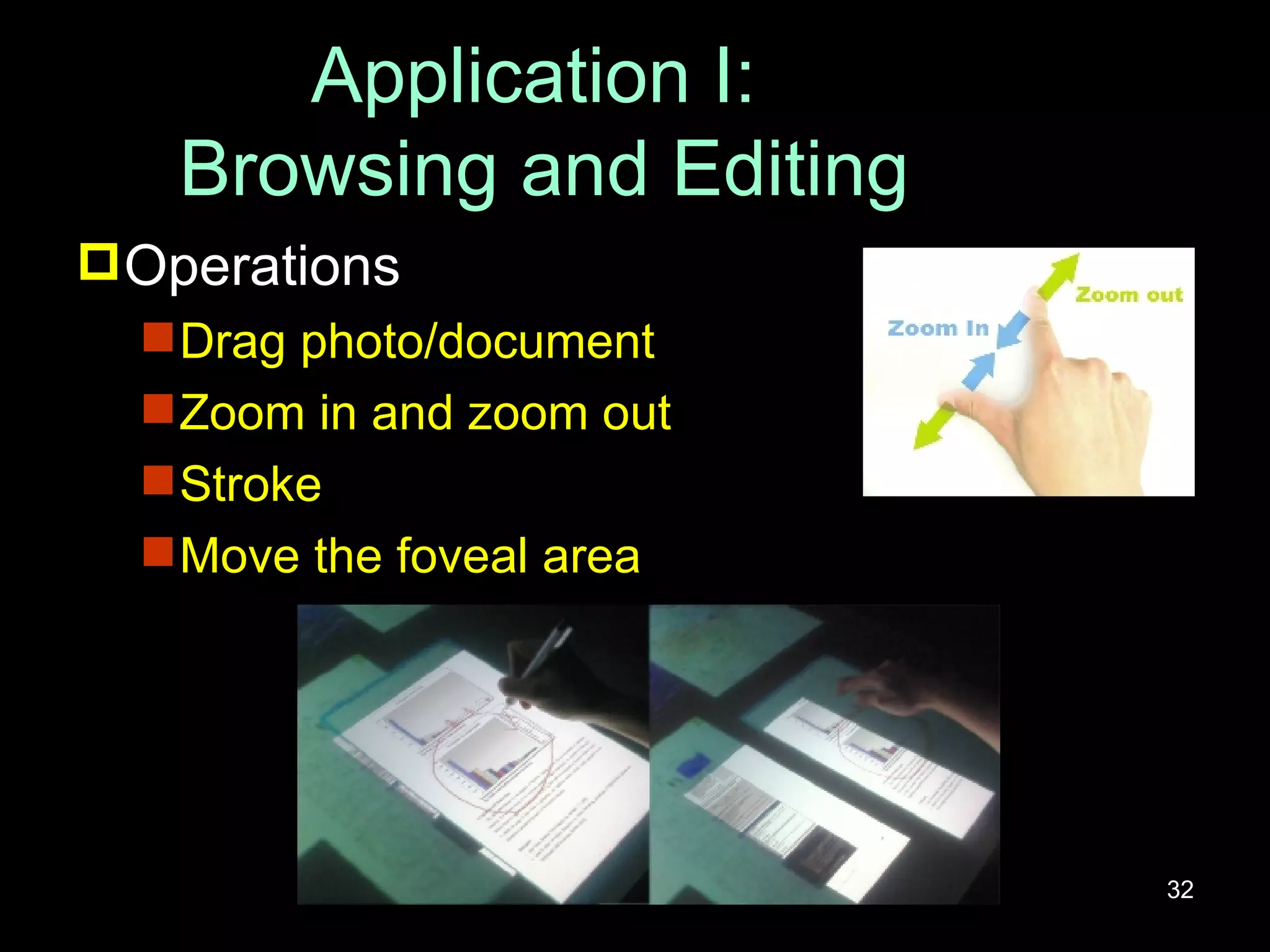
Application I:  Browsing and Editing Operations Drag photo/document Zoom in and zoom out Stroke Move the foveal area
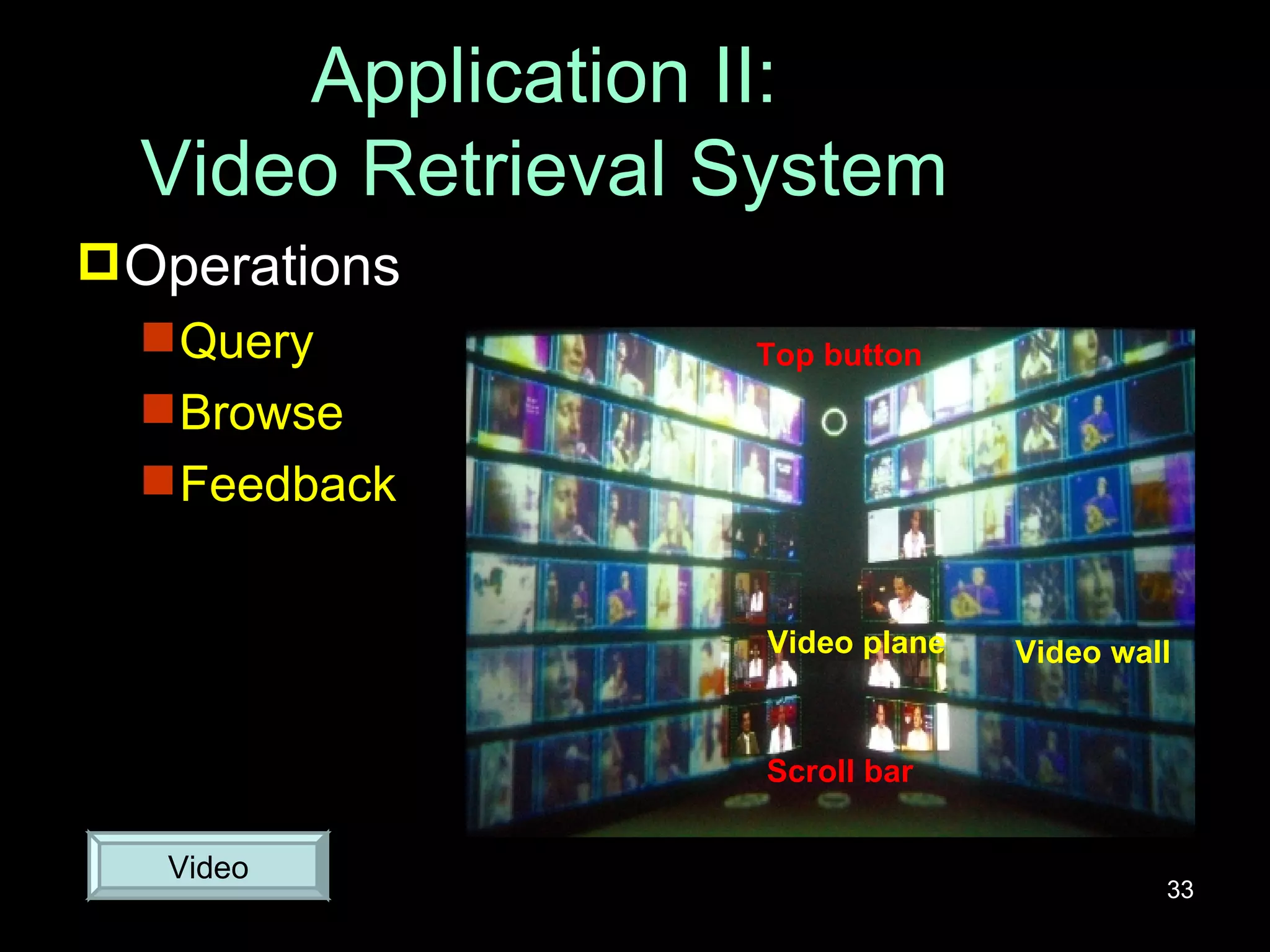
Application II: Video Retrieval System Operations Query Browse Feedback Video Top button Video plane Video wall Scroll bar
Outline Introduction Related Work Fingertip Detection and Tracking Applications i-m- Top Magic Crystal Ball (MaC Ball ) Conclusion & Future Work
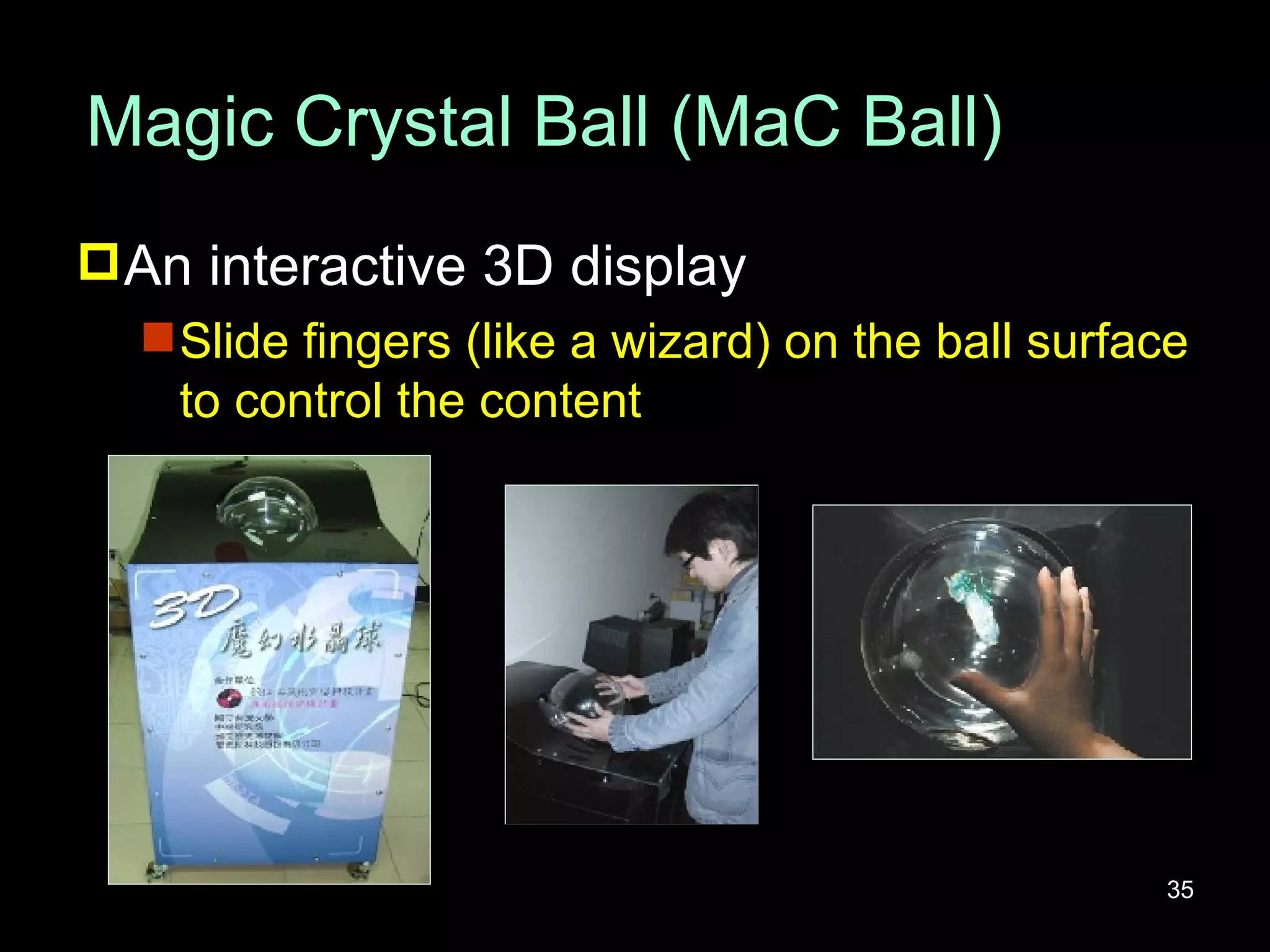
Magic Crystal Ball (MaC Ball) An interactive 3D display Slide fingers (like a wizard) on the ball surface to control the content
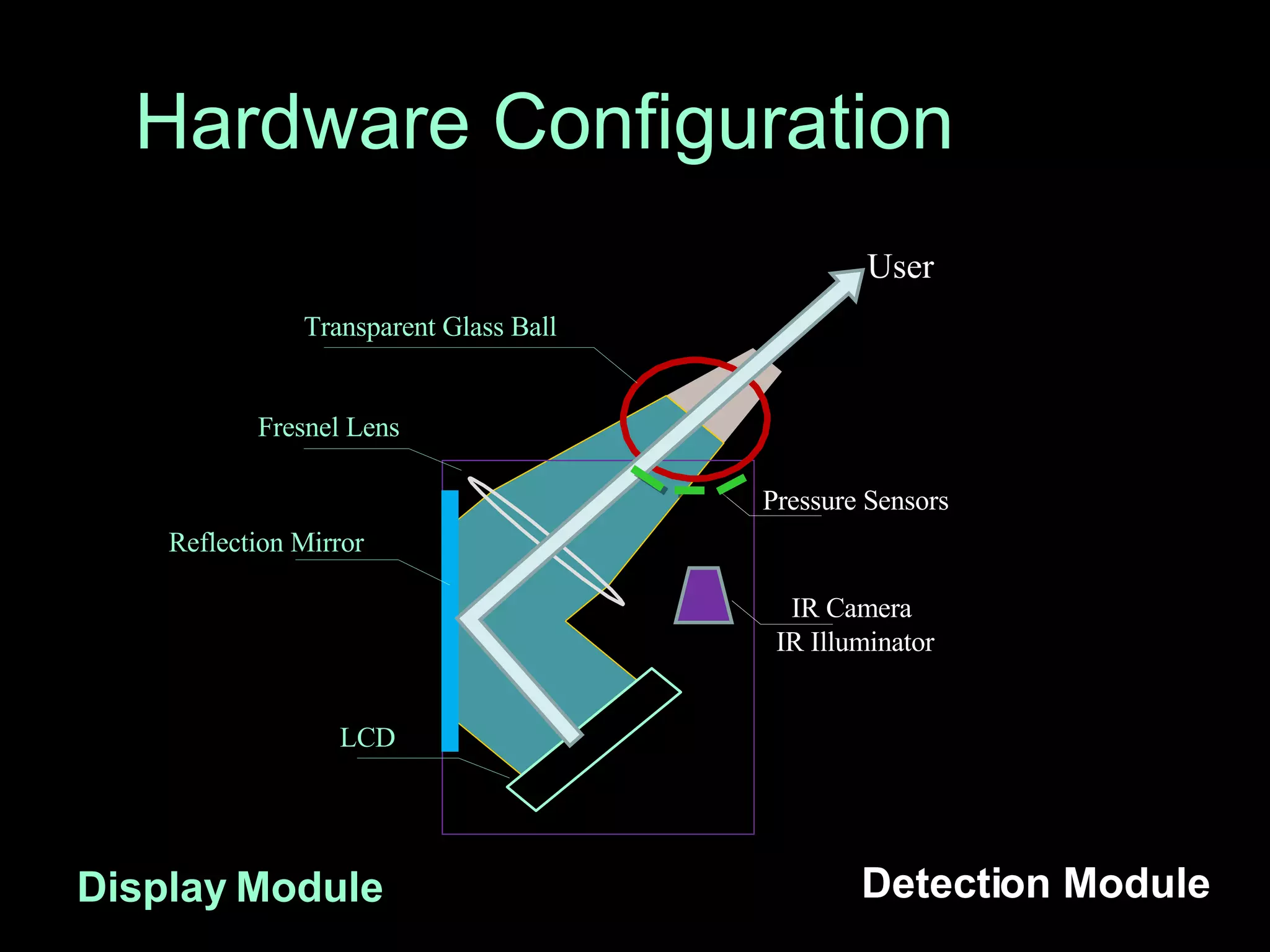
Hardware Configuration Display Module Detection Module IR Camera   IR Illuminator  Pressure Sensors User Transparent Glass Ball Reflection Mirror Fresnel Lens LCD
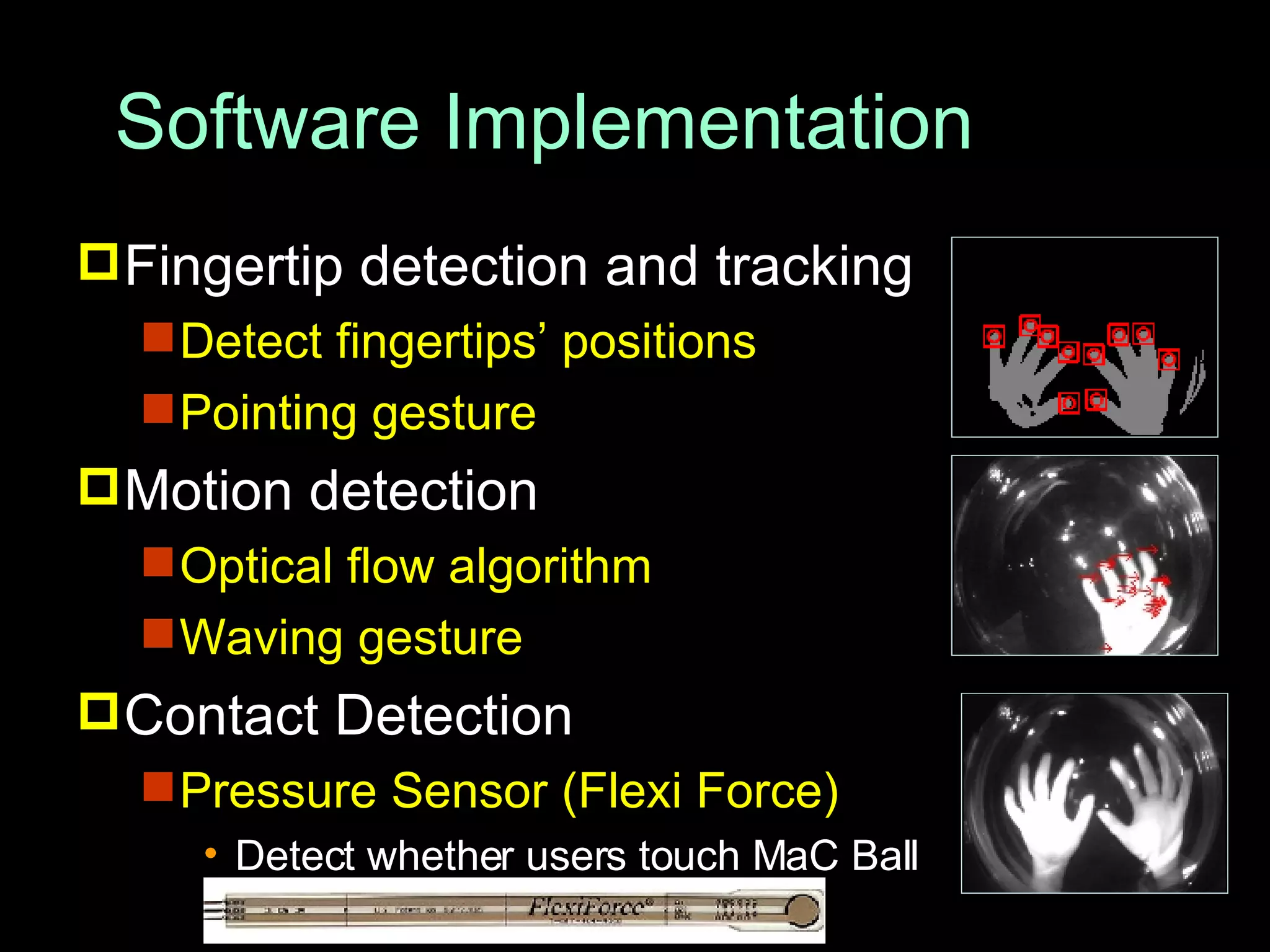
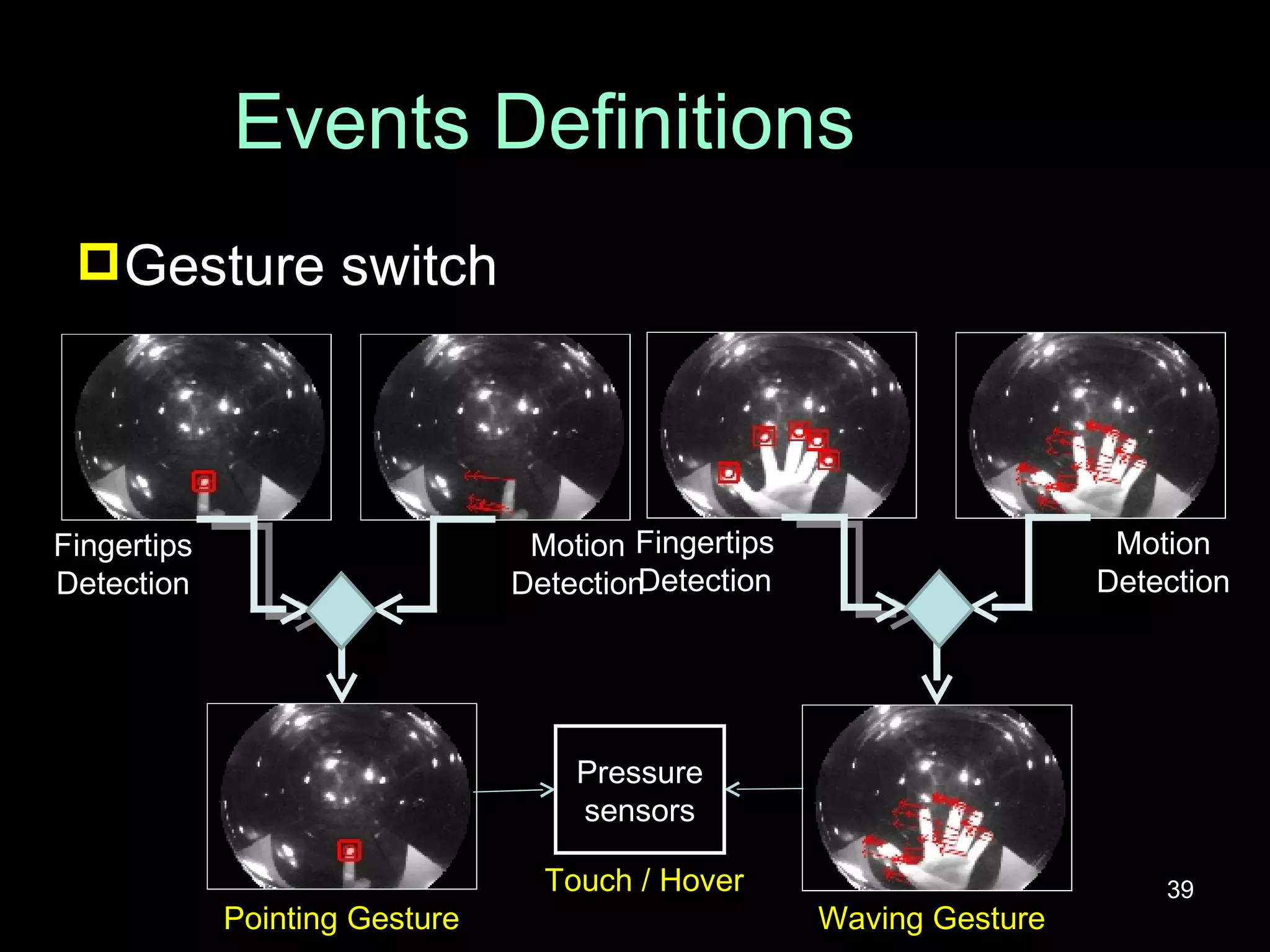
Software Implementation Fingertip detection and tracking Detect fingertips’ positions Pointing gesture Motion detection Optical flow algorithm Waving gesture Contact Detection Pressure Sensor (Flexi Force) Detect whether users touch MaC Ball
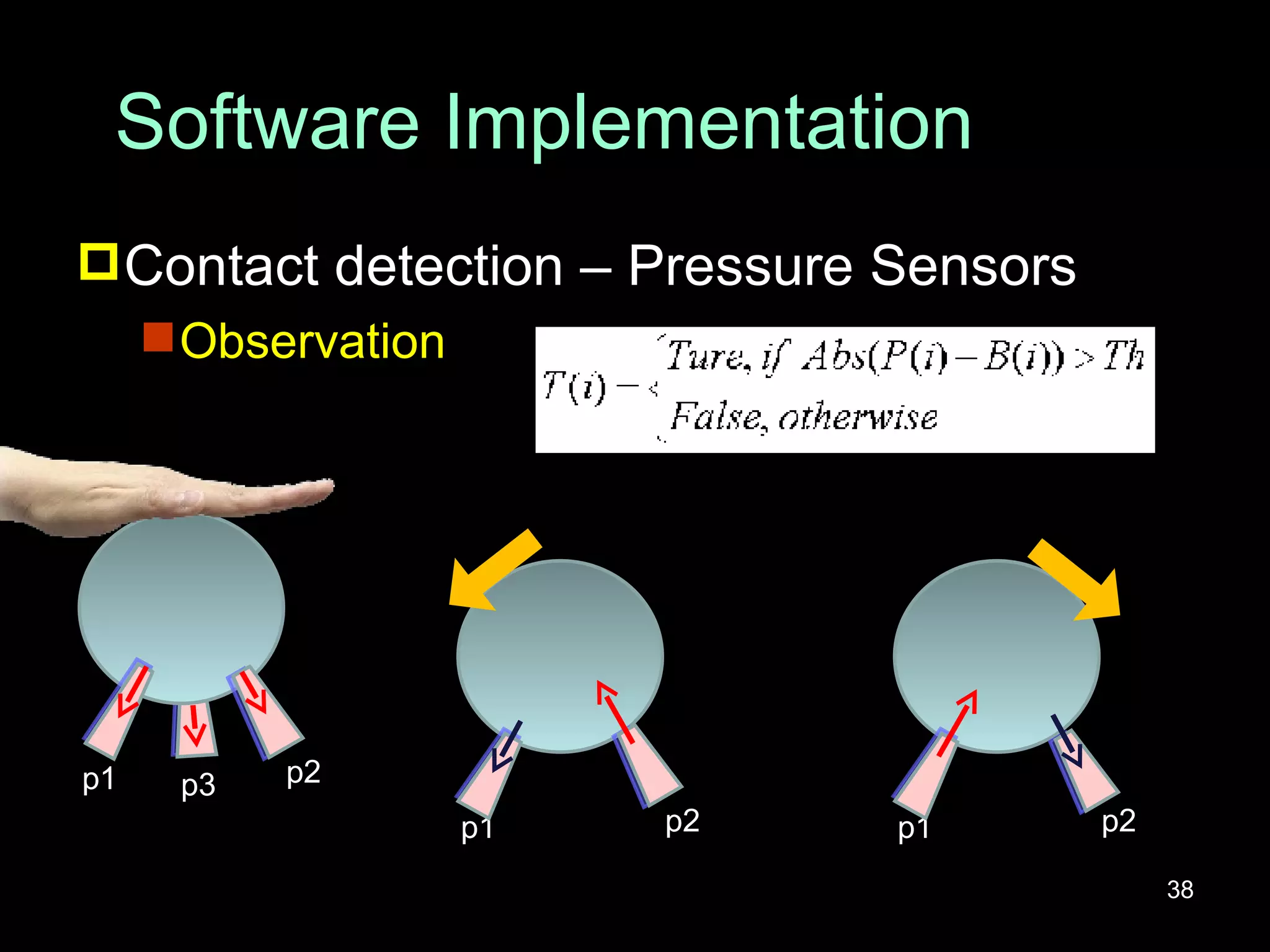
Software Implementation Contact detection – Pressure Sensors Observation p1 p2 p3 p1 p2 p1 p2
Events Definitions Gesture switch Pointing Gesture Fingertips Detection Motion Detection Motion Detection Fingertips Detection Waving Gesture Pressure sensors Touch / Hover
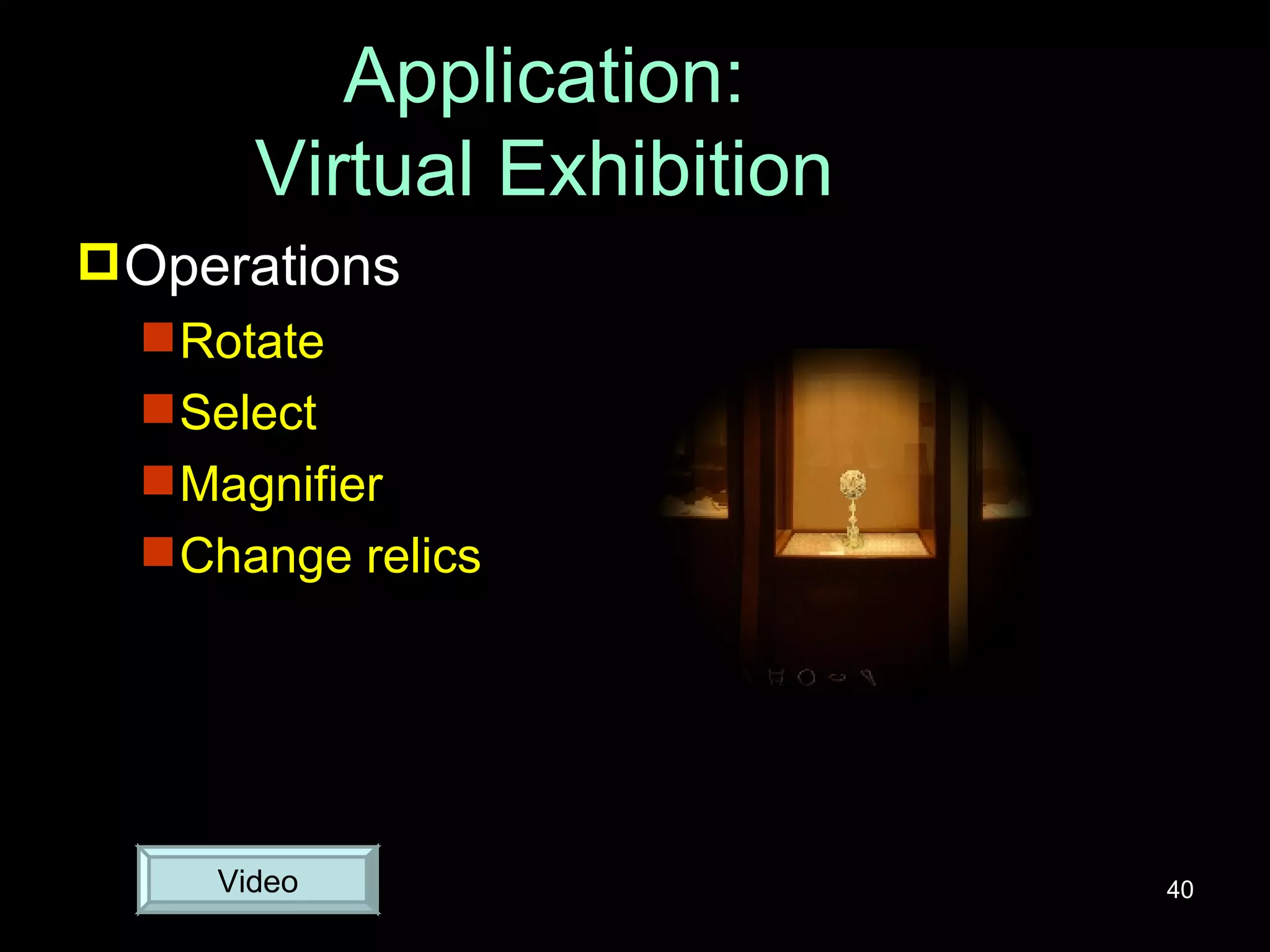
Application: Virtual Exhibition Operations Rotate Select Magnifier Change relics Video
Outline Introduction Related Work Fingertip Detection and Tracking Applications i-m- Top Magic Crystal Ball (MaC Ball) Conclusion & Future Work
Conclusion & Future Work Multi-finger detection techniques Simple and real-time Cost-effective and flexible Applications i-m- Top: interactive interface MaC Ball: interactive 3D display Future work Use FTIR to enhance the accuracy of fingertip detection More gestures for interactive systems

Vision-based Finger Detection and Its Applications

  • 1.
    Vision-Based Finger Detectionand Its Applications 基於電腦視覺之手指偵測及其應用 Yi-Fan Chuang Advisor: Prof. Yi-Ping Hung Prof. Ming-Sui Lee
  • 2.
    Outline Introduction RelatedWork Fingertip Detection and Tracking Applications i-m- Top Magic Crystal Ball (MaC Ball) Conclusion & Future Work
  • 3.
    Outline Introduction RelatedWork Fingertip Detection and Tracking Applications i-m- Top Magic Crystal Ball (MaC Ball) Conclusion & Future Work
  • 4.
    Introduction Interactive systemBare-handed operations are more intuitive to manipulate digital objects directly Interactions Users: hover/touch gestures Objects: rotation, scaling, selection, special effects…. Use computer vision techniques Fingertip detection Fingertip tracking
  • 5.
    Outline Introduction RelatedWork Fingertip Detection and Tracking Applications i-m- Top Magic Crystal Ball (MaC Ball) Conclusion & Future Work
  • 6.
    Related Work EnhanceDesk Fingertip finding Template matching Palm finding Morphological erosion H. KOIKE and Y. KOBAYASHI, “Integrating paper and digital information on enhanceddesk: a method for realtime finger tracking on an augmented desk system,“ ACM Transation Computer-Human Interaction, vol. 8, no. 4, pp. 307-322, 2001.
  • 7.
    Related Work FTIR(Frustrated Total Internal Reflection) J. Y. Han, “Low-cost multi-touch sensing through frustrated total internal reflection," in Proceedings of the 18th annual ACM symposium on User interface software and technology (UIST '05). New York, NY, USA: ACM Press, 2005, pp. 115-118.
  • 8.
    Related Work VisualTouchpad Fingertip detection Curvature of contour Finger Orientation Touch detection Two warp images S. Malik and J. Laszlo, “Visual touchpad: a two-handed gestural input device," in Proceedings of the 6th international conference on Multimodal interfaces (ICMI '04). New York, NY, USA: ACM Press, 2004, pp. 289-296.
  • 9.
    Related Work PlayAnyWhereTouch and Hover Use appearance of shadows A. D. Wilson, “Playanywhere: a compact interactive tabletop projection-vision system," in Proceedings of the 18th annual ACM symposium on User interface software and technology (UIST '05). New York, NY, USA: ACM Press, 2005, pp. 83-92.
  • 10.
    Related Work ComparisonOur Work: Touch/Hover (1 camera) Multi-user with multi-finger Enhance Desk (CHI 01’) FTIR (UIST 05’) Visual Touchpad (ICMI 04’) PlayAnyWhere (UIST 05’) Method Template matching Connected component analysis Curvature of contour Shadow Detection Touch Touch Touch/Hover (2 cameras) Touch/Hover (1 camera) Disadvantage One user Only touch Only touch One user One finger for one palm
  • 11.
    Outline Introduction RelatedWork Fingertip Detection and Tracking Applications i-m- Top Magic Crystal Ball (MaC Ball) Conclusion & Future Work
  • 12.
    Overview System setupAn IR camera with IR illuminators to observe hands J. Rekimoto and N. Matsushita, “Perceptual surfaces: Towards a human and object sensitive interactive display," Workshop on Perceptural User Interfaces (PUI'97), 1997. Direct observation Clear shapes Indirect observation Unclear shapes
  • 13.
    System setup Directobservation Clear shapes Indirect observation Unclear shapes Overview Clear shapes (MaC Ball) Gesture Captured image
  • 14.
    System setup Directobservation Clear shapes Indirect observation Unclear shapes Overview Unclear shapes ( i-m- Top) Gesture Captured image
  • 15.
    Overview Fingertip detectionFingertip tracking Detection results Kalman filtering Background subtraction Morphological opening Difference of previous two Principal component analysis Fingertip detection
  • 16.
    Fingertip Detection Backgroundsubtraction Observation Contact area leaves strong reflection (Enhanced image) Background subtraction Morphological opening Difference of previous two PCA Fingertip detection
  • 17.
    Fingertip Detection Extractfinger part Use a morphological opening operation The size of structuring element is larger than that of a normal finger and smaller than a palm. Original Morphological opening Finger (Enhanced image) Background subtraction Morphological opening Difference of previous two PCA Fingertip detection
  • 18.
    Fingertip Detection Differenceand binarization Principal component analysis Finger direction Possible fingertips’ positions (Enhanced image) Background subtraction Morphological opening Difference of previous two PCA Fingertip detection Background subtraction Morphological opening Difference of previous two PCA Fingertip detection
  • 19.
    Fingertip Detection Templatematching (pattern matching) Template Remove false matchings Distance check Diagonal check Finger patch Background subtraction Morphological opening Difference of previous two PCA Fingertip detection
  • 20.
    Detection Results on i-m- Top (Enhanced image) Separate finger touching and palm hovering Fingertip detection Difference of previous two & PCA Morphological opening Background subtraction
  • 21.
  • 22.
    Fingertip Tracking Kalmanfilter Smooth the path Predict the new state and its uncertainty Correct the tracker with its new measurement Assume white noise and uniform velocity Original After Kalman filter
  • 23.
  • 24.
    Outline Introduction RelatedWork Fingertips Detection and Tracking Applications i-m- Top Magic Crystal Ball (MaC Ball) Conclusion & Future Work
  • 25.
    Hardware Configuration i-m-Top I nteractive M ulti-resolution Table top Cooperate with Yi-Wei Chia
  • 26.
    Hardware Configuration i-m-Top I nteractive M ulti-resolution Table top Cooperate with Yi-Wei Chia
  • 27.
    Software Implementation Fingertipdetection and tracking Palm detection and tracking Association between fingertips and palms Pen detection Priority of pens and palms Events definitions
  • 28.
    Palm Detection andTracking Palm detection The average position is picked as palm position Palm tracking Kalman filtering Palm detection Morphological opening (Palm part) Background subtraction (Enhanced Image)
  • 29.
    Association between Fingertipsand Palms Allocate fingertips to palms Use the angle and the distance between fingers and palms (Enhanced Image)
  • 30.
    Pen Detection andPriority Pen Detection Use a higher threshold Priority of pens and palms Higher priority for the pen tip If there is a palm around the pen tip, this palm and the fingertips associated to the palm will be ignored.
  • 31.
    Events Definitions HoverPalm position Touch Palm position Finger position and its correspondent palm Pen position
  • 32.
    Application I: Browsing and Editing Operations Drag photo/document Zoom in and zoom out Stroke Move the foveal area
  • 33.
    Application II: VideoRetrieval System Operations Query Browse Feedback Video Top button Video plane Video wall Scroll bar
  • 34.
    Outline Introduction RelatedWork Fingertip Detection and Tracking Applications i-m- Top Magic Crystal Ball (MaC Ball ) Conclusion & Future Work
  • 35.
    Magic Crystal Ball(MaC Ball) An interactive 3D display Slide fingers (like a wizard) on the ball surface to control the content
  • 36.
    Hardware Configuration DisplayModule Detection Module IR Camera IR Illuminator Pressure Sensors User Transparent Glass Ball Reflection Mirror Fresnel Lens LCD
  • 37.
    Software Implementation Fingertipdetection and tracking Detect fingertips’ positions Pointing gesture Motion detection Optical flow algorithm Waving gesture Contact Detection Pressure Sensor (Flexi Force) Detect whether users touch MaC Ball
  • 38.
    Software Implementation Contactdetection – Pressure Sensors Observation p1 p2 p3 p1 p2 p1 p2
  • 39.
    Events Definitions Gestureswitch Pointing Gesture Fingertips Detection Motion Detection Motion Detection Fingertips Detection Waving Gesture Pressure sensors Touch / Hover
  • 40.
    Application: Virtual ExhibitionOperations Rotate Select Magnifier Change relics Video
  • 41.
    Outline Introduction RelatedWork Fingertip Detection and Tracking Applications i-m- Top Magic Crystal Ball (MaC Ball) Conclusion & Future Work
  • 42.
    Conclusion & FutureWork Multi-finger detection techniques Simple and real-time Cost-effective and flexible Applications i-m- Top: interactive interface MaC Ball: interactive 3D display Future work Use FTIR to enhance the accuracy of fingertip detection More gestures for interactive systems