Digital Video Tasks
A series of filming exercises to develop video production skills
Compiled from:
BFI – Teaching Digital Video Production
Media Edusites
And adapted from other sources
Roles and Responsibilities
Who does what in your film crew
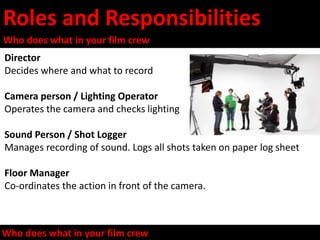
Director
Decides where and what to record
Camera person / Lighting Operator
Operates the camera and checks lighting
Sound Person / Shot Logger
Manages recording of sound. Logs all shots taken on paper log sheet
Floor Manager
Co-ordinates the action in front of the camera.
Who does what in your film crew
Camera Handling Games (1)
LO: Familiarise yourself with camera settings and a tripod
• Earthquake
• Record a group of people who appear to be on land when the earth is moving.
• To create the effect the camera, on a tripod, has to be gently shaken or moved. The actors
begin by standing still and then try to adapt to the movement created by an earthquake.
• Cliffhanger
• The aim is to record someone who appears to be climbing up or hanging from a
cliff. Students have to secure the camera to a tripod and adjust the base so that the action
is recorded at a 90-degree angle.
• The Cruel Sea
• Record a small group who appear to on a ship at sea. The camera, on a tripod, has to
be moved from side to side. The movement is difficult to achieve as the actors have to move
in time with the camera. Easier without a tripod?
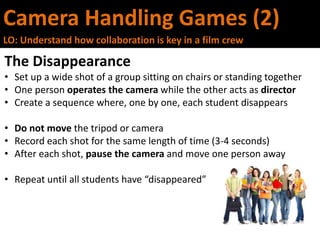
Camera Handling Games (2)
LO: Understand how collaboration is key in a film crew
The Disappearance
• Set up a wide shot of a group sitting on chairs or standing together
• One person operates the camera while the other acts as director
• Create a sequence where, one by one, each student disappears
• Do not move the tripod or camera
• Record each shot for the same length of time (3-4 seconds)
• After each shot, pause the camera and move one person away
• Repeat until all students have “disappeared”
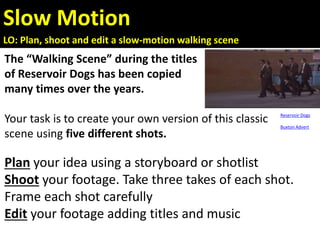
Slow Motion
LO: Plan, shoot and edit a slow-motion walking scene
The “Walking Scene” during the titles
of Reservoir Dogs has been copied
many times over the years.
Your task is to create your own version of this classic
scene using five different shots.
Plan your idea using a storyboard or shotlist
Shoot your footage. Take three takes of each shot.
Frame each shot carefully
Edit your footage adding titles and music
Reservoir Dogs
Buxton Advert
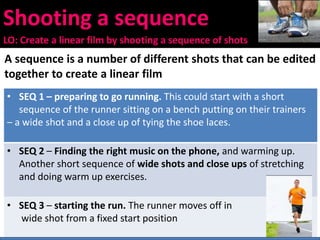
Shooting a sequence
LO: Create a linear film by shooting a sequence of shots
A sequence is a number of different shots that can be edited
together to create a linear film
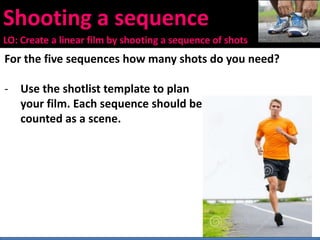
• SEQ 1 – preparing to go running. This could start with a short
sequence of the runner sitting on a bench putting on their trainers
– a wide shot and a close up of tying the shoe laces.
• SEQ 2 – Finding the right music on the phone, and warming up.
Another short sequence of wide shots and close ups of stretching
and doing warm up exercises.
• SEQ 3 – starting the run. The runner moves off in
wide shot from a fixed start position
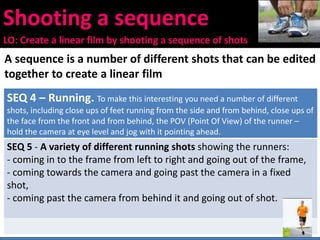
Shooting a sequence
LO: Create a linear film by shooting a sequence of shots
A sequence is a number of different shots that can be edited
together to create a linear film
SEQ 4 – Running. To make this interesting you need a number of different
shots, including close ups of feet running from the side and from behind, close ups of
the face from the front and from behind, the POV (Point Of View) of the runner –
hold the camera at eye level and jog with it pointing ahead.
SEQ 5 - A variety of different running shots showing the runners:
- coming in to the frame from left to right and going out of the frame,
- coming towards the camera and going past the camera in a fixed
shot,
- coming past the camera from behind it and going out of shot.
Shooting a sequence
LO: Create a linear film by shooting a sequence of shots
For the five sequences how many shots do you need?
- Use the shotlist template to plan
your film. Each sequence should be
counted as a scene.
Camera Action
LO: Plan and produce a short instructional video sequence
Instructional Videos
1) Planning
Choose an activity (eg Putting on a tie, watching TV, making a cup of
tea, opening a door).
Create a storyboard with six shots capturing the action. Think about
how to communicate the detail to the audience.
2) Shooting
Film each shot three times
Create a paper log sheet of each shot used
LINK: How to
make a cup of tea
Camera Action
LO: Plan and produce a short instructional video sequence
Instructional Videos
3) Reviewing Footage
- Review your footage on the computers deciding which shots
to use.
- Create a paper edit using the shots on your log sheet
4) Import and Edit
- Produce a rough cut – add music/sound effects.
- View edit against storyboard, then add credits.
- Produce a final cut to export.
LINK: How to
make a cup of tea
Camera Action
LO: Plan and produce a short instructional video sequence
Instructional Videos
5) Watch each others!
6) Evaluate
• At the start of the activity I thought the task would be…
• Working in a group is…
• I was pleased with…
• When I watched our work…
• Next time I would…
LINK: How to
make a cup of tea
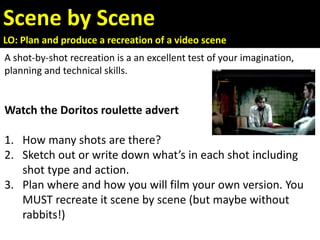
Scene by Scene
LO: Plan and produce a recreation of a video scene
A shot-by-shot recreation is a an excellent test of your imagination,
planning and technical skills.
Watch the Doritos roulette advert
1. How many shots are there?
2. Sketch out or write down what’s in each shot including
shot type and action.
3. Plan where and how you will film your own version. You
MUST recreate it scene by scene (but maybe without
rabbits!)
Bob and his Nemesis
LO: Turn a script into a filmed narrative
1) Read the short narrative. Make a note of the most
important narrative moments and key character details which
need to be conveyed.
2) Storyboard or create a shotlist of the sequence making
use of appropriate camera shot sizes and camera movements.
How long will each scene last?
The whole scene should last no more than 45-60 seconds.
Use a maximum of 20 scenes but you could use less.
Bob and his Nemesis
LO: Turn a script into a filmed narrative
SCRIPT
Bob checks his watch. It is early and he is the first to arrive at school. He
walks into the building and takes out a stolen key to open the locker of
his nemesis in order to steal some homework.
He opens the door, looks inside and finds the file. At that moment he
hears a noise, turns around and realises he is not alone. His nemesis is
watching. A chase takes place and Bob runs outside trying to evade
capture.
As he turns a corner he meets a dead-end. He turns around and realises
his nemesis has been joined by another person. They walk towards Bob
and he falls to the floor, finally handing over his file.
Bob and his Nemesis
LO: Turn a script into a filmed narrative
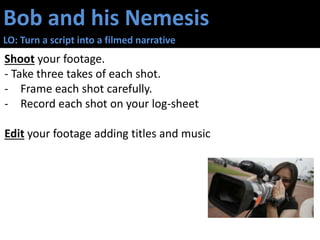
Shoot your footage.
- Take three takes of each shot.
- Frame each shot carefully.
- Record each shot on your log-sheet
Edit your footage adding titles and music
Bob and his Nemesis
LO: Turn a script into a filmed narrative
Watch each other’s films!
Evaluate
• Write for 30 seconds about the use of sound in filming
• Write for a minute about the camerawork in your film
• Write for two minutes about the process of group work
Bob and his Nemesis
LO: Turn a script into a filmed narrative
Watch each other’s films!
Evaluate
•Write for a minute about the camerawork in your film
•Write for 90 seconds about the process of editing
• Write for 2 minutes about the process of group work
Single Shot
LO: Understand the importance of planning in a continuous shot
sequence
Watch this music video by Nerina Pallot
http://www.youtube.com/watch?v=u2D7GGkrJPM
Or this by The Verve
http://www.youtube.com/watch?v=1lyu1KKwC74
The whole sequence is filmed as a single shot!
YOUR TASK: Plan and produce a continuous video
sequence lasting 30 -45 seconds
- At least five “events” must happen in your film
- Use a combination of tracking and panning
- Use the tripod as a counterweight to avoid jerkiness
One Minute Film
LO: Plan and create a one-minute film without using dialogue
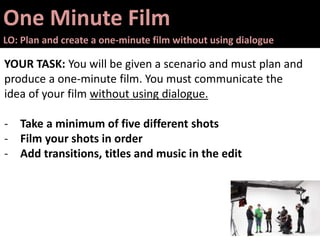
YOUR TASK: You will be given a scenario and must plan and
produce a one-minute film. You must communicate the
idea of your film without using dialogue.
- Take a minimum of five different shots
- Film your shots in order
- Add transitions, titles and music in the edit
One Minute Film
LO: Plan and create a one-minute film without using dialogue
YOUR TASK: You will be given a scenario and must plan and
produce a one-minute film. You must communicate the
idea of your film without using dialogue.
The Scenarios…
“TV” – Anna is watching television. Billy comes in and wants to
change the channel.
“Unwell” – Abbi begins to feel unwell and has to sit down.
“Idea” – Aaron is sitting in class and thinks of a brilliant idea.
“Late” – Andy is waiting for Bob. Andy is annoyed. Bob is not
aware that they are late.
Evaluation Questions
It is important to review how successful your production was.
Here are some questions to consider…
1) Which particular shots or scenes are you most pleased
with? Why?
2) How did you communicate with your audience (mise en
scene, framing, camera movement)?
3) How did you represent people or places? Why?
4) How did others respond to your work?
5) Does the production reach its target audience?
6) If you were to complete this task again, what would you do
differently?

Film Making Activities for Schools and Beginners

  • 1.
    Digital Video Tasks Aseries of filming exercises to develop video production skills Compiled from: BFI – Teaching Digital Video Production Media Edusites And adapted from other sources
  • 2.
    Roles and Responsibilities Whodoes what in your film crew Director Decides where and what to record Camera person / Lighting Operator Operates the camera and checks lighting Sound Person / Shot Logger Manages recording of sound. Logs all shots taken on paper log sheet Floor Manager Co-ordinates the action in front of the camera. Who does what in your film crew
  • 3.
    Camera Handling Games(1) LO: Familiarise yourself with camera settings and a tripod • Earthquake • Record a group of people who appear to be on land when the earth is moving. • To create the effect the camera, on a tripod, has to be gently shaken or moved. The actors begin by standing still and then try to adapt to the movement created by an earthquake. • Cliffhanger • The aim is to record someone who appears to be climbing up or hanging from a cliff. Students have to secure the camera to a tripod and adjust the base so that the action is recorded at a 90-degree angle. • The Cruel Sea • Record a small group who appear to on a ship at sea. The camera, on a tripod, has to be moved from side to side. The movement is difficult to achieve as the actors have to move in time with the camera. Easier without a tripod?
  • 4.
    Camera Handling Games(2) LO: Understand how collaboration is key in a film crew The Disappearance • Set up a wide shot of a group sitting on chairs or standing together • One person operates the camera while the other acts as director • Create a sequence where, one by one, each student disappears • Do not move the tripod or camera • Record each shot for the same length of time (3-4 seconds) • After each shot, pause the camera and move one person away • Repeat until all students have “disappeared”
  • 5.
    Slow Motion LO: Plan,shoot and edit a slow-motion walking scene The “Walking Scene” during the titles of Reservoir Dogs has been copied many times over the years. Your task is to create your own version of this classic scene using five different shots. Plan your idea using a storyboard or shotlist Shoot your footage. Take three takes of each shot. Frame each shot carefully Edit your footage adding titles and music Reservoir Dogs Buxton Advert
  • 6.
    Shooting a sequence LO:Create a linear film by shooting a sequence of shots A sequence is a number of different shots that can be edited together to create a linear film • SEQ 1 – preparing to go running. This could start with a short sequence of the runner sitting on a bench putting on their trainers – a wide shot and a close up of tying the shoe laces. • SEQ 2 – Finding the right music on the phone, and warming up. Another short sequence of wide shots and close ups of stretching and doing warm up exercises. • SEQ 3 – starting the run. The runner moves off in wide shot from a fixed start position
  • 7.
    Shooting a sequence LO:Create a linear film by shooting a sequence of shots A sequence is a number of different shots that can be edited together to create a linear film SEQ 4 – Running. To make this interesting you need a number of different shots, including close ups of feet running from the side and from behind, close ups of the face from the front and from behind, the POV (Point Of View) of the runner – hold the camera at eye level and jog with it pointing ahead. SEQ 5 - A variety of different running shots showing the runners: - coming in to the frame from left to right and going out of the frame, - coming towards the camera and going past the camera in a fixed shot, - coming past the camera from behind it and going out of shot.
  • 8.
    Shooting a sequence LO:Create a linear film by shooting a sequence of shots For the five sequences how many shots do you need? - Use the shotlist template to plan your film. Each sequence should be counted as a scene.
  • 9.
    Camera Action LO: Planand produce a short instructional video sequence Instructional Videos 1) Planning Choose an activity (eg Putting on a tie, watching TV, making a cup of tea, opening a door). Create a storyboard with six shots capturing the action. Think about how to communicate the detail to the audience. 2) Shooting Film each shot three times Create a paper log sheet of each shot used LINK: How to make a cup of tea
  • 10.
    Camera Action LO: Planand produce a short instructional video sequence Instructional Videos 3) Reviewing Footage - Review your footage on the computers deciding which shots to use. - Create a paper edit using the shots on your log sheet 4) Import and Edit - Produce a rough cut – add music/sound effects. - View edit against storyboard, then add credits. - Produce a final cut to export. LINK: How to make a cup of tea
  • 11.
    Camera Action LO: Planand produce a short instructional video sequence Instructional Videos 5) Watch each others! 6) Evaluate • At the start of the activity I thought the task would be… • Working in a group is… • I was pleased with… • When I watched our work… • Next time I would… LINK: How to make a cup of tea
  • 12.
    Scene by Scene LO:Plan and produce a recreation of a video scene A shot-by-shot recreation is a an excellent test of your imagination, planning and technical skills. Watch the Doritos roulette advert 1. How many shots are there? 2. Sketch out or write down what’s in each shot including shot type and action. 3. Plan where and how you will film your own version. You MUST recreate it scene by scene (but maybe without rabbits!)
  • 13.
    Bob and hisNemesis LO: Turn a script into a filmed narrative 1) Read the short narrative. Make a note of the most important narrative moments and key character details which need to be conveyed. 2) Storyboard or create a shotlist of the sequence making use of appropriate camera shot sizes and camera movements. How long will each scene last? The whole scene should last no more than 45-60 seconds. Use a maximum of 20 scenes but you could use less.
  • 14.
    Bob and hisNemesis LO: Turn a script into a filmed narrative SCRIPT Bob checks his watch. It is early and he is the first to arrive at school. He walks into the building and takes out a stolen key to open the locker of his nemesis in order to steal some homework. He opens the door, looks inside and finds the file. At that moment he hears a noise, turns around and realises he is not alone. His nemesis is watching. A chase takes place and Bob runs outside trying to evade capture. As he turns a corner he meets a dead-end. He turns around and realises his nemesis has been joined by another person. They walk towards Bob and he falls to the floor, finally handing over his file.
  • 15.
    Bob and hisNemesis LO: Turn a script into a filmed narrative Shoot your footage. - Take three takes of each shot. - Frame each shot carefully. - Record each shot on your log-sheet Edit your footage adding titles and music
  • 16.
    Bob and hisNemesis LO: Turn a script into a filmed narrative Watch each other’s films! Evaluate • Write for 30 seconds about the use of sound in filming • Write for a minute about the camerawork in your film • Write for two minutes about the process of group work
  • 17.
    Bob and hisNemesis LO: Turn a script into a filmed narrative Watch each other’s films! Evaluate •Write for a minute about the camerawork in your film •Write for 90 seconds about the process of editing • Write for 2 minutes about the process of group work
  • 18.
    Single Shot LO: Understandthe importance of planning in a continuous shot sequence Watch this music video by Nerina Pallot http://www.youtube.com/watch?v=u2D7GGkrJPM Or this by The Verve http://www.youtube.com/watch?v=1lyu1KKwC74 The whole sequence is filmed as a single shot! YOUR TASK: Plan and produce a continuous video sequence lasting 30 -45 seconds - At least five “events” must happen in your film - Use a combination of tracking and panning - Use the tripod as a counterweight to avoid jerkiness
  • 19.
    One Minute Film LO:Plan and create a one-minute film without using dialogue YOUR TASK: You will be given a scenario and must plan and produce a one-minute film. You must communicate the idea of your film without using dialogue. - Take a minimum of five different shots - Film your shots in order - Add transitions, titles and music in the edit
  • 20.
    One Minute Film LO:Plan and create a one-minute film without using dialogue YOUR TASK: You will be given a scenario and must plan and produce a one-minute film. You must communicate the idea of your film without using dialogue. The Scenarios… “TV” – Anna is watching television. Billy comes in and wants to change the channel. “Unwell” – Abbi begins to feel unwell and has to sit down. “Idea” – Aaron is sitting in class and thinks of a brilliant idea. “Late” – Andy is waiting for Bob. Andy is annoyed. Bob is not aware that they are late.
  • 21.
    Evaluation Questions It isimportant to review how successful your production was. Here are some questions to consider… 1) Which particular shots or scenes are you most pleased with? Why? 2) How did you communicate with your audience (mise en scene, framing, camera movement)? 3) How did you represent people or places? Why? 4) How did others respond to your work? 5) Does the production reach its target audience? 6) If you were to complete this task again, what would you do differently?

Editor's Notes

  • #6 RD: https://www.youtube.com/watch?v=-qBWc8FCEEM&list=PLD5C5713EE040BF59 BUXTON: http://www.youtube.com/watch?v=uvORxhdyZV8
  • #13 There are 13 scenes in the advert. https://youtu.be/MJTr39UJlAs Friends recreation https://youtu.be/sZTA0Xwd6eY
  • #14 SCRIPT Bob checks his watch. It is early and he is the first to arrive at school. He walks into the building and takes out a stolen key to open the locker of his nemesis in order to steal some homework. He opens the door, looks inside and finds the file. At that moment he hears a noise, turns around and realises he is not alone. His nemesis is watching. A chase takes place and Bob runs outside trying to evade capture. As he turns a corner he meets a dead-end. He turns around and realises his nemesis has been joined by another person. They walk towards Bob and he falls to the floor, finally handing over his file.
  • #15 SCRIPT Bob checks his watch. It is early and he is the first to arrive at school. He walks into the building and takes out a stolen key to open the locker of his nemesis in order to steal some homework. He opens the door, looks inside and finds the file. At that moment he hears a noise, turns around and realises he is not alone. His nemesis is watching. A chase takes place and Bob runs outside trying to evade capture. As he turns a corner he meets a dead-end. He turns around and realises his nemesis has been joined by another person. They walk towards Bob and he falls to the floor, finally handing over his file.
  • #16 SCRIPT Bob checks his watch. It is early and he is the first to arrive at school. He walks into the building and takes out a stolen key to open the locker of his nemesis in order to steal some homework. He opens the door, looks inside and finds the file. At that moment he hears a noise, turns around and realises he is not alone. His nemesis is watching. A chase takes place and Bob runs outside trying to evade capture. As he turns a corner he meets a dead-end. He turns around and realises his nemesis has been joined by another person. They walk towards Bob and he falls to the floor, finally handing over his file.
  • #17 SCRIPT Bob checks his watch. It is early and he is the first to arrive at school. He walks into the building and takes out a stolen key to open the locker of his nemesis in order to steal some homework. He opens the door, looks inside and finds the file. At that moment he hears a noise, turns around and realises he is not alone. His nemesis is watching. A chase takes place and Bob runs outside trying to evade capture. As he turns a corner he meets a dead-end. He turns around and realises his nemesis has been joined by another person. They walk towards Bob and he falls to the floor, finally handing over his file.
  • #18 SCRIPT Bob checks his watch. It is early and he is the first to arrive at school. He walks into the building and takes out a stolen key to open the locker of his nemesis in order to steal some homework. He opens the door, looks inside and finds the file. At that moment he hears a noise, turns around and realises he is not alone. His nemesis is watching. A chase takes place and Bob runs outside trying to evade capture. As he turns a corner he meets a dead-end. He turns around and realises his nemesis has been joined by another person. They walk towards Bob and he falls to the floor, finally handing over his file.