Introduction to
vi editor
 Index
WHAT IS VI EDITOR?
HISTORY OF VI.
CHARACTERISTIC OF VI.
STARTING VI .
MODE IN VI EDITOR.
COMMON VI COMMAND.
HOW TO EXIT FROM VI .
 The visual editor on the Linux.
 The vi editor comes with every version of Linux or Unix.
 Using vi is similar to using other editors in that you can see your file on the screen .
 The vi editor is the most popular editor in linux. The current version is really "vim", but to
invoke it simply type "vi".
 Before vi the primary editor used on Unix was the line editor - User was able to see/edit only
one line of the text at a time
What is Vi editor?
History of Vi editor
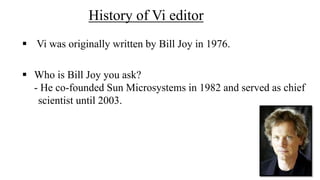
 Vi was originally written by Bill Joy in 1976.
 Who is Bill Joy you ask?
- He co-founded Sun Microsystems in 1982 and served as chief
scientist until 2003.
Characterstics of Vi.
 A very powerful.
 Move from point to point in the file, and make changes.
 Available on all UNIX systems.
 It is hard to learn, specially for windows
 users.
 The vi editor is:
Starting Vi
Type vi <filename> at the shell prompt.
After pressing enter the command prompt disappears and you
see tilde(~)
characters on all the lines
These tilde characters indicate that the line is blank
Vi mode
Command mode.
 Accessed by typing Esc .
 In this mode all the keys pressed by the user are interpret
to the editor command.
 There are three modes in vi :-
Input mode
 Accessed by typing “i” .
 This mode permits insertion of new text, editing of existing text
 or replacement of existing text.
 The bottom line of the vi screen is called ex mode.
 When you start vi by default it is in command mode
 You exit the input mode by pressing the Esc key to get back
to the command mode.
 Ex mode( Last Line Mode)
 Moving Cursor Position
 You can move around only when you are in the command mode .
 Arrow keys usually works(but may not) .
 The standard keys for moving cursor are:-
- h-for left
- l - for right
- j- for down
- k - for up
COMMON VI COMMAND
x - deletes the current character.
 d - is the delete command but pressing only d will not delete
 anything you.
need to press a second key
- dw - deletes to end of word
- dd - deletes the current line
- d0 - deletes to beginning of line
 There are many more keys to be used with delete command .
• The vi commands can be used followed by a number such as
•
• n<command key(s)>
- For example dd deletes a line 5dd will delete five lines
• yy - (yank) copy current line to buffer
• nyy - Where n is number of lines
• p - Paste the yanked lines from buffer to the line below
How to exit for Vi.
 ZZ is for save and Exit (Note this command is uppercase)
 :q <enter> is to exit, if you have not made any changes to the file
Thanks

Vi editor

  • 1.
  • 2.
     Index WHAT ISVI EDITOR? HISTORY OF VI. CHARACTERISTIC OF VI. STARTING VI . MODE IN VI EDITOR. COMMON VI COMMAND. HOW TO EXIT FROM VI .
  • 3.
     The visualeditor on the Linux.  The vi editor comes with every version of Linux or Unix.  Using vi is similar to using other editors in that you can see your file on the screen .  The vi editor is the most popular editor in linux. The current version is really "vim", but to invoke it simply type "vi".  Before vi the primary editor used on Unix was the line editor - User was able to see/edit only one line of the text at a time What is Vi editor?
  • 4.
    History of Vieditor  Vi was originally written by Bill Joy in 1976.  Who is Bill Joy you ask? - He co-founded Sun Microsystems in 1982 and served as chief scientist until 2003.
  • 5.
    Characterstics of Vi. A very powerful.  Move from point to point in the file, and make changes.  Available on all UNIX systems.  It is hard to learn, specially for windows  users.  The vi editor is:
  • 6.
    Starting Vi Type vi<filename> at the shell prompt. After pressing enter the command prompt disappears and you see tilde(~) characters on all the lines These tilde characters indicate that the line is blank
  • 7.
    Vi mode Command mode. Accessed by typing Esc .  In this mode all the keys pressed by the user are interpret to the editor command.  There are three modes in vi :- Input mode  Accessed by typing “i” .  This mode permits insertion of new text, editing of existing text  or replacement of existing text.
  • 8.
     The bottomline of the vi screen is called ex mode.  When you start vi by default it is in command mode  You exit the input mode by pressing the Esc key to get back to the command mode.  Ex mode( Last Line Mode)
  • 9.
     Moving CursorPosition  You can move around only when you are in the command mode .  Arrow keys usually works(but may not) .  The standard keys for moving cursor are:- - h-for left - l - for right - j- for down - k - for up
  • 10.
    COMMON VI COMMAND x- deletes the current character.  d - is the delete command but pressing only d will not delete  anything you. need to press a second key - dw - deletes to end of word - dd - deletes the current line - d0 - deletes to beginning of line  There are many more keys to be used with delete command .
  • 11.
    • The vicommands can be used followed by a number such as • • n<command key(s)> - For example dd deletes a line 5dd will delete five lines • yy - (yank) copy current line to buffer • nyy - Where n is number of lines • p - Paste the yanked lines from buffer to the line below
  • 12.
    How to exitfor Vi.  ZZ is for save and Exit (Note this command is uppercase)  :q <enter> is to exit, if you have not made any changes to the file
  • 13.