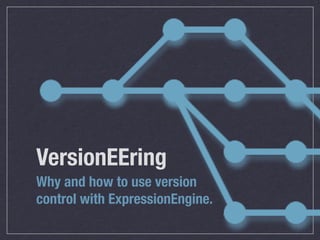
VersionEEring
Why and how to use version
control with ExpressionEngine.
What is version control?
A program that tracks changes to files and
folders for you.
Also goes by these
names.
Source Control Manager (SCM)
Revision Control System (RCS)
Version Control System (VCS)
That-Thing-That-Just-Saved-My-Ass
Different flavors?
Yup. Each has its own way of tracking your
changes. Here are a few:
  CVS - SVN - Git - Mercurial - Bazaar
  Darcs - Perforce - Fossil - BitKeeper


http://en.wikipedia.org/wiki/List_of_revision_control_software
What kinds of files?
 Text! But also:
  Graphics
  Binary
  WHATEVER YOU WANT.
Why use version control?
Because
this
sucks.
Because
this
sucks.
Because this really,
really sucks.
How to get started.
No servers, nothing fancy -
this is all local, baby. So no excuses.
1. Pick a system.
We’re going with Git.
2. Install it on your
computer.
http://git-scm.com/download
3. Set up a repository
 for your existing project.


$	
  cd	
  ~/Sites/myproject                         Change to the project folder.
$	
  git	
  init                                     Initialize the repository.
$	
  git	
  add	
  .                                 Add everything in the project folder
                                                     to the repository.
$	
  git	
  commit	
  -­‐m	
  "Initial	
  commit."   Make your first commit.
4. Make some changes,
 and commit them.


$	
  git	
  status                                   Tell me what’s changed. (New file!)
$	
  git	
  add	
  index.html                        Add the new file to the repository.
$	
  git	
  status                                   Tell me what’s changed. (Just making
                                                     sure we didn’t miss anything.)
$	
  git	
  commit	
  -­‐m	
  "Added	
  homepage."   Commit the change.
5. Rinse and repeat until
you’re ready to share.
A Basic Workflow
One way to use version control in practice,
with actual live websites.
1. Define your
 environments.
Some popular ones:

- Local
- Development (overkill for team of one)
- Staging (can be same as Development)
- Live
Workflow show ‘n tell
Git and EE, sitting in a tree.
Gotcha #1:
Paths.
Let’s play with settings!
1. Make all paths in the
Control Panel relative.
EE1: Admin > System Preferences > General
Configuration


EE2: Admin > General Configuration
Don’t forget uploaded files
and generated images.
EE1:
Admin > System Preferences > Captcha Preferences
(Each upload destination) Admin >Channel
Administration > File Upload Preferences
(Each channel) Admin > Channel Administration >
Channel Management > Edit Channel Preferences

EE2: Admin > Content Administration > File Upload
Preferences
Gotcha #2:
Environment variables.
Let’s play with config files!
Gotcha #3:
User-generated files.
Keeping filesystems in sync.
Gotcha #4:
Databases.
Pick your poison.
Further Resources
New to version control? Check out Version Control
for Designers: http://hoth.entp.com/output/git_for_designers.html
Not new to version control, but new to Git? Check
out Git Reference: http://gitref.org/
More on the topic of Git and EE:
  http://gititon.masugadesign.com/ <-- A++
  WOULD RECOMMEND
  http://j.mp/ee2multiserver

VersionEEring

  • 1.
    VersionEEring Why and howto use version control with ExpressionEngine.
  • 2.
  • 3.
    What is versioncontrol? A program that tracks changes to files and folders for you.
  • 4.
    Also goes bythese names. Source Control Manager (SCM) Revision Control System (RCS) Version Control System (VCS) That-Thing-That-Just-Saved-My-Ass
  • 5.
    Different flavors? Yup. Eachhas its own way of tracking your changes. Here are a few: CVS - SVN - Git - Mercurial - Bazaar Darcs - Perforce - Fossil - BitKeeper http://en.wikipedia.org/wiki/List_of_revision_control_software
  • 6.
    What kinds offiles? Text! But also: Graphics Binary WHATEVER YOU WANT.
  • 7.
  • 8.
  • 9.
  • 10.
  • 11.
    How to getstarted. No servers, nothing fancy - this is all local, baby. So no excuses.
  • 12.
    1. Pick asystem. We’re going with Git.
  • 13.
    2. Install iton your computer. http://git-scm.com/download
  • 14.
    3. Set upa repository for your existing project. $  cd  ~/Sites/myproject Change to the project folder. $  git  init Initialize the repository. $  git  add  . Add everything in the project folder to the repository. $  git  commit  -­‐m  "Initial  commit." Make your first commit.
  • 15.
    4. Make somechanges, and commit them. $  git  status Tell me what’s changed. (New file!) $  git  add  index.html Add the new file to the repository. $  git  status Tell me what’s changed. (Just making sure we didn’t miss anything.) $  git  commit  -­‐m  "Added  homepage." Commit the change.
  • 16.
    5. Rinse andrepeat until you’re ready to share.
  • 17.
    A Basic Workflow Oneway to use version control in practice, with actual live websites.
  • 18.
    1. Define your environments. Some popular ones: - Local - Development (overkill for team of one) - Staging (can be same as Development) - Live
  • 20.
  • 21.
    Git and EE,sitting in a tree.
  • 22.
  • 23.
    1. Make allpaths in the Control Panel relative. EE1: Admin > System Preferences > General Configuration EE2: Admin > General Configuration
  • 24.
    Don’t forget uploadedfiles and generated images. EE1: Admin > System Preferences > Captcha Preferences (Each upload destination) Admin >Channel Administration > File Upload Preferences (Each channel) Admin > Channel Administration > Channel Management > Edit Channel Preferences EE2: Admin > Content Administration > File Upload Preferences
  • 25.
  • 26.
  • 27.
  • 28.
    Further Resources New toversion control? Check out Version Control for Designers: http://hoth.entp.com/output/git_for_designers.html Not new to version control, but new to Git? Check out Git Reference: http://gitref.org/ More on the topic of Git and EE: http://gititon.masugadesign.com/ <-- A++ WOULD RECOMMEND http://j.mp/ee2multiserver