YR 9 VCD SCOPE AND
SEQUENCE
 Course outline
 Design Elements and Principles: Frontcover: 5%
 Drawing and rendering: Toys: 25%
 Product Design: Shoe poster: 40%
 Analysis included (10%)
 Perspective: 1 and 2 point landscape: 30%
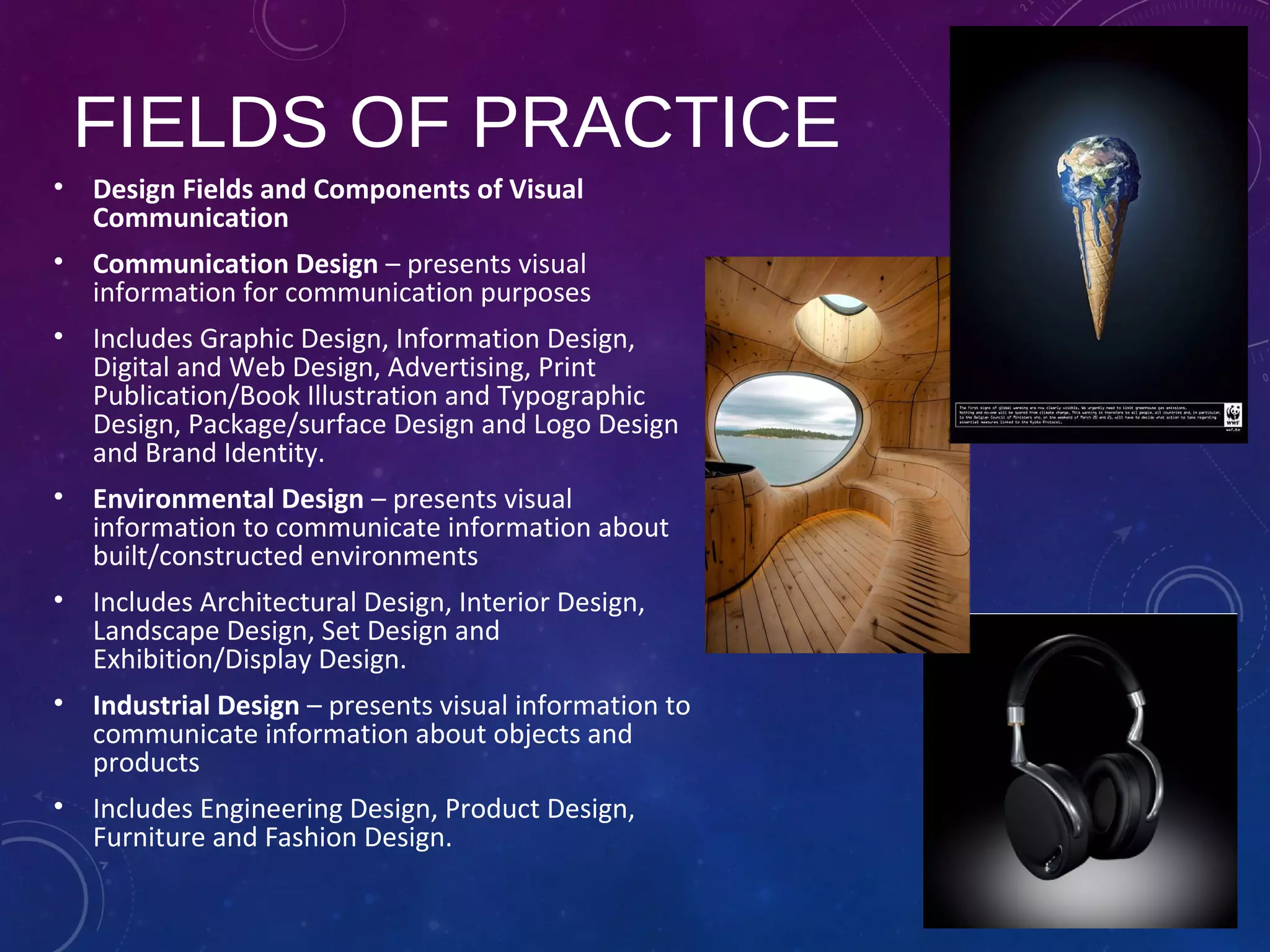
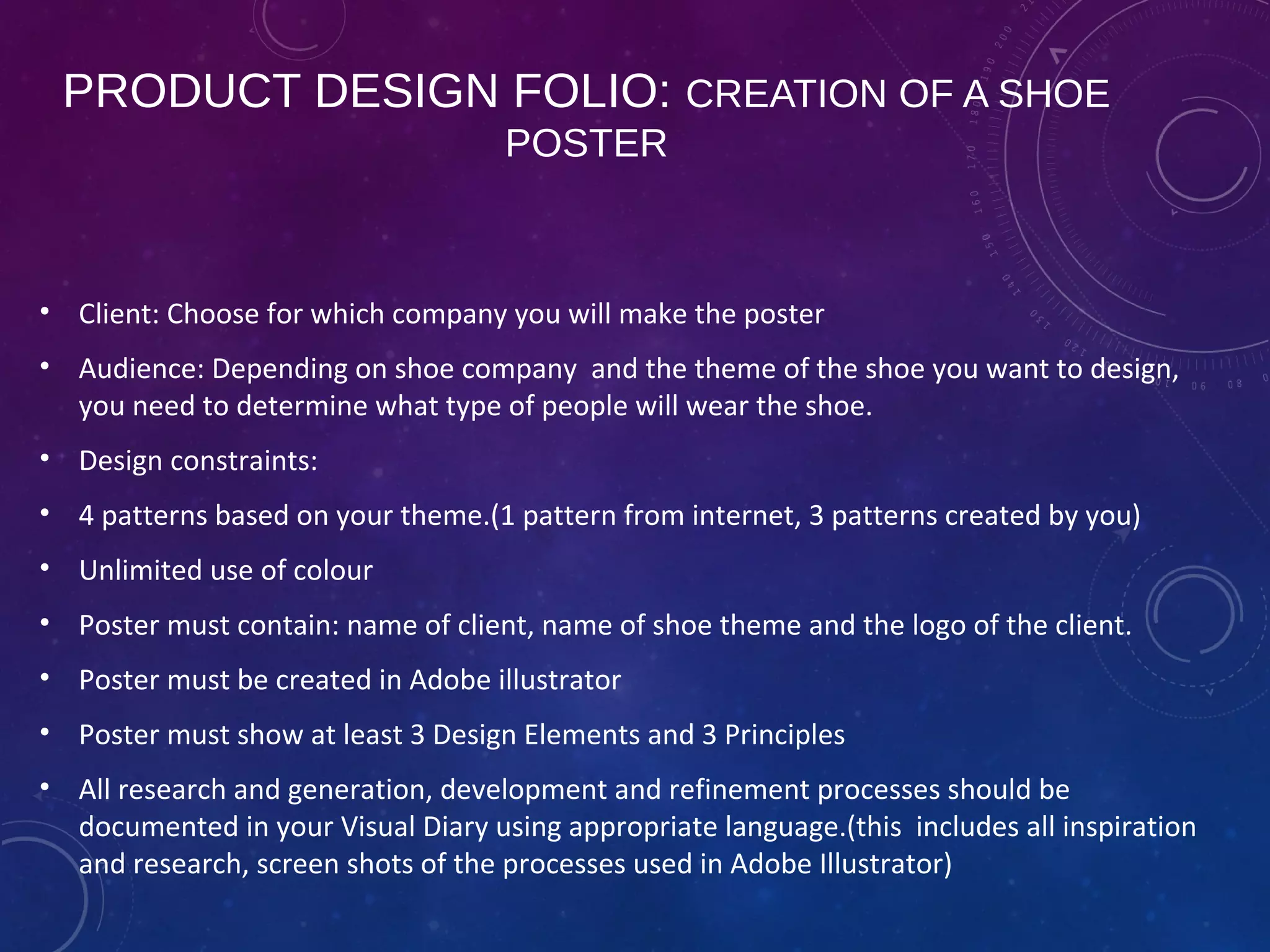
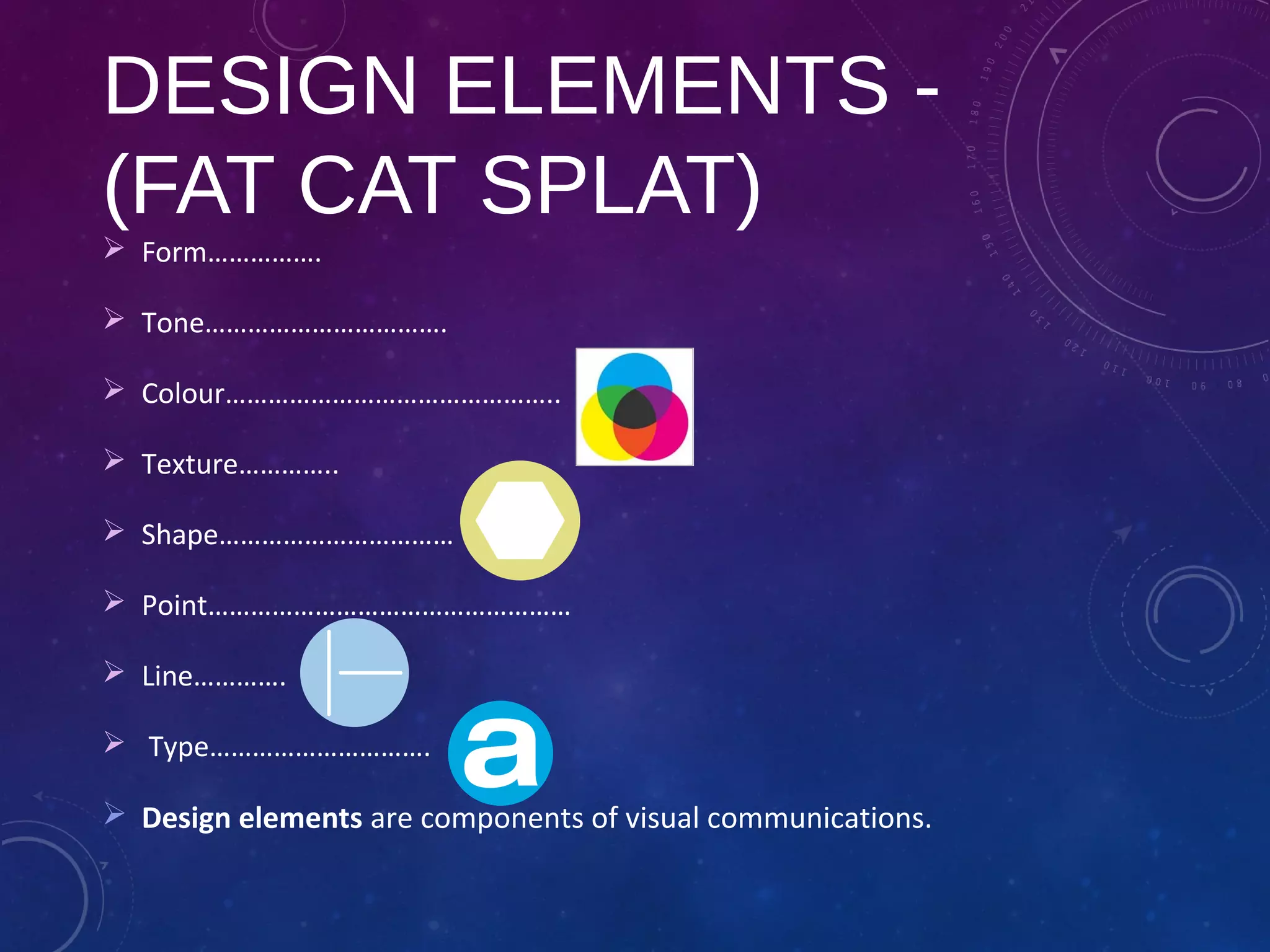
FIELDS OF PRACTICE
• Design Fields and Components of Visual
Communication
• Communication Design – presents visual
information for communication purposes
• Includes Graphic Design, Information Design,
Digital and Web Design, Advertising, Print
Publication/Book Illustration and Typographic
Design, Package/surface Design and Logo Design
and Brand Identity.
• Environmental Design – presents visual
information to communicate information about
built/constructed environments
• Includes Architectural Design, Interior Design,
Landscape Design, Set Design and
Exhibition/Display Design.
• Industrial Design – presents visual information to
communicate information about objects and
products
• Includes Engineering Design, Product Design,
Furniture and Fashion Design.
THE DESIGN PROCESS:
 The Brief (identify client, needs, purpose..)
 Research (collecting ideas, information, ..)
 Generation of ideas (exploring design ideas, use imagination,
visualisation)
 Development of concepts (select preferred idea and apply range
of methods, materials media..)
 Refinement of ideas (modify visual communications in response
to feedback and evaluation)
 Development of visual presentation (presenting final outcome)
PRODUCT DESIGN FOLIO: CREATION OF A SHOE
POSTER
• Client: Choose for which company you will make the poster
• Audience: Depending on shoe company and the theme of the shoe you want to design,
you need to determine what type of people will wear the shoe.
• Design constraints:
• 4 patterns based on your theme.(1 pattern from internet, 3 patterns created by you)
• Unlimited use of colour
• Poster must contain: name of client, name of shoe theme and the logo of the client.
• Poster must be created in Adobe illustrator
• Poster must show at least 3 Design Elements and 3 Principles
• All research and generation, development and refinement processes should be
documented in your Visual Diary using appropriate language.(this includes all inspiration
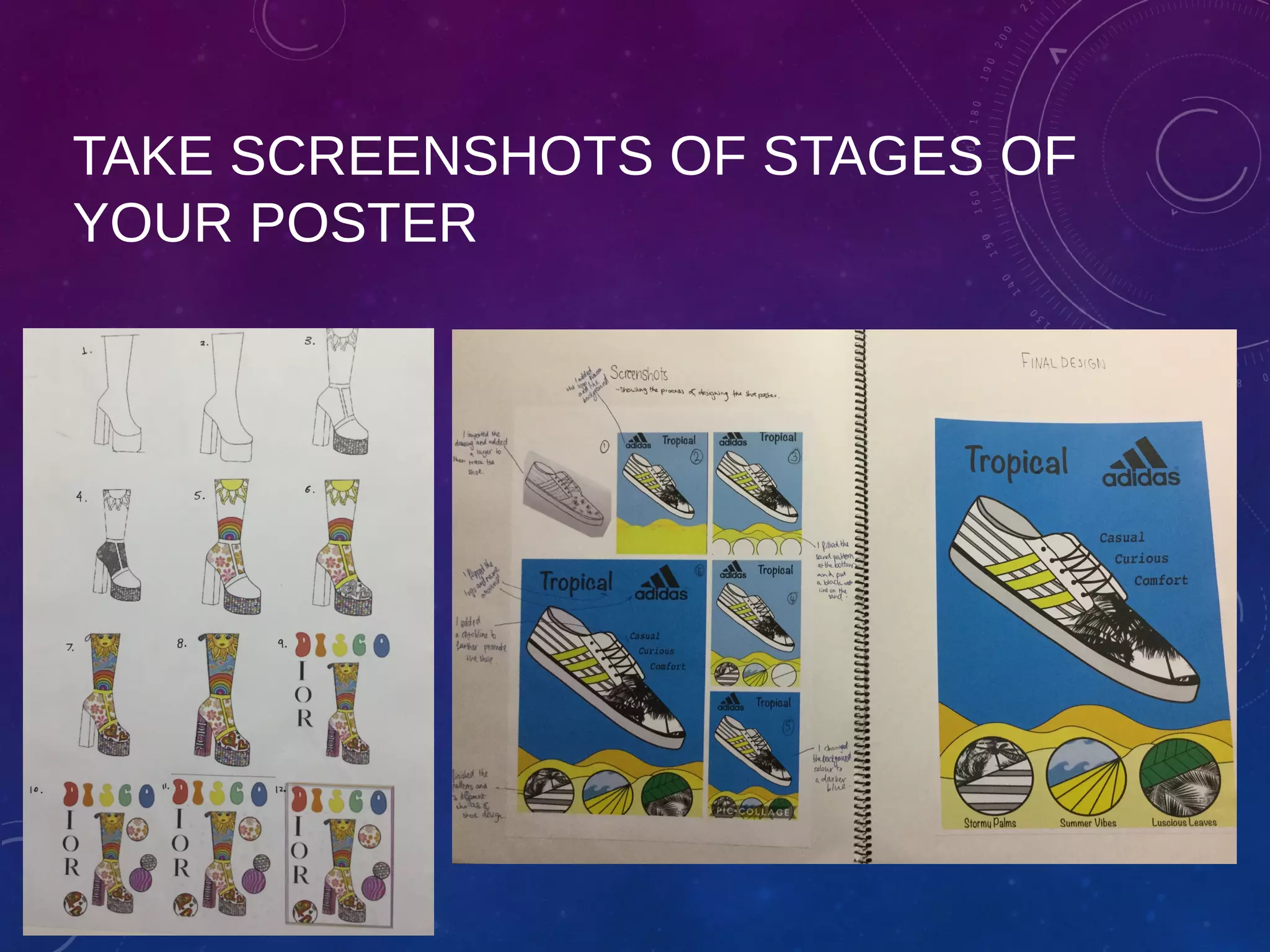
and research, screen shots of the processes used in Adobe Illustrator)
ASSESSMENT CRITERIA SHOE
POSTER
• Evidence of Research
• Generation and synthesis of
ideas
• Visual literacy
• Aesthetic judgements
• Effective communication
DESIGN ELEMENTS -
(FAT CAT SPLAT)
 Form…………….
 Tone…………………………….
 Colour………………………………………..
 Texture…………..
 Shape……………………………
 Point……………………………………………
 Line………….
 Type………………………….
 Design elements are components of visual communications.
DESIGN PRINCIPLES
(PUB FACE CHIPS)
 Proportion…………………….
 Balance……..
 Figure/Ground……………………….
 Contrast……….
 Cropping…………………………………
 Hierarchy………
 Pattern……………………………….
 Scale………….
 Design principles are accepted conventions associated with
arranging or organising Design Elements.
MEANING OF SHAPES/LINES
• Nike swoosh: curves ending in sharp point suggest movement.
• Circles, ovals and ellipses project a positive emotional message. Circle can suggest
community, friendship, unity, love (ring)
• Squares and triangles are straight edged and suggest stability and balance.
• Straight lines and precise logos shapes impart strength and professionalism and
efficiency.
• Vertical lines represent masculinity, strength
• Curved lines are feminine
• Horizontal lines suggest community, tranquility or calm.
• Diagonal lines are dynamic and rapidity. If used in triangle with point down it
suggests danger!
ANALYSING SHOE POSTERS
• Discuss which design
elements are present?
• Explain to each other how
cropping and hierarchy
are visible Design
Principles in the speed
poster.
• Name three ways how
speed is made visual.
• How do tone and texture
in Design shoe poster
relate to heaven or hell?
• What is the target group/
audience for each poster?
RESEARCH: BRAINSTORM IDEAS
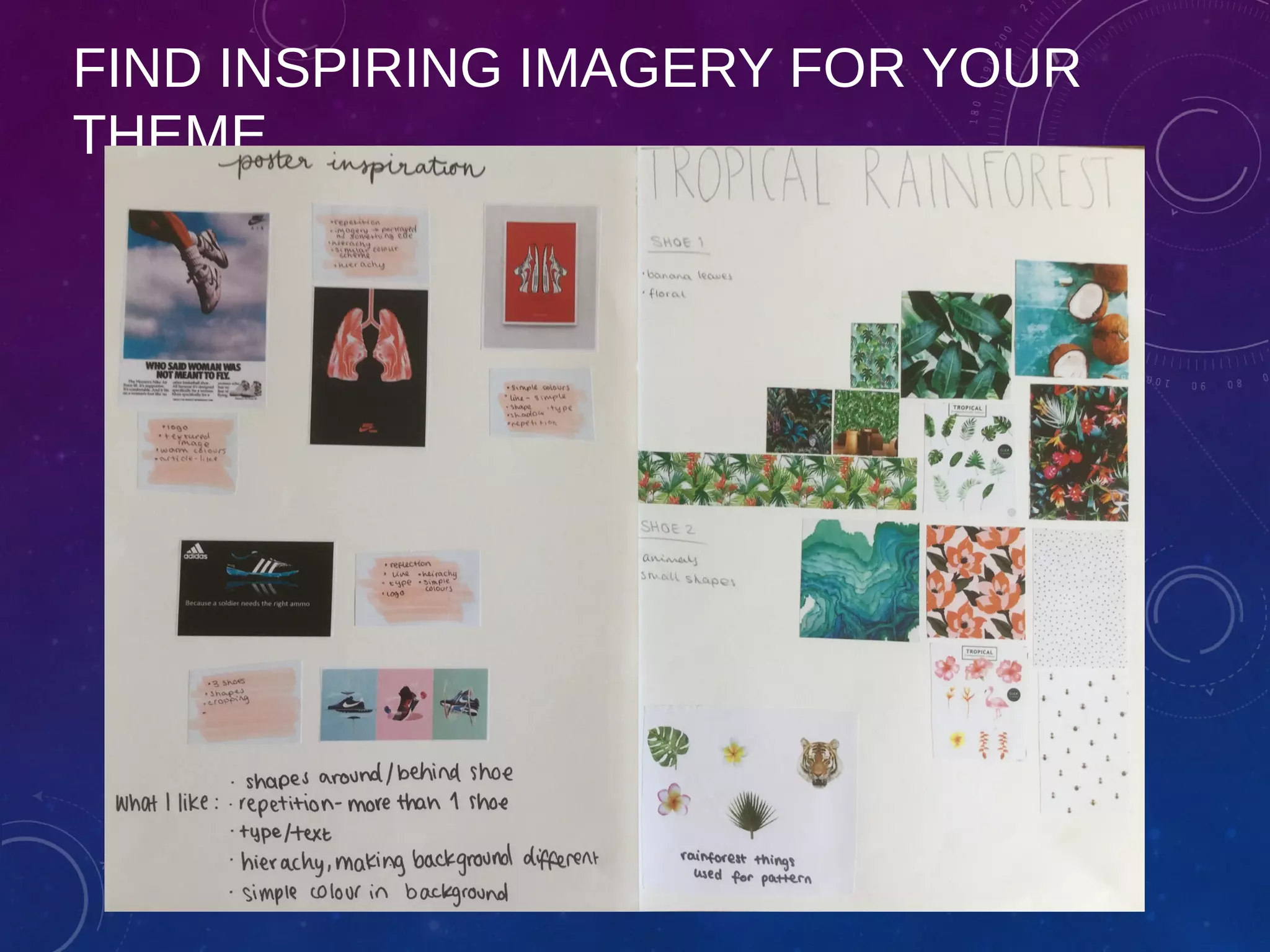
FIND INSPIRING IMAGERY FOR YOUR
THEME
PATTERN DESIGN
• Create a page and draw
different patterns. Write
down next to each pattern
which Elements and
Principles are present.
• Annotate which patterns
would be useful for your
theme
OBSERVATIONAL DRAWING
• Create a A5 size observational
drawing in your visual diary of a real
shoe. Can be the one you are
wearing now.
• Sketch with pencil first. Use
structural lines to get the correct
proportions. Draw lines no tones.
• HL: draw different real shoe at home
in your visual diary. Draw from
observation and use pencil.
CREATE A FIRST DESIGN PAGE FOR YOUR
SHOE POSTER. ANNOTATE IDEAS AND
CHECK CRITERIA
WATCH YOUTUBE; 10 THINGS
•How To Get Started With Adobe Illustrator CC - 10 Things Beginners Want To
Know How To Do presented by Terry White.
•https://www.youtube.com/watch?v=Tw2qUdfvbEQ
GETTING TO KNOW ADOBE
ILLUSTRATOR
• Terminology:
• Vector based,Artboard, tools, control panel,
swatches, layers, …..
• Create a line with pen tool and make a shape
• Fill shape and background using colour and
pattern
• Very good tutorials:
• https://www.creativebloq.com/digital-
art/illustrator-tutorials-1232697
FOLLOW THESE STEPS
• Scan shoe chosen shoe design
• Upload this Jpeg file in new Art board
• Open new layer and trace image
• Label each layer
• Work from line, shape, colour to
pattern, type
• Take screenshots of stages
• Save work in class file on server
under your name
• Don’t leave work on desktop
TAKE SCREENSHOTS OF STAGES OF
YOUR POSTER
PRESENT YOUR POSTER

Vcd y9 product design poster

  • 1.
    YR 9 VCDSCOPE AND SEQUENCE  Course outline  Design Elements and Principles: Frontcover: 5%  Drawing and rendering: Toys: 25%  Product Design: Shoe poster: 40%  Analysis included (10%)  Perspective: 1 and 2 point landscape: 30%
  • 2.
    FIELDS OF PRACTICE •Design Fields and Components of Visual Communication • Communication Design – presents visual information for communication purposes • Includes Graphic Design, Information Design, Digital and Web Design, Advertising, Print Publication/Book Illustration and Typographic Design, Package/surface Design and Logo Design and Brand Identity. • Environmental Design – presents visual information to communicate information about built/constructed environments • Includes Architectural Design, Interior Design, Landscape Design, Set Design and Exhibition/Display Design. • Industrial Design – presents visual information to communicate information about objects and products • Includes Engineering Design, Product Design, Furniture and Fashion Design.
  • 3.
    THE DESIGN PROCESS: The Brief (identify client, needs, purpose..)  Research (collecting ideas, information, ..)  Generation of ideas (exploring design ideas, use imagination, visualisation)  Development of concepts (select preferred idea and apply range of methods, materials media..)  Refinement of ideas (modify visual communications in response to feedback and evaluation)  Development of visual presentation (presenting final outcome)
  • 4.
    PRODUCT DESIGN FOLIO:CREATION OF A SHOE POSTER • Client: Choose for which company you will make the poster • Audience: Depending on shoe company and the theme of the shoe you want to design, you need to determine what type of people will wear the shoe. • Design constraints: • 4 patterns based on your theme.(1 pattern from internet, 3 patterns created by you) • Unlimited use of colour • Poster must contain: name of client, name of shoe theme and the logo of the client. • Poster must be created in Adobe illustrator • Poster must show at least 3 Design Elements and 3 Principles • All research and generation, development and refinement processes should be documented in your Visual Diary using appropriate language.(this includes all inspiration and research, screen shots of the processes used in Adobe Illustrator)
  • 5.
    ASSESSMENT CRITERIA SHOE POSTER •Evidence of Research • Generation and synthesis of ideas • Visual literacy • Aesthetic judgements • Effective communication
  • 7.
    DESIGN ELEMENTS - (FATCAT SPLAT)  Form…………….  Tone…………………………….  Colour………………………………………..  Texture…………..  Shape……………………………  Point……………………………………………  Line………….  Type………………………….  Design elements are components of visual communications.
  • 8.
    DESIGN PRINCIPLES (PUB FACECHIPS)  Proportion…………………….  Balance……..  Figure/Ground……………………….  Contrast……….  Cropping…………………………………  Hierarchy………  Pattern……………………………….  Scale………….  Design principles are accepted conventions associated with arranging or organising Design Elements.
  • 9.
    MEANING OF SHAPES/LINES •Nike swoosh: curves ending in sharp point suggest movement. • Circles, ovals and ellipses project a positive emotional message. Circle can suggest community, friendship, unity, love (ring) • Squares and triangles are straight edged and suggest stability and balance. • Straight lines and precise logos shapes impart strength and professionalism and efficiency. • Vertical lines represent masculinity, strength • Curved lines are feminine • Horizontal lines suggest community, tranquility or calm. • Diagonal lines are dynamic and rapidity. If used in triangle with point down it suggests danger!
  • 10.
    ANALYSING SHOE POSTERS •Discuss which design elements are present? • Explain to each other how cropping and hierarchy are visible Design Principles in the speed poster. • Name three ways how speed is made visual. • How do tone and texture in Design shoe poster relate to heaven or hell? • What is the target group/ audience for each poster?
  • 11.
  • 12.
    FIND INSPIRING IMAGERYFOR YOUR THEME
  • 13.
    PATTERN DESIGN • Createa page and draw different patterns. Write down next to each pattern which Elements and Principles are present. • Annotate which patterns would be useful for your theme
  • 14.
    OBSERVATIONAL DRAWING • Createa A5 size observational drawing in your visual diary of a real shoe. Can be the one you are wearing now. • Sketch with pencil first. Use structural lines to get the correct proportions. Draw lines no tones. • HL: draw different real shoe at home in your visual diary. Draw from observation and use pencil.
  • 15.
    CREATE A FIRSTDESIGN PAGE FOR YOUR SHOE POSTER. ANNOTATE IDEAS AND CHECK CRITERIA
  • 16.
    WATCH YOUTUBE; 10THINGS •How To Get Started With Adobe Illustrator CC - 10 Things Beginners Want To Know How To Do presented by Terry White. •https://www.youtube.com/watch?v=Tw2qUdfvbEQ
  • 17.
    GETTING TO KNOWADOBE ILLUSTRATOR • Terminology: • Vector based,Artboard, tools, control panel, swatches, layers, ….. • Create a line with pen tool and make a shape • Fill shape and background using colour and pattern • Very good tutorials: • https://www.creativebloq.com/digital- art/illustrator-tutorials-1232697
  • 18.
    FOLLOW THESE STEPS •Scan shoe chosen shoe design • Upload this Jpeg file in new Art board • Open new layer and trace image • Label each layer • Work from line, shape, colour to pattern, type • Take screenshots of stages • Save work in class file on server under your name • Don’t leave work on desktop
  • 19.
    TAKE SCREENSHOTS OFSTAGES OF YOUR POSTER
  • 20.