Copyright ©2004 and Distribution Rights Held by DotNetTechnology, LLC. This material is exclusively used by DotNetTechnology, LLC Consultants as a teaching aid.  Any unauthorized usage including teaching, copying, and redistribution is strictly prohibited.  .NET Programming with VB.NET  Session 2 Dutch Dasanaike November 2004
Course Outline Introduction to the .NET Framework Developing for the .NET framework Understanding the Common Language Runtime (CLR) The role of Namespaces and assemblies Introduction to .NET Framework Namespaces Introduction to VB.NET What can VB.NET be used to build in the .NET Framework? VB.NET Features Creating a VB.NET Hello World Application Compiling VB.NET applications Changes between VB6 and VB.NET
Course Outline Working in Visual Studio.NET  Why use VS.NET? Overview of VS.NET features Creating a VB.NET solution and project using VS.NET Project Configuration Compiling projects VB.NET Language Fundamentals  VB.NET Basics Defining Variables, Constants, and Arrays in VB.NET Conditionals and Looping
Course Outline Building Classes and Structures What are classes and objects? Adding fields to a class Adding property set and get statements  to a class Adding methods to a class Structures in VB.NET
Course Outline Object-Oriented Programming Fundamentals Object-oriented language features Object-oriented features of the .NET platform Method overloading Working with interfaces The role of abstract classes Understanding boxing and unboxing in .NET Events and Delegates  The role of Events and Delegates in .NET Creating Events Creating Delegates Creating Event Handlers
Course Outline Working with .NET Framework Classes Overview of functionality in the framework class library Handling file IO Building strings with the StringBuilder class Working with collections Working with Dates and Times Networking Reflection
Course Outline Creating Windows Forms Applications What are Windows Forms? New features in Windows Forms Classes in the System.Windows.Forms namespace Creating a form Adding Windows Controls to forms Visual Inheritance Handling Events
Course Outline Creating ASP.NET Web Forms What are Web Forms? Are ASP.NET Web Forms the same as "classic" ASP forms? New Features in ASP.NET Web Forms Code Behind Classes Classes in the System.Web.UI namespace Using  Server Controls in Web Forms Building User Controls
Course Outline Data Access with ADO.NET What is ADO.NET  Comparing ADO and ADO.NET  Managed Provider Classes in ADO.NET  Connecting to a data base Using the Command Object Using the DataReader Understanding the DataSet class Binding data to Windows and Web Form Controls Structured Exception Handling  Error handling in VB.NET compared to VB6 Using Try…Catch blocks Exception objects Adding a Finally block Throwing exceptions
Course Outline Working with XML in .NET What is XML? When would I use XML in .NET? Overview of the XML Rules XML support in .NET XML Parsing API's in .NET XML Serialization
Course Outline Creating and Consuming Web Services What is a Web Service? Why are Web Services Needed?  Web Service Examples Web Service Architecture  Web Service Technologies Using .NET attributes to create Web Methods Integrating VB.NET objects into Web Methods Creating proxies using VS.NET/WSDL.exe
Course Outline Advanced VB.NET Features Working with Threads Integrating COM objects into .NET applications via Interop Versioning in .NET Adding assemblies to the GAC Calling distributed objects via remoting
Section 1: Introduction to the .NET Framework Developing for the .NET Framework CLR MSIL Namespaces and Assemblies The .NET Framework Class Library Framework User Interface Namespaces Framework Data Access Namespaces Framework Web Namespaces Dutch Dasanaike  ©All Rights Reserved  DotNetTechnology.com
Section Objectives After completing this section, you will be able to: Explain what the .NET framework offers developers Define important .NET terms Explain where MSIL fits into .NET Explain the role of the CLR Explain namespaces and assemblies Explain the importance of the .NET framework namespaces
Developing for the .NET Framework The .NET framework provides a managed computing platform where Web and client/server applications can be developed and executed. As a VB.NET developer, the .NET platform provides: A consistent object-oriented environment A code execution environment that minimizes versioning and deployment issues An environment that eliminates performance issues associated with scripted or interpreted languages A consistent application development experience (Web or client/server) A platform that has the potential to integrate other operating systems and languages
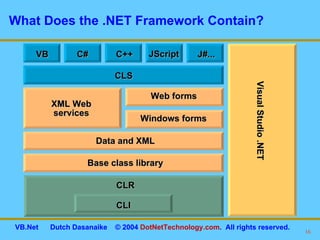
What Does the .NET Framework Contain? Visual Studio .NET CLI CLR Base class library Data and XML XML Web services Windows forms Web forms CLS VB C++ J#... JScript C#
CLR CLR manages the execution of language code in .NET applications. Some features of the CLR include: The CLR provides a language-neutral environment.  All languages are equal players and can interoperate with  each other. The CLR handles memory management. The CLR provides a CTS that can be used for cross-language interoperability. The CLR compiles code to MSIL. The CLR manages role-based and code access security. The CLR features a JIT compiler that translates MSIL into code that can run on the targeted system. The CLR XCopy deployment (no more regsvr32.exe).
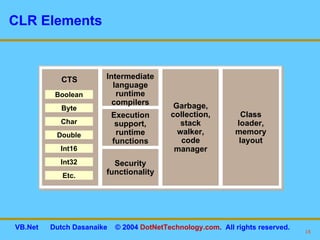
CLR Elements Intermediate language runtime compilers CTS Execution support, runtime functions Security functionality Boolean Byte Char Double Int16 Int32 Etc. Garbage, collection, stack walker, code manager Class loader, memory layout
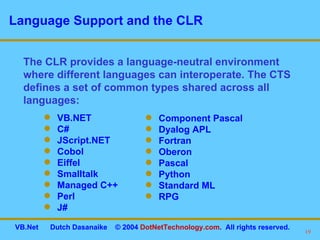
Language Support and the CLR The CLR provides a language-neutral environment where different languages can interoperate. The CTS defines a set of common types shared across all languages: VB.NET C# JScript.NET Cobol Eiffel Smalltalk Managed C++ Perl J# Component Pascal Dyalog APL Fortran Oberon Pascal Python Standard ML RPG
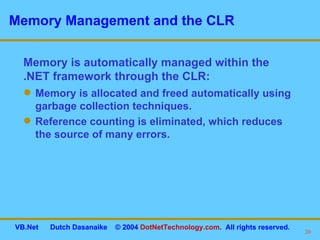
Memory Management and the CLR Memory is allocated and freed automatically using garbage collection techniques. Reference counting is eliminated, which reduces the source of many errors. Memory is automatically managed within the .NET framework through the CLR:
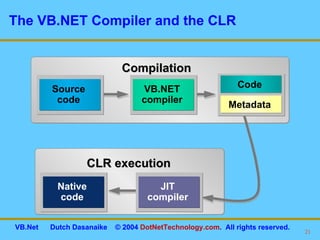
The VB.NET Compiler and the CLR Compilation CLR execution Code MSIL Source code VB.NET compiler Code Metadata Native code JIT compiler
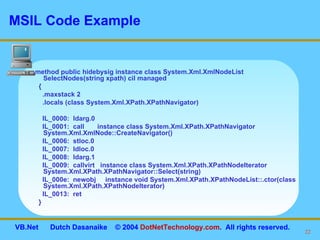
MSIL Code Example .method public hidebysig instance class System.Xml.XmlNodeList SelectNodes(string xpath) cil managed  { .maxstack 2 .locals (class System.Xml.XPath.XPathNavigator) IL_0000:  ldarg.0  IL_0001:  call  instance class System.Xml.XPath.XPathNavigator System.Xml.XmlNode::CreateNavigator() IL_0006:  stloc.0  IL_0007:  ldloc.0  IL_0008:  ldarg.1  IL_0009:  callvirt  instance class System.Xml.XPath.XPathNodeIterator System.Xml.XPath.XPathNavigator::Select(string) IL_000e:  newobj  instance void System.Xml.XPath.XPathNodeList::.ctor(class System.Xml.XPath.XPathNodeIterator) IL_0013:  ret  }
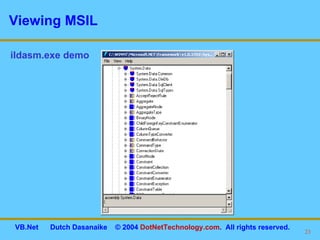
Viewing MSIL ildasm.exe demo
Namespaces and Assemblies Namespace A namespace is a logical naming scheme for grouping related types. Example: System.Data.sql Assembly An assembly is a collection of types and resources that are built to work together and form a logical unit of functionality, a logical dll. An assembly can contain multiple namespaces. Example:  System.Data.dll
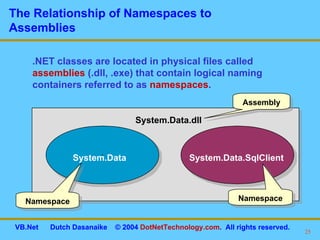
The Relationship of Namespaces to Assemblies .NET classes are located in physical files called  assemblies  (.dll, .exe) that contain logical naming containers referred to as  namespaces . System.Data System.Data.SqlClient System.Data.dll Assembly Namespace Namespace
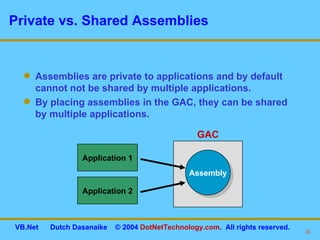
Private vs. Shared Assemblies Assemblies are private to applications and by default cannot not be shared by multiple applications. By placing assemblies in the GAC, they can be shared by multiple applications. Application 1 Application 2 Assembly GAC
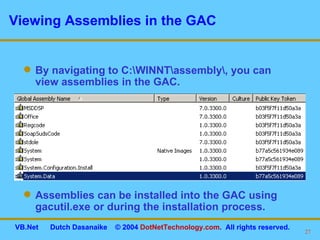
Viewing Assemblies in the GAC By navigating to C:\WINNT\assembly\, you can view assemblies in the GAC. Assemblies can be installed into the GAC using gacutil.exe or during the installation process.
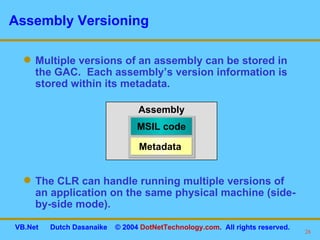
Assembly Versioning Multiple versions of an assembly can be stored in the GAC.  Each assembly’s version information is stored within its metadata. The CLR can handle running multiple versions of an application on the same physical machine (side-by-side mode). Assembly MSIL code Metadata
The .NET Framework Class Library The .NET Framework Class Library comes with a base set of classes that provide an enormous amount of functionality. Examples of Framework Class Library capabilities are as follows: Messaging I/O Reflection Networking Globalization Much more Data access Remoting Serialization Web services Threading Transactions XML support
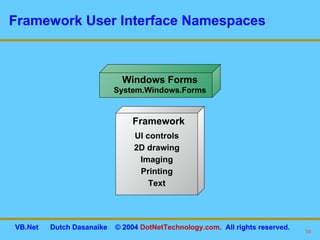
Framework User Interface Namespaces Windows Forms System.Windows.Forms UI controls 2D drawing Imaging Printing Text Framework
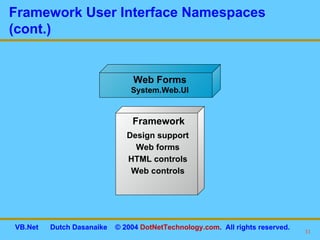
Framework User Interface Namespaces (cont.) Web Forms System.Web.UI Design support Web forms HTML controls Web controls Framework
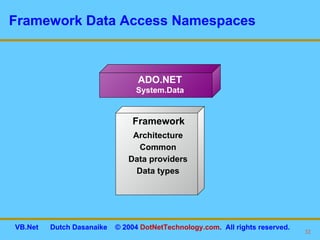
Framework Data Access Namespaces ADO.NET System.Data Architecture Common Data providers Data types Framework
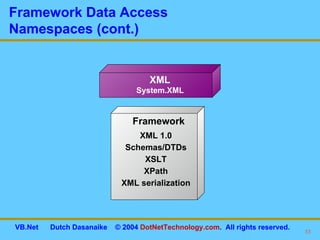
Framework Data Access  Namespaces (cont.) XML 1.0 Schemas/DTDs XSLT XPath XML serialization Framework XML System.XML
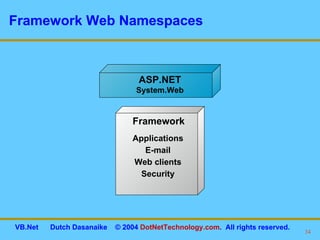
Framework Web Namespaces ASP.NET System.Web Applications E-mail Web clients Security Framework
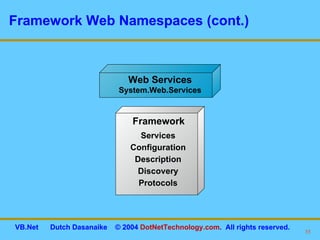
Framework Web Namespaces (cont.) Web Services System.Web.Services Services Configuration Description Discovery Protocols Framework
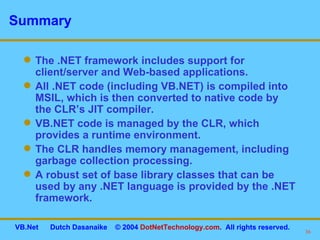
Summary The .NET framework includes support for client/server and Web-based applications. All .NET code (including VB.NET) is compiled into MSIL, which is then converted to native code by the CLR’s JIT compiler. VB.NET code is managed by the CLR, which provides a runtime environment. The CLR handles memory management, including garbage collection processing. A robust set of base library classes that can be used by any .NET language is provided by the .NET framework.
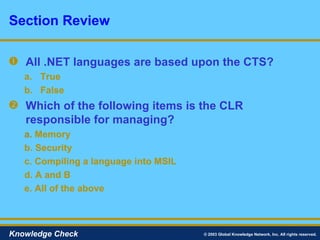
All .NET languages are based upon the CTS? True False Which of the following items is the CLR responsible for managing? a.   Memory b. Security c. Compiling a language into MSIL d. A and B e. All of the above Section Review © 2003 Global Knowledge Network, Inc. All rights reserved. Knowledge Check
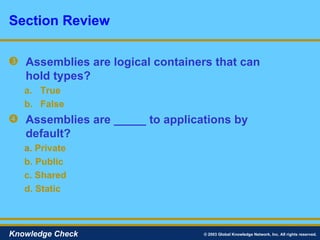
Assemblies are logical containers that can  hold types? True False Assemblies are _____ to applications by default? a.   Private b. Public c. Shared d. Static Section Review © 2003 Global Knowledge Network, Inc. All rights reserved. Knowledge Check
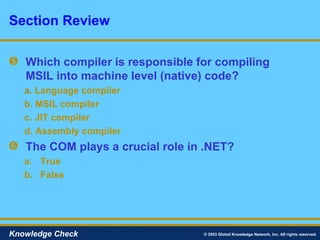
Which compiler is responsible for compiling MSIL into machine level (native) code? a.   Language compiler b. MSIL compiler c. JIT compiler d. Assembly compiler The COM plays a crucial role in .NET? True False Section Review © 2003 Global Knowledge Network, Inc. All rights reserved. Knowledge Check
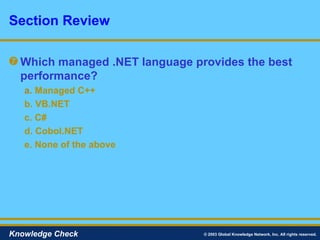
Which managed .NET language provides the best performance? a.   Managed C++ b. VB.NET c. C# d. Cobol.NET e. None of the above Section Review © 2003 Global Knowledge Network, Inc. All rights reserved. Knowledge Check
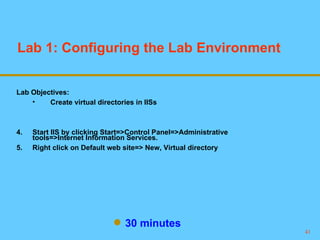
Lab 1: Configuring the Lab Environment  30 minutes Lab Objectives: Create virtual directories in IISs Start IIS by clicking Start=>Control Panel=>Administrative tools=>Internet Information Services. Right click on Default web site=> New, Virtual directory

Introduction to Visual Studio.NET

  • 1.
    Copyright ©2004 andDistribution Rights Held by DotNetTechnology, LLC. This material is exclusively used by DotNetTechnology, LLC Consultants as a teaching aid. Any unauthorized usage including teaching, copying, and redistribution is strictly prohibited. .NET Programming with VB.NET Session 2 Dutch Dasanaike November 2004
  • 2.
    Course Outline Introductionto the .NET Framework Developing for the .NET framework Understanding the Common Language Runtime (CLR) The role of Namespaces and assemblies Introduction to .NET Framework Namespaces Introduction to VB.NET What can VB.NET be used to build in the .NET Framework? VB.NET Features Creating a VB.NET Hello World Application Compiling VB.NET applications Changes between VB6 and VB.NET
  • 3.
    Course Outline Workingin Visual Studio.NET Why use VS.NET? Overview of VS.NET features Creating a VB.NET solution and project using VS.NET Project Configuration Compiling projects VB.NET Language Fundamentals VB.NET Basics Defining Variables, Constants, and Arrays in VB.NET Conditionals and Looping
  • 4.
    Course Outline BuildingClasses and Structures What are classes and objects? Adding fields to a class Adding property set and get statements to a class Adding methods to a class Structures in VB.NET
  • 5.
    Course Outline Object-OrientedProgramming Fundamentals Object-oriented language features Object-oriented features of the .NET platform Method overloading Working with interfaces The role of abstract classes Understanding boxing and unboxing in .NET Events and Delegates The role of Events and Delegates in .NET Creating Events Creating Delegates Creating Event Handlers
  • 6.
    Course Outline Workingwith .NET Framework Classes Overview of functionality in the framework class library Handling file IO Building strings with the StringBuilder class Working with collections Working with Dates and Times Networking Reflection
  • 7.
    Course Outline CreatingWindows Forms Applications What are Windows Forms? New features in Windows Forms Classes in the System.Windows.Forms namespace Creating a form Adding Windows Controls to forms Visual Inheritance Handling Events
  • 8.
    Course Outline CreatingASP.NET Web Forms What are Web Forms? Are ASP.NET Web Forms the same as "classic" ASP forms? New Features in ASP.NET Web Forms Code Behind Classes Classes in the System.Web.UI namespace Using Server Controls in Web Forms Building User Controls
  • 9.
    Course Outline DataAccess with ADO.NET What is ADO.NET Comparing ADO and ADO.NET Managed Provider Classes in ADO.NET Connecting to a data base Using the Command Object Using the DataReader Understanding the DataSet class Binding data to Windows and Web Form Controls Structured Exception Handling Error handling in VB.NET compared to VB6 Using Try…Catch blocks Exception objects Adding a Finally block Throwing exceptions
  • 10.
    Course Outline Workingwith XML in .NET What is XML? When would I use XML in .NET? Overview of the XML Rules XML support in .NET XML Parsing API's in .NET XML Serialization
  • 11.
    Course Outline Creatingand Consuming Web Services What is a Web Service? Why are Web Services Needed? Web Service Examples Web Service Architecture Web Service Technologies Using .NET attributes to create Web Methods Integrating VB.NET objects into Web Methods Creating proxies using VS.NET/WSDL.exe
  • 12.
    Course Outline AdvancedVB.NET Features Working with Threads Integrating COM objects into .NET applications via Interop Versioning in .NET Adding assemblies to the GAC Calling distributed objects via remoting
  • 13.
    Section 1: Introductionto the .NET Framework Developing for the .NET Framework CLR MSIL Namespaces and Assemblies The .NET Framework Class Library Framework User Interface Namespaces Framework Data Access Namespaces Framework Web Namespaces Dutch Dasanaike ©All Rights Reserved DotNetTechnology.com
  • 14.
    Section Objectives Aftercompleting this section, you will be able to: Explain what the .NET framework offers developers Define important .NET terms Explain where MSIL fits into .NET Explain the role of the CLR Explain namespaces and assemblies Explain the importance of the .NET framework namespaces
  • 15.
    Developing for the.NET Framework The .NET framework provides a managed computing platform where Web and client/server applications can be developed and executed. As a VB.NET developer, the .NET platform provides: A consistent object-oriented environment A code execution environment that minimizes versioning and deployment issues An environment that eliminates performance issues associated with scripted or interpreted languages A consistent application development experience (Web or client/server) A platform that has the potential to integrate other operating systems and languages
  • 16.
    What Does the.NET Framework Contain? Visual Studio .NET CLI CLR Base class library Data and XML XML Web services Windows forms Web forms CLS VB C++ J#... JScript C#
  • 17.
    CLR CLR managesthe execution of language code in .NET applications. Some features of the CLR include: The CLR provides a language-neutral environment. All languages are equal players and can interoperate with each other. The CLR handles memory management. The CLR provides a CTS that can be used for cross-language interoperability. The CLR compiles code to MSIL. The CLR manages role-based and code access security. The CLR features a JIT compiler that translates MSIL into code that can run on the targeted system. The CLR XCopy deployment (no more regsvr32.exe).
  • 18.
    CLR Elements Intermediatelanguage runtime compilers CTS Execution support, runtime functions Security functionality Boolean Byte Char Double Int16 Int32 Etc. Garbage, collection, stack walker, code manager Class loader, memory layout
  • 19.
    Language Support andthe CLR The CLR provides a language-neutral environment where different languages can interoperate. The CTS defines a set of common types shared across all languages: VB.NET C# JScript.NET Cobol Eiffel Smalltalk Managed C++ Perl J# Component Pascal Dyalog APL Fortran Oberon Pascal Python Standard ML RPG
  • 20.
    Memory Management andthe CLR Memory is allocated and freed automatically using garbage collection techniques. Reference counting is eliminated, which reduces the source of many errors. Memory is automatically managed within the .NET framework through the CLR:
  • 21.
    The VB.NET Compilerand the CLR Compilation CLR execution Code MSIL Source code VB.NET compiler Code Metadata Native code JIT compiler
  • 22.
    MSIL Code Example.method public hidebysig instance class System.Xml.XmlNodeList SelectNodes(string xpath) cil managed { .maxstack 2 .locals (class System.Xml.XPath.XPathNavigator) IL_0000: ldarg.0 IL_0001: call instance class System.Xml.XPath.XPathNavigator System.Xml.XmlNode::CreateNavigator() IL_0006: stloc.0 IL_0007: ldloc.0 IL_0008: ldarg.1 IL_0009: callvirt instance class System.Xml.XPath.XPathNodeIterator System.Xml.XPath.XPathNavigator::Select(string) IL_000e: newobj instance void System.Xml.XPath.XPathNodeList::.ctor(class System.Xml.XPath.XPathNodeIterator) IL_0013: ret }
  • 23.
  • 24.
    Namespaces and AssembliesNamespace A namespace is a logical naming scheme for grouping related types. Example: System.Data.sql Assembly An assembly is a collection of types and resources that are built to work together and form a logical unit of functionality, a logical dll. An assembly can contain multiple namespaces. Example: System.Data.dll
  • 25.
    The Relationship ofNamespaces to Assemblies .NET classes are located in physical files called assemblies (.dll, .exe) that contain logical naming containers referred to as namespaces . System.Data System.Data.SqlClient System.Data.dll Assembly Namespace Namespace
  • 26.
    Private vs. SharedAssemblies Assemblies are private to applications and by default cannot not be shared by multiple applications. By placing assemblies in the GAC, they can be shared by multiple applications. Application 1 Application 2 Assembly GAC
  • 27.
    Viewing Assemblies inthe GAC By navigating to C:\WINNT\assembly\, you can view assemblies in the GAC. Assemblies can be installed into the GAC using gacutil.exe or during the installation process.
  • 28.
    Assembly Versioning Multipleversions of an assembly can be stored in the GAC. Each assembly’s version information is stored within its metadata. The CLR can handle running multiple versions of an application on the same physical machine (side-by-side mode). Assembly MSIL code Metadata
  • 29.
    The .NET FrameworkClass Library The .NET Framework Class Library comes with a base set of classes that provide an enormous amount of functionality. Examples of Framework Class Library capabilities are as follows: Messaging I/O Reflection Networking Globalization Much more Data access Remoting Serialization Web services Threading Transactions XML support
  • 30.
    Framework User InterfaceNamespaces Windows Forms System.Windows.Forms UI controls 2D drawing Imaging Printing Text Framework
  • 31.
    Framework User InterfaceNamespaces (cont.) Web Forms System.Web.UI Design support Web forms HTML controls Web controls Framework
  • 32.
    Framework Data AccessNamespaces ADO.NET System.Data Architecture Common Data providers Data types Framework
  • 33.
    Framework Data Access Namespaces (cont.) XML 1.0 Schemas/DTDs XSLT XPath XML serialization Framework XML System.XML
  • 34.
    Framework Web NamespacesASP.NET System.Web Applications E-mail Web clients Security Framework
  • 35.
    Framework Web Namespaces(cont.) Web Services System.Web.Services Services Configuration Description Discovery Protocols Framework
  • 36.
    Summary The .NETframework includes support for client/server and Web-based applications. All .NET code (including VB.NET) is compiled into MSIL, which is then converted to native code by the CLR’s JIT compiler. VB.NET code is managed by the CLR, which provides a runtime environment. The CLR handles memory management, including garbage collection processing. A robust set of base library classes that can be used by any .NET language is provided by the .NET framework.
  • 37.
    All .NET languagesare based upon the CTS? True False Which of the following items is the CLR responsible for managing? a. Memory b. Security c. Compiling a language into MSIL d. A and B e. All of the above Section Review © 2003 Global Knowledge Network, Inc. All rights reserved. Knowledge Check
  • 38.
    Assemblies are logicalcontainers that can hold types? True False Assemblies are _____ to applications by default? a. Private b. Public c. Shared d. Static Section Review © 2003 Global Knowledge Network, Inc. All rights reserved. Knowledge Check
  • 39.
    Which compiler isresponsible for compiling MSIL into machine level (native) code? a. Language compiler b. MSIL compiler c. JIT compiler d. Assembly compiler The COM plays a crucial role in .NET? True False Section Review © 2003 Global Knowledge Network, Inc. All rights reserved. Knowledge Check
  • 40.
    Which managed .NETlanguage provides the best performance? a. Managed C++ b. VB.NET c. C# d. Cobol.NET e. None of the above Section Review © 2003 Global Knowledge Network, Inc. All rights reserved. Knowledge Check
  • 41.
    Lab 1: Configuringthe Lab Environment 30 minutes Lab Objectives: Create virtual directories in IISs Start IIS by clicking Start=>Control Panel=>Administrative tools=>Internet Information Services. Right click on Default web site=> New, Virtual directory