KAREN O’HARA
MARCH, 2015
USING VISUALS
USING GRAPHICS &
VISUALS
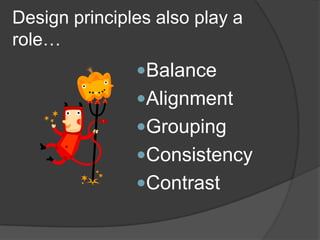
BEGIN WITH PRINCIPLES OF DESIGN
•Balance
•Contrast
•Consistency
(Repetition)
•Alignment
•Grouping (Proximity)
Gerson, S. J., & Gerson, S. M. (2010). Workplace writing:
Planning, packaging, and perfecting communication. Upper
Saddle River, N.J: Prentice Hall.
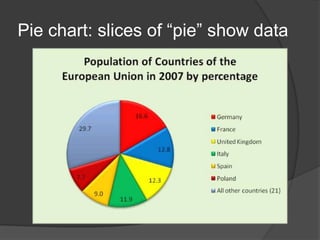
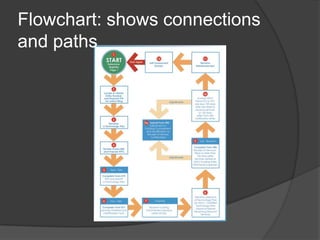
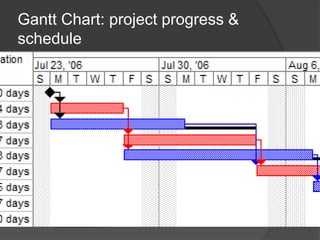
Name that graphic!
Name that graphic!
Name that graphic!
Name that graphic!
Name that graphic!
Name that graphic!
They should…
• tell a simple story
• reinforce written text (not
replace it)
• be labeled & placed properly
• be ethical
FOUR GUIDELINES FOR VISUALS
What story does this graphic tell?
How to Zombie-Proof Your Shed
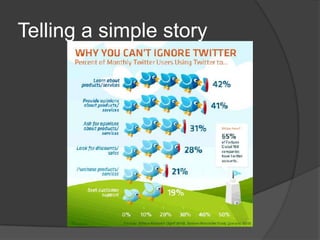
TELLING A SIMPLE STORY
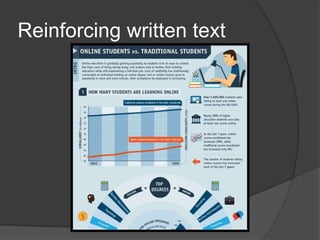
REINFORCING WRITTEN TEXT
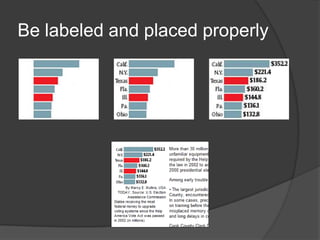
LABELED AND PLACED
PROPERLY
ETHICAL
MISLEADING REALISTIC
0
10
20
30
40
50
60
70
80
90
100 94.4 93.9 93.4 93.1 92.8
http://gizmodo.com/how-to-lie-with-data-visualization-
1563576606
Cumulative graphs (number of visitors, revenue, etc.)
OTHER WAYS TO “LIE WITH
DATA VISUALIZATION”
http://gizmodo.com/how-to-lie-with-data-visualization-
1563576606
Ignoring conventions
OTHER WAYS TO “LIE WITH
DATA VISUALIZATION”
FUN WITH DATA VISUALIZATION
Tomas Nilsson’s Little Red Riding Hood:
http://vimeo.com/3514904
https://s3.amazonaws.com/m.h
elpscout.net/blog/2013/jul/color
-emotion.jpg
A WORD ABOUT COLOR
INFOGRAPHICS
PHOTOGRAPHS,
ILLUSTRATIONS, &
SCREENSHOTS
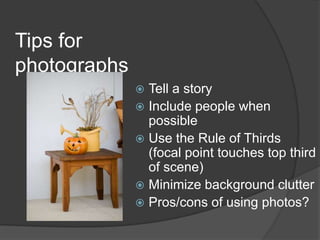
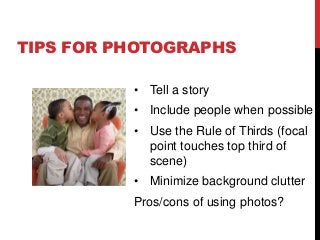
• Tell a story
• Include people when possible
• Use the Rule of Thirds (focal
point touches top third of
scene)
• Minimize background clutter
Pros/cons of using photos?
TIPS FOR PHOTOGRAPHS
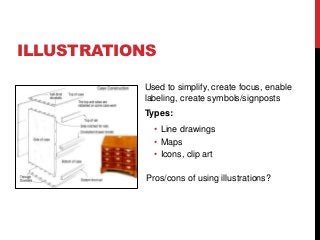
Used to simplify, create focus, enable
labeling, create symbols/signposts
Types:
• Line drawings
• Maps
• Icons, clip art
Pros/cons of using illustrations?
ILLUSTRATIONS
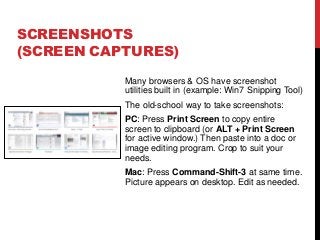
Many browsers & OS have screenshot
utilities built in (example: Win7 Snipping Tool)
The old-school way to take screenshots:
PC: Press Print Screen to copy entire
screen to clipboard (or ALT + Print Screen
for active window.) Then paste into a doc or
image editing program. Crop to suit your
needs.
Mac: Press Command-Shift-3 at same time.
Picture appears on desktop. Edit as needed.
SCREENSHOTS
(SCREEN CAPTURES)
http://cdn.morguefile.com/imageData/public/fil
es/s/Schick/10/l/1349749654wg5sz.jpg
Flickr Creative Commons
(http://www.flickr.com/creativecommons/)
FreeImages (http://www.freeimages.com)
Stokpic (http://www.stokpic.com)
IconsPedia (http://www.iconspedia.com/)
Note: PowerPoint or Word clip art is free to
use and DOES NOT need citation unless it
is used outside of the program.
SOME FREE IMAGE RESOURCES
(LICENSE & USAGE RESTRICTIONS APPLY)
Follow me on Twitter
Visit my Workplace
Writing Blog
PICTURE THIS!

Using visuals