

USING TWITTER
                           An introduction


                                                  Benoît Guilbaud
                                                    @benguilbaud
                                             www.benguilbaud.com
Saturday, 21 April 12
This work is licensed under the Creative Commons
                        Attribution-ShareAlike 3.0 Unported License. To view a copy
                        of this license, visit http://creativecommons.org/licenses/by-sa/
                        3.0/ or send a letter to Creative Commons 444 Castro Street,
                        Suite 900, Mountain View, California, 94041, USA.

                                                                @eljeejavier & @benguilbaud
Saturday, 21 April 12
WHAT IS TWITTER?

                              Community
                             Conversation
                              Participation

                         Adapted from Anthony Mayfield, http://connect.icrossing.co.uk
Saturday, 21 April 12
COMMUNITY

                        Find people with similar interests
                        Broaden your personal network
                            Discover something new


Saturday, 21 April 12
CONVERSATION

                           Two-way interactions

                        Share resources with others


Saturday, 21 April 12
PARTICIPATION

                              Not broadcast only

                   Blurs the line between media and audience


Saturday, 21 April 12
USING TWITTER


Saturday, 21 April 12
@ MENTIONS

                         Exchange @usernames with someone

                        Compose a new tweet and mention them


Saturday, 21 April 12
FOLLOW

                        Click on a person’s @username

                                Follow them


Saturday, 21 April 12
#HASHTAGS

                                 Compose a new tweet
                    Add the session hashtag #twitterMMU
                        Add this to all your tweets for this session


Saturday, 21 April 12
SEARCH

           Create & save a search for #twitterMMU

                        Follow everyone using the session hashtag


Saturday, 21 April 12
WHO TO FOLLOW

         Look at the tweet suggesting people to follow

                        Follow people & institutions you like

                                         #ff
Saturday, 21 April 12
RETWEET

                        Choose a tweet you find interesting

                                    Retweet it

                          You may also ‘quote’ the tweet
                        (and add a comment, hashtag, etc.)
Saturday, 21 April 12
FAVOURITE

         Find the tweet with a link to the session slides

                                   Favourite it

                        Retrieve it later from your profile

Saturday, 21 April 12
TOOLS


Saturday, 21 April 12
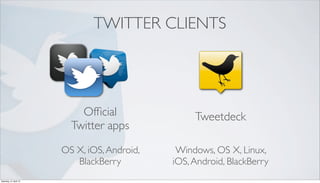
TWITTER CLIENTS


                            Official                Tweetdeck
                          Twitter apps

                        OS X, iOS, Android,    Windows, OS X, Linux,
                           BlackBerry         iOS, Android, BlackBerry
Saturday, 21 April 12
TWITTER TOOLS


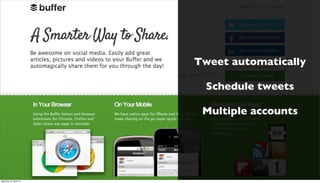
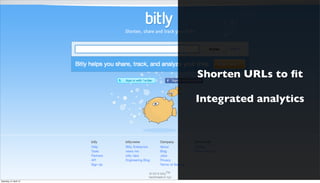
                        Buffer              bit.ly


Saturday, 21 April 12
Tweet automatically

                          Schedule tweets

                         Multiple accounts


Saturday, 21 April 12
Shorten URLs to fit

                        Integrated analytics


Saturday, 21 April 12
RESOURCES
         Creative Commons

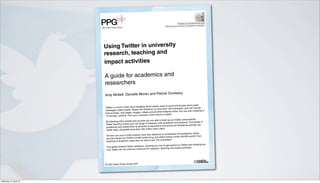
         A Twitter guide by LSE - Impact of Social Sciences

         iCrossing Digital Marketing - Anthony Mayfield

         What the *Tweet*? Social Media for Grad Students - M. Fullick


Saturday, 21 April 12
Impact of Social Sciences
                                                                                     Maximizing the impact of academic research


                        Using Twitter in university
                        research, teaching and
                        impact activities

                        A guide for academics and
                        researchers
                                                                   nle                           avy
                        Amy Mollett, Danielle Moran and Patrick Du

                                                                                                                 public
                                                                     ch allows users to send and receive short
                        Twitter is a form of free micro-blogging whi                                                 ude
                                                                         no more than 140 characters, and can incl
                        me  ssages called tweets. Tweets are limited to
                                                                                er material online. You can start tweeting in
                        links to blogs, web pages, images, videos and all oth
                                                                        art phone or tablet.
                        10 minutes, anytime, from your computer, sm
                                                                       are able to build up an instant, personalized
                        By following other people and sources you                                                        of
                                                                           ts, both academic and personal. Thousands
                        Twi tter feed that meets your full range of interes
                                                                                   and across all disciplines already use
                        academics    and researchers at all levels of experience
                                                                         other users.
                        Twitter daily, alongside more than 200 million
                                                                          vance to universities and academia, where
                        Yet how can such a brief medium have any rele
                                                                             where books contain 80,000 words? Can
                        journa l articles are 3,000 to 8,000 words long, and
                                                                     just 140 characters?
                        anything of academic value ever be said in
                                                                                                                 wing you
                                                                      g you how to get started on Twitter and sho
                        This guide answers these questions, showin
                                                                           ch, teaching and impact activities.
                         how Twitter can be used as a resource for resear


                        © LSE Public Policy Group 2011
                                                                           1


Saturday, 21 April 12
Useful Twitter terminology
                        Term              Definition
                                                                                          tweets will appear in your feed.
                        Follow            Following another user means that all their
                                                                                              appear on the right of your
                                          Click on their user name, and their profile will
                                                                                             t click this to follow.
                                          screen, with a bright green Follow button. Jus
                                                                                         ple or organizations that you
                        Who to follow     This is a list of Twitter’s suggestions of peo
                                                                                           ilarity with your profile. Scroll
                        list              might want to follow, based on points of sim
                                                                                          ton next to anyone you want to.
                                          down the list and click the green Follow but
                                                                                         to your following list and find
                        Unfollow          To stop seeing someone else’s tweets, go
                                                                                        hover the cursor over the green
                                          the person you want to stop following and
                                                                                               Unfollow button, then click.
                                          Following button until it is replaced by the red
                                                                                         avoury character may appear in
                        Block              From time to time a spammer or other uns
                                                                                         ulders icon next to the unwanted
                                           your Followers list. Click the head and sho
                                                                                             e]’ option appears – click this
                                           follower’s name so that the ‘Block [their nam
                                                                                         ers list.
                                           and they will be removed from your Follow
                                                                                          it’s a good idea to click also
                                           For any form of spammer or malware user
                                                                                         t their capacity to annoy others.
                                           ‘Repor t [their name] for spam’ so as to limi
                                                                                              ers’ list regularly. Twitter shows
                                           You should look at and weed out your ‘Follow
                                           the new followers at the top of the list.
                                                                                              e seen in your feed, hover
                         Ret weet or RT    To share somebody else’s tweet that you hav
                                                                                           all your followers, with a small
                                            above it and select retweet. It then goes to
                                                                                              n’t originally your tweet.
                                            arrow icon, which shows others that this was
                                                                                              over it and select the Reply
                         Reply              To respond to somebody else’s tweet, hover
                                                                                               ions column. They may also
                                            option, which will then appear in their @Ment
                                                                                             mn.
                                            reply to you, so check your @Mentions colu
                                                                                           another user. Also the first par t of
                         @                  Used in tweets when you want to mention
                                                                                          SEimpactblog
                                            every Twitter user name – for example @L
                                                                                            n others have mentioned you.
                         Mentions           Check your @Mentions column to see whe
                                                                                               r topics are referred to as
                         #                   Hashtag – used to categorize tweets. Popula
                                                                                                ied by hashtags, such as
                                             trending topics and are sometimes accompan
                                                                                             them listed on the home page
                                             #london2012 #davidwilletts. Click on any of
                                                                                           many different users. Including
                                             and you’ll see a list of related tweets from
                                                                                             a tweet may attract more
                                             popular hashtags that are already in use in
                                             attention.
                                                                                          nel’ communication around
                                         Hashtags are also used as par t of ‘backchan
                                                                                          e or a global event. An event
                                         an event, be it a conference, a TV programm
                                                                                        and links with each other while
                                         audience can share comments, questions
                                         continuing to follow the formal presentation.
                                                                                        send to other Twitter users. Click
                          Direct Message These are private messages that you can
                                                                                         page.
                          or DM          the Message menu at the top of the home
                                                                                        long and clumsy, free URL
                          Shortened      Given that a typical web address is rather
                                                                                        url.com provide shorter links
                          URLs           shortening sites such as bitly.com and tiny
                                                                                          y the web address of the page
                                         which you can paste into tweets. Simply cop
                                                                                          on either site, and you will be
                                          that you’d like to share, paste it into the box
                                                                                           y who clicks on it back to the
                                          given a short link which will re-direct anybod
                                          original page you want to share.


                                                                            3


Saturday, 21 April 12
TWEET YOUR EXPERIENCE

                        Tweet about what you’ve learnt today

                   Don’t forget to include the session hashtag:

                                 #twitterMMU
Saturday, 21 April 12
THANK YOU
                                              #twitterMMU


                                                                 Benoît Guilbaud
               @eljeejavier & @benguilbaud                  www.benguilbaud.com
Saturday, 21 April 12

Using Twitter - An Introduction

  • 1.
    USING TWITTER An introduction Benoît Guilbaud @benguilbaud www.benguilbaud.com Saturday, 21 April 12
  • 2.
    This work islicensed under the Creative Commons Attribution-ShareAlike 3.0 Unported License. To view a copy of this license, visit http://creativecommons.org/licenses/by-sa/ 3.0/ or send a letter to Creative Commons 444 Castro Street, Suite 900, Mountain View, California, 94041, USA. @eljeejavier & @benguilbaud Saturday, 21 April 12
  • 3.
    WHAT IS TWITTER? Community Conversation Participation Adapted from Anthony Mayfield, http://connect.icrossing.co.uk Saturday, 21 April 12
  • 4.
    COMMUNITY Find people with similar interests Broaden your personal network Discover something new Saturday, 21 April 12
  • 5.
    CONVERSATION Two-way interactions Share resources with others Saturday, 21 April 12
  • 6.
    PARTICIPATION Not broadcast only Blurs the line between media and audience Saturday, 21 April 12
  • 7.
  • 8.
  • 9.
  • 10.
    @ MENTIONS Exchange @usernames with someone Compose a new tweet and mention them Saturday, 21 April 12
  • 11.
    FOLLOW Click on a person’s @username Follow them Saturday, 21 April 12
  • 12.
    #HASHTAGS Compose a new tweet Add the session hashtag #twitterMMU Add this to all your tweets for this session Saturday, 21 April 12
  • 13.
    SEARCH Create & save a search for #twitterMMU Follow everyone using the session hashtag Saturday, 21 April 12
  • 14.
    WHO TO FOLLOW Look at the tweet suggesting people to follow Follow people & institutions you like #ff Saturday, 21 April 12
  • 15.
    RETWEET Choose a tweet you find interesting Retweet it You may also ‘quote’ the tweet (and add a comment, hashtag, etc.) Saturday, 21 April 12
  • 16.
    FAVOURITE Find the tweet with a link to the session slides Favourite it Retrieve it later from your profile Saturday, 21 April 12
  • 17.
  • 18.
    TWITTER CLIENTS Official Tweetdeck Twitter apps OS X, iOS, Android, Windows, OS X, Linux, BlackBerry iOS, Android, BlackBerry Saturday, 21 April 12
  • 19.
    TWITTER TOOLS Buffer bit.ly Saturday, 21 April 12
  • 20.
    Tweet automatically Schedule tweets Multiple accounts Saturday, 21 April 12
  • 21.
    Shorten URLs tofit Integrated analytics Saturday, 21 April 12
  • 22.
    RESOURCES Creative Commons A Twitter guide by LSE - Impact of Social Sciences iCrossing Digital Marketing - Anthony Mayfield What the *Tweet*? Social Media for Grad Students - M. Fullick Saturday, 21 April 12
  • 23.
    Impact of SocialSciences Maximizing the impact of academic research Using Twitter in university research, teaching and impact activities A guide for academics and researchers nle avy Amy Mollett, Danielle Moran and Patrick Du public ch allows users to send and receive short Twitter is a form of free micro-blogging whi ude no more than 140 characters, and can incl me ssages called tweets. Tweets are limited to er material online. You can start tweeting in links to blogs, web pages, images, videos and all oth art phone or tablet. 10 minutes, anytime, from your computer, sm are able to build up an instant, personalized By following other people and sources you of ts, both academic and personal. Thousands Twi tter feed that meets your full range of interes and across all disciplines already use academics and researchers at all levels of experience other users. Twitter daily, alongside more than 200 million vance to universities and academia, where Yet how can such a brief medium have any rele where books contain 80,000 words? Can journa l articles are 3,000 to 8,000 words long, and just 140 characters? anything of academic value ever be said in wing you g you how to get started on Twitter and sho This guide answers these questions, showin ch, teaching and impact activities. how Twitter can be used as a resource for resear © LSE Public Policy Group 2011 1 Saturday, 21 April 12
  • 24.
    Useful Twitter terminology Term Definition tweets will appear in your feed. Follow Following another user means that all their appear on the right of your Click on their user name, and their profile will t click this to follow. screen, with a bright green Follow button. Jus ple or organizations that you Who to follow This is a list of Twitter’s suggestions of peo ilarity with your profile. Scroll list might want to follow, based on points of sim ton next to anyone you want to. down the list and click the green Follow but to your following list and find Unfollow To stop seeing someone else’s tweets, go hover the cursor over the green the person you want to stop following and Unfollow button, then click. Following button until it is replaced by the red avoury character may appear in Block From time to time a spammer or other uns ulders icon next to the unwanted your Followers list. Click the head and sho e]’ option appears – click this follower’s name so that the ‘Block [their nam ers list. and they will be removed from your Follow it’s a good idea to click also For any form of spammer or malware user t their capacity to annoy others. ‘Repor t [their name] for spam’ so as to limi ers’ list regularly. Twitter shows You should look at and weed out your ‘Follow the new followers at the top of the list. e seen in your feed, hover Ret weet or RT To share somebody else’s tweet that you hav all your followers, with a small above it and select retweet. It then goes to n’t originally your tweet. arrow icon, which shows others that this was over it and select the Reply Reply To respond to somebody else’s tweet, hover ions column. They may also option, which will then appear in their @Ment mn. reply to you, so check your @Mentions colu another user. Also the first par t of @ Used in tweets when you want to mention SEimpactblog every Twitter user name – for example @L n others have mentioned you. Mentions Check your @Mentions column to see whe r topics are referred to as # Hashtag – used to categorize tweets. Popula ied by hashtags, such as trending topics and are sometimes accompan them listed on the home page #london2012 #davidwilletts. Click on any of many different users. Including and you’ll see a list of related tweets from a tweet may attract more popular hashtags that are already in use in attention. nel’ communication around Hashtags are also used as par t of ‘backchan e or a global event. An event an event, be it a conference, a TV programm and links with each other while audience can share comments, questions continuing to follow the formal presentation. send to other Twitter users. Click Direct Message These are private messages that you can page. or DM the Message menu at the top of the home long and clumsy, free URL Shortened Given that a typical web address is rather url.com provide shorter links URLs shortening sites such as bitly.com and tiny y the web address of the page which you can paste into tweets. Simply cop on either site, and you will be that you’d like to share, paste it into the box y who clicks on it back to the given a short link which will re-direct anybod original page you want to share. 3 Saturday, 21 April 12
  • 25.
    TWEET YOUR EXPERIENCE Tweet about what you’ve learnt today Don’t forget to include the session hashtag: #twitterMMU Saturday, 21 April 12
  • 26.
    THANK YOU #twitterMMU Benoît Guilbaud @eljeejavier & @benguilbaud www.benguilbaud.com Saturday, 21 April 12