Using Social Media for Professional Development
Sue Tucker & Zachary Watt
Learning and Teaching Week 2016
Topics
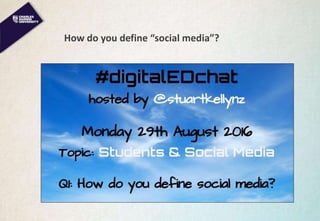
How do you define “social media”?
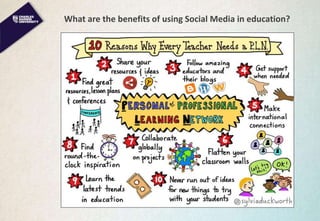
What are the benefits of using Social Media in education?
What platforms come to mind?
How do others use Social Media for professional development?
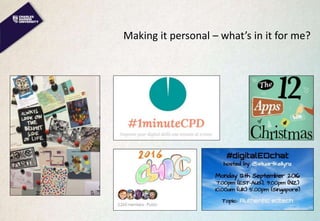
Making it personal – what’s in it for me?
Be aware – some policies
How do you define “social media”?
What are the benefits of using Social Media in education?
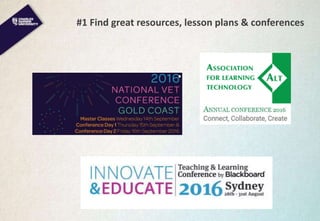
#1 Find great resources, lesson plans & conferences
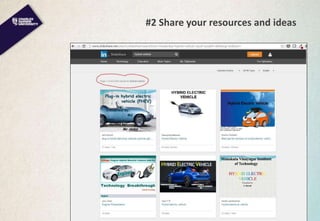
#2 Share your resources and ideas
Slideshare
#3 Follow amazing educators and their blogs
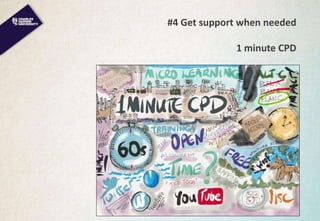
#4 Get support when needed
1 minute CPD
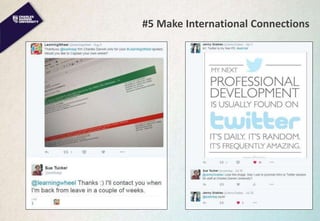
#5 Make International Connections
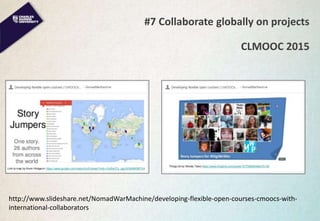
#7 Collaborate globally on projects
CLMOOC 2015
http://www.slideshare.net/NomadWarMachine/developing-flexible-open-courses-cmoocs-with-
international-collaborators
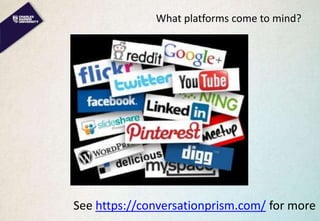
What platforms come to mind?
See https://conversationprism.com/ for more
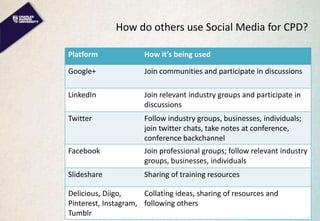
How do others use Social Media for CPD?
Platform How it’s being used
Google+ Join communities and participate in discussions
LinkedIn Join relevant industry groups and participate in
discussions
Twitter Follow industry groups, businesses, individuals;
join twitter chats, take notes at conference,
conference backchannel
Facebook Join professional groups; follow relevant industry
groups, businesses, individuals
Slideshare Sharing of training resources
Delicious, Diigo,
Pinterest, Instagram,
Tumblr
Collating ideas, sharing of resources and
following others
Making it personal – what’s in it for me?
Be aware – some policies
• Use of Social Media at CDU is covered in three different policies
• CDU supports participation in social media technologies.
• The use of social media for learning and teaching purposes is
outlined in the Learnline Policy (draft) and is separate to the
Social Media Policy.
• Official posts must comply with the Media and Public
Commentary Policy.
• Staff members are NOT to use the University name as part of
their username/handle/screen name if making personal
comments.
• Acceptable Use – refer to the dot points of the Social Media
Policy for clear guidance.
Be aware – personal protection
• Don’t post personal identifying information (date of birth, address,
etc)
• Don’t engage with trolls
• Anything of concern: “Ignore. Block. Report”
References and Links
CDU Social Media Policy
http://www.cdu.edu.au/governance/doclibrary/pol-059.pdf
CDU Media and Public Commentary Policy
http://www.cdu.edu.au/governance/policies/pol-028.pdf
Internet trolls
http://netforbeginners.about.com/od/weirdwebculture/f/what-is-an-
internet-troll.htm
http://www.josiefraser.com/2016/09/alt-c-2016-keynote-in-the-valley-
of-the-trolls/
A Guide to Social Media for Learning from GCU, UK
https://sway.com/WJOIcKAajpfZE3OD
References and Links
Gilly Salmon blog http://www.gillysalmon.com
Craig Kemp blog http://mrkempnz.com/
The Ed Techie blog http://blog.edtechie.net/
Slideshare http://www.slideshare.net/
Hybrid pedagogy http://www.digitalpedagogylab.com/hybridped/
1 minute CPD https://1minutecpd.wordpress.com/
Conversation prism https://conversationprism.com/
Learning wheel http://learningwheel.co.uk/tag/debmillar24/
CLMOOC 2015
http://www.slideshare.net/NomadWarMachine/developing-
flexible-open-courses-cmoocs-with-international-collaborators
With thanks
Stuart Kelly @stuartkellynz
Jenny Grabiec @JennyGrabiec
Deb Millar @learningwheel
Sylvia Duckworth @sylviaduckworth
Craig Kemp @mrkempnz
Wendy Taleo @wentale
James Clay @jamesclay
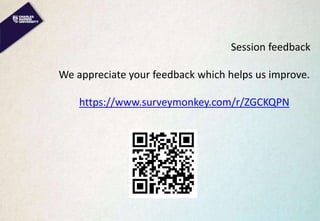
Session feedback
We appreciate your feedback which helps us improve.
https://www.surveymonkey.com/r/ZGCKQPN
Getting started with Twitter
Sue Tucker and Zachary Watt
Learning and Teaching Week 2016
Topics
Why use Twitter for professional development?
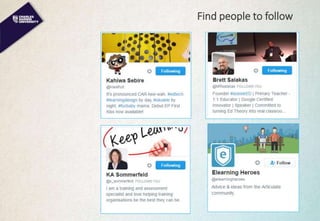
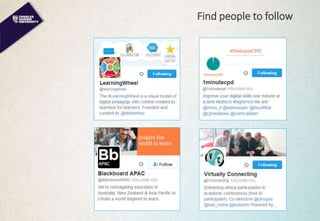
Find people to follow
Using @ and # appropriately
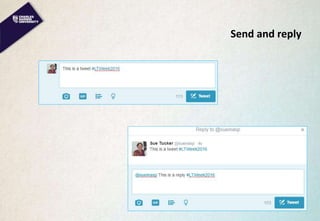
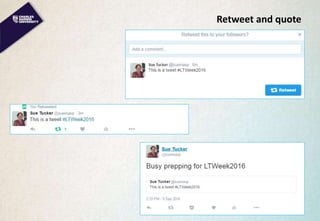
Sending, replying, retweeting and quoting
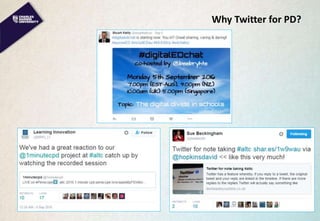
Why Twitter for PD?
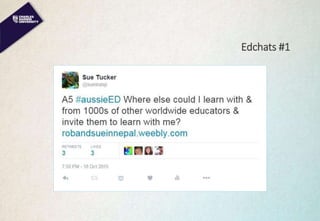
Edchats #1
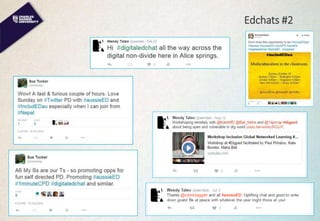
Edchats #2
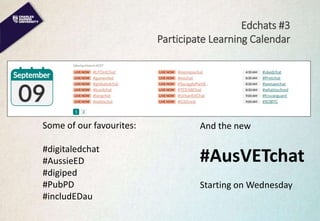
Edchats #3
Participate Learning Calendar
Some of our favourites:
#digitaledchat
#AussieED
#digiped
#PubPD
#includEDau
And the new
#AusVETchat
Starting on Wednesday
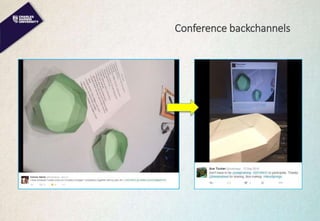
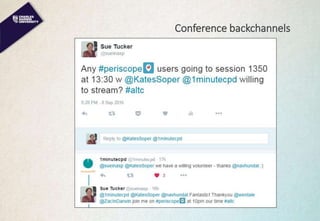
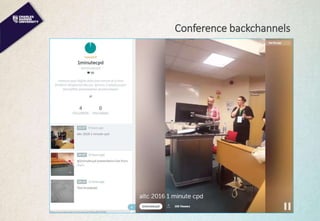
Conference backchannels
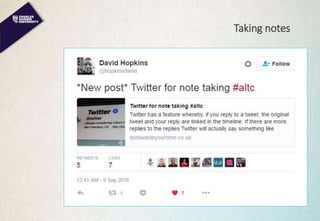
Taking notes
Find people to follow
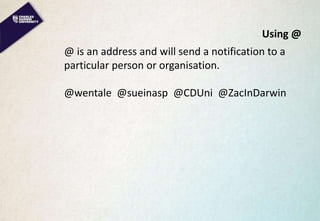
Using @
@ is an address and will send a notification to a
particular person or organisation.
@wentale @sueinasp @CDUni @ZacInDarwin
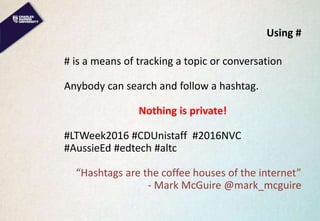
Using #
# is a means of tracking a topic or conversation
Anybody can search and follow a hashtag.
Nothing is private!
#LTWeek2016 #CDUnistaff #2016NVC
#AussieEd #edtech #altc
“Hashtags are the coffee houses of the internet”
- Mark McGuire @mark_mcguire
Send and reply
Retweet and quote
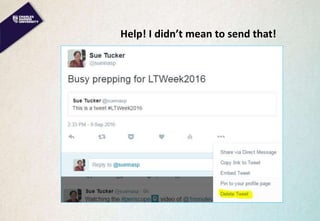
Help! I didn’t mean to send that!
Other tools
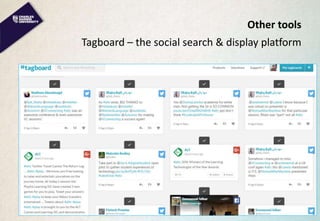
Tagboard – the social search & display platform
Other tools
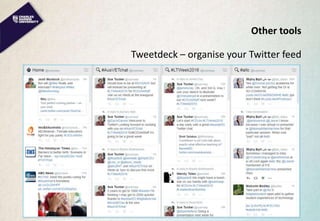
Tweetdeck – organise your Twitter feed
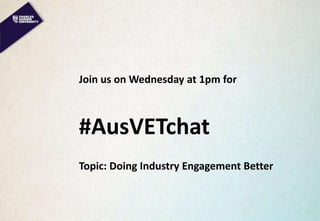
Join us on Wednesday at 1pm for
#AusVETchat
Topic: Doing Industry Engagement Better
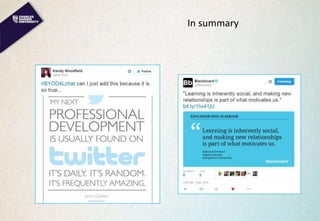
In summary
References and Links
Participate Learning https://www.participate.com/chats
Tagboard https://tagboard.com/
Tweetdeck https://tweetdeck.twitter.com/
With thanks
Stuart Kelly @stuartkellynz
Jenny Grabiec @JennyGrabiec
Deb Millar @learningwheel
Sylvia Duckworth @sylviaduckworth
Craig Kemp @mrkempnz
Wendy Taleo @wentale
James Clay @jamesclay
Session feedback
We appreciate your feedback which helps us improve.
https://www.surveymonkey.com/r/ZGCKQPN

Using Social Media for your own Professional Development

  • 1.
    Using Social Mediafor Professional Development Sue Tucker & Zachary Watt Learning and Teaching Week 2016
  • 2.
    Topics How do youdefine “social media”? What are the benefits of using Social Media in education? What platforms come to mind? How do others use Social Media for professional development? Making it personal – what’s in it for me? Be aware – some policies
  • 3.
    How do youdefine “social media”?
  • 4.
    What are thebenefits of using Social Media in education?
  • 5.
    #1 Find greatresources, lesson plans & conferences
  • 6.
    #2 Share yourresources and ideas Slideshare
  • 7.
    #3 Follow amazingeducators and their blogs
  • 8.
    #4 Get supportwhen needed 1 minute CPD
  • 9.
  • 10.
    #7 Collaborate globallyon projects CLMOOC 2015 http://www.slideshare.net/NomadWarMachine/developing-flexible-open-courses-cmoocs-with- international-collaborators
  • 11.
    What platforms cometo mind? See https://conversationprism.com/ for more
  • 12.
    How do othersuse Social Media for CPD? Platform How it’s being used Google+ Join communities and participate in discussions LinkedIn Join relevant industry groups and participate in discussions Twitter Follow industry groups, businesses, individuals; join twitter chats, take notes at conference, conference backchannel Facebook Join professional groups; follow relevant industry groups, businesses, individuals Slideshare Sharing of training resources Delicious, Diigo, Pinterest, Instagram, Tumblr Collating ideas, sharing of resources and following others
  • 13.
    Making it personal– what’s in it for me?
  • 14.
    Be aware –some policies • Use of Social Media at CDU is covered in three different policies • CDU supports participation in social media technologies. • The use of social media for learning and teaching purposes is outlined in the Learnline Policy (draft) and is separate to the Social Media Policy. • Official posts must comply with the Media and Public Commentary Policy. • Staff members are NOT to use the University name as part of their username/handle/screen name if making personal comments. • Acceptable Use – refer to the dot points of the Social Media Policy for clear guidance.
  • 15.
    Be aware –personal protection • Don’t post personal identifying information (date of birth, address, etc) • Don’t engage with trolls • Anything of concern: “Ignore. Block. Report”
  • 16.
    References and Links CDUSocial Media Policy http://www.cdu.edu.au/governance/doclibrary/pol-059.pdf CDU Media and Public Commentary Policy http://www.cdu.edu.au/governance/policies/pol-028.pdf Internet trolls http://netforbeginners.about.com/od/weirdwebculture/f/what-is-an- internet-troll.htm http://www.josiefraser.com/2016/09/alt-c-2016-keynote-in-the-valley- of-the-trolls/ A Guide to Social Media for Learning from GCU, UK https://sway.com/WJOIcKAajpfZE3OD
  • 17.
    References and Links GillySalmon blog http://www.gillysalmon.com Craig Kemp blog http://mrkempnz.com/ The Ed Techie blog http://blog.edtechie.net/ Slideshare http://www.slideshare.net/ Hybrid pedagogy http://www.digitalpedagogylab.com/hybridped/ 1 minute CPD https://1minutecpd.wordpress.com/ Conversation prism https://conversationprism.com/ Learning wheel http://learningwheel.co.uk/tag/debmillar24/ CLMOOC 2015 http://www.slideshare.net/NomadWarMachine/developing- flexible-open-courses-cmoocs-with-international-collaborators
  • 18.
    With thanks Stuart Kelly@stuartkellynz Jenny Grabiec @JennyGrabiec Deb Millar @learningwheel Sylvia Duckworth @sylviaduckworth Craig Kemp @mrkempnz Wendy Taleo @wentale James Clay @jamesclay
  • 19.
    Session feedback We appreciateyour feedback which helps us improve. https://www.surveymonkey.com/r/ZGCKQPN
  • 20.
    Getting started withTwitter Sue Tucker and Zachary Watt Learning and Teaching Week 2016
  • 21.
    Topics Why use Twitterfor professional development? Find people to follow Using @ and # appropriately Sending, replying, retweeting and quoting
  • 22.
  • 23.
  • 24.
  • 25.
    Edchats #3 Participate LearningCalendar Some of our favourites: #digitaledchat #AussieED #digiped #PubPD #includEDau And the new #AusVETchat Starting on Wednesday
  • 26.
  • 27.
  • 28.
  • 29.
  • 30.
  • 31.
  • 32.
    Using @ @ isan address and will send a notification to a particular person or organisation. @wentale @sueinasp @CDUni @ZacInDarwin
  • 33.
    Using # # isa means of tracking a topic or conversation Anybody can search and follow a hashtag. Nothing is private! #LTWeek2016 #CDUnistaff #2016NVC #AussieEd #edtech #altc “Hashtags are the coffee houses of the internet” - Mark McGuire @mark_mcguire
  • 34.
  • 35.
  • 36.
    Help! I didn’tmean to send that!
  • 37.
    Other tools Tagboard –the social search & display platform
  • 38.
    Other tools Tweetdeck –organise your Twitter feed
  • 39.
    Join us onWednesday at 1pm for #AusVETchat Topic: Doing Industry Engagement Better
  • 40.
  • 41.
    References and Links ParticipateLearning https://www.participate.com/chats Tagboard https://tagboard.com/ Tweetdeck https://tweetdeck.twitter.com/
  • 42.
    With thanks Stuart Kelly@stuartkellynz Jenny Grabiec @JennyGrabiec Deb Millar @learningwheel Sylvia Duckworth @sylviaduckworth Craig Kemp @mrkempnz Wendy Taleo @wentale James Clay @jamesclay
  • 43.
    Session feedback We appreciateyour feedback which helps us improve. https://www.surveymonkey.com/r/ZGCKQPN

Editor's Notes

  • #2 Welcoe
  • #4 What are your thoughts. Pass the microphone around, Alice then Cas Or write in text chat box ·         ICQ, MSN Messenger, MySpace.... #digitaledchat Anything that people use to connect online ·         Social media is anything that allows collaboration (whether it be positive or negative) and the dissemination of info. ·         Key word- collaboration. ·         online tools that we connect with others through, fast, convenient, fun ·         Platforms that allow individuals to share content and engage in social interactions/networking ·         SM is any application with the ability to share, comment on or collect information. If it connects people it's SM. ·         (Googled): websites and applications that enable users to create and share content or to participate in social networking. ·         SoMe - tools that allow communication, collaboration, collating & sharing of info.  ·         An interactive platform which enables networking of some type
  • #5 Will look at a few of these in more detail
  • #6 3 conferences ALT – 3 days last week in UK. Great sessions on Learning technologies. Some live streamed Blackboard – a couple of weeks ago. We’re hosting next year. VELG #2016NVC on Thu & Fri
  • #7 Slideshare – share your own or find others
  • #8 Blogs
  • #9 @1minuteCPD plus Twitter & Facebook
  • #10 Conversations with Educators in UK
  • #11 Wendy – CLMOOC & global story writing
  • #12 Do you use any of these? Or any others?
  • #13 Talk from slide
  • #14 Sue - 12 Apps of Christmas – course over 2 weeks with a new app each day Sue – digitaledchat – weekly twitter on Monday evenings Zac – 1 minute CPD Wendy – CLMOOC & postcards
  • #15 Talk from slide
  • #16 Talk from slide
  • #20 Please fill out feedback form or go online now
  • #23 Digitaledchat – twitterchats ALTC/1minute CPD – conference backchannel (esp with VELG coming up) Note taking
  • #26 Calendar listing all registered chats each day, 30 – 50 every day!
  • #27 Kahiwa at VELG 2014 tweeted box with instructions Sue made box in Alice and tweeted back Beginning of lots of conversations
  • #28 ALTC last week – 1 min CPD not live streamed but we wanted to see it. Asked if anyone could Periscope (live video app) They did 
  • #30 Tweet & reply Get your notes – as well as anyone else who replies, in a timeline
  • #31 Who we follow
  • #32 Who we follow
  • #37 In the time it takes you to go to “Delete Tweet” it could have already been retweeted or quoted. Think first, think second, Tweet third
  • #38 Tagboard – collated # from Twitter, facebook, Instagram, Google+
  • #39 Great if you want to follow more than 1 hashtag, or want to schedule tweets for when you are busy