



Using Apps in ELT
Why use Apps?
• Saudi students like using mobiles all
the time
• Some colleges ban their use for what
might be obvious reasons
• But is this missing a trick?
• Cashing in on their interest could be
one more way to motivate them
Some guidelines
• All free
• They have websites
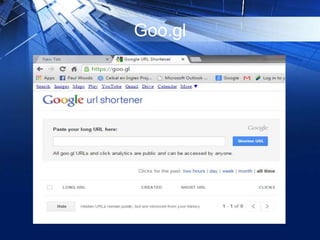
• Copy the URL address and make it
tiny with goo.gl which generates a QR
code
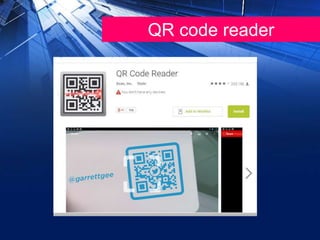
• Students scan the code with a QR
Code Reader app, which takes them
straight to the task
Goo.gl
QR code reader
Quizlet
• For learning vocabulary items, lexical
chunks, collocations
• You can create a class, and sets of
items (no more than 20 items is
optimal), you can use synonyms,
definitions or translate the terms
to/from Arabic), add images and even
use it for comprehension tasks.
https://quizlet.com
• It is easy to share with your students,
and you can encourage them to make
and share their sets.
• No need for students to sign up.
• SeeSandy Millin‘s detailed guide:
https://independentenglish.wordpress.c
om/2012/03/13/quizlet/
Whatsapp
• Useful for creating class groups to
share images, texts and recordings
• This is probably the most important
App of them all as all the URL
addresses can be shared with your
students via your class group.
https://web.whatsapp.com/
Answergarden
• For brainstorming, checking students
prior knowledge and getting short (20
characters) answers.
• No need for students to sign up.
https://www.youtube.com/watch?v=Xbi
CnrkrwZM
Mentimeter
• Good for brainstorming, mind
mapping, allows for longer answers. I
like the visual features. No need for
students to sign up.
https://www.mentimeter.com/
Linoit
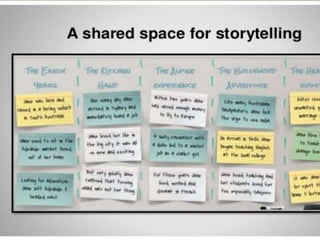
• Collaborative board for sharing ideas,
images and videos via sticky notes.
• Easy for students to use.
• IPhone users now need to download
the app in advance to see the canvas
(collaborative board)
• No need for Android students to sign
up.
http://en.linoit.com/
Photofunia
• for creating fun posters, billboards and
other images on Smarphones, using
photos from the Smartphone gallery.
• https://photofunia.com/
Muzy
• Muzy for creating photo collages or
storyboards.
http://muzy.com/app/photobox
Canva
• Canva for creating Infographics.
https://www.canva.com/
Keep Calm-o-matic
• Keep-Calm-O-Matic for creating Keep
Calm posters.
www.keepcalm-o-matic.co.uk
Google Translate
Treat with CAUTION! But it has its
uses…
https://translate.google.co.uk/
Thank you for participating!

Using apps in elt

  • 1.
    Using Apps inELT Why use Apps? • Saudi students like using mobiles all the time • Some colleges ban their use for what might be obvious reasons • But is this missing a trick? • Cashing in on their interest could be one more way to motivate them
  • 2.
    Some guidelines • Allfree • They have websites • Copy the URL address and make it tiny with goo.gl which generates a QR code • Students scan the code with a QR Code Reader app, which takes them straight to the task
  • 3.
  • 4.
  • 5.
    Quizlet • For learningvocabulary items, lexical chunks, collocations • You can create a class, and sets of items (no more than 20 items is optimal), you can use synonyms, definitions or translate the terms to/from Arabic), add images and even use it for comprehension tasks. https://quizlet.com
  • 6.
    • It iseasy to share with your students, and you can encourage them to make and share their sets. • No need for students to sign up. • SeeSandy Millin‘s detailed guide: https://independentenglish.wordpress.c om/2012/03/13/quizlet/
  • 7.
    Whatsapp • Useful forcreating class groups to share images, texts and recordings • This is probably the most important App of them all as all the URL addresses can be shared with your students via your class group. https://web.whatsapp.com/
  • 8.
    Answergarden • For brainstorming,checking students prior knowledge and getting short (20 characters) answers. • No need for students to sign up. https://www.youtube.com/watch?v=Xbi CnrkrwZM
  • 9.
    Mentimeter • Good forbrainstorming, mind mapping, allows for longer answers. I like the visual features. No need for students to sign up. https://www.mentimeter.com/
  • 10.
    Linoit • Collaborative boardfor sharing ideas, images and videos via sticky notes. • Easy for students to use. • IPhone users now need to download the app in advance to see the canvas (collaborative board) • No need for Android students to sign up. http://en.linoit.com/
  • 12.
    Photofunia • for creatingfun posters, billboards and other images on Smarphones, using photos from the Smartphone gallery. • https://photofunia.com/
  • 13.
    Muzy • Muzy forcreating photo collages or storyboards. http://muzy.com/app/photobox
  • 14.
    Canva • Canva forcreating Infographics. https://www.canva.com/
  • 15.
    Keep Calm-o-matic • Keep-Calm-O-Maticfor creating Keep Calm posters. www.keepcalm-o-matic.co.uk
  • 16.
    Google Translate Treat withCAUTION! But it has its uses… https://translate.google.co.uk/
  • 17.
    Thank you forparticipating!