Use of Web 2.0 : Teaching/Learning
                                   activities


                     Binod Kumar Yadav
                       Senior Librarian
      B. P. Koirala Institute of Health sciences, Dharan
            Email: yadavbinodkumar@yahoo.com
                                                           1
WHAT ‘S WEB 2.0?


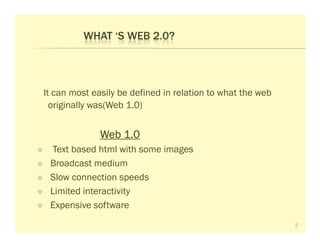
It can most easily be defined in relation to what the web
  originally was(Web 1.0)


              Web 1.0
  Text based html with some images
 Broadcast medium
 Slow connection speeds
 Limited interactivity
 Expensive software
                                                            2
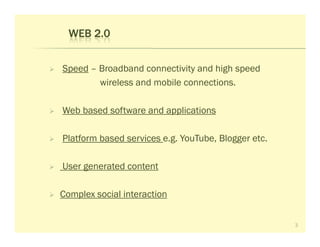
WEB 2.0


Speed – Broadband connectivity and high speed
        wireless and mobile connections.

Web based software and applications

Platform based services e.g. YouTube, Blogger etc.

User generated content

Complex social interaction


                                                     3
Rich media content - audio video etc.

Democratization


                                        4
WEB 2.0 DEFINED


“A second generation of services available on the World Wide Web that
  let people collaborate, and share information online. In contrast to the
               Web 2.0 gives users an experience
  first generation,
  closer to desktop applications than the
  traditional static Web pages.”


                                                                             5
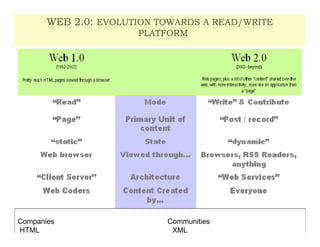
WEB 2.0: EVOLUTION TOWARDS A READ/WRITE
                                    6

                      PLATFORM


Companies                  Communities
HTML                        XML
7
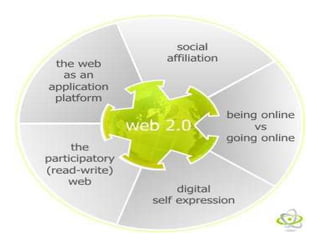
WEB 2.0 CONCEPTS


Social   - shared, open collection, browsable, linkable

Participative    - massively multi-user, web-based applications

Tagging - organize/ categorize with keywords
           - flat, non-hierarchical


                                                                  8
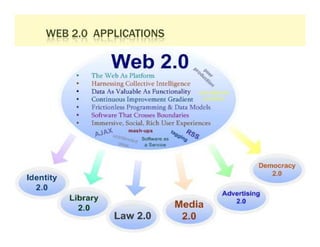
WEB 2.0 APPLICATIONS


                       9
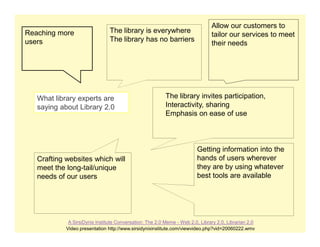
Allow our customers to
Reaching more                   The library is everywhere
                                                                               tailor our services to meet
users                           The library has no barriers
                                                                               their needs


   What library experts are                               The library invites participation,
   saying about Library 2.0                               Interactivity, sharing
                                                          Emphasis on ease of use


                                                                         Getting information into the
   Crafting websites which will                                          hands of users wherever
   meet the long-tail/unique                                             they are by using whatever
   needs of our users                                                    best tools are available


             A SirsiDynix Institute Conversation: The 2.0 Meme - Web 2.0, Library 2.0, Librarian 2.0
            Video presentation http://www.sirsidynixinstitute.com/viewvideo.php?vid=20060222.wmv
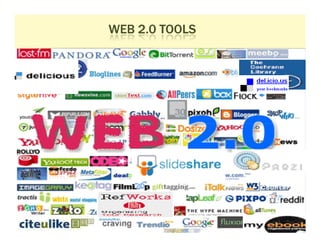
WEB 2.0 TOOLS


                11
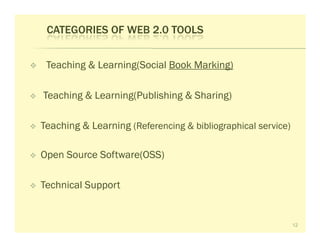
CATEGORIES OF WEB 2.0 TOOLS


 Teaching & Learning(Social Book Marking)

Teaching & Learning(Publishing & Sharing)

Teaching & Learning (Referencing & bibliographical service)

Open Source Software(OSS)

Technical Support


                                                              12
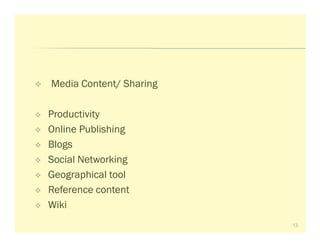
Media Content/ Sharing

Productivity
Online Publishing
Blogs
Social Networking
Geographical tool
Reference content
Wiki
                         13
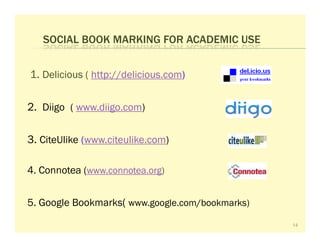
SOCIAL BOOK MARKING FOR ACADEMIC USE


1. Delicious ( http://delicious.com)

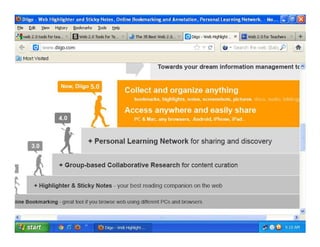
2. Diigo ( www.diigo.com)

3. CiteUlike (www.citeulike.com)

4. Connotea (www.connotea.org)


5. Google Bookmarks( www.google.com/bookmarks)
                                                 14
15
16
SHARING & PUBLISHING


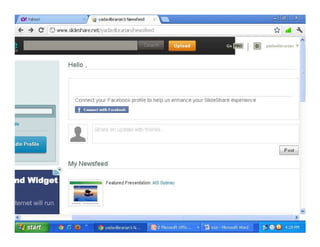
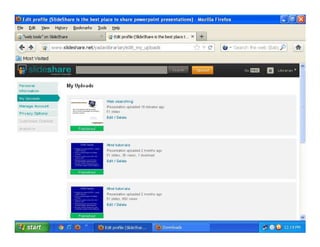
1.   Slideshare (www.slideshare.net)


2.   Scribd ( www.scribd.com)

3.   Authorstream(www.authorstream.com)

4.   Zotero (www.zotero.org)

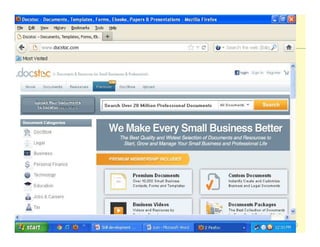
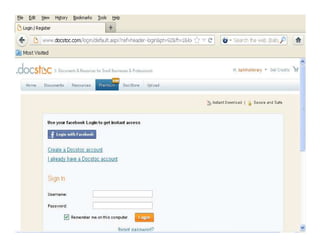
5.   Docstoc (www.docstoc
                  docstoc.com)
                  docstoc
                                          17
18
19
20
21
REFERENCING & BIBLIOGRAPHICAL TOOL


1 EasyBib (www.easybib
               easybib.com)
               easybib


2. Refworks (www.refworks.com)


3. Landmark Citation Machine
   (www.citationmachine.net)


                                        22
OPEN SOURCE SOFTWARE (OSS
                      (OSS)


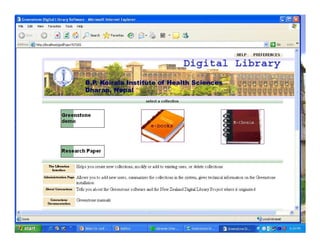
1. Automation – Koha

2. Digitization- Dspace, GSDL


   Millions OSS available on net.
    www. Sourceforge .net


                                    23
OSS: KOHA

•   Customizable Web-based Interfaces
•   All Core Modules (cataloguing, circulation, serials, reporting)
•   Enhanced patron services e.g. Online reservations , Borrower      suggestions
    support
•   Web 2.0 feature: RSS feed, user tagging, user    login, user comments

•    Notification

•    Authentic circulation (Security)
•   Stable technologies- a large number of libraries using around the globe
•   Set up online union catalogue.
•   Online Public Access catalogue(OPAC)


                                                                                    24
25
PRODUCTIVITY


Glogster (www.glogster
              glogster.com)
              glogster

Prezi (www.prezi.com)

Chartgo (www.chart
             chartgo.com )
             chart

Animoto (www.animoto.com)


                              26
ONLINE PUBLISHING


Scratch (www. scratch
              scratch.mit.edu)

Myebook (www.myebook
             myebook.com)
             myebook


GoogleDocs(https://docs.google.com)


                                      27
Storage Purpose

4shared (www.4shared
             4shared.com)
             4shared

Screencast (www.screencast
                screencast.com)
                screencast

         Media Content/Sharing

Flickr (www.flickr
            flickr.com)
            flickr

Memplai ( www.memplai.com)

YouTube (www.youtube
             youtube.com)
             youtube              28
SOCIAL NETWORKING TOOLS


Facebook (www.facebook.com)

Myspace

Edmodo (www.edmodo.com)

Twitter


                              29
REFERENCE CONTENT


Forvo (www.forvo
           forvo.com )
           forvo

Dictionary.com

                 Blogs
Blogger
MySpace
WordPress
Livejournal
                         30
GEOGRAPHICAL TOOL


Google Earth
Bubbl.us etc

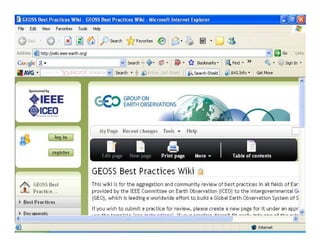
               WIKI

Pbwiki (www.pbwiki.com)
Wikispaces (www.wikispaces.com)
Jotspot
Wikipedia , wetpaint(www.wetpaint.com), etc.
                                               31
32
Web 2.0 allows l to:

Create

contribute

collaborate

connect

share


participate in a learning community


                                      33
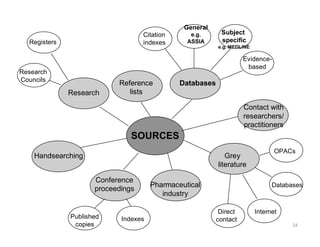
General
                                   Citation      e.g.      Subject
  Registers                        indexes      ASSIA      specific
                                                          e.g. MEDLINE

                                                                    Evidence-
                                                                     based
Research
Councils
                           Reference          Databases
              Research        lists

                                                                    Contact with
                                                                    researchers/
                                                                    practitioners
                               SOURCES
                                                                                OPACs
    Handsearching                                            Grey
                                                          literature

                     Conference
                                      Pharmaceutical                           Databases
                     proceedings
                                         industry

                                                           Direct        Internet
              Published     Indexes                       contact
               copies                                                                34
35
36

     SOCIAL BOOK MARKING

  - Founded by Joshu Schachter in 2003

  - It is a practice of saving book mark to a public website &
         tagging them with keywords

 - These are just annotated URLs


Uses
  Accessibility: web based storage

  Organisation: keyword/ tagging
37

SOCIAL BOOK MARKING CONTD…
    Collaboration
   - students, friends, professional community etc.


       Assignment- to consult book marked resource

    Same sources for further use


   Keep tract on the new development

   Personal archive

   Privacy
WEB: SEARCHING & ACCESS

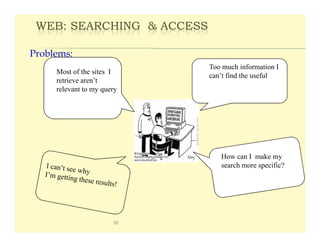
Problems:
                            Too much information I
     Most of the sites I
                            can’t find the useful
     retrieve aren’t
     relevant to my query


                               How can I make my
                               search more specific?


                       38
39

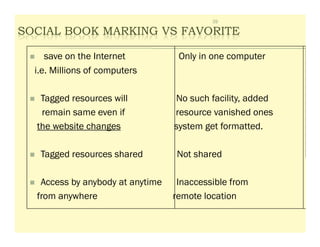
SOCIAL BOOK MARKING VS FAVORITE

     save on the Internet          Only in one computer
  i.e. Millions of computers

   Tagged resources will          No such facility, added
   remain same even if            resource vanished ones
  the website changes             system get formatted.

   Tagged resources shared        Not shared

   Access by anybody at anytime    Inaccessible from
  from anywhere                   remote location
40

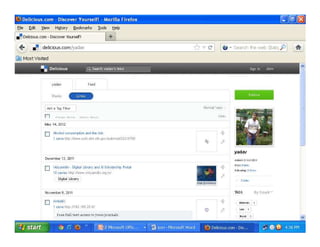
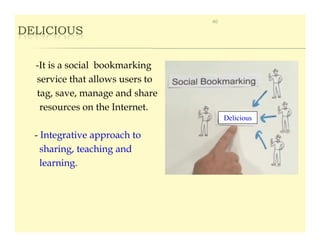
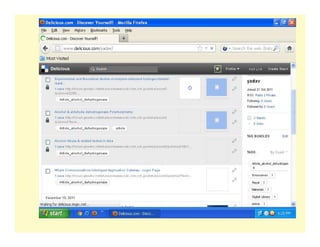
DELICIOUS


  -It is a social bookmarking
  service that allows users to
  tag, save, manage and share
   resources on the Internet.
                                      Delicious

  - Integrative approach to
    sharing, teaching and
    learning.
DELICIOUS CONTD…                  41


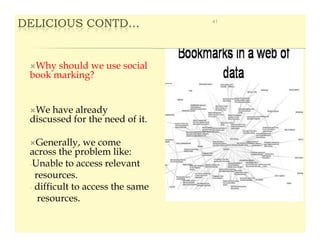
  Why should we use social
 book marking?


  We have already
 discussed for the need of it.

   Generally, we come
 across the problem like:
 -Unable to access relevant
   resources.
 - difficult to access the same
    resources.
42

DELICIOUS CONTD…

  What can we do?

  Book mark any site on the Internet, and get to it from
  anywhere, at anytime and by anybody.

  Share book marks and get book marks in return.

   Store and discover the most useful book mark on the web

  Install button in browser
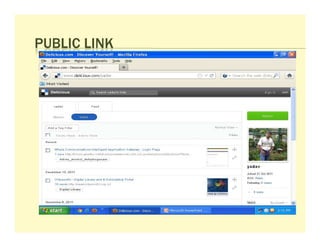
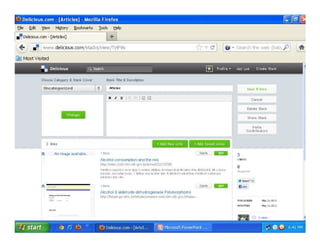
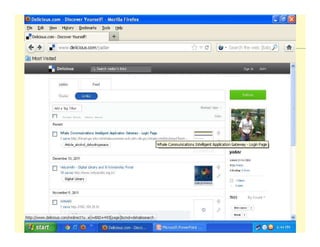
PUBLIC LINK
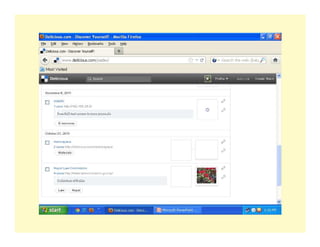
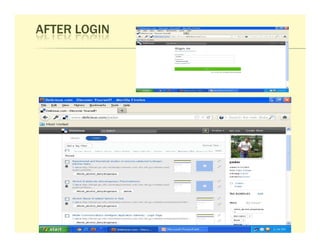
AFTER LOGIN
Thanks

         THE END


                   51

Use of web_2.0_tools_01_june_2012

  • 1.
    Use of Web2.0 : Teaching/Learning activities Binod Kumar Yadav Senior Librarian B. P. Koirala Institute of Health sciences, Dharan Email: yadavbinodkumar@yahoo.com 1
  • 2.
    WHAT ‘S WEB2.0? It can most easily be defined in relation to what the web originally was(Web 1.0) Web 1.0 Text based html with some images Broadcast medium Slow connection speeds Limited interactivity Expensive software 2
  • 3.
    WEB 2.0 Speed –Broadband connectivity and high speed wireless and mobile connections. Web based software and applications Platform based services e.g. YouTube, Blogger etc. User generated content Complex social interaction 3
  • 4.
    Rich media content- audio video etc. Democratization 4
  • 5.
    WEB 2.0 DEFINED “Asecond generation of services available on the World Wide Web that let people collaborate, and share information online. In contrast to the Web 2.0 gives users an experience first generation, closer to desktop applications than the traditional static Web pages.” 5
  • 6.
    WEB 2.0: EVOLUTIONTOWARDS A READ/WRITE 6 PLATFORM Companies Communities HTML XML
  • 7.
  • 8.
    WEB 2.0 CONCEPTS Social - shared, open collection, browsable, linkable Participative - massively multi-user, web-based applications Tagging - organize/ categorize with keywords - flat, non-hierarchical 8
  • 9.
  • 10.
    Allow our customersto Reaching more The library is everywhere tailor our services to meet users The library has no barriers their needs What library experts are The library invites participation, saying about Library 2.0 Interactivity, sharing Emphasis on ease of use Getting information into the Crafting websites which will hands of users wherever meet the long-tail/unique they are by using whatever needs of our users best tools are available A SirsiDynix Institute Conversation: The 2.0 Meme - Web 2.0, Library 2.0, Librarian 2.0 Video presentation http://www.sirsidynixinstitute.com/viewvideo.php?vid=20060222.wmv
  • 11.
  • 12.
    CATEGORIES OF WEB2.0 TOOLS Teaching & Learning(Social Book Marking) Teaching & Learning(Publishing & Sharing) Teaching & Learning (Referencing & bibliographical service) Open Source Software(OSS) Technical Support 12
  • 13.
    Media Content/ Sharing Productivity OnlinePublishing Blogs Social Networking Geographical tool Reference content Wiki 13
  • 14.
    SOCIAL BOOK MARKINGFOR ACADEMIC USE 1. Delicious ( http://delicious.com) 2. Diigo ( www.diigo.com) 3. CiteUlike (www.citeulike.com) 4. Connotea (www.connotea.org) 5. Google Bookmarks( www.google.com/bookmarks) 14
  • 15.
  • 16.
  • 17.
    SHARING & PUBLISHING 1. Slideshare (www.slideshare.net) 2. Scribd ( www.scribd.com) 3. Authorstream(www.authorstream.com) 4. Zotero (www.zotero.org) 5. Docstoc (www.docstoc docstoc.com) docstoc 17
  • 18.
  • 19.
  • 20.
  • 21.
  • 22.
    REFERENCING & BIBLIOGRAPHICALTOOL 1 EasyBib (www.easybib easybib.com) easybib 2. Refworks (www.refworks.com) 3. Landmark Citation Machine (www.citationmachine.net) 22
  • 23.
    OPEN SOURCE SOFTWARE(OSS (OSS) 1. Automation – Koha 2. Digitization- Dspace, GSDL Millions OSS available on net. www. Sourceforge .net 23
  • 24.
    OSS: KOHA • Customizable Web-based Interfaces • All Core Modules (cataloguing, circulation, serials, reporting) • Enhanced patron services e.g. Online reservations , Borrower suggestions support • Web 2.0 feature: RSS feed, user tagging, user login, user comments • Notification • Authentic circulation (Security) • Stable technologies- a large number of libraries using around the globe • Set up online union catalogue. • Online Public Access catalogue(OPAC) 24
  • 25.
  • 26.
    PRODUCTIVITY Glogster (www.glogster glogster.com) glogster Prezi (www.prezi.com) Chartgo (www.chart chartgo.com ) chart Animoto (www.animoto.com) 26
  • 27.
    ONLINE PUBLISHING Scratch (www.scratch scratch.mit.edu) Myebook (www.myebook myebook.com) myebook GoogleDocs(https://docs.google.com) 27
  • 28.
    Storage Purpose 4shared (www.4shared 4shared.com) 4shared Screencast (www.screencast screencast.com) screencast Media Content/Sharing Flickr (www.flickr flickr.com) flickr Memplai ( www.memplai.com) YouTube (www.youtube youtube.com) youtube 28
  • 29.
    SOCIAL NETWORKING TOOLS Facebook(www.facebook.com) Myspace Edmodo (www.edmodo.com) Twitter 29
  • 30.
    REFERENCE CONTENT Forvo (www.forvo forvo.com ) forvo Dictionary.com Blogs Blogger MySpace WordPress Livejournal 30
  • 31.
    GEOGRAPHICAL TOOL Google Earth Bubbl.usetc WIKI Pbwiki (www.pbwiki.com) Wikispaces (www.wikispaces.com) Jotspot Wikipedia , wetpaint(www.wetpaint.com), etc. 31
  • 32.
  • 33.
    Web 2.0 allowsl to: Create contribute collaborate connect share participate in a learning community 33
  • 34.
    General Citation e.g. Subject Registers indexes ASSIA specific e.g. MEDLINE Evidence- based Research Councils Reference Databases Research lists Contact with researchers/ practitioners SOURCES OPACs Handsearching Grey literature Conference Pharmaceutical Databases proceedings industry Direct Internet Published Indexes contact copies 34
  • 35.
  • 36.
    36 SOCIAL BOOK MARKING - Founded by Joshu Schachter in 2003 - It is a practice of saving book mark to a public website & tagging them with keywords - These are just annotated URLs Uses Accessibility: web based storage Organisation: keyword/ tagging
  • 37.
    37 SOCIAL BOOK MARKINGCONTD… Collaboration - students, friends, professional community etc. Assignment- to consult book marked resource Same sources for further use Keep tract on the new development Personal archive Privacy
  • 38.
    WEB: SEARCHING &ACCESS Problems: Too much information I Most of the sites I can’t find the useful retrieve aren’t relevant to my query How can I make my search more specific? 38
  • 39.
    39 SOCIAL BOOK MARKINGVS FAVORITE save on the Internet Only in one computer i.e. Millions of computers Tagged resources will No such facility, added remain same even if resource vanished ones the website changes system get formatted. Tagged resources shared Not shared Access by anybody at anytime Inaccessible from from anywhere remote location
  • 40.
    40 DELICIOUS -Itis a social bookmarking service that allows users to tag, save, manage and share resources on the Internet. Delicious - Integrative approach to sharing, teaching and learning.
  • 41.
    DELICIOUS CONTD… 41 Why should we use social book marking? We have already discussed for the need of it. Generally, we come across the problem like: -Unable to access relevant resources. - difficult to access the same resources.
  • 42.
    42 DELICIOUS CONTD… What can we do? Book mark any site on the Internet, and get to it from anywhere, at anytime and by anybody. Share book marks and get book marks in return. Store and discover the most useful book mark on the web Install button in browser
  • 45.
  • 46.
  • 51.
    Thanks THE END 51