©2011-2024OrangescrumResearchLab,SanJose,California|www.orangescrum.com 1
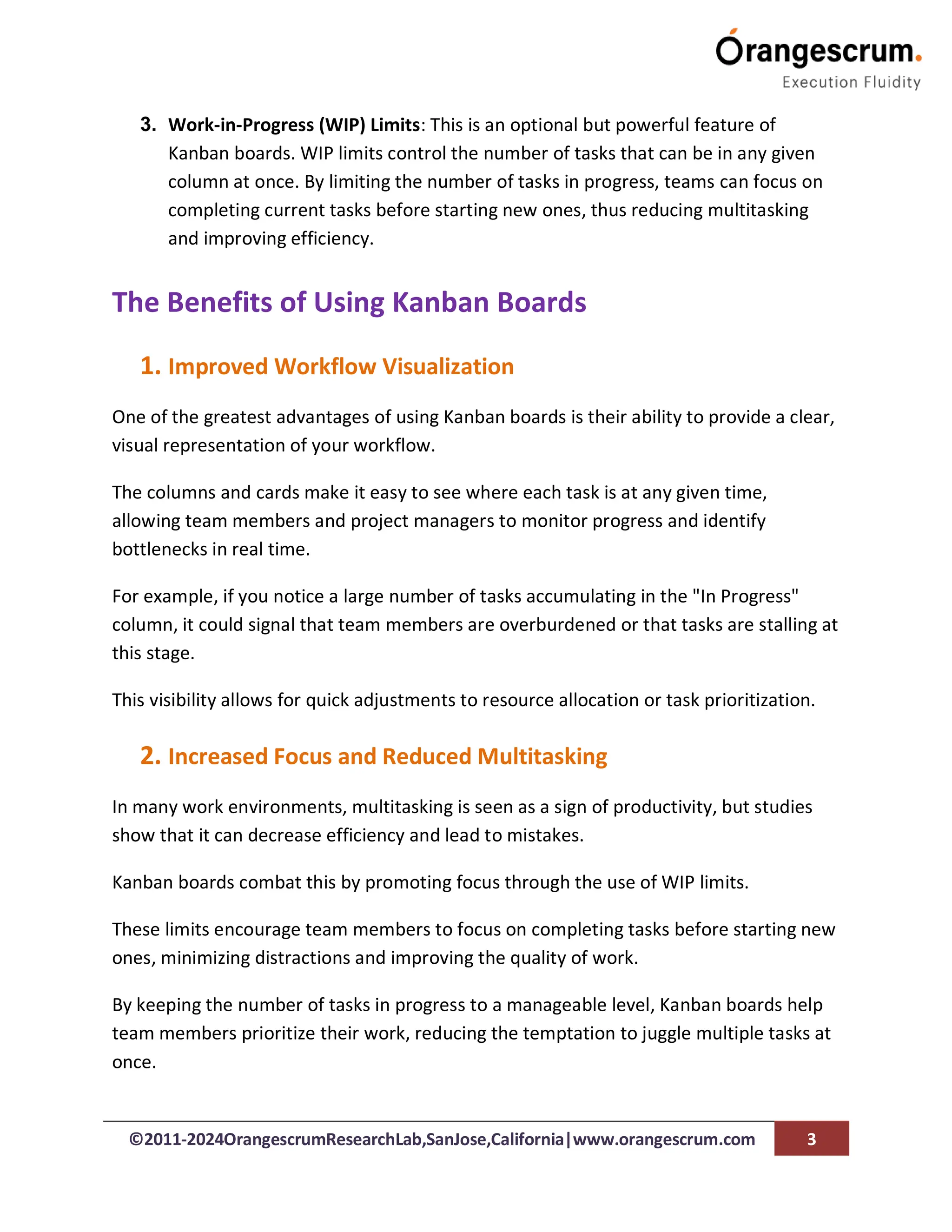
Use Kanban Boards to Visualize Workflow and
Enhance Productivity
In today’s fast-paced work environment, maintaining efficiency and productivity is
crucial to meeting project deadlines and achieving business goals.
One of the most effective ways to manage and optimize workflows is by using Kanban
boards.
Whether you’re managing a team or working independently, Kanban provides a visual,
flexible, and powerful system that can help streamline processes, minimize bottlenecks,
and enhance productivity.
©2011-2024OrangescrumResearchLab,SanJose,California|www.orangescrum.com 2
In this blog, we’ll explore what Kanban boards are, their key benefits, and how they can
be used to effectively visualize workflow and boost productivity across various
industries.
What is a Kanban Board?
A Kanban board is a visual tool used to manage and track work as it progresses through
different stages of a workflow.
The board consists of columns that represent various phases of a task or project,
typically including stages such as "To Do," "In Progress," and "Completed." Each task is
represented by a card, which moves across the board as it advances through the
workflow.
Kanban originated from the manufacturing industry, specifically Toyota's production
line, where it was used to optimize inventory and production flow.
Today, it has evolved into a popular project management methodology used in
industries such as software development, marketing, and general business operations.
Components of a Kanban Board
1. Columns: These represent different stages of the workflow. Common columns
include:
○ To Do: Tasks that are yet to be started.
○ In Progress: Tasks that are currently being worked on.
○ Done: Tasks that have been completed. Depending on the complexity of
your project, you may add other columns such as "Review," "Testing," or
"On Hold."
2. Cards: Each task or work item is represented by a card on the board. Cards
contain important details about the task, such as deadlines, assigned team
members, and task descriptions. These cards move from one column to the next
as the task progresses through the workflow.
©2011-2024OrangescrumResearchLab,SanJose,California|www.orangescrum.com 3
3. Work-in-Progress (WIP) Limits: This is an optional but powerful feature of
Kanban boards. WIP limits control the number of tasks that can be in any given
column at once. By limiting the number of tasks in progress, teams can focus on
completing current tasks before starting new ones, thus reducing multitasking
and improving efficiency.
The Benefits of Using Kanban Boards
1. Improved Workflow Visualization
One of the greatest advantages of using Kanban boards is their ability to provide a clear,
visual representation of your workflow.
The columns and cards make it easy to see where each task is at any given time,
allowing team members and project managers to monitor progress and identify
bottlenecks in real time.
For example, if you notice a large number of tasks accumulating in the "In Progress"
column, it could signal that team members are overburdened or that tasks are stalling at
this stage.
This visibility allows for quick adjustments to resource allocation or task prioritization.
2. Increased Focus and Reduced Multitasking
In many work environments, multitasking is seen as a sign of productivity, but studies
show that it can decrease efficiency and lead to mistakes.
Kanban boards combat this by promoting focus through the use of WIP limits.
These limits encourage team members to focus on completing tasks before starting new
ones, minimizing distractions and improving the quality of work.
By keeping the number of tasks in progress to a manageable level, Kanban boards help
team members prioritize their work, reducing the temptation to juggle multiple tasks at
once.
©2011-2024OrangescrumResearchLab,SanJose,California|www.orangescrum.com 4
3. Faster Task Completion
Kanban boards promote faster task completion by encouraging a pull system rather
than a push system.
In a push system, tasks are assigned to team members regardless of their current
workload.
In contrast, a pull system allows team members to "pull" new tasks when they can work
on them.
This results in a smoother workflow, where team members only take on new tasks when
they have completed their current ones, reducing idle time and speeding up the
completion of tasks.
4. Enhanced Team Collaboration
Kanban boards foster better team collaboration by providing a centralized platform
where all team members can see the status of tasks.
This transparency encourages communication and accountability, as everyone knows
who is responsible for which tasks and what needs to be done next.
Team members can easily track dependencies, flag tasks that need assistance, or
collaborate on tasks in the "In Progress" stage, ensuring that work flows smoothly and
efficiently.
5. Continuous Improvement
One of the principles of Kanban is the focus on continuous improvement.
By regularly reviewing the flow of tasks on the board, teams can identify inefficiencies
and implement changes to improve performance.
This may involve adjusting WIP limits, reorganizing the workflow, or redistributing tasks
to balance workloads.
©2011-2024OrangescrumResearchLab,SanJose,California|www.orangescrum.com 5
Regular review and retrospection help teams refine their processes over time, leading to
long-term productivity gains.
How to Implement Kanban Boards for Enhanced
Productivity
1. Identify Your Workflow
The first step in implementing a Kanban board is to define your workflow.
Determine the key stages that tasks go through from start to finish. These stages will
form the columns on your Kanban board.
For a simple process, you might only need three columns: "To Do," "In Progress," and
"Done."
For more complex workflows, consider adding additional columns such as "Design,"
"Review," or "Testing."
©2011-2024OrangescrumResearchLab,SanJose,California|www.orangescrum.com 6
2. Set Work-in-Progress Limits
Next, establish WIP limits to prevent overloading team members with too many tasks at
once.
The WIP limit should be based on your team's capacity, and it may take some
experimentation to find the optimal limit.
For instance, you might limit the "In Progress" column to 3 tasks per team member to
ensure focus and productivity.
3. Create Task Cards
Once your board is set up, start creating task cards.
Each card should include essential information such as the task description, deadlines,
and assigned team members.
As tasks move through different stages of the workflow, update their status by moving
the cards to the appropriate columns.
4. Track Progress and Identify Bottlenecks
As tasks move across the Kanban board, monitor progress and look for any bottlenecks.
If tasks are getting stuck in a particular column, it may indicate that the workflow needs
adjustment or that more resources are required at that stage.
Regularly reviewing the board will help you maintain smooth workflow transitions.
5. Review and Optimize
At the end of each project or sprint, conduct a retrospective to evaluate the
performance of your Kanban board.
Identify any areas that can be improved, such as adjusting WIP limits or reordering the
workflow.
©2011-2024OrangescrumResearchLab,SanJose,California|www.orangescrum.com 7
By continuously refining your processes, you’ll ensure that your team remains
productive and that your workflow stays optimized.
Kanban Tools for Digital Teams
While physical Kanban boards can be effective, many teams today prefer digital Kanban
tools, especially for remote or distributed workforces.
These tools offer more advanced features such as task tracking, notifications, and
integrations with other project management tools.
Popular digital Kanban tools include:
● Trello: A simple, user-friendly Kanban tool that allows teams to create boards,
lists, and cards with ease.
● Jira: A powerful tool favored by software development teams for tracking and
managing projects using Agile and Kanban methodologies.
● Asana: An all-in-one project management platform that offers a Kanban board
view for managing tasks and workflows.
● Monday.com: A flexible work operating system that provides visual boards to
track project progress using Kanban.
These digital tools help teams collaborate in real time, track progress more effectively,
and ensure that everyone stays aligned on project goals.
©2011-2024OrangescrumResearchLab,SanJose,California|www.orangescrum.com 8
Kanban boards are an invaluable tool for visualizing workflows and boosting productivity
in any project management setting.
By providing a clear overview of task progress, promoting focus, and fostering
collaboration, Kanban boards can help teams manage their work more effectively and
achieve better results.
Whether you’re managing a small team or tackling a complex project, Kanban can be
adapted to suit your needs, making it a versatile and powerful addition to any
productivity toolkit.
Conclusion

Use Kanban Boards to Visualize Workflow and Enhance Productivity.pdf

  • 1.
    ©2011-2024OrangescrumResearchLab,SanJose,California|www.orangescrum.com 1 Use KanbanBoards to Visualize Workflow and Enhance Productivity In today’s fast-paced work environment, maintaining efficiency and productivity is crucial to meeting project deadlines and achieving business goals. One of the most effective ways to manage and optimize workflows is by using Kanban boards. Whether you’re managing a team or working independently, Kanban provides a visual, flexible, and powerful system that can help streamline processes, minimize bottlenecks, and enhance productivity.
  • 2.
    ©2011-2024OrangescrumResearchLab,SanJose,California|www.orangescrum.com 2 In thisblog, we’ll explore what Kanban boards are, their key benefits, and how they can be used to effectively visualize workflow and boost productivity across various industries. What is a Kanban Board? A Kanban board is a visual tool used to manage and track work as it progresses through different stages of a workflow. The board consists of columns that represent various phases of a task or project, typically including stages such as "To Do," "In Progress," and "Completed." Each task is represented by a card, which moves across the board as it advances through the workflow. Kanban originated from the manufacturing industry, specifically Toyota's production line, where it was used to optimize inventory and production flow. Today, it has evolved into a popular project management methodology used in industries such as software development, marketing, and general business operations. Components of a Kanban Board 1. Columns: These represent different stages of the workflow. Common columns include: ○ To Do: Tasks that are yet to be started. ○ In Progress: Tasks that are currently being worked on. ○ Done: Tasks that have been completed. Depending on the complexity of your project, you may add other columns such as "Review," "Testing," or "On Hold." 2. Cards: Each task or work item is represented by a card on the board. Cards contain important details about the task, such as deadlines, assigned team members, and task descriptions. These cards move from one column to the next as the task progresses through the workflow.
  • 3.
    ©2011-2024OrangescrumResearchLab,SanJose,California|www.orangescrum.com 3 3. Work-in-Progress(WIP) Limits: This is an optional but powerful feature of Kanban boards. WIP limits control the number of tasks that can be in any given column at once. By limiting the number of tasks in progress, teams can focus on completing current tasks before starting new ones, thus reducing multitasking and improving efficiency. The Benefits of Using Kanban Boards 1. Improved Workflow Visualization One of the greatest advantages of using Kanban boards is their ability to provide a clear, visual representation of your workflow. The columns and cards make it easy to see where each task is at any given time, allowing team members and project managers to monitor progress and identify bottlenecks in real time. For example, if you notice a large number of tasks accumulating in the "In Progress" column, it could signal that team members are overburdened or that tasks are stalling at this stage. This visibility allows for quick adjustments to resource allocation or task prioritization. 2. Increased Focus and Reduced Multitasking In many work environments, multitasking is seen as a sign of productivity, but studies show that it can decrease efficiency and lead to mistakes. Kanban boards combat this by promoting focus through the use of WIP limits. These limits encourage team members to focus on completing tasks before starting new ones, minimizing distractions and improving the quality of work. By keeping the number of tasks in progress to a manageable level, Kanban boards help team members prioritize their work, reducing the temptation to juggle multiple tasks at once.
  • 4.
    ©2011-2024OrangescrumResearchLab,SanJose,California|www.orangescrum.com 4 3. FasterTask Completion Kanban boards promote faster task completion by encouraging a pull system rather than a push system. In a push system, tasks are assigned to team members regardless of their current workload. In contrast, a pull system allows team members to "pull" new tasks when they can work on them. This results in a smoother workflow, where team members only take on new tasks when they have completed their current ones, reducing idle time and speeding up the completion of tasks. 4. Enhanced Team Collaboration Kanban boards foster better team collaboration by providing a centralized platform where all team members can see the status of tasks. This transparency encourages communication and accountability, as everyone knows who is responsible for which tasks and what needs to be done next. Team members can easily track dependencies, flag tasks that need assistance, or collaborate on tasks in the "In Progress" stage, ensuring that work flows smoothly and efficiently. 5. Continuous Improvement One of the principles of Kanban is the focus on continuous improvement. By regularly reviewing the flow of tasks on the board, teams can identify inefficiencies and implement changes to improve performance. This may involve adjusting WIP limits, reorganizing the workflow, or redistributing tasks to balance workloads.
  • 5.
    ©2011-2024OrangescrumResearchLab,SanJose,California|www.orangescrum.com 5 Regular reviewand retrospection help teams refine their processes over time, leading to long-term productivity gains. How to Implement Kanban Boards for Enhanced Productivity 1. Identify Your Workflow The first step in implementing a Kanban board is to define your workflow. Determine the key stages that tasks go through from start to finish. These stages will form the columns on your Kanban board. For a simple process, you might only need three columns: "To Do," "In Progress," and "Done." For more complex workflows, consider adding additional columns such as "Design," "Review," or "Testing."
  • 6.
    ©2011-2024OrangescrumResearchLab,SanJose,California|www.orangescrum.com 6 2. SetWork-in-Progress Limits Next, establish WIP limits to prevent overloading team members with too many tasks at once. The WIP limit should be based on your team's capacity, and it may take some experimentation to find the optimal limit. For instance, you might limit the "In Progress" column to 3 tasks per team member to ensure focus and productivity. 3. Create Task Cards Once your board is set up, start creating task cards. Each card should include essential information such as the task description, deadlines, and assigned team members. As tasks move through different stages of the workflow, update their status by moving the cards to the appropriate columns. 4. Track Progress and Identify Bottlenecks As tasks move across the Kanban board, monitor progress and look for any bottlenecks. If tasks are getting stuck in a particular column, it may indicate that the workflow needs adjustment or that more resources are required at that stage. Regularly reviewing the board will help you maintain smooth workflow transitions. 5. Review and Optimize At the end of each project or sprint, conduct a retrospective to evaluate the performance of your Kanban board. Identify any areas that can be improved, such as adjusting WIP limits or reordering the workflow.
  • 7.
    ©2011-2024OrangescrumResearchLab,SanJose,California|www.orangescrum.com 7 By continuouslyrefining your processes, you’ll ensure that your team remains productive and that your workflow stays optimized. Kanban Tools for Digital Teams While physical Kanban boards can be effective, many teams today prefer digital Kanban tools, especially for remote or distributed workforces. These tools offer more advanced features such as task tracking, notifications, and integrations with other project management tools. Popular digital Kanban tools include: ● Trello: A simple, user-friendly Kanban tool that allows teams to create boards, lists, and cards with ease. ● Jira: A powerful tool favored by software development teams for tracking and managing projects using Agile and Kanban methodologies. ● Asana: An all-in-one project management platform that offers a Kanban board view for managing tasks and workflows. ● Monday.com: A flexible work operating system that provides visual boards to track project progress using Kanban. These digital tools help teams collaborate in real time, track progress more effectively, and ensure that everyone stays aligned on project goals.
  • 8.
    ©2011-2024OrangescrumResearchLab,SanJose,California|www.orangescrum.com 8 Kanban boardsare an invaluable tool for visualizing workflows and boosting productivity in any project management setting. By providing a clear overview of task progress, promoting focus, and fostering collaboration, Kanban boards can help teams manage their work more effectively and achieve better results. Whether you’re managing a small team or tackling a complex project, Kanban can be adapted to suit your needs, making it a versatile and powerful addition to any productivity toolkit. Conclusion