About IntelliJ IDEA
 An integrated development environment (IDE).
 Provide a source code editor, built automation, a
debugger, a designer, and other software development
tools.
 Used to develop desktop applications, mobile
applications, websites, etc.
 Supports multiple programming languages
1. JVM-based languages,
including Java, Scala,Groovy, Clojure and Kotlin.
2. PHP, Python and Ruby.
3. SQL, including PostgreSQL, MySQL, Oracle, SQL
Server and many other dialects.
Visibility of System Status
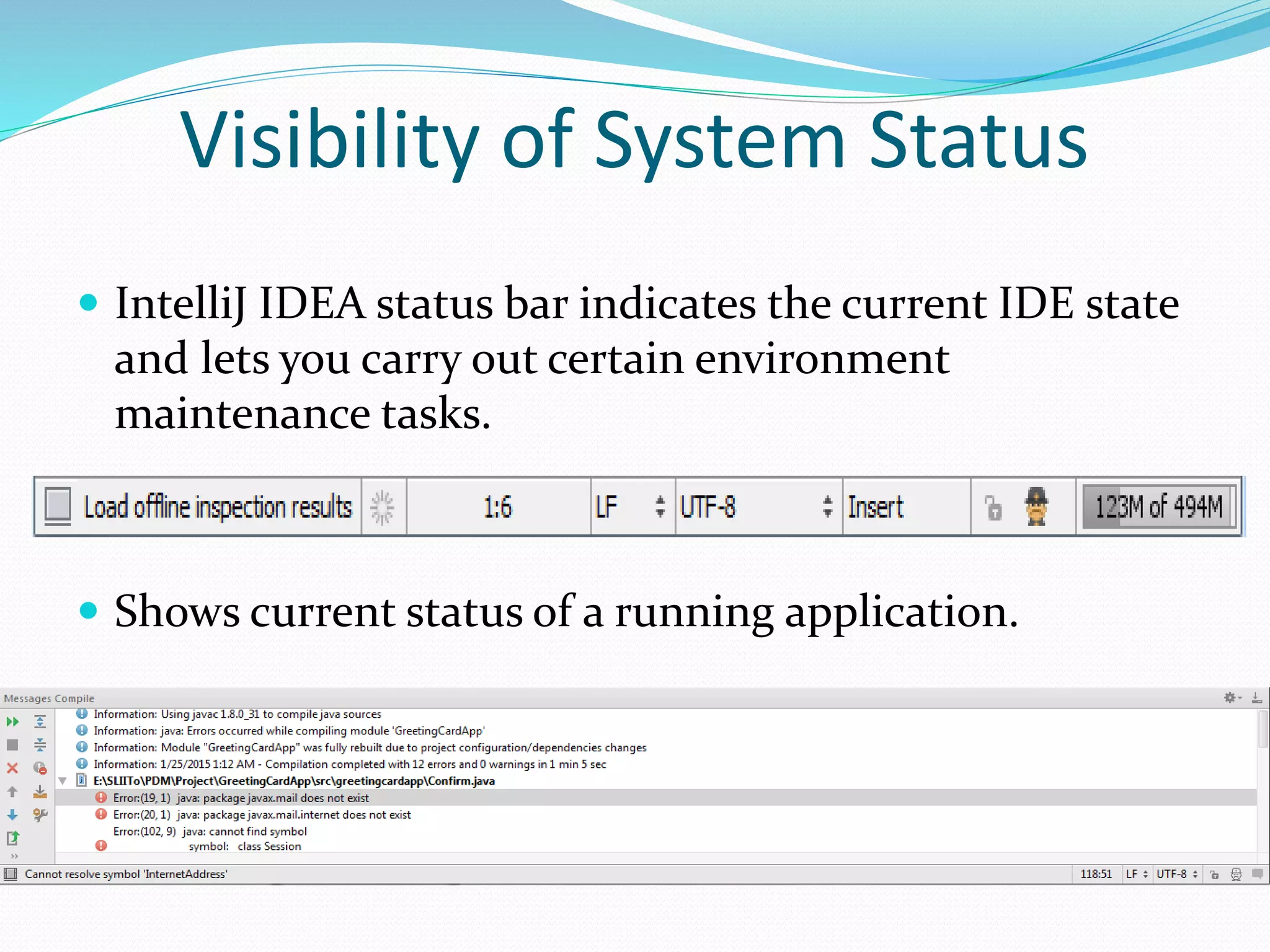
 IntelliJ IDEA status bar indicates the current IDE state
and lets you carry out certain environment
maintenance tasks.
 Shows current status of a running application.
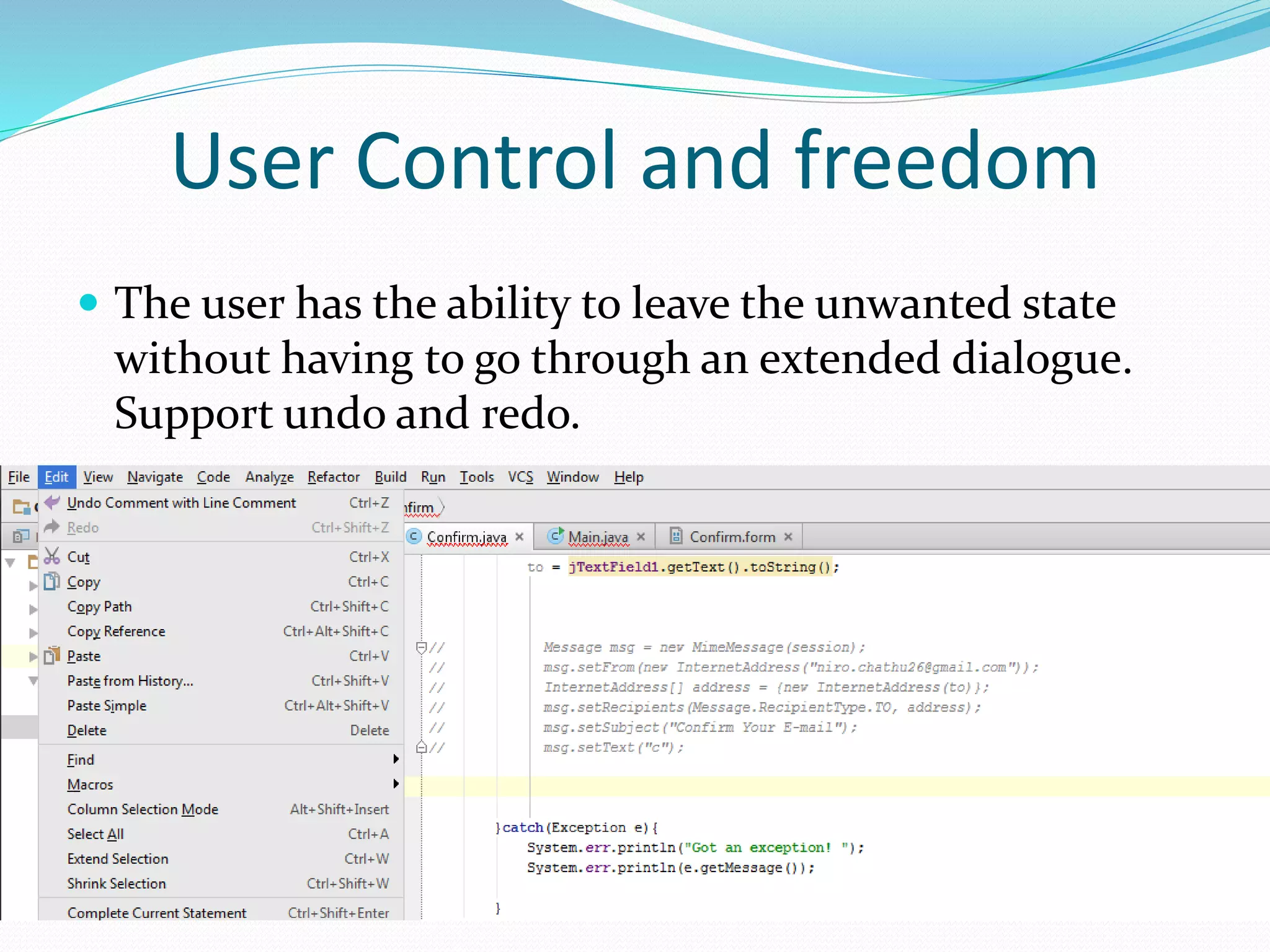
 The user has the ability to leave the unwanted state
without having to go through an extended dialogue.
Support undo and redo.
User Control and freedom
Error Prevention
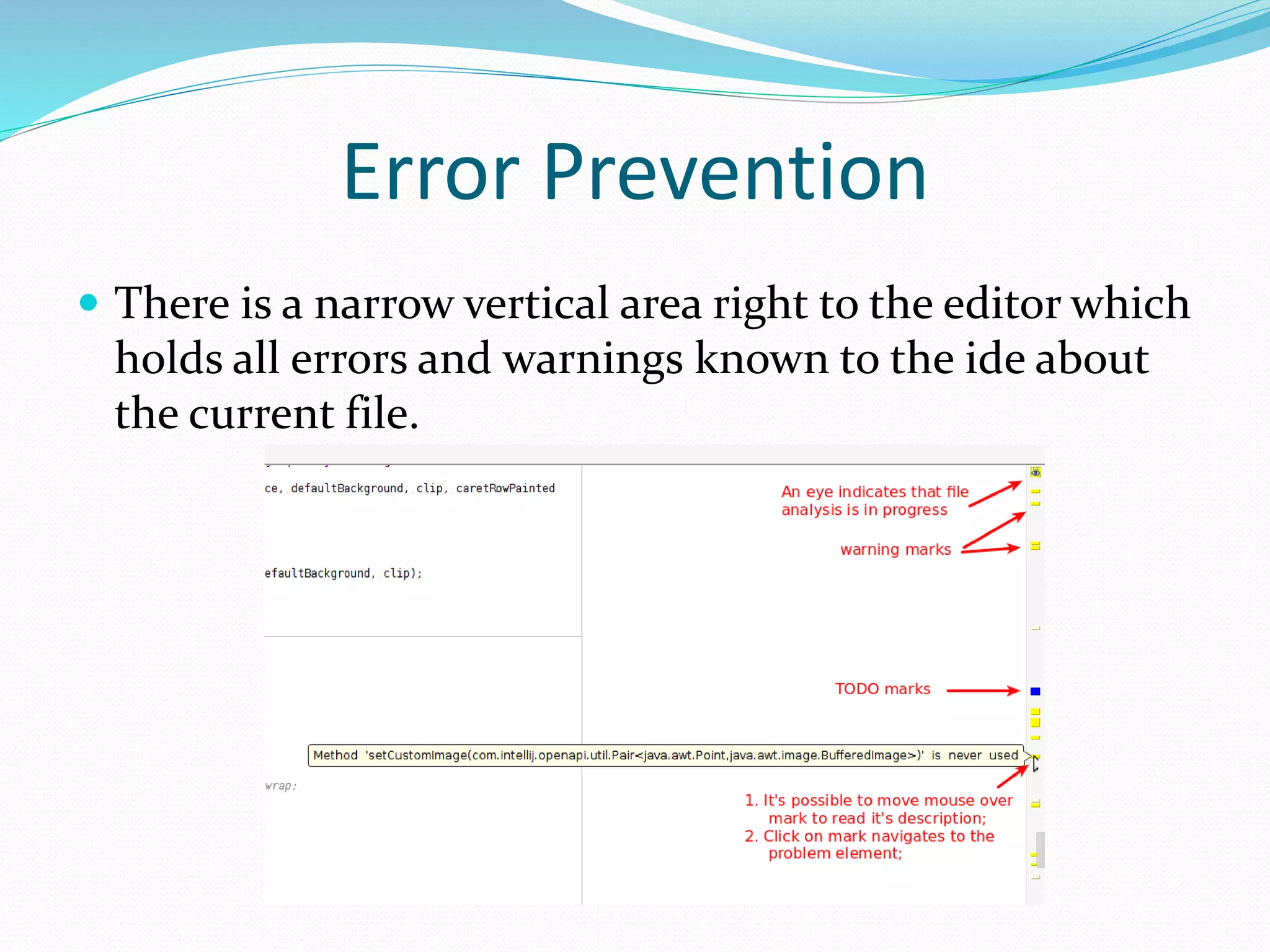
 There is a narrow vertical area right to the editor which
holds all errors and warnings known to the ide about
the current file.
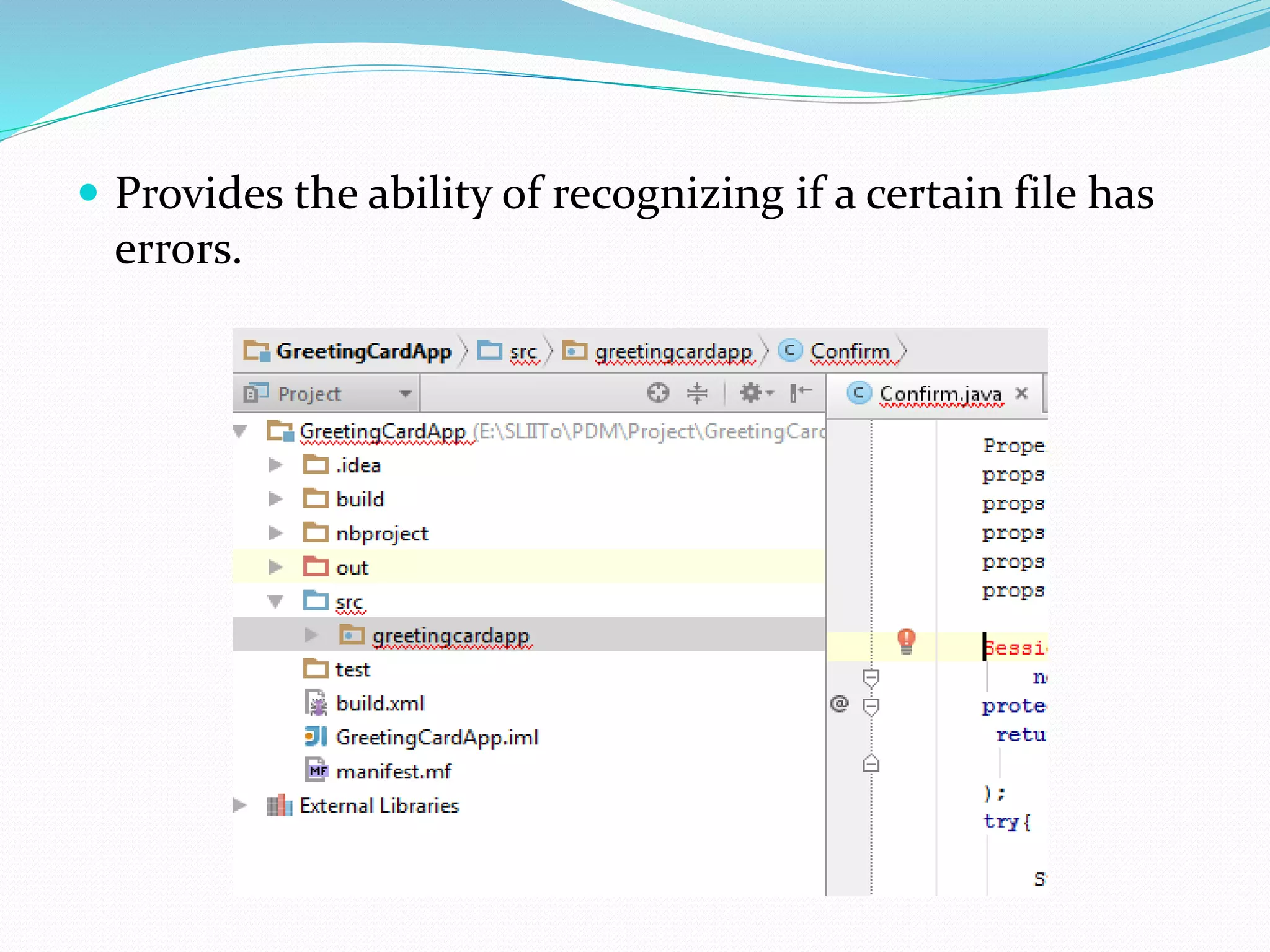
 Provides the ability of recognizing if a certain file has
errors.
Recognition rather than recall
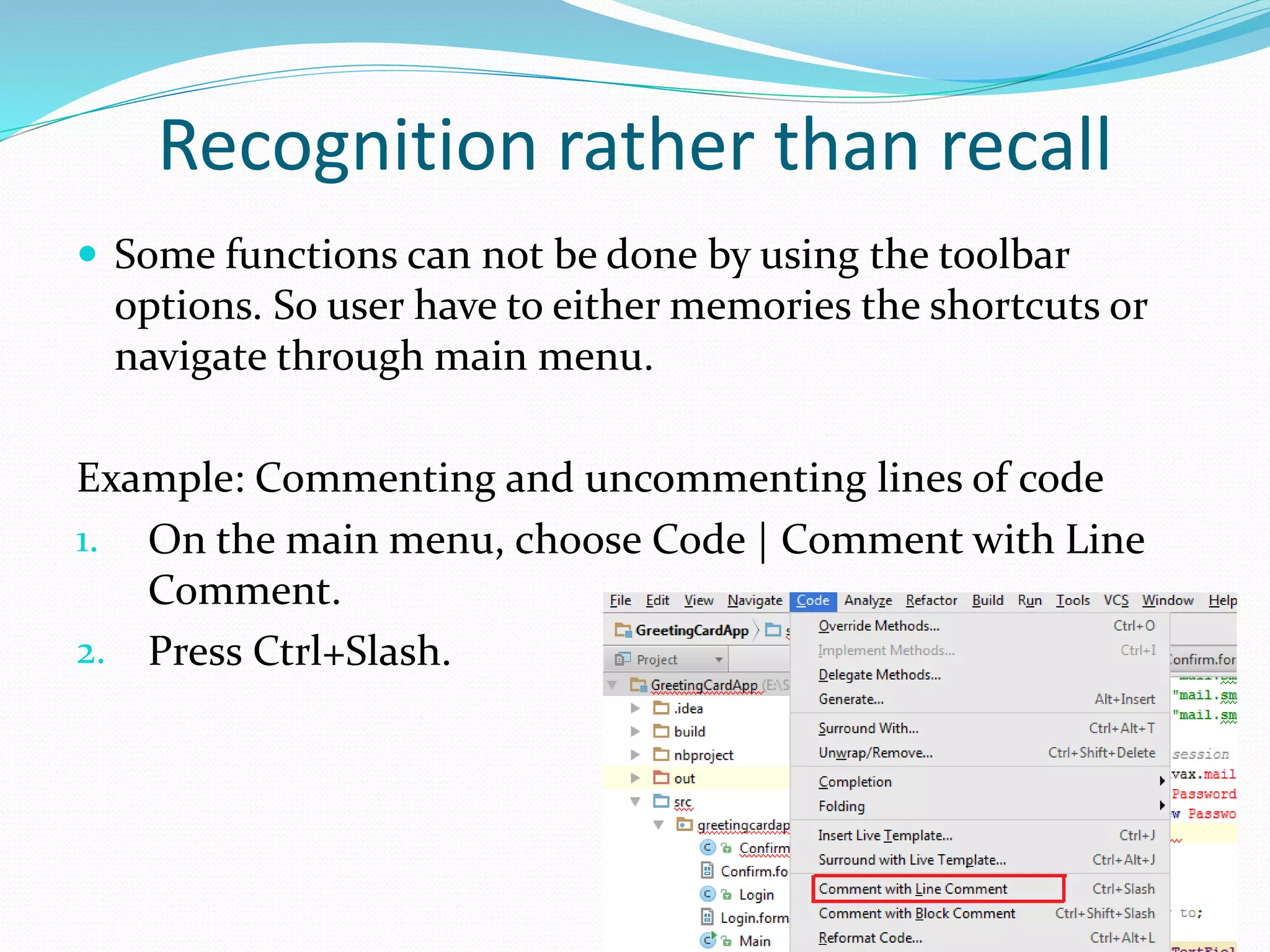
 Some functions can not be done by using the toolbar
options. So user have to either memories the shortcuts or
navigate through main menu.
Example: Commenting and uncommenting lines of code
1. On the main menu, choose Code | Comment with Line
Comment.
2. Press Ctrl+Slash.
Flexibility and Efficiency of Use
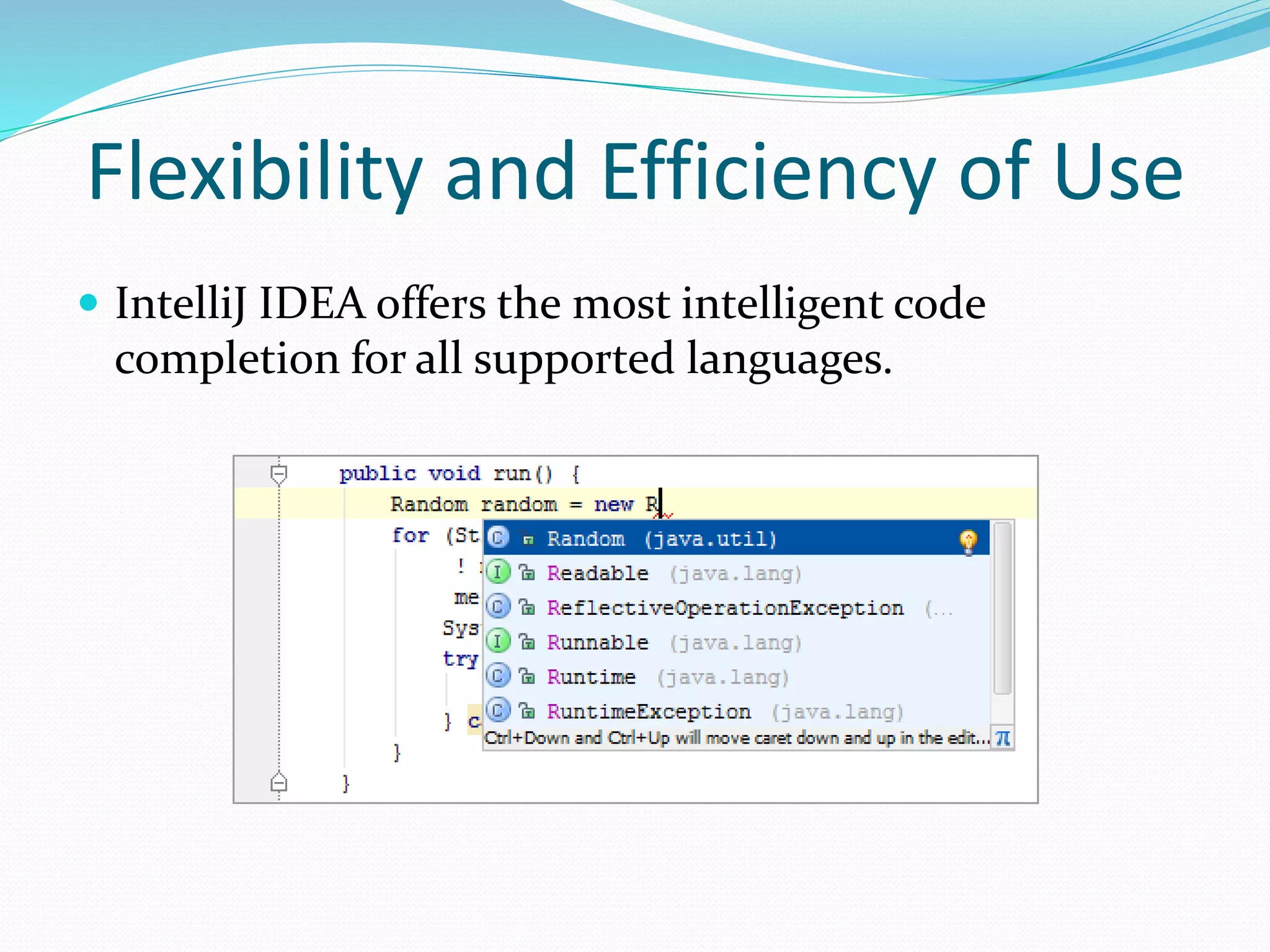
 IntelliJ IDEA offers the most intelligent code
completion for all supported languages.
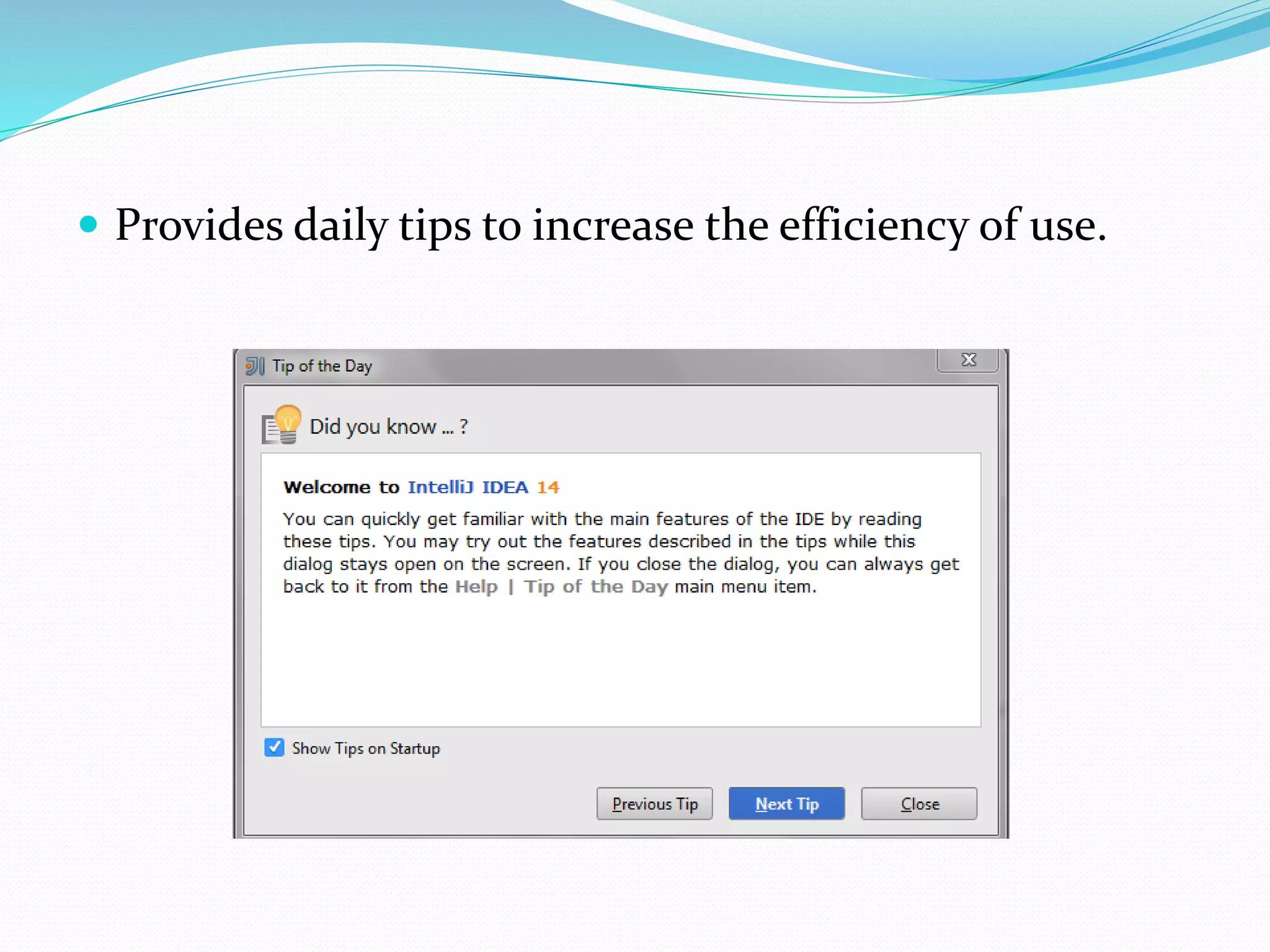
 Provides daily tips to increase the efficiency of use.
Help Users Recognize, Diagnose,
and Recover from Errors
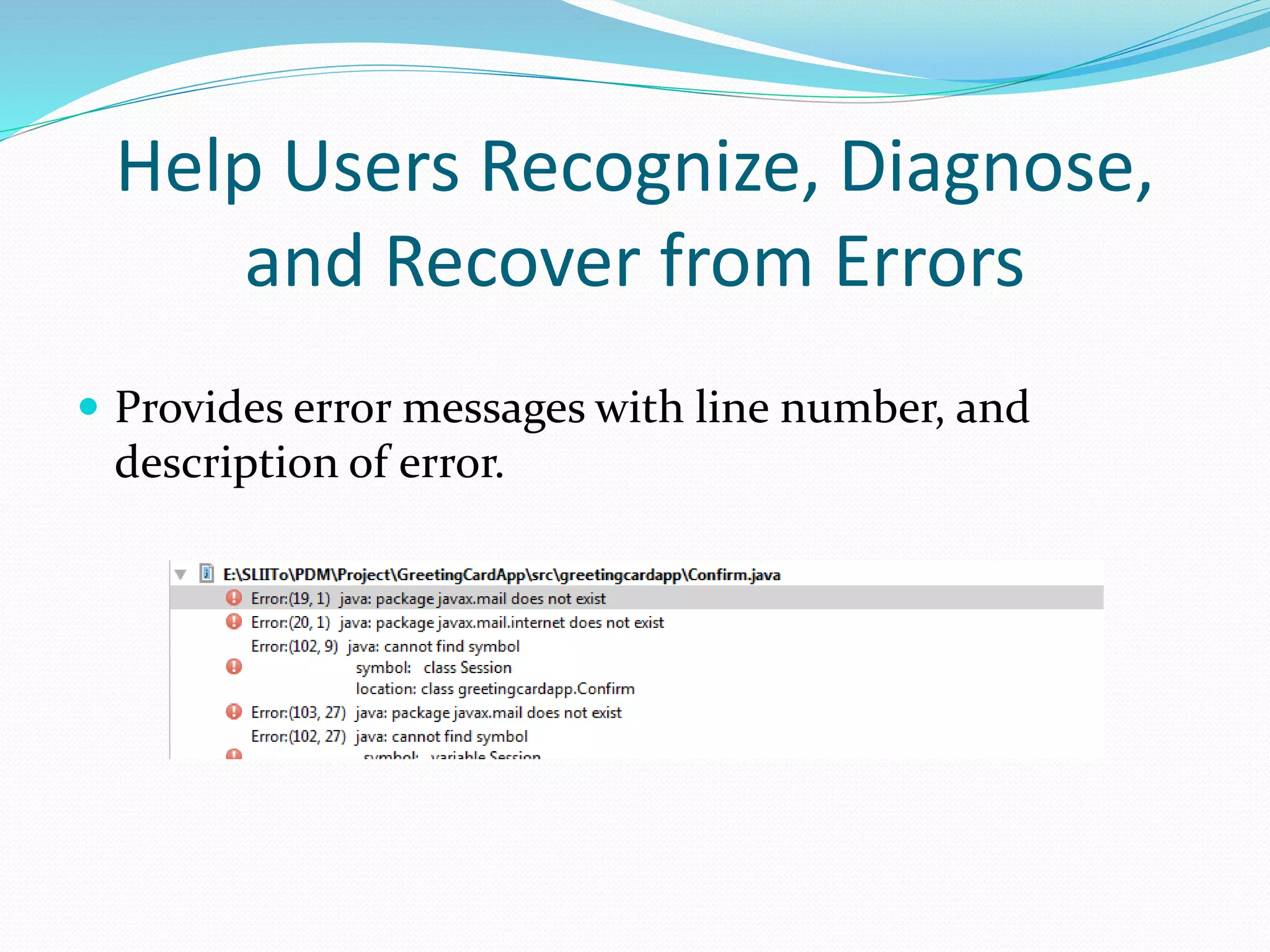
 Provides error messages with line number, and
description of error.
Help and Documentation
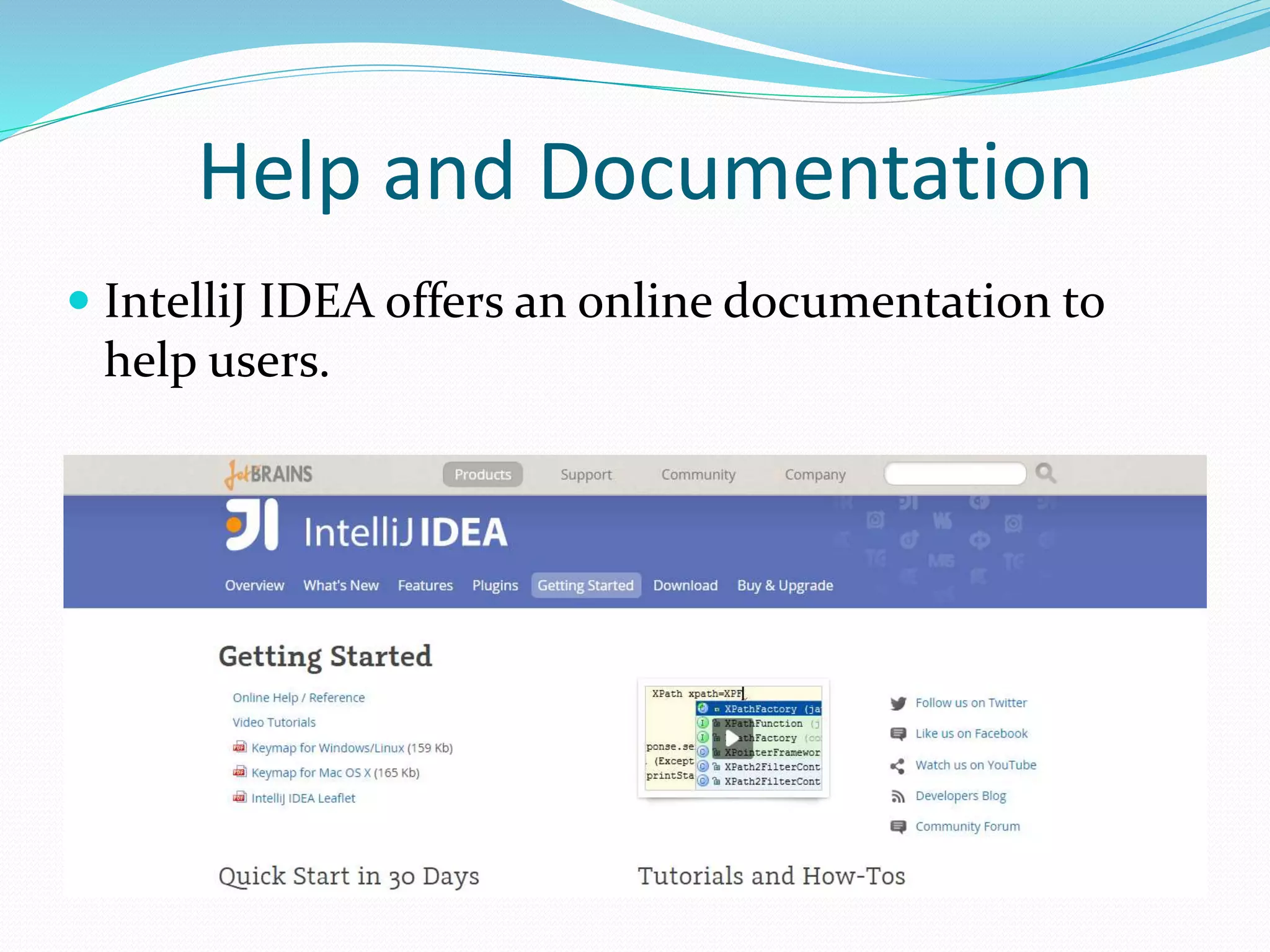
 IntelliJ IDEA offers an online documentation to
help users.

Usability Heuristics - IntelliJ IDEA

  • 2.
    About IntelliJ IDEA An integrated development environment (IDE).  Provide a source code editor, built automation, a debugger, a designer, and other software development tools.  Used to develop desktop applications, mobile applications, websites, etc.
  • 3.
     Supports multipleprogramming languages 1. JVM-based languages, including Java, Scala,Groovy, Clojure and Kotlin. 2. PHP, Python and Ruby. 3. SQL, including PostgreSQL, MySQL, Oracle, SQL Server and many other dialects.
  • 5.
    Visibility of SystemStatus  IntelliJ IDEA status bar indicates the current IDE state and lets you carry out certain environment maintenance tasks.  Shows current status of a running application.
  • 6.
     The userhas the ability to leave the unwanted state without having to go through an extended dialogue. Support undo and redo. User Control and freedom
  • 7.
    Error Prevention  Thereis a narrow vertical area right to the editor which holds all errors and warnings known to the ide about the current file.
  • 8.
     Provides theability of recognizing if a certain file has errors.
  • 9.
    Recognition rather thanrecall  Some functions can not be done by using the toolbar options. So user have to either memories the shortcuts or navigate through main menu. Example: Commenting and uncommenting lines of code 1. On the main menu, choose Code | Comment with Line Comment. 2. Press Ctrl+Slash.
  • 10.
    Flexibility and Efficiencyof Use  IntelliJ IDEA offers the most intelligent code completion for all supported languages.
  • 11.
     Provides dailytips to increase the efficiency of use.
  • 12.
    Help Users Recognize,Diagnose, and Recover from Errors  Provides error messages with line number, and description of error.
  • 13.
    Help and Documentation IntelliJ IDEA offers an online documentation to help users.