BY:-
Tikendra Pandey
tikendra040997@gmail.c
om
TCA1650030
Python IDE
Guided By-
Mr. Devashish Kumar
Faculty -IT ,i-Nurture
Definition of IDE
• IDE is a software application that provides
comprehensive facilities to computer programmers for
software development.
• An IDE normally consists of a source code editor,
build automation tools, and a debugger. Most modern
IDEs have intelligent code completion.
• Example:-
* C
* C++
* Java
Advantages of IDE
• Less time and effort
• Enforce project or company standards
• Project management
• Easy to use
• Don’t require knowledge of database
IDE Of Python
 Different Types of Python IDE
* PyCharm
* IDEs
* Wing IDE
* PyDev
* Spyder
* Thonny
 Python IDE run on different Operating
Systems with some modifications or no
modification.
 There are different versions of Python IDE
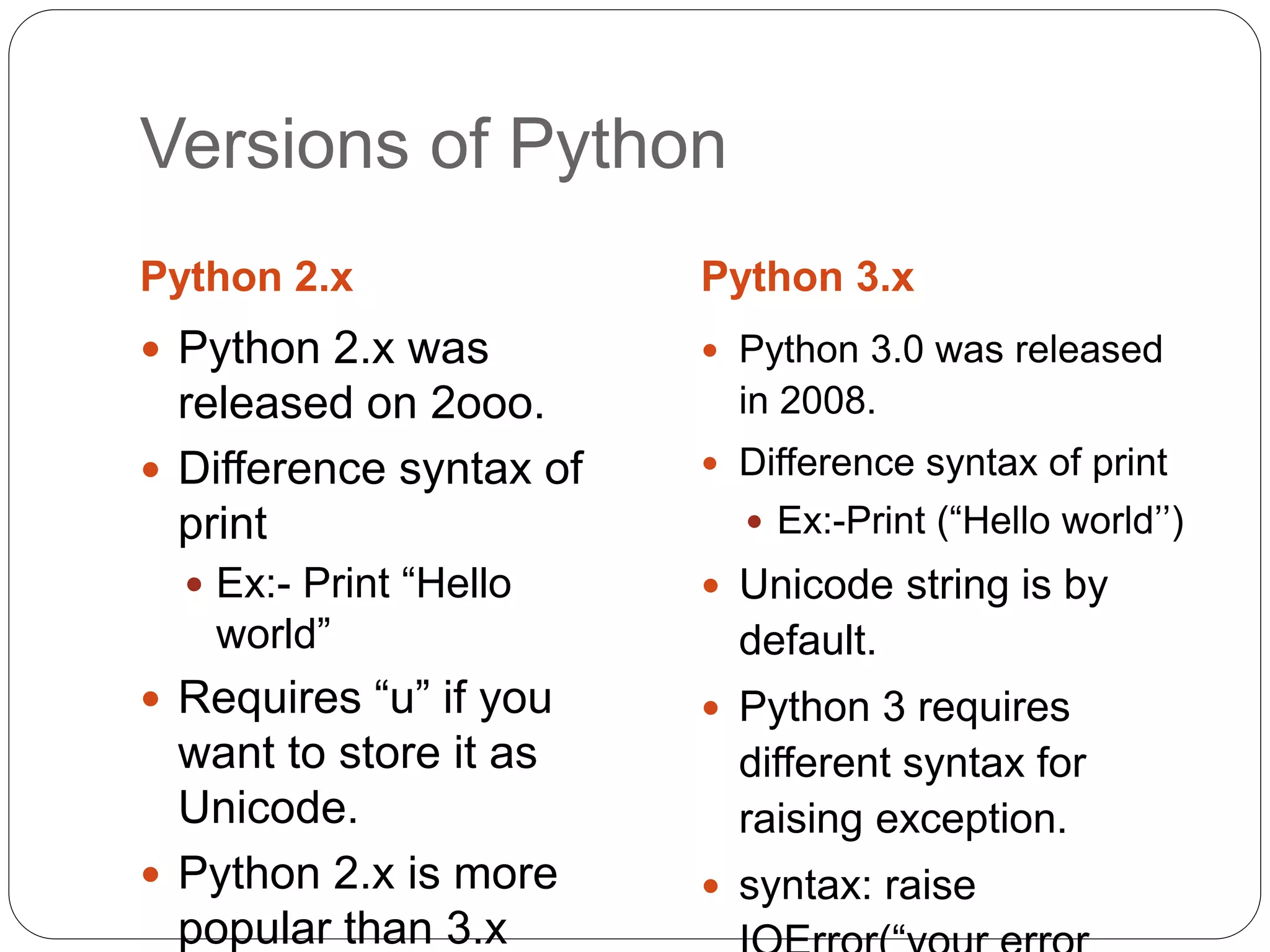
Versions of Python
Python 2.x Python 3.x
 Python 2.x was
released on 2ooo.
 Difference syntax of
print
 Ex:- Print “Hello
world”
 Requires “u” if you
want to store it as
Unicode.
 Python 2.x is more
popular than 3.x
 Python 3.0 was released
in 2008.
 Difference syntax of print
 Ex:-Print (“Hello world’’)
 Unicode string is by
default.
 Python 3 requires
different syntax for
raising exception.
 syntax: raise
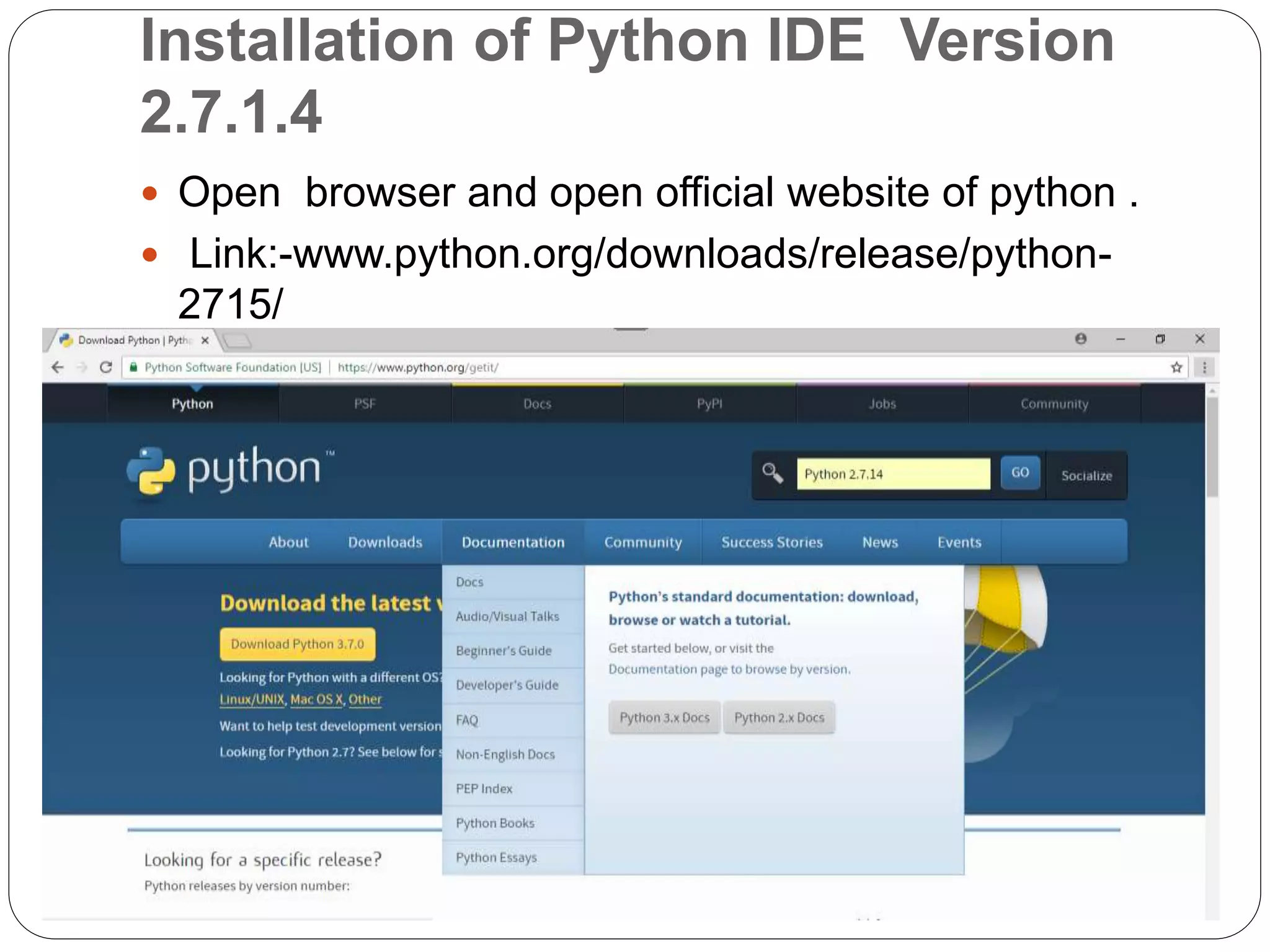
Installation of Python IDE Version
2.7.1.4
 Open browser and open official website of python .
 Link:-www.python.org/downloads/release/python-
2715/
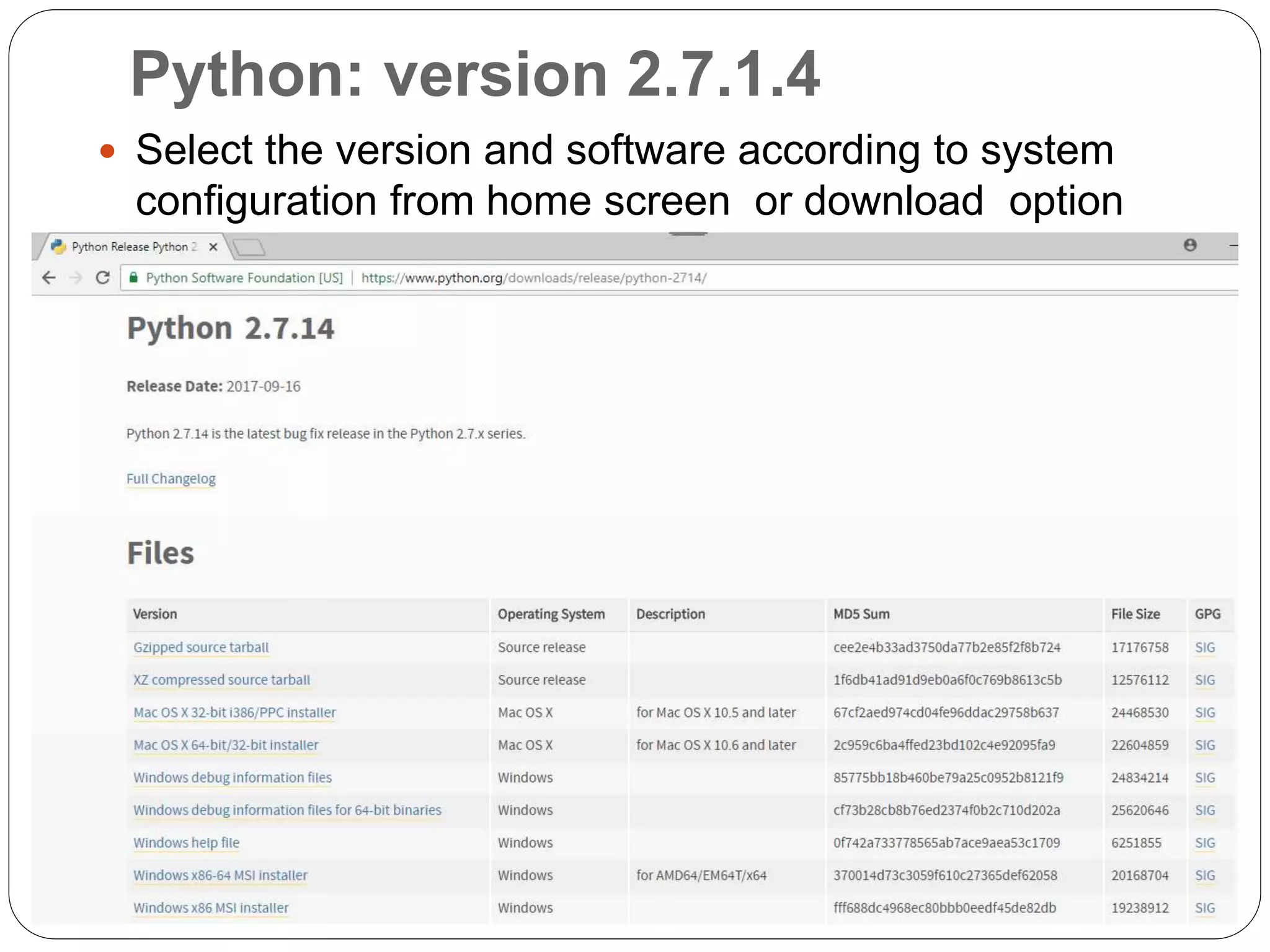
Python: version 2.7.1.4
 Select the version and software according to system
configuration from home screen or download option
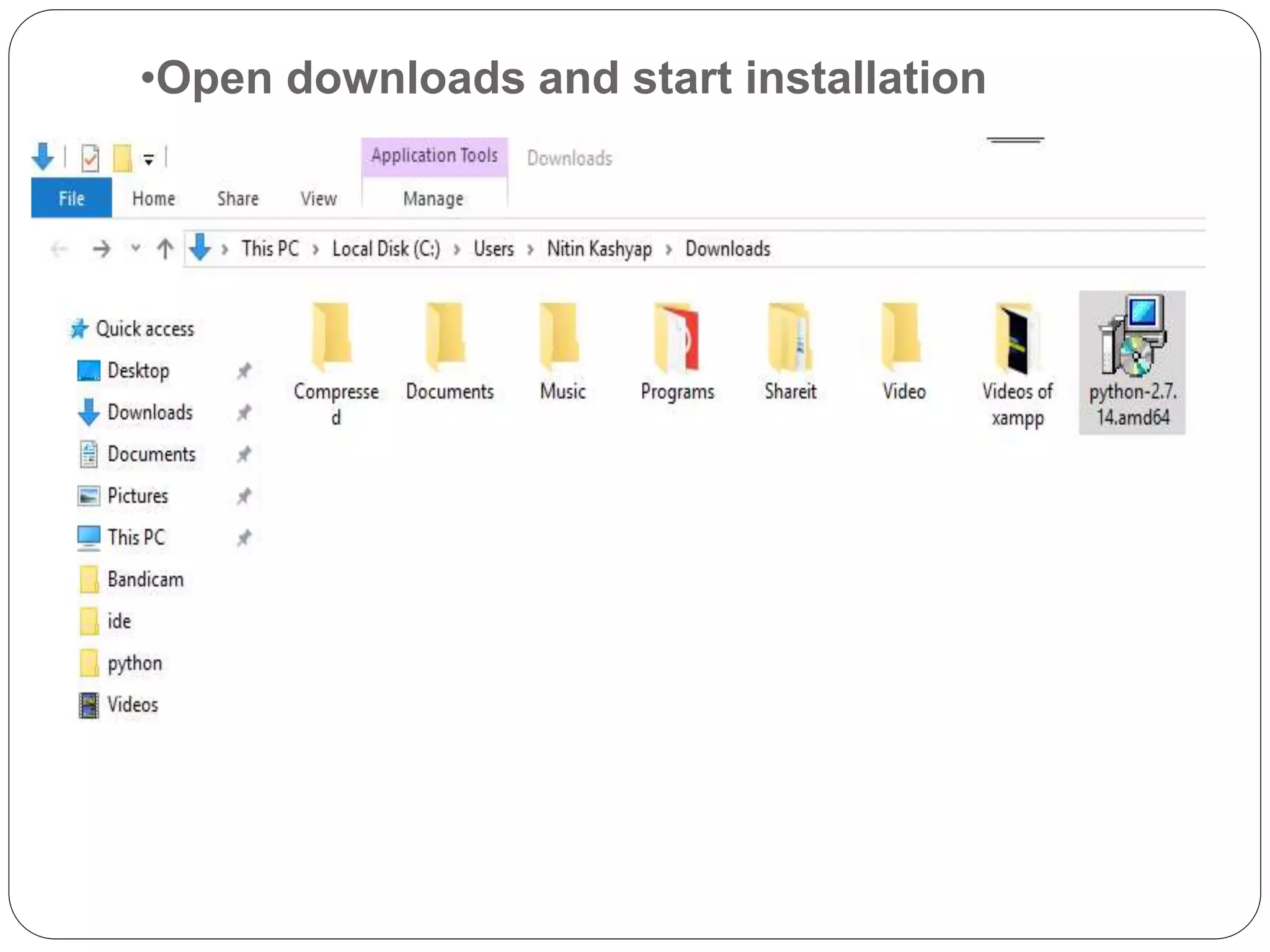
•Open downloads and start installation
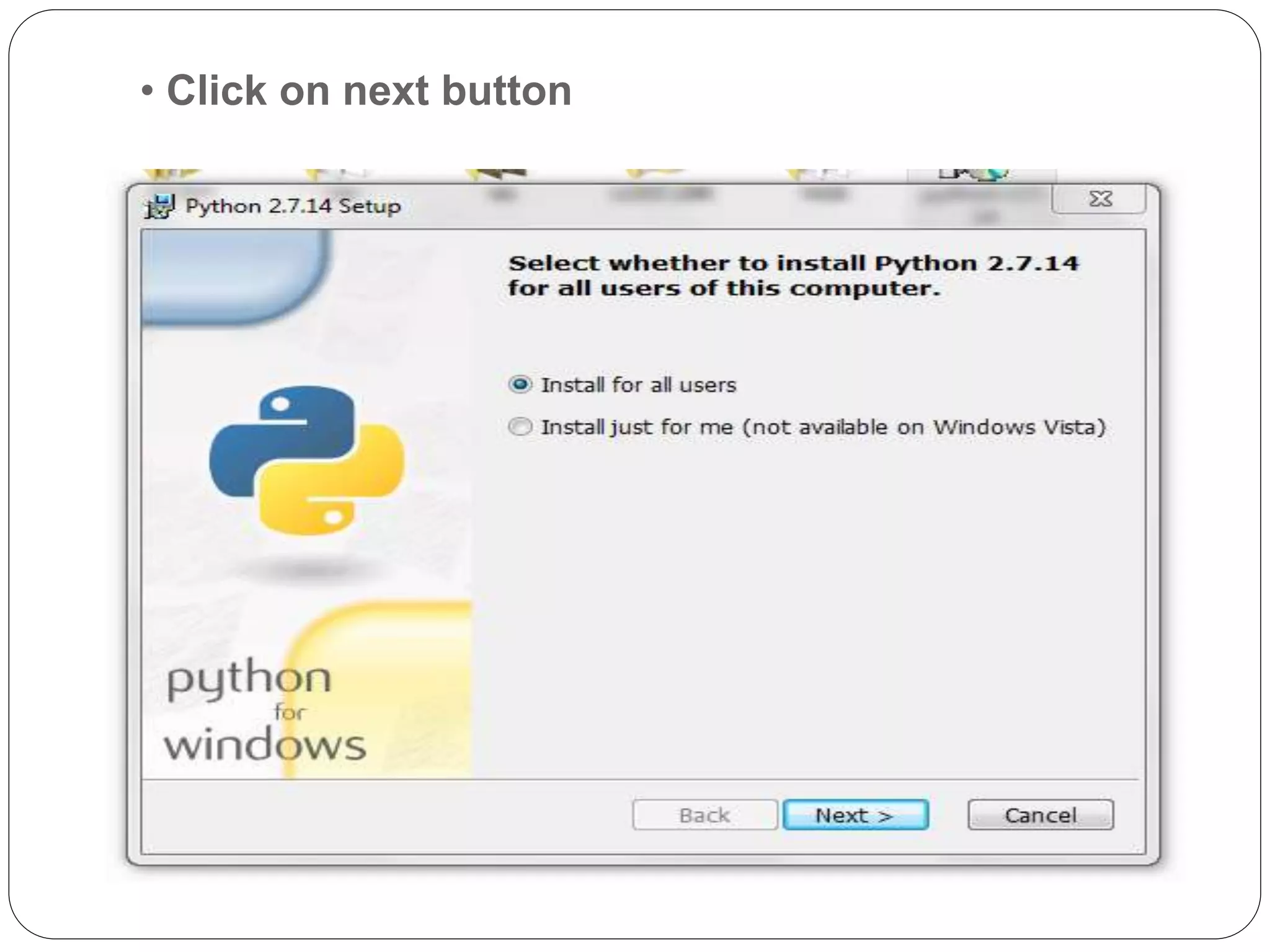
• Click on next button
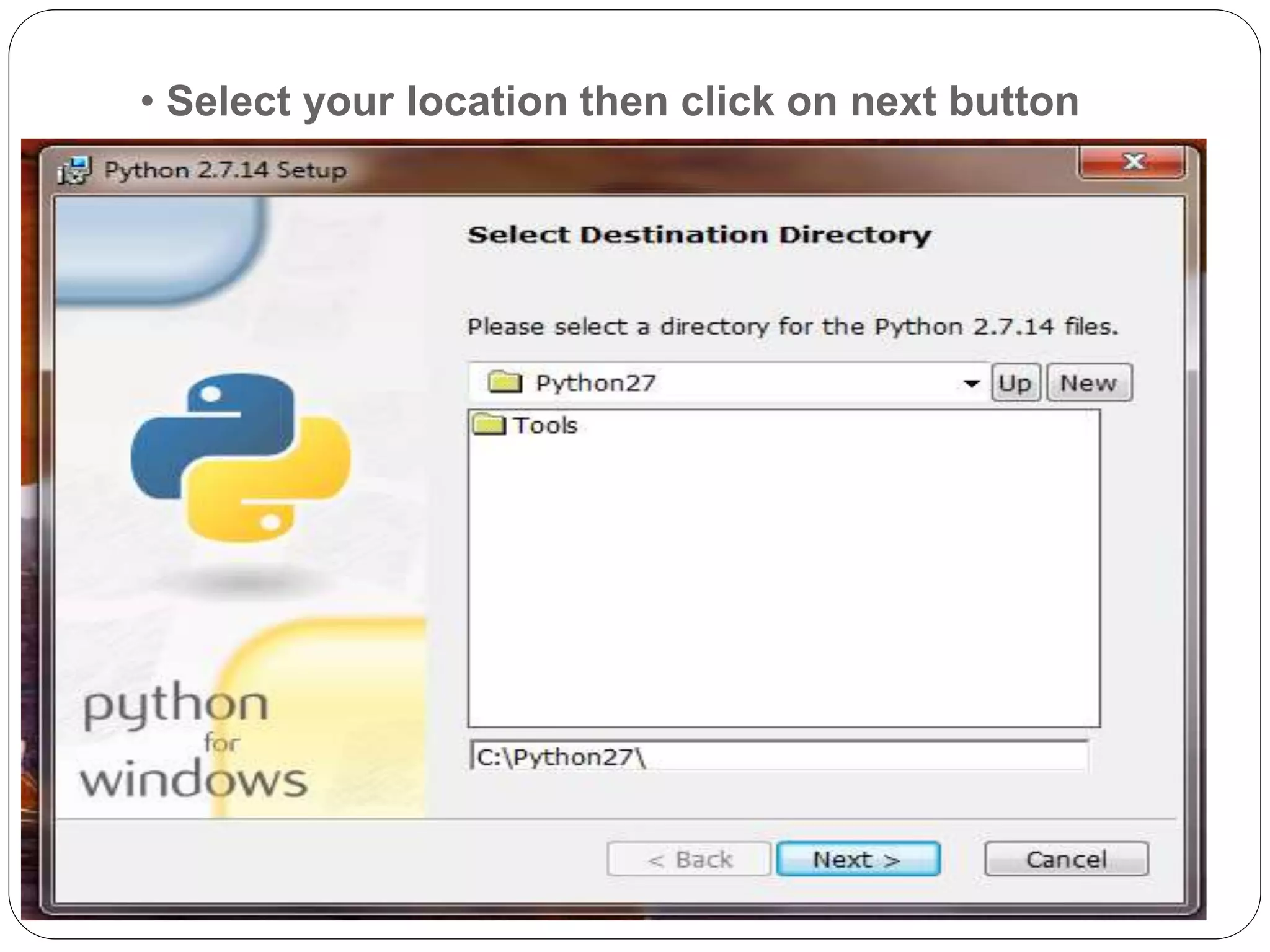
• Select your location then click on next button
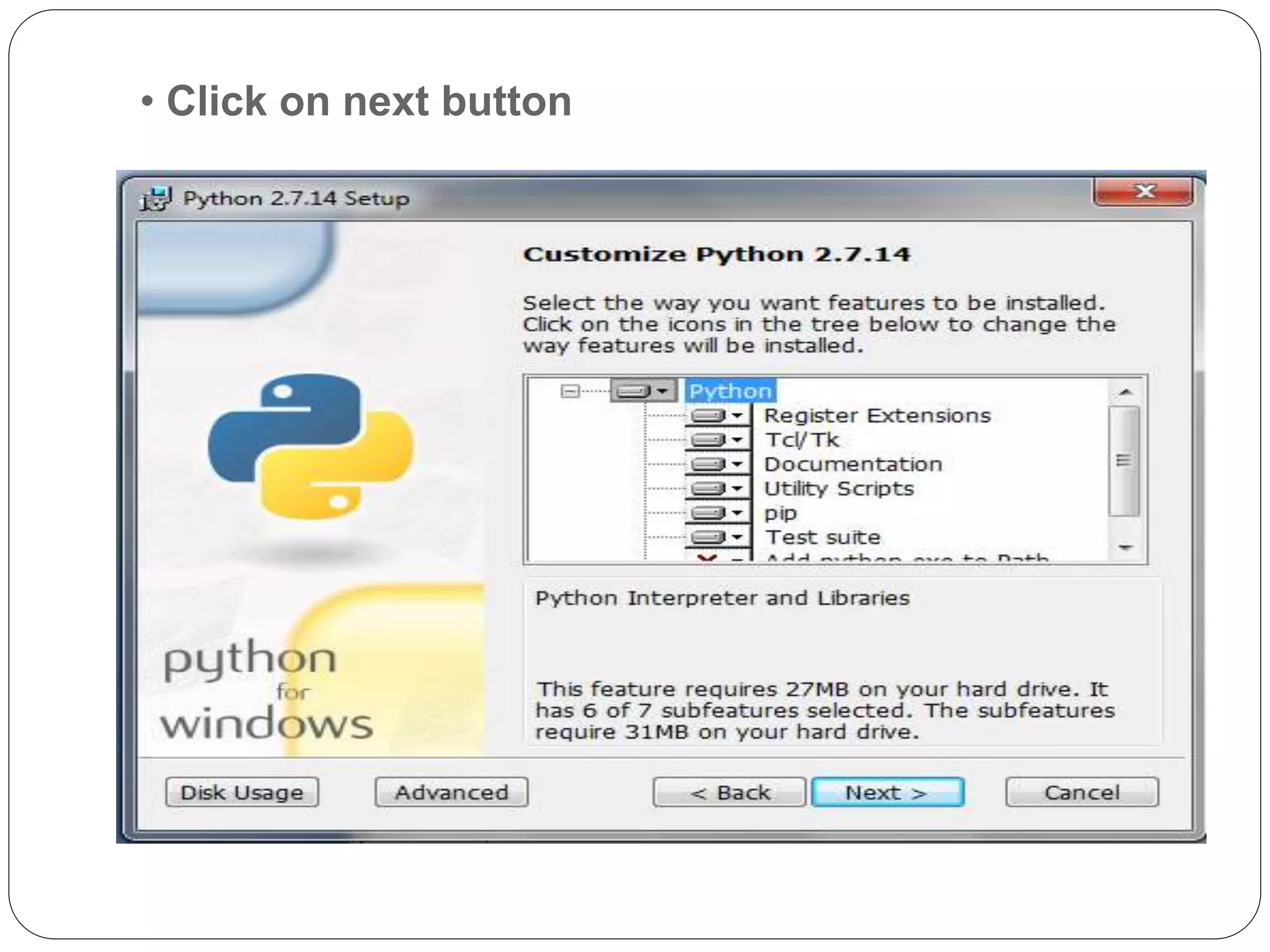
• Click on next button
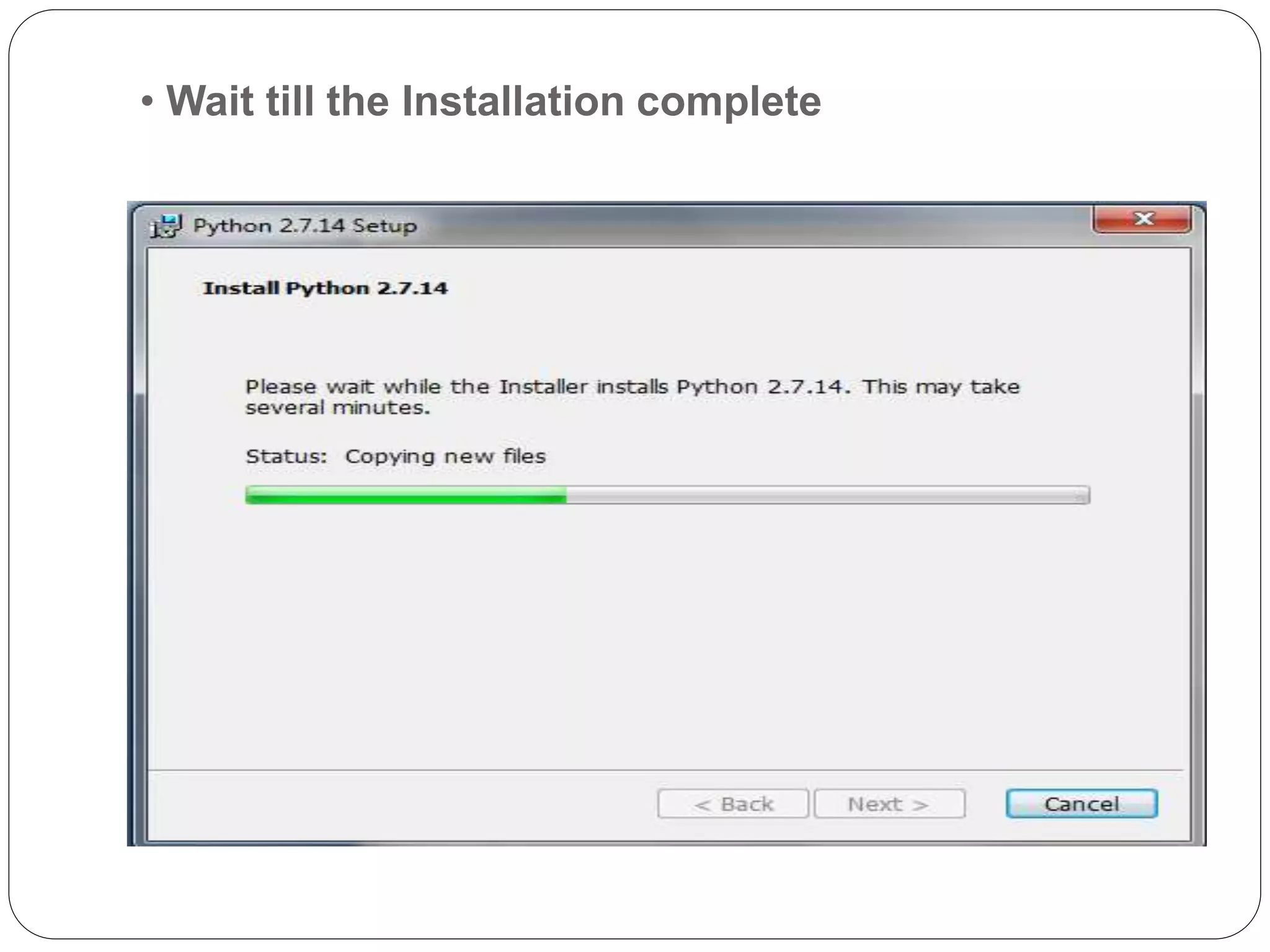
• Wait till the Installation complete
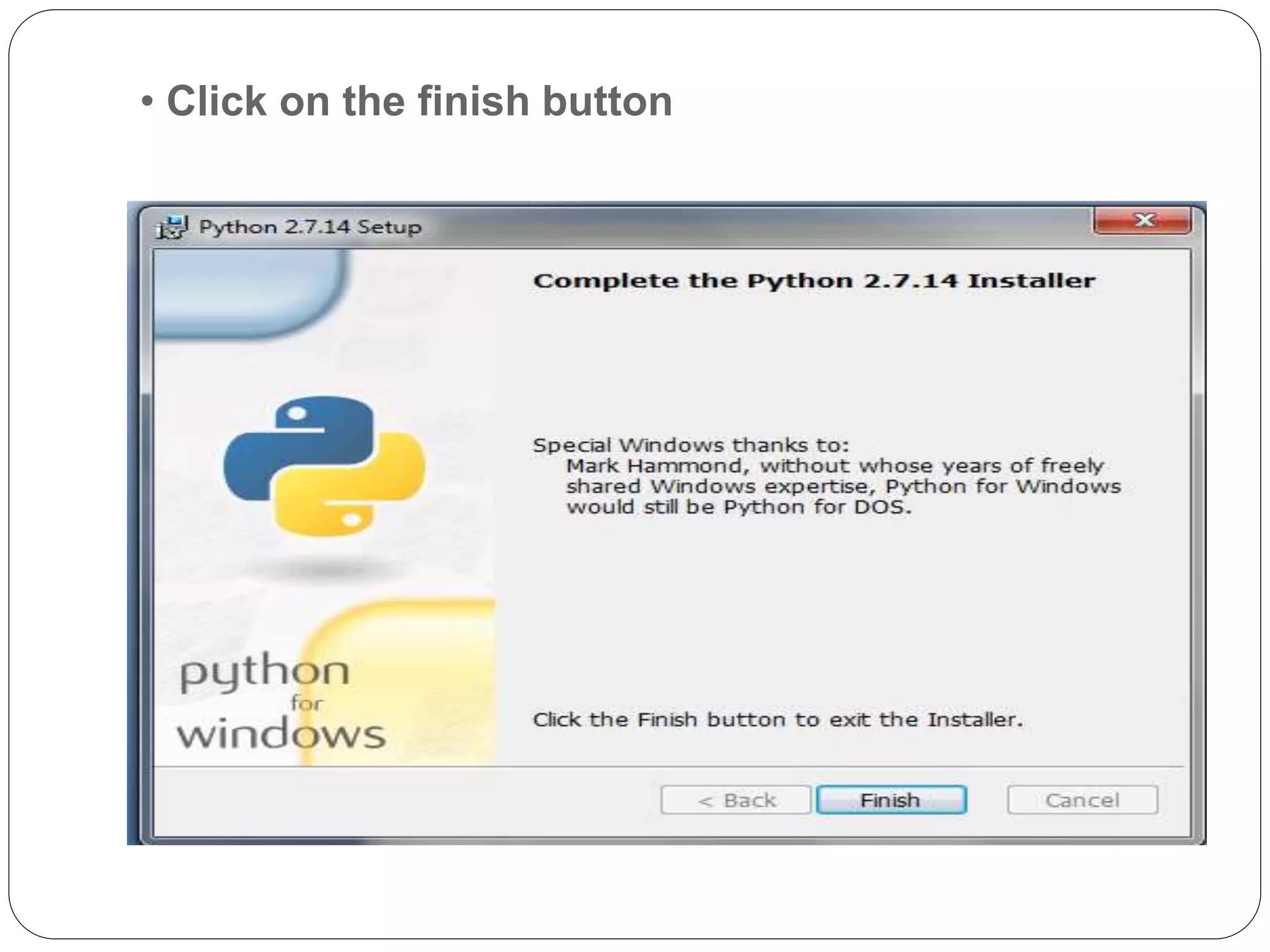
• Click on the finish button
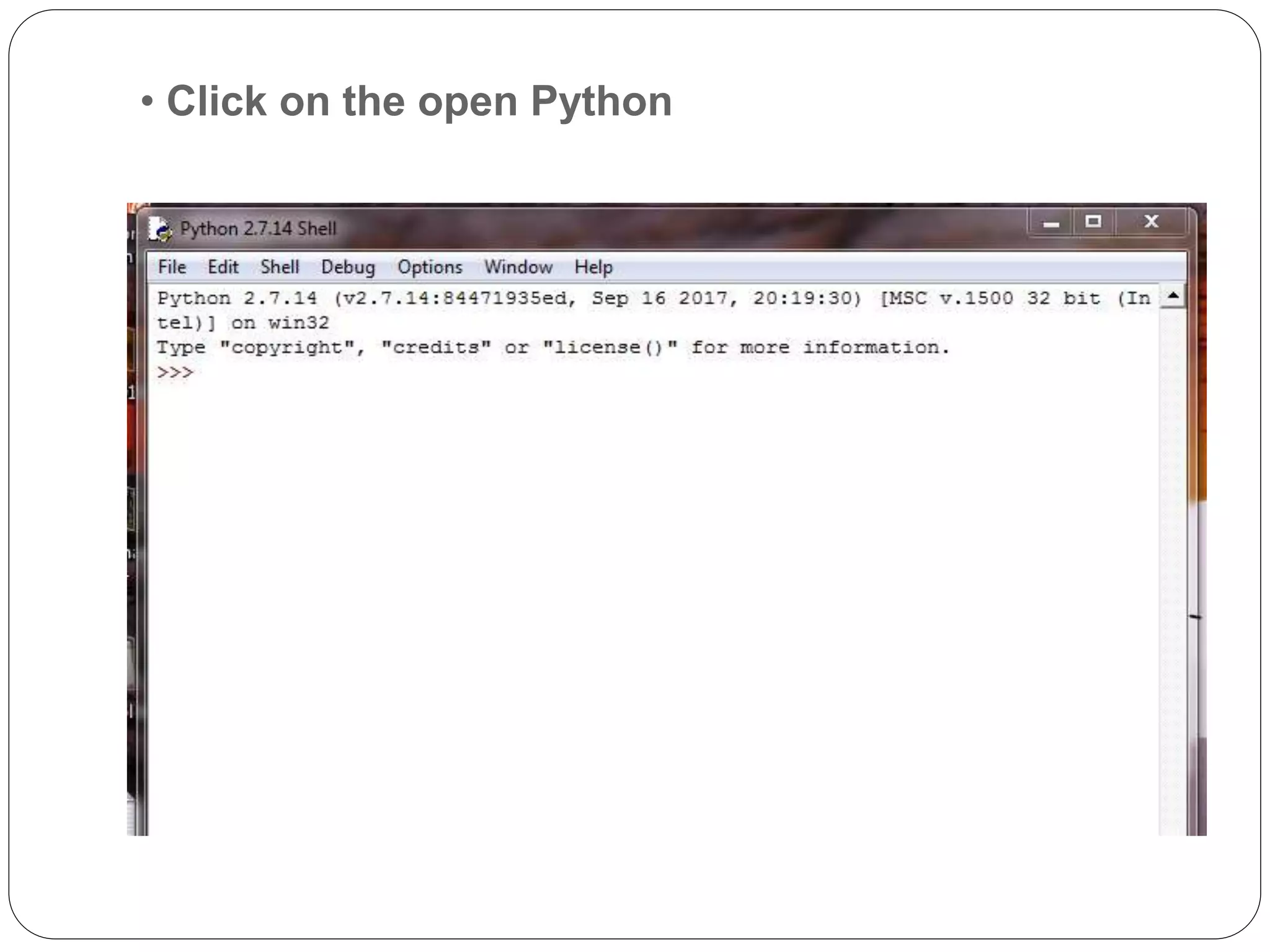
• Click on the open Python
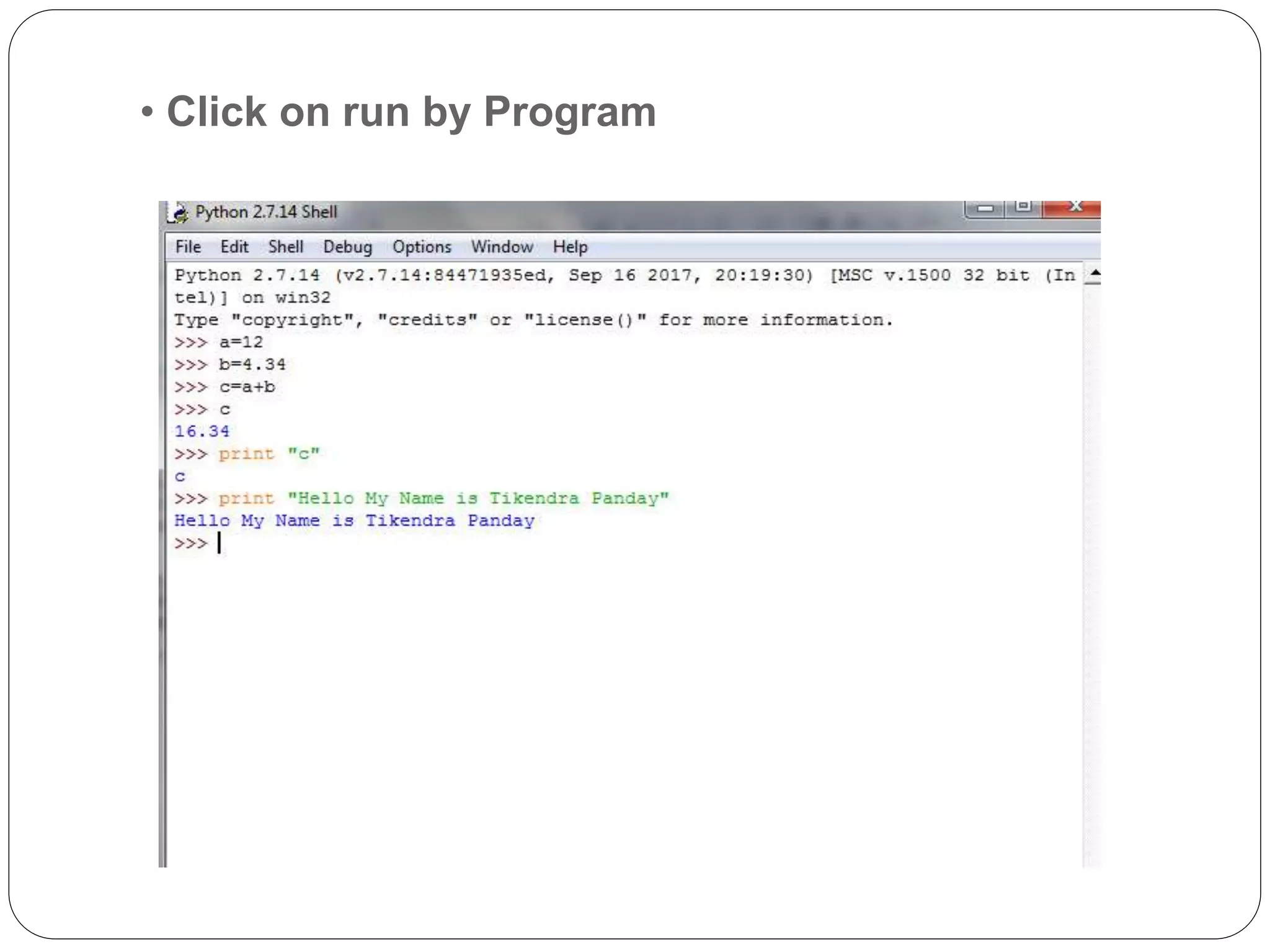
• Click on run by Program

Python Integrated Development Environment

  • 1.
  • 2.
    Definition of IDE •IDE is a software application that provides comprehensive facilities to computer programmers for software development. • An IDE normally consists of a source code editor, build automation tools, and a debugger. Most modern IDEs have intelligent code completion. • Example:- * C * C++ * Java
  • 3.
    Advantages of IDE •Less time and effort • Enforce project or company standards • Project management • Easy to use • Don’t require knowledge of database
  • 4.
    IDE Of Python Different Types of Python IDE * PyCharm * IDEs * Wing IDE * PyDev * Spyder * Thonny  Python IDE run on different Operating Systems with some modifications or no modification.  There are different versions of Python IDE
  • 5.
    Versions of Python Python2.x Python 3.x  Python 2.x was released on 2ooo.  Difference syntax of print  Ex:- Print “Hello world”  Requires “u” if you want to store it as Unicode.  Python 2.x is more popular than 3.x  Python 3.0 was released in 2008.  Difference syntax of print  Ex:-Print (“Hello world’’)  Unicode string is by default.  Python 3 requires different syntax for raising exception.  syntax: raise
  • 6.
    Installation of PythonIDE Version 2.7.1.4  Open browser and open official website of python .  Link:-www.python.org/downloads/release/python- 2715/
  • 7.
    Python: version 2.7.1.4 Select the version and software according to system configuration from home screen or download option
  • 8.
    •Open downloads andstart installation
  • 9.
    • Click onnext button
  • 10.
    • Select yourlocation then click on next button
  • 11.
    • Click onnext button
  • 12.
    • Wait tillthe Installation complete
  • 13.
    • Click onthe finish button
  • 14.
    • Click onthe open Python
  • 15.
    • Click onrun by Program