Intellij IDEA
Intro, Tips and Tricks
vitojeng
vito@is-land.com.tw
2017.11.21
Intro
● IntelliJ IDEA is a Java integrated development environment (IDE) for developing
computer software. (wikipedia)
● Two editions
○ Ultimate Edition
○ Community Edition - opensourced in github
○ Comparison matrix
● We use community edition in this talk.
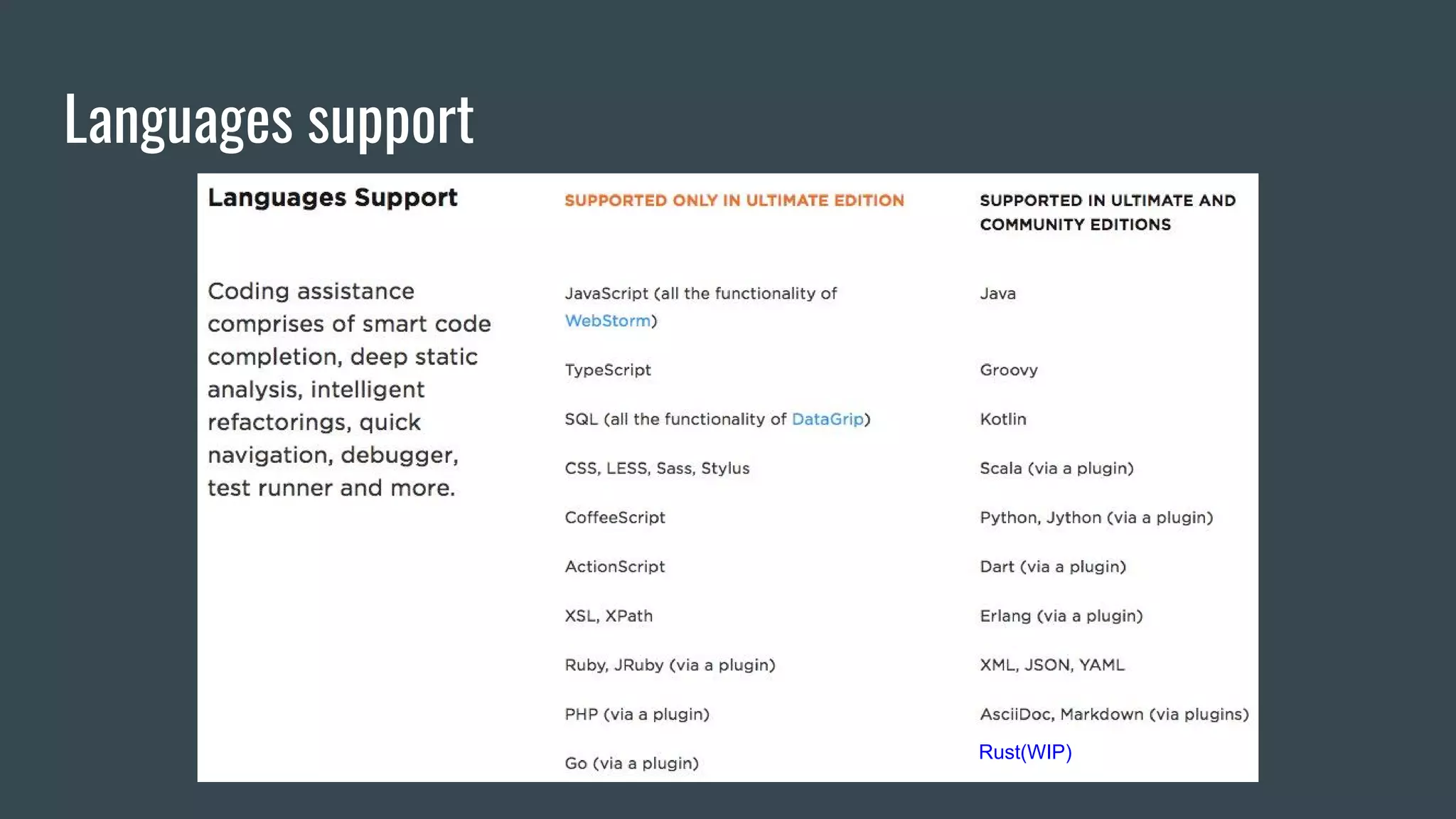
Languages support
Rust(WIP)
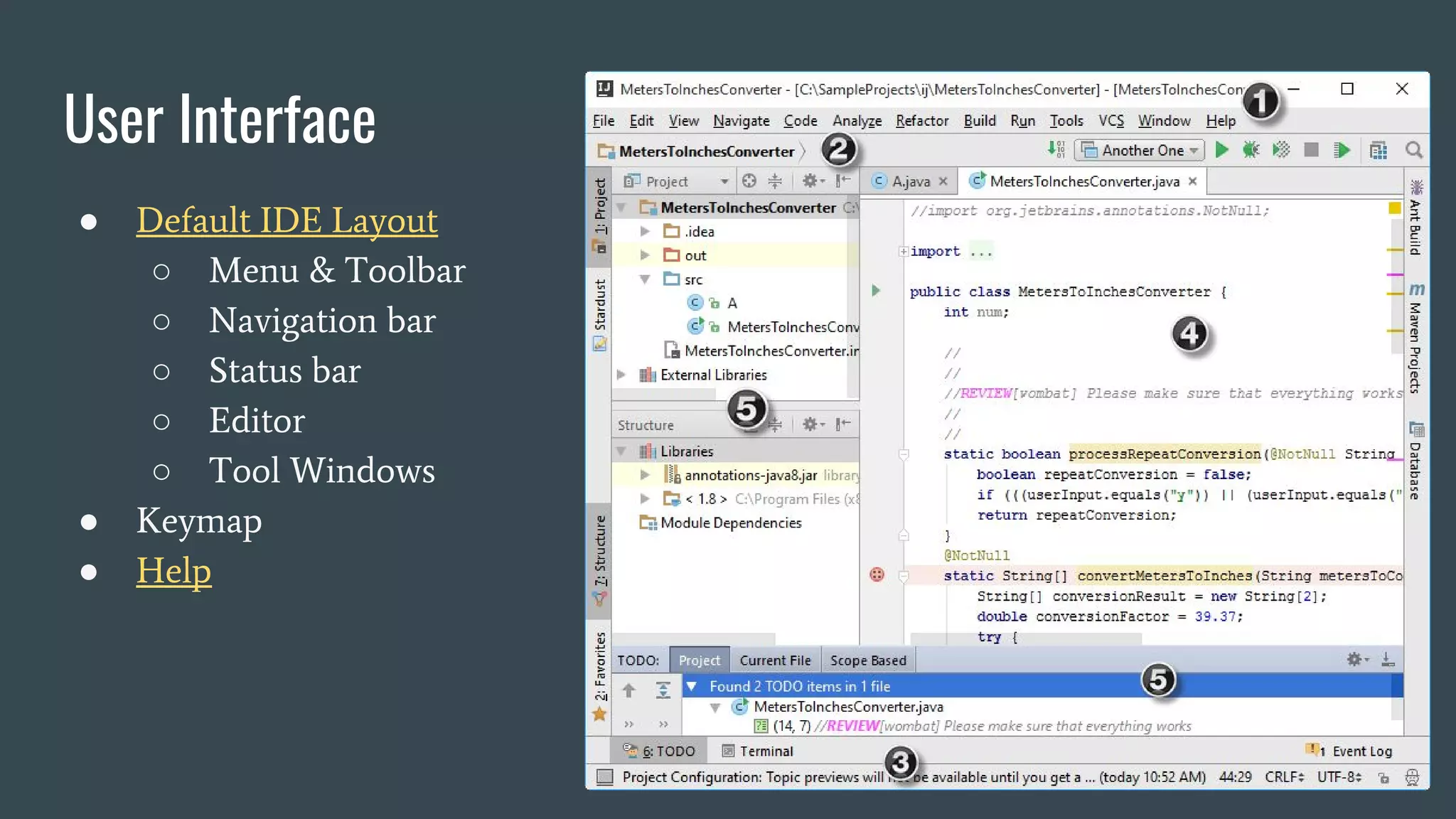
User Interface
● Default IDE Layout
○ Menu & Toolbar
○ Navigation bar
○ Status bar
○ Editor
○ Tool Windows
● Keymap
● Help
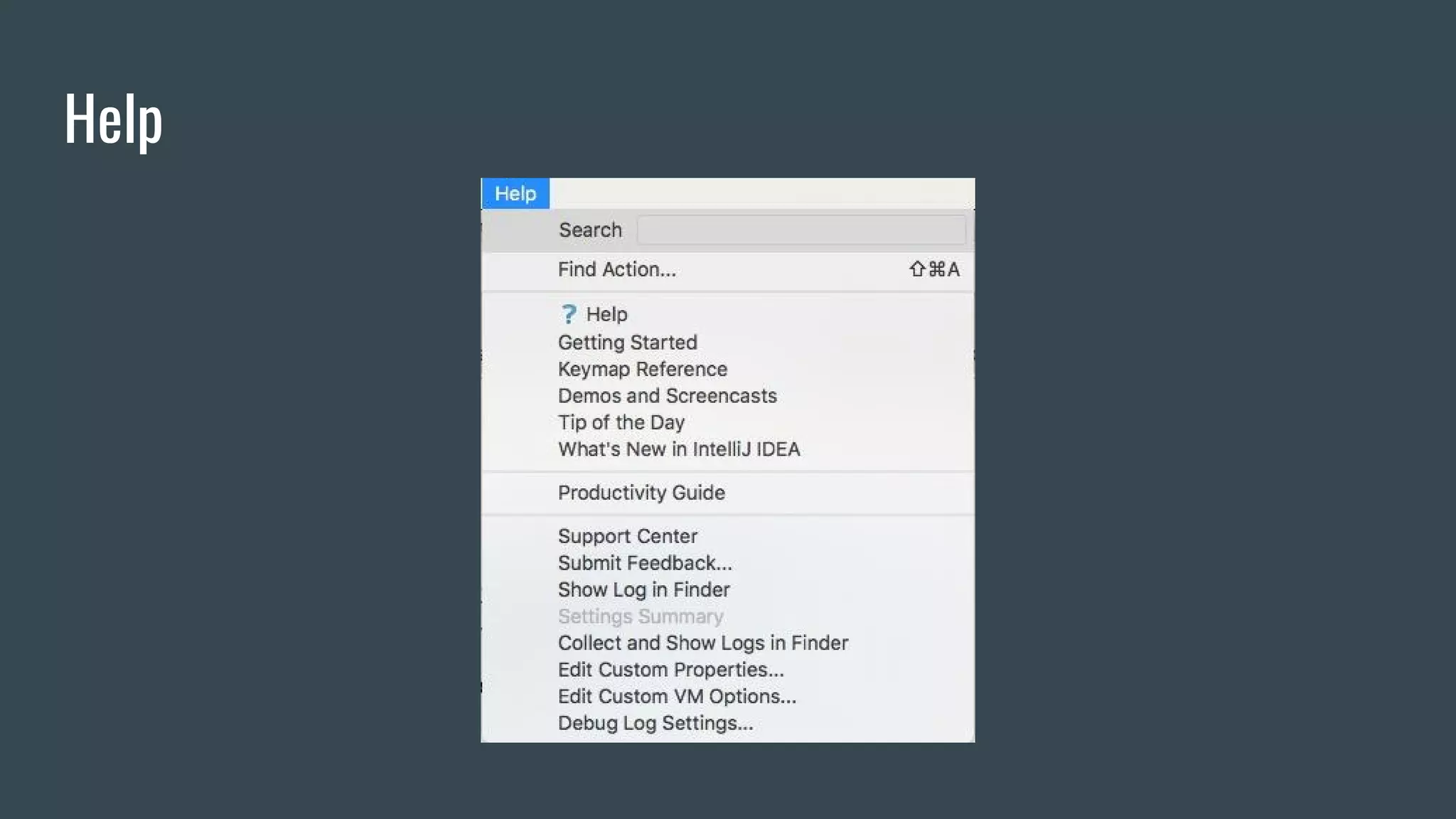
Help
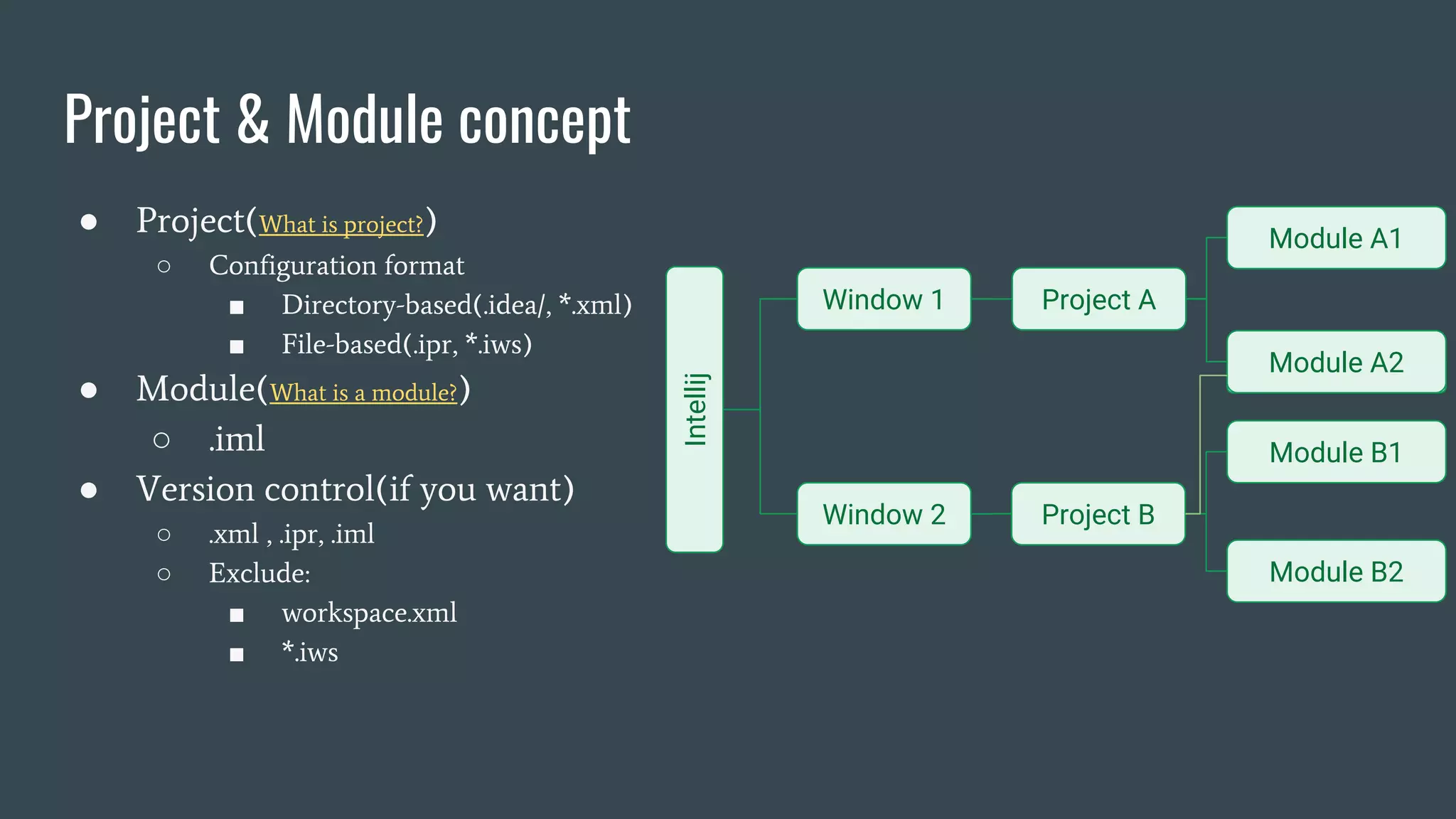
● Project(What is project?)
○ Configuration format
■ Directory-based(.idea/, *.xml)
■ File-based(.ipr, *.iws)
● Module(What is a module?)
○ .iml
● Version control(if you want)
○ .xml , .ipr, .iml
○ Exclude:
■ workspace.xml
■ *.iws
Project & Module concept
Intellij
Window 1
Window 2
Project A
Project B
Module A1
Module A2
Module B1
Module B2
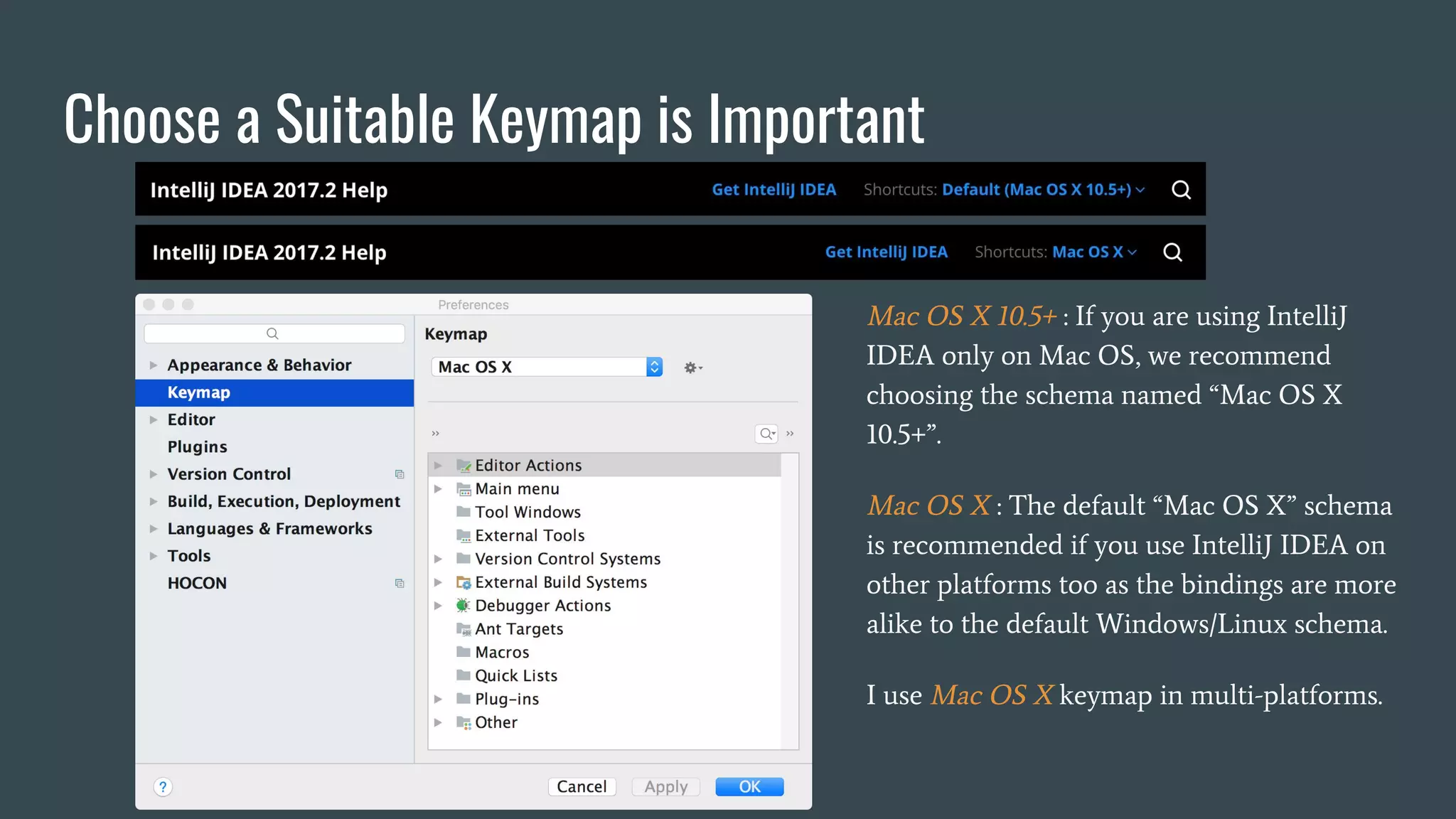
Choose a Suitable Keymap is Important
Mac OS X 10.5+ : If you are using IntelliJ
IDEA only on Mac OS, we recommend
choosing the schema named “Mac OS X
10.5+”.
Mac OS X : The default “Mac OS X” schema
is recommended if you use IntelliJ IDEA on
other platforms too as the bindings are more
alike to the default Windows/Linux schema.
I use Mac OS X keymap in multi-platforms.
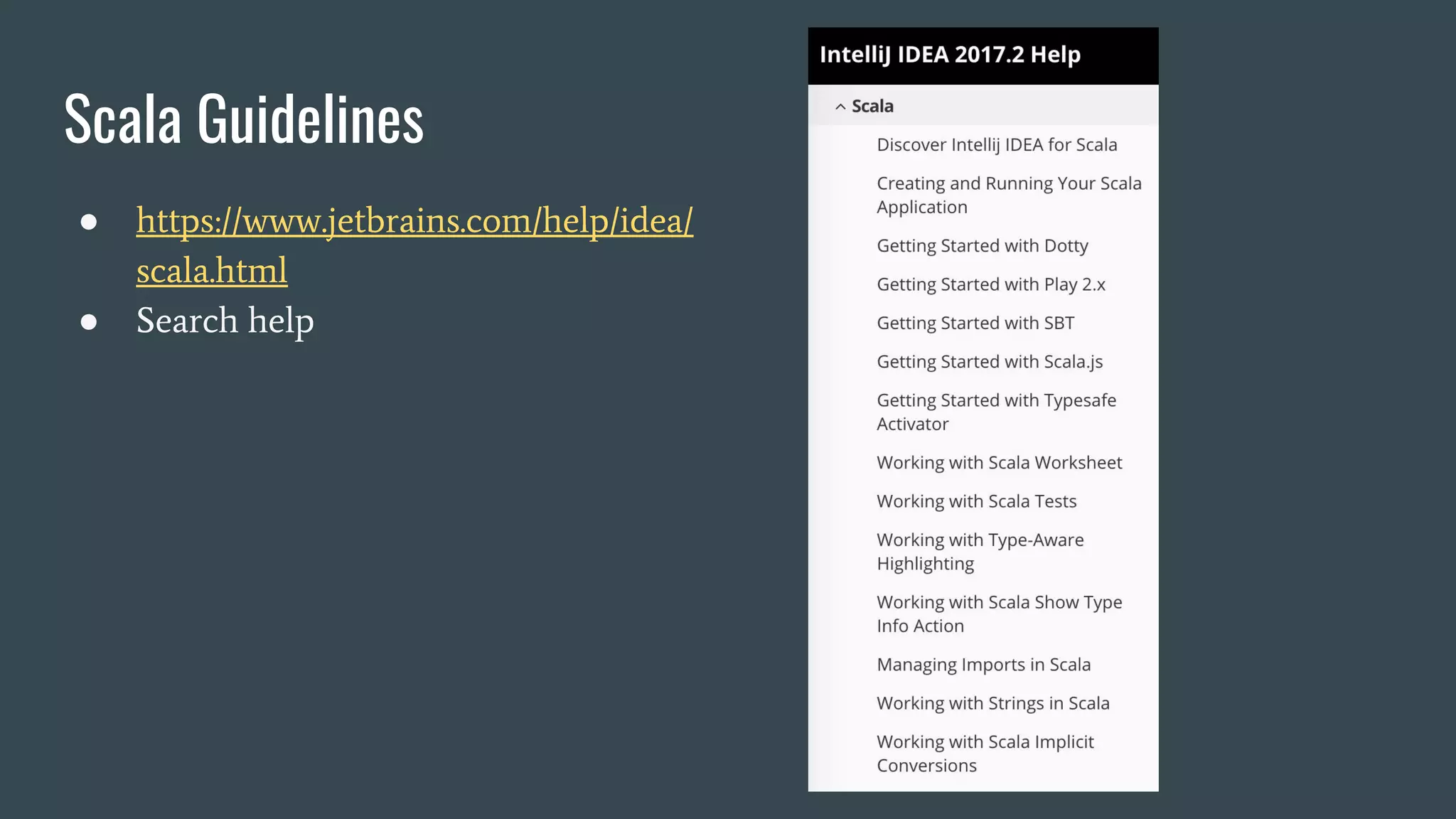
Scala Guidelines
● https://www.jetbrains.com/help/idea/
scala.html
● Search help
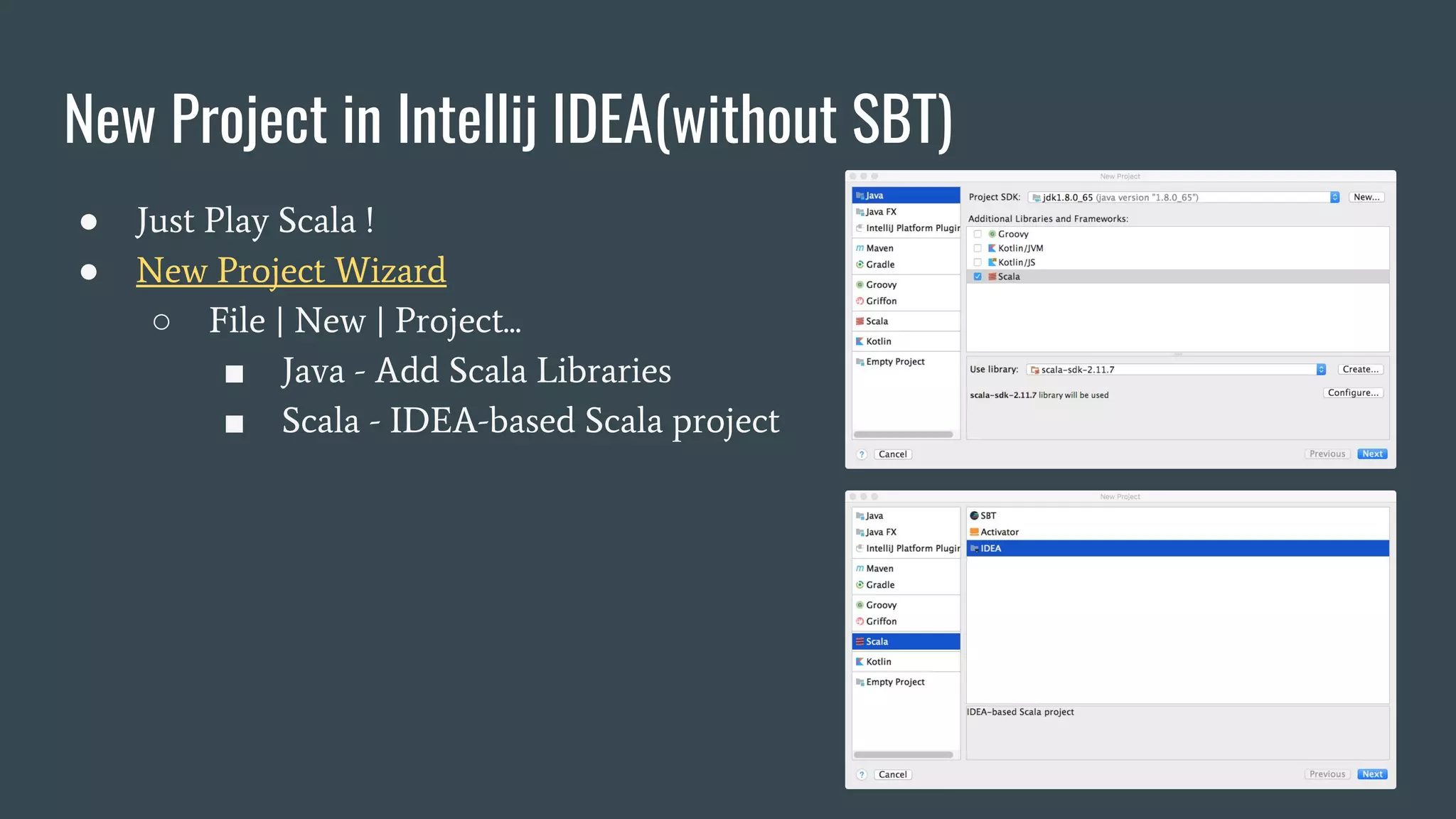
New Project in Intellij IDEA(without SBT)
● Just Play Scala !
● New Project Wizard
○ File | New | Project...
■ Java - Add Scala Libraries
■ Scala - IDEA-based Scala project
New / Import Project in Intellij IDEA(with SBT)
● Many Scala project use SBT.
● New Project Wizard
○ File | New | Project...
■ SBT-based Scala project
● Import Project Wizard
○ File | New | Project from Existing Sources...
■ choose a folder(existing SBT project)
● Import project from external model (SBT/Gradle/Maven)
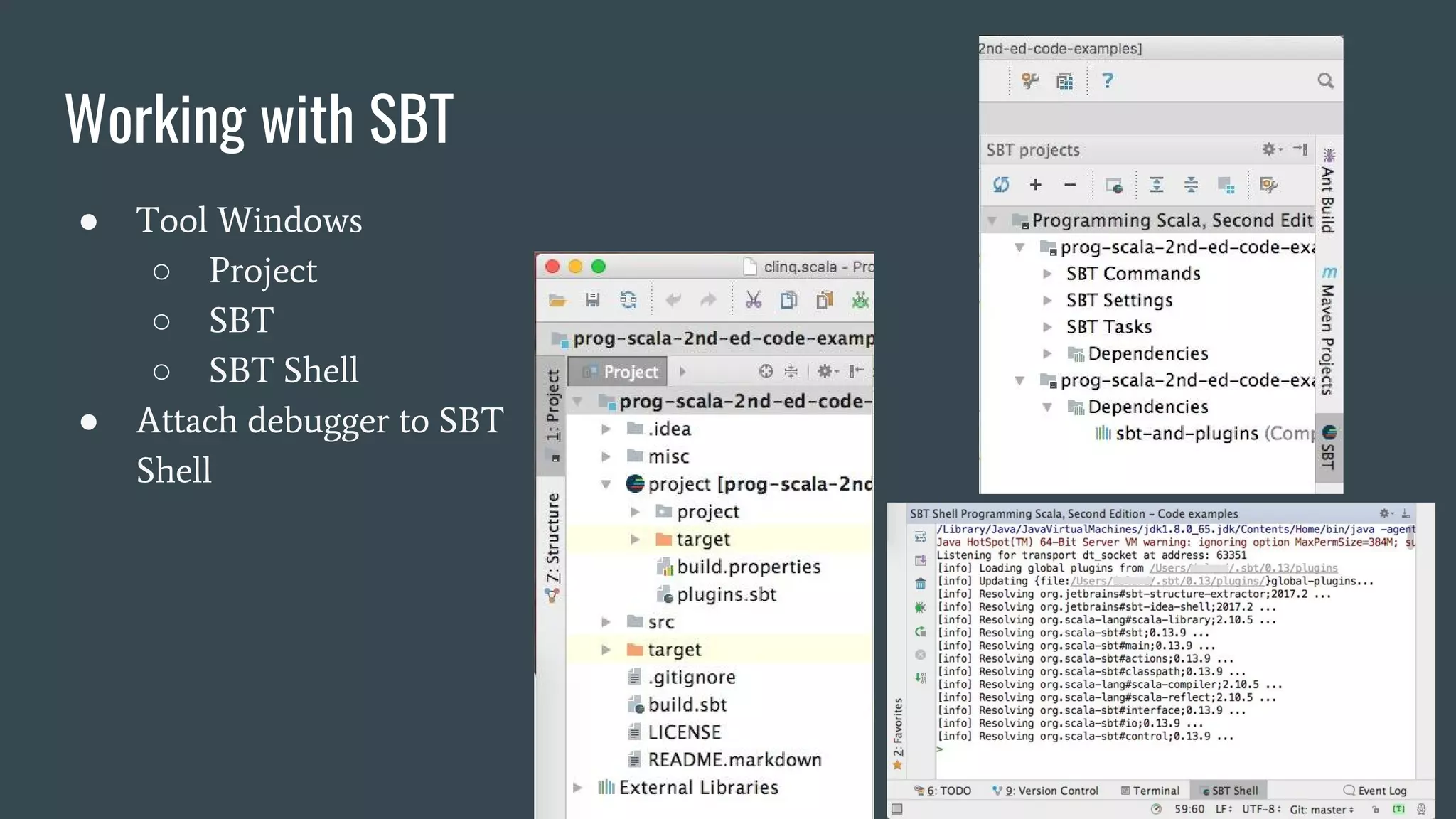
Working with SBT
● Tool Windows
○ Project
○ SBT
○ SBT Shell
● Attach debugger to SBT
Shell
Working with Scala Worksheet
● REPL mode in Intellij IDEA
● How about Ammonite support ?
○ Look like there will be something in 2017.3(public preview)
○ Stay tuned ! (github, youtrack)
Desugar Scala
● Code | Desugar Scala code ...
● Show Diff
Work with Git / Github
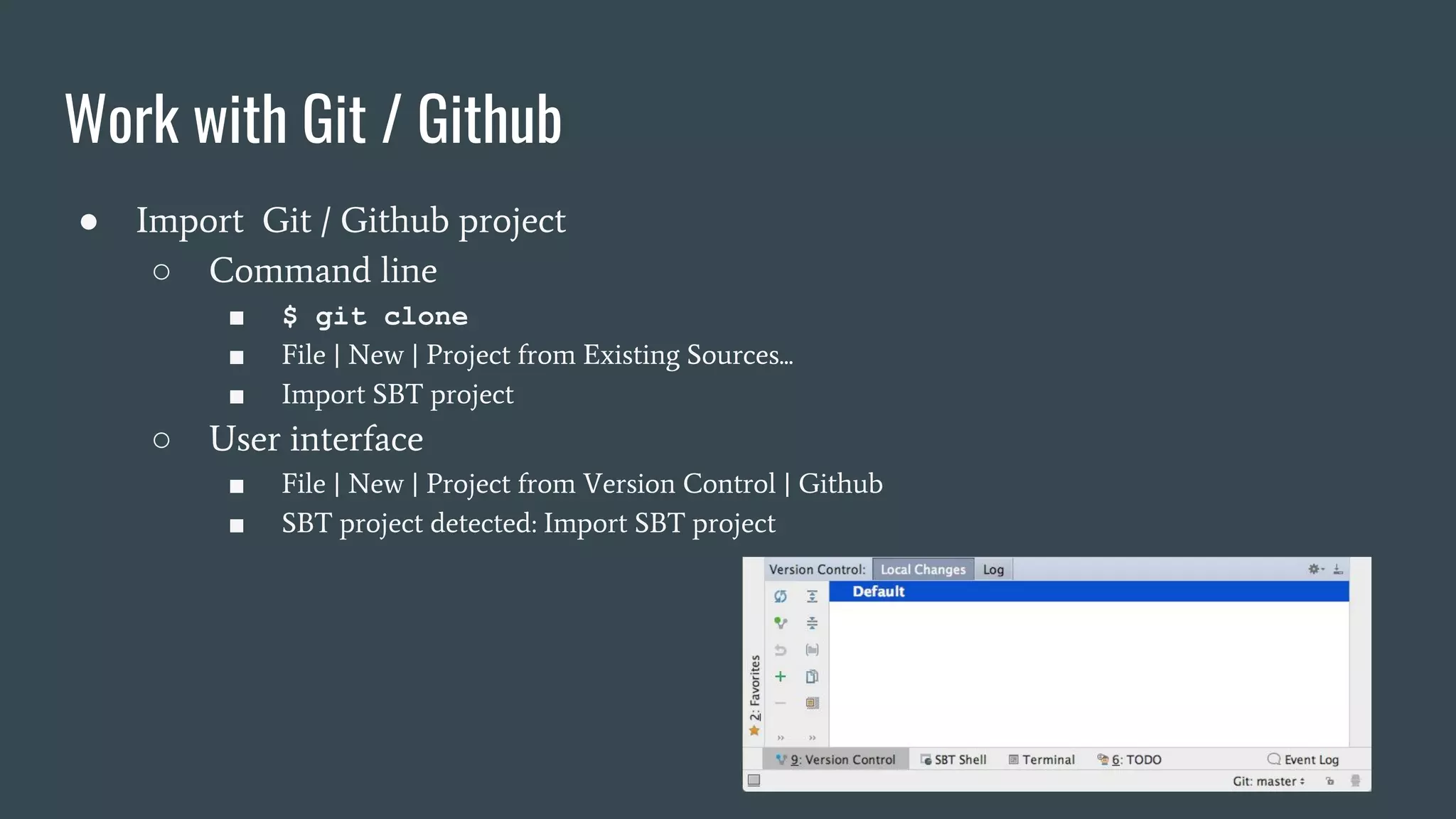
● Import Git / Github project
○ Command line
■ $ git clone
■ File | New | Project from Existing Sources...
■ Import SBT project
○ User interface
■ File | New | Project from Version Control | Github
■ SBT project detected: Import SBT project
Work with Git / Github
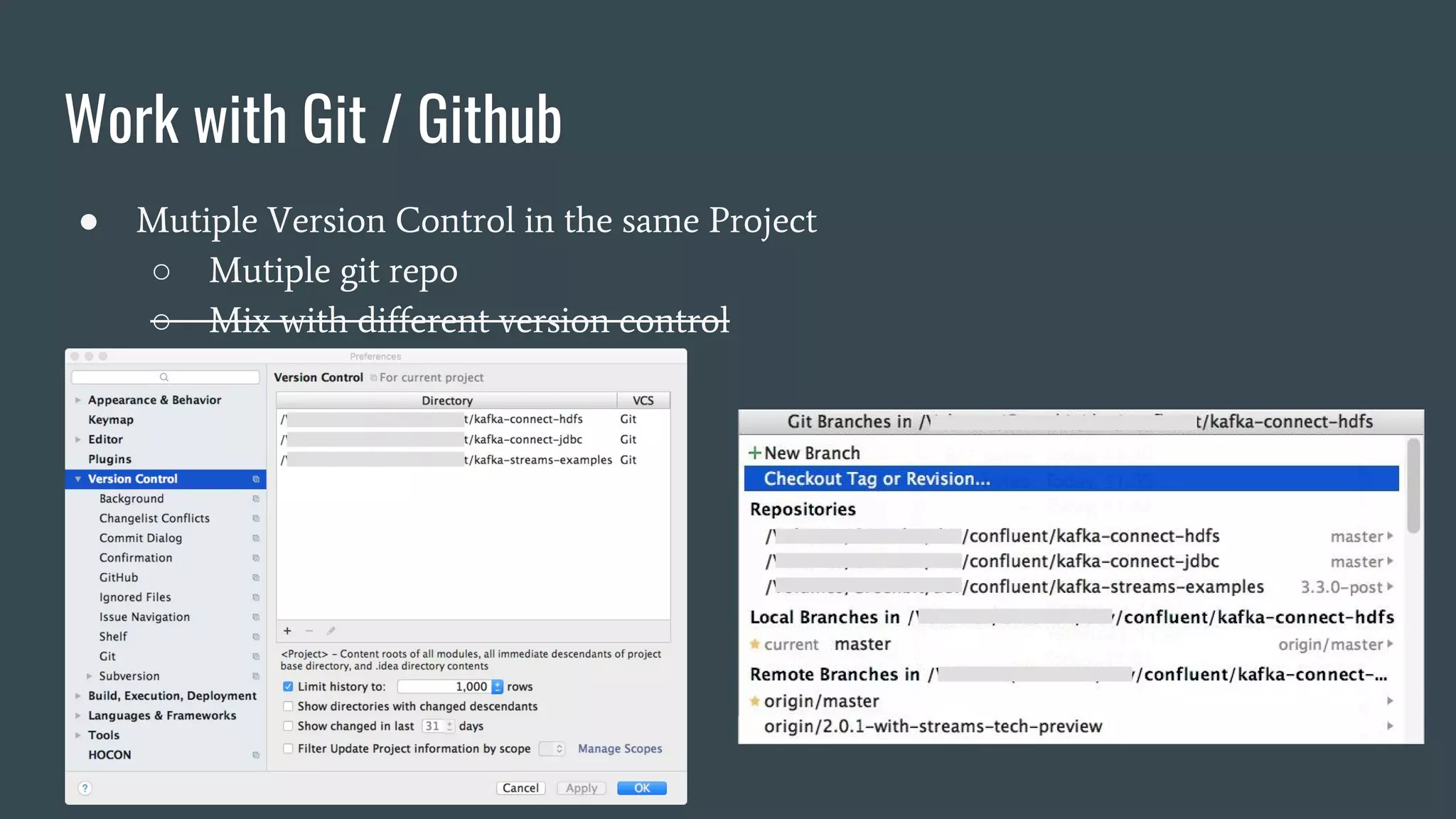
● Mutiple Version Control in the same Project
○ Mutiple git repo
○ Mix with different version control
Work with Git / Github
● Switch Branch
● Local Changes
● Log
● Show History
● Show Diff
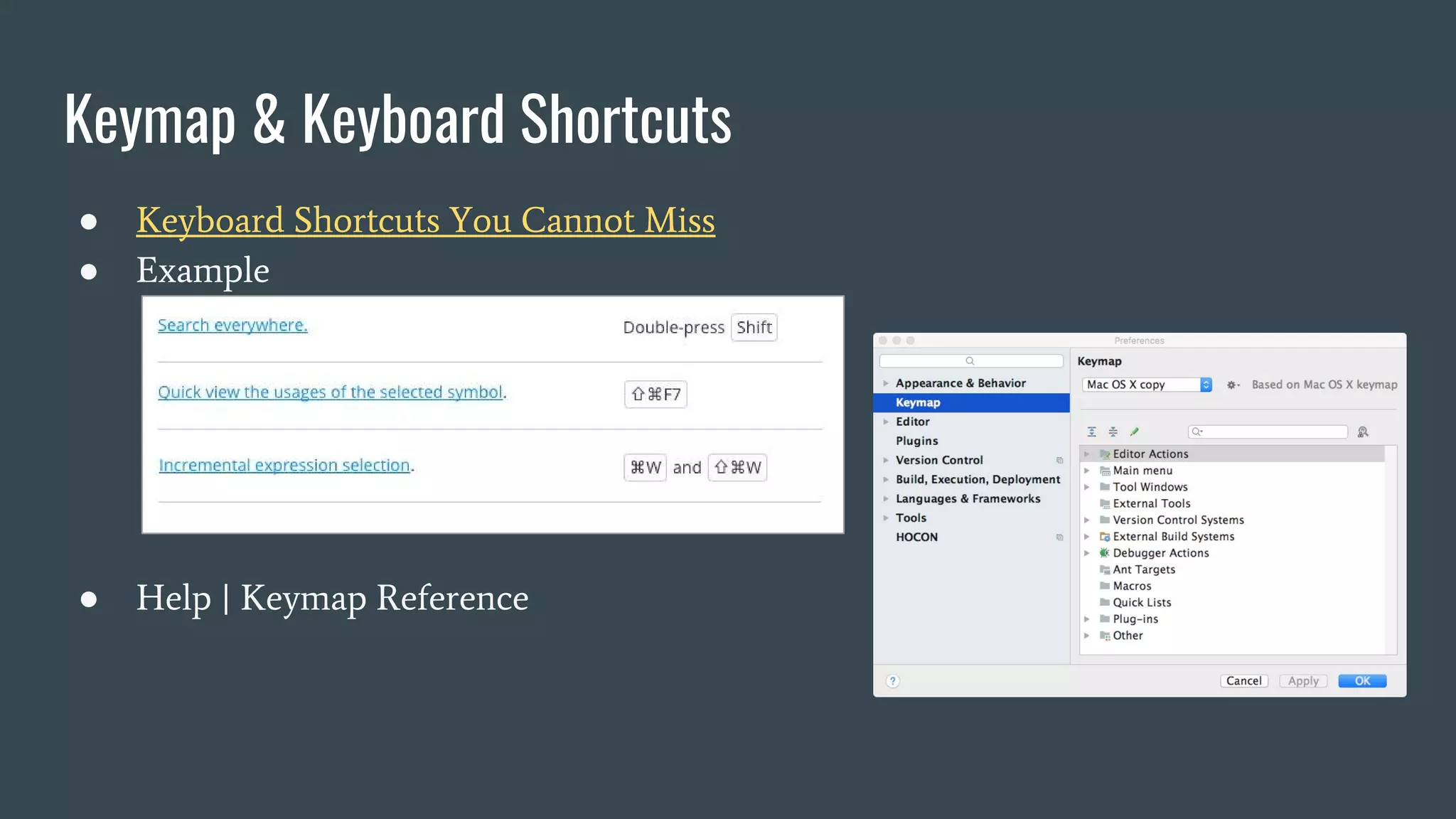
● Keyboard Shortcuts You Cannot Miss
● Example
● Help | Keymap Reference
Keymap & Keyboard Shortcuts
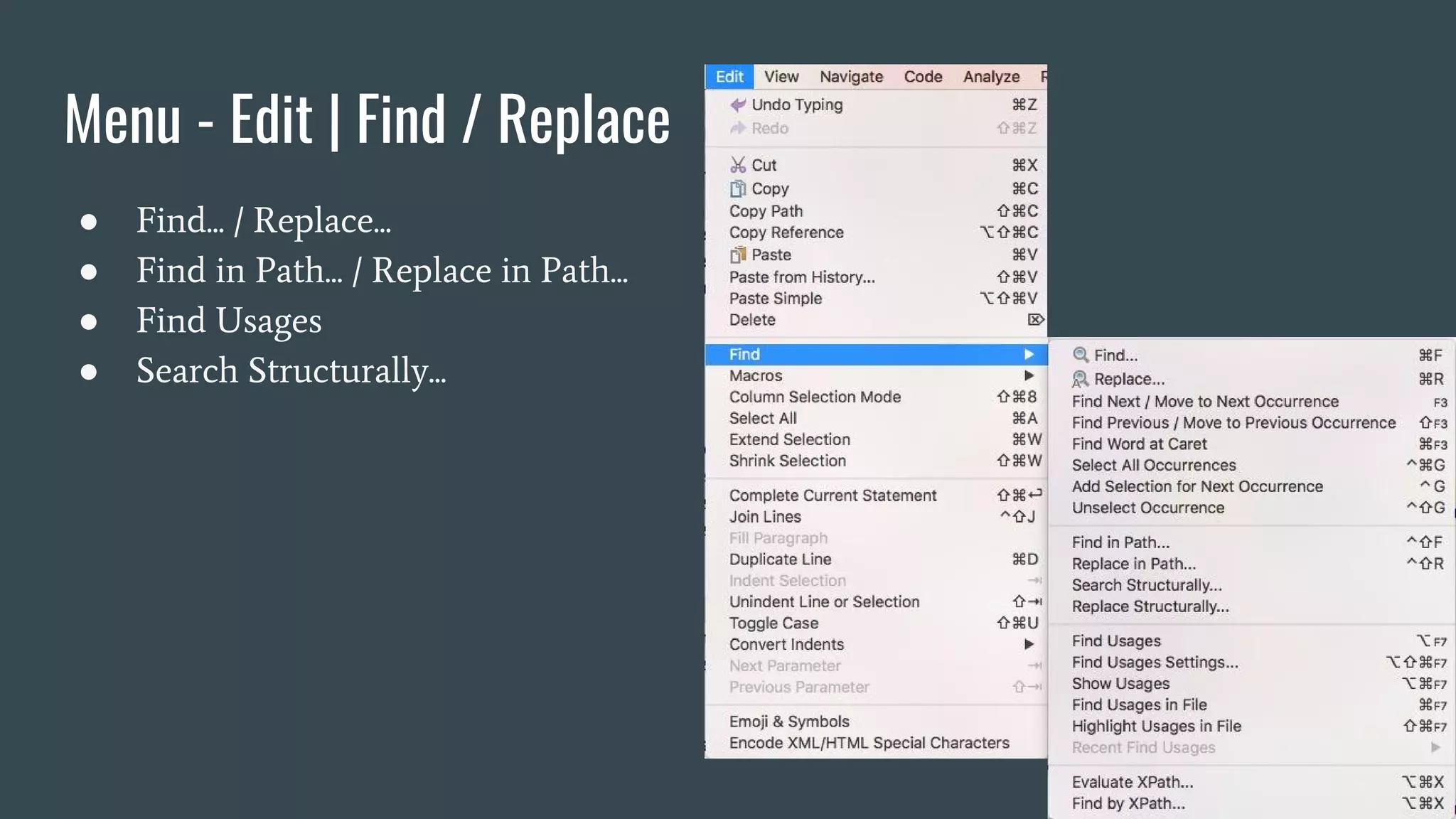
Menu - Edit | Find / Replace
● Find... / Replace...
● Find in Path... / Replace in Path...
● Find Usages
● Search Structurally...
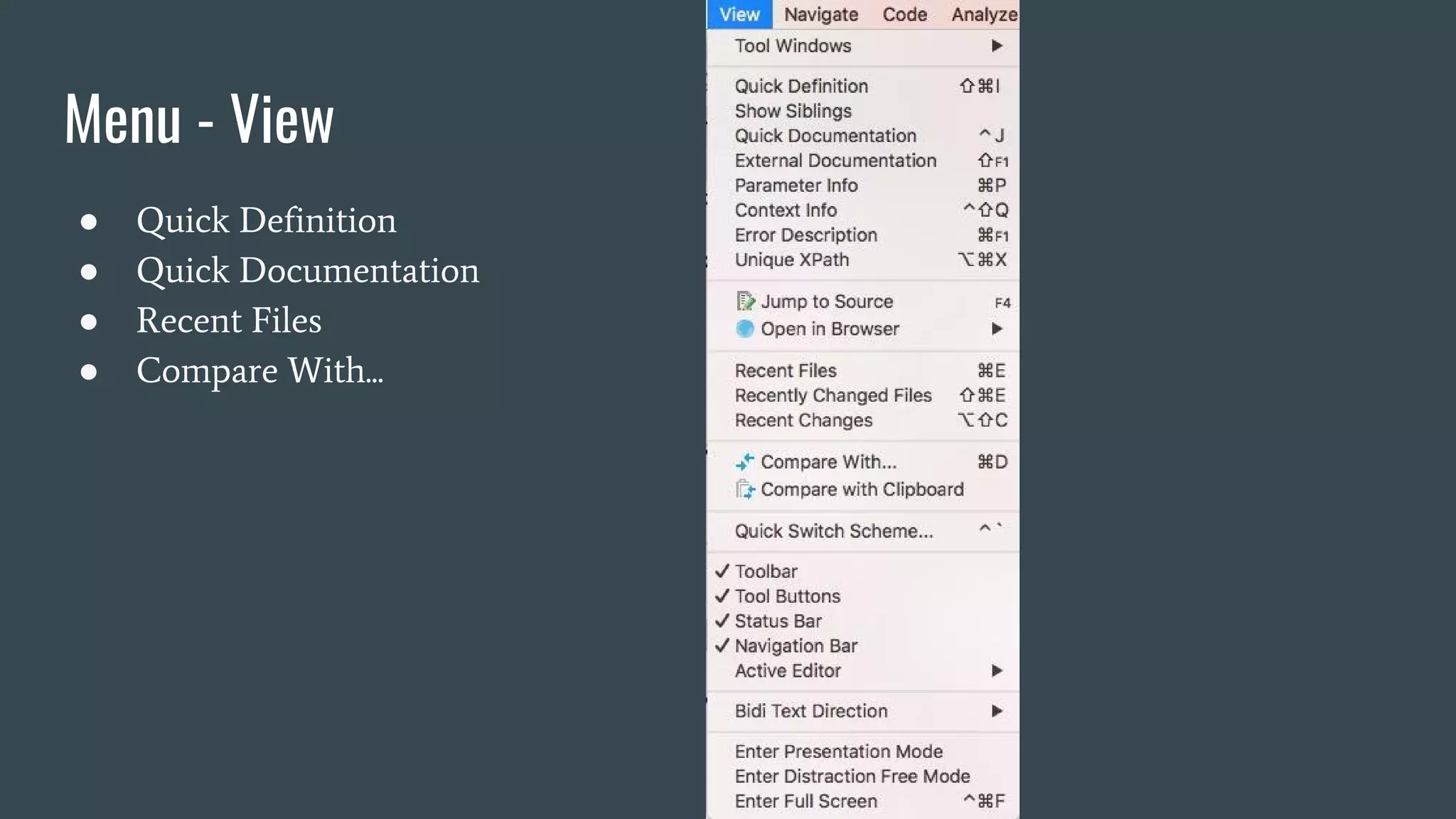
Menu - View
● Quick Definition
● Quick Documentation
● Recent Files
● Compare With...
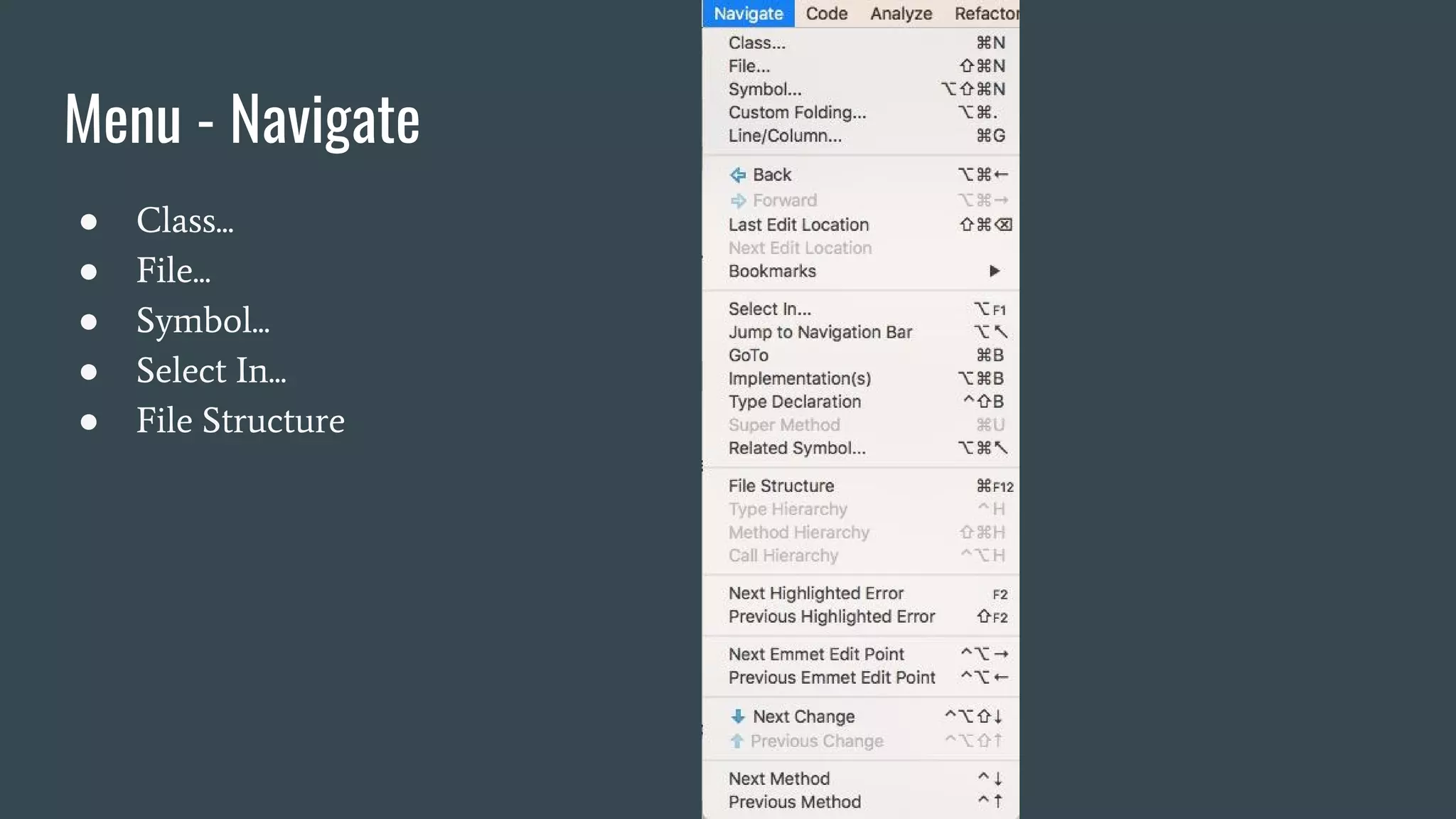
Menu - Navigate
● Class...
● File...
● Symbol...
● Select In...
● File Structure
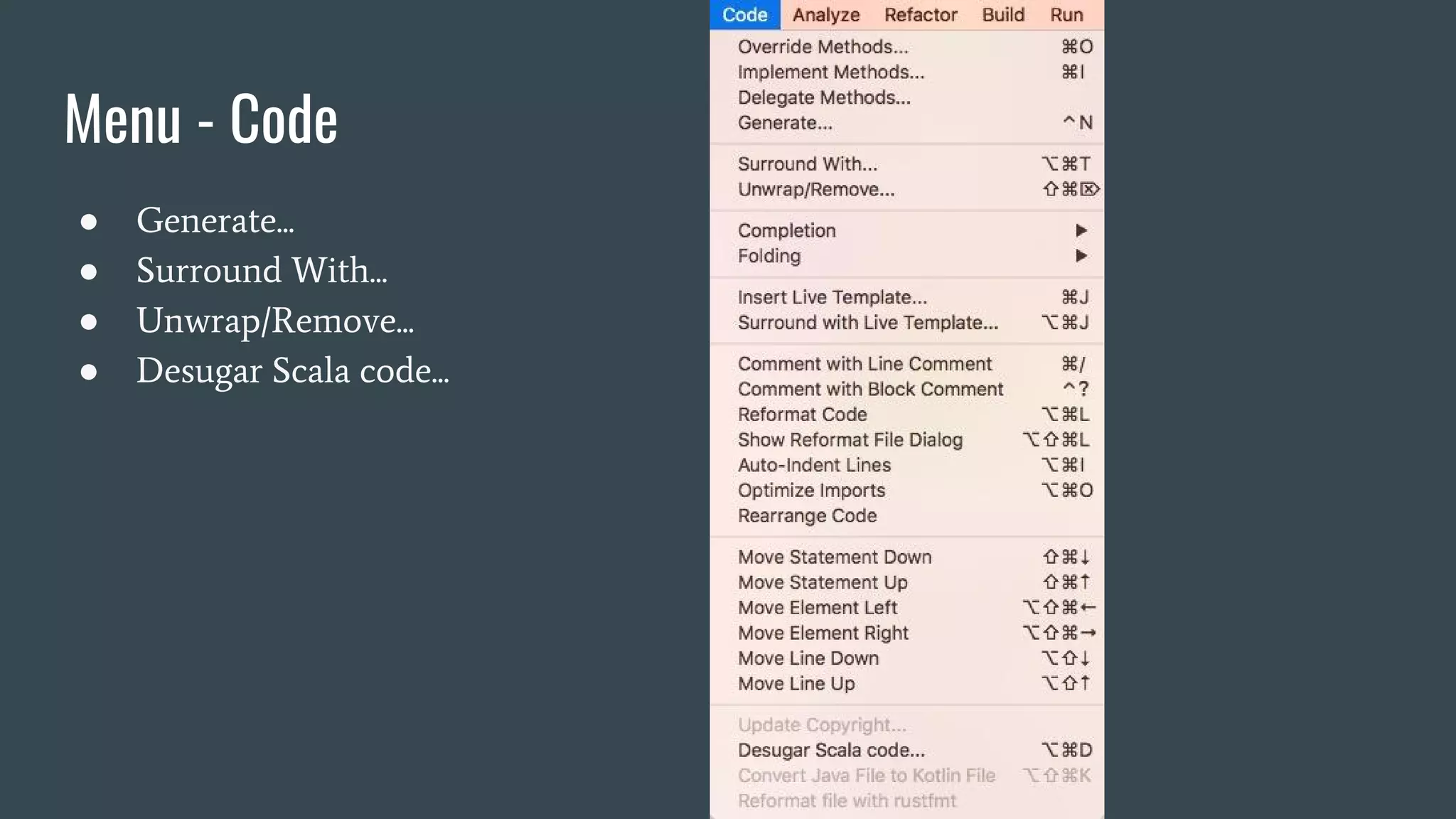
Menu - Code
● Generate...
● Surround With...
● Unwrap/Remove...
● Desugar Scala code...
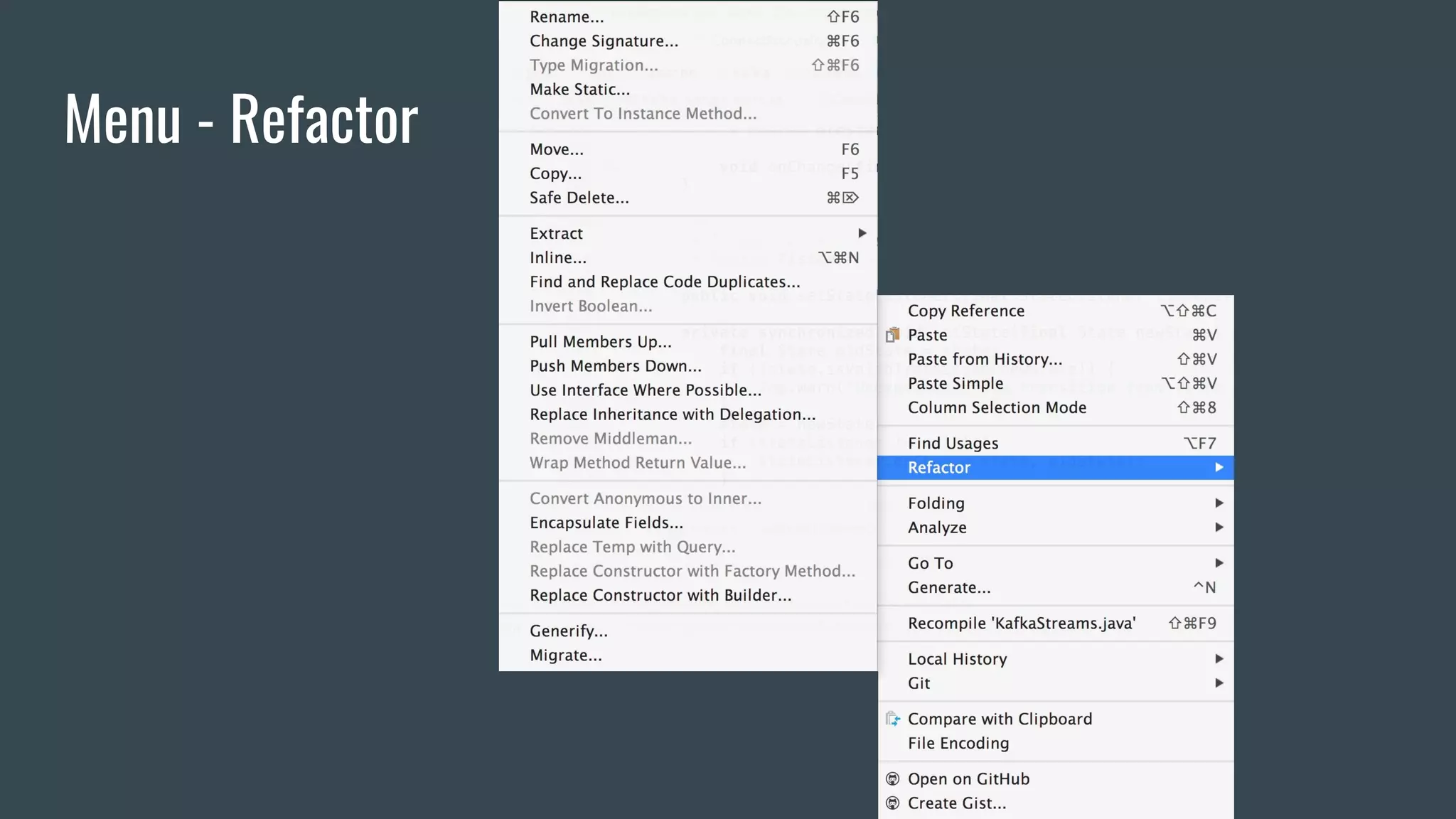
Menu - Refactor
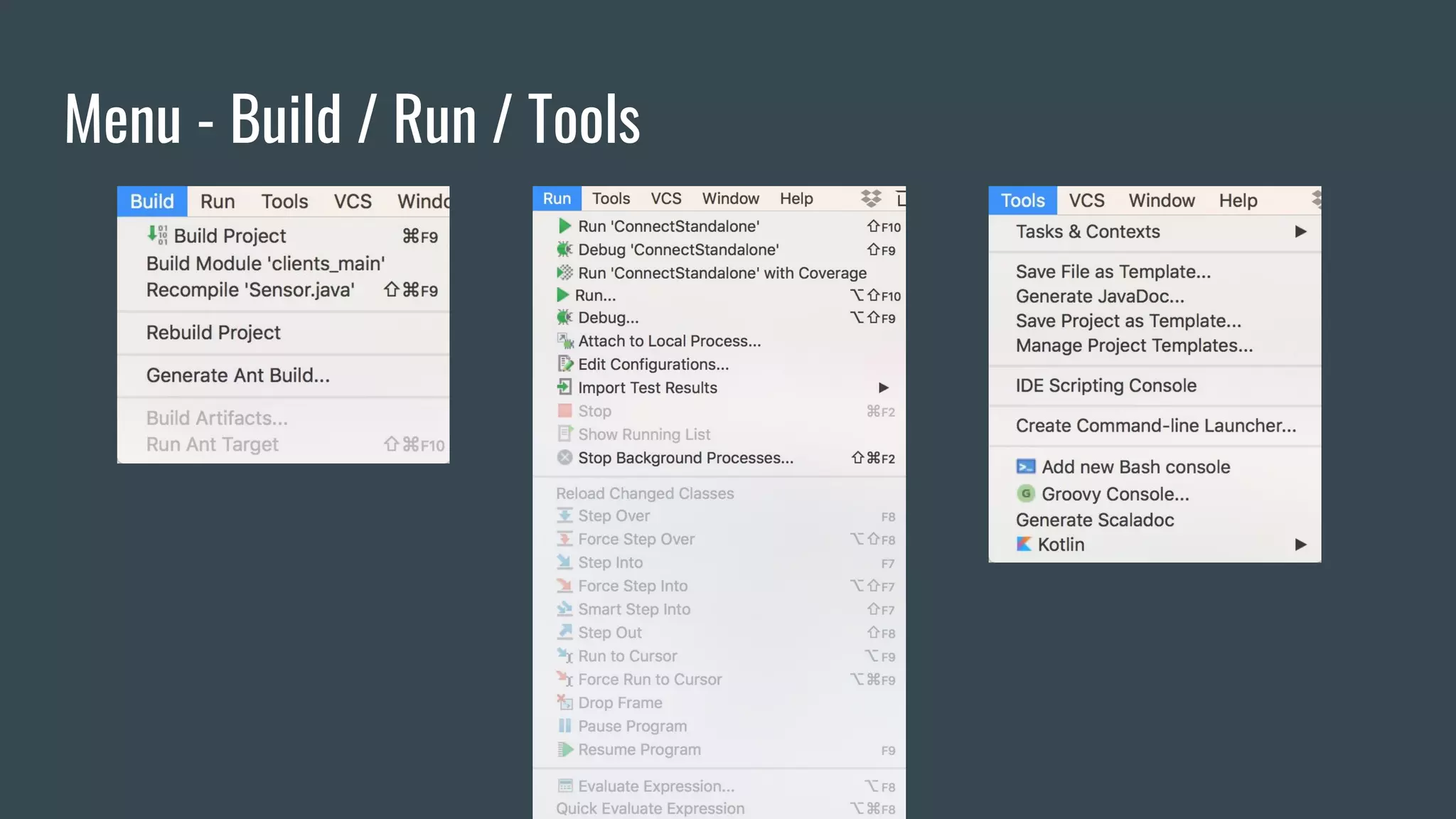
Menu - Build / Run / Tools
Look into Large Project
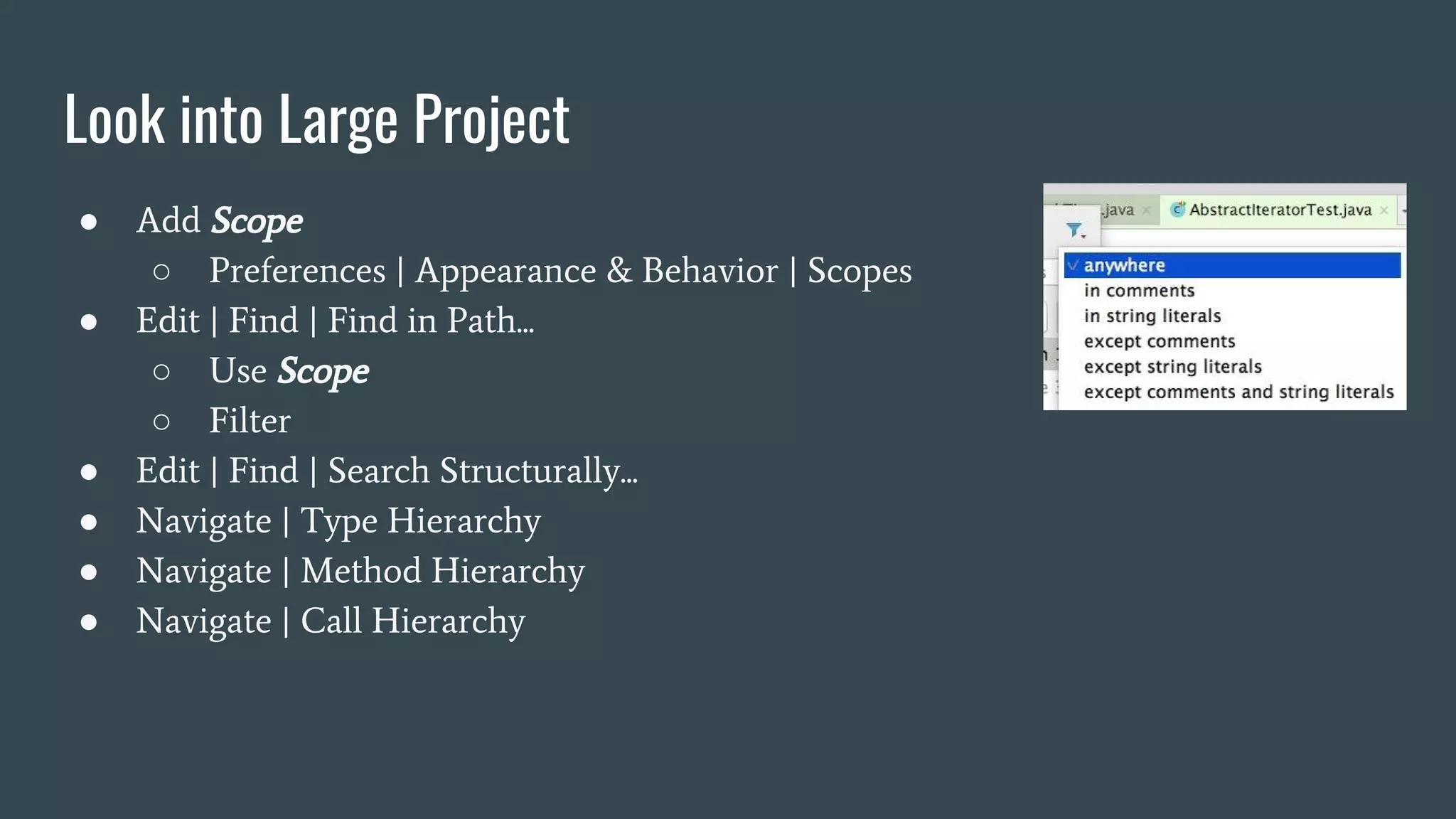
● Add Scope
○ Preferences | Appearance & Behavior | Scopes
● Edit | Find | Find in Path...
○ Use Scope
○ Filter
● Edit | Find | Search Structurally...
● Navigate | Type Hierarchy
● Navigate | Method Hierarchy
● Navigate | Call Hierarchy
Look into Large Project
● Menu: Analyze
○ Analyze Dependencies ...
○ Analyze Backward Dependencies ...
○
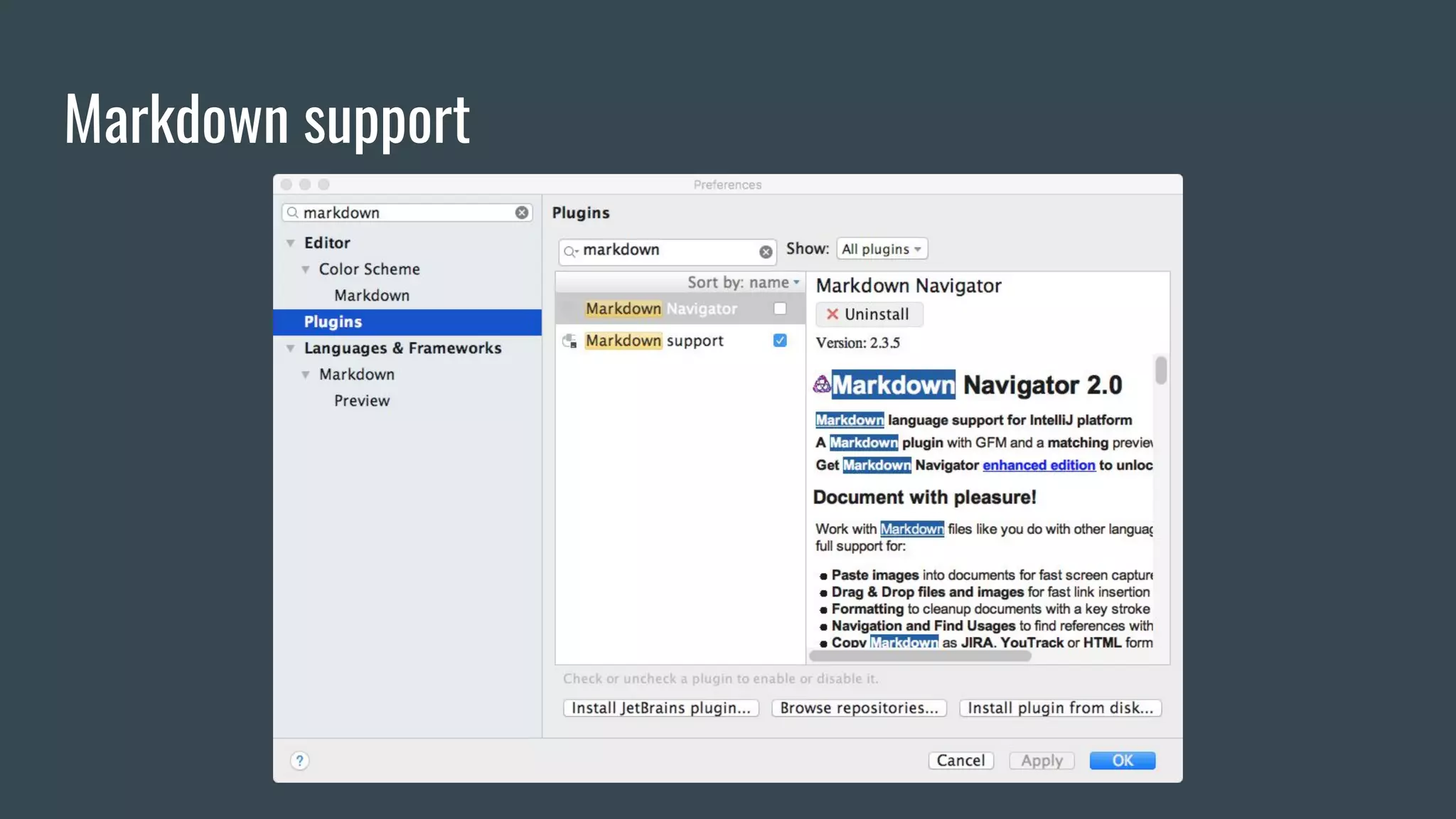
Markdown support
Performance
● Intellij IDEA's cache is sometimes not quite right enough to cause performance
issue.
○ Rebuild cache
■ File | Invalidate Caches / Restart
● Too many Scala classes may cause very slow editor response
○ Turn off some inspections of Scala
■ Preferences | Editor | Inspections | Scala Category
Join ScalaTaiwan Gitter Room!
https://gitter.im/ScalaTaiwan/ScalaTaiwan
Thank you !

Intellij IDEA Intro, Tips and Tricks

  • 1.
    Intellij IDEA Intro, Tipsand Tricks vitojeng vito@is-land.com.tw 2017.11.21
  • 2.
    Intro ● IntelliJ IDEAis a Java integrated development environment (IDE) for developing computer software. (wikipedia) ● Two editions ○ Ultimate Edition ○ Community Edition - opensourced in github ○ Comparison matrix ● We use community edition in this talk.
  • 3.
  • 4.
    User Interface ● DefaultIDE Layout ○ Menu & Toolbar ○ Navigation bar ○ Status bar ○ Editor ○ Tool Windows ● Keymap ● Help
  • 5.
  • 6.
    ● Project(What isproject?) ○ Configuration format ■ Directory-based(.idea/, *.xml) ■ File-based(.ipr, *.iws) ● Module(What is a module?) ○ .iml ● Version control(if you want) ○ .xml , .ipr, .iml ○ Exclude: ■ workspace.xml ■ *.iws Project & Module concept Intellij Window 1 Window 2 Project A Project B Module A1 Module A2 Module B1 Module B2
  • 7.
    Choose a SuitableKeymap is Important Mac OS X 10.5+ : If you are using IntelliJ IDEA only on Mac OS, we recommend choosing the schema named “Mac OS X 10.5+”. Mac OS X : The default “Mac OS X” schema is recommended if you use IntelliJ IDEA on other platforms too as the bindings are more alike to the default Windows/Linux schema. I use Mac OS X keymap in multi-platforms.
  • 8.
  • 9.
    New Project inIntellij IDEA(without SBT) ● Just Play Scala ! ● New Project Wizard ○ File | New | Project... ■ Java - Add Scala Libraries ■ Scala - IDEA-based Scala project
  • 10.
    New / ImportProject in Intellij IDEA(with SBT) ● Many Scala project use SBT. ● New Project Wizard ○ File | New | Project... ■ SBT-based Scala project ● Import Project Wizard ○ File | New | Project from Existing Sources... ■ choose a folder(existing SBT project) ● Import project from external model (SBT/Gradle/Maven)
  • 11.
    Working with SBT ●Tool Windows ○ Project ○ SBT ○ SBT Shell ● Attach debugger to SBT Shell
  • 12.
    Working with ScalaWorksheet ● REPL mode in Intellij IDEA ● How about Ammonite support ? ○ Look like there will be something in 2017.3(public preview) ○ Stay tuned ! (github, youtrack)
  • 13.
    Desugar Scala ● Code| Desugar Scala code ... ● Show Diff
  • 14.
    Work with Git/ Github ● Import Git / Github project ○ Command line ■ $ git clone ■ File | New | Project from Existing Sources... ■ Import SBT project ○ User interface ■ File | New | Project from Version Control | Github ■ SBT project detected: Import SBT project
  • 15.
    Work with Git/ Github ● Mutiple Version Control in the same Project ○ Mutiple git repo ○ Mix with different version control
  • 16.
    Work with Git/ Github ● Switch Branch ● Local Changes ● Log ● Show History ● Show Diff
  • 17.
    ● Keyboard ShortcutsYou Cannot Miss ● Example ● Help | Keymap Reference Keymap & Keyboard Shortcuts
  • 18.
    Menu - Edit| Find / Replace ● Find... / Replace... ● Find in Path... / Replace in Path... ● Find Usages ● Search Structurally...
  • 19.
    Menu - View ●Quick Definition ● Quick Documentation ● Recent Files ● Compare With...
  • 20.
    Menu - Navigate ●Class... ● File... ● Symbol... ● Select In... ● File Structure
  • 21.
    Menu - Code ●Generate... ● Surround With... ● Unwrap/Remove... ● Desugar Scala code...
  • 22.
  • 23.
    Menu - Build/ Run / Tools
  • 24.
    Look into LargeProject ● Add Scope ○ Preferences | Appearance & Behavior | Scopes ● Edit | Find | Find in Path... ○ Use Scope ○ Filter ● Edit | Find | Search Structurally... ● Navigate | Type Hierarchy ● Navigate | Method Hierarchy ● Navigate | Call Hierarchy
  • 25.
    Look into LargeProject ● Menu: Analyze ○ Analyze Dependencies ... ○ Analyze Backward Dependencies ... ○
  • 26.
  • 27.
    Performance ● Intellij IDEA'scache is sometimes not quite right enough to cause performance issue. ○ Rebuild cache ■ File | Invalidate Caches / Restart ● Too many Scala classes may cause very slow editor response ○ Turn off some inspections of Scala ■ Preferences | Editor | Inspections | Scala Category
  • 28.
    Join ScalaTaiwan GitterRoom! https://gitter.im/ScalaTaiwan/ScalaTaiwan
  • 29.