
URL Manipulation
Created By:
Shivam Singh
Index
 Introduction to URLs
 What Is URL Manipulation?
 URL Manipulation Attacks
 Trial and Error
 Directory Traversal
 Countermeasures
Introduction to URLs
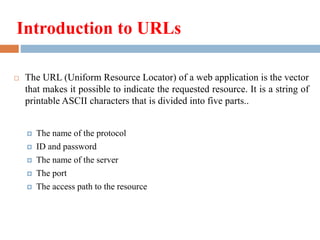
 The URL (Uniform Resource Locator) of a web application is the vector
that makes it possible to indicate the requested resource. It is a string of
printable ASCII characters that is divided into five parts..
 The name of the protocol
 ID and password
 The name of the server
 The port
 The access path to the resource
What Is URL manipulation?
 URL Manipulation comes with all of the problems stated above about
Hidden Form Fields, and creates some new problems as well.
 HTML Forms may submit their results using one of two methods:
GET or POST. If the method is GET, all form element names and their
values will appear in the query string of the next URL the user sees.
Tampering with hidden form fields is easy enough, but tampering with
query strings is even easier. One need only look at the URL in the
browser's address bar.
Continue…
 Take the following example; a web page allows the authenticated user
to select one of his pre-populated accounts from a drop-down box and
debit the account with a fixed unit amount. It's a common scenario.
His/her choices are recorded by pressing the submit button. The page
is actually storing the entries in form field values and submitting them
using a form submit command. The command sends the following
HTTP request.
 A malicious user could construct his own account number and change
the parameters. The new parameters would be sent to the application
and be processed accordingly.
URL Manipulation Attacks
 By manipulating certain parts of a URL, a hacker can get a web server
to deliver web pages he is not supposed to have access to.
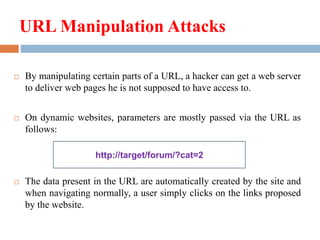
 On dynamic websites, parameters are mostly passed via the URL as
follows:
 The data present in the URL are automatically created by the site and
when navigating normally, a user simply clicks on the links proposed
by the website.
http://target/forum/?cat=2
Continue…
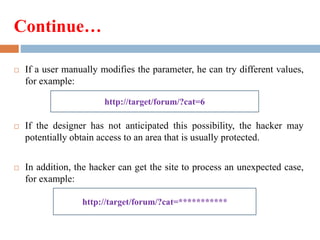
 If a user manually modifies the parameter, he can try different values,
for example:
 If the designer has not anticipated this possibility, the hacker may
potentially obtain access to an area that is usually protected.
 In addition, the hacker can get the site to process an unexpected case,
for example:
http://target/forum/?cat=6
http://target/forum/?cat=***********
Trial and Error
 A hacker may possibly test directories and file extensions randomly in
order to find important information. Here a few classic examples:
 Search for directories making it possible to administer the site.
 Search for a script to reveal information about the remote system.
 Search for backup copies. The .bak extension is generally used and is not
interpreted by servers by default.
 Search for hidden files in the remote system. On UNIX systems, when the
site's root directory corresponds to a user's directory, the files created by
the system may be accessible via the web.
Directory Traversal
 Directory traversal or path traversal attacks involve modifying the
tree structure path in the URL in order to force the server to access
unauthorized parts of the site.
 In a classic example, the user may be forced to gradually move back
through the tree structure, particularly in the event that the resource is
not accessible
Countermeasures
 To secure a web server against URL manipulation attacks, it is
necessary to keep a watch on vulnerabilities and regularly apply the
patches provided by the web server's publisher.
 Moreover, a detailed configuration of the web server helps keep users
from surfing on pages they are not supposed to have access to. The
web server should therefore be configured as follows:
 Prevent the browsing of pages located below the website's root (chroot
mechanism)
 Disable the display of files present in a directory that does not contain an
index file ("Directory Browsing")
Continue…
 Delete useless directories and files (including hidden files)
 Make sure the server protects access to directories containing sensitive
data
 Delete unnecessary configuration options
 Make sure the server accurately interprets dynamic pages, including
backup files (.bak)
 Delete unnecessary script interpreters
 Prevent HTTP viewing of HTTPS accessible pages.
Thank You…
Shivam Singh
singh_shivam@ymail.com

Url manipulation

  • 1.
  • 2.
    Index  Introduction toURLs  What Is URL Manipulation?  URL Manipulation Attacks  Trial and Error  Directory Traversal  Countermeasures
  • 3.
    Introduction to URLs The URL (Uniform Resource Locator) of a web application is the vector that makes it possible to indicate the requested resource. It is a string of printable ASCII characters that is divided into five parts..  The name of the protocol  ID and password  The name of the server  The port  The access path to the resource
  • 4.
    What Is URLmanipulation?  URL Manipulation comes with all of the problems stated above about Hidden Form Fields, and creates some new problems as well.  HTML Forms may submit their results using one of two methods: GET or POST. If the method is GET, all form element names and their values will appear in the query string of the next URL the user sees. Tampering with hidden form fields is easy enough, but tampering with query strings is even easier. One need only look at the URL in the browser's address bar.
  • 5.
    Continue…  Take thefollowing example; a web page allows the authenticated user to select one of his pre-populated accounts from a drop-down box and debit the account with a fixed unit amount. It's a common scenario. His/her choices are recorded by pressing the submit button. The page is actually storing the entries in form field values and submitting them using a form submit command. The command sends the following HTTP request.  A malicious user could construct his own account number and change the parameters. The new parameters would be sent to the application and be processed accordingly.
  • 6.
    URL Manipulation Attacks By manipulating certain parts of a URL, a hacker can get a web server to deliver web pages he is not supposed to have access to.  On dynamic websites, parameters are mostly passed via the URL as follows:  The data present in the URL are automatically created by the site and when navigating normally, a user simply clicks on the links proposed by the website. http://target/forum/?cat=2
  • 7.
    Continue…  If auser manually modifies the parameter, he can try different values, for example:  If the designer has not anticipated this possibility, the hacker may potentially obtain access to an area that is usually protected.  In addition, the hacker can get the site to process an unexpected case, for example: http://target/forum/?cat=6 http://target/forum/?cat=***********
  • 8.
    Trial and Error A hacker may possibly test directories and file extensions randomly in order to find important information. Here a few classic examples:  Search for directories making it possible to administer the site.  Search for a script to reveal information about the remote system.  Search for backup copies. The .bak extension is generally used and is not interpreted by servers by default.  Search for hidden files in the remote system. On UNIX systems, when the site's root directory corresponds to a user's directory, the files created by the system may be accessible via the web.
  • 9.
    Directory Traversal  Directorytraversal or path traversal attacks involve modifying the tree structure path in the URL in order to force the server to access unauthorized parts of the site.  In a classic example, the user may be forced to gradually move back through the tree structure, particularly in the event that the resource is not accessible
  • 10.
    Countermeasures  To securea web server against URL manipulation attacks, it is necessary to keep a watch on vulnerabilities and regularly apply the patches provided by the web server's publisher.  Moreover, a detailed configuration of the web server helps keep users from surfing on pages they are not supposed to have access to. The web server should therefore be configured as follows:  Prevent the browsing of pages located below the website's root (chroot mechanism)  Disable the display of files present in a directory that does not contain an index file ("Directory Browsing")
  • 11.
    Continue…  Delete uselessdirectories and files (including hidden files)  Make sure the server protects access to directories containing sensitive data  Delete unnecessary configuration options  Make sure the server accurately interprets dynamic pages, including backup files (.bak)  Delete unnecessary script interpreters  Prevent HTTP viewing of HTTPS accessible pages.
  • 12.