Update product images, descriptions and
add size chart
In this module, we will discuss:-
1. How to update product images?
2. How to update product descriptions?
3. How to add a size chart to your catalogue?
How to update product images?
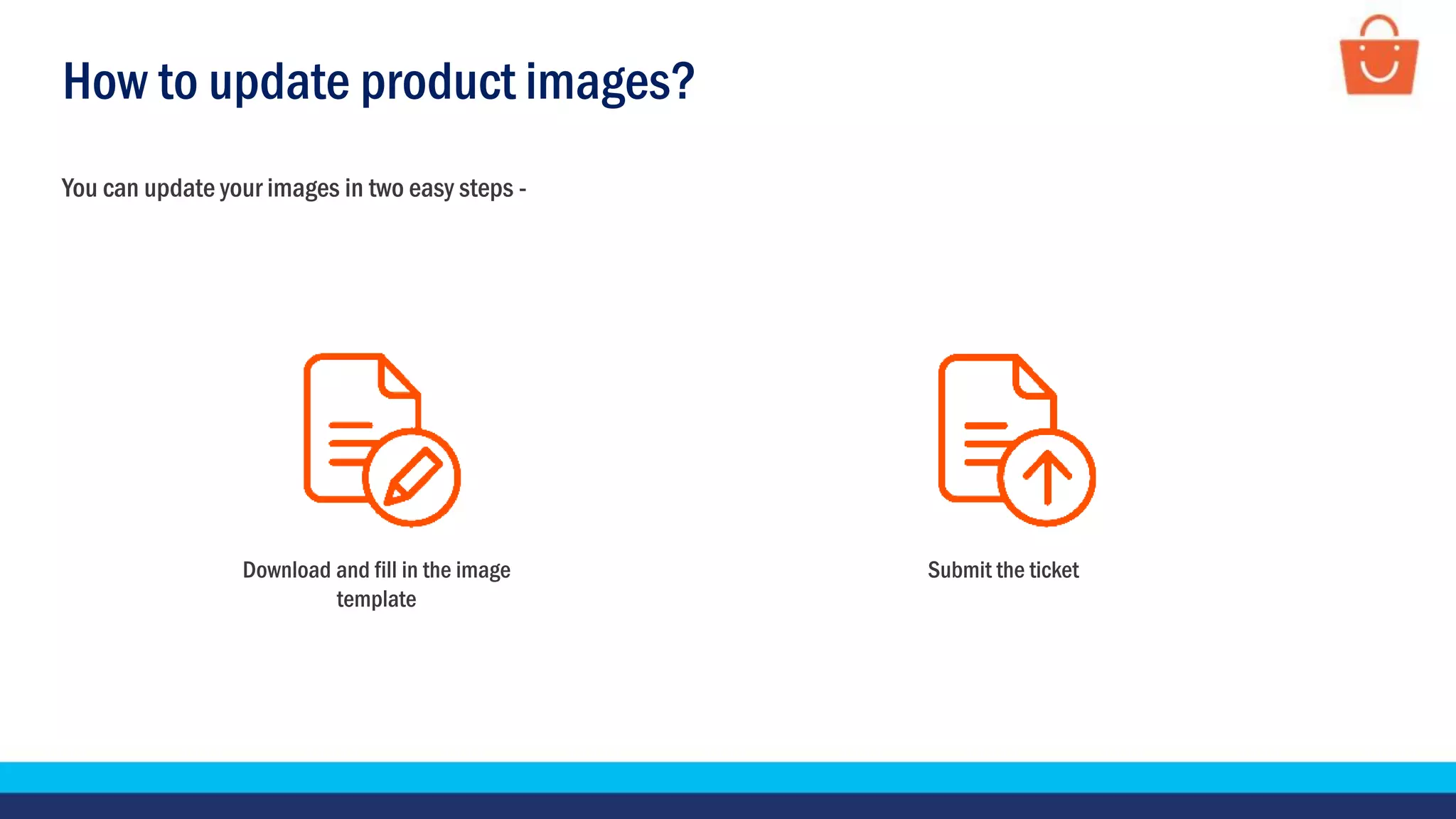
You can update your images in two easy steps -
Download and fill in the image
template
Submit the ticket
How to update product images?
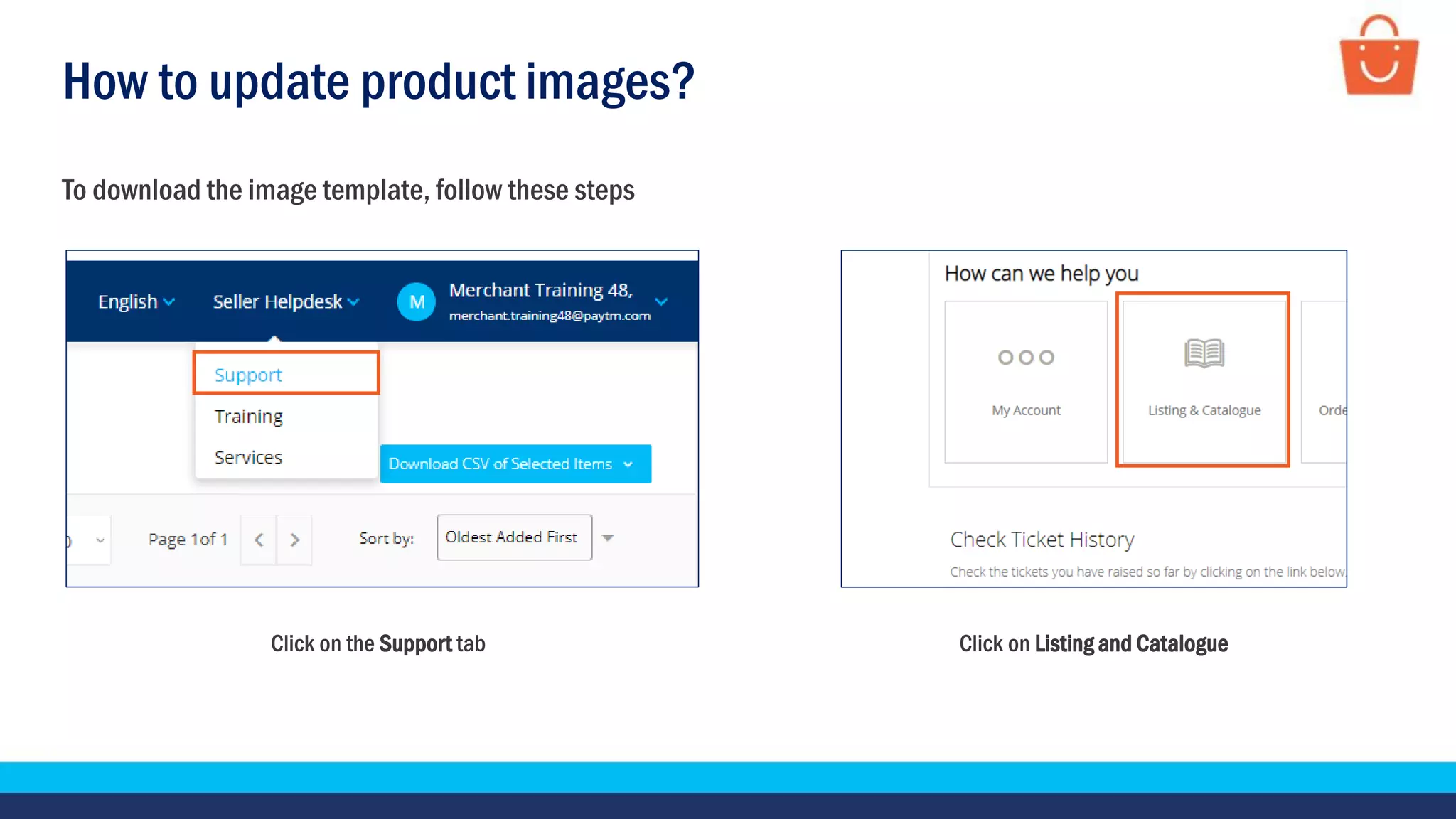
Click on the Support tab Click on Listing and Catalogue
To download the image template, follow these steps
How to update product images?
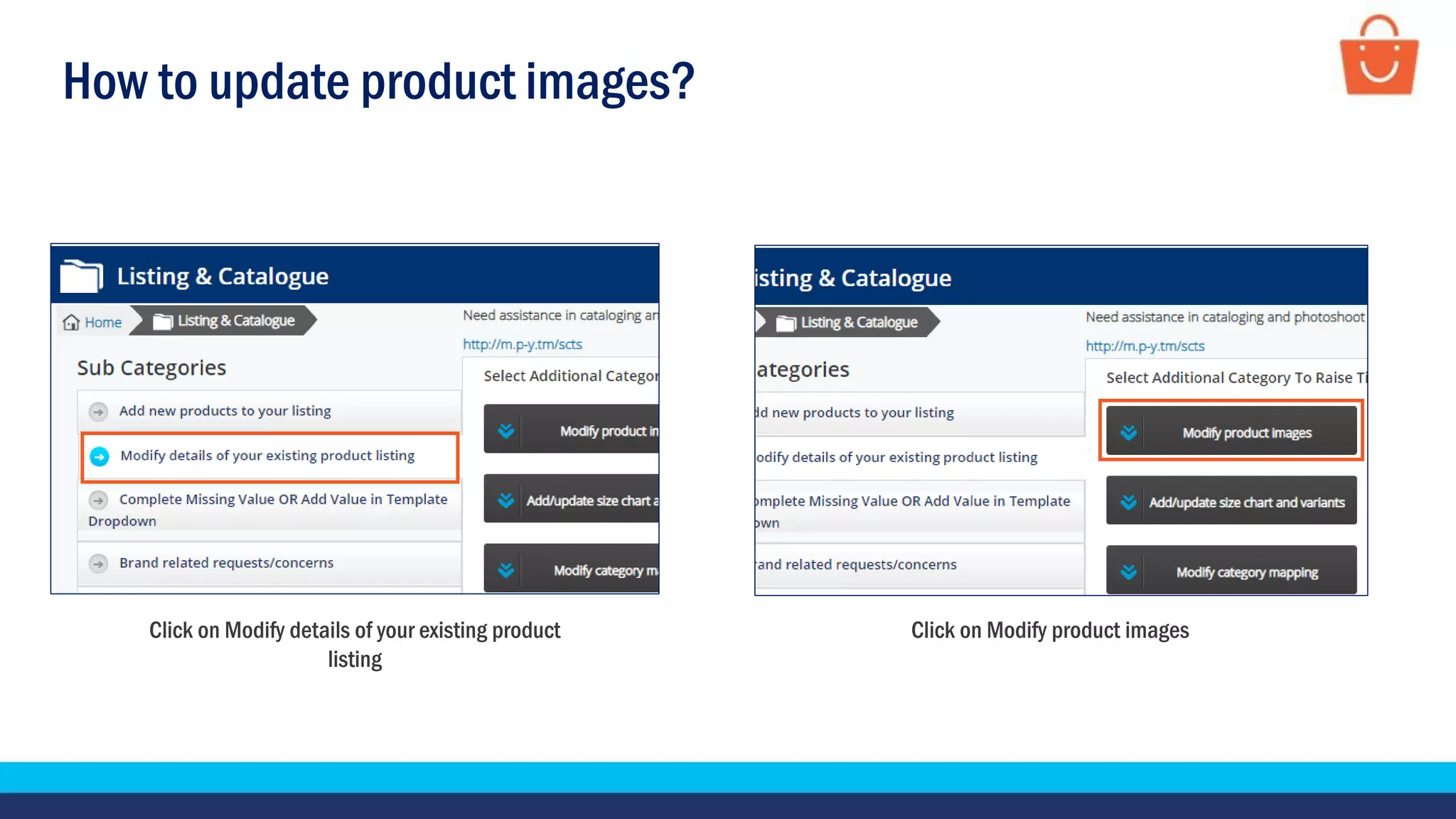
Click on Modify details of your existing product
listing
Click on Modify product images
How to update product images?
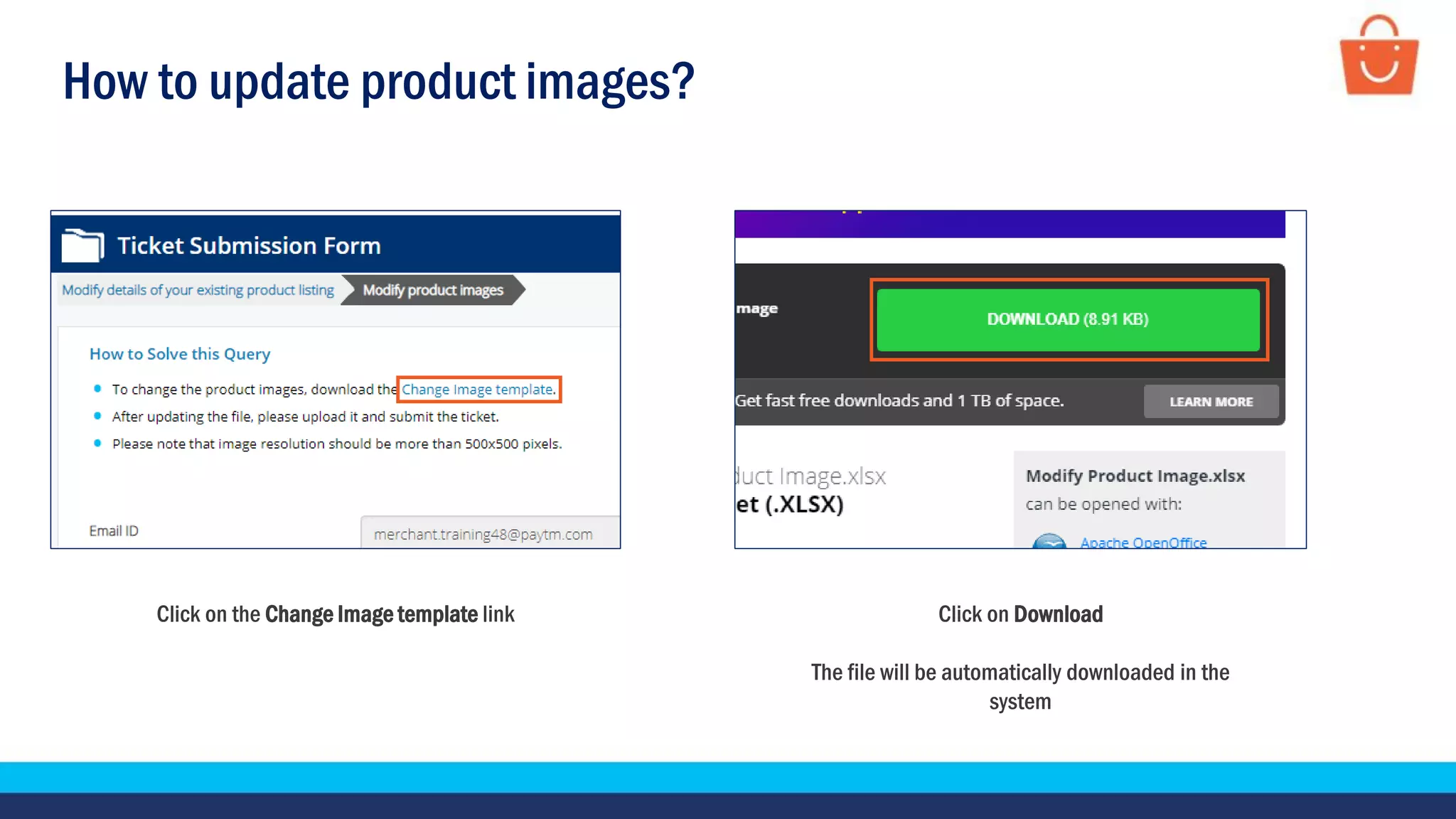
Click on the Change Image template link Click on Download
The file will be automatically downloaded in the
system
How to update product images?
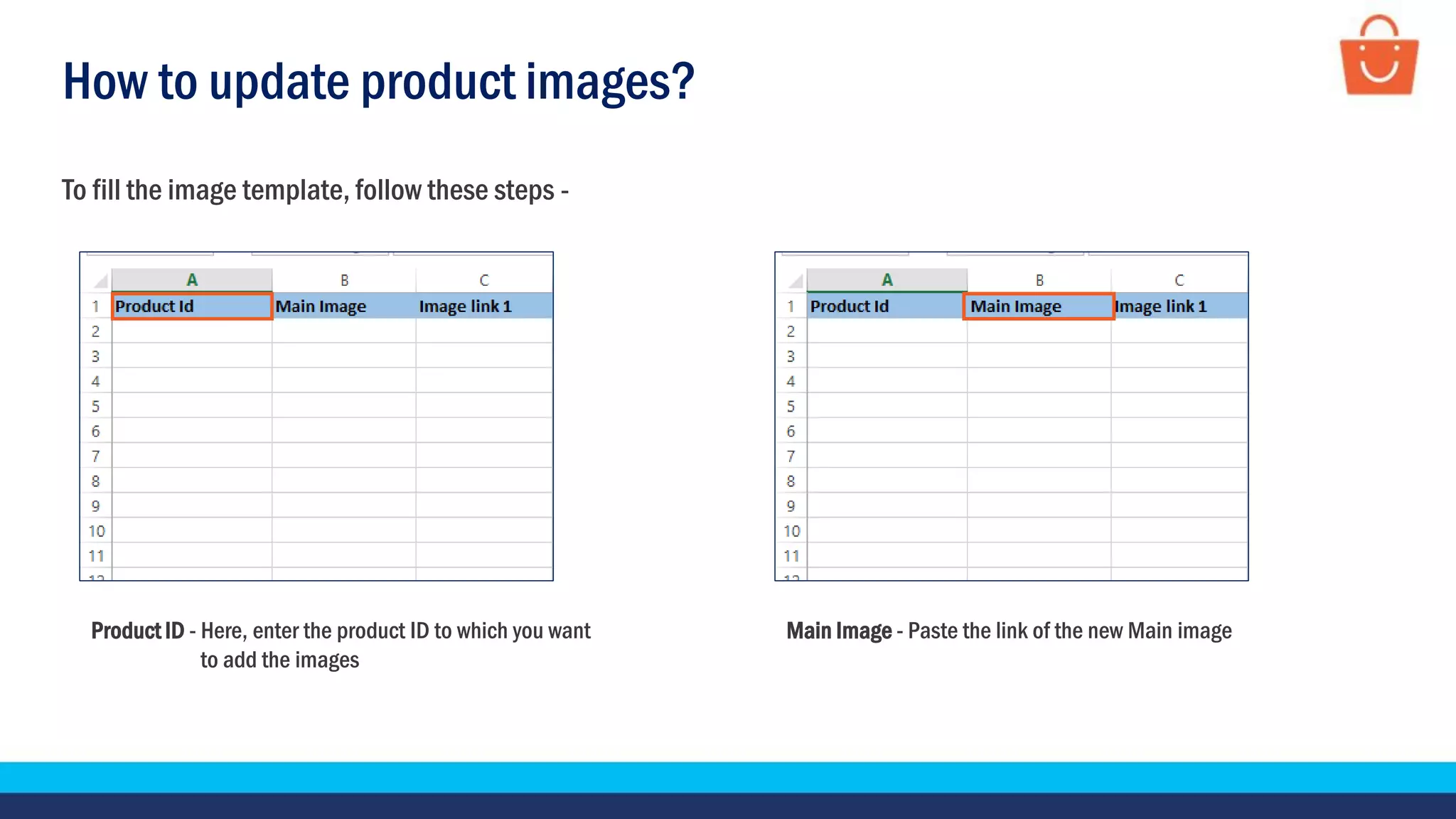
Product ID - Here, enter the product ID to which you want
to add the images
Main Image - Paste the link of the new Main image
To fill the image template, follow these steps -
How to update product images?
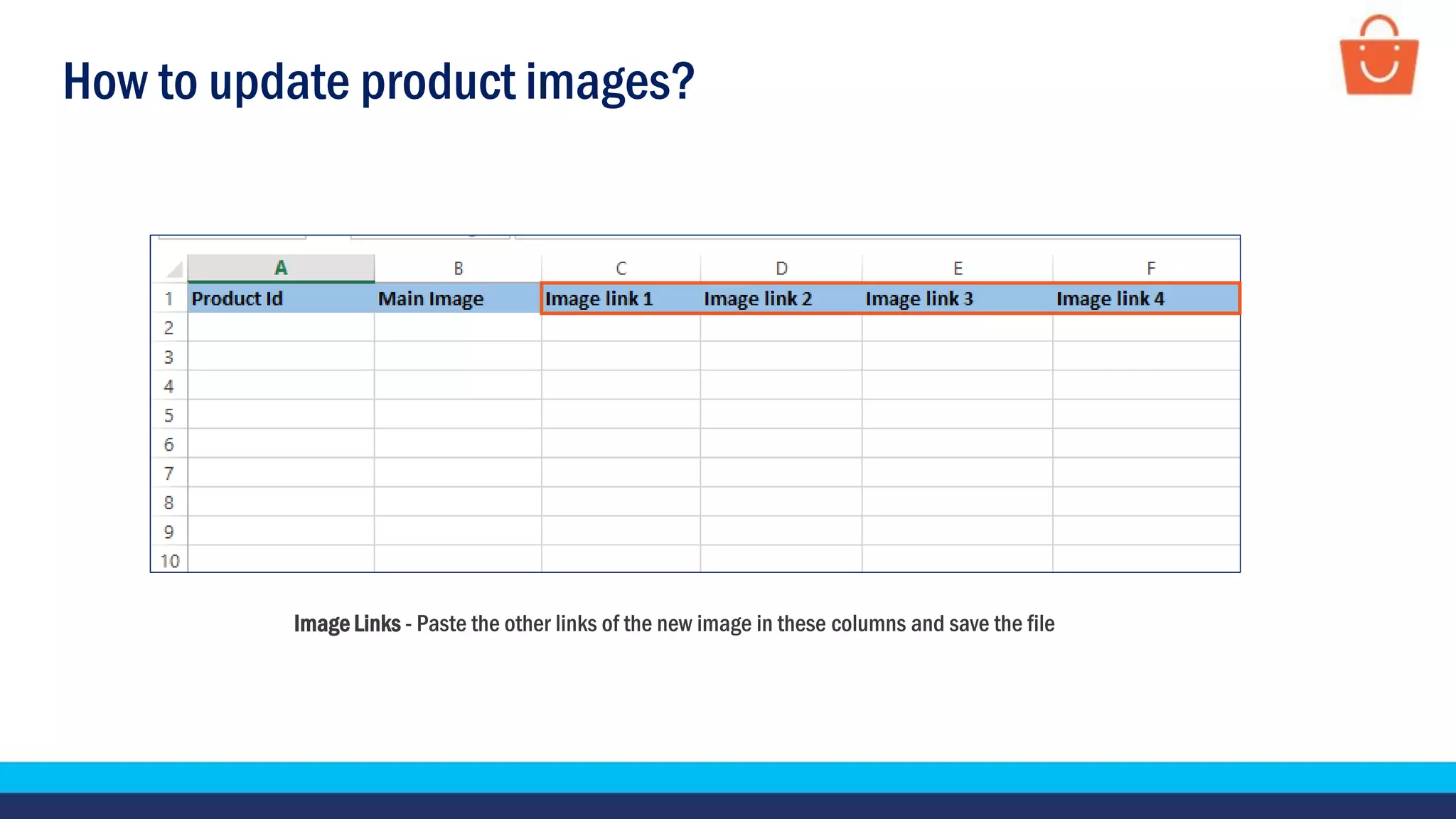
Image Links - Paste the other links of the new image in these columns and save the file
How to update product images?
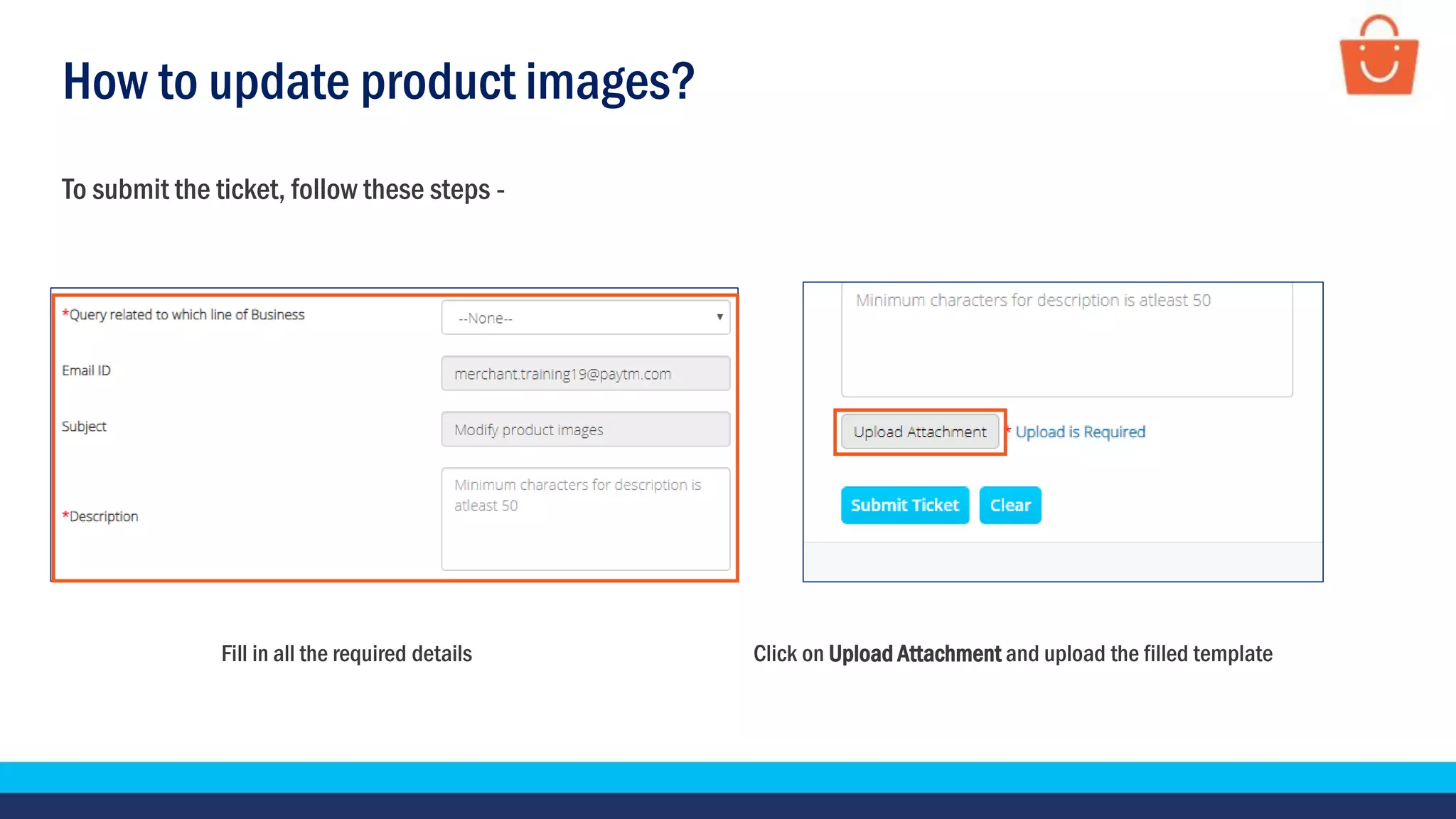
Fill in all the required details Click on Upload Attachment and upload the filled template
To submit the ticket, follow these steps -
How to update product images?
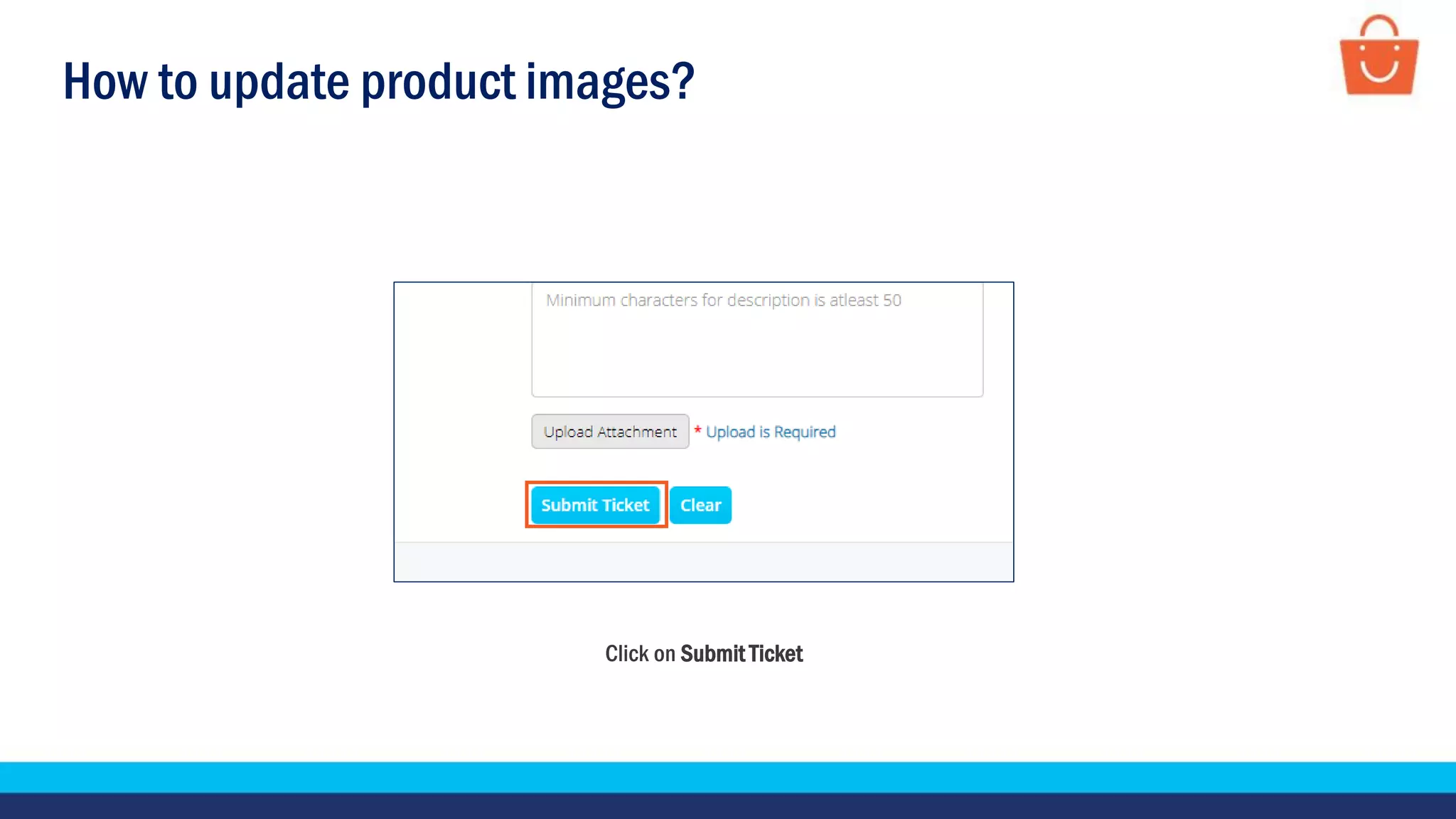
Click on Submit Ticket
How to update product description?
How to update product descriptions?
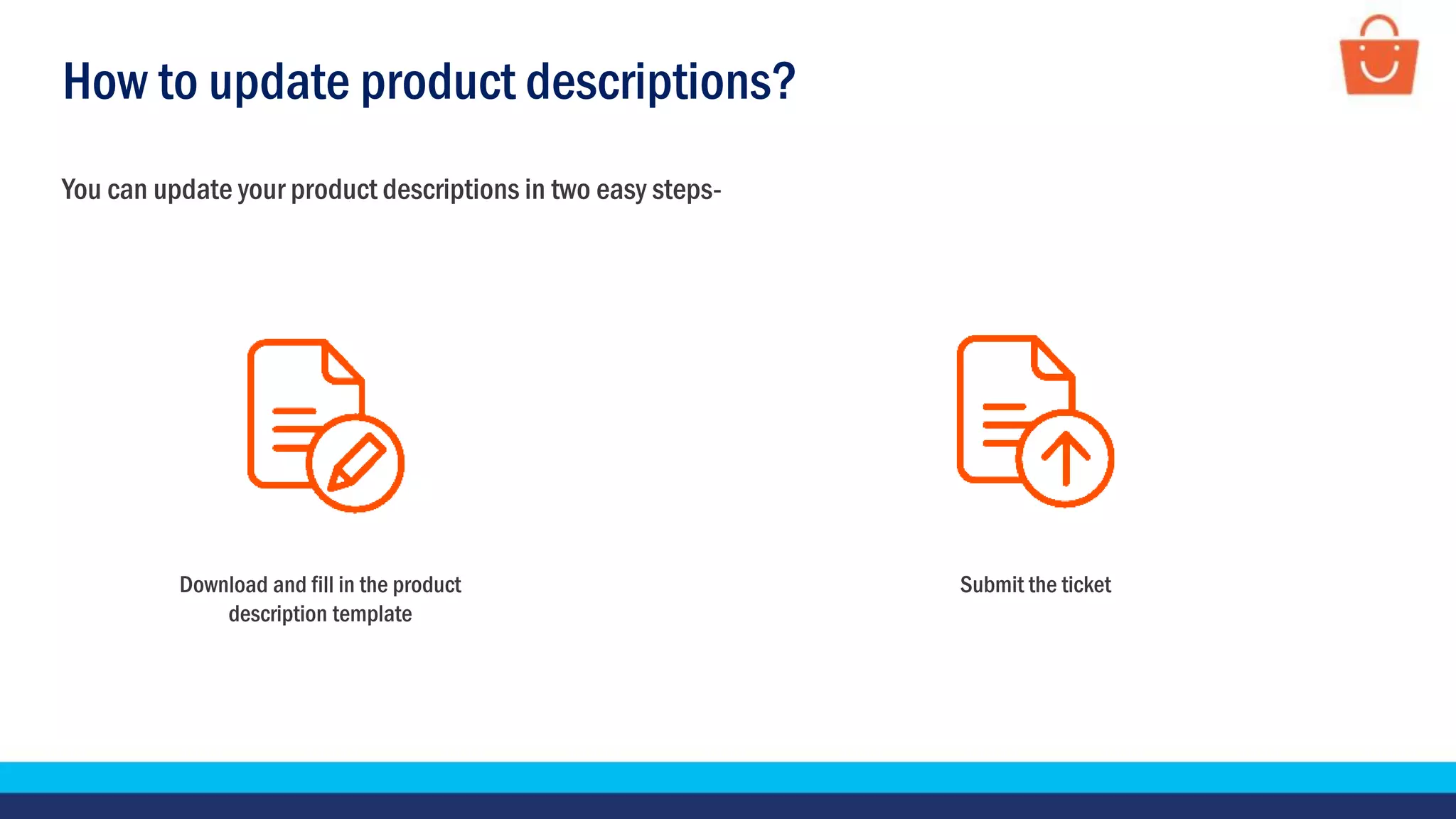
You can update your product descriptions in two easy steps-
Download and fill in the product
description template
Submit the ticket
How to update product descriptions?
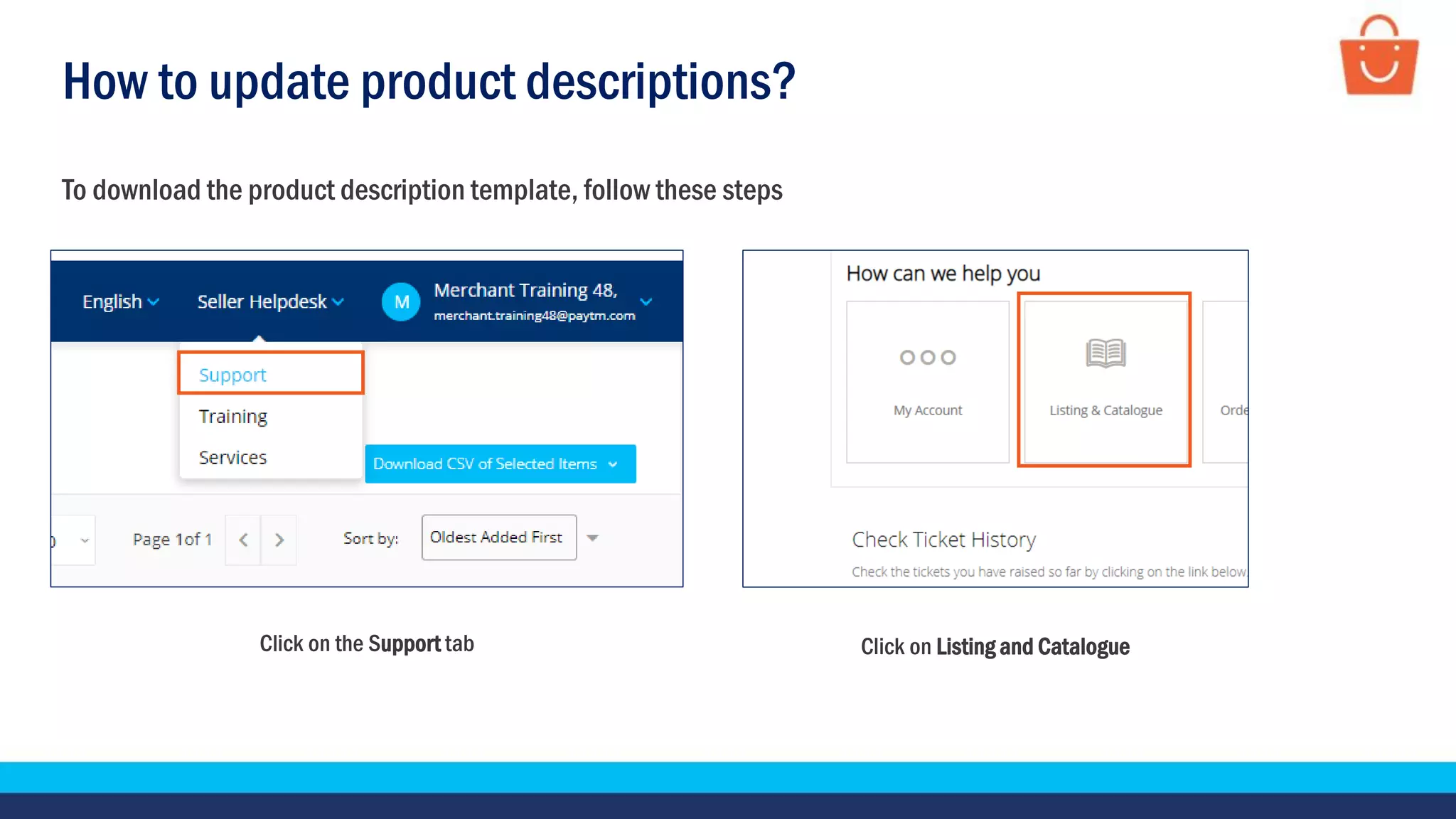
Click on the Support tab Click on Listing and Catalogue
To download the product description template, follow these steps
How to update product descriptions?
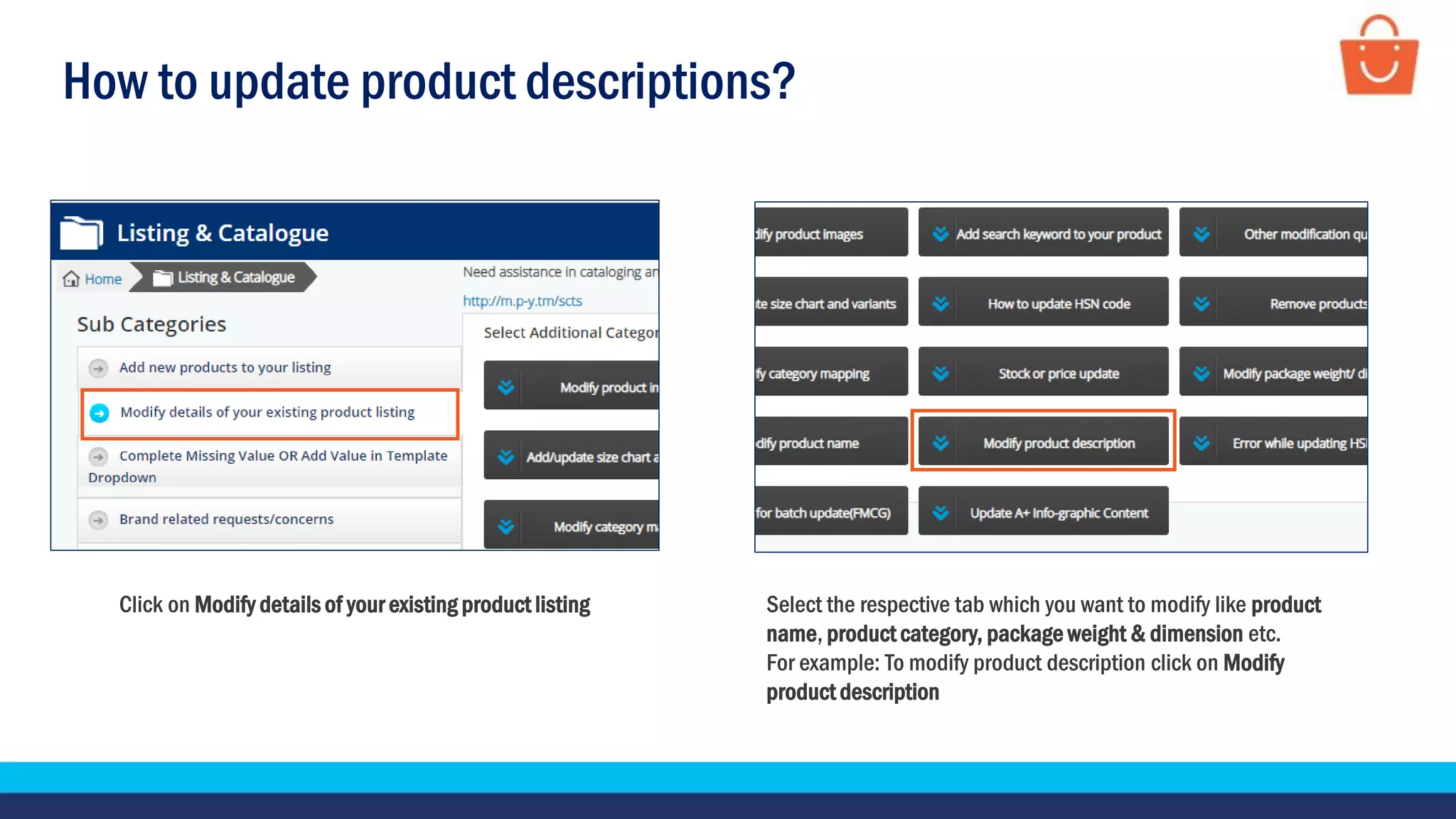
Click on Modify details of your existing product listing Select the respective tab which you want to modify like product
name, product category, package weight & dimension etc.
For example: To modify product description click on Modify
product description
How to update product descriptions?
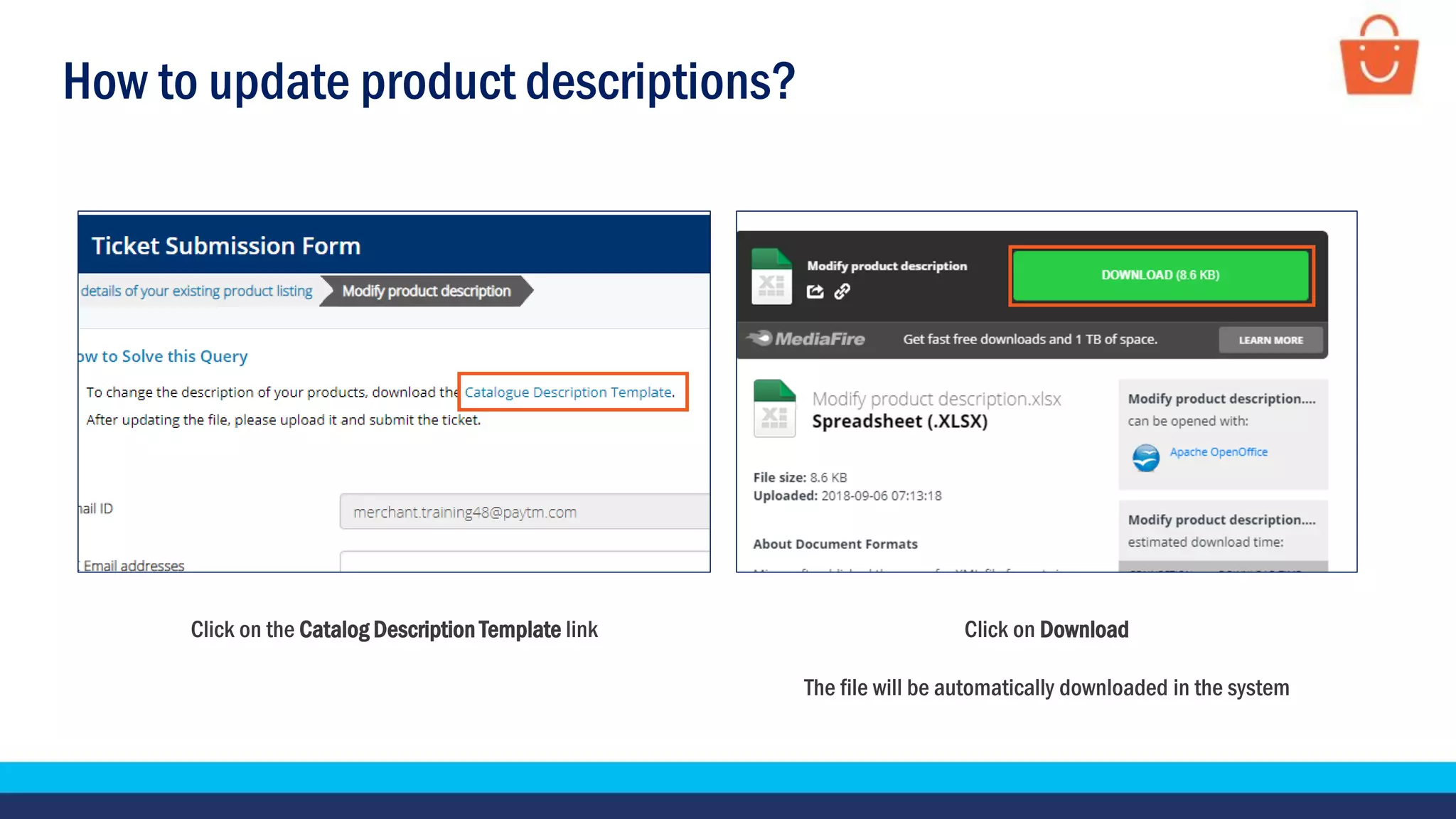
Click on the Catalog Description Template link Click on Download
The file will be automatically downloaded in the system
How to update product descriptions?
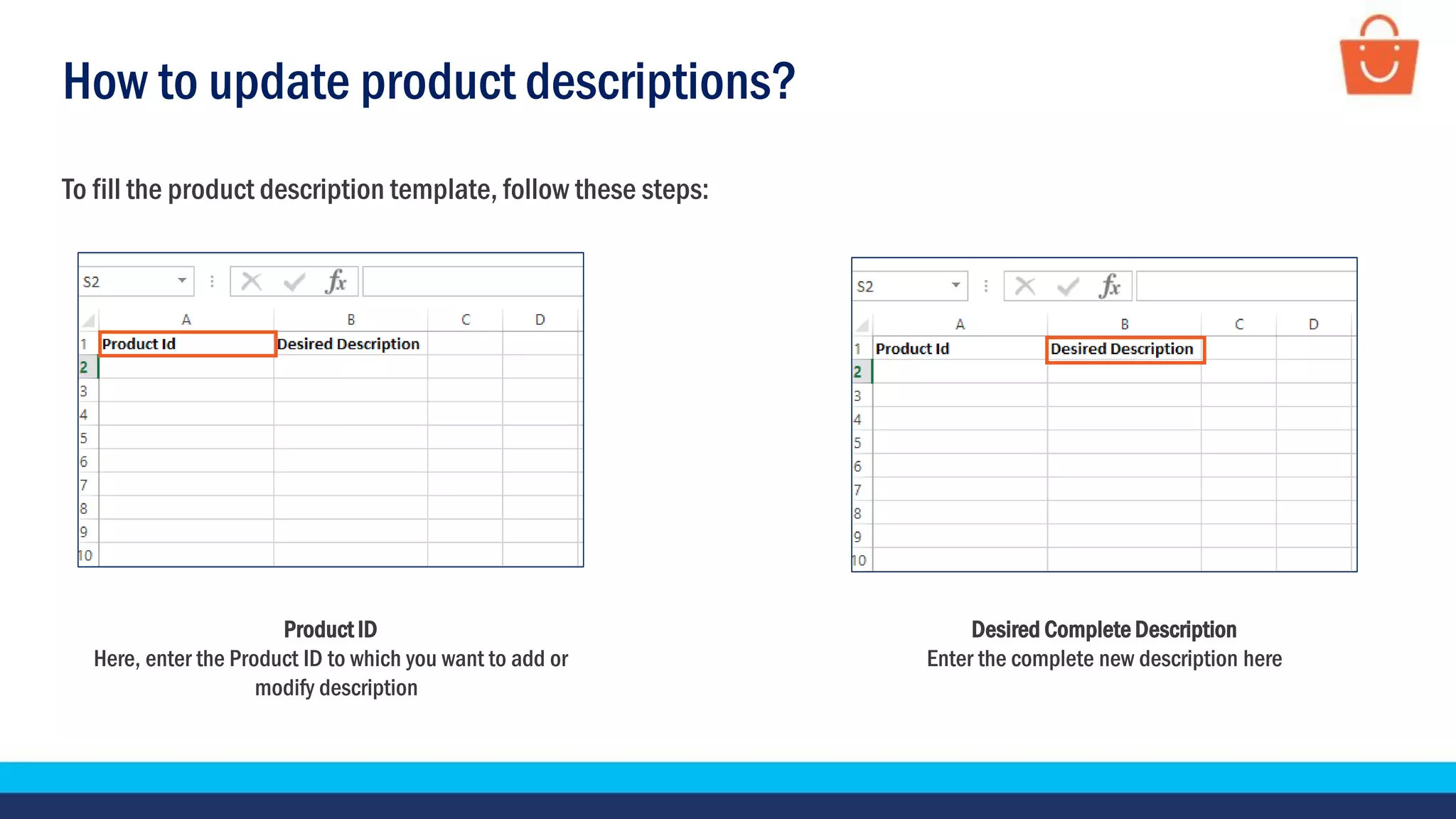
Product ID
Here, enter the Product ID to which you want to add or
modify description
To fill the product description template, follow these steps:
Desired Complete Description
Enter the complete new description here
How to update product descriptions?
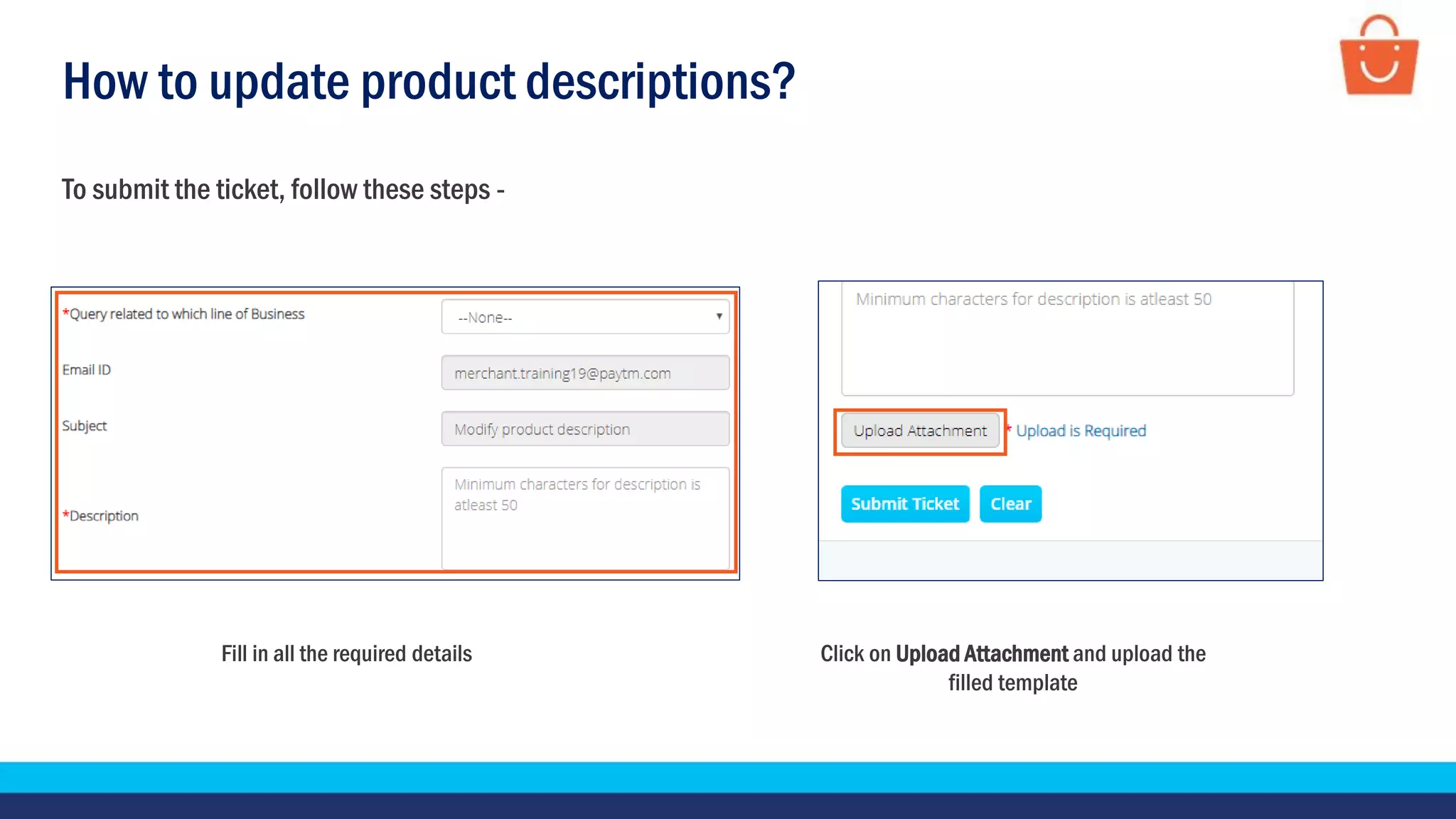
To submit the ticket, follow these steps -
Fill in all the required details Click on Upload Attachment and upload the
filled template
How to update product descriptions?
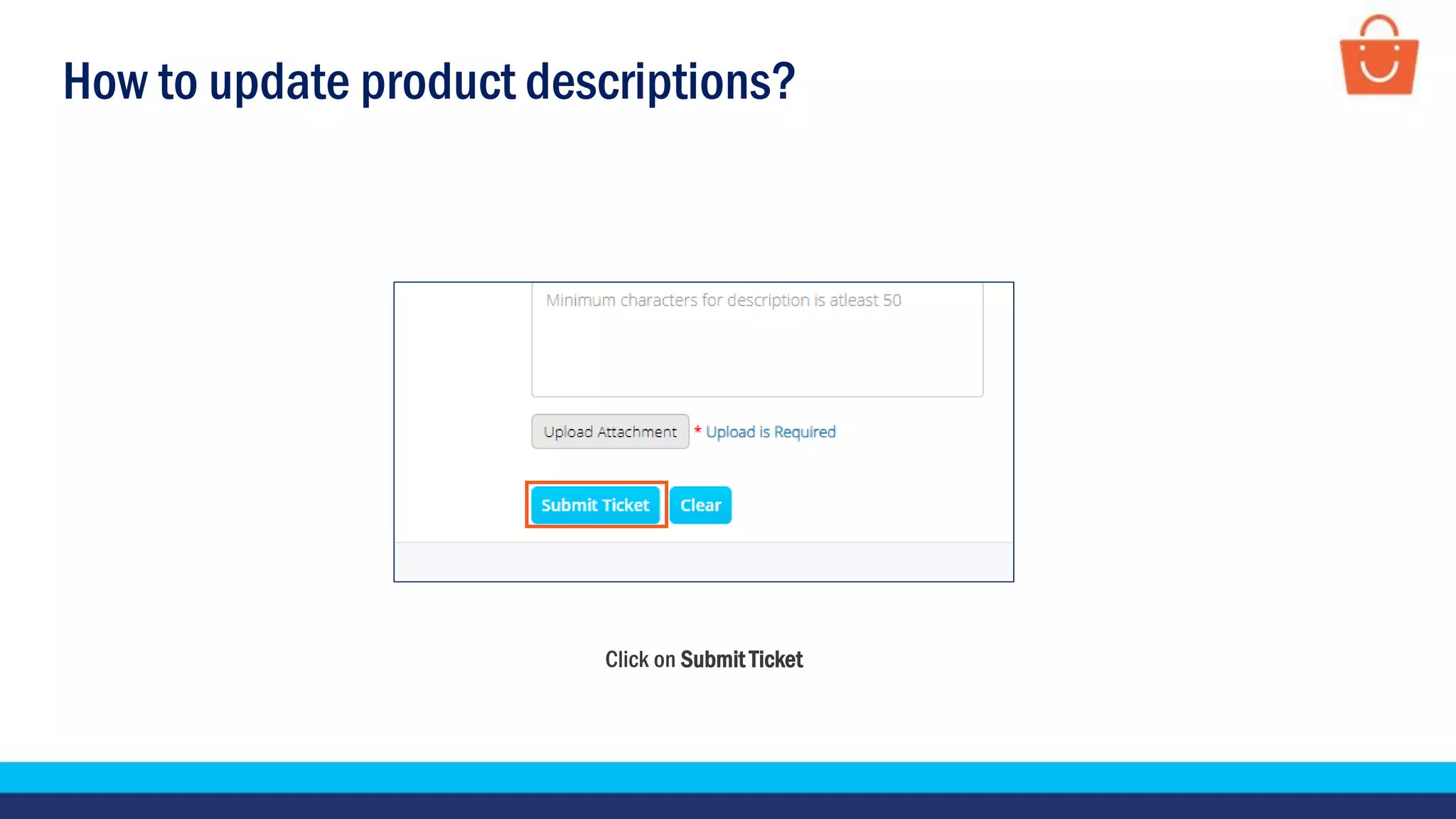
Click on Submit Ticket
How to add a size chart?
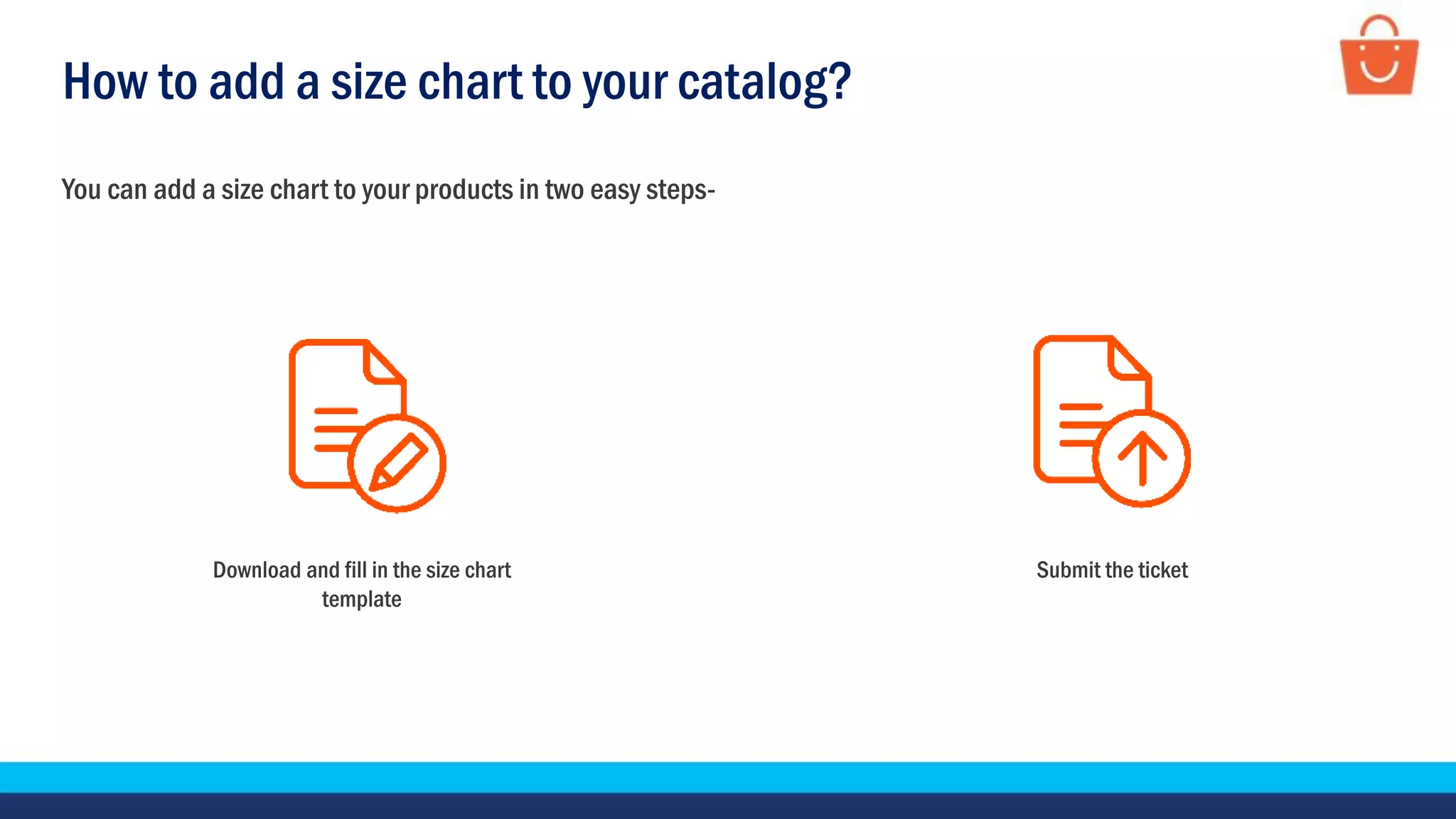
Submit the ticket
How to add a size chart to your catalog?
You can add a size chart to your products in two easy steps-
Download and fill in the size chart
template
How to add a size chart to your catalog?
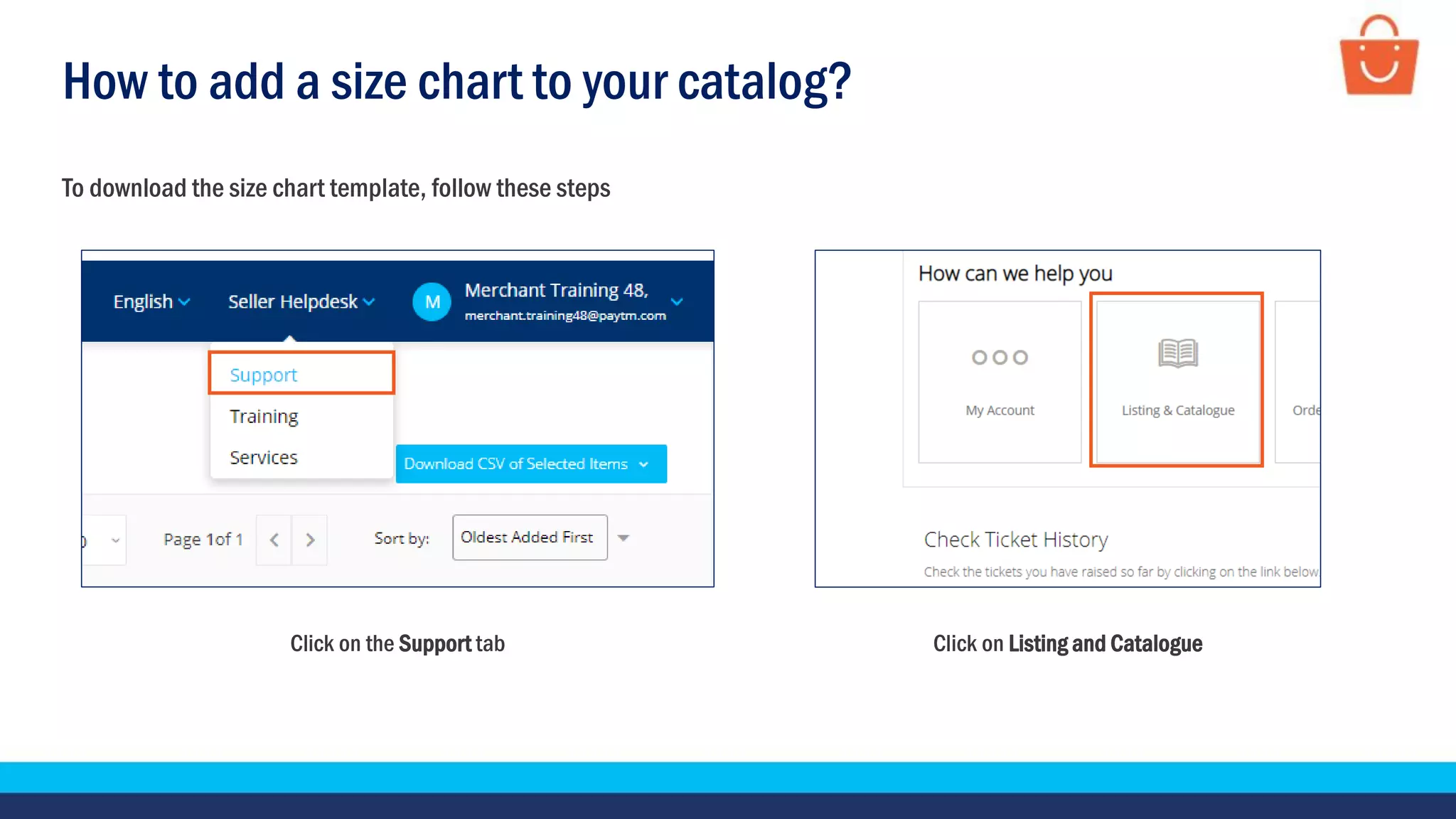
Click on the Support tab Click on Listing and Catalogue
To download the size chart template, follow these steps
How to add a size chart to your catalog?
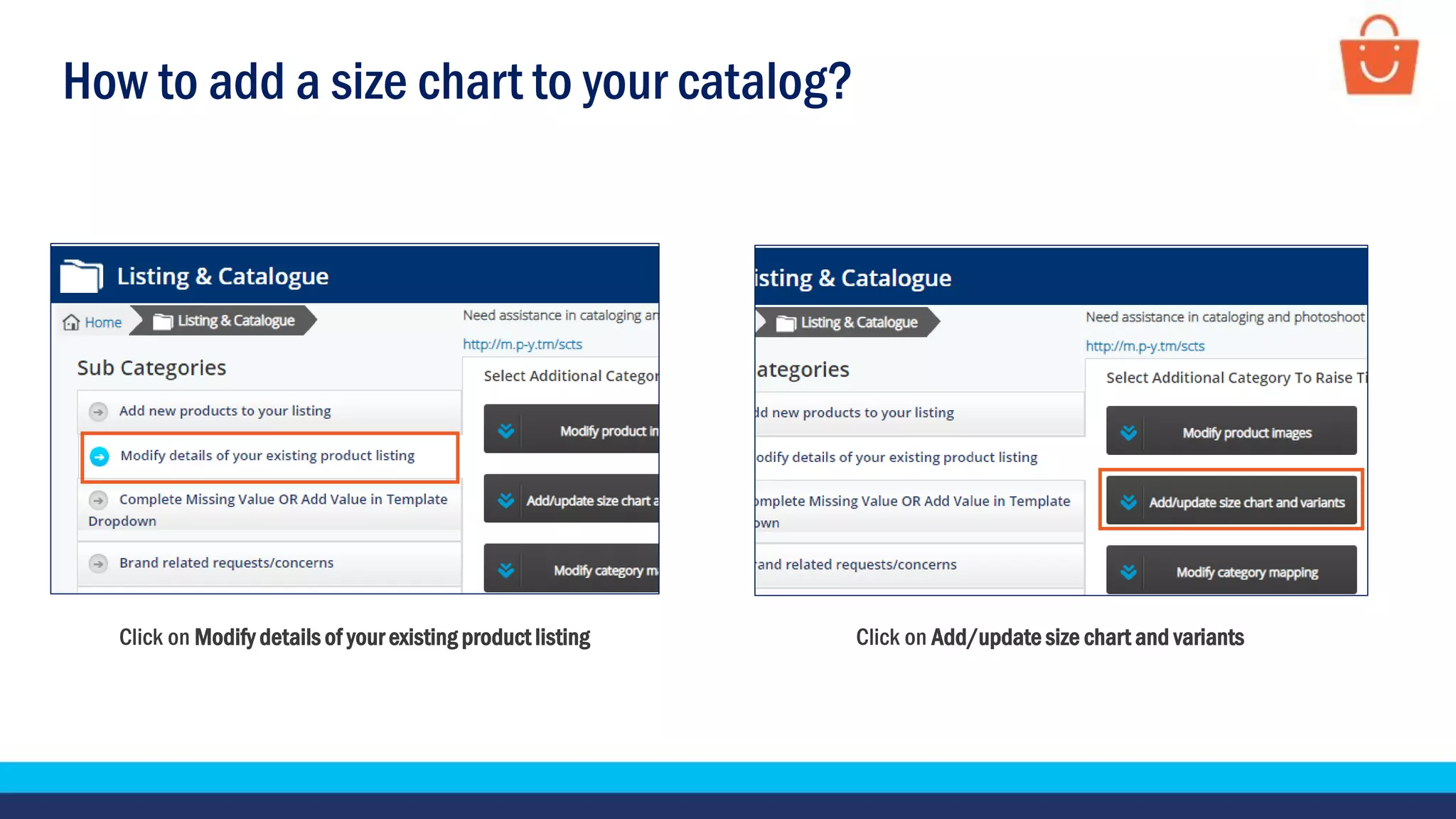
Click on Modify details of your existing product listing Click on Add/update size chart and variants
How to add a size chart to your catalog?
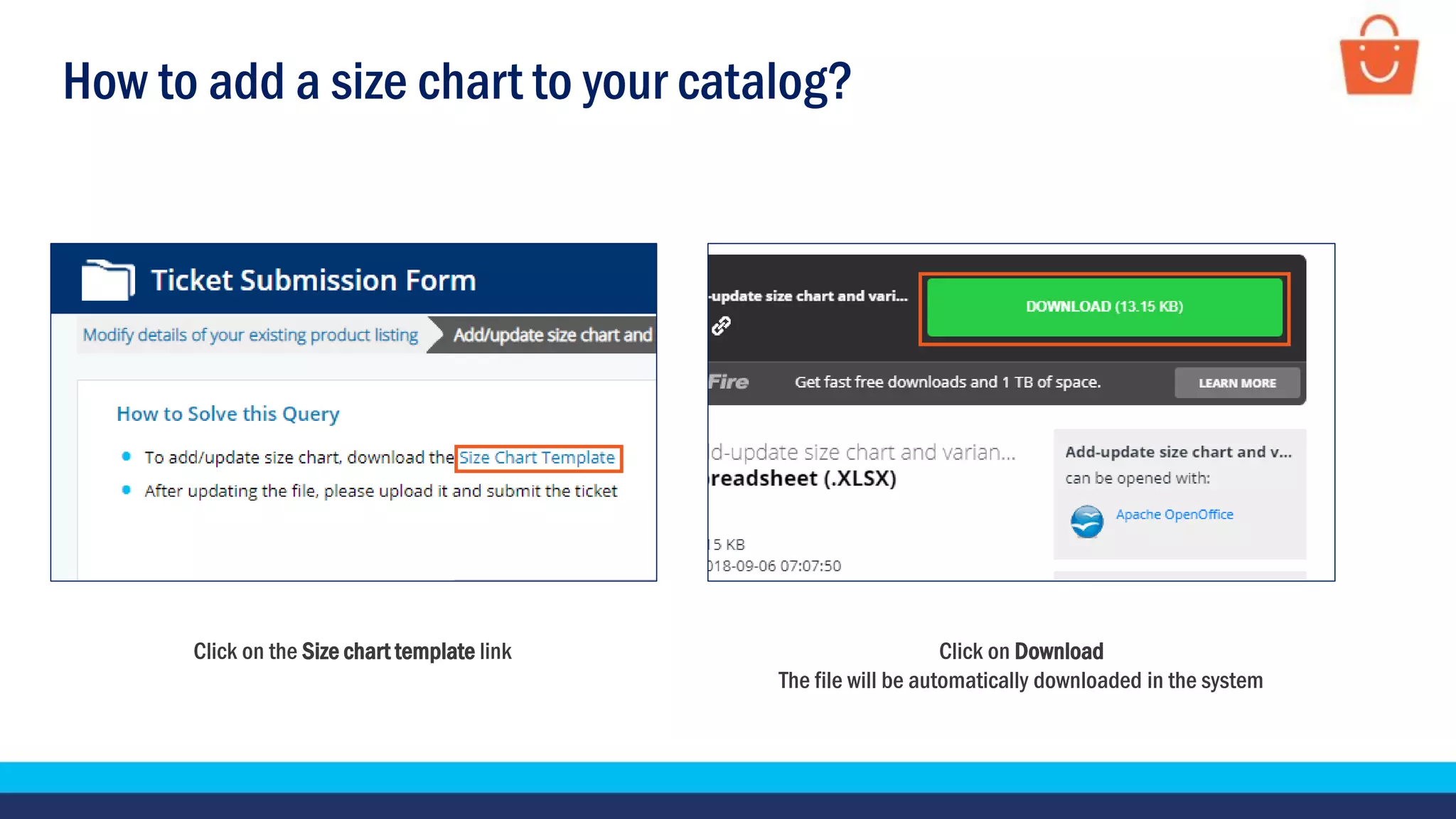
Click on the Size chart template link Click on Download
The file will be automatically downloaded in the system
How to add a size chart to your catalog?
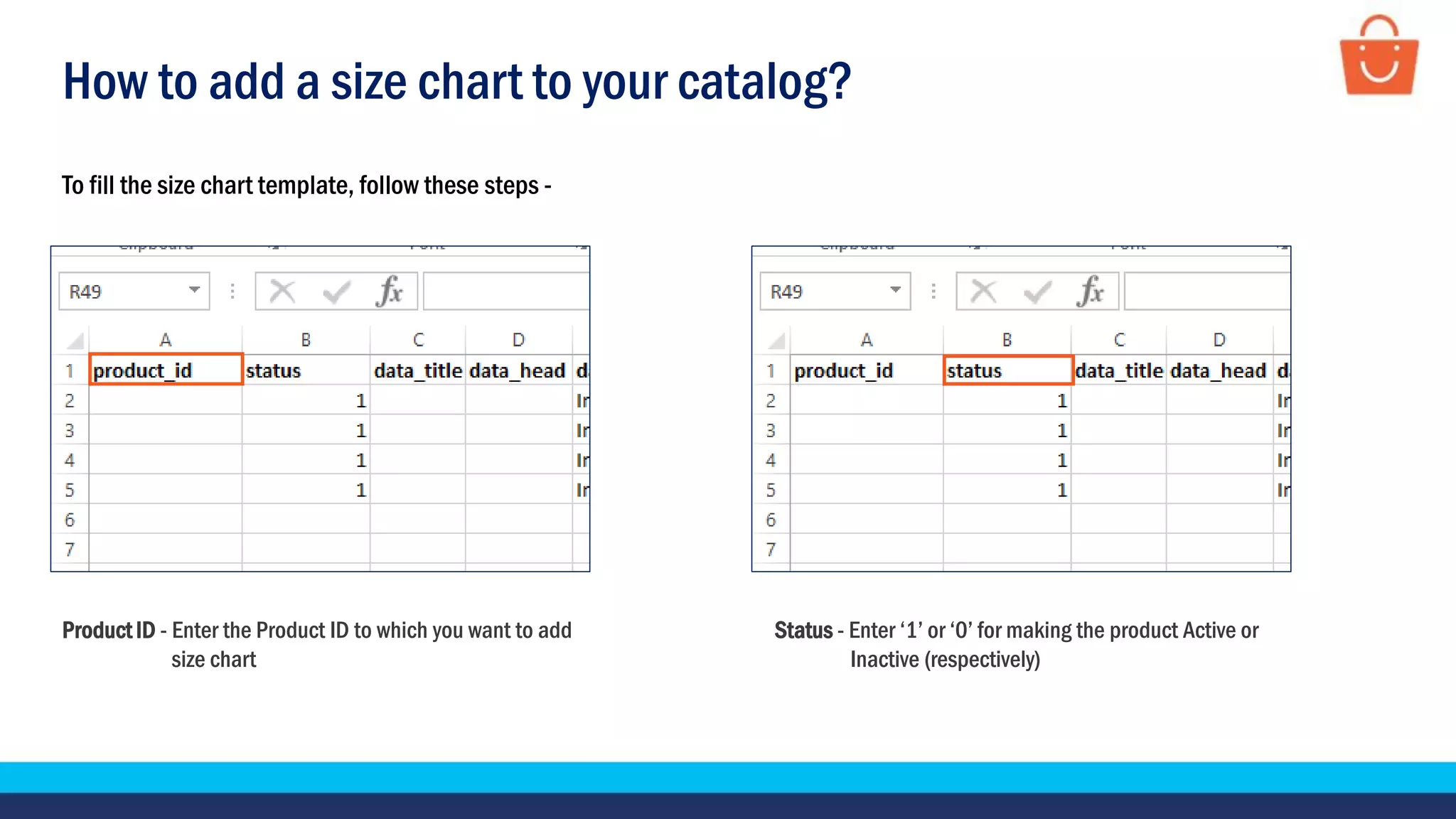
Product ID - Enter the Product ID to which you want to add
size chart
Status - Enter ‘1’ or ‘0’ for making the product Active or
Inactive (respectively)
To fill the size chart template, follow these steps -
How to add a size chart to your catalog?
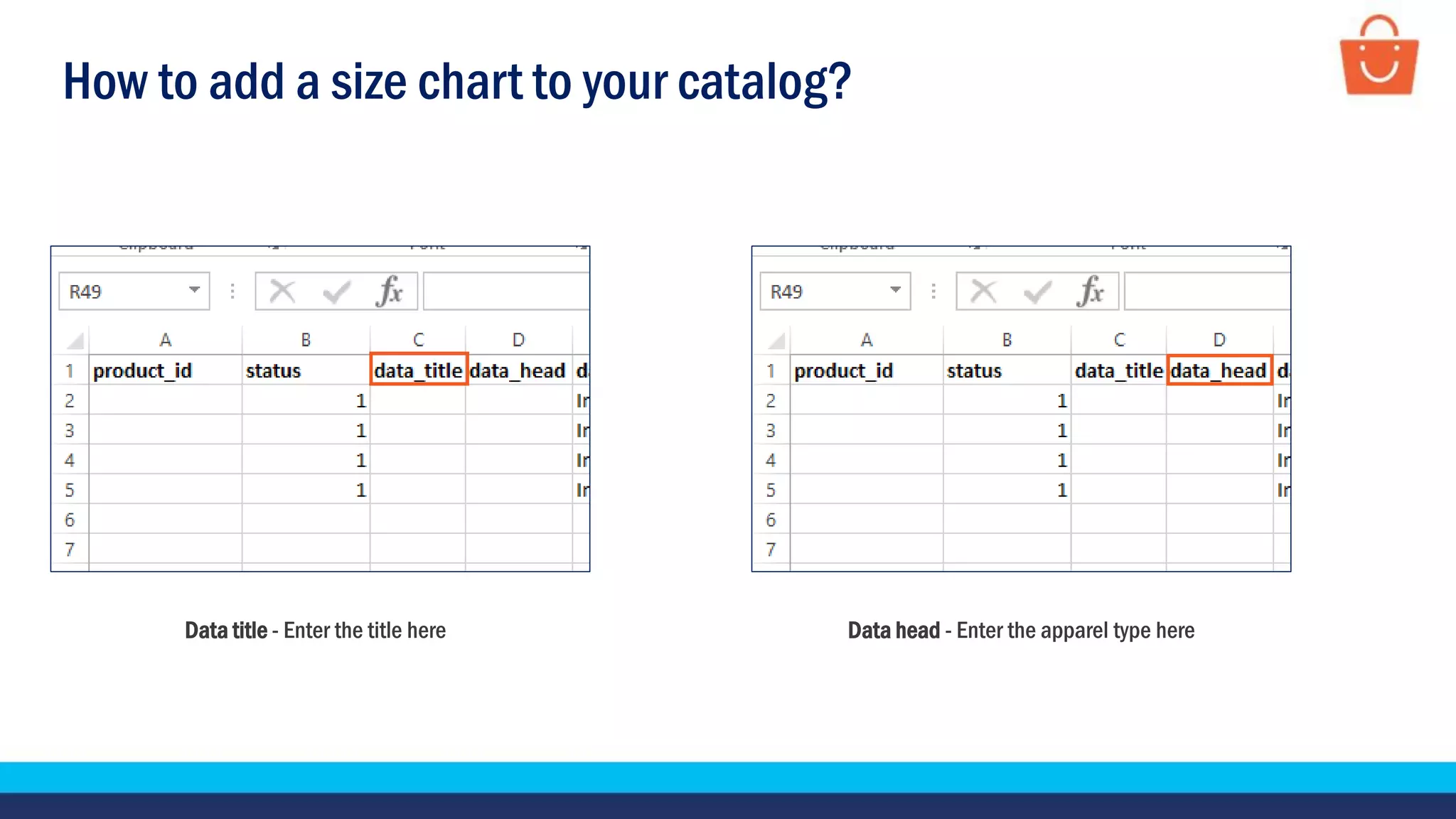
Data title - Enter the title here Data head - Enter the apparel type here
How to add a size chart to your catalog?
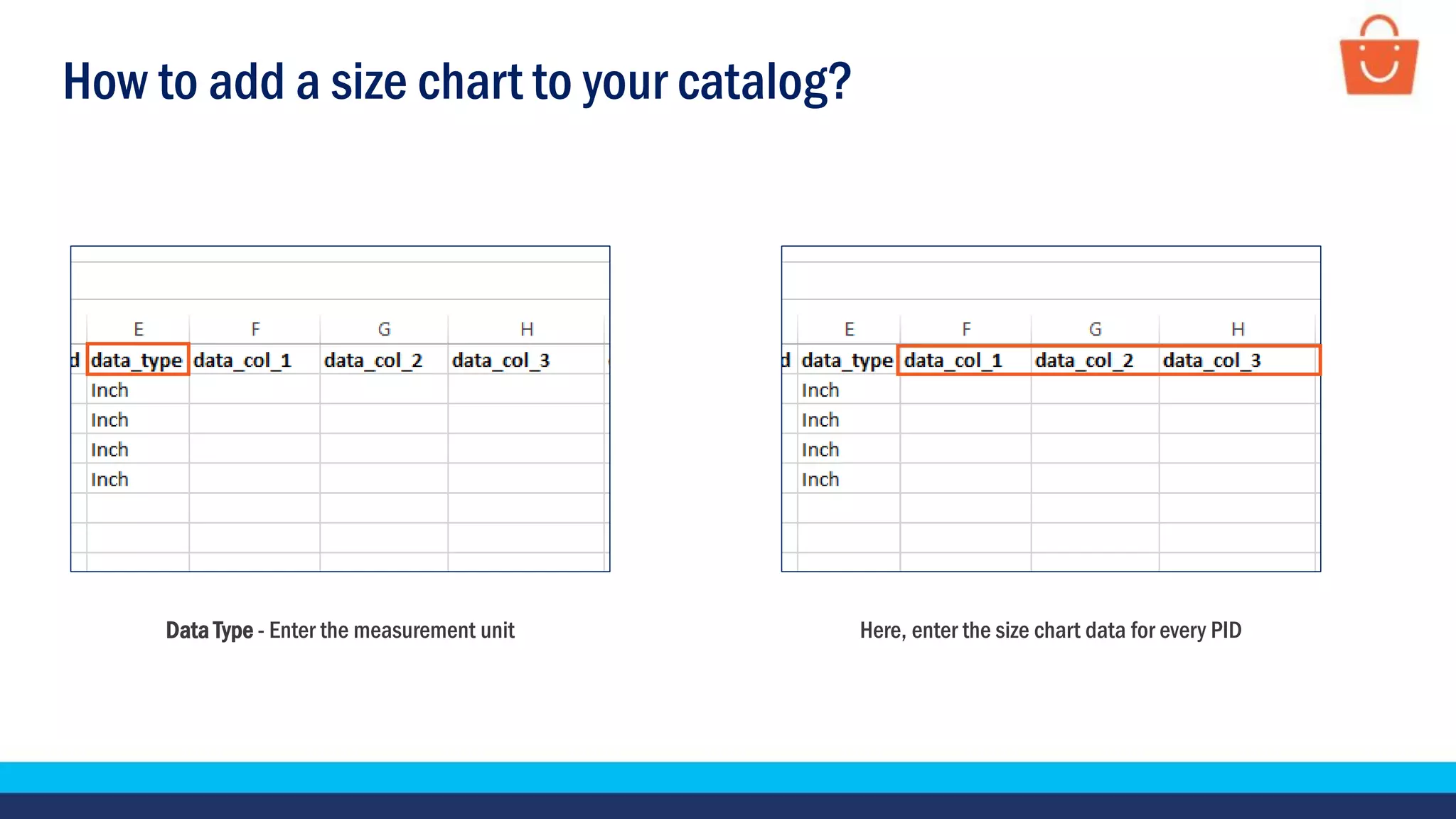
Data Type - Enter the measurement unit Here, enter the size chart data for every PID
How to add a size chart to your catalog?
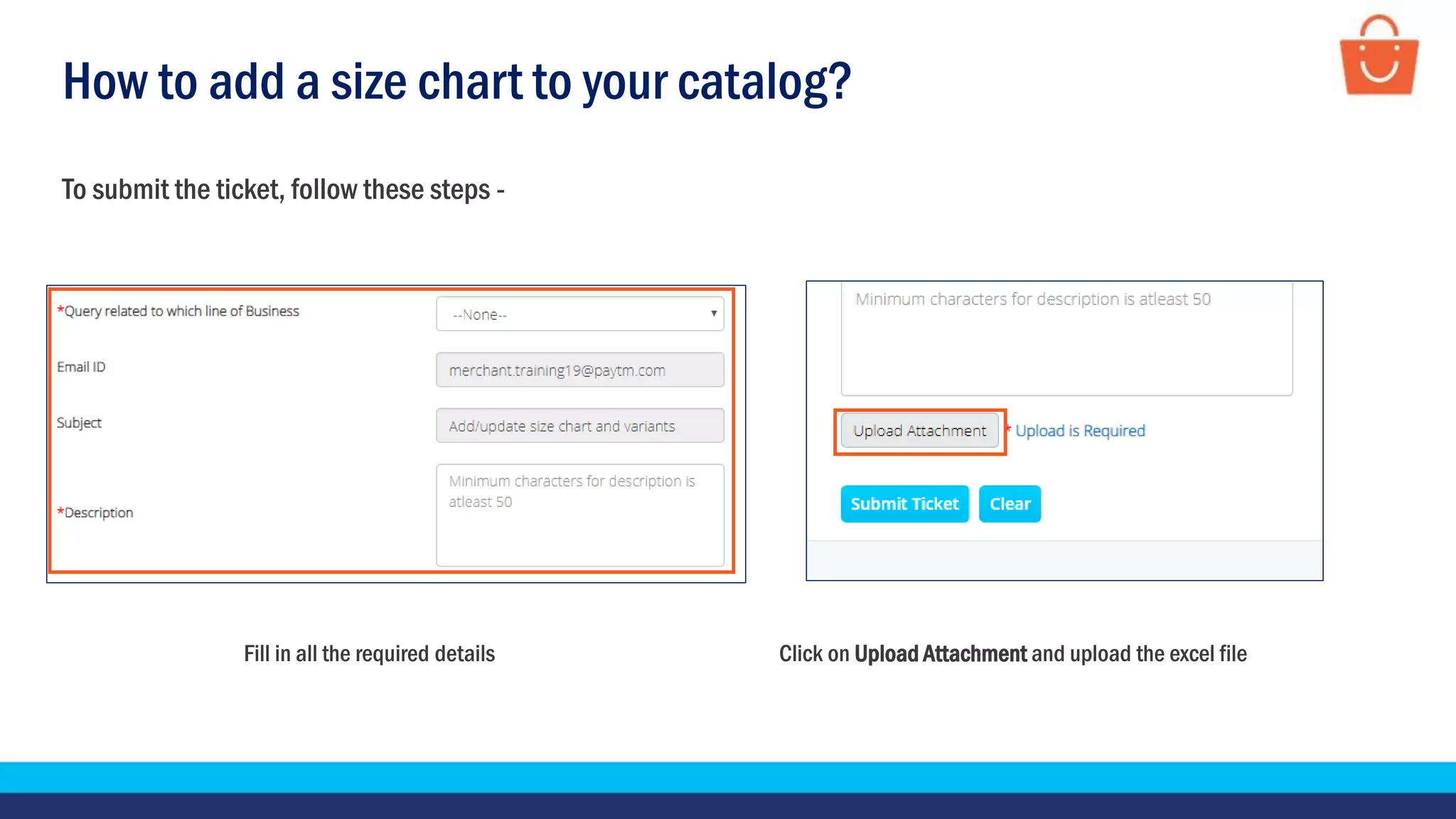
To submit the ticket, follow these steps -
Fill in all the required details Click on Upload Attachment and upload the excel file
How to add a size chart to your catalog?
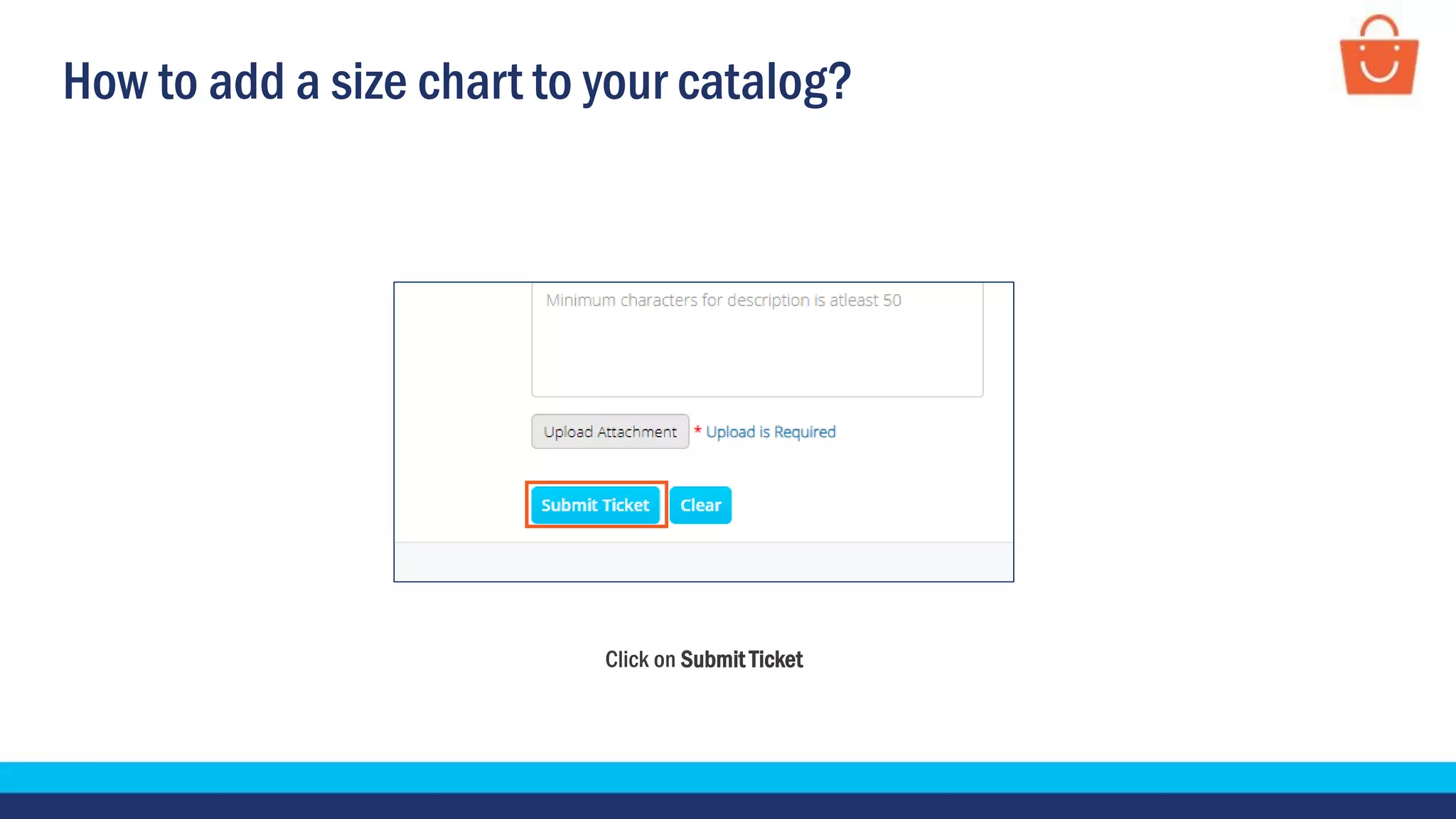
Click on Submit Ticket
Thankseveryone!
For any query, please raise a ticket using the Support tab on your seller panel.

Updating product images, its descriptions and adding a size chart - Wholesale

  • 1.
    Update product images,descriptions and add size chart In this module, we will discuss:- 1. How to update product images? 2. How to update product descriptions? 3. How to add a size chart to your catalogue?
  • 2.
    How to updateproduct images?
  • 3.
    How to updateproduct images? You can update your images in two easy steps - Download and fill in the image template Submit the ticket
  • 4.
    How to updateproduct images? Click on the Support tab Click on Listing and Catalogue To download the image template, follow these steps
  • 5.
    How to updateproduct images? Click on Modify details of your existing product listing Click on Modify product images
  • 6.
    How to updateproduct images? Click on the Change Image template link Click on Download The file will be automatically downloaded in the system
  • 7.
    How to updateproduct images? Product ID - Here, enter the product ID to which you want to add the images Main Image - Paste the link of the new Main image To fill the image template, follow these steps -
  • 8.
    How to updateproduct images? Image Links - Paste the other links of the new image in these columns and save the file
  • 9.
    How to updateproduct images? Fill in all the required details Click on Upload Attachment and upload the filled template To submit the ticket, follow these steps -
  • 10.
    How to updateproduct images? Click on Submit Ticket
  • 11.
    How to updateproduct description?
  • 12.
    How to updateproduct descriptions? You can update your product descriptions in two easy steps- Download and fill in the product description template Submit the ticket
  • 13.
    How to updateproduct descriptions? Click on the Support tab Click on Listing and Catalogue To download the product description template, follow these steps
  • 14.
    How to updateproduct descriptions? Click on Modify details of your existing product listing Select the respective tab which you want to modify like product name, product category, package weight & dimension etc. For example: To modify product description click on Modify product description
  • 15.
    How to updateproduct descriptions? Click on the Catalog Description Template link Click on Download The file will be automatically downloaded in the system
  • 16.
    How to updateproduct descriptions? Product ID Here, enter the Product ID to which you want to add or modify description To fill the product description template, follow these steps: Desired Complete Description Enter the complete new description here
  • 17.
    How to updateproduct descriptions? To submit the ticket, follow these steps - Fill in all the required details Click on Upload Attachment and upload the filled template
  • 18.
    How to updateproduct descriptions? Click on Submit Ticket
  • 19.
    How to adda size chart?
  • 20.
    Submit the ticket Howto add a size chart to your catalog? You can add a size chart to your products in two easy steps- Download and fill in the size chart template
  • 21.
    How to adda size chart to your catalog? Click on the Support tab Click on Listing and Catalogue To download the size chart template, follow these steps
  • 22.
    How to adda size chart to your catalog? Click on Modify details of your existing product listing Click on Add/update size chart and variants
  • 23.
    How to adda size chart to your catalog? Click on the Size chart template link Click on Download The file will be automatically downloaded in the system
  • 24.
    How to adda size chart to your catalog? Product ID - Enter the Product ID to which you want to add size chart Status - Enter ‘1’ or ‘0’ for making the product Active or Inactive (respectively) To fill the size chart template, follow these steps -
  • 25.
    How to adda size chart to your catalog? Data title - Enter the title here Data head - Enter the apparel type here
  • 26.
    How to adda size chart to your catalog? Data Type - Enter the measurement unit Here, enter the size chart data for every PID
  • 27.
    How to adda size chart to your catalog? To submit the ticket, follow these steps - Fill in all the required details Click on Upload Attachment and upload the excel file
  • 28.
    How to adda size chart to your catalog? Click on Submit Ticket
  • 29.
    Thankseveryone! For any query,please raise a ticket using the Support tab on your seller panel.