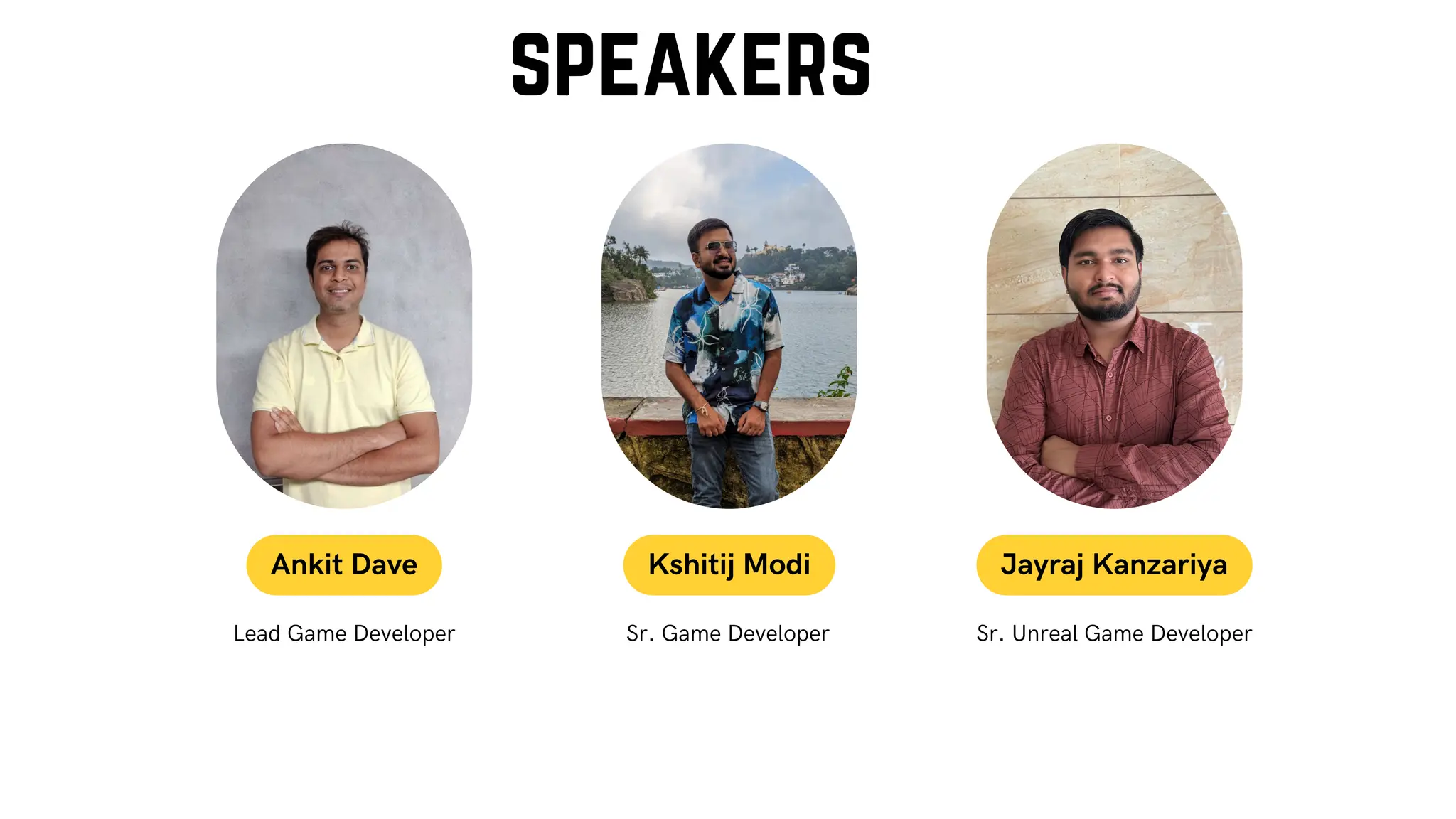
Sr. Unreal Game Developer
Sr. Game Developer
Lead Game Developer
Ankit Dave Kshitij Modi Jayraj Kanzariya
speakers
Agenda
Benefits of Unreal Engine Blueprints
Lumen and Nanite
Niagra particle system
Other Utilities
Animation Techniques
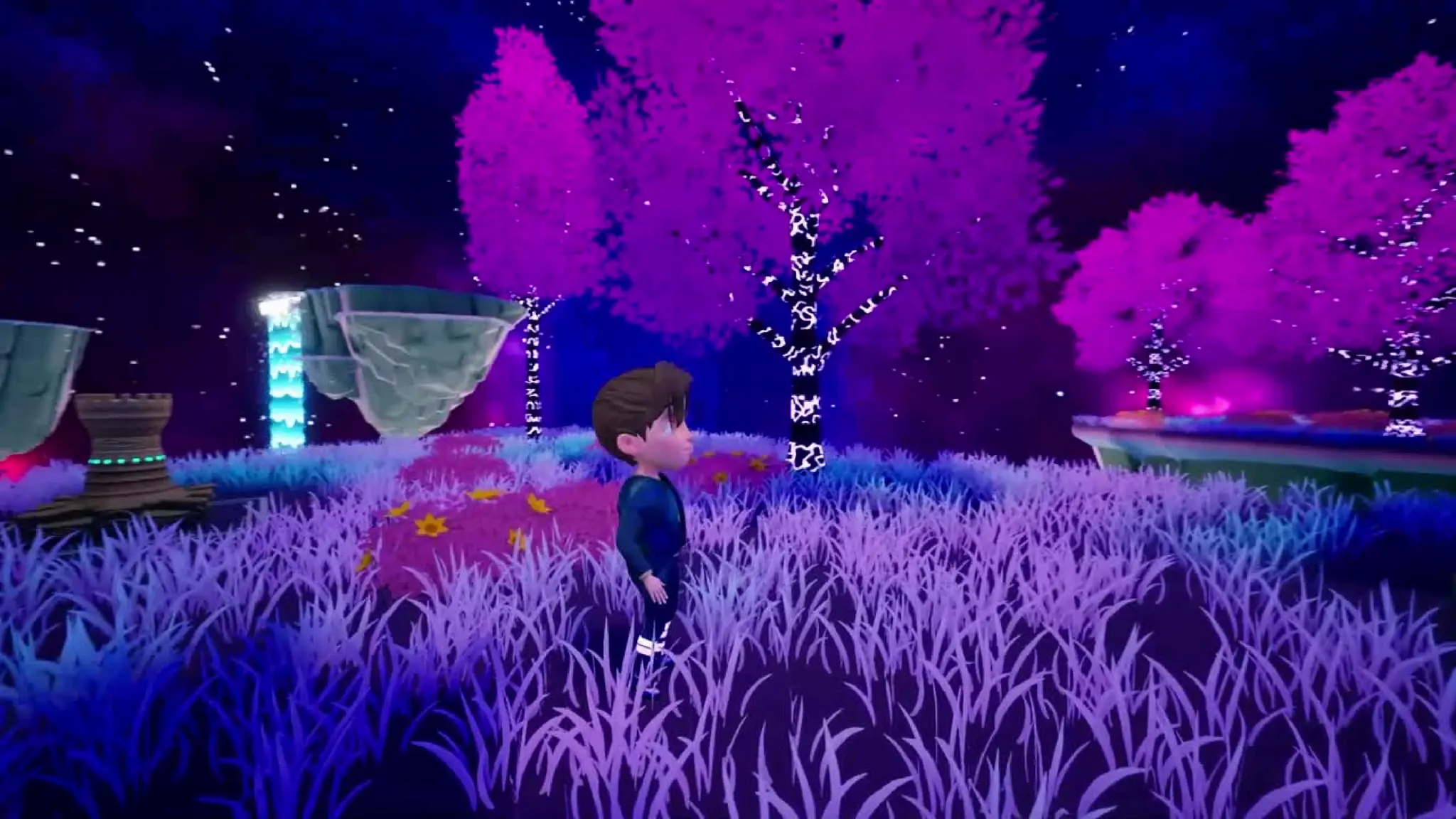
Forbidden Island insights
Live MVP Demo of Unreal Engine
Advanced Locomotion System insights
Game Architecture Design Pattern
Damage System
AI Turret insights
Multiplayer networking
Advanced Vehicle System Insights
Game Optimization Methods
Inovi Synthetic Data Generation Insights
Character Customizer Insights
Q&A
Unreal Engine Blueprints
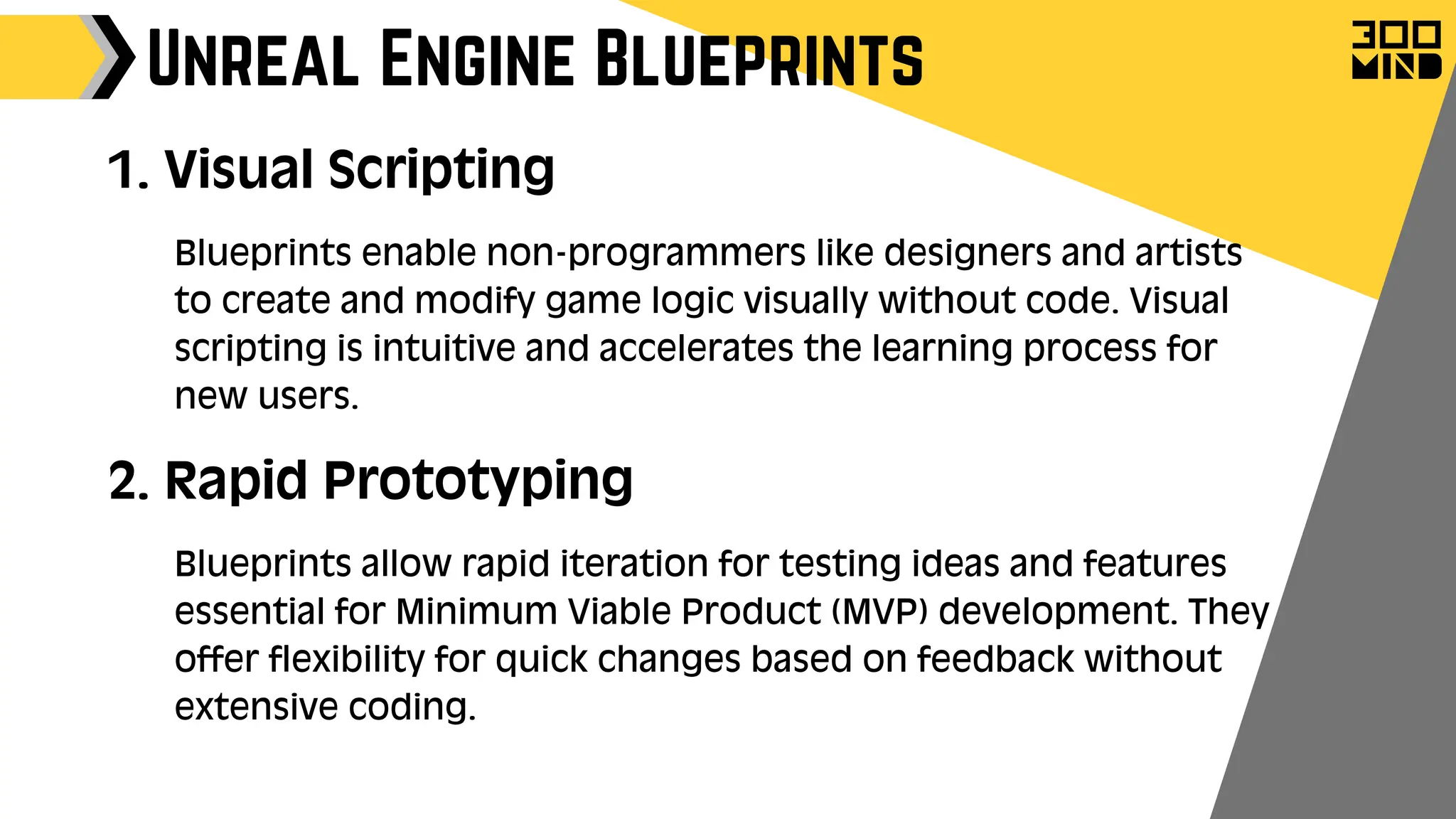
1. Visual Scripting
Blueprints enable non-programmers like designers and artists
to create and modify game logic visually without code. Visual
scripting is intuitive and accelerates the learning process for
new users.
2. Rapid Prototyping
Blueprints allow rapid iteration for testing ideas and features
essential for Minimum Viable Product (MVP) development. They
offer flexibility for quick changes based on feedback without
extensive coding.
Unreal Engine Blueprints
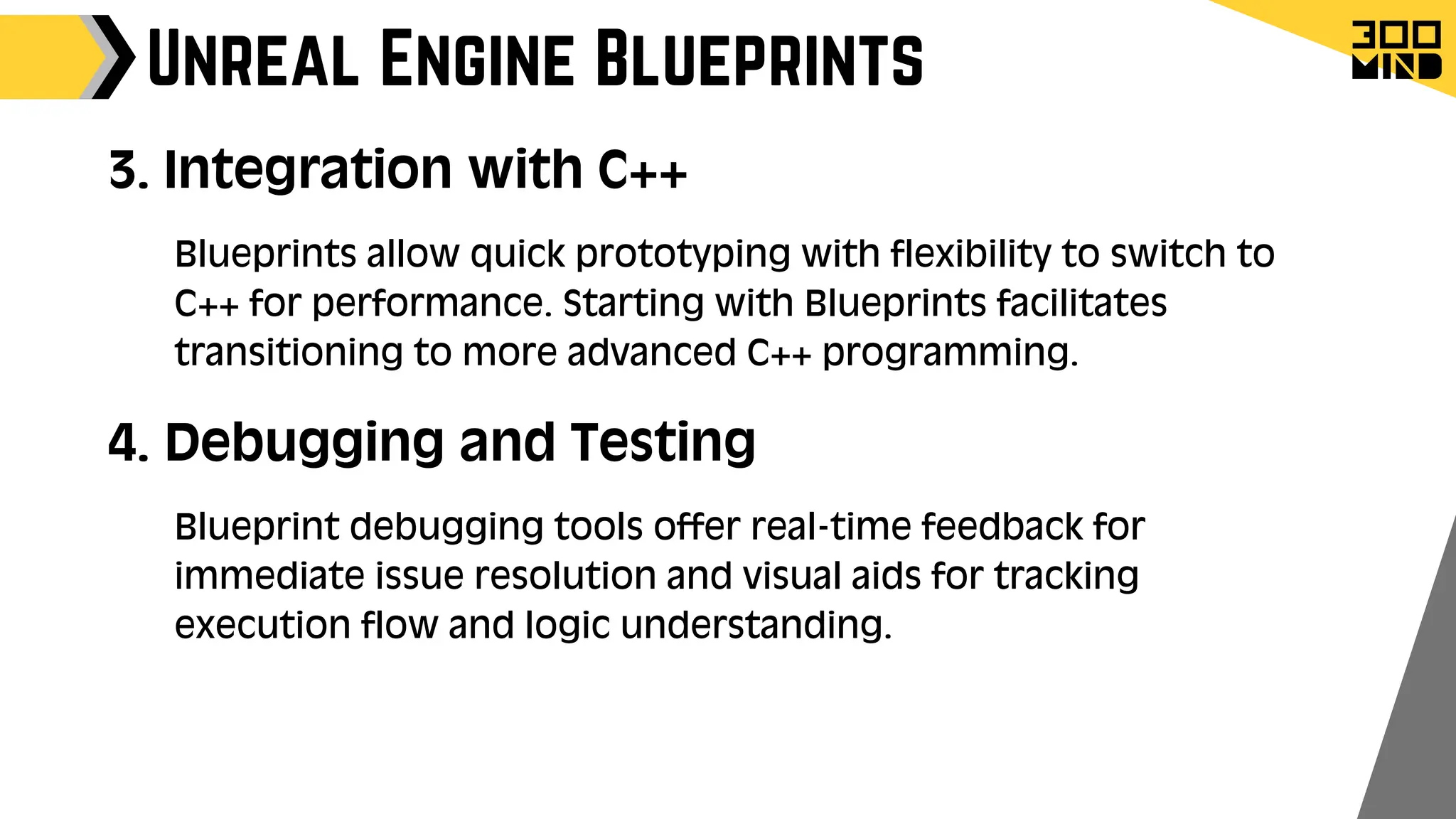
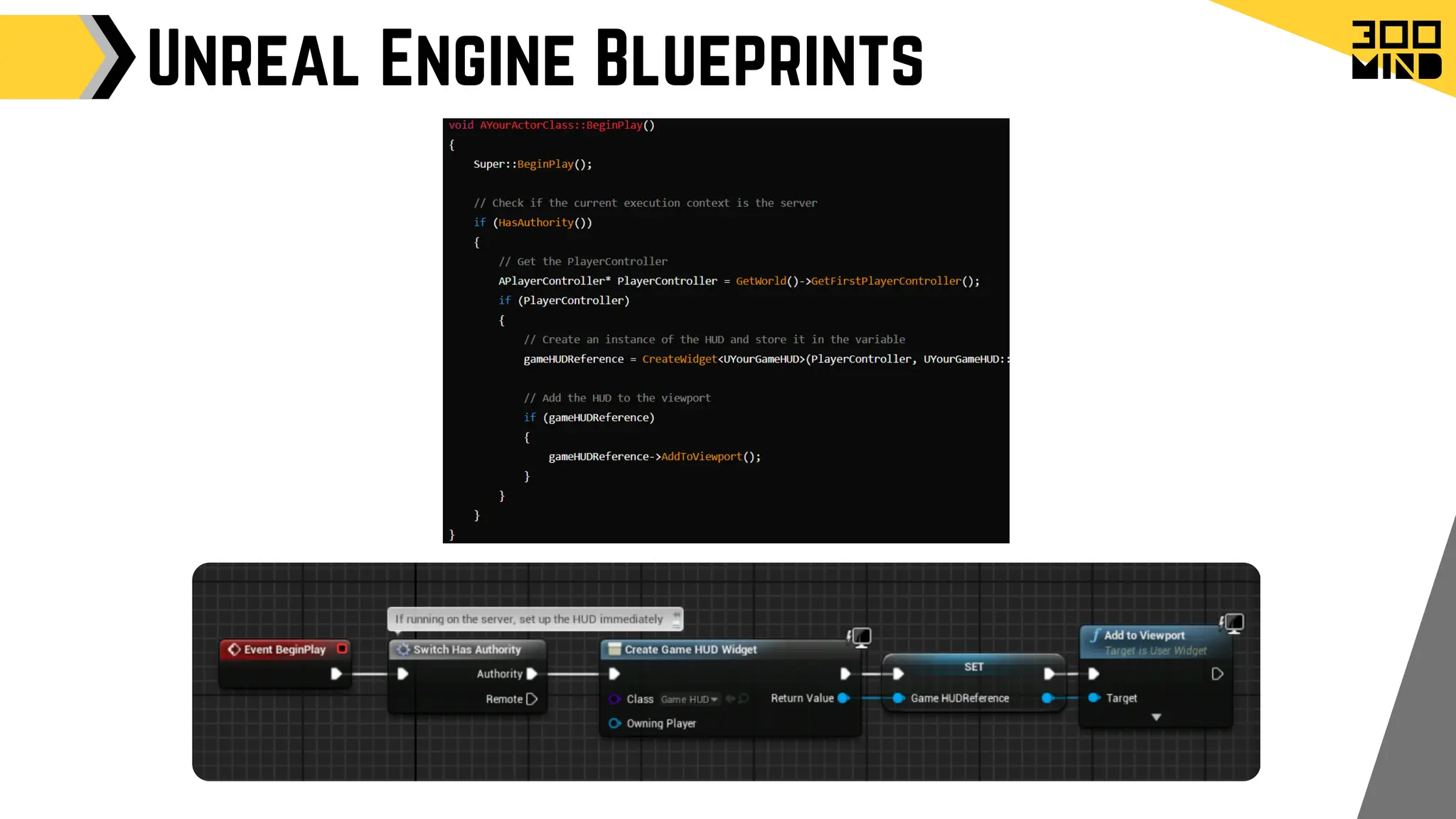
3. Integration with C++
Blueprints allow quick prototyping with flexibility to switch to
C++ for performance. Starting with Blueprints facilitates
transitioning to more advanced C++ programming.
4. Debugging and Testing
Blueprint debugging tools offer real-time feedback for
immediate issue resolution and visual aids for tracking
execution flow and logic understanding.
Unreal Engine Blueprints
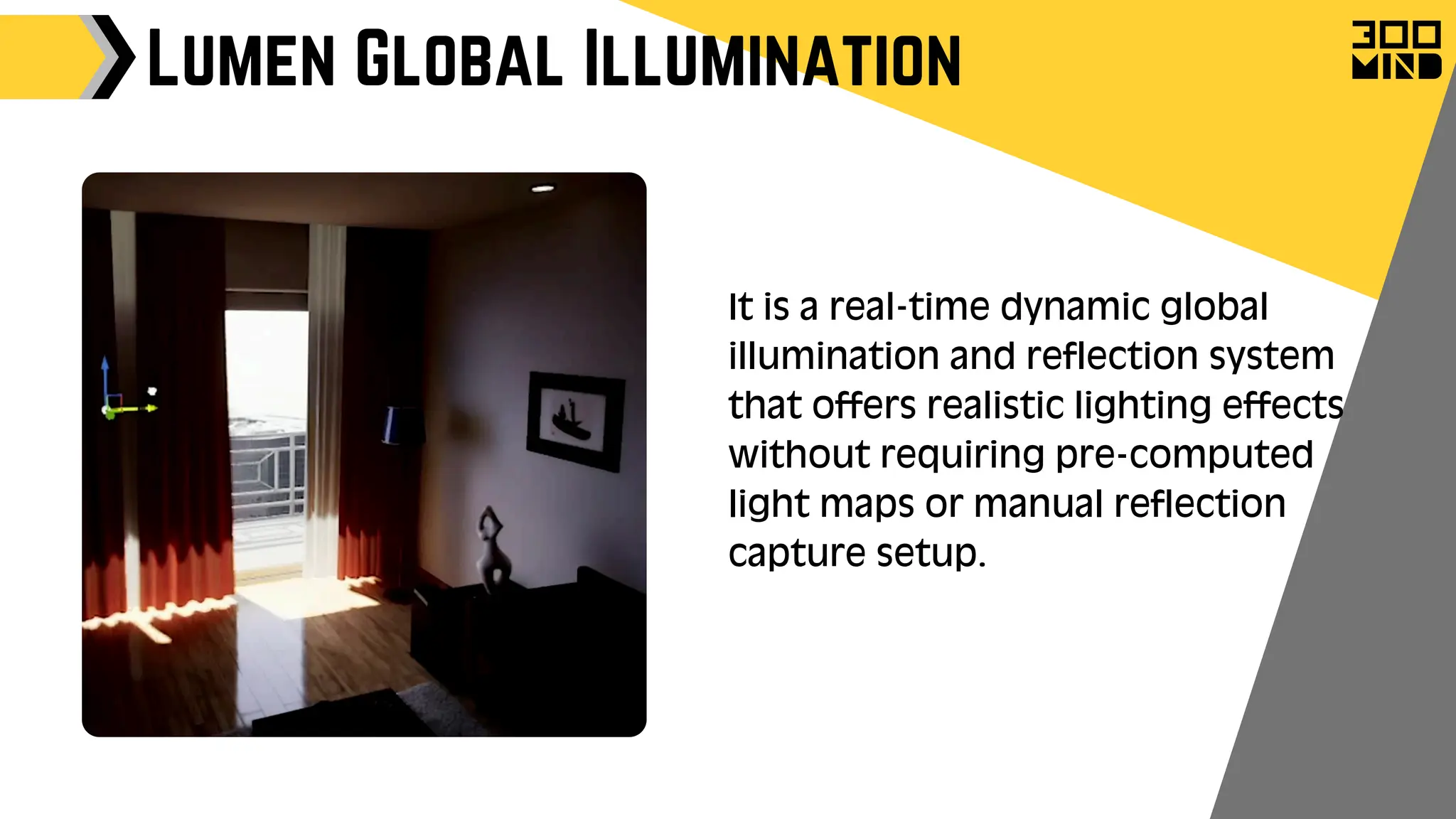
Lumen Global Illumination
It is a real-time dynamic global
illumination and reflection system
that offers realistic lighting effects
without requiring pre-computed
light maps or manual reflection
capture setup.
Lumen Global Illumination
Use Cases:
Open World Games: Where dynamic lighting and
time of day are crucial for immersion.
Architectural Visualisation: For realistic lighting
simulations that respond to design changes.
VR Experiences: Provides high-quality lighting
without the need for pre-baked lighting, allowing
for more interactive and immersive environments.
Lumen Global Illumination
Performance Considerations
Scene Complexity: Performance can be affected by
the complexity and size of the scene, particularly
with highly detailed environments.
Hardware Requirements: While Lumen is optimised
for a range of systems, high-quality results may
require more powerful hardware.
Nanite System
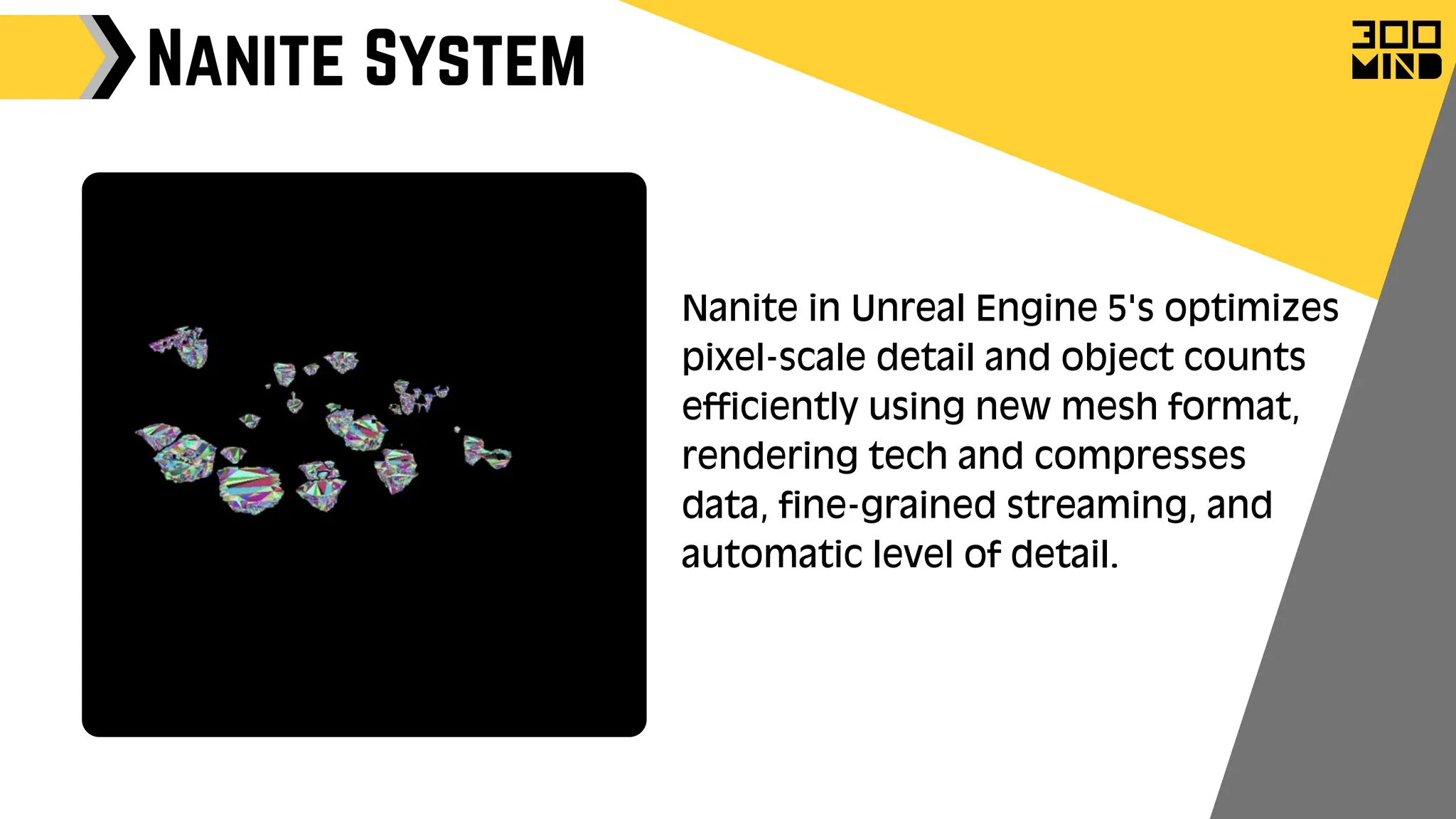
Nanite in Unreal Engine 5's optimizes
pixel-scale detail and object counts
efficiently using new mesh format,
rendering tech and compresses
data, fine-grained streaming, and
automatic level of detail.
Nanite System
Benefits of Nanite
Nanite enables extremely complex geometry with higher
triangle and object counts.
Performance is no longer constrained by polycounts, draw calls,
or mesh memory.
Directly import high-quality art like ZBrush sculpts and
photogrammetry scans.
Use high-poly details without baking into normal maps.
LOD is handled automatically, no manual setup needed.
Quality loss is rare, even with LOD transitions.
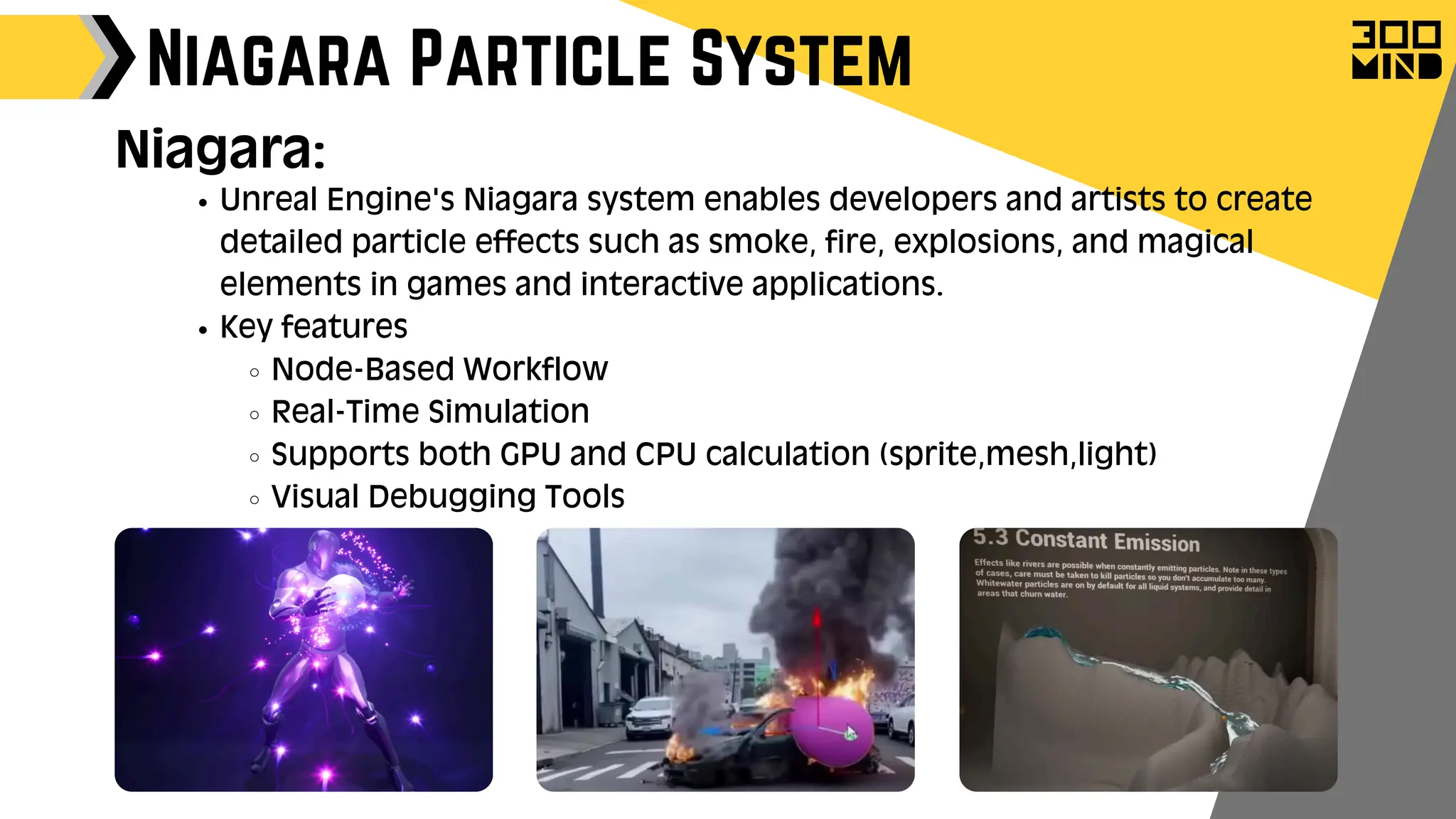
Unreal Engine's Niagara system enables developers and artists to create
detailed particle effects such as smoke, fire, explosions, and magical
elements in games and interactive applications.
Key features
Node-Based Workflow
Real-Time Simulation
Supports both GPU and CPU calculation (sprite,mesh,light)
Visual Debugging Tools
Niagara Particle System
Niagara:
Niagara Particle System
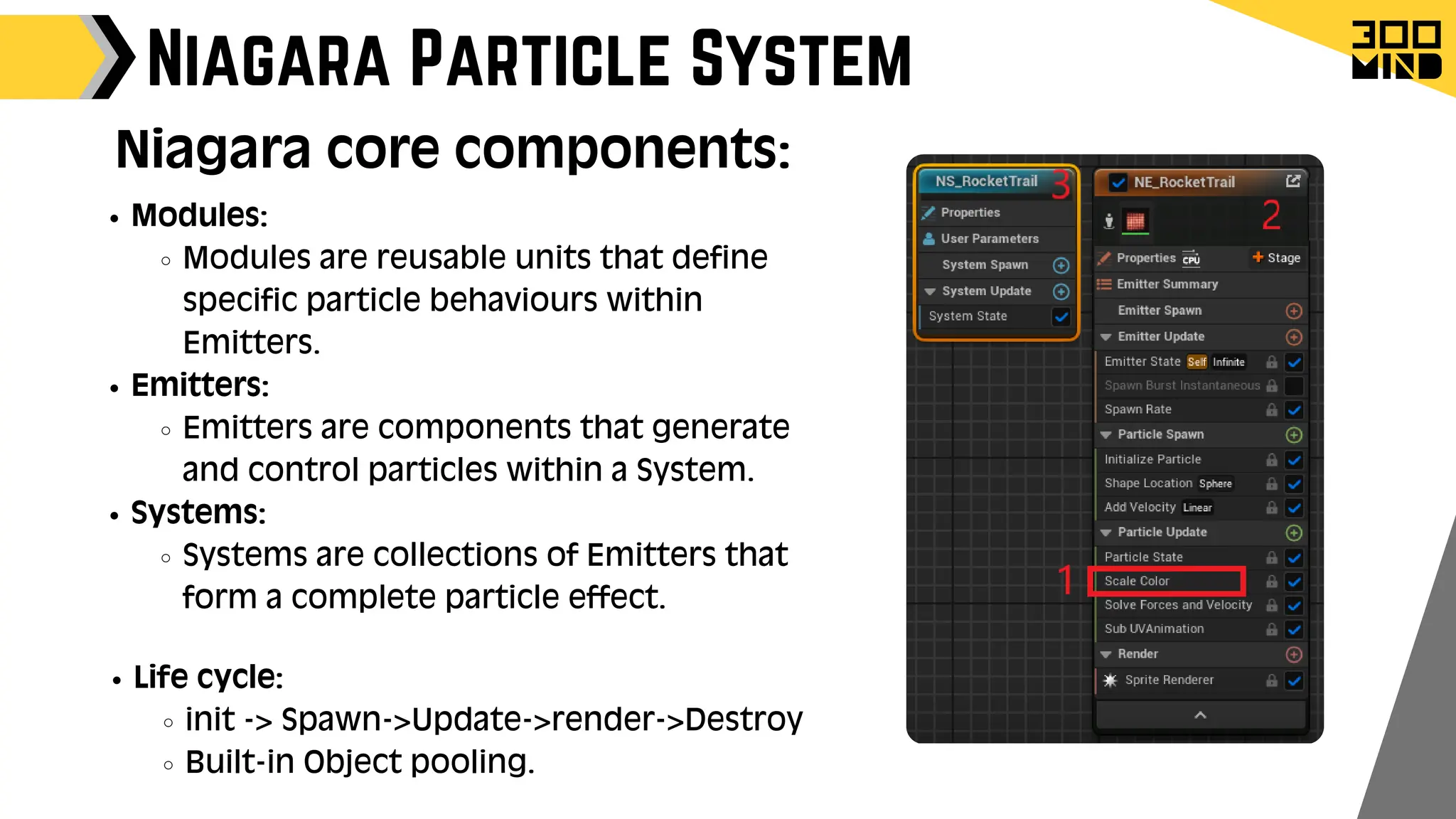
Modules:
Modules are reusable units that define
specific particle behaviours within
Emitters.
Emitters:
Emitters are components that generate
and control particles within a System.
Systems:
Systems are collections of Emitters that
form a complete particle effect.
Niagara core components:
Life cycle:
init -> Spawn->Update->render->Destroy
Built-in Object pooling.
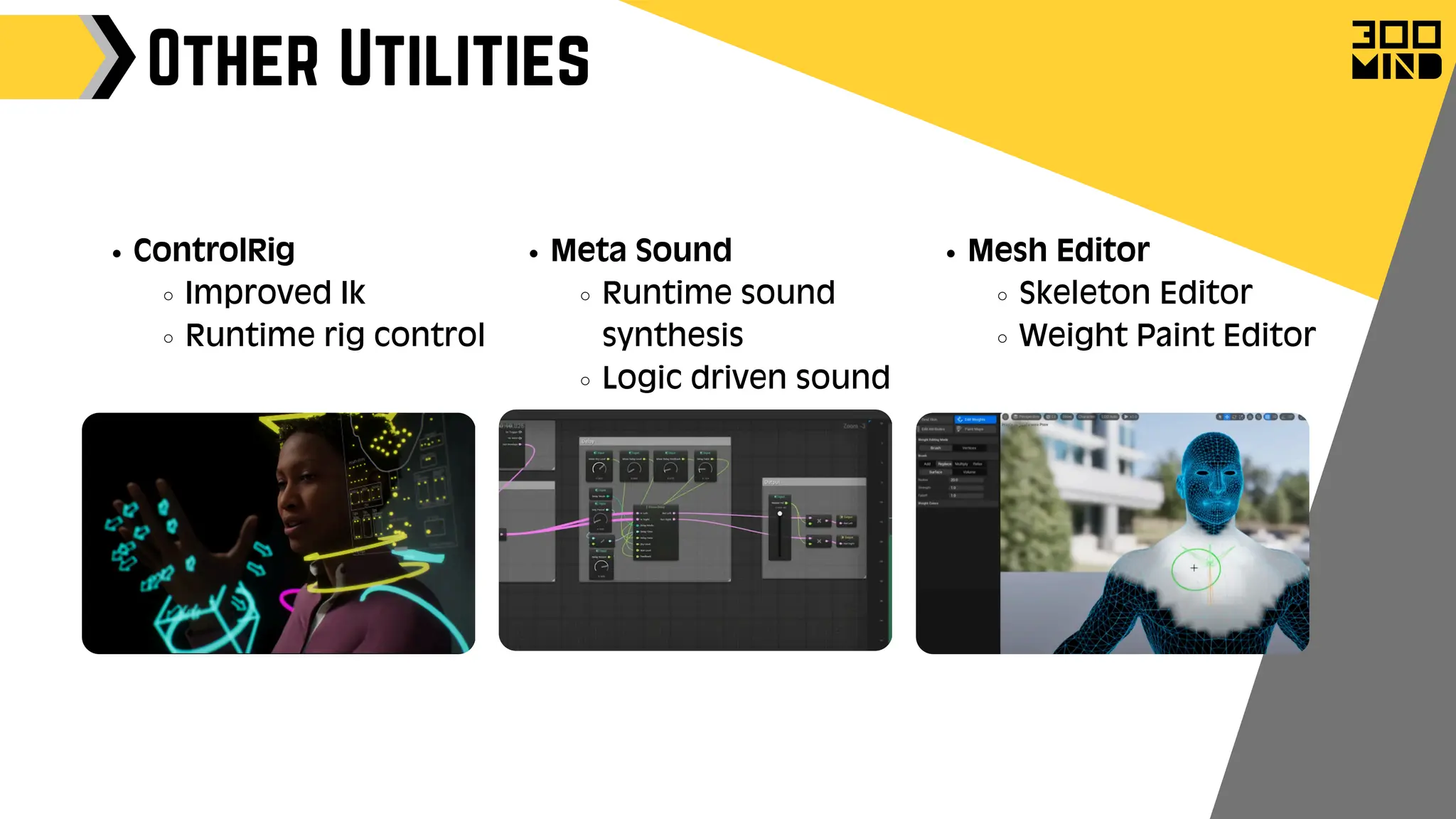
Other Utilities
Mesh Editor
Skeleton Editor
Weight Paint Editor
Meta Sound
Runtime sound
synthesis
Logic driven sound
ControlRig
Improved Ik
Runtime rig control
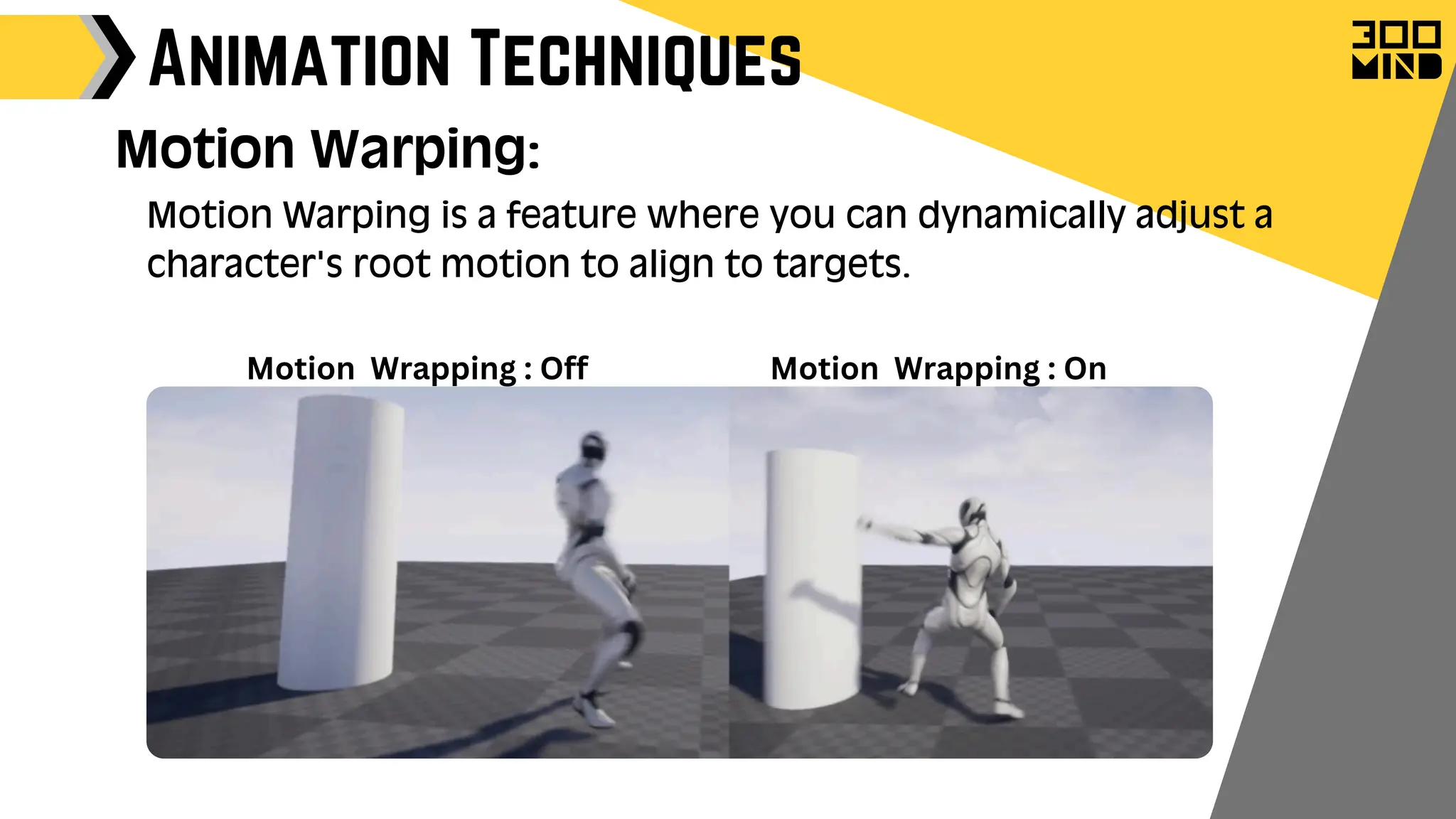
Animation Techniques
Motion Warping:
Motion Warping is a feature where you can dynamically adjust a
character's root motion to align to targets.
Motion Wrapping : On
Motion Wrapping : Off
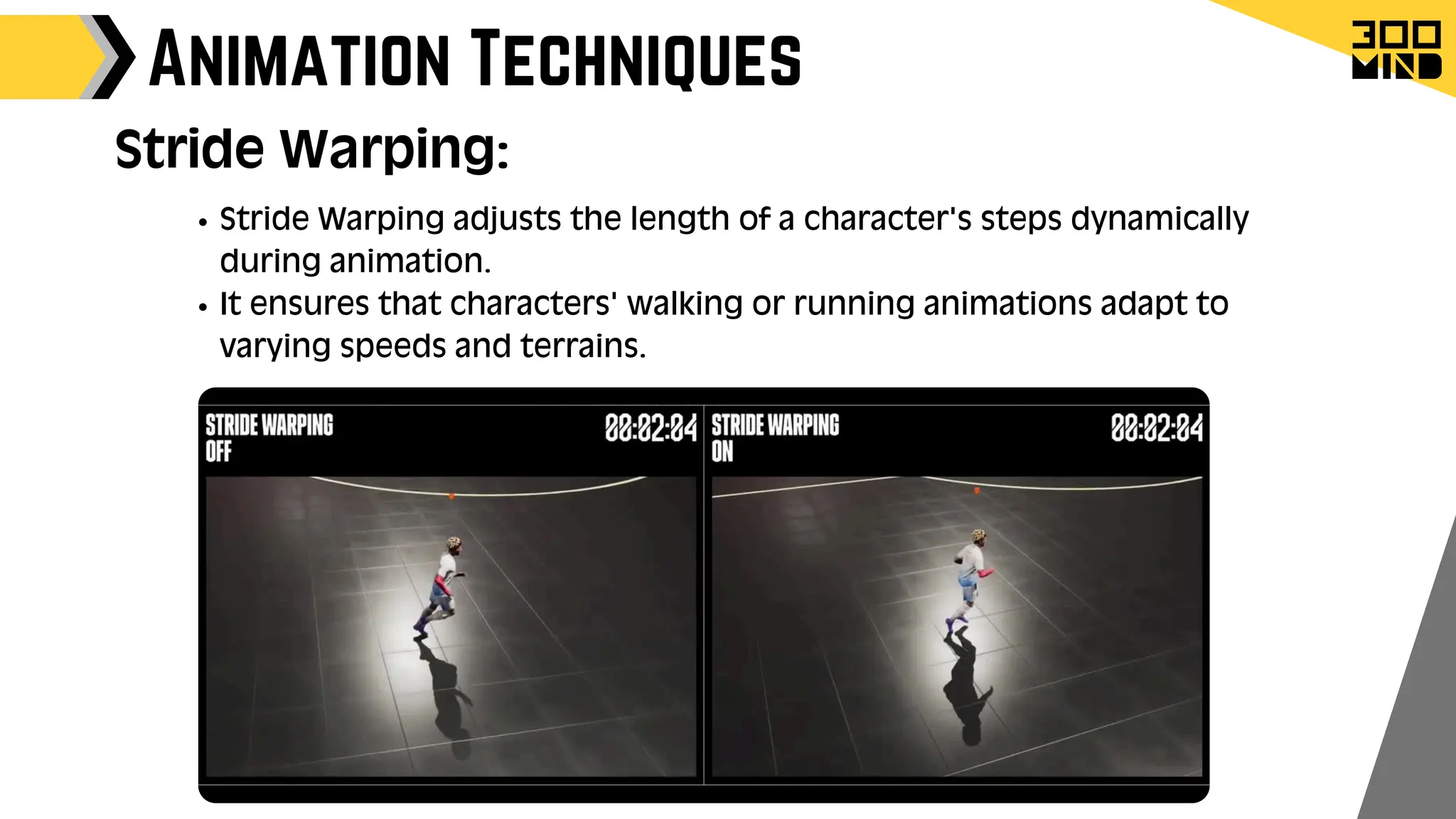
Animation Techniques
Stride Warping adjusts the length of a character's steps dynamically
during animation.
It ensures that characters' walking or running animations adapt to
varying speeds and terrains.
Stride Warping:
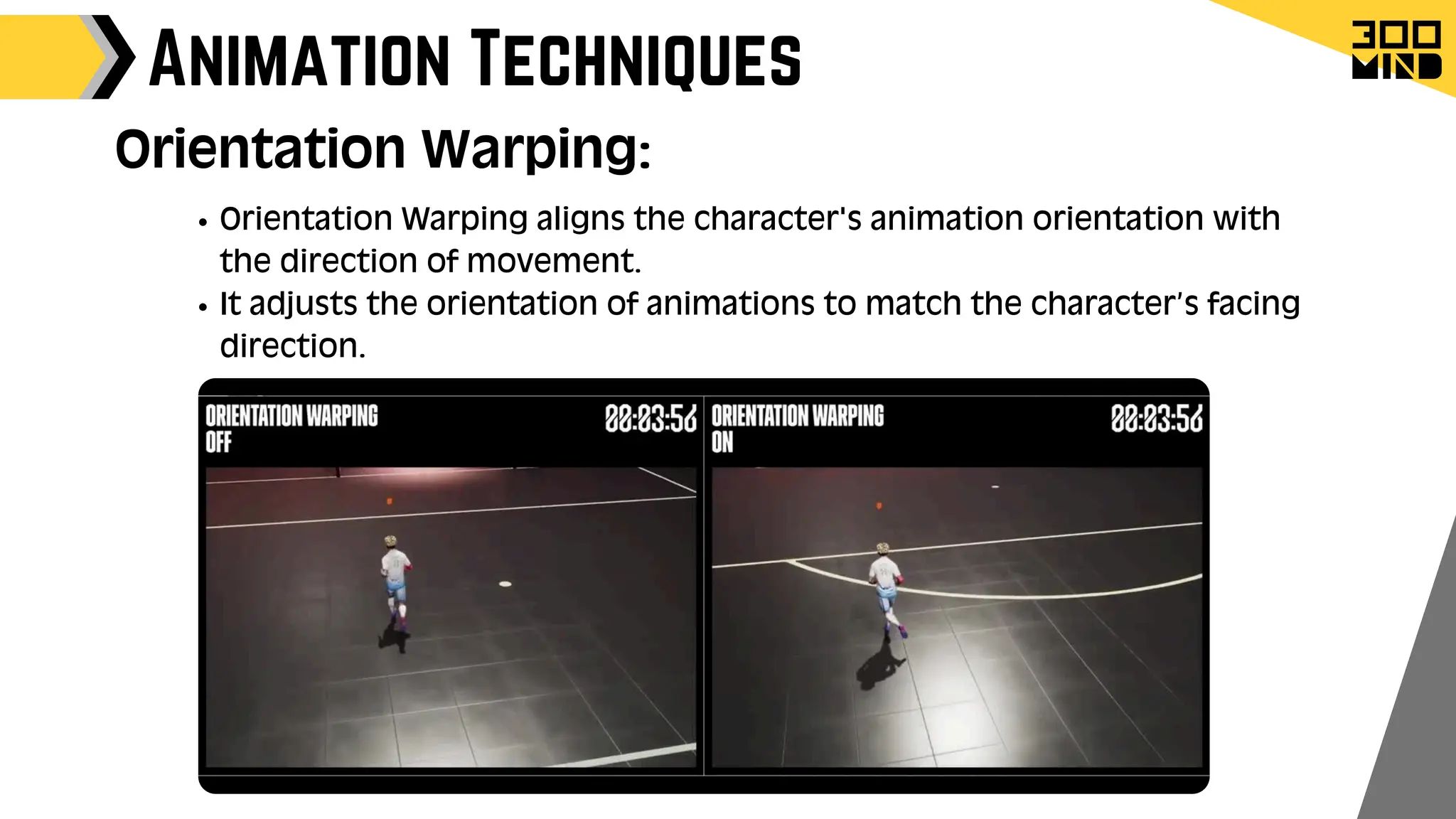
Animation Techniques
Orientation Warping aligns the character's animation orientation with
the direction of movement.
It adjusts the orientation of animations to match the character’s facing
direction.
Orientation Warping:
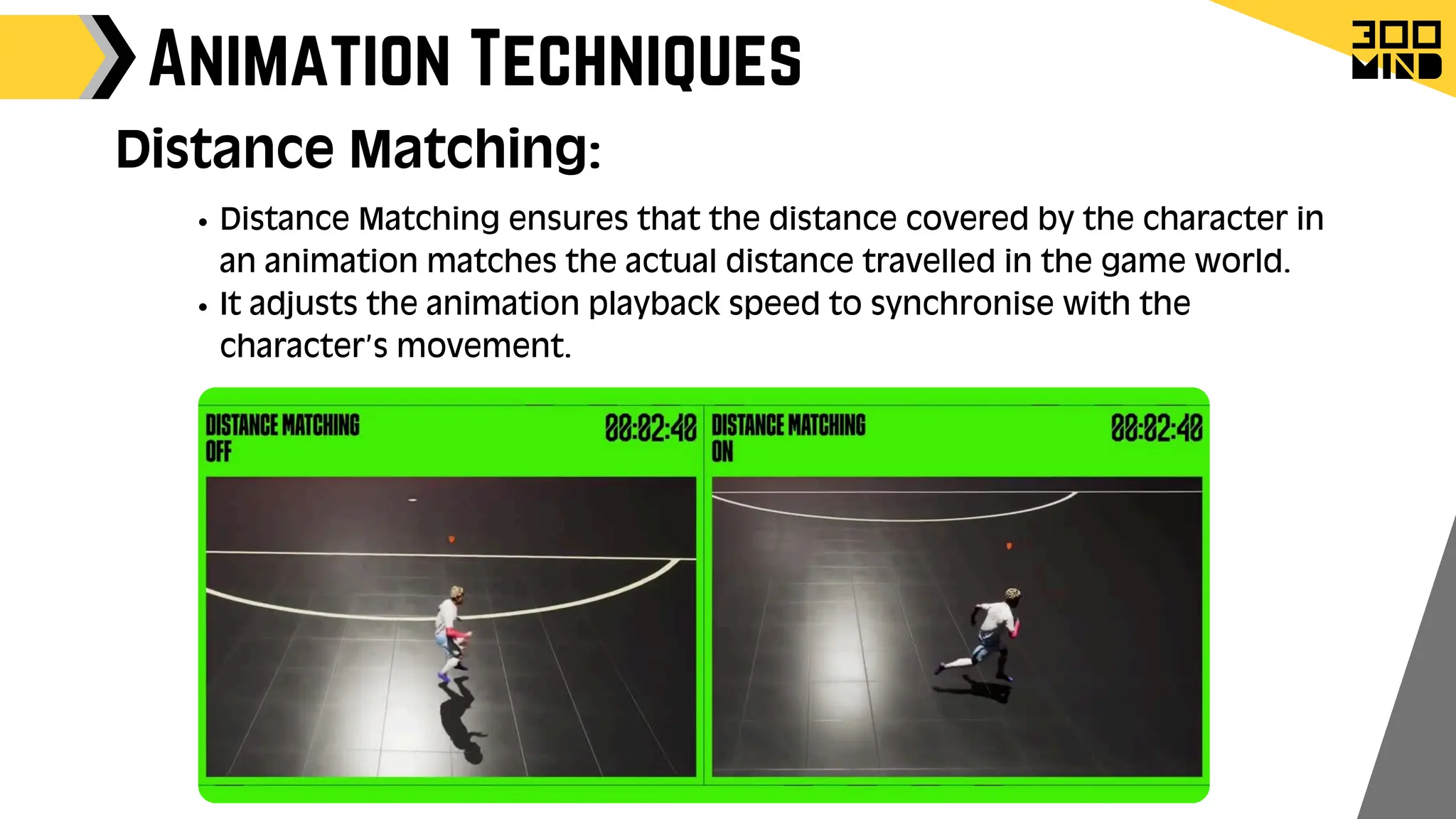
Animation Techniques
Distance Matching ensures that the distance covered by the character in
an animation matches the actual distance travelled in the game world.
It adjusts the animation playback speed to synchronise with the
character’s movement.
Distance Matching:
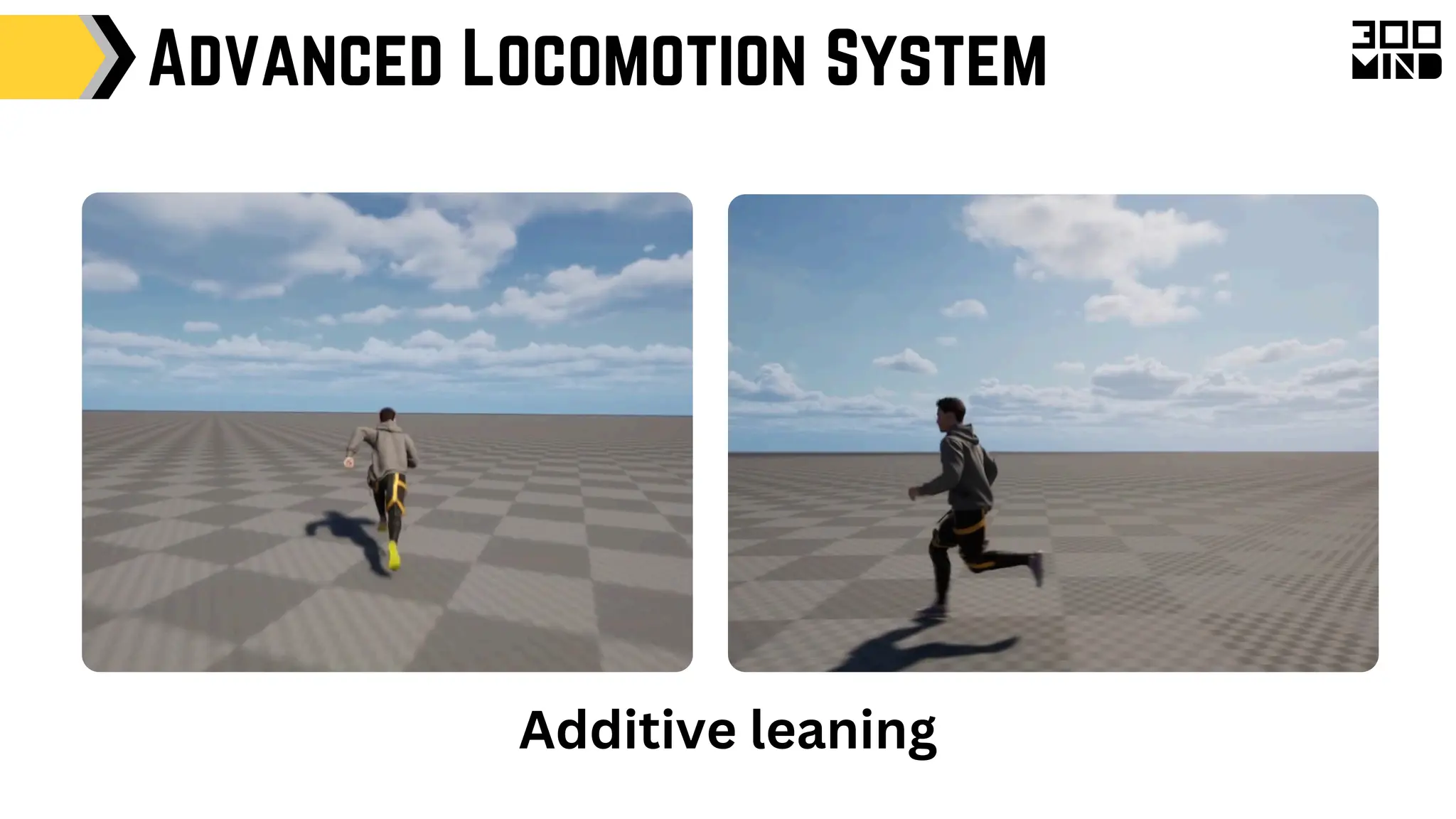
Additive leaning
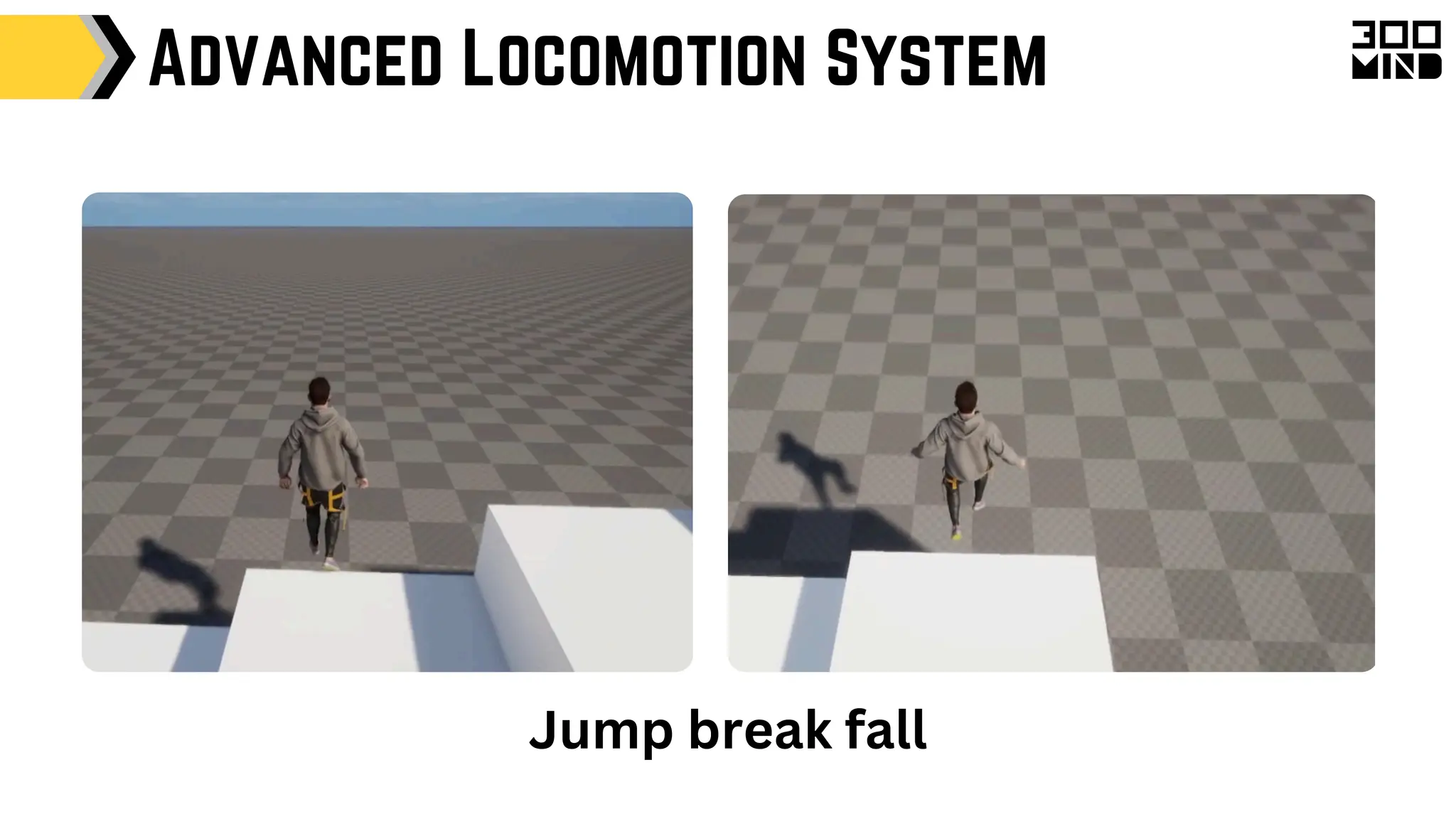
Advanced Locomotion System
Jump break fall
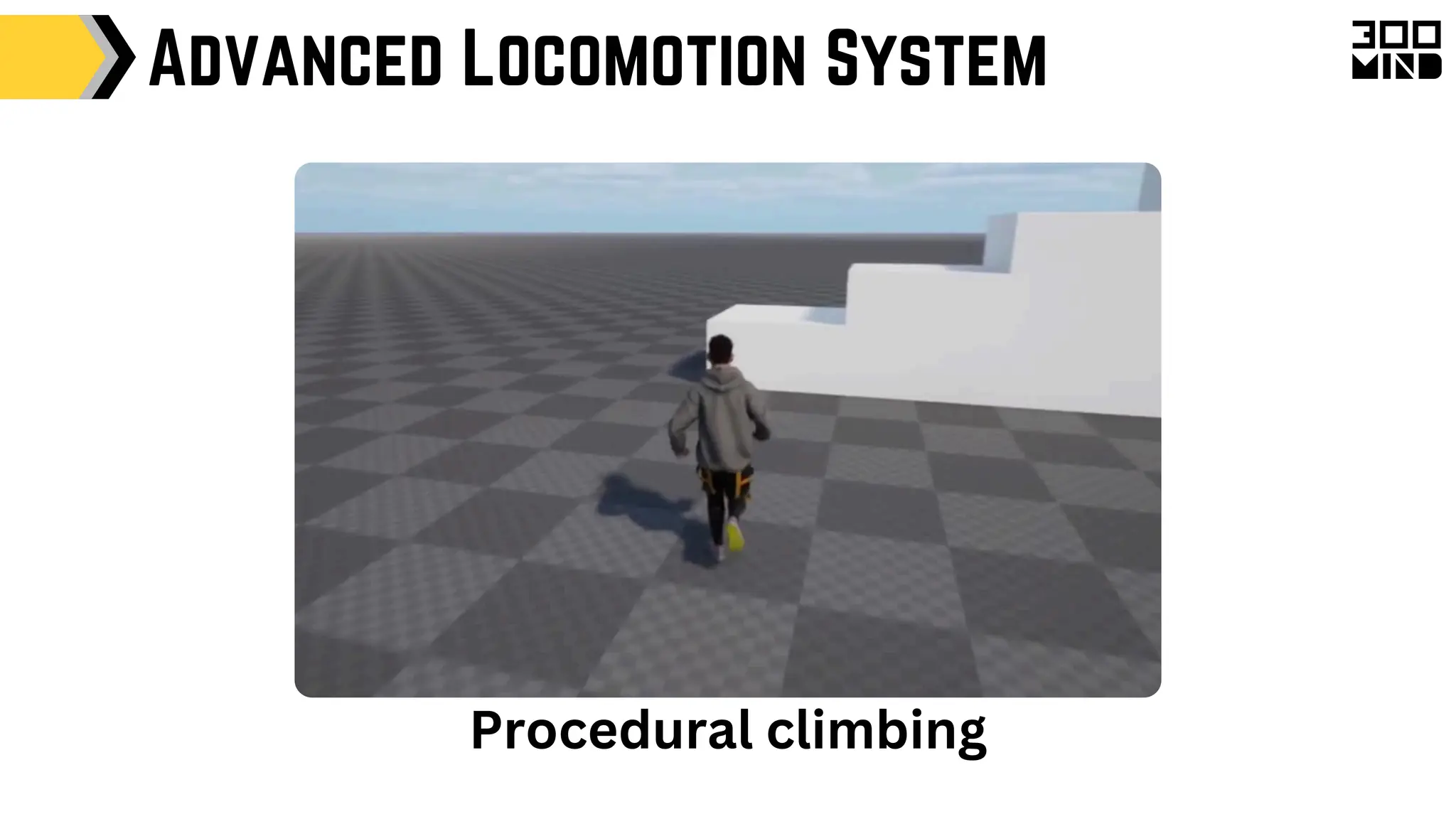
Advanced Locomotion System
Procedural climbing
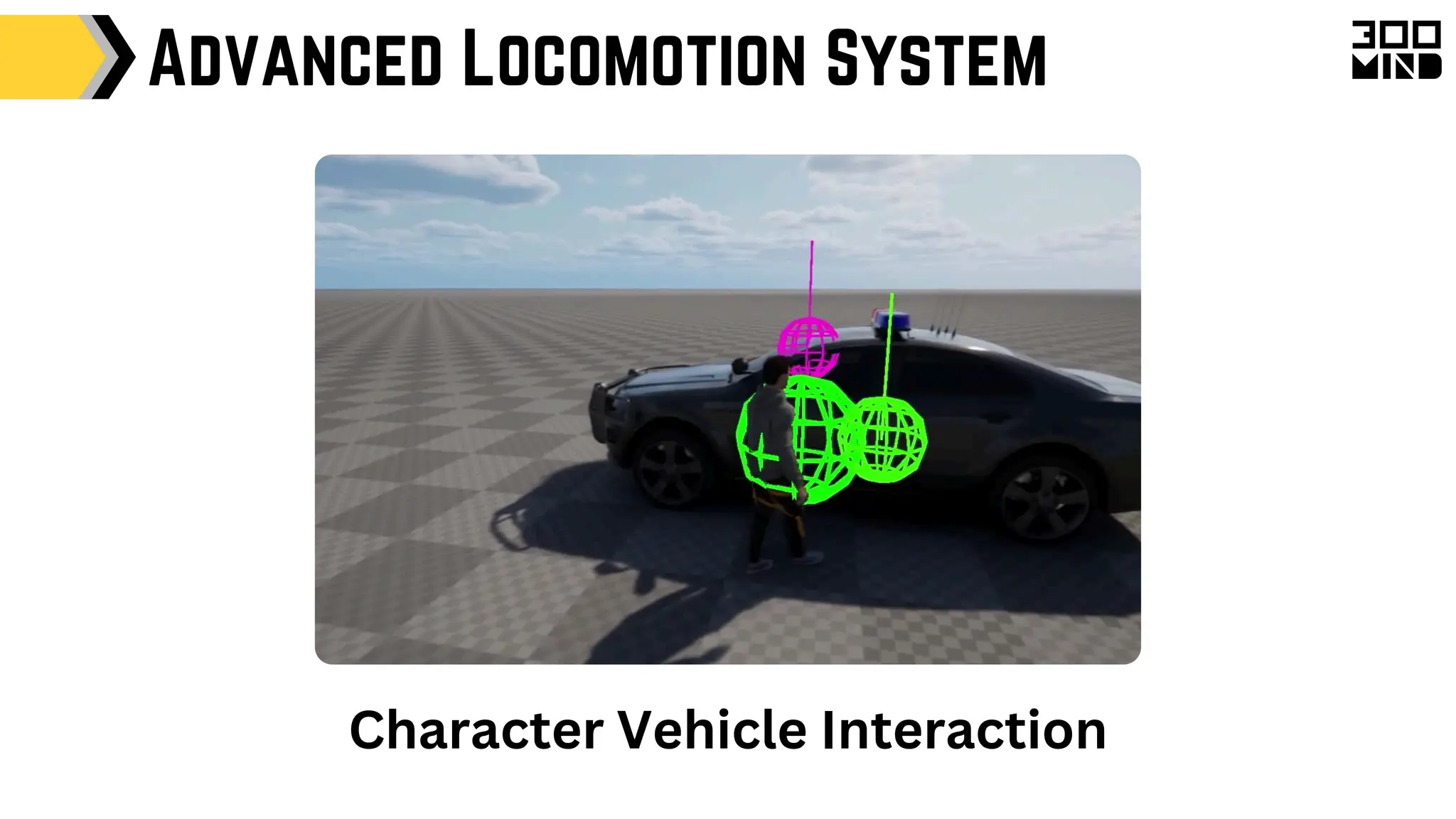
Advanced Locomotion System
Character Vehicle Interaction
Advanced Locomotion System
Game Architecture Design Pattern
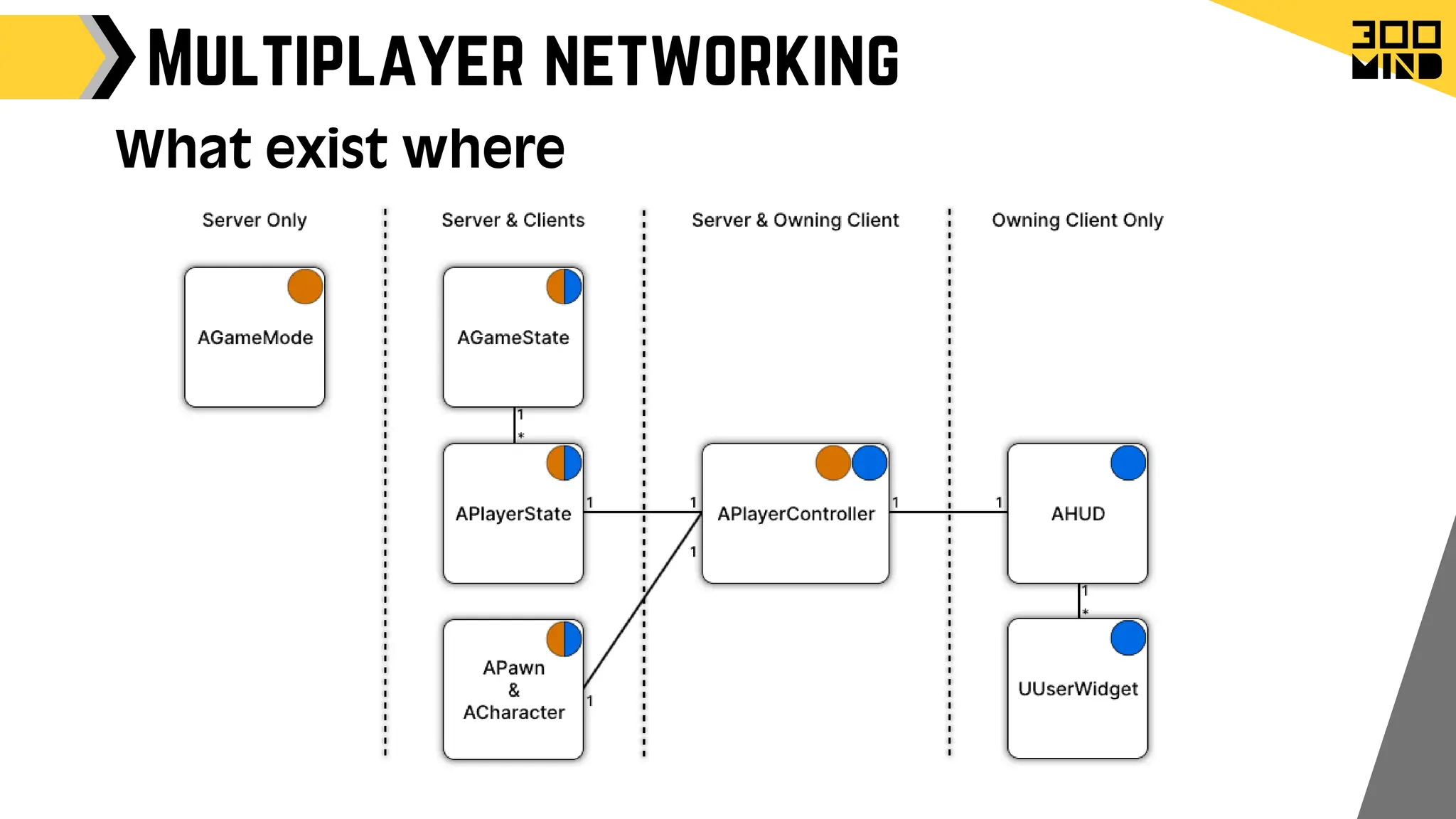
GameMode:
Purpose: Defines the rules and flow of the game.
Role:
Handles game logic, win conditions, player spawning, and game state
transitions.
Dictates game behaviour rules and mechanics as an authoritative class
Instantiated only on the server in multiplayer games
Absent on clients in multiplayer Games.
Game Architecture Design Pattern
Purpose: Maintains the current state of the game that needs to
be shared among all players.
Role:
Keeps track of information that all players need to know, such as the
current score, time remaining, or any game-wide status.
Exists on both the server and clients, ensuring that the state is
synchronised across the network
GameState:
Game Architecture Design Pattern
Role:
Maintains information about each player, such as score, health, team
affiliation, and player-specific stats.
Exists on both the server and clients, allowing for synchronised player
data across the network.
PlayerState:
Purpose: Represents an individual player's state within the game.
Game Architecture Design Pattern
Role:
Acts as an intermediary between player input and the pawn, handling
input events and calling appropriate functions on the pawn.
Exists on both the server and the owning client, allowing for input
handling and communication with the server.
PlayerController:
Purpose: Manages the player’s input and translates it into actions
for the controlled pawn.
Allow developers to define complex AI behaviours using a tree structure
that breaks down decision-making into manageable tasks.
Integrate seamlessly with AI controllers to execute tasks based on game
state and conditions.
The blackboard acts as a memory for Ai pawn.
Unreal AI has senses Like
Vision
Hearing
Damage
Touch
Team
Game Architecture Design Pattern
Role:
Behaviour Trees , Blackboard & AIController :
Purpose: Provide a system for designing and implementing AI
behaviour in a modular and flexible way.
Game Architecture Design Pattern
Role:
Provides a unified interface for handling input from various devices, such
as keyboards, gamepads, and touchscreens.
Allows developers to define input mappings and actions that can be
easily customised and extended.
Also allows to dynamically register and unregister input events.
Input System:
Purpose: Manages player input and binds it to game actions.
Game Architecture Design Pattern
Role:
Responsible for drawing the user interface elements, such as health bars,
ammo counts, or minimaps.
HUD Provides a central place to handle UI logic and rendering.
HUD & Widgets
Purpose: Manages the rendering of the user interface on the
player’s screen.
Game Architecture Design Pattern
Role:
Allow developers to create systems that are decoupled from specific
actors or levels, such as audio management, input handling, or save
systems.
Can exist at different levels, including game instance, engine, or world,
depending on the scope of the system.
Subsystems:
Purpose: Provide modular and reusable game systems that can be
accessed throughout the engine.
Damage System
Damage System:
It's an in-built system that manages damage interactions in
games.
This system works with any actor-to-actor interaction with
the following things.
DamageType
Damage Events
Instigator & damage causer
Damage System
Damage Types:
Its and Asset type that can be used to define characteristics of
the damage.
Differentiate between various kinds of damage (e.g., fire, bullet,
explosion).
It helps to manage all logic related to damage in one place
eg. Fire damage
Which VFX to use
which sound to use
how long will the damage last
should decrease damage as time passes
Damage System
UGameplayStatics::ApplyDamage
UGameplayStatics::ApplyPointDamage
UGameplayStatics::ApplyRadialDamage
Victim Actor Recives TakeDamage Event
It passes information like : damage, the damage caused, the instigator,
and the damage type .
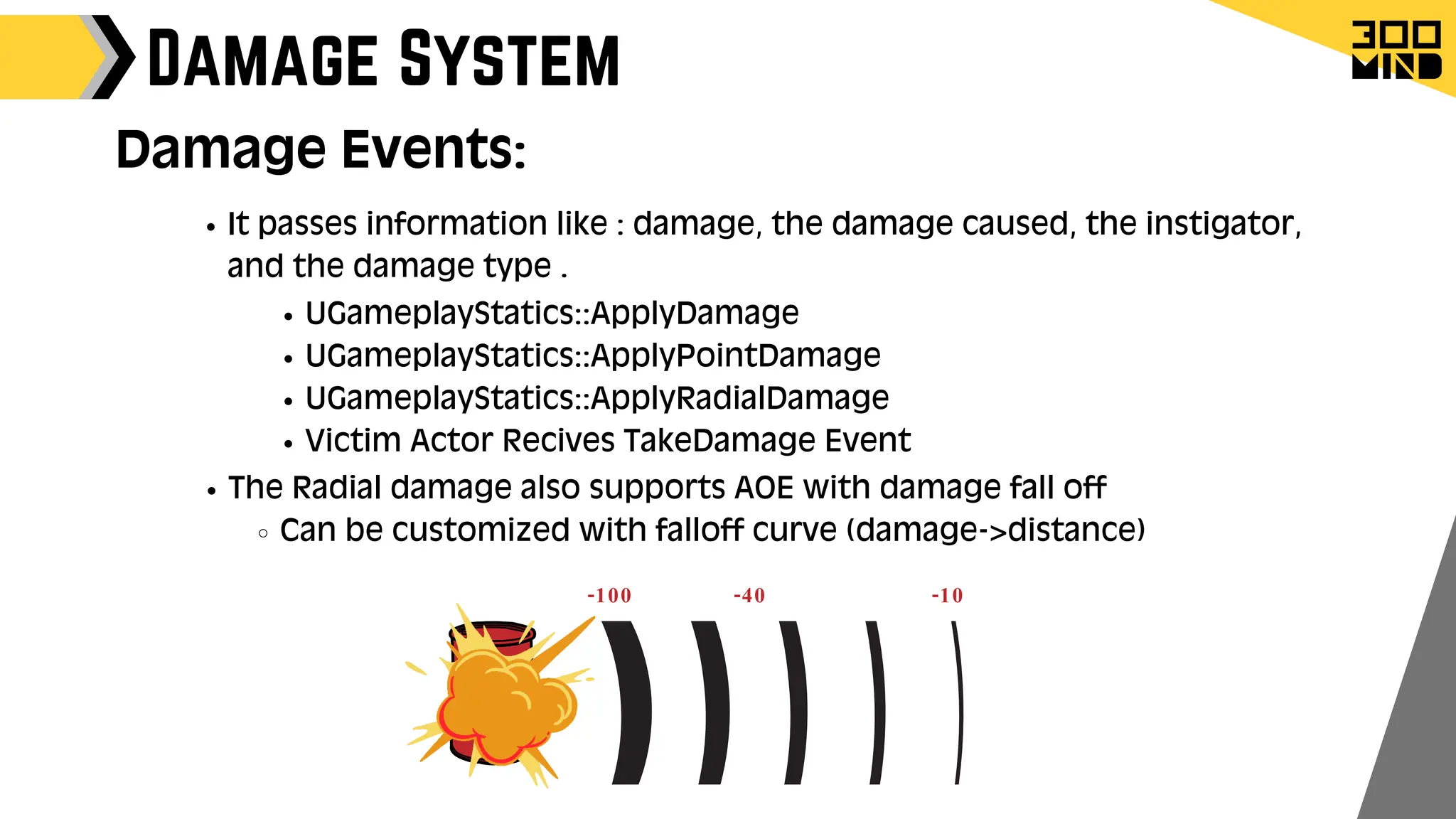
The Radial damage also supports AOE with damage fall off
Can be customized with falloff curve (damage->distance)
-100 -40 -10
Damage Events:
Damage System
Instigator & damage causer:
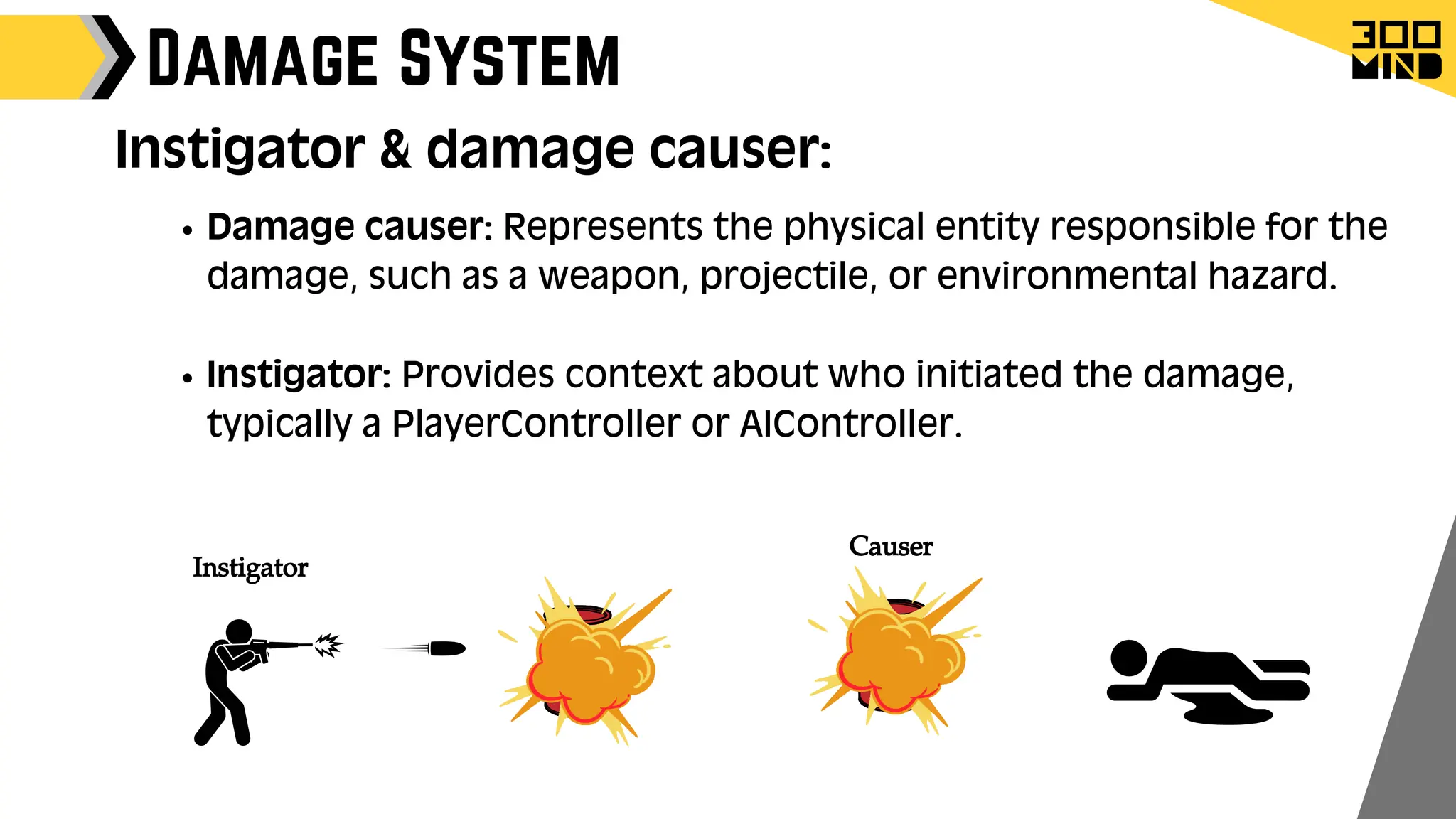
Damage causer: Represents the physical entity responsible for the
damage, such as a weapon, projectile, or environmental hazard.
Instigator: Provides context about who initiated the damage,
typically a PlayerController or AIController.
Instigator
Causer
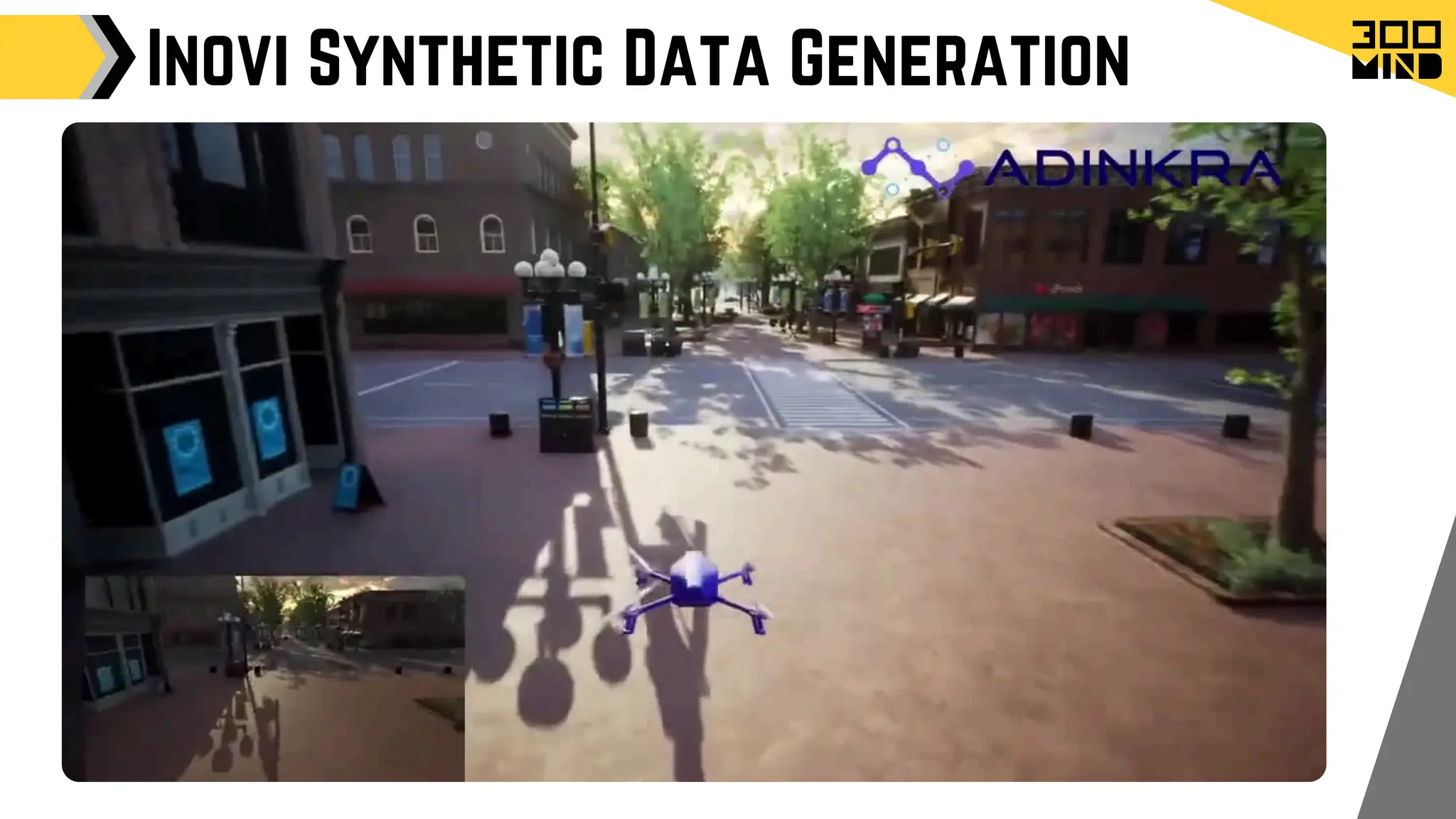
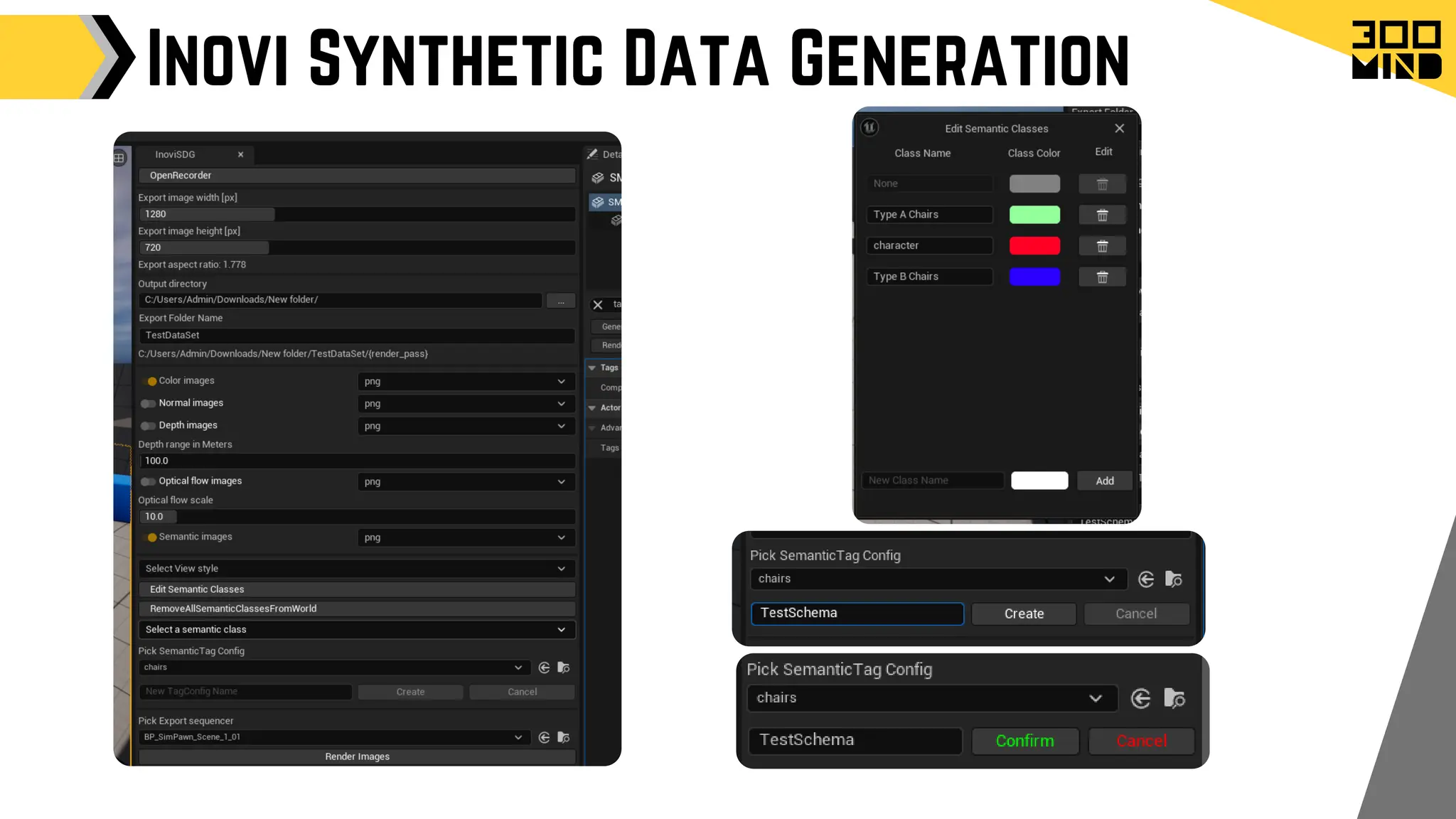
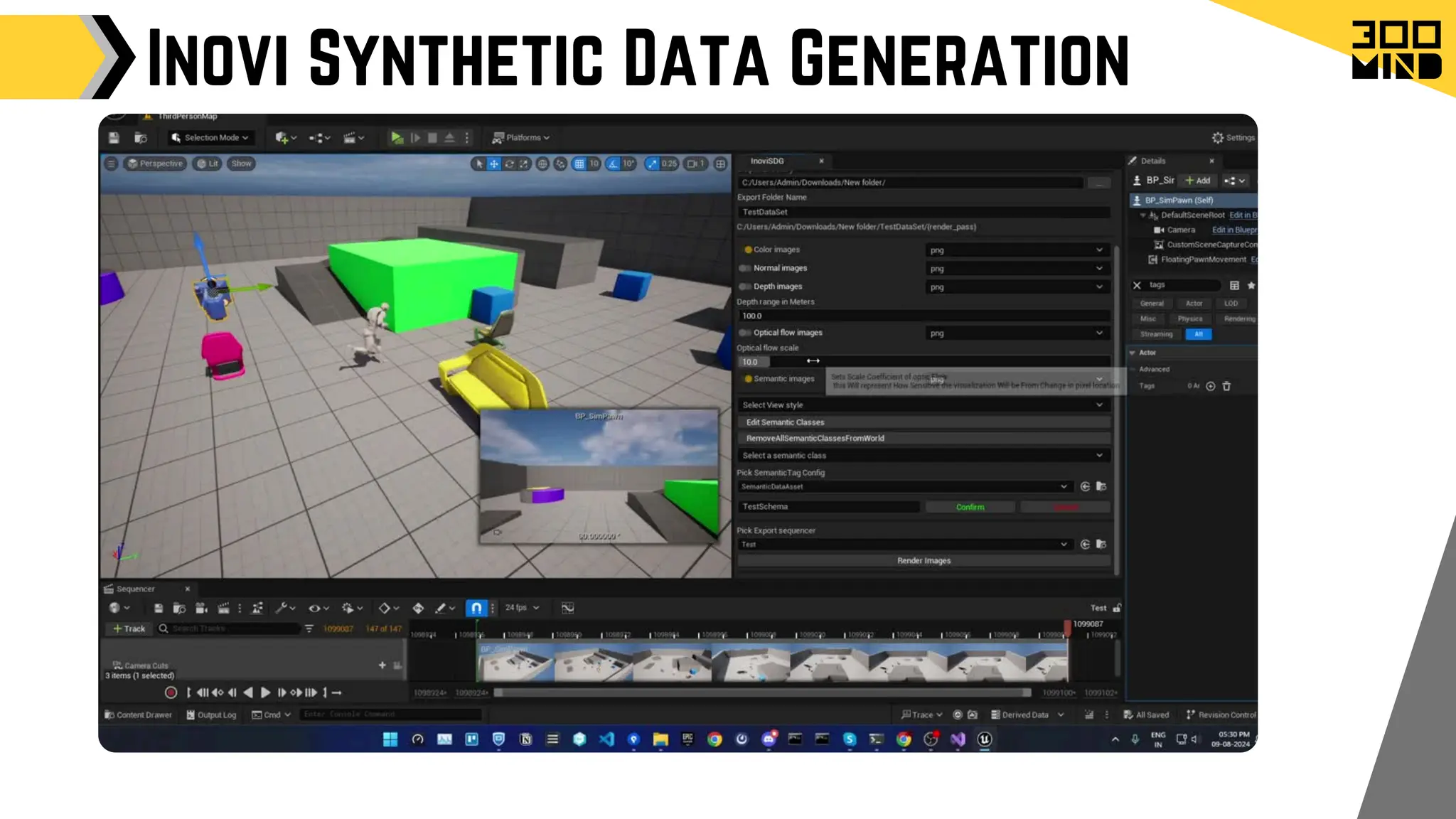
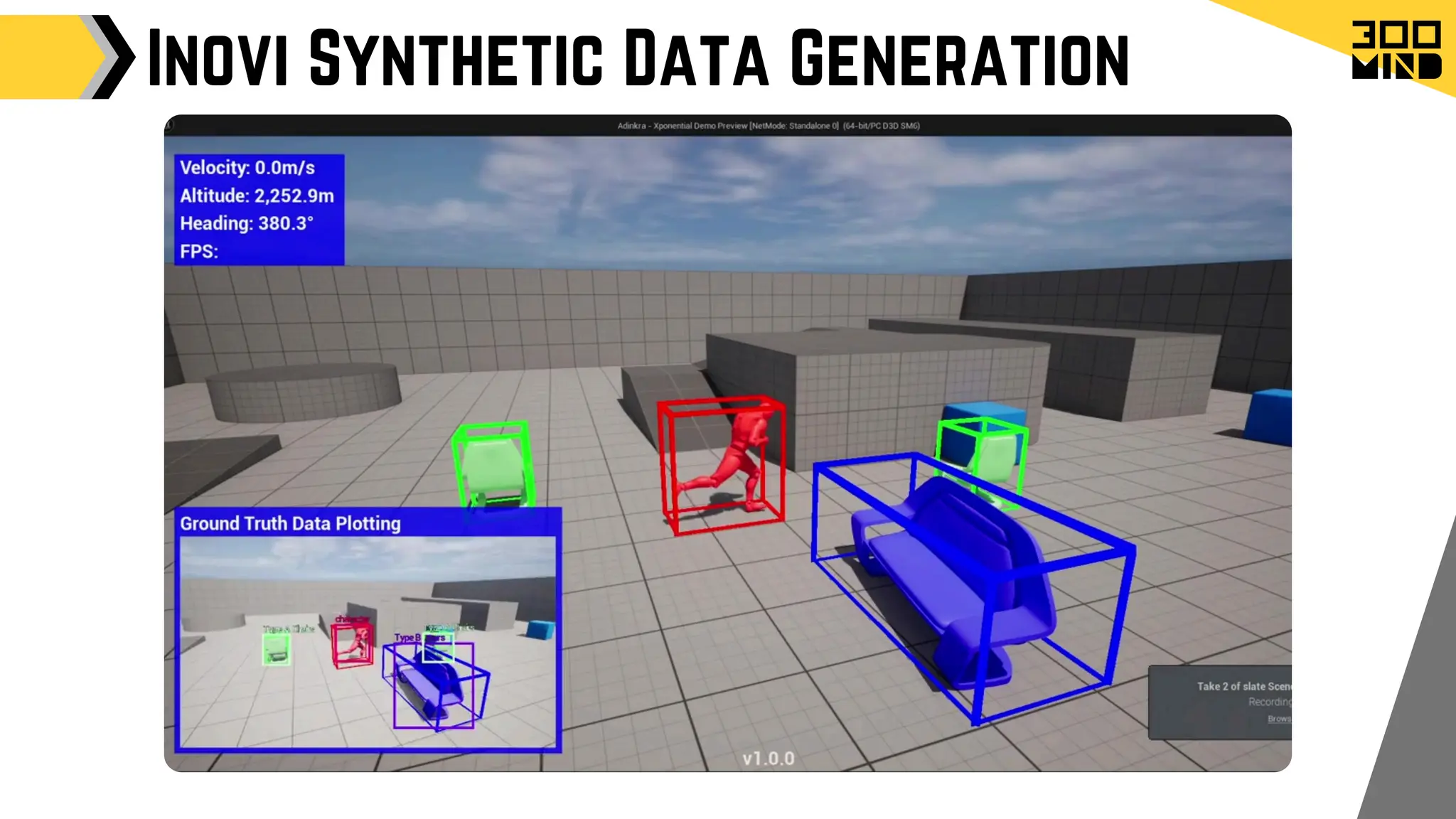
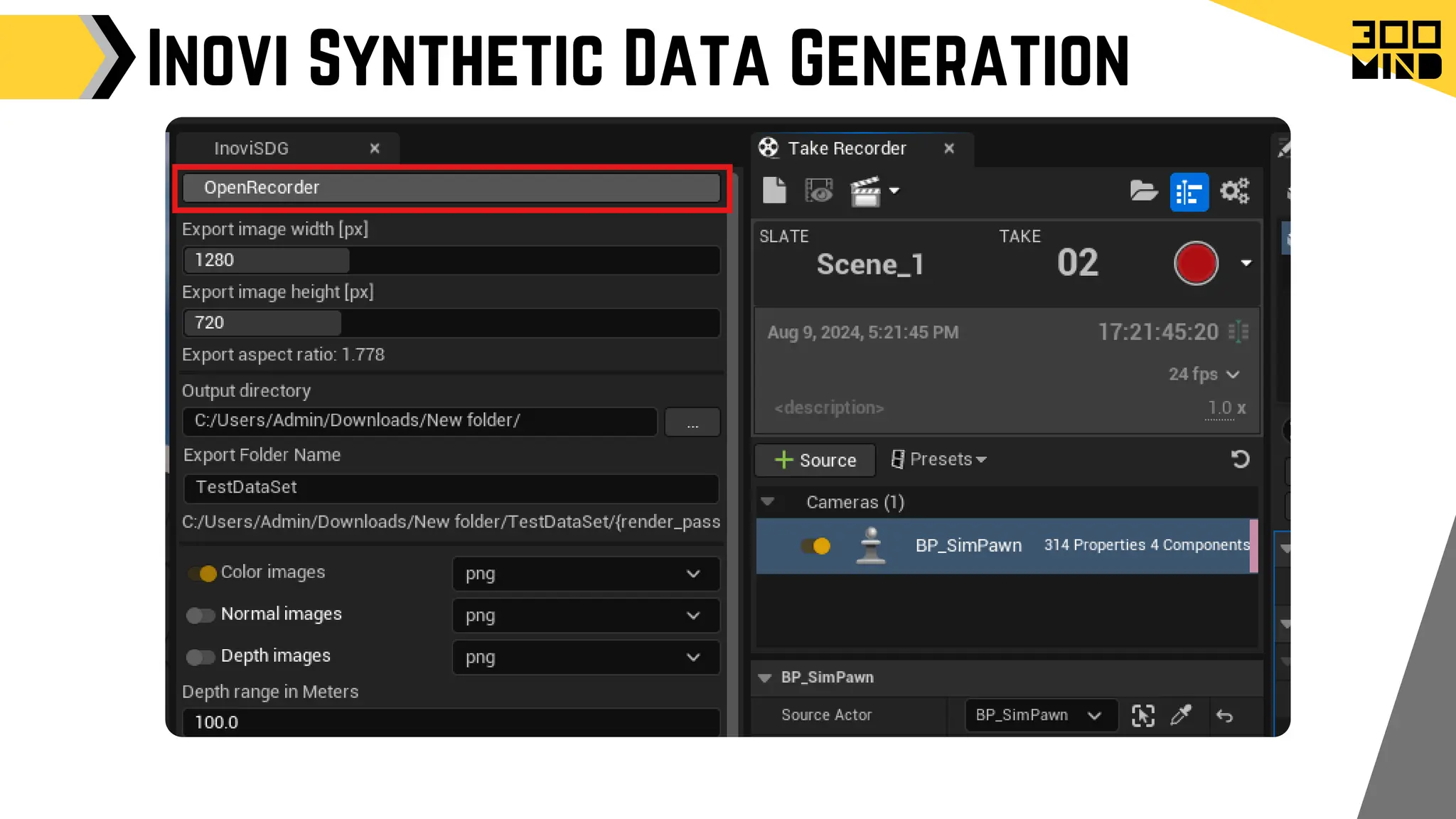
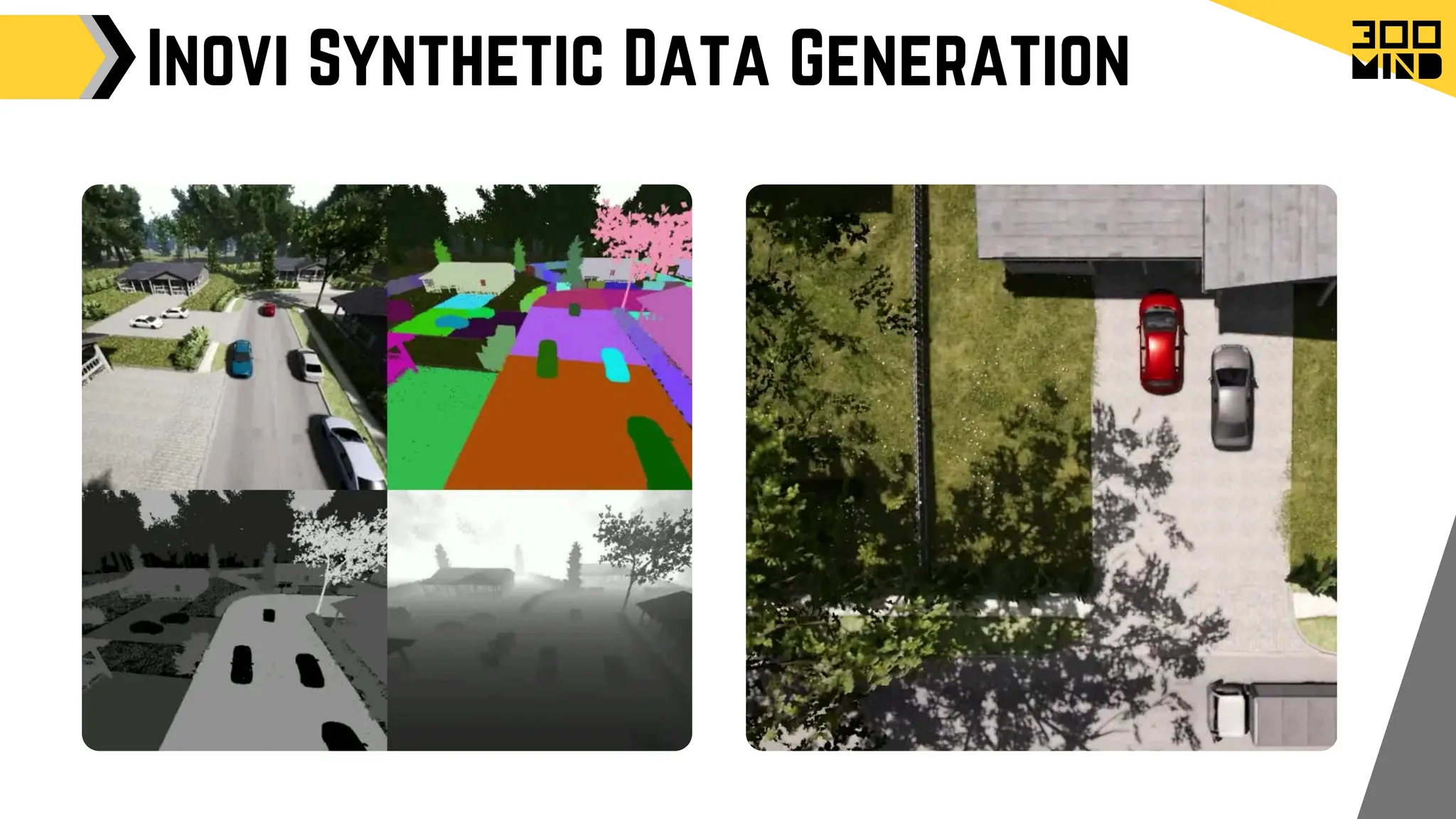
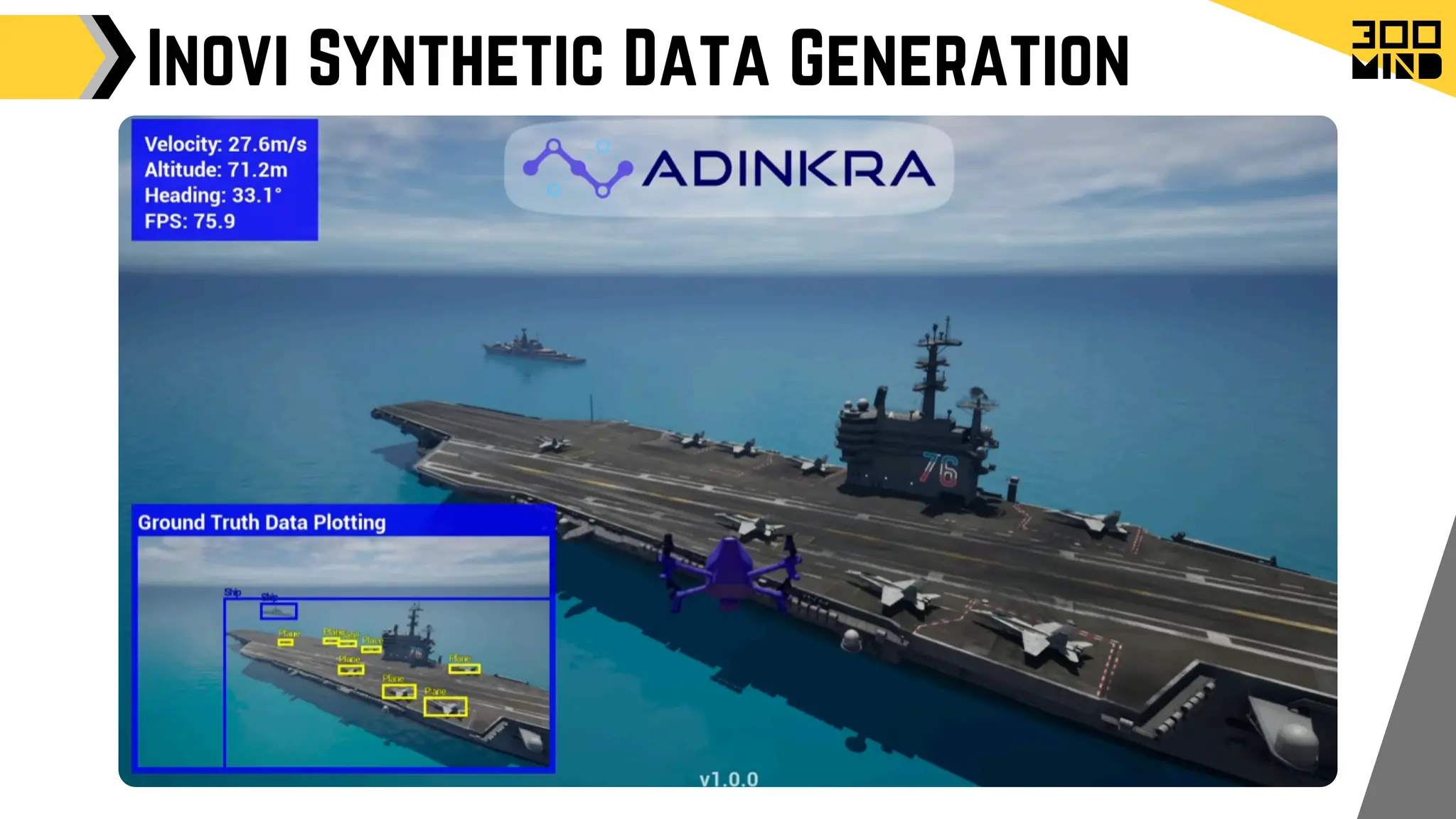
Inovi Synthetic Data Generation
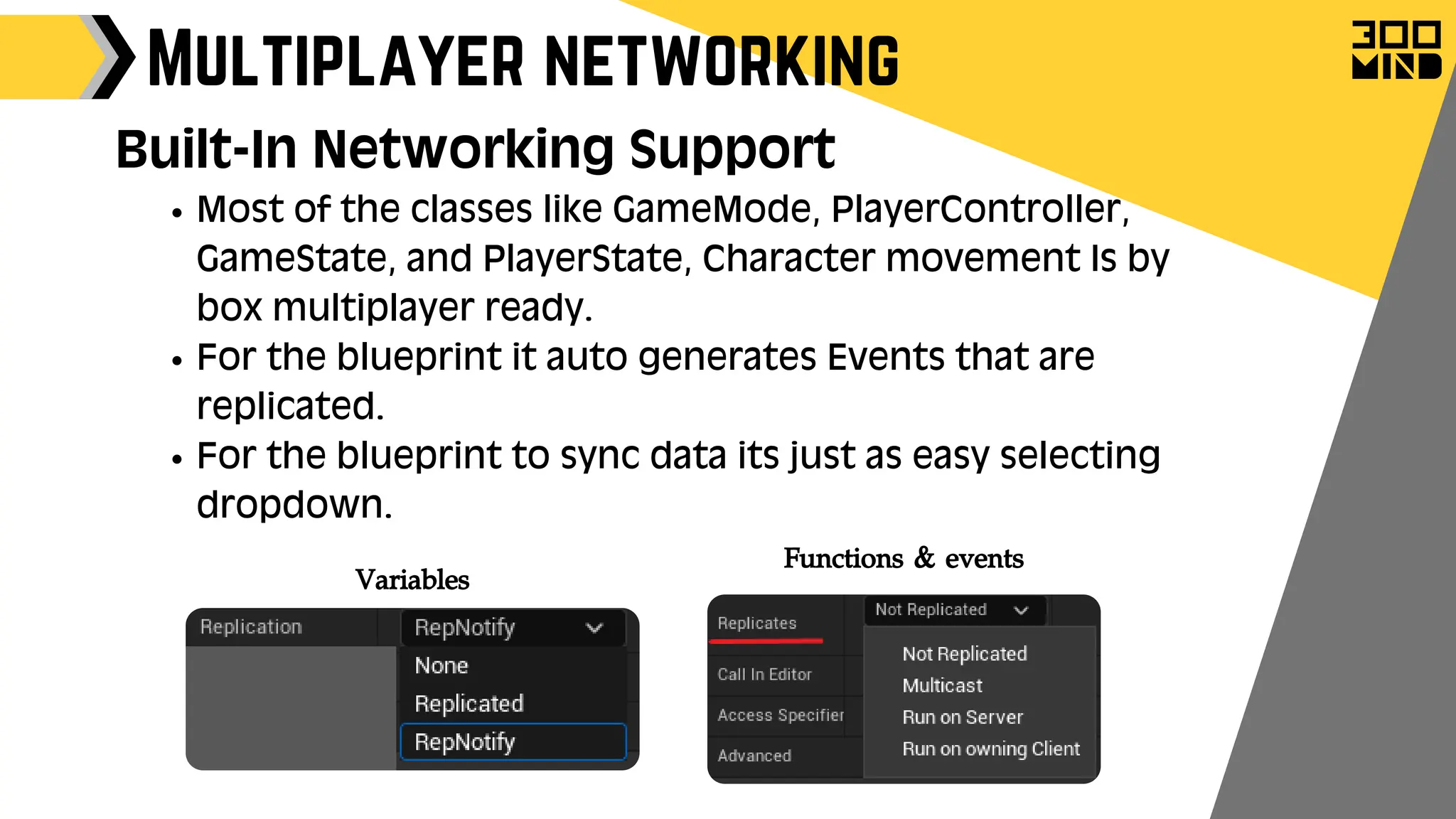
Most of the classes like GameMode, PlayerController,
GameState, and PlayerState, Character movement Is by
box multiplayer ready.
For the blueprint it auto generates Events that are
replicated.
For the blueprint to sync data its just as easy selecting
dropdown.
Multiplayer networking
Built-In Networking Support
Functions & events
Variables
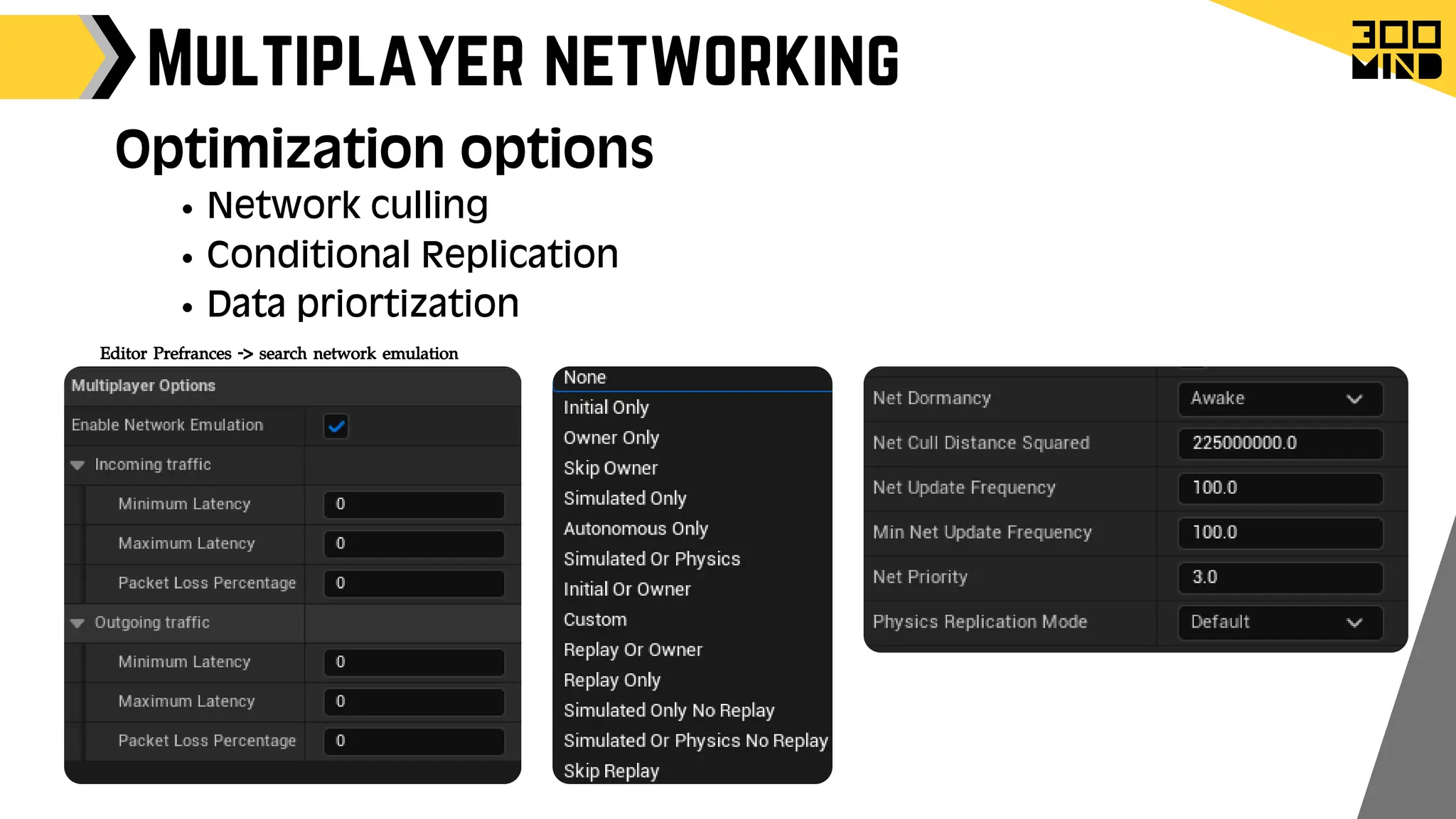
Multiplayer networking
Network culling
Conditional Replication
Data priortization
Optimization options
Editor Prefrances -> search network emulation
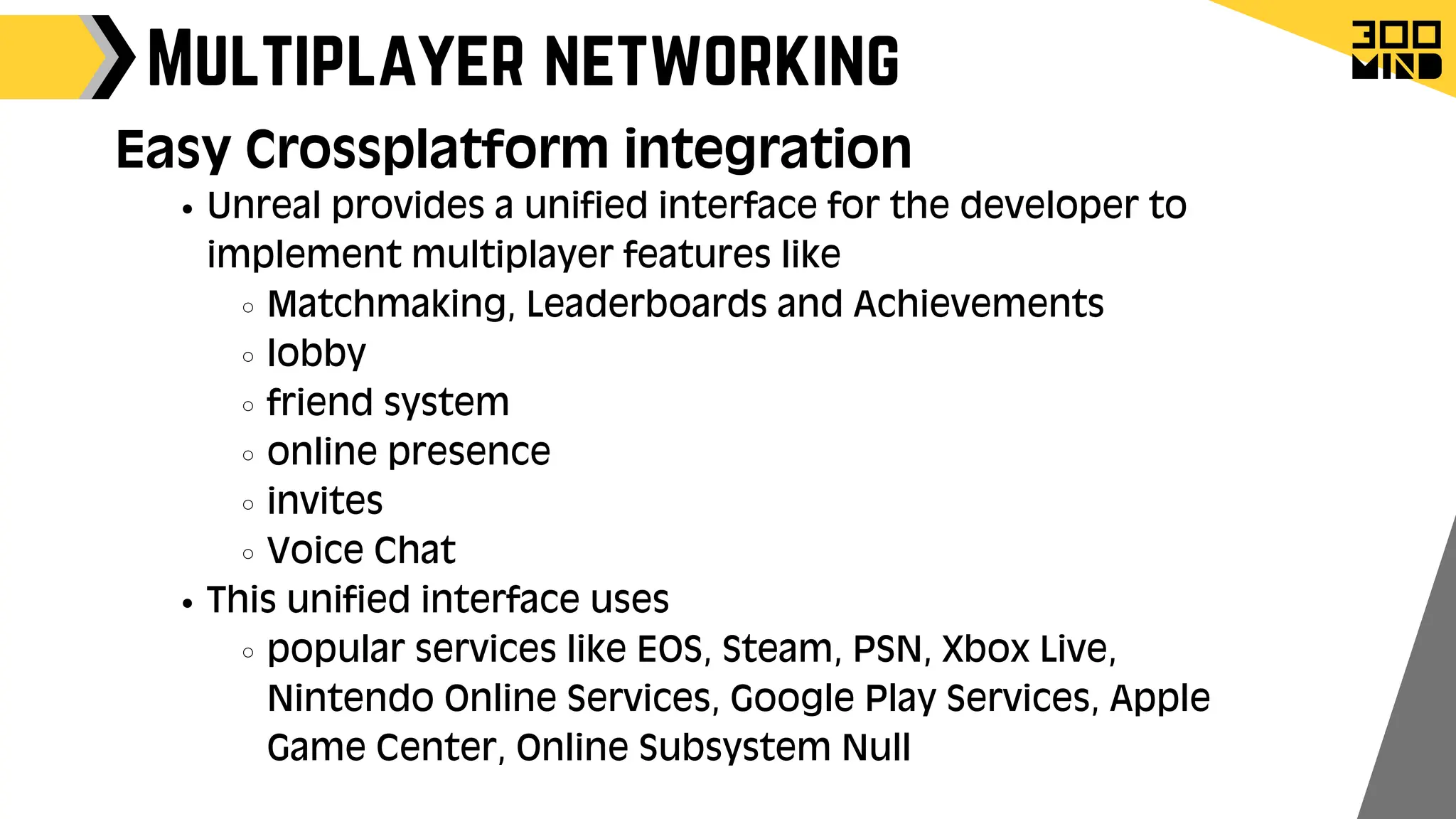
Multiplayer networking
Unreal provides a unified interface for the developer to
implement multiplayer features like
Matchmaking, Leaderboards and Achievements
lobby
friend system
online presence
invites
Voice Chat
This unified interface uses
popular services like EOS, Steam, PSN, Xbox Live,
Nintendo Online Services, Google Play Services, Apple
Game Center, Online Subsystem Null
Easy Crossplatform integration
Multiplayer networking
What exist where
Game Optimization Methods
Culling:
1.
It is a technique used to improve performance by not rendering
objects that are not currently visible to the player.
There are several types of culling:
View Frustum Culling
Distance Culling
Occlusion Culling
Game Optimization Methods
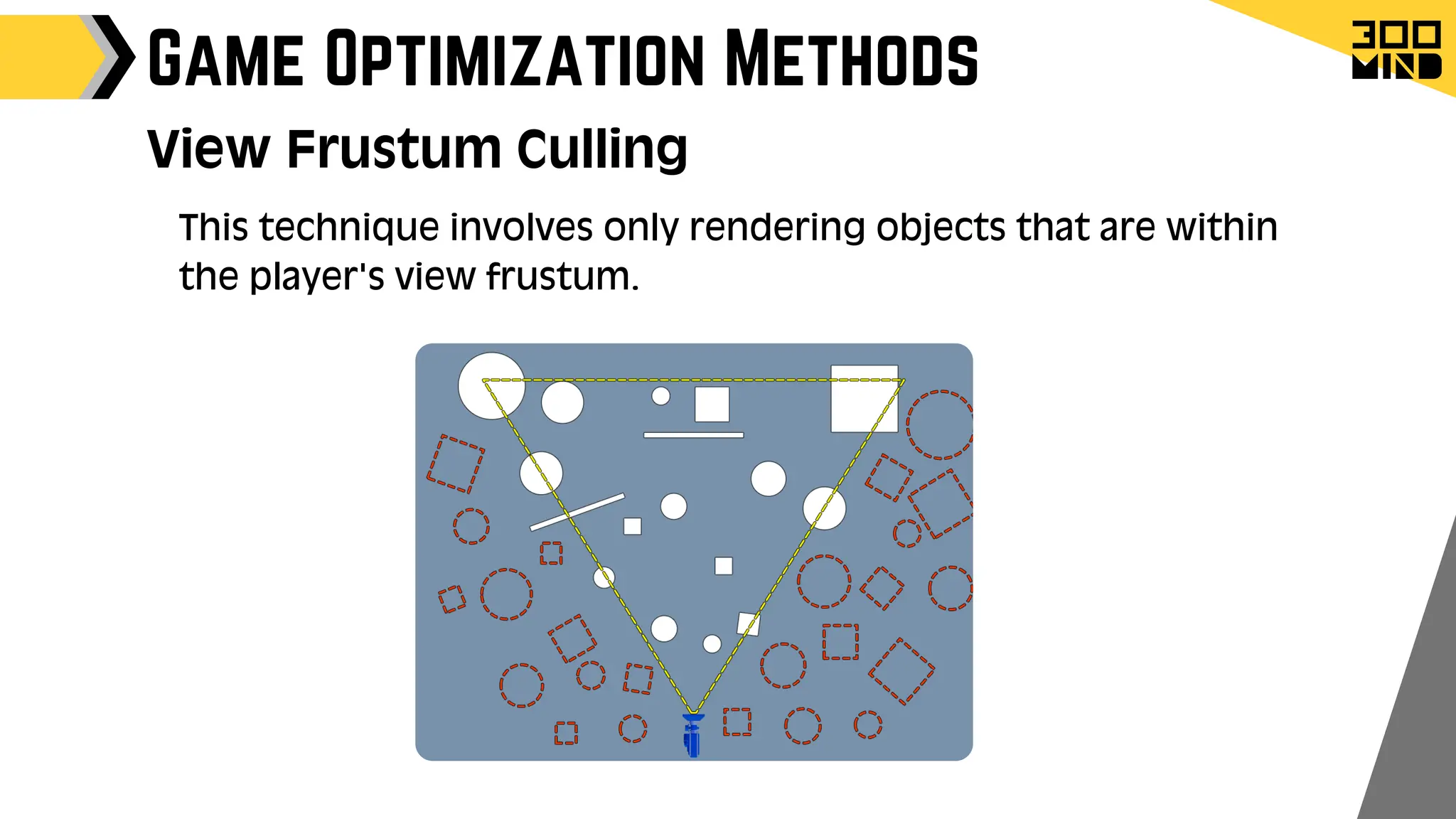
View Frustum Culling
This technique involves only rendering objects that are within
the player's view frustum.
Game Optimization Methods
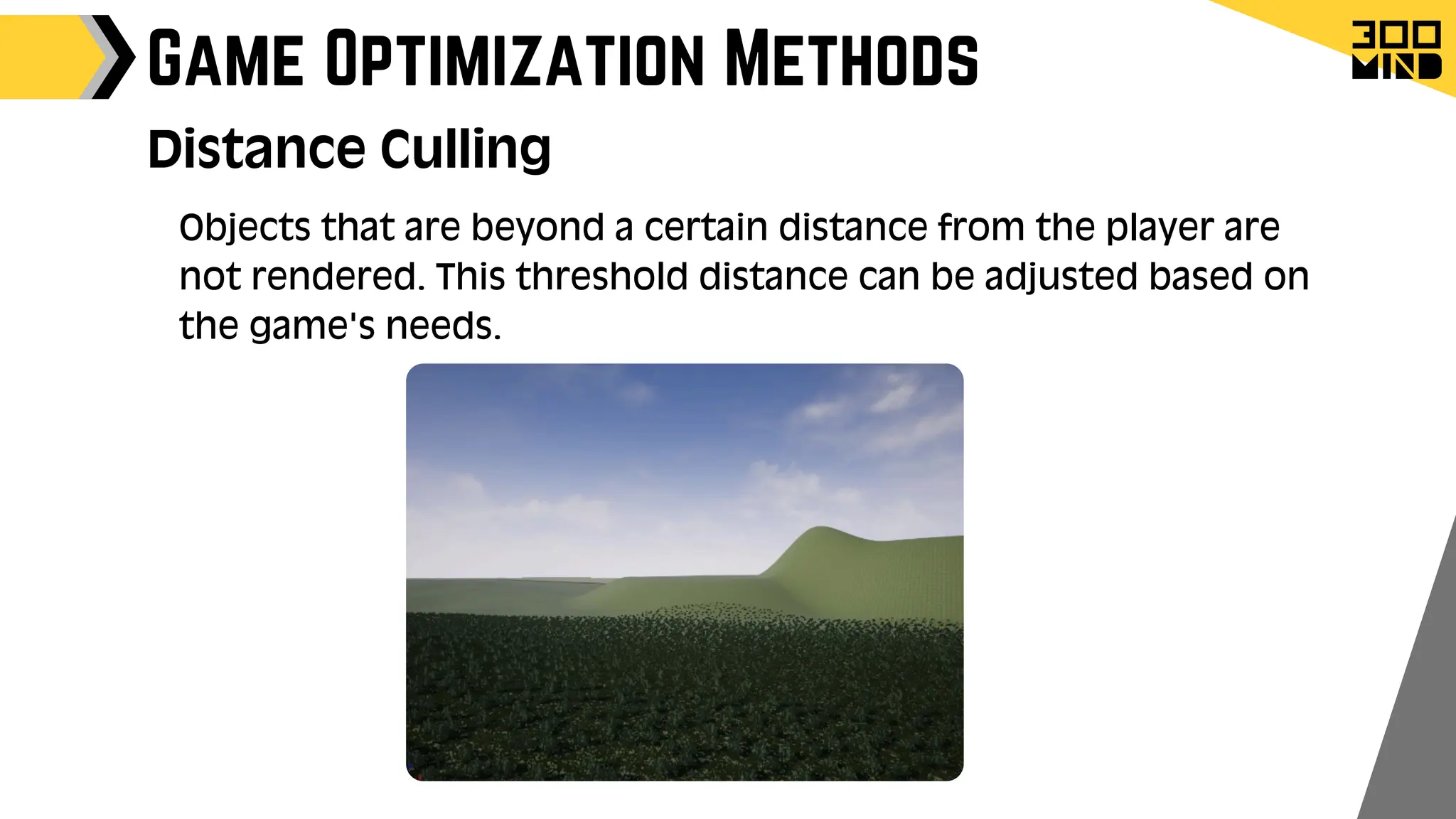
Distance Culling
Objects that are beyond a certain distance from the player are
not rendered. This threshold distance can be adjusted based on
the game's needs.
Game Optimization Methods
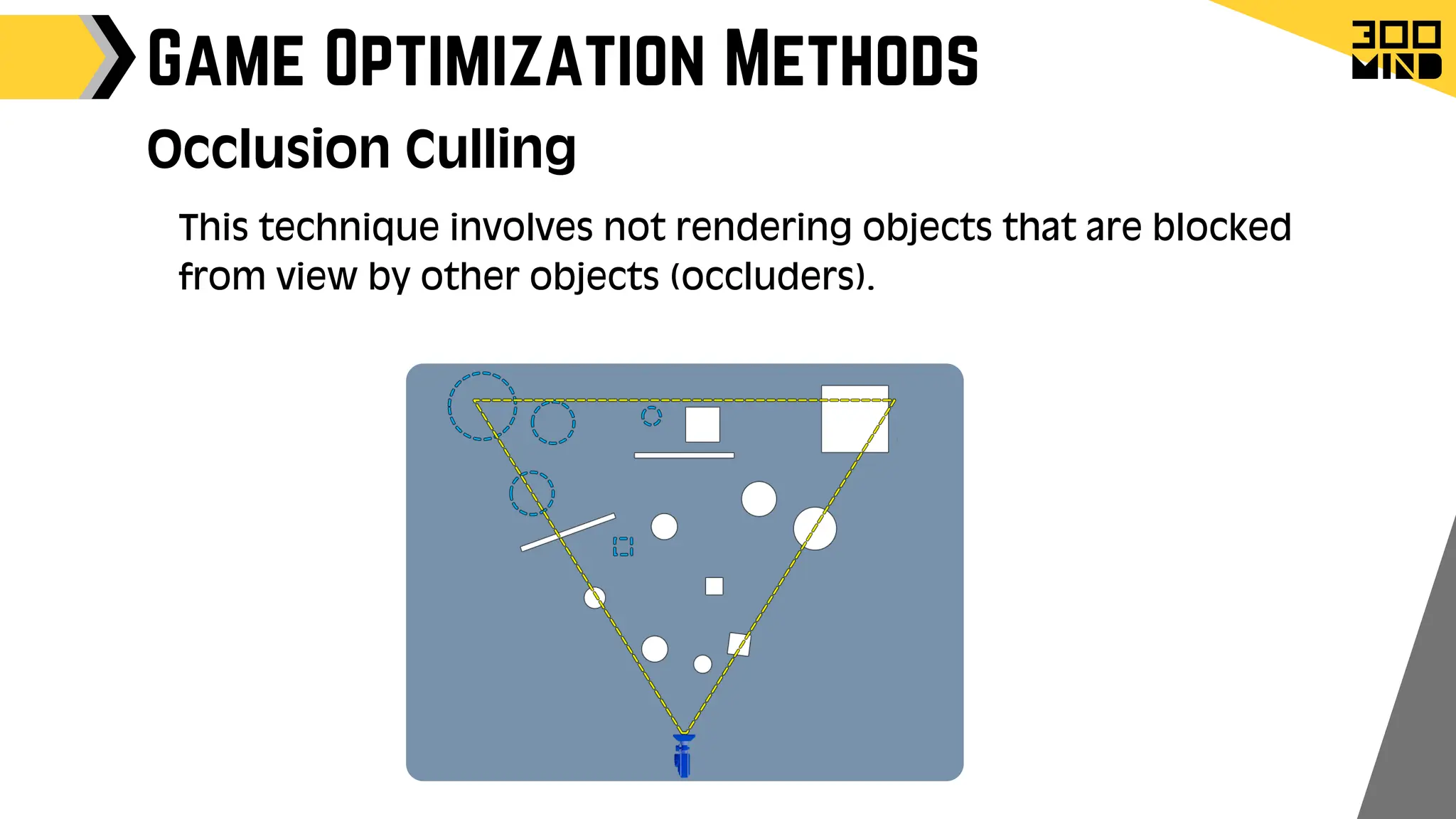
Occlusion Culling
This technique involves not rendering objects that are blocked
from view by other objects (occluders).
Game Optimization Methods
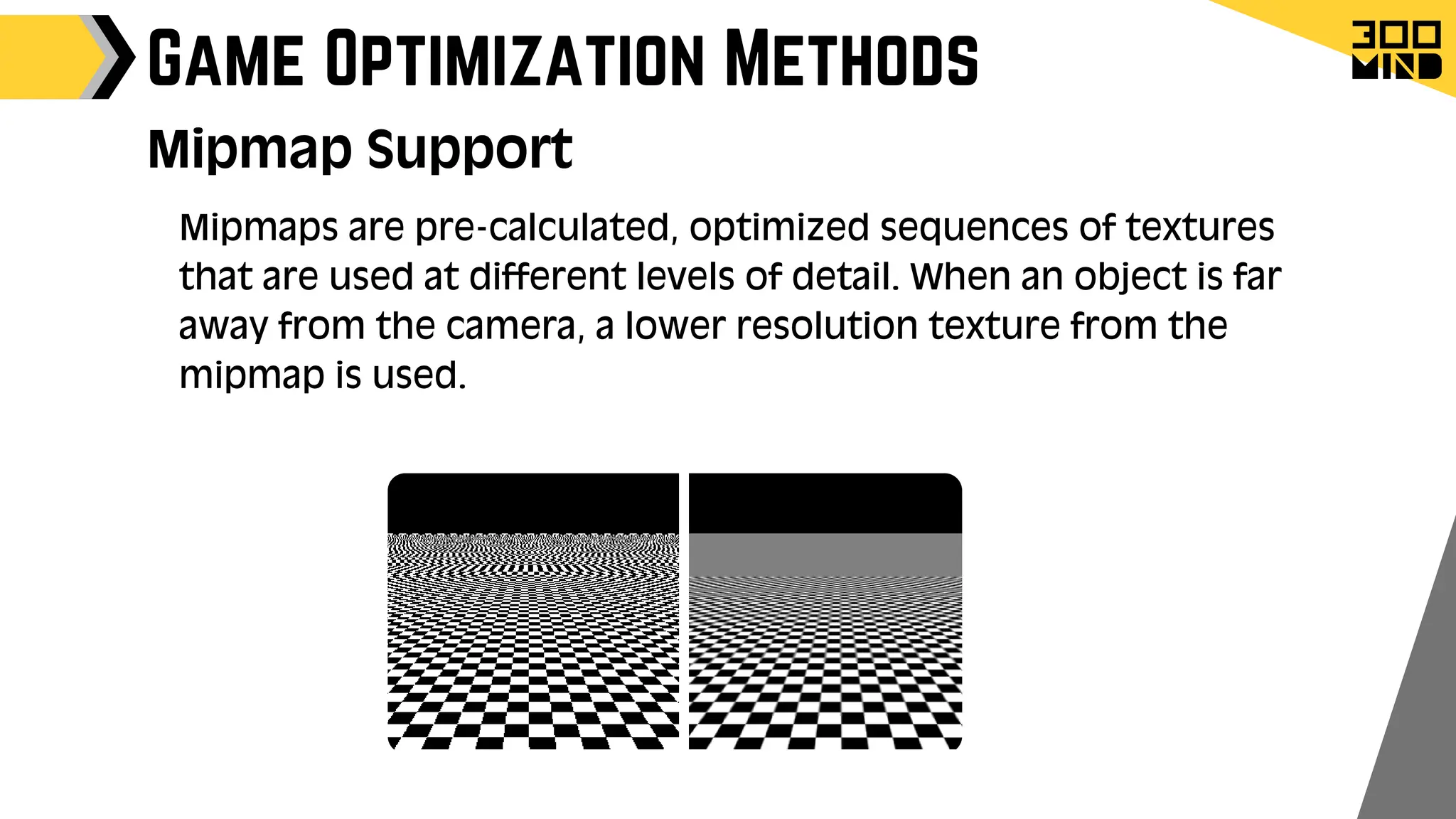
Mipmap Support
Mipmaps are pre-calculated, optimized sequences of textures
that are used at different levels of detail. When an object is far
away from the camera, a lower resolution texture from the
mipmap is used.
Game Optimization Methods
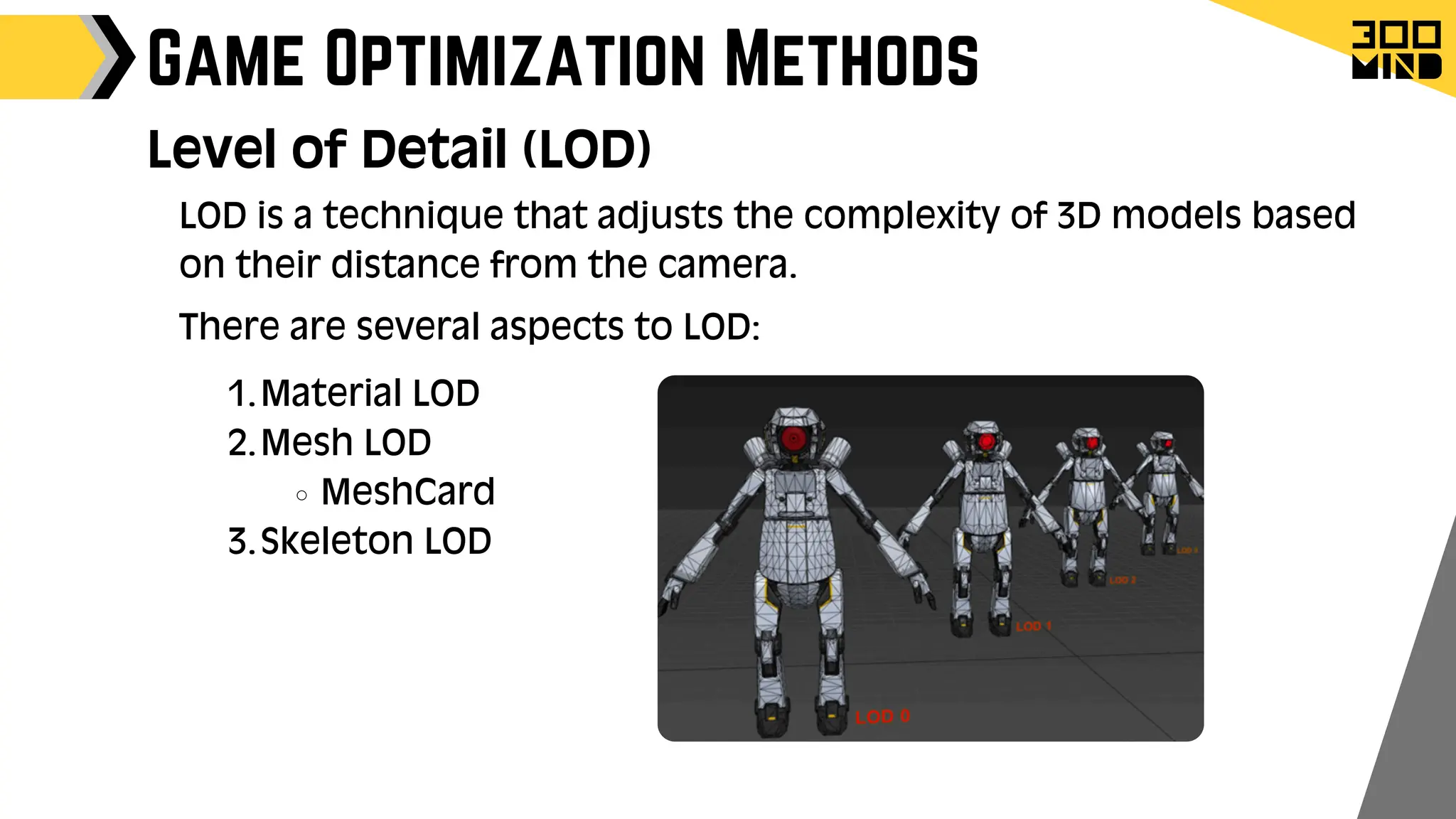
Level of Detail (LOD)
LOD is a technique that adjusts the complexity of 3D models based
on their distance from the camera.
There are several aspects to LOD:
Material LOD
1.
Mesh LOD
2.
MeshCard
Skeleton LOD
3.
Game Optimization Methods
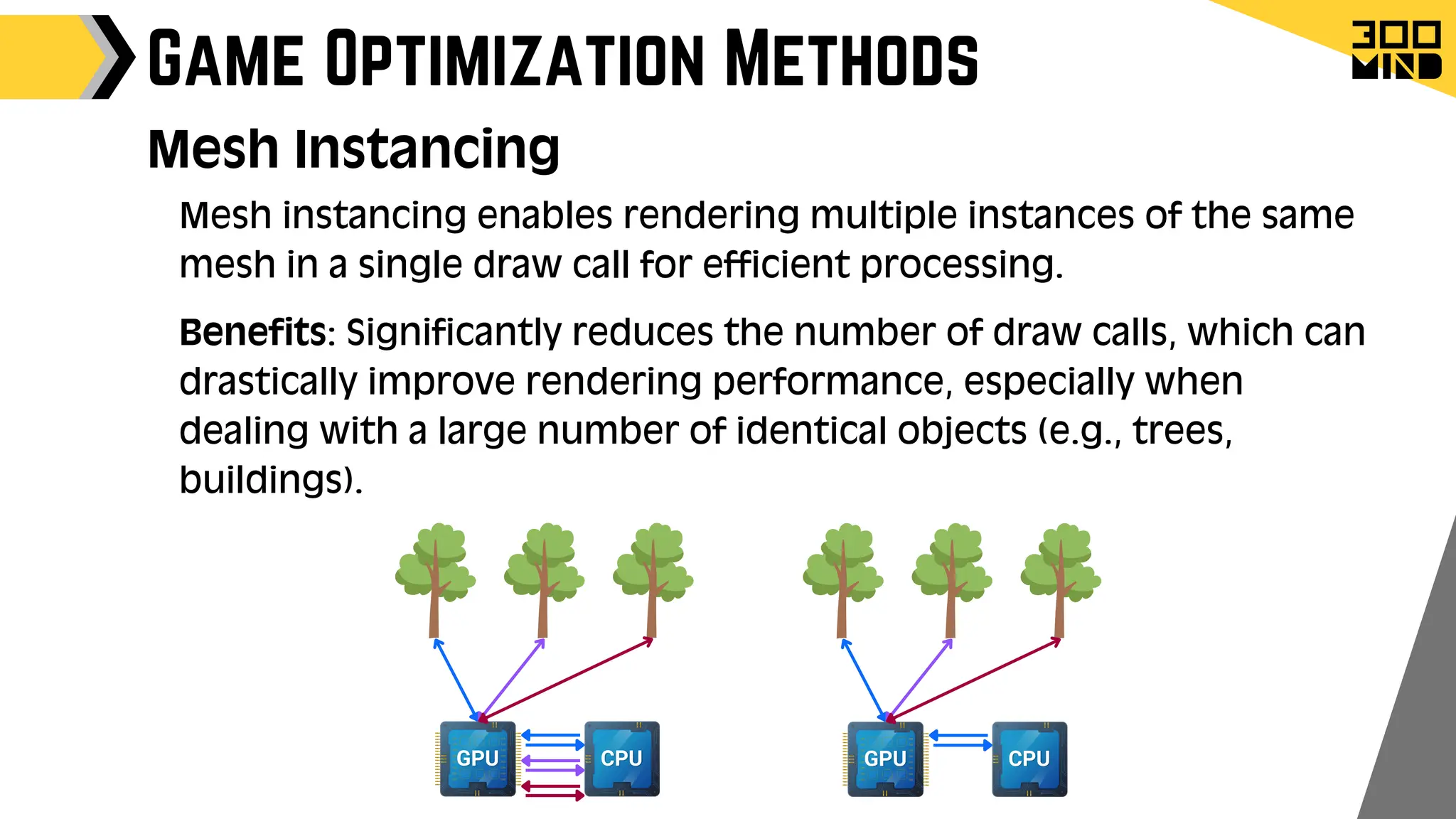
Mesh Instancing
Mesh instancing enables rendering multiple instances of the same
mesh in a single draw call for efficient processing.
Benefits: Significantly reduces the number of draw calls, which can
drastically improve rendering performance, especially when
dealing with a large number of identical objects (e.g., trees,
buildings).
Unreal Ahmedabad Meetup Hosted by 300Minds.pdf

Unreal Ahmedabad Meetup Hosted by 300Minds.pdf

  • 2.
    Sr. Unreal GameDeveloper Sr. Game Developer Lead Game Developer Ankit Dave Kshitij Modi Jayraj Kanzariya speakers
  • 5.
    Agenda Benefits of UnrealEngine Blueprints Lumen and Nanite Niagra particle system Other Utilities Animation Techniques Forbidden Island insights Live MVP Demo of Unreal Engine Advanced Locomotion System insights Game Architecture Design Pattern Damage System AI Turret insights Multiplayer networking Advanced Vehicle System Insights Game Optimization Methods Inovi Synthetic Data Generation Insights Character Customizer Insights Q&A
  • 7.
    Unreal Engine Blueprints 1.Visual Scripting Blueprints enable non-programmers like designers and artists to create and modify game logic visually without code. Visual scripting is intuitive and accelerates the learning process for new users. 2. Rapid Prototyping Blueprints allow rapid iteration for testing ideas and features essential for Minimum Viable Product (MVP) development. They offer flexibility for quick changes based on feedback without extensive coding.
  • 8.
    Unreal Engine Blueprints 3.Integration with C++ Blueprints allow quick prototyping with flexibility to switch to C++ for performance. Starting with Blueprints facilitates transitioning to more advanced C++ programming. 4. Debugging and Testing Blueprint debugging tools offer real-time feedback for immediate issue resolution and visual aids for tracking execution flow and logic understanding.
  • 9.
  • 11.
    Lumen Global Illumination Itis a real-time dynamic global illumination and reflection system that offers realistic lighting effects without requiring pre-computed light maps or manual reflection capture setup.
  • 12.
    Lumen Global Illumination UseCases: Open World Games: Where dynamic lighting and time of day are crucial for immersion. Architectural Visualisation: For realistic lighting simulations that respond to design changes. VR Experiences: Provides high-quality lighting without the need for pre-baked lighting, allowing for more interactive and immersive environments.
  • 13.
    Lumen Global Illumination PerformanceConsiderations Scene Complexity: Performance can be affected by the complexity and size of the scene, particularly with highly detailed environments. Hardware Requirements: While Lumen is optimised for a range of systems, high-quality results may require more powerful hardware.
  • 15.
    Nanite System Nanite inUnreal Engine 5's optimizes pixel-scale detail and object counts efficiently using new mesh format, rendering tech and compresses data, fine-grained streaming, and automatic level of detail.
  • 16.
    Nanite System Benefits ofNanite Nanite enables extremely complex geometry with higher triangle and object counts. Performance is no longer constrained by polycounts, draw calls, or mesh memory. Directly import high-quality art like ZBrush sculpts and photogrammetry scans. Use high-poly details without baking into normal maps. LOD is handled automatically, no manual setup needed. Quality loss is rare, even with LOD transitions.
  • 18.
    Unreal Engine's Niagarasystem enables developers and artists to create detailed particle effects such as smoke, fire, explosions, and magical elements in games and interactive applications. Key features Node-Based Workflow Real-Time Simulation Supports both GPU and CPU calculation (sprite,mesh,light) Visual Debugging Tools Niagara Particle System Niagara:
  • 19.
    Niagara Particle System Modules: Modulesare reusable units that define specific particle behaviours within Emitters. Emitters: Emitters are components that generate and control particles within a System. Systems: Systems are collections of Emitters that form a complete particle effect. Niagara core components: Life cycle: init -> Spawn->Update->render->Destroy Built-in Object pooling.
  • 22.
    Other Utilities Mesh Editor SkeletonEditor Weight Paint Editor Meta Sound Runtime sound synthesis Logic driven sound ControlRig Improved Ik Runtime rig control
  • 24.
    Animation Techniques Motion Warping: MotionWarping is a feature where you can dynamically adjust a character's root motion to align to targets. Motion Wrapping : On Motion Wrapping : Off
  • 25.
    Animation Techniques Stride Warpingadjusts the length of a character's steps dynamically during animation. It ensures that characters' walking or running animations adapt to varying speeds and terrains. Stride Warping:
  • 26.
    Animation Techniques Orientation Warpingaligns the character's animation orientation with the direction of movement. It adjusts the orientation of animations to match the character’s facing direction. Orientation Warping:
  • 27.
    Animation Techniques Distance Matchingensures that the distance covered by the character in an animation matches the actual distance travelled in the game world. It adjusts the animation playback speed to synchronise with the character’s movement. Distance Matching:
  • 34.
  • 35.
    Jump break fall AdvancedLocomotion System
  • 36.
  • 37.
  • 39.
    Game Architecture DesignPattern GameMode: Purpose: Defines the rules and flow of the game. Role: Handles game logic, win conditions, player spawning, and game state transitions. Dictates game behaviour rules and mechanics as an authoritative class Instantiated only on the server in multiplayer games Absent on clients in multiplayer Games.
  • 40.
    Game Architecture DesignPattern Purpose: Maintains the current state of the game that needs to be shared among all players. Role: Keeps track of information that all players need to know, such as the current score, time remaining, or any game-wide status. Exists on both the server and clients, ensuring that the state is synchronised across the network GameState:
  • 41.
    Game Architecture DesignPattern Role: Maintains information about each player, such as score, health, team affiliation, and player-specific stats. Exists on both the server and clients, allowing for synchronised player data across the network. PlayerState: Purpose: Represents an individual player's state within the game.
  • 42.
    Game Architecture DesignPattern Role: Acts as an intermediary between player input and the pawn, handling input events and calling appropriate functions on the pawn. Exists on both the server and the owning client, allowing for input handling and communication with the server. PlayerController: Purpose: Manages the player’s input and translates it into actions for the controlled pawn.
  • 43.
    Allow developers todefine complex AI behaviours using a tree structure that breaks down decision-making into manageable tasks. Integrate seamlessly with AI controllers to execute tasks based on game state and conditions. The blackboard acts as a memory for Ai pawn. Unreal AI has senses Like Vision Hearing Damage Touch Team Game Architecture Design Pattern Role: Behaviour Trees , Blackboard & AIController : Purpose: Provide a system for designing and implementing AI behaviour in a modular and flexible way.
  • 44.
    Game Architecture DesignPattern Role: Provides a unified interface for handling input from various devices, such as keyboards, gamepads, and touchscreens. Allows developers to define input mappings and actions that can be easily customised and extended. Also allows to dynamically register and unregister input events. Input System: Purpose: Manages player input and binds it to game actions.
  • 45.
    Game Architecture DesignPattern Role: Responsible for drawing the user interface elements, such as health bars, ammo counts, or minimaps. HUD Provides a central place to handle UI logic and rendering. HUD & Widgets Purpose: Manages the rendering of the user interface on the player’s screen.
  • 46.
    Game Architecture DesignPattern Role: Allow developers to create systems that are decoupled from specific actors or levels, such as audio management, input handling, or save systems. Can exist at different levels, including game instance, engine, or world, depending on the scope of the system. Subsystems: Purpose: Provide modular and reusable game systems that can be accessed throughout the engine.
  • 48.
    Damage System Damage System: It'san in-built system that manages damage interactions in games. This system works with any actor-to-actor interaction with the following things. DamageType Damage Events Instigator & damage causer
  • 49.
    Damage System Damage Types: Itsand Asset type that can be used to define characteristics of the damage. Differentiate between various kinds of damage (e.g., fire, bullet, explosion). It helps to manage all logic related to damage in one place eg. Fire damage Which VFX to use which sound to use how long will the damage last should decrease damage as time passes
  • 50.
    Damage System UGameplayStatics::ApplyDamage UGameplayStatics::ApplyPointDamage UGameplayStatics::ApplyRadialDamage Victim ActorRecives TakeDamage Event It passes information like : damage, the damage caused, the instigator, and the damage type . The Radial damage also supports AOE with damage fall off Can be customized with falloff curve (damage->distance) -100 -40 -10 Damage Events:
  • 51.
    Damage System Instigator &damage causer: Damage causer: Represents the physical entity responsible for the damage, such as a weapon, projectile, or environmental hazard. Instigator: Provides context about who initiated the damage, typically a PlayerController or AIController. Instigator Causer
  • 54.
  • 55.
  • 56.
  • 57.
  • 58.
  • 59.
  • 60.
  • 62.
    Most of theclasses like GameMode, PlayerController, GameState, and PlayerState, Character movement Is by box multiplayer ready. For the blueprint it auto generates Events that are replicated. For the blueprint to sync data its just as easy selecting dropdown. Multiplayer networking Built-In Networking Support Functions & events Variables
  • 63.
    Multiplayer networking Network culling ConditionalReplication Data priortization Optimization options Editor Prefrances -> search network emulation
  • 64.
    Multiplayer networking Unreal providesa unified interface for the developer to implement multiplayer features like Matchmaking, Leaderboards and Achievements lobby friend system online presence invites Voice Chat This unified interface uses popular services like EOS, Steam, PSN, Xbox Live, Nintendo Online Services, Google Play Services, Apple Game Center, Online Subsystem Null Easy Crossplatform integration
  • 65.
  • 68.
    Game Optimization Methods Culling: 1. Itis a technique used to improve performance by not rendering objects that are not currently visible to the player. There are several types of culling: View Frustum Culling Distance Culling Occlusion Culling
  • 69.
    Game Optimization Methods ViewFrustum Culling This technique involves only rendering objects that are within the player's view frustum.
  • 70.
    Game Optimization Methods DistanceCulling Objects that are beyond a certain distance from the player are not rendered. This threshold distance can be adjusted based on the game's needs.
  • 71.
    Game Optimization Methods OcclusionCulling This technique involves not rendering objects that are blocked from view by other objects (occluders).
  • 72.
    Game Optimization Methods MipmapSupport Mipmaps are pre-calculated, optimized sequences of textures that are used at different levels of detail. When an object is far away from the camera, a lower resolution texture from the mipmap is used.
  • 73.
    Game Optimization Methods Levelof Detail (LOD) LOD is a technique that adjusts the complexity of 3D models based on their distance from the camera. There are several aspects to LOD: Material LOD 1. Mesh LOD 2. MeshCard Skeleton LOD 3.
  • 74.
    Game Optimization Methods MeshInstancing Mesh instancing enables rendering multiple instances of the same mesh in a single draw call for efficient processing. Benefits: Significantly reduces the number of draw calls, which can drastically improve rendering performance, especially when dealing with a large number of identical objects (e.g., trees, buildings).