Brewing Your
                Own Game
                  Engine
 The Pros & Cons of Using Open Source Software to
Rapidly Develop Cross-platform Indie Games and Tools
                      Ye Feng
What’s In The Talk


•   No rocket science

    From practical experience
•   Arguable
Who We Are
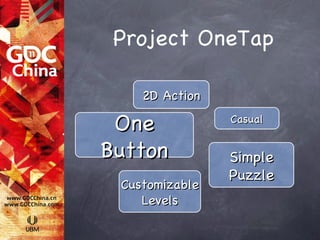
Project OneTap

    2D Action

 One            Casual


Button          Simple
                Puzzle
 Customizable
    Levels
Challenge:
Level Design
Level Design
Wise Man Builds His
House On The Rock


•   Option 1: Cheap Commercial Engine
•   Option 2: Open Source Engine
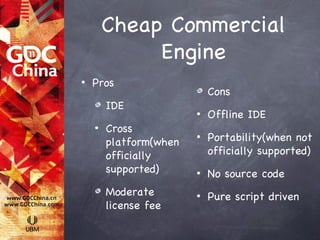
Cheap Commercial
             Engine
•   Pros
                            Cons
        IDE
                        •   Offline IDE
    •   Cross
        platform(when
                        •   Portability(when not
        officially          officially supported)
        supported)      •   No source code
        Moderate        •   Pure script driven
        license fee
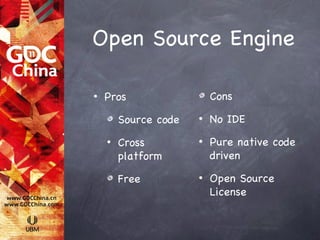
Open Source Engine

•   Pros                  Cons

        Source code   •   No IDE
    •   Cross         •   Pure native code
        platform          driven

        Free          •   Open Source
                          License
Choice

•   Option 1: Cheap Commercial Engine

    Option 2: Open Source Engine
•   Option 3: Open Source Engine + Game
    Support Layer
    •   Allegro                         ✔
    •   http://alleg.sourceforge.net/
Demo
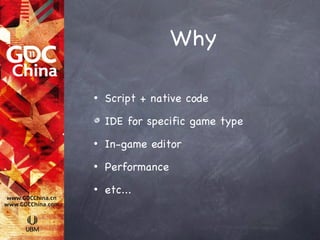
Why

•   Script + native code

    IDE for specific game type
•   In-game editor
•   Performance
•   etc...
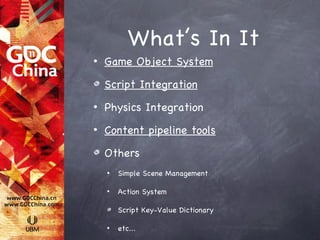
What’s In It
•   Game Object System

    Script Integration
•   Physics Integration
•   Content pipeline tools

    Others
    •   Simple Scene Management

    •   Action System

        Script Key-Value Dictionary

    •   etc...
Game Object System
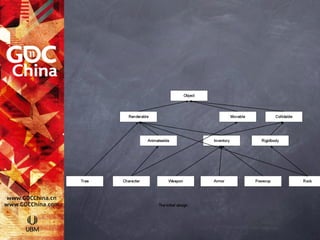
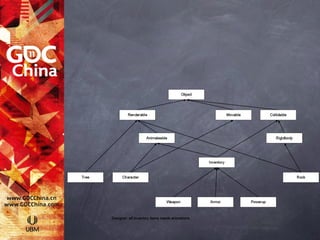
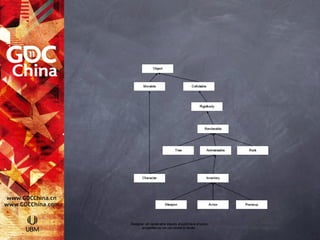
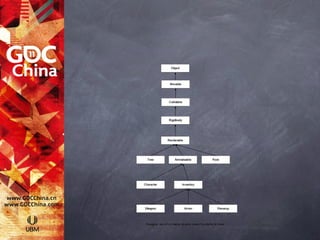
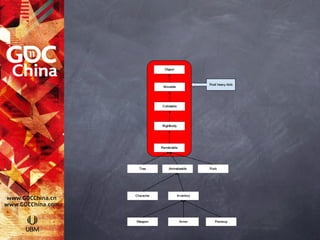
Inheritance &
Gameplay Development

 •   Gameplay dev nature: iteration

     Iteration causes changes
 •   Inheritance: not change-friendly
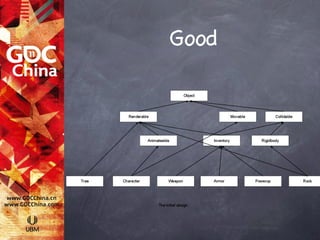
Good
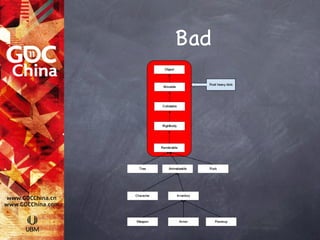
Bad
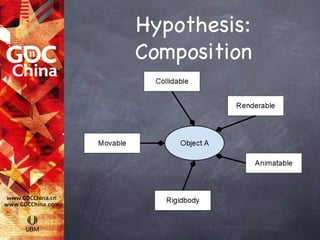
Hypothesis:
Composition
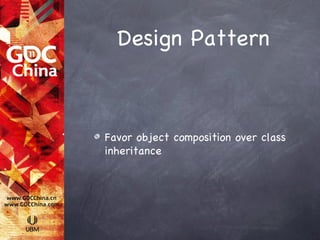
Design Pattern


Favor object composition over class
inheritance
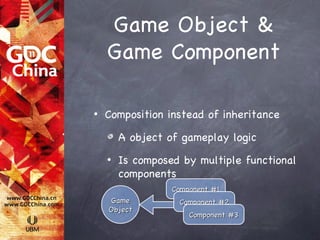
Game Object &
    Game Component

•   Composition instead of inheritance

        A object of gameplay logic
    •   Is composed by multiple functional
        components
                  Component #1
    Game           Component #2
    Object
                      Component #3
Game Object &
    Game Component


•   Add/remove component in runtime
    •   Key to build an IDE
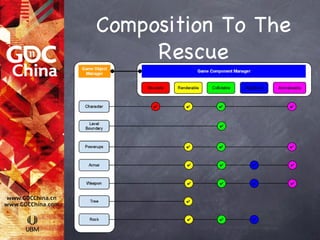
Composition To The
     Rescue
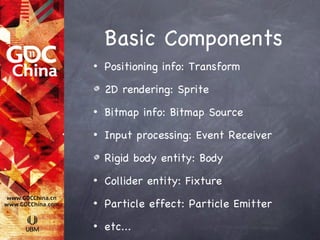
Basic Components
•   Positioning info: Transform

    2D rendering: Sprite
•   Bitmap info: Bitmap Source
•   Input processing: Event Receiver

    Rigid body entity: Body
•   Collider entity: Fixture
•   Particle effect: Particle Emitter
•   etc...
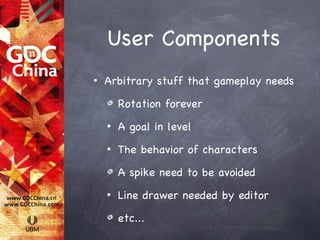
User Components
•   Arbitrary stuff that gameplay needs

        Rotation forever
    •   A goal in level
    •   The behavior of characters

        A spike need to be avoided
    •   Line drawer needed by editor

        etc...
Demo
Script Integration
Dilemma of Native

•   Compilation time
•   Runtime modification
•   Advanced language feature
•   “Glue” code
2-tiers System To
       The Rescue

•   Core: native code
•   Editor and gameplay: script
    •   Lua
Related Works


•   Communication between native and
    script
    •   Export tools/libraries
    •   Script API
Communication -
    Native & Script
•   Simple interfaces/engine API
    •   tolua
    •   http://www.tecgraf.puc-rio.br/~celes/
    •   Simple, no compilation cost
•   Complex interfaces
    •   Lua C API
Related Works cont.

•   Serialization
    •   Load/save, editor
    •   Support for advanced features
        •   Reference
        •   Function object, closure
        •   etc...
Serialization
•   Pluto
    •   https://github.com/hoelzro/pluto
•   Write serialization code for every
    component
•   1000 lines of Lua code
Prefabricated Object
 •   Take snapshot of object
     •   Parameters
     •   References
     •   Hierarchy
 •   Assisted object design
     •   Level editor ➔ object editor
Patching


Patching binary ➔ patching data
Demo
Content Pipeline
     Tools
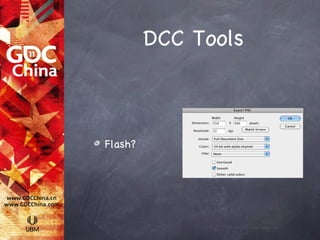
DCC Tools


Flash?
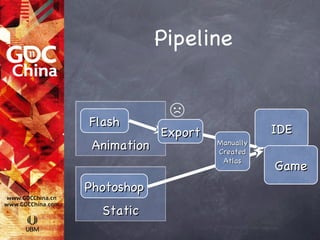
Pipeline


Flash
              ☹
             Export              IDE
 Animation            Manually
                      Created
                       Atlas
                                 Game
Photoshop
  Static
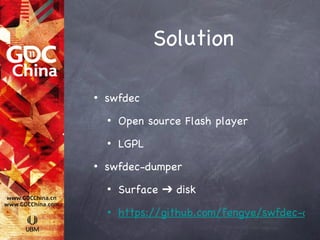
Solution

•   swfdec
    •   Open source Flash player
    •   LGPL
•   swfdec-dumper
    •   Surface ➔ disk
    •   https://github.com/fengye/swfdec-dum
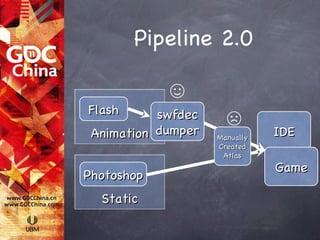
Pipeline 2.0

            ☺
Flash      swfdec
                      ☹
 Animation dumper   Manually
                               IDE
                    Created
                     Atlas
                               Game
Photoshop
  Static
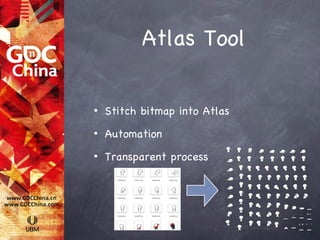
Atlas Tool

•   Stitch bitmap into Atlas
•   Automation
•   Transparent process
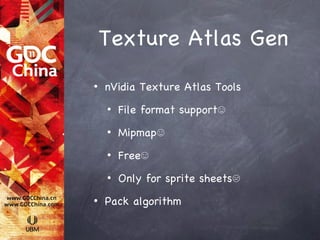
Texture Atlas Gen
•   nVidia Texture Atlas Tools
    •   File format support☺
    •   Mipmap☺
    •   Free☺
    •   Only for sprite sheets☹
•   Pack algorithm
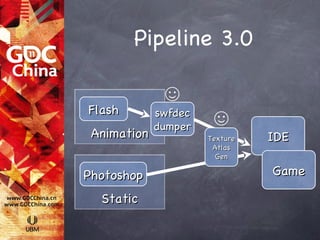
Pipeline 3.0

              ☺
Flash        swfdec
             dumper    ☺
 Animation            Texture   IDE
                       Atlas
                        Gen

Photoshop                       Game

  Static
Questions?
Issues

•   Debugger
    •   Coroutine/fiber
•   Reference leak
•   Script loader
Communication
Between Components

•   Query for interface
    •   Increase coupling
•   Register message
    •   Order of notification is not defined
iPhone Version
Naive Port
•   Mac➔iPhone
•   20 FPS + Crashes
•   Possible causes:
    •   Memory out of bound
    •   Script slowdown
    •   Performance of rendering
Memory Limitation


•   Unified memory architecture
•   User program up to 112M - iPhone 4
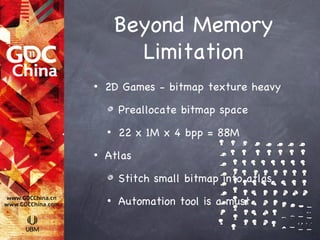
Beyond Memory
          Limitation
•   2D Games - bitmap texture heavy

        Preallocate bitmap space
    •   22 x 1M x 4 bpp = 88M
•   Atlas

        Stitch small bitmap into atlas
    •   Automation tool is a must
Beyond Memory
          Limitation
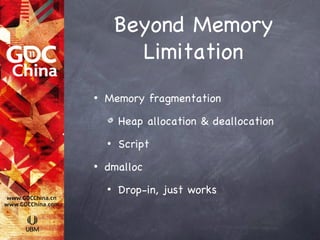
•   Memory fragmentation

        Heap allocation & deallocation
    •   Script
•   dmalloc
    •   Drop-in, just works
Detect Perf. Issue


•   Instruments

      Mac/iPhone
•   Code intrusive profiler
Detect Perf. Issue

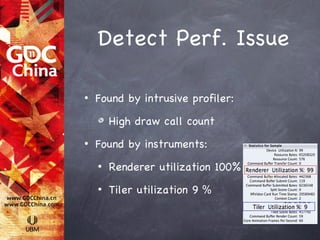
•   Found by intrusive profiler:

        High draw call count
•   Found by instruments:
    •   Renderer utilization 100%
    •   Tiler utilization 9 %
Reduce Draw Call
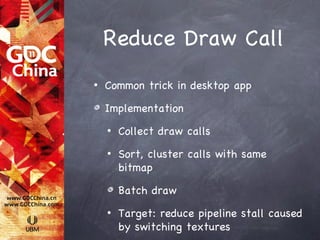
•   Common trick in desktop app

    Implementation
    •   Collect draw calls
    •   Sort, cluster calls with same
        bitmap

        Batch draw
    •   Target: reduce pipeline stall caused
        by switching textures
Reduce Draw Call


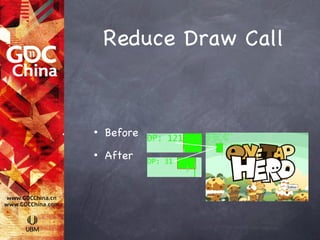
•   Before
•   After
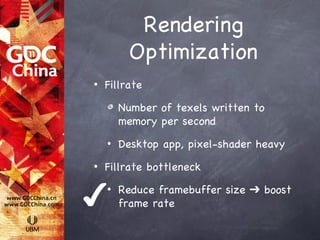
Rendering
          Optimization
•   Fillrate

        Number of texels written to
        memory per second
    •   Desktop app, pixel-shader heavy
•   Fillrate bottleneck


✔   •   Reduce framebuffer size ➔ boost
        frame rate
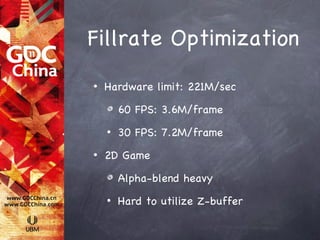
Fillrate Optimization
•   Hardware limit: 221M/sec

        60 FPS: 3.6M/frame
    •   30 FPS: 7.2M/frame
•   2D Game

        Alpha-blend heavy
    •   Hard to utilize Z-buffer
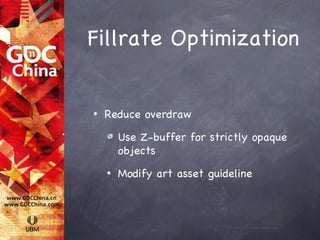
Fillrate Optimization


•   Reduce overdraw

        Use Z-buffer for strictly opaque
        objects
    •   Modify art asset guideline
Demo

Brewing Your Own Game Engie eng

  • 1.
    Brewing Your Own Game Engine The Pros & Cons of Using Open Source Software to Rapidly Develop Cross-platform Indie Games and Tools Ye Feng
  • 2.
    What’s In TheTalk • No rocket science From practical experience • Arguable
  • 3.
  • 4.
    Project OneTap 2D Action One Casual Button Simple Puzzle Customizable Levels
  • 5.
  • 6.
    Wise Man BuildsHis House On The Rock • Option 1: Cheap Commercial Engine • Option 2: Open Source Engine
  • 7.
    Cheap Commercial Engine • Pros Cons IDE • Offline IDE • Cross platform(when • Portability(when not officially officially supported) supported) • No source code Moderate • Pure script driven license fee
  • 8.
    Open Source Engine • Pros Cons Source code • No IDE • Cross • Pure native code platform driven Free • Open Source License
  • 9.
    Choice • Option 1: Cheap Commercial Engine Option 2: Open Source Engine • Option 3: Open Source Engine + Game Support Layer • Allegro ✔ • http://alleg.sourceforge.net/
  • 10.
  • 11.
    Why • Script + native code IDE for specific game type • In-game editor • Performance • etc...
  • 12.
    What’s In It • Game Object System Script Integration • Physics Integration • Content pipeline tools Others • Simple Scene Management • Action System Script Key-Value Dictionary • etc...
  • 13.
  • 14.
    Inheritance & Gameplay Development • Gameplay dev nature: iteration Iteration causes changes • Inheritance: not change-friendly
  • 15.
  • 16.
  • 22.
  • 23.
    Design Pattern Favor objectcomposition over class inheritance
  • 24.
    Game Object & Game Component • Composition instead of inheritance A object of gameplay logic • Is composed by multiple functional components Component #1 Game Component #2 Object Component #3
  • 25.
    Game Object & Game Component • Add/remove component in runtime • Key to build an IDE
  • 26.
  • 27.
    Basic Components • Positioning info: Transform 2D rendering: Sprite • Bitmap info: Bitmap Source • Input processing: Event Receiver Rigid body entity: Body • Collider entity: Fixture • Particle effect: Particle Emitter • etc...
  • 28.
    User Components • Arbitrary stuff that gameplay needs Rotation forever • A goal in level • The behavior of characters A spike need to be avoided • Line drawer needed by editor etc...
  • 29.
  • 30.
  • 31.
    Dilemma of Native • Compilation time • Runtime modification • Advanced language feature • “Glue” code
  • 32.
    2-tiers System To The Rescue • Core: native code • Editor and gameplay: script • Lua
  • 33.
    Related Works • Communication between native and script • Export tools/libraries • Script API
  • 34.
    Communication - Native & Script • Simple interfaces/engine API • tolua • http://www.tecgraf.puc-rio.br/~celes/ • Simple, no compilation cost • Complex interfaces • Lua C API
  • 35.
    Related Works cont. • Serialization • Load/save, editor • Support for advanced features • Reference • Function object, closure • etc...
  • 36.
    Serialization • Pluto • https://github.com/hoelzro/pluto • Write serialization code for every component • 1000 lines of Lua code
  • 37.
    Prefabricated Object • Take snapshot of object • Parameters • References • Hierarchy • Assisted object design • Level editor ➔ object editor
  • 38.
  • 39.
  • 40.
  • 41.
  • 42.
    Pipeline Flash ☹ Export IDE Animation Manually Created Atlas Game Photoshop Static
  • 43.
    Solution • swfdec • Open source Flash player • LGPL • swfdec-dumper • Surface ➔ disk • https://github.com/fengye/swfdec-dum
  • 44.
    Pipeline 2.0 ☺ Flash swfdec ☹ Animation dumper Manually IDE Created Atlas Game Photoshop Static
  • 45.
    Atlas Tool • Stitch bitmap into Atlas • Automation • Transparent process
  • 46.
    Texture Atlas Gen • nVidia Texture Atlas Tools • File format support☺ • Mipmap☺ • Free☺ • Only for sprite sheets☹ • Pack algorithm
  • 47.
    Pipeline 3.0 ☺ Flash swfdec dumper ☺ Animation Texture IDE Atlas Gen Photoshop Game Static
  • 48.
  • 49.
    Issues • Debugger • Coroutine/fiber • Reference leak • Script loader
  • 50.
    Communication Between Components • Query for interface • Increase coupling • Register message • Order of notification is not defined
  • 51.
  • 52.
    Naive Port • Mac➔iPhone • 20 FPS + Crashes • Possible causes: • Memory out of bound • Script slowdown • Performance of rendering
  • 53.
    Memory Limitation • Unified memory architecture • User program up to 112M - iPhone 4
  • 54.
    Beyond Memory Limitation • 2D Games - bitmap texture heavy Preallocate bitmap space • 22 x 1M x 4 bpp = 88M • Atlas Stitch small bitmap into atlas • Automation tool is a must
  • 55.
    Beyond Memory Limitation • Memory fragmentation Heap allocation & deallocation • Script • dmalloc • Drop-in, just works
  • 56.
    Detect Perf. Issue • Instruments Mac/iPhone • Code intrusive profiler
  • 57.
    Detect Perf. Issue • Found by intrusive profiler: High draw call count • Found by instruments: • Renderer utilization 100% • Tiler utilization 9 %
  • 58.
    Reduce Draw Call • Common trick in desktop app Implementation • Collect draw calls • Sort, cluster calls with same bitmap Batch draw • Target: reduce pipeline stall caused by switching textures
  • 59.
    Reduce Draw Call • Before • After
  • 60.
    Rendering Optimization • Fillrate Number of texels written to memory per second • Desktop app, pixel-shader heavy • Fillrate bottleneck ✔ • Reduce framebuffer size ➔ boost frame rate
  • 61.
    Fillrate Optimization • Hardware limit: 221M/sec 60 FPS: 3.6M/frame • 30 FPS: 7.2M/frame • 2D Game Alpha-blend heavy • Hard to utilize Z-buffer
  • 62.
    Fillrate Optimization • Reduce overdraw Use Z-buffer for strictly opaque objects • Modify art asset guideline
  • 63.

Editor's Notes

  • #24 GoF :我们的经验显示,设计师经常过分强调将继承作为重用技术,而事实上,如果着重以对象组合作为重用技术,则可以获得更多的可重用性以及简单的设计。