Unit 2
Memory interfacing
Week 7
Lecture: 12/09/2023
Introduction
As the word implies “memory” means the place where we have to
store any thing, this is very essential part of human being just like this
memory is also very important for computer system because in
computer system we have to store some data or information and for
storing these items we need some memory or space.
Types of Memory
• Primary Memory
• Secondary Memory
• Cache Memory
Primary Memory
Primary Memory is called as main memory of the System. During computer operations, it
stores data, programs, and instructions. It is commonly called Semiconductor Memory or
Volatile Memory. Primary Memory is faster than Secondary Memory.
Secondary Memory
Secondary Memory is used to store a heavy amount of data or information. The data or
information stored in Secondary Memory is permanent and secondary memory is slower
than primary memory, but secondary memory can’t be directly accessible by the CPU.
Cache Memory
Cache Memory is faster memory that helps in fastening the speed of the CPU. Cache
Memory is used to store the data that is frequently required by the CPU. Whenever the
system gets off, data present in the cache memory gets lost.
Characteristics of Main Memory
• Semiconductor memories.
• Faster than secondary memories.
• A computer cannot run without primary memory.
• It is the working memory of the computer.
• Usually volatile memory.
• Data is lost in case the power is switched off.
Types of Various Units of Memory
• Bit
• Nibble
• Byte
• Kilo Byte
• Mega Byte
• Giga Byte
• Tera Byte
• Peta Byte
• Exa Byte
• Zetta Byte
• Yotta Byte
Bit :
In a computer, data is stored in the form of 0s and 1s. We can store each and every data in
a computer with the help of 0s and 1s. Each digit, either 0 or 1, is called a Bit. The Bit is the
smallest unit of memory. Bit simply refers to the binary digit.
Nibble :
Nibble is just a greater version of Bit. It is a combination of 4 bits of binary digits or half of
an Octet. A nibble can be represented by a single hexadecimal digit.
Byte :
In computer systems, a unit of data that is eight binary digits long is known as a byte. A
Byte is abbreviated with a big “B” whereas a bit is abbreviated with a small “b”.
Byte - 8 bit = 1 byte
KiloByte :
The kilobyte is the smallest unit of memory measurement but greater than a byte. The
kilobyte is the smallest unit of memory measurement but greater than a byte. Kilobytes
are mostly used to measure the size of small files.
Kilobyte - 1024 byte = 1 kb = 210
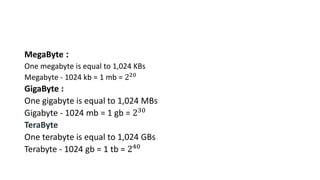
MegaByte :
One megabyte is equal to 1,024 KBs
Megabyte - 1024 kb = 1 mb = 220
GigaByte :
One gigabyte is equal to 1,024 MBs
Gigabyte - 1024 mb = 1 gb = 230
TeraByte
One terabyte is equal to 1,024 GBs
Terabyte - 1024 gb = 1 tb = 240
Primary Memory
• Primary memory also known as “main memory” or “internal
memory” which is located in the mother board of system or as we say
which is directly connected to the CPU.
• It is the place where only little bit of data are stored either by
manufacturer or by user.
• This is further divided into two parts :-
RAM
ROM
RAM
• RAM also known as “random access memory” it stores the data which
the user currently uses or as we say it stores the data temporary in it.
• RAM needs power or electricity to work when the computer power is
turned off then all the data in it will be erased automatically.
• This is a circuit which have its separate space or slot in motherboard.
• This allows the computer to run the software faster.
• RAM is further classified into two parts
SRAM
DRAM

Unit-II Memory Interfacing.pptx

  • 1.
  • 2.
  • 3.
    Introduction As the wordimplies “memory” means the place where we have to store any thing, this is very essential part of human being just like this memory is also very important for computer system because in computer system we have to store some data or information and for storing these items we need some memory or space.
  • 4.
    Types of Memory •Primary Memory • Secondary Memory • Cache Memory Primary Memory Primary Memory is called as main memory of the System. During computer operations, it stores data, programs, and instructions. It is commonly called Semiconductor Memory or Volatile Memory. Primary Memory is faster than Secondary Memory. Secondary Memory Secondary Memory is used to store a heavy amount of data or information. The data or information stored in Secondary Memory is permanent and secondary memory is slower than primary memory, but secondary memory can’t be directly accessible by the CPU. Cache Memory Cache Memory is faster memory that helps in fastening the speed of the CPU. Cache Memory is used to store the data that is frequently required by the CPU. Whenever the system gets off, data present in the cache memory gets lost.
  • 5.
    Characteristics of MainMemory • Semiconductor memories. • Faster than secondary memories. • A computer cannot run without primary memory. • It is the working memory of the computer. • Usually volatile memory. • Data is lost in case the power is switched off.
  • 6.
    Types of VariousUnits of Memory • Bit • Nibble • Byte • Kilo Byte • Mega Byte • Giga Byte • Tera Byte • Peta Byte • Exa Byte • Zetta Byte • Yotta Byte
  • 7.
    Bit : In acomputer, data is stored in the form of 0s and 1s. We can store each and every data in a computer with the help of 0s and 1s. Each digit, either 0 or 1, is called a Bit. The Bit is the smallest unit of memory. Bit simply refers to the binary digit. Nibble : Nibble is just a greater version of Bit. It is a combination of 4 bits of binary digits or half of an Octet. A nibble can be represented by a single hexadecimal digit. Byte : In computer systems, a unit of data that is eight binary digits long is known as a byte. A Byte is abbreviated with a big “B” whereas a bit is abbreviated with a small “b”. Byte - 8 bit = 1 byte KiloByte : The kilobyte is the smallest unit of memory measurement but greater than a byte. The kilobyte is the smallest unit of memory measurement but greater than a byte. Kilobytes are mostly used to measure the size of small files. Kilobyte - 1024 byte = 1 kb = 210
  • 8.
    MegaByte : One megabyteis equal to 1,024 KBs Megabyte - 1024 kb = 1 mb = 220 GigaByte : One gigabyte is equal to 1,024 MBs Gigabyte - 1024 mb = 1 gb = 230 TeraByte One terabyte is equal to 1,024 GBs Terabyte - 1024 gb = 1 tb = 240
  • 9.
    Primary Memory • Primarymemory also known as “main memory” or “internal memory” which is located in the mother board of system or as we say which is directly connected to the CPU. • It is the place where only little bit of data are stored either by manufacturer or by user. • This is further divided into two parts :- RAM ROM
  • 10.
    RAM • RAM alsoknown as “random access memory” it stores the data which the user currently uses or as we say it stores the data temporary in it. • RAM needs power or electricity to work when the computer power is turned off then all the data in it will be erased automatically. • This is a circuit which have its separate space or slot in motherboard. • This allows the computer to run the software faster. • RAM is further classified into two parts SRAM DRAM