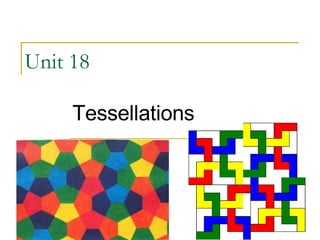
Unit 18  Tessellations
Lesson Objectives At the end of this lesson, pupils will be able to identify the shape used in a tessellation find out whether a shape can tessellate or not tessellate a given shape
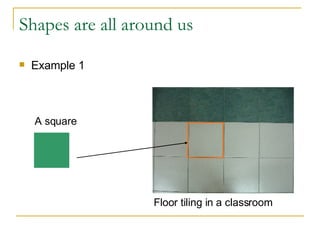
Shapes are all around us  Example 1  A square   Floor tiling in a classroom
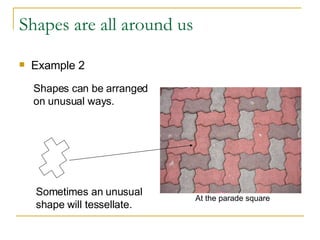
Shapes are all around us Example 2 Shapes can be arranged  on unusual ways. Sometimes an unusual  shape will tessellate.  At the parade square
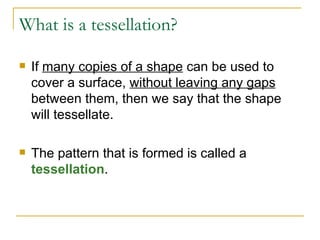
What is a tessellation? If  many copies of a shape  can be used to cover a surface,  without leaving any gaps  between them, then we say that the shape will tessellate.  The pattern that is formed is called a  tessellation .
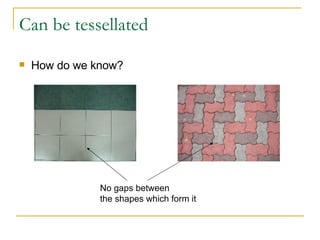
Can be tessellated How do we know? No gaps between  the shapes which form it
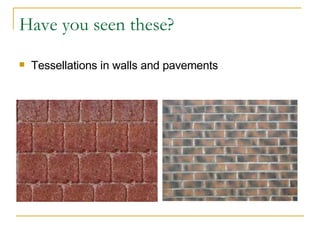
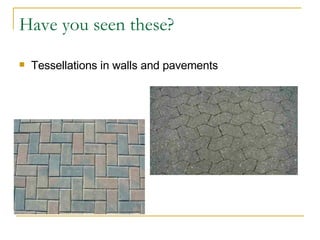
Have you seen these? Tessellations in walls and pavements
What is common among the tessellation? The tessellations are made with only  one shape . There are  no gaps  in the tessellations. Only one face of a shape is used to make the tessellations.
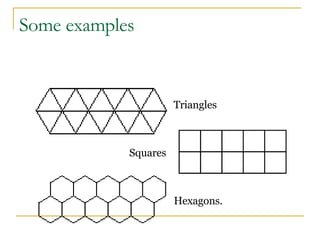
Triangles Squares Hexagons. Some examples
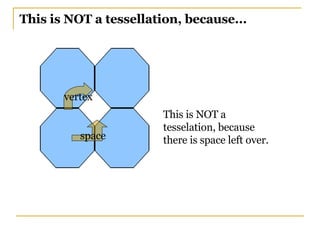
This is NOT a tessellation, because... This is NOT a tesselation, because there is space left over. vertex space
Try these yourself Task 1 To explore constructing a tessellation using a drawing tool.  Task 2 To construct a tessellation using the isometric dot paper.
Task 1 http://www.shodor.org/interactivate/activities/tessellate/index.html   User Guide
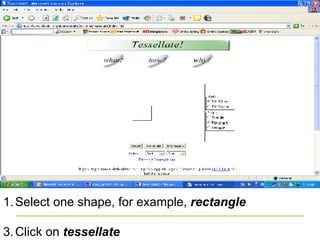
Select one shape, for example,  rectangle   Click on  tessellate
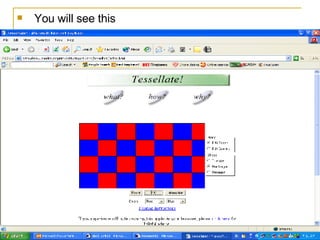
You will see this
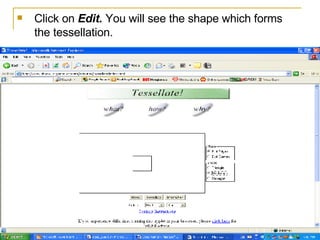
Click on  Edit.  You will see the shape which forms the tessellation.
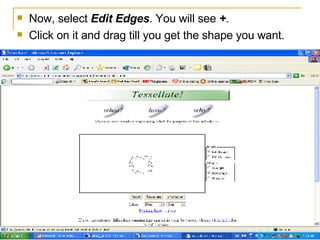
Now, select  Edit Edges . You will see  + .  Click on it and drag till you get the shape you want.
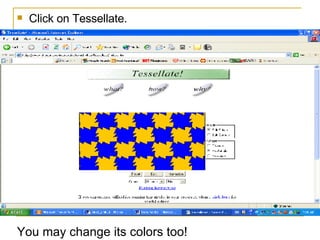
Click on Tessellate.  You may change its colors too!
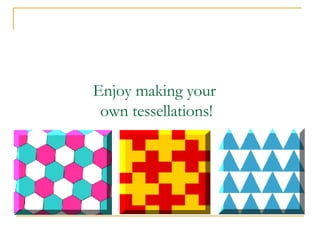
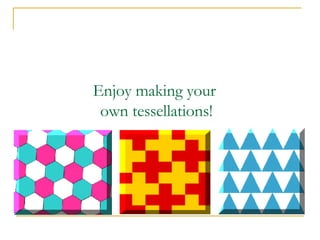
Enjoy making your  own tessellations!
Task 2  Go to desktop    double-click on Fun With Construction We’ll do this together.
Enjoy making your  own tessellations!
References  www.numeracysoftware.com  http://www.shodor.org/interactivate/activities/tessellate/index.html   Software: Fun With Construction

Unit 18 - Tessellations

  • 1.
    Unit 18 Tessellations
  • 2.
    Lesson Objectives Atthe end of this lesson, pupils will be able to identify the shape used in a tessellation find out whether a shape can tessellate or not tessellate a given shape
  • 3.
    Shapes are allaround us Example 1 A square Floor tiling in a classroom
  • 4.
    Shapes are allaround us Example 2 Shapes can be arranged on unusual ways. Sometimes an unusual shape will tessellate. At the parade square
  • 5.
    What is atessellation? If many copies of a shape can be used to cover a surface, without leaving any gaps between them, then we say that the shape will tessellate. The pattern that is formed is called a tessellation .
  • 6.
    Can be tessellatedHow do we know? No gaps between the shapes which form it
  • 7.
    Have you seenthese? Tessellations in walls and pavements
  • 8.
    Have you seenthese? Tessellations in walls and pavements
  • 9.
    What is commonamong the tessellation? The tessellations are made with only one shape . There are no gaps in the tessellations. Only one face of a shape is used to make the tessellations.
  • 10.
  • 11.
    This is NOTa tessellation, because... This is NOT a tesselation, because there is space left over. vertex space
  • 12.
    Try these yourselfTask 1 To explore constructing a tessellation using a drawing tool. Task 2 To construct a tessellation using the isometric dot paper.
  • 13.
  • 14.
    Select one shape,for example, rectangle Click on tessellate
  • 15.
  • 16.
    Click on Edit. You will see the shape which forms the tessellation.
  • 17.
    Now, select Edit Edges . You will see + . Click on it and drag till you get the shape you want.
  • 18.
    Click on Tessellate. You may change its colors too!
  • 19.
    Enjoy making your own tessellations!
  • 20.
    Task 2 Go to desktop  double-click on Fun With Construction We’ll do this together.
  • 21.
    Enjoy making your own tessellations!
  • 22.
    References www.numeracysoftware.com http://www.shodor.org/interactivate/activities/tessellate/index.html Software: Fun With Construction